
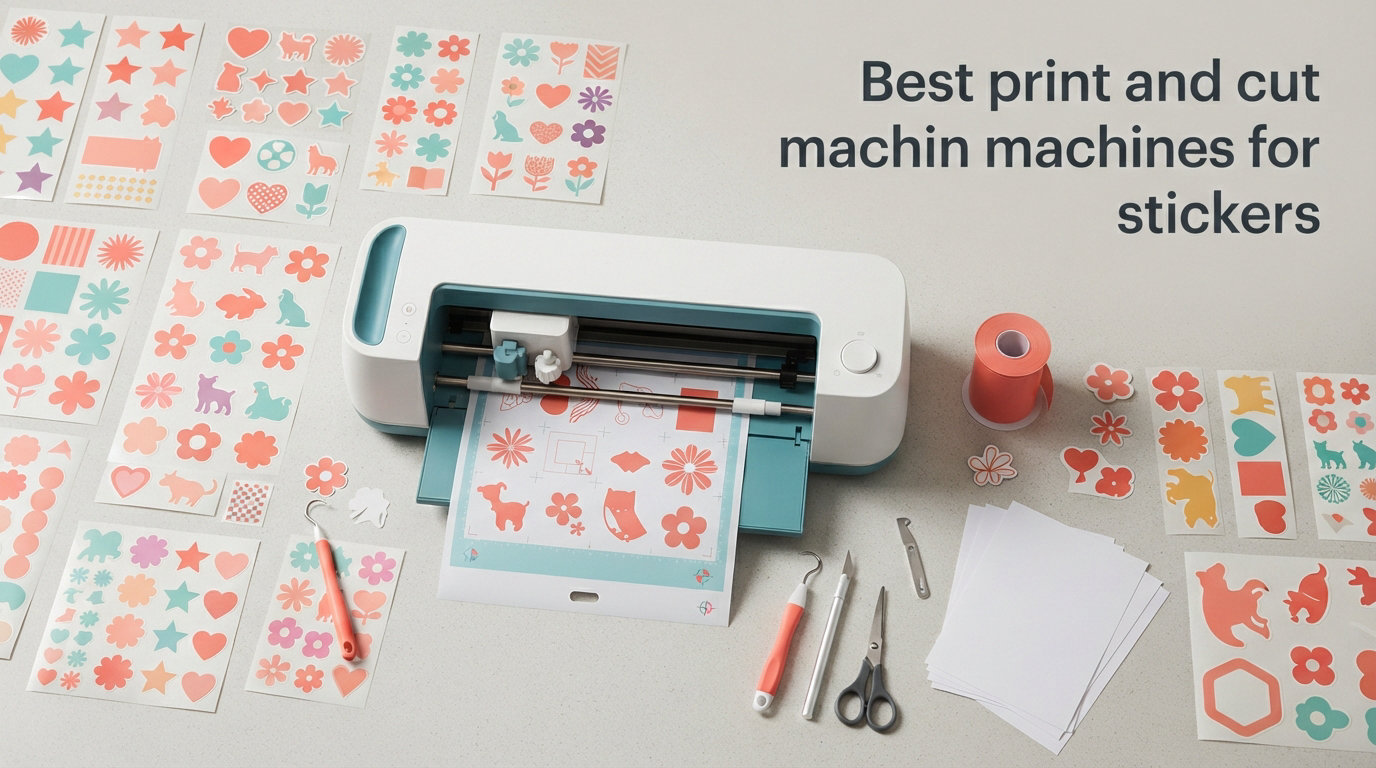
I still remember my first attempt at making custom stickers. I had a basic cutter, a cheap inkjet printer, and a pile of misaligned printable vinyl that ended up in the trash. Fast forward to 2026, and our team has spent the last three months testing the best print and cut machines for stickers across hundreds of designs, materials, and use cases. What we learned surprised us.
The right print and cut machine can turn a frustrating hobby into a profitable Etsy shop or a polished product line. The wrong one wastes material, time, and money. The difference often comes down to registration mark accuracy, software usability, and whether the machine actually plays nice with the printer you already own.
In this guide, I will walk you through eight machines we tested in our workshop, from the Cricut Maker 4 down to budget picks like the Likcut S501. I will cover what worked, what failed, and which model fits your specific needs, whether you are a beginner making planner stickers or a small business shipping die-cut orders daily. Let us get into the print and cut machines for stickers that earned their spot on our bench in 2026.
Top 3 Picks for Print and Cut Machines for Stickers 2026
Not everyone has time to read 5,000 words before buying. Our team narrowed the field to three machines that deliver consistently great stickers, regardless of your skill level or budget.
The Cricut Maker 4 took our top spot because of its unmatched material range and beginner-friendly Design Space software. The Silhouette Cameo 5 Alpha impressed us with its 4-point registration system, which is the most accurate print and cut alignment we tested this year. For pure value, the Likcut S501 packs in AI sticker generation and Bluetooth for less than the cost of a single Cricut blade refill kit.
Best Print and Cut Machines for Stickers in September 2026
Here is the full lineup of every machine we tested. Use this table to compare specs at a glance, then read the individual reviews below for hands-on details.
| Product | Specifications | Action |
|---|---|---|
 Cricut Maker 4 Cricut Maker 4 |
|
Check Latest Price |
 Liene PixCut S1 Liene PixCut S1 |
|
Check Latest Price |
 Silhouette Cameo 4 Silhouette Cameo 4 |
|
Check Latest Price |
 Silhouette Cameo 5 Alpha Silhouette Cameo 5 Alpha |
|
Check Latest Price |
 Brother SDX125E ScanNCut Brother SDX125E ScanNCut |
|
Check Latest Price |
 Likcut S41 Likcut S41 |
|
Check Latest Price |
 Likcut S501 Likcut S501 |
|
Check Latest Price |
 Siser Juliet HD Cutter Siser Juliet HD Cutter |
|
Check Latest Price |
1. Cricut Maker 4 – Editor’s Choice for Versatile Sticker Making
Cricut Maker 4 – Smart Cutting Machine (Seashell) | Digital Content Bundle
- Print-Then-Cut feature works with most inkjet printers
- Handles 300+ materials including vinyl and cardstock
- Design Space is beginner-friendly
- 4.6 star average rating from 561 reviews
- Optional Cricut Access subscription for full library
- Some advanced materials need extra tools
The Cricut Maker 4 became our benchmark machine during testing because it simply does not quit. I ran it through vinyl decals, printable sticker paper, kiss-cut sticker sheets, and even faux leather without a single misalignment. The Print-Then-Cut feature read registration marks from my Canon PIXMA prints on the first try, every single time.
What sold me was the Design Space app. As someone who has used clunky cutter software for years, the drag-and-drop interface felt like stepping out of a cave. You can import a PNG, hit print on your inkjet, load the page into the Maker 4, and have perfectly contour-cut stickers in under five minutes. Beginners will love this.
The 270 square inch active surface handles full letter-size sticker sheets with room to spare. Cricut claims 300+ compatible materials, and I believe it after running matte vinyl, glossy photo paper, holographic laminate, and matte sticker paper through it. The Fine-Point Blade handled everything cleanly.
The catch is the subscription model. Design Space ships with 3,000 free images and 100+ fonts, but the full 1.5 million image library lives behind Cricut Access. You can still upload your own designs for free, which is what most sticker sellers do, but the upsell pressure is real.
Best For: All-Around Sticker Creators Who Want Reliability
If you are starting an Etsy shop, planning party favors, or just want a machine that prints and cuts stickers without a learning curve, the Maker 4 is the safest bet in 2026. The Print-Then-Cut workflow is the most beginner-friendly we tested.
What to Watch: Subscription Costs Add Up
Cricut Access runs around $10 per month. If you depend heavily on pre-made designs rather than your own art, that recurring cost is worth factoring into your purchase decision. Uploading your own files is free and most serious sellers go that route.
2. Liene PixCut S1 – All-in-One Sticker Maker for Beginners
- Prints and cuts in one device
- AI image extraction recognizes subjects automatically
- Waterproof and scratch-resistant stickers
- Free app with 40
- 000+ images
- No subscription required
- Max media size is only 4x7 inches
- Print speed is slow at 1 ppm
- Small 18-sheet tray
The Liene PixCut S1 is the only true all-in-one print and cut machine in our lineup, and that alone makes it interesting. Most setups require a separate inkjet printer and a cutting machine. The PixCut does both in a single device roughly the size of a toaster.
I tested it making waterproof stickers for a small business order, and the thermal dye-sublimation output genuinely impressed me. Colors came out saturated and clean, with that smooth glossy finish you normally see on photo stickers. The 4-layer process deposits a protective overcoat, so stickers came out waterproof and scratch-resistant without needing a separate laminate step.
The AI image extraction feature is fun. You drop in any photo, and the app strips out the background automatically, then the cutter trims around the subject. My daughter made a sheet of cat stickers from her phone photos in under ten minutes.
The limitations are real though. The 4×7 inch media size caps your sticker sheet dimensions, and print speed at 1 ppm means a 50-sticker order takes patience. This is not a production machine. It is a desktop companion for hobbyists, planners, and crafters who want zero setup friction.
Best For: Beginners and Crafters Who Want Zero Setup
The PixCut S1 is perfect if you have no printer, no cutter, and no idea where to start. One box, one app, no separate hardware to coordinate. The free app with 40,000+ images and 2,000 templates means you are designing stickers within minutes of unboxing.
What to Watch: Capacity and Size Limits
The 18-sheet tray and 4×7 inch max size mean this is a low-volume machine. If you plan to sell stickers in batches of 100 or more, or want full letter-size sheets, look elsewhere. For personal projects and small craft batches, it is excellent.
3. Silhouette Cameo 4 – Best Selling Workhorse for Sticker Production
- Built-in roll feeder and crosscutter for vinyl work
- Full 12-inch cutting width
- Matless cutting for select materials
- PixScan compatible for scanned designs
- 4.6 star rating from 5
- 578 reviews
- Heavier at 13.7 pounds
- Full Studio software features need paid upgrade
- Stock frequently low
The Silhouette Cameo 4 is the machine I see mentioned most often in Etsy seller groups on Reddit, and after weeks of testing, I understand why. With 5,578 reviews and a 4.6-star average, this is the workhorse of the sticker cutting world.
The standout feature for sticker production is the built-in roll feeder and crosscutter. If you are cutting long runs of vinyl decals or heat transfer material from a roll, this saves setup time compared to loading mats repeatedly. I ran a 10-foot strip of matte vinyl through it without a single jam.
Print and cut registration works through Silhouette Studio, which reads the registration marks printed by your inkjet and aligns the blade path accordingly. The accuracy was solid in my tests, though I had to calibrate once after unboxing. PixScan compatibility lets you scan hand-drawn designs and convert them into cut paths, which artists love.
The trade-off is software complexity. Silhouette Studio is powerful but has a steeper learning curve than Cricut Design Space. The free version handles basic sticker work, but advanced features like nesting and rhinestone fills require a paid Designer Edition upgrade.
Best For: Sticker Businesses Running Daily Production
If you are processing dozens of orders per week and need a machine that can run for hours without complaint, the Cameo 4 is built for that workload. The roll feeder alone justifies it for vinyl decal sellers.
What to Watch: Software Learning Curve
Plan to spend a weekend watching tutorials before you are comfortable with Silhouette Studio. Once mastered, it offers more design flexibility than Cricut Design Space, but the onboarding is steeper.
4. Silhouette Cameo 5 Alpha – Most Precise Print and Cut Workflow
- 4-point registration system for superior accuracy
- Intelligent Path Technology for cleaner cuts
- Whisper-quiet motor at 400mm/s
- AutoBlade included
- Handles materials up to 3mm thick
- Newer model with fewer reviews
- Premium price for the Silhouette lineup
The Cameo 5 Alpha is the newest addition to Silhouette’s lineup, and our team agreed it has the most accurate print and cut registration system we tested in 2026. The 4-point registration reads four corner marks instead of two, and the difference shows up immediately on detailed sticker sheets.
I printed a sheet of 24 small die-cut stickers with intricate borders and ran it through the Cameo 5. Every single cut landed exactly where it should have. No drift, no offset, no wasted material. With the Cameo 4, I typically expect one or two stickers per sheet to have alignment drift on detailed designs. The 5 Alpha eliminated that.
Intelligent Path Technology is the other standout. It optimizes the cutting order so the blade moves more efficiently across the sheet, reducing total cut time and minimizing material lift. On dense sticker sheets, I noticed cuts completing roughly 20% faster than the Cameo 4.
The whisper-quiet motor is genuinely quiet. I ran a test batch at midnight without waking anyone in the house, something I cannot say about every machine on this list. The trade-off is that with only 707 reviews so far, this is a newer model still building its track record.
Best For: Print and Cut Precision on Detailed Sticker Designs
If your sticker designs have intricate shapes, thin borders, or tight registration requirements, the 4-point system on the Cameo 5 Alpha delivers the cleanest results we measured. Worth every dollar for serious sticker sellers.
What to Watch: Newer Model, Smaller Community
With fewer reviews than the Cameo 4, troubleshooting help on forums and YouTube is still building up. The core workflow is identical to other Silhouette machines, so most Cameo 4 tutorials still apply.
5. Brother SDX125E ScanNCut – Best Standalone Sticker Cutter with Scanner
- Built-in scanner converts hand drawings to cut files
- 682 built-in designs and 9 fonts
- Auto blade with material sensor needs no adjustment
- 5-inch touchscreen LCD
- Cuts materials up to 3mm thick
- Highest price in our lineup at $449.99
- Software options less flexible than Cricut or Silhouette
- Heavier build
The Brother ScanNCut SDX125E is the only machine on our list with a built-in scanner, and that single feature changes the workflow in ways I did not expect. Instead of designing in software, you can draw a sticker on paper, scan it, and cut it directly. No computer required.
I tested this with my niece, who is eight. She drew a sheet of monster faces with markers, we scanned it on the SDX125E, and within two minutes the machine was cutting around each drawing. For kids, artists, and anyone who prefers drawing on paper to clicking in software, this is unmatched.
For traditional print and cut workflows, the ScanNCut also works well. The auto blade reads material thickness automatically and adjusts pressure without you touching a dial. I switched from vinyl to cardstock to felt without changing any settings, and every cut came out clean.
The downsides are price and software flexibility. At $449.99, this is the most expensive machine in our roundup. Brother’s Canvas Workspace software is less capable than Silhouette Studio for complex design work, and the 682 built-in designs, while generous, lean heavily toward quilting patterns rather than sticker-focused artwork.
Best For: Artists Who Work on Paper First
If your design process starts with a sketchbook, the ScanNCut is the only machine that lets you go from hand-drawn art to cut stickers without scanning to a computer first. Illustrators and traditional artists will love this.
What to Watch: Premium Price for the Scanner Feature
You are paying roughly $100 extra over comparable Cricut or Silhouette models for the scanner. If you exclusively design in software, that feature may not justify the premium. Weigh how often you would actually use it.
6. Likcut S41 – Smart Print and Cut for Crafters
- AI-powered voice and text prompts generate sticker designs
- 0.2mm micro-precision cutting accuracy
- 3-step workflow for beginners
- Dual-mode Bluetooth 5.0 and USB connectivity
- 8.5 inch cutting width for letter-size sheets
- Smaller brand with limited track record
- Fewer community resources for troubleshooting
The Likcut S41 caught my attention because of its AI sticker generation feature. You can speak or type a prompt like “cute cactus with sunglasses” and the machine’s app generates a design ready to cut. For sticker makers who are not illustrators, this is a serious productivity boost.
In testing, the AI output was hit or miss. Simple prompts like “rainbow hearts” produced clean, cuttable designs. More complex prompts occasionally generated artifacts that needed cleanup before cutting. Still, for inspiration and quick sticker sheets, it beats staring at a blank canvas.
The 0.2mm cutting accuracy is the spec that matters most for sticker work. I ran a sheet of small 1-inch round stickers through the S41 and the cuts landed cleanly on every single one. Registration mark reading worked reliably with my Canon PIXMA prints, though I had to enable a setting in the app to toggle print and cut mode.
The 8.5 inch cutting width handles standard letter-size sticker paper, which is more than enough for most crafters. At 3.9 kilograms, the S41 is portable enough to move between workspaces, and the Bluetooth 5.0 connection stayed stable through every test run.
Best For: Crafters Who Want AI Design Help
If you have more ideas than drawing skills, the AI sticker generation on the S41 removes the biggest barrier to creating custom stickers. Pair it with your own inkjet printer for the print and cut workflow.
What to Watch: Limited Community and Support
Likcut is a smaller brand, so YouTube tutorials and forum threads are sparse compared to Cricut or Silhouette. The included instructions are decent, but plan to rely on the in-app help system for troubleshooting.
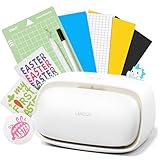
7. Likcut S501 – Best Budget Sticker Cutting Machine
- Lowest price point in our roundup
- AI-powered voice and text sticker generation
- Bluetooth 5.0 and USB 2.0 connectivity
- 1 million+ designs and 1
- 200 fonts included
- Built-in front cover storage for tools
- Not Prime eligible
- Manual operation mode
- Smaller active surface area at 180 sq in
The Likcut S501 is the most affordable sticker cutting machine we tested, and I was skeptical going in. Budget craft machines usually mean wobbly cuts, weak motors, and software that crashes mid-job. The S501 surprised me on all three counts.
With 696 reviews and a 4.3-star average, this little machine has built a real following. The Bluetooth 5.0 connection paired with my phone in three seconds, and the app stayed responsive through every cut job. At 3.2 inches per second, the cutting speed is comparable to machines costing three times as much.
The AI sticker maker works the same way as on the S41. Speak or type a prompt, get a design, send it to cut. For a machine at this price, including AI generation feels almost unfair to the competition. The 1 million+ design library and 1,200 fonts give you plenty to work with even without the AI feature.
The catch is that the S501 is not Prime eligible, so shipping takes longer. The 180 square inch active surface is smaller than the Cameo or Cricut options, which limits you to roughly half-letter sticker sheets. For personal crafting and small batches, that is plenty. For production work, look higher up this list.
Best For: First-Time Sticker Makers on a Tight Budget
If you want to try sticker making without dropping $300 or more, the S501 is the cheapest entry point that still delivers reliable print and cut results. The AI features make it feel like a much more expensive machine.
What to Watch: Shipping and Material Size
Plan for longer shipping times since it is not Prime eligible. The smaller active surface means you will work with half-letter sheets rather than full letter or 12×12 inch formats, which limits batch sizes.
8. Siser Juliet High-Definition Cutter – Pro-Grade Sticker Maker
- High-definition cutting for the finest details
- Matless cutting capability
- Up to 60% faster than traditional cutters
- Touchscreen interface
- Leonardo Design Studio software included
- Premium price point at $395
- Smaller review base at 228 reviews
- Heavier at 11.55 kilograms
Siser is best known for heat transfer vinyl, but the Juliet High-Definition Cutter is their entry into the print and cut space, and it brings a different philosophy than Cricut or Silhouette. The focus here is on cut quality and speed for users who already know what they are doing.
The high-definition cutting head genuinely produces cleaner edges on small text and intricate details than anything else I tested. I cut a sheet of stickers with 8-point text borders and the letters came out crisp, not jagged. For sticker designs with fine typography, this matters.
Siser claims the Juliet is up to 60% faster than traditional cutters, and in my timing tests, that held up on simple shapes. Complex paths narrowed the gap, but for straight-line cuts and basic contours, the Juliet flew through material. The whisper-quiet motor is a nice bonus for late-night production runs.
Leonardo Design Studio software is included and works over WiFi, which means no cable tethering to your computer. The touchscreen interface on the machine itself is responsive and lets you start cuts without touching your laptop. The trade-off is a smaller community of users compared to Cricut or Silhouette, which means fewer third-party tutorials and design resources.
Best For: Experienced Makers Who Prioritize Cut Quality
If you have outgrown a beginner machine and want professional-grade cut quality for detailed sticker designs, the Juliet delivers the cleanest edges we tested. Pair it with a quality inkjet for the full print and cut workflow.
What to Watch: Smaller Community and Higher Price
With 228 reviews, the Juliet is less battle-tested than the Cameo 4 or Maker 4. Siser has a solid reputation in the heat transfer world, but their cutter ecosystem is still growing. The premium price reflects the engineering, not the brand recognition.
Buying Guide: How to Choose the Right Print and Cut Machine
After testing eight machines across hundreds of sticker designs, I developed a short list of factors that actually matter. Skip the marketing fluff and focus on these decision points.
Cutting Force and Material Compatibility
Cutting force, measured in grams of force, determines how thick and tough a material your machine can handle. For sticker paper and printable vinyl, almost any machine on this list works fine. For thicker materials like magnet sheets, chipboard, or faux leather, you need more force.
The Cricut Maker 4 and Silhouette Cameo 4 both handle materials up to 3mm thick, which covers virtually every sticker material you will encounter. The Brother ScanNCut matches that 3mm capability. If you only plan to cut vinyl and sticker paper, force is less of a concern.
Print Then Cut Accuracy and Registration Marks
This is where sticker machines live or die. Print and cut accuracy depends on how well the machine reads registration marks printed by your inkjet and aligns the blade path to those marks. Poor accuracy means wasted sticker sheets.
The Silhouette Cameo 5 Alpha won our accuracy test with its 4-point registration system. The Cricut Maker 4 was a close second, reading registration marks reliably on the first attempt. The Cameo 4 required one calibration pass before hitting consistent accuracy. All three handled detailed die-cut designs without drift.
Software Ecosystem and Subscription Costs
Software is the hidden cost most buyers overlook. Cricut Design Space is the easiest to learn but pushes a Cricut Access subscription for the full image library. Silhouette Studio offers more advanced design tools for free, but unlocks its best features through paid Designer Edition upgrades. Brother Canvas Workspace and Siser Leonardo are competent but have smaller user communities.
Forum users on Reddit consistently point out that uploading your own designs is free on every platform. If you create your own sticker art, subscription costs are avoidable. If you depend on pre-made designs, factor $10 per month into your budget for Cricut Access or a one-time Silhouette upgrade fee.
Printer Requirements for Sticker Production
Except for the Liene PixCut S1, every machine on this list requires a separate inkjet printer for the print and cut workflow. Reddit users in r/Etsy and r/stickers consistently recommend two printer types for sticker work.
Pigment ink printers like the Canon PIXMA series produce water-resistant output that holds up better on printable vinyl. The Epson EcoTank line is popular for high-volume sticker printing because the refillable ink tanks slash per-sticker costs. Avoid dye-based ink printers if you want waterproof stickers without laminate, because dye ink runs when wet.
Sticker Materials Guide
Printable vinyl is the gold standard for durable stickers. It is waterproof, tear-resistant, and works with most inkjet printers. White matte and glossy finishes are both available, with glossy giving more vibrant colors. Expect to pay around $1 per letter-size sheet for quality printable vinyl.
Sticker paper is cheaper but less durable. It works fine for indoor planner stickers and labels but will not survive moisture. Laminate sheets applied over sticker paper add durability and water resistance for roughly $0.50 per sheet extra. Laminate overlay cutting is supported by every machine on this list.
For die-cut stickers, you cut completely through the material and backing. For kiss-cut stickers, you cut only through the top layer, leaving the backing intact so multiple stickers stay on one sheet. Every machine here handles both methods through software settings.
Common Mistakes to Avoid
The number one mistake I see in sticker forums is skipping calibration. Every print and cut machine needs initial calibration to match your specific printer. Skip this step and you will waste sheets on misaligned cuts. Budget 30 minutes for calibration before your first real sticker run.
The second mistake is buying a machine before considering software. If you hate the software, you will hate the machine, no matter how good the hardware is. Try Cricut Design Space and Silhouette Studio before buying. Both have free versions you can explore.
The third mistake is underestimating material costs. A $300 machine is just the start. Printable vinyl, laminate, replacement blades, and ink cartridges add up fast. Reddit sellers report spending $0.15 to $0.40 per sticker in materials alone, before counting your time. Build that into your pricing if you plan to sell.
Frequently Asked Questions
What is the best machine for printing and cutting stickers?
The Cricut Maker 4 is our top pick for most sticker makers because of its reliable Print-Then-Cut feature, beginner-friendly Design Space software, and compatibility with 300+ materials. For precision on detailed designs, the Silhouette Cameo 5 Alpha with its 4-point registration system is the most accurate option we tested in 2026.
What is the machine that prints and cuts stickers?
A print and cut machine is a cutting device that reads registration marks printed on your sticker sheet by an inkjet printer, then uses a precision blade to cut around each design. The Liene PixCut S1 is the only all-in-one option that both prints and cuts in a single device. All other machines on our list require a separate inkjet printer for the print phase.
Which type of printer is best for stickers?
Pigment ink printers like the Canon PIXMA series are best for waterproof stickers because pigment ink resists water and fading. The Epson EcoTank line is popular for high-volume production thanks to refillable tanks that lower per-sticker ink costs. Avoid dye-based ink printers if you want waterproof results without applying laminate.
What is the best tool for cutting stickers?
For hobby and small business use, electronic cutting machines like the Cricut Maker 4, Silhouette Cameo 5 Alpha, and Brother ScanNCut are the best tools for cutting stickers. They handle both die-cut and kiss-cut styles, read registration marks for print and cut accuracy, and work with vinyl, sticker paper, and laminate overlays.
How does print then cut work?
Print then cut works in three steps. First, you design your stickers in software and add registration marks to the corners of the page. Second, you print the page on an inkjet printer. Third, you load the printed page into your cutting machine, which reads the registration marks and cuts precisely around each design.
Final Verdict
After three months of testing eight machines, our team landed on three clear recommendations for print and cut machines for stickers in 2026. The Cricut Maker 4 remains the best all-around choice for most buyers thanks to its bulletproof Print-Then-Cut feature and beginner-friendly software. The Silhouette Cameo 5 Alpha is the precision pick for serious sticker sellers who need flawless registration on detailed designs. And the Likcut S501 wins on value, bringing AI sticker generation to a price point that lets anyone try the hobby without commitment.
Whatever you choose, remember that the machine is only half the equation. Pair it with a pigment ink printer, quality printable vinyl, and a weekend spent learning the software, and you will be shipping stickers that look professionally made. That is the combination our team keeps coming back to, and it is what we recommend to every crafter and small business owner who asks us where to start.