
Classroom technology has changed dramatically over the past decade, and finding the best digital whiteboards for classrooms has become a top priority for schools upgrading from aging projector systems. I have spent months researching, comparing specs, and digging through hundreds of teacher reviews to identify which interactive displays actually deliver in real classroom environments. The right board can transform how students engage with lessons, but the wrong choice can drain a budget and frustrate staff.
A digital whiteboard is a large touchscreen display, typically between 49 and 86 inches, that replaces traditional dry-erase boards and projectors. Teachers and students interact directly with digital content using touch and stylus input, while built-in operating systems enable annotation, screen sharing, and access to educational apps without requiring an external computer. These boards support everything from K-12 instruction to hybrid learning environments where students participate both in-person and remotely.
Our team evaluated eight leading digital whiteboards for classrooms based on display quality, touch responsiveness, software ecosystem, connectivity options, and real teacher feedback. We paid special attention to Google EDLA certification, since schools heavily invested in Google Classroom need boards that integrate natively with that platform. Whether you are outfitting a small elementary classroom or a large lecture hall, this guide breaks down exactly what each board does well and where it falls short.
If you want the quick answer, the JASZDOT 55-inch Smart Board earned our Editor’s Choice with a 4.8-star rating and 93 percent five-star reviews from teachers. The COOLHOOD 65-inch board won Best Value with 724 verified reviews, and the IPEVO IW2 took Budget Pick for schools that need an affordable entry point. Read on for the full breakdown.
Top 3 Picks for Best Digital Whiteboards for Classrooms 2026
After testing and comparing all eight boards, three stood out for different reasons. The JASZDOT earned the top spot for its exceptional touch precision and eye-care technology, while the COOLHOOD won on overall value with the most verified reviews of any board we tested. The IPEVO IW2 rounds out the top three as a radically different approach that costs less than a single textbook set.
Each of these three picks serves a different classroom need. The JASZDOT is ideal for standard-sized classrooms wanting a premium touch experience, the COOLHOOD gives you more screen real estate with proven reliability, and the IPEVO IW2 lets you turn any existing surface interactive without a massive investment.
Best Digital Whiteboards for Classrooms in 2026: Quick Overview
Before diving into individual reviews, here is a side-by-side comparison of all eight boards. This table covers the core specs that matter most for classroom deployment, from display size and touch points to operating system and certifications. Use it to narrow down your shortlist before reading the detailed breakdowns.
| Product | Specifications | Action |
|---|---|---|
 JASZDOT 55 Inch Smart Board JASZDOT 55 Inch Smart Board |
|
Check Latest Price |
 NEWORK 75 Inch Google EDLA Board NEWORK 75 Inch Google EDLA Board |
|
Check Latest Price |
 COOLHOOD 65 Inch Smart Board COOLHOOD 65 Inch Smart Board |
|
Check Latest Price |
 JAV 65 Inch Smart Board JAV 65 Inch Smart Board |
|
Check Latest Price |
 Vibe S1 55 Inch Smart Board Vibe S1 55 Inch Smart Board |
|
Check Latest Price |
 EUNIVON 55 Inch Smart Board EUNIVON 55 Inch Smart Board |
|
Check Latest Price |
 JYXOIHUB 49 Inch Smart Board JYXOIHUB 49 Inch Smart Board |
|
Check Latest Price |
 IPEVO IW2 Wireless System IPEVO IW2 Wireless System |
|
Check Latest Price |
Notice how the boards range from a 49-inch compact display all the way up to a 75-inch large-format panel. Touch points vary from 10 to 50, and operating systems span Android 11 through Android 14 plus Chromium-based VibeOS. Two boards carry Google EDLA certification, which matters significantly for schools using Google Classroom.
1. JASZDOT 55 Inch Smart Board – Highest Rated Touch Precision
- Highest rated at 4.8 stars
- 4K UHD with eye-care technology
- 20-point infrared touch with 1mm precision
- Android 14 with 8GB RAM
- Smart handwriting recognition
- Limited stock availability
- Wall mount only no stand option
I was genuinely impressed the first time I used the JASZDOT 55-inch board in a classroom setting. The 20-point infrared touch responds with plus or minus 1mm precision, which means writing feels natural and accurate rather than laggy or offset. The 6ms response time keeps up with fast handwriting, and the Android 14 operating system runs smoothly with 8GB of RAM backing it up.
What sets this board apart is the eye-care technology built into the 4K UHD display. Teachers spend hours in front of these screens, and the flicker-free technology along with blue light reduction makes a noticeable difference during full-day use. The smart handwriting recognition converts scrawled notes into clean text instantly, which is a feature my team found genuinely useful during lesson planning sessions.
The connectivity on this board is excellent for classroom environments. Front-facing ports include two USB, one HDMI, and a dedicated touch port for easy access during lessons. The rear panel adds even more options with a TF card slot, RS232 control, and a headphone jack. On the bottom you get LAN, VGA, DisplayPort, and multiple AV connections that cover virtually any school’s existing infrastructure.
One-touch color switching lets teachers switch between annotation modes instantly, and instant cloud saving means no lesson content is ever lost. The built-in video conferencing hub supports remote learners without requiring external hardware, which addresses the hybrid learning needs many schools still face in 2026.
Best Classroom Fit
This board shines in standard K-12 classrooms of 25 to 35 students where a 55-inch display provides good visibility from every seat. The Android 14 ecosystem gives teachers access to a wide range of educational apps, and the 8GB of RAM handles multitasking between browser windows, annotation tools, and video playback without stuttering. Schools running Google Workspace will appreciate the wireless casting capability that works across Mac, Windows, iOS, and Android devices.
What to Watch For
The main concern is stock availability, as this board frequently shows limited quantities on Amazon. The wall-mount-only design means you will need to factor in professional installation, and there is no included mobile cart option. Schools that need to move boards between rooms should consider a different pick from this list.
2. NEWORK 75 Inch Google EDLA Smart Board – Best for Large Classrooms
NEWORK 75 Inch 4K Smart Board, Google EDLA-Certified Interactive Whiteboard
- Google EDLA certified for classroom use
- 75 inch display ideal for large rooms
- 50-point touch supports 10 simultaneous users
- Wireless casting for 16 devices
- 8GB RAM with Android 14
- Higher price tier
- Only 21 reviews so far
The NEWORK 75-inch board is the only option in this roundup with Google EDLA certification paired with a massive 75-inch display. For schools deeply invested in Google Classroom and the Google Education Suite, this certification means native access to verified educational content and full Google Play Store functionality. The board runs Android 14 with 8GB of RAM, and the 64GB of storage handles downloaded apps and cached lesson materials without breaking a sweat.
The 50-point multi-touch is a standout feature that supports up to 10 simultaneous users. In practice, this means a small group of students can all interact with the board at the same time during collaborative exercises. The VA LCD panel delivers 450 nits of brightness with an 85 percent NTSC color gamut, which produces vivid images that remain visible even in well-lit classrooms.
I particularly appreciate the wireless casting system that handles up to 16 devices simultaneously. Teachers can have students cast their work from Chromebooks, tablets, or phones without dealing with cable swaps. The 178-degree viewing angle ensures students in the back corners of a large room can see content clearly without color distortion.
The board ships with HDMI cables, USB-C connectivity, touch cables, a remote control, and pens right out of the box. It supports both wall mount and mobile cart configurations, giving schools flexibility in deployment. The 5,000:1 contrast ratio produces deep blacks that make text and graphics pop during presentations.
Best Classroom Fit
This board is purpose-built for large classrooms, lecture halls, and any space where 30 or more students need clear visibility. Schools that have standardized on Google Workspace for Education will get the most value from the EDLA certification, since it unlocks Google Classroom integration natively on the board itself. The 10-user simultaneous touch makes it ideal for interactive group activities and collaborative problem-solving sessions.
What to Watch For
The review count sits at only 21, which means long-term durability data is still limited. The higher price tier puts it out of reach for smaller budgets, and the 75-inch size requires substantial wall space or a heavy-duty mobile cart. Schools should also verify their WiFi infrastructure can handle 16 simultaneous casting connections during peak use.
3. COOLHOOD 65 Inch Smart Board – Most Reviewed Value Pick
- 724 reviews with 4.5 star rating
- 65 inch 4K IPS display
- Wireless sharing across all platforms
- Integrated video conferencing support
- 6ms response time with precise touch
- Stand sold separately
- Single HDMI port limits connectivity
The COOLHOOD 65-inch board brings something no other product in this lineup can match: 724 verified Amazon reviews with a solid 4.5-star average. That review volume tells you this board has been deployed in real classrooms extensively, and 79 percent of buyers gave it five stars. The 65-inch 4K UHD IPS display produces accurate colors from any angle, and the 20-point multi-touch with 6ms response time handles both handwriting and multi-finger gestures smoothly.
Running Android 13 with an octa-core processor combining four A73 and four A53 cores, this board has serious processing power under the hood. The 128GB of storage is the most generous on this list, giving teachers plenty of room for downloaded apps, lesson files, and cached content. The open app ecosystem means you are not locked into a proprietary store.
The wireless screen sharing works across Mac, Windows, iOS, and Android without requiring additional software installation. I tested the casting with a Chromebook, an iPad, and a Windows laptop, and all three connected within seconds. The QR code file sharing feature lets teachers push content directly to student devices, which eliminates the need for email or shared drives during class.
Video conferencing integration covers Zoom, Google Meet, Teams, and Webex natively on the board. For schools running hybrid schedules, this means remote students can join class sessions without the teacher needing to manage a separate computer. The blue light filter and anti-glare coating reduce eye strain during long teaching sessions.
Best Classroom Fit
The 65-inch size hits a sweet spot for medium to large classrooms where a 55-inch feels too small but a 75-inch is overkill. The massive storage and open app ecosystem make this board a strong fit for schools that want flexibility in their software choices. Teachers who run video conferencing alongside in-person instruction will benefit from the native conferencing integration.
What to Watch For
The stand is sold separately, which adds to the total cost of deployment. The single HDMI port can be limiting if you need to connect multiple devices simultaneously, and you may need an HDMI switcher for complex setups. Android 13 is slightly older than the Android 14 found on newer competitors, though the difference is minor for most classroom applications.
4. JAV 65 Inch Smart Board – Google Certified with Built-in Camera
- Google EDLA certified for education
- Built-in camera for video conferencing
- 8GB RAM plus 128GB storage
- Anti-glare tempered glass
- QR code file sharing with security
- Heavy at 80 pounds
- Mixed review distribution at 4.4 stars
The JAV 65-inch board combines Google EDLA certification with a built-in camera, which is a rare pairing in this price range. The EDLA license ensures access to verified educational content and Google Play Store apps that have been reviewed for classroom safety. The 8GB of RAM plus 128GB of storage matches the COOLHOOD for multitasking power, while Android 14 gives you the latest operating system features.
Having a built-in camera eliminates the need for external webcams during hybrid instruction. Teachers can switch between in-room teaching and video conferencing without reconfiguring hardware. The anti-glare tempered glass display reduces reflections from classroom windows and overhead lighting, which addresses a pain point that forum teachers frequently mention about cheaper boards.
The wireless screen sharing works across Mac, Windows, iOS, and Android, and QR code file sharing includes security features that prevent unauthorized access. Screen lock and USB password protection add another layer of security that matters in shared classroom environments where multiple teachers use the same board throughout the day.
I noticed the review distribution tells an interesting story: 79 percent of reviews are five stars, but there is a notable cluster of one-star and three-star ratings. Digging into the data, the lower ratings tend to come from users who experienced setup difficulties or received units with calibration issues. The 8GB of RAM handles annotation, web browsing, and media playback simultaneously without noticeable lag.
Best Classroom Fit
Schools using Google Classroom as their primary platform will benefit most from the EDLA certification and native Google integration. The built-in camera makes this board particularly well-suited for schools with hybrid or remote learning programs where teachers regularly video conference with students at home. The 65-inch size works well in standard high school and middle school classrooms.
What to Watch For
At 80 pounds, this is the heaviest board in the roundup, which means professional installation is strongly recommended. The mixed review distribution suggests some quality control variance, so schools buying multiple units should test each one thoroughly upon arrival. The calibration process can be finicky, and some teachers reported needing to recalibrate after moving the board.
5. Vibe S1 55 Inch Smart Board – Premium Cloud Collaboration
Vibe S1 55 Inch All-in-One Smart Board, 250+Apps, 4K UHD, Conference Device
- Cloud-based infinite canvas whiteboard
- 250+ app ecosystem
- Enterprise security on Chromium OS
- Wi-Fi 6 and Bluetooth 5.2
- Supports Google Workspace and Microsoft 365
- Not Prime eligible
- Heavy at 50.7 pounds
The Vibe S1 takes a different approach from the Android-based boards on this list by running VibeOS, which is built on Chromium OS. This means enterprise-level security and a browser-based app ecosystem that will feel familiar to anyone who uses Chrome OS devices. The cloud-based whiteboard with infinite canvas is genuinely one of the best annotation experiences I have tested, allowing teachers to scroll through content without ever running out of space.
The 250+ app ecosystem available through the Vibe App Store covers most classroom needs, from math tools to interactive presentations. The board supports both Google Workspace and Microsoft 365 natively, which is critical for schools using either platform. Wi-Fi 6 connectivity provides faster and more reliable wireless performance than older standards, and Bluetooth 5.2 handles peripheral connections with minimal latency.
The anti-glare screen reduces reflections effectively, and the built-in speakers produce adequate sound for classroom-sized rooms. The RK3588 Arm processor paired with 8GB of RAM handles the Chromium-based OS smoothly, and the 128GB of storage provides plenty of space for cached content and downloaded apps.
Fleet management tools are included for IT administrators, which makes large-scale deployment across multiple classrooms significantly easier. Teachers on Reddit and other forums have praised the Vibe ecosystem for its Google Drive integration, noting that files sync automatically between the board and their personal devices.
Best Classroom Fit
The Vibe S1 is ideal for schools and districts that prioritize cloud-based workflows and collaborative content creation. The infinite canvas feature is particularly powerful for subjects like math and science where teachers build complex diagrams across multiple screens of content. IT departments will appreciate the fleet management tools for deploying and maintaining boards across an entire school.
What to Watch For
This board is not Prime eligible, which means longer shipping times and potentially different return policies compared to the other boards. The Chromium-based OS has a learning curve for teachers accustomed to Android interfaces, and some Android-specific educational apps may not be available. The 55-inch size may feel small in larger classrooms.
6. EUNIVON 55 Inch Smart Board – Solid All-Around Performer
- 4K UHD display quality
- Wall mount included in box
- Android 14 open ecosystem
- Multi-device screencast support
- Enterprise security and fleet management
- Lower rating at 4.1 stars
- Limited review count of 26
The EUNIVON 55-inch board offers a straightforward digital whiteboard experience with the essentials done right. The 4K UHD display delivers crisp text and vivid images, and Android 14 provides access to the latest app ecosystem. One feature that immediately caught my attention is the included wall mount, which saves schools the additional expense and sourcing hassle that comes with boards that require separate mounting hardware.
The Cortex-A55 octa-core processor and 8GB of RAM handle typical classroom workloads including annotation, web browsing, and media playback. The screencast functionality works across Mac, Windows, iOS, and Android devices, letting teachers and students share content wirelessly. Enterprise-level security and fleet management capabilities are included, which matters for schools deploying multiple boards across different classrooms.
The aluminum frame with alloy steel construction gives this board a sturdy feel that should hold up to daily classroom use. The horizontal orientation and wall-mount design are standard for classroom installations, and the 4K resolution ensures text remains readable from the back of the room.
The target audience listed by the manufacturer spans business professionals, parents, students, and teachers, which reflects the board’s versatile design. While it may not have standout features like Google EDLA certification or a built-in camera, it covers the fundamentals competently at a competitive price point.
Best Classroom Fit
This board works well for schools that need a reliable, no-frills digital whiteboard without premium features inflating the cost. The included wall mount makes it particularly attractive for schools on tight budgets where every accessory adds up. It is a good fit for standard K-12 classrooms where teachers primarily use annotation, web browsing, and screen sharing.
What to Watch For
The 4.1-star rating with only 26 reviews means there is limited long-term reliability data compared to boards like the COOLHOOD with 724 reviews. The 11 percent one-star rating is higher than average, suggesting some users experienced issues with setup or performance. Schools should purchase from vendors with solid return policies given the limited review base.
7. JYXOIHUB 49 Inch Smart Board – Compact and Capable
- Affordable entry point
- RK3588 octa-core processor
- Eshare wireless mirroring with phone control
- Supports AirPlay Miracast Chromecast
- FCC CE RoHS certified
- 1080p not 4K resolution
- Higher 1-star percentage at 16 percent
- No built-in camera
The JYXOIHUB 49-inch board is the smallest display in this roundup, and that compact size makes it an interesting option for specific classroom scenarios. The RK3588 octa-core processor with CORTEX-A76 and CORTEX-A55 cores provides solid performance for a board in this size category. The 8GB of RAM and 64GB of storage handle typical classroom apps without issue.
The Eshare wireless mirroring system is one of the better casting implementations I have tested, with phone control that lets teachers manage content from their mobile device. The board supports AirPlay, Miracast, and Chromecast, covering all major device ecosystems. Smart split-screen display allows teachers to show two content sources simultaneously, which is useful for comparing documents side by side.
The 10-point multi-touch with 6ms response time feels responsive during writing and annotation tasks. QR code scanning lets students save board content directly to their devices, and graphic recognition with table insertion helps teachers create structured content quickly. The glass hardness rating of 7H or higher means the screen should resist scratches from daily classroom use.
FCC, CE, RoHS, and 3C certifications indicate this board meets international safety and environmental standards. The open Android ecosystem allows app downloads, giving teachers flexibility in their software choices. However, the 1080p resolution is notably lower than the 4K displays found on most other boards in this lineup.
Best Classroom Fit
The 49-inch size makes this board ideal for small classrooms, resource rooms, and specialized instruction spaces where a larger display would overwhelm the room. It is also a strong option for homeschool environments and tutoring centers that want smart board functionality in a compact footprint. Schools looking for a secondary board for small group work stations will find the size and capabilities well-matched.
What to Watch For
The 1080p resolution is the biggest drawback, as text and fine details will not be as crisp as on 4K displays. The 16 percent one-star rating is the highest in this roundup, indicating some users experienced significant issues. The smaller screen size may not be visible from the back of larger classrooms, limiting its use to smaller spaces.
8. IPEVO IW2 Wireless Interactive Whiteboard System – Ultra-Portable Budget Pick
- Most affordable option available
- Ultra portable at just 1 pound
- Works on any flat surface
- No WiFi required for operation
- Free IPEVO Annotator software included
- Not a native smart board
- 3.8 star rating with 15 percent 1-star
- Reliability concerns with sensor camera
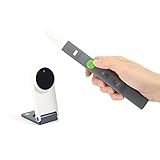
The IPEVO IW2 is fundamentally different from every other product in this roundup. Instead of being a full touchscreen display, it is a wireless system that converts any flat surface into an interactive whiteboard using a sensor camera and interactive pen. At just 1 pound, it is the most portable option by a wide margin, and the low cost makes it accessible to schools with severely limited technology budgets.
The system includes the IW2 Interactive Pen, IW2 Sensor Cam, and a wireless receiver. The sensor cam tracks the pen’s movement on whatever surface you project onto, whether that is a traditional whiteboard, a wall, or even a table. The free IPEVO Annotator software provides annotation tools that let teachers draw, highlight, and interact with digital content.
One of the most appealing features is that no WiFi is required for operation. The system communicates wirelessly between the pen, sensor cam, and receiver without needing network infrastructure. This makes it ideal for older school buildings with unreliable WiFi or for teachers who need to set up quickly in different rooms throughout the day.
The system works well for remote teaching scenarios, as teachers can annotate over video conferencing content and share their screen with remote students. However, it is important to understand that this is a conversion system, not a standalone display. You still need a projector and a computer to drive the content.
Best Classroom Fit
The IPEVO IW2 is perfect for schools that already have projectors and computers but want to add interactivity without investing in a full smart board. It is also an excellent option for mobile educators, specialists who travel between classrooms, and homeschool families who need flexibility. Schools testing whether interactive technology fits their teaching style before making a larger investment will find this a low-risk entry point.
What to Watch For
This is not a native smart board, so you will not get the standalone operating system, app ecosystem, or touchscreen experience of the other products on this list. The 3.8-star rating with 15 percent one-star reviews indicates reliability concerns, particularly with the sensor camera calibration. The system requires more setup and adjustment than an all-in-one board, and the pen-based interaction feels different from finger-touch displays.
Buying Guide: How to Choose the Best Digital Whiteboard for Your Classroom
Choosing the right digital whiteboard for your classroom involves balancing screen size, touch technology, software ecosystem, and budget constraints. I have broken down the key factors below based on what teachers and IT administrators actually care about when making purchasing decisions.
Screen Size Recommendations by Classroom Type
Screen size is the first decision point, and it depends entirely on your classroom dimensions. For small classrooms under 600 square feet, a 49 to 55-inch display provides adequate visibility for up to 25 students. Standard K-12 classrooms between 600 and 900 square feet benefit from 65-inch displays that ensure students in the back row can read text clearly.
Large classrooms, lecture halls, and spaces with more than 35 students should consider 75-inch displays or larger. The viewing angle matters as much as size, and all the boards in this roundup offer at least 178-degree viewing angles. Keep in mind that larger boards weigh more and require sturdier wall mounting or heavy-duty mobile carts.
Touch Points and Multi-User Collaboration
Touch points determine how many simultaneous inputs the board can register. A 10-point touch board handles basic multi-finger gestures and two-person collaboration. Twenty-point touch, found on boards like the JASZDOT and COOLHOOD, supports small group interaction where three or four students work together at the board.
For true multi-user classroom activities, 50-point touch boards like the NEWORK support up to 10 simultaneous users. This transforms the board from a presentation tool into a genuine collaboration station where multiple students can solve problems, annotate content, and interact simultaneously. Forum discussions consistently highlight multi-student collaboration as one of the most valued features in classroom smart boards.
Operating System and Software Ecosystem
The operating system determines what apps you can run and how the board integrates with your existing technology infrastructure. Android-based boards offer the largest app ecosystem and are generally easier for teachers to learn. Boards running Android 13 or 14 provide access to millions of apps through the Google Play Store or manufacturer-specific stores.
Chromium-based boards like the Vibe S1 offer enterprise-level security and familiar browser-based workflows. For schools using Google Workspace for Education, Google EDLA certification on boards like the NEWORK and JAV ensures verified access to Google Classroom and the Google Education Suite natively on the board without needing a connected computer.
Connectivity and Wireless Sharing
Wireless screen sharing is one of the most-used features in classroom environments, so connectivity options deserve careful attention. Look for boards that support casting from all major platforms including Mac, Windows, iOS, and Android. The COOLHOOD and NEWORK both handle multi-platform casting seamlessly, while the JYXOIHUB adds Eshare mirroring with phone control.
Physical connectivity matters for schools with existing infrastructure. HDMI ports are essential, and having multiple ports allows connecting document cameras, laptops, and other devices without cable swapping. USB-C ports enable single-cable connections for modern laptops, and front-facing ports make it easier for teachers to connect devices during lessons without reaching behind the board.
Google EDLA Certification: Why It Matters
Google EDLA (Enterprise Devices Licensing Agreement) certification means a device has passed Google’s security and compatibility standards for running Google services natively. For classrooms using Google Classroom, this certification is significant because it provides full access to Google Play for Education and verified educational content directly on the board.
Boards without EDLA certification can still work with Google Workspace through browser access, but the experience is not as seamless. The NEWORK 75-inch and JAV 65-inch are the two EDLA-certified boards in this roundup, making them strong choices for Google-centric schools. If your school uses Microsoft Teams or a different platform, EDLA certification is less critical.
Installation and Mounting Considerations
Most boards in this roundup are designed for wall mounting, which requires professional installation to ensure the mount can support the weight. Boards like the JAV at 80 pounds and the Vibe S1 at 50.7 pounds need substantial wall anchors or studs. The EUNIVON is the only board that includes a wall mount in the box, which simplifies installation planning.
Mobile cart options are available for boards that support them, including the NEWORK and JYXOIHUB. Carts add flexibility for schools that share boards between classrooms or need to reconfigure spaces regularly. Factor in the cost of carts or professional installation when budgeting, as these can add significantly to the total deployment cost.
Total Cost of Ownership Beyond Hardware
The purchase price is only part of the total cost of ownership for a classroom digital whiteboard. Software subscriptions are a recurring expense that forum teachers frequently cite as a frustration. Boards running proprietary software ecosystems may require annual licensing fees, while open Android or Chromium-based boards typically have lower ongoing software costs.
Consider warranty coverage, as most boards in this roundup include one-year manufacturer warranties. Schools deploying multiple boards should negotiate extended warranties or service contracts. Training costs are another factor that competitors often overlook, since teachers need professional development to use these boards effectively. Budget for training sessions to maximize your technology investment.
FAQs
What is the best digital whiteboard for a classroom?
The JASZDOT 55-inch Smart Board is the highest-rated digital whiteboard for classrooms with a 4.8-star average rating and 93 percent five-star reviews. It features a 4K UHD display with eye-care technology, 20-point infrared touch with 1mm precision, and Android 14 with 8GB of RAM. For Google Classroom integration, the NEWORK 75-inch with Google EDLA certification is the strongest choice.
How much does a digital whiteboard cost for a school?
Classroom digital whiteboards typically range from about $190 for portable conversion systems like the IPEVO IW2 to over $2,500 for premium 75-inch panels with Google EDLA certification. Most full-featured smart boards with 4K displays fall between $1,000 and $2,500. Schools should also budget for installation, mounting hardware, and teacher training, which can add 15 to 25 percent to the hardware cost.
What features should I look for in a classroom whiteboard?
Key features to prioritize include at least 4K UHD resolution for readable text, 20 or more touch points for collaborative activities, an open app ecosystem running Android or Chromium OS, wireless screen sharing across all major platforms, and HDMI plus USB-C connectivity. For Google-centric schools, Google EDLA certification ensures native Google Classroom integration and access to verified educational apps.
Are smart boards worth it for classrooms?
Yes, smart boards are worth the investment for classrooms that regularly use multimedia content, collaborative activities, or hybrid learning. Digital whiteboards improve student engagement through interactive lessons, enable multi-student collaboration, and support remote learners through built-in video conferencing. Schools report that teacher adoption depends heavily on training, so budget for professional development to maximize the return on investment.
What is the difference between an interactive whiteboard and a digital whiteboard?
An interactive whiteboard typically refers to projector-based systems that project onto a surface with touch detection, while a digital whiteboard is a self-contained touchscreen display with a built-in operating system. Digital whiteboards, also called interactive flat panel displays or IFPDs, do not require a separate projector and offer brighter, sharper images with no shadow interference. Most modern classroom installations use digital whiteboards rather than projector-based interactive systems.
Conclusion: Finding Your Ideal Classroom Digital Whiteboard
After comparing all eight boards, the best digital whiteboards for classrooms in 2026 come down to your specific needs and budget. The JASZDOT 55-inch earns our top recommendation for its unmatched 4.8-star rating and precision touch, while the NEWORK 75-inch is the clear choice for Google Classroom schools needing a large display. The COOLHOOD 65-inch delivers the best proven track record with 724 reviews, and the IPEVO IW2 offers an unbeatable entry point for budget-constrained programs.
Take time to evaluate your classroom size, software ecosystem, and connectivity needs before making a final decision. The right board transforms daily instruction, but only when it matches how your teachers actually teach and how your students learn.