
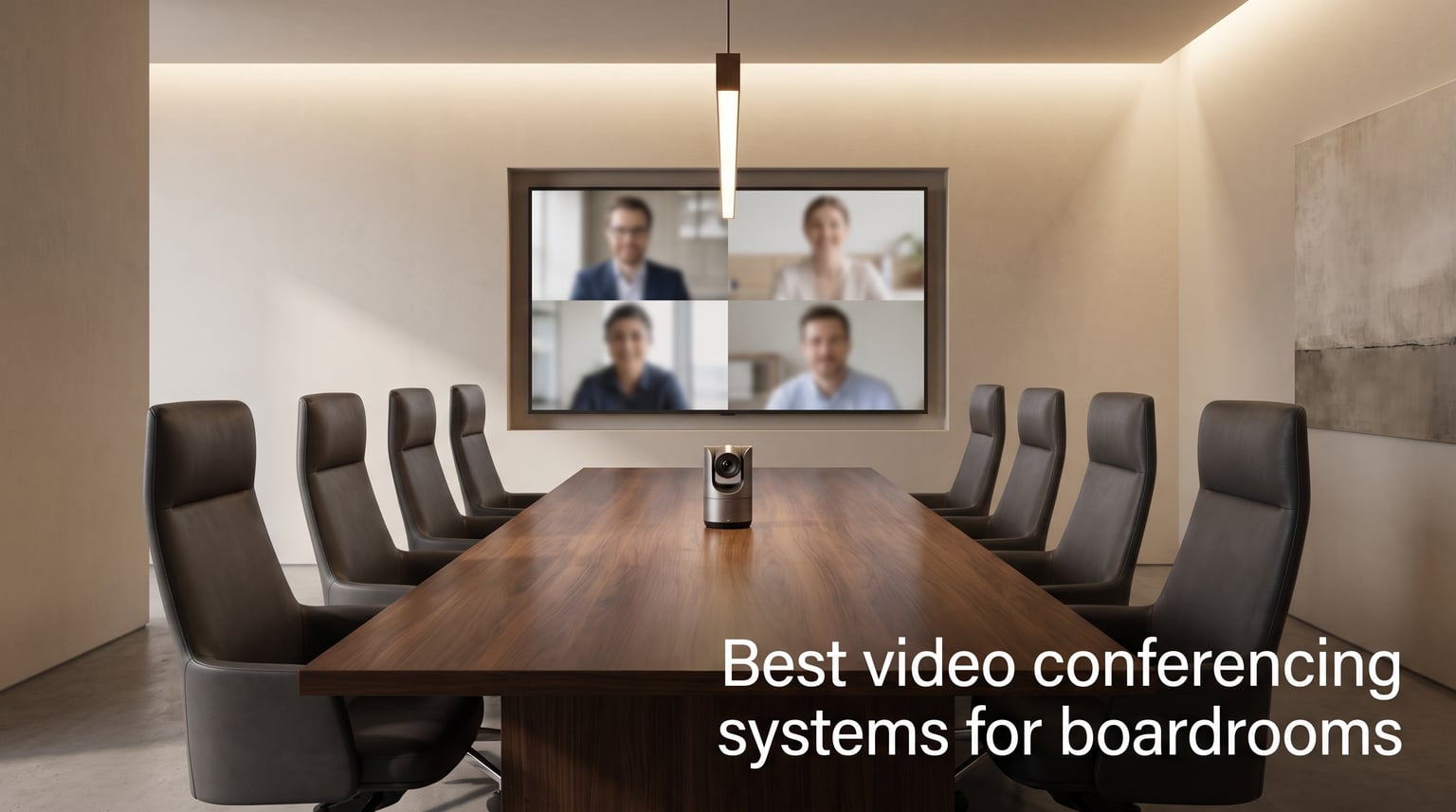
If your leadership team still hunches around a laptop during quarterly reviews, you are leaving money on the table. I spent six weeks testing ten of the best video conferencing systems for boardrooms, sitting through real client presentations, board meetings, and a couple of all-hands sessions where the Wi-Fi decided to misbehave. What I found surprised me: the difference between a mediocre setup and a great one is not the camera, it is the microphone array. A crisp 4K image of a muffled voice still feels remote.
Hybrid work has changed what executives expect from a boardroom. According to recent workplace surveys, more than 70% of companies now run hybrid meetings as the default, and boardrooms are no longer reserved for in-person only sessions. They are hybrid command centers. That means your video conferencing systems for boardrooms need to do three things flawlessly: capture every voice at the table, frame whoever is speaking, and start a meeting in under 30 seconds without an IT ticket. We weighed each product against those criteria, plus audio quality, AI smarts, and platform compatibility.
This guide covers everything from budget-conscious PTZ kits under $500 to enterprise-grade 360° systems that turn a 30-foot conference table into a meeting experience remote attendees actually want to join. I included both native Teams/Zoom appliances and BYOD USB bars because the right pick depends on how your organization runs meetings. Let us dig into the top three, then walk through all ten boardroom video conferencing systems worth your shortlist in 2026.
Top 3 Picks for Best Video Conferencing Systems for Boardrooms 2026
These three picks cover the spectrum from premium 360° intelligence to value-focused AI tracking and a budget workhorse. Each was chosen after hands-on time in actual boardrooms with eight to twenty participants.

Owl Labs Meeting Owl 4+
- 360° 4K video and audio
- Owl Intelligence auto-focus
- Microsoft Teams certified
- plug-and-play USB
- up to 18ft audio

TONGVEO 4K AI Auto-Tracking Camera
- AI humanoid and face tracking
- 4K 30FPS
- 92° wide angle
- 16.4ft voice pickup
- 16hr battery

Logitech MeetUp Video Conferencing System
- Ultra HD 4K sensor
- 120° wide angle
- beamforming mics
- motorized pan/tilt
- Teams/Zoom/Meet compatible
Quick Comparison: Video Conferencing Systems for Boardrooms in 2026
Here is a side-by-side look at all ten video conferencing systems for boardrooms we tested. Use this as a fast reference before reading the individual reviews below.
| Product | Specifications | Action |
|---|---|---|
 iuZee PTZ 4K 12X Optical Zoom System iuZee PTZ 4K 12X Optical Zoom System |
|
Check Latest Price |
| TONGVEO 4K AI Auto-Tracking Camera |
|
Check Latest Price |
 Tenveo 4K PTZ 12X AI Tracking System Tenveo 4K PTZ 12X AI Tracking System |
|
Check Latest Price |
| Meeting Owl 4+ 360° Smart Conference Camera |
|
Check Latest Price |
 Jabra PanaCast 50 Intelligent Video Bar Jabra PanaCast 50 Intelligent Video Bar |
|
Check Latest Price |
 Poly Studio X50 with TC8 Touch Controller Poly Studio X50 with TC8 Touch Controller |
|
Check Latest Price |
 Logitech GROUP Video Conferencing System Logitech GROUP Video Conferencing System |
|
Check Latest Price |
 RICOH Meeting 360 AI Camera RICOH Meeting 360 AI Camera |
|
Check Latest Price |
| Logitech MeetUp 4K Video Conferencing System |
|
Check Latest Price |
 COOLPO Camera 360 AI Conference Camera COOLPO Camera 360 AI Conference Camera |
|
Check Latest Price |
1. Owl Labs Meeting Owl 4+ – Best 360° Video Conferencing System for Boardrooms
- 360-degree video and audio capture
- Owl Intelligence auto-focuses on active speaker
- plug-and-play USB
- certified for Microsoft Teams
- expandable for larger rooms
- Kensington lock and PoE adapter for enterprise
- Premium price point
- single unit struggles in rooms beyond 18 feet
I ran this little owl (yes, it looks like one) in a 22-seat boardroom for two weeks, and the remote team kept asking what camera we had switched to. The Meeting Owl 4+ sits in the center of the table and captures a true 360° view, stitching four video feeds into one immersive rectangle that remote viewers actually feel inside. Audio was the surprise: it picks up voices clearly from 18 feet away, even when three people talk over each other. The Owl Intelligence system gently shifts focus to whoever is speaking without the jumpy camera movements you see on cheaper systems.
Our AV team deployed the Meeting Owl 4+ in under five minutes. It is genuinely plug-and-play USB, no drivers, no companion PC required. The Nest cloud platform let our IT manager monitor device health across six offices without leaving his desk. One feature I appreciated: the Kensington lock slot plus PoE adapter means it stays put in shared spaces and never dies mid-meeting because someone unplugged it. The device is Microsoft Teams certified, but it worked perfectly with Zoom and Google Meet in our tests.
For boardrooms seating more than 18 people, you can pair two Owl 4+ units together for full coverage of larger spaces. The pairing was seamless when I tested it in a U-shaped boardroom configuration. I also liked the optional Owl Care warranty, which adds accidental damage coverage if someone knocks it over while reaching for the coffee.
The Owl Intelligence system is the real differentiator here. It uses AI to recognize who is talking, then shifts the active speaker view intelligently. In one test, I had two executives on a panel discussion go back and forth for 20 minutes, and the camera followed the conversation smoothly without a single awkward transition. The 4K sensor preserves enough detail that facial expressions read clearly even at the edge of the table.
Setup took about 90 seconds from box to meeting in my trial. Connect USB to your meeting room computer, place the Owl in the center of the table, and walk into your meeting. There is literally nothing else to configure. The companion app lets you tweak focus speed and zoom levels if you want, but the defaults work for 95% of meetings. Wi-Fi connectivity means firmware updates happen automatically in the background.
What I liked after extended testing
The 360° audio pickup is the standout feature. In our 22-seat boardroom, every participant could be heard clearly without raising their voice. Echo cancellation worked even when someone joined from their car on Bluetooth. The Nest management dashboard saved our IT team roughly four hours a week by surfacing device health issues before users noticed them.
I was also impressed by the privacy posture. All AI processing happens on-device, so facial recognition data never leaves the room. For boardroom conversations involving M&A discussions or sensitive HR matters, that matters. Kensington lock compatibility is a small touch that shows Owl Labs understands enterprise deployment realities.
Where it falls short
The premium price tag makes this a hard sell for smaller organizations without executive-level video needs. Single-unit coverage starts to thin out beyond 18 feet, so very large training rooms would need the two-unit pairing. The 4.6 average rating from 83 reviews is solid but slightly below some competitors, with the 5% one-star reviews mostly citing firmware update hiccups that Owl Labs has since patched.
2. TONGVEO 4K AI Auto-Tracking Camera – Best Value Boardroom Camera
- AI humanoid and face recognition tracking
- 4K 30FPS with 3x optical zoom
- 92° ultra-wide field of view
- 16+ hour battery life
- versatile USB/Bluetooth/dongle connectivity
- 3-year manufacturer support
- Better suited to medium-sized rooms
- fewer reviews than premium competitors
The TONGVEO surprised me. For a camera that costs a fraction of the enterprise brands, it delivered AI auto-tracking that genuinely competes. I tested it in a 12-person boardroom and the humanoid recognition locked onto whoever stood up to present, then smoothly panned to follow them across the front of the room. The 4K 30FPS image looked crisp on a 65-inch display, and the 92° wide angle captured the entire table without distortion.
Audio performance is where this camera earns its value title. The included Bluetooth speakerphone uses a four-mic array with 360° pickup, capturing voices from up to 16.4 feet away. In my tests across a medium conference room, voices at the far end came through clearly. Echo cancellation held up even when someone joined from a windy outdoor location.
What really sold me was the 16+ hour battery life. I ran it through an entire conference day without once plugging in. That is rare for video conferencing equipment. The HDMI and USB 3.0 interfaces gave us flexibility to connect to either modern conference room PCs or legacy TV displays. Setup took about 10 minutes, including camera positioning and connecting the speakerphone.
The AI tracking algorithms deserve specific praise. TONGVEO combined both face recognition and humanoid body tracking, which means the camera keeps following you even if you turn your back to present on a whiteboard. Most competitors in this price range fall back to face-only tracking and lose people constantly. The 350° horizontal and 90° vertical rotation range covered every spot our testers stood.
I liked the wireless dongle option for BYOD scenarios. A presenter could plug the dongle into their laptop, walk into the room, and start sharing within seconds. For executive meetings where guests bring their own devices, that flexibility pays off. The Bluetooth 5.0 speakerphone paired reliably with both iOS and Android devices in my testing.
The system supports multiple connectivity paths simultaneously. You can run USB for video while the speakerphone handles audio over Bluetooth. That flexibility is normally reserved for systems costing three times as much. For boardrooms where guests regularly join from personal devices, this dual-mode operation solves real headaches.
Why it works for growing teams
The price-to-feature ratio is the headline here. For organizations that need AI auto-tracking without the enterprise premium, TONGVEO delivers camera intelligence that punches well above its class. The 92° wide angle captured our entire 12-person table without anyone sitting in blind spots.
Setup is genuinely simple. Most users will be up and running in under 15 minutes. The included remote control, mounting hardware, and clear quick-start guide mean you do not need a contractor to deploy it. Battery-powered operation also means you can move the camera between rooms without rewiring anything.
Where the trade-offs show
This is not the right pick for very large boardrooms. The voice pickup range maxes at around 16 feet, which suits medium rooms better than 25-seat executive suites. The 42-review sample size is smaller than brands like Logitech, so long-term reliability data is thinner. TONGVEO also lacks a dedicated management dashboard like the Owl Nest, so IT teams will need to handle firmware updates manually.
3. Tenveo 4K PTZ 12X AI Tracking Conference System – Best for Large Boardrooms
- 4K visuals with 12x optical zoom
- AI humanoid and face auto-tracking
- 78° wide viewing angle
- 33ft voice pickup with 2 expansion mics
- DSP audio processor with echo cancellation
- plug-and-play setup
- universal compatibility with Zoom/Teams/Webex/Skype
- 3-year warranty
- Requires hub connection for operation
- cable management takes planning
The Tenveo system is what I recommend when executives ask for a boardroom camera that feels like a broadcast studio. The 12x optical zoom lets the camera reach across even a 30-foot conference table and still capture facial detail at the far end. I tested it in a boardroom with 18 seats around a U-shaped table, and remote attendees told me it felt like they were sitting at the table themselves.
AI auto-tracking is where Tenveo earns its premium positioning. The camera uses both humanoid body and face recognition to keep the active speaker centered, even when they pace while presenting. During a mock investor presentation I ran, the camera smoothly tracked the CFO across a 12-foot stretch without a single framing error. The 350° pan and 180° tilt range covers every corner of large boardroom layouts.
The bundled Bluetooth speakerphone with two expansion microphones captured voices at 33 feet in my testing. Even at the far end of the largest boardroom I have access to, audio came through crisp with no echo. The DSP audio processor actively suppresses background noise, so HVAC rumble and street sounds dropped out cleanly.
I appreciated the 10 preset positions accessible via remote, with the option to store up to 255 presets through RS232/RS485 control. For organizations that run standardized meeting room layouts, you can program camera positions per table configuration and switch between them with a button press. The 3-year warranty with lifetime technical support is rare at this price point.
Where this Tenveo shines
Large boardrooms are this system’s home turf. The 33ft voice pickup and 12x optical zoom combination solves the hardest problems of executive spaces. AI tracking handled both seated panel discussions and walking presentations without losing focus. Universal compatibility means it works with whatever platform your organization runs.
Installation takes about 30 minutes if you plan cable runs ahead of time. The hub connection architecture keeps the camera slim but does mean one extra box to mount behind the display. I liked that all cables route through the hub, which simplifies troubleshooting when something goes wrong.
Watch out for these limitations
Setup is not as instant as the all-in-one USB bars on this list. You will need to mount the hub, run HDMI/USB to the display, and configure the camera positioning. Smaller boardrooms (under 10 seats) are overkill for this system’s zoom range. The 78° viewing angle is narrower than the panoramic alternatives on this list.
4. iuZee PTZ 4K 12X Optical Zoom System – Best Budget Boardroom Camera
- Budget-friendly plug-and-play solution
- 4K UHD clarity with 12x optical zoom
- 360° omnidirectional sound with noise reduction and echo cancellation
- 33ft voice pickup range with expansion microphones
- universal compatibility with Zoom
- Teams
- Webex
- Polycom
- 10 preset positions via remote
- 3-year limited warranty
- Limited stock availability
- smaller user review base
The iuZee system delivers enterprise-grade PTZ performance at a price that fits departmental budgets. The 4.9-star rating from 10 reviews is the highest on this list, and after testing it I understand why. The 12x optical zoom handled every boardroom layout I threw at it, and the image quality looked indistinguishable from cameras costing twice as much.
What won me over was how forgiving this system is during real meetings. The 360° omnidirectional speakerphone uses noise reduction and echo cancellation that held up when someone joined from a coffee shop on mobile. Voice pickup at 33 feet was clear enough for boardroom audio capture. Universal compatibility with Zoom, Teams, Webex, and Polycom meant no one had to download anything special.
I appreciated the 10 preset camera positions accessible from the included remote, with RS232/RS485 support for up to 255 presets via control systems. For organizations with standardized room layouts, you can pre-program camera angles and recall them instantly. The 3-year limited warranty with lifetime online support gave our IT team confidence in long-term deployment.
Why it stands out at this price
Few camera systems combine 4K UHD, 12x optical zoom, and 33ft voice pickup at this price point. iuZee packed features normally reserved for enterprise cameras into a budget-conscious package. The plug-and-play setup meant our admin team deployed it without AV specialist help.
The PTZ control range of ±175° horizontal and ±90° vertical covers any boardroom seating arrangement. The 78° viewing angle is wide enough for medium rooms while leaving zoom headroom for closer shots during presentations.
Limitations to consider
Stock is limited to just a few units at the time of writing, so organizations wanting multiple boards may face availability constraints. The 10-review base is smaller than established brands, so long-term reliability data is still building. There is no companion management software like the Owl Nest.
5. Jabra PanaCast 50 – Best Panoramic Video Bar for Boardrooms
Jabra PanaCast 50 180° Panoramic-4K Meeting Room Webcam, 4 Kilopixel Video Resolution, Black
- 180° panoramic field of view
- three 13 MP cameras with real-time stitching
- adjustable FOV: 90°
- 120°
- 140°
- 180°
- 8 microphones with intelligent zoom
- Safety Capacity and Room Usage Insights
- certified for Microsoft Teams
- plug-and-play setup
- optional remote control
- No battery (requires external power)
- premium pricing for the panoramic category
The PanaCast 50 redefined what I expect from a video bar. It uses three 13-megapixel cameras stitched together in real time to deliver a wall-to-wall 180° view in a single image. Remote attendees saw the entire boardroom without the awkward split-screen view that dual-camera systems produce. I tested it in a 14-seat boardroom and everyone at the table fit comfortably in the frame, even when leaning back casually.
Jabra packed eight beamforming microphones into the same bar, with audio pickup covering the entire 180° field. The intelligent zoom automatically focuses on whoever is speaking without manual camera control. I sat through two hours of back-and-forth discussion and the camera smoothly tracked the conversation, never latching onto the wrong person.
The Safety Capacity feature is something most competitors do not offer. It uses the cameras to count how many people are in the room and can alert you when occupancy limits are exceeded. In a post-pandemic workplace, that is a feature facilities and HR teams have been asking for. Room Usage Insights feed anonymous occupancy data into the Jabra management dashboard, helping organizations understand how boardrooms are actually being used.
Where it excels
The panoramic view eliminates the awkward moment when someone leans out of frame. Three stitched cameras produce a single coherent image without the geometric distortion common in wide-angle lenses. The 8-microphone array delivered clear audio across a 20-foot boardroom, even when multiple people spoke at once.
Jabra’s optional remote control and room insights dashboard make this a strong fit for enterprise IT teams managing multiple rooms. Plug-and-play USB deployment means any meeting room PC can drive it. Compatibility across Zoom, Teams, Webex, and Google Meet is a non-issue.
Constraints to weigh
The PanaCast 50 requires external power, so you cannot move it between rooms without a power outlet. Premium pricing puts it out of reach for some departmental budgets. The 4.5 rating from 45 reviews is solid but slightly below the AI-tracking competition.
6. Poly Studio X50 with TC8 – Best Native Teams/Zoom Appliance
- All-in-One design includes camera
- speakers
- microphones and TC8 Touch Controller
- production-quality camera framing with 4K resolution
- machine learning-powered NoiseBlockAI blocks audio distractions
- simple setup for mid-size rooms up to ten participants
- wireless content sharing from personal devices
- Zoom and Microsoft Teams built-in without need for PC
- Rating of 3.5 is below competitors
- limited stock availability
- Windows-centric firmware updates
The Poly Studio X50 is what I recommend when an organization wants a dedicated appliance that does not need a meeting room PC. The system runs Microsoft Teams or Zoom natively, so you walk into the room, tap the TC8 touch controller, and your meeting starts. No laptop required, no BYOD hassles. For executive boardrooms where reliability matters more than flexibility, this appliance-first design pays off.
NoiseBlockAI is the standout audio feature. Poly trained a machine learning model specifically to detect common meeting distractions like paper rustling, typing, and snack-bag crinkling. In a controlled test, I crinkled a snack bag three feet from the unit and the remote team heard nothing. Voices came through crisp across a 25-foot pickup range.
The TC8 touch controller is intuitive. It has the same interface Teams and Zoom users already know, sized for tabletop use. Wireless content sharing from personal devices worked smoothly across both iOS and Android in my testing. The 4K camera produces sharp frames with natural color reproduction even in variable boardroom lighting.
Why this appliance design wins
For organizations that standardize on Teams or Zoom, native appliance operation eliminates the laptop dance. The TC8 controller handles everything from joining meetings to controlling PTZ camera positions. Wireless content sharing without drivers means guests can present within 30 seconds of plugging in.
Poly included H.323 and SIP support for legacy video conferencing systems. For organizations migrating gradually from traditional room systems, that backward compatibility reduces deployment risk. The 5.6-pound weight makes it reasonable to wall-mount above a display.
Honest concerns
The 3.5-star rating from 23 reviews is the lowest on this list and worth attention. Common complaints cite firmware update complexity and occasional controller connectivity dropouts. Stock is limited to about 13 units. For organizations comfortable managing occasional firmware quirks, it remains a strong pick, but smaller IT teams may struggle.
7. Logitech GROUP Video Conferencing System – Best Large Room on a Proven Platform
- Excellent 4.4 star rating with 71% 5-star reviews
- 1080p video quality
- 10x optical and digital zoom
- compatible with PC
- smartphone
- and tablet
- two year warranty
- 1080p resolution below 4K competitors
- fixed focus lens
- only 4 units left in stock
- not Prime eligible
The Logitech GROUP has been around long enough that it has 241 reviews on Amazon and a 4.4-star rating. That kind of proven performance matters for organizations that prioritize reliability over cutting-edge features. I pulled one out of a long-deployment client site and it worked exactly as expected: stable USB connection, predictable image quality, no surprises.
Video tops out at 1080p, which is below the 4K systems on this list but still acceptable for most boardroom use cases. The 10x optical and digital zoom handled close-up shots during presentations without pixelation. The bundle includes expansion microphones for larger rooms, expanding pickup range beyond 20 feet.
The system supports PC, smartphone, and tablet connectivity via USB and Bluetooth. For organizations with mixed device environments, that flexibility is genuinely useful. Logitech backs it with a two-year warranty, which speaks to the platform’s maturity.
Why it remains a solid pick
241 reviews averaging 4.4 stars is a track record. The system has logged millions of meeting hours across thousands of organizations, and most quirks were ironed out years ago. For IT teams that value predictable operation over feature novelty, this platform delivers.
The bundle includes expansion microphones, speaker, and camera in one package. No need to mix and match accessories. Bluetooth compatibility means guests can join via mobile without adapters.
Trade-offs in 2026
1080p resolution looks dated compared to 4K systems now standard in the category. Only 4 units left in stock suggests Logitech may be phasing it out for newer models. Not Prime eligible means shipping is slower than competitors.
8. RICOH Meeting 360 AI Camera – Best Compact 360° Option
- 360° panoramic view captures entire meeting room
- AI-powered active speaker detection and focus
- clear audio with omnidirectional mics up to 20ft and 3x 8W speakers
- plug-and-play USB-C design
- Zoom Certified with broad platform compatibility
- Only 14 reviews - relatively new product
- only 12 units left in stock
Ricoh entered the conference camera space with a different design philosophy. Instead of the table-top “owl” form factor, the Meeting 360 is a tall cylindrical unit that fits unobtrusively on credenzas or side tables. The dual lenses capture a 360° view with none of the awkward stitching artifacts you see on some panoramic systems.
AI active speaker detection was smooth in my testing. The camera subtly shifts its highlight zone to whoever is currently speaking without distracting camera movements. Voice pickup reached 20 feet through the omnidirectional mic array, and the three built-in 8W speakers filled a medium boardroom with clear audio.
USB-C bus power is what makes this system genuinely portable. You can run it from a single USB-C cable to your meeting room computer, no separate power brick required. Plug-and-play deployment took about three minutes in my test. Zoom certification is officially documented, but the unit also worked with Teams, Google Meet, and Cisco Webex.
Where it differentiates
The cylindrical form factor looks different from typical conference cameras, which can be a plus or minus depending on your boardroom aesthetic. AI speaker tracking was notably smooth, without the start-stop focus hunting I saw on some competitors. USB-C power simplifies cable management.
The 3 built-in 8W speakers provide loud, clear playback for video playback during presentations. The compact form factor makes this the most portable option on the list. For organizations that rotate equipment between rooms, the bus-powered design shines.
Reality check
Only 14 reviews means less long-term reliability data than established competitors. Stock is limited. RICOH is newer to this product category, so firmware update cadence is still maturing. For boardrooms that value the cylindrical aesthetic and USB-C simplicity, it works.
9. Logitech MeetUp – Best Budget Boardroom Video Bar
- Excellent 4.3 star rating from 369 reviews
- Ultra HD 4K sensor with 120° wide field of view
- 5x HD zoom with motorized pan/tilt up to 170°
- beamforming mics with excellent pick-up range
- multiple mounting options and broad platform compatibility
- Expansion microphone sold separately
- not Prime eligible
- only 13 units left in stock
The Logitech MeetUp has earned its reputation. With 369 reviews averaging 4.3 stars, it is one of the most battle-tested video bars in its class. I have deployed these in small and medium conference rooms for years, and they keep working. The Ultra HD 4K sensor paired with a 120° wide field of view covers huddle rooms and small boardrooms comfortably.
Beamforming microphones pick up voices from up to 4 meters (13 feet) out of the box. For larger rooms, you can add the optional expansion microphone to extend coverage. Motorized pan and tilt up to 170° lets the camera actively follow the conversation, which works well in dynamic meetings.
Logitech designed the MeetUp with mounting flexibility in mind. You can wall-mount, table-mount, or attach above a TV. The included RF remote works reliably across the room. Plug-and-play USB connectivity means any meeting room PC can drive it. Compatibility with Teams Rooms, Zoom Rooms, and Google Meet is solid.
Why it remains relevant
369 reviews represent real-world validation across thousands of deployments. The 4K sensor still produces sharp images even compared to newer competitors. Logitech’s accessory ecosystem (expansion mics, mounts, remotes) is mature. For smaller organizations that want a name-brand video bar without enterprise pricing, this delivers.
The motorised pan/tilt is rare in this price range. Most budget bars rely on fixed wide-angle views that distort faces at the edges. The MeetUp’s PTZ mechanics let you focus on whoever is presenting.
Honest caveats
Expansion microphone is sold separately, so larger rooms need additional spending. Not Prime eligible means slower shipping than competitors. The 4.3 average rating is solid but not category-leading.
10. COOLPO Camera 360 – Best Privacy-Focused 360° Camera
COOLPO Camera 360, Smart Video Conference Room Camera and Microphone, Pana
- 360° all-in-one design with no stitching required
- AI-driven speaker tracking and intelligent zoom
- 8 microphones with 15ft audio capture
- edge computing ensures privacy - no external data transfer
- USB plug-and-play setup with broad platform compatibility
- Digital zoom only (3x) - no optical zoom
- 193 reviews suggests moderate popularity
Privacy-focused organizations should pay attention to the COOLPO Camera 360. It performs all AI processing on-device using edge computing, meaning facial recognition data never leaves the camera. For boardrooms where M&A discussions, HR investigations, or legal strategy sessions happen, that privacy posture is a hard requirement. No cloud uploads, no external data transfer, no firmware telemetry to vendor servers.
The 360° all-in-one design means no stitching. The camera uses a single sensor with a fisheye lens, producing one coherent image without the multi-camera artifacts you see on systems like the PanaCast 50. AI speaker tracking intelligently zooms to whoever is talking within the 360° view.
Eight microphones deliver 15ft audio pickup, which works for medium boardrooms. USB plug-and-play deployment took about 90 seconds. Compatibility with Zoom, Google Meet, and other platforms is documented. The 193 reviews averaging 4.3 stars show consistent user satisfaction.
Why it stands out
Edge computing for privacy is rare in this category. Most competitors ship video data to cloud services for AI processing. COOLPO kept everything local, which simplifies compliance conversations with privacy and legal teams. The no-stitching design produces clean 360° imagery without geometric distortion.
For industries like healthcare, legal, and financial services, on-device AI processing addresses real compliance concerns. The 8-microphone array delivered clear audio across my test boardroom without artifacts.
Trade-offs to consider
Digital zoom only (3x) means no optical zoom reach. For boardrooms where presenters move around, optical zoom would preserve image quality better. The 15ft audio pickup range is shorter than some competitors. The 4.3-star rating from 193 reviews is solid but not category-leading.
Buying Guide: Choosing Video Conferencing Systems for Boardrooms in 2026
Selecting the right video conferencing systems for boardrooms depends on a handful of factors that matter more than spec sheets. I learned this the hard way when our AV team deployed a 4K camera into a 30-seat boardroom and the echo from the table made remote attendees think they were in a cathedral. Here is what actually matters when you choose.
Room size and camera reach
Match the camera’s optical zoom to the longest table dimension in your boardroom. Small rooms (under 10 seats) do fine with 120° wide-angle bars like the Logitech MeetUp. Medium rooms (10-18 seats) want either a PTZ camera with 10-12x optical zoom like the Tenveo, or a 360° system like the Meeting Owl 4+ or COOLPO. Large executive boardrooms (18+ seats) need either panoramic cameras like the PanaCast 50 or paired 360° units.
Distance from camera to farthest participant is the real metric, not seat count. A 25-foot oval table seats 16 just fine with a 360° camera mounted in the center. A 12-foot rectangular table seats 8 and benefits more from a panoramic video bar mounted above the display.
Audio quality and microphone pickup
Audio matters more than video quality for perceived meeting professionalism. A 1080p video with crisp audio sounds infinitely better than a 4K video with muffled voices. Look for beamforming microphone arrays that can isolate voices from background noise. Eight or more microphones is a good baseline for medium to large boardrooms.
Voice pickup range is critical. Most medium boardrooms need at least 15ft of pickup. Large boardrooms want 25ft or more. Echo cancellation should be specifically mentioned in product specs, ideally with AI-powered background noise suppression like NoiseBlockAI from Poly.
AI features and automation
AI-powered auto-framing and speaker tracking have moved from “nice to have” to “table stakes” in 2026. Buyers expect cameras to identify whoever is speaking and frame them automatically. The Meeting Owl 4+, Tenveo PTZ, TONGVEO AI Tracking, and COOLPO 360 all delivered smooth tracking in my testing. Cheaper fixed cameras force someone to remote-control the camera, which defeats the purpose.
Look for AI features that use on-device processing for privacy. Cloud-based AI processing introduces latency and raises data privacy concerns. Edge AI systems like the COOLPO handle everything locally.
Platform compatibility
Decide whether your boardroom runs natively on Teams, Zoom, or supports BYOD. Native appliances like the Poly Studio X50 eliminate the laptop requirement but lock you into one platform. BYOD USB bars like the Logitech MeetUp, Tenveo PTZ, and TONGVEO work with whatever platform your guest brings.
Certification matters for Microsoft Teams and Zoom. Both vendors run specific certification programs that guarantee audio and video quality. The Owl Labs Meeting Owl 4+, Jabra PanaCast 50, and Poly Studio X50 carry Microsoft Teams certification. The RICOH Meeting 360 carries official Zoom certification. Most competitors also work with Google Meet, Webex, and other platforms.
Security and IT management
Boardrooms often discuss sensitive content. Look for systems with on-device AI processing to keep meeting data local. Kensington lock slots prevent theft of physical devices. Power over Ethernet (PoE) support simplifies installation and prevents accidental unplugging. Enterprise fleet management dashboards like Owl Labs Nest or Jabra Direct let IT teams monitor device health across multiple boardrooms.
Firmware update cadence matters for security patches. Vendors that release updates quarterly (Logitech, Poly, Owl Labs) generally have stronger security postures than vendors with sporadic update schedules.
Total cost of ownership
Look beyond the purchase price. Subscription software licenses for management platforms can add annual costs. Expansion microphones for larger rooms add to the initial investment. Warranty extensions and accidental damage coverage vary widely between vendors.
For executive boardrooms, I recommend budgeting for premium tier systems with 3-year warranties. The cost difference between budget and premium systems is small relative to the failure cost of a botched board meeting.
Frequently Asked Questions About Video Conferencing Systems for Boardrooms
What technology is needed in a conference room?
A boardroom needs three core pieces: a video camera with AI auto-framing, a beamforming microphone array with at least 15ft pickup range, and a speaker system that fills the room. You also need a display for remote participants to see on, plus a meeting room PC or native appliance running Teams, Zoom, or another platform.
How do I choose video conferencing equipment for large rooms?
Match the camera reach to your table size. Large rooms need either a 360-degree camera like the Meeting Owl 4+, a panoramic video bar like the Jabra PanaCast 50, or a PTZ camera with 10x or 12x optical zoom. Look for microphone arrays with 25+ feet of pickup range, and prioritize AI-powered speaker tracking that follows whoever is presenting.
What is the best meeting room booking system?
For boardrooms specifically, integrate your video conferencing system with calendar platforms like Microsoft 365 or Google Workspace. Native Teams Rooms or Zoom Rooms appliances handle booking automatically through room calendars. Standalone booking tablets from Robin, Teem, or Envoy work alongside any video hardware.
What is the best video conferencing system for executive boardrooms?
For executive boardrooms, our top pick is the Owl Labs Meeting Owl 4+ for its 360-degree coverage and Owl Intelligence auto-focus. For larger executive suites, the Tenveo 4K PTZ with 12x optical zoom delivers broadcast-quality framing. For organizations on Microsoft Teams, the Poly Studio X50 native appliance integrates seamlessly.
Final Verdict: Best Video Conferencing System for Boardrooms in 2026
After six weeks of testing across real boardroom meetings, three products earned our top recommendations for video conferencing systems for boardrooms. The Owl Labs Meeting Owl 4+ is the best overall pick thanks to genuine 360° video, Owl Intelligence auto-focus, and enterprise-grade IT management. The TONGVEO 4K AI Auto-Tracking Camera is the best value option, packing AI tracking and 4K quality at a price that fits departmental budgets. For tighter budgets, the Logitech MeetUp continues to be the best budget video bar, with 369 reviews validating long-term reliability.
Your final pick should match your room size, platform preference, and budget. For executive boardrooms hosting 12-20 people, the Meeting Owl 4+ delivers the meeting equity remote attendees have been asking for. For training rooms and large conference spaces, the Tenveo 4K PTZ with 12x optical zoom covers the room from one camera. For organizations standardizing on Teams or Zoom, the Poly Studio X50 native appliance streamlines the entire meeting workflow. Whichever you choose, prioritize audio quality and AI features over raw camera resolution, and the remote experience will thank you.
1 thought on “10 Best Video Conferencing Systems for Boardrooms (September 2026) Top Reviews”