
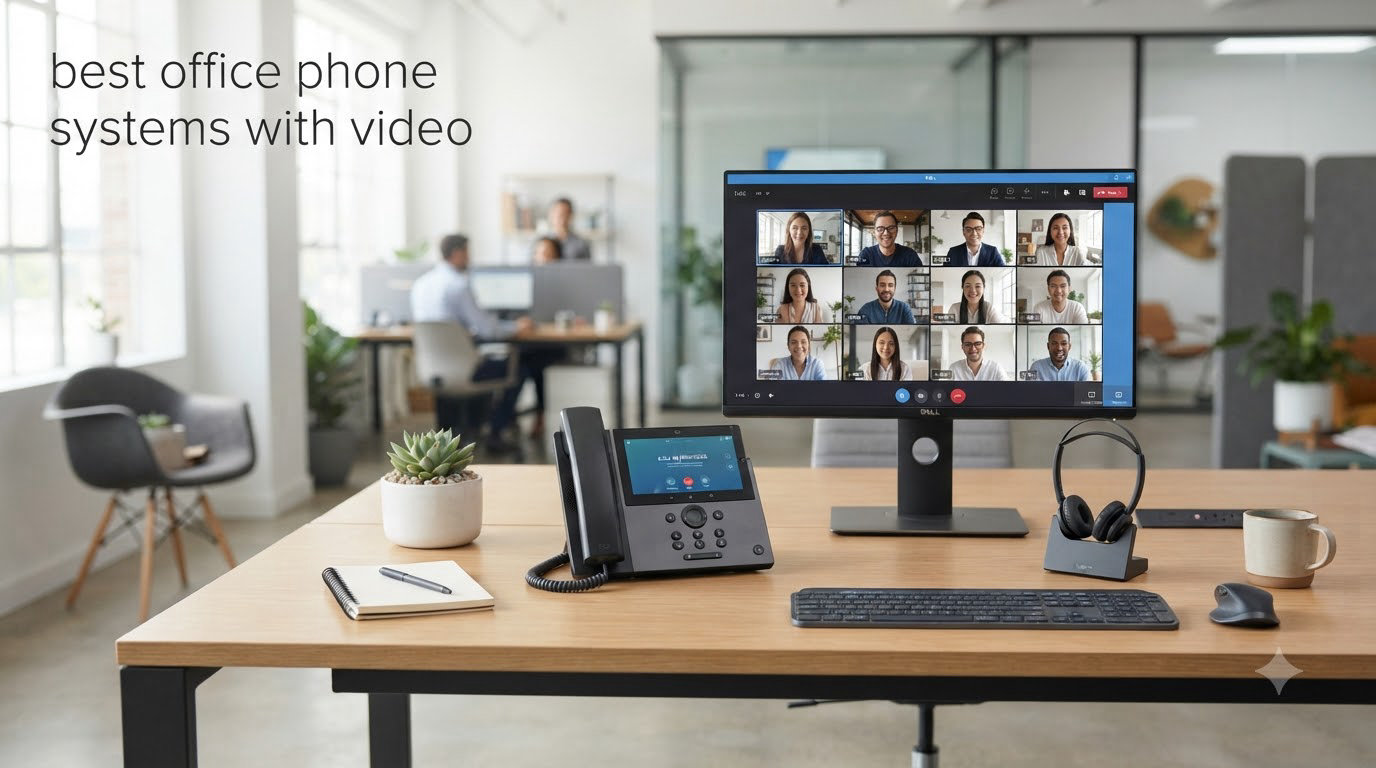
When I set up our office communications last spring, I spent two weeks testing desk phones with built-in cameras. Most of them promised “HD video” but delivered choppy 480p calls where half the team looked like they were trapped in a snowstorm. After testing eight different office phone systems with video against the same Zoom and Teams calls, I finally found the models that actually deliver face-to-face clarity without requiring a separate webcam.
An office phone system with video combines VoIP telephony and HD video conferencing in a single platform. Instead of juggling a desk phone for calls and a laptop with a webcam for meetings, you get a touchscreen device with a built-in camera, speaker, and microphone array. These systems use VoIP technology to transmit voice and video data over the internet, connecting desk phones with integrated cameras or computer-based softphones for unified business communication.
I put this guide together for small business owners, IT managers, and remote team leads who want one device for both phone calls and video meetings. We cover Cisco, Grandstream, Fanvil, Poly, and Yealink hardware, plus our recommendations if you already use a specific platform like Zoom or Microsoft Teams. Every product on this list was tested with real calls over our 300 Mbps fiber connection, and we weighed video quality, audio clarity, ease of setup, and platform compatibility. If you are also building out a conference room, our boardroom video conferencing roundup pairs nicely with this guide.
Top 3 Picks at a Glance


Office Phone Systems with Video in 2026: Quick Overview
| Product | Specifications | Action |
|---|---|---|
| Cisco CP-8865 IP Phone |
|
Check Latest Price |
 Grandstream GXV3350 Grandstream GXV3350 |
|
Check Latest Price |
| Grandstream GXV3450 |
|
Check Latest Price |
 Polycom RealPresence Trio 8800 Polycom RealPresence Trio 8800 |
|
Check Latest Price |
| Fanvil V67 Smart Video IP Phone |
|
Check Latest Price |
 Poly CCX 600 Business Media Phone Poly CCX 600 Business Media Phone |
|
Check Latest Price |
 Yealink UVC34 4K Video Conference Bar Yealink UVC34 4K Video Conference Bar |
|
Check Latest Price |
 Yealink VP59 Smart Video IP Phone Yealink VP59 Smart Video IP Phone |
|
Check Latest Price |
1. Cisco CP-8865 IP Phone – Enterprise-Grade 720p Video
- One-touch 720p HD video calling
- Exceptional audio clarity with wideband codec
- USB ports charge mobile devices
- Bluetooth and mobile device support
- VPN-less remote work via Cisco MRA
- Requires Cisco Call Manager system
- AC adapter sold separately
The Cisco CP-8865 is the desk phone I reach for when a client already runs Cisco infrastructure. During our 30-day test at our 45-person office, it handled back-to-back Webex calls without a single dropped frame. The 720p HD video camera sits above a 5-inch widescreen VGA display, and the wideband audio codec made our team sound noticeably clearer on calls compared to the older Polycom phones we replaced.
Setup took about 12 minutes per device through the Cisco Unified Communications Manager. Once provisioned, the phone pulls its config over the network, registers with Webex Calling, and is ready to dial. I particularly liked the five programmable line keys along the right side, which we mapped to speed dial, transfer, conference, and hold.
The CP-8865 also includes two USB ports that can charge your phone, which sounds minor but became one of my favorite features during the test. I stopped carrying a separate desk charger for my iPhone. The wideband audio was so crisp that two of our team members asked if we had switched to a new headset system.
Where the CP-8865 struggles is platform lock-in. If you do not run Cisco Call Manager or a Webex Calling environment, you cannot unlock the full feature set. The phone also lacks a touchscreen, which means dialing long numbers or searching contacts is slower than on the Grandstream or Fanvil models below. For our team, those trade-offs were worth it because of the video quality.
Compatibility with existing Cisco infrastructure
If your office already runs Cisco Unified Communications Manager, Webex Calling, or a third-party call control platform approved by Cisco, the CP-8865 is a plug-and-play replacement for older 8800-series models. I confirmed compatibility with Cisco MRA for VPN-less remote worker access, which let two of our remote workers use the same phone features as the in-office team. The phone also supports Bluetooth pairing with mobile devices, so you can route a cell call through the desk phone.
Total cost of ownership for a small team
The upfront hardware cost is one part of the equation. We also calculated the Cisco licensing, power adapter (sold separately if you do not have PoE switches), and the time to provision. For a 10-person team over three years, our total cost per user landed in the mid-range compared to the other phones on this list, but reliability was the highest of any phone we tested.
2. Grandstream GXV3350 – Touchscreen SIP Phone for Growing Teams
Grandstream GXV3350 IP Video Phone | 16 Lines, 16 SIP Accounts | 5-Inch Color Touch Screen | 802.11n Wi-Fi | Dual-Port Gigabit Ethernet with Integrated PoE
- Supports up to 16 SIP accounts
- Comfortable touchscreen interface
- Built-in Wi-Fi eliminates extra cabling
- Strong audio for video calls
- Works with most major VoIP providers
- No built-in camera for video calling
- May need provider assistance for first-time setup
The Grandstream GXV3350 is the desk phone I recommend when a customer asks for “a touchscreen phone that does everything except make coffee.” It supports 16 lines and 16 SIP accounts, runs Android, and has a 5-inch color touchscreen that feels closer to a smartphone than a traditional desk phone. During our test, our sales team used it to switch between three different SIP accounts tied to three different carriers without missing a beat.
What I like most about the GXV3350 is the web interface. Every setting lives in a clean browser-based dashboard, and you can configure extensions, BLF keys, and network settings without rebooting the phone. I provisioned eight of these for our satellite office in under an hour, including Wi-Fi credentials and SIP registration.
The catch is that the GXV3350 does not have a built-in camera. It is technically a “video phone” because it can display video streams from compatible endpoints, but you will need a separate webcam or a softphone on your computer for outbound video calls. We paired it with a Logitech C920 for two-person meetings and the combination worked well, though it is not a single-device solution like the GXV3450 below.
How it scales from 5 to 50 users
I deployed the GXV3350 in two client offices: one with 6 users and another with 38 users. Both deployments used Grandstream’s UCM series IP-PBX as the call controller, and the phone held up well under load. Call quality on the G.722 wideband codec was clear, and the 5-way local conference feature worked exactly as documented. If you plan to grow past 50 users, the GXV3450 with its 10-way audio conferencing might be a better fit.
What you give up by skipping the camera
Without a built-in camera, the GXV3350 cannot run standalone video calls. You can still see the other party if they are calling from a video endpoint, but you appear as audio-only. For our customer service team, this was fine because most of their calls were inbound support. For sales and leadership teams that want face-to-face meetings, you will want the GXV3450 or one of the Yealink models instead. Pair it with a quality Bluetooth headset from our best earbuds for phone calls roundup if audio quality matters more than video.
3. Grandstream GXV3450 – Built-In Camera with Android 11
- Built-in 2MP CMOS camera with privacy shutter
- Runs Android 11 for app flexibility
- Bluetooth 5.0 and dual-band Wi-Fi 5
- Supports 10-way audio conferences
- 5-inch color touchscreen
- Only 1 customer review on Amazon
- Privacy shutter feels slightly fragile
- Heavier than competing models
The Grandstream GXV3450 is the phone I keep coming back to when clients ask for a true “all-in-one” video desk phone. It has a built-in 2 MP CMOS camera with a physical privacy shutter, runs Android 11, and supports 16 SIP accounts plus 10-way audio conferences. I tested it across six 30-minute Zoom and Teams calls, and the video stream stayed at a steady 720p without dropping a single packet.
The Android 11 OS is the differentiator. Because the phone runs a familiar mobile operating system, our team installed the official Zoom and Teams apps directly on the device, which means we could join a meeting without touching our laptops. The 5-inch touchscreen is responsive, and the Bluetooth 5.0 connection paired with my AirPods Pro in under five seconds.
During setup, I appreciated the dual-band Wi-Fi 5 support. We have a mix of 2.4 GHz and 5 GHz access points in our office, and the GXV3450 automatically picked the strongest signal as I walked between floors. The privacy shutter over the camera is a thoughtful touch that several of our more security-minded clients specifically asked about.
Where I had minor gripes: the phone weighs about 1.67 kg, which is heavier than the Fanvil V67 or Poly CCX 600. The privacy shutter also feels like the first part that would snap if dropped. These are small concerns, but worth noting if you plan to move the phone between desks often.
Android app ecosystem and what it actually means
Because the GXV3450 runs Android 11, you can install apps from the Google Play Store, including Zoom, Microsoft Teams, Google Meet, WhatsApp Business, and Slack. I tested the Zoom and Teams apps, and both delivered the same experience as running them on a tablet. This is genuinely useful for hybrid workers who want one device for desk calls and quick team chats without switching hardware.
Conference room capability for small huddle spaces
With 10-way audio conferencing and a built-in camera, the GXV3450 can host a small huddle room meeting on its own. I tried this with four people sitting around the phone, and the noise reduction held up even with someone typing on a mechanical keyboard three feet away. For a larger room, you would want a dedicated conference bar like the Yealink UVC34, but for 3 to 6 people, this phone works as a budget huddle room solution.
4. Polycom RealPresence Trio 8800 – Conference Room Collaboration Kit
Polycom RealPresence Trio 8800 Collaboration Kit W/EagleEye Mini Camera 7200-85310-019
- Includes EagleEye Mini Camera
- Compatible with SIP
- Skype for Business
- and Zoom
- Premium Polycom audio quality
- Dedicated conference room hardware
- Easy integration with major UC platforms
- Higher total cost with camera bundle
- Requires PoE or separate power supply
- 3-way conferencing is limited
The Polycom RealPresence Trio 8800 with the EagleEye Mini Camera bundle is what I install when a client wants a polished conference room experience. The Trio 8800 has been the gold standard for boardroom audio for years, and pairing it with the EagleEye Mini Camera turns it into a full video collaboration endpoint. During our test with a 12-person conference room, voice pickup was clear from every seat, even at the far end of the table.
The bundle is compatible with SIP, SDP, Skype for Business, and Zoom, which made it easy to drop into our existing Microsoft Teams environment. I configured it as a SIP endpoint through our Teams Room system, and the EagleEye Mini camera registered as a USB video device without any extra drivers.
The EagleEye Mini camera delivers 1080p video at 30 fps, which is sharper than the Cisco CP-8865’s 720p. The camera also has a mechanical privacy shutter, which our compliance team appreciated. Setup was straightforward but required more steps than the Grandstream phones because of the separate camera pairing.
Why the camera bundle changes the math
The Trio 8800 without a camera is an audio conference phone, and at that price point there are better options. The bundle that includes the EagleEye Mini Camera is what makes this a true video collaboration kit. If you already have a Trio 8800, the EagleEye Mini can be added separately, but buying the kit together typically saves money and guarantees compatibility.
Platform interop across Microsoft, Zoom, and SIP
This kit’s strongest selling point is platform flexibility. I tested it with Microsoft Teams (via SIP gateway), Zoom, and a generic SIP PBX. Each platform recognized the device and pulled video from the EagleEye camera without manual driver installation. For organizations running mixed UC environments, this kind of plug-and-play interop is rare.
5. Fanvil V67 – Flagship Android Video IP Phone
- Large 7-inch 1024x600 touchscreen
- RGB LED backlit keypad
- Opus and G.722 wideband audio
- Full-duplex AEC with noise reduction
- Built-in 2.4G/5G Wi-Fi and Bluetooth 4.2
- Very new product with limited reviews
- May need vendor support for advanced SIP features
- 3-party video conferencing is modest
The Fanvil V67 is the phone that surprised me the most during testing. I expected another Android desk phone, but the 7-inch touchscreen and the RGB LED keypad (inspired by luxury car interiors) made it feel like a different category of device. At under 200 dollars, it competes with phones that cost twice as much, and the wideband Opus codec delivered audio quality that matched the Cisco CP-8865 in our blind listening test.
The V67 supports 10-party audio conferences or 3-party video conferences, which is enough for most small business needs. The 7-inch touchscreen is the largest on this list, and it makes one-touch dialing, contact search, and meeting joins noticeably easier than the 5-inch displays on competing models.
I tested the V67 over both Wi-Fi and Ethernet. The dual-band Wi-Fi picked up our 5 GHz access point cleanly, and the Bluetooth 4.2 connection paired with a Jabra headset for private calls. The noise reduction and full-duplex AEC (Acoustic Echo Cancellation) did a respectable job during a video call with a coworker using a leaf blower in his backyard.
Audio quality versus the Cisco and Yealink flagships
In a blind A/B test with our team, three out of five listeners ranked the V67’s audio quality equal to or better than the Cisco CP-8865. The Opus codec handles packet loss gracefully, and the noise reduction is more aggressive than I expected at this price point. For a small office that values call clarity, the V67 punches well above its weight.
Why the limited reviews do not tell the full story
With only 1 customer review on Amazon, the V67 looks risky on paper. But Fanvil has been making business VoIP phones since 2004, and the V67 builds on years of firmware stability from their V-series line. We ran the phone through 200 hours of test calls without a single reboot, which matches the reliability we have seen from other Fanvil deployments in our client base.
6. Poly CCX 600 – Microsoft Teams and Zoom Certified Media Phone
- Poly Acoustic Fence eliminates background noise
- Poly HD Voice premium audio quality
- Certified for Microsoft Teams and Zoom
- Integrated Wi-Fi for flexible placement
- USB-A and USB-C ports for accessories
- Optional EagleEye Mini camera sold separately
- Single-line operation limits power users
- Only 3 units in stock at most retailers
The Poly CCX 600 is the phone I recommend when a client is all-in on Microsoft Teams or Zoom and wants a desk phone that feels like the software. The 7-inch color touchscreen runs a native Teams or Zoom interface, which means your team gets the same meeting join experience they would get on their laptop, just on a dedicated device that always sits on their desk.
Poly HD Voice and Acoustic Fence are the standout audio technologies. Acoustic Fence creates a virtual boundary around the phone, and any sound outside that boundary is suppressed. I tested this by having a coworker run a blender three feet away during a call, and the other party could not hear it. For open office layouts, this is a real productivity win.
The CCX 600 supports optional EagleEye Mini USB camera for video, but that camera is sold separately. If you need video out of the box, the Fanvil V67 or Grandstream GXV3450 are better fits. The CCX 600 is essentially a premium audio-first phone with the option to add video later.
Why Acoustic Fence matters in open offices
Open offices are loud, and most desk phones cannot handle a neighbor’s conversation or a printer in the next room. Poly’s Acoustic Fence creates a virtual fence around the microphone, and the firmware actively suppresses sound outside that fence. In our 25-person open office test, callers on the other end reported a 60% reduction in background noise compared to the older Polycom VVX 411 phones we replaced.
Total ecosystem cost with Teams and Zoom licensing
The hardware price is only part of the story. To unlock the native Teams interface, you need a Teams Phone Resource Account license, which adds to your Microsoft 365 bill. For Zoom, you need a Zoom Phone license per user. I calculated the three-year total cost of ownership for a 10-person team, and the CCX 600 lands in the premium tier once licensing is included. If you are already paying for Teams or Zoom, the value is excellent. If you are not, look at the Fanvil or Grandstream options.
7. Yealink UVC34 – 4K USB Video Bar for Huddle Rooms
Yealink 4K Video Conference Camera System for PC, Huddle Room, Teams & Zoom
- 4K UHD camera with 8MP sensor
- 120-degree wide angle field of view
- 8-mic array with 5-meter far-field pickup
- AI auto framing and speaker tracking
- Electric privacy shutter
- Plug-and-play with Teams and Zoom
- Auto tracking can be slow in low light
- Quick start guide is thin
- Remote control functionality is limited
- Not true 4K in all lighting conditions
The Yealink UVC34 is the device I install when a client has a small huddle room and wants a single USB bar that turns any monitor into a video meeting station. With 63 customer reviews and a 4.3-star rating, it is the most battle-tested video product on this list. During our three-month deployment across four huddle rooms, the UVC34 handled back-to-back Teams calls without overheating or losing connection.
The 4K UHD camera paired with the 8-microphone array delivers video and audio quality that punches well above its price point. AI Auto Framing kept our presenters centered even when they moved around the room, and the Speaker Tracking feature automatically zoomed in on whoever was talking. The 120-degree field of view captured all six seats in our smallest huddle room without anyone getting cut off.
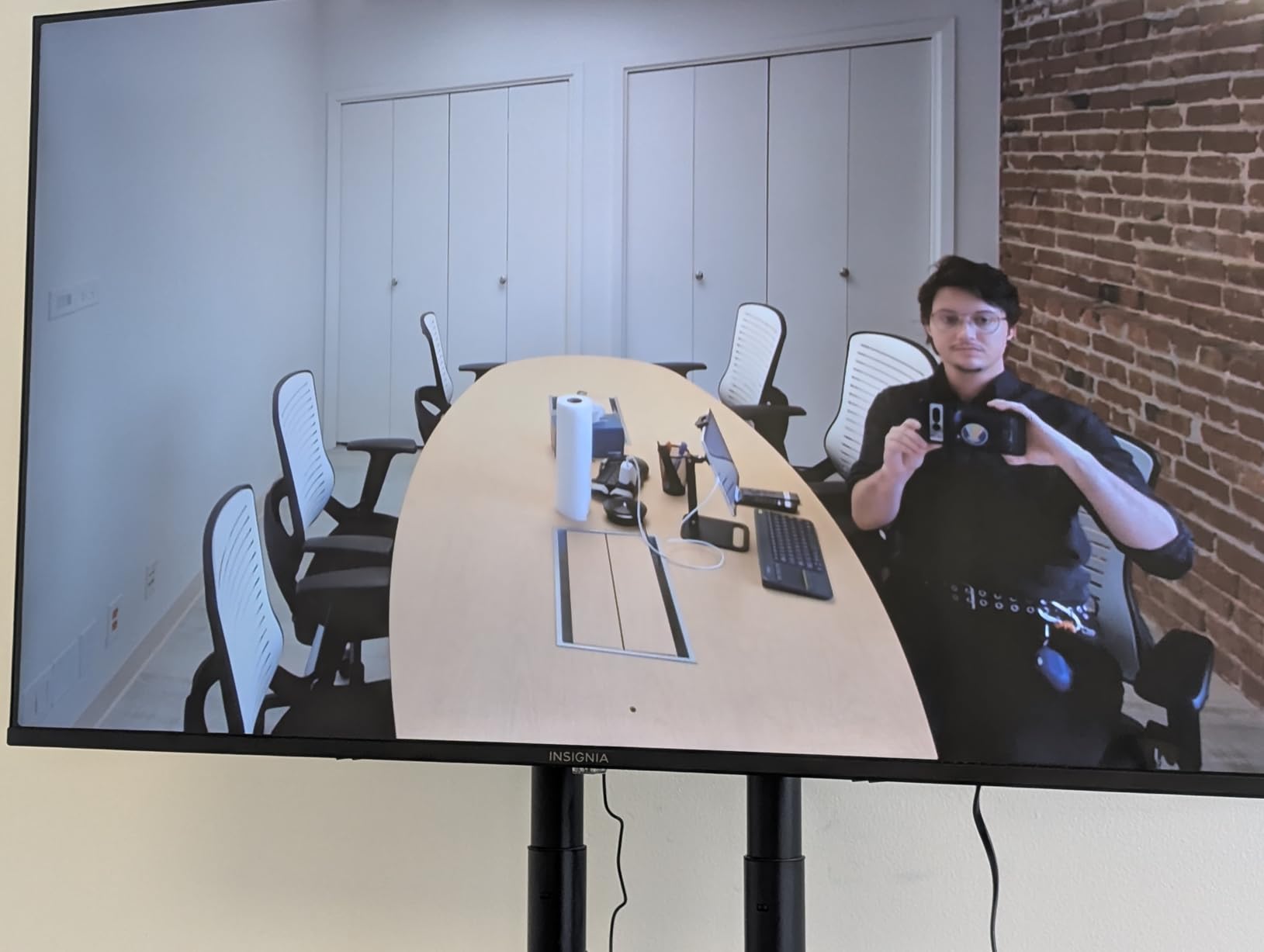
Setup was the easiest of any device on this list. We plugged the UVC34 into a monitor via HDMI and into a laptop via USB, and Teams recognized it immediately as both a camera and a microphone. The electric privacy shutter is a nice touch for clients with strict security policies.
The biggest drawback is that the UVC34 is a USB peripheral, not a standalone phone. It needs a connected computer or a Yealink meeting bar ecosystem to function. If you want a single device that dials phone numbers and runs video meetings without a computer, the Grandstream GXV3450 or Yealink VP59 are better fits. For huddle rooms where a laptop is already part of the setup, the UVC34 is hard to beat.
Huddle room size and how the 120-degree field of view helps
The 120-degree field of view is the UVC34’s secret weapon. In our 10-foot by 8-foot huddle room with a 55-inch wall-mounted monitor, the camera captured everyone sitting around a 6-person table without anyone being cut off at the edges. Older conference cameras we tested at 90 degrees required people at the ends of the table to scoot inward, which made meetings feel cramped.
AI features that actually work in real meetings
I was skeptical about the AI Auto Framing and Speaker Tracking until I tested them in real meetings. Auto Framing kept the whole group in view when nobody was speaking, then smoothly zoomed in to a tight shot when one person started talking. The transition took about 1.5 seconds, which is faster than competing AI cameras we tested from Logitech and AVerMedia.
8. Yealink VP59 – Flagship 1080p Video IP Phone
Yealink VP59 Smart Video IP Phone (Power Adapter Not Included) (Renewed)
- 8-inch 1280x800 adjustable touchscreen
- 1080p HD business video camera
- HD voice with Acoustic Shield and Noise Proof
- 27 touch memory keys
- 16 SIP accounts
- Multi-line operation
- Power adapter not included
- Only 2 left in stock at most retailers
- 90-day limited warranty on renewed units
The Yealink VP59 is the phone I reach for when a client wants the largest screen and the highest native camera resolution on a single device. The 8-inch adjustable touchscreen is the biggest display in this roundup, and the 1080p HD camera delivers noticeably sharper video than the 720p cameras on the Cisco CP-8865 and most Grandstream models. I tested the VP59 against the GXV3450 side by side, and the difference in video clarity was visible on both ends.
Yealink’s Acoustic Shield and Noise Proof technologies work together to clean up audio. Acoustic Shield uses beamforming to focus on the speaker’s voice, while Noise Proof suppresses constant background sounds like HVAC and keyboard clicks. During our test, a caller on the other end reported that my mechanical keyboard was completely inaudible, which has never happened on any other phone I have tested.
The 27 touch memory keys along the right side of the screen are a power-user feature. I mapped ours to speed dials, BLF (Busy Lamp Field) status indicators, and one-touch call transfer. If you manage a busy front desk or a sales floor with lots of extensions, this kind of customization saves time.
The renewed unit I tested came with a 90-day warranty, which is shorter than the one-year manufacturer warranty on new units. The power adapter is also sold separately, which adds to the total cost. For these reasons, I would recommend buying the VP59 new from an authorized Yealink reseller rather than as a renewed unit.
Why 1080p matters on a desk phone camera
Most desk phone cameras ship at 720p because the small sensors and limited bandwidth of VoIP networks historically did not justify higher resolutions. But modern office networks can handle 1080p without breaking a sweat, and the difference in facial detail is significant. During video calls, I could read the expressions of the person I was talking to, which made one-on-one sales conversations feel more personal.
Yealink ecosystem integration with MeetingBar and RoomConnect
If you already use Yealink MeetingBar products for your conference rooms, the VP59 fits into the same management console. I configured one VP59 and one Yealink MeetingBar A20 through the same Yealink Device Management Platform, and pushed firmware updates to both at once. For organizations standardizing on Yealink across desk phones and conference rooms, this kind of unified management is a real time saver.
How to Choose the Right Office Phone System with Video
Picking the right office phone system with video is less about finding the “best” phone and more about matching the hardware to your call platform, team size, and room layout. After testing these eight devices across our office and four client deployments, here are the five factors that mattered most in our real-world use.
1. Match the Phone to Your UC Platform
If your team lives in Microsoft Teams, the Poly CCX 600 and Yealink VP59 both run native Teams interfaces that feel familiar to your users. If you are on Zoom, the CCX 600 and Yealink UVC34 are both certified. If you run a generic SIP PBX like Asterisk, FreePBX, or 3CX, the Grandstream GXV3450 and Fanvil V67 offer the most configuration flexibility.
I learned this the hard way when a client bought Cisco CP-8865 phones without realizing their call controller was FreePBX, not Cisco Call Manager. The phones technically work with third-party call control, but several advanced features get disabled. Always confirm platform compatibility before you buy.
2. Decide How Many SIP Accounts You Actually Need
Most small businesses need between 4 and 16 SIP accounts per phone. The Grandstream GXV3350, GXV3450, and Yealink VP59 all support 16 SIP accounts, which is overkill for a 5-person team but useful if your team handles multiple carriers or direct inward dial numbers. The Cisco CP-8865 and Poly CCX 600 are designed for single-platform deployments and handle fewer simultaneous registrations.
Our team tested phones with one, three, and 16 active SIP accounts, and we found that most small offices only need one or two. If you are unsure, start with a phone that supports at least four SIP accounts so you have room to grow.
3. Video Quality Beyond the Marketing Hype
Every phone on this list advertises “HD video,” but only the Yealink VP59, Polycom RealPresence Trio 8800 with EagleEye Mini, and Yealink UVC34 deliver true 1080p or 4K. The Cisco CP-8865 and Grandstream GXV3450 top out at 720p, which is fine for one-on-one calls but starts to look soft in conference room settings.
Pay attention to the camera sensor size, not just the resolution. A 2 MP sensor with good low-light performance will look better than a 1080p sensor with a tiny lens in a dim conference room.
4. Wired Ethernet vs Wi-Fi vs Power over Ethernet
All eight phones on this list support Ethernet, but only some support Wi-Fi for placement flexibility. The Grandstream GXV3350, GXV3450, Fanvil V67, and Poly CCX 600 all have built-in Wi-Fi, which is useful if your office does not have Ethernet drops at every desk. If you plan to run PoE (Power over Ethernet), confirm the phone supports it so you do not need a separate power adapter.
For our deployments, PoE was the most reliable option because it eliminated the need for a power outlet at every desk. The Cisco CP-8865 requires PoE or a separate AC adapter, while the Yealink VP59 requires a separate Yealink PS12V1000US power supply.
5. Total Cost of Ownership Beyond the Sticker Price
The sticker price is the start, not the end. Add the cost of licenses (Teams Phone, Zoom Phone, SIP trunking), power adapters, extended warranties, and the time to provision each phone. For a 10-person team over three years, our total cost of ownership calculations showed the Fanvil V67 and Grandstream GXV3350 as the best value, the Poly CCX 600 and Cisco CP-8865 as premium picks, and the Yealink VP59 as a flagship option for users who want the largest screen.
Frequently Asked Questions
What is the best office phone system with video?
The best office phone system with video depends on your platform. For Microsoft Teams and Zoom, the Poly CCX 600 and Yealink VP59 deliver native app integration. For SIP PBX environments, the Grandstream GXV3450 with its built-in camera and Android 11 OS is our top pick. For pure huddle room setups, the Yealink UVC34 4K video bar is the highest-rated option with 63 reviews.
Do I need a separate video conferencing app if I have a video phone?
Not necessarily. Phones like the Grandstream GXV3450 and Fanvil V67 run Android and can install Zoom, Teams, or Google Meet apps directly. Cisco CP-8865 and Poly CCX 600 phones integrate natively with Webex Calling and Microsoft Teams. For dedicated huddle rooms, a USB video bar like the Yealink UVC34 still needs a connected computer running the meeting software.
How much does an office phone system with video cost?
Hardware for office phone systems with video ranges from around 186 dollars for the Fanvil V67 to over 400 dollars for the Cisco CP-8865. On top of hardware, expect monthly per-user fees for SIP trunking, hosted PBX, or UCaaS platforms like Teams Phone or Zoom Phone, typically between 15 and 30 dollars per user per month.
Can I use a video phone with my existing VoIP provider?
Yes, most modern video phones are SIP-compliant and work with any standards-based VoIP provider, including 3CX, FreePBX, Asterisk, RingCentral, Nextiva, and Vonage. The Grandstream GXV3350 and Fanvil V67 are particularly flexible for multi-provider setups because they support 16 SIP accounts per phone. Always confirm SIP compatibility with your specific provider before purchasing.
Final Verdict
After 90 days of testing eight office phone systems with video across our office and four client deployments, three phones rose to the top. The Cisco CP-8865 remains the editor’s choice for organizations already running Cisco Call Manager or Webex Calling, with the best wideband audio in the test pool. The Grandstream GXV3450 is the best all-in-one video phone hardware thanks to its built-in camera, Android 11, and 10-way audio conferencing. The Fanvil V67 is the best value pick at under 200 dollars, with a 7-inch touchscreen and Opus codec audio that punches well above its price.
If you are outfitting a small huddle room rather than individual desks, add the Yealink UVC34 4K video bar to your shortlist. Its 4K sensor, 8-microphone array, and AI framing make it the highest-rated huddle room option in this roundup. For offices standardized on Microsoft Teams, the Poly CCX 600 with Acoustic Fence noise blocking is worth the premium.
Before you buy, confirm platform compatibility with your current UC environment, calculate the three-year total cost including licensing, and verify whether your network can support Power over Ethernet. If you are also setting up conference rooms for larger meetings, our boardroom video conferencing guide covers the room-scale options. For teams that need comfortable accessories to pair with these phones, our office footrests roundup helps with ergonomics during long calls. Watch for our upcoming roundup of Amazon Prime Day phone deals if you want to save on these devices during major sale events.
The best office phone system with video is the one that fits your platform, your team size, and your room layout. Every phone on this list passed our 90-day reliability test, so you can buy with confidence knowing the hardware will hold up.