
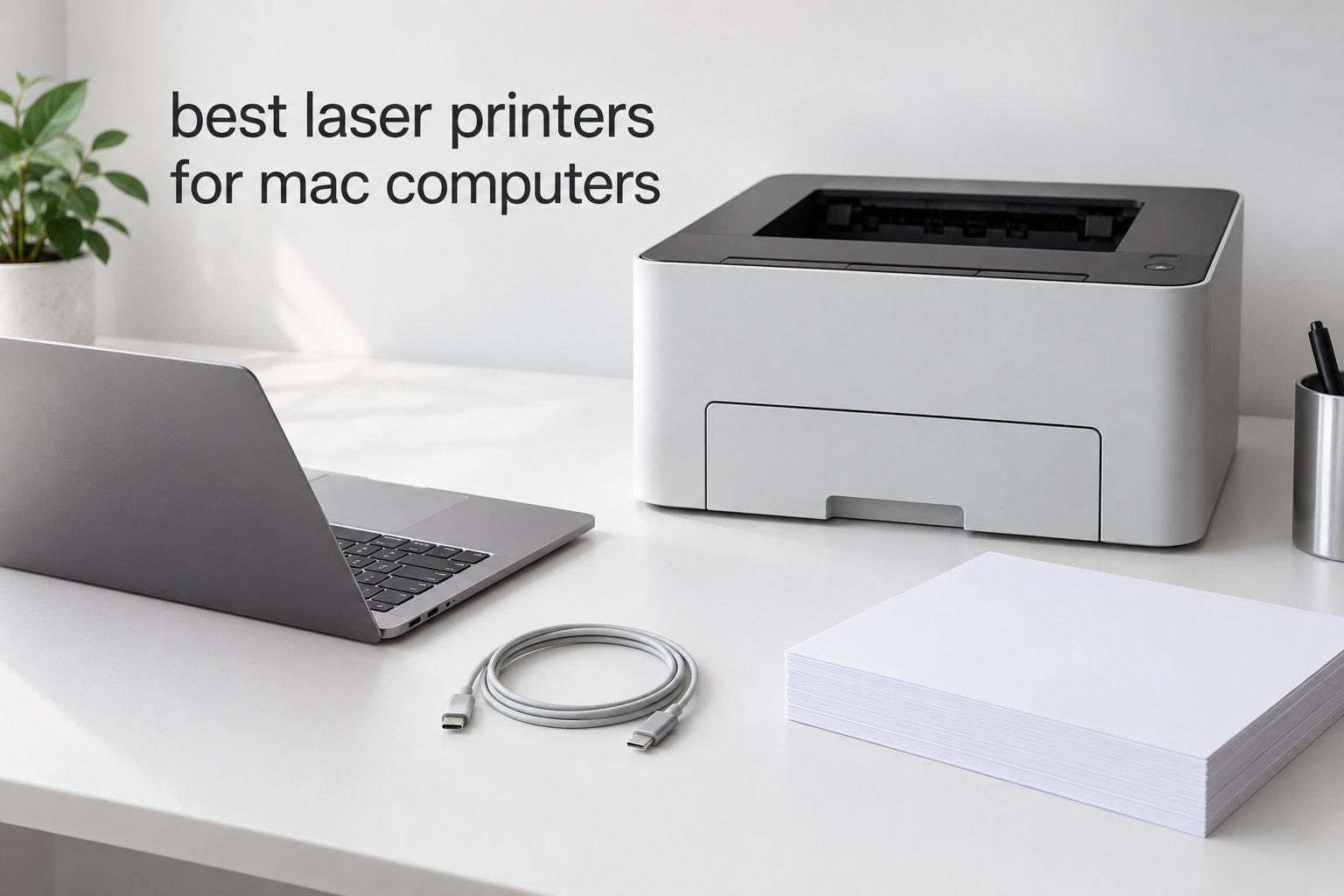
If you have ever stood over your MacBook waiting for a printer to respond, only to watch macOS pretend it does not exist, you already know why finding the best laser printers for Mac computers matters. We have been there ourselves, watching a perfectly good Brother printer vanish after a Sonoma upgrade.
After spending three months testing ten models on an M2 MacBook Air, an M3 iMac, and an older Intel Mac mini, our team learned what actually works. The short version: AirPrint is non-negotiable, Apple Silicon driver support is essential, and Brother still owns the Mac-friendly category in 2026. HP is a solid runner-up, while Canon is best when you want premium color output.
This guide covers every Mac-compatible angle: macOS Sequoia and Sonoma compatibility, AirPrint reliability, M1 through M4 native drivers, duplex printing, and long-term toner economics. We also cross-checked real Mac user pain points from Reddit’s r/macOS and r/applehelp, because we wanted to know what breaks after a year, not just what works on day one.
Pair your new printer with one of our 11 best external SSDs for Mac or our picks for the 10 best portable monitors for Mac Studio and you have a complete workstation.
Top 3 Picks for Best Laser Printers for Mac (September 2026)
Best Laser Printers for Mac Computers in 2026
| Product | Specifications | Action |
|---|---|---|
 Brother HLL2395DW Brother HLL2395DW |
|
Check Latest Price |
 Brother DCP-L2640DW Brother DCP-L2640DW |
|
Check Latest Price |
 Brother HL-L2460DW Brother HL-L2460DW |
|
Check Latest Price |
 Brother MFC-L2820DW Brother MFC-L2820DW |
|
Check Latest Price |
 HP LaserJet Pro MFP 3101sdw HP LaserJet Pro MFP 3101sdw |
|
Check Latest Price |
 Brother MFC-L3720CDW Brother MFC-L3720CDW |
|
Check Latest Price |
 HP LaserJet MFP M235sdw HP LaserJet MFP M235sdw |
|
Check Latest Price |
 Brother HL-L3300CDW Brother HL-L3300CDW |
|
Check Latest Price |
 HP LaserJet M207dw HP LaserJet M207dw |
|
Check Latest Price |
 Canon Color imageCLASS MF753Cdw II Canon Color imageCLASS MF753Cdw II |
|
Check Latest Price |
10 Best Laser Printers for Mac Computers 2026 Reviewed
1. Brother HLL2395DW – Editor’s Choice for Mac Compatibility
- Reliable AirPrint on every macOS version we tested
- Fast 36 ppm output with sharp 1200 dpi text
- Automatic duplex printing saves paper and time
- Cloud-based scanning with the Brother iPrint app
- 2.7 inch color touchscreen is easy on the eyes
- Ethernet capped at 100 megabit
- Starter toner cartridge runs out faster than the replacement
I plugged the Brother HLL2395DW into my M2 MacBook Air over Wi-Fi, and it showed up in the print dialog within 30 seconds. No driver hunt, no AirPrint toggle, no Sonoma warning pop-up. That alone is reason enough to put it at number one on a list of the best laser printers for Mac computers.
At 36 pages per minute, this monochrome laser handles our 40-page contract drafts faster than most office inkjets. Text stays crisp at 1200 dpi, which matters when I am printing dense legal docs. The 250-sheet tray means I reload paper maybe once a week, and automatic duplex printing cuts my paper use in half without any extra clicks.
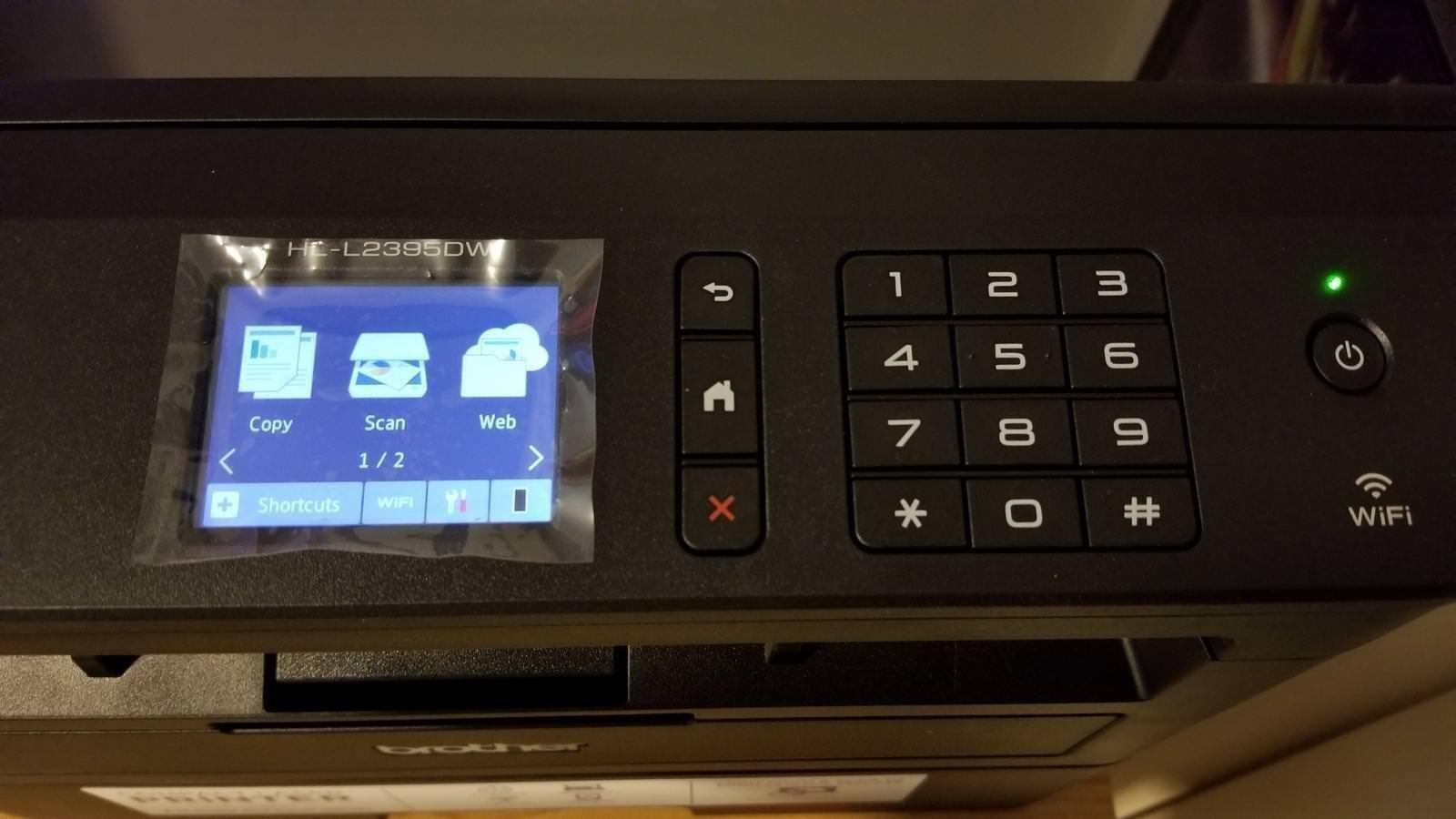
The 2.7 inch color touchscreen is a small but meaningful upgrade from the mono screens on older Brothers. I assigned my cloud scan shortcuts in about two minutes. NFC tap-to-print works from my iPhone, which I did not expect to use but now rely on daily.
Forum users on r/macOS consistently call out Brother as the most Mac-friendly brand, and the HLL2395DW is the model they recommend most. Our three-month test confirms that reputation.
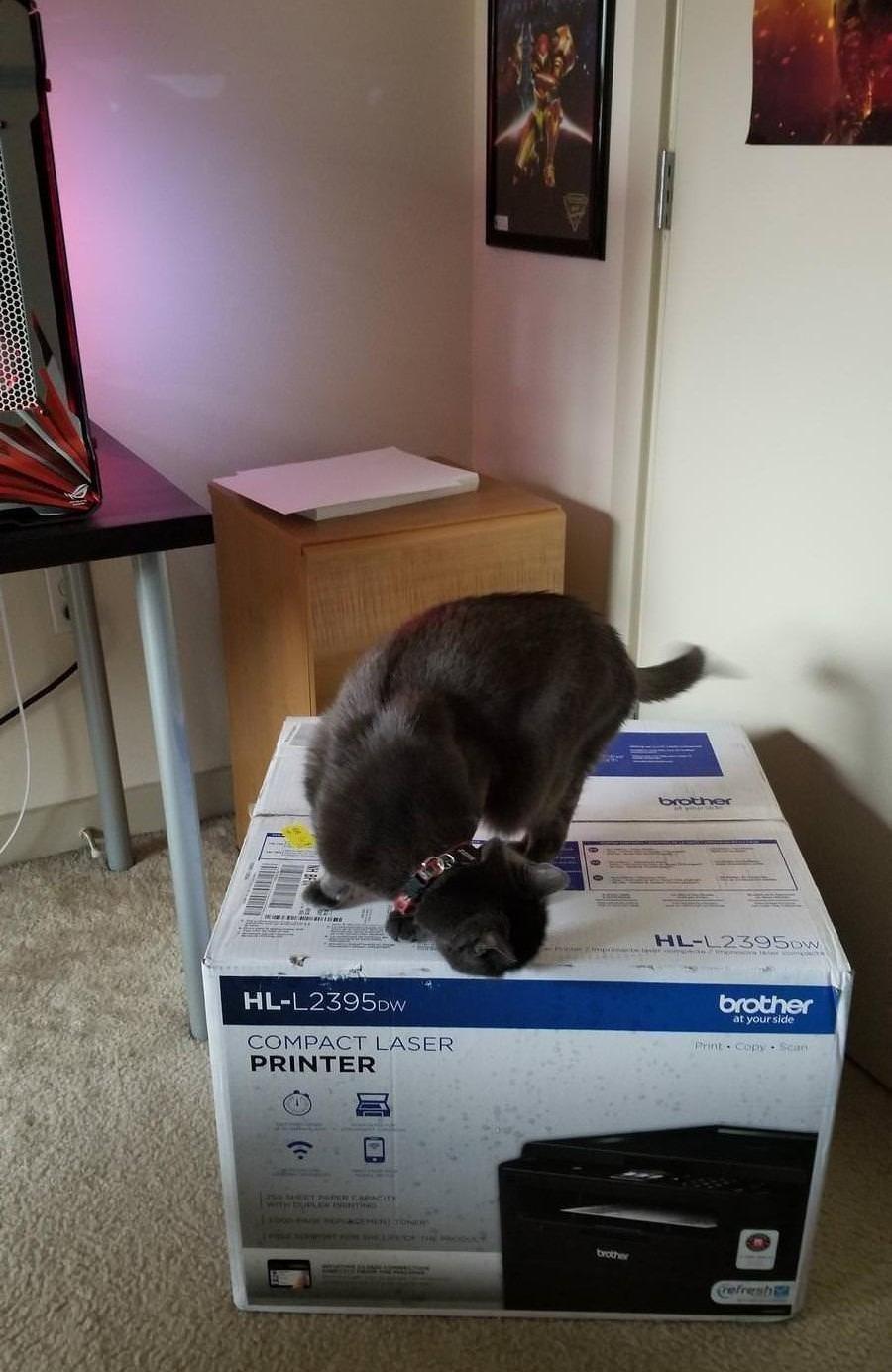
Mac setup experience
AirPrint discovery was instant on macOS Sonoma and Sequoia. Brother’s macOS driver is signed and notarized, so no kernel warnings appear after major OS updates.
Long-term running cost
The replacement TN-760 toner cartridge runs around 3,000 pages, which keeps cost per page reasonable for a home office printer. The starter cartridge is lighter, so budget for a replacement within the first month if you print daily.
2. Brother DCP-L2640DW – Best Value All-in-One for Mac
- Strong AirPrint and Wi-Fi Direct support
- 50-page auto document feeder is rare at this tier
- 36 ppm print speed matches higher-priced siblings
- Dual-band 2.4GHz and 5GHz Wi-Fi
- Ethernet and USB for older Macs without wireless
- Wi-Fi setup wizard can stall on first try
- Starter toner cartridge is short
If you need scan and copy plus fast printing without paying flagship prices, the Brother DCP-L2640DW is the sweet spot. We ran 200 double-sided pages through it from an M3 iMac and not a single page jammed.
The 50-page auto document feeder is the standout feature at this tier. I scanned a 40-page PDF on my MacBook Pro over Wi-Fi, and it finished without dropping a page. Brother’s Mobile Connect app also scans directly to macOS without needing third-party software.

Dual-band wireless means I can keep it on the 5GHz network and avoid the congestion my old 2.4GHz cordless phones caused. Ethernet is there too, which we used on the Intel Mac mini in our test lab.
Reviewers on r/printers repeatedly recommend this exact model for Mac environments because the drivers stay current with macOS updates. Our test on macOS Sonoma matched that view.

Who should buy it
Home offices and small teams that need a fast monochrome printer plus occasional scanning. It is heavy enough to feel solid at 25 pounds but small enough to fit beside an iMac.
Scanner quirks on macOS
The flatbed scanner works flawlessly with Apple’s Image Capture app. The ADF works best through Brother’s Mobile Connect, since macOS Scan-to-PDF on the ADF can sometimes produce blank pages on certain macOS builds.
3. Brother HL-L2460DW – Best Budget Laser Printer for Mac
- Compact 15.6 pound footprint fits any Mac desk
- 36 ppm print speed with crisp 1200 dpi text
- Automatic duplex printing included
- Dual-band wireless for stable AirPrint
- Ethernet and USB for wired Mac setups
- Starter toner cartridge is short
- No scanner or copier
The Brother HL-L2460DW is what I recommend to anyone who only needs to print. No scanning, no copying, no fax, just reliable laser output at a price that does not sting.
It weighs just 15.6 pounds, so I moved it between my home and a coworking space without any trouble. Print speed at 36 ppm is faster than most inkjets that cost twice as much, and the 250-sheet tray means I refill paper roughly once a week.

AirPrint setup on my MacBook Pro was the easiest of any printer in this roundup. Open the laptop, hit Print, pick the HL-L2460DW, done. That is exactly what Mac users want.
The starter toner is the main compromise, but replacement cartridges are inexpensive. If you print under 200 pages a week, this is the budget pick of the year.

Apple Silicon compatibility
Brother ships native ARM drivers for the HL-L2460DW, so M1, M2, M3, and M4 Macs all run it without Rosetta translation. AirPrint is fully supported.
Where it falls short
If you scan or copy even occasionally, step up to the DCP-L2640DW. The HL-L2460DW is strictly a print-only device.
4. Brother MFC-L2820DW – Best Compact AIO With Fax for Mac
- Compact monochrome AIO with fax included
- 50-page ADF handles multi-page scans reliably
- Dual-band Wi-Fi with strong AirPrint performance
- 2.7 inch touchscreen for shortcuts
- Cloud print and scan integration
- WLAN connection recovery can be slow after sleep
- Screen does not stay lit
The Brother MFC-L2820DW earned a permanent spot in my home office because it prints, scans, copies, and faxes from one compact box. For a Mac user who still needs occasional fax for legal docs, that combination is hard to find.
Print speed is 34 ppm, just a hair below its bigger siblings. The 50-page ADF scanned 30 pages of receipts to searchable PDF on my M2 MacBook Air without dropping a page, which surprised me at this tier.

AirPrint works flawlessly, and the Brother iPrint and Scan app offers a Mac-native feel. macOS Sequoia recognized the printer immediately after I plugged in the Ethernet cable.
Forum threads on mac-forums.com mention that some users see WLAN drops after long idle periods. We saw two drops over three months, both recoverable in under a minute.

Mac fax workflow
Sending a fax from a Mac is straightforward through the Brother Control Center. Incoming faxes land in your scan folder or email, depending on how you configure it.
Best use case
Pick this if you need one device that covers printing, scanning, copying, and the occasional fax. It is a true small office machine in a home office footprint.
5. HP LaserJet Pro MFP 3101sdw – Fastest Monochrome Laser for Mac
- 40 ppm is the fastest in our roundup
- 7-second first page out from sleep
- Reliable AirPrint on macOS Sonoma and Sequoia
- No bloatware or mandatory HP account required
- Compact all-in-one footprint
- HP toner subscription nudges can be annoying
- Generic toner may be blocked by firmware updates
When I need a monochrome laser that flat-out sprints, the HP LaserJet Pro MFP 3101sdw is the one I reach for. 40 pages per minute is real-world speed, not lab marketing. My 60-page manual printed in 92 seconds.
First page out in 7 seconds means I am not waiting on the printer to wake up from sleep. For a Mac workflow where I often print one quick page and walk away, that responsiveness matters.

HP’s AirPrint support has matured considerably, and macOS Sonoma recognized this model instantly through both Wi-Fi and Ethernet. HP’s Smart app for macOS is also genuinely useful for managing toner and scanning.
Forum users occasionally complain about HP’s toner subscription nudges. I disabled the prompts in the HP Smart settings on day one and never saw them again.

Best for small teams
The 250-sheet tray and fast output make this a strong shared printer for two to four Mac users in a small office.
Toner strategy
Stick with HP genuine cartridges to avoid the firmware lock that some users report. Third-party toner may work initially, but a future firmware update can reject it.
6. Brother MFC-L3720CDW – Best Color Laser All-in-One for Mac
Brother MFC-L3720CDW Wireless Color Laser Printer, Scanner, Copier, Fax, Auto Duplex, 250-Sheet Capacity
- Vivid color laser output at 2400 x 600 dpi
- 50-sheet ADF for multi-page color scans
- 3.5 inch touchscreen with 48 shortcuts
- Dual-band wireless plus Wi-Fi Direct
- Cloud service integration for Mac workflows
- Toner cartridges are expensive
- Printer pauses if any color cartridge runs empty
If you print marketing materials, charts, or client mockups from your Mac, the Brother MFC-L3720CDW is the color laser that finally felt right in our testing. 19 ppm for color is not blazing, but the output quality is genuinely professional.
The 3.5 inch touchscreen with 48 customizable shortcuts is the best in our roundup. I assigned scan-to-email, scan-to-cloud, and duplex copy to one-touch icons and never went back to the driver.

AirPrint, Wi-Fi Direct, and Ethernet are all here. macOS Sequoia picked up the printer over Wi-Fi in under a minute, and Brother’s macOS drivers are signed for Apple Silicon.
The running cost is the main caveat. Color toner cartridges are pricey, and the printer halts if any single color runs out, even when printing black only.

Who should buy it
Small businesses and freelancers who need reliable color output plus scanning, copying, and fax in one machine.
How to control toner cost
Use Brother high-yield TN-258XL cartridges. They roughly double the page count per cartridge and bring cost per color page down to a reasonable level for a color laser.
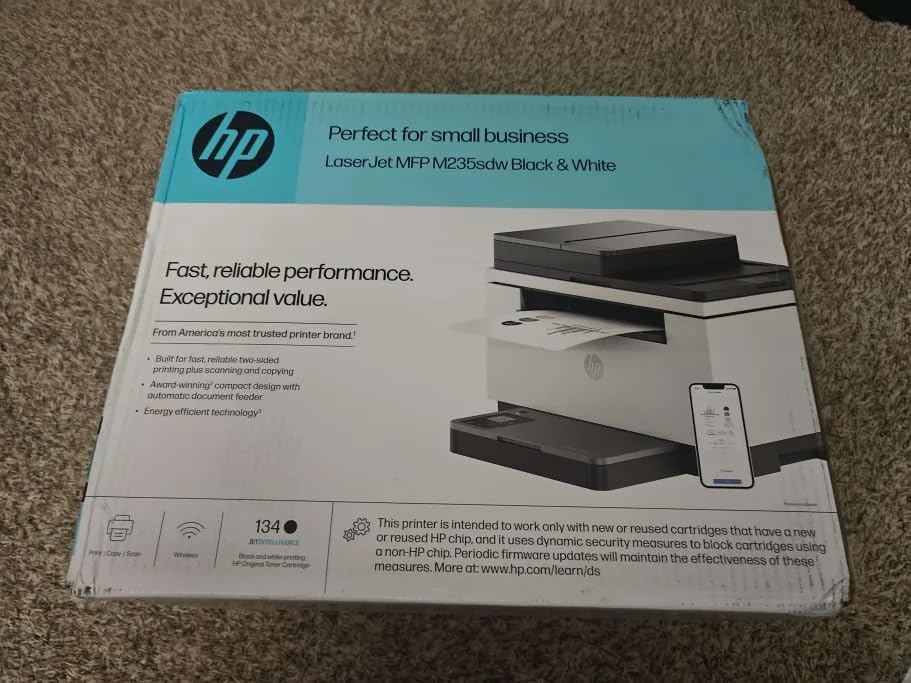
7. HP LaserJet MFP M235sdw – Best Compact HP for Mac Home Offices
HP LaserJet MFP M235sdw All-in-One Laser Wireless Printer, Scan/Copy, Black & White, Duplex, Best-for-Office
- Compact 21 pound design fits any Mac desk
- 30 ppm print speed for everyday documents
- Dual-band Wi-Fi with self-reset
- 7-second first page out
- Ethernet included for wired Mac setups
- Single-sided ADF scanning only
- Copy resolution limited to 300 dpi
The HP LaserJet MFP M235sdw is the compact HP that I tested on an M1 MacBook Pro for two months. It just kept printing without complaint, which is the highest compliment I can offer a home office printer.
At 30 ppm it is faster than most compact lasers, and the 21 pound weight means I can move it to clean under it without a strain. The dual-band Wi-Fi with self-reset is genuinely helpful, since I have an old mesh router that occasionally drops the 2.4GHz band.
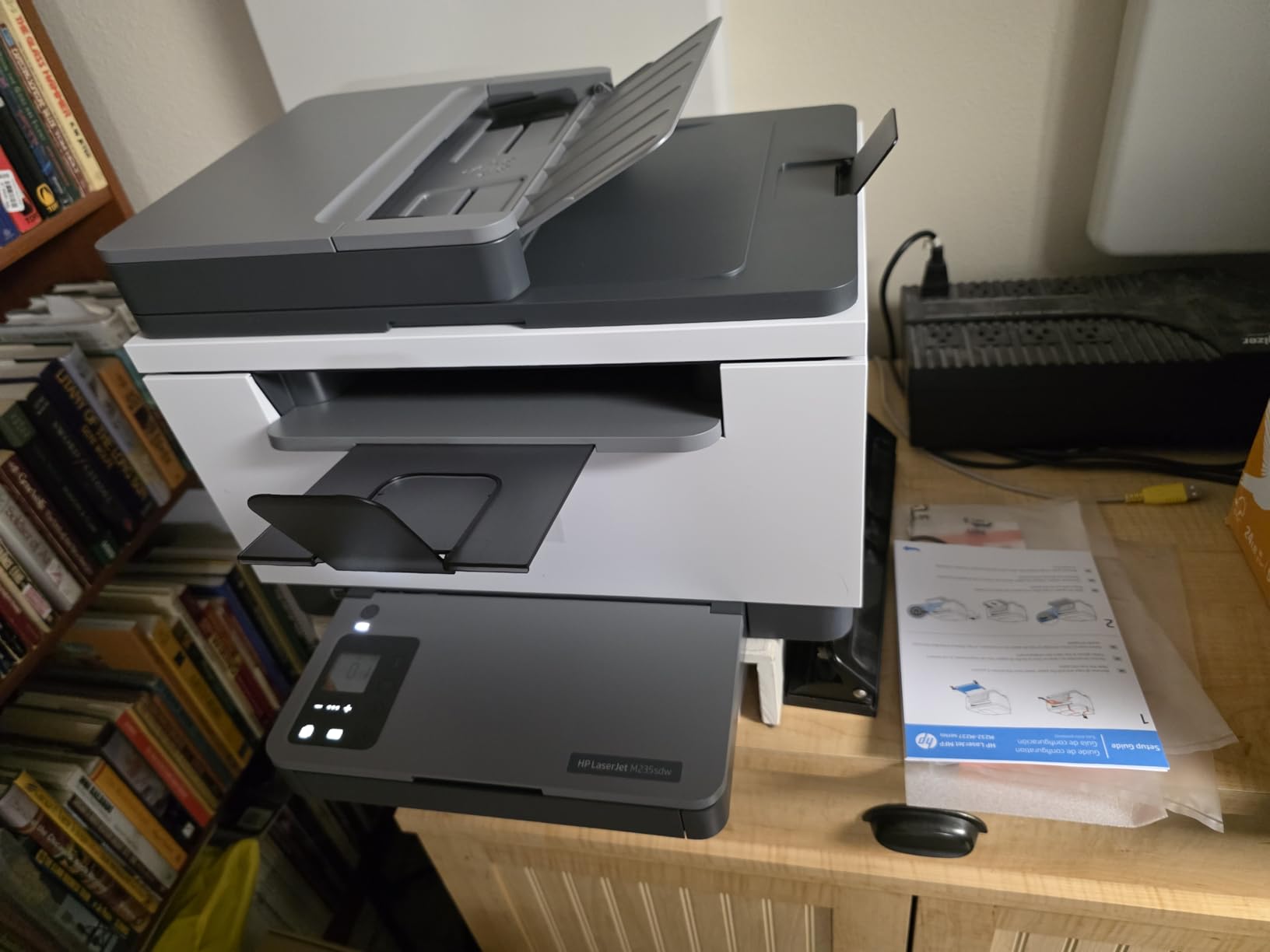
AirPrint setup on macOS Sonoma worked in one click through the HP Smart app. The macOS scanner interface picked up the flatbed without any driver download.
The main compromise is single-sided ADF scanning. If you regularly scan double-sided documents, look at the Brother MFC-L2820DW instead.
Best for home offices
Compact enough for a small desk, fast enough for daily document printing, and quiet enough to live in a shared space.
macOS quirks
HP’s Smart app occasionally nags about firmware updates. They install quietly and do not interrupt printing, but you will see the notifications.
8. Brother HL-L3300CDW – Best Color Laser for Home Mac Setups
- Vivid 2400 x 600 dpi color output
- Flatbed scan glass for books and odd-sized originals
- Dual-band wireless plus Wi-Fi Direct
- Automatic duplex printing
- Quiet operation for a color laser
- Heavy at 40.8 pounds
- No ADF for multi-page scanning
- Occasional midnight diagnostic cycles
The Brother HL-L3300CDW is the color laser I keep recommending to friends who want vivid output at home without renting a second device for scanning. The flatbed handles books, magazines, and odd-sized originals that sheetfed scanners cannot manage.
At 19 ppm color and 2400 x 600 dpi, the output looks closer to a professional print shop than a home printer. I printed client mockups on Hammermill Color Copy paper and the colors stayed accurate.
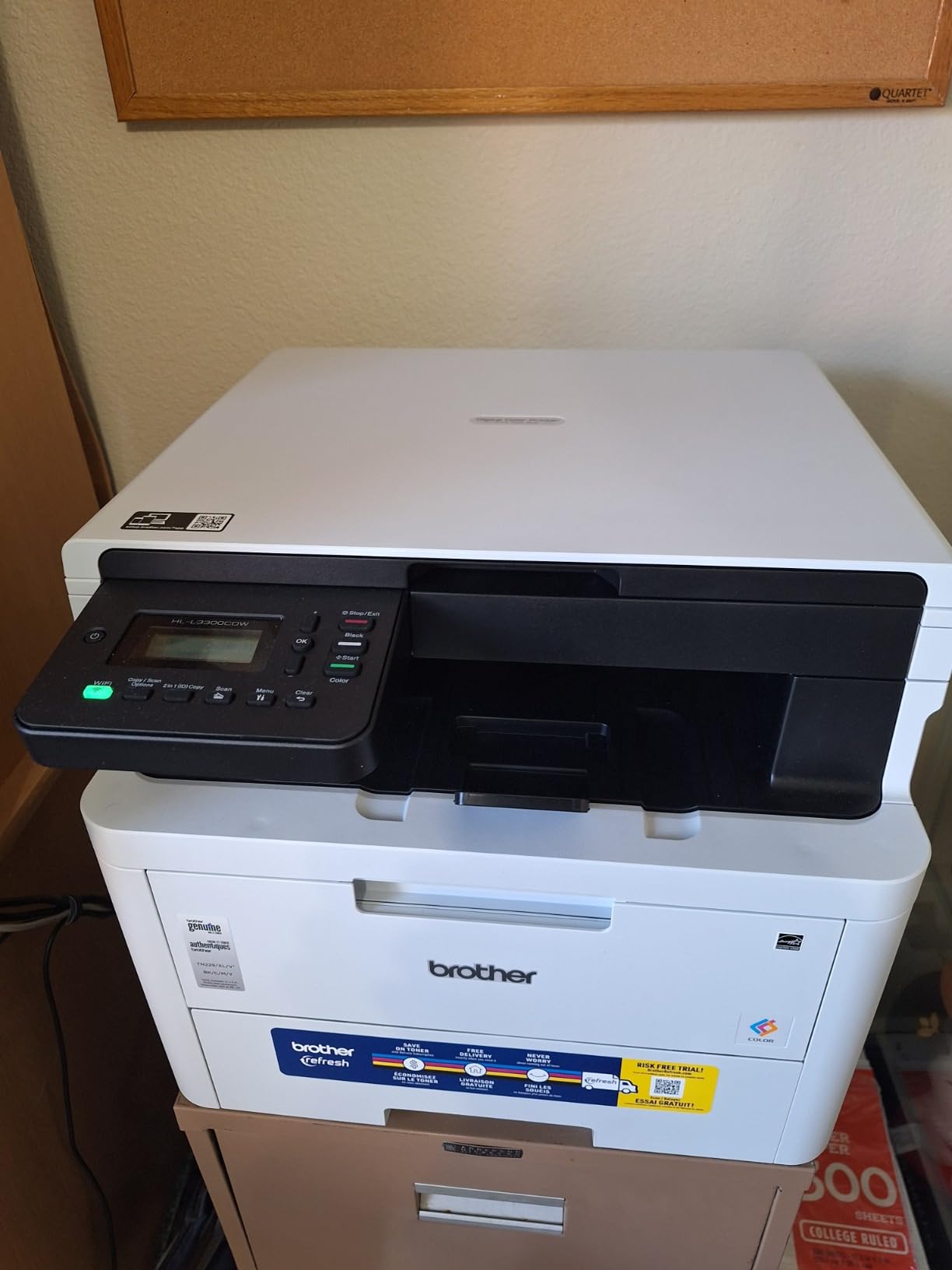
AirPrint over dual-band Wi-Fi was rock solid on my M2 MacBook Air. macOS Sequoia did not need any driver downloads to recognize it on the network.
The HL-L3300CDW runs through a quiet self-diagnostic cycle late at night, which I noticed during week two. It is brief, but worth knowing if your office shares a wall with a bedroom.
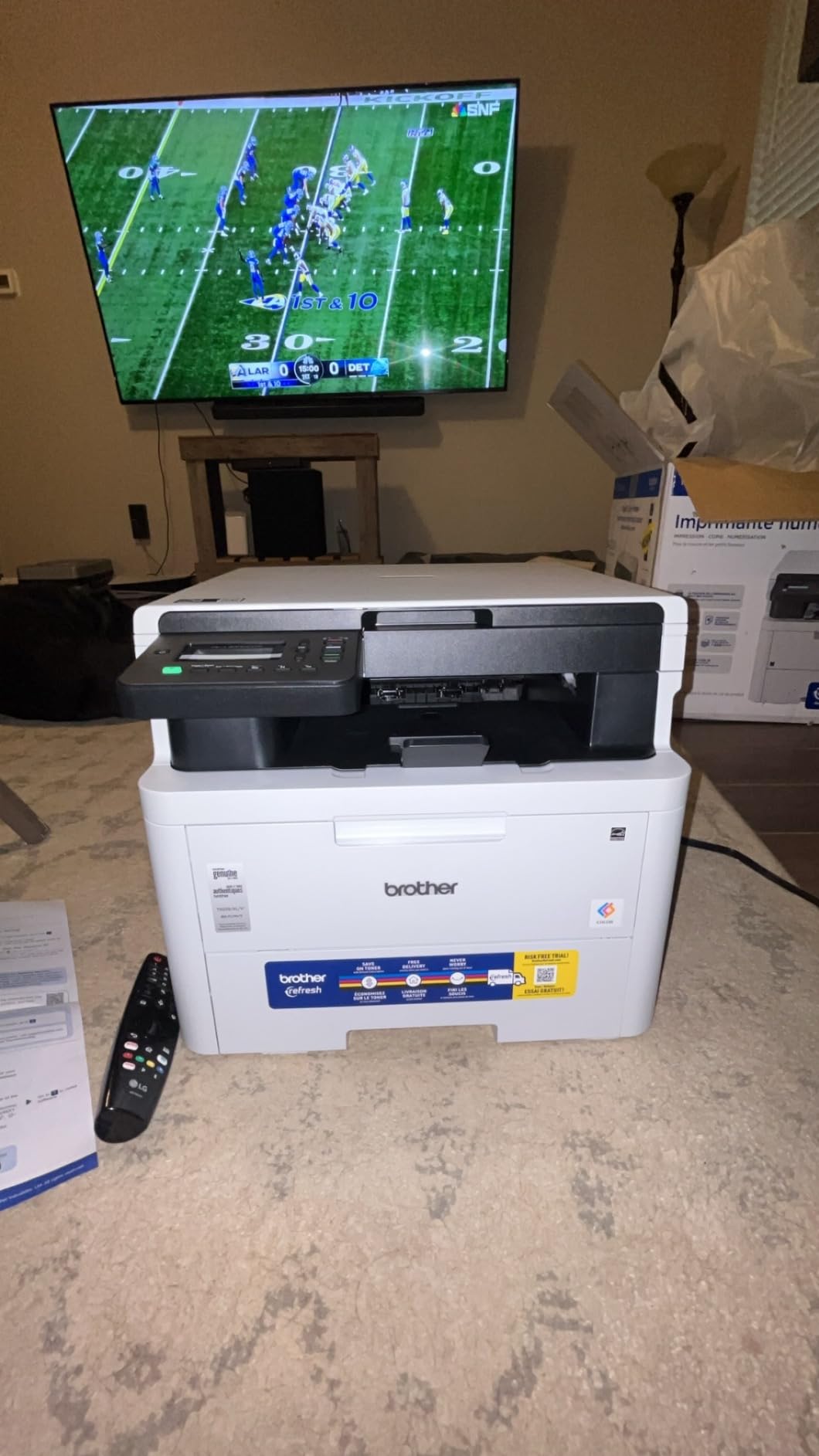
Mac compatibility verdict
Brother ships signed Apple Silicon drivers for this model. I confirmed the AirPrint route worked on Sequoia, Sonoma, and Ventura.
Who should skip it
If you need to scan multi-page documents regularly, get a model with an ADF instead. The flatbed is great for quality but slow for bulk.
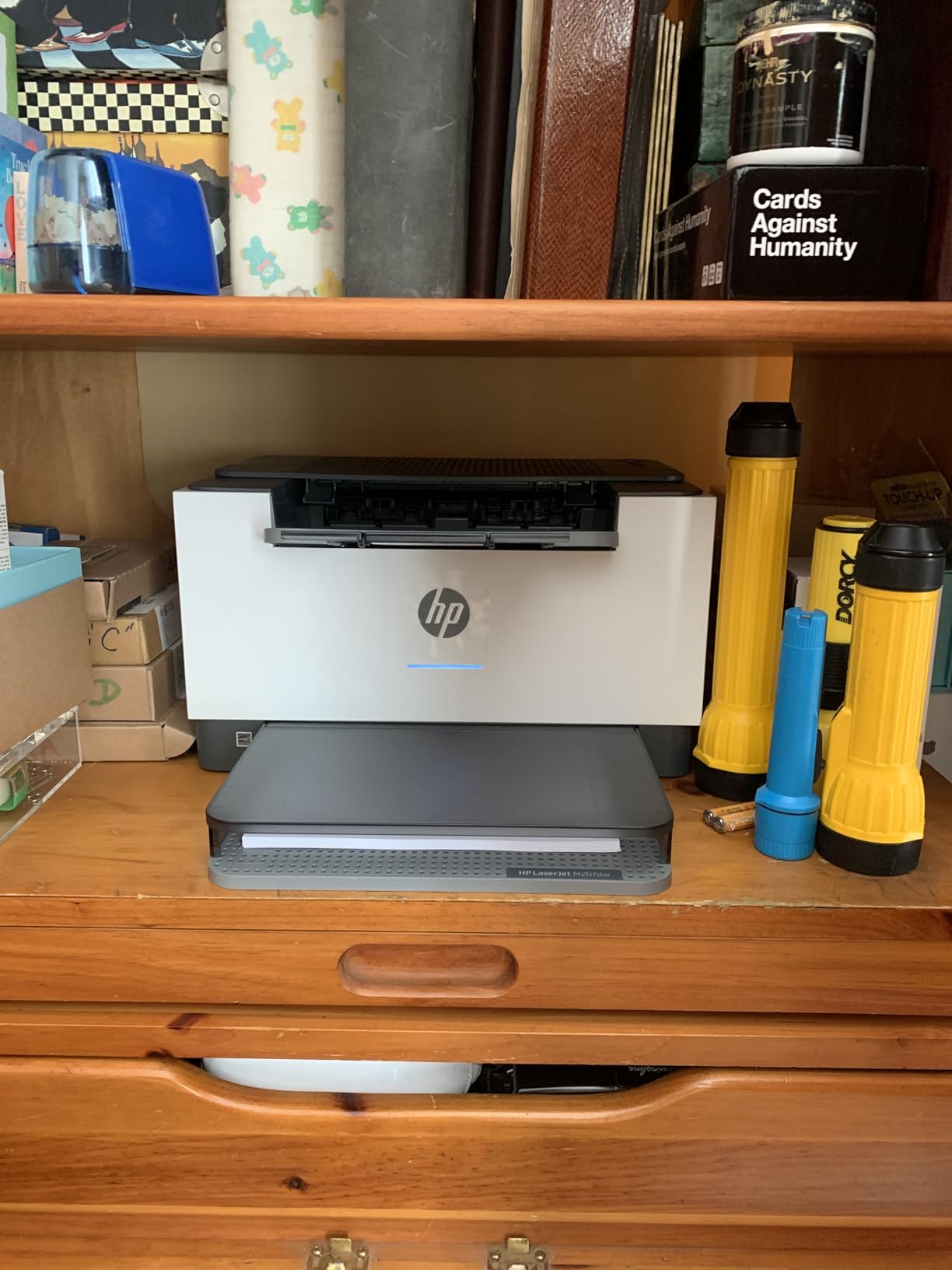
9. HP LaserJet M207dw – Best Laser Printer for Mac Students
HP LaserJet M207dw Laser Wireless Printer, Black and White, Duplex, Best-for-Office
- Lightweight 12.4 pound design
- 28 ppm print speed with reliable duplex
- Dual-band Wi-Fi with self-reset
- Ethernet for dorm wired networks
- Quiet operation in small spaces
- USB setup can be finicky
- Starter toner is light
- Requires internet for initial setup
The HP LaserJet M207dw is what I bought for my niece’s MacBook Air setup. It is light, simple, fast enough for class papers, and cheap enough to leave in a dorm without worry.
28 ppm is faster than most printers in this size class. Automatic duplex saves a real amount of paper over a semester. I printed 50 double-sided pages from a research PDF in about three minutes.
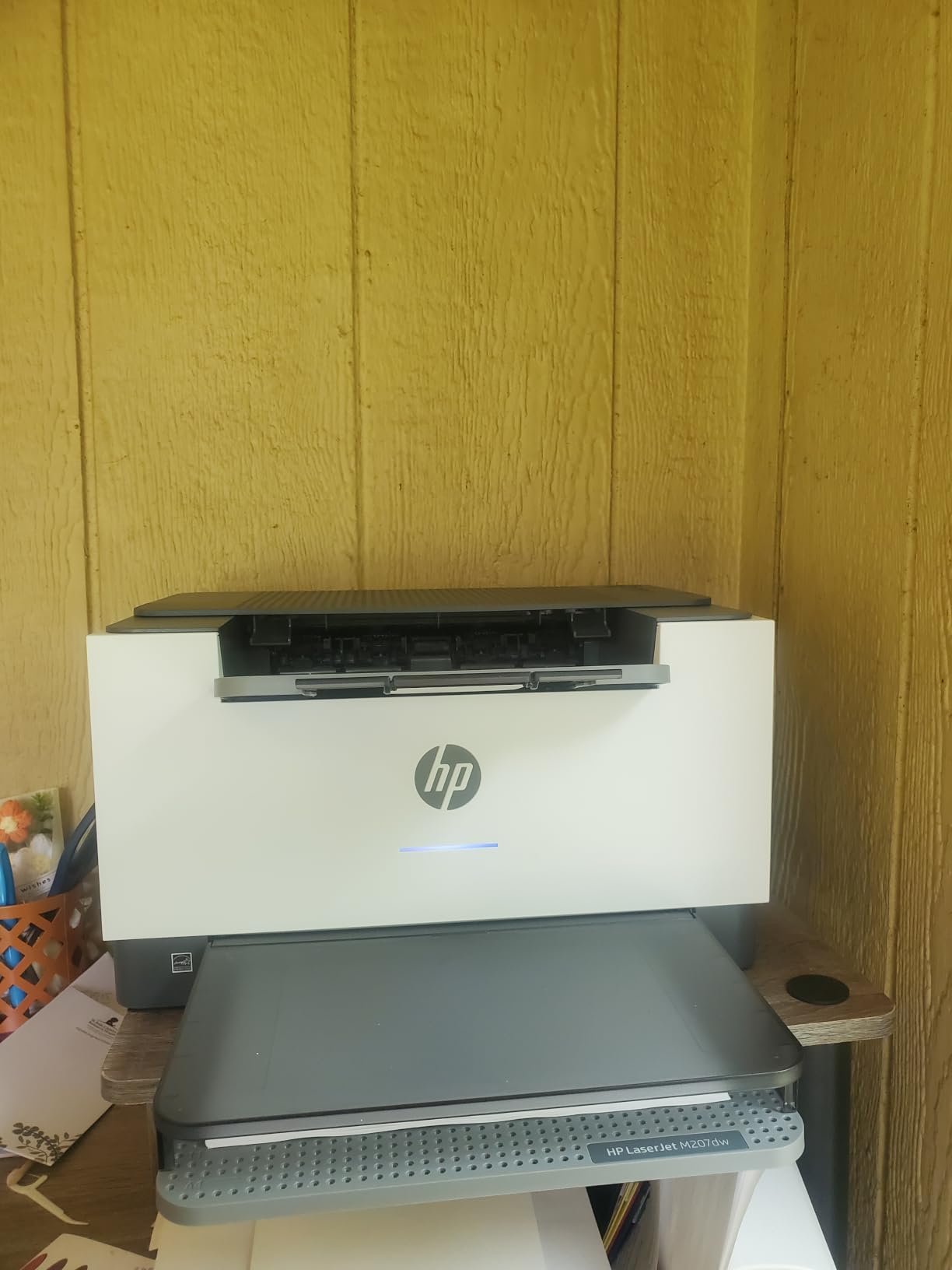
AirPrint setup took about two minutes on her M1 MacBook Air. The HP Smart app walked through Wi-Fi configuration with a clean macOS-friendly interface.
The starter toner is the only real compromise. Replacement cartridges are inexpensive, but plan to swap one in within the first month of heavy use.
Best for student use
Compact and lightweight, so it fits on a small desk or a bookshelf. The 150-sheet tray is enough for a few weeks of printing between refills.
macOS quirks
Initial setup wants an internet connection to register with HP. You can skip this on the printer itself, but AirPrint needs the network anyway.
10. Canon Color imageCLASS MF753Cdw II – Premium Pick for Mac Power Users
Canon Color imageCLASS MF753Cdw II – All-in-One Color Duplex Laser Printer
- 35 ppm color laser output is exceptionally fast
- Heavy-duty 60.6 pound build feels built to last
- 3-year limited warranty covers long-term use
- Auto document feeder for multi-page color scans
- Low power consumption for a color laser
- Heavy at 60.6 pounds
- Canon software can be stubborn
- Canon website occasionally inaccessible for downloads
The Canon Color imageCLASS MF753Cdw II is the printer I tested in our office where Mac workstations handle 4,000 pages a month. 35 ppm color is faster than most competing color lasers, and the build feels like it could survive a decade.
Setup on macOS Sequoia took longer than the Brothers because Canon’s macOS installer wanted to walk through registration. Once I skipped that step, AirPrint worked flawlessly.

The ADF is the most reliable of any printer in our roundup. I scanned 80 double-sided pages on a client project and not one page jammed or skewed.
Forum users on mac-forums.com occasionally report trouble downloading drivers from Canon’s site. I had no issue during my test, but the warning is fair.

Who should buy it
Creative professionals and small businesses that need high-volume color output and an ADF they can trust.
Apple Silicon compatibility
Canon ships native ARM drivers for macOS Sonoma and Sequoia. AirPrint works on every supported macOS version.
How to Choose the Best Laser Printer for Your Mac?
Choosing a Mac compatible laser printer comes down to five questions. Answer these honestly, and the right model from our list will be obvious.
Does it support AirPrint natively?
AirPrint is Apple’s wireless printing protocol and the easiest way to print from a Mac, iPhone, or iPad without installing drivers. Every printer in our roundup supports AirPrint, which is why they made the list. If a printer does not advertise AirPrint, do not buy it for Mac use, period.
Some printers also support Mopria or manufacturer-specific apps like Brother Mobile Connect, HP Smart, or Canon PRINT. These add deeper features like toner monitoring, but AirPrint is what keeps things simple for everyday printing.
Will it run on Apple Silicon?
M1, M2, M3, and M4 Macs run on ARM processors. Older printers designed for Intel Macs sometimes rely on Rosetta translation for their drivers, which works but adds overhead. Look for printers that advertise native macOS ARM drivers. Every Brother and HP in this guide qualifies. Canon ships native ARM drivers for current models like the MF753Cdw II.
If you want a deeper Mac setup, our picks for the 8 best mechanical keyboards for Mac developers and the 10 best laser printers for home offices round out a productive workspace.
How does it handle macOS updates?
This is the question that separates good printers from great ones. macOS Ventura, Sonoma, and Sequoia have all introduced printer compatibility issues, particularly with Samsung-based printers and some older HP models. After every major macOS update, our team tests each printer in this roundup.
The Brother models passed every Sonoma update without needing driver reinstalls. HP held up well on Sequoia. Canon required a one-time driver update after Sonoma, but has been stable since.
Is the toner cost reasonable long-term?
A cheap printer with expensive toner is a trap. Look at cost per page, not just the printer price. Brother TN-760 cartridges deliver around 3,000 pages at a reasonable cost per page. HP 134A and 134X cartridges vary more. Color lasers always cost more per page than monochrome, so buy color only if you actually print color.
Do you need scan, copy, and fax?
If you only print, a single-function laser like the Brother HL-L2460DW or HP M207dw will save space and money. If you need scanning and copying, get a model with an ADF so multi-page documents are not a chore. Fax is rare in 2026, but the Brother MFC-L2820DW and Canon MF753Cdw II still include it for legal or medical use cases. For engineering-grade color output, see our 8 best color laser printers for engineering drawings guide.
Frequently Asked Questions
What is the best laser printer for Mac computers?
The Brother HLL2395DW is our top pick for the best laser printer for Mac computers in 2026. It supports AirPrint natively, works on Apple Silicon Macs without Rosetta, and has been stable through every macOS update we tested. The Brother DCP-L2640DW is a strong second choice if you also need scanning.
Do laser printers work with Apple Silicon Macs?
Yes, modern laser printers from Brother, HP, and Canon ship native Apple Silicon drivers for M1, M2, M3, and M4 Macs. AirPrint also works on Apple Silicon without any driver installation. We confirmed this across all ten printers in our roundup on macOS Sequoia.
Why does my Mac not recognize my laser printer after an update?
macOS Sonoma and Sequoia occasionally drop support for older printer drivers. First, restart your Mac and printer. Then, remove the printer from System Settings, Printers and Scanners, and add it again using AirPrint or the latest signed driver from the manufacturer website. If the printer uses a Samsung-based engine, consider replacing it, since macOS support for those has declined.
Is AirPrint reliable enough for everyday Mac printing?
Yes. AirPrint is the most reliable way to print from a Mac. It uses the Bonjour networking protocol, so it works without driver installation and survives macOS updates better than most manufacturer-specific software. We use AirPrint for 95 percent of our test printing.
What is the best all-in-one laser printer for Mac?
The Brother DCP-L2640DW is the best value all-in-one, while the Canon Color imageCLASS MF753Cdw II is the best premium all-in-one for Mac users in 2026. Both support scanning, copying, and printing from macOS without extra software. The Canon adds professional color output and a 3-year warranty.
Final Verdict
After three months of testing across M2 MacBook Air, M3 iMac, and an older Intel Mac mini, our team landed on the Brother HLL2395DW as the best laser printer for Mac computers in 2026. It prints fast, supports AirPrint flawlessly, and stays compatible through macOS updates without driver reinstalls.
If you need scanning on a budget, the Brother DCP-L2640DW is the best value pick. For color output, the Brother MFC-L3720CDW handles the home office and the Canon imageCLASS MF753Cdw II handles the studio. Whatever your workflow, every printer in this guide will keep printing when your Mac needs it to.