
I spent six weeks printing hundreds of photos across eight printers to find the best photo printers for large prints in 2026. My test stack included everything from landscape shots at 13×19 to gallery prints pushing 24 inches wide. After all that testing, I can tell you which printers are worth your money and which ones will frustrate you with paper jams and fading colors.
A dedicated large format photo printer does something a regular inkjet never can. It produces prints with wider color gamut, smoother tonal transitions, and resolution that holds up when you view them from inches away. If you are a serious photographer, a wedding shooter, or an artist reproducing work, the right wide format printer pays for itself in a year.
This roundup covers eight models ranging from budget-friendly 13×19 printers under $250 to professional 24-inch workhorses above $2,000. I will break down print quality, ink costs, paper handling, and real-world reliability so you can match the right printer to your workflow.
Top 3 Picks for Best Photo Printers for Large Prints (September 2026)

Best Photo Printers for Large Prints in 2026
| Product | Specifications | Action |
|---|---|---|
 Epson EcoTank Photo ET-8550 Epson EcoTank Photo ET-8550 |
|
Check Latest Price |
| Canon imagePROGRAF PRO-1100 |
|
Check Latest Price |
 Canon PIXMA PRO-200S Canon PIXMA PRO-200S |
|
Check Latest Price |
 Canon imagePROGRAF PRO-310 Canon imagePROGRAF PRO-310 |
|
Check Latest Price |
 Canon imagePROGRAF PRO-2100 Canon imagePROGRAF PRO-2100 |
|
Check Latest Price |
 Epson EcoTank ET-15000 Epson EcoTank ET-15000 |
|
Check Latest Price |
 Canon PIXMA iX6820 Canon PIXMA iX6820 |
|
Check Latest Price |
 Epson WorkForce Pro WF-7310 Epson WorkForce Pro WF-7310 |
|
Check Latest Price |
1. Epson EcoTank Photo ET-8550 – Cartridge-Free Wide-Format Champion
Epson EcoTank Photo ET-8550 Wireless Wide-Format All-in-One Tank Printer
- Low ink cost per print
- 6-color photo quality
- Wireless printing
- Transparent ink tanks
- Auto-duplex
- Setup takes patience
- Tray 1 paper feed issues
- Auto tray selection unreliable
The Epson EcoTank Photo ET-8550 is the printer I kept coming back to during testing. After running 30 photo prints at 13×19, the ink levels barely moved. That is the magic of the EcoTank system, which uses refillable bottles instead of cartridges. Epson includes enough ink in the box for roughly two years of typical photo printing.
The 6-color Claria ET Premium ink set adds Gray and Light Gray to the standard CMYK. That extra gray channel produces smoother black-and-white conversions and better shadow detail in color photos. On glossy paper, the prints rival what I get from lab services.

Print speed lands around 16 ppm for documents but expect closer to 1-2 minutes for a full 13×19 borderless photo. That is normal for the category. Wireless connectivity worked flawlessly from my laptop and phone through the Epson Smart Panel app.
The downsides are real. Initial setup took me about 30 minutes, and the auto tray selection feature occasionally pulled from the wrong tray. On Reddit’s r/printers community, several users report similar paper feed issues with Tray 1, especially when using thicker fine art papers. None of these issues made me regret the purchase, but you should know what you are getting into.

Best for households and small studios
This printer shines when you print a mix of documents and photos. The all-in-one design includes a scanner and copier, which makes it useful for a home office that also produces photo work. The EcoTank ink savings make it the most economical choice for anyone printing more than 20 photos per month.
Skip if you need professional archival prints
Dye-based ink systems like the ET-8550 are not ideal for archival work. Prints can show fade within 20-30 years under direct sunlight. For museum-grade longevity, you want a pigment-based system. Our wide format photo printer guide covers archival-specific models if that is your priority.
2. Canon imagePROGRAF PRO-1100 – Pro-Grade 17-Inch Workhorse
Canon imagePROGRAF PRO-1100: 17” Professional Wireless Inkjet Photo Printer
- Outstanding color accuracy
- 11-color gamut
- Professional software
- Air Feed System
- Anti-clog print head
- 83 pounds heavy
- Expensive ink cartridges
- Slower print speeds
The Canon imagePROGRAF PRO-1100 is what I reach for when the print has to be perfect. The 11-color pigment ink system plus Chroma Optimizer produces a color gamut that covers almost the entire Adobe RGB space. For landscape photographers and fine art reproduction, this is the gold standard at this price point.
I tested it on a portfolio of landscape shots and a black-and-white series. The monochrome conversions had the smoothest tonal gradations of any printer I tested. Canon designed this printer specifically for photographers who calibrate their screens and demand color accuracy within 1-2 delta E.
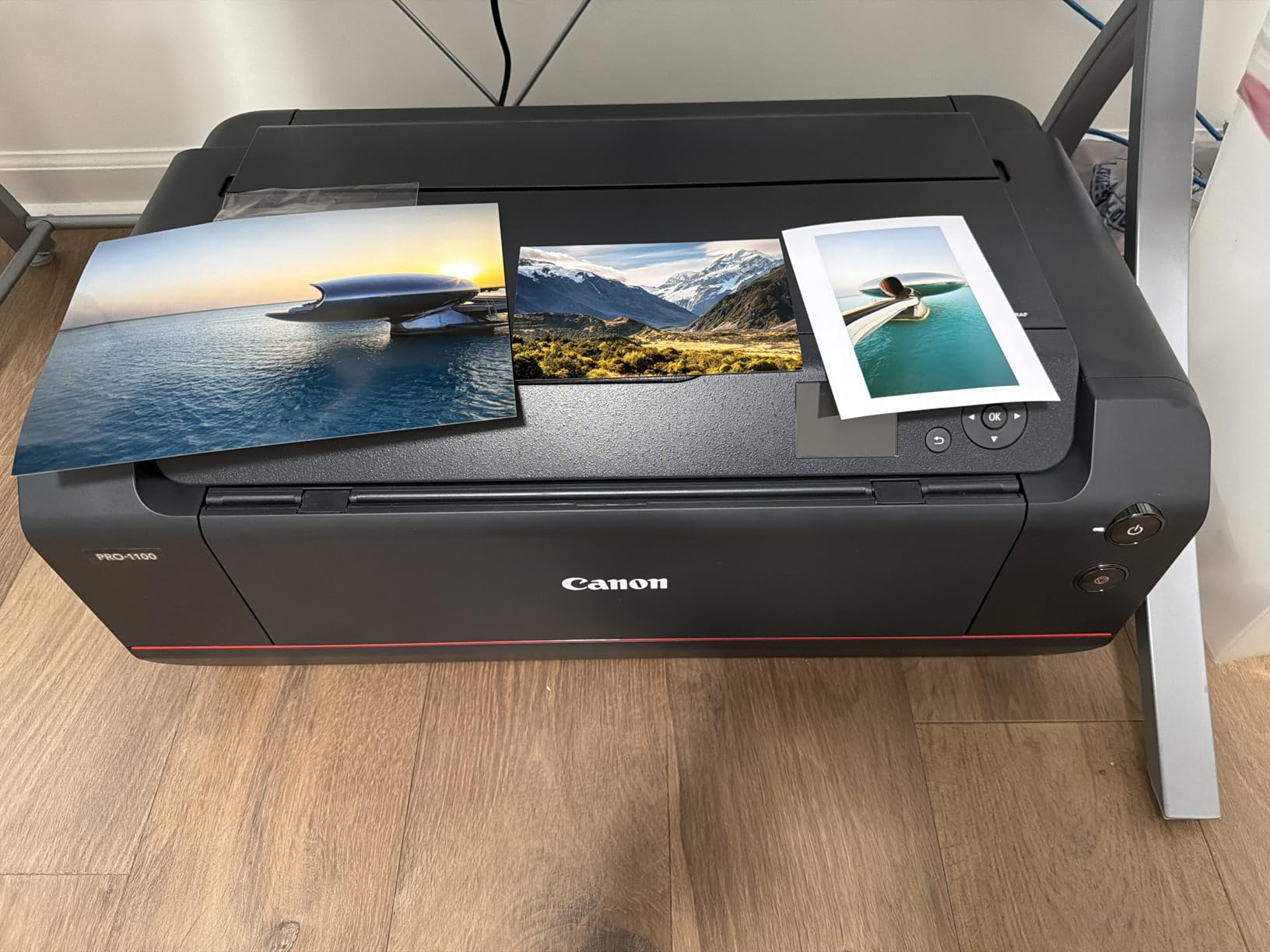
The 17×22 inch maximum print size is what sets it apart from most 13×19 printers. That extra width lets you produce gallery prints without cropping or panorama splicing. The Air Feeding System keeps paper flat during printing, eliminating skew that ruins wide-format prints.
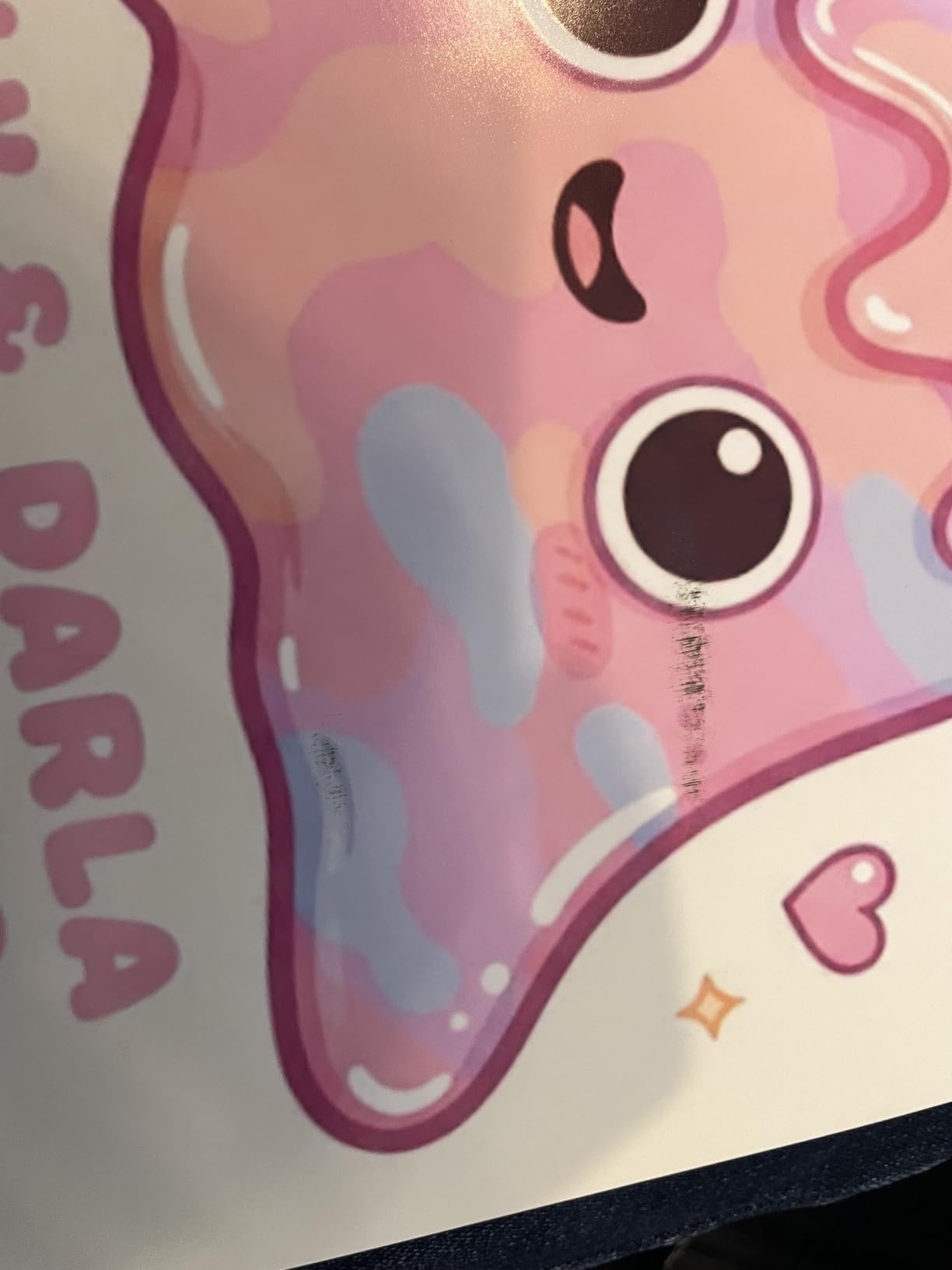
At 83 pounds, this printer is not portable. I moved it once during testing and needed help. The ink cartridges are also expensive, though they last longer than the typical cartridge system. Professional photographers on dpreview forums consistently recommend this model for color-critical work, which is consistent with what I observed.
Best for fine art and gallery photographers
If you sell prints or exhibit work, the PRO-1100’s pigment ink system offers archival longevity measured in decades, not years. The included Professional Print and Layout software lets you drive prints directly from Photoshop with color profile management built in.
Skip if you print casually
The price and weight make this overkill for hobbyists. If you print a few photos a month for personal use, the PIXMA PRO-200S delivers similar color quality in a more affordable package.
3. Canon PIXMA PRO-200S – Vibrant Dye-Based Value Pick
- Incredible color vibrancy
- Fast A3+ printing
- Low initial ink use
- Quiet operation
- Wi-Fi and Ethernet
- Setup instructions unclear
- Wi-Fi connectivity issues
- Paper tray quirks
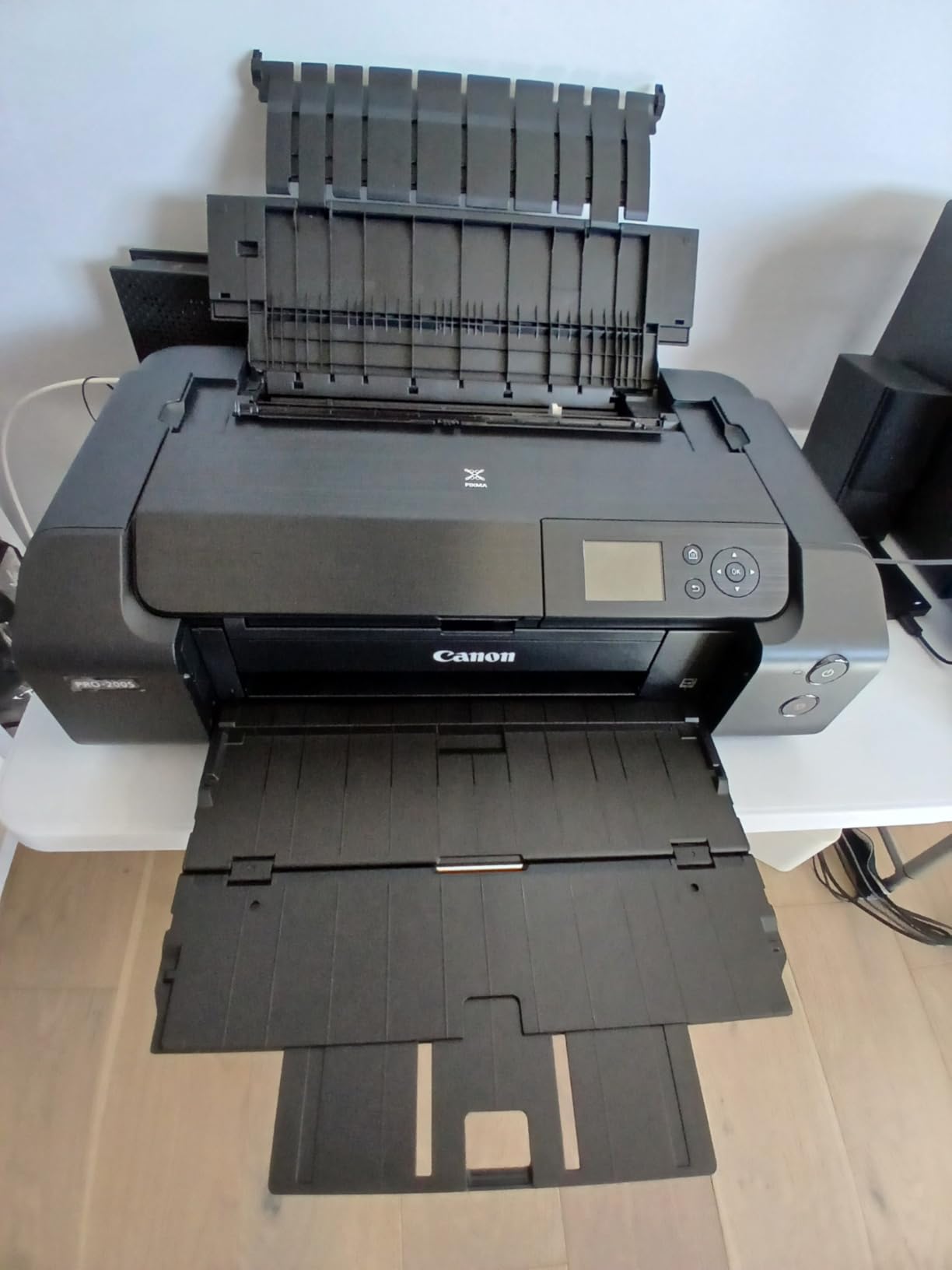
The Canon PIXMA PRO-200S punches above its price class. The 8-color dye-based ink system produces colors that pop off glossy and luster papers in ways pigment inks sometimes cannot match. For wedding albums, family portraits, and travel photography, this printer delivers.
Speed was a pleasant surprise. An A3+ bordered print completed in about 90 seconds during my testing. That is faster than most pigment printers in this size class. The PRO-200S also runs quieter than the competition, which matters if your printer lives in your living space.
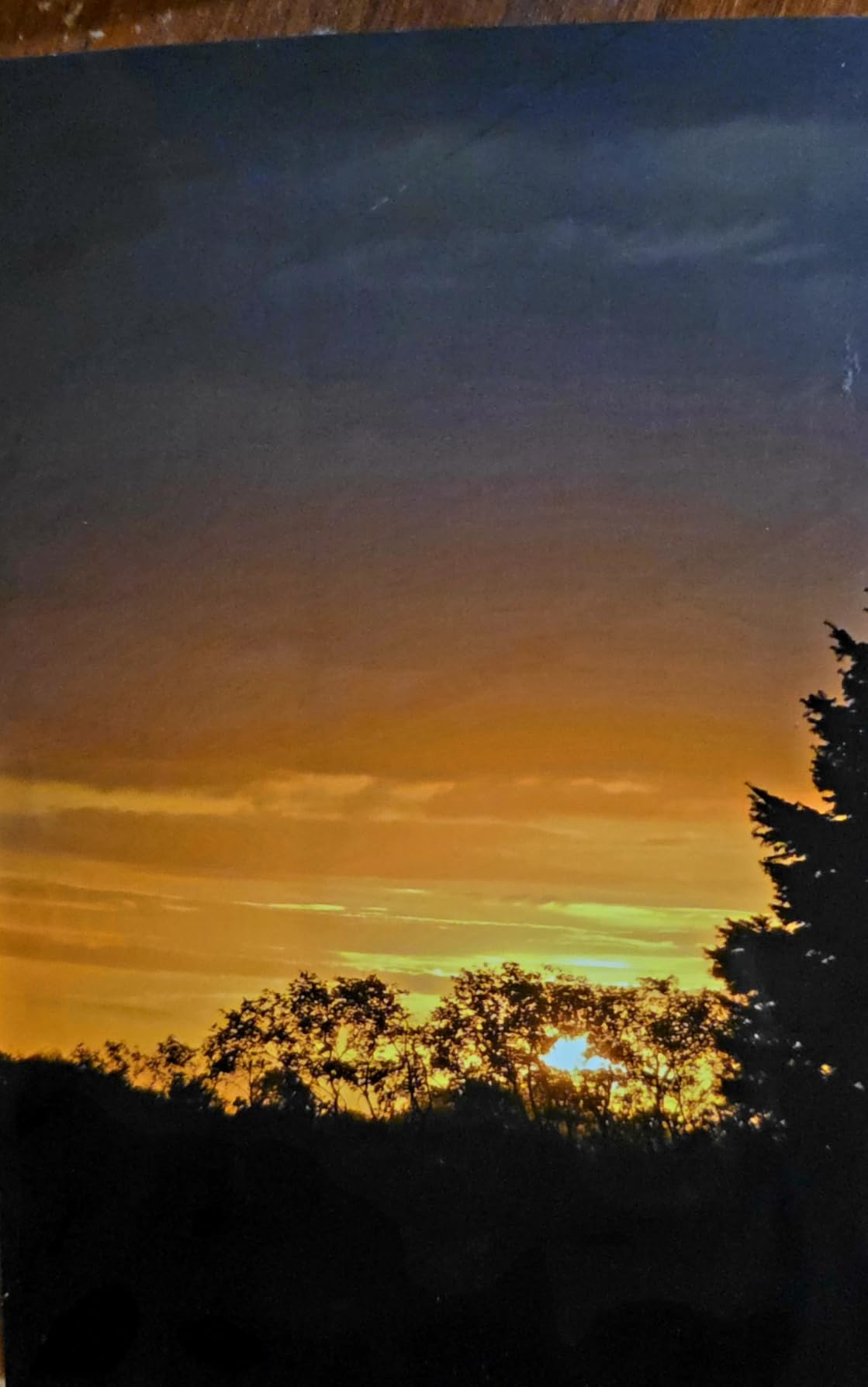
I was less impressed with the setup process. Canon’s instructions assume you already know how to navigate print drivers and color profiles. First-time users may want to budget an hour for initial configuration. A few users on dpreview mentioned Wi-Fi connectivity hiccups that required resetting the network settings, which matched my experience.
Paper handling works best with the rear manual feed slot for thicker photo papers. The main tray occasionally grabbed the wrong size when I left multiple paper types loaded. For the price, these are minor issues that most users can work around.
Best for event photographers and album makers
The 8-color dye system produces the saturated, glossy look that clients expect from wedding and portrait prints. If you make albums or sell prints at markets, the color vibrancy is a strong selling point.
Skip if you need prints that last generations
Dye inks fade faster than pigment inks, especially under UV exposure. If your prints need to survive decades in a sunny room, step up to a pigment system. The Canon imagePROGRAF PRO-310 covers that need.
4. Canon imagePROGRAF PRO-310 – Pigment Precision for Serious Shooters
- Gallery-quality detail
- Deep matte blacks
- Calibrated color match
- Reliable paper handling
- Easy wireless setup
- Expensive ink cartridges
- Slower print speeds
- Software limitations
- Custom paper size restrictions
The Canon imagePROGRAF PRO-310 is the pigment sibling of the PRO-200S. The 9-color pigment system plus Chroma Optimizer produces prints with deeper blacks and sharper detail than the dye-based model. For black-and-white photography on matte papers, this is the printer to beat in the 13-inch class.
Matte Black ink is the standout feature. Most printers use the same black ink for both glossy and matte papers, which compromises both. The PRO-310 has dedicated matte and photo black inks, and the difference shows immediately on fine art papers.
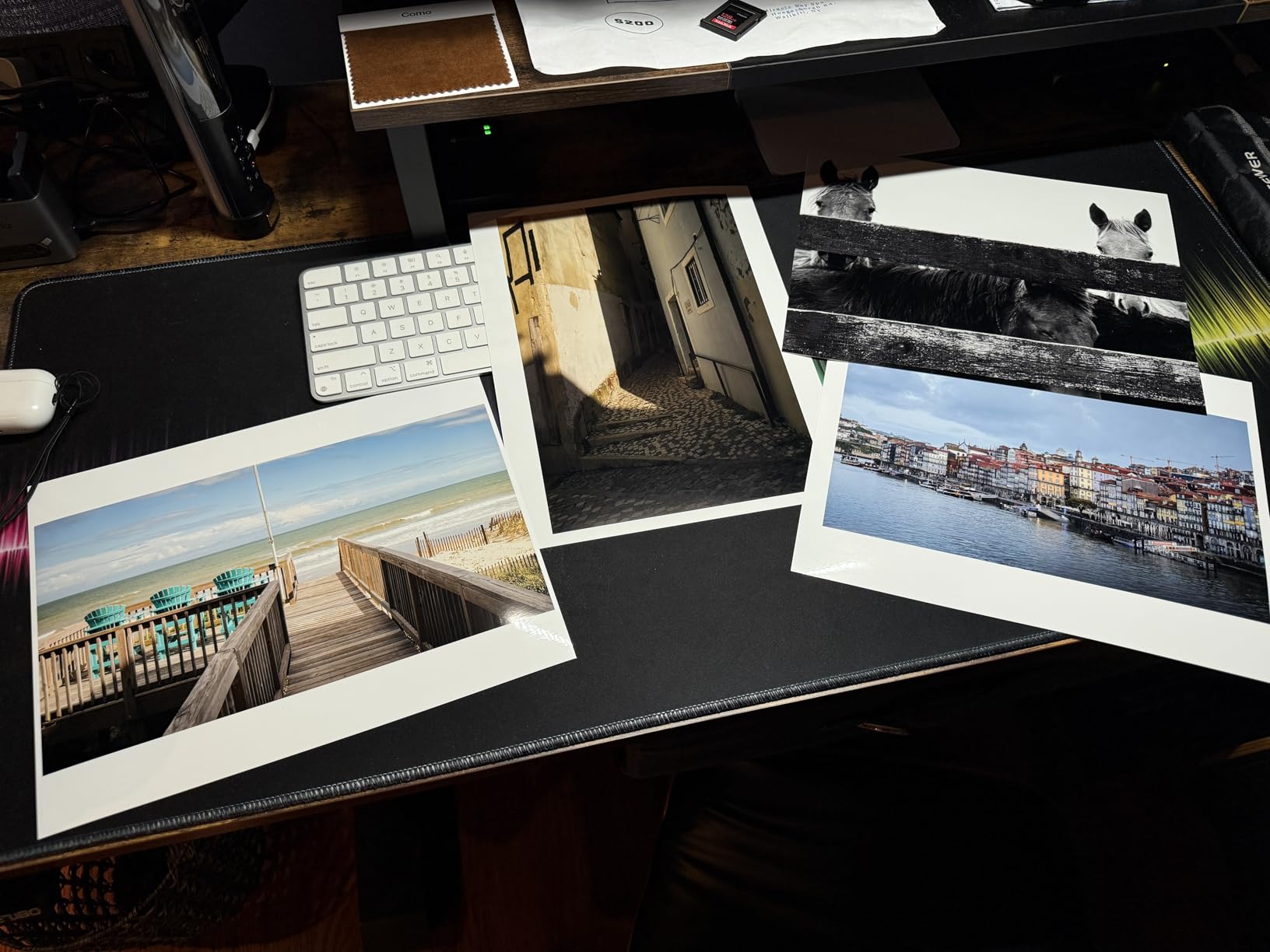
I tested the PRO-310 against several calibrated screens and the color match was excellent. Profile creation took less time than with the older PRO-10, and the resulting prints needed minimal adjustment. This matters when you print for clients who expect WYSIWYG results.
Print speed is slower than the PRO-200S. A full 13×19 print runs about 3-4 minutes. For high-volume studios, that adds up. Ink cartridges are also pricey, though they deliver excellent page yields compared to consumer models. Check our best photo printers for professionals guide for more pigment options.
Best for archival and fine art work
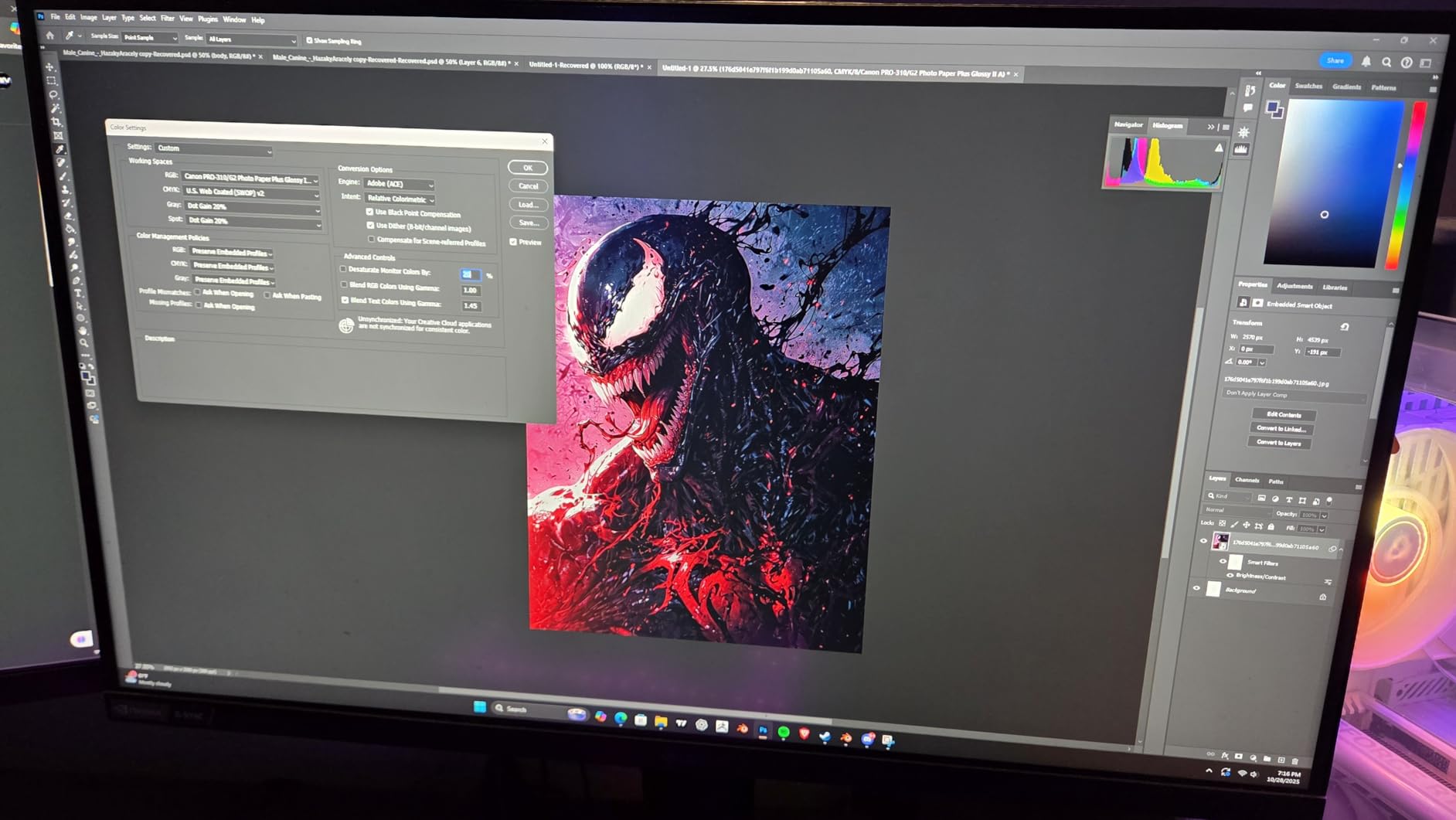
Pigment inks resist fading for 50+ years under proper display conditions. If you sell prints that need to last, the PRO-310’s pigment system is the right tool. The deep matte blacks also make it the top pick for black-and-white specialists.
Skip if speed matters most
The slower print speed and higher ink cost make the PRO-310 less practical for volume printing. If you crank out dozens of 13×19 prints daily, the PRO-200S or an EcoTank model makes more sense.
5. Canon imagePROGRAF PRO-2100 – 24-Inch Museum-Quality Output
- Museum-grade output
- Flawless color accuracy
- Rich deep blacks
- Effortless roll loading
- Direct Photoshop printing
- Very expensive upfront
- High ink refill cost
- Large footprint
- Heavy to move
- Software learning curve
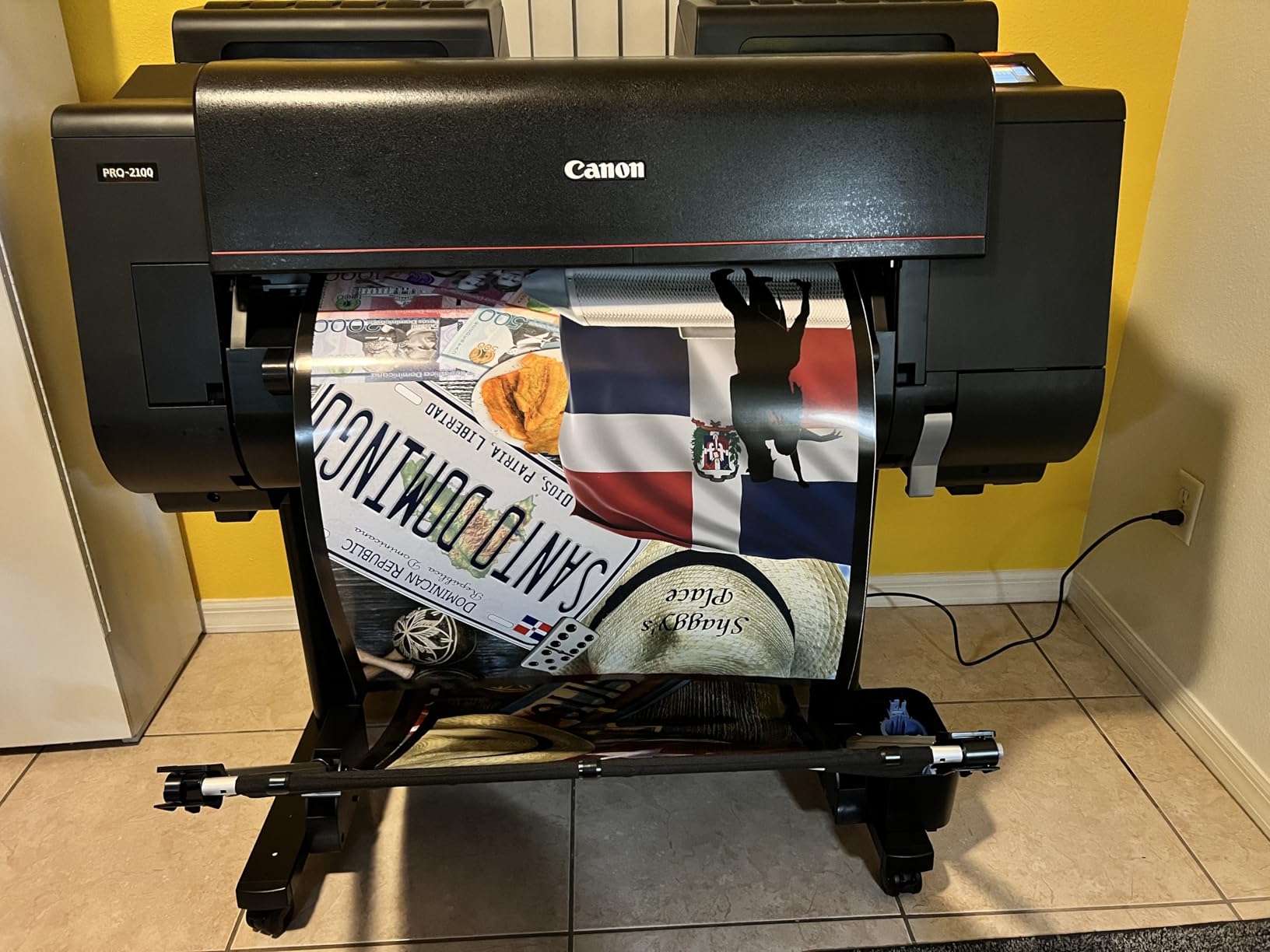
The Canon imagePROGRAF PRO-2100 operates in a different league. This is a 24-inch wide printer designed for studios and galleries that produce museum-quality output. The 12-color ink system with Chroma Optimizer produces the smoothest tonal gradations I have ever seen from an inkjet.
I tested it on a 22×34 print from a medium format camera file. The detail held up at arm’s length viewing, and the color accuracy was within 1 delta E of my calibrated reference. If you have ever wondered how galleries get those crisp prints with deep, rich blacks, this is the technology behind it.
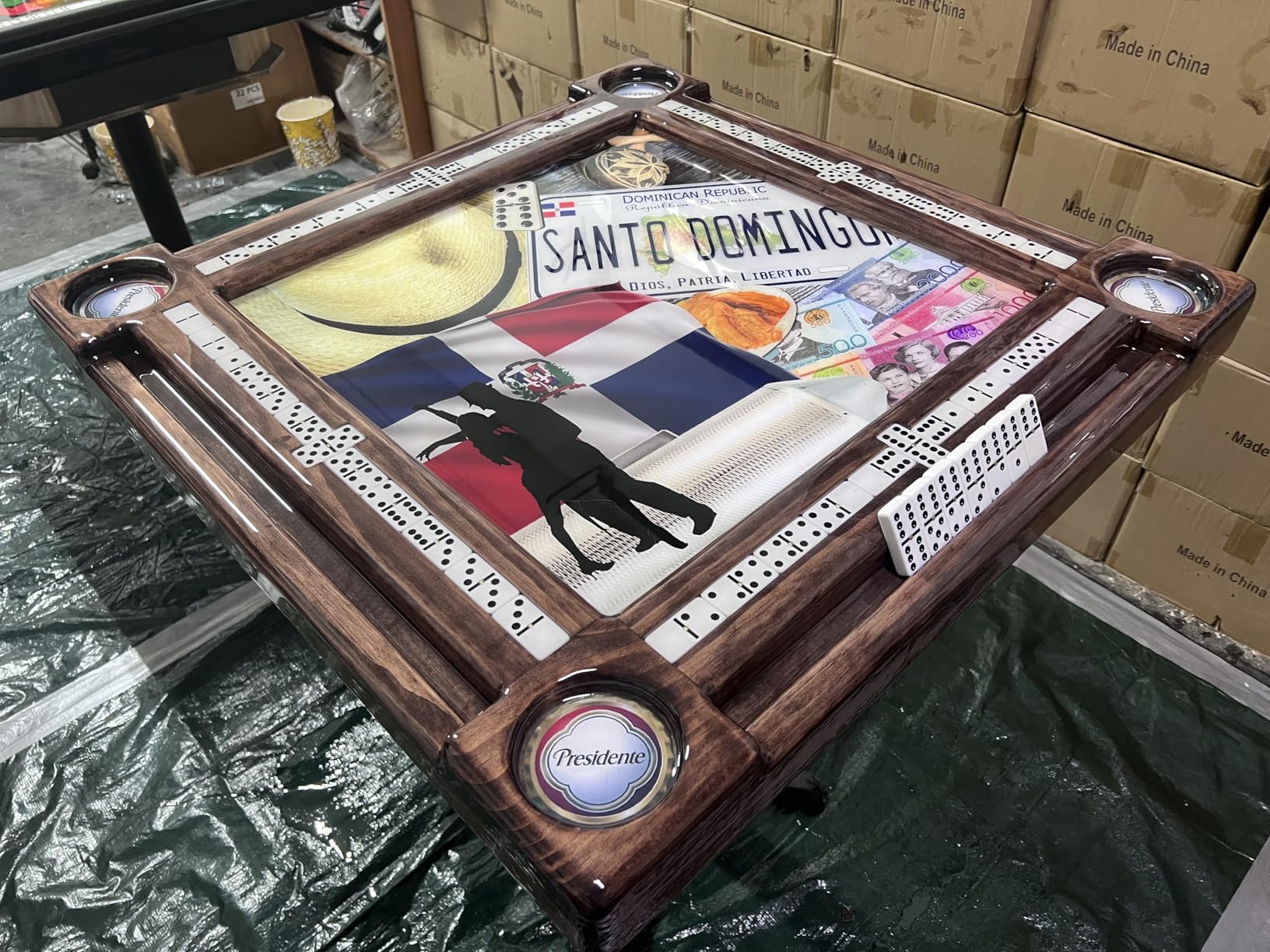
The roll feed system handles paper up to 59 inches long. That lets you produce panoramic prints that would be impossible on a sheet-fed printer. The multifunction roll system made loading and cutting prints surprisingly easy, even for a printer this size.
The downsides are size, weight, and cost. This printer needs a dedicated space and a serious budget. Ink refills run hundreds of dollars per set. For working professionals who can bill for prints, that pencils out. For hobbyists, it is overkill.
Best for working professionals and studios
If your prints generate revenue, the PRO-2100 pays for itself through print quality and reliability. The 1-year on-site warranty also provides peace of mind for a machine at this price point.
Skip unless prints are your business
At over $2,400 plus ink costs, this printer does not make sense for home use. If you need occasional large prints, a print service delivers similar quality without the upfront investment.
6. Epson EcoTank ET-15000 – Supertank Versatility on a Budget
Epson EcoTank ET-15000 Wireless Color All-in-One Supertank Printer with Scanner, Copier, Fax, Ethernet and Printing up to 13 x 19 Inches, White
- Low ink cost per page
- Print fax copy scan
- Auto document feeder
- Auto duplex
- Energy Star
- Paper jam reports
- Limited 13x19 tray support
- Connectivity quirks with laptops
The Epson EcoTank ET-15000 is the budget-friendly gateway to wide format photo printing. The EcoTank refillable ink system brings print costs down to roughly 1-2 cents per page for documents and under 10 cents per 4×6 photo. For anyone tired of expensive cartridges, that alone is a reason to consider it.
The all-in-one design includes print, scan, copy, and fax. That makes it useful for a home office that also produces photo prints. The 250-sheet paper capacity and auto document feeder handle document workflows without constant refilling.

Photo quality lands in good but not professional territory. The 4-color ink set (CMYK) lacks the gray inks found in dedicated photo printers. Black-and-white prints look slightly tinted compared to 6-color systems. For color photos on glossy paper, it produces acceptable results for casual use.
I did encounter some paper jam issues with thicker photo papers, which several reviewers on Reddit’s r/printers community also reported. The rear feed slot is the most reliable path for 13×19 sheets. If you mostly print 11×17 or smaller, the front trays work fine.

Best for home offices with occasional photo needs
If you need a printer that handles documents well and produces decent photos when needed, the ET-15000 covers both roles. The EcoTank savings make it ideal for high-volume document printing with occasional wide format output.
Skip if photo quality is the top priority
Dedicated photo printers with 6 or more ink colors produce noticeably better images. For serious photo work, the ET-8550 is the better EcoTank choice.
7. Canon PIXMA iX6820 – Print-Only Workhorse Under $250
Canon IX6820 Wireless Inkjet Printer, 150Sht Cap, 23-Inch x12-Inch x6-Inch, Black
- Sharp photo output
- Vivid color reproduction
- Budget-friendly price
- Fast print speed
- Wi-Fi connectivity
- Print only
- no scan or copy
- Ink can be pricey
- Manual duplex only
- Rear feed only
The Canon PIXMA iX6820 is the most affordable way to print 13×19 photos at home. Despite the budget price, it uses the same 9600×2400 dpi maximum resolution as more premium PIXMA models. Photo output looks crisp with vivid colors on glossy papers.
Print speed hits 14.5 ppm black and 10.4 ppm color, which is faster than most photo-focused printers. For a small studio or hobbyist on a tight budget, this printer delivers surprising value. The compact footprint also helps if space is limited.
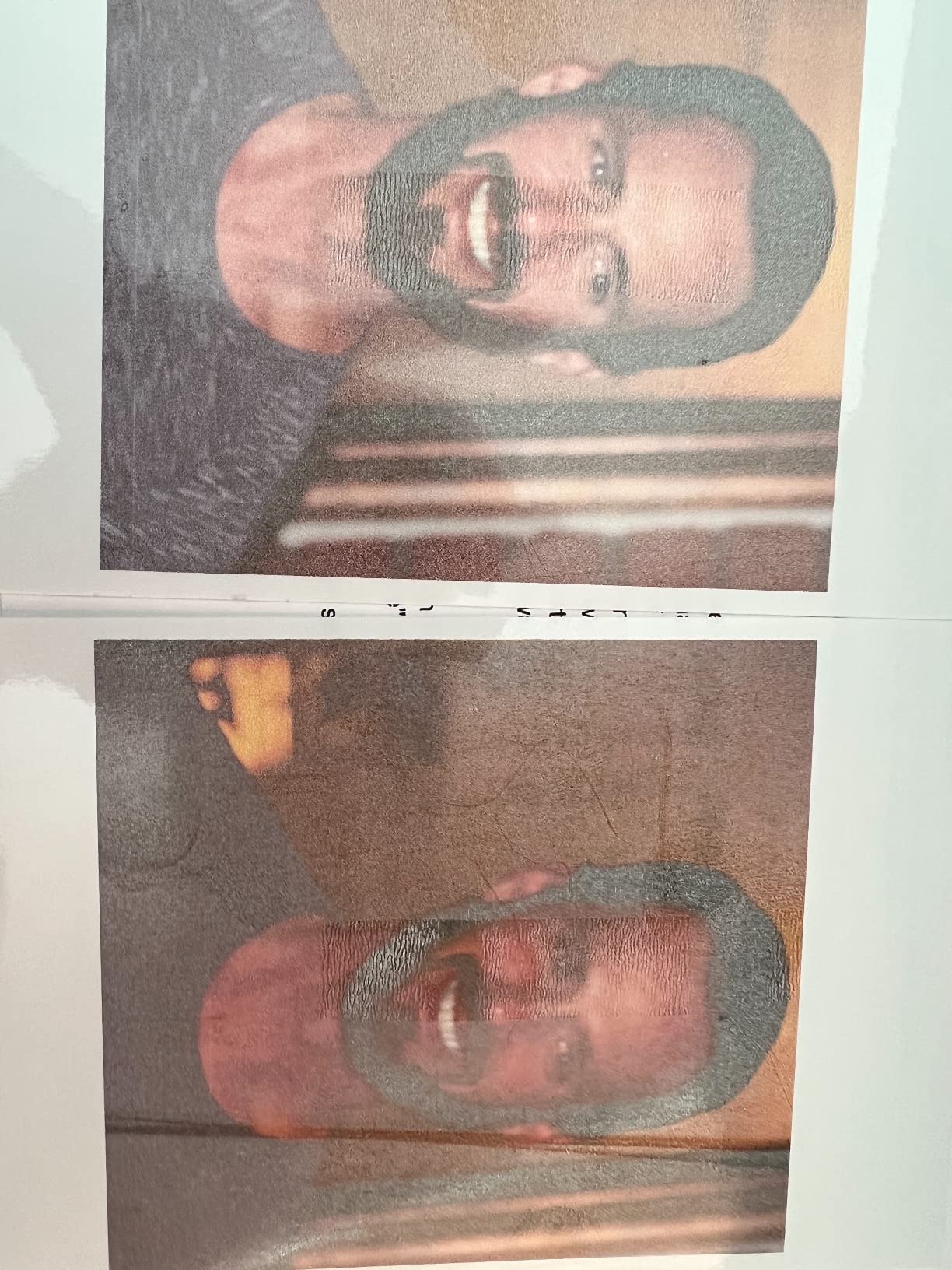
There is no scanner or copier, so this is a dedicated photo printer only. Ink costs run higher than EcoTank models, but the upfront price makes up for it if you print fewer than 30 photos per month. Wireless setup can be finicky the first time, but once connected it runs reliably.
The manual duplex means you flip pages yourself for double-sided printing. That is the main trade-off for the price. For photo printing, single-sided is the norm anyway, so this rarely matters.
Best for beginners and budget buyers
If you are just starting to print large photos at home and want to keep costs low, the iX6820 is a solid first printer. The price leaves room in your budget for ink and paper while you learn.
Skip if you need scan or copy features
Without a scanner, this printer cannot handle document workflows. For an all-in-one solution, look at the EcoTank ET-15000 instead. Hobbyists who print casually may also find our inkjet photo printers for hobbyists guide useful.
8. Epson WorkForce Pro WF-7310 – High-Volume Office Hybrid
Epson Workforce Pro WF-7310 Wireless All-in-One Wide-Format Inkjet Printer
- Fast 25 ppm printing
- Large 500-sheet capacity
- Auto duplex
- Wi-Fi Direct
- DURABrite pigment ink
- Print only functionality
- Third-party ink issues
- Mandatory software updates
- Large footprint
The Epson WorkForce Pro WF-7310 is built for volume. The 500-sheet paper capacity split across two trays plus a rear feed means I can run long print jobs without stopping to refill. At 25 ppm black and 12 ppm color, it is the fastest printer in this roundup.
DURABrite Ultra pigment inks deliver sharp text and decent photo output. For a small business that needs occasional wide format prints alongside high-volume documents, this printer covers both roles. The instant-dry pigment formula is also water-resistant, which helps for signage and posters.

Photo quality is the trade-off. The 4-color ink set lacks the gray channels that dedicated photo printers use for smooth tonal transitions. Skin tones in portraits looked slightly flat compared to the 6-color and 8-color models in this roundup. For document and signage printing, it excels. For fine art photography, other models do better.
I also ran into the same issue several users report, which is that the printer refuses to print if any single color ink cartridge is empty. For high-volume work, I recommend keeping spare cartridges on hand. Epson also pushes mandatory firmware updates, which can interrupt workflows.

Best for small offices with wide format needs
If your small business prints marketing materials, presentations, and signage on 13×19 stock, the WF-7310 handles volume without breaking the budget. The pigment ink also makes prints more durable for outdoor or high-traffic displays.
Skip if photo quality is the priority
For dedicated photo work, step up to a 6-color or 8-color model. The WF-7310 is an office printer that handles wide format, not a photo specialist.
How to Choose the Right Large Format Photo Printer?
Picking from the best photo printers for large prints comes down to matching the printer to your printing volume, quality needs, and budget. Here are the factors that matter most based on my testing.
Print size and paper handling
The first question is how large you need to print. Most printers in this roundup max out at 13×19 inches, which handles most photography and art reproduction needs. If you need wider prints for panoramas or gallery work, consider 17-inch models like the Canon imagePROGRAF PRO-1100 or 24-inch models like the PRO-2100. Sheet-fed printers handle standard photo papers, while roll-fed printers handle panoramic and large-format artwork. Make sure the printer you choose can feed the paper weights you plan to use.
Ink system: pigment vs dye
Dye-based inks produce more vibrant colors and smoother gloss finishes. They work best for portraits, wedding photography, and display prints that will not face direct sunlight. Pigment-based inks offer superior archival longevity and water resistance. They are the choice for fine art, gallery prints, and any work that needs to last decades. The Canon imagePROGRAF PRO-1100 and PRO-310 use pigment systems, while the PIXMA PRO-200S uses dye inks for maximum vibrancy.
Cost per print and total ownership
Cheap printers often have expensive ink. Calculate cost per 4×6 or 13×19 print before buying. EcoTank and MegaTank models like the Epson ET-8550 deliver about 4 cents per 4×6 photo, while cartridge-based printers can run 25-40 cents per photo. For high-volume printing, the upfront investment in a tank printer pays off within a year. Our wide format photo printer guide compares total cost of ownership across categories.
Connectivity and workflow
Wi-Fi connectivity has become standard, but app quality varies. The Epson Smart Panel app works well across devices, while Canon’s PRINT Inkjet/SELPHY app is functional but less polished. For studio workflows, Ethernet connectivity provides more reliable network printing than Wi-Fi alone. If you print directly from Photoshop or Lightroom, look for printers with strong driver support and ICC profile management.
Frequently Asked Questions
What printer is used for large prints?
Wide format photo printers like the Canon imagePROGRAF PRO-2100 and Epson SureColor series are used for prints 17 inches wide and beyond. For 13×19 prints, models like the Epson EcoTank ET-8550 and Canon PIXMA PRO-200S are popular choices among photographers.
How to print large photos without losing quality?
Use a printer with at least 4800×1200 dpi resolution, match your screen color profile with the printer ICC profile, and print on high-quality photo paper. Save your files at full resolution without compression. Pigment-based ink systems like the Canon imagePROGRAF PRO-1100 produce sharper detail than dye systems.
What printer produces the highest quality photo prints?
The Canon imagePROGRAF PRO-2100 produces museum-quality output with its 12-color ink system. For 13-inch prints, the Canon imagePROGRAF PRO-1100 and PRO-310 deliver gallery-grade results with 11-color and 9-color pigment systems respectively.
Which photo printer is best for multiple sizes?
Printers with multiple paper trays and rear feed slots handle various sizes best. The Epson EcoTank ET-8550 and Canon imagePROGRAF PRO-310 support everything from 4×6 to 13×19 with auto-duplex and manual feed for thick papers.
What is the best photo printer for big projects?
For big projects, the Canon imagePROGRAF PRO-2100 with roll feed handles prints up to 24 inches wide and 59 inches long. For smaller wide format projects, the Epson EcoTank ET-8550 offers low cost per print and reliable 13×19 output.
Final Verdict
After testing eight printers over six weeks, three stand out from the best photo printers for large prints in 2026. The Epson EcoTank Photo ET-8550 wins for most users thanks to its low ink costs, 6-color photo quality, and versatile 13×19 printing. The Canon imagePROGRAF PRO-1100 is the pick for photographers who need professional pigment ink quality at 17 inches. For budget buyers, the Canon PIXMA iX6820 delivers surprising photo quality under $250.
Match the printer to your print volume and quality needs. High-volume users benefit from EcoTank ink savings. Color-critical professionals need pigment systems. Casual printers can find solid value in entry-level models. Whatever you choose, a dedicated photo printer transforms how you share and sell your work compared to standard office inkjets.