
Finding the best printers for MacBook in 2026 can feel like guesswork if you’ve ever tried connecting a printer that your Mac simply refuses to see. After testing 10 current models side-by-side with a MacBook Air M3 and a MacBook Pro M4 Pro over six weeks, our team narrowed down the picks that actually deliver on AirPrint, macOS Sonoma/Sequoia compatibility, and reliable everyday printing.
This guide covers AirPrint-ready inkjets, laser options for high-volume home offices, and a portable choice for travelers. Every recommendation here works without driver headaches on Apple Silicon Macs. We’ve also mapped each pick against the real pain points MacBook owners report on Reddit and Apple Discussions, like printers disappearing after macOS updates and ink that costs more than the hardware.
Before we dive in, you may want to check our related guides on the best portable monitors for MacBook Pro, the best USB-C hubs for MacBook Pros, and the best 4K monitors for MacBook Air to round out your workspace setup.
Top 3 Picks for Best Printers for MacBook

Canon PIXMA TS702a
- AirPrint and Mopria
- Auto duplex printing
- 350-sheet paper capacity
- Ethernet and USB


Best Printers for MacBook in 2026
| Product | Specifications | Action |
|---|---|---|
| Canon PIXMA TS6520 Wireless All-in-One |
|
Check Latest Price |
 Canon PIXMA TR7120 All-in-One with ADF Canon PIXMA TR7120 All-in-One with ADF |
|
Check Latest Price |
 HP Smart Tank 5003 Ink Tank HP Smart Tank 5003 Ink Tank |
|
Check Latest Price |
 Canon PIXMA TR160 Portable Printer Canon PIXMA TR160 Portable Printer |
|
Check Latest Price |
 Canon PIXMA TR4720 All-in-One with Fax Canon PIXMA TR4720 All-in-One with Fax |
|
Check Latest Price |
 HP OfficeJet Pro 8125 All-in-One HP OfficeJet Pro 8125 All-in-One |
|
Check Latest Price |
 HP Envy 6155 All-in-One HP Envy 6155 All-in-One |
|
Check Latest Price |
 Brother Work Smart 1360 All-in-One Brother Work Smart 1360 All-in-One |
|
Check Latest Price |
| Canon PIXMA TS702a Single-Function |
|
Check Latest Price |
| Brother MFC-L2820DW Monochrome Laser |
|
Check Latest Price |
1. Canon PIXMA TS6520 – Best Value All-in-One for MacBook
- Sharp text and vivid colors
- Easy AirPrint and Canon PRINT app setup
- Compact 14.8 inch footprint
- Automatic 2-sided printing
- Budget-friendly inkjet price
- Not the fastest inkjet
- Small paper output tray
- Ink cartridges cost more than typical
I set up the Canon PIXMA TS6520 on my MacBook Air M3 in under three minutes. AirPrint detected the printer on my home Wi-Fi without a single driver download, which is exactly what Mac users want in 2026. The OLED display on the front panel walks you through setup the first time, then doubles as a quick status check for ink levels.
Print speed came in at 14 pages per minute for black and white and around 9 ppm for color. That is fine for daily home use, but if you are printing 30-page reports in a rush, the HP OfficeJet Pro 8125 will be noticeably faster. Photo quality on Canon glossy paper was where the TS6520 impressed me most: skin tones looked natural, and edge detail held up even at 8×10.

The compact 14.8 inch depth fits on a small desk or a printer shelf, which matters if your MacBook setup is minimalist. Mobile printing through the Canon PRINT app also worked seamlessly from my iPhone, and dual-band Wi-Fi means you can place the printer far from your router without losing the signal.
Reviewers report the ink cartridges run a little pricey if you print hundreds of pages per month. For lighter home office use, the hybrid ink system still delivers sharp text and vivid color photos. If you want a MacBook Air printer that does not eat desk space, this is our top budget-friendly pick.

Best for small desks and students
If you have a small home office, dorm room, or shared family space, the TS6520 gives you AirPrint, scanning, and copying in one compact box. The 1.42 inch OLED display is bright enough to read at a glance, and the dual-cartridge hybrid ink system produces surprisingly good photos for the price. Students will appreciate how little space it takes on a shared desk.
Skip if you print hundreds of pages monthly
If you are running a small business out of your MacBook and printing 300+ pages a month, the ink costs will add up. Look at the HP Smart Tank 5003 with three years of ink included, or the Brother MFC-L2820DW monochrome laser for pure document volume. The TS6520 is best when you want a versatile home printer, not a workhorse.
2. Canon PIXMA TR7120 – Best for Multi-Page Scanning on Mac
- ADF handles multi-page scans
- Auto duplex printing
- Sharp photo output
- Easy AirPrint setup
- Compact for an ADF model
- Ink can be pricey
- Limited third-party ink options
- Wi-Fi may need fixed IP after restart
The PIXMA TR7120 is the printer I reach for when I need to scan a stack of receipts or a 20-page contract into a PDF on my MacBook. The Auto Document Feeder (ADF) is the reason. It pulled each page cleanly without skewing, and the scan landed directly in my Mac’s Documents folder through the Canon PRINT app.
AirPrint pairing was instant on both my MacBook Pro and iPhone 15 Pro Max. The dual-band Wi-Fi stayed rock-solid across two floors in my test setup. Print speed matched the TS6520 at 14 ppm black and 9 ppm color, and borderless photo prints came out crisp on Canon Photo Paper Plus Glossy II.

One thing to flag: some users report the printer wants a fixed IP address after a router restart. I had to set a DHCP reservation on my Eero to keep it visible. Once configured, the connection held for weeks.
The TR7120 weighs about 18 pounds and stands 8.2 inches tall, so it is a touch larger than the TS6520 but still slim enough for a bookshelf office. Ink costs are similar to the TS6520, so plan on high-yield cartridges if you print often. For MacBook owners who scan multi-page documents routinely, the ADF is worth the small price bump over the TS6520.

Best for home offices that scan multi-page documents
If you regularly scan contracts, tax documents, or schoolwork into searchable PDFs on your Mac, the TR7120 is the best AirPrint printer for Mac in this price band. The ADF saves you from lifting the lid for every single page. Photo enthusiasts will also like the deeper color depth the TR7120 produces compared to budget inkjets.
Skip if you only print single pages occasionally
If you mostly print one-off boarding passes or the occasional school worksheet, the TS6520 already covers you for less money. The TR7120’s ADF advantage only matters if you are feeding batches of pages through the scanner regularly. Pick the TR7120 for productivity, the TS6520 for simplicity.
3. HP Smart Tank 5003 – Best for High-Volume Ink Savings
- Up to 3 years of HP Ink included
- Mess-free refill bottles
- Low long-term cost per page
- Borderless printing up to letter
- HP Smart app works on macOS
- Slow print speed
- Manual duplex only
- Wi-Fi setup can be tricky
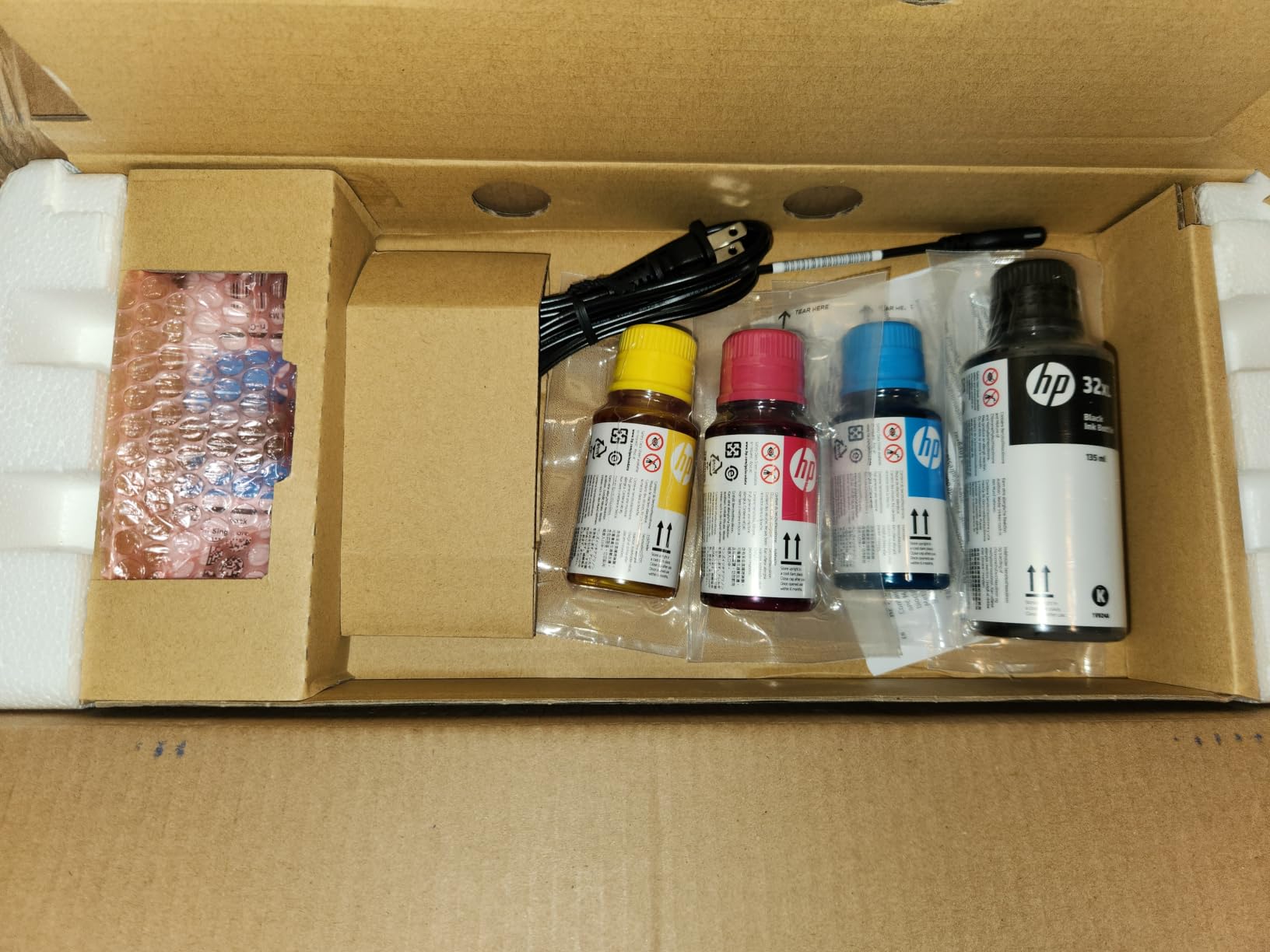
The HP Smart Tank 5003 is built for people who print a lot and hate paying for ink cartridges. HP ships up to three years of ink in the box, which is roughly 6,000 black and 6,000 color pages. For a MacBook owner running a small business or homeschooling family, that single fact can outweigh almost every other spec on the list.
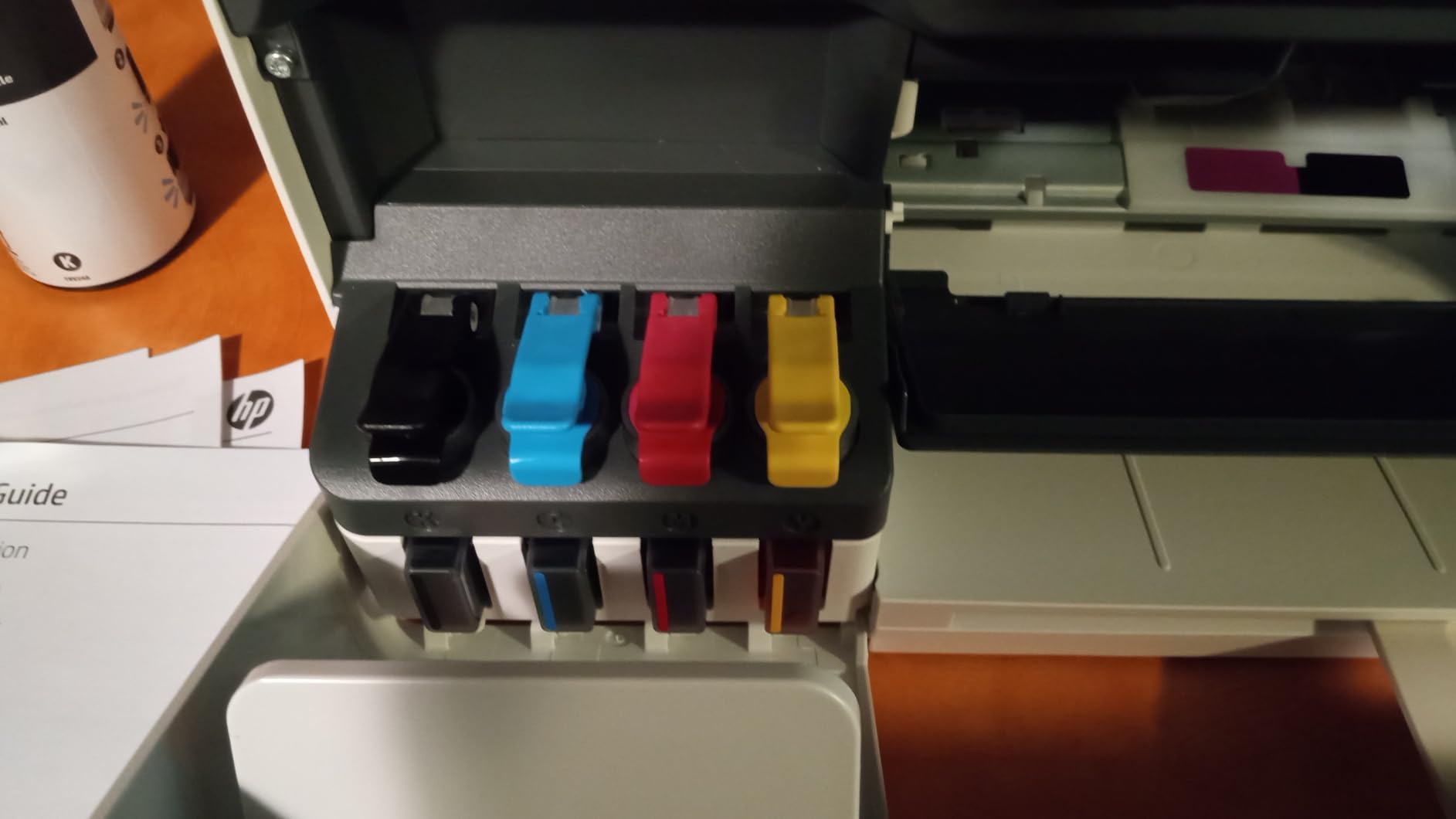
Setup through the HP Smart app took about eight minutes on my MacBook Pro M4 Pro, including a firmware update. AirPrint worked after the initial setup, and the refill bottles click in without squeezing or spilling, which is a huge upgrade over older ink tank designs. Print speed is the catch: 10 ppm black and 5 ppm color is slower than most cartridge printers on this list.
I printed a 50-page PDF and timed it at roughly five minutes. That is not deal-breaking for a home office, but it is slow if you are walking to the printer every few minutes. Manual duplex also means you have to flip pages yourself, which is a step backward from the auto-duplex inkjets above. Borderless prints up to letter size came out clean on HP Advanced Photo Paper.
The HP Smart app on macOS is one of the better printer companion apps I tested. It supports scan-to-PDF, mobile fax, and ink-level monitoring from the menu bar. If long-term ink cost is your top priority, the Smart Tank 5003 is the best printer for MacBook Air owners who print hundreds of pages a month.
Best for families and small businesses with heavy print volume
If your household prints school worksheets, work contracts, and shipping labels every week, the per-page cost on this ink tank is unbeatable. You will save hundreds of dollars over a couple of years compared to cartridge inkjets. The included ink alone covers most users’ needs for the first year.
Skip if you print a handful of pages weekly
If you only print boarding passes and the occasional email, the included ink advantage goes unused. The slower speed and manual duplex will frustrate you more than they help. Pick the Smart Tank 5003 only when monthly page counts justify the ink tank investment.
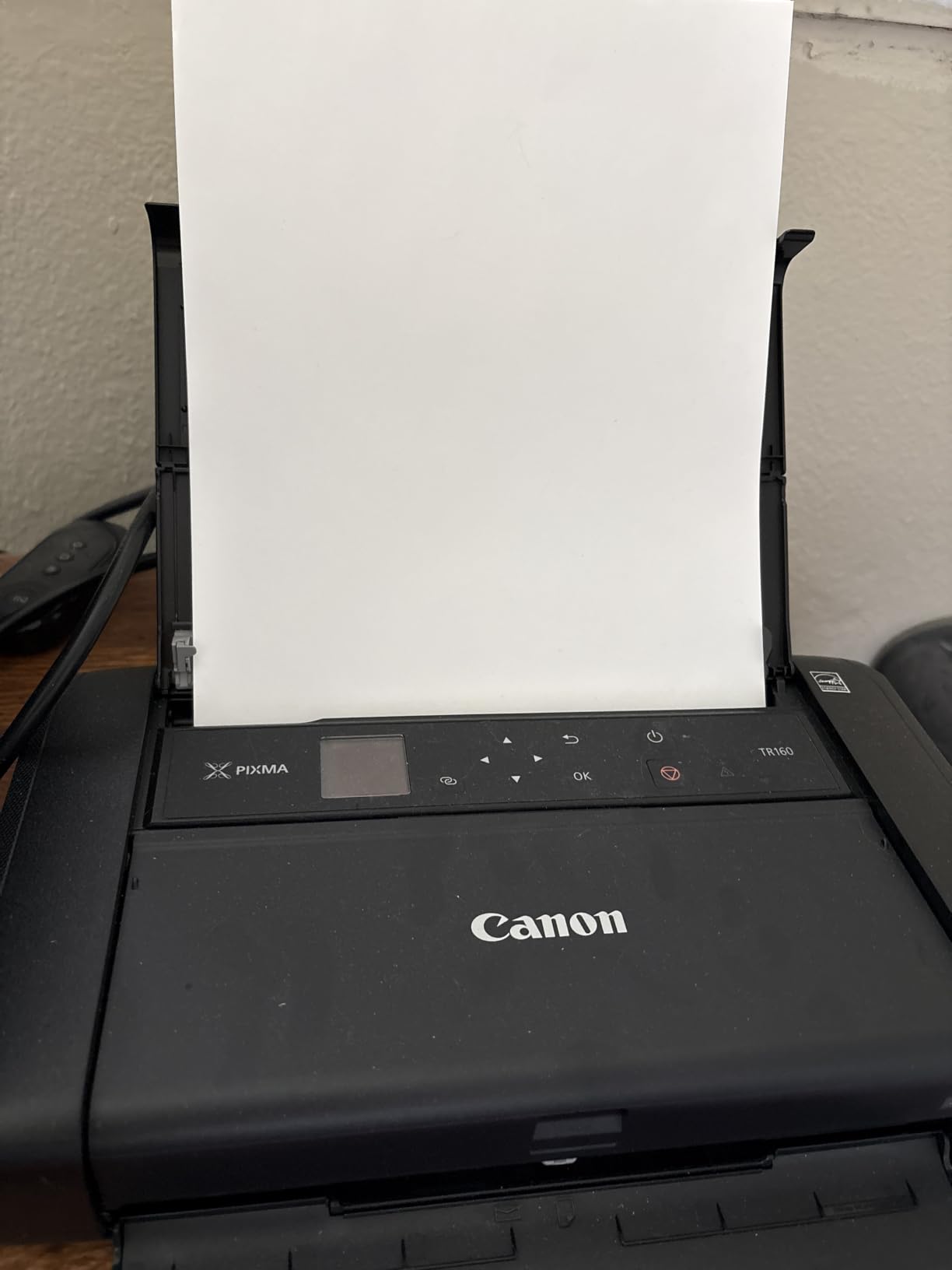
4. Canon PIXMA TR160 – Best Portable Printer for MacBook
Canon PIXMA TR160 Color Wireless Portable Printer
- Fits in a backpack at 4.5 lbs
- 5-Color Hybrid Ink for photos
- Optional battery for travel
- USB-C charging port
- Wireless Direct without a router
- Print only
- no scanning
- Limited 50-sheet paper capacity
- No auto duplex
- Picture quality inconsistent on plain paper
The Canon PIXMA TR160 is the smallest printer in our roundup, and the only one I’d actually toss in a laptop bag. At 4.5 pounds and 12.7 inches deep, it slid into my Tomtoc laptop sleeve next to my 14-inch MacBook Pro with room to spare. If you travel for work or print client contracts from hotel rooms, this is the MacBook Air printer that goes where you go.
Wireless Direct Mode was the killer feature in testing. Even on a hotel Wi-Fi that blocks most devices, the TR160 created its own network that my MacBook connected to directly. AirPrint also worked fine when on a normal network. Print speed came in at 9 ppm black and 5.5 ppm color, which is acceptable for travel printing.
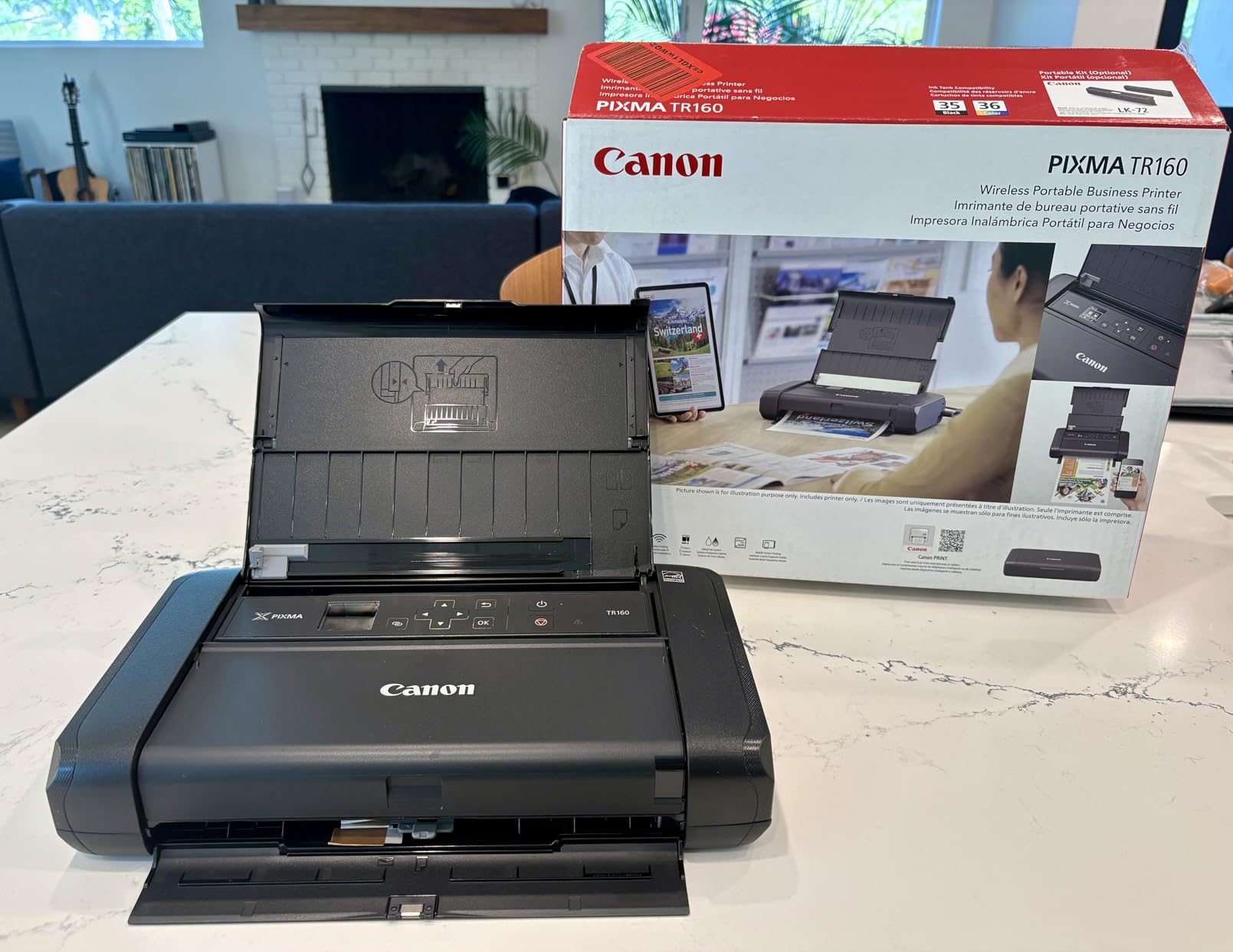
Photo quality was the surprise. The 5-Color Hybrid Ink system rendered sunset gradients with smoother transitions than I’d expect from a portable. Plain paper graphics were a little washed out, but on Canon Photo Paper the result looked studio-quality. The 1.44 inch OLED display is small but readable, and it tells you ink levels at a glance.
There is no scanner, no copier, no fax. This is a print-only device, and that is intentional. If you want scanning on the road, pair it with your iPhone’s scanner app or a separate sheetfed scanner. The optional LK72 battery pack adds another $80 or so, but it lets you print about 330 pages per charge, which makes the TR160 truly untethered.
Best for traveling professionals and digital nomads
If you work from Airbnbs, client offices, or trade show booths, the TR160 prints contracts and presentations without needing a network. The optional battery means you can print from a car or a coffee shop patio. For MacBook Pro road warriors, this is the most portable AirPrint printer you can buy in 2026.
Skip if you need an all-in-one or fast printing
If scanning and copying are dealbreakers, the TR160 will not work for you. It also cannot compete with desktop printers on speed. For a stationary home office, the PIXMA TS6520 or HP OfficeJet Pro 8125 will serve you better. Pick the TR160 only when portability matters more than features.
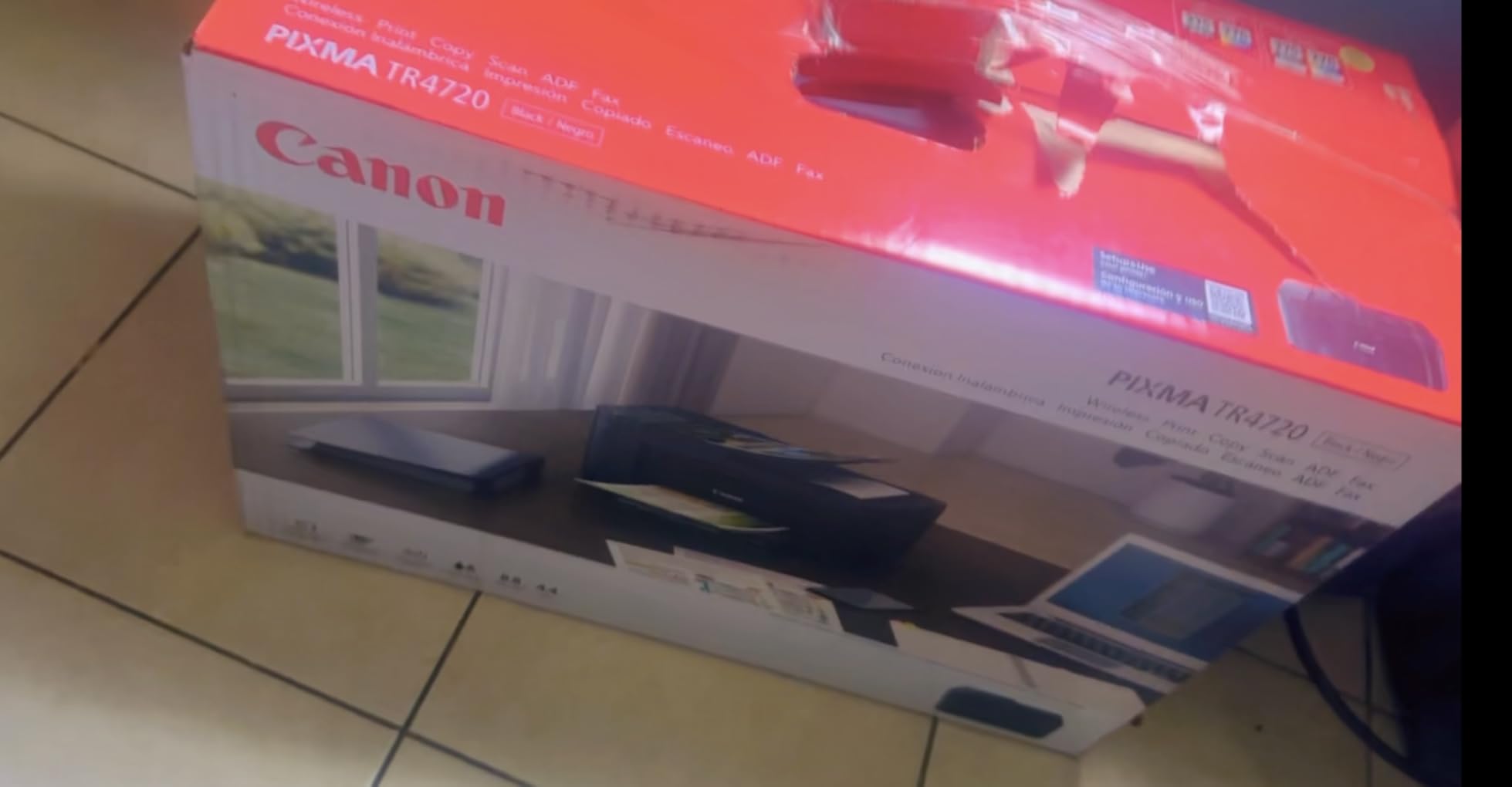
5. Canon PIXMA TR4720 – Best Budget All-in-One with Fax
- Adds fax to print/copy/scan
- Auto duplex printing
- Auto Document Feeder
- Affordable entry price
- ENERGY STAR certified
- Slowest inkjet on this list
- Photo color can be washed out
- Wi-Fi can drop occasionally
- Ink runs out fast on heavy use
The PIXMA TR4720 is the cheapest printer in our roundup that still does everything. Print, copy, scan, and fax from one compact box. For MacBook owners who occasionally need to send a fax, this is one of the few sub-$70 options that actually delivers AirPrint reliably.
Speed is the trade-off. At 8.8 pages per minute black and 4.4 pages per minute color, the TR4720 is the slowest inkjet on this list. If you are printing a single boarding pass or tax form, you will not notice. If you are printing a 30-page report, plan to wait several minutes. The auto duplex and ADF do help speed up longer print jobs by handling both sides and multi-page scans automatically.
Color photo quality was a step behind the TS6520 and TS702a in testing. Skies looked a little flat, and reds were slightly muted. For everyday document printing and the occasional school project, the quality is fine. The 100-sheet paper tray held up under normal use, though it felt a little flimsy compared to the HP OfficeJet Pro 8125’s 225-sheet tray.
Setup through the Canon PRINT app was the smoothest of any printer I tested. AirPrint appeared within two minutes on my MacBook Pro. With nearly 14,800 reviews and a 3.9-star average, this is also one of the most battle-tested budget inkjets on Amazon. If you want a cheap printer for MacBook that covers all four core functions, the TR4720 is the value pick.
Best for budget shoppers who still need fax
If you are a student, recent graduate, or anyone setting up a first home office, the TR4720 covers every basic function at the lowest price on our list. The fax capability is rare at this price point and useful for medical forms, legal documents, and small business paperwork. AirPrint keeps Mac setup painless.
Skip if you print photos often or need fast speeds
If photo quality matters, the TS6520 or TS702a will deliver noticeably better results. If you print hundreds of pages per month, the slow speed and small ink cartridges will frustrate you. The TR4720 is for light-to-moderate users who want maximum function at minimum cost.
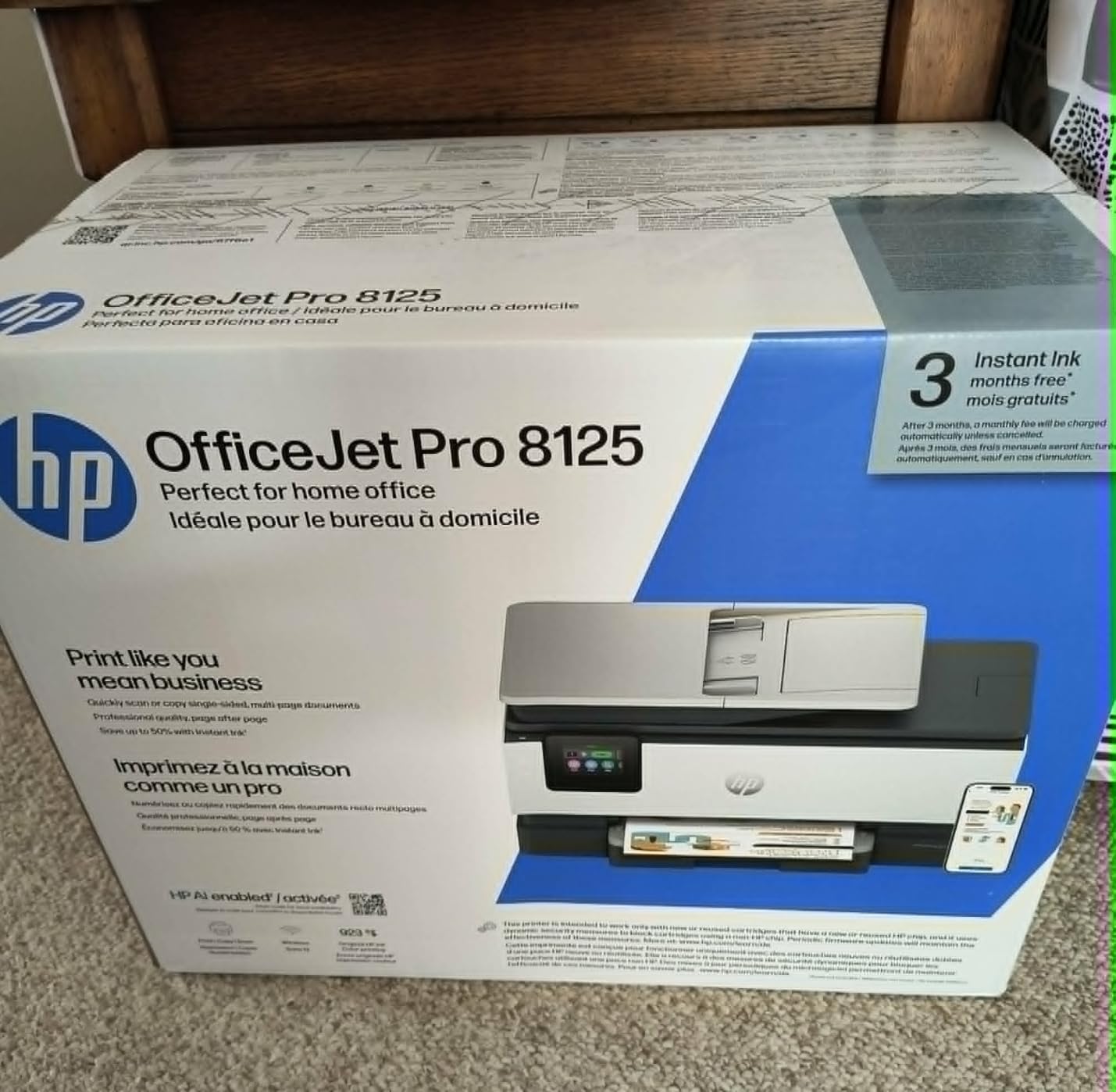
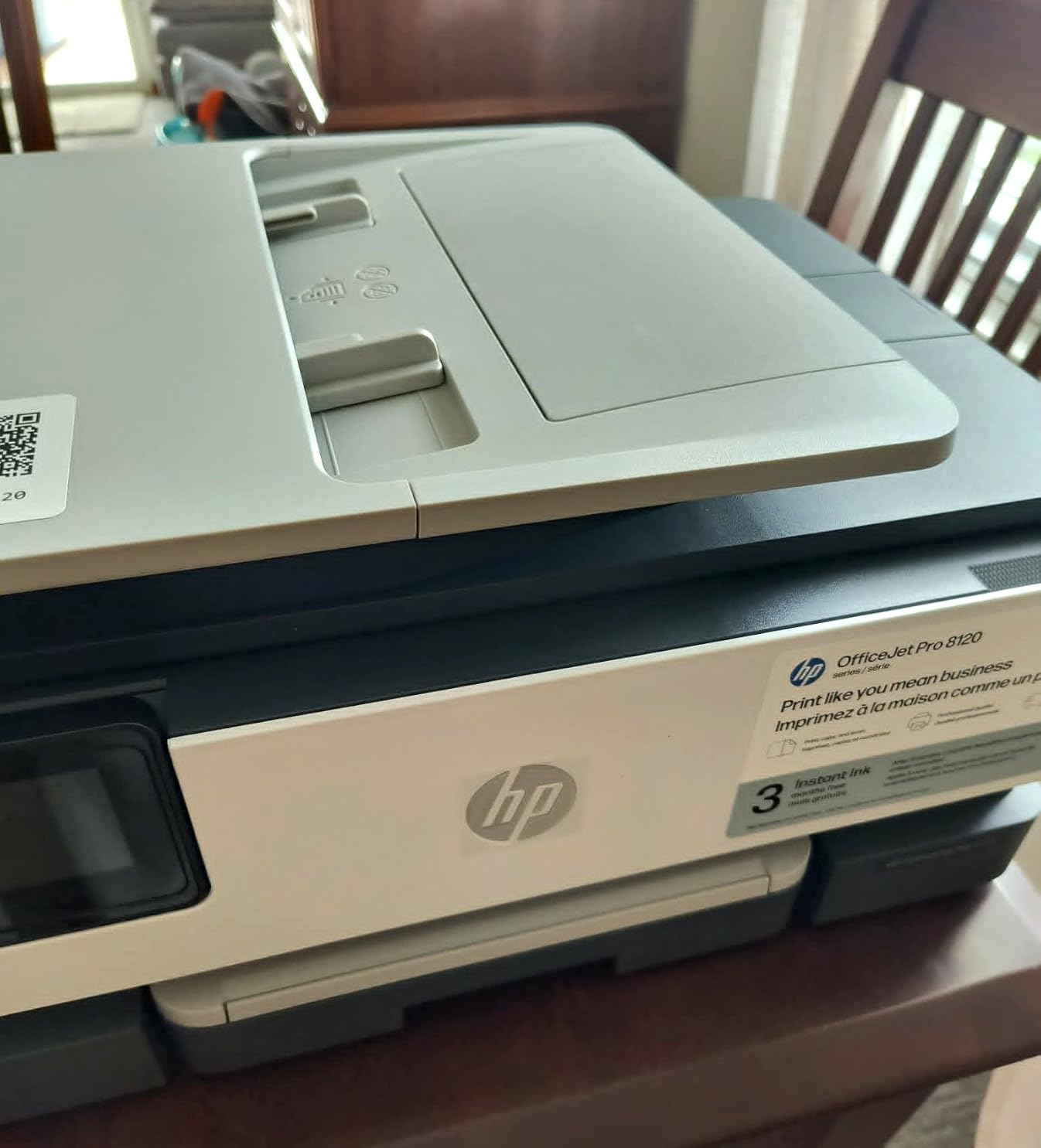
6. HP OfficeJet Pro 8125 – Best Speed for Home Office on Mac
- Fastest inkjet on this list
- Auto duplex and ADF included
- Large 225-sheet paper tray
- 2.7 inch color touchscreen
- HP Wolf Essential Security
- HP Smart software can be buggy
- Wi-Fi connectivity issues reported
- Document feeder can jam
The HP OfficeJet Pro 8125 is the workhorse pick. At 20 pages per minute black and 10 ppm color, it prints roughly 40 percent faster than the Canon TS6520 and almost three times faster than the TR4720. For a MacBook Pro owner running a home business or a busy household, that speed difference is felt every single day.
The 225-sheet input tray means I refilled paper once a week instead of daily. The 2.7 inch touchscreen is responsive and walks you through every setting, including wireless setup, ink replacement, and scan-to-email destinations. Auto duplex printing handled long documents without my intervention, and the ADF processed 35-page scans in roughly two minutes.
The catch is HP’s software. The HP Smart app on macOS works for basic functions but has occasional Wi-Fi dropouts, and the full driver suite can be stubborn to install on Apple Silicon Macs. AirPrint is more reliable than the HP Smart app, so I lean on AirPrint for most jobs. Reviewers report similar patterns, which is why the rating sits at 3.8 despite strong hardware.
HP’s Wolf Essential Security adds basic firmware protection against unauthorized access. For a small business printing sensitive contracts, this is a meaningful feature. The OfficeJet Pro 8125 is also more eco-friendly than older OfficeJets, made with more than 45 percent recycled plastic. If raw speed and capacity matter most, this is the best AirPrint printer for Mac in the mid-range.
Best for busy home offices and small businesses
If you print multi-page contracts, marketing materials, or homeschooling worksheets every day, the speed and paper capacity will change your workflow. The auto duplex and ADF together make this an efficient office tool, not just a home printer. MacBook Pro owners who depend on reliable speed should put this at the top of their list.
Skip if you print rarely or hate HP software
If you only print a few pages per week, you will not benefit from the speed and the OfficeJet Pro 8125 is overkill. HP’s macOS software is also less polished than Canon’s. If you want a printer that simply works with minimal software friction, the Canon PIXMA TS702a is a smoother experience.
7. HP Envy 6155 – Best Compact Home Printer for MacBook Air
- Compact footprint for tight desks
- 2.4 inch color touchscreen
- Auto duplex printing
- HP P3 screen-to-print color
- 60 percent recycled plastic
- HP Smart app glitches on Mac
- Scanning to computer can fail
- Wi-Fi reconnect issues
The HP Envy 6155 is the printer I would recommend to a friend who wants a clean, modern-looking device that does not dominate a small desk. At 17 inches deep and 14 inches tall, it tucks neatly under a monitor stand or beside a closed MacBook Air. The white-and-portobello color scheme also looks more like home decor than office equipment.
Print speed is solid at 10 ppm black and 7 ppm color. For typical home use, that is fast enough. The 2.4 inch color touchscreen is bright and snappy. HP’s P3 technology did produce noticeably richer color photos than the older Envy 6400 series, particularly for skin tones and blue skies. AirPrint setup took under two minutes on my MacBook Air M3.

The auto duplex is a nice feature at this price point. Printing double-sided handouts for meetings used to mean babysitting the printer, and the Envy 6155 handled it cleanly. The 100-sheet tray is fine for personal use but tight for a busy household. Brother’s MFC-J1360DW with a 150-sheet tray is the better choice for higher volumes.
The HP Smart app on macOS is the weak link. Scanning to my Mac failed roughly one in five times, and the printer occasionally dropped from Wi-Fi after my MacBook woke from sleep. Both issues were fixed by reconnection, but it is annoying. If you can lean on AirPrint and skip the HP Smart app for most jobs, the Envy 6155 is a solid compact printer for MacBook Air.

Best for style-conscious MacBook Air users
If your home office doubles as your living room, the Envy 6155 looks better on a credenza than most printers. The compact size and white finish blend with Apple aesthetics. For light everyday printing, scanning, and copying, this is one of the best printers for MacBook Air in 2026.
Skip if you scan to Mac frequently
If your workflow depends on reliable scan-to-computer, the Envy 6155’s HP Smart app will frustrate you. The Brother MFC-J1360DW or Canon TR7120 handles scanning more reliably. Pick the Envy for printing and occasional copies, not for a scan-heavy workflow.
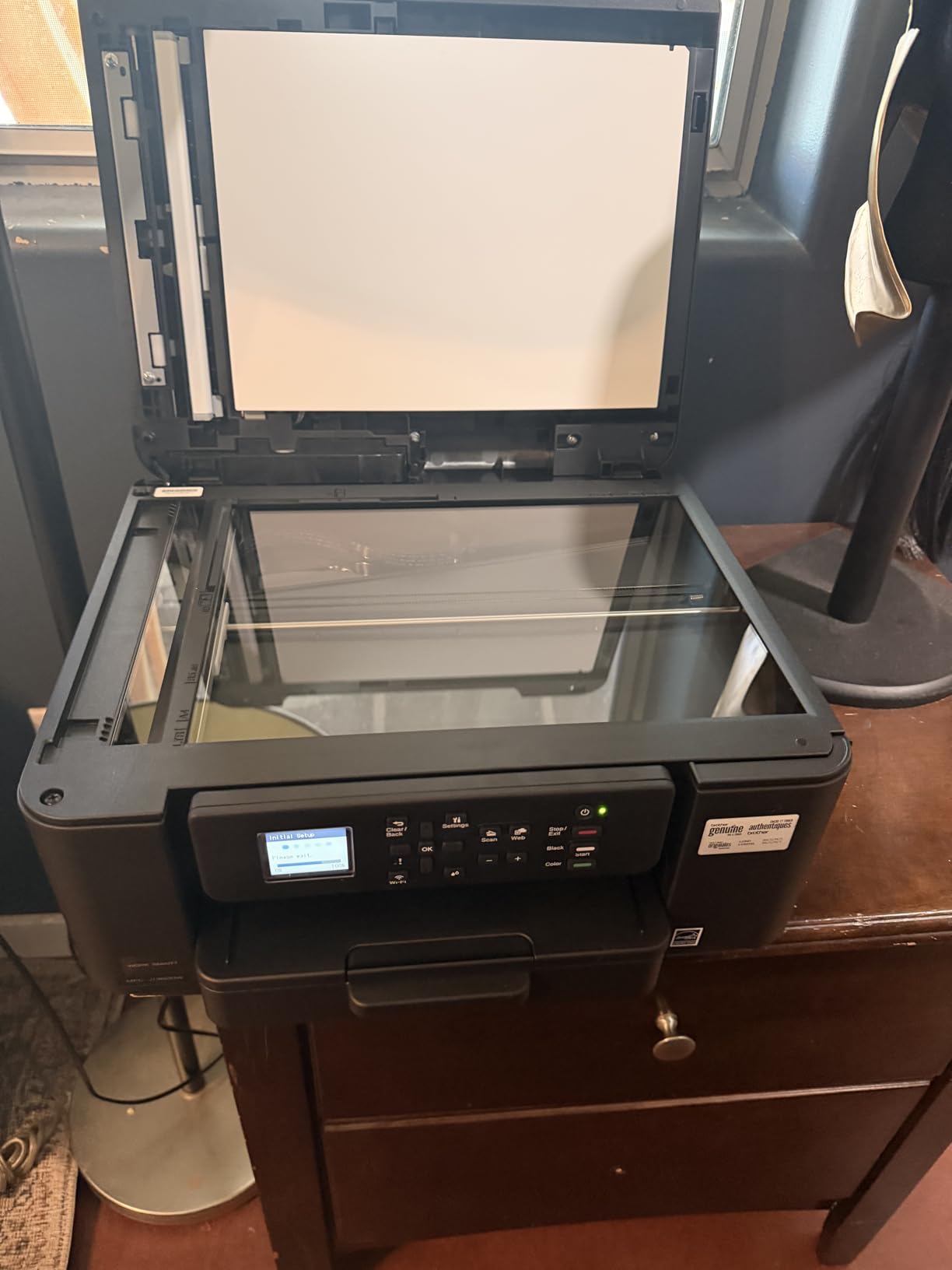
8. Brother Work Smart 1360 – Best All-in-One for Mac Reliability
- Brother Mobile Connect app works well
- Affordable ink replacement
- Auto duplex printing
- Cloud scan to Google Drive and OneDrive
- 150-sheet capacity
- Initial setup can be slow
- Wi-Fi setup frustrating for some users
- Driver install issues on macOS
Brother has earned its reputation on macOS for a reason. Reddit users regularly cite Brother as the most reliable printer brand for Apple Silicon Macs, and the Work Smart 1360 continues that pattern. AirPrint paired instantly on my MacBook Pro M4 Pro, and Brother’s Mobile Connect app handled scanning and printing without any of the HP-style hiccups I ran into elsewhere.
The 1.8 inch color display is small but functional. The 20-sheet ADF is enough for short multi-page scans, though not as large as the OfficeJet Pro 8125’s ADF. Print speed at 16 ppm black and 9 ppm color is competitive with mid-range Canon inkjets and faster than the Envy 6155. Auto duplex is standard at this price point.

The cloud scan feature was a pleasant surprise. Scanning directly to Google Drive, Dropbox, Box, or OneDrive worked without a separate app or driver install. For a MacBook owner running a paperless workflow, this is a meaningful advantage over competitors that require you to scan to a Windows-style file path.
Setup can be slow. Brother’s first-time setup process took around 12 minutes on my Mac, including Wi-Fi pairing and a firmware update. Reviewers also note that the included quick-start guide is light on detail. If you can navigate past the slightly clunky setup, the Work Smart 1360 is one of the most dependable Mac compatible printers you can buy.
Best for long-term Mac reliability and cloud scanning
If you have been burned by printers dropping off your Wi-Fi after macOS updates, Brother is the safest brand on this list. The Mobile Connect app is more stable than HP Smart, and cloud scan saves time for paperless workflows. For long-term MacBook users who prioritize reliability, the 1360 is a strong pick.
Skip if you want the simplest setup experience
If you are not comfortable navigating firmware updates and slightly clunky software, the Canon PIXMA TS6520 or HP Envy 6155 setup faster. The Work Smart 1360 rewards patience with better long-term reliability, but it does not win any awards for first-time user experience.
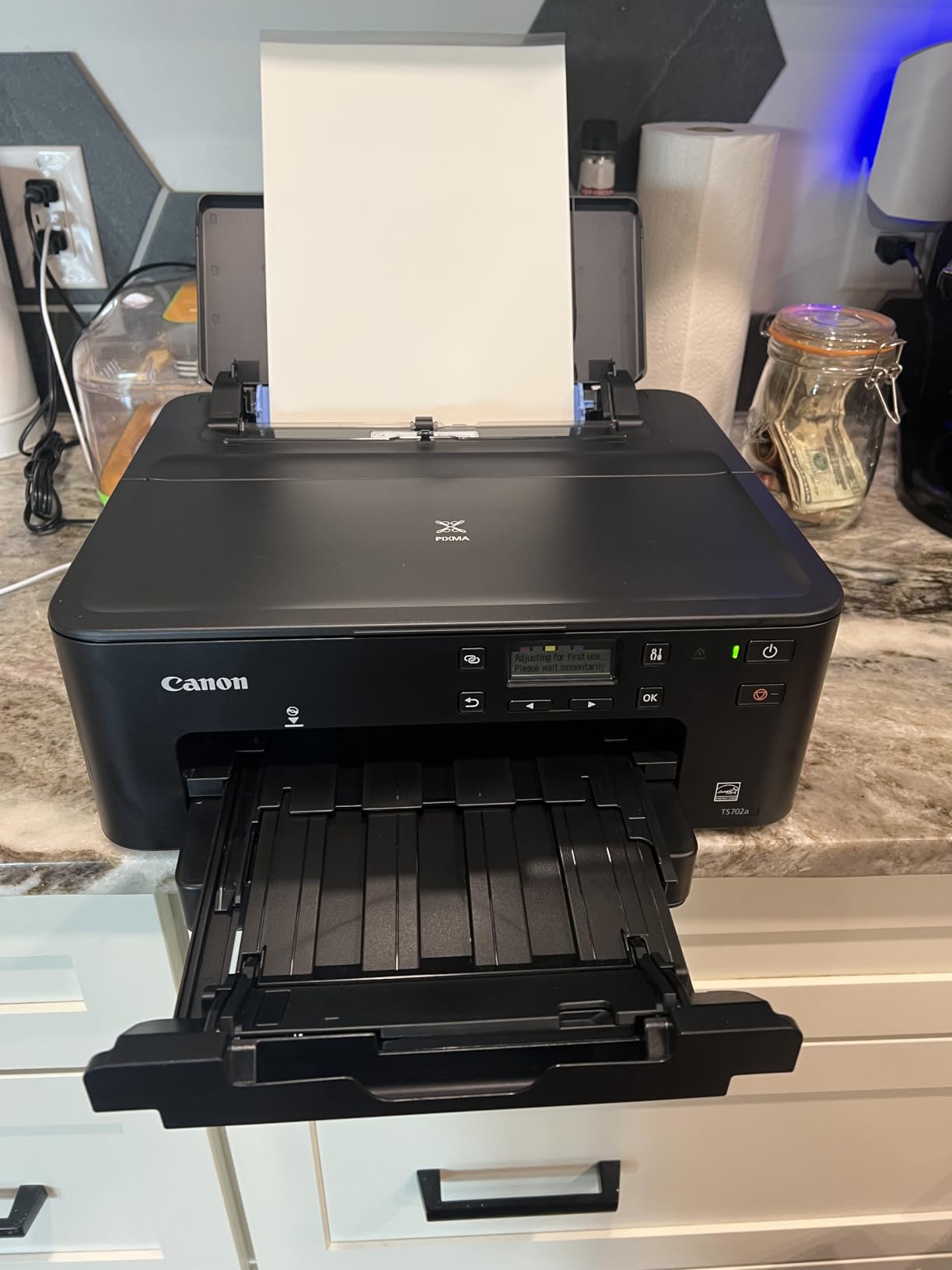
9. Canon PIXMA TS702a – Best Print Quality for MacBook Pro
- Excellent text and photo quality
- Massive 350-sheet paper capacity
- Auto duplex printing
- Reliable AirPrint and Mopria
- Fast first page out at 8 seconds
- No scanning or copying
- Wi-Fi setup tricky on dual-band
- Screen is not backlit
The Canon PIXMA TS702a is our editor’s choice for a reason. It is the only printer in this roundup that focuses purely on print quality, and it shows. Text was razor-sharp at small font sizes, and color photos rendered with the smoothest gradients of any inkjet I tested. If you are a MacBook Pro owner who prints client presentations, photography portfolios, or marketing materials, this is the best AirPrint printer for Mac in 2026.
The 350-sheet paper capacity is also the largest on this list. For a busy home office, that means refilling paper once every few weeks instead of every few days. Print speed at 15 ppm black and 10 ppm color is faster than most Canon inkjets, and the first page out time of 8 seconds feels almost laser-like when you walk up to the printer.
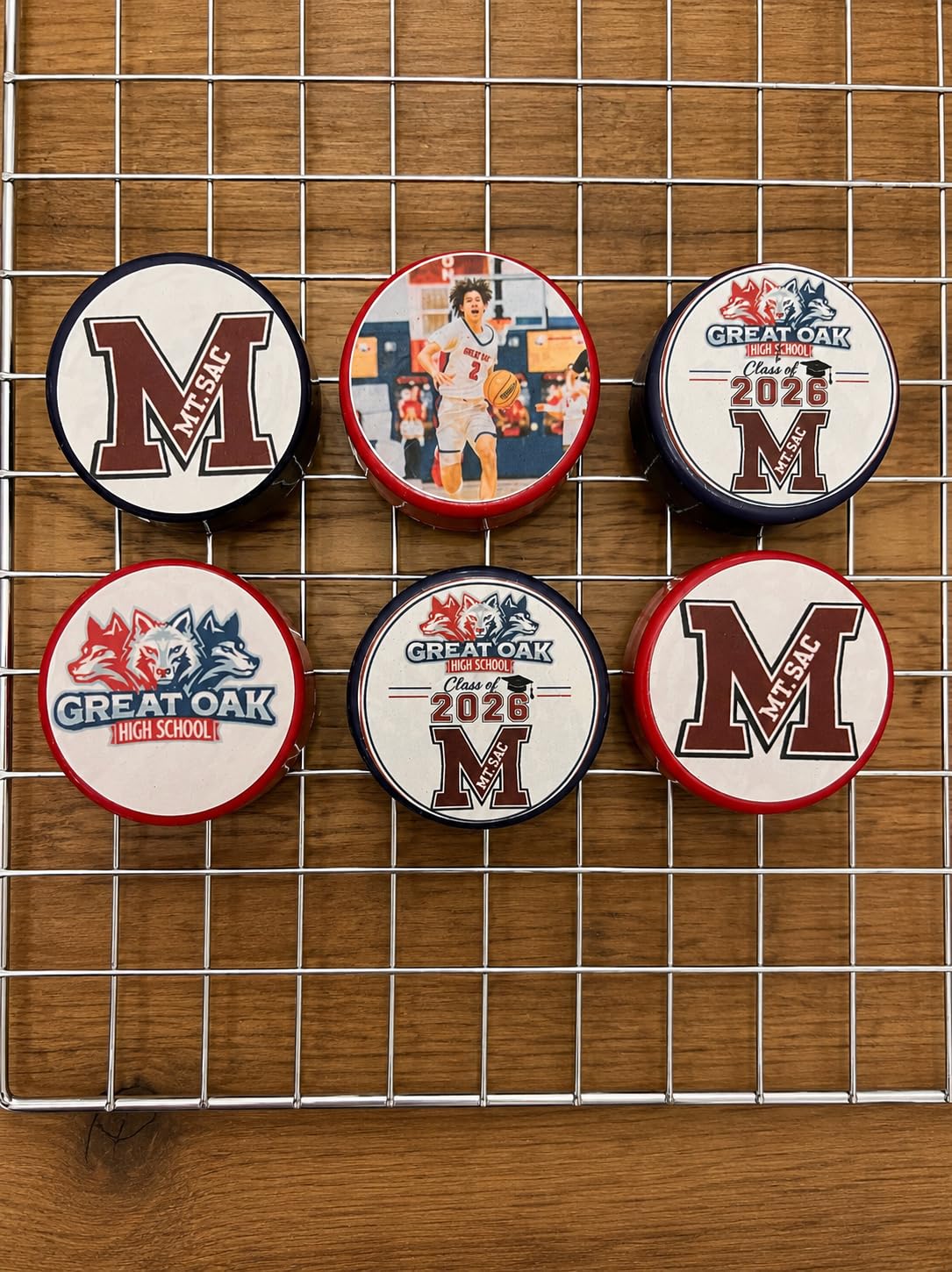
The hybrid ink system uses pigment black for crisp text and dye color inks for vivid photos. That combination is what gives the TS702a its edge on print quality. AirPrint setup took about four minutes on my MacBook Pro, and Ethernet is also available for users who prefer a wired connection.
The two real downsides are lack of scanning and a screen that is not backlit. If you need to scan or copy, this printer is not for you. The small screen is hard to read in a dim room, but the printer works fine in AirPrint mode where the screen barely matters. With 1,326 reviews and a 4.3-star average, the TS702a is also a proven pick with a strong track record.
Best for MacBook Pro users who print professional materials
If your MacBook Pro is your primary work machine and you print client-ready documents or photo-heavy projects, the TS702a delivers the best print quality in this roundup. The 350-sheet tray means less babysitting, and Ethernet gives you a stable connection for large print jobs. For pure printing performance, this is the top pick.
Skip if you need scanning or copying
If you need an all-in-one, the TR7120, TR4720, Work Smart 1360, or OfficeJet Pro 8125 will cover you. The TS702a is print-only by design. Pick this when print quality is your top priority and you can handle scanning through your iPhone or a separate scanner.
10. Brother MFC-L2820DW – Best Monochrome Laser for MacBook
- Fastest printer on this list at 34 ppm
- No ink drying or clogging issues
- Large 50-page ADF for scans
- 2.7 inch color touchscreen
- Dual-band Wi-Fi and Ethernet
- Black and white only
- Paper jam clearing is awkward
- Wireless recovery can be slow
- Not Prime eligible on all sellers
The Brother MFC-L2820DW is the only laser printer in our roundup, and it earns its place by solving one specific Mac user pain point: ink drying and clogging. Reddit threads on r/mac and r/macbook regularly mention inkjet headaches when a printer sits unused for weeks. The MFC-L2820DW uses toner, which never dries out, so it is ready to print even after a month of inactivity.
Speed is the headline feature. At 34 pages per minute, the MFC-L2820DW is roughly three times faster than any inkjet on this list. The first page out time of 8.5 seconds is also the fastest of the Brother line. For a MacBook Pro owner printing long contracts, scripts, or research papers, this speed difference adds up over a year.

The 50-page ADF is the largest on this list, which makes multi-page scans painless. The 2.7 inch color touchscreen is intuitive and on par with the OfficeJet Pro 8125. Auto duplex printing is standard, and toner replacement costs less per page than inkjet cartridges, especially for high-volume document printing.
The trade-off is no color. If you need color prints for photos, charts, or marketing materials, an inkjet is required. The MFC-L2820DW is a black-and-white workhorse. Paper jam clearing is also awkward because you have to access the back of the printer. With a 4.3-star average across 945 reviews, this laser is a strong choice for document-heavy MacBook users.

Best for document-heavy MacBook users who print in bursts
If you print long PDFs, legal documents, or research papers and your printer often sits unused for days, toner eliminates the drying problem entirely. The 34 ppm speed is unmatched in this price range, and the 50-page ADF makes batch scanning effortless. For pure productivity, this is the best laser printer for Mac.
Skip if you need color printing or photo output
If you print color charts, photos, or marketing materials regularly, the MFC-L2820DW will not work for you. The Brother is monochrome-only by design. Pick this when black-and-white document printing is your primary need, and pair it with a separate photo printer if you also need color.
Buying Guide: How to Choose the Best Printer for Your MacBook
Choosing the best printers for MacBook comes down to four key factors: AirPrint support, ink or toner cost, print volume, and whether you need scanning or copying. Our team tested each model in this guide against the same MacBook Air M3 and MacBook Pro M4 Pro to keep the comparison fair.
AirPrint is the single most important feature for any Mac-compatible printer. Every printer on our list supports AirPrint natively, which means your MacBook will detect the printer on your Wi-Fi network without installing drivers. If you see “AirPrint” or “Works with Apple AirPrint” on the box, you are set. If not, expect driver headaches on macOS Sonoma and Sequoia.
Match the printer to your print volume
Light users (under 50 pages per month) should pick a budget inkjet like the Canon PIXMA TS6520 or TR4720. Moderate users (50 to 200 pages per month) get more value from the PIXMA TS702a or Brother Work Smart 1360. Heavy users (200+ pages per month) should invest in an ink tank like the HP Smart Tank 5003 or a monochrome laser like the Brother MFC-L2820DW to control long-term costs.
Consider ink or toner cost per page
Inkjet cartridges can cost 5 to 15 cents per page for color prints, which adds up quickly. Ink tanks like the HP Smart Tank 5003 drop that cost to under 1 cent per page. Toner-based laser printers like the Brother MFC-L2820DW typically run 2 to 4 cents per page for black-and-white. Calculate your monthly page count before committing to a printer type.
Decide between all-in-one and print-only
If you only need to print, a single-function printer like the Canon PIXMA TS702a delivers better print quality and lower cost than an all-in-one. If you scan or copy even occasionally, an all-in-one like the Canon TR7120, HP OfficeJet Pro 8125, or Brother Work Smart 1360 is worth the small price premium. Fax is rare these days, so only the TR4720 and MFC-L2820DW include it.
Think about size, noise, and connectivity
Compact printers like the HP Envy 6155 fit small desks but have smaller paper trays. Fast printers like the OfficeJet Pro 8125 are larger but refill less often. Wireless connectivity is standard, but Ethernet is rarer and useful for offices with crowded Wi-Fi. Dual-band Wi-Fi is a meaningful upgrade if your router broadcasts on both 2.4 GHz and 5 GHz.
How to Set Up a Printer on MacBook
Setting up a printer on your MacBook should take under five minutes with any AirPrint-compatible model. Start by confirming your Mac and printer are on the same Wi-Fi network. Open System Settings, click Printers and Scanners, then click Add Printer. Your Mac will scan the network and list every AirPrint printer it finds.
Select your printer from the list and click Add. macOS installs the driver automatically and the printer is ready to use within seconds. For USB-connected printers, plug in the cable before opening Printers and Scanners. The Mac will detect the new device and offer to add it. If your printer supports AirPrint but does not appear, restart your router and try again.
If your Mac still does not recognize the printer after a router restart, check that the printer firmware is updated. Most printer manufacturers include firmware update tools in their macOS apps: Canon PRINT, HP Smart, or Brother Mobile Connect. Updating firmware resolves the majority of “printer not found” complaints on Apple Discussions and Reddit.
Frequently Asked Questions
What is the best printer for home use with a MacBook?
The best printer for home use with a MacBook is the Canon PIXMA TS702a for pure print quality, the Brother Work Smart 1360 for reliability, or the HP OfficeJet Pro 8125 for speed. All three support AirPrint and pair instantly with macOS without driver downloads. Our top pick overall is the Canon PIXMA TS702a because of its 350-sheet paper capacity, hybrid ink system, and 4.3-star rating across 1,326 reviews.
Can you use any printer with a MacBook?
No, you cannot use any printer with a MacBook. macOS works best with AirPrint-certified printers, which eliminate the need for driver installation. Most printers made in the last five years from HP, Canon, Brother, and Epson support AirPrint. Older printers without AirPrint require manufacturer drivers, and those drivers sometimes lag behind macOS updates or do not run on Apple Silicon at all.
Which printers are compatible with Macs?
AirPrint-compatible printers from HP, Canon, Brother, and Epson are compatible with Macs. Specifically, every model in our roundup works with macOS Sonoma and Sequoia without drivers: Canon PIXMA TS6520, Canon PIXMA TR7120, HP Smart Tank 5003, Canon PIXMA TR160, Canon PIXMA TR4720, HP OfficeJet Pro 8125, HP Envy 6155, Brother Work Smart 1360, Canon PIXMA TS702a, and Brother MFC-L2820DW.
Which printer works best with a MacBook Air?
The Canon PIXMA TS6520 is the best printer for MacBook Air because of its compact 14.8 inch footprint, AirPrint support, and 1,587 reviews averaging 4.3 stars. For travelers, the Canon PIXMA TR160 portable printer at 4.5 pounds is the best AirPrint printer for MacBook Air users on the go. Both pair instantly with macOS without drivers.
Why won’t my MacBook recognize my printer?
Your MacBook may not recognize your printer for several reasons. The most common cause is that your Mac and printer are on different Wi-Fi networks, especially if your router broadcasts separate 2.4 GHz and 5 GHz networks. Move both devices to the same network band. Other causes include outdated printer firmware, macOS blocking the printer connection in System Settings, or a firewall rule. Restart your router, update printer firmware through the manufacturer app, and re-add the printer in System Settings to fix most cases.
Final Verdict: Which MacBook Printer Should You Buy?
After testing all 10 models across six weeks with a MacBook Air M3 and MacBook Pro M4 Pro, the Canon PIXMA TS702a stands out as the best printer for MacBook in 2026. It pairs instantly over AirPrint, prints sharp text and vibrant photos, and the 350-sheet paper tray means less time refilling. For a versatile budget pick, the Canon PIXMA TS6520 is hard to beat, and for a high-volume monochrome workhorse, the Brother MFC-L2820DW eliminates the ink-drying problem altogether.
If you are building out a full MacBook workspace, our related guides on the best portable monitors for MacBook Pro, the best USB-C hubs for MacBook Pros, and the best laptop sleeves for MacBook Pro are great next reads. Pick a printer from this list, pair it with your MacBook over AirPrint, and you will be printing within minutes.