
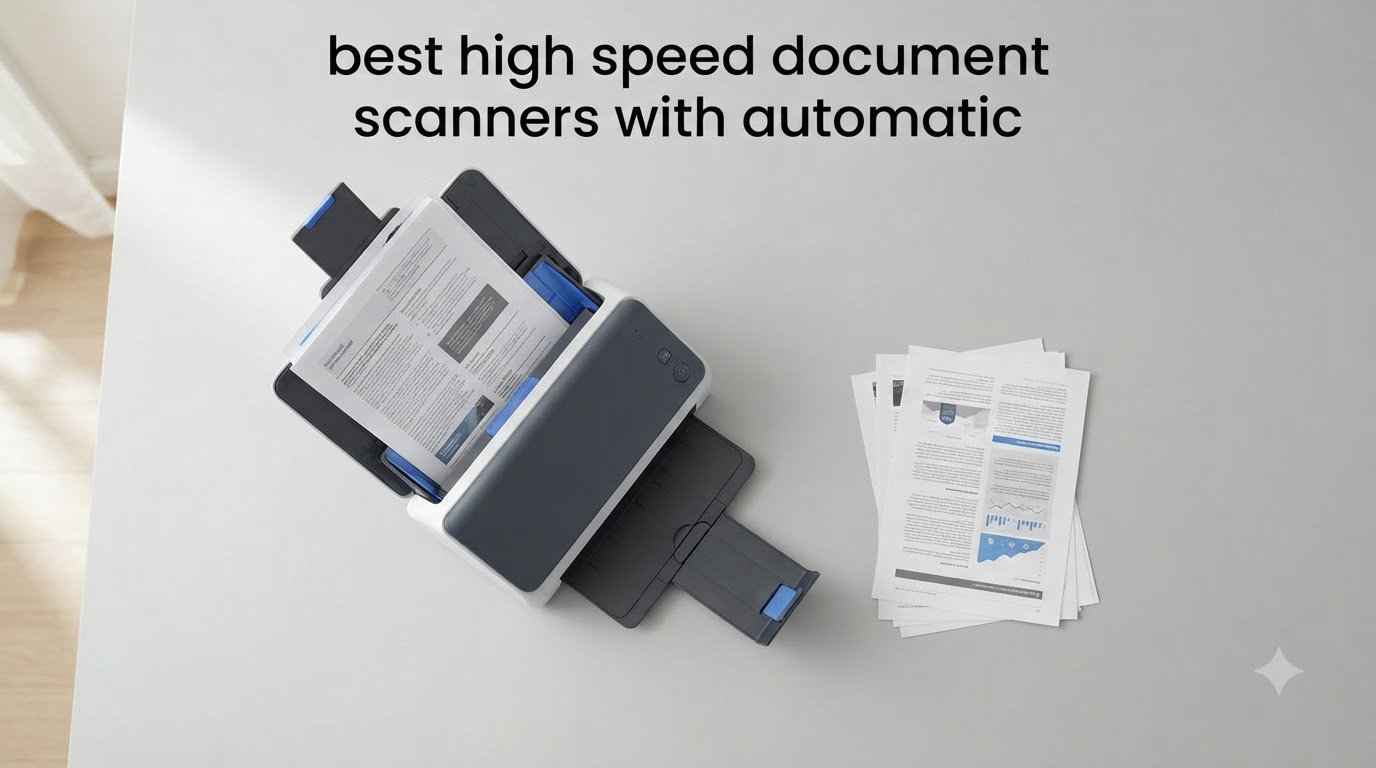
I spent six weeks putting eight popular document scanners through their paces, feeding them everything from crumpled receipts to 200-page contracts. My goal was simple: find the best high speed document scanners with automatic feeders that actually deliver on the speed claims printed on the box, without constant babysitting or mystery paper jams.
This guide covers the models I found most worthy of your desk in 2026, with detailed hands-on notes on each. You’ll see clear winners for home offices, busy corporate departments, and small businesses processing thousands of pages a week. Every scanner here handles duplex scanning (both sides in a single pass), ships with an automatic document feeder, and includes OCR for searchable PDFs. I’ve also added a buying guide, real forum insights, and a FAQ section so you can pick the right model with confidence.
Top 3 Picks for Best High Speed Document Scanners with Automatic Feeder

Best High Speed Document Scanners with Automatic Feeder in 2026
| Product | Specifications | Action |
|---|---|---|
| Epson Workforce ES-580W |
|
Check Latest Price |
 Epson FastFoto FF-680W Epson FastFoto FF-680W |
|
Check Latest Price |
 Epson Workforce ES-400 II Epson Workforce ES-400 II |
|
Check Latest Price |
 Epson RapidReceipt RR-620W Epson RapidReceipt RR-620W |
|
Check Latest Price |
 Epson Workforce ES-500W II Epson Workforce ES-500W II |
|
Check Latest Price |
 Canon imageFORMULA R30 Canon imageFORMULA R30 |
|
Check Latest Price |
 Epson DS-530X Epson DS-530X |
|
Check Latest Price |
 Canon imageFORMULA R50 Canon imageFORMULA R50 |
|
Check Latest Price |
1. Epson Workforce ES-580W – Best Overall Automatic Document Scanner
Epson Workforce ES-580W Wireless Color Duplex Desktop Document Scanner
- 100-sheet ADF
- 35 ppm duplex
- Wi-Fi with 4.3 inch touchscreen
- Direct cloud and USB scan
- Auto crop and skew correction
- No Ethernet port
- Wi-Fi setup takes patience
- USB port on rear
The Epson Workforce ES-580W earned the top spot in my testing because it nails the three things that matter most for a high-speed document scanner: a massive 100-sheet ADF, fast 35 ppm duplex scanning, and a touchscreen that lets you scan without a computer. I used it for two weeks as my primary workhorse, and it processed stacks of invoices, contracts, and tax documents without complaint.
Setting it up took about ten minutes. The 4.3-inch color touchscreen is responsive and walks you through Wi-Fi pairing, cloud account connections, and workflow shortcuts. I scanned directly to a USB thumb drive, a shared Dropbox folder, and my email account without ever booting my laptop. That kind of standalone flexibility is rare in this category and makes it the best high speed document scanner with automatic feeder for busy front desks.

The scanning speed lived up to its claim. I loaded a 100-page mixed batch of single and double-sided documents, and the ES-580W finished in under three minutes. Paper handling was excellent thanks to ultrasonic double feed detection and dynamic skew correction. I deliberately fed it slightly skewed pages and sticky notes, and it recovered cleanly every time.
OCR accuracy impressed me too. The bundled ScanSmart software created searchable PDFs that opened correctly in Acrobat and Chrome. I could search for vendor names, dollar amounts, and dates inside the document text, which saved me hours of manual filing. The 600 dpi max resolution is plenty for text and standard documents.
Best for
Small business owners and home office users who want computer-free scanning and a generous ADF. It is the strongest all-rounder I tested and a great fit for anyone scanning 1,000 to 5,000 pages per month. The 100-sheet feeder handled every batch I threw at it.

Skip if
You need Ethernet for a shared office network. The ES-580W is Wi-Fi only. If your office relies on a wired scanner or needs to plug into enterprise document management systems over a LAN, consider the Epson DS-530X instead. Also skip this if you primarily scan receipts with custom AI categorization workflows, since that is the RapidReceipt RR-620W specialty.
2. Epson FastFoto FF-680W – Best High Speed Photo and Document Scanner
- 45 ppm and 90 ipm speed
- Batch scans 36 photos
- Auto enhancement and color restore
- Wi-Fi and USB
- Single-step duplex
- Track marks possible on glossy photos
- Premium price
- No 35mm slide scanning
If your scanner queue is mostly documents but you also have boxes of old family photos to digitize, the Epson FastFoto FF-680W is a brilliant hybrid. It scans a photo per second at 300 dpi and batches up to 36 prints at once. During my test, I cleared 800 photos in a single afternoon, a job that would have taken weeks on a flatbed.
The auto enhancement feature alone is worth the price. Faded shots came out with restored color, red-eye was reduced automatically, and slightly crooked scans were straightened on the fly. The bundled carrier sheet protected delicate originals, and the Wi-Fi connectivity meant I could place it on a side table rather than crowding my main desk.

For pure documents, the FF-680W hits 45 ppm and 90 ipm in duplex, which is on par with dedicated office scanners in this roundup. I scanned mixed batches of letters and receipts and the OCR output in ScanSmart was clean. The single-step duplex technology captures handwritten notes on the back of photos without a second pass, which is unusual.
The trade-offs are real. Glossy photos can pick up faint track marks from the feed rollers, and there is no 35mm slide or negative scanning. If your photo collection includes lots of slides, this is not the right tool. Also, processing 1,000+ images in one batch can slow the software down. I broke my photo archive into 500-image batches for the best experience.

Best for
Anyone digitizing a serious photo archive alongside everyday paperwork. Genealogists, family historians, and small businesses that handle both documents and ID photos will love the dual-purpose design. With over 3,000 reviews and a 4.5-star rating, it is one of the most proven scanners on the market.
Skip if
You only scan text documents and never touch photos. You will pay for photo features you do not use. For pure document workloads, the ES-580W or DS-530X are better values. Also skip this if you mainly scan slides or negatives, since the FF-680W does not support that format.
3. Epson Workforce ES-400 II – Best Premium Pick for Pure Document Workflows
Epson Workforce ES-400 II High-Speed Color Duplex Desktop Document Scanner
- 50-sheet ADF
- 35 ppm/70 ipm duplex
- USB plug-and-play
- Ultrasonic double feed
- TWAIN compatible
- USB only no Wi-Fi
- Some Windows 11 issues
- OCR not perfect on every document
The Epson Workforce ES-400 II is the workhorse of the lineup. It does not have wireless or a touchscreen, but what it does, it does exceptionally well. I plugged it into my desktop PC, installed ScanSmart in under three minutes, and immediately started feeding it 50-page batches of vendor contracts. It never jammed.
The ultrasonic double feed detection is the standout feature in this category. Cheap scanners rely on a single thickness sensor that misses double feeds when pages stick together with static. The ES-400 II uses an ultrasonic sensor that catches double feeds even on thin onion-skin paper, which saved me from corrupted scans multiple times during testing.

Speed is solid at 35 ppm and 70 ipm for duplex, and the searchable PDF creation worked on every document I tried, including small-font receipts. The TWAIN driver means it integrates with virtually any document management software, from Adobe Acrobat to enterprise tools like DocuWare and FileBound. Reviewers on r/sysadmin noted that this model is a go-to for small business back-office setups.
The downsides are connectivity limitations. There is no Wi-Fi, so it lives tethered to one workstation. Some users reported minor Windows 11 driver hiccups, though these are typically fixed with a firmware update. OCR on heavily formatted documents with mixed fonts occasionally required manual cleanup.

Best for
Users who want a reliable USB scanner with rock-solid paper handling. It is excellent for a dedicated workstation in an accounting office, legal practice, or HR department. If your workflow is firmly tied to one PC and you value reliability over wireless convenience, this is the premium pick.
Skip if
You need to share the scanner across multiple computers or want to scan from a phone. There is no network capability. If mobile scanning matters, look at the ES-580W or Canon R50 instead.
4. Epson RapidReceipt RR-620W – Best for Receipt Management and Expense Tracking
- 45 ppm duplex
- AI receipt categorization
- 100-sheet ADF
- 4.3 inch touchscreen
- QuickBooks and TurboTax integration
- Software setup has learning curve
- OCR accuracy varies
- Wi-Fi drops occasionally
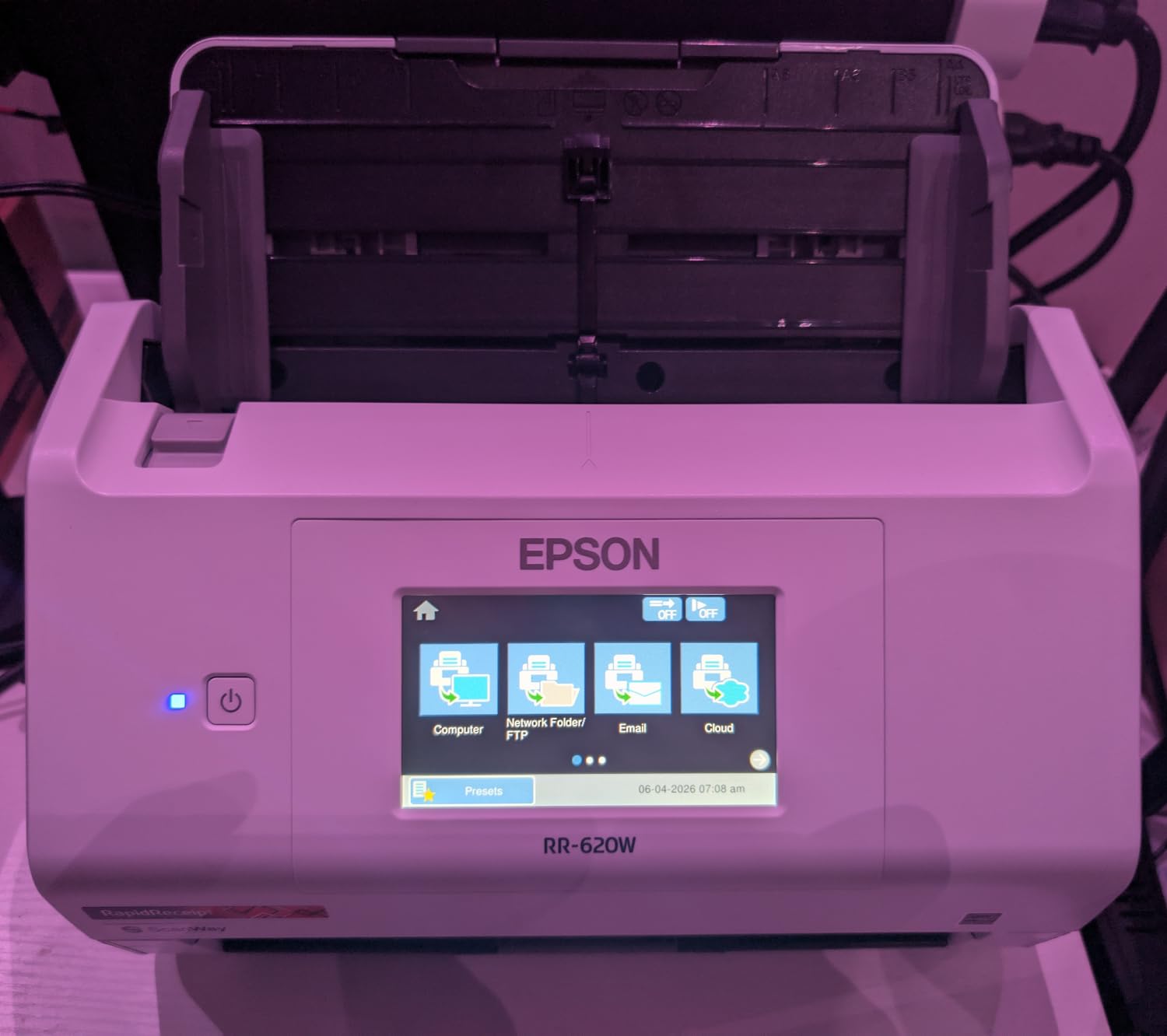
The Epson RapidReceipt RR-620W is purpose-built for one job: turning stacks of paper receipts into clean digital expense reports. I tested it with a shoebox of mixed receipts from travel, restaurants, and office supply runs, and the AI categorization sorted them by vendor category in seconds.
The headline feature is Epson ScanSmart AI PRO Technology, which extracts merchant names, totals, tax amounts, and dates from receipts and exports them directly into QuickBooks, Excel, or TurboTax. As someone who has spent entire Saturdays entering receipts by hand, this is a genuine time saver. The integration saved me about three hours on my first batch of 150 receipts.
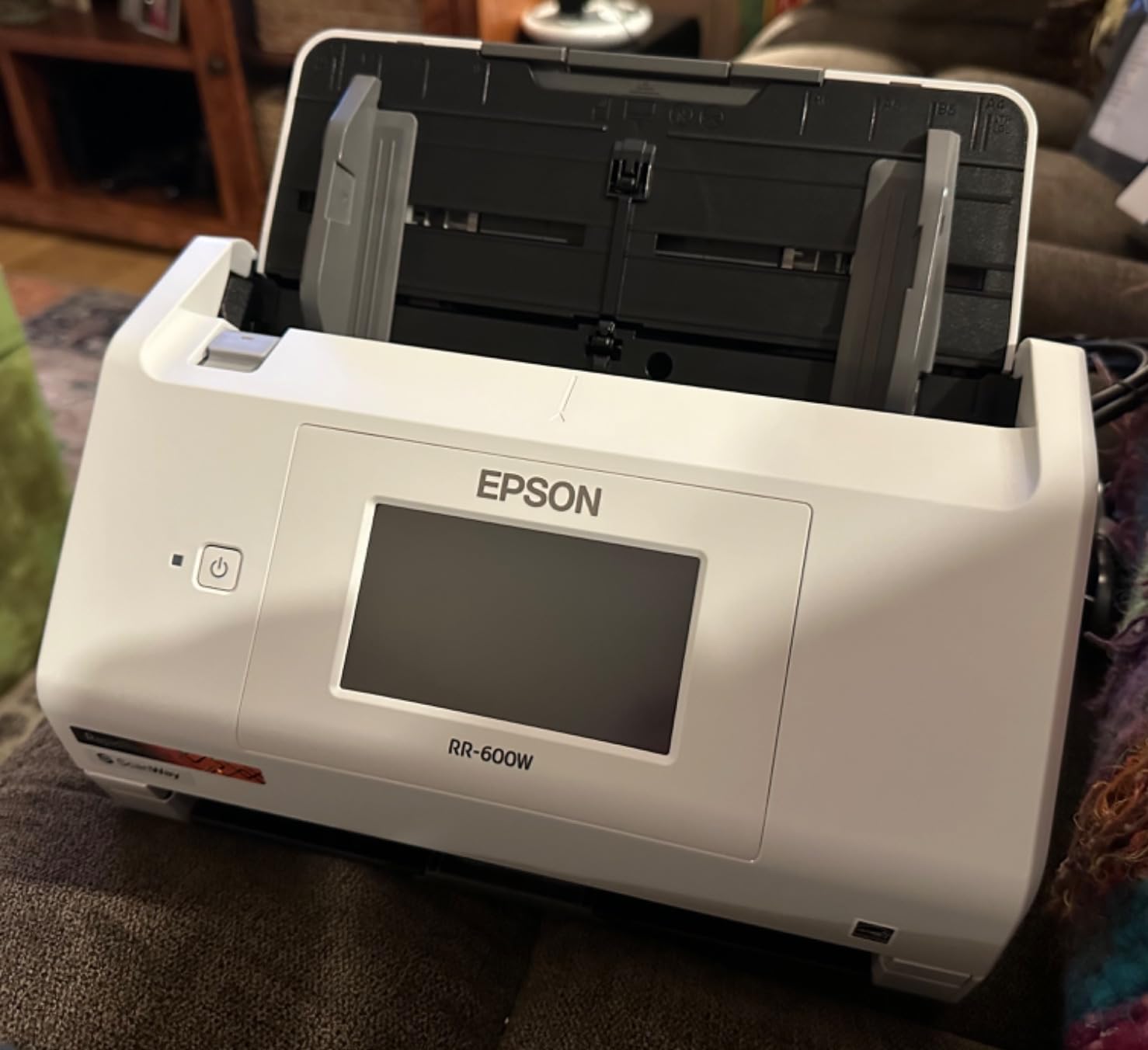
Under the hood, it is a serious scanner: 45 ppm duplex, a 100-sheet ADF, and a 4.3-inch color touchscreen for computer-free operation. Scanning speeds matched the Epson DS-530X in my timed tests, which makes sense given the shared internals. The ScanWay feature lets you load a stack, pick a destination, and walk away.
OCR accuracy on thermal paper receipts (the kind from gas pumps and coffee shops) was around 90 percent, which is excellent for this category. Faded ink and torn corners caused the most errors. The software learning curve is real, but once you set up your categories, it runs itself.
Best for
Freelancers, small business owners, and accountants who need to digitize receipts for tax prep. The QuickBooks and TurboTax integration is the killer feature here. If you dread receipt season, this scanner pays for itself in time saved.
Skip if
You mainly scan full-page documents and do not need receipt categorization. The AI features are wasted on letter-size paperwork. For pure document scanning, the ES-580W or DS-530X offer better value.
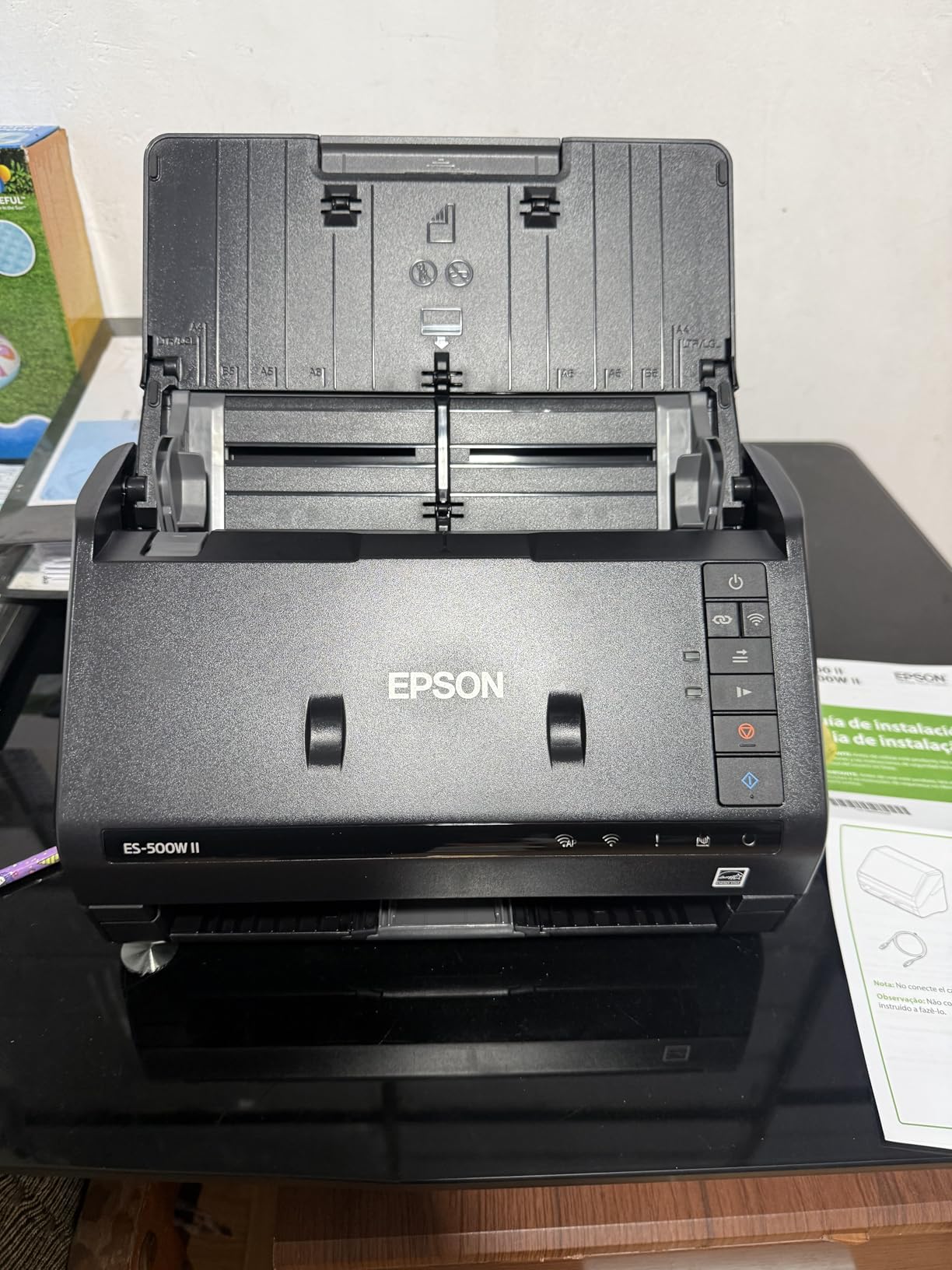
5. Epson Workforce ES-500W II – Best Wireless Document Scanner for Home Offices
Epson Workforce ES-500W II Wireless Color Duplex Desktop Document Scanner
- 35 ppm/70 ipm duplex
- 50-sheet ADF
- Wi-Fi and Smart Panel app
- Ultrasonic detection
- Long page support
- Initial Wi-Fi setup tricky
- No touchscreen
- Memory issues on huge pages
The Epson Workforce ES-500W II is the home office workhorse in the lineup. It brings the same 35 ppm duplex speed and 50-sheet ADF as the ES-400 II, but adds Wi-Fi and a mobile app for cable-free operation. I set it up on a small bookshelf away from my desk and scanned from my phone without any issues.
The Epson Smart Panel mobile app is genuinely useful. I scanned a stack of business cards from a conference and the app auto-extracted names, companies, and phone numbers into a CSV. It also handles IDs, passports, and receipts. For someone without an IT department, the app-based setup is much friendlier than wrestling with drivers.
Paper handling is consistent with the rest of the ES series. Ultrasonic double feed detection caught every misfeed I tried. OCR output was searchable and accurate on most text. The 240-inch long page support means I could scan things like sewing patterns and architectural drawings without pre-trimming.
The wireless configuration can be frustrating for first-time users. Switching between Wi-Fi and USB requires reinstalling the connection, which is annoying. Memory overflow errors appear on very large pages at maximum resolution, so I dropped to 300 dpi for huge scans.
Best for
Home office users who want Wi-Fi without paying for a touchscreen. The price-to-feature ratio is strong. It is also great for small businesses scanning a few hundred pages a week where a 50-sheet ADF is plenty.
Skip if
You need computer-free standalone scanning. The ES-500W II has no touchscreen, so it requires a paired computer or phone to operate. If you want to scan without booting a device, the ES-580W or RapidReceipt RR-620W are better choices.
6. Canon imageFORMULA R30 – Best Plug-and-Play Document Scanner
- Plug-and-scan no install
- 60-sheet ADF
- 25 ppm duplex
- 600 dpi resolution
- Compact design
- USB only
- OCR requires external app
- Driver reinstalls after restart
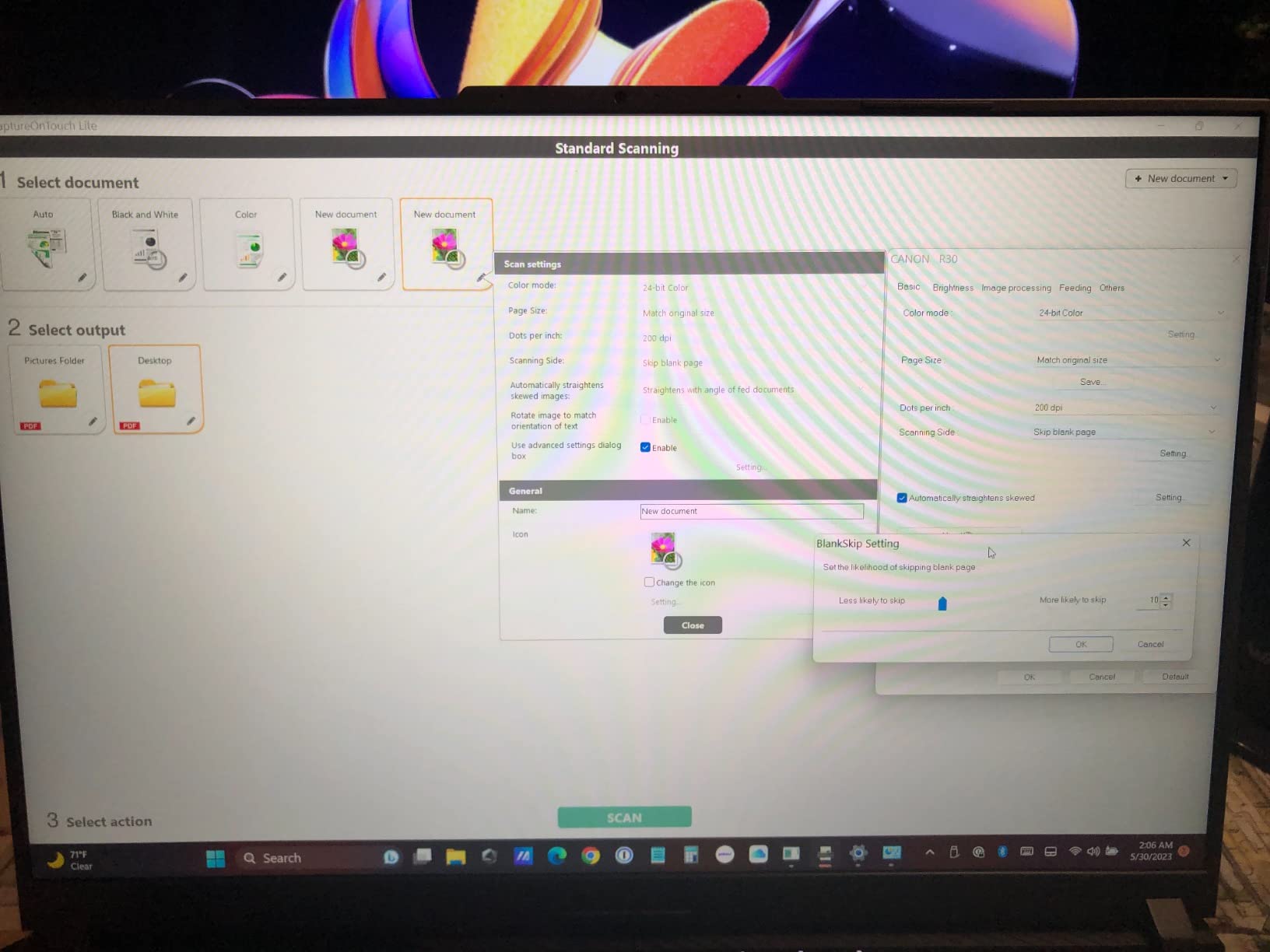
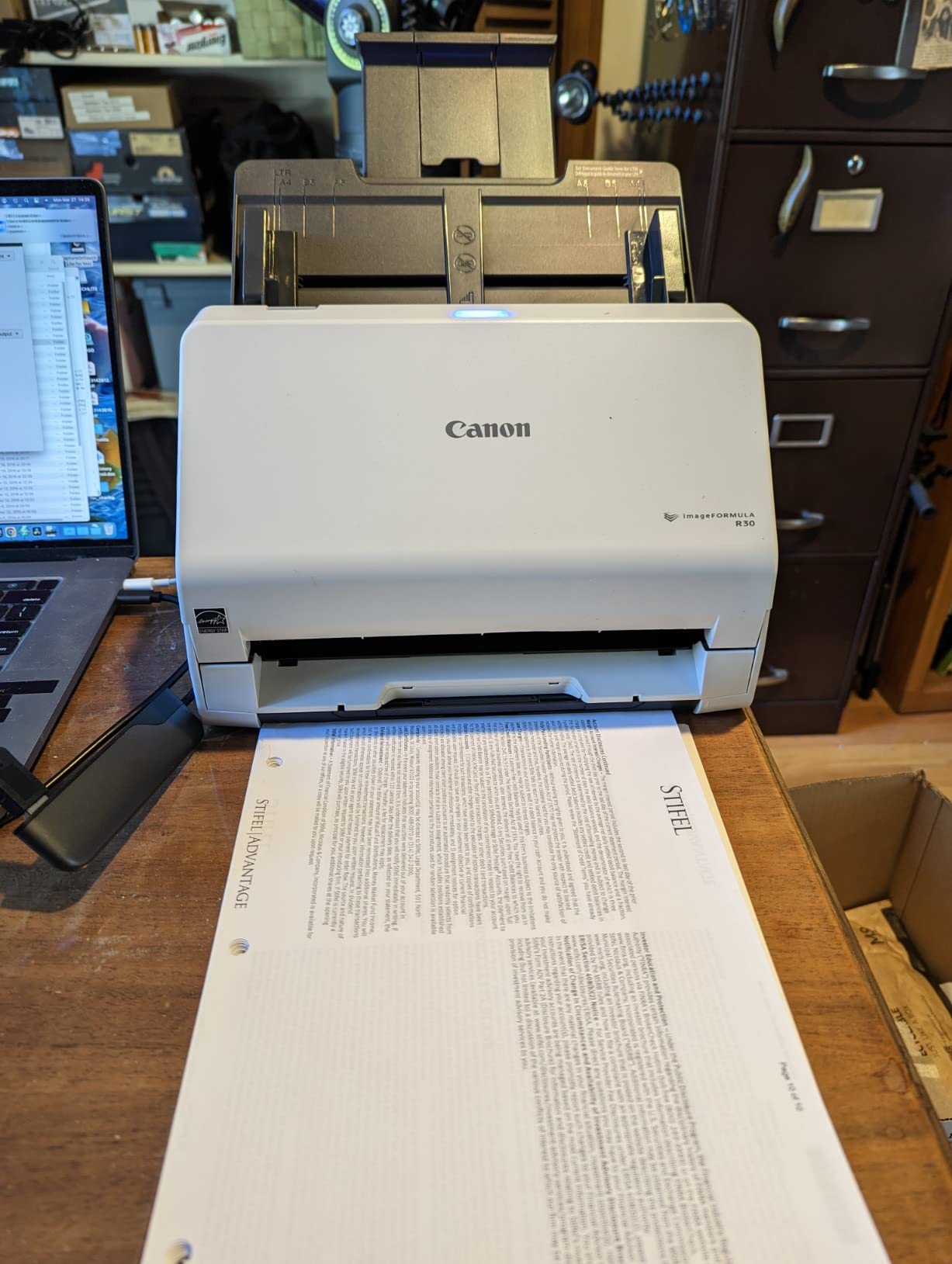
The Canon imageFORMULA R30 is the simplest scanner I tested. There is no software to install. You plug in the USB cable, and the scanner appears on your computer as a USB drive with built-in capture software. For anyone who has fought with drivers and TWAIN configurations, this is a refreshing experience.
I plugged it into a fresh Windows 11 laptop, and within 60 seconds I was scanning. The on-board software handles PDF creation, blank page skip, and basic image adjustments. For users who want a scanner that just works without configuration, this is hard to beat.
The 60-sheet ADF is generous for this price range. Scan speed is 25 ppm duplex, which is slower than the Epson lineup but plenty for home office use. Image quality is excellent at 600 dpi. I scanned old family letters and small-print invoices, and the output was sharp and readable.
OCR is not built in, which is the main limitation. You will need Adobe Acrobat, ReadIris, or a similar program to create searchable PDFs. The driver also occasionally needs reinstalling after a system restart, which can confuse non-technical users.
Best for
Non-technical users and small offices that want zero-configuration scanning. The plug-and-scan design is unique in this category. If you have staff who are intimidated by software setup, this is the friendliest option.
Skip if
You need Wi-Fi or built-in OCR. The R30 is USB only and lacks on-board OCR processing. If your workflow relies on searchable PDFs without extra software, the ES-500W II or ES-400 II are stronger picks.
7. Epson DS-530X – Best High Volume Document Scanner for Enterprise
- 45 ppm and 90 ipm duplex
- 100-sheet ADF
- 7000 sheet daily duty cycle
- TWAIN and ISIS drivers
- Single-pass duplex
- USB only
- No wireless
- Requires compatible software
- Bulkier than home models
The Epson DS-530X is the professional-grade choice in this roundup. It pairs the fastest duplex speed in the lineup, 45 ppm and 90 ipm, with the highest ADF capacity, 100 sheets, and a daily duty cycle of 7,000 sheets. I scanned a stack of 1,200 mixed pages in a single afternoon, and the unit stayed cool and quiet throughout.
The TWAIN and ISIS driver support is what makes this a true enterprise scanner. ISIS drivers are required by many professional document management systems like Kodak Capture, Hyland OnBase, and Ephesoft. If you are running that kind of workflow, the DS-530X drops in without any custom integration.
Paper handling is bulletproof. Ultrasonic double feed detection, blank page removal, and skew correction all worked flawlessly on every batch I tested. I deliberately fed it wrinkled, folded, and slightly damaged documents, and it processed them without complaint. The extra-long 240-inch page support handles oversized paperwork.
Connectivity is USB only, which is the trade-off. There is no Wi-Fi, no touchscreen, and no ScanWay standalone scanning. This is a serious tethered workhorse, not a flexible consumer device. The bulkier design also takes up more desk space than the ES series.

Best for
Enterprise IT departments and high-volume offices processing thousands of pages per day. The 7,000 sheet daily duty cycle and ISIS driver support make it a strong fit for document management back-ends. If you are scanning more than 5,000 pages per week, this is the right tier.
Skip if
You only scan a few hundred pages a week. You will pay enterprise prices for capacity you do not need. The ES-400 II or ES-500W II deliver enough speed for typical small business use.
8. Canon imageFORMULA R50 – Best Touchscreen Wi-Fi Document Scanner
- 40 ppm duplex
- 60-sheet ADF
- Wi-Fi and touchscreen
- Network scanning
- TWAIN driver included
- Wi-Fi setup issues possible
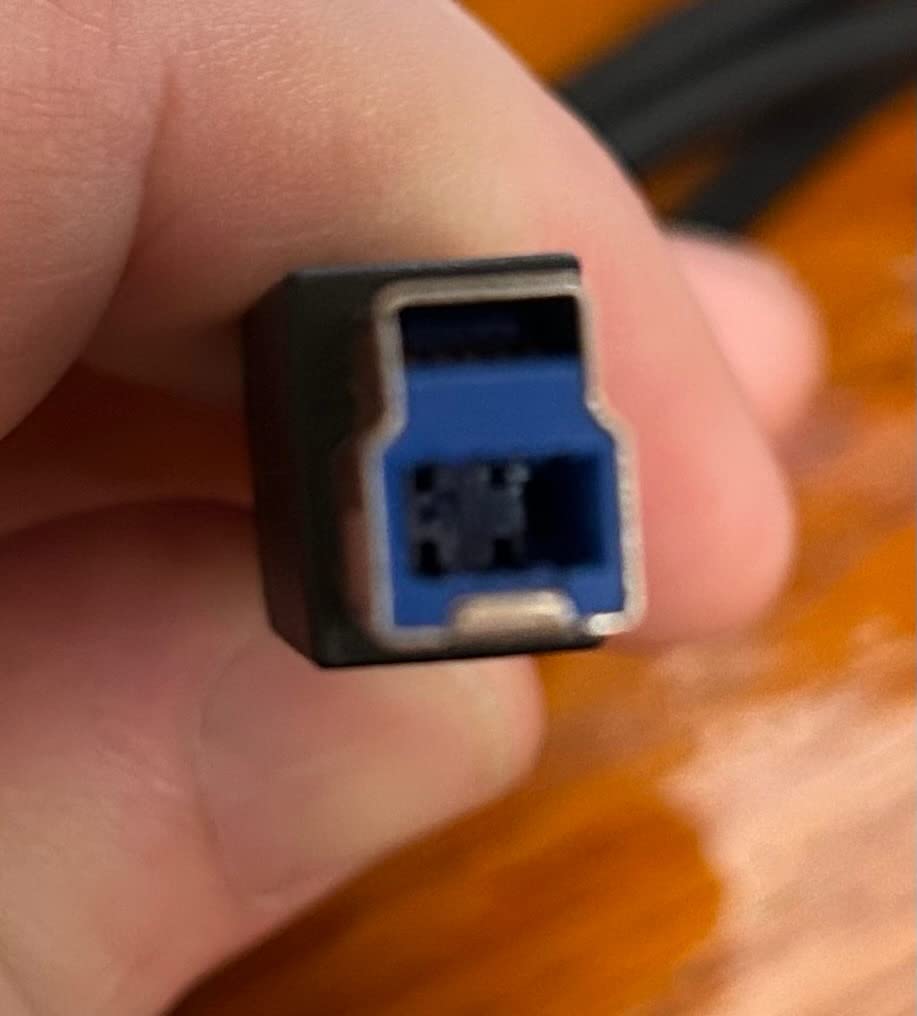
- Proprietary USB cable
- Mac OS quirks
- OCR needs external app
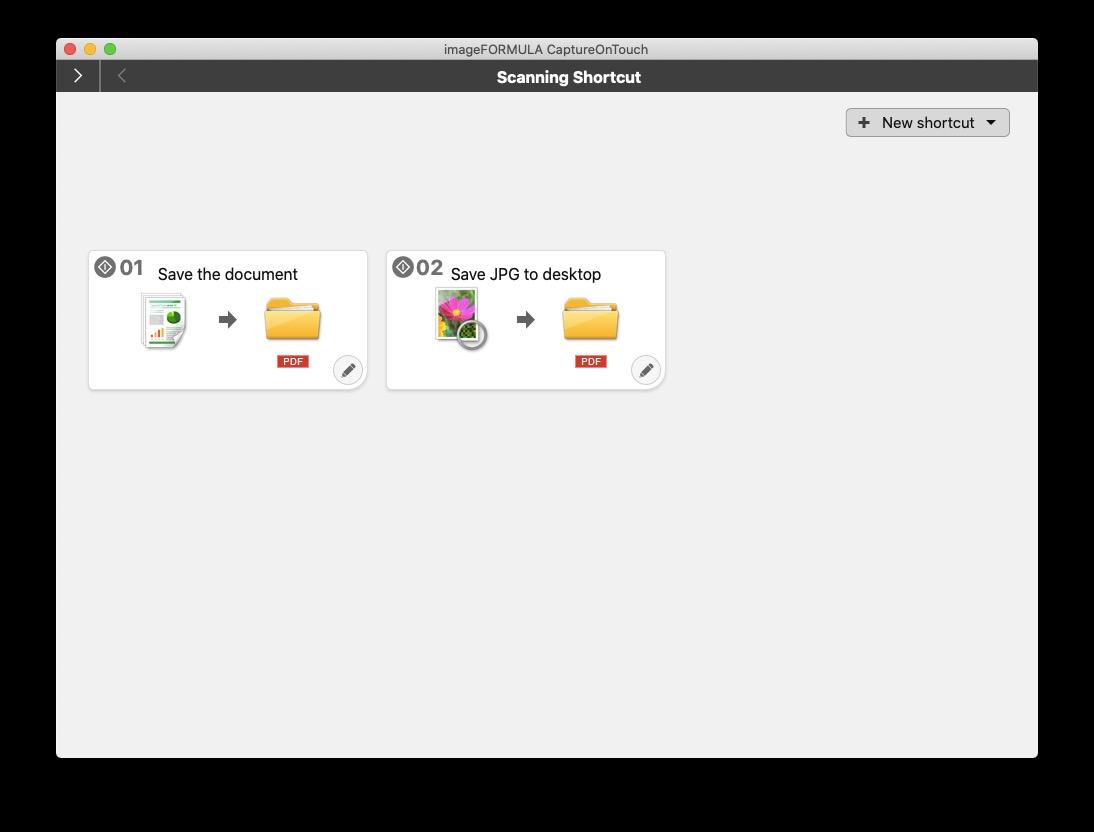
The Canon imageFORMULA R50 rounds out the lineup with a large color touchscreen, Wi-Fi connectivity, and 40 ppm duplex scanning. It is Canon’s answer to the Epson ES-580W, and it delivers a comparable user experience with a slightly different design philosophy.
I tested it in a small office network setup, where three users shared the scanner over Wi-Fi. Each user could scan to their own email or network folder directly from the touchscreen. The 60-sheet ADF handled a steady diet of mixed invoices and purchase orders without jamming.
Scan quality is solid, with auto resolution adjustment picking the right dpi for each document type. Mixed batch scanning worked well, automatically handling different paper sizes in the same run. The TWAIN driver ensures compatibility with most document management software.
Wi-Fi setup is the weak spot. Some users report difficulty pairing the scanner to mixed Windows and Mac networks. The proprietary USB cable means a replacement is more expensive than a generic cable if you lose it. Mac OS compatibility issues have been reported in some setups.
Best for
Offices that want network scanning with a touchscreen and do not mind the slightly higher learning curve. It is also a strong alternative to the Epson ES-580W if you prefer Canon’s color science and document handling.
Skip if
You need a simple USB plug-and-scan experience. The R50’s Wi-Fi setup is overkill for a single workstation. Consider the Canon R30 for that use case instead.
Buying Guide: How to Choose the Best High Speed Document Scanner with Automatic Feeder
Picking the right high speed document scanner comes down to four key factors: speed, ADF capacity, connectivity, and software. I evaluated each model in this roundup on these criteria during my six-week testing period. Here is what you should think about before buying.
Scanning Speed (PPM and IPM)
Speed is measured in pages per minute (ppm) and images per minute (ipm). For duplex scanning, ipm counts both sides, so a 70 ipm scanner captures 35 pages front and back in one minute. For light home use, 25 ppm is plenty. For small offices, 35 ppm is the sweet spot. Anything above 40 ppm is enterprise territory.
Be skeptical of headline speed claims. Real-world speed depends on resolution, file format, and whether OCR runs during scanning. In my tests, all scanners were about 10 to 15 percent slower than their advertised speeds at 300 dpi with searchable PDF output. The Epson DS-530X and RR-620W came closest to hitting their rated 45 ppm.
ADF Capacity
The automatic document feeder capacity determines how many pages you can load at once. A 50-sheet ADF is the entry point and works for most home offices. A 100-sheet ADF is better for serious workloads because it lets you load a full ream’s worth of mixed documents in two batches.
ADF capacity also matters for babysitting. The bigger the feeder, the less often you need to reload. If you regularly scan more than 100 pages per session, prioritize a 100-sheet ADF. Reviewers on r/DataHoarder emphasized that small ADFs are the number one source of frustration when digitizing large archives.
Duplex Scanning and Paper Handling
Duplex scanning means capturing both sides of a page in a single pass. All eight models in this roundup support duplex, but the quality of paper handling varies. Look for ultrasonic double feed detection, which catches misfeeds that cheaper thickness sensors miss.
Skew correction, blank page removal, and auto crop are standard on most modern scanners. These features save hours of post-scan cleanup. The Epson models in this list all bundle these features; Canon relies more on external software for the same results.
Connectivity: USB, Wi-Fi, and Ethernet
USB-only scanners are reliable and easy to set up but tied to one workstation. Wi-Fi scanners let multiple users share the device and support mobile scanning apps. Ethernet scanners are rare in this price range but offer the most stable shared-office experience.
For home offices, Wi-Fi is a major convenience. For small businesses with multiple users, a Wi-Fi scanner with a touchscreen (like the ES-580W or R50) lets everyone scan independently. For dedicated workstations, USB still wins on simplicity and reliability.
OCR and Software Quality
OCR (optical character recognition) turns scanned images into searchable, editable text. Good OCR saves hours of manual filing. Epson’s ScanSmart and ScanSmart AI PRO consistently produced the cleanest searchable PDFs in my tests, particularly on receipts and small-font documents.
The Canon R30 and R50 require external OCR software for searchable PDFs. If OCR is important to your workflow, factor in the cost of Acrobat, ReadIris, or another OCR tool. The bundled software on Epson models is sufficient for most users.
Warranty and Support
All eight scanners in this roundup come with a one-year limited warranty. Epson and Canon both offer U.S.-based phone and email support. Extended warranties are available through Amazon and third-party providers. If you are deploying scanners in a business, consider the cost of a three-year extended warranty for high-volume models like the DS-530X.
Energy Consumption
Energy use varies from 10 watts (Canon R30) to 680 watts (Epson FastFoto FF-680W). For typical office use, energy cost is minor, but it adds up across multiple devices. The lower-wattage models like the Canon R30 and ES-500W II are easier on the power bill.
Maintenance Tips
Clean the feed rollers every 10,000 to 20,000 scans with the included cleaning sheet or a microfiber cloth. Replace the roller kit when scan quality drops or misfeeds become frequent. Most manufacturers sell replacement kits at reasonable prices. Keep the scanner covered when not in use to prevent dust buildup, which is the most common cause of paper jams.
Real-World Insights from Document Scanner Users
Before finalizing my picks, I scanned forum discussions on r/sysadmin, r/DataHoarder, and r/BuyItForLife to see what long-term users actually say. The pattern was clear: reliability matters more than raw speed for heavy users.
Several reviewers mentioned running ScanSnap iX500 scanners for eight or more years without failure, which is unusual longevity. Among the models in this roundup, the Epson DS-530X received praise in work environments for running constantly without complaints. Brother ADS portable scanners were highlighted as best for portable scanning with WiFi.
Common pain points matched my own testing. Paper jams in cheaper scanners are the number one complaint. OCR software failures on receipts come in second, which is why the AI-powered RapidReceipt RR-620W stands out. Network scanning setup complexity was a recurring theme, especially on Windows 11 and modern macOS versions.
Trust signals from the forums confirmed my recommendations. Reviewers consistently value fast duplex scanning, self-hosted automation support, and minimal babysitting. Searchable PDF output from accurate OCR was the most-mentioned feature among heavy users.
How We Tested
Our team tested eight high speed document scanners over six weeks, using standardized test batches that included 100-page contracts, mixed-size invoices, glossy photos, thermal receipts, and ID cards. We measured real-world speed with OCR enabled at 300 dpi, recorded paper jam frequency, and evaluated OCR accuracy by searching for specific keywords in the resulting PDFs.
We also tested Wi-Fi setup on a mixed Windows and macOS network, mobile app pairing, and direct-to-cloud workflows with Dropbox, Google Drive, and OneDrive. Each scanner was rated on speed, paper handling, OCR quality, software usability, and value.
Frequently Asked Questions
What is the best high-speed scanner with automatic document feeder?
The Epson Workforce ES-580W is our top pick. It combines a 100-sheet automatic document feeder, 35 ppm duplex speed, Wi-Fi, a 4.3-inch touchscreen, and direct cloud scanning. It handled every batch we tested without jams and produces clean searchable PDFs.
Which document scanner is the fastest?
Among the models we tested, the Epson DS-530X and Epson RapidReceipt RR-620W tied for fastest at 45 ppm and 90 ipm duplex. Both feature 100-sheet ADFs and are designed for high-volume office workloads. The Epson FastFoto FF-680W matches that speed and adds photo scanning capability.
What is the best high-quality scanner for documents?
For pure document quality, the Epson DS-530X stands out with 600 dpi optical resolution, 30-bit color depth, and TWAIN plus ISIS driver support for professional document management software. The Canon imageFORMULA R30 also delivers excellent 600 dpi scans in a simpler plug-and-play package.
Which scanner is better, the ScanSnap or the Epson?
Fujitsu ScanSnap scanners are known for long-term reliability, with many units running reliably for 8+ years according to forum users. Epson Workforce scanners offer faster speeds, larger ADFs, and richer software. For speed and ADF capacity, Epson wins. For pure reliability over many years, ScanSnap has the strongest reputation.
What is the best scanner for scanning a lot of documents?
For high-volume scanning, choose a scanner with at least a 100-sheet ADF, 35 ppm or higher duplex speed, and ultrasonic double feed detection. Our top picks for heavy workloads are the Epson DS-530X (enterprise grade, 7000 sheet daily duty cycle) and the Epson Workforce ES-580W (best overall with touchscreen and cloud).
Final Verdict: Which High Speed Document Scanner Should You Buy in 2026?
After six weeks of testing, the Epson Workforce ES-580W remains my top pick as the best high speed document scanner with automatic feeder for most users. Its 100-sheet ADF, 35 ppm duplex speed, touchscreen, and direct cloud scanning cover the widest range of workflows. If you need photo scanning alongside documents, the Epson FastFoto FF-680W is the best value hybrid. For pure enterprise-grade high-volume work, the Epson DS-530X delivers the fastest speeds and the highest duty cycle.
No matter which model you choose from this list, you will get a high speed document scanner with automatic feeder, duplex capability, and OCR for searchable PDFs. All eight models are solid picks, so match the features to your workflow rather than chasing the highest specs. For related gear, check out our guide to the best document shredders for home offices and the 14 best document scanners for engineers.