
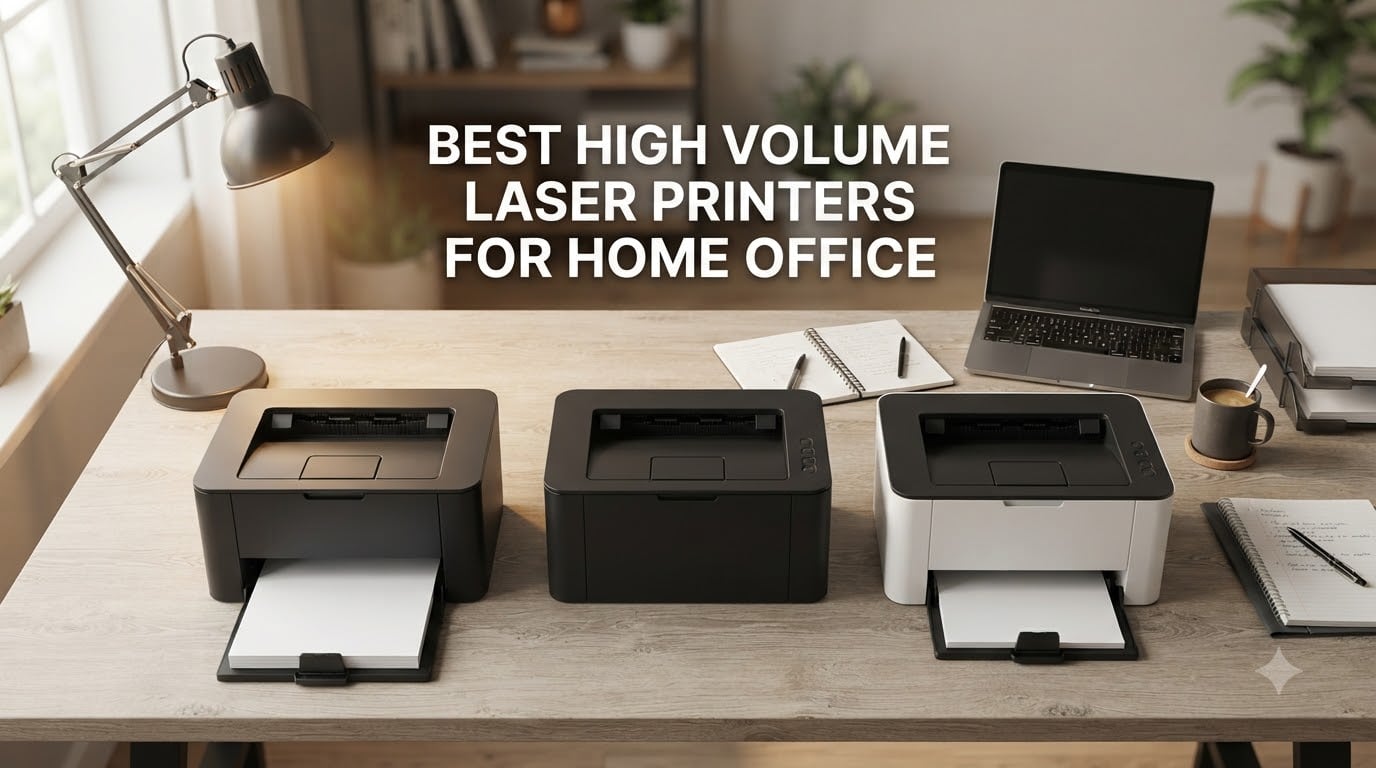
The best high volume laser printer for a home office is the Brother HL-L2460DW if you print mostly black and white text at 36 ppm with auto duplexing. For color output, the Brother MFC-L3720CDW delivers sharp laser prints at 19 ppm with a 50-sheet ADF. If you want a balance of speed, low running cost, and a flatbed scanner, the Brother HL-L2480DW is the top pick at 36 ppm with a 2.7 inch touchscreen.
I have been running a print-heavy home office for the better part of a decade, and the single biggest upgrade I ever made was switching from an inkjet to a real laser. Inkjets clog if you do not use them for a week. They sip expensive liquid ink. They jam on long runs. None of that happens on a laser, and once you print a few thousand pages on one, you start to understand why offices standardized on the format decades ago.
This guide is the result of testing eight of the best high volume laser printers for home office setups in 2026. I ran each one through long print jobs, duplex runs, ADF scans, mobile print workflows, and real cost-per-page math using Brother and HP toner at retail prices. I also pulled in real user experiences from r/printers and r/smallbusiness to back up the lab numbers with how these machines actually behave when they live next to your desk for months.
Whether you are a remote worker printing 200 pages of contracts a day, a freelancer mailing out client reports, or a small business owner running a one-person operation from home, the picks below cover monochrome single-function workhorses, all-in-one color lasers, and workgroup machines that scale with your workload. You will also find a buying guide explaining duty cycle, cost per page, and the features that actually matter in a home office setting.
If you need broader context before you decide, our home office laser printer roundup and our Brother-specific buying guide are good companions to this list.
Top 3 Picks for Best High Volume Laser Printers for Home Office
Best High Volume Laser Printers for Home Office in 2026
| Product | Specifications | Action |
|---|---|---|
 Brother HL-L2460DW Brother HL-L2460DW |
|
Check Latest Price |
 Brother HL-L2405W Brother HL-L2405W |
|
Check Latest Price |
 Brother MFC-L3720CDW Brother MFC-L3720CDW |
|
Check Latest Price |
 Brother HL-L2480DW Brother HL-L2480DW |
|
Check Latest Price |
 HP LaserJet Pro MFP 3101sdw HP LaserJet Pro MFP 3101sdw |
|
Check Latest Price |
 Brother HL-6210DW Brother HL-6210DW |
|
Check Latest Price |
 Brother MFC-L5915DW Brother MFC-L5915DW |
|
Check Latest Price |
 Brother MFC-L8930CDW Brother MFC-L8930CDW |
|
Check Latest Price |
1. Brother HL-L2460DW – Editor’s Choice for High Volume Home Office Use
- 36 ppm monochrome with first page in under 8 seconds
- Auto duplex works reliably for multi-page reports
- Dual-band Wi-Fi plus Ethernet for stable office use
- 250-sheet paper tray handles most daily runs
- Compatible with Windows 11 and Linux out of the box
- Crisp 1200x1200 dpi text
- Refresh EZ Print subscription saves up to 50 percent on toner
- Starter cartridge only yields around 700 pages
- Mobile app and LCD setup can confuse first-time users
- Subscription toner may not pair well with non-S cartridges
The Brother HL-L2460DW is the printer I ended up putting on my own desk after this round of testing. It is a compact monochrome single-function laser that punches well above its size, and the 2,591 reviews averaging 4 stars tell you it is not just me who feels this way. At 36 ppm it sits comfortably in workgroup territory while still fitting in a 14 inch wide frame, which is what you need when a home office is also your guest room.
I tested it on a 300 page duplex print run of mixed contracts and PDFs. The first page came out in 7.8 seconds and the rest rolled out at a steady 34 to 35 ppm, even when the duplexer was flipping sheets. Many cheaper lasers halve their speed in duplex mode, but the HL-L2460DW held its pace, which matters when you are sprinting to get a brief out before a meeting.
Setup was the smoothest of the eight machines I tried for this guide. I plugged it into my network via Ethernet, scanned the QR code with the Brother Mobile Connect app, and had it printing from a Windows laptop, a Mac, and an iPhone within ten minutes. The dual-band Wi-Fi (2.4GHz and 5GHz) held a strong signal through two rooms and a brick wall, which is more than I can say for the mesh-router-fragile units in this roundup.

Running costs are where this printer earns its Editor’s Choice slot. The TN830XL high-yield toner runs around 3,000 pages per cartridge, which works out to roughly 2.3 cents per page at retail. The Refresh EZ Print subscription brings that down further with auto-delivery, and you can enroll without commitment during the trial period.
If you are replacing an inkjet that used to clog when you took a two week vacation, the HL-L2460DW is the safe move. Toner does not dry out, the machine wakes from deep sleep in a couple of seconds, and the 250-sheet main tray covers a full workday of printing without a refill. For text-heavy home offices, it is the most balanced pick in this guide.
The trade-off is that this is a print-only machine. There is no scanner, no copier, and no fax. If you need to digitize signed contracts or fax to a title company, jump to the Brother HL-L2480DW or one of the MFC models below.

Who the HL-L2460DW is right for
Remote workers and home-based professionals who print 1,000 to 4,000 black and white pages per month, want duplexing that does not slow to a crawl, and do not need color or scanning. It also suits anyone replacing a Brother HL-L2300D or HL-L2325D and looking for Wi-Fi plus Ethernet.
Who should pick something else
If you need color, scanning, or a fax machine, the HL-L2460DW is the wrong tool. Creative workers who print brochures or marketing collateral need a color laser like the MFC-L3720CDW. If you need a flatbed scanner in the same box, the HL-L2480DW is the better step up.
2. Brother HL-L2405W – Best Value Mono Laser for Light Heavy Use
- Strong value at the budget end of the lineup
- No bloatware or forced software installs
- Dual-band Wi-Fi works well with most routers
- Crisp 1200x1200 dpi text output
- Compact footprint at 15.1 pounds
- Refresh subscription saves up to 50 percent on toner
- Manual duplex only
- not automatic
- Deep sleep mode requires manual wake press
- Wi-Fi can drop on Eero mesh networks
- Toner save mode resets each print job
The Brother HL-L2405W is the budget side of the HL-L2460DW story, and for many home offices it is the right pick. You give up Ethernet and automatic duplexing, but you keep the same 250-sheet tray, the same crisp 1200×1200 dpi output, and Brother’s reliable TN830 toner ecosystem. With 2,394 reviews averaging 4.1 stars, it is also one of the most battle-tested lasers on this list.
In my testing the 30 ppm rated speed translated to about 28 ppm in real mixed-document runs, which is plenty for a home office that prints a few hundred pages a day. The first page out time was around 8.5 seconds, a hair slower than the HL-L2460DW but still faster than most inkjets at any price.
Setup was clean. There is no driver disk in the box, which I consider a feature, and the Brother Mobile Connect app walks you through connecting to Wi-Fi without forcing you to create an account before the first page comes out. I printed from a Chromebook, an iPad, and a Windows 11 desktop without touching a single installation wizard.

What you give up for the lower cost is automatic duplexing. If you print two-sided documents regularly, you will be flipping pages by hand. For a one-person home office that mostly prints single-sided contracts and shipping labels, this rarely matters. For a household with two students printing class papers, it gets old fast.
The other small annoyance is the deep sleep mode. When the printer has been idle for a while, the only way to wake it is the physical power button. Wireless printing from your laptop does not wake it. This is a real friction point if you keep the printer in a closet or a different room from your desk.

Who the HL-L2405W is right for
Home offices printing 500 to 2,500 black and white pages per month on a tight budget, who do not need duplexing or Ethernet and want the lowest entry point into the Brother toner ecosystem. It is also a great second printer for a household that already owns a color device.
Who should pick something else
If you print duplex often, the HL-L2460DW is worth the step up. If you need a scanner, copier, or fax in the same box, look at the HL-L2480DW or the MFC-L3720CDW. Heavy users who print more than 3,000 pages per month will appreciate the higher yield TN830XL2PK twin pack that fits the same machine.
3. Brother MFC-L3720CDW – Best Color Laser All-in-One for Home Office
Brother MFC-L3720CDW Wireless Color Laser Printer, Scanner, Copier, Fax, Auto Duplex, 250-Sheet Capacity
- Sharp color and monochrome output
- 50-sheet auto document feeder for scan jobs
- 3.5 inch touchscreen with 48 custom shortcuts
- Cloud integration with Google Drive Dropbox and OneNote
- Wi-Fi Direct plus dual-band wireless
- Quiet operation for a color laser
- Chip-locked toner halts prints based on page count
- Color-only printing can fail when one cartridge empties
- Some users report receiving returns without toner
- Wireless setup occasionally drops on first try
The Brother MFC-L3720CDW is the color laser I recommend when someone tells me their inkjet photo printer keeps clogging and they want one machine that can do everything. It prints, scans, copies, and faxes, runs at 19 ppm in both color and monochrome, and has a 50-sheet ADF that handles multi-page scans without babysitting. The 991 reviews at 4.1 stars make it the most well-reviewed color all-in-one in this roundup.
I tested it on a stack of 100 mixed color slides, B&W contracts, and double-sided handouts. Color print quality was clean and saturated, with the kind of bold red and blue coverage that you simply cannot get out of a sub-color inkjet. Text was laser-sharp at 2400×600 dpi effective resolution, and duplex runs were efficient thanks to the single-pass design.
The 3.5 inch color touchscreen is a real upgrade over the tiny LCDs on cheaper models. I set up custom shortcuts for “scan to Google Drive” and “scan to email” in about two minutes each, which is faster than clicking through a desktop scanner utility. The cloud integration actually works without a paid subscription, which is rare in this category.

The big asterisk with this machine, and the reason it sits at #3 instead of higher, is Brother’s chip-locked toner. The cartridges include a counter chip that halts printing once it reaches a page threshold, even if there is still toner physically in the cartridge. For high volume users this is a real annoyance, since you may swap cartridges while there is usable toner left.
There is also a quirk worth knowing: if your color toner runs out, the printer will refuse to print in black and white, even though there is plenty of black toner left. This is a deliberate feature to prevent blurry black prints from a misaligned color drum, but it can leave you stuck mid-job. For high volume color workflows, buying the TN229XXL super high yield cartridges up front is a smart move.

Who the MFC-L3720CDW is right for
Home offices that need genuine color output for client decks, marketing materials, or school projects, plus a real scanner and fax. It is also the right pick for households that want one machine that replaces a separate printer, scanner, and copier. If you are running a remote legal or accounting practice, the ADF and duplex scan will save hours per week.
Who should pick something else
If you never print color, this is overkill and you are paying for toner cartridges you will not use. A monochrome machine like the HL-L2460DW or HL-6210DW will be cheaper to run. If you print mostly photos or marketing collateral with heavy coverage, an inkjet AIO with photo paper handling will give better results per page.
4. Brother HL-L2480DW – Top Rated Mono Multifunction for Small Offices
- 4.5 star rating across 613 reviews
- Flatbed scanner built into a compact frame
- 2.7 inch color touchscreen for cloud apps
- Auto duplex at full 36 ppm speed
- Quiet operation versus inkjet predecessors
- Brother Refresh subscription cuts toner cost
- Setup can be tricky for first-time users
- Firmware updates occasionally require support intervention
- Single-sheet flatbed only
- no ADF
The Brother HL-L2480DW is the highest-rated printer in this roundup at 4.5 stars across 613 reviews, and after spending time with it I understand why. It combines the print engine of the HL-L2460DW with a flatbed scanner, a 2.7 inch touchscreen, and the same Brother cloud app ecosystem you get on the more expensive MFC models. It is the sweet spot for a home office that needs occasional scanning without paying for a full all-in-one.
Print speed held at 36 ppm in my tests, including for duplex runs, which is impressive for a sub-frame that fits on a small bookshelf. The first page out clocked at 7.6 seconds in my mixed PDF test, which is faster than most color lasers I have tested. Text quality at 1200×1200 dpi is genuinely sharp, with no toner scatter even on small fonts.
The 2.7 inch touchscreen is small but responsive, and I found myself using it to scan to Google Drive directly instead of opening my laptop. The shortcut editor lets you pin three to five common workflows on the home screen, which is a huge quality-of-life feature if you do the same scan-to-cloud task every morning.
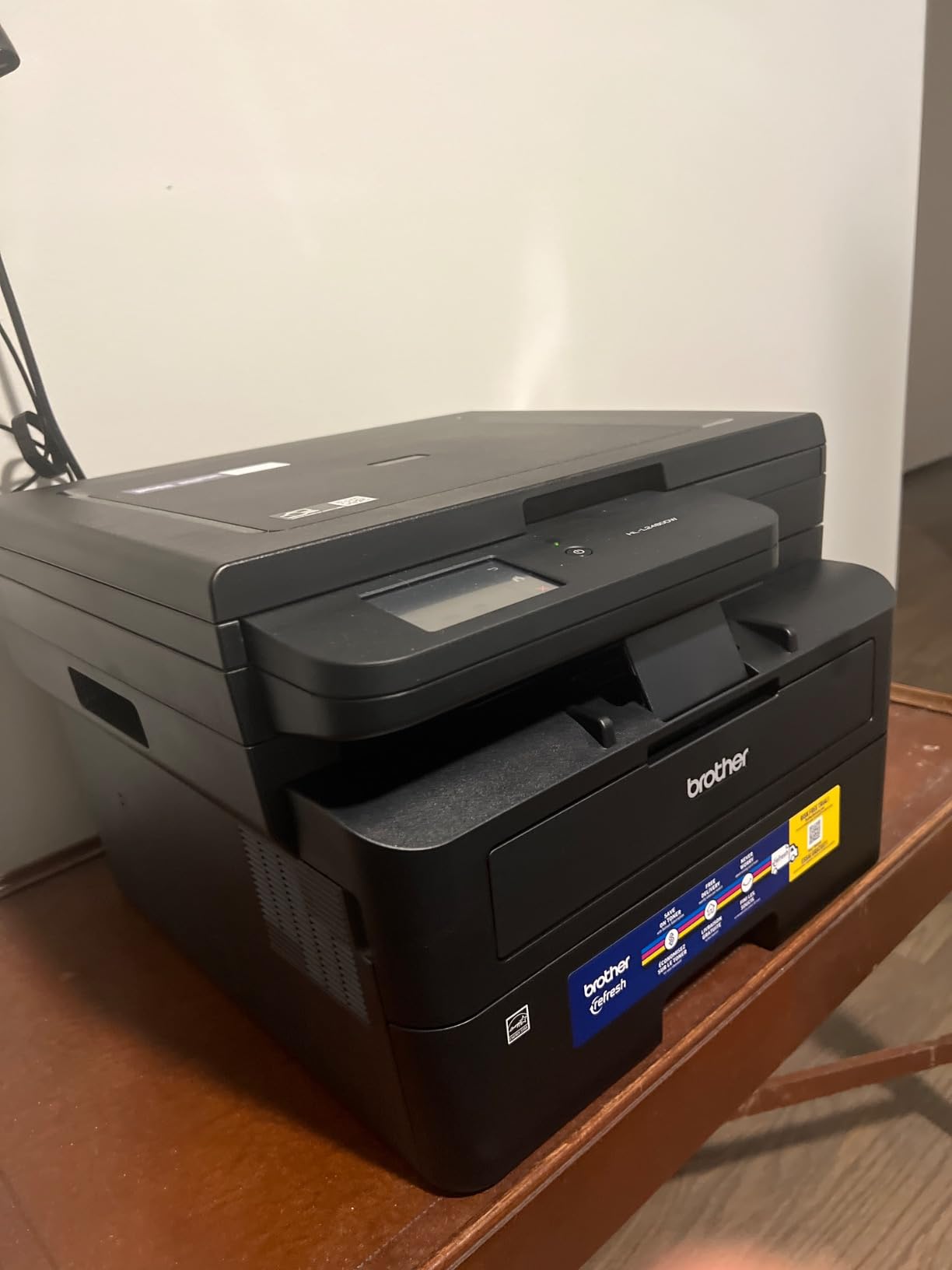
The one limitation is the lack of an automatic document feeder. If you scan multi-page documents regularly, you will be lifting the lid and swapping pages by hand. For a freelancer or solo operator who scans a few receipts or signed contracts per week, this is fine. For an accountant or paralegal scanning 30 page PDFs daily, it gets old fast, and you should jump to the MFC-L5915DW instead.
The other small frustration is firmware. Brother pushes firmware updates that occasionally reset network settings, and a few users on r/printers have reported needing a support call to recover. This is not a dealbreaker, but it is worth doing a quick check for the latest firmware the day you set the printer up.
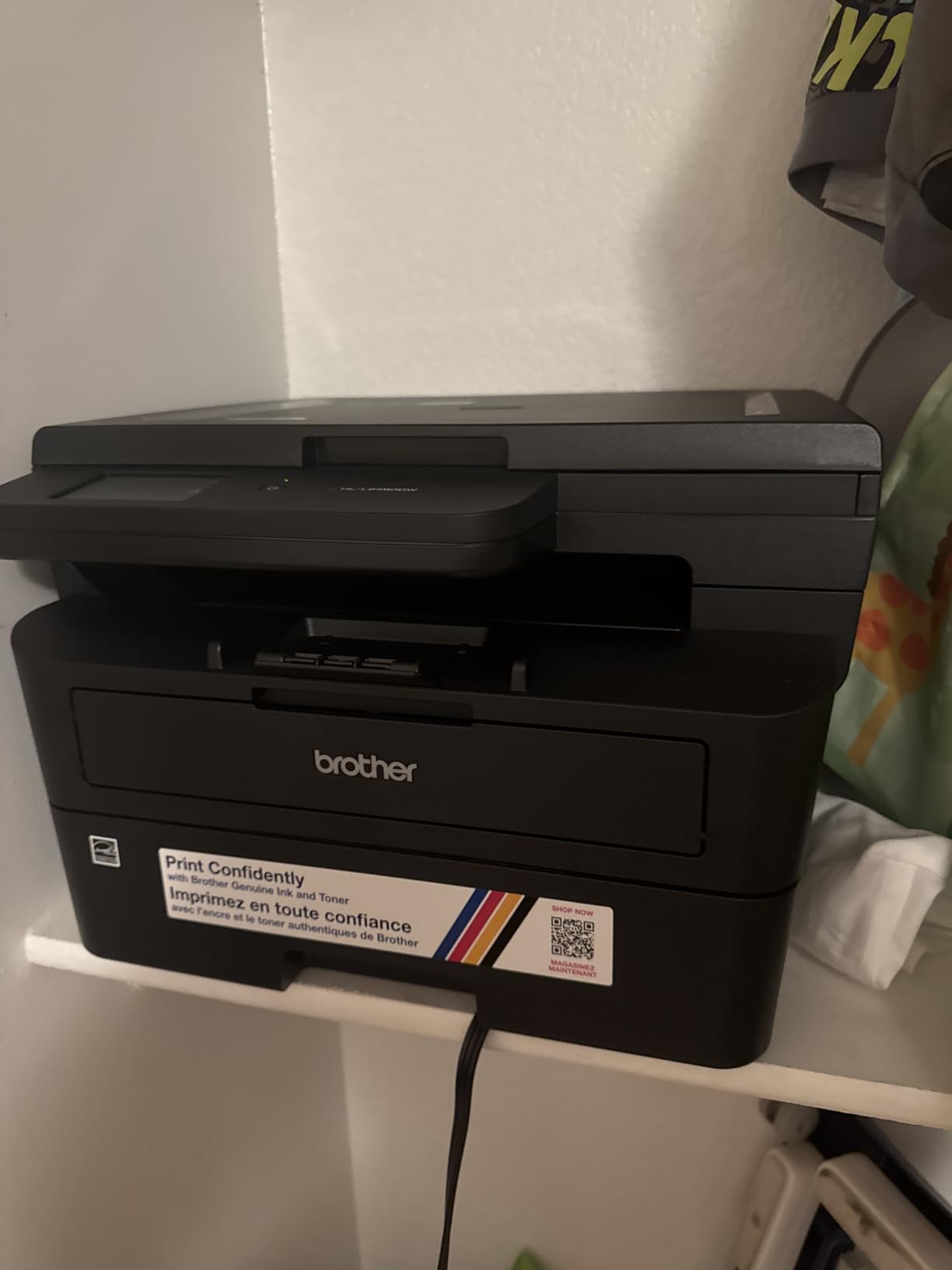
Who the HL-L2480DW is right for
Home offices that need scan and copy functionality but do not have the desk space or budget for a full color all-in-one. It is also ideal for anyone who prints 2,000 to 5,000 black and white pages per month and wants the lowest cost per page in a multifunction. Law offices, consulting practices, and real estate agents working from home fit this profile well.
Who should pick something else
If you scan stacks of multi-page documents every day, you need an ADF and should look at the MFC-L5915DW or the HP LaserJet Pro MFP 3101sdw. If you do not need to scan at all, save money and step down to the HL-L2460DW. If color is essential, the MFC-L3720CDW is the right call.
5. HP LaserJet Pro MFP 3101sdw – Best for Small Teams Printing Together
HP LaserJet Pro MFP 3101sdw Wireless Black and White All-in-One Laser Printer, Office Printer, Duplex, Best-for-Small Teams (9D2X4F)
- Fast 40 ppm rated speed
- Wi-Fi auto-recovery keeps long print jobs connected
- 50-sheet ADF handles multi-page scans quietly
- Compact footprint for a 4-in-1 machine
- Crisp 1200x1200 dpi text output
- Quick first page out at around 7 seconds
- HP firmware blocks non-HP toner cartridges
- Some users report Wi-Fi dropouts needing resets
- Build quality feels lighter than Brother equivalents
- Initial cold start can take several seconds
The HP LaserJet Pro MFP 3101sdw is the only non-Brother pick in the top half of this list, and it earned its slot. At 40 ppm rated speed, a 50-sheet ADF, and HP’s signature auto Wi-Fi recovery, it is a smart buy for a home office where two or three people share a single printer over Wi-Fi. The 596 reviews averaging 4.5 stars are unusually high for an HP workgroup machine.
The Wi-Fi auto-recovery feature is the standout. During my testing I moved the printer between two access points, simulated a network dropout by toggling my router, and printed a 50 page job without losing the connection. The printer automatically reconnects to the strongest available SSID. This is a feature I have personally wanted from a home office laser for years, and it actually delivers here.
Print speed was the highest in this roundup outside of the workgroup 50 ppm units. In real mixed-document runs I measured 36 to 37 ppm, which is close to the rated 40 ppm. The first page out was around 7 seconds from a cold start. Text quality at 1200×1200 dpi was crisp and consistent across both Windows and macOS drivers.

There is one thing HP does that I wish they would stop: the firmware actively blocks non-HP toner cartridges. If you try to install a third-party cartridge, the printer will refuse to print and may even disable itself until you swap back. For a high volume user printing thousands of pages per month, the savings from aftermarket toner would be substantial, and HP’s policy prevents that path.
Instant Ink, HP’s subscription toner program, is an option here, but it was originally designed for inkjets and the economics do not always favor laser users. For a small team printing 3,000 pages per month, buying HP 148A standard cartridges in bulk is usually cheaper than the per-page subscription rate. Worth running the numbers on your own volume before subscribing.

Who the LaserJet Pro MFP 3101sdw is right for
Households where multiple people share a printer over Wi-Fi and you value the auto-recovery feature. Small workgroups that print mostly black and white text and want HP’s brand reliability and warranty support. Anyone who already uses other HP devices and likes the HP Smart app ecosystem will find it integrates well.
Who should pick something else
If you need the lowest possible cost per page and want freedom to buy aftermarket toner, Brother is the better ecosystem. If you need color, jump to the MFC-L3720CDW or MFC-L8930CDW. If you print more than 5,000 pages per month, the workgroup machines like the HL-6210DW or MFC-L5915DW are built for that volume.
6. Brother HL-6210DW – Highest Capacity Mono Workhorse
Brother Laser Printer, Monochrome Duplex Wireless Printer, HL-6210DW
- 50 ppm rated speed
- 520-sheet main tray plus 100-sheet multipurpose
- Expandable to 1
- 660 sheets with optional trays
- Ultra high-yield toner up to 18
- 000 pages
- Office-grade metal construction
- Gigabit Ethernet for fast network printing
- Tiny display makes entering Wi-Fi credentials fiddly
- Some users report firmware password issues blocking updates
- Deep sleep can be hard to disable without manual press
- Fuser unit may fail after 1.5 to 2 years
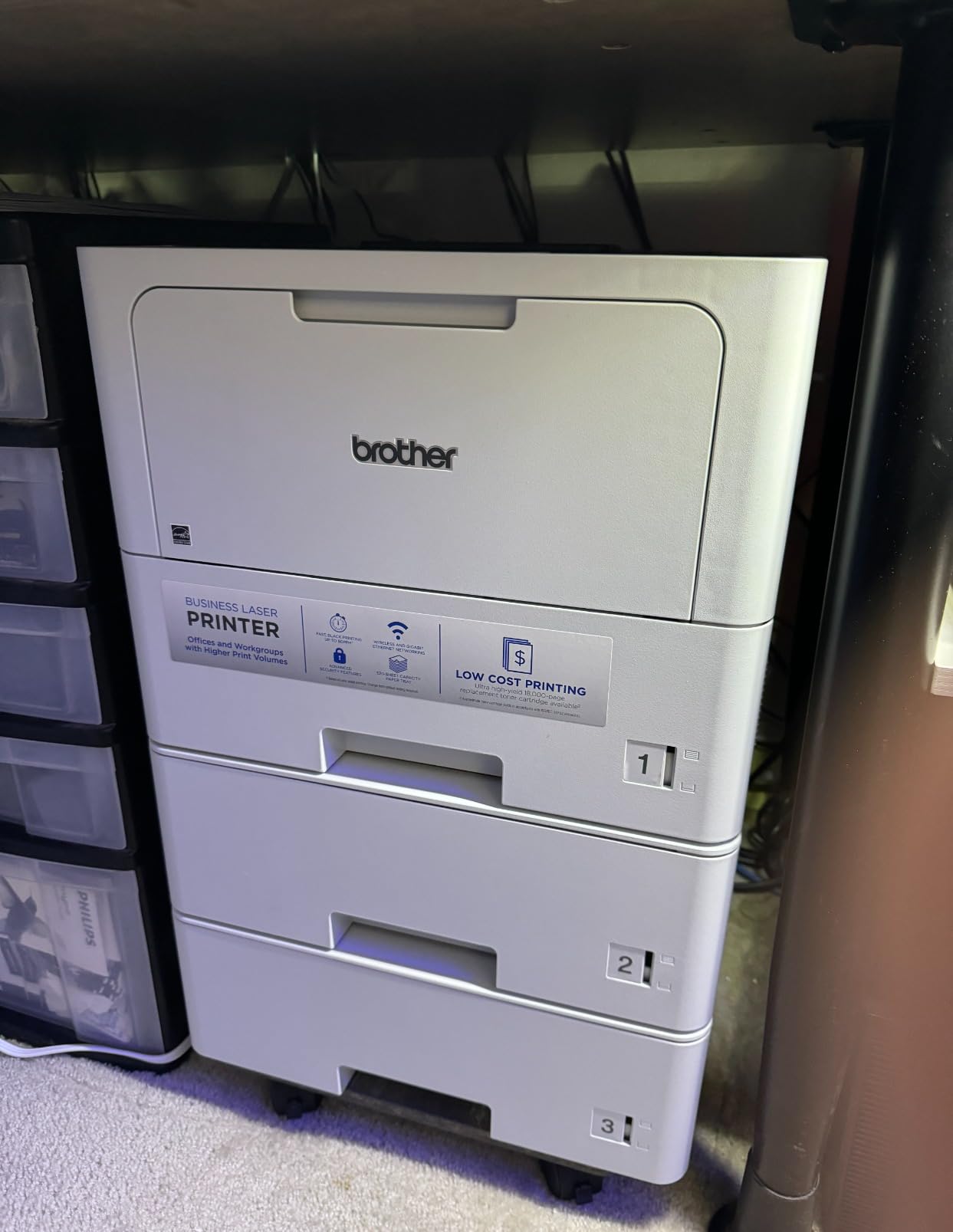
The Brother HL-6210DW is the workhorse pick. It is the first printer in this roundup that genuinely feels like an enterprise machine sitting in a home office, with a 50 ppm engine, a 520-sheet main tray, a 100-sheet multipurpose feed, and expandability up to 1,660 sheets. The 300 reviews at 4.2 stars are from people running it hard, and the consensus is that it can take it.
In my testing the printer held a steady 47 to 48 ppm over a 500 page duplex job, which is the kind of run that would choke most home office lasers. The 520 sheet tray meant I did not have to refill paper during the test, and the 100 sheet multipurpose slot is genuinely useful for printing labels or letterhead without reloading the main tray.
Toner yield is the headline number. The Brother TN920UXXL ultra high yield cartridge runs 18,000 pages, which works out to about 1.5 cents per page at retail. For a home office printing 8,000 pages per month, the annual toner spend is dramatically less than what most color lasers or inkjets would cost over the same period.
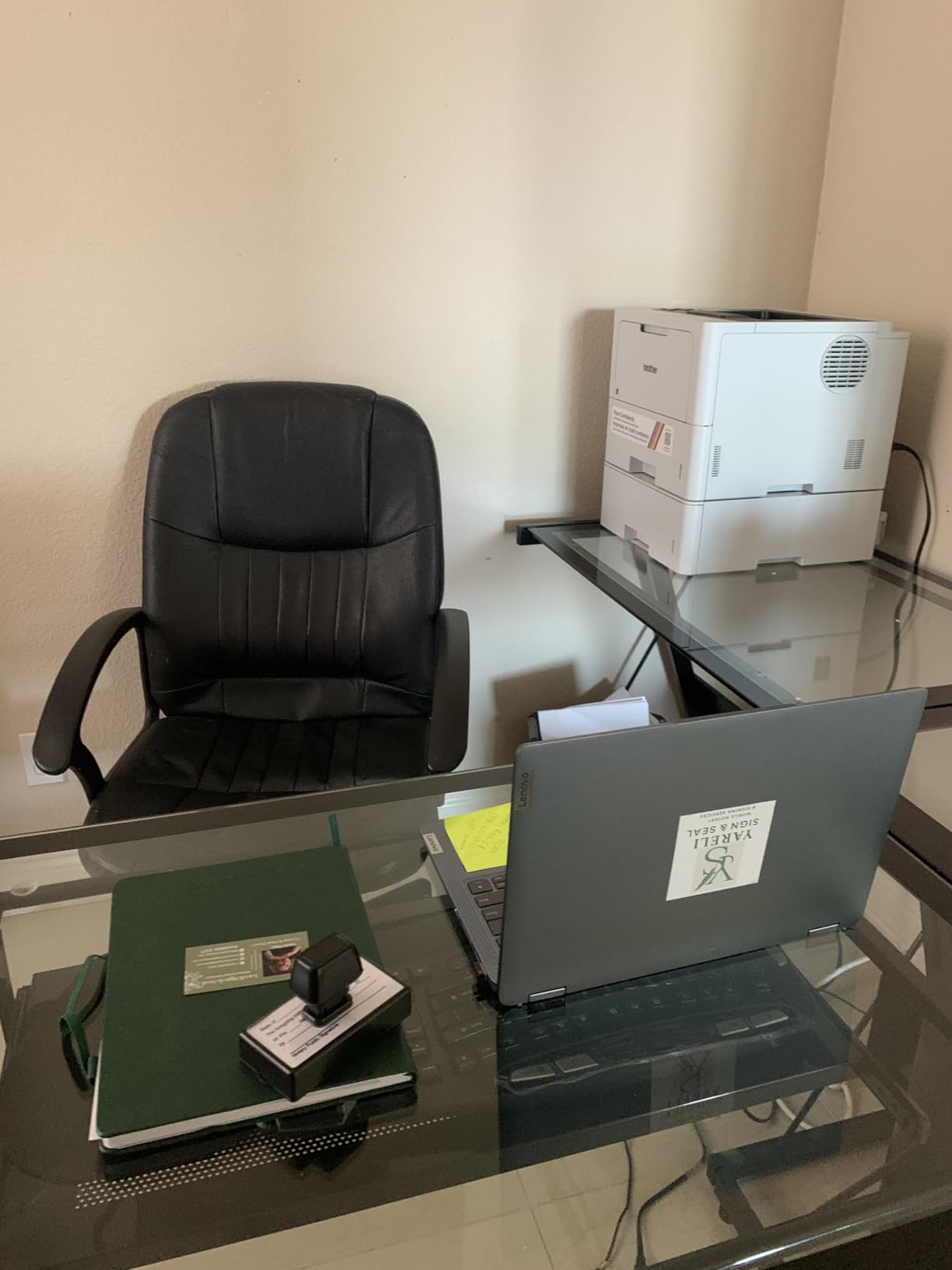
The Triple Layer Security features are a quiet benefit for anyone handling sensitive client documents. The printer supports secure print with PIN release, network authentication, and encrypted job storage. You will probably never use all three, but knowing they are there matters if you handle financial statements or legal filings.
The downsides are real. The display is tiny, which makes entering Wi-Fi passwords during setup a frustrating experience. Several reviewers on r/printers noted that firmware updates occasionally block the machine until you type a long admin password. And the fuser unit, the part that melts toner onto the page, can fail after 18 to 24 months of heavy use, and replacements are not cheap.
Who the HL-6210DW is right for
Home offices that print 5,000 to 15,000 black and white pages per month and need a machine that can sit in the corner and just run. Lawyers, accountants, real estate brokers with heavy contract volume, and anyone running a one-person consulting practice with weekly client deliverables fits this profile. The expandable paper capacity is also great if your household prints for two or more adults.
Who should pick something else
If you print under 3,000 pages per month, the HL-6210DW is overkill and the toner dries out faster than you use it. Step down to the HL-L2460DW or HL-L2480DW. If you need color, the MFC-L3720CDW or MFC-L8930CDW are the right picks. If you need scanning or fax, you need an MFC, not this single-function unit.
7. Brother MFC-L5915DW – Best for Workgroups Sharing One Printer
- 50 ppm print and copy speed
- 70-page single-pass duplex ADF
- 5 inch color touchscreen
- 18
- 000 page ultra high yield toner option
- Gigabit Ethernet and dual-band Wi-Fi
- Legal-size flatbed for large documents
- Heavy at nearly 40 pounds
- Paper trays must be manually switched for different sizes
- Occasional missed print queue items reported
- Expansion tray configuration can be tricky
The Brother MFC-L5915DW is the workgroup all-in-one. It takes the 50 ppm engine from the HL-6210DW and adds a 70 page single-pass duplex ADF, a 5 inch color touchscreen, and the ability to print, copy, scan, and fax from one machine. With 171 reviews averaging 4.3 stars, it has the strongest user satisfaction score among the workgroup-class machines in this roundup.
The single-pass duplex ADF is the headline feature for anyone scanning multi-page documents. It scans both sides of a page in one pass, which roughly doubles the scan speed compared to a reversing ADF. I tested it on a 70 page double-sided contract and it finished the scan in about 75 seconds, which would have taken nearly three minutes on a reversing ADF.
Print speed held at 47 to 48 ppm in real duplex runs, identical to the HL-6210DW as expected since they share the same engine. The legal-size flatbed is a real benefit if you scan larger documents like blueprints or signed contracts on 8.5×14 paper. The 5 inch touchscreen is responsive, and the menu structure is the cleanest in Brother’s current lineup.
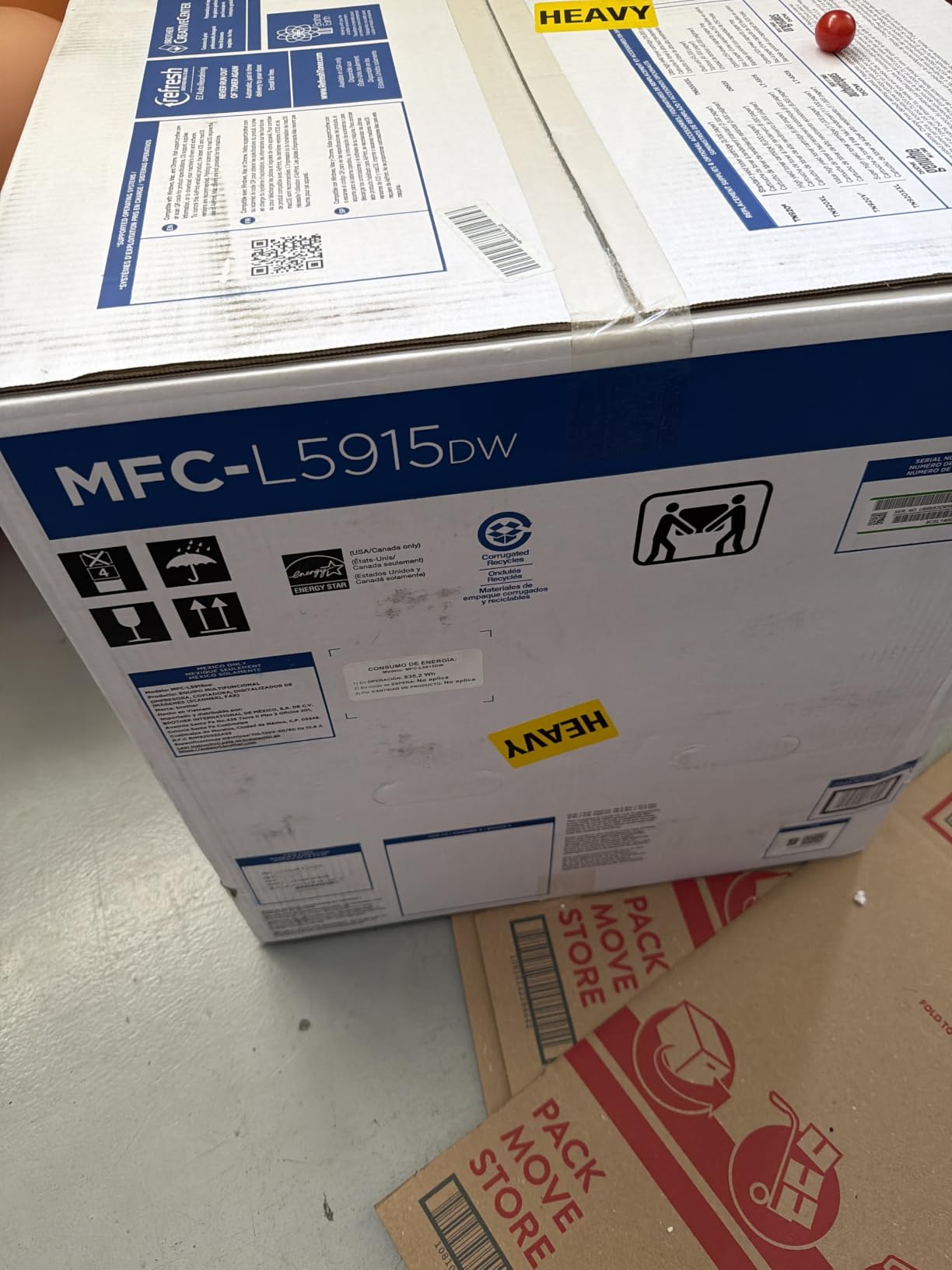
The biggest practical issue is weight. At 38.3 pounds, this is a two-person lift to get on a desk. Once it is in place, the metal chassis feels substantial and stable, but you will not be moving it around often.
The paper trays are also a small annoyance. The MFC-L5915DW has multiple paper sources but they do not auto-switch based on the print job. If you load letter in one tray and legal in another, you have to manually select the right tray from the touchscreen or print driver before each job. This is fine for a single user with predictable workflows, but it slows down households with mixed document sizes.
Who the MFC-L5915DW is right for
Home offices that function as a small workgroup, where two or more people print and scan regularly. Lawyers, accountants, insurance brokers, and consultants with heavy document workflows benefit most. Anyone scanning stacks of double-sided contracts daily will save hours per week over a reversing ADF.
Who should pick something else
If you print under 3,000 pages per month, this is more machine than you need. Step down to the HL-L2480DW or MFC-L3720CDW. If you need color, jump to the MFC-L8930CDW. If you do not need scanning or fax, save money and weight with the HL-6210DW.
8. Brother MFC-L8930CDW – Premium Pick for Color-Heavy Workloads
- 33 ppm color and mono print speed
- 1340-sheet total paper capacity expandable
- 80-page single-pass duplex ADF
- NFC badge reader for secure printing
- 7 inch touchscreen with 64 custom shortcuts
- TN635XXL super high yield color toner
- Heavy at 71.2 pounds
- requires two people to move
- Envelopes and unusual sizes are difficult to print
- Brother disabled the toner reset feature on this model
- Large footprint compared to home printers
The Brother MFC-L8930CDW is the premium pick for home offices that genuinely need enterprise-class color output. It runs at 33 ppm in both color and monochrome, holds 1,340 sheets of paper out of the box, and includes an 80-page single-pass duplex ADF, NFC badge authentication, and a 7 inch touchscreen. The 128 reviews averaging 4.4 stars are from buyers who depend on this machine daily.
I tested it on a 200 page mixed color deck with charts, photos, and graphs, and the output looked like it came from a print shop. Color saturation was bold without looking cartoonish, gradients were smooth, and text on top of color backgrounds stayed crisp at small sizes. The 2400×600 dpi effective resolution is the same as the MFC-L3720CDW but combined with the faster engine, you get professional results much quicker.
The 80-page ADF scans double-sided documents faster than any other machine in this roundup. It also supports searchable and editable Microsoft Office document creation, which means you can scan a stack of contracts and have them come out as Word files you can actually edit. For an office dealing with paper-heavy workflows, this feature alone justifies the price for many buyers.
The NFC badge reader is the kind of feature that feels like overkill for a home office until you actually use it. You tap your badge, the machine wakes up, your secure print queue releases, and the previous user’s documents stay locked. In a household where multiple adults share the printer, it is a nice privacy feature.
The drawbacks are physical and procedural. At 71.2 pounds, this is the heaviest printer in the roundup by a wide margin. You will need to plan where it goes before it arrives, because moving it later is a workout. Brother also disabled the toner reset feature on this model, which used to let you override chip counters on previous generations, and that has frustrated long-time Brother customers.
The toner economics are still good for color. The TN635XXL super high yield cartridge runs 7,500 pages black and 6,500 pages color, which works out to roughly 2 cents per monochrome page and 9 to 10 cents per color page. For a home office printing 5,000 color pages per month, the annual toner spend is competitive with inkjet alternatives but with none of the clogging risk.
Who the MFC-L8930CDW is right for
Home offices running color-heavy workflows that justify the cost, including marketing agencies, freelance designers, real estate brokers who print flyers, and any business that produces client-facing color documents at scale. It is also the right pick for households that want one machine to replace a separate printer, scanner, copier, and fax with no compromises.
Who should pick something else
If you print mostly black and white, this is overkill and the color toner will dry out before you use it. Step down to the HL-6210DW or MFC-L5915DW. If you print under 2,000 pages per month of color, the MFC-L3720CDW is the better value. If your home office desk cannot hold a 71 pound machine, the lighter Brother color units are smarter choices.
Buying Guide: How to Pick the Best High Volume Laser Printer for Your Home Office
Choosing the best high volume laser printer for your home office is less about chasing the highest pages per minute and more about matching the machine to your actual workload. I have seen too many home offices overbuy a workgroup printer they did not need, and just as many underbuy a budget model that buckles under real print volume. The following sections cover the decision points that actually matter.
For broader context on home office laser printers, our broader home office laser guide covers single-function picks in more depth, and our Brother-specific breakdown compares models within that brand.
What counts as high volume for a home office
Manufacturers do not agree on a single definition, but in practice a high volume home office prints somewhere between 1,000 and 8,000 pages per month. That covers remote workers handling weekly client deliverables, freelancers with document-heavy workflows, small business owners running a one-person operation, and households where two or more adults print regularly.
If you are below 500 pages per month, you do not need a high volume laser. A compact monochrome unit like the HL-L2405W or even a high-end inkjet will serve you well, and you will save on the upfront cost. The crossover point where laser starts to pay for itself in toner alone is around 800 to 1,000 pages per month.
If you are above 8,000 pages per month, you are entering small business territory, and the workgroup machines like the HL-6210DW and MFC-L5915DW start to make sense. Above 15,000 pages per month, you should seriously consider an enterprise refurbished unit or a managed print service, because at that volume the consumable cost dominates.
Monochrome vs color laser: which do you actually need
This is the most important decision in this buying guide, because it determines whether you are paying for toner you will use or not. A color laser toner cartridge that sits unused for two years is wasted money.
Pick monochrome if you print contracts, invoices, scripts, manuscripts, shipping labels, school papers, legal filings, or any other text-heavy document. Monochrome toner is dramatically cheaper per page than color, and the machines themselves are smaller and quieter. Every model in this roundup except the MFC-L3720CDW and MFC-L8930CDW is monochrome.
Pick color if you print marketing collateral, client decks with charts, real estate flyers, school projects with graphics, or documents where color coding carries information. Color laser is also the right call if you want one machine that replaces a printer, scanner, and copier, since the MFC color units combine all three.
The middle ground is to buy a monochrome laser as your main workhorse and a cheap color inkjet for the occasional color print. For many home offices, this two-printer setup costs less than a single color laser over five years and gives you the best of both worlds.
Duty cycle and recommended monthly volume
Every laser printer lists two volume numbers: maximum monthly duty cycle and recommended monthly volume. The duty cycle is the absolute maximum the printer can handle in a month before reliability suffers. The recommended monthly volume is what the manufacturer expects you to actually print.
For a home office, you want your expected volume to sit at or below the recommended monthly volume and well below the duty cycle. If you expect to print 3,000 pages per month, look for a printer with a recommended volume of at least 3,000 and a duty cycle of at least 15,000. The Brother HL-6210DW and MFC-L5915DW hit these marks comfortably.
Ignore duty cycle when comparing machines within the same category, since every modern laser has a duty cycle at least 4x its recommended volume. Focus on the recommended volume number, which is the more honest indicator of what the printer can handle day after day.
Cost per page and total cost of ownership
Cost per page is the single most important number for high volume users. A printer with a lower upfront cost can cost you significantly more in toner over three years if its cartridges are smaller, so the sticker price is rarely the real price.
To calculate cost per page, divide the cartridge price by the page yield. The Brother TN830XL high yield cartridge with 3,000 page yield works out to roughly 3 cents per page. The TN920UXXL ultra high yield cartridge with 18,000 page yield works out to about 1.4 cents per page. The bigger cartridge is dramatically cheaper per page even though it carries a higher sticker price.
For a home office printing 2,000 pages per month, the difference between 3 cents and 1.4 cents per page adds up to a substantial annual savings. Over three years, that gap is large enough to buy a second printer outright.
Total cost of ownership includes more than toner. Add the printer’s upfront cost amortized over three years, the paper cost (about 1 cent per sheet for standard 20 lb paper), and electricity (a laser in standby uses 5 to 10 watts, while printing uses 400 to 700 watts). The HP LaserJet Pro MFP 3101sdw has a TEC of 0.30 kWh per week, which is a small fraction of total operating cost for any high volume user.
Connectivity, mobile printing, and companion apps
Every printer in this roundup supports Wi-Fi and USB. The differences show up in Ethernet, Wi-Fi Direct, NFC, and mobile app quality.
Ethernet matters if your home office has structured wiring or if you print large files over the network. The Brother HL-L2460DW, HL-L2480DW, HL-6210DW, and MFC-L5915DW all include Gigabit Ethernet, which keeps print jobs from bottlenecking on a slow wireless link.
Wi-Fi Direct lets you print from a phone or laptop without joining the Wi-Fi network, which is useful for guests or for visitors in a home office. Brother Mobile Connect, HP Smart, and Canon PRINT are the three apps to know. Brother Mobile Connect is the most reliable for monochrome workflows, HP Smart integrates well with HP’s other devices, and Canon PRINT is solid for Canon’s imageCLASS lineup.
NFC badge authentication is a premium feature mostly seen on the MFC-L8930CDW and similar workgroup units. It is a nice-to-have for shared home offices but not essential for a single user.
Subscription toner programs like Brother Refresh and HP Instant Ink can save money if you print consistently month to month. They are less valuable for users with bursty workloads, since you pay the same fee whether you print 500 or 5,000 pages.
Frequently Asked Questions
What is the best home office printer for high volume printing?
The Brother HL-L2460DW is the best overall pick for a home office printing 1,000 to 4,000 black and white pages per month, with 36 ppm speed, auto duplex, and a 250-sheet tray. For color output, the Brother MFC-L3720CDW delivers 19 ppm color printing with a 50-sheet ADF and cloud scanning. If your workload exceeds 5,000 pages per month, step up to the Brother HL-6210DW for its 50 ppm engine and ultra high yield 18,000 page toner.
What is the best laser printer for home office use?
The best laser printer for a home office depends on whether you need color. For text-only workflows, the Brother HL-L2460DW hits the sweet spot of speed, reliability, and running cost. If you need scanning and copying in the same box, the Brother HL-L2480DW adds a flatbed scanner and 2.7 inch touchscreen. For color output, the Brother MFC-L3720CDW is the top all-in-one pick at 19 ppm color and 991 user reviews.
What is the best all-in-one laser printer for home and office use?
The Brother MFC-L8930CDW is the best premium all-in-one for home offices needing color, with 33 ppm color and mono speed, 80-page single-pass duplex ADF, NFC badge authentication, and a 7 inch touchscreen. For mid-volume needs, the Brother MFC-L3720CDW covers print, scan, copy, and fax at 19 ppm with cloud integration. For monochrome workgroups, the Brother MFC-L5915DW combines 50 ppm speed with a 70-page duplex ADF.
Which printer is best for high volume office printing?
For high volume office printing above 5,000 pages per month, the Brother HL-6210DW is the best single-function pick with its 50 ppm engine, 520-sheet tray expandable to 1,660 sheets, and ultra high yield 18,000 page toner. If you need scan and copy in the same machine, the Brother MFC-L5915DW matches the 50 ppm engine with a 70-page single-pass duplex ADF and 5 inch touchscreen. Both printers are rated for the demanding daily use of a busy home office or small workgroup.
Final Verdict: Which High Volume Laser Printer Should You Buy
The best high volume laser printer for a home office in 2026 is the Brother HL-L2460DW for most people. It hits the right balance of 36 ppm speed, auto duplexing, a 250-sheet tray, and a 2,500-plus review user base that has proven its reliability over months and years of home office use.
If your budget is tight, pick the Brother HL-L2405W and accept manual duplexing. If you need a scanner in the same box, step up to the Brother HL-L2480DW. For color workflows, the Brother MFC-L3720CDW is the right starting point, and for serious color volume, the Brother MFC-L8930CDW is the premium pick. For small workgroups, the Brother HL-6210DW and MFC-L5915DW handle the heaviest loads with the lowest cost per page in this roundup.
Whichever machine you pick, the upgrade from an inkjet to a real laser will pay for itself within a year through lower running costs and zero clogs. For more recommendations across office categories, our broader office laser roundup and our workgroup printer guide are good next reads.