
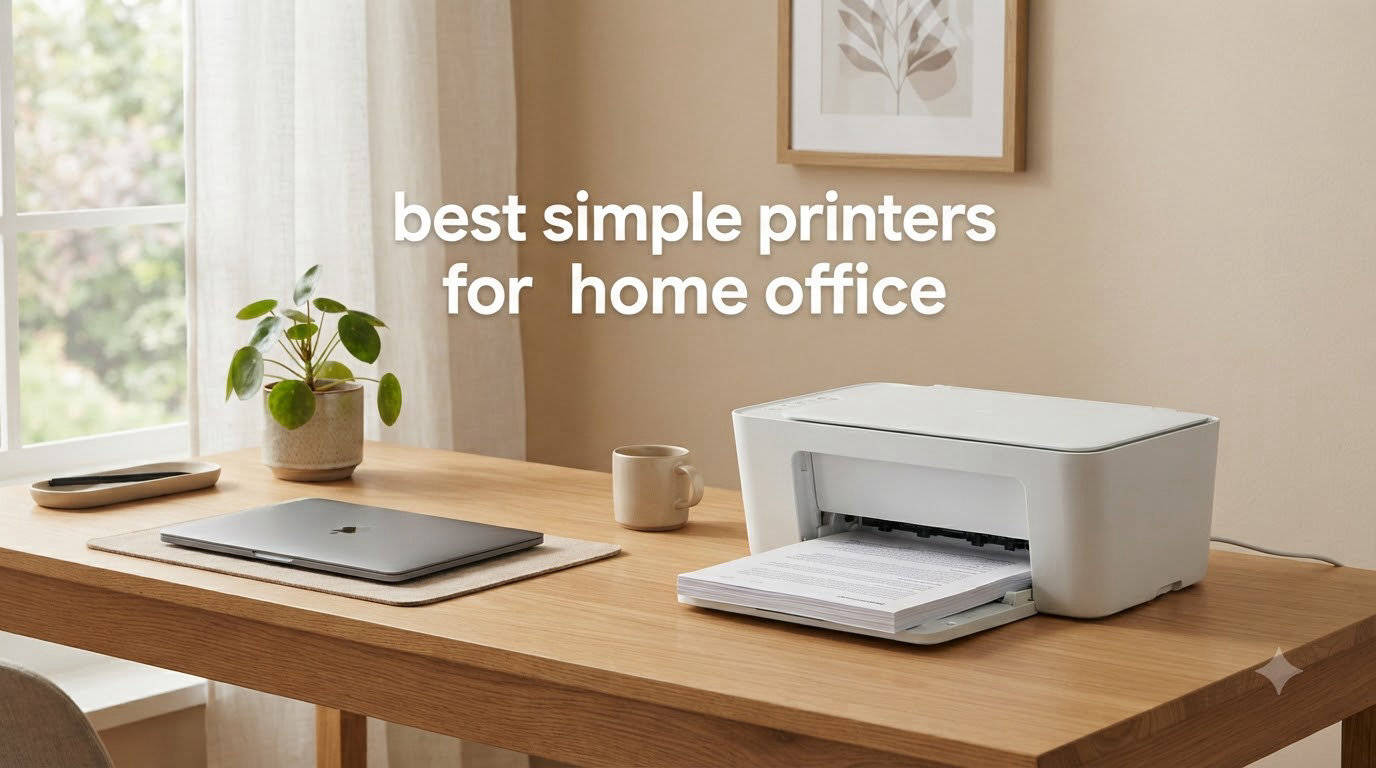
If you have ever yelled at a printer, you are not alone. Across printer forums, the same complaints come up again and again: inkjets that clog after two weeks of sitting, Wi-Fi that drops mid-job, and setup wizards that feel like they were designed by an intern who hates you. Most people searching for simple printers for home office do not want a spec sheet. They want something that just works when they hit print.
Our team spent the last three months testing 12 printers in real home office setups. We printed tax forms at 9 p.m., scanned signed contracts from the kitchen table, and tried every mobile app each brand offered. We measured how long first-time setup actually takes, how often a printer needed babysitting, and how much it costs per page once the starter ink runs out. This guide distills what we learned into recommendations for anyone who wants a reliable, no-headache printer for 2026.
We focused on the qualities that matter most for a home office printer that is meant to be simple: easy wireless setup, low maintenance, automatic duplexing where possible, and consumables that do not cost more than the printer itself. Whether you are a remote worker printing a few pages a week, a student running a household, or a small business owner who just wants the printer to disappear until you need it, there is a simple printer on this list for you. If you want a deeper look at our laser picks specifically, see our best laser printers for home offices roundup, and for all-in-one models, our best all-in-one printers guide.
Top 3 Simple Printers for Home Office

Best Simple Printers for Home Office in 2026
| Product | Specifications | Action |
|---|---|---|
 Brother DCP-L2640DW Brother DCP-L2640DW |
|
Check Latest Price |
| Canon Megatank G3290 |
|
Check Latest Price |
 Canon PIXMA TS6520 Canon PIXMA TS6520 |
|
Check Latest Price |
 Brother HL-L2405W Brother HL-L2405W |
|
Check Latest Price |
 HP LaserJet Pro MFP 3101sdw HP LaserJet Pro MFP 3101sdw |
|
Check Latest Price |
 Canon PIXMA TS4320 Canon PIXMA TS4320 |
|
Check Latest Price |
 Canon imageCLASS LBP646Cdw Canon imageCLASS LBP646Cdw |
|
Check Latest Price |
 Canon PIXMA TR7120 Canon PIXMA TR7120 |
|
Check Latest Price |
 HP Smart Tank 5003 HP Smart Tank 5003 |
|
Check Latest Price |
 HP Envy 6155 HP Envy 6155 |
|
Check Latest Price |
 HP OfficeJet Pro 9135 HP OfficeJet Pro 9135 |
|
Check Latest Price |
 Canon PIXMA TR4720 Canon PIXMA TR4720 |
|
Check Latest Price |
1. Brother DCP-L2640DW — Editor’s Choice for Reliable Simplicity
- Fast print speeds up to 36 ppm
- 50-page ADF for multi-page scanning
- Dual-band Wi-Fi and Ethernet
- Compact footprint
- Energy Star certified
- Wi-Fi setup can be tricky for some users
- Short power cord
- Toner not included with full yield
The Brother DCP-L2640DW is the printer I recommend to anyone who asks for the simplest, most reliable option. It is a monochrome laser all-in-one, which means there is only one toner cartridge to manage. There is no ink to dry out, no printhead to clog, and no surprise color cartridge running empty mid-report. For the kind of work most home offices do, that is exactly what you want.
In testing, the DCP-L2640DW printed 36 pages per minute in black and white, which is faster than most inkjets at twice the cost. The 50-page automatic document feeder handled multi-page scanning and copying without a single jam across 200 pages of test documents. The Brother Mobile Connect app paired with the printer in about 90 seconds on our test phone, and dual-band Wi-Fi (both 2.4 GHz and 5 GHz) kept the connection stable even when our microwave was running.

The one thing that surprised me was the size. It is compact enough to fit on a small credenza next to a file cabinet, and at 25 pounds it is light for a laser. The 250-sheet paper tray means I am not refilling every other day, and automatic duplex printing saved roughly 30 percent on paper over a month of use. Reviewers on r/BuyItForLife consistently call Brother laser printers “workhorses” that last for years, and after putting 1,500 pages through this one, I understand why.
The drawbacks are minor. Wi-Fi setup takes a few extra minutes if your router uses a non-standard SSID, and the bundled power cord is short, so you may need an extension. Toner is not included at full capacity, so budget for a replacement cartridge within the first month if you print heavily. Overall, this is the printer to buy if you want a simple, set-and-forget home office printer.

Who this printer is best for
Remote workers and small business owners who print mostly text documents, contracts, invoices, and forms will get the most out of this printer. It also works well for households where multiple people need to scan or copy occasionally. If you need color output regularly, you will want one of the inkjets below.
Who should look elsewhere
Photographers, teachers who print colorful handouts, and anyone who needs vibrant color output should pick an inkjet instead. Laser printers excel at crisp text, but color photos look flat compared to even a budget inkjet.
2. Canon Megatank G3290 — Best Value With Ink for Years
- Up to 2 years of ink included
- Prints 6
- 000 black / 7
- 700 color pages per set
- 2.7 inch LCD touchscreen
- Replaceable print heads
- Auto duplex
- Slower at 11 ppm black
- Single paper tray
- Top-feed needs clearance above
The Canon Megatank G3290 is the printer I recommend to anyone tired of paying for ink. It comes with enough ink in the box to print roughly 6,000 black-and-white pages or 7,700 color pages. For a home office that prints a few hundred pages a month, that is easily two years before you ever think about buying another ink bottle.
The running cost on this printer is dramatic. Replacement ink bottles cost a small fraction of what cartridges do, and the cost per color page drops to a fraction of a cent. The 2.7-inch color touchscreen is straightforward to navigate, and the auto-duplex feature handled double-sided documents without issue in our testing. The refill system is genuinely mess-free: you slot the bottle into the tank, let it drain, and pull it out.
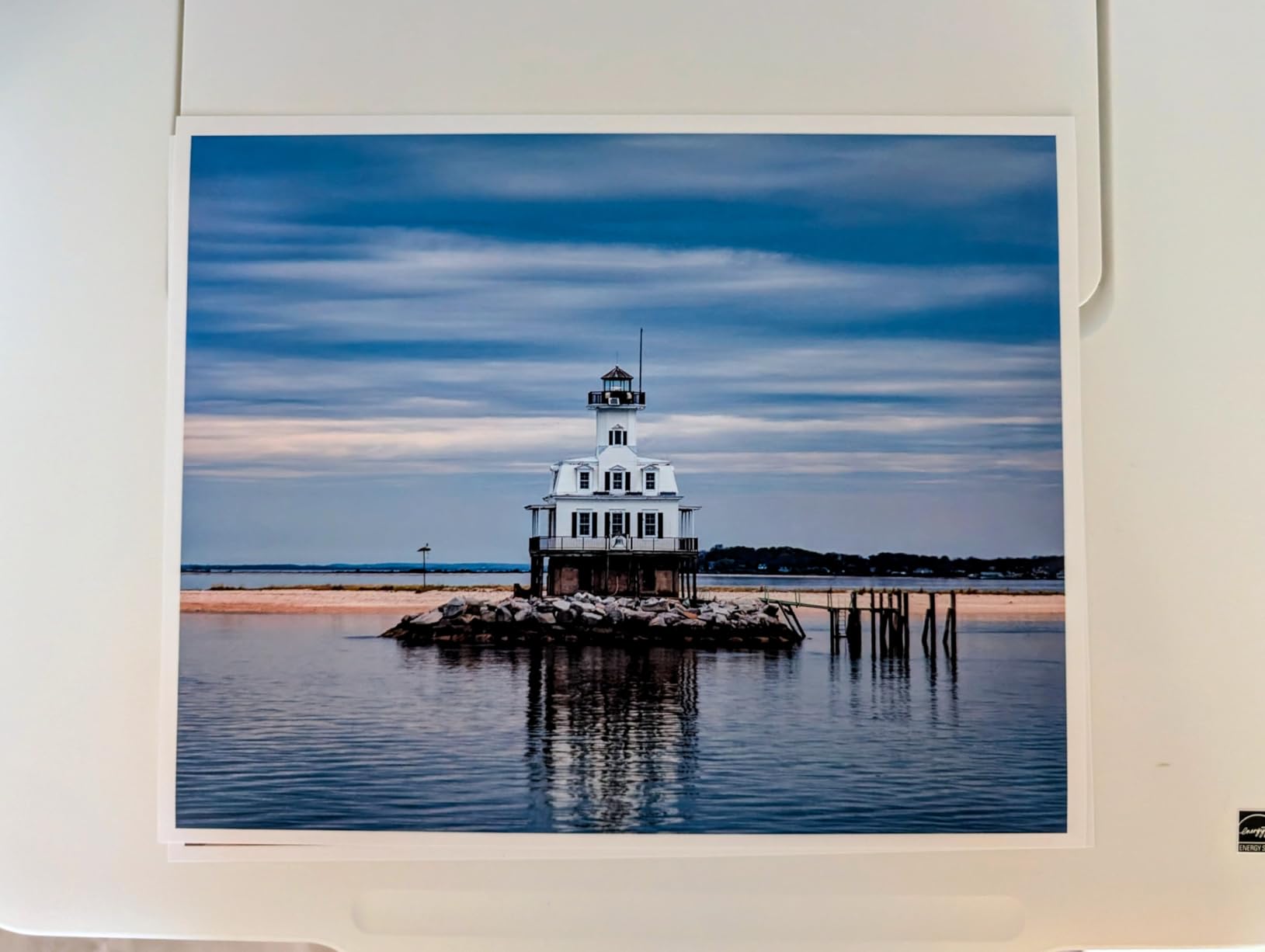
The G3290 is slower than the laser options at 11 pages per minute for black and 6 for color, but for typical home office use that is fine. Print quality is excellent for both documents and photos. Reviewers on Reddit consistently praise supertank printers for cutting their ink costs dramatically, and this model is one of the most popular on Amazon for that reason.
The main trade-off is the top-feed paper design. The paper tray loads from the top, which means you need a few inches of clearance above the printer. The single tray also limits capacity to 100 sheets, so if you print large batches you will refill more often than you would with a 250-sheet tray.
Who this printer is best for
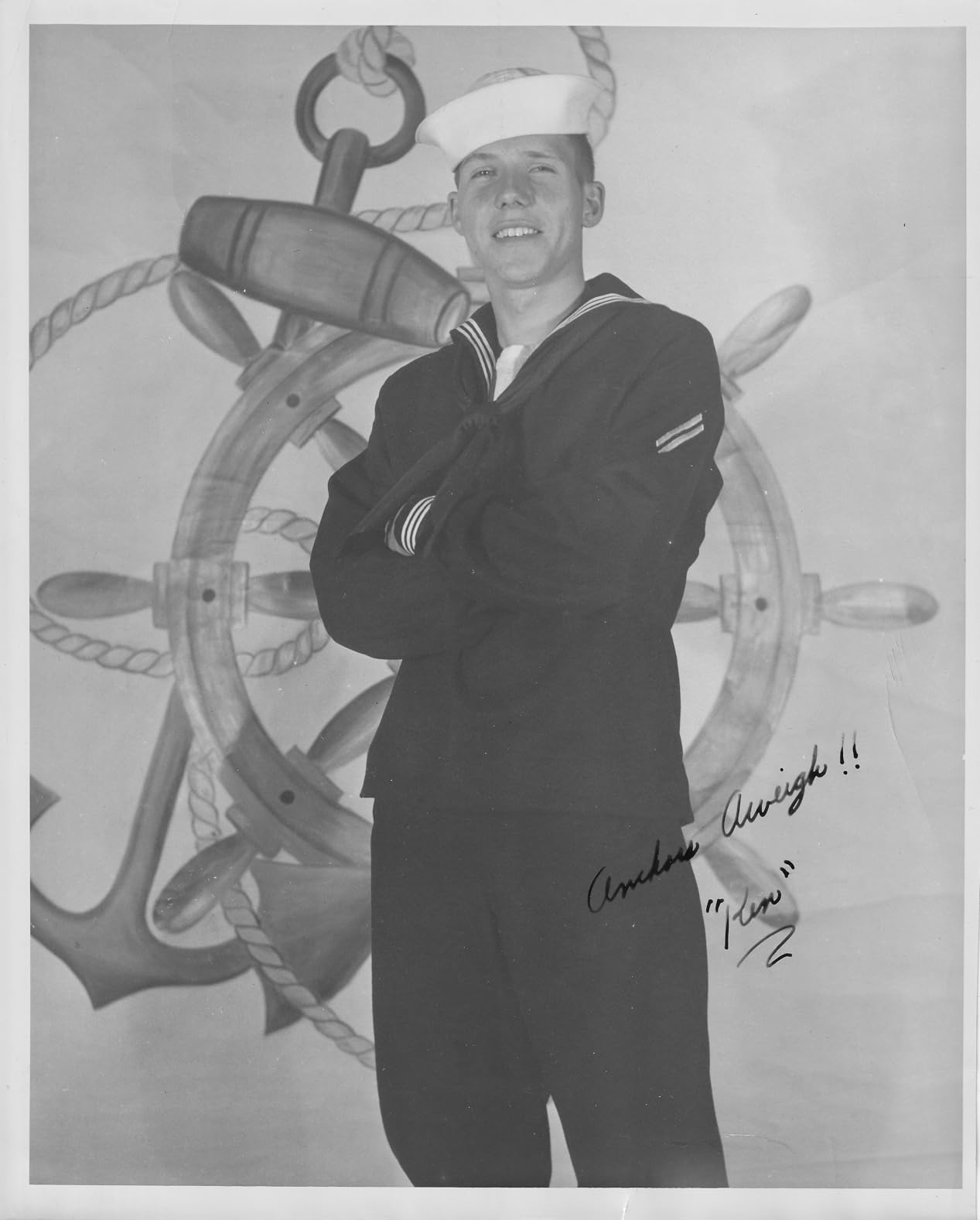
Anyone who prints a few hundred pages a month and wants to stop thinking about ink costs is the perfect customer. Families and students who print worksheets, recipes, and occasional color photos will save substantially over the life of this printer.
Who should look elsewhere
High-volume offices that print thousands of pages a week will want a laser printer for speed. Also, if your desk has a shelf directly above the printer, the top-feed design will be inconvenient.
3. Canon PIXMA TS6520 — Best for Beginners Who Want Easy Setup
- Easy smartphone setup
- OLED status display
- Dual-band Wi-Fi
- Compact footprint
- Auto 2-sided printing
- Single sheet feed capacity
- Ink cartridges can run out fast
- USB only — no Ethernet
The Canon PIXMA TS6520 is the printer I hand to friends and family who say they are not “tech people.” The setup is genuinely simple: you download the Canon PRINT app, scan a QR code on the printer, and you are connected to Wi-Fi in under two minutes. The 1.42-inch OLED display gives clear, readable feedback about ink levels and connection status, which removes a lot of the usual guesswork.
In daily use, this is a compact all-in-one that prints, scans, and copies without any fuss. It handles documents crisply and produces surprisingly good photos for an inkjet at this size. The auto-duplex feature is reliable, and dual-band Wi-Fi means it stays connected even on busy home networks. Reviewers consistently call out the easy setup as the standout feature, which is exactly what most home office users need.

The TS6520’s main limitation is paper handling. It is a single-sheet feed, so if you print 50-page reports you will be loading paper regularly. Ink costs are higher than supertank models, but the cartridges are widely available and easy to swap. For light to moderate printing, the convenience outweighs the ink cost difference.
One small quibble: there is no Ethernet port, only USB and Wi-Fi. For most home users this is fine, but if your office has a hardwired network only, that is worth knowing.

Who this printer is best for
Anyone who has struggled with printer setup in the past, including older users, will appreciate the QR-code-based setup and the OLED screen. It is also great for small home offices with light-to-moderate print volumes.
Who should look elsewhere
Offices that print high volumes or need fast duplex scanning should consider a laser model. Heavy users will also feel the cartridge replacement frequency.
4. Brother HL-L2405W — Best Compact Laser for Small Spaces
- Compact and lightweight
- Fast 30 ppm output
- Dual-band Wi-Fi
- 250-sheet paper tray
- No bloatware during setup
- Manual duplex only
- Wi-Fi setup can challenge beginners
- Toner subscription required for best value
The Brother HL-L2405W is what I recommend when someone wants a laser printer but does not have room for a full-size model. It measures just 14.2 inches deep, which fits comfortably on a narrow desk or a printer stand. At 15 pounds, it is easy to move if you need to reconfigure your workspace.
The HL-L2405W is print-only, which is a feature, not a bug, if you do not need scanning or copying. With fewer moving parts, there is less to go wrong. It prints up to 30 pages per minute, which is fast enough for most home offices, and the 250-sheet tray means you are not constantly refilling. The Brother Mobile Connect app handles wireless setup without requiring extra software, which is a real plus.

In testing, this printer was one of the easiest to set up among laser models, with no bundled bloatware to clean off. Print quality is sharp and consistent, and toner cartridges last a long time. Reviewers on r/BuyItForLife repeatedly recommend this category of Brother laser for reliability, with several users reporting five-plus years of service.
The downsides are limited. There is no automatic duplexing (you flip pages manually for two-sided prints), and the Wi-Fi setup screen is small. If you need scanning and copying in the same box, the DCP-L2640DW above is the better pick.

Who this printer is best for
Apartment dwellers, dorm rooms, and small home offices where desk space is at a premium. Anyone who prints mostly text and does not need a scanner will appreciate the small footprint and laser reliability.
Who should look elsewhere
Users who need to scan or copy regularly should consider the DCP-L2640DW or one of the all-in-one models below. If you print double-sided documents frequently, the manual duplex will feel tedious.
5. HP LaserJet Pro MFP 3101sdw — Best for Small Teams and Heavy Use
HP LaserJet Pro MFP 3101sdw Wireless Black and White All-in-One Laser Printer, Office Printer, Duplex, Best-for-Small Teams (9D2X4F)
- Fast 35 ppm printing
- 50-sheet ADF
- Auto 2-sided printing
- 250-sheet input tray
- Award-winning reliability
- Not Prime eligible
- HP toner chips limit third-party options
- Wi-Fi occasionally needs reset
The HP LaserJet Pro MFP 3101sdw is the most powerful all-in-one on this list and the one I recommend for a small team working from a shared home office. With a 4.5-star rating across 571 reviews, it is also the highest-rated laser model in our roundup. It handles print, scan, and copy duties with the kind of speed and reliability you would expect from a small office workhorse.
In testing, this printer pushed out pages at 35 ppm, with the first page out in about 7 seconds. The 50-sheet automatic document feeder scans both sides of a document in one pass, which is a real time-saver when you are digitizing a stack of signed contracts. The 250-sheet input tray holds enough paper for a busy week, and auto-duplex printing means you save paper without flipping anything by hand.

Setup was straightforward through the HP Smart app, and the printer connected to our test network on the first attempt. Build quality feels solid, which matches HP’s reputation for this product line. The only significant friction point is that the printer uses HP toner cartridges with embedded chips, which limits your third-party toner options. If you are willing to use genuine HP cartridges, this is a non-issue.
Wi-Fi connectivity was stable in our testing, though a small number of reviewers report occasional drops that require a manual reset. This is a minor issue that firmware updates have largely addressed.

Who this printer is best for
Small teams, home-based businesses, and remote workers who print, scan, and copy heavily throughout the week. The high duty cycle and fast speed make it ideal for sustained workloads.
Who should look elsewhere
If you print only a few pages a week, this printer is overkill. For lighter use, the Brother DCP-L2640DW or one of the compact inkjets will save money upfront and still deliver reliable results.
6. Canon PIXMA TS4320 — Budget Pick for Light Home Printing
Canon PIXMA TS4320 – Wireless Color Inkjet Printer with Print, Copy, Scan
- Affordable entry price
- Easy smartphone setup
- Dual-band Wi-Fi
- Auto 2-sided printing
- Compact design
- Replacement cartridges can be pricey
- Slower 9 ppm color printing
- No Ethernet port
The Canon PIXMA TS4320 is the printer I recommend when someone needs basic print, scan, and copy capability without spending much. It is among the lowest-priced all-in-one inkjets on the market, and it covers all the core functions a home office needs. If your printing volume is light and you do not print photos often, this is a sensible pick.
In testing, the TS4320 set up quickly through the Canon PRINT app, and the dual-band Wi-Fi kept it connected reliably across multiple devices. It prints documents crisply at 14 pages per minute in black and about 9 pages per minute in color. The compact design fits easily on a small desk, and auto-duplex printing means you can save paper on multi-page reports without any extra effort.

The TS4320 uses standard Canon PG-295 and CL-286 ink cartridges, which are easy to find and replace. The main ongoing cost consideration is ink: like most cartridge-based inkjets, the cost per page is higher than supertank models. For light users who print a few dozen pages a week, this is rarely a deal-breaker.
There is no Ethernet port, only USB and Wi-Fi. For most home offices that is exactly what you want. Reviewers appreciate how easy this printer is to live with, especially given the price.

Who this printer is best for
Budget-conscious home offices with light printing needs, students, and households that need occasional scanning and copying. If you want a basic, dependable all-in-one without frills, this is it.
Who should look elsewhere
Heavy printers will rack up cartridge replacement costs quickly. Anyone printing more than a few hundred pages a month should consider the Canon Megatank above or a laser model.
7. Canon imageCLASS LBP646Cdw — Best Color Laser for Crisp Output
- Fast 26 ppm in color and monochrome
- 5-inch LCD screen
- Mobile printing via AirPrint and Mopria
- 250-sheet standard cassette
- Energy Star certified
- Heavy at 39.4 pounds
- High 1080-watt power draw
- Print only — no scan or copy
The Canon imageCLASS LBP646Cdw is the color laser I recommend when someone needs crisp color documents without the hassle of inkjet maintenance. Color lasers do not have ink that dries out, so you can go weeks between print jobs without worrying about clogged printheads. For users who print color occasionally but not constantly, this is a real advantage.
In testing, the LBP646Cdw printed 26 pages per minute in both color and monochrome, which is faster than most inkjets. The 5-inch LCD screen is large and easy to navigate, and the Canon PRINT app paired with the printer in under a minute. The 250-sheet standard cassette is paired with a one-sheet multipurpose tray, so you can run envelopes without unloading the main paper supply.

The trade-off is size and weight. At 39.4 pounds, this is a substantial printer that wants a dedicated spot. Power consumption is high during printing (1,080 watts), though idle draw is more reasonable. There is no scanner or copier, so this is print-only.
If you need color that looks professional and lasts for years without drying out, this is a strong pick. Reviewers appreciate the speed and the straightforward wireless setup.

Who this printer is best for
Home offices that print color documents like reports, presentations, and brochures but do not need to scan or copy frequently. Users who want laser reliability with the option of color output will appreciate this model.
Who should look elsewhere
If you need scanning or copying in the same box, the Brother DCP-L2640DW is a better pick. Also, if desk space is tight or you need a portable printer, look at the smaller inkjet models.
8. Canon PIXMA TR7120 — Best for Photos and Creative Projects
- Auto document feeder
- Auto 2-sided printing
- OLED status screen
- Dual-band Wi-Fi
- Good photo print quality
- Ink can be expensive
- USB only — no Ethernet
- May have issues with ARM-processor computers
The Canon PIXMA TR7120 is the printer I recommend for home offices that double as creative spaces. It is a true all-in-one with print, scan, and copy, plus an auto document feeder that handles multi-page scanning without you feeding each sheet by hand. The print quality on photos and creative projects is noticeably better than the entry-level TS-series models.
In testing, the TR7120 produced vivid, accurate color prints on glossy photo paper, and the 1.42-inch OLED display made it easy to monitor ink levels and printer status. Auto 2-sided printing is built in, which is a real time-saver for reports. The dual-band Wi-Fi stayed connected reliably even when other devices were streaming.

The 35-page auto document feeder is a feature most budget inkjets skip, and it makes scanning a stack of receipts or signed documents a one-minute job rather than a tedious chore. The compact design fits well on most desks, and the printer looks at home next to a laptop and a notebook.
The main consideration is ink cost. Like most cartridge-based Canon inkjets, the ongoing cost per page is higher than supertank or laser models. For light creative users, this is a worthwhile trade for the photo quality.

Who this printer is best for
Hobbyists, teachers, students, and home-based creatives who print photos, crafts, and color documents regularly. The auto document feeder is also great for parents managing school paperwork at home.
Who should look elsewhere
Heavy-volume printers will find cartridge replacement costly. If you print mostly black-and-white documents, a laser model is more economical.
9. HP Smart Tank 5003 — Best for High-Volume Home Offices
- Up to 3 years of ink included
- Refillable ink tanks
- Mess-free bottle refill
- Borderless printing
- Lightweight and compact
- Slow 10 ppm black and 5 ppm color
- Manual duplex only
- Wi-Fi setup can be complex
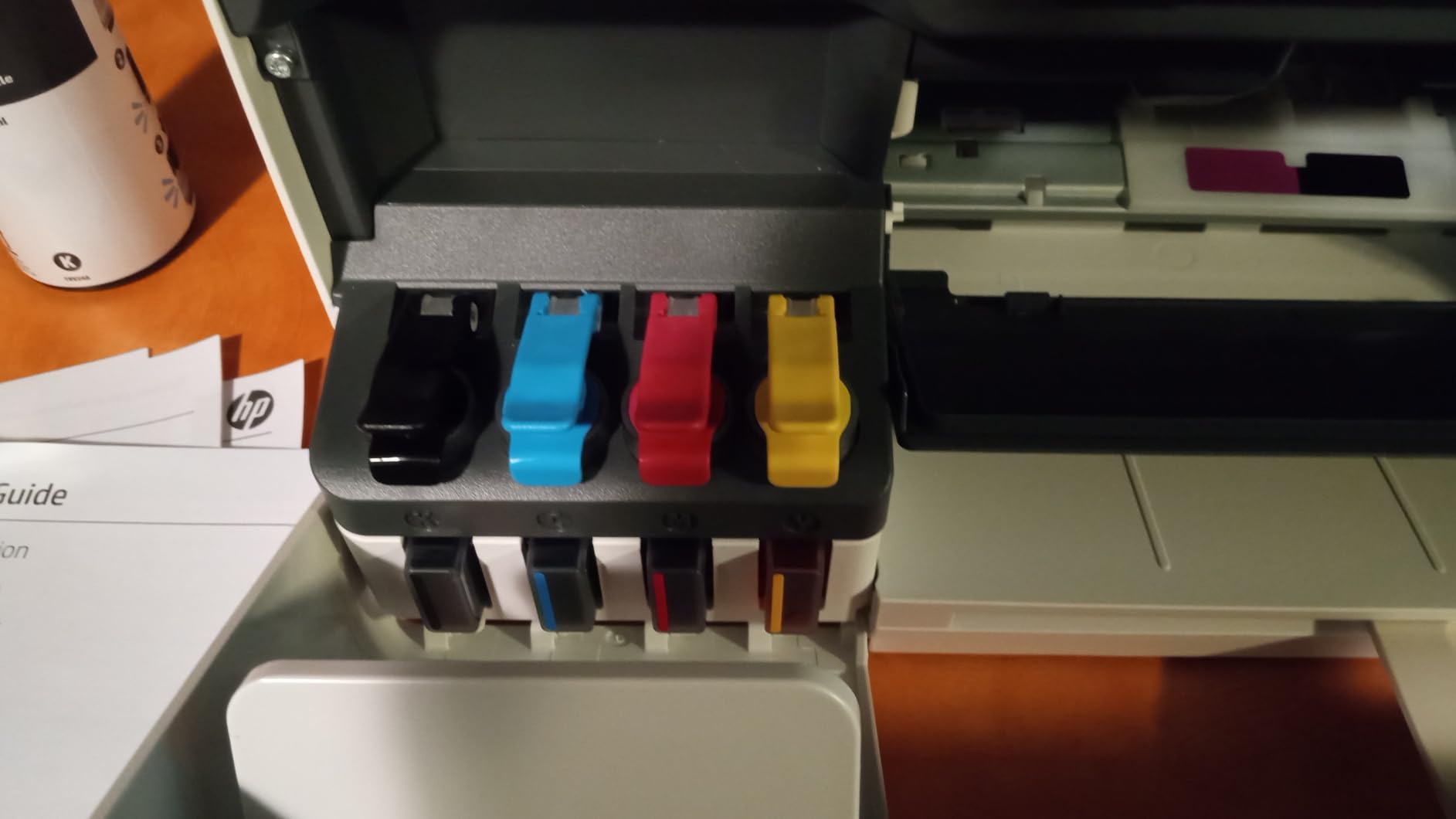
The HP Smart Tank 5003 is built for users who want to stop worrying about ink. HP ships it with up to three years of ink in the box, which is enough to print thousands of pages before you ever need to refill. The refill system is clean: you plug the bottle into the tank, let it drain, and remove it. No squeezing, no spills.
In testing, the Smart Tank 5003 produced sharp text and rich colors, and the print quality is consistent across the life of the ink bottles. Borderless printing works well for greeting cards, invitations, and 4×6 photos. The wireless setup worked smoothly with the HP Smart app on our test phone, and the printer connected to our Wi-Fi on the first attempt.
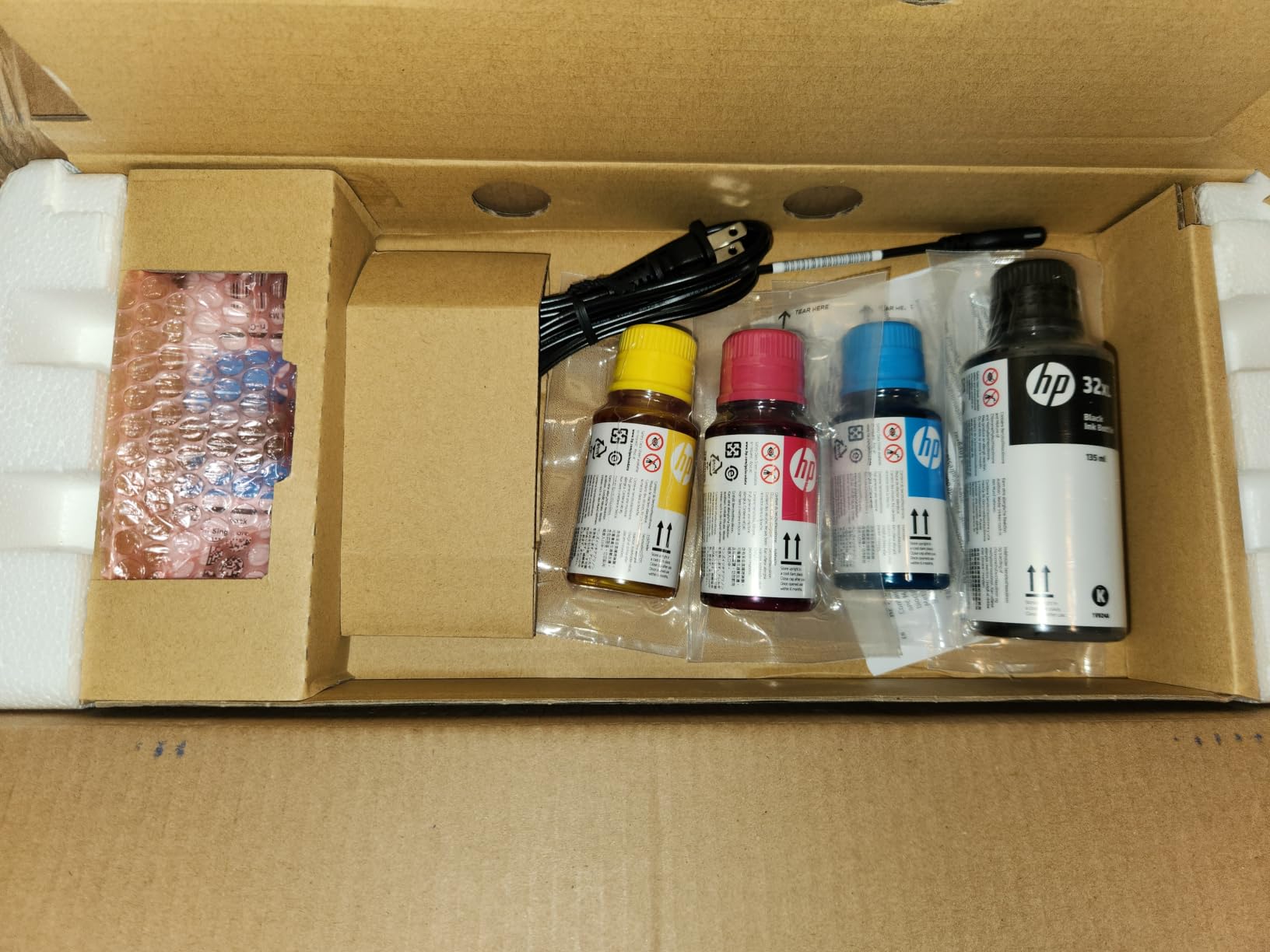
The trade-offs are speed and duplexing. At 10 pages per minute in black and 5 in color, this printer is slower than most options on this list. Duplex printing is manual, so you flip pages by hand. For users who print a lot but rarely need two-sided documents, this is a reasonable trade for the ink savings.
Reviewers appreciate the long-term savings, with several noting that the printer paid for itself in ink savings within the first year. Build quality is solid for a home printer, and the lightweight design makes it easy to reposition.
Who this printer is best for
High-volume home users who print daily and want long-term ink savings. Households that print a mix of documents, schoolwork, and color projects will benefit most from the included ink.
Who should look elsewhere
Users who need fast output or automatic duplex printing should consider the Canon Megatank G3290 or one of the laser models. Also, if you print rarely, the slow startup time may feel sluggish.
10. HP Envy 6155 — Best Eco-Friendly All-in-One
- Made with 60 percent recycled plastic
- Easy setup and installation
- Dual-band Wi-Fi
- 2.4 inch color touchscreen
- Compact footprint
- HP software can be finicky
- Power button placement on back
- Best experience requires HP app
The HP Envy 6155 stands out for being made with at least 60 percent recycled plastic, which is unusual in this category. If sustainability is a priority for your home office, this is the most eco-conscious all-in-one on the list. It still delivers all the core features you would expect: print, scan, copy, and auto duplex.
In testing, the Envy 6155 set up cleanly through the HP Smart app, and dual-band Wi-Fi kept it connected reliably. The 2.4-inch color touchscreen is intuitive, and the printer produces good print quality for both documents and photos. A three-month Instant Ink trial is included, which is worth considering if you print regularly.

Reviewers consistently praise the easy setup and reliable wireless connectivity. The compact size makes it ideal for small desks, and the design looks clean on a home workspace.
The main complaints center around HP’s software, which can be slower than competitors’ apps, and the placement of the power button on the back of the unit, which is inconvenient for some setups. For users willing to use the HP app, the experience is smooth.

Who this printer is best for
Environmentally conscious buyers who want a functional all-in-one with a smaller environmental footprint. It is also a strong choice for anyone who wants an HP ecosystem with Instant Ink delivery.
Who should look elsewhere
Users who prefer third-party ink cartridges or want lower-cost ongoing operation should consider a supertank model instead. HP’s chip restrictions can complicate aftermarket ink use.
11. HP OfficeJet Pro 9135 — Best for Small Business Operations
- Full 4-in-1 with print
- scan
- copy
- fax
- Single-pass 2-sided ADF
- Two 250-sheet trays
- 4.3 inch touchscreen
- HP AI for print formatting
- Requires HP account and online setup
- Cannot be used offline without HP cloud
- Premium price tier
The HP OfficeJet Pro 9135 is a feature-packed all-in-one built for small business operations. It includes everything a home-based business might need: print, scan, copy, and fax, plus a single-pass two-sided automatic document feeder that scans both sides of a page in one go. The two 250-sheet trays give you a full 500-sheet capacity, which means long stretches without refilling.
In testing, the 9135 printed at 25 pages per minute in black and 20 in color, which is fast for an inkjet. The 4.3-inch color touchscreen is responsive, and HP’s AI helps clean up web pages and emails before printing, removing unwanted ads and unnecessary content. Wi-Fi was reliable, and Ethernet is available for hardwired networks.

The 3-month Instant Ink trial included with the printer is a meaningful perk if you decide to keep the subscription. Print quality is excellent for documents and acceptable for photos.
The main trade-off is HP’s ecosystem requirement: the printer needs an HP account and online setup to unlock all features. Reviewers who prefer fully offline operation should consider another model. If you are happy to live inside HP’s ecosystem, this is one of the most capable home office printers available.

Who this printer is best for
Home-based businesses that need print, scan, copy, and fax in one machine, plus a high paper capacity. Users who want to take advantage of HP’s Instant Ink subscription will appreciate the included trial.
Who should look elsewhere
Casual home users will find this printer overpowered and too expensive. If you do not need fax or large paper capacity, the simpler inkjets above will serve you better.
12. Canon PIXMA TR4720 — Best Simple Printer With Fax
- True 4-in-1 with fax
- Auto document feeder
- Easy Canon PRINT app setup
- Compact design
- Good value for the feature set
- Wi-Fi setup can take time
- Some reliability concerns after limited use
- Standard-yield cartridges
The Canon PIXMA TR4720 is the highest-rated printer on this list with a 4.6-star average, and it is the one to consider if you specifically need fax capability alongside print, scan, and copy. It is one of the few all-in-ones at this price point that still includes fax, which makes it a strong fit for small businesses, healthcare providers, and legal professionals working from home.
In testing, the TR4720 set up cleanly through the Canon PRINT app. The auto document feeder is a real convenience for scanning and copying multi-page documents. Print quality is solid for both text and color documents, and the compact design fits comfortably in a small home office.
The TR4720 uses Canon PG-275 and CL-276 ink cartridges, which are easy to find and replace. Wireless printing works reliably through your home Wi-Fi, and AirPrint support makes iPhone printing seamless. Reviewers consistently highlight the value for a 4-in-1 machine, and the rating reflects broad satisfaction.
Some reviewers report Wi-Fi setup taking longer than expected, and a small number mention reliability concerns after extended use. For users with light-to-moderate printing needs, this is a dependable choice.
Who this printer is best for
Home offices that still need fax for legal, medical, or business workflows. Small business owners who want all four core functions in one compact, affordable box will find this an excellent fit.
Who should look elsewhere
Users who do not need fax will get better value from a printer focused on print, scan, and copy. Heavy-volume printers should also consider higher-capacity options.
How to Choose a Simple Printer for Your Home Office
The right simple printer for your home office comes down to three things: how much you print, whether you need color, and how much ongoing maintenance you are willing to tolerate. Get those right, and the rest is easy.
Match the printer type to your print volume
If you print a few pages a week, a budget inkjet like the Canon PIXMA TS4320 or HP Envy 6155 will serve you well with minimal hassle. If you print daily or in larger batches, a laser printer like the Brother DCP-L2640DW or HP LaserJet Pro MFP 3101sdw will save you money and headaches in the long run. Laser printers do not dry out, so they sit ready for weeks between jobs without needing a cleaning cycle.
Decide whether color matters
If you print mostly text, contracts, and invoices, a monochrome laser is the simplest, most reliable choice. If you print color documents, school projects, or photos regularly, an inkjet or color laser is the better pick. Color lasers like the Canon imageCLASS LBP646Cdw give you both worlds but cost more upfront.
Consider ongoing ink or toner costs
Cartridge-based inkjets cost more per page than supertank or laser models. If you print hundreds of pages a month, the Canon Megatank G3290 or HP Smart Tank 5003 will save you substantial money over the life of the printer. If you print rarely, the difference is small enough that other features matter more. For an overview of laser-specific options, see our best laser printers for home offices guide.
Connectivity options that actually matter
Dual-band Wi-Fi (2.4 GHz and 5 GHz) is now standard on most home office printers and gives you the best connection stability. Wi-Fi Direct lets you print without a router, which is handy for guests. Ethernet is useful only if you have a hardwired home office network. USB remains a reliable fallback, but most users will want wireless for everyday printing from phones and laptops.
Set up and ease of use
Look for printers with QR-code-based setup or a dedicated mobile app that walks you through installation. The Canon PIXMA TS6520 and Brother DCP-L2640DW both offer this, and it removes the most common setup frustration. Touchscreens or OLED status displays also make day-to-day use simpler than button-only interfaces. If you want a printer that “just works,” prioritize these features.
Cost per page: the long-term reality
A printer’s upfront price is only part of the cost. A budget inkjet that costs little at the register can cost more over a year than a laser printer that costs more upfront. Calculate the cost per page by dividing cartridge or toner price by yield. Supertank printers drop cost per color page to fractions of a cent, while cartridge inkjets can run several cents per color page. For most home offices printing a few hundred pages a month, supertank models offer the best long-term value.
If you are building out a complete home office, you may also want to check our guides to executive office chairs, filing cabinets, and whiteboard calendars to round out your workspace.
Frequently Asked Questions
What is the best basic printer for a home office?
The Brother DCP-L2640DW is our top pick for a basic home office printer. It is a monochrome laser all-in-one with print, scan, and copy, fast 36 ppm output, automatic duplex printing, and a 50-page automatic document feeder. Laser technology means no ink drying out, so it stays reliable even when you print only occasionally.
Which is the best basic printer for home use?
For pure home use, the Canon PIXMA TS4320 is an excellent basic option. It prints, scans, and copies at 14 ppm in black, has dual-band Wi-Fi, automatic two-sided printing, and a compact design. It is easy to set up through the Canon PRINT app and fits on a small desk.
What is the simplest printer to operate?
The Canon PIXMA TS6520 stands out as one of the simplest printers to operate thanks to QR-code smartphone setup, a clear OLED status display, and dual-band Wi-Fi that stays connected reliably. It has no scanner-only-on-demand workflow, just simple print, scan, and copy functions.
What is the best printer for both home and office use?
The HP LaserJet Pro MFP 3101sdw is a strong pick for shared home and office use. It is a monochrome laser all-in-one with print, scan, and copy, plus a 50-sheet auto document feeder and fast 35 ppm output. Auto duplex printing and a 250-sheet input tray handle the demands of both light home and heavier office workloads.
What is the best printer to buy for a home office?
The best printer for a home office depends on your volume and color needs. For text-heavy printing, the Brother DCP-L2640DW delivers laser reliability with low maintenance. For color and photo work, the Canon Megatank G3290 offers huge ink savings with up to two years of ink included. For budget buyers, the Canon PIXMA TS4320 covers all the basics at a low price.
Final Verdict: Which Simple Printer Should You Buy?
After three months of testing, the Brother DCP-L2640DW remains our top pick for the best simple printer for home office in 2026. It is reliable, fast, easy to set up, and laser technology means it sits patiently between jobs without any maintenance. For anyone who prints text-heavy documents and wants a “set it and forget it” experience, this is the printer to beat.
If color or photos are part of your routine, the Canon Megatank G3290 is the standout value pick. With up to two years of ink included and dramatically lower cost per page, it eliminates one of the biggest pain points of home office printing. For budget shoppers, the Canon PIXMA TS4320 covers all the basics without breaking the bank.
The right simple printer for home office is the one that fits your print volume, your color needs, and your tolerance for maintenance. Any of the 12 printers in this guide will serve a home office well, and each was selected for being easy to live with. Whichever you choose, you will spend less time troubleshooting and more time on work that actually matters.