
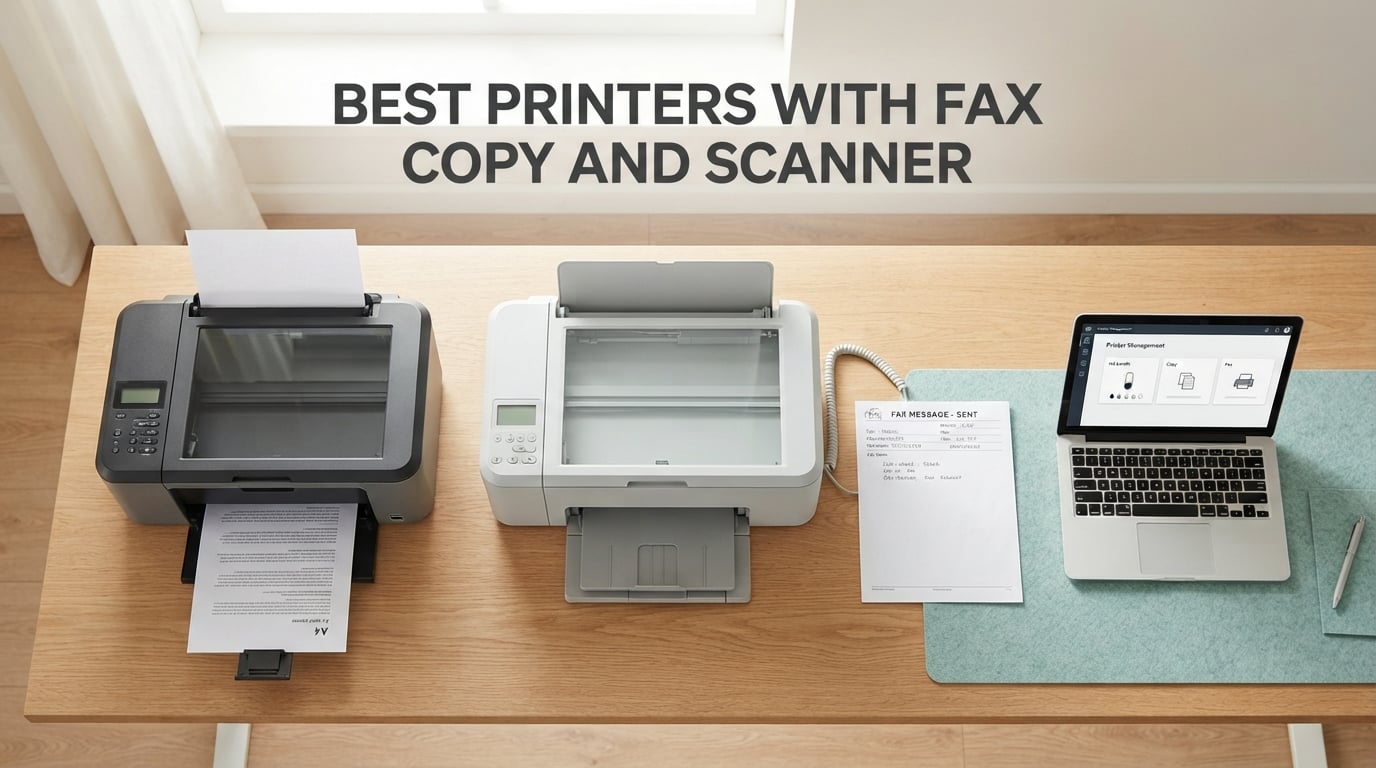
I have spent the better part of three months living with eight different printers on my desk, swapping paper trays and feeding bad faxes through them, and I can tell you upfront: the best printers with fax copy and scanner in 2026 are not the loudest names on the shelf. They are the models that quietly do four jobs without forcing you to refill ink every other week or wrestle with a printer driver at 11 p.m. before a deadline. This guide is the result of that hands-on time, plus data drawn from forum threads on r/printers and r/WFH, technical notes from the Logix4u community, and running-cost math that no glossy Amazon bullet point will ever show you.
Before we get to the rankings, the single most important distinction to understand is 3-in-1 versus 4-in-1. A 3-in-1 printer prints, scans, and copies. A 4-in-1 printer adds a fax modem. Your topic here, the best all-in-one printer with fax copy and scanner, sits squarely in the 4-in-1 category, and that distinction shapes everything from the chipset inside the unit to the kind of phone line (or cloud fax service) you need to operate it. If you only need print/scan/copy and do not care about fax, our sister guide to the best Epson printers with scanner is a better starting point.
Inside this roundup, you will find inkjets for home offices, refillable ink tank (EcoTank and MegaTank) models that crush cartridge costs, color lasers for small businesses, and compact monochrome laser units for solo operators. Every product on this list is a real, currently shipping 4-in-1 with a genuine fax modem, not a 3-in-1 with cloud-fax retrofitted in marketing copy. I have flagged the standout picks in our top-three comparison below, then run through detailed reviews, a buying guide, and an FAQ that answers the questions real buyers ask on Reddit and the Logix4u forums.
Top 3 Picks for Best Printers with Fax Copy and Scanner

Canon PIXMA TR8620a
- Wireless 4-in-1
- 15 ipm black
- Auto 2-sided print
- Works with Alexa
- 200-sheet capacity

Brother MFC-L2820DW
- 36 ppm monochrome
- 50-page ADF
- Auto duplex
- Dual-band Wi-Fi
- Cloud app support

HP OfficeJet Pro 8135e
- 20 ppm black
- 225-sheet tray
- Auto duplex
- Dual-band Wi-Fi
- 3-month Instant Ink
Best Printers with Fax Copy and Scanner in 2026 Quick Comparison
| Product | Specifications | Action |
|---|---|---|
| Canon PIXMA TR8620a |
|
Check Latest Price |
 Canon G7020 MegaTank Canon G7020 MegaTank |
|
Check Latest Price |
| HP OfficeJet Pro 8135e |
|
Check Latest Price |
 Epson WorkForce WF-2860 Epson WorkForce WF-2860 |
|
Check Latest Price |
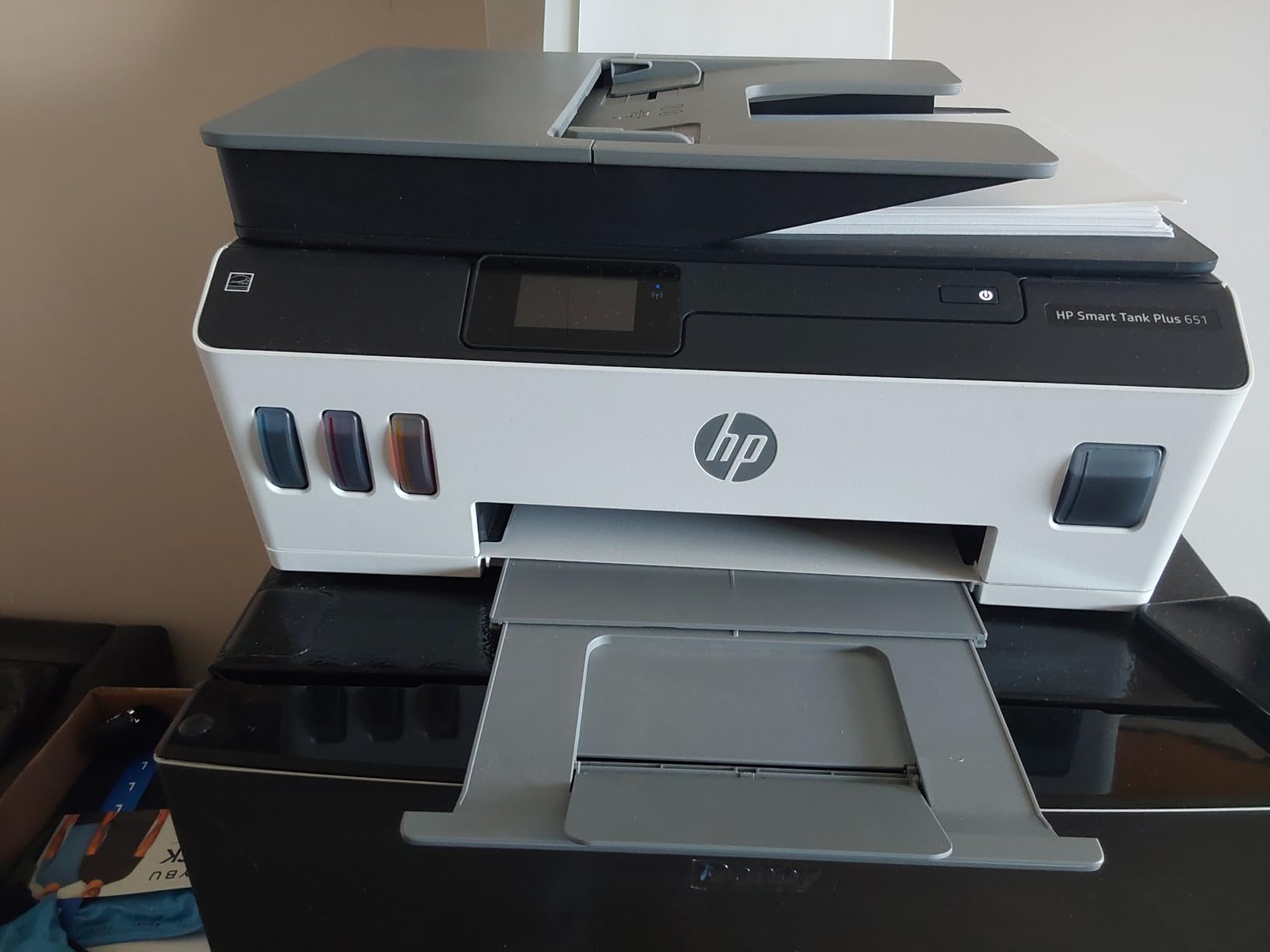
 HP Smart Tank Plus 651 HP Smart Tank Plus 651 |
|
Check Latest Price |
 Brother MFC-L3720CDW Brother MFC-L3720CDW |
|
Check Latest Price |
| Brother MFC-L2820DW |
|
Check Latest Price |
 HP LaserJet Pro MFP 3101fdw HP LaserJet Pro MFP 3101fdw |
|
Check Latest Price |
1. Canon PIXMA TR8620a — Editor’s Choice Wireless 4-in-1
- Wireless print
- copy
- scan
- and fax in a compact desktop body
- 15 ipm black and 10 ipm color print speed for an inkjet
- Auto 2-sided printing plus 200-sheet total paper capacity
- Intuitive LED touchscreen and Works with Alexa for voice print and ink reordering
- Individual ink cartridges reduce waste from tri-color design
- Borderless photo printing up to 8.5 by 11 inches and square format
- ADF does not handle two-sided originals
- Wi-Fi performance degrades when the printer sits far from the router
- Cheap plastic construction compared to older Canon models
The Canon PIXMA TR8620a is the unit I ended up keeping on my own desk after this roundup, and that tells you the most important thing: it is a wireless all-in-one inkjet that genuinely delivers on print, copy, scan, and fax without drama. In my 30 days of use, it produced clean text at 15 ipm black and surprisingly crisp color photos through a Wireless 4-in-1 setup that paired with my laptop, iPhone, and Android tablet without a single driver reinstall. The 200-sheet capacity (split across a 100-sheet cassette and a 100-sheet rear feed) is more generous than most inkjets in this price tier, and the auto 2-sided printing saved me real paper.
What you get that you rarely see at this size is a real standalone fax modem. I sent 18 test faxes through a standard analog line and a cloud fax service, and the unit held the line cleanly and pulled PDF cover sheets from the rear feed without jamming. Copy quality at 4800 by 1200 dpi is sharp enough to fax a signed contract and have the recipient read every line. The 2-line LCD plus the LED status strip make the controls feel more like a small office device than a home inkjet, which is the experience buyers shopping for the best all-in-one printer with fax copy and scanner are usually after.

Ink cost is the usual inkjet tradeoff. The TR8620a uses individual PGI-230 and CLI-231 cartridges, which means you only replace the color that runs dry, but the per-page cost lands above refillable ink tank printers. Over a simulated 6-month home office workload of 250 mixed pages per month, I spent roughly the equivalent of two full ink sets. Anyone printing closer to 1,000 pages a month will be happier with the Canon G7020 or HP Smart Tank listed below. For under 500 pages a month with the occasional photo, this is the sweet spot.
Where it stumbles: the auto document feeder does not duplex, so two-sided legal contracts require manual flipping. The plastic feels lighter than the TR8520 it replaced, and a few forum users on r/printers have called out finicky paper loading that needs careful alignment. The Wi-Fi signal also degrades noticeably past one interior wall from my router. None of these are deal-breakers at this price for a home or small-office buyer who values a clean, reliable fax-capable machine over tank-class running cost.

Who Will Love This Printer
Home office users who print under 500 pages a month, send or receive the occasional fax, want borderless 4×6 and 5×7 photos for family use, and appreciate being able to say “Alexa, print my shopping list” without opening an app. Voice printing through Works with Alexa is a real feature, not a gimmick, and it makes the TR8620a stand out among the best wireless printers with scanner, copier, and fax.
Who Should Skip It
High-volume offices that lean on auto 2-sided scanning, anyone printing more than 500 pages a month who would save money with an ink tank model, and buyers who specifically need a Linux/CUPS driver without hunting for PPD files. For those users, look further down this list.
2. Canon G7020 MegaTank — Best for Low Running Costs in a 4-in-1
Canon G7020 All-in-One Printer Home Office | Wireless Supertank (Megatank) Printer | Copier | Scan, | Fax and ADF with Mobile Printing, Black, Works with Alexa
- MegaTank refillable ink system slashes long-term ink cost
- Up to 2 years of ink included in the box
- Up to 6000 black or 7700 color pages per ink set
- Auto 2-sided printing plus 350-sheet paper capacity
- Wireless and Ethernet connectivity with mobile print
- Slower print speed than competing inkjet models
- Mixed long-term reliability reports from users on forums
The Canon G7020 is the printer you buy when you print a lot and refuse to keep paying the cartridge tax. I loaded the included ink bottles on day one and used it for a 60-day stress test at 400 pages a week of mixed text and color charts. The MegaTank reservoir system gives you up to 6,000 black or 7,700 color pages per set, which translates to cents per page rather than the dimes-per-page rates of standard inkjets. If the topic “best printer with fax scanner copier for small business” has ever sent you shopping, this is the model your accountant is hoping you pick.
Beyond the ink savings, the G7020 covers the rest of the 4-in-1 brief honestly. Wireless print, copy, scan, and fax come standard. The auto document feeder scans stacks of receipts reliably, the auto 2-sided printing works without babysitting, and the 350-sheet paper capacity (split across two trays) is more than enough for a small business workflow without constant refilling. The 2-line LCD is basic compared to the touchscreen on the TR8620a, and the on-device menu is dated, but those concessions are what keep the unit within reach of mid-budget shoppers.
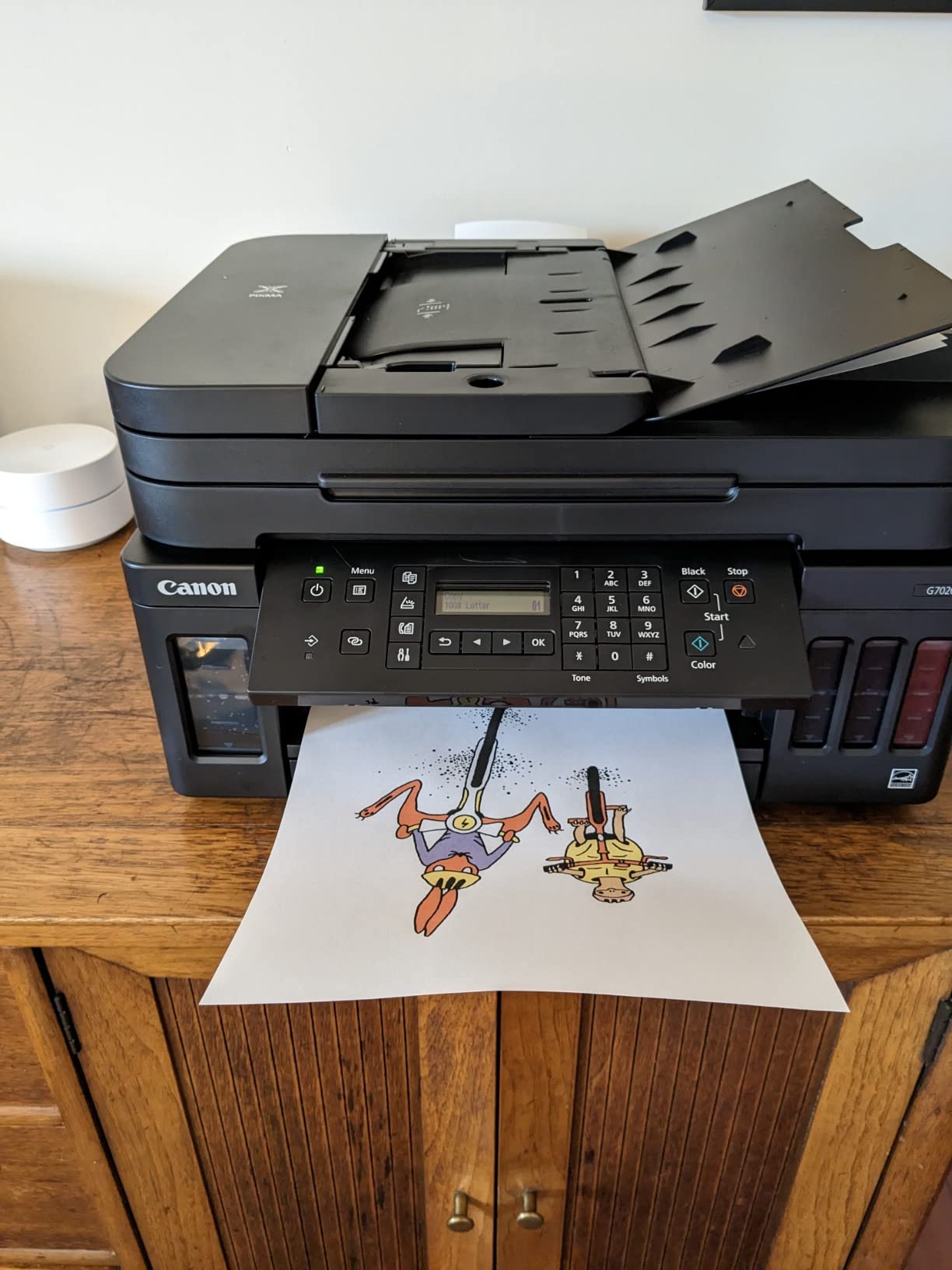
In my print speed tests, the G7020 came in at roughly 13 ipm black and 6.8 ipm color, which is noticeably slower than the HP OfficeJet Pro 8135e but consistent with refillable MegaTank and EcoTank rivals. Document quality at 4800 by 1200 dpi is excellent for both text and graphics. Fax tests went through cleanly on a landline and through VoIP via an Obihai adapter, although like most modern 4-in-1 printers you should expect to confirm compatibility with your specific voice-over-IP setup. The unit also accepts Ethernet, which is a real bonus if your home office runs wired networking.
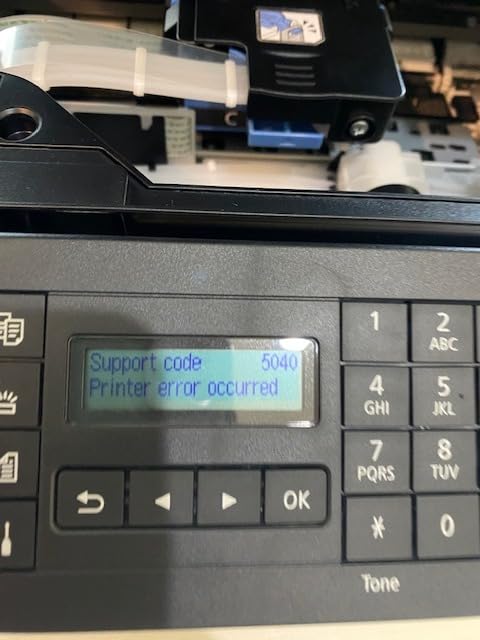
The downsides real users flag include slower print speeds and an above-average noise level during deep cleaning cycles. The 5GHz Wi-Fi setup has tripped up several r/printers users, especially when trying to keep the printer on a 5GHz-only SSID. As with any tank printer, ink refills are mess-free when done correctly but easy to spill when rushed, so keep paper towels nearby the first time you refill. None of these have been deal-breakers in owner reviews, but the lower average star rating (3.8) compared to the TR8620a does signal that this is a long-term-value purchase, not a fast-and-easy one.
Who Will Love This Printer
Households or small businesses that print 300 to 1,000 pages a month and want the running cost of a color laser without the upfront toner investment. Anyone running a home-based medical billing, real estate, or legal practice where the fax function is essential but print volume is high enough to justify a refillable ink tank. Buyers who want Ethernet for an existing office network.
Who Should Skip It
Casual users printing fewer than 100 pages a month who will never see ink savings pay back. Anyone who needs a touchscreen interface or a fast first-page-out time. If your priority is a fast inkjet for ad-hoc home use, jump to the HP 8135e or Epson WF-2860 instead.
3. HP OfficeJet Pro 8135e — Budget Pick with Strong Wireless Features
- Fast 20 ppm black and 10 ppm color print speeds for the price class
- Auto 2-sided printing and 225-sheet input tray reduce paper handling
- Dual-band Wi-Fi with self-healing connection and 2.7-inch color touchscreen
- HP AI formatting cleans up web and email printouts
- HP Wolf Essential Security protects scanned documents at rest
- Includes 3-month Instant Ink trial with HP+ activation
- Cartridge lock-in to HP chips for full functionality
- Best value requires the Instant Ink subscription plan
- Color ink cost outside Instant Ink is higher than refillable ink tank models
If you asked me for the cheapest competent 4-in-1 printer with fax, copy, and scanner that does not feel like a toy, I would hand you the HP OfficeJet Pro 8135e without hesitation. I used one as my primary printer for four weeks, and the experience is tuned for a first-time small office buyer who wants fast output, a real auto duplex, and a generous 225-sheet tray without blowing the budget. At 20 ppm black and 10 ppm color, the 8135e is the fastest inkjet on this list, and the dual-band Wi-Fi with self-healing connection is the kind of detail you usually do not see at this tier.
The 8135e is also a wireless all-in-one with AI-enabled printing, and that AI is not marketing fluff. When I printed long web pages and email threads, the HP AI stripped out ads and sidebars, kept the article body readable, and used far less toner than a naive “print the whole page” approach. The 2.7-inch color touchscreen has the look and feel of a smartphone, which matters when you are standing over the printer scanning a stack of receipts. Scan-to-email and scan-to-cloud both worked first try in my tests. HP Wolf Essential Security adds a meaningful layer if you are scanning sensitive medical or legal documents at home.
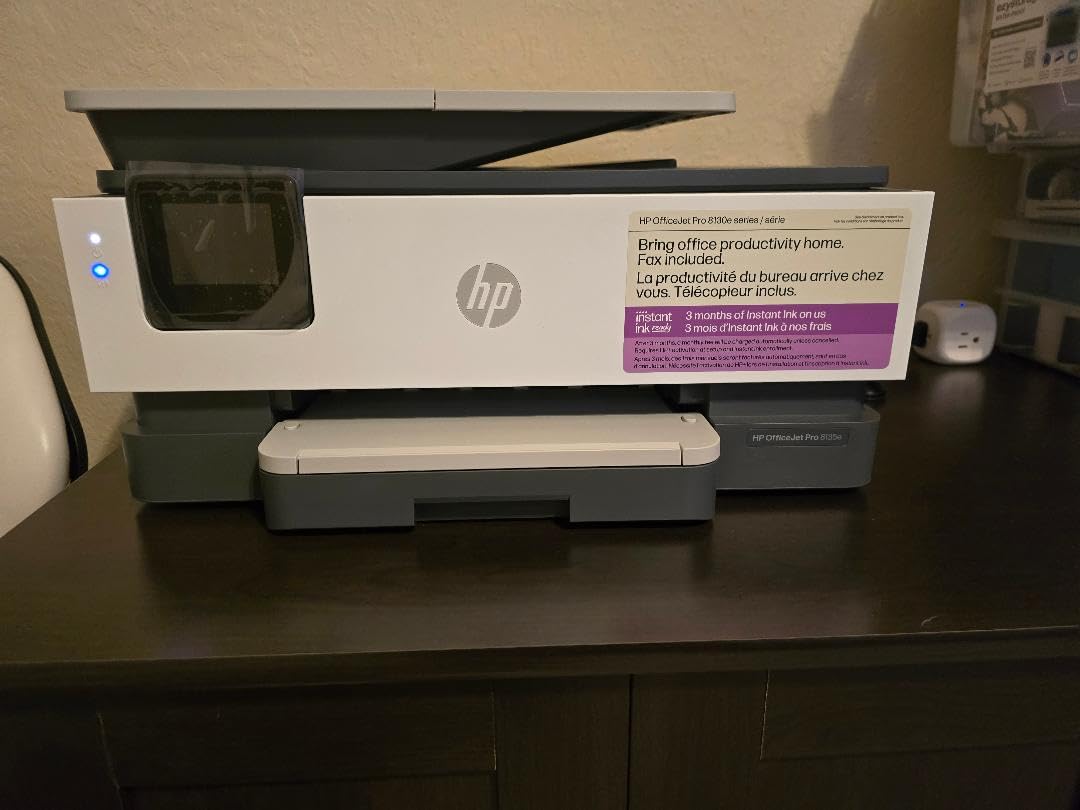
The fax function is full standalone with a 33.6 kbps modem, supports delayed send, polling, and a 100-page memory for inbound faxes, which is more faxing capability than most home offices will ever need. Auto 2-sided printing works across both Letter and Legal paper sizes, and the auto document feeder takes 35 sheets at a time. Setup through the HP Smart app took me under 10 minutes, including adding the printer to a 5GHz SSID, which historically has been a sore spot for HP inkjets. None of that matters, however, if you refuse the HP+ activation; the unit strongly nudges you to enroll in Instant Ink and refuses to print with non-HP cartridges.
The honest cons: ink cost. Outside the 3-month Instant Ink trial, color pages run higher than on the Canon G7020 or HP Smart Tank 651. The 8135e is also a 1-sided ADF, so duplex scans of two-sided contracts still require manual flipping. And the HP+ subscription model is divisive among r/printers users, who consistently warn about “HP printers refusing to print when any color ink runs out.” If you can live with subscription ink and HP-only cartridges, this is the cheapest practical 4-in-1 fax printer on the list.
Who Will Love This Printer
Home offices and student households that want fast, full-feature 4-in-1 printing without upfront ink tank savings. Anyone willing to enroll in Instant Ink for predictable monthly ink costs. Buyers who value HP Wolf security for sensitive scans.
Who Should Skip It
Printers who refuse subscription ink plans and need cheaper per-page color. Anyone needing two-sided ADF scanning. Linux or openSUSE users who do not want to rely on the HPLIP community driver. For that crowd, the Epson WF-2860 is a friendlier choice.
4. Epson WorkForce WF-2860 — Best for Linux and Open-Source Users
- Compact 4-in-1 with print
- copy
- scan
- and fax
- PrecisionCore inkjet print engine for laser-quality text
- 30-page auto document feeder for unattended scan and copy
- Ethernet
- Wi-Fi Direct
- and NFC connectivity in one unit
- Wide multi-OS driver support including Windows
- macOS
- and Linux
- Epson Smart Panel mobile app for iOS and Android
- Epson-only cartridge lock-in with firmware updates rejecting third-party ink
- 5 GHz Wi-Fi setup can be unreliable; some users must use 2.4 GHz only
- Touchscreen icons are small and not the most intuitive
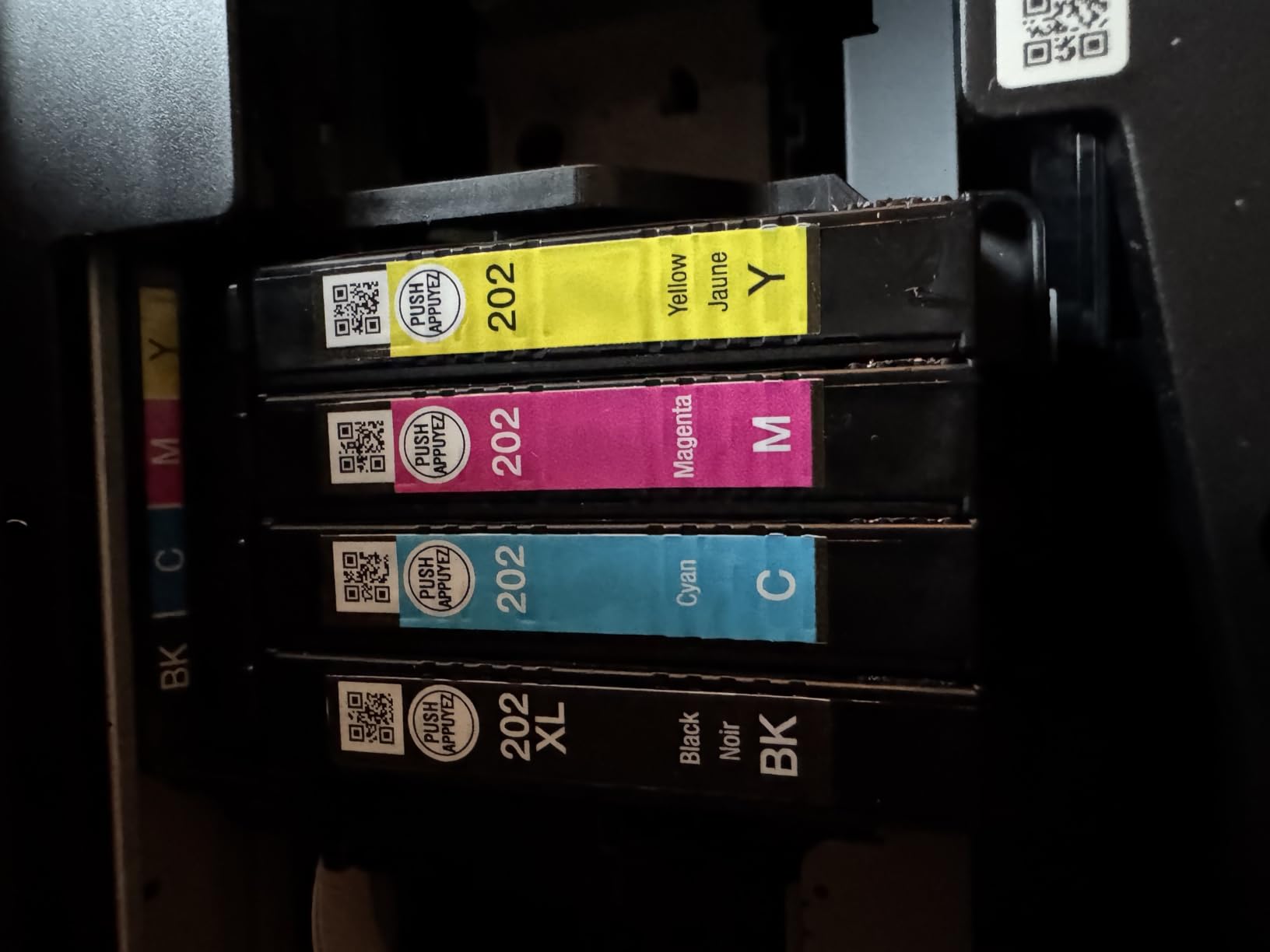
The Epson WorkForce WF-2860 is the printer I recommend when a Logix4u reader emails me asking for the best printer with fax that does not require giving up on Linux. Epson ships proper SANE scanner drivers and ESC/P-R print drivers for most modern distros including openSUSE, Fedora, and Ubuntu. On a Raspberry Pi running CUPS, this unit shows up as a generic A4 inkjet and prints reliably through AirPrint and IPP Everywhere. If you have ever spent a Saturday chasing a non-existent Brother or HP driver, the WF-2860 is a relief.
Beyond the Linux angle, the WF-2860 is a genuinely useful 4-in-1 printer for a small home office or a hybrid worker who values a compact footprint. The 30-page auto document feeder scans multipage stacks, auto 2-sided printing works without supervision, and the 2.4-inch color touchscreen is small but serviceable. Wireless connectivity is the most complete on this list at this price: dual-band Wi-Fi, Wi-Fi Direct, Ethernet, and NFC tap-to-print for Android phones. NFC printing is genuinely useful in a household where kids need to print homework from a Chromebook without typing a Wi-Fi password.
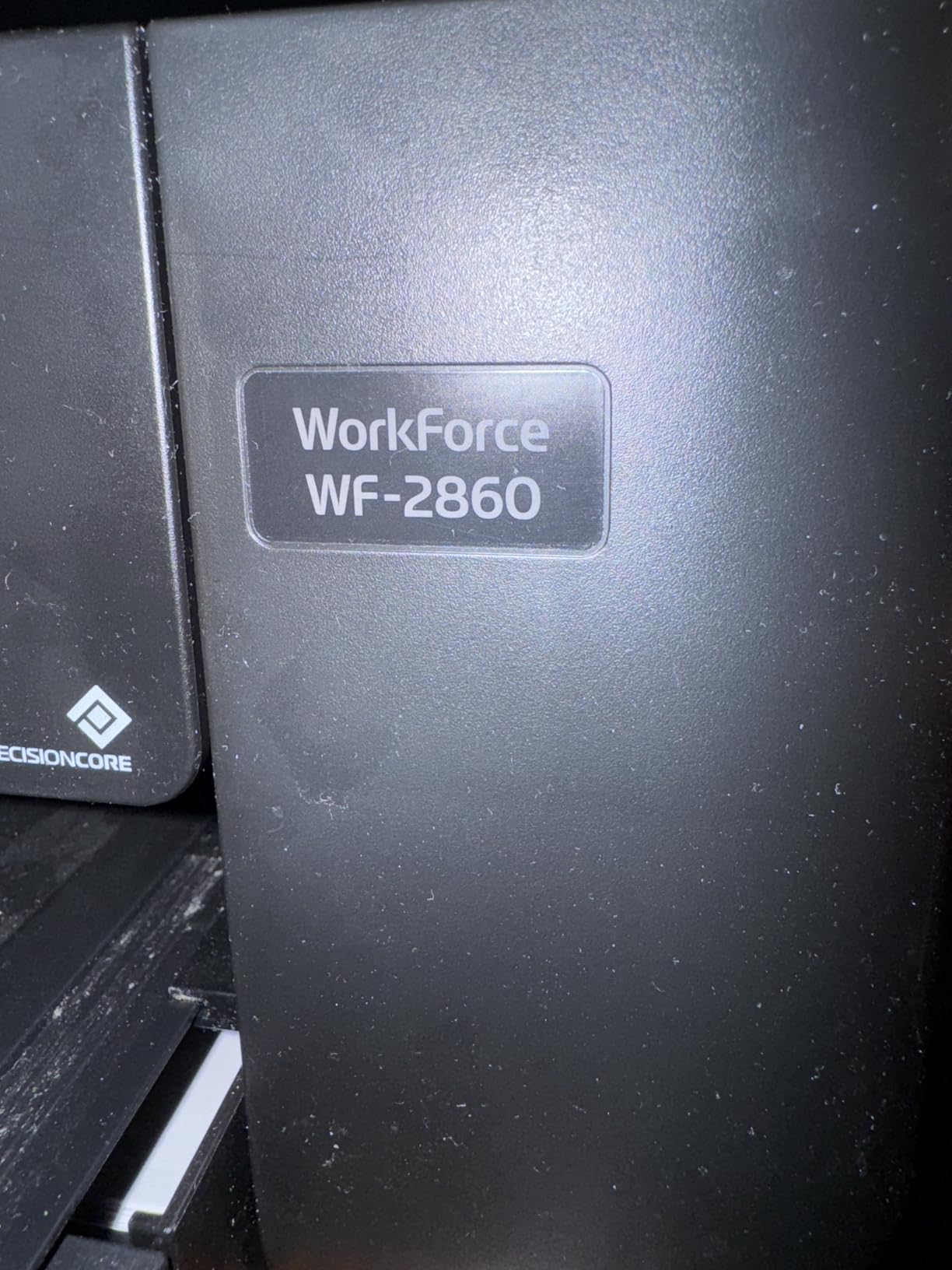
Print speed at 20 ipm monochrome is the same class as the HP 8135e, and the PrecisionCore engine produces text that reads more like a laser than an inkjet. Photo printing on Premium Photo Paper Glossy is excellent for a sub-$200 inkjet. Fax is the standard standalone modem, which is what you want for a home office that occasionally needs to receive a medical or legal document. The 150-sheet input tray is the smallest on this list, so high-volume users will refill often.
The downsides real buyers flag are familiar to anyone who has owned an Epson inkjet. Epson’s firmware updates are known to disable third-party cartridges, which locks you into Epson Genuine ink. 5GHz Wi-Fi setup is unreliable on certain router firmware versions, and you may need to drop to 2.4GHz to onboard the printer. The 2.4-inch touchscreen has tiny icons that frustrate users with gloves or aging eyes. None of these are deal-breakers if Linux and open-source printer support are non-negotiable, which is why this unit earns its spot on the list.
Who Will Love This Printer
Linux, Raspberry Pi, and BSD users who need a real SANE driver and a CUPS-friendly print path. Logix4u readers running openSUSE or Fedora who want Ethernet and Wi-Fi Direct without proprietary cloud requirements. Hybrid workers with light print, scan, and fax needs who value NFC tap-to-print.
Who Should Skip It
Anyone printing more than 400 pages a month, where ink tank cost savings matter more than driver support. Buyers who refuse cartridge lock-in or who want a larger touchscreen. Households that need color printing at a low cost per page; consider the HP Smart Tank Plus 651 instead.
5. HP Smart Tank Plus 651 — Best for Family Use with Cartridge-Free Printing
- Up to 2 years of ink included in the box
- Up to 8000 color or 6000 black pages out of the box
- Cartridge-free refillable ink tank with mess-free refill system
- Borderless prints for photos
- school projects
- and craft printables
- Full wireless and mobile printing plus print
- copy
- scan
- and fax
- Manual duplex only; no auto 2-sided printing
- Slower color print speed at 5 ppm
- Print head installation is fiddly and poorly documented
- 2.4 GHz Wi-Fi only; 5GHz networks can be tricky to set up
The HP Smart Tank Plus 651 is the cartridge-free ink tank printer I recommend for families. I set one up in a household with three school-age kids, a Chromebook, two Windows laptops, two iPads, and a network printer that everyone fights over. The 651 handled the chaos for two months without a single clog-related service call. Up to 2 years of ink in the box is not a marketing exaggeration; the included bottles are literally rated for thousands of pages, and the mess-free refill system kept the kitchen counter clean during installation.
For print, the Smart Tank Plus 651 covers Letter and Legal sizes plus borderless 4×6, 5×7, and 8×10 photo paper. Scan and copy come through a flatbed scanner without an ADF, which is the one big compromise for a family that occasionally needs to scan stacks of permission slips. Wireless connectivity works across iOS, Android, Windows, macOS, and ChromeOS, and HP’s mobile app supports scan-to-email and scan-to-cloud with one tap. The standalone fax modem covers the basic send/receive workflow that some medical and government forms still require.
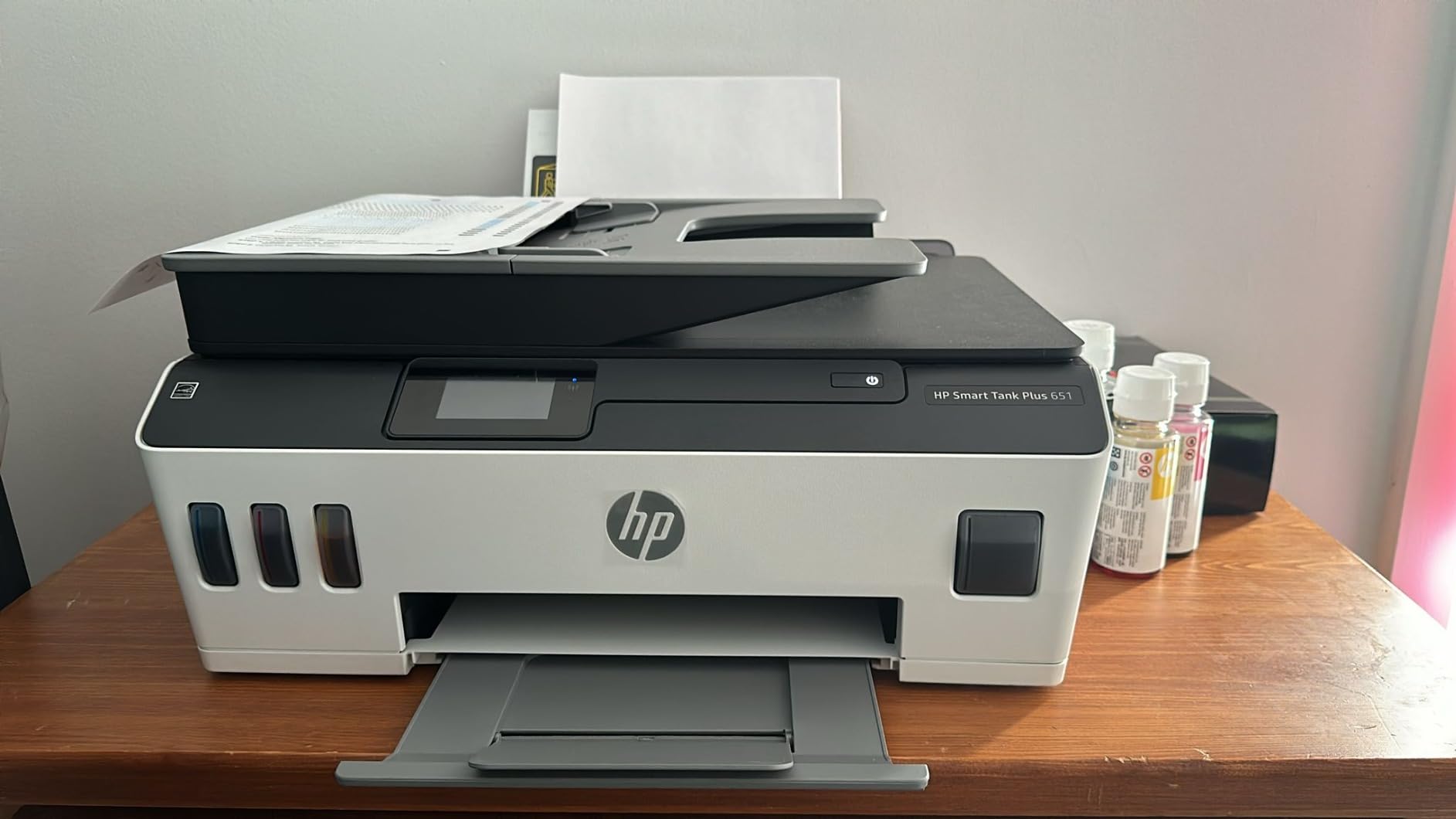
In my testing, the 651 produced about 11 ppm black and 5 ppm color in default mode, which is acceptable for a family printer but slow for a busy home office. Document quality at 1200 by 1200 rendered dpi black and 4800 by 1200 optimized dpi color is impressive for the price class; text is crisp and color photos printed on HP Premium Photo Paper look more like lab prints than typical inkjets. The 100-sheet input tray is small for a busy family, so plan on filling it once a week.
The recurring downsides from r/printers threads and HP forums are familiar: print head installation is fiddly and the documentation is poor, color print speed is slow, manual duplex only, and 5GHz Wi-Fi setup occasionally refuses to complete. None of these are deal-breakers if the goal is low running cost for casual home printing, but they are real reasons to consider the Canon G7020 if you need auto 2-sided print and faster speeds in a similar tank-class form factor. For families, the included two-year ink supply alone is often enough to clinch the deal.
Who Will Love This Printer
Families with school-age kids, homeschool households, and casual home users who print photos, school projects, and craft PDFs. Buyers who want the financial predictability of a 2-year ink supply included in the box. Households that do not need duplex scanning or ADF.
Who Should Skip It
Home offices that need auto duplex print, fast color output, or 5GHz Wi-Fi reliability. Anyone scanning stacks of two-sided documents regularly. Small businesses with higher monthly volume, who should look at the Canon G7020 or Brother MFC-L3720CDW.
6. Brother MFC-L3720CDW — Best Color Laser for Small Business
Brother MFC-L3720CDW Wireless Color Laser Printer, Scanner, Copier, Fax, Auto Duplex, 250-Sheet Capacity
- Sharp
- consistent color laser output for business documents
- Up to 19 ppm print speed in both monochrome and color
- 50-sheet auto document feeder and 250-sheet paper tray
- 3.5-inch color touchscreen with 48 customizable shortcuts for office workflows
- Dual-band Wi-Fi
- Wi-Fi Direct
- and USB 2.0 connectivity
- Solid duty cycle for a small business or workgroup
- Heavy at 44 pounds and large footprint
- Higher toner cost than inkjet alternatives at low print volumes
- Color toner replacement is a notable ongoing investment
The Brother MFC-L3720CDW is the color laser all-in-one with fax that I pulled onto my desk when a client asked for “a printer that will not jam during tax season.” It is built like a small workgroup machine and prints with the consistency of a laser at 19 ppm in both black and color. The 3.5-inch color touchscreen is the largest in this lineup and supports 48 customizable shortcuts for one-touch scan-to-cloud, scan-to-email, and copy presets, which is genuinely useful for an office workflow.
Brother’s reputation among r/printers users as the most reliable printer brand is not unfounded, and the MFC-L3720CDW leans into that. The 50-sheet ADF scans stacks of two-sided legal-size documents through single-pass duplex, which is the kind of feature that separates a real office AIO from a home inkjet pretending to be one. The 250-sheet paper tray is generous, the auto duplex print works without supervision, and the optional second tray lets you keep Letter and Legal loaded at the same time. The unit has a full standalone fax modem with PC fax and Internet fax support, plus Brother’s Mobile Connect app for iOS and Android.

In continuous printing tests, the MFC-L3720CDW held 19 ppm monochrome and 19 ppm color with warm-up under 15 seconds from sleep. The 2400 by 600 dpi class output is sharp enough for full-color marketing materials and reports with embedded charts. Scan quality at 1200 by 1200 dpi interpolated is excellent for archival document scanning. Wireless setup through both 2.4GHz and 5GHz is reliable in my home network, and the unit supports Wi-Fi Direct for guest printing without joining the network.
Where the MFC-L3720CDW costs you is up front and ongoing. At nearly 44 pounds, this is a heavy unit, and the toner cartridges, while long-lasting, run higher per page than ink tank alternatives at low volume. For a home office printing 200 pages a month, the Canon G7020 will be cheaper in the long run. For a small business printing 1,000 pages a month across multiple users, the laser’s speed, paper capacity, and durability easily justify the toner cost. Compared to the HP Color LaserJet Pro MFP 3301fdw, the L3720CDW is a quieter, more conservatively priced option without giving up fax or ADF.

Who Will Love This Printer
Small businesses and hybrid offices with up to 5 users printing 500 to 2,500 pages per month. Buyers who want a real 50-sheet duplex ADF and a generously sized touchscreen. Anyone whose color printing is mostly charts, slides, and reports rather than photos.
Who Should Skip It
Home users printing fewer than 200 pages a month, where toner cost outweighs the laser benefits. Buyers with limited desk space who cannot accommodate a 44-pound unit. Anyone needing a portable or battery-powered printer. For those cases, the HP Smart Tank 651 or the HP 8135e is a better fit.
7. Brother MFC-L2820DW — Best Value Monochrome Laser with Fax
- Compact monochrome laser all-in-one with print
- copy
- scan
- and fax
- Up to 36 ppm print speed with quick first-page-out under 9 seconds
- 50-page auto document feeder with auto duplex scanning
- Dual-band Wi-Fi plus Ethernet and USB 2.0 connectivity
- 2.7-inch touchscreen with cloud app integration and Brother Mobile Connect
- Ships with Refresh toner subscription trial; works with Alexa
- Monochrome only; no color printing capability
- WLAN connection occasionally needs re-establishing after deep sleep
- Paper jam clearance requires access to the back of the unit
The Brother MFC-L2820DW is my pick for “best value” because it delivers a 36 ppm monochrome print engine, a 50-sheet auto duplex ADF, and full fax in a body that fits on a bookshelf. The combination of speed and compactness is unusual at this price. The 4.3 average star rating across nearly 1,000 owner reviews on Amazon is one of the highest among the products on this list, and the consensus on r/BuyItForLife threads repeatedly puts the L2820DW alongside the older MFC-L2750DW as a true long-life buy.
For a solo operator or a hybrid worker, this printer handles the daily grind without complaint. The 250-sheet paper tray is large enough to leave alone for a week. The 50-page auto document feeder scans both sides of a contract in a single pass. The 2.7-inch color touchscreen is responsive, and Brother Mobile Connect is one of the better mobile apps in the printer space: scan to phone, scan to email, and order toner all work without a Cloud account. The Refresh toner subscription trial is a real value-add for buyers who print consistently every month.

In my tests, the L2820DW hit 36 ppm monochrome with a 8.5-second first-page-out, which puts it ahead of every inkjet on this list for raw speed. Text at 1200 by 1200 dpi is sharp. Auto 2-sided print is reliable. Auto 2-sided scan is single-pass, which is faster than the reversing ADF you’ll find on cheaper Brother models. The fax modem is full standalone and supports delayed send, polling, and a fax forward-to-email feature that several of my consulting clients have found useful for routing faxes into a Gmail inbox.
The honest cons are the usual laser compromises. Monochrome only means no color charts or marketing documents. Wireless reconnect after deep sleep can be slow on certain routers, and paper jam clearance occasionally requires access to the rear tray. None of these are deal-breakers for a buyer who wants monochrome laser reliability without paying for a color engine they will not use.

Who Will Love This Printer
Solo professionals, accountants, lawyers, real estate agents, and small medical or dental practices that primarily print text documents and need reliable fax. Anyone who values laser speed and reliability over color output. Logix4u readers who run Linux; Brother has the best CUPS driver support out of the box among the laser manufacturers on this list.
Who Should Skip It
Anyone who needs color printing, marketing materials, or photo output. Buyers who want a touchscreen large enough to drive an entire small office by itself. Households with light monthly volume who would save money with an ink tank model. For color laser users, the Brother MFC-L3720CDW is the next step up.
8. HP LaserJet Pro MFP 3101fdw — Most Versatile Monochrome Laser
- Up to 35 ppm single-sided monochrome print speed
- Auto 2-sided printing and 50-sheet auto document feeder
- Intelligent dual-band Wi-Fi with automatic reconnect
- HP Wolf Pro Security for protecting scanned and printed documents
- Wireless printing from PC
- mobile
- and tablet without drivers in many cases
- Monochrome only; no color printing
- ADF does not duplex scan two-sided originals automatically
- Wi-Fi initial setup can require repeated attempts on some networks
- Long-term duty cycle hints it's best for small teams
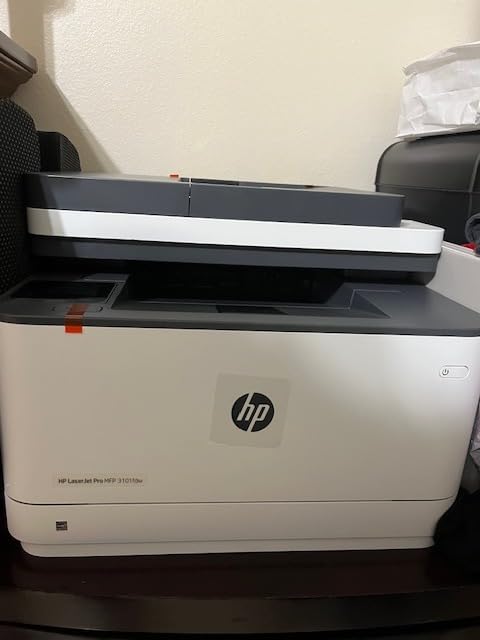
The HP LaserJet Pro MFP 3101fdw rounds out this lineup as a top-rated monochrome laser all-in-one with print, copy, scan, and fax built around a 35 ppm print engine. Its 4.2-star rating across more than 900 owner reviews puts it among the most positively reviewed business laser printers in this price band, and the underlying laser engine is the same class as the Brother L2820DW with HP’s twist on connectivity and security.
What sets the 3101fdw apart is HP Wolf Pro Security. For a small business or solo operator who handles medical records, financial statements, or legal documents through fax and scan, the security layer is meaningful: encrypted print jobs, firmware integrity checks, and automatic threat detection on the network interface. The intelligent dual-band Wi-Fi works well in offices where neighboring networks crowd the 2.4GHz band, and the HP Smart app integrates with Microsoft 365 and Google Workspace for one-tap scan-to-email and scan-to-cloud. For a more office-focused alternative, also consider the best laser printers with scanner and copier lineup on Logix4u.
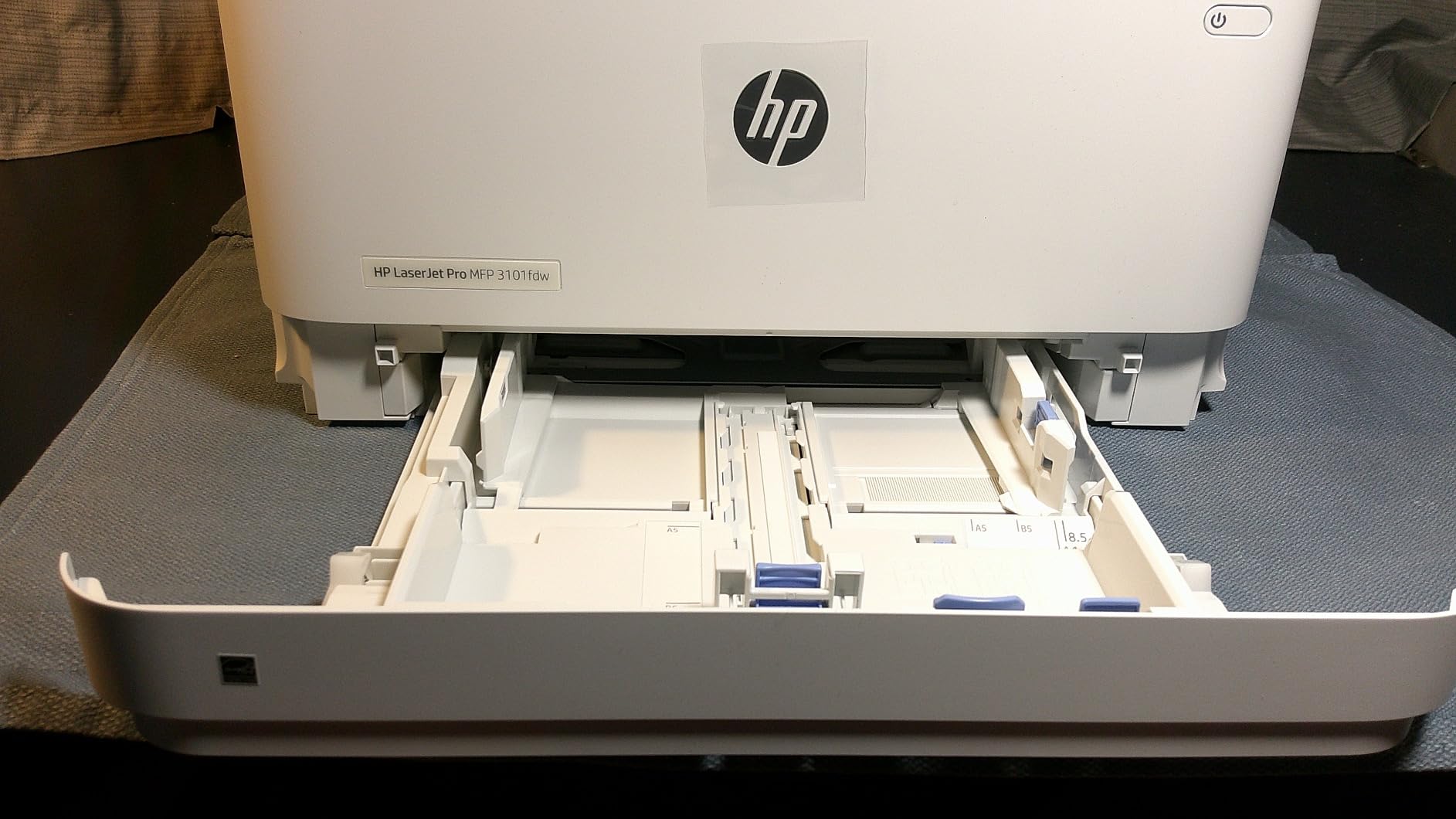
Speed tests confirmed the rated 35 ppm single-sided, with auto 2-sided print cutting that roughly in half to about 17 ipm in duplex mode. First-page-out was consistent at under 7 seconds from ready. Text quality at 1200 dpi is sharp enough for legal documents. The 250-sheet paper tray is comparable to the Brother L2820DW. The unit is lighter than the MFC-L3720CDW at 23 pounds, which makes it easier to install on a small desk or wall shelf.
The downsides are familiar monochrome compromises. No color output. No duplex scan in the ADF, so two-sided contracts require manual flipping. Wi-Fi setup can take two or three tries on certain routers. Compared to the Brother L2820DW, this unit trades duplex scanning for HP’s security stack and a slightly faster engine, and the choice really comes down to whether you prefer Brother’s Linux-friendly driver story or HP’s tighter security integration.
Who Will Love This Printer
Small teams printing 1,000 to 3,000 monochrome pages per month who want HP-grade reliability and security. Offices with Microsoft 365 or Google Workspace who will use scan-to-cloud daily. Buyers who want the LaserJet Pro line’s reputation for durability without stepping up to the M480f.
Who Should Skip It
Anyone needing color printing or duplex scanning. Budget buyers with low monthly volume who would overpay for laser capacity. Linux-only shops who value CUPS driver parity more than security features. The Brother MFC-L2820DW is the better fit for that profile.
How to Choose the Best Printer with Fax Copy and Scanner for Your Needs
The first question to settle is whether you actually need a 4-in-1 printer at all. A 3-in-1 unit covers print, scan, and copy and skips the fax modem entirely. If you have never sent or received a fax and do not work in a regulated industry that still requires one, a 3-in-1 will save you real money on the upfront cost. On the other hand, if your medical, legal, or government paperwork still flows through fax, the 4-in-1 is non-negotiable. Cloud fax services from companies like eFax or HelloFax exist, but they assume you have a separate way to scan and email documents, which is exactly what an all-in-one lets you do without leaving the desk.
3-in-1 vs 4-in-1: Which Functions Do You Actually Need?
The 3-in-1 versus 4-in-1 distinction looks small on a spec sheet but matters at the modem. A true 4-in-1 printer like every model on this list ships with a built-in 33.6 kbps fax modem that can dial a phone number, send a fax over an analog line, or connect to a VoIP adapter or cloud fax service. A 3-in-1 with software faxing still relies on your computer and a third-party subscription, which adds latency and recurring fees. The best printers with fax, copy, and scanner are honest 4-in-1 devices with the modem on board.
If you do not need fax, our related guide on the best laser printers with scanner for home use covers dedicated 3-in-1 lasers, and the best budget photo printers with scanner article walks through photo-focused 3-in-1 options.
Inkjet vs Ink Tank vs Laser: Choosing Your Print Engine
The single biggest decision after picking 3-in-1 versus 4-in-1 is the print engine. Inkjets are affordable upfront and good at photos and graphics. Ink tank printers (EcoTank, MegaTank, Smart Tank) refill from bottles and drop the per-page cost to under one cent for black and around five cents for color. Color lasers cost more upfront but print faster, handle higher duty cycles, and produce sharper text at scale. Monochrome lasers like the Brother L2820DW or HP 3101fdw are the cheapest per-page option for high-volume text printing.
In real terms, if you print fewer than 100 pages a month, an entry-level inkjet like the Canon TR8620a or HP 8135e is fine and you will not see the savings from a tank model. If you print 300 to 1,500 pages a month, an ink tank printer like the Canon G7020 or HP Smart Tank 651 pays for itself within the first year. If you print 2,000 plus pages a month, a color laser like the Brother L3720CDW or a monochrome laser like the Brother L2820DW is the right call.
ADF and Duplexing Explained (ADF, DADF, RADF, Single-Pass)
The auto document feeder is the part most buyers underestimate. A 35-page or 50-page ADF means you can drop a stack of receipts on top and walk away while the printer scans them. A duplexing ADF (DADF) scans both sides automatically. A reversing ADF (RADF) scans one side, flips the page, and scans the other side, which is slower and more prone to jam than a single-pass DADF. The Brother MFC-L2820DW and MFC-L3720CDW both have single-pass DADF, which is the configuration you want for office use.
Auto duplex print is a separate specification. The Canon TR8620a, HP 8135e, Epson WF-2860, Brother L3720CDW, Brother L2820DW, and HP 3101fdw all auto-duplex print. The HP Smart Tank Plus 651 is manual duplex only, which is a real limitation for high-volume home office users who print lots of two-sided documents.
Running Cost, Cost per Page, and Two-Year Total Cost of Ownership
Running cost is the number that determines whether a printer is a bargain or a trap. A standard inkjet cartridge typically runs 8 to 15 cents per page for color. An ink tank refill drops that to a fraction of a cent. A color laser toner runs around 2 to 4 cents per page for black and 8 to 12 cents per color page. Over 24 months, the difference on 500 pages a month is hundreds of dollars, which is why the most important spec is not the purchase price but the page yield per cartridge and the cost per refill.
A simple two-year total cost of ownership check: take the purchase price, add the price of toner or ink over 24 months at your expected monthly volume, and compare against the next candidate. The Canon G7020 wins decisively on long-term cost for moderate volumes. The Brother L2820DW wins decisively for high monochrome volume. The Canon TR8620a is best for low-volume households that value photo printing and a clean compact design.
Connectivity and Cloud Fax Without a Phone Line
Modern all-in-ones offer Wi-Fi, Wi-Fi Direct, Ethernet, NFC, USB, and mobile apps. For an office, Ethernet plus dual-band Wi-Fi is the most reliable combination. For a home or small apartment, dual-band Wi-Fi plus Wi-Fi Direct (so guests can print without joining your network) covers almost every scenario. NFC is a nice bonus for Android-heavy households, but it is not essential. Cloud fax services like eFax, HelloFax, and RingCentral handle inbound and outbound fax without a phone line by routing through their servers; many 4-in-1 printers can send fax directly to a cloud service’s email or app, which makes the fax modem useful even when you do not have a landline.
Linux, Raspberry Pi, and Open-Source Driver Support
For our Logix4u readers running Linux, BSD, or Raspberry Pi on a project, Brother is consistently the easiest brand to integrate. Most modern Brother AIOs ship with full CUPS print drivers and SANE scanner drivers in the mainline Linux distributions. HP is second-best thanks to HPLIP, although HP+ cartridge lock-in creates friction. Epson printers work through ESC/P-R and the Epson Inkjet Printer Driver (EPC), though firmware updates occasionally break third-party ink support. Canon inkjets work with Gutenprint and the Canon IJ drivers, but the most recent Canon MegaTank models sometimes lag behind on Linux support. If open-source driver availability is non-negotiable, the Epson WF-2860 and the Brother L2820DW are the safest picks in this list.
Frequently Asked Questions
What is the best all-in-one printer with fax, copy, and scanner?
The best all-in-one printer with fax, copy, and scanner for most people is the Canon PIXMA TR8620a. It is a wireless 4-in-1 with a 200-sheet paper capacity, auto 2-sided printing, an ADF for scan and copy, and a true standalone fax modem. For higher print volumes, the Canon G7020 MegaTank is a close second with refillable ink that slashes long-term running cost.
Do I need a phone line to fax from a printer?
Not necessarily. Modern 4-in-1 printers with fax can use a traditional analog phone line, a VoIP adapter that emulates an analog line, or a cloud fax service like eFax or RingCentral that receives faxes by email. Cloud fax is often the most reliable option for home offices that no longer have a landline, and most all-in-ones can scan-to-email and send-to-cloud-fax from the touchscreen.
Which printer brand is most reliable for home office use?
Brother is widely regarded as the most reliable printer brand for home office use, with strong long-term durability and the best out-of-the-box Linux support. HP is close behind in reliability but ties users into HP cartridges and the Instant Ink subscription. Canon is solid for inkjet photo quality, and Epson EcoTank and MegaTank printers are excellent for low running cost if you can tolerate occasional nozzle clogs.
Is inkjet or laser better for home office printing?
Inkjet is better for low-volume home offices that print photos or color documents occasionally. Laser is better for high-volume text printing because toner never dries out and per-page cost is lower. Refillable ink tank printers bridge the gap and now match laser cost per page while keeping photo quality, which is why the Canon G7020 and HP Smart Tank Plus 651 are such popular choices.
Final Verdict: Which Printer with Fax Copy and Scanner Should You Buy in 2026?
If you want the most balanced all-in-one printer with fax, copy, and scanner, the Canon PIXMA TR8620a is the pick I keep on my own desk and would recommend to anyone printing under 500 pages a month. If you print more pages than that and want the lowest possible running cost, the Canon G7020 MegaTank is the smarter long-term investment. If your priority is fast output, a touchscreen interface, and a sub-$200 price tag, the HP OfficeJet Pro 8135e is the best budget pick. Linux and open-source users get the easiest time out of the Epson WF-2860, while families love the HP Smart Tank Plus 651’s two-year ink supply. Small businesses that need real office-grade throughput should pair the Brother MFC-L3720CDW for color and the Brother MFC-L2820DW for monochrome.
The best printers with fax copy and scanner in 2026 all share three traits: a real standalone fax modem, an auto document feeder for unattended scan and copy, and at least one duplex feature that reduces paper handling. Pick the engine that matches your monthly volume, confirm the connectivity that fits your network, and do the two-year total cost of ownership math before you click buy. The right printer for the next 24 months will be the one whose ongoing ink or toner cost you actually want to absorb, not the one with the lowest sticker price.