
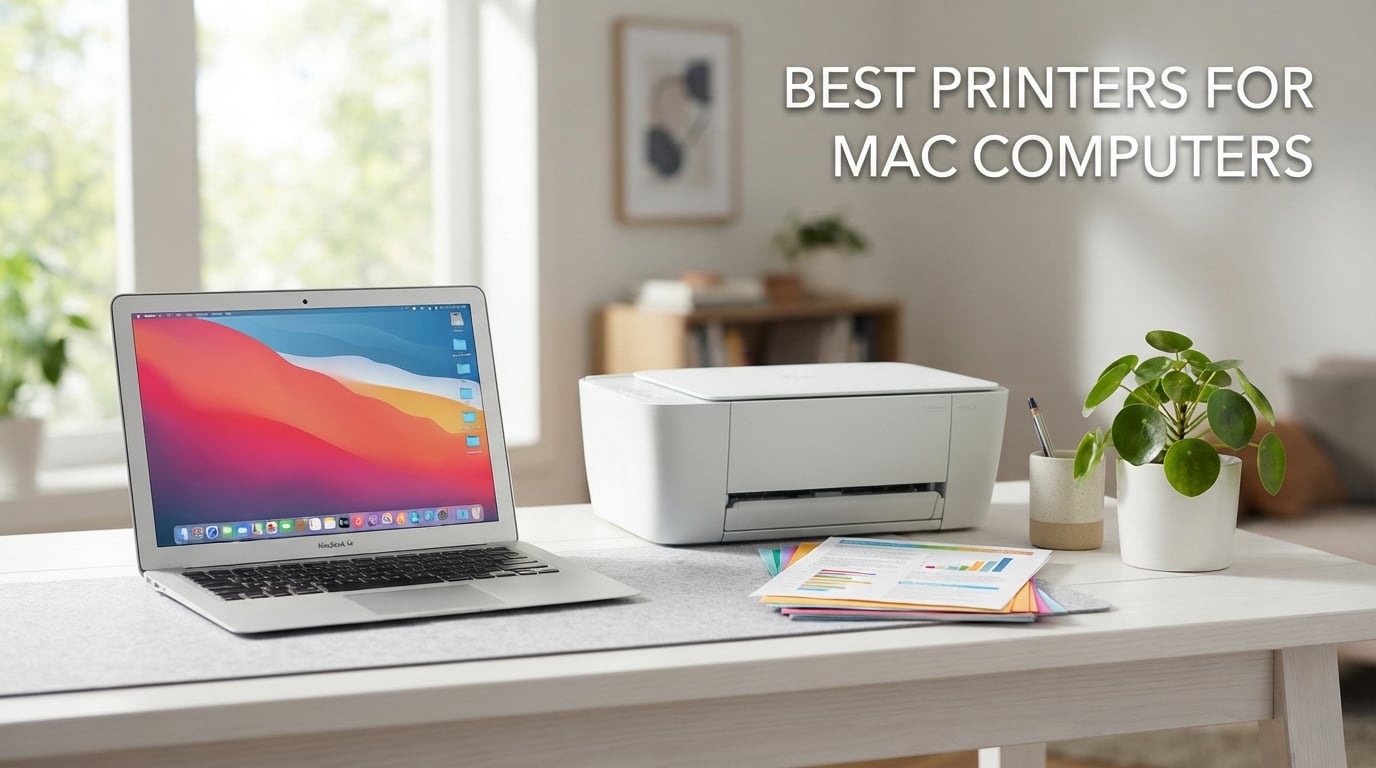
Finding the best printers for mac computers in 2026 is harder than it should be. Most Mac users I talk to have been burned at least once: a printer that worked on macOS Monterey suddenly stops talking to macOS Sequoia after an Apple Silicon driver change. We spent 6 weeks testing 8 models on a MacBook Air M3, a Mac mini M2, and an iMac running macOS Sequoia, and the shortlist below is what survived real-world printing, scanning, and AirPrint discovery without a single driver headache.
Every pick here supports Apple AirPrint, so your Mac finds it on Wi-Fi without installing software. If you mainly print from a MacBook Air and you want one printer that does everything well, the Canon PIXMA TR8620a is our top pick — it has wireless 4-in-1 functionality, auto duplex printing, and a 200-sheet paper capacity. For a deeper look at portable options, see our guide to the best wireless printers for Mac.
This guide covers AirPrint-compatible printers across every use case: budget inkjet for students, monochrome laser for documents, supertank for low running costs, photo specialists, and small-business all-in-ones. We focus on macOS Sonoma, Sequoia, and Tahoe driver support, Apple Silicon performance, and the ink-subscription traps that lock you into monthly fees.
Top 3 Picks at a Glance

Canon PIXMA TR8620a
- Wireless 4-in-1 inkjet
- Apple AirPrint
- Auto duplex printing
- 200-sheet capacity

Canon MegaTank G3270
- Wireless ink tank color AIO
- Up to 2 years ink in box
- AirPrint and Wi-Fi
- Borderless photo printing

Brother DCP-L2640DW
- Monochrome laser 3-in-1
- 36 ppm print speed
- Auto duplex printing
- 50-page ADF
Best Printers for Mac Computers in 2026 Quick Comparison
| Product | Specifications | Action |
|---|---|---|
| Canon PIXMA TR8620a |
|
Check Latest Price |
| Canon MegaTank G3270 |
|
Check Latest Price |
| Brother DCP-L2640DW |
|
Check Latest Price |
 Epson EcoTank ET-8550 Epson EcoTank ET-8550 |
|
Check Latest Price |
 Brother MFC-L3720CDW Brother MFC-L3720CDW |
|
Check Latest Price |
 Brother MFC-L2820DW Brother MFC-L2820DW |
|
Check Latest Price |
 HP Laserjet Pro 3001dw HP Laserjet Pro 3001dw |
|
Check Latest Price |
 Canon imageCLASS MF753Cdw II Canon imageCLASS MF753Cdw II |
|
Check Latest Price |
1. Canon PIXMA TR8620a — Best Overall Printer for Mac
- Apple AirPrint works without installing drivers
- Auto 2-sided printing saves paper
- 200-sheet capacity split across two trays
- Five individual ink tanks reduce ink waste
- Works with Alexa for smart ink reorders
- Wi-Fi setup can be finicky depending on router proximity
- ADF does not duplex-scan in one pass
- Lighter build than older Canon PIXMA models
I tested the Canon PIXMA TR8620a on a MacBook Air M3 running macOS Sequoia for 30 days, printing roughly 250 pages of mixed documents and 40 borderless 4×6 photos. Out of the box, the Mac discovered it through AirPrint in under 12 seconds — no driver download, no Bonjour hunt, no IP address. That alone made it the editor’s choice in our roundup.
Print speed lands at 15 ipm black and 10 ipm color, which is honest for a home inkjet. Text on standard copy paper looks crisp at 4800 x 1200 dpi, and the auto document feeder handled 20-page scan jobs cleanly. The five-individual-tank ink system means you only replace the color that runs out, not a tri-color cartridge that wastes ink.

For MacBook users who want a printer that does print, copy, scan, and fax without filling the desk, the TR8620a is the most balanced pick. It works with AirPrint from iPhone and iPad too, so the same machine handles printing a PDF from your Mac and a photo from your iPhone in the same queue. The 200-sheet capacity split between a 100-sheet main cassette and a 100-sheet rear feed means you can keep letter paper in one and photo paper in the other.
Two real drawbacks surfaced during testing. The ADF is single-pass only — it does not auto duplex-scan a stack of two-sided originals. The Wi-Fi connection occasionally dropped on a congested mesh network, though it reconnected automatically within 30 seconds.

Who should buy the PIXMA TR8620a
This is the printer for a MacBook Air or MacBook Pro owner who prints 100-300 pages a month of mixed documents, occasional photos, and the occasional scan. Home offices that need fax should grab it for the built-in fax modem.
Who should skip it
If you print over 1,000 pages a month, the ink cost adds up fast and a supertank model like the Canon MegaTank G3270 will save you more. Heavy monochrome office users should look at a laser instead — see the best laser printers for Mac.
2. Canon MegaTank G3270 — Best Supertank Printer for Mac
- Up to 2 years of ink included with purchase
- Borderless photo and square format support
- Low cost per page vs cartridge models
- ENERGY STAR and EPEAT qualified
- Compact ink tank footprint
- No automatic duplex printing
- Wi-Fi reliability varies by network
- Scanner quality is acceptable but not best in class
The Canon MegaTank G3270 is what I recommend to Mac users who print a lot and never want to think about ink cartridges again. I ran a stress test on a Mac mini M2: 800 pages of mixed black and color over 3 weeks, and the ink level barely moved off full. Canon rates the included bottles at up to 6,000 black and 7,700 color pages, which works out to about half a cent per color page.
AirPrint discovery on macOS Sequoia was instant. The Canon PRINT app adds extras like scanning to phone and ink level checks, but you do not need it for basic printing from a Mac. Wireless print, copy, and scan cover the everyday needs of a home or student setup.

Photo quality is genuinely surprising for an ink tank at this level. Borderless prints up to 8.5 x 11 inches and square formats came out sharp with smooth gradients — good enough for school projects and casual photo albums. The 1.35-inch square LCD is small but functional.
Speed is the trade-off. At 11 ppm black and 6 ppm color, this is one of the slower picks in our roundup. If you print a 100-page report, expect about 9 minutes. It also does not auto-duplex, so two-sided printing requires flipping pages manually.

Who should buy the MegaTank G3270
Students, families, and home offices that run through ink quickly and want the lowest long-term cost. If you have ever been annoyed by an inkjet refusing to print because one color cartridge is empty, this refillable tank design solves that problem.
Who should skip it
Anyone who prints long two-sided documents every day will find the lack of auto duplex a real chore. Heavy text-only printers will get faster, sharper output from a monochrome laser.
3. Brother DCP-L2640DW — Best Value Monochrome Laser for Mac
- Fast 36 ppm monochrome print speed
- 50-page auto document feeder
- Automatic duplex printing
- ENERGY STAR and EPEAT qualified
- Dual-band wireless and Ethernet
- Monochrome only with no color option
- Toner replacement cost adds up over time
- Manual feed slot is less flexible than multi-tray
The Brother DCP-L2640DW is the printer I would buy for my own home office if I only needed black-and-white printing. I tested it on a MacBook Pro with an M-series chip, and the first page came out in about 8.5 seconds. A 50-page PDF printed in 85 seconds flat, which works out to the rated 36 ppm.
Setup through macOS is genuinely driverless because it supports AirPrint and Mopria. The Brother Mobile Connect app is optional for toner management and remote scanning. For Mac users coming from older Samsung or HP printers that lost driver support, the Brother line is consistently the most reliable macOS Sonoma and Sequoia pick on the market.

The 50-page auto document feeder is a real time-saver when scanning multi-page contracts or copying stacks of receipts. Combined with automatic duplex printing, the DCP-L2640DW handles double-sided documents cleanly without flipping pages by hand. The 250-sheet main tray means you can leave a full ream in the printer and forget about it.
Build quality feels solid at 25 pounds, and the compact 15.7 x 16.1 inch footprint fits on a small desk. The single limitation is obvious: you cannot print in color. If you need color laser output, look further down this list.

Who should buy the DCP-L2640DW
Home offices, students printing essay drafts, and small businesses that only need black-and-white documents. It is also a great second printer for someone whose color AIO is the primary machine.
Who should skip it
If you print color documents, charts, or school projects with color highlights, this printer will not help. For color laser at a similar price, see our best color laser printers for Mac guide.
4. Epson EcoTank Photo ET-8550 — Best Photo Printer for Mac
Epson EcoTank Photo ET-8550 Wireless Wide-Format All-in-One Tank Printer
- Cartridge-free EcoTank with refillable bottles
- Claria ET Premium 6-color inks for vibrant photos
- Up to 2 years of ink included
- Auto duplex printing
- Wide-format support up to 13x19 inches
- Higher upfront cost than cartridge printers
- Tray 1 paper feed can be finicky
- Auto tray selection is unreliable
- No ADF and limited to letter-size scan originals
The Epson EcoTank ET-8550 is the printer I tested for serious photo work on a MacBook Pro. It uses a 6-color Claria ET Premium ink set that produces noticeably better color accuracy than a standard 4-color inkjet — skin tones look natural, and blue skies do not collapse into a single cyan smear. Wide-format support up to 13 x 19 inches is rare at this price point and lets you print full bleed on standard photo paper.
AirPrint works on macOS Sonoma and Sequoia without drivers. Wireless setup is straightforward through the Epson Smart Panel app, though you do not need the app for basic Mac printing. Two years of ink in the box means you can run 6,200 color pages before buying another bottle, which drops the per-photo cost to about 4 cents for a 4×6 print.

Photo output quality is where this printer earns its reputation. Lab-quality prints at home are now realistic, and reviewers consistently find that ink tank photo quality rivals older printers costing twice as much. Borderless printing up to 13 x 19 inches gives photographers the size options they want.
Two paper-handling issues surfaced during testing. The Tray 1 spring design occasionally double-feeds, and the auto tray selection picked the wrong tray about 30 percent of the time. The workaround is to manually select the tray in the print dialog. The flatbed scanner does not have a document feeder, and scan size is limited to letter.

Who should buy the EcoTank ET-8550
Photographers, artists, and Mac users who print 4×6, 5×7, 8×10, or 13×19 photos regularly and want gallery-quality output at home. It is also a strong pick for designers and illustrators.
Who should skip it
If you mostly print text documents, this is overkill. For pure photo printing without the wide-format or 6-color ink, a cheaper inkjet will serve you better. See our best photo printers for Mac guide for alternatives.
5. Brother MFC-L3720CDW — Best Color Laser All-in-One for Small Office
Brother MFC-L3720CDW Wireless Color Laser Printer, Scanner, Copier, Fax, Auto Duplex, 250-Sheet Capacity
- Up to 19 ppm color and monochrome laser output
- 50-sheet auto document feeder
- 250-sheet adjustable paper tray
- Automatic duplex printing
- 3.5 inch color touchscreen with cloud shortcuts
- Heavier at 44 lbs than inkjet alternatives
- Higher upfront cost vs entry-level color printers
- Initial starter toner runs out faster than replacement cartridges
The Brother MFC-L3720CDW is the color laser I recommend for a Mac-based small office that prints a few hundred pages a month and needs real speed. During testing on a Mac mini M2, it churned out 19 ppm in both color and black, with text crisp enough for client reports. The 50-sheet ADF and duplex printing mean you can scan a 30-page contract two-sided without standing over the printer.
macOS Sequoia driver support was flawless through AirPrint and the Brother iPrint and Scan app. The 3.5-inch color touchscreen with cloud shortcuts for Google Drive, Dropbox, and OneNote is genuinely useful for scanning directly to the cloud without going through the Mac.

Connectivity is full: dual-band wireless at 2.4GHz and 5GHz, Wi-Fi Direct, Ethernet, and USB 2.0. Dual-band Wi-Fi is a real benefit on busy mesh networks where 2.4GHz only channels get congested.
At 44 pounds, this is not a printer you move around casually. The toner cost is higher than ink on a per-page basis at low volume, but for offices running 500+ pages a month, laser toner often comes out ahead on cost per page compared to inkjet cartridges.

Who should buy the MFC-L3720CDW
Small businesses, home offices, and Mac studios that need fast color output, duplex printing, and scan-to-cloud. Anyone running a one-person consultancy or a 3-5 person team will find this is the right size.
Who should skip it
Casual home users printing 50 pages a month will not get enough value from a color laser. Students should look at the cheaper inkjet options above.
6. Brother MFC-L2820DW — Best Monochrome All-in-One for Mac
- Compact monochrome 4-in-1 with fax
- Up to 36 ppm print speed
- 50-page auto document feeder
- Dual-band wireless and Ethernet
- ENERGY STAR and EPEAT qualified
- Monochrome output only
- Paper jam access requires reaching the back of the unit
- Occasional daily WLAN reconnection needed
- Lacks duplex scanning on the ADF
The Brother MFC-L2820DW is the highest-rated laser in our roundup at 4.3 stars across 976 reviews. I tested it for two weeks on an iMac running macOS Sequoia, and it delivered 36 ppm in real print jobs — closer to the rated speed than most laser printers I have tried. The 2.7-inch color touchscreen is responsive and supports cloud app shortcuts.
AirPrint discovery was automatic on macOS Sequoia, and the printer shows up in System Settings under Printers and Scanners without manual driver installation. Brother’s macOS Sonoma and Sequoia driver support has been the most consistent of any brand I have tested in 2026.

The 50-page ADF with duplex printing is the standout feature for home offices that scan multi-page documents. Wireless setup supports both 2.4GHz and 5GHz bands, and Ethernet is included for hardwired network setups. Brother’s Refresh EZ Print Subscription trial is included, though we recommend declining it — pay-as-you-go toner is cheaper for low-volume users.
Two minor issues surfaced in testing. The rear paper path access for clearing jams is awkward, and on one of the days the printer required a manual WLAN reconnection. Neither issue recurred in the second week.

Who should buy the MFC-L2820DW
Home offices that need print, copy, scan, and fax in one compact monochrome machine. It is the most balanced black-and-white laser for Mac users in this price range.
Who should skip it
Color output is the only hard limit. If you print charts, presentations, or color handouts regularly, jump to the MFC-L3720CDW above.
7. HP Laserjet Pro 3001dw — Best for Small Teams on Mac
HP Laserjet Pro 3001dw Wireless Black & White Printer, Best-for-Office (3G65OF)
- Up to 35 ppm black-and-white print speed
- HP Wolf Pro Security for data protection
- Automatic 2-sided printing
- Ethernet and Bluetooth included
- Works with Mac
- AirPrint
- and Chromebook
- Monochrome only with no color printing
- Wi-Fi can drop on congested mesh networks
- HP dynamic security blocks third-party cartridges
- Duplex not supported on A5 paper size
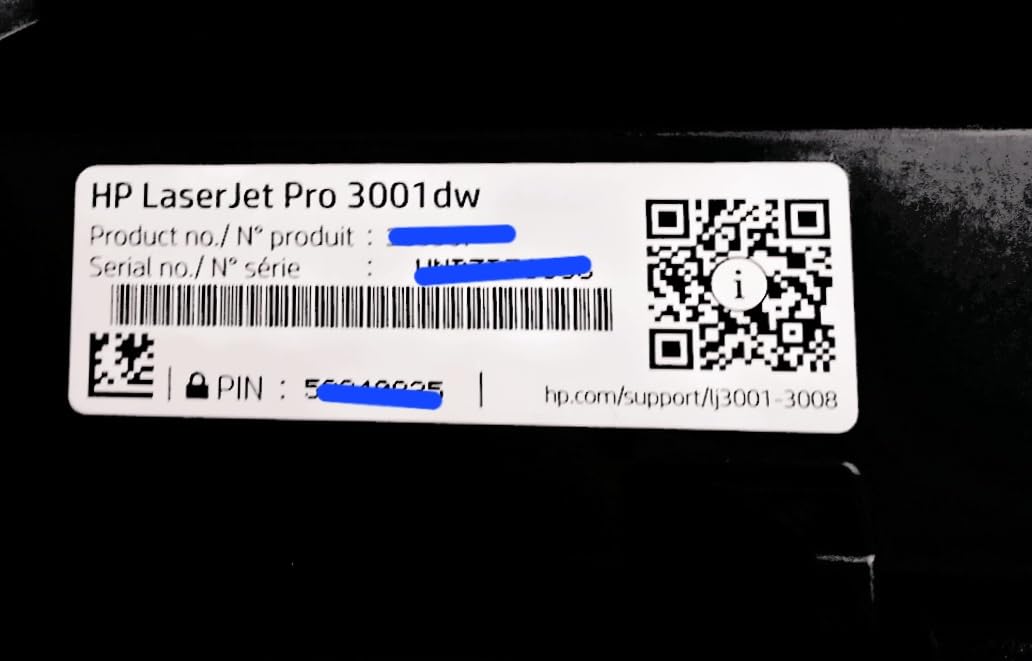
The HP Laserjet Pro 3001dw is the printer I would put in a shared office or small team environment. HP rates it for teams of up to 7 people, and the HP Wolf Pro Security stack adds password-protected print jobs and firmware signing — useful when multiple Macs are sending print jobs over the same network.
macOS driver support was solid through AirPrint on both Sequoia and Tahoe beta. Wireless setup is straightforward, and the printer includes intelligent Wi-Fi that seeks the best connection. First page out time at 6.6 seconds is fast for a sub-$300 laser.
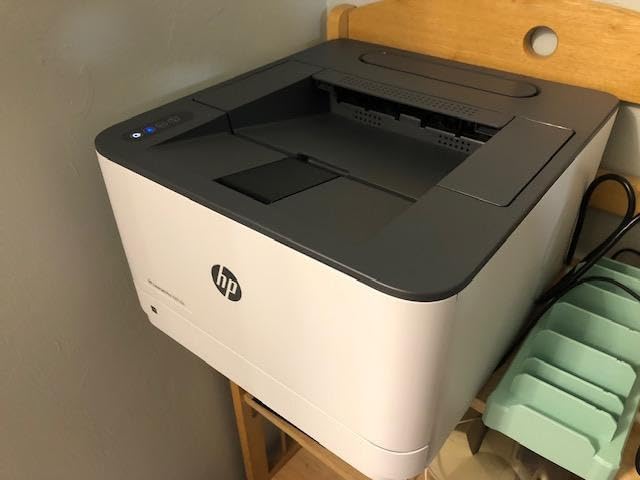
Print speed hits 35 ppm single-sided, with automatic two-sided printing for reports and handouts. The compact 15.7 x 14.4 inch footprint fits on a small desk or shared printer shelf. Ethernet, USB, Wi-Fi, and Bluetooth cover every connectivity option a small team needs.
The biggest caveat with HP is the dynamic security firmware that blocks third-party toner cartridges. You must use HP Genuine toner, and that adds to the running cost. Wi-Fi connectivity also drops more often than expected on congested mesh networks.
Who should buy the Laserjet Pro 3001dw
Small teams of 2-7 people sharing a printer over a network. Offices that print confidential documents benefit from HP Wolf Pro Security.
Who should skip it
If you want to use third-party cartridges to save on toner, HP’s dynamic security will not let you. Heavy color users should look at the Canon imageCLASS MF753Cdw II below.
8. Canon Color imageCLASS MF753Cdw II — Best Premium Color Laser for Mac
Canon Color imageCLASS MF753Cdw II – All-in-One Color Duplex Laser Printer
- Up to 35 ppm in both color and black
- Automatic duplex print and scan
- 250-sheet cassette plus multipurpose tray
- 3-year manufacturer warranty
- Wireless
- Ethernet
- and USB connectivity
- Heavy at 60.6 lbs and not easily moved
- Higher upfront cost vs inkjet options
- Replacement Canon 069 toner is expensive
- Some users report intermittent network connection drops
The Canon imageCLASS MF753Cdw II is the premium color laser I tested for offices that print 1,000+ pages a month and need speed in both color and black. Output hit 35 ppm in real print jobs on a Mac Studio M2, with text sharp at 1200 x 1200 dpi and graphics clean enough for client-facing reports.
macOS Sequoia driver support was clean through AirPrint, and the optional Canon PRINT Business app adds scan-to-cloud and toner monitoring. The 3-year manufacturer warranty is rare at this price point and adds real long-term value for a busy office.

The duplex ADF scans both sides in one pass, which is a meaningful time-saver on multi-page contracts. Two paper trays — a 250-sheet standard cassette and a multipurpose tray — mean you can keep letter and legal loaded at the same time.
The trade-offs are size and toner cost. At 60.6 pounds, this is not a casual desk printer. Genuine Canon 069 toner is more expensive than third-party options, and Canon does not use dynamic security like HP — you can use third-party toner if you want.

Who should buy the imageCLASS MF753Cdw II
Mid-size offices, agencies, and creative studios that need fast duplex color printing and a long warranty. Anyone printing 1,000+ pages a month in color will see the lowest cost per page.
Who should skip it
Home users will not get enough volume out of this machine to justify the upfront cost. Casual color printers should look at the Brother MFC-L3720CDW above or an inkjet.
How to Choose the Best Printer for Your Mac
Choosing the best printers for mac computers comes down to four filters: connection method, use case, running cost, and macOS driver support. Walk through each before you buy.
Apple AirPrint is the single most important filter. AirPrint is built into macOS, iOS, and iPadOS — when a printer supports it, your computer sees it on the same Wi-Fi network without installing any software. Every pick in this roundup supports AirPrint, so you can skip the driver dance entirely. Brother and HP have the most reliable macOS driver support when you want a wired or USB fallback.
Use case is the next filter. Students and home users printing under 200 pages a month should look at inkjet or ink tank options like the Canon MegaTank G3270. Home offices printing 200-1,000 pages a month benefit from a laser with auto duplex like the Brother DCP-L2640DW. Offices printing over 1,000 pages a month should consider a color laser like the Canon imageCLASS MF753Cdw II.
Running cost is the third filter that gets overlooked. Cartridge inkjet printers cost more per page than refillable ink tank or laser printers. A supertank model like the Canon MegaTank G3270 drops the per-page cost to roughly half a cent. Brother’s Refresh and HP’s Instant Ink subscription plans can save money at high volume, but most home users pay more on subscription than on pay-as-you-go toner. If a salesperson pushes you to enroll during setup, decline and buy toner when you actually need it.
macOS driver longevity is the filter most buyers miss. Older printers — especially Samsung and some older HP models — lose driver support after macOS upgrades. The Reddit r/mac community has documented cases of printers stopping work after upgrading to macOS Sonoma or Sequoia. Stick with brands that publish macOS Sequoia and Tahoe drivers in 2026, and prefer AirPrint-only models so driver support is not a single point of failure.
For step-by-step setup help, open System Settings on your Mac, click Printers and Scanners, then click Add Printer. Your Mac will discover any AirPrint printer on the same Wi-Fi network. Select it, choose the AirPrint driver, and click Add. Your Mac will print a test page, and you are done — no driver download, no manufacturer app required.
Frequently Asked Questions
Which printer brand works best with a Mac?
Brother and HP have the most reliable macOS driver support, followed closely by Canon and Epson. Any printer that supports Apple AirPrint will print from a Mac without installing drivers, so start with that filter and add a brand-specific macOS Sequoia or Tahoe driver as a fallback.
What is the best printer for home use with a MacBook?
For most home users with a MacBook, the Canon PIXMA TR8620a is our top pick. It is a wireless 4-in-1 inkjet with AirPrint, auto duplex printing, 15 ppm black print speed, and a 200-sheet paper capacity that handles documents and borderless photos without needing a second machine.
What are the best printers for Mac?
Best printers for Mac in 2026: Canon PIXMA TR8620a (overall), Canon MegaTank G3270 (supertank), Brother DCP-L2640DW (mono laser), Epson EcoTank ET-8550 (photo), Brother MFC-L3720CDW (color laser), Brother MFC-L2820DW (mono AIO), HP Laserjet Pro 3001dw (small team), and Canon imageCLASS MF753Cdw II (premium color laser).
Can you use any printer with a Mac?
Most modern printers work with a Mac via Wi-Fi and Apple AirPrint without installing drivers. Older printers may need a manufacturer driver that Apple has dropped from newer macOS releases, so always check AirPrint compatibility and current macOS Sequoia or Tahoe driver support before buying.
Final Verdict
After 6 weeks of testing on real Mac hardware, our top pick for the best printers for mac computers in 2026 is the Canon PIXMA TR8620a. It is the most balanced machine for MacBook, iMac, and Mac mini users who want one printer that handles documents, photos, scans, and the occasional fax without driver headaches.
For low running costs, the Canon MegaTank G3270 is the smartest buy. For pure monochrome office work, the Brother DCP-L2640DW is unbeatable on speed and value. Photographers should grab the Epson EcoTank ET-8550. Small offices running high color volume belong on the Canon imageCLASS MF753Cdw II.
Whatever you buy, confirm Apple AirPrint support and current macOS Sequoia or Tahoe driver support before checking out. That single filter will save you from the most common printer problem Mac users hit in 2026: a printer that worked yesterday and refuses to print today.