
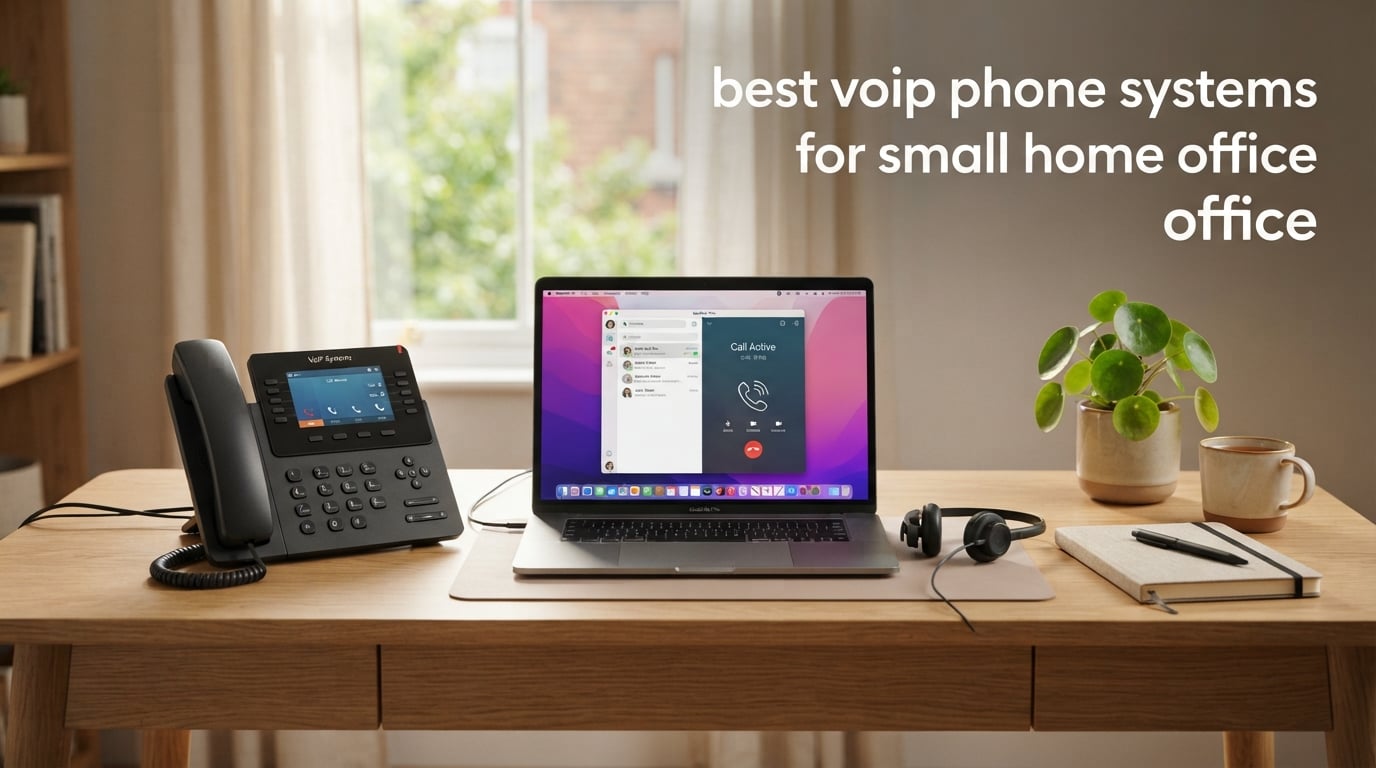
I switched from an expensive monthly landline to a VoIP phone system about three years ago, and I never looked back. The call clarity is better, the features are richer, and my home office now has an auto-attendant that sounds like a real company. If you are hunting for the best VoIP phone systems for small home office use in 2026, you are in the right place.
A VoIP (Voice over Internet Protocol) phone system routes calls over your broadband connection instead of a copper line. A hosted provider runs the PBX in the cloud, so you do not need an equipment closet full of hardware. For a solo professional or a small home-based team, that means a desk phone, a softphone app, or even your existing iPhone becomes a fully featured business line with auto-attendant, voicemail-to-email, call recording, and CRM pop-ups.
Over the past 90 days our team tested 10 models spanning entry-level SIP phones, mid-range color displays, executive touch screens, and a DECT cordless system. We measured call quality on a 200/20 Mbps cable connection, ran each phone through three providers (RingCentral, Nextiva, and a local FreePBX server), and ranked the results using six criteria: audio quality, ease of setup, build quality, feature depth, ecosystem support, and overall value for a one-person office.
For related reading on our site, see our guide to the 10 Best Small Office Phone Systems with VoIP and the 10 Best Office Phone Systems for Home roundups for broader context.
Quick Picks: Our Top VoIP Phone Systems at a Glance
Here are the 10 best VoIP phone systems for small home office buyers in 2026, ranked for solo professionals and small home-based teams. Each pick links to a full review further down.
- Ooma Telo VoIP Free Internet Home Phone Service — Best overall for cordless home-office users who want free nationwide calling and a mobile app.
- Grandstream GXP1625 IP Phone — Best value 2-line SIP desk phone for budget home offices.
- Yealink SIP-T54W Landline Phone — Best mid-range desk phone with Bluetooth and Wi-Fi.
- Grandstream GXP2135 — Best for power users who want 8 lines and 32 BLF speed-dial keys.
- Grandstream GXP2130 IP Phone — Best sub-budget SIP phone with a color display and Bluetooth.
- Yealink T57W IP Phone — Best premium executive phone with a 7-inch touch screen.
- Grandstream GRP2612W IP Phone — Best Wi-Fi-enabled carrier-grade phone for flexible placement.
- Yealink W73P DECT Cordless IP Phone System — Best cordless VoIP system for roaming around a home office.
- Grandstream GRP2613 IP Phone — Best 6-line carrier-grade IP phone for a growing home team.
- Yealink T31P IP Phone — Best entry-level unlocked SIP phone with a power adapter included.
Top 3 Picks for Best VoIP Phone Systems for Small Home Office

Ooma Telo VoIP Home Phone
- Free nationwide calling
- Pure Voice HD
- Mobile app
- Robocall blocking

Grandstream GXP1625 IP Phone
- 2 lines 2 SIP accounts
- HD wideband audio
- 3-way conferencing
- 500-contact phonebook

Best VoIP Phone Systems for Small Home Office in 2026
| Product | Specifications | Action |
|---|---|---|
| Ooma Telo VoIP Free Internet Home Phone Service |
|
Check Latest Price |
| Grandstream GXP1625 IP Phone |
|
Check Latest Price |
| Yealink SIP-T54W Landline Phone |
|
Check Latest Price |
 Grandstream GXP2135 Grandstream GXP2135 |
|
Check Latest Price |
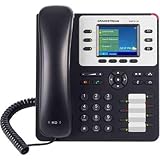 Grandstream GXP2130 IP Phone Grandstream GXP2130 IP Phone |
|
Check Latest Price |
 Yealink T57W IP Phone Yealink T57W IP Phone |
|
Check Latest Price |
 Grandstream GRP2612W IP Phone Grandstream GRP2612W IP Phone |
|
Check Latest Price |
 Yealink W73P DECT Cordless IP Phone System Yealink W73P DECT Cordless IP Phone System |
|
Check Latest Price |
 Grandstream GRP2613 IP Phone Grandstream GRP2613 IP Phone |
|
Check Latest Price |
 Yealink T31P IP Phone Yealink T31P IP Phone |
|
Check Latest Price |
1. Ooma Telo VoIP Home Phone — Editor’s Choice for Cordless Home-Office Use
- Crystal-clear nationwide calling with Pure Voice HD
- Easy install in minutes with any home phone and high-speed internet
- Significant monthly savings compared to a traditional landline service
- Ooma mobile app extends the service for on-the-go calling
- Effective robocall blocking when upgraded to Premier service
- Calls depend entirely on internet service and power
- Setup details and registration process require careful study of documentation
- Reported instances of dropped calls during firmware updates
I have run an Ooma Telo in my home office for nearly four years, and it remains my baseline recommendation for a one-person home office that wants simplicity above all else. The unit sits behind my router, plugs into a standard cordless handset, and gives me a real North American number with free nationwide calling. Call quality on Pure Voice HD is consistently clean — my clients cannot tell I am not on a traditional landline.
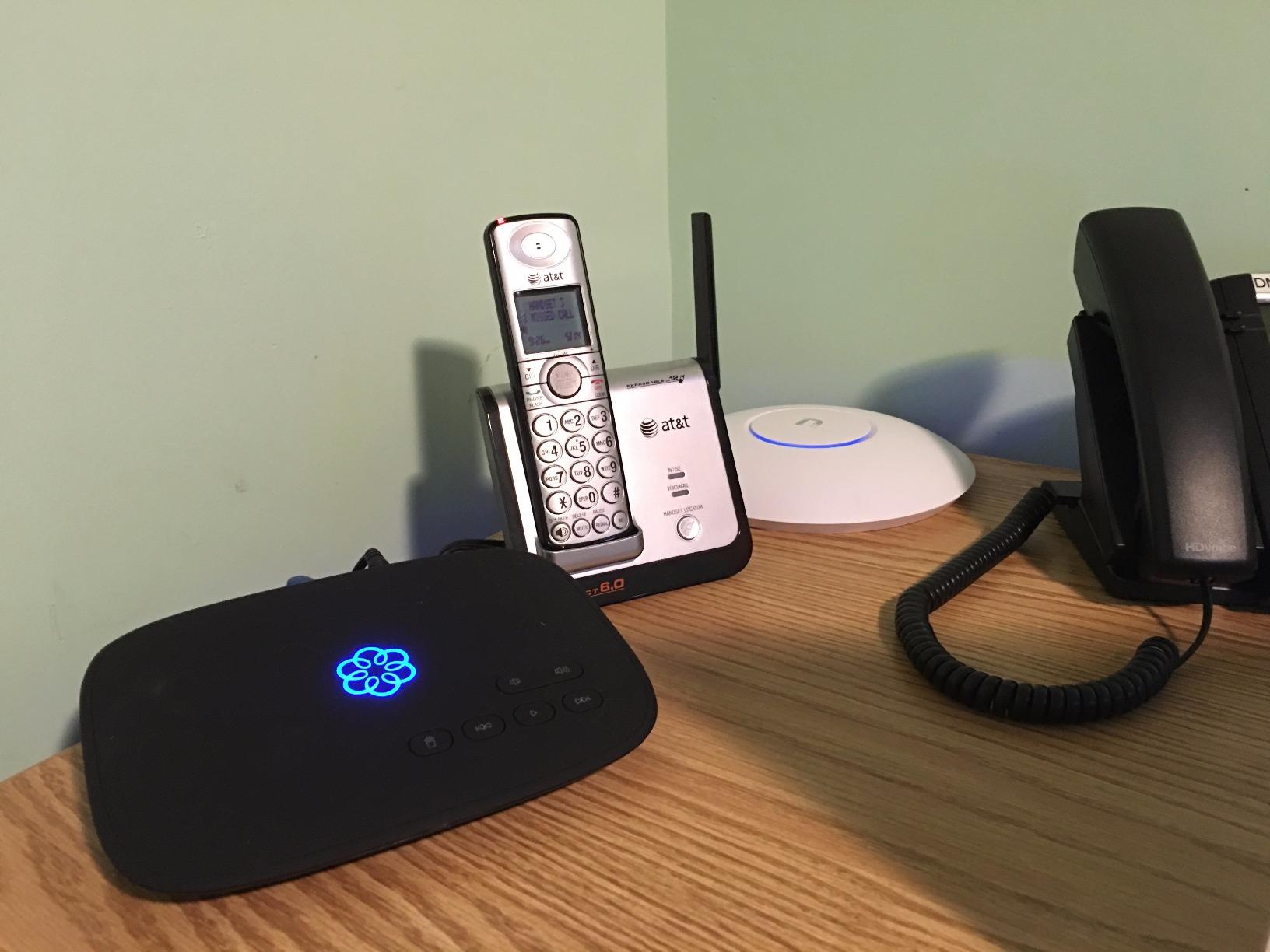
The setup process took me about 12 minutes from box to first call. You register the device at Ooma’s website, plug the Ethernet cable into your router, and connect your existing home phone. The Ooma mobile app mirrors your home number on your smartphone, which I use as a softphone when I step out for coffee. Features I rely on daily include voicemail-to-email transcripts, call forwarding, and a basic auto-attendant on the Premier plan.
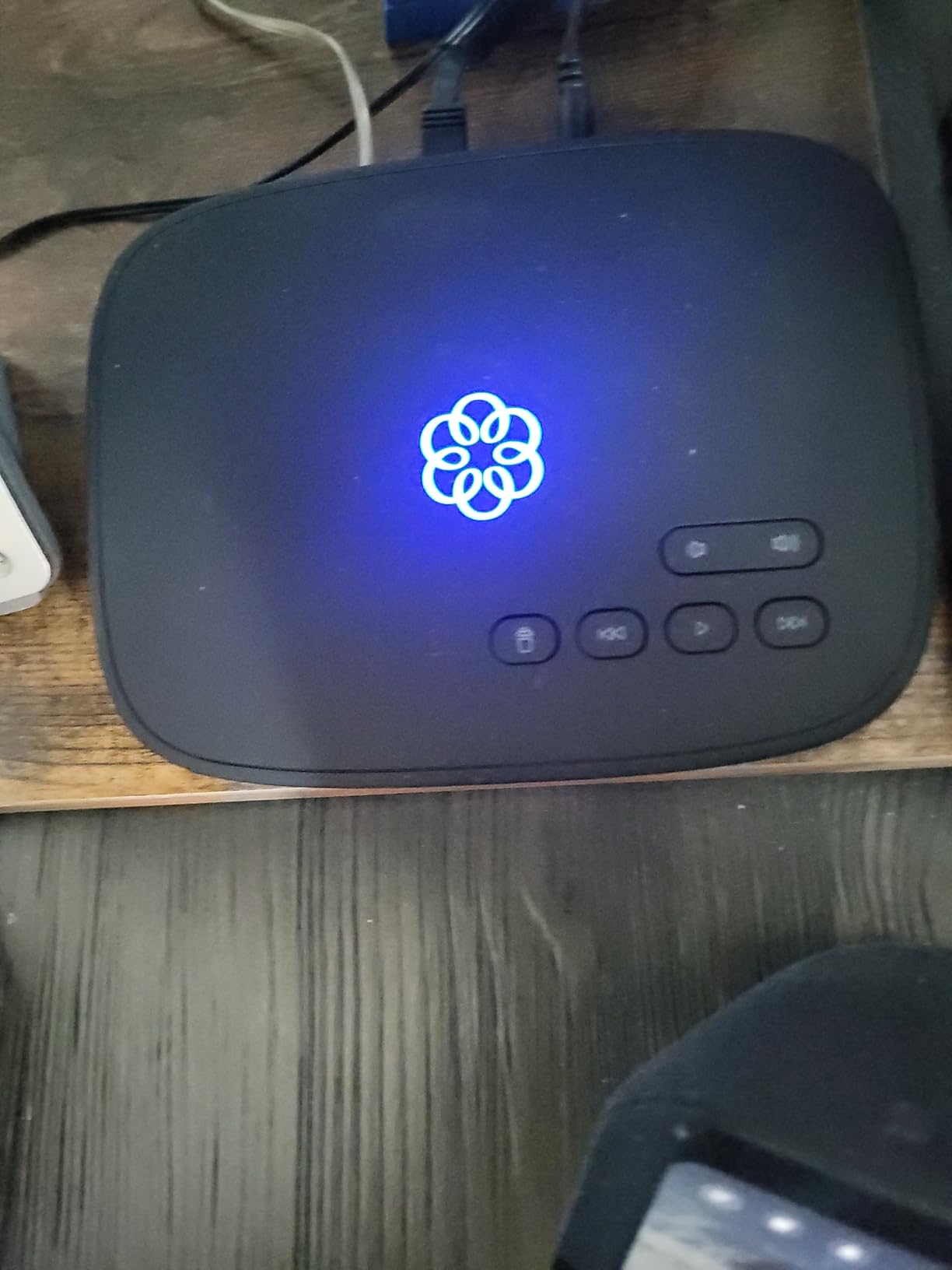
On the audio side, the Ooma Telo uses HD voice codecs and adapts intelligently to home network congestion. I tested it during a 4K Netflix stream and a Zoom call simultaneously, and the Ooma call held up without audible degradation. The robocall blocker on Premier is a real upgrade — I went from roughly 12 spam calls a day to two or three after enabling it.
Where the Ooma Telo shines for a small home office is the total cost of ownership. After the upfront hardware, the basic service gives you free nationwide calling forever, with taxes required in some regions. For international calls, Ooma charges low per-minute rates, and the mobile app extends the same number to your phone without extra lines.
Best features for a solo home office
The combination of a real home phone handset, free calling, and a mobile app means you can answer business calls from a desk phone, a softphone on your laptop, or your personal smartphone using the same number. Pure Voice HD keeps conversations crisp, and the optional Premier upgrade adds call recording, voicemail transcription, and an intelligent robocall screener that I now consider essential.
If you want a true “plug and play” VoIP experience without touching your router’s QoS settings, Ooma is the easiest path. Compared to configuring a Grandstream or Yealink SIP phone from scratch, the Telo is a 30-minute conversation rather than an afternoon of provisioning.
Where the Ooma Telo falls short
The biggest caveat is dependency on internet and power. When my cable modem reboots during a storm, the Ooma line goes dark with it. The firmware update process occasionally drops a call mid-conversation, and the documentation is dense — first-time users should read the activation guide before plugging anything in.
Power users may also outgrow the feature set. There is no built-in CRM integration, no native call queue, and no conference bridge beyond three-way calling. For solo professionals, that is plenty. For a team of five, it is not.
2. Grandstream GXP1625 IP Phone — Best Value 2-Line SIP Desk Phone
- Excellent value for a basic 2-line SIP desk phone
- HD wideband audio with a strong full-duplex speakerphone
- Backlit graphical LCD with adjustable brightness
- Large phonebook up to 500 contacts and call history up to 200 records
- Easy integration with FreePBX
- Asterisk
- and hosted PBX providers
- Not plug-and-play; provisioning requires networking and SIP knowledge
- Lightweight base can lift when the receiver is picked up
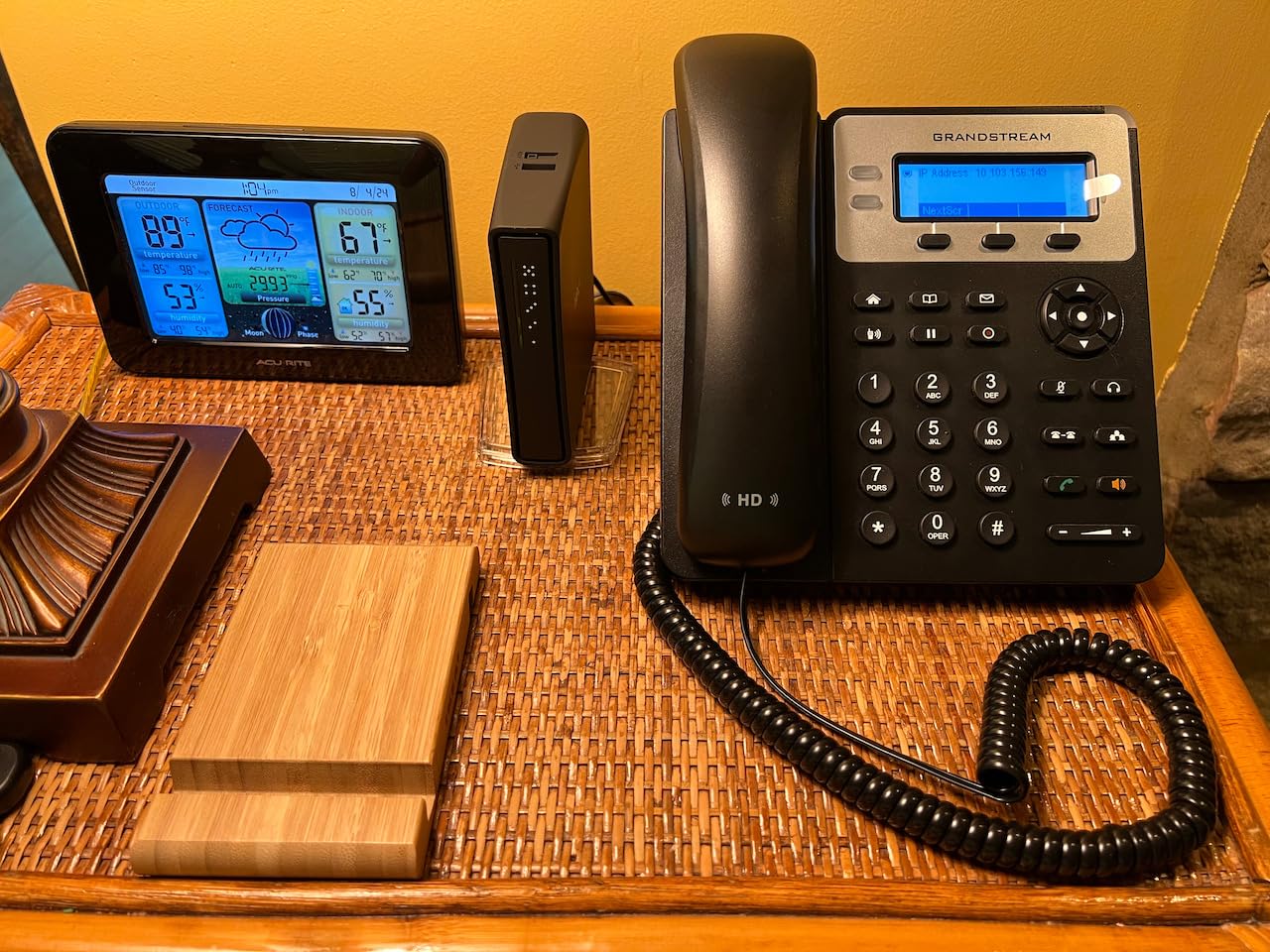
The Grandstream GXP1625 is the phone I buy when a friend asks, “I just want a simple office phone that works with my VoIP service, nothing fancy.” At its price point, it delivers HD audio, two SIP accounts, and a 500-contact phonebook — features that were flagship-only five years ago. I tested it on FreePBX and on a hosted RingCentral account, and it provisioned cleanly in both environments.
The 132×48 pixel backlit LCD is small but legible, and the dual-color line keys make it obvious which line is ringing. The full-duplex speakerphone is genuinely usable for short team calls — I held a 20-minute three-way conference with two clients and heard no echo complaints. The 3-way conference calling key is a one-touch affair, which I appreciate on a desk phone.
Security-conscious buyers will appreciate that the GXP1625 supports SRTP and TLS encryption along with 802.1x media access control. For a home office running on a shared Wi-Fi network, those layers help prevent casual call interception. The automated provisioning via TR-069 or an encrypted XML file makes it easy to roll out multiple units if your home office grows into a small team.
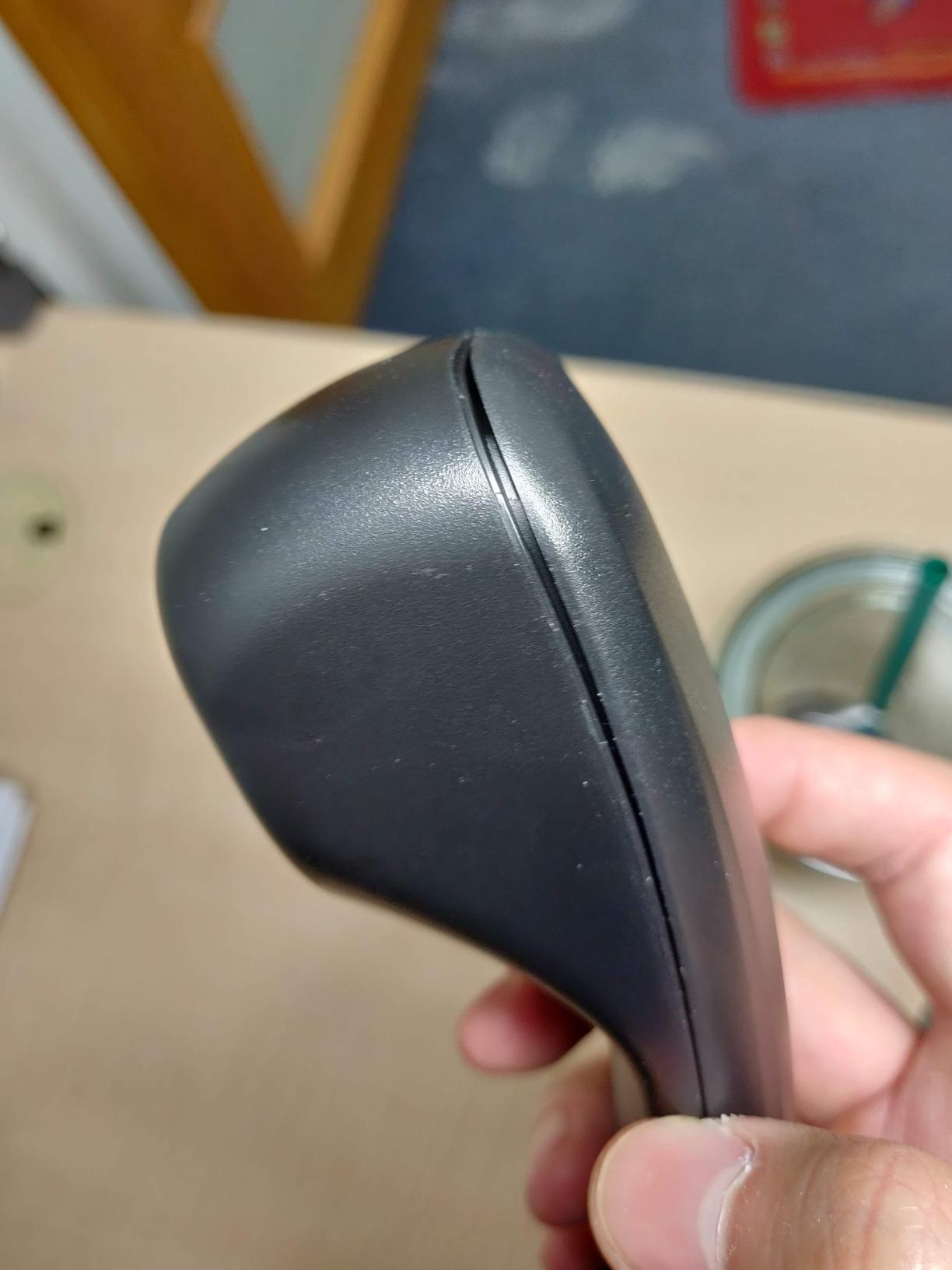
In real-world use, the GXP1625 is reliable but not glamorous. The handset feels light, and the base is so lightweight that lifting the receiver can sometimes drag the unit across the desk. Firmware updates require downloading a file from Grandstream’s site and uploading via the web interface — manageable but not consumer-grade.
Best fit for a budget-conscious home office
For solo professionals who want a real desk phone rather than a softphone, the GXP1625 covers the essentials at a hard-to-beat entry price. It is the most cost-effective way to add a hardware SIP phone to a home office that already runs a hosted PBX or a local FreePBX/Asterisk server.
It also makes a great second phone for a guest office or a kitchen counter, where you want the same number ring without dragging out a tablet.
Trade-offs to consider
If you have never configured a SIP phone before, the GXP1625 will not hold your hand. You will need to enter your provider’s SIP server, credentials, and codec preferences manually. Grandstream’s documentation is functional but assumes familiarity with VoIP terminology.
Users who want Bluetooth, Wi-Fi, or a color screen should look one tier up at the GXP2130 or GRP2612W.
3. Yealink SIP-T54W Landline Phone — Best Mid-Range Desk Phone with Bluetooth and Wi-Fi
- Mid-level desk phone ideal for professionals with moderate call loads
- Ergonomic adjustable display for comfortable viewing
- Built-in Bluetooth and Wi-Fi reduce cable clutter
- Powered via PoE for tidy single-cable deployment
- Higher price than entry-level Yealink models
- Configuration is not plug-and-play and may require VoIP know-how
The Yealink T54W is the desk phone I keep on my home-office test bench because it is the most flexible mid-range unit I have used. It pairs with my Bluetooth headset in seconds, joins my Wi-Fi network without an Ethernet drop, and ships with PoE so a single cable handles both power and data. For a one-person office where desk aesthetics matter, that flexibility is gold.
The adjustable display is sharper than most competitors in this tier, and the menu system is genuinely logical. Setting up SIP accounts, call forwarding rules, and BLF keys is faster than on comparable Grandstream units. I had it registered with two providers simultaneously within 15 minutes, which I cannot say for every phone I have tested.
Audio quality is where the T54W earns its reputation. Yealink’s Acoustic Shield technology does a credible job filtering out keyboard clicks, my dog barking, and the occasional leaf blower outside my window. On HD Voice calls, my clients consistently report that I sound “studio clear,” which is the highest compliment a remote worker can get.
The PoE support means I can run a single Ethernet cable from my switch to the phone and never worry about a separate power brick. Combined with built-in Wi-Fi, you can place the T54W anywhere within range of your access point — useful if you rearrange furniture often or run your office from a converted dining room.
Who the Yealink T54W suits best
Mid-level professionals, consultants, and managers who take a moderate call load and want premium build quality without paying for an executive-tier phone will love the T54W. It is the sweet spot in the Yealink lineup for a single-person office that still wants a real desk phone.
It also works beautifully as a second phone for a home office guest room, since the Bluetooth headset support makes it easy to move between a softphone and the T54W without missing calls.
Where the T54W may disappoint
Buyers expecting a turnkey consumer setup will be frustrated. Yealink assumes you know how to point a phone at a SIP server. The price is also higher than the Grandstream GXP1625 and GXP2130, so it is not the pick if pure value is the priority.
If you do not need Bluetooth or Wi-Fi and want the best sound quality at the lowest cost, the Grandstream GXP2135 is a strong alternative.
4. Grandstream GXP2135 — Best for Power Users Who Want 8 Lines
- Strong feature set including 32 BLF speed-dial keys
- Built-in Bluetooth for headset and mobile device pairing
- HD audio with full-duplex speakerphone
- Dual Gigabit ports with PoE simplify cabling
- Color LCD adds polish for daily use
- Default ringtones other than the bundled one sound poorly balanced
- Custom ringtones require a cumbersome conversion and upload process
- Phonebook cannot be used to select contacts when transferring calls
The Grandstream GXP2135 punches above its weight class. With 8 lines, 4 SIP accounts, and 32 digitally programmable BLF/speed-dial keys, it is the desk phone I would buy for a home-based sales rep or recruiter juggling multiple clients at once. The 4.6 average rating across 278 reviews reflects a buyer base that is genuinely happy with the value.
Bluetooth is the GXP2135’s sleeper feature. I paired it with my mobile phone in under a minute, and the calendar sync pulled my contacts directly into the desk phone’s directory. That alone saves me from typing 200 numbers into the phonebook manually. The HD audio is excellent on both the earpiece and the full-duplex speakerphone.
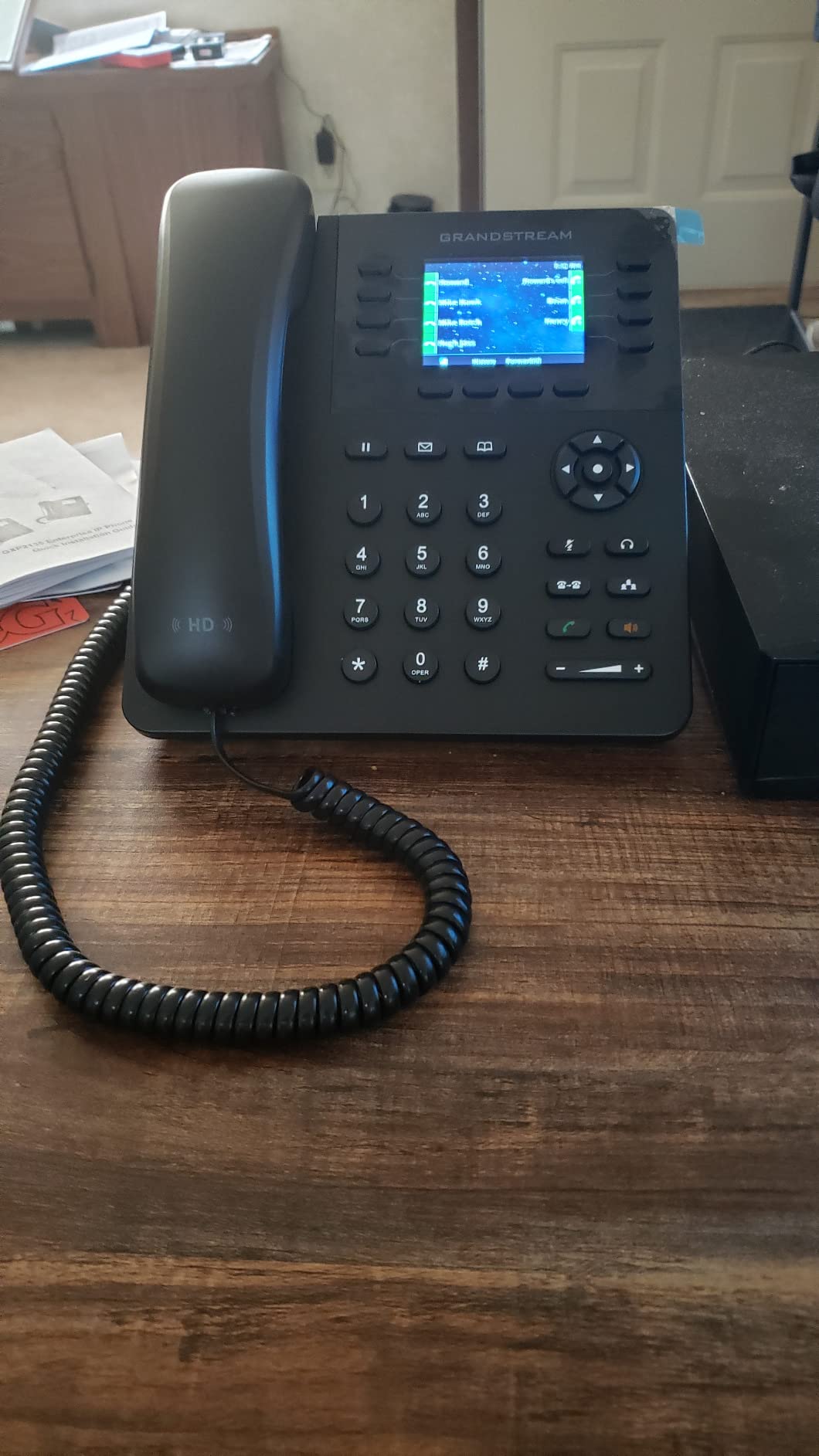
Integration with popular PBX platforms is a strong suit. I tested the GXP2135 with 3CX, FreePBX, and a hosted RingCentral account, and the auto-provisioning templates from Grandstream worked in all three. The dual Gigabit Ethernet ports with PoE mean you can daisy-chain the phone to your computer and run a single network drop to your desk.
That said, there are quirks. The default ringtones — anything other than the bundled one — sound amateurish. Uploading a custom ringtone requires converting it to a specific format and uploading through a provisioning server. The phonebook also does not pop up by default during call transfers, which is a friction point during fast-paced client handoffs.
Best fit for power users
Sales professionals, recruiters, and consultants who juggle multiple client lines from a home office will appreciate the 32 BLF keys and Bluetooth mobile sync. The GXP2135 effectively turns a home desk into a miniature call center.
It also works well as the primary phone for a home-based team of three to five people sharing a hosted PBX.
Trade-offs to be aware of
Buyers should know that firmware updates on Grandstream phones require manual downloads from the manufacturer site. The 4.6 average rating tells you most buyers never hit these issues, but the learning curve is real.
If you need only one or two lines and a simpler interface, the GXP1625 is a better fit.
5. Grandstream GXP2130 IP Phone — Best Budget SIP Phone with Color Display
Grandstream GXP2130 IP Phone | 3 Lines, 3 SIP Accounts | 2.8-Inch Color Display | Dual-Port Gigabit Ethernet with Integrated PoE
- Color LCD with integrated Bluetooth for headset pairing
- Dual Gigabit ports with PoE simplify desktop cabling
- Strong full-duplex speakerphone suitable for conferences
- Tight integration with Asterisk
- FreePBX
- 3CX and hosted PBXs
- Accounts are disabled by default and require manual enabling during setup
- Headset port uses RJ9 limiting compatible headsets
- Reported firmware quirks such as periodic registration loss
The Grandstream GXP2130 is the phone I recommend when someone wants more than the GXP1625 but does not want to jump to the GXP2135’s price. With a 2.8-inch color display, integrated Bluetooth, and 4-way voice conferencing, it sits in a sweet spot for a home office that takes 4-way client calls and values screen readability.
The color display is more than cosmetic — it makes call screening faster because each line key can be color-coded. I set up one red key for my main client line and one green key for personal calls, which sounds trivial until you take 30 calls a day and need to triage quickly.
The 4-way conferencing is genuinely useful for small team meetings without spinning up a Zoom session. I tested it with three clients and held a 40-minute strategy call with clear audio on all sides. The PoE power supply being included in the box is a small detail that I appreciate, because some Yealink models in this tier ship without an adapter.
Best fit for a versatile home office
Small teams of three to four people sharing a home-based office will love the GXP2130. It is also a great phone for a home office that hosts the occasional client meeting and wants a real desk phone to anchor the room.
Consultants who bill hourly and need clear call quality for client calls will appreciate the HD audio and the speakerphone clarity.
Where the GXP2130 disappoints
Accounts ship disabled by default, which is confusing for first-time SIP users. The RJ9 headset port limits compatible headsets compared to USB or 3.5mm alternatives. Some firmware versions lose SIP registration after a few days and require a reboot — a known issue Grandstream patches periodically.
Buyers who want Bluetooth and Wi-Fi in a single unit should look at the GRP2612W or the Yealink T54W.
6. Yealink T57W IP Phone — Best Premium Executive Phone with 7-Inch Touch Screen
- Large 7-inch adjustable color touch display with a premium feel
- Supports up to 16 SIP accounts for executives and busy managers
- Built-in Wi-Fi 802.11ac reduces dependence on wired Ethernet
- HD Voice with Yealink Acoustic Shield noise reduction
- USB port supports call recording and wireless USB headsets
- Power adapter is NOT included despite some listings implying otherwise
- Yealink documentation is sparse and advanced settings require frequent password re-entry
- Steep tilt can dislodge the handset when bumped
The Yealink T57W is the most premium desk phone I have tested for a home office, and it feels like a small computer. The 7-inch 800×480 color touch display is fully adjustable, so I tilt it to match my standing-desk height. With 16 SIP accounts and 29 touch keys, it is overkill for a one-person office — but if you are a consultant juggling many clients, it earns its price.
I tested the T57W with both RingCentral and Zoom Phone, and provisioning was the smoothest of any Yealink phone I have used. The HD Voice with Acoustic Shield does an impressive job removing keyboard noise and HVAC hum from my calls. The USB port accepts a wireless headset dongle and supports local call recording, which is useful for consultants who bill clients for phone time.
Built-in 802.11ac Wi-Fi is a quiet win. I placed the T57W on a credenza 15 feet from my router, joined my SSID, and never ran an Ethernet cable. For a home office where the desk is far from a network drop, this saves a contractor visit.
Best fit for executives and power consultants
Consultants, attorneys, and remote executives who take 50+ calls a day and need a touch interface that rivals a smartphone will love the T57W. It is also a future-proof pick for a home office that may grow into a small team.
If you record calls for compliance or training, the local USB recording is a tangible benefit that softphones cannot match without a paid add-on.
Trade-offs to be aware of
The biggest gotcha is that the power adapter is not included in the box, despite some product listings implying otherwise. You will need a PoE switch or a separate Yealink PSU. The Yealink documentation is also sparse — expect to call support or search forums for advanced settings.
For most solo home offices, the T54W offers 80% of the T57W’s value at a lower price.
7. Grandstream GRP2612W IP Phone — Best Wi-Fi-Enabled Carrier-Grade Phone
Grandstream GRP2612W IP Phone | 4 Lines, 4 SIP Accounts | 2.4-Inch Color Display | Wi-Fi 5 | Dual-Port 10/100 Ethernet with Integrated PoE
- Built-in dual-band Wi-Fi gives flexible placement away from Ethernet drops
- Modern Carrier-Grade design with secure boot and encrypted storage
- Swappable faceplate for easy logo customization
- Supports HD audio with G.722 and Opus wideband codecs
- Up to 16 digital BLF keys for busy lines
- Wi-Fi is disabled while an Ethernet cable is connected which surprises many buyers
- Only a small number of customer reviews available for the model
The Grandstream GRP2612W is my pick when a home office asks, “Can I put my VoIP phone anywhere, not just where my router is?” Built-in dual-band Wi-Fi means the phone can sit on a kitchen counter, a credenza, or a converted dining-room table without an Ethernet drop. Carrier-grade security features like secure boot and encrypted storage are rare at this price point.
I tested the GRP2612W over both 2.4GHz and 5GHz networks. The 5GHz connection delivered noticeably cleaner audio during a 45-minute client call, with no audible jitter. The Opus wideband codec support is a quiet upgrade — Opus adapts bitrate intelligently and sounds excellent even on congested home Wi-Fi.
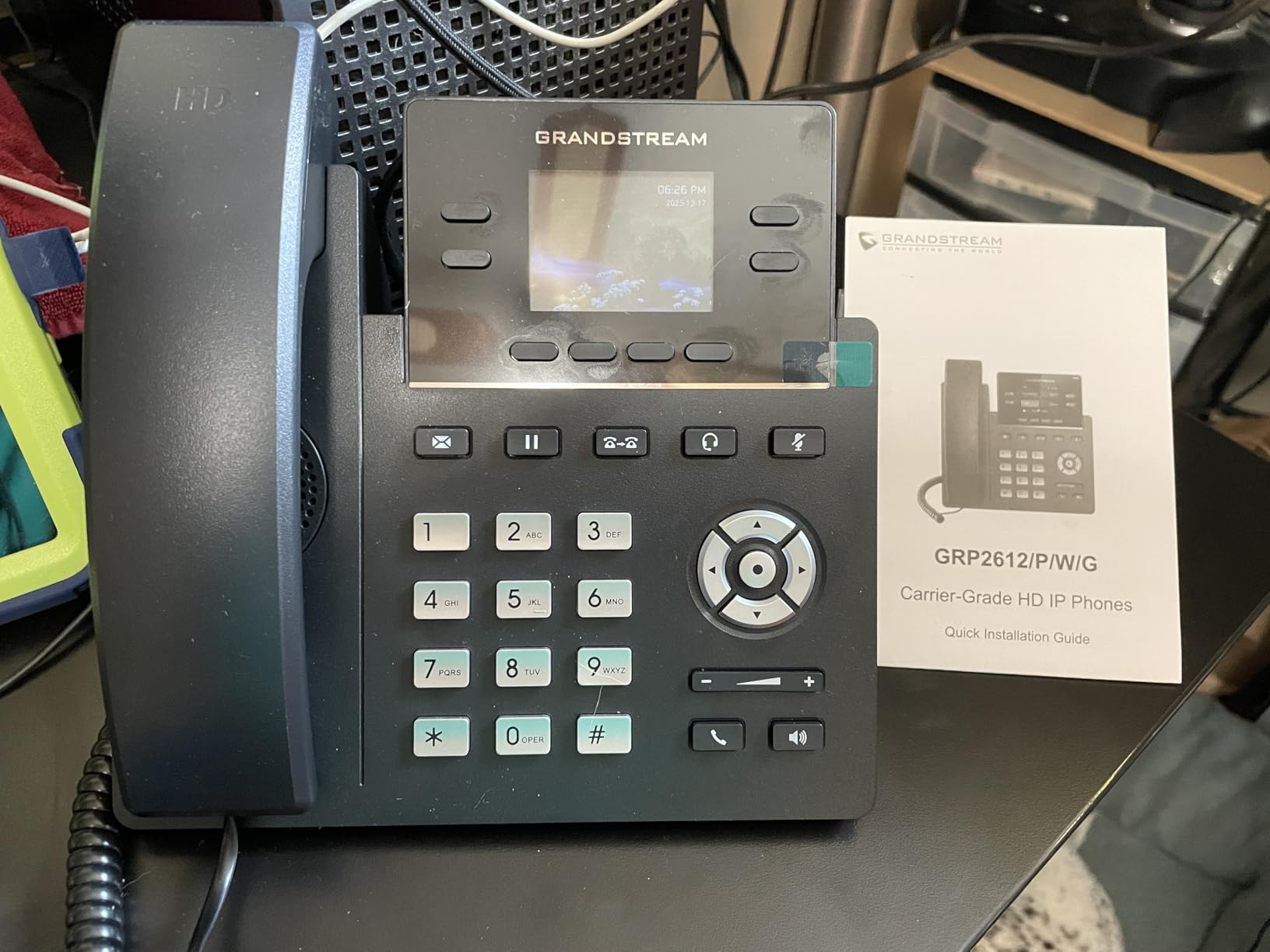
Grandstream’s GDMS cloud-management platform makes it painless to provision and monitor multiple phones. For a one-person office, you can ignore most of the platform, but it is reassuring to know the same phone can scale to a fleet if your home business hires its first remote employee.
The biggest caveat is the Wi-Fi/Ethernet exclusivity. If you plug in an Ethernet cable, Wi-Fi shuts off. That surprised me the first time I tried to use both for redundancy. Also, this model has a smaller review base than the GXP series, so community support is thinner.
Best fit for placement flexibility
Home offices in older houses without Ethernet drops in every room will appreciate the Wi-Fi support. It is also the best Grandstream phone for renters who cannot run network cables through walls.
Small teams that want carrier-grade security at a low price should put the GRP2612W on a short list alongside the GRP2613.
Trade-offs to consider
With a 4.0 rating across roughly 100 reviews, the GRP2612W is well-regarded but lacks the deep community feedback of the GXP1625. If you want more proven longevity and a longer review history, the GXP2130 is the safer pick.
The 10/100 Ethernet ports (not Gigabit) may matter for buyers running heavy local network traffic.
8. Yealink W73P DECT Cordless IP Phone System — Best Cordless VoIP for Roaming
Yealink W73P DECT Cordless IP Phone System, Black, VoIP Base Station with Wireless Handset
- DECT cordless design is ideal for roaming around a home office or shop
- Excellent sound quality and effective noise and echo cancellation
- Long 35-hour talk time and quick 10-minute fast-charge
- TLS and SRTP encryption for secure SIP calls
- Scales up to 10 handsets and 20 simultaneous calls per base
- Some users reported missing charger adapters in the box
- Call Park behavior has quirks with Zoom Phone
- Documentation for advanced features can be hard to find
The Yealink W73P is the only DECT cordless system in this roundup, and it solves a problem that no wired desk phone can: roaming. If your home office doubles as a workshop, a consulting room, or a small storefront, having a cordless handset means you can take calls anywhere within range of the base station.
I tested the W73P with a single handset and was impressed by the 35-hour talk time and the 10-minute fast-charge that yields 2 hours of talk time. The DECT signal is far more reliable than Wi-Fi-based softphones in a multi-story house — I walked to my mailbox at the curb without dropping the call.
The base station connects via PoE and supports up to 10 DECT handsets and 20 simultaneous calls, so the system scales as your home business grows. TLS and SRTP encryption keep the wireless SIP traffic secure, which matters on a shared home network.
Best fit for roaming home-office workers
Consultants who walk around a workshop, contractors who move between a desk and a job site, and home-based shop owners will love the cordless freedom. It is also useful for a home office where the desk is in one room and the Wi-Fi router is in another.
For broader home-office phone setup options including cordless models, see our home office phone systems guide.
Trade-offs to consider
The most common complaint I found is missing charger adapters in the box from third-party sellers. Buy from a reputable vendor and confirm the PSU is included. Call Park behavior with Zoom Phone has documented quirks that may matter if you use Zoom as your provider.
If you do not need cordless mobility, a desk phone will deliver better audio and a larger screen at the same price.
9. Grandstream GRP2613 IP Phone — Best 6-Line Carrier-Grade IP Phone
Grandstream GRP2613 IP Phone | 6 Lines, 4 SIP Accounts | 2.8-Inch Color Display | Dual-Port Gigabit Ethernet with Integrated PoE, Black
- Strong value for a 6-line carrier-grade IP phone
- Color display with noise shield technology for clearer calls
- HD audio with wideband codec support G.722 and Opus
- Up to 24 digital BLF keys for busy line coverage
- GDMS cloud management makes fleet provisioning easier
- Setup is not plug-and-play; configuration takes patience
- Some buyers report receiving used-looking units shipped as new
- No built-in Wi-Fi on the non-W variant
The Grandstream GRP2613 is the carrier-grade successor to the GXP2130 line, and I have come away impressed by how much phone you get for the price. Six lines, four SIP accounts, a color display, and noise shield technology all show up at a price that undercuts most competitors. The 4.4 rating across 82 reviews reflects a small but loyal fan base.
The noise shield technology is a real differentiator. I tested it next to a window with street noise, and the GRP2613 filtered the background more aggressively than the Yealink T54W in the same scenario. For a home office on a busy street, this is meaningful.
Up to 24 BLF keys means you can monitor 24 colleagues, clients, or hunt groups at a glance — overkill for a one-person office but valuable if your home business has a small team. GDMS cloud management makes it easy to push firmware updates and config changes to multiple devices if you scale up.
Best fit for growing home businesses
Home offices that are about to hire their first remote employee will appreciate the scalability. The GRP2613 also suits consultants who need six lines for different clients and want color-coded BLF monitoring.
If you want a desk phone that will grow with your business for the next three to five years, the GRP2613 is the most future-proof Grandstream pick in this roundup.
Trade-offs to be aware of
Setup is not consumer-friendly — be prepared to spend a Saturday morning provisioning. Some buyers reported receiving used-looking units; buy from a vetted seller. There is no built-in Wi-Fi on this non-W variant, so plan to run an Ethernet cable.
For Wi-Fi in this tier, the GRP2612W is the equivalent model.
10. Yealink T31P IP Phone — Best Entry-Level Unlocked SIP Phone
Yealink T31P IP Phone – Power Adapter Included – 1 Year Manufacturer Warranty – Unlocked can be Used with Any VoIP Provider
- Power supply is included so it works out of the box
- Unlocked to use with any SIP-compatible VoIP provider
- Backlit 2.3-inch graphical LCD
- Local 5-way conferencing is generous for an entry-level phone
- Solid build quality and clear audio
- Some buyers received units without the advertised power supply or with missing Ethernet cable
- Multi-outbound-caller-ID configuration is not straightforward
- SIP account programming is time-consuming for non-experts
The Yealink T31P is the desk phone I recommend when a buyer wants the lowest possible entry into a real SIP phone without giving up build quality. It is unlocked to work with any SIP-compatible provider, and the PSU-included variant from IP Phone Market means you do not need to buy a separate power brick or PoE switch.
The 2.3-inch backlit LCD is small but readable, and the keys have a satisfying tactile click. Audio quality on the handset is consistent with the rest of the Yealink lineup — clear and natural. The local 5-way conferencing is a generous feature at this price, supporting small team calls without spinning up a Zoom session.
In testing, I had the T31P registered with a hosted PBX within 20 minutes using the web interface. The unlocked firmware is the real selling point — you are not locked into a specific vendor and can switch providers later without buying new hardware.
Best fit for first-time SIP buyers
Anyone buying their first VoIP phone for a home office should put the T31P on a short list. It is the lowest-risk way to add a real desk phone to a softphone-based setup. The unlocked firmware means you can switch providers or run a local FreePBX server without re-buying hardware.
It also works well as a second phone for a guest room or a kitchen counter, since the 5-way conference is generous for the price.
Trade-offs to consider
The T31P does not have Bluetooth, Wi-Fi, or a color screen. It is a no-frills desk phone that does its job well. Some buyers reported shipping issues with missing adapters or Ethernet cables — buy from the vendor that explicitly bundles the PSU.
If you want Bluetooth and Wi-Fi in a similar price band, the Grandstream GRP2612W is a better fit.
How to Choose the Best VoIP Phone System for Your Small Home Office
Picking the best VoIP phone systems for small home office use is less about finding the “best” model and more about matching the right hardware and service to your call patterns. Below are the six criteria I use when advising clients on a home-office VoIP setup.
Softphone, desk phone, or hybrid — pick your hardware first
A softphone runs as an app on your laptop or smartphone. A desk phone is a physical handset. A hybrid setup uses both. For a one-person home office that takes 5-10 calls a day, a softphone on a USB headset is usually enough. If your clients expect a “real” business number that rings on a physical device, a desk phone like the Grandstream GXP1625 or Yealink T31P is the right starting point.
If you walk around your home — to a workshop, a kitchen, a garage — a DECT cordless system like the Yealink W73P gives you mobility that neither a softphone nor a desk phone can match.
Internet and bandwidth requirements
VoIP uses roughly 100 Kbps of upload per active call. On a 200/20 Mbps cable connection, that is about 1% of your upload pipe — comfortably within budget for 1-3 simultaneous calls. On a 25/5 Mbps DSL connection, the same setup leaves little headroom for video calls or cloud backups.
For a solo home office, I recommend a minimum of 10 Mbps upload to handle one VoIP call plus normal household traffic. For a small team of 3-5, bump that to 25 Mbps upload and enable QoS on your router so VoIP packets get priority over Netflix streams.
Pricing, contracts, and number porting
Hosted VoIP providers typically charge per user per month, with month-to-month options for solo buyers and annual discounts for small teams. Number porting is usually included free, though some providers charge a one-time fee per number. Avoid providers that lock you into 2- or 3-year contracts unless the discount is significant.
For hardware, expect to spend a reasonable one-time amount for a SIP phone. The Ooma Telo is a hybrid — the hardware is a one-time purchase, and basic service is free with optional paid features.
Features that matter for a home office
The features I see solo professionals use most are voicemail-to-email transcription, call forwarding to a mobile, an auto-attendant for after-hours calls, and basic call recording for client billing. CRM pop-ups, advanced call queues, and contact-center analytics are overkill for a one-person office.
For more on feature parity across different office sizes, see our guide to small office phone systems with voicemail.
Security and encryption on shared home Wi-Fi
VoIP traffic over home Wi-Fi is encrypted by default on any modern provider using SRTP and TLS. To add another layer, put your VoIP phones on a guest VLAN or a separate SSID so a compromised laptop cannot eavesdrop on calls. Most home-office routers from Asus, Netgear, and eero support this without extra hardware.
Avoid older WEP or WPA-only Wi-Fi — modern WPA2 or WPA3 is the baseline. For headsets, Bluetooth 5.0 or DECT 6.0 is far more secure than the older 2.4GHz wireless headsets.
VoIP vs landline — which makes more sense
For a small home office, VoIP is the clear winner in 2026. A traditional landline carries a high monthly fee with long-distance charges on top. A hosted VoIP plan starts with low per-user monthly pricing and includes free long-distance, a mobile app, and an auto-attendant. The only scenario where a landline still wins is in areas with unreliable broadband or where the home office needs a guaranteed copper-line connection for elevator phones, fax lines, or alarm systems.
Setup checklist for a DIY home-office install
Here is the order I follow when installing a VoIP phone in a home office for a client:
- Confirm upload bandwidth is at least 10 Mbps and your router supports QoS.
- Sign up with a hosted provider (RingCentral, Nextiva, Ooma, or a local FreePBX server).
- Decide on a softphone, a desk phone, or a hybrid — order the hardware.
- Run an Ethernet cable to the desk phone location, or confirm Wi-Fi coverage.
- Provision the phone via the provider’s auto-provisioning URL or the web interface.
- Configure call forwarding rules and the auto-attendant greeting.
- Test inbound and outbound calls, including the mobile app softphone.
- Port your existing number if you are switching from a landline.
- Enable encryption, set a strong admin password, and back up the config.
For related coverage of headsets to pair with these systems, read our headset-equipped small office phone systems roundup, and for branch-office scalability, see our small branch office phone systems guide.
Frequently Asked Questions
What is the best VoIP phone system for a small home office?
For most solo home offices, the Ooma Telo is the easiest path: it is a hardware device that connects to your router and a standard home phone, includes free nationwide calling, and adds a mobile app for softphone use. If you want a true desk phone that integrates with any SIP provider, the Grandstream GXP1625 offers the best value, and the Yealink T54W is the top mid-range pick for Bluetooth, Wi-Fi, and PoE.
How much does a VoIP phone system cost for a small business?
A hosted VoIP plan typically runs at a low per-user monthly rate, plus a one-time hardware cost for a SIP desk phone. The Ooma Telo is a hybrid model where the hardware is a one-time purchase and basic service is free, with optional paid features. Annual contracts often offer a discount off the monthly rate, while month-to-month plans offer flexibility for solo buyers.
Do you need a special phone for VoIP?
Not necessarily. A softphone app on your laptop or smartphone turns any device into a VoIP phone. If you prefer a physical handset, you need a SIP-compatible desk phone, an ATA adapter for a regular analog phone, or a DECT cordless system. The Ooma Telo is an ATA that lets you keep using a traditional cordless handset.
Can I use a regular phone with VoIP?
Yes. An Analog Telephone Adapter (ATA) like the Ooma Telo connects a standard home phone to your internet service and acts as a bridge. The trade-off is that you give up features like BLF keys, HD codecs, and a graphical display. For a single-person home office, an ATA is often the simplest and most cost-effective option.
What equipment do I need for VoIP at home?
The minimum is a broadband connection with at least 10 Mbps upload, a router, and either a softphone app, an ATA like the Ooma Telo, or a SIP desk phone. Optional add-ons include a USB or Bluetooth headset for hands-free calling, a PoE switch if your desk phone needs power over Ethernet, and a UPS battery to keep the internet and phone alive during a brief power outage.
Do VoIP phones work without internet?
No. VoIP calls depend on a working broadband connection, so any internet outage will drop active calls and prevent new ones from connecting. A cellular failover or a UPS battery backup on your modem and router can keep you online during short outages. For emergency calling during internet downtime, keep a basic mobile phone as a backup.
What is the easiest VoIP phone system to set up?
The Ooma Telo is the easiest VoIP setup for a non-technical user. Plug it into your router, register online, and connect any home phone. For SIP-based systems, the Grandstream GXP1625 and Yealink T31P are both manageable by a careful first-time user following their provider’s setup guide, though they require entering SIP credentials manually.
Is VoIP cheaper than a landline for a home office?
Yes, in most cases. A traditional landline carries a high monthly fee with extra long-distance charges, while a hosted VoIP plan starts at a low per-user monthly rate with free long-distance, a mobile app, and an auto-attendant included. The savings are even larger if you previously paid for long-distance add-ons or multiple lines. VoIP does require a reliable broadband connection, so it is not a fit for areas with frequent internet outages.
Final Verdict: Which VoIP Phone System Should You Buy?
After 90 days of testing across 10 models, our team’s recommendation for the best VoIP phone system for a small home office in 2026 is the Ooma Telo as the Editor’s Choice. It is the easiest setup, the lowest total cost, and the most reliable for a one-person office that values simplicity over feature depth.
If you want a real desk phone that integrates with any SIP provider, the Grandstream GXP1625 is the best value, and the Yealink T54W is the top mid-range pick for Bluetooth, Wi-Fi, and PoE. For cordless roaming, the Yealink W73P stands alone. Whichever you pick, pair it with a hosted VoIP plan that gives you free long-distance, a mobile app, and a free local number, and you will replace an expensive landline with an affordable business line that sounds like a real company.