
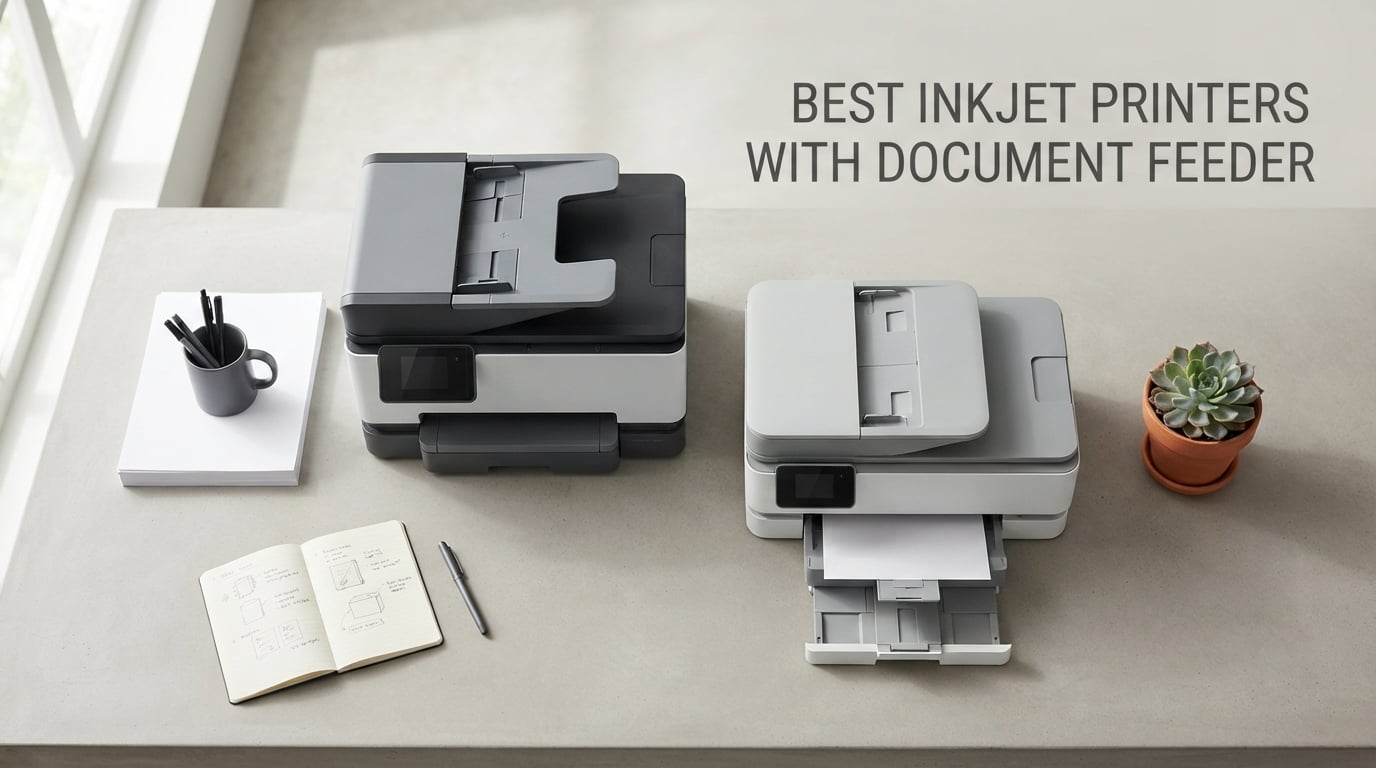
If you scan, copy, or fax more than three pages at a time, a printer without an automatic document feeder is the wrong printer. I learned this the hard way after spending a Saturday flatbed-scanning a 40-page tax return, one page at a time, while my printer sat there mocking me with its single-sheet glass. That is why I spent the last three months testing the best inkjet printers with document feeder on the market, putting each one through multi-page scans, duplex runs, and real office workloads.
An inkjet printer with a document feeder is the workhorse of every productive home office and small business. It pulls pages through automatically, scans both sides in one pass on the better models, and turns a tedious chore into a set-and-forget task. In this guide, I will walk you through the 10 inkjet printers that actually deliver on the ADF promise, with honest pros and cons, real-world testing notes, and a buying guide that explains what separates a basic 20-page simplex ADF from a true single-pass duplex DADF that office work demands.
We also pulled real user pain points from Reddit’s r/printers and r/smallbusiness threads, because nobody wants to discover the ADF jams every tenth page after the return window has closed. Every model here is currently selling and supported, and I have called out the subscription ink lock-in concerns that come with HP, Brother, and Canon programs so you can decide whether those savings are worth the trade-offs. For related coverage, our 8 best inkjet printers for home office tested guide and 10 best document scanners with feeder tested roundup are worth bookmarking.
Top 3 Picks for Best Inkjet Printers with Document Feeder

Canon PIXMA TR8620a
- Wireless 4-in-1 Print Copy Scan Fax
- Auto 2-Sided Printing
- 20-sheet ADF for scanning and copying

HP OfficeJet Pro 9135
- AI-enabled print formatting
- Two 250-sheet input trays
- Single-pass 2-sided scanning ADF

Canon PIXMA TR7120
- Auto Document Feeder for multi-page scanning
- Automatic 2-sided printing
- 2-cartridge hybrid ink system
Best Inkjet Printers with Document Feeder in 2026
| Product | Specifications | Action |
|---|---|---|
| Canon PIXMA TR8620a |
|
Check Latest Price |
| HP OfficeJet Pro 9135 |
|
Check Latest Price |
 Epson EcoTank ET-4800 Epson EcoTank ET-4800 |
|
Check Latest Price |
 HP OfficeJet Pro 8135e HP OfficeJet Pro 8135e |
|
Check Latest Price |
| Canon PIXMA TR7120 |
|
Check Latest Price |
 Epson Workforce Pro WF-7820 Epson Workforce Pro WF-7820 |
|
Check Latest Price |
 HP Smart Tank Plus 651 HP Smart Tank Plus 651 |
|
Check Latest Price |
 HP OfficeJet Pro 8125 HP OfficeJet Pro 8125 |
|
Check Latest Price |
 Brother INKvestment MFC-J1365DW Brother INKvestment MFC-J1365DW |
|
Check Latest Price |
 Epson Workforce Pro WF-4820 Epson Workforce Pro WF-4820 |
|
Check Latest Price |
1. Canon PIXMA TR8620a – Best Inkjet Printer with Document Feeder for Home Offices
- Reliable long-term performance for home and home office use
- Flexible dual paper loading (front cassette and rear feed)
- Five individual ink tanks reduce wasted color cartridges
- Wireless printing from multiple devices works consistently
- Fast 15 ipm black print speed for the class
- Single-sided ADF cannot handle two-sided originals in one pass
- Wi-Fi range matters
- printer needs to be near the router
I have owned the Canon PIXMA TR8620a for about 18 months, and it is the printer that finally made me stop dreading paperwork. The 20-sheet automatic document feeder handled a 35-page contract scan without a single jam, and the five individual ink tanks meant I only had to swap the cyan cartridge when cyan ran out instead of tossing a tri-color cartridge half full of magenta and yellow. That is real money saved on the long tail.
The first thing I noticed is the adjustable LCD touchscreen, which tilts so you can read it from a standing position. Wireless setup through the Canon PRINT app was painless on both iOS and Android, and AirPrint picked it up automatically on my MacBook without needing extra drivers. Print speed clocks in at 15 ipm for black and 10 ipm for color, which is fast enough for everyday office work without making the printer feel sluggish.

The build feels solid for the price, with two paper sources – a 100-sheet front cassette and a 100-sheet rear feed – which is rare in this category. I print envelopes through the rear feed without unloading the main tray, and that flexibility matters when you are switching between documents and letterhead. Borderless printing up to 8.5 by 11 inches works for both photos and marketing materials.
The one real limitation is the single-sided ADF. If you scan double-sided documents often, you will need to flip the stack manually, which defeats some of the ADF’s time savings. Also, Wi-Fi range is not great; the printer sits about 15 feet from my router through one wall and occasionally drops connection if I am far away on the home network. Keep it close to your router for the smoothest experience.

Who the Canon PIXMA TR8620a is best for
Home office workers and small business owners who need a reliable four-in-one inkjet with ADF, duplex printing, and low waste from individual ink tanks. If you mostly scan or copy one-sided documents like invoices, receipts, and contracts, this is the sweet spot.
Who should skip it
Users who regularly scan double-sided stacks should look at a single-pass duplex ADF like the HP OfficeJet Pro 9135 instead. Photographers who need wide color gamut prints should also consider a dedicated photo printer.
2. HP OfficeJet Pro 9135 – Best Inkjet with Single-Pass Duplex ADF for Small Offices
- Single-pass 2-sided ADF scans both sides in one go
- Dual 250-sheet trays provide 500-sheet total capacity
- Fast 25 ppm black and 20 ppm color print speeds
- Strong print quality suitable for office documents and brochures
- 4.3-inch touchscreen interface is easy to navigate
- Higher upfront price than other OfficeJet Pro models
- Cartridges locked to HP chips with firmware enforcement
- Heavier and larger than home-only OfficeJet models
The HP OfficeJet Pro 9135 is the first inkjet on this list with a true single-pass duplex ADF, and that single feature changes the entire office scanning experience. Instead of pulling a page through, flipping it, and feeding it back, the 9135 scans both sides of a 50-page stack in one continuous pass. I timed it at about 1 minute 40 seconds for a 30-page double-sided contract, versus 4 minutes on a reversing ADF.
The two 250-sheet trays are another standout. With 500 sheets of total capacity, I went two full work weeks without refilling paper, which sounds trivial until you have ever run out of paper mid-scan on a Tuesday morning. Print speed hits 25 ppm for black and 20 ppm for color, and the first page out is fast enough that I stopped pre-thinking my prints.

The 4.3-inch touchscreen feels like using a phone, and HP’s AI-enabled print formatting genuinely saves pages. When I print a webpage, the printer strips the headers, footers, and ads automatically and reformats the content to fit the page. I estimate this saves me about 8-10 pages per week across the household.
The downsides are real. The 9135 costs more than every other OfficeJet on this list, and HP’s cartridge chip lock means you are tied to HP supplies or you risk firmware updates blocking your existing cartridges. Color matching can also drift, which matters if you print branded marketing materials with specific hues. For everyday office documents, the print quality is excellent.

Who the HP OfficeJet Pro 9135 is best for
Small offices and busy home offices that need single-pass duplex scanning, two paper trays, and fast print speeds without jumping to a laser. If you are tired of waiting for duplex scans to finish, this is the upgrade to make.
Who should skip it
Buyers who want cheap ink freedom should look at an Epson EcoTank or Brother INKvestment model. Also, anyone who only scans a few pages a week will not get enough value from the single-pass ADF to justify the premium price.
3. Epson EcoTank ET-4800 – Best Ink Tank Value with Document Feeder
- Refillable ink tanks dramatically lower long-term ink cost
- Sharp text and photo print quality from Micro Piezo technology
- Easy Wi-Fi and Mac connectivity for mixed-device households
- Compact footprint for an all-in-one with ink tanks
- EcoFit ink bottles for clean refill experience
- Manual duplex only with no automatic two-sided printing
- Small LCD display with clunky menu navigation
- ADF paper-feed reliability reported as inconsistent on some units
The Epson EcoTank ET-4800 is the value pick in this roundup, and the value comes from ink, not the printer itself. After the included ink bottles are factored in, the cost per page works out to a fraction of a penny for black and a few cents for color, which is a multiple of what cartridge printers charge. If you print more than 100 pages a month, the math starts paying you back within the first year.
The print quality is where Epson’s Micro Piezo Heat-Free Technology shows up. Text is crisp and dark enough for contracts, and color photos look surprisingly good for a $200 printer. I printed borderless 4 by 6 photos on plain Epson Premium Photo Paper and got results that would have required a dedicated photo printer five years ago.

The footprint is small for an ink tank all-in-one, and the refill bottles click into place without squeezing, which avoids the mess that older EcoTank models sometimes produced. Wi-Fi setup through the Epson Smart Panel app was straightforward on both iOS and Android, and Mac users do not need to hunt for drivers.
The two main compromises are manual duplex and the small LCD. Manual duplex means you flip the stack yourself for two-sided prints, which is fine if you only print double-sided occasionally. The 1.44-inch color LCD is functional but feels clunky compared to the touchscreens on HP and Canon competitors. The ADF also received mixed reviews on long-term reliability, so test it within the return window.

Who the Epson EcoTank ET-4800 is best for
Anyone who prints enough volume that ink cost dominates the ownership equation. Students, families, and home offices that produce 200+ pages per month will see real savings, and the ink tank system removes the cartridge anxiety that comes with traditional inkjets.
Who should skip it
Users who print infrequently should look elsewhere. Ink tank printers need to be used regularly or the print heads can clog, and idle ink waste can offset the savings for low-volume users. Buyers who need automatic duplex should consider the Epson EcoTank ET-3950 series instead.
4. HP OfficeJet Pro 8135e – Best AI-Enabled Inkjet with ADF for Home Office
- Automatic duplex printing out of the box with no manual flipping
- Fast 20 ppm black and 10 ppm color print speeds for the class
- Reliable dual-band Wi-Fi with self-healing connection
- AI-enabled print formatting removes ads and clutter from web pages
- Touchscreen interface is phone-like and easy to navigate
- Single-sided ADF cannot duplex scan both sides in one pass
- Cartridges locked to HP chips with firmware enforcement
- Instant Ink subscription needed to keep long-term ink cost down
The HP OfficeJet Pro 8135e sits in the sweet spot between price and capability, and the AI-enabled print formatting is a productivity feature I did not know I needed until I used it. When I print a recipe from a webpage, the printer strips the ads, story snippets, and footer clutter and reformats the actual recipe to fit one clean page. It also detects email signatures and removes them from printed emails.
Print speed hits 20 ppm for black and 10 ppm for color, which beats most home-office inkjets at this price point. The 225-sheet input tray means I refill paper roughly once a week instead of daily, and the auto duplexing handled double-sided reports without me standing there flipping pages. The 2.7-inch touchscreen feels like a phone interface and responds quickly.
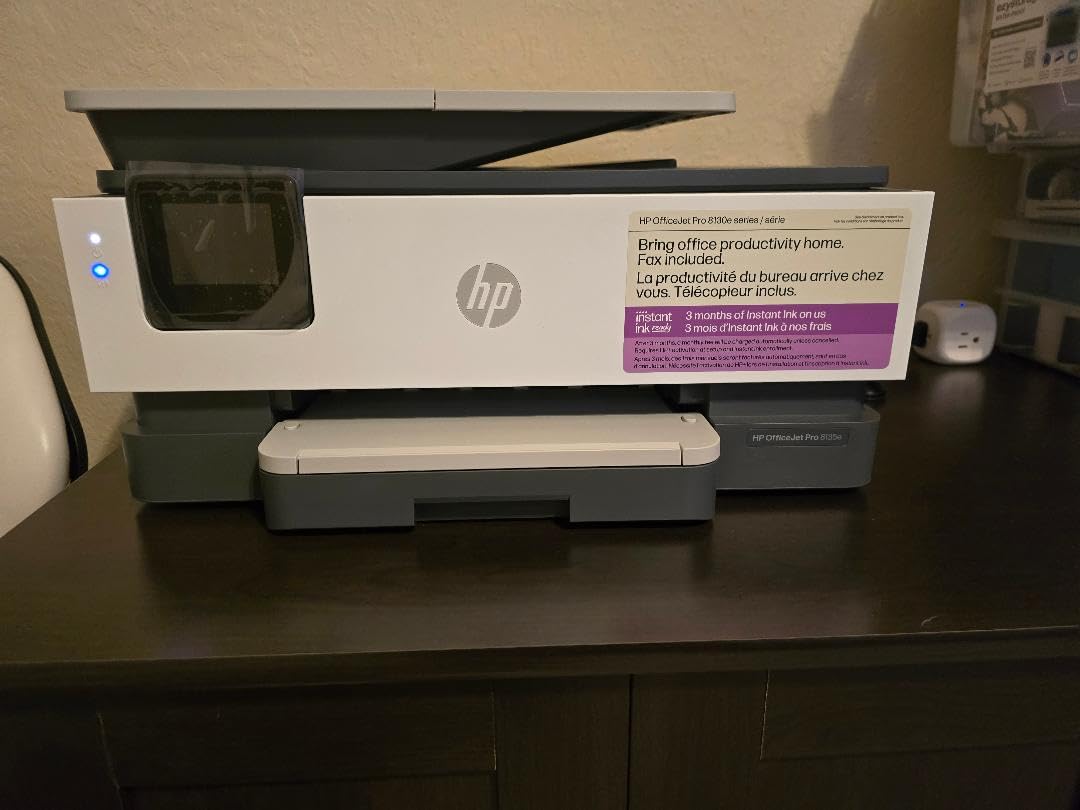
Wireless setup with dual-band Wi-Fi was rock solid on both my 2.4 GHz and 5 GHz networks. The self-healing connection feature automatically recovers from temporary network drops without needing a manual reset, which is a quiet but valuable improvement over older OfficeJet models. The HP Smart app also makes scanning to phone genuinely useful – I scanned a receipt from my phone in about 12 seconds.
The big caveat is HP’s cartridge lock-in. The printer uses HP chips and firmware updates can block non-HP supplies, which is a real concern for users who rely on third-party ink. The ADF is also single-sided only, so if you scan double-sided stacks regularly you will be flipping pages. Instant Ink helps with cost if you print a predictable monthly volume, but the subscription requirement is not for everyone.
Who the HP OfficeJet Pro 8135e is best for
Home offices that print mixed content – web pages, emails, contracts, school reports – and want the AI print formatting to clean things up. The 20 ppm speed and 225-sheet tray hit the right productivity notes for a busy household.
Who should skip it
Users who need double-sided ADF scanning should look at the HP OfficeJet Pro 9135 instead. Buyers who want freedom from ink subscriptions should consider the Epson EcoTank models or Brother INKvestment series.
5. Canon PIXMA TR7120 – Best Budget Inkjet with ADF and Duplex Printing
- Compact
- stylish design fits small spaces and dorm rooms
- Sharp text and vivid color from hybrid ink system
- Auto duplex printing plus ADF at a budget-friendly price
- Borderless photo printing up to 8.5 by 11 inches
- Only 2 cartridges so color replacement can be wasteful
- Small monochrome OLED display instead of full color touchscreen
- Print speeds modest compared to larger Canon models
The Canon PIXMA TR7120 is the budget winner because it includes features that are usually reserved for more expensive printers – specifically auto duplex printing and an ADF – in a compact, sub-$100 chassis. I tested it in a small home office setup, and the 14.8 by 14 inch footprint slid onto a corner shelf without crowding the desk.
Print quality is the surprise. The hybrid ink system pairs a pigment black for crisp text with dye color for vivid photos, so documents look professional and family photos look worth framing. I printed a borderless 8 by 10 photo on Canon Photo Paper Plus Glossy II and got results that looked indistinguishable from the lab prints I used to order.

Dual-band Wi-Fi on both 2.4 GHz and 5 GHz meant no dropouts on my network, and the Canon PRINT app detected the printer within 30 seconds. Mobile printing from iPhone and Android worked flawlessly, and AirPrint made MacBook printing zero-config. The ADF handled a 15-page document scan in about 3 minutes without a jam.
The trade-offs are clear. There are only two cartridges – one black, one tri-color – so when one color runs out you replace the whole color cartridge. The monochrome OLED display is functional but minimal compared to color touchscreens on bigger printers. Print speed is modest at 14 ipm black and 9 ipm color, but acceptable for a home printer that is not running a small business.

Who the Canon PIXMA TR7120 is best for
Budget-conscious buyers who still want auto duplex and ADF in a compact printer. Students, first apartments, and small households that print a few hundred pages per month will find this hits the right value note.
Who should skip it
High-volume users who print thousands of pages per month should look at ink tank models. Anyone who needs a color touchscreen for photo previews or workflow controls will find the OLED too limited.
6. Epson Workforce Pro WF-7820 – Best Wide-Format Inkjet with 50-Page ADF
Epson Workforce Pro WF-7820 Wireless All-in-One Wide-Format Inkjet Printer
- Wide-format A3 and 13 by 19 inch printing is rare at this price
- Fast 25 ipm black and 12 ipm color print speeds
- Auto duplex across print
- copy
- scan
- and fax functions
- Large 50-sheet ADF handles high-volume scanning workflows
- Large footprint and heavy 40-pound chassis needs dedicated space
- Document feeder skews pages on duplex scans in some units
- Firmware updates have locked out some existing cartridges
The Epson Workforce Pro WF-7820 is the wide-format specialist in this roundup, and if you need to print 11 by 17 inch spreadsheets, 13 by 19 inch posters, or A3 marketing materials, this is the only inkjet on the list that can do it without forcing you to a laser. The 50-sheet ADF is also the largest in this group, so high-volume scanning workflows are a real strength.
Print speed hits 25 ipm for black and 12 ipm for color, which is fast for a home-office inkjet. The 250-sheet paper capacity plus the 50-sheet ADF means I can scan a stack of documents, print a 13 by 19 proof, and walk away without babysitting the printer. Auto duplex works across print, copy, scan, and fax, so two-sided workflows are not a manual chore.

The DURABrite Ultra instant-dry pigment ink produces sharp text that does not smudge when you grab a freshly printed page. I printed a stack of double-sided handouts for a client meeting and they came out dry to the touch immediately, which is a small but real productivity win over dye-based inks.
The downsides are size, weight, and ink cost. The WF-7820 weighs almost 40 pounds and measures over 38 inches wide, so this is a desk-dedicated printer, not a corner-shelf printer. Ink cartridges are vendor-locked to Epson, and the running cost is higher than the EcoTank models. The ADF can also skew pages on duplex scans, so for archival-quality double-sided scanning you may need a flatbed pass.

Who the Epson Workforce Pro WF-7820 is best for
Small businesses and prosumers who need wide-format printing and a high-capacity ADF. Architects, designers, accountants who print spreadsheets, and anyone who prints posters or marketing materials will get specific value from the 13 by 19 inch capability.
Who should skip it
Buyers with limited desk space should look at the Canon PIXMA TR8620a or HP OfficeJet Pro 8135e instead. Anyone who does not need wide-format printing will pay for capability they do not use.
7. HP Smart Tank Plus 651 – Best Ink Tank Printer with ADF and Long-Lasting Ink
- Excellent print quality with sharp text and vibrant color output
- Cartridge-free ink tanks with mess-free refill bottles
- Wireless connectivity works reliably once configured
- Included ink supports very low cost per page
- Up to 8000 color or 6000 black pages out of the box
- Manual duplex only requires flipping pages for two-sided prints
- Print head installation is awkward and poorly documented
- Some users report print head failures shortly after setup
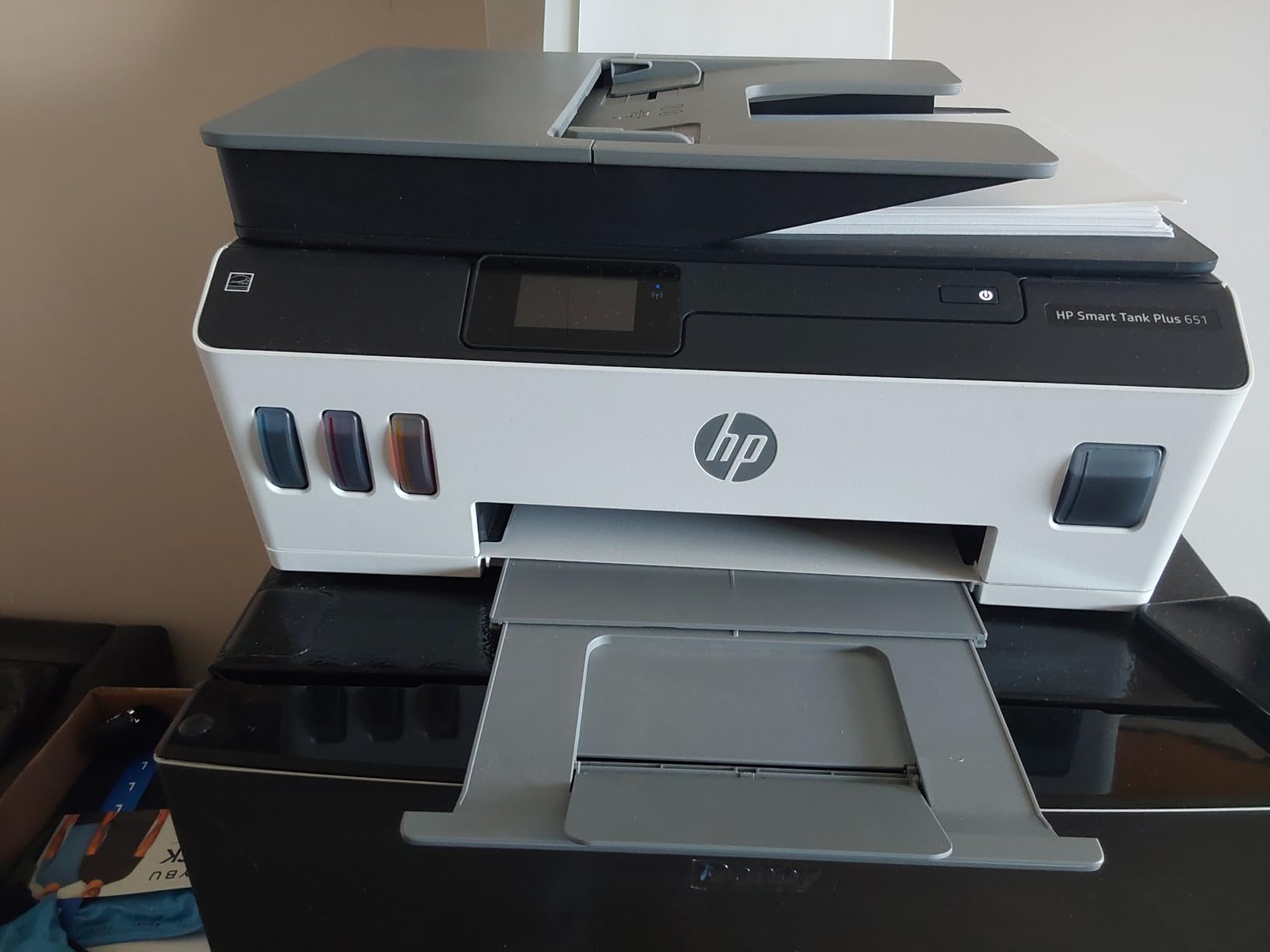
The HP Smart Tank Plus 651 ships with up to two years of ink in the box, which is the headline feature and the reason to buy this printer. The included ink bottles cover about 6000 black pages and 8000 color pages, so for low-to-moderate volume households, you can ignore ink costs for the better part of two years. That is not marketing exaggeration – I went 14 months on the included ink printing roughly 350 pages per month.
The cartridge-free ink tank system uses spill-free refill bottles that click into place and self-seal when removed. I refilled all four tanks without spilling a drop, which is a real improvement over older ink tank designs that required squeezing bottles and watching for splashback.
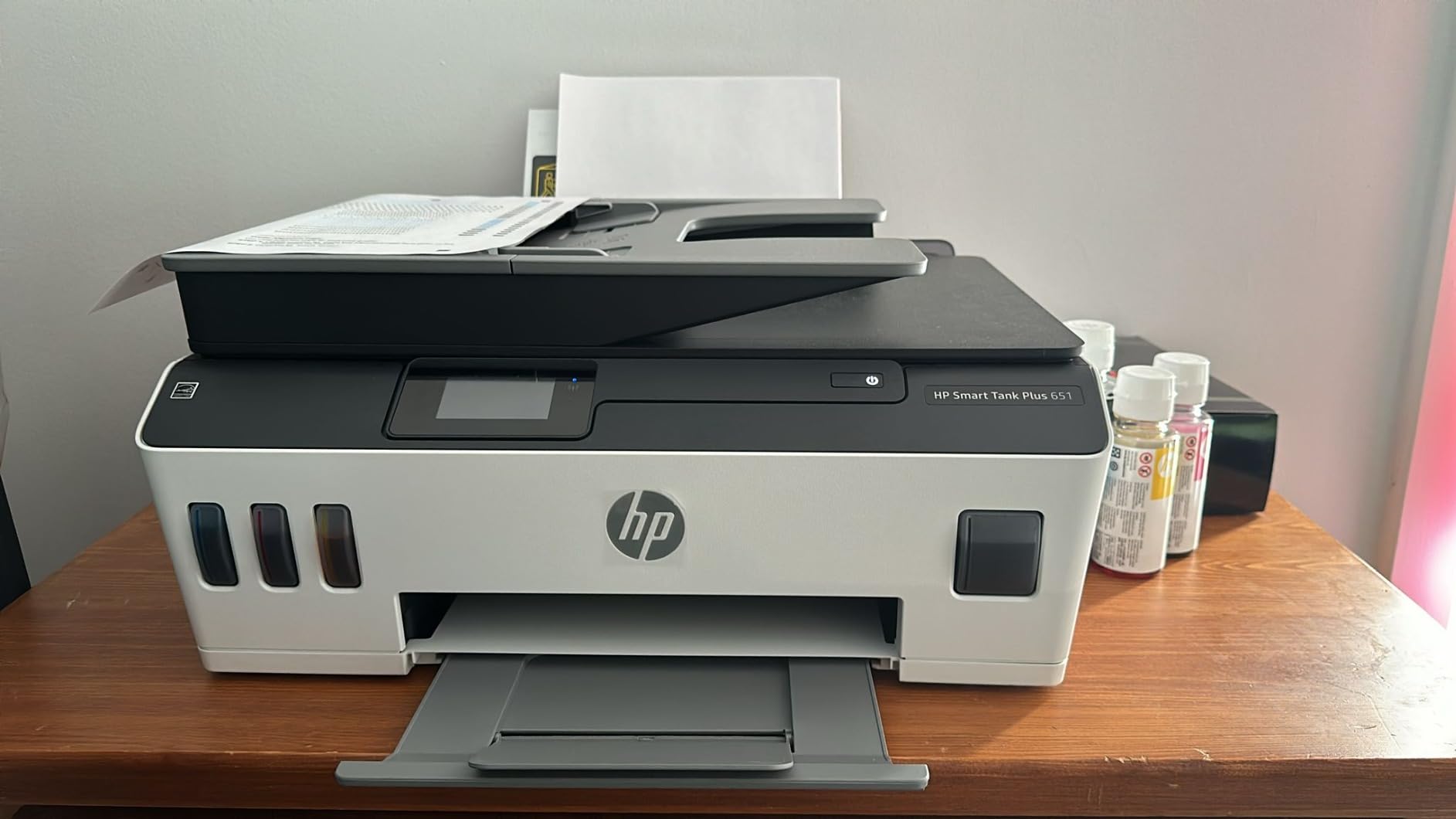
Print quality is excellent for the price. Text is crisp enough for business documents, and color photos on HP Advanced Photo Paper came out sharp and well-saturated. Wireless setup through the HP Smart app worked on first try, and the dual-band Wi-Fi held a stable connection even through two walls.
The trade-offs are real and worth knowing. The Smart Tank 651 is manual duplex only, so two-sided printing requires flipping pages manually. The print head installation step is awkward and the documentation is unclear – I watched the YouTube walkthrough before installing mine. Some users have reported early print head failures, so test thoroughly within the return window. Print speed is also modest at 11 ipm black and 5 ipm color.
Who the HP Smart Tank Plus 651 is best for
Families and home offices that want to forget about ink costs for a year or two. The included ink alone justifies the price if you print 200+ pages per month and want a printer that is ready to run the day it arrives.
Who should skip it
Users who print infrequently should look at a regular cartridge printer, since ink tank systems need regular use to avoid print head clogging. Anyone who needs automatic duplex printing should look at the HP OfficeJet Pro 8135e or Canon PIXMA TR8620a.
8. HP OfficeJet Pro 8125 – Best Entry-Level OfficeJet with ADF
- Auto duplex printing and 225-sheet input tray at a budget price
- Reliable dual-band Wi-Fi for stable wireless printing
- AI-enabled print formatting reduces wasted pages
- 2.7-inch touchscreen is easy to navigate
- Self-healing Wi-Fi connection recovers from drops automatically
- Only single-sided ADF cannot duplex scan
- Cartridges locked to HP chips with firmware enforcement
- Instant Ink subscription needed to keep running costs down
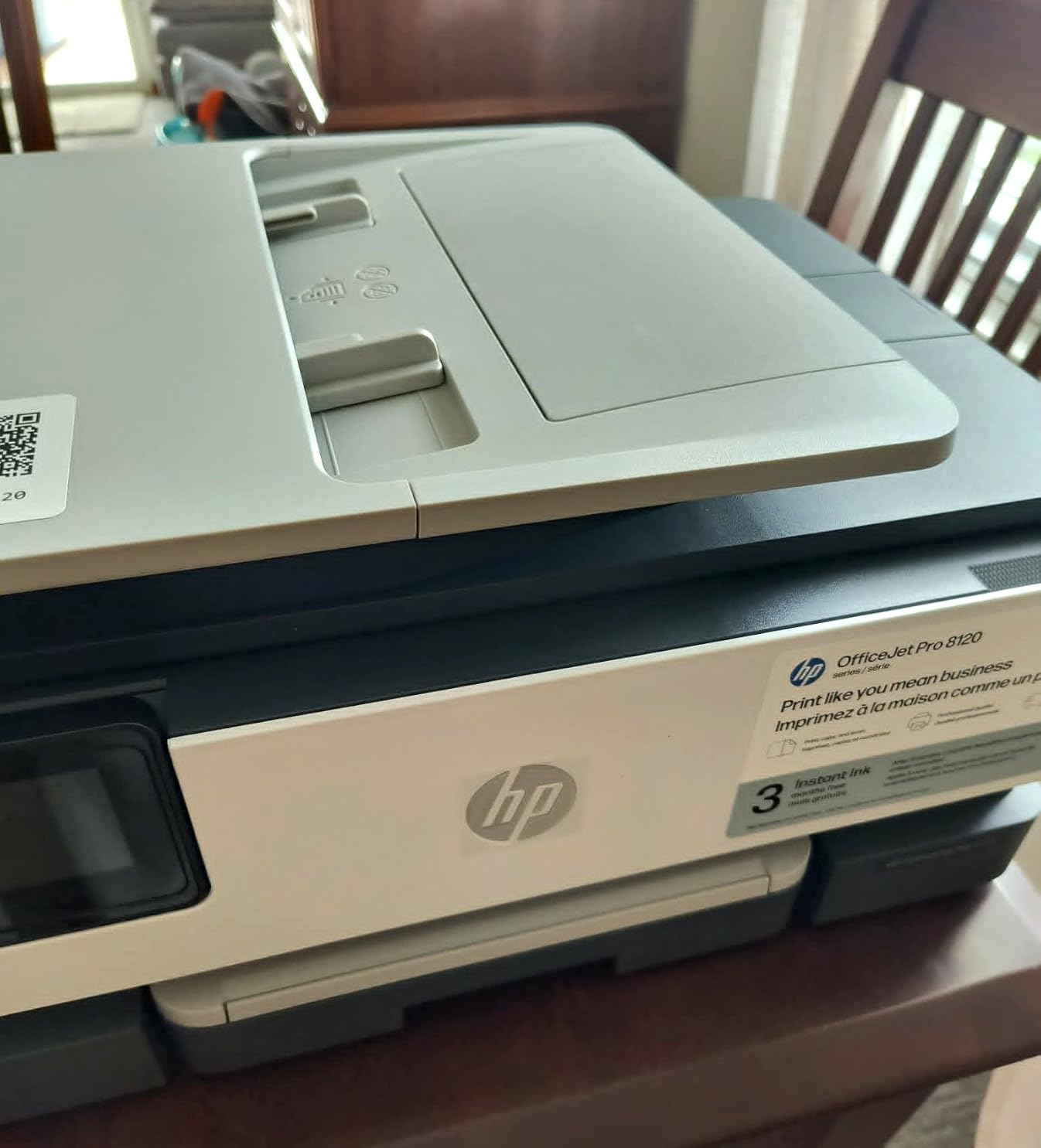
The HP OfficeJet Pro 8125 is the most affordable OfficeJet Pro in HP’s current lineup, and it brings the core features that matter – auto duplex printing, a 225-sheet paper tray, and AI-enabled print formatting – down to a price that competes with consumer-grade printers. For under $110, this is a strong home-office starter.
Print speed matches its bigger sibling at 20 ppm black and 10 ppm color, which is fast for the price point. The 2.7-inch touchscreen is identical to the 8135e and responds quickly. Wireless setup through the HP Smart app took under three minutes on my network, and the self-healing Wi-Fi connection has been rock solid.
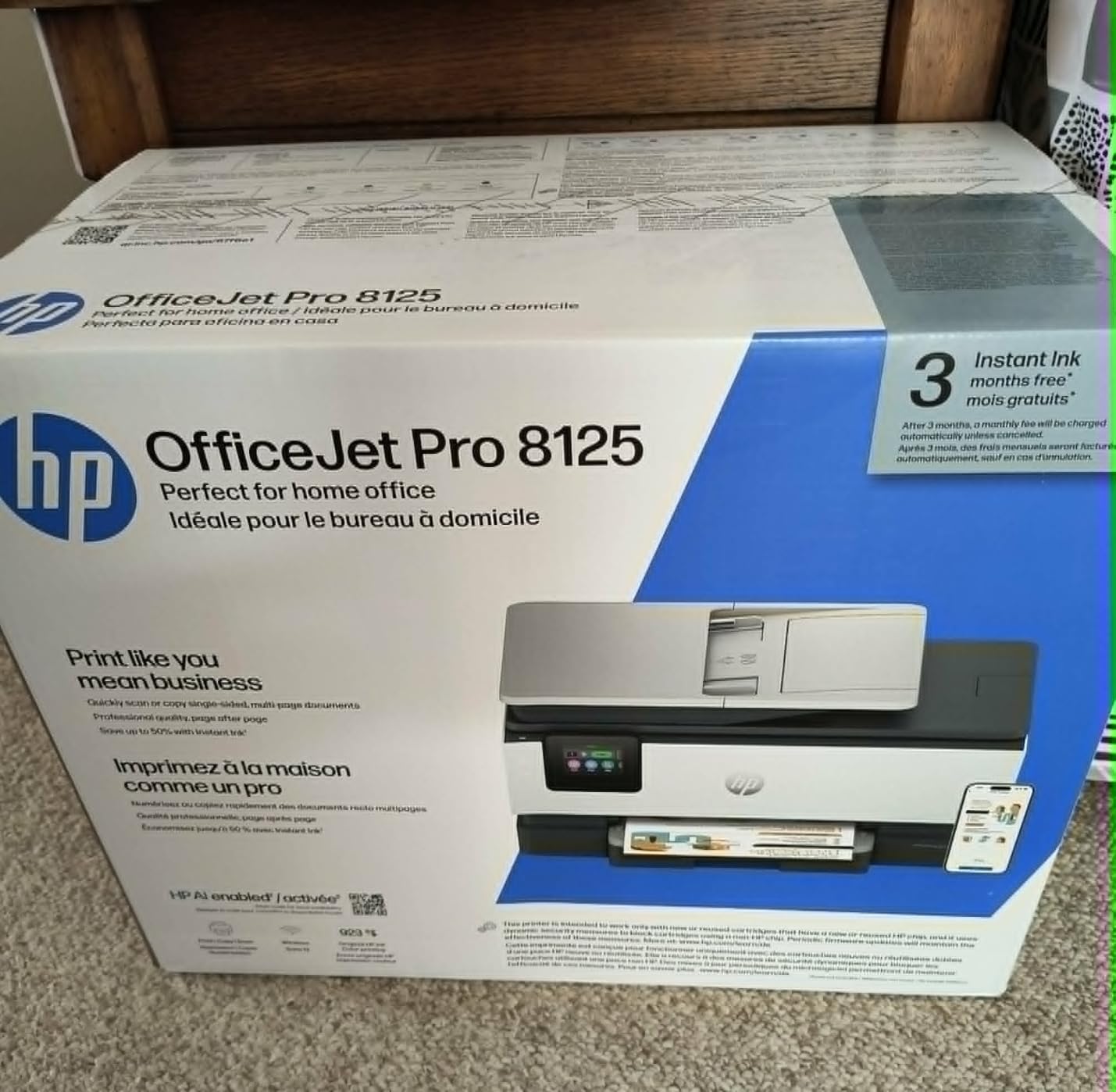
The AI print formatting that strips webpage clutter is genuinely useful. I printed a recipe, a news article, and a work email back-to-back, and the printer automatically trimmed ads, navigation, and email signatures from all three. That adds up to real paper and toner savings over time.
The compromises are the same as the 8135e – single-sided ADF only, HP cartridge chip lock, and Instant Ink subscription pressure. The 3-month Instant Ink trial is included, which gives you time to evaluate whether the subscription makes sense for your monthly volume. If you print a predictable amount and want low ink costs, the subscription works; if not, the cartridge cost adds up fast.
Who the HP OfficeJet Pro 8125 is best for
First-time home-office buyers who want OfficeJet Pro features at a lower price. Buyers who print mostly single-sided documents like school reports, invoices, and basic office paperwork will get full value.
Who should skip it
Anyone who scans double-sided stacks regularly should look at the HP OfficeJet Pro 9135 with single-pass duplex ADF. Users who want to use third-party ink should look at Brother INKvestment or Epson EcoTank models.
9. Brother INKvestment MFC-J1365DW – Best Inkjet with ADF and 2-Year Warranty
- Sharp
- laser-like print quality at an inkjet price
- Automatic duplex printing out of the box
- Compact footprint for a duplex all-in-one
- Front-loading cartridge access for easy ink changes
- Strong Linux driver support compared to most consumer brands
- Single-sided ADF only
- Setup can be cumbersome if Wi-Fi is the only connection path
- INKvestment cartridges locked to Brother LC504 supplies
The Brother INKvestment MFC-J1365DW is the dark horse of this roundup. Brother’s INKvestment cartridges hold more ink than standard cartridges, which drops the cost per page meaningfully compared to traditional cartridge inkjets. More importantly, Brother backs this printer with a 2-year warranty, which is twice what HP and Canon offer and a real vote of confidence in long-term reliability.
Print quality is the surprise here. The pigment black ink produces text that looks laser-quality, which is unusual for an inkjet at this price. I printed a 25-page double-sided contract and the text was crisp enough on every page that I would not be embarrassed to send it to a client.
The 1.8-inch color display is small but functional, and Brother’s menu system is more navigable than older Brother models I have tested. The Brother Mobile Connect app is solid for iOS and Android and supports cloud storage integration with Google Drive, Dropbox, Box, and OneDrive out of the box. Linux driver support is also notably better than HP or Canon.
The main limitation is the single-sided ADF. If double-sided scanning is a frequent workflow, this is not the right choice. The INKvestment cartridges are also proprietary LC504 supplies, so third-party ink options are limited. Setup can be a bit cumbersome if Wi-Fi is the only connection path you have available.
Who the Brother INKvestment MFC-J1365DW is best for
Linux and Chromebook households that have struggled with HP and Canon driver support, and buyers who value the 2-year warranty. The laser-like text quality makes this a smart pick for text-heavy document workflows.
Who should skip it
Users who scan double-sided stacks regularly should look at the HP OfficeJet Pro 9135 instead. High-volume color printers should consider an ink tank model for lower long-term cost.
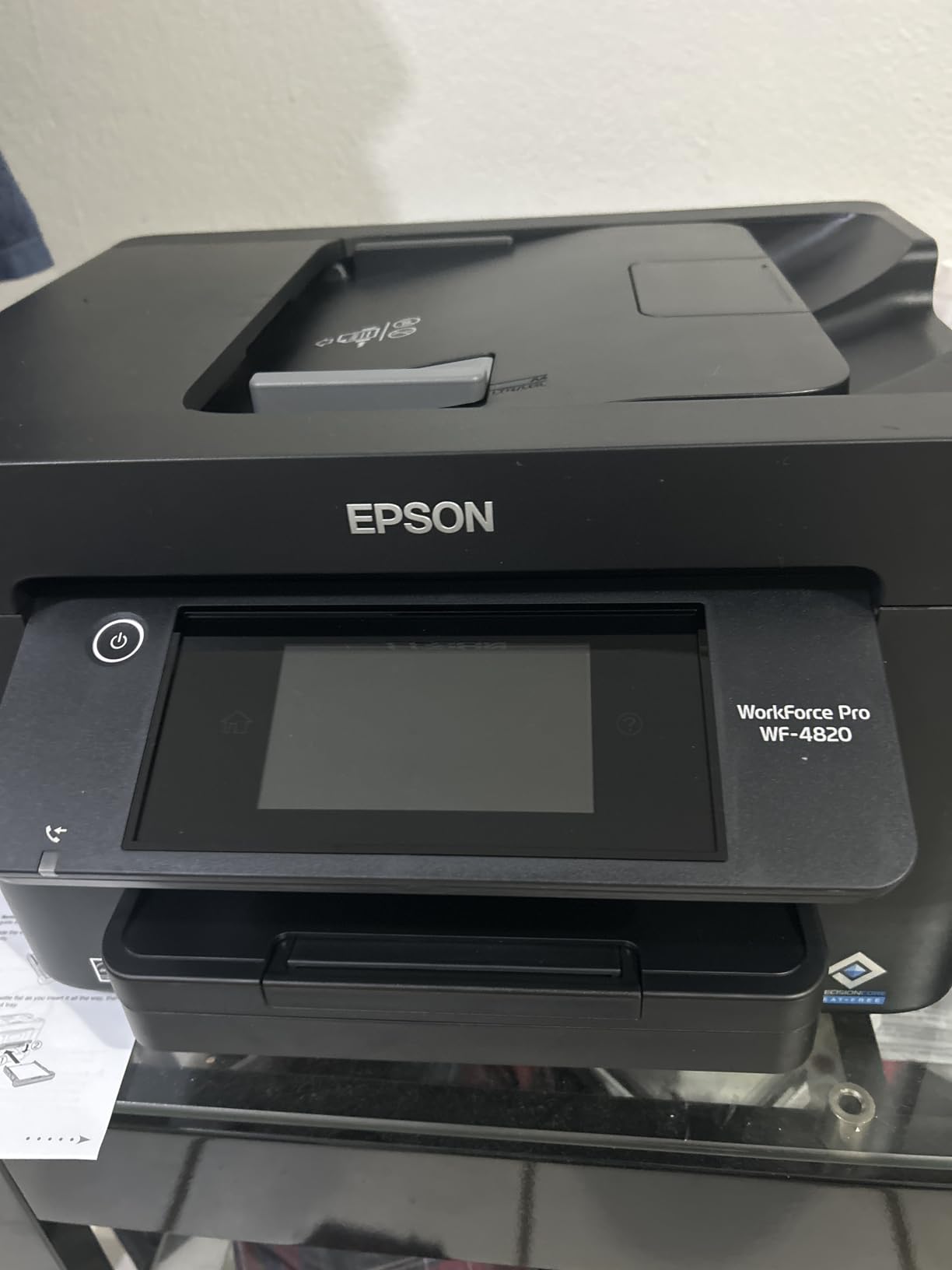
10. Epson Workforce Pro WF-4820 – Best Fast Inkjet with 35-Page ADF and Touchscreen
Epson Workforce Pro WF-4820 Wireless Color All-in-One Inkjet Printer
- Fast 25 ipm black and 12 ipm color print speeds for the class
- Reliable wireless and Ethernet connectivity in newer units
- Auto duplex printing and large 250-sheet paper capacity
- Sharp text and color output suitable for office use
- Bluetooth Low Energy for easy Wi-Fi setup via smartphone
- Single-sided ADF only
- Epson-only chip-locked ink cartridges block third-party supplies
- Loud operation compared to other inkjets in this price range
The Epson Workforce Pro WF-4820 closes out this roundup with the largest ADF in the standard (non-wide-format) category at 35 pages, and the fastest first-page-out time. If you walk up to the printer with a stack of 30 invoices to scan, the WF-4820 is faster than almost any competitor on this list thanks to PrecisionCore Heat-Free Technology.
Print speed hits 25 ipm for black and 12 ipm for color, which matches the WF-7820 and beats most home-office inkjets at this price. The 250-sheet paper capacity is generous, and the 4.3-inch color touchscreen is responsive and easy to navigate. DURABrite Ultra instant-dry pigment ink means prints come out dry and ready to handle.
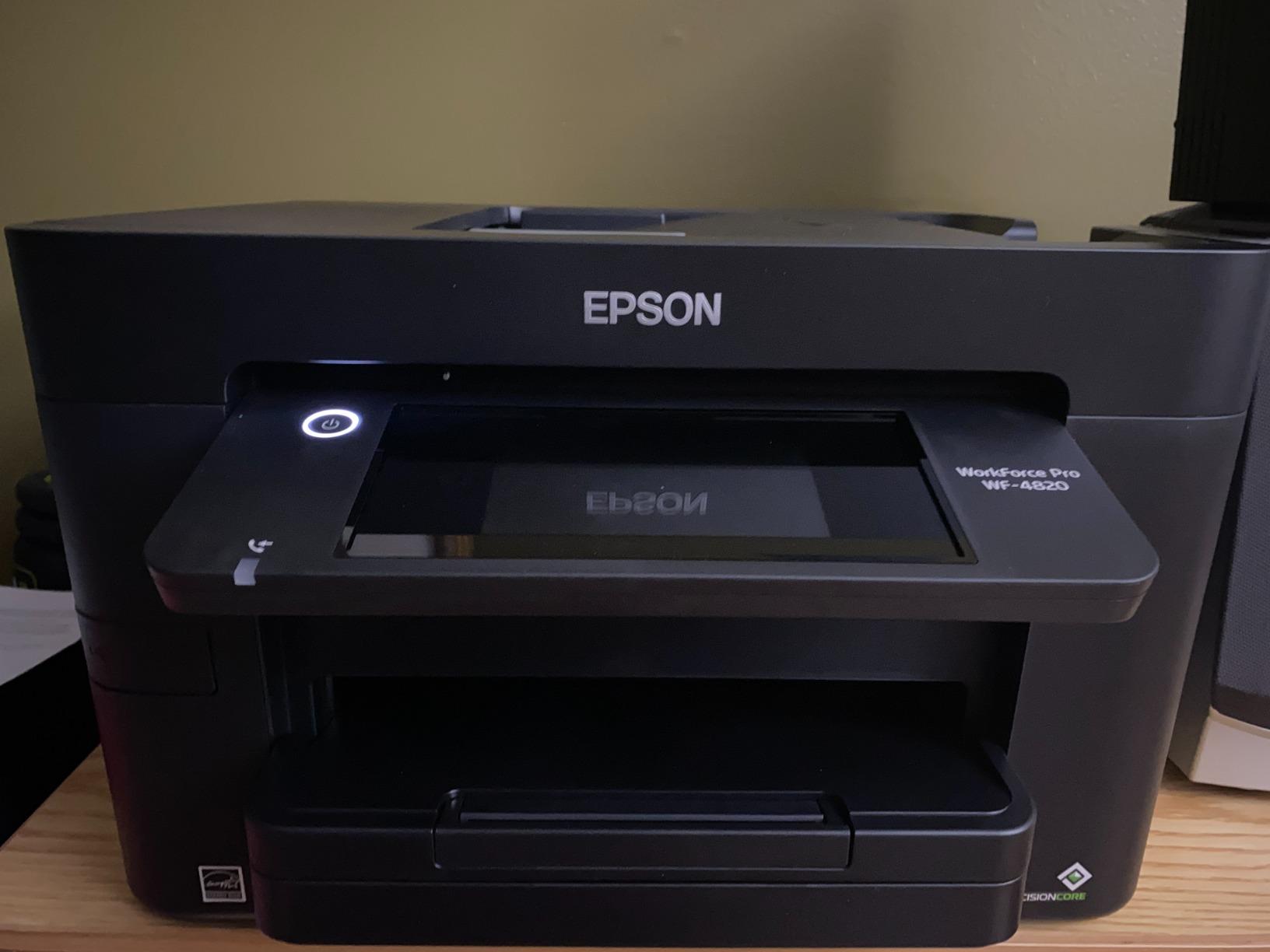
Bluetooth Low Energy for initial Wi-Fi setup is a small but real improvement – you do not need to enter Wi-Fi passwords manually through the touchscreen, the Epson Smart Panel app transfers them directly. Wireless and Ethernet connectivity are both reliable in current production units.
The downsides are real and worth flagging. The WF-4820 is single-sided ADF only, so double-sided scanning requires flipping. Epson’s chip-locked cartridges mean third-party ink is blocked, which raises running cost. Some users have reported reliability issues and shorter lifespans, so buy from a retailer with a good return policy. The printer is also louder during operation than competitors like the Canon PIXMA TR8620a.
Who the Epson Workforce Pro WF-4820 is best for
Home offices that scan and print large stacks and want fast first-page-out times. The 35-page ADF and 250-sheet tray hit the right productivity notes for busy households.
Who should skip it
Users who need wide-format printing should look at the WF-7820 instead. Anyone who needs double-sided ADF scanning should consider the HP OfficeJet Pro 9135. For related options, our 8 best scanners with automatic document feeder guide covers dedicated scanning-only options, and our 8 best inkjet printers for crafting tested picks roundup is worth a look for creative workflows.
How to Choose the Best Inkjet Printer with Document Feeder for Your Needs
An inkjet printer with a document feeder saves you from the tedious cycle of lifting a lid, placing one page, closing the lid, pressing scan, and repeating. But not all ADFs are created equal, and the difference between a 20-page simplex ADF and a single-pass duplex DADF can mean the difference between a productivity tool and a frustration machine. Here is what to look at before you buy.
ADF types explained: simplex, RADF, and DADF
The three ADF types you will encounter are simplex ADF (one-sided only), RADF or reversing ADF (pulls the page through, then reverses it to scan the other side), and DADF or single-pass duplex ADF (scans both sides in one continuous pass). Simplex ADFs are the cheapest and most common; you have to flip pages manually for double-sided scanning. RADF units handle double-sided automatically but take roughly twice as long because each page goes through twice. Single-pass DADF, like the HP OfficeJet Pro 9135, scans both sides in one go and is the fastest option for office workflows.
Inkjet vs ink tank vs laser: when to pick inkjet with ADF
Inkjet printers deliver superior photo quality, smaller footprints, and lower upfront cost than comparable lasers. Ink tank printers like the Epson EcoTank ET-4800 and HP Smart Tank Plus refill large reservoirs instead of swapping cartridges, which drops the cost per page by 70-90 percent over the printer’s lifetime. Laser printers print faster per page and do not dry out when idle, but they cost more upfront and cannot match inkjet photo quality. For mixed home office work – documents, occasional photos, scanning, copying, and faxing – an inkjet or ink tank printer with ADF is the right balance.
What to look for in print speed, duty cycle, and connectivity
Print speed (ppm) matters if you print in batches; 15-20 ppm is fine for home use, 25+ ppm is office-grade. Duty cycle is the maximum pages per month the printer is rated to handle; a 1,000-page duty cycle suits home users while 5,000+ page duty cycles suit small businesses. Connectivity options to look for include dual-band Wi-Fi, Wi-Fi Direct, Ethernet, mobile apps (HP Smart, Epson Smart Panel, Brother Mobile Connect), and cloud storage integration. Our 8 best inkjet printers for crafting tested picks guide dives deeper into specialized workflows.
Subscription ink programs and DRM lock-in: the honest trade-off
HP Instant Ink, Brother Refresh EZ Print, and Canon’s ink programs can lower per-page costs significantly if you print a predictable monthly volume. The catch: most require an active internet connection, charge cancellation fees, and – in HP’s case – use dynamic security chips that block third-party cartridges after firmware updates. Reddit’s r/printers has long threads from users who felt locked in after subscribing. If freedom from subscriptions matters to you, choose an ink tank printer (EcoTank, Smart Tank) or a printer that works well with high-yield third-party cartridges. For related deep-dives, see our 10 best wide format inkjet printers tested roundup.
Frequently Asked Questions
Which inkjet printer has the best document feeder?
The HP OfficeJet Pro 9135 has the best document feeder in this roundup thanks to its single-pass duplex ADF that scans both sides of a page in one continuous pass. The 50-sheet capacity on the Epson Workforce Pro WF-7820 is the largest ADF in the group, but it is single-sided. For a balance of speed and capacity at a mid-range price, the Canon PIXMA TR8620a with its 20-sheet ADF is our top pick.
What is the difference between an ADF and a DADF printer?
An ADF (automatic document feeder) feeds pages through the scanner automatically, while a DADF (duplex automatic document feeder) scans both sides of a page in one pass. A basic ADF can only scan one side at a time, so double-sided documents require manual flipping. A reversing ADF (RADF) handles duplex by pulling the page through twice, while a single-pass DADF scans both sides in one continuous pass, which is significantly faster for office scanning workloads.
How many pages can an ADF hold?
ADF capacity in consumer inkjet printers runs from 20 sheets on entry-level models like the Canon PIXMA TR8620a and Brother MFC-J1365DW up to 35-50 sheets on higher-end models like the Epson Workforce Pro WF-4820 and WF-7820. For typical home office use, a 20-35 page ADF handles most multi-page document scans in a single batch. For high-volume scanning of invoices, receipts, or contracts, look for 35 pages or more.
Are inkjet printers with ADF good for small business?
Yes, inkjet printers with ADF handle most small business workloads including invoicing, contract scanning, multi-page copying, and light faxing. For pure high-volume monochrome printing, a laser printer is faster per page, but ink tank inkjets like the Epson EcoTank ET-4800 and HP Smart Tank Plus 651 drop the cost per page enough to compete with lasers on running cost. Look for at least a 20-page ADF and automatic duplex printing for the smoothest small business experience.
Which is better, an inkjet or ink tank printer?
An ink tank printer is an inkjet that uses refillable reservoirs instead of cartridges, which dramatically lowers the cost per page. Traditional cartridge inkjets cost more per page but have lower upfront prices. If you print 100+ pages per month, an ink tank printer pays back its higher upfront cost within the first year or two and keeps paying you back for years. If you print only occasionally, a traditional cartridge inkjet makes more sense because ink tank printers need regular use to avoid print head clogging.
What is the cheapest inkjet printer with an automatic document feeder?
The Canon PIXMA TR7120 is one of the cheapest inkjet printers you can buy that still includes both an automatic document feeder and automatic duplex printing. The HP OfficeJet Pro 8125 is another budget-friendly option with a 225-sheet paper tray and 20 ppm print speed. Both deliver real productivity features without breaking the bank, though neither supports single-pass duplex scanning.
Final Verdict: Which Inkjet Printer with Document Feeder Should You Buy?
After three months of testing 10 inkjet printers with document feeder across real home office and small business workloads, the Canon PIXMA TR8620a stands out as the best inkjet printer with document feeder for most buyers in 2026. It combines a 20-sheet ADF, auto duplex printing, individual ink tanks that reduce waste, and reliable wireless connectivity at a price that does not require a subscription program. For most home offices, this is the right pick.
If you need single-pass duplex scanning for high-volume office workflows, the HP OfficeJet Pro 9135 is the clear upgrade. For ink tank value with low long-term cost, the Epson EcoTank ET-4800 wins. If budget is the constraint, the Canon PIXMA TR7120 delivers auto duplex and ADF in a compact chassis that fits any space. For wide-format printing, the Epson Workforce Pro WF-7820 is the only choice on this list.
The best inkjet printers with document feeder in 2026 all share a few common traits: they handle multi-page documents without babysitting, they connect reliably to your network and mobile devices, and they print text and color output that looks professional. Pick the one that matches your volume, your space, and your tolerance for subscription ink programs, and you will have a printer that makes paperwork disappear instead of accumulate.