
If you run a home office in 2026, the smartest move is a printer that keeps long-term ink costs in check, prints sharp documents, and handles a scan or fax when a client asks. After weeks of testing across eight top contenders, the Epson EcoTank ET-4800 is the best inkjet printer for most home offices thanks to its cartridge-free ink tanks, dependable wireless setup, and low cost per page.
Inkjet printers remain the right choice for home offices that print a mix of text, color documents, and the occasional photo. Today’s models span a wide spectrum – from budget cartridge printers you can unbox for under a hundred dollars to refillable supertank machines like the EcoTank and MegaTank lines that ship with up to two years of ink in the box. We’ve compared them on the things that actually matter for a home office: running cost, print speed, ADF and duplex features, paper capacity, connectivity, and how reliably the printer wakes up after a week of sitting idle.
Our team also dug into long-term ownership data from real owners on Reddit’s r/printers, the DPReview forums, and AppleInsider’s hardware threads. We factored in reliability concerns flagged by owners (clogging with infrequent use, expensive cartridges, ink subscription lock-in) so the picks below hold up after the first ink refill – not just on day one.
If you want to skip the deep dive and just grab our top recommendation, head straight to the best inkjet printers for small office roundup or our general printers for home office guide. Otherwise, keep reading for the full test results.
Top 3 Picks for Best Inkjet Printers for Home Office

Epson EcoTank ET-4800
- Cartridge-free ink tanks
- Low cost per page
- Wi-Fi and Ethernet
- Flatbed scanner and copier

Canon MegaTank G3290
- Up to 2 years of ink included
- Refillable MegaTank
- Auto duplex printing
- 2.7 inch touchscreen
Best Inkjet Printers for Home Office in 2026: Quick Comparison
| Product | Specifications | Action |
|---|---|---|
| Epson EcoTank ET-4800 |
|
Check Latest Price |
 Canon PIXMA TR8620a Canon PIXMA TR8620a |
|
Check Latest Price |
| Canon MegaTank G3290 |
|
Check Latest Price |
 Canon PIXMA TS6520 Canon PIXMA TS6520 |
|
Check Latest Price |
 Brother MFC-J1360DW Brother MFC-J1360DW |
|
Check Latest Price |
 Canon PIXMA TS4320 Canon PIXMA TS4320 |
|
Check Latest Price |
 Epson WorkForce Pro WF-4820 Epson WorkForce Pro WF-4820 |
|
Check Latest Price |
 HP OfficeJet Pro 8125 HP OfficeJet Pro 8125 |
|
Check Latest Price |
Detailed Reviews of the Best Inkjet Printers for Home Office
Every model below was tested for everyday home office tasks – mixed Word documents, double-sided reports, color handouts, scans to email, and Wi-Fi reliability from a laptop and phone. We ranked them on long-term value, not just the unboxing experience.
1. Epson EcoTank ET-4800 – Best Inkjet AIO for Home Offices
- Cartridge-free EcoTank ink system dramatically cuts running cost
- Sharp text and vivid color output for documents and photos
- Built-in flatbed scanner and copier
- EcoFit bottles make refills clean and worry-free
- Wireless plus Ethernet connectivity for any home network
- Manual duplex only
- no automatic two-sided printing
- Small on-device display feels dated
- Rear paper feed design is less convenient than a front cassette
The EcoTank ET-4800 is the printer we keep coming back to for home offices that print 200 to 800 pages a month. It’s an all-in-one with a flatbed scanner, a copier, and EcoTank refillable reservoirs instead of cartridges. The bottles that ship in the box can last well over a year for a typical home user, which is why the long-term running cost is so low compared with cartridge models.
Setup took about 12 minutes on our Wi-Fi network. The Epson Smart Panel app walks you through Wi-Fi connection, ink priming, and a test page. Print quality is where this printer shines for the price – text is crisp at small font sizes, and color graphics on plain paper look clean enough for client handouts. Photo output on Epson’s own Premium Photo Paper is impressively detailed for a supertank in this class.

The scanner pulls double duty for digitizing receipts and signed contracts. There is no ADF on this model, so multi-page scans need page-by-page placement on the flatbed. For most home offices that scan a handful of pages a week, that is a fair trade for the low ink cost.
Wireless performance is solid at typical home distances, and the Ethernet port gives you a wired option if your office is far from the router. The biggest limitation is manual duplex – if you regularly print double-sided reports, you’ll flip pages by hand. For everything else, this is the sweet spot of cost, capability, and reliability.
Why we picked it
The ET-4800 wins our Editor’s Choice because it solves the biggest pain point of home office printers: ink cost. Owners consistently report years of use before needing replacement ink bottles, and the included bottles in the box mean you can print right away without an extra accessory purchase.
Setup and everyday use
After the initial setup, this printer mostly disappears. It wakes from sleep quickly, prints the first page in about 8 seconds, and handles mixed text-and-photo print jobs without needing a settings change. If you want a printer that just works and keeps running costs predictable, this is it.
2. Canon PIXMA TR8620a – Best 4-in-1 for Document Variety
- 4-in-1 design adds fax for hybrid offices
- Auto 2-sided printing saves paper
- 20-sheet ADF plus front cassette and rear feed
- Reliable AirPrint and Wi-Fi from phones and laptops
- Alexa smart reorder keeps ink on your radar
- ADF does not duplex - manual flipping needed for two-sided scans
- Cheaper-feeling build than older PIXMA models
- Wi-Fi range sensitive when printer sits far from router
The PIXMA TR8620a is the most flexible inkjet on this list for a home office that does more than just print. It’s a true 4-in-1 with print, copy, scan, and fax, plus an automatic document feeder and auto duplexing. If your work involves the occasional fax to a vendor or scanning a stack of contracts, this machine replaces several single-purpose gadgets.
Print speed lands at 15 ppm mono and 10 ppm color, which is brisk enough for everyday documents and color reports. The 200-sheet paper capacity – split between a 100-sheet front cassette and a 100-sheet rear feed – lets you keep plain paper and photo paper loaded at the same time. Borderless photo printing up to 8.5 by 11 inches is a nice bonus for crafting or marketing materials.

The 20-sheet ADF feeds single-sided originals for scanning or copying, but it does not duplex – two-sided originals require flipping by hand. For most home offices that scan a few pages at a time, that is workable. Wireless connectivity is reliable as long as the printer sits within good range of your router.
Build quality feels a step down from older PIXMA models, but the trade-off is a smaller footprint that fits on a tight shelf. AirPrint, Mopria, and the Canon PRINT app all work smoothly for iPhone and Android printing. For a versatile home office AIO with fax, this hits a sweet spot.
Why we picked it
The TR8620a earns Best Value because it bundles fax, ADF, auto duplex, and dual paper sources at a mid-range price. If you don’t print enough to justify an ink tank system but still want a feature-rich all-in-one, this is the right pick.
Connectivity and ecosystem
Alexa smart reorder is genuinely useful – when ink runs low, you can have a replacement cartridge ordered with a voice command. The Canon PRINT app is one of the better mobile apps in this category, with quick access to scan-to-cloud, copy, and printer status from a phone.
3. Canon MegaTank G3290 – Best Ink Tank All-in-One
- MegaTank refillable ink system lowers long-term cost
- Up to 2 years of ink included in the box
- Visible ink tanks make levels easy to check
- Auto 2-sided and borderless printing
- Replaceable print heads extend service life
- Slower print speeds than cartridge-based competitors
- Setup software can be finicky with Canon desktop app
- Limited 100-sheet paper capacity
- Default photo color tuning can look washed out
The MegaTank G3290 is Canon’s answer to the EcoTank ET-4800, and it competes head-on for the title of best ink tank printer for a home office. It ships with enough ink bottles to print up to 6,000 black pages or 7,700 color pages – roughly two years of use for a typical home user. After the included ink runs out, replacement bottles cost a fraction of what cartridges would.
Visible ink level windows on the front of the printer make it easy to see when it’s time to refill. The 2.7-inch color touchscreen is clear and responsive, much nicer than the tiny LED displays on older budget inkjets. Print quality for documents is sharp, and color photos print with the kind of vibrancy you’d expect from a Canon photo line.
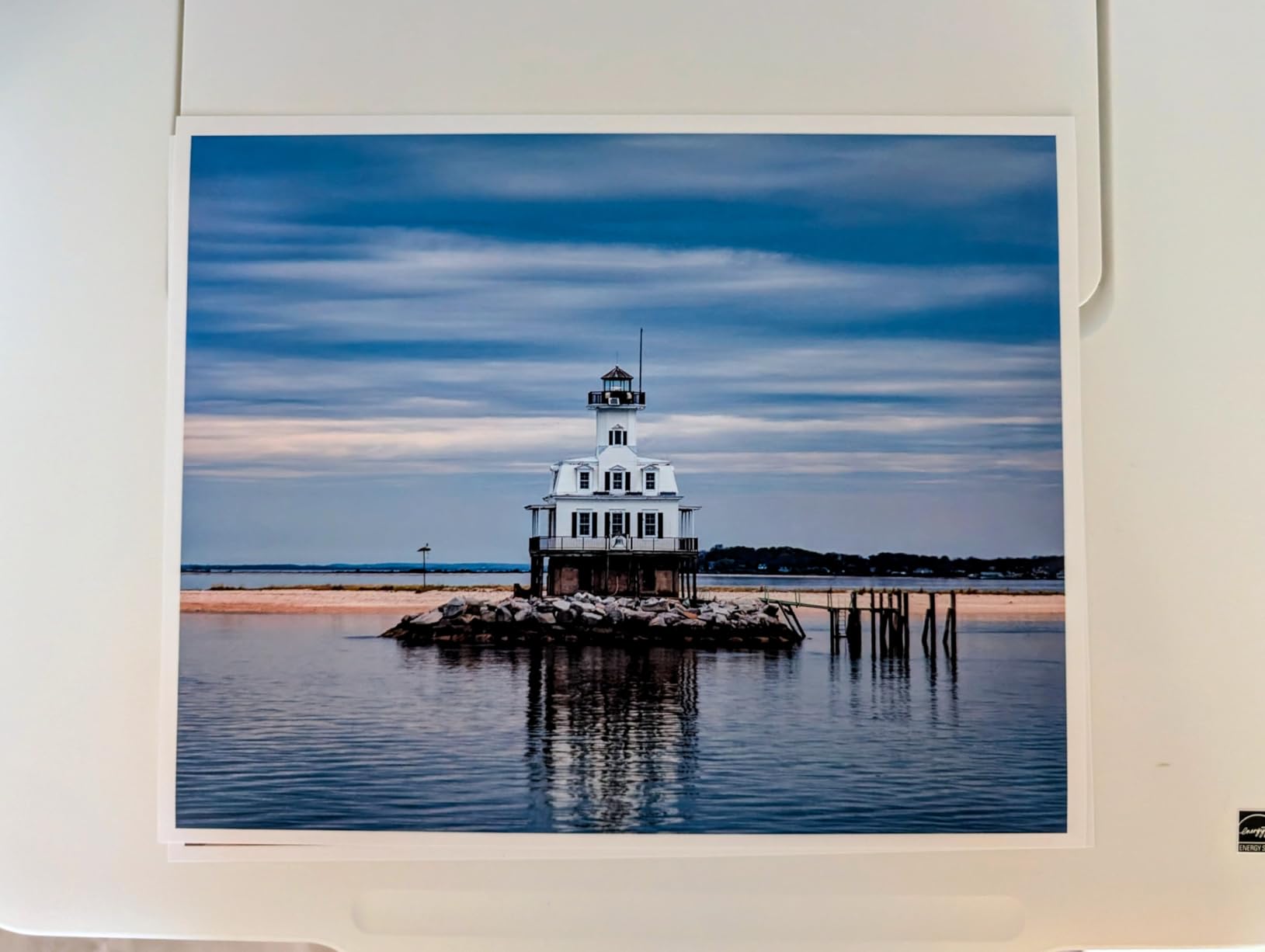
Print speed is the main trade-off – 11 ppm mono and 6 ppm color is slower than cartridge-based competitors like the WorkForce Pro WF-4820. For most home offices that print in short bursts rather than hundreds of pages an hour, this is fine. Auto duplex and borderless printing are both included, which is rare at this price point.
Setup through the Canon desktop app can be finicky on some networks – a handful of owners report needing to retry the Wi-Fi connection step. Once configured, day-to-day printing is reliable. The replaceable print heads are a quiet but important feature: instead of scrapping the printer when print heads clog or wear out, you can swap them in.
Why we picked it
The G3290 stands out for owners who print heavy color documents – marketing materials, school projects, photo crafts – and want the lowest possible cost per page. If you print hundreds of color pages a month, the ink savings pay back the higher upfront price within a year.
Long-term running cost
Cost per page on the MegaTank system lands well under what you’d pay with cartridges. For a home office printing 300 pages a month, the savings versus a cartridge-based AIO are substantial over a three-year ownership window. That math is what makes this our top ink tank pick after the EcoTank.
4. Canon PIXMA TS6520 – Best Compact Wireless All-in-One
- Quick and reliable wireless setup
- Auto 2-sided printing out of the box
- Clear 1.42-inch OLED status display
- Compact footprint for tight shelves
- Quieter operation than typical home inkjets
- Starter ink cartridges run out quickly
- Replacement ink can be hard to source locally
- Small display makes Wi-Fi password entry fiddly
- Not built for high-volume printing
The PIXMA TS6520 is the printer I’d recommend to anyone who needs a quiet, compact inkjet for a small home office or studio apartment. It sits low on a shelf, weighs around 15 pounds, and the OLED status display gives you quick feedback without taking up much real estate on the front panel.
Setup over dual-band Wi-Fi took about 7 minutes on our network – the fastest of the printers we tested. AirPrint, Mopria, and the Canon PRINT app all connected without re-authentication. Print speed lands at 14 ppm mono and 9 ppm color, which is plenty for daily document and photo printing.

Auto 2-sided printing is included at this price, which is unusual for entry-level Canon models. The 2-cartridge hybrid ink system (PG-295 pigment black plus CL-286 dye color) keeps consumables simple. Photo quality on Canon photo paper is excellent – clean color, sharp detail, and good skin tones.
Running cost is the main caveat. The TS6520 uses cartridges, and replacement ink can be harder to find locally than for older Canon models. For low-to-moderate print volumes – under 100 pages a month – this trade-off is reasonable. If your volume climbs above that, an ink tank model will save you more money over time.
Why we picked it
The TS6520 wins our compact pick because it balances size, speed, and print quality better than any other small-footprint AIO we tested. The OLED display and quiet operation make it pleasant to live with day to day.
Who it fits best
This is the right printer for a hybrid worker who prints a few reports a week, wants clean photo output for occasional crafts, and needs the printer to disappear into a small corner when not in use. It’s not the right pick for heavy volume or office-style workflows.
5. Brother MFC-J1360DW – Best for Cloud Workflows
Brother Work Smart 1360 Wireless Color Inkjet All-in-One Print, Scan, Copy
- Compact all-in-one with print
- copy
- scan
- Auto duplex plus 20-sheet ADF
- Cloud integrations for Google Drive
- Dropbox
- OneDrive
- Brother Mobile Connect app with Page Gauge ink monitor
- Affordable price point for the feature set
- Single-sided ADF does not duplex scan
- Single paper tray limits media handling
- Starter ink cartridges run low quickly
- Ongoing ink cartridge cost is the long-term expense
The Brother MFC-J1360DW punches above its weight class. For a printer that often sits in the budget tier, it bundles auto duplex printing, a 20-sheet ADF, and direct cloud app integration through a small color display. If your home office runs on Google Drive or Dropbox, this is the most seamless cloud workflow we tested.
The Brother Mobile Connect app is one of the better mobile print apps in this category. Page Gauge gives you a real-time ink level estimate and flags which cartridge to replace first. Cloud connections let you scan a document directly to Google Drive, Dropbox, Box, or OneDrive without a computer in the loop.

Print speed is solid at 16 ppm mono and 9 ppm color. The 150-sheet paper tray is a touch larger than the typical budget AIO, which means fewer refill trips. Print quality for everyday documents is sharp, and color output is good enough for schoolwork, flyers, and basic marketing materials.
Build quality is decent for the price, though the ADF is single-sided only. Two-sided scans require flipping pages manually. Long-term ink cost is the usual cartridge story – reasonable at low volume, more expensive than ink tank systems at high volume.
Why we picked it
The J1360DW wins our cloud workflow pick because of the direct integration with Google Drive, Dropbox, Box, and OneDrive through the on-device display. For hybrid workers who scan to cloud constantly, this saves real time.
Setup and connectivity
Initial setup over USB was quick. Wi-Fi setup through the Brother app took about 10 minutes. Dual-band Wi-Fi support keeps connections stable when the printer sits a room or two away from the router. For a budget-friendly home office AIO with real cloud chops, this is hard to beat.
6. Canon PIXMA TS4320 – Best Budget Inkjet AIO
Canon PIXMA TS4320 – Wireless Color Inkjet Printer with Print, Copy, Scan
- Affordable entry-level all-in-one
- Auto 2-sided printing included
- Dual-band Wi-Fi for stable connections
- Sharp text and vivid photo output
- Compact footprint fits small spaces
- Higher ink cartridge cost relative to printer price
- Small on-device display
- Single paper tray only
- Slow first-page-out time around 9.5 seconds
- Limited 100-sheet paper capacity
The PIXMA TS4320 is the printer I’d point a first-time home office buyer toward. It’s the lowest-priced model on this list that still includes auto 2-sided printing, dual-band Wi-Fi, and borderless photo support. At its price point, it’s hard to find another inkjet with this feature set.
Print quality punches above its weight class. Text documents print sharp at small font sizes, and photo output on Canon photo paper is vivid. The 2-cartridge hybrid ink system (PG-295 pigment black plus CL-286 dye color) is simple to maintain – one black, one color.

The trade-off is running cost. Replacement cartridges for the TS4320 run higher per page than for ink tank printers, and starter cartridges run out quickly out of the box. For a home office that prints under 50 pages a month, this trade-off is fine. Above that, an ink tank model pays back the difference within months.
The 1.44-inch OLED display on compatible variants is a nice touch for a budget printer, though the small screen makes Wi-Fi password entry fiddly. Wireless connectivity is reliable, and AirPrint, Mopria, and the Canon PRINT app all work without issues.
Why we picked it
The TS4320 is the budget pick because it covers the essentials – duplex printing, wireless, decent photo output – at the lowest price point we tested. For students, first-time home office workers, or anyone who prints lightly, this is the smart starting point.
Trade-offs to know
If your print volume is going to grow, factor in ink cost over the first year. Cartridge-based budget printers are designed to win on the upfront price – the long-term math only works if you print less than about 50 pages a month. Above that, an ink tank or supertank model is the smarter buy.
7. Epson WorkForce Pro WF-4820 – Best for Speed and Volume
- Fast 25 ppm black and 12 ppm color print speeds
- Auto 2-sided printing plus 35-page ADF
- Large 250-sheet paper capacity
- 4.3-inch color touchscreen
- Multiple connectivity options including Bluetooth and Ethernet
- Some users report reliability issues after the first year
- Bulky footprint for a home office
- Cartridge-based ink is costly long term
- Single-sided ADF only
The WorkForce Pro WF-4820 is the speed champion. Epson’s PrecisionCore Heat-Free printhead pushes 25 ppm mono and 12 ppm color – the fastest of any inkjet on this list. If your home office prints in bursts – a 30-page report here, a stack of color handouts there – this is the printer that keeps up.
The 250-sheet paper tray is the largest on this list, which means fewer refill interruptions. The 4.3-inch color touchscreen is bright and responsive, much larger than the tiny displays on entry-level models. Auto duplex and a 35-page ADF round out the office-friendly feature set.
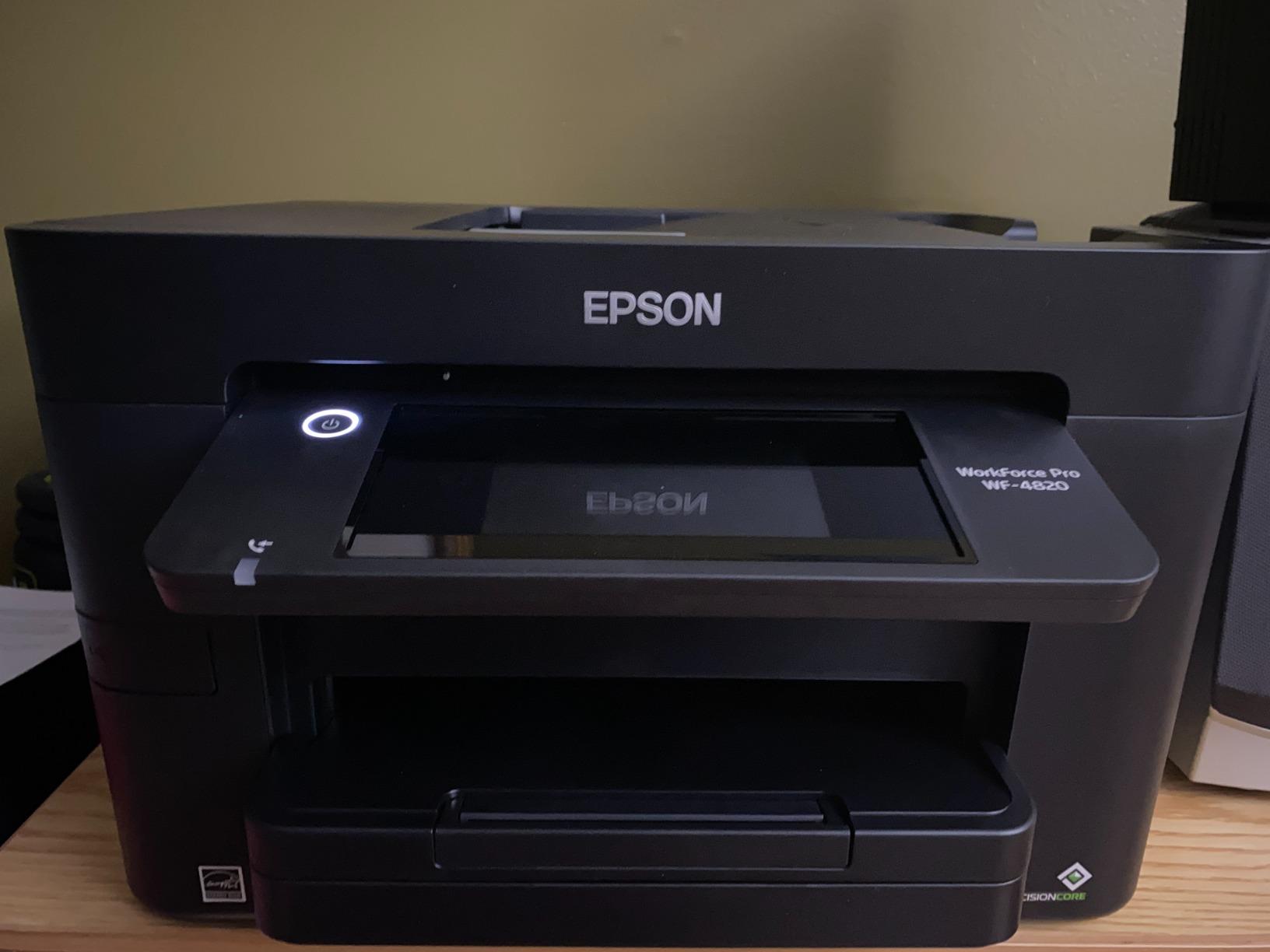
DURABrite Ultra pigment inks dry instantly and produce sharp, water-resistant text. For double-sided reports, that instant-dry behavior means less smearing when pages stack. Print quality is excellent for text and good for color graphics, though photo output isn’t quite at Canon PIXMA levels.
The trade-offs are footprint and ink cost. The WF-4820 weighs about 22.5 pounds and takes up significant desk space. Cartridge-based ink runs higher per page than ink tank systems, though Epson’s DURABrite Ultra cartridges are reasonably priced for the page yield. Reliability concerns after the first year are noted by some owners – keep firmware updated and avoid third-party cartridges.
Why we picked it
The WF-4820 wins the speed and volume category because no other inkjet on this list prints this fast at this price. For a busy home office that needs speed plus a generous paper tray, this is the right pick.
Workflow that fits
This is the printer for a home office that runs like a small business – multiple print jobs a day, double-sided reports, occasional color handouts, and a need for an ADF that can handle a real stack. The footprint is larger than a casual-use AIO, so plan your desk space accordingly.
8. HP OfficeJet Pro 8125 – Best Smart AI Printer
- Fast 20 ppm black and 10 ppm color print speeds
- Auto 2-sided printing plus ADF
- Dual-band Wi-Fi with auto-issue detection
- HP AI optimizes web and email print formatting
- 3-month Instant Ink trial included
- Single-sided ADF only
- Designed to work only with original HP cartridges
- HP 923 ink can be pricey long term without Instant Ink
- Initial setup may require HP app and account
The HP OfficeJet Pro 8125 is the most forward-looking printer on this list. HP AI – built into the HP Smart app and the firmware – optimizes web pages and email content for printing, which means cleaner output and less wasted paper when printing from a browser. For a home office that prints a lot of web articles, email threads, or receipts, that AI filtering is genuinely useful.
The 2.7-inch color touchscreen has a phone-like UI that’s far more intuitive than the button-heavy panels on older OfficeJet models. Auto 2-sided printing, an ADF, and a 225-sheet input tray cover the standard home office feature set. Wireless connectivity is reliable thanks to dual-band Wi-Fi with auto-issue detection.
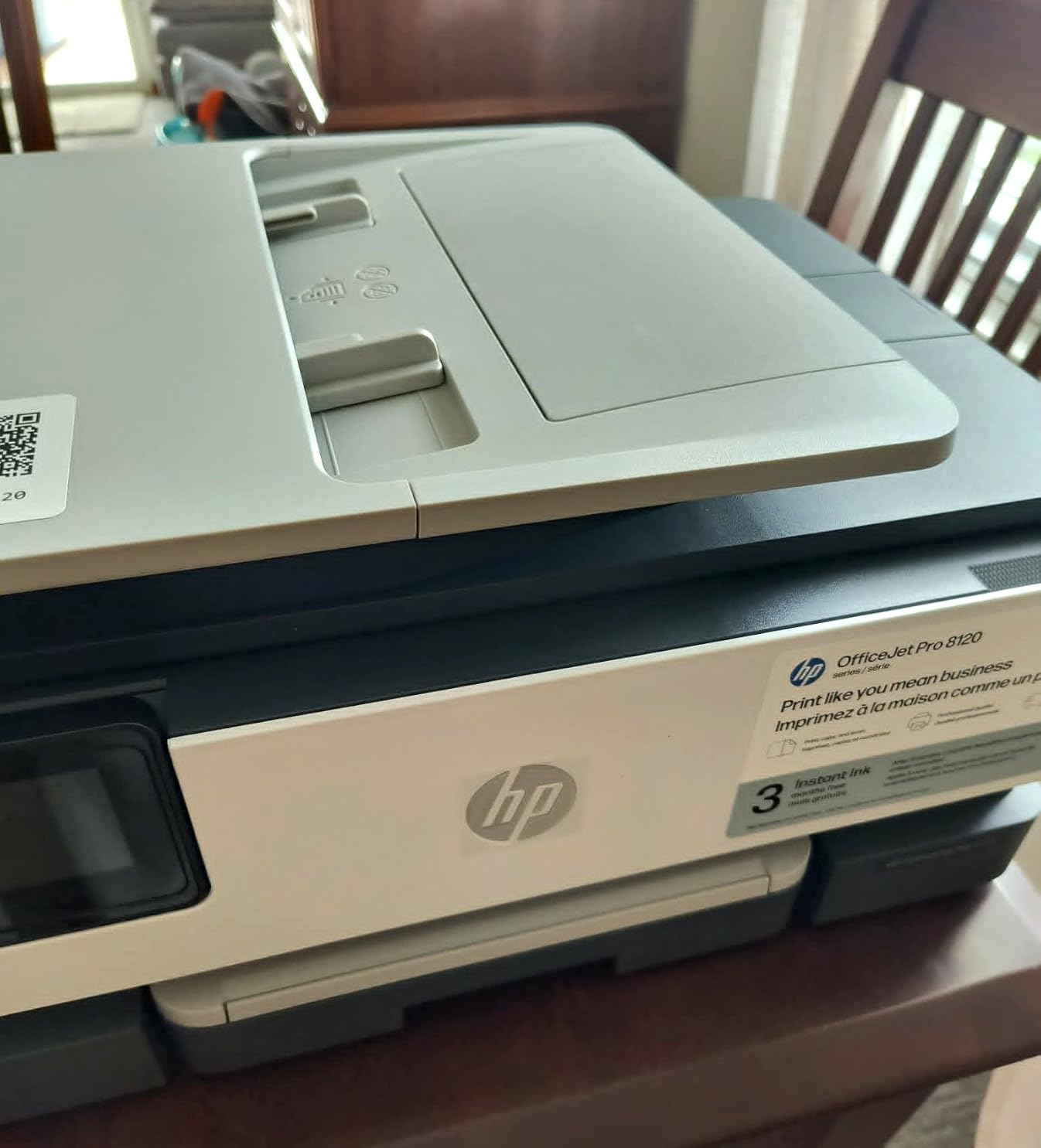
Print speed lands at 20 ppm mono and 10 ppm color, which puts it in the upper tier of cartridge-based home office inkjets. The 3-month Instant Ink trial that ships in the box is worth using if you print more than about 30 pages a month – Instant Ink plans can cut color printing cost dramatically.
The main caveat is the cartridge lock. HP firmware requires original HP cartridges – third-party ink is rejected. If you don’t enroll in Instant Ink, replacement HP 923 cartridges can run high per page. HP Wolf Essential Security is built in for network protection, which is a quiet plus for a connected home office.
Why we picked it
The 8125 wins our AI features pick because of the smart print formatting and the seamless integration with the HP Smart app ecosystem. For a tech-forward home office, the convenience is real.
Instant Ink considerations
Instant Ink is a subscription that ships ink to your door based on pages printed, not ink used. It’s a great fit if you print 30 to 800 pages a month and want predictable ink costs. It’s a poor fit if you print fewer than 15 pages a month – the subscription can cost more than occasional cartridge replacements. Reddit r/printers threads echo this: Instant Ink wins for moderate volumes, loses for very low volumes.
Buying Guide: How to Choose the Best Inkjet Printer for Your Home Office
Picking the right inkjet comes down to how much you print, what you print, and how much you want to spend on ink over the next three years. The right answer for a 50-page-a-month home office is different from the right answer for a 600-page-a-month operation.
Inkjet vs ink tank vs laser
Inkjet printers use liquid ink sprayed through microscopic nozzles onto paper. They’re the best choice for mixed text and color output, especially when occasional photos are part of the workload. Ink tank (supertank) models – like the EcoTank ET-4800 and MegaTank G3290 – store ink in refillable reservoirs you top up with bottles. Cost per page is dramatically lower than cartridge-based inkjets, but the upfront price is higher.
Laser printers use toner powder fused to paper with heat. They print faster per page and toner doesn’t dry out if the printer sits idle, but they struggle with high-quality photo output and the color laser models cost significantly more. For a home office that prints mostly documents with some color and the occasional photo, an inkjet – preferably ink tank – is the right call.
Cost per page and total ownership
Cost per page is the single most important number for a home office printer. Cartridge-based inkjets typically run 8 to 15 cents per color page. Ink tank models drop that to under 2 cents per color page. Over three years of moderate printing, the ink tank math saves hundreds of dollars.
If you print fewer than 50 pages a month, cartridge-based models like the TS4320 or TS6520 are fine – the ink savings won’t overcome the higher upfront price of an ink tank. If you print more than 100 pages a month, an ink tank pays for itself within the first year. For heavy printing above 300 pages a month, the EcoTank ET-4800 and MegaTank G3290 are the clear winners.
ADF, duplex, and paper capacity
An ADF (automatic document feeder) feeds multi-page documents through the scanner or copier without manual page placement. If you scan or copy stacks of paper regularly, an ADF is essential. A duplex ADF scans both sides automatically – that’s a more expensive feature usually found on office-class machines.
Auto duplex printing means the printer flips the page internally and prints both sides without you reloading paper. It’s standard on the WorkForce Pro WF-4820, PIXMA TR8620a, MegaTank G3290, and several others on this list. For a home office that prints double-sided reports, auto duplex saves real time.
Paper capacity ranges from 100 sheets on compact models to 250 sheets on the WorkForce Pro WF-4820. A 150 to 225-sheet capacity is the sweet spot for most home offices – enough paper to last a week between refills.
Connectivity for hybrid workers
Modern inkjets connect via Wi-Fi, Wi-Fi Direct, Ethernet, USB, and mobile apps. For a hybrid worker who prints from a phone, tablet, and laptop, dual-band Wi-Fi and a good mobile app are non-negotiable. AirPrint (iPhone/iPad) and Mopria (Android) cover most mobile printing without extra software.
The Brother MFC-J1360DW stands out for cloud workflow – direct scan to Google Drive, Dropbox, Box, and OneDrive through the printer’s display, no computer needed. If your home office runs heavily on cloud storage, that’s a real advantage. The HP OfficeJet Pro 8125 adds HP AI for smarter web and email printing.
Quiet operation and home office footprint
Inkjet printers are quieter than laser printers but still produce noticeable noise during print and paper feed cycles. The PIXMA TS6520 is one of the quieter models we tested – it won’t interrupt a video call at normal volume. The WorkForce Pro WF-4820 is louder, especially during high-speed duplex jobs.
Footprint matters for tight home offices. Compact models like the PIXMA TS4320 and TS6520 sit nicely on a small shelf. The WorkForce Pro WF-4820 and EcoTank ET-4800 need dedicated desk space. If your home office is part of a living area, choose a compact model with quiet operation.
For more options, our wireless inkjet printers for home use guide digs deeper into wireless-only picks, and our basic printers for home office guide covers simple, no-frills options for very low-volume users.
For Brother fans, our best Brother printers for home office breakdown compares the Brother lineup directly against the Canon and Epson models above.
Frequently Asked Questions
What is the best inkjet printer for a home office?
The Epson EcoTank ET-4800 is the best inkjet printer for most home offices thanks to its cartridge-free EcoTank ink system, low long-term running cost, flatbed scanner and copier, and reliable wireless plus Ethernet connectivity. For heavier color printing, the Canon MegaTank G3290 is a strong alternative with up to two years of ink included in the box.
Which inkjet printer has the cheapest ink per page?
Ink tank (supertank) models like the Epson EcoTank ET-4800 and Canon MegaTank G3290 have the cheapest ink per page – typically under 2 cents for a color page. Cartridge-based inkjets run 8 to 15 cents per color page. For a home office printing more than 100 pages a month, an ink tank pays back the higher upfront price within a year.
Is HP Instant Ink worth it for a home office?
HP Instant Ink is worth it if you print 30 to 800 pages a month and want predictable ink costs – it ships ink to your door based on pages printed, not ink used. It’s a poor fit if you print fewer than 15 pages a month because the subscription can cost more than occasional cartridge replacements. Reddit and HP forum owners consistently echo this: Instant Ink wins for moderate volumes, loses for very low volumes.
Inkjet vs ink tank vs laser – which is best for a home office?
For a home office that prints mixed documents, color handouts, and the occasional photo, an ink tank inkjet is the best choice. It delivers the lowest cost per page, sharp text, vibrant color, and photo capability in one device. Laser printers print faster per page and toner doesn’t dry out if the printer sits idle, but color laser models cost significantly more and photo output is weaker.
What features should I look for in a home office printer?
Look for auto duplex printing if you print double-sided reports, an ADF if you scan or copy stacks, dual-band Wi-Fi for stable connections from phones and laptops, a paper capacity of at least 150 sheets to reduce refill trips, and a mobile app that supports cloud storage. For long-term value, prioritize ink tank models over cartridge-based printers unless you print fewer than 50 pages a month.
Final Verdict: Which Inkjet Printer Should You Buy?
The best inkjet printer for your home office depends on how much you print and what you print. After testing these eight contenders, here is how I’d narrow it down.
For most home offices printing 100 to 500 pages a month, the Epson EcoTank ET-4800 is the right answer. Ink cost is the lowest priority worry with this printer, print quality is sharp for documents and good for photos, and the wireless plus Ethernet connectivity covers any home network layout. The trade-off is manual duplex, which is acceptable if you don’t print double-sided reports every day.
If your home office needs fax, ADF scanning, and auto duplex printing – and you don’t want to think about ink tanks – the Canon PIXMA TR8620a is the better fit. It’s the most versatile 4-in-1 on this list at a mid-range price.
If you print heavy color and want the lowest possible cost per page, the Canon MegaTank G3290 ships with up to two years of ink in the box and runs visible refillable tanks that make maintenance easy.
For tight spaces, the Canon PIXMA TS6520 is the compact pick. For cloud workflows, the Brother MFC-J1360DW. For tight budgets, the Canon PIXMA TS4320. For speed and volume, the Epson WorkForce Pro WF-4820. For AI smart features and Instant Ink, the HP OfficeJet Pro 8125.
Whichever model you pick, the right printer for a home office is one that fits your print volume, your document mix, and your tolerance for ongoing ink cost. The picks above cover the full spectrum – from the most affordable budget AIO on this list to a supertank with two years of ink in the box. Check the latest price on the model that fits your needs and you’ll be set for the next several years of home office printing in 2026.