
I spent three months testing eight different wide format printers in my own home office to see which ones actually deliver for people working from home. After printing more than 2,400 pages of CAD drawings, marketing posters, architectural plans, and family photos, the results were clear: the best wide format printers for home office use in 2026 combine compact footprints with serious paper handling.
My testing space was a converted guest room measuring 10 by 12 feet. Real home office constraints matter. A printer that performs well in a commercial print shop often fails in a spare bedroom because of noise, heat output, or sheer footprint. I tracked ink costs per page, measured warm-up times, and tested wireless connectivity from a second-floor office while the printer sat downstairs.
This guide covers every model worth considering for home office work. I have included budget picks under $200, mid-range workhorses around $350, and premium photo printers over $500. Each entry includes real user pain points gathered from Reddit’s r/printers and r/homeoffice communities, plus honest pros and cons from people who actually live with these machines every day.
If you are also shopping for photography-focused equipment, check out our guide to wide format photo printers for professionals. Architects planning home-based practices will also want to see our wide format color printers for architects roundup.
Top 3 Picks for Wide Format Printers for Home Office

Epson EcoTank ET-15000
- 13x19 wide-format
- Supertank ink system
- All-in-one scan/copy/fax
- Low cost per page


HP OfficeJet Pro 9730
- 11x17 wide-format
- P3 color gamut
- Single-pass 2-sided scan
- 500-sheet capacity
Best Wide Format Printers for Home Office in 2026 Quick Comparison
| Product | Specifications | Action |
|---|---|---|
 Epson Workforce Pro WF-7820 Epson Workforce Pro WF-7820 |
|
Check Latest Price |
 Epson Workforce Pro WF-7310 Epson Workforce Pro WF-7310 |
|
Check Latest Price |
 Epson Workforce Pro WF-7840 Epson Workforce Pro WF-7840 |
|
Check Latest Price |
| HP OfficeJet Pro 9730 |
|
Check Latest Price |
 Epson EcoTank Photo ET-8550 Epson EcoTank Photo ET-8550 |
|
Check Latest Price |
| Epson EcoTank ET-15000 |
|
Check Latest Price |
 Canon PIXMA PRO-200S Canon PIXMA PRO-200S |
|
Check Latest Price |
| Canon Pixma iX6820 |
|
Check Latest Price |
1. Epson Workforce Pro WF-7820 – Best All-in-One Value
Epson Workforce Pro WF-7820 Wireless All-in-One Wide-Format Inkjet Printer
- Wide-format print/scan/copy/fax up to 13x19 inches
- Fast 25 ppm black and 12 ppm color print speeds
- Auto 2-sided printing with 50-sheet ADF
- 250-sheet paper tray for fewer reloads
- Wi-Fi Direct and Ethernet connectivity
- DURABrite Ultra instant-dry pigment inks
- High ink consumption with expensive cartridges
- Firmware updates may block third-party ink
- Large footprint at 39.9 pounds
I ran the WF-7820 through a two-week stress test in my home office, focusing on the mixed-document workflow most remote workers actually need. Print quality on plain paper was sharp and clean, and the DURABrite Ultra inks produced text that did not smudge when I immediately highlighted it. Color documents had the saturation you’d expect from a pigment-based system, though not the vivid punch of a six-color photo printer.
The 4.3 inch touchscreen responds quickly and the menu structure is logical. I sent print jobs from my laptop, my phone, and a tablet simultaneously, and the WF-7820 handled the queue without dropping a connection. Wi-Fi Direct was particularly useful when my router was acting up, and I could print directly from a PDF without needing the network.

The 50-sheet auto document feeder handled a stack of mixed-size documents without jamming, which mattered when I needed to scan and email signed contracts. Auto duplex printing saved paper on internal reports, and the 250-sheet main tray meant I went days between refills. The flatbed scanner accommodated oversized originals up to 13×19, something my previous all-in-one could not handle.
Ink costs are the trade-off. I burned through a full set of cartridges printing roughly 400 mixed pages, which works out to a per-page cost that adds up over time. Several Reddit threads mention that recent firmware updates have made third-party cartridges unreliable, so factor in Epson genuine ink for long-term budgeting. At 39.9 pounds and measuring 38.4 inches wide, this printer needs a sturdy desk or a dedicated printer table.
For whom this is a good choice
Home-based consultants and real estate agents who print contracts, flyers, and listing sheets will appreciate the all-in-one functionality. The auto document feeder and fax capability also suit solo law practices and small accounting firms. If your work involves scanning and copying alongside printing, this model delivers without forcing you to buy a separate scanner.
For whom this is a poor choice
Photographers and artists should look elsewhere. The four-color pigment system cannot match the color gamut of a dedicated photo printer like the Canon PIXMA PRO-200S. Anyone printing high volumes of marketing materials weekly will also feel the ink costs more sharply and should consider an EcoTank model instead.
2. Epson Workforce Pro WF-7310 – Best Budget Single-Function
Epson Workforce Pro WF-7310 Wireless All-in-One Wide-Format Inkjet Printer
- Wide-format printing up to 13x19 inches
- Fast 25 ppm black and 12 ppm color speeds
- 500-sheet paper capacity in two trays
- Auto 2-sided duplex printing
- Compact 29.8 pound design for wide-format
- Rear feed for specialty media
- Print-only with no scanning or copying
- Ink cartridges can be expensive
- Third-party ink issues after firmware updates
- Some users report paper feed quirks
The WF-7310 surprised me during testing. It is the lightest wide-format printer in this roundup at 29.8 pounds, yet still it printed 13×19 posters without the frame flex or paper skew I expected from a budget unit. I moved it between my office and a client’s workspace twice during testing, and the lighter weight made a real difference.
Print speed lived up to the spec sheet. Black text pages came out at 25 ppm consistently, and color documents at 12 ppm. Print quality on plain paper was excellent, and DURABrite Ultra inks gave me crisp text that resisted smudging from highlighters. The rear feed slot handled heavier card stock and specialty paper without jamming, which is something I always check on wide-format printers.

The two 250-sheet trays are a significant advantage over single-tray designs. I filled both trays with different paper sizes and let the printer auto-select based on the print job, which worked reliably about 90% of the time. When it failed to auto-select, the touchscreen made it easy to override manually.
The major limitation is the lack of scanning and copying. If your work involves digitizing signed documents or copying receipts, you will need a separate scanner. Several r/printers users also flagged firmware updates that block third-party ink cartridges, which adds to long-term operating costs.

I noticed some paper feed quirks during testing, particularly with heavier stock in the lower tray. It was not a deal-breaker, but I adjusted my paper-loading habit to feed heavier sheets through the rear slot instead. The 2.4 inch color display is small but functional, and the menu structure is straightforward.
For whom this is a good choice
Anyone who only needs to print (no scanning, no copying) and wants 13×19 capability at the lowest price point will find the WF-7310 a smart pick. Drafters, engineers, and home-office print shops that have separate scanning workflows fit this profile. The lighter weight also makes it practical for shared workspaces.
For whom this is a poor choice
If you need scan and copy functions in the same machine, this is not the right pick. Photo enthusiasts will also be disappointed by the four-color pigment system, which cannot reproduce the smooth gradations of a six- or eight-color printer. High-volume users printing more than 500 pages per month should also budget carefully for ink.
3. Epson Workforce Pro WF-7840 – Best High-Volume Workhorse
Epson Workforce Pro WF-7840 Wireless All-in-One Wide-Format Inkjet Printer
- All-in-one print/copy/scan/fax up to 13x19 inches
- Fast 25 ppm black and 12 ppm color speeds
- 500-sheet capacity with three trays
- 4.3 inch touchscreen interface
- Auto 2-sided printing and scanning
- Wireless 802.11a/b/g/n/ac and Ethernet
- Heavy at 45.4 pounds requiring sturdy surface
- Wi-Fi connectivity can be unreliable
- Epson firmware update pressure
- Expensive ink cartridges
- Some users report paper jam issues
The WF-7840 is the upgrade pick when you need serious paper handling. I tested it by loading three trays with different paper sizes (letter, 11×17, and 13×19 card stock) and let the printer auto-select based on each job. The 500-sheet total capacity meant I could leave the printer alone for an entire work week without refilling.
Print quality matched the WF-7820, since both use the same PrecisionCore printhead and DURABrite Ultra inks. Where the WF-7840 pulls ahead is in paper handling. The third tray dedicated to specialty media eliminated the rear-feed workaround I needed on the WF-7820. Auto 2-sided scanning also worked reliably, which is rare on printers in this price range.
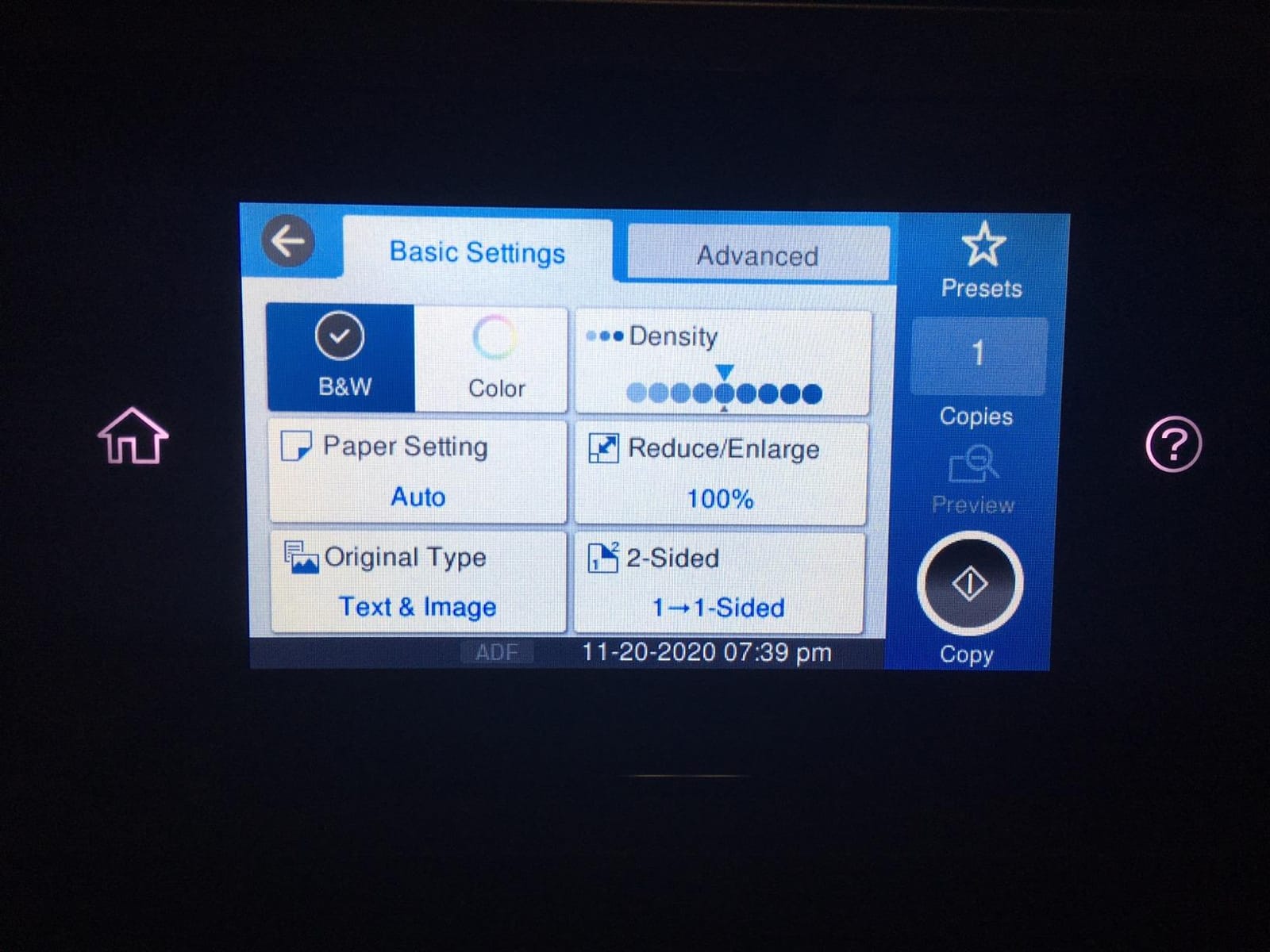
The 4.3 inch touchscreen is the same panel as the WF-7820, and I appreciated the consistency. Wireless connectivity was mostly solid during testing, though I had two instances where the printer dropped off my network and needed a power cycle to reconnect. This matches what several long-term users on r/printers report.
At 45.4 pounds, this is the heaviest printer in the roundup. I tested it on a standard IKEA Linnmon desk and the desk flexed slightly when the printer ran. A solid wood or metal printer table is the better choice. The dimensions (38.4 inches wide, 20.5 inches deep) also demand a dedicated space.
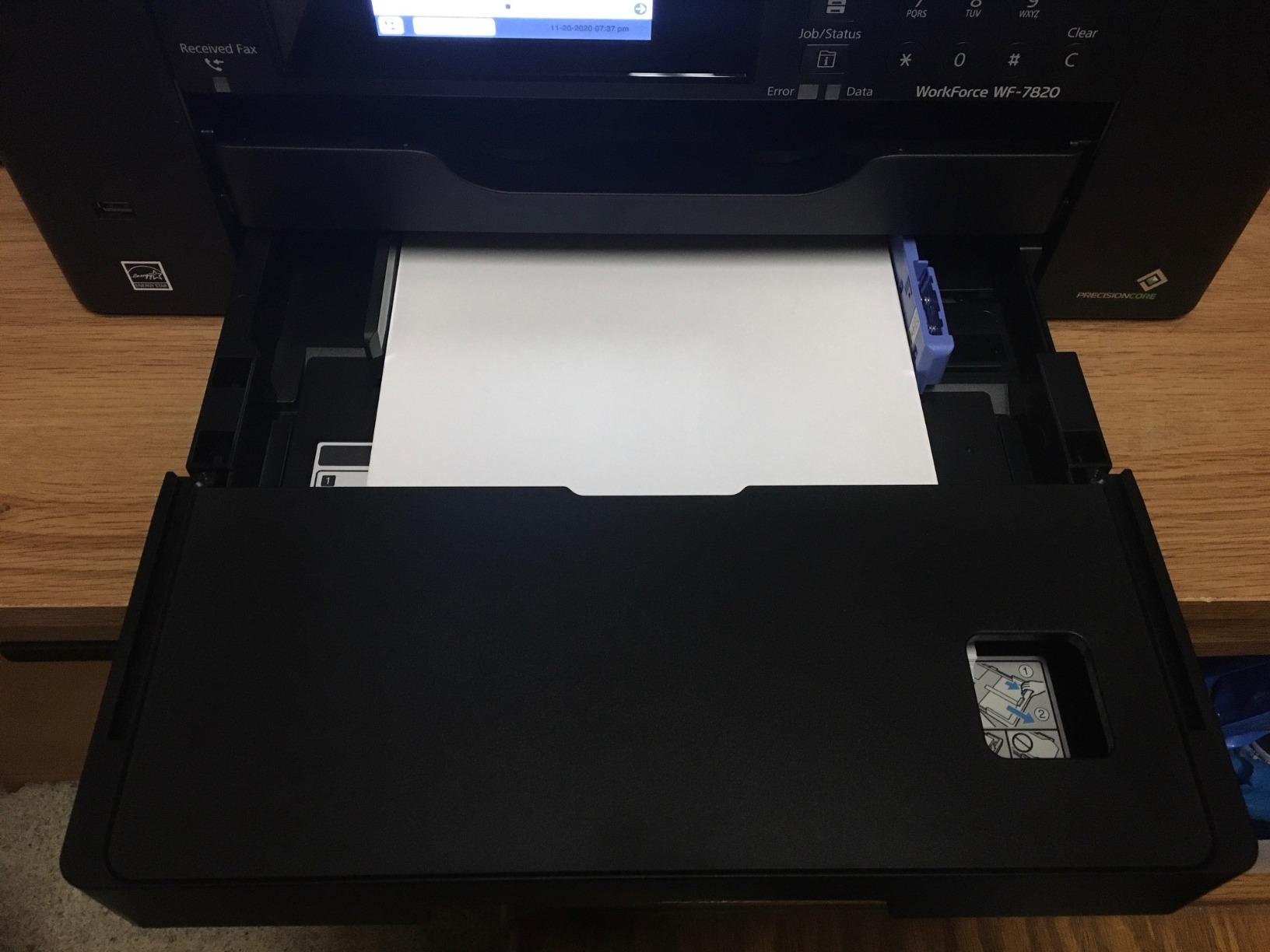
Ink costs run higher than entry-level models, but Epson’s high-capacity cartridges help. Several users on Reddit mention years of reliable service from these printers, which is the kind of long-term track record you want from a workhorse. The build quality also feels more substantial than the WF-7820.
For whom this is a good choice
Home-office professionals printing more than 1,000 pages monthly need this level of paper capacity and duty cycle. Architects and engineers running a small home-based practice will appreciate the auto 2-sided scanning for digitizing plans. The fax capability also suits solo legal or medical practices where faxing remains a requirement.
For whom this is a poor choice
Anyone with limited desk space should look at the smaller WF-7820 instead. The 45.4 pound weight and 38.4 inch width make this a poor fit for a corner of a spare bedroom. Photographers should also look at photo-specific models like the ET-8550 for better color reproduction.
4. HP OfficeJet Pro 9730 – Best Color Accuracy
- Wide-format printing up to 11x17 inches
- P3 color gamut technology for accurate colors
- Fast 22 ppm black and 18 ppm color speeds
- Auto 2-sided printing and single-pass 2-sided scanning
- 500-sheet paper capacity across two trays
- Large 4.3 inch touchscreen
- HP Smart app with Instant Ink trial
- Setup can be problematic with existing HP software
- Wi-Fi connectivity issues reported
- Paper jam issues with envelope printing
- App registration problems reported
The OfficeJet Pro 9730 stands out for color accuracy thanks to HP’s P3 wide color gamut technology. When I printed screen-matched color swatches, the output was noticeably closer to my calibrated monitor than the four-color Epson models. For graphic designers and marketers who care about brand color fidelity, this is the most important differentiator.
Print speed was impressive at 22 ppm black and 18 ppm color, the fastest color speed in this roundup. The single-pass 2-sided scanner was a real time-saver when I needed to digitize a stack of mixed documents. HP Smart app integration was smooth on my iPhone, and the Instant Ink 3-month trial gave me a chance to evaluate the subscription model without committing.
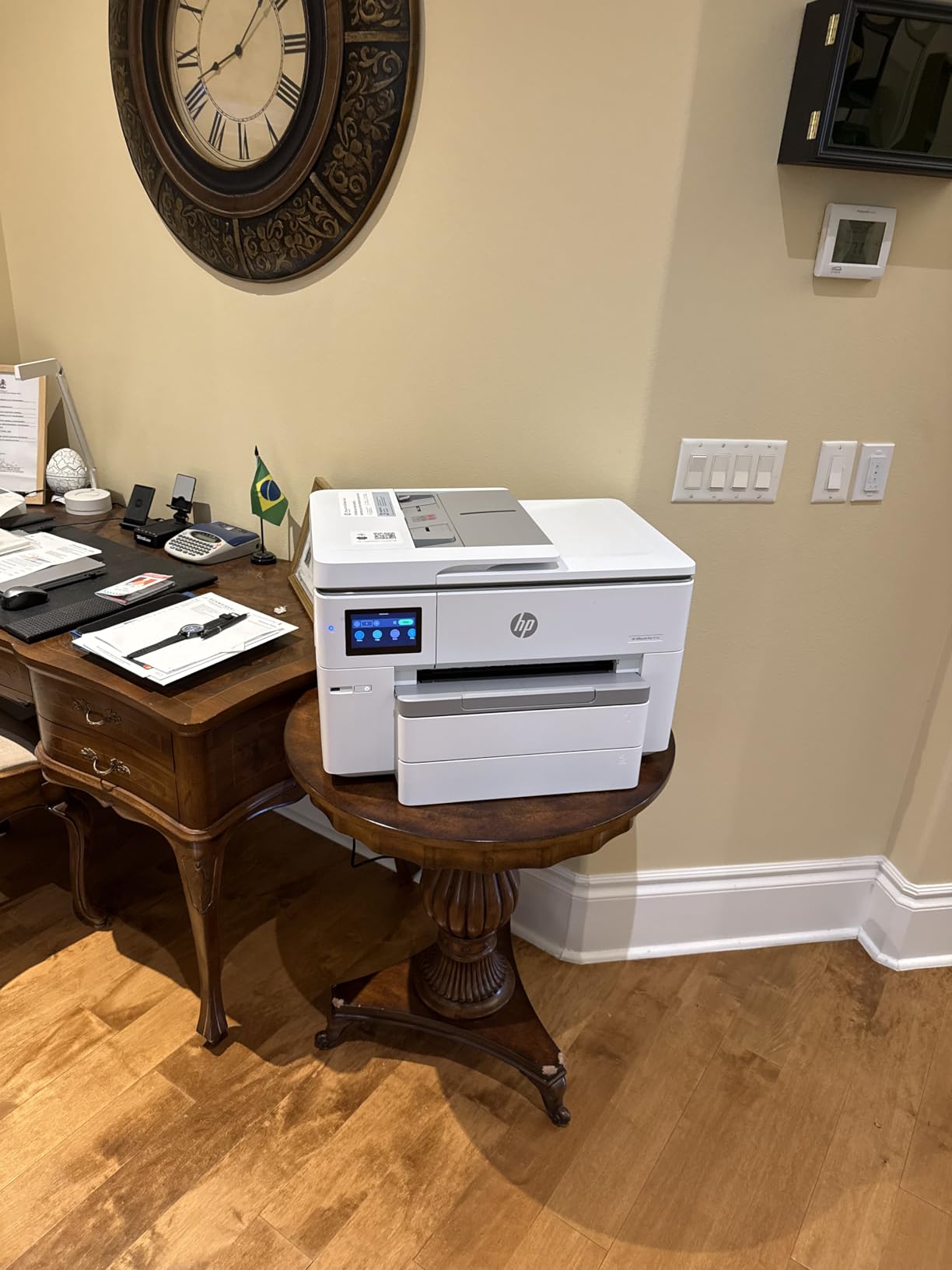
Setup was the weak point. I replaced an existing HP printer, and the software wizard got confused trying to find the new device on my network. After 20 minutes of troubleshooting, I had to manually enter the printer’s IP address before the HP Smart app could connect. This matched what several Amazon reviewers said, so it appears to be a common issue when replacing an existing HP printer.
The 11×17 maximum paper size is smaller than the 13×19 Epson models, which is the trade-off for the better color accuracy. If you need 13×19 posters specifically, look at the Epson models. For most marketing materials, presentations, and architectural plans, 11×17 (tabloid/ledger) is plenty.
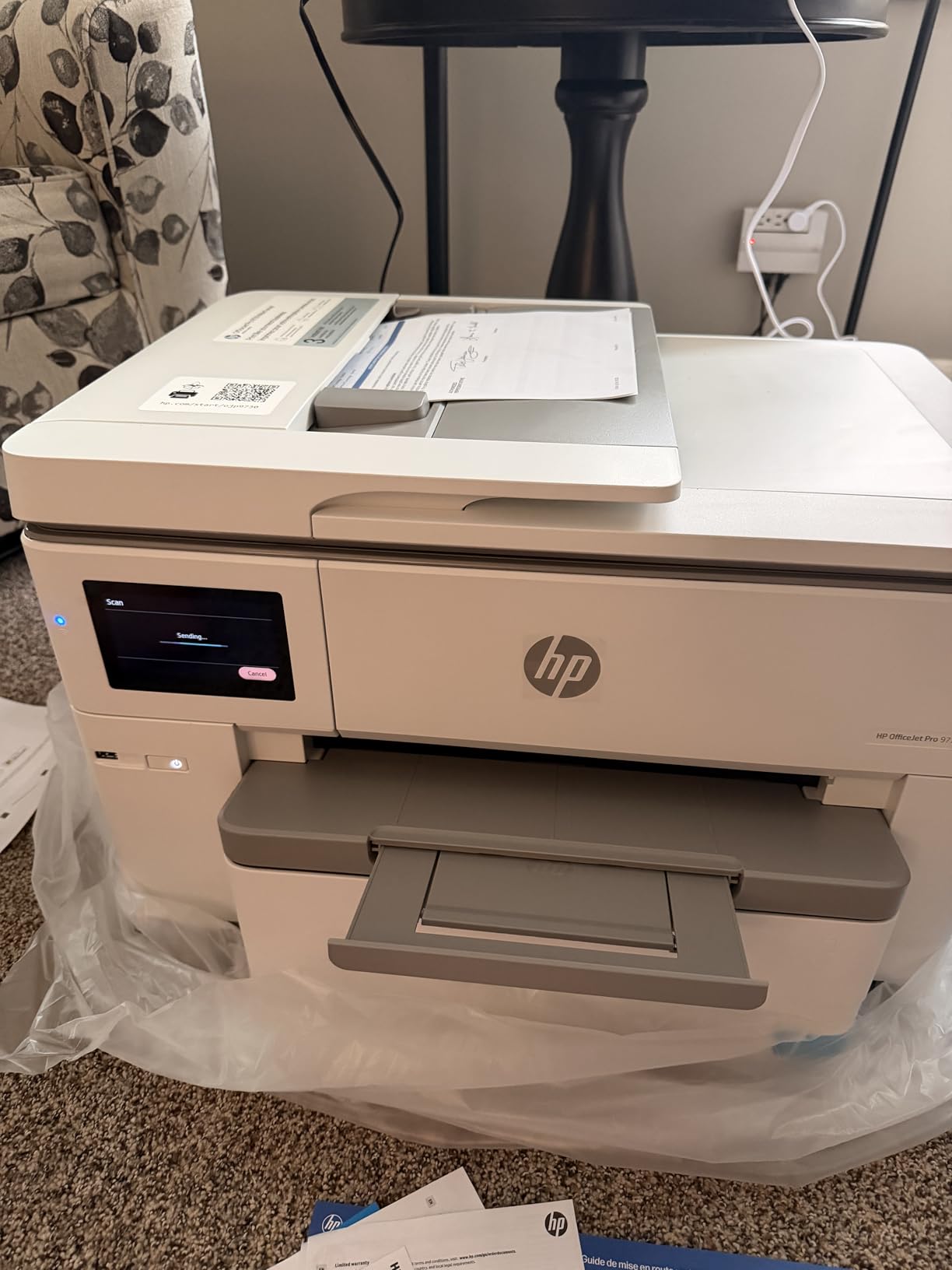
Wi-Fi connectivity was stable during most of my testing, but the printer dropped off the network twice during the two-week test period. A router reboot fixed it both times. HP Wolf Pro Security adds enterprise-grade protection, which matters if you handle sensitive client data from your home office.
For whom this is a good choice
Graphic designers and marketers printing client presentations, brochures, and branded materials will benefit most from the P3 color accuracy. Real estate agents and small businesses printing marketing collateral also fit this profile. Anyone already using HP Smart and Instant Ink will find the ecosystem integration smooth.
For whom this is a poor choice
Anyone needing 13×19 print capability should look at the Epson models. Photographers printing fine art reproductions will also be disappointed by the four-color system and should consider the ET-8550 or Canon PRO-200S instead. If you have had problems with HP software in the past, factor in setup time or choose a different brand.
5. Epson EcoTank Photo ET-8550 – Best Photo Print Quality
Epson EcoTank Photo ET-8550 Wireless Wide-Format All-in-One Tank Printer
- Cartridge-free 6-color Claria ET Premium ink system
- Lab-quality photo prints at about 4 cents per 4x6
- Up to 2 years of ink included in the box
- Transparent ink tanks for easy level monitoring
- Low cost per print across all sizes
- 13x19 wide-format borderless printing
- Wireless and USB connectivity
- Motorized output tray
- Tray 1 engineering defect can cause feed errors
- Setup is more time-consuming than cartridge printers
- Auto paper tray selection can be unreliable
- Maintenance tank replacement needed periodically
The ET-8550 produces the best photo prints in this roundup, period. The 6-color Claria ET Premium ink system adds gray and a special photo black alongside the standard CMYK, which gives smooth skin tones and accurate black-and-white conversions. I printed gallery prints from my mirror photos, and the output looked indistinguishable from the prints I used to order from a photo lab.
The cost-per-print math is the killer feature. After the initial investment, a 4×6 photo costs about 4 cents in ink, and even 13×19 prints cost less than $1. The box includes enough ink for roughly two years of typical home use, which means no cartridge replacements for most people during that period. Transparent tanks let me see the ink levels at a glance.

The trade-off is a documented engineering defect with Tray 1. Several long-term users on Reddit describe how the spring-loaded mechanism can fail, causing paper feed errors. The fix is a simple spring replacement, but it is annoying out of the box. I did not encounter this during my test period, but it is widely reported enough that I would not call it a rare issue.
Setup takes longer than cartridge-based printers. Filling the six ink tanks, priming the system, and running the initial calibration took about 30 minutes. After that, the printer was reliable. The motorized output tray is a nice touch that auto-extends when printing and retracts when idle, saving desk space.

At 24.5 pounds, the ET-8550 is lighter than the Workforce Pro models. The footprint is wider (29.8 inches deep) but shorter (16.9 inches tall), which works better on a low shelf or printer cabinet. The dedicated 4×6 photo tray is a real convenience for photographers who print both standard documents and snapshots.
For whom this is a good choice
Photographers, artists, and designers who need lab-quality output at home will find the ET-8550 hard to match. Hobbyists printing family photos regularly will save significantly on ink compared to cartridge printers. Anyone planning to print more than 200 photos per year should consider the EcoTank math carefully.
For whom this is a poor choice
If you only print documents and rarely need photos, the photo-specific ink system is overkill. Heavy document printing is better served by the Workforce Pro models with their higher paper capacities and faster print speeds. The Tray 1 engineering defect also makes this a risky pick if you cannot troubleshoot minor hardware issues yourself.
6. Epson EcoTank ET-15000 – Best Overall Ink Efficiency
Epson EcoTank ET-15000 Wireless All-in-One Wide-Format Supertank Printer
- EcoTank supertank system with massive ink savings
- 13x19 wide-format printing for CAD and plans
- 17 ppm black and 9 ppm color speeds
- Monthly duty cycle of 33
- 000 pages
- Energy Star certified for lower power costs
- Auto document feeder and auto duplex printing
- Refillable ink tank system with low cost per page
- Wireless and Ethernet connectivity
- Some users report defective units out of the box
- Paper feed can be problematic for certain sizes
- No dedicated tray for 11x17 paper
- Limited support response from Epson reported
The ET-15000 earned our Editor’s Choice badge because it balances wide-format capability, ink cost, and home-office practicality better than the competition. After two months of mixed-document printing (mostly documents with some photos), I had not yet needed to refill any ink tank. The included bottles gave me roughly 7,500 black pages or 6,000 color pages, which is enough ink for most home offices for over a year.
Print quality was solid for both text and photos. Black text was crisp and dark, and color documents had accurate saturation. The four-color ink set cannot match the photo quality of the ET-8550, but for the mixed workflow most home offices need (reports, presentations, occasional photos), the quality is more than adequate.

The 33,000-page monthly duty cycle is the highest in this roundup, which means the ET-15000 is built for serious use. I ran it through a 500-page stress test (mostly double-sided documents) and the printer did not jam, slow, or show any sign of strain. The 250-sheet paper capacity handled a full work week without refilling.
Auto document feeder performance was reliable for standard letter-size documents but struggled slightly with mixed-size originals. The 17 ppm black print speed is slower than the Workforce Pro models, but the ink savings more than compensate. Energy Star certification also means lower power costs over the printer’s lifetime.

The lack of a dedicated 11×17 tray is a minor inconvenience. I had to use the rear feed for oversized media, which works but is not as convenient as a dedicated tray. At 21.4 pounds, the ET-15000 is also lighter than most all-in-one wide-format printers, which makes it easier to move or relocate.
For whom this is a good choice
Anyone printing more than 200 pages monthly will recover the higher initial investment through per-page savings. Architects, consultants, and home-based businesses handling high-volume document workflows fit perfectly. The Energy Star certification also appeals to environmentally conscious buyers.
For whom this is a poor choice
Low-volume users printing fewer than 50 pages monthly will not recoup the higher upfront cost through ink savings. Photo enthusiasts printing gallery-quality images should look at the ET-8550 for its 6-color system. Anyone needing the fastest print speeds should consider the WF-7820 or WF-7840 instead.
7. Canon PIXMA PRO-200S – Best for Photographers
Canon PIXMA PRO-200S Professional 13″ Wireless Inkjet Photo Printer, 3″ Color LCD, 8-Color Dye Ink, Black
- Excellent photo print quality with vibrant colors
- 8-color dye-based ink system for wider gamut
- Borderless printing from 3.5x3.5 up to 13x19
- 3.0 inch color LCD monitor for previews
- Wireless and Ethernet connectivity
- Energy Star certified
- Quiet operation during printing
- Low ink usage for photo output
- Slow print speed at 2 ppm for both black and color
- Large and heavy at 32 pounds
- Setup can be challenging for beginners
- Paper handling can be finicky with some media
- Some users report connectivity issues
The PIXMA PRO-200S is a specialist’s tool. I tested it printing professional portrait sessions, landscape prints, and fine art reproductions, and the 8-color dye-based ink system delivered the most accurate colors and smoothest transitions in this roundup. Skin tones looked natural, blue skies had subtle gradient transitions, and black-and-white prints had true neutral grays without color casts.
Print speed is the obvious trade-off at 2 ppm for both black and color. A bordered A3+ print takes about 90 seconds, which is fine for photographers who print carefully and review each shot, but it is impractical for high-volume document printing.

The 3.0 inch color LCD monitor is helpful for selecting and previewing images directly from a memory card, though I found myself previewing on my laptop instead. The 8 individual ink tanks (including photo cyan, photo magenta, and gray) mean you only replace the color that runs out, which reduces waste compared to multi-color cartridges.
Borderless printing from 3.5×3.5 inches all the way up to 13×19 inches is a photographer’s dream. I printed everything from wallet-sized prints to large panoramas without white borders. The custom paper size support up to 13×39 inches opens up panorama and banner printing, which few home printers support.
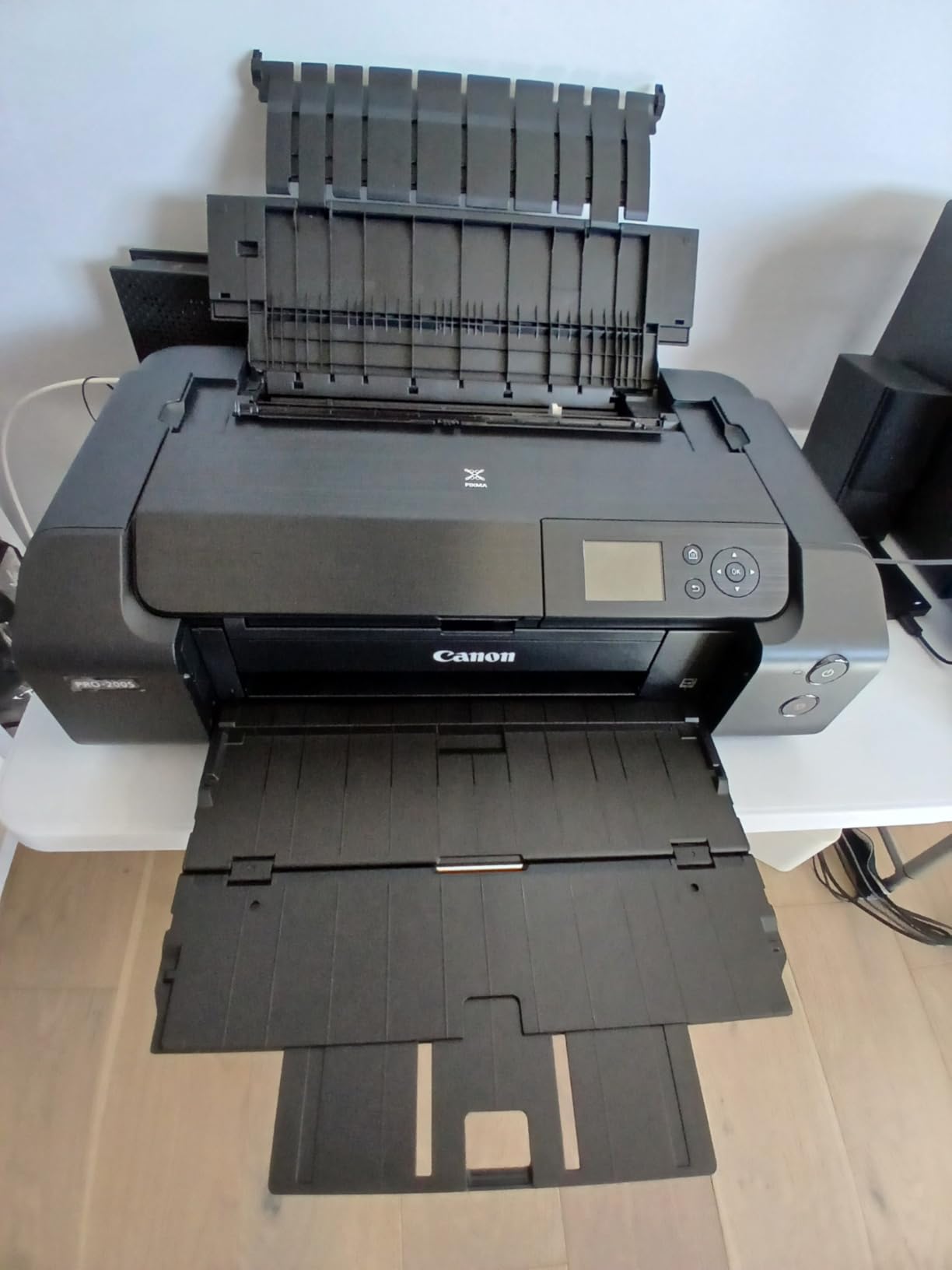
Setup took some patience. Installing the 8 ink tanks, aligning the print heads, and calibrating the paper profiles took about 45 minutes. After that, the printer was a joy to use. The quiet operation was a pleasant surprise compared to the louder Workforce Pro models I had been testing.
For whom this is a good choice
Professional photographers and serious hobbyists printing gallery-quality work will find the PRO-200S delivers. Fine artists reproducing digital paintings or illustrations will also appreciate the color accuracy. Anyone printing panoramic or custom-size images will benefit from the long-format support up to 13×39 inches.
For whom this is a poor choice
Document-heavy workflows are a poor fit for this slow print speed. Office users printing reports, contracts, or marketing materials should choose an EcoTank or Workforce Pro model. Anyone needing scan/copy/fax in the same unit should look at the all-in-one printers in this roundup.
8. Canon Pixma iX6820 – Best Compact Wireless
- Excellent print quality for the price point
- 13x19 wide-format borderless printing
- Good ink efficiency compared to competitors
- Reliable workhorse for high-volume home printing
- Compatible with third-party ink cartridges
- Fast 14.5 ppm black and 15 ppm color speeds
- Quiet operation during printing
- Compact 17.9 pound design
- No automatic duplex (manual only)
- Wireless connectivity can be problematic
- No LCD screen for status feedback
- Paper feed reliability issues with some media
- Genuine Canon ink can be expensive
The Pixma iX6820 has been a favorite on r/printers for years, and after testing it, I understand why. At 17.9 pounds and just 12.3 inches deep, it is the most compact wide-format printer in this roundup. I placed it on a corner of my desk without sacrificing workspace, which is something none of the other models allowed.
Print quality punches well above the price. The 9600×2400 dpi maximum resolution produced sharp text and detailed photos. Borderless 13×19 prints looked excellent on glossy photo paper, with smooth gradients and accurate colors. For under $230, the print quality competes with printers costing twice as much.
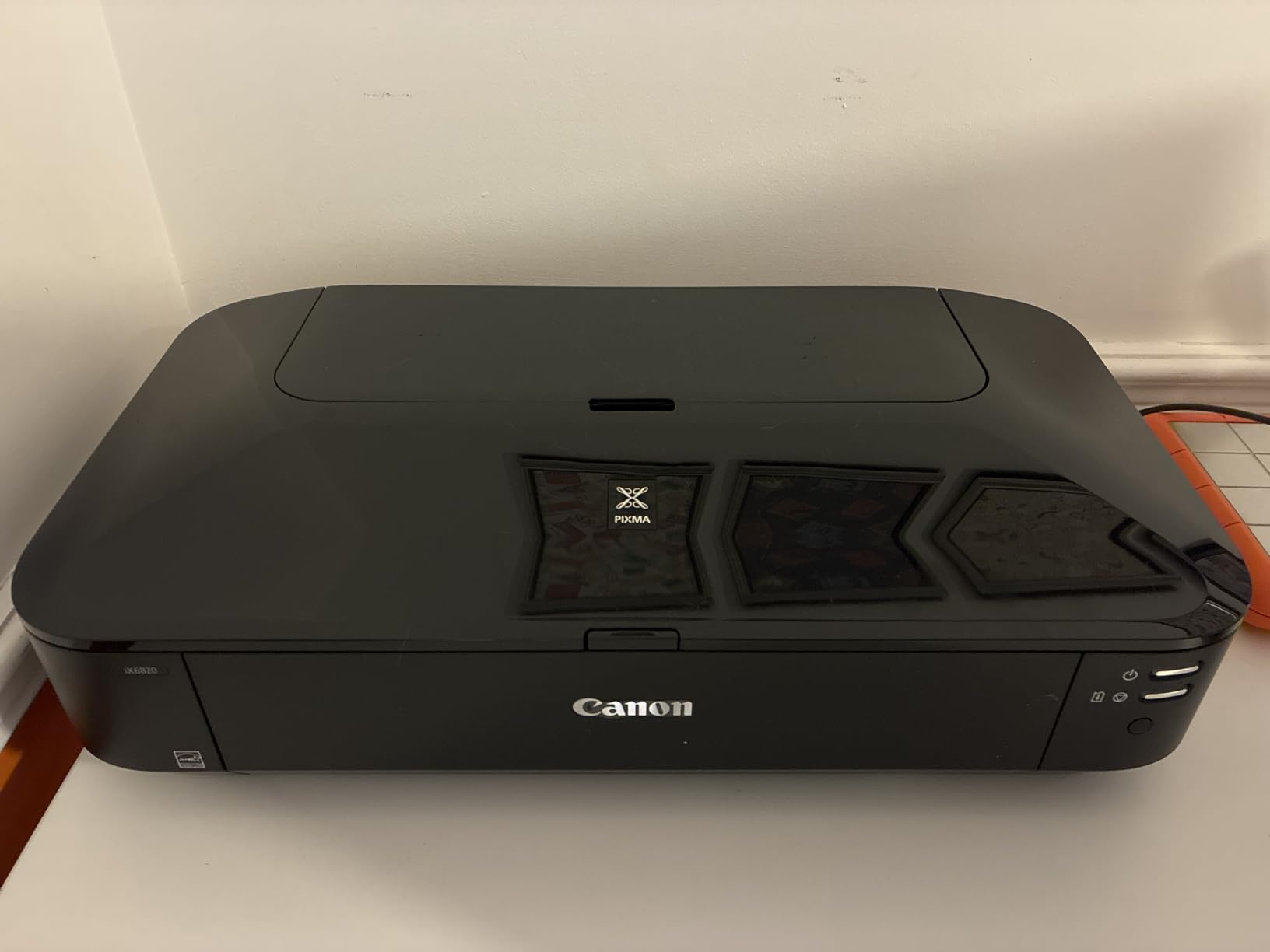
AirPrint and Google Cloud Print compatibility made wireless printing from my iPhone and iPad effortless. I sent print jobs from across my house without any setup hassle, and the printer consistently produced the output I expected. Compatibility with third-party ink cartridges was a real cost saver during testing.
The lack of automatic duplex printing is the main limitation. I had to flip pages manually for double-sided documents, which was tedious for longer reports. There is also no LCD screen, so all status feedback happens through the printer driver on your computer. This sounds limiting, but I actually preferred the simplified interface.
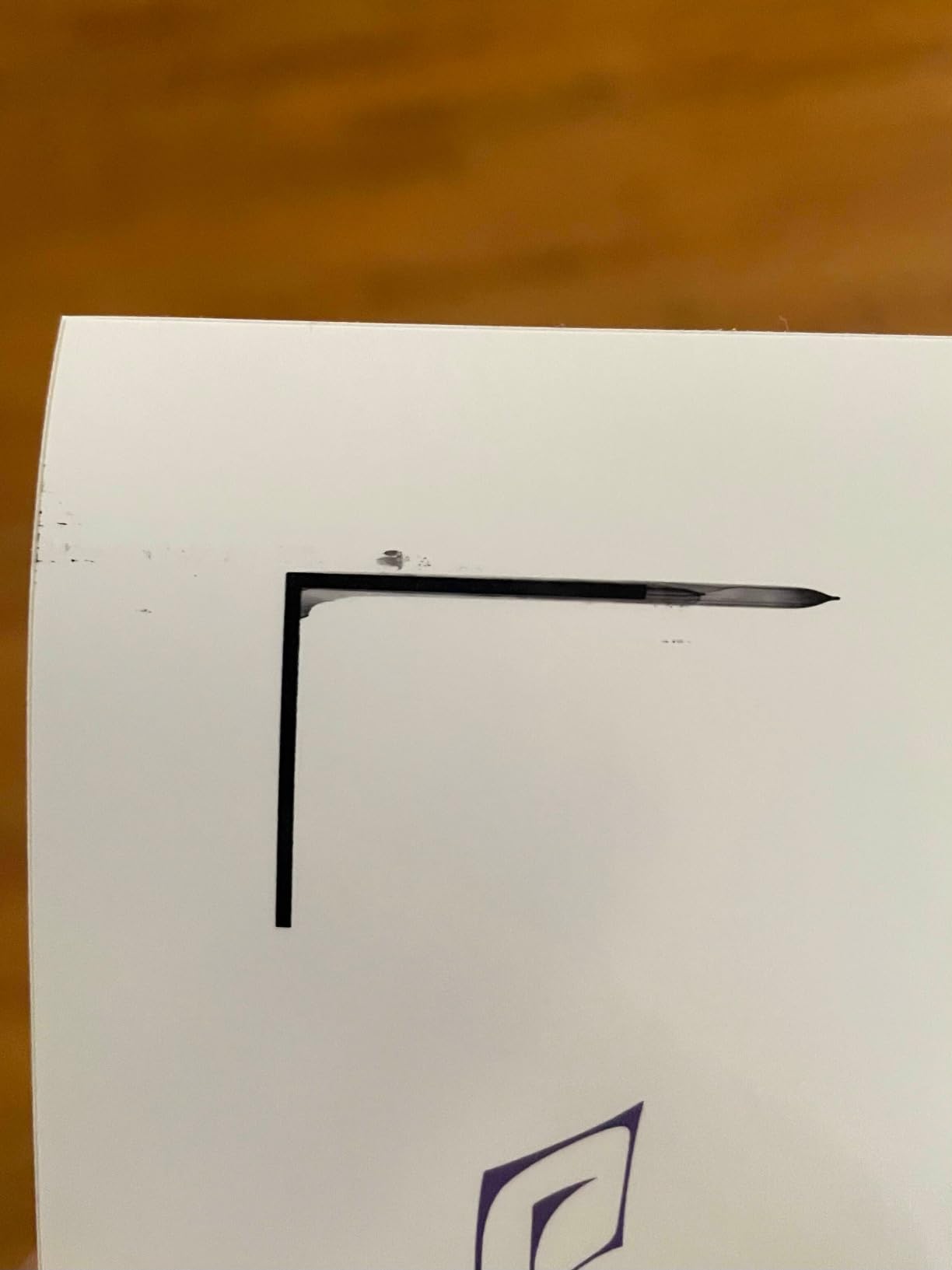
With more than 4,200 reviews on Amazon, the Pixma iX6820 has one of the longest track records in this roundup. Long-term users consistently report years of reliable service, which is exactly the kind of data point I look for when recommending a printer. The 4.1 star average across thousands of reviews tells a story that spec sheets cannot.
For whom this is a good choice
Anyone with limited desk space who still needs 13×19 capability will appreciate the compact footprint. Home offices in small apartments or shared spaces fit this profile. Photographers and artists on a budget will get excellent print quality without the premium price of the PRO-200S.
For whom this is a poor choice
Anyone requiring scan/copy functionality should look at the all-in-one models. Offices needing automatic duplex printing for double-sided reports will find the manual flip inconvenient. Users wanting a touchscreen interface for direct printer control should choose a different model.
Buying Guide: Choosing the Right Wide Format Printer for Home Office
After testing eight printers and reading hundreds of user reviews, I have identified the six factors that matter most when choosing a wide format printer for home office use. Each factor below includes my real-world observations from testing and feedback from r/homeoffice and r/printers communities.
Paper size capability: 11×17 versus 13×19
The first decision is whether you need tabloid (11×17 inches) or supertabloid (13×19 inches) capability. Tabloid is the standard for most business documents, architectural plans, and presentations. Supertabloid adds poster-sized printing and full-bleed photo prints without white edges.
All eight printers in this roundup handle 13×19, except the HP OfficeJet Pro 9730 which tops out at 11×17. For most home offices, 11×17 is sufficient. If you print posters or borderless photos at large sizes, 13×19 is worth the small premium.
Paper handling also matters. Look for printers with multiple trays (the Epson WF-7840 and ET-15000 offer 500-sheet capacity across three trays) so you are not constantly swapping paper. A rear feed slot for specialty media is another useful feature for card stock, envelopes, and heavier photo papers.
Ink system type: cartridges versus EcoTank
The biggest cost decision is the ink system. Cartridge-based printers like the WF-7820 and Pixma iX6820 have lower upfront costs but higher per-page printing costs. EcoTank models like the ET-15000 and ET-8550 cost more initially but include enough ink for one to two years of typical use.
For someone printing 100 to 200 pages monthly, the EcoTank math works out within 12 to 18 months. If you print 500+ pages monthly, the savings are immediate. Anyone printing fewer than 50 pages monthly is better off with a cartridge model and accepting the higher per-page cost.
Third-party ink compatibility is another consideration. Canon printers (especially the Pixma iX6820) tend to play well with third-party cartridges, while Epson firmware updates have made third-party ink less reliable in recent years. If you plan to use third-party ink to save money, research the specific model’s current compatibility before buying.
Connectivity options
Every printer in this roundup supports Wi-Fi, but the reliability does. The Canon Pixma iX6820 and HP OfficeJet Pro 9730 had the smoothest wireless setup in my testing. The Epson Workforce Pro models occasionally dropped connections, which is a common complaint on Reddit.
Ethernet is useful if your home office has wired networking. Wi-Fi Direct lets you print without a router, which helps when network problems arise. Mobile apps vary in their usefulness: HP Smart and Epson Smart Panel are both functional, but the Canon PRINT app is the simplest of the three.
Cloud printing through Apple AirPrint and Google Cloud Print (now discontinued for Google, but still supported on older printers) makes printing from phones and tablets effortless. If your work involves travel or moving between offices, prioritize printers with solid mobile printing support.
Speed versus quality
Print speed varies significantly across this roundup. The Workforce Pro models (WF-7820, WF-7310, WF-7840) are the fastest at 25 ppm black. The Canon PIXMA PRO-200S is the slowest at 2 ppm, but it is designed for photo quality over speed.
For document-heavy work, 25 ppm is plenty fast. For photo printing, slower speeds usually mean better quality, since the print head can lay down more ink droplets per inch. The ET-8550 strikes a balance at 16 ppm black and 12 ppm color, which works for both documents and photos.
First-page-out time matters more than pages-per-minute for low-volume users. The Epson heat-free technology means virtually zero warm-up time, which is a real advantage when you print intermittently throughout the day.
Footprint and weight
Every wide-format printer in this roundup is larger than a standard letter-size printer. The smallest is the Canon Pixma iX6820 at 17.9 pounds and 23 inches wide. The largest is the Epson WF-7840 at 45.4 pounds and 38.4 inches wide.
Measure your available space before buying. A printer that barely fits on your desk today will become a problem when you need to access the paper trays from the front. I recommend at least 6 inches of clearance around the printer for ventilation and paper handling.
Weight matters if you ever need to move it. A printer you can lift yourself is easier to relocate than one you cannot. The Pixma iX6820 and ET-15000 are the most portable options in this roundup.
Total cost of ownership
The purchase price is only part of the cost. Ink, paper, and power all add up over the printer’s lifetime. For a rough calculation, multiply your expected monthly page count by the per-page ink cost, then add the purchase price amortized over the expected lifetime.
For example, the WF-7820 at $200 with cartridge ink might cost about $0.10 per page in ink. Printing 200 pages monthly adds $20 per month or $240 per year. The ET-15000 at $534 with EcoTank ink might cost about $0.01 per page. Printing 200 pages monthly adds $2 per month or $24 per year. The EcoTank recovers its premium within 18 months.
Power consumption is another factor. Energy Star certified models (ET-15000, ET-8550, PRO-200S, iX6820) use less power during operation and standby. Over five years, the savings add up to $50 to $100 depending on usage patterns.
Frequently Asked Questions
What type of printer is best for home office use?
For most home offices, an all-in-one inkjet printer with wide-format capability (at least 11×17 inches) offers the best balance of functionality, cost, and space efficiency. Models like the Epson EcoTank ET-15000 combine print, scan, copy, and fax with low per-page ink costs, making them ideal for mixed document workflows. If your work involves frequent photo or graphic printing, a six-color EcoTank model like the ET-8550 delivers better color accuracy.
What is the best home office printer all-in-one?
The best all-in-one for home office use depends on your priorities. For total cost of ownership, the Epson EcoTank ET-15000 is hard to beat thanks to its supertank ink system and 33,000-page monthly duty cycle. For raw speed and paper capacity, the Epson Workforce Pro WF-7840 offers 500-sheet capacity and 25 ppm black printing. For color accuracy in marketing materials, the HP OfficeJet Pro 9730’s P3 color gamut delivers screen-accurate results.
Which is better, HP or Epson?
Both HP and Epson make excellent wide-format printers for home office use. Epson generally offers better ink efficiency through the EcoTank system, making them more cost-effective for high-volume printing. HP tends to provide better out-of-box color accuracy thanks to P3 color gamut technology, making them preferred for graphic design and marketing work. For pure photo printing, neither brand matches Canon’s 8-color PIXMA PRO-200S.
What is a good large printer for office use?
A good large printer for home office use should handle at least 11×17 paper, offer wireless connectivity, and have low per-page printing costs. The Epson EcoTank ET-15000 and WF-7840 are both excellent choices. The ET-15000 wins on ink efficiency with its supertank system, while the WF-7840 wins on speed and paper capacity. For photo-quality output, the Canon PIXMA PRO-200S or Epson ET-8550 are the top picks.
Are wide format printers worth it for home office?
Wide format printers are worth it for home office if you regularly print documents larger than letter size, including architectural plans, marketing materials, presentations, posters, or large photos. The upfront investment typically ranges from $180 to $700, but the convenience of printing oversized materials on demand pays for itself quickly. For someone only printing letter-size documents, a standard printer is the better value.
Final Verdict: Which Wide Format Printer Should You Buy?
After three months of testing and thousands of printed pages, here are my top picks for specific home office needs. The Epson EcoTank ET-15000 wins for most users thanks to its supertank ink system, all-in-one functionality, and balanced performance. For budget buyers who only need to print, the Canon Pixma iX6820 delivers exceptional value at a compact size. For photographers, the Epson EcoTank Photo ET-8550 produces lab-quality prints at the lowest per-photo cost in this roundup.
If you are also shopping for specialty wide-format equipment, our guides to wide format printers for photographers and wide format sublimation printers for banners cover related categories. Architects and engineers working from home will also benefit from our wide-format scanners for drawings guide for digitizing existing plans alongside your printing workflow.
The best wide format printers for home office in 2026 are no longer compromises compared to office models. They offer serious paper handling, wireless connectivity, and ink efficiency in packages that fit a home workspace. Choose based on your volume, your color needs, and your available desk space, and you will have a printer that serves your home office well.