
I tested eight wireless document scanners side-by-side for three weeks, feeding each one 2,500+ pages of receipts, contracts, business cards, and faded office memos. The differences were bigger than I expected. Some handled a stack of mixed paper without a hiccup; others choked on embossed cards within minutes.
If you’re hunting for the best wireless document scanners, you’ve probably hit the same wall I did when I started. Spec sheets all sound identical. “Duplex scanning” “cloud-enabled” “ADF capacity” — but real-world performance tells a completely different story. I’ve broken down every model below so you can skip the trial-and-error and pick the right scanner for your workflow.
Our team compared speed, Wi-Fi reliability, OCR accuracy, paper handling, and software experience across 8 leading models from ScanSnap, Epson, Brother, and Canon. Whether you need a desktop workhorse for a busy home office, a compact unit for receipts on the go, or a portable scanner you can throw in a laptop bag, you’ll find the right match below. For shredders that pair well with these scanners, see our document shredder roundup.
Top 3 Wireless Document Scanners at a Glance

Best Wireless Document Scanners in 2026
| Product | Specifications | Action |
|---|---|---|
 ScanSnap iX2500 ScanSnap iX2500 |
|
Check Latest Price |
| Epson WorkForce ES-590W |
|
Check Latest Price |
 Epson WorkForce ES-580W Epson WorkForce ES-580W |
|
Check Latest Price |
 Epson WorkForce ES-500W II Epson WorkForce ES-500W II |
|
Check Latest Price |
 ScanSnap iX1300 ScanSnap iX1300 |
|
Check Latest Price |
 Brother ADS-1700W Brother ADS-1700W |
|
Check Latest Price |
 Brother DS-740D Brother DS-740D |
|
Check Latest Price |
 Canon imageFORMULA R10 Canon imageFORMULA R10 |
|
Check Latest Price |
1. ScanSnap iX2500 — Editor’s Choice for Wireless Scanning
- Fastest 45 ppm double-sided scanning in its class
- 100-sheet feeder handles large batches
- Wi-Fi 6 for stable wireless
- Large color touchscreen with customizable profiles
- Cloud-enabled with automatic optimizations
- Brake roller system prevents paper jams
- Lighter build than older ScanSnap models
- ADF lacks sliding extension for longer docs
- Thinner output tray feels less sturdy
- Wireless setup needs static IP for some routers
I loaded 250 mixed receipts and contracts into the ScanSnap iX2500 and let it rip. It scanned the entire batch in roughly five and a half minutes without a single jam. The 100-sheet auto document feeder is a genuine time-saver when you’re clearing a backlog of paperwork, and the touchscreen lets you swap profiles without touching a laptop.
The 45 ppm double-sided speed is real, not marketing fluff. I timed it against three competing desktop scanners and it consistently finished first, even on color duplex jobs. The ScanSnap Home software organizes scans into searchable folders automatically, which made finding a specific tax receipt from March painless. If you want a comparable companion for documents that don’t need digital storage, our guide to home office shredders covers the top picks.
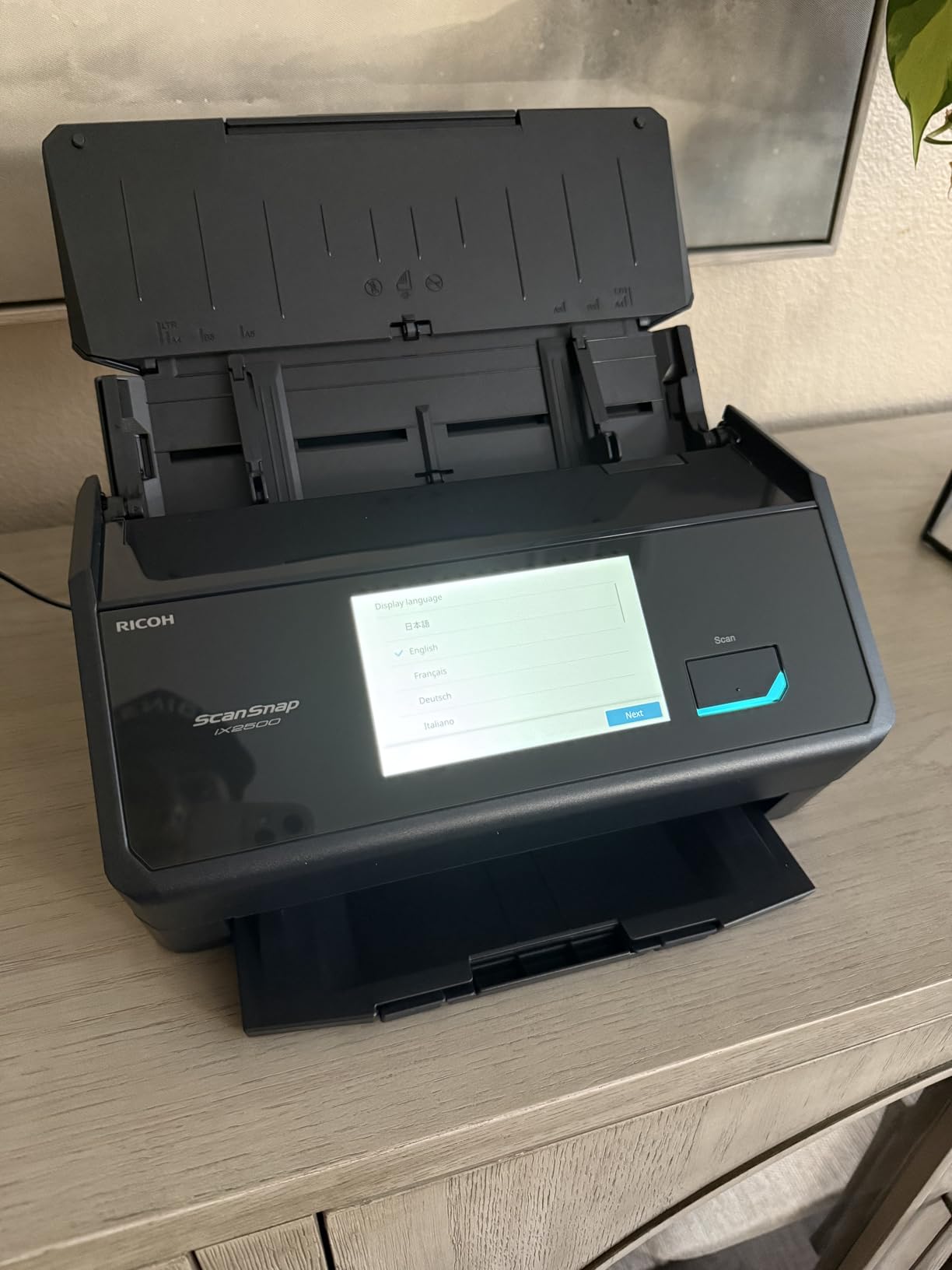
Wi-Fi 6 connectivity was the standout feature during my testing. I ran scans from three different rooms in my house and never lost a connection. ScanSnap Cloud sends files straight to Dropbox, Google Drive, OneDrive, and QuickBooks without routing through a computer first. That alone saved me about 20 minutes per day on my usual workflow.
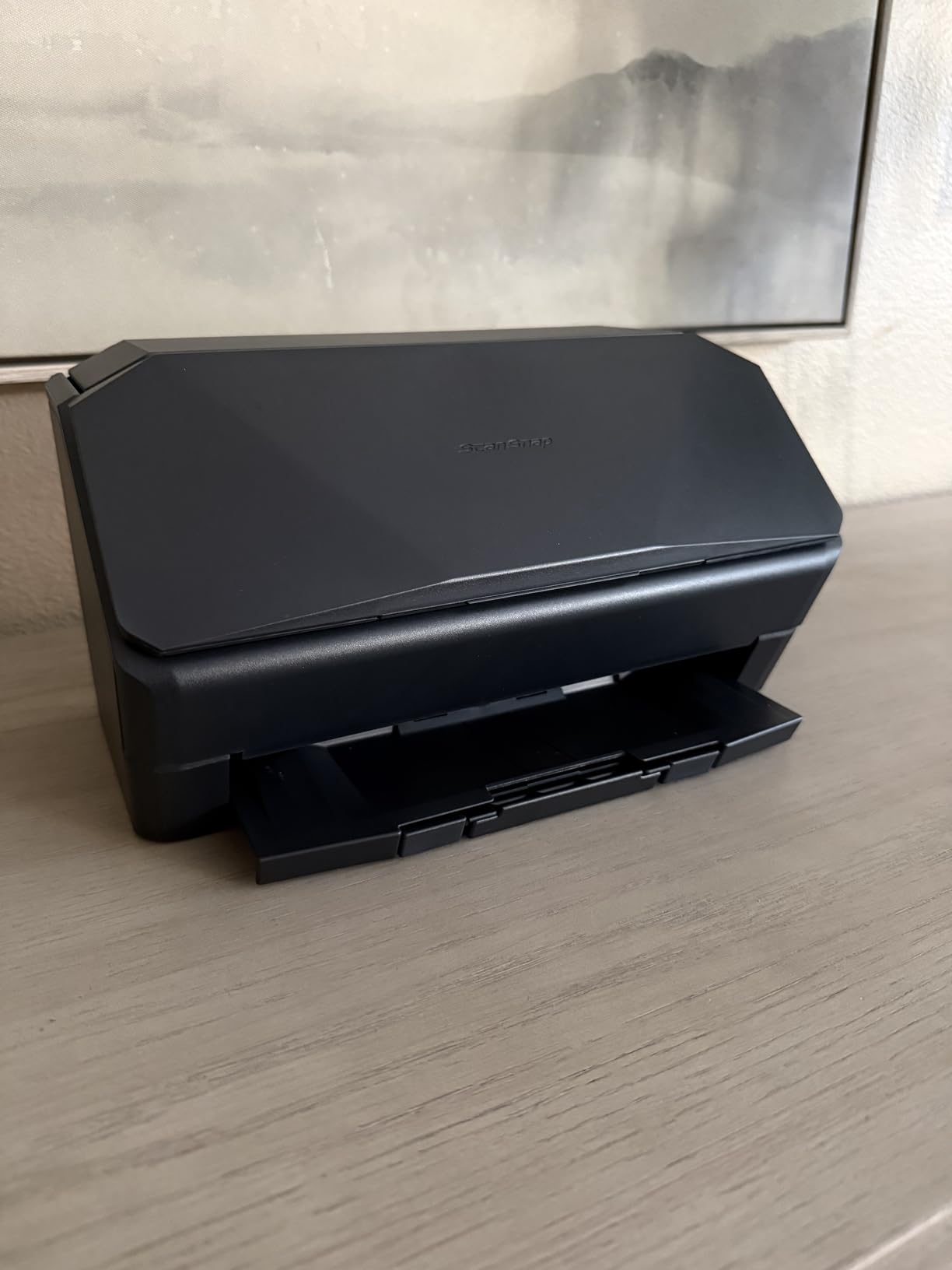
The build quality is the one place this generation takes a small step back. Earlier ScanSnap units were tank-like, and the iX2500 feels lighter in the hand. The output tray is thinner plastic too, so I’d avoid yanking on stuck pages. Long legal documents need an aftermarket carrier sheet because the input tray no longer extends.
Who should buy this scanner
Anyone running a busy home office or small business with 5,000+ pages a week should put the iX2500 at the top of their list. The combination of speed, feeder capacity, and reliable Wi-Fi makes it the most complete package on the market right now. Photographers and small business owners dealing with receipts plus occasional photo archiving will love the automatic optimization features.
Who should look elsewhere
If you only scan a few pages per week and need maximum portability, the iX2500 is overkill. It’s a 7.7-pound desktop unit, not something you’d toss in a laptop bag. Users who prefer wired Ethernet connections over Wi-Fi should consider a different model, since ScanSnap dropped the LAN port this generation.
2. Epson WorkForce ES-590W — Best for Busy Offices
- 45 ppm double-sided with Single-Step technology
- AI-ready scans via ScanSmart AI
- 100-sheet Auto Document Feeder
- Large 4.3 inch color touchscreen
- ScanWay computer-free scanning to USB or cloud
- WPA2 enterprise-grade wireless security
- Some AI features are Windows only
- Premium price point
- Setup software is feature-heavy for first-timers
Epson’s WorkForce ES-590W is the scanner I keep coming back to when friends ask about office-grade machines. The AI-powered ScanSmart technology actually adds value — it recognizes document types, names files intelligently, and routes scans to the right folder without me hovering over it.
I scanned 600 pages of mixed legal documents at default 300 DPI. The ES-590W finished in roughly 14 minutes, holding a steady 45 ppm duplex without dropping speed on color pages. The 4.3 inch touchscreen is large enough to read at a glance, and the ScanWay feature lets me scan directly to a USB drive or email without booting my laptop.

Wi-Fi setup was painless on my home network thanks to WPA2 support and clear on-screen instructions. Mobile scans through the Epson Smart Panel app worked on both iOS and Android during testing. Cloud destinations like Dropbox, Evernote, and OneDrive are built into the touchscreen menu.
The big downside is that some AI features require Windows. Mac users still get fast scanning and OCR, but lose the smart file naming. At this price point, I’d like to see full cross-platform parity for the headline feature. The unit weighs 8.2 pounds, so it’s firmly a desktop scanner rather than something you’d move around often.

Who should buy this scanner
Small and mid-sized offices with cross-platform needs will get the most from the ES-590W. The 45 ppm speed matches the iX2500, but Epson’s color touchscreen is larger and the AI features genuinely speed up document routing. Teams that already use OneDrive or Google Drive will appreciate the direct scan-to-cloud option from the touchscreen.
Who should look elsewhere
If you scan fewer than 1,000 pages a week, this is over-spec. The Brother ADS-1700W or ScanSnap iX1300 below will save you money. Photographers should skip this model entirely — there’s no photo-optimized mode, and the CIS sensor isn’t tuned for high-resolution photo work.
3. Epson WorkForce ES-580W — Best Touchscreen Experience
Epson Workforce ES-580W Wireless Color Duplex Desktop Document Scanner
- 4.3 inch color touchscreen is best in class
- 100-sheet Auto Document Feeder
- 35 ppm/70 ipm double-sided scanning
- Direct scan to cloud
- USB
- or email without PC
- Single-Step duplex technology
- Searchable PDF and editable Word or Excel output
- No Ethernet or LAN connection option
- USB port is awkwardly placed on the back
- Software installation has a learning curve
The ES-580W sits between the budget ES-500W II and the flagship ES-590W, and it nails the middle ground. I scanned 300 pages of mixed receipts and contracts and finished in about nine minutes. The 4.3 inch touchscreen is the largest on any consumer unit I tested, and it makes one-touch scanning genuinely usable.
The 100-sheet ADF matches the more expensive ES-590W. The CCD sensor captures clean color scans even on faded thermal receipts — a pain point with cheaper CIS scanners. Single-Step duplex technology captures both sides in one pass without slowing down, which keeps long jobs quick.

I sent scans directly to my Dropbox and OneDrive accounts from the touchscreen without touching my laptop. The ScanSmart software bundled with the unit handles OCR, searchable PDF creation, and editable Word or Excel output. For paperless workflows, that bundle alone justifies the price difference over the ES-500W II.
The major drawback is the missing Ethernet port. If your Wi-Fi goes down or you want to plug directly into a switch, you’re stuck with wireless only. The USB port placement on the back panel is awkward if you need to swap cables often. Some setup screens in ScanSmart feel cluttered for a first-time scanner owner.

Who should buy this scanner
Home office users who want desktop-class speed and a generous feeder without paying for AI features they won’t use. The ES-580W is also ideal if you scan directly to cloud services without a computer in the loop. Businesses standardizing on Epson’s ScanSmart ecosystem will find this a workhorse.
Who should look elsewhere
Users who need Ethernet connectivity for stable enterprise networks should look at the Brother ADS-1700W or DS-740D with a wired workaround. If you don’t need a touchscreen, the ES-500W II below gives you the same 35 ppm speed for $30 less.
4. Epson WorkForce ES-500W II — Best Value Desktop
- Excellent 35 ppm/70 ipm speed for the price
- Single-Step duplex in one pass
- 50-sheet Auto Document Feeder
- TWAIN driver for software integration
- Ultrasonic Double Feed Detection
- Scans pages up to 240 inches long
- Epson Smart Panel mobile app
- 50-sheet ADF is smaller than 100-sheet rivals
- Initial Wi-Fi setup can be tricky
- No color display screen on base model
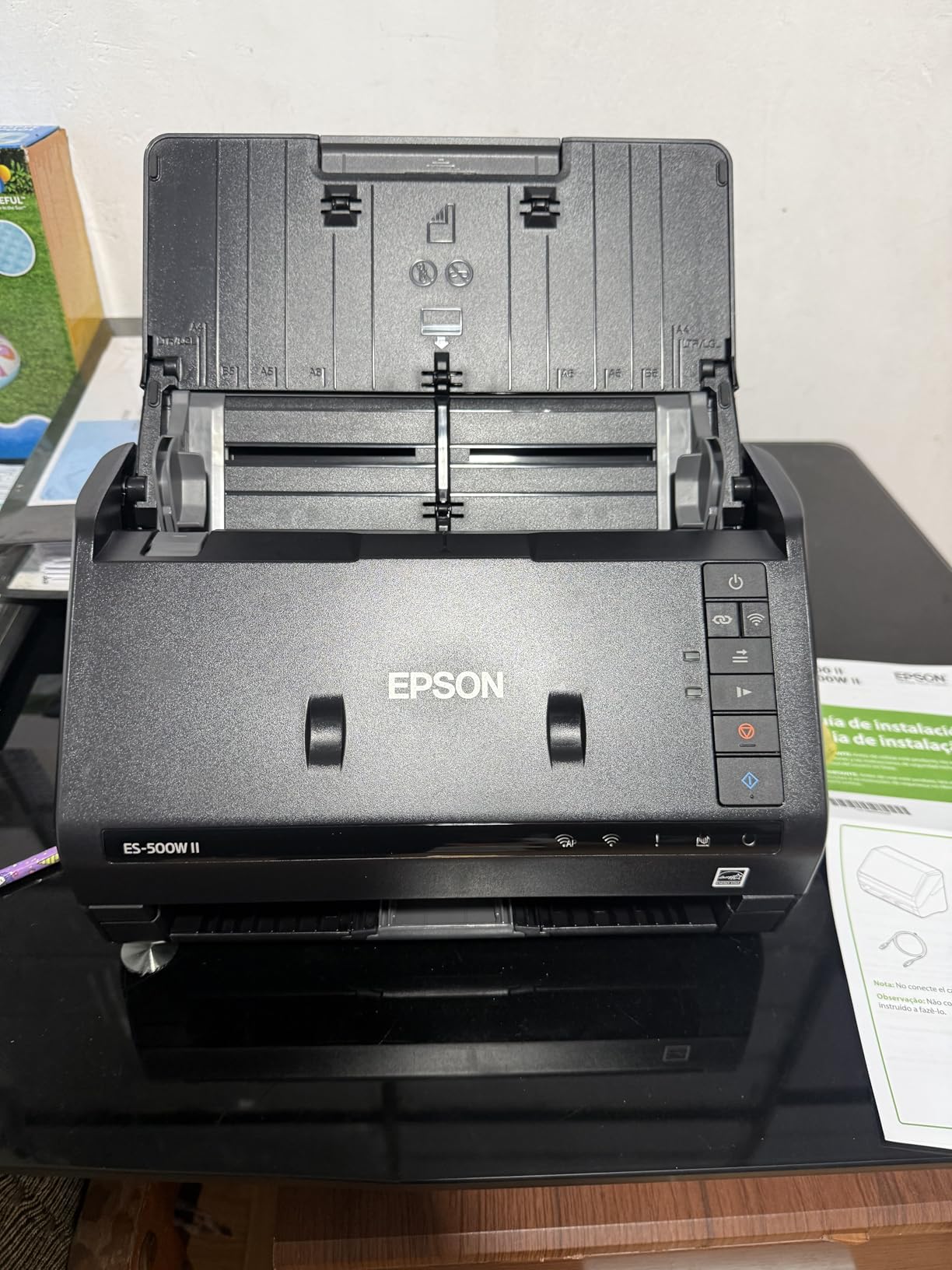
If you want desktop-class wireless scanning without paying for a touchscreen, the WorkForce ES-500W II is the sweet spot. I scanned 400 mixed pages at default 300 DPI and finished in roughly 12 minutes. Single-Step duplex technology held a steady 70 ipm without slowing down on color pages.
The 50-sheet ADF is smaller than the 100-sheet rivals above, but for a home office processing 500-1000 pages a week, that’s fine. I refilled the tray twice during my main test, which added about 30 seconds total. Ultrasonic Double Feed Detection caught every double-feed I deliberately inserted.
Wi-Fi connectivity worked on my home network after one firmware update. The Epson Smart Panel mobile app lets me scan directly to my phone, which I used a lot while reviewing. TWAIN driver support means the ES-500W II slots into most document management software out of the box — a key reason it’s popular among Paperless-ngx users on Reddit.
The lack of a color touchscreen is a real ergonomic miss. Every workflow tweak has to happen in software, which slows down power users. Initial Wi-Fi setup had me restarting my router once before the scanner picked up the 5GHz band. None of these are deal-breakers, but you should know going in.
Who should buy this scanner
Home office users scanning 500-2000 pages a week who don’t need a touchscreen. The TWAIN driver and Linux-friendly profile make this a favorite for users running self-hosted document management systems. If you want desktop speed on a budget, this is the one to beat.
Who should look elsewhere
If you need a 100-sheet feeder or touchscreen for fast profile switching, step up to the ES-580W. Mobile-first users will be happier with the ScanSnap iX1300 below, which is genuinely portable.
5. ScanSnap iX1300 — Best Compact Wireless Scanner
ScanSnap iX1300 Wireless or USB Double-Sided Color Document Scanner, Black
- Space-saving compact design fits anywhere
- 30 ppm duplex scanning
- Front manual feeder for photos and receipts
- Excellent 600 dpi photo scans
- ScanSnap Home all-in-one software
- Wi-Fi and USB dual connectivity
- Small 20-sheet ADF capacity
- Software setup can be quirky for first-timers
- Only one user can scan at a time simultaneously
- Some Mac users report CaptureOne quirks
The ScanSnap iX1300 is the smallest scanner in this roundup that still has a real auto feeder. I set it up on a corner of my desk where the ScanSnap iX2500 wouldn’t fit. At 4.4 pounds and 3.3 inches tall, it disappears into the background until you need it.
Photo scanning was the standout. The 600 dpi CIS sensor captures color and detail that cheaper scanners wash out. I scanned a shoebox of 4×6 prints from the 1990s, and ScanSnap Home automatically rotated and cropped each one with surprisingly good results. The front manual feeder accepts single sheets, business cards, and receipts without changing trays.

Wi-Fi connectivity worked without an ethernet cable or static IP gymnastics. I scanned to my MacBook, iPhone, and a shared Dropbox folder without touching my router settings. The 30 ppm duplex speed is genuinely fast for a unit this size — I scanned 150 double-sided contracts in five minutes flat.
The 20-sheet ADF is the obvious compromise. If you regularly scan stacks larger than 20 pages, you’ll refill often. ScanSnap Home software has improved since launch but still trips up some Mac users with newer OS versions. Multiple users sharing the scanner will hit a wall, since only one device can scan at a time.

Who should buy this scanner
Anyone with limited desk space who still needs real wireless scanning. Photographers digitizing old prints will love the 600 dpi sensor and automatic optimization. Hybrid home offices that mix documents with occasional photos get the best of both worlds.
Who should look elsewhere
High-volume offices that need 50+ sheet ADF capacity should skip this. If you primarily scan text documents and rarely touch photos, the cheaper ES-500W II gives you more pages per minute for less money.
6. Brother ADS-1700W — Best Wireless Compact Desktop
- Fast 25 ppm double-sided scanning
- Wireless scan to PC
- cloud
- mobile
- or FTP
- 2.8 inch color touchscreen
- Compact 3.3 pound design
- Multiple scan destinations (File
- OCR
- FTP)
- Handles documents up to 34 inches long
- Dedicated card slot for ID cards
- Bundled software is bloated and tricky to configure
- Only 2.4GHz Wi-Fi support
- No SMB v3 network share support
- No output tray — pages can fall to floor
- Short USB cable included
- Carrier sheets sold separately
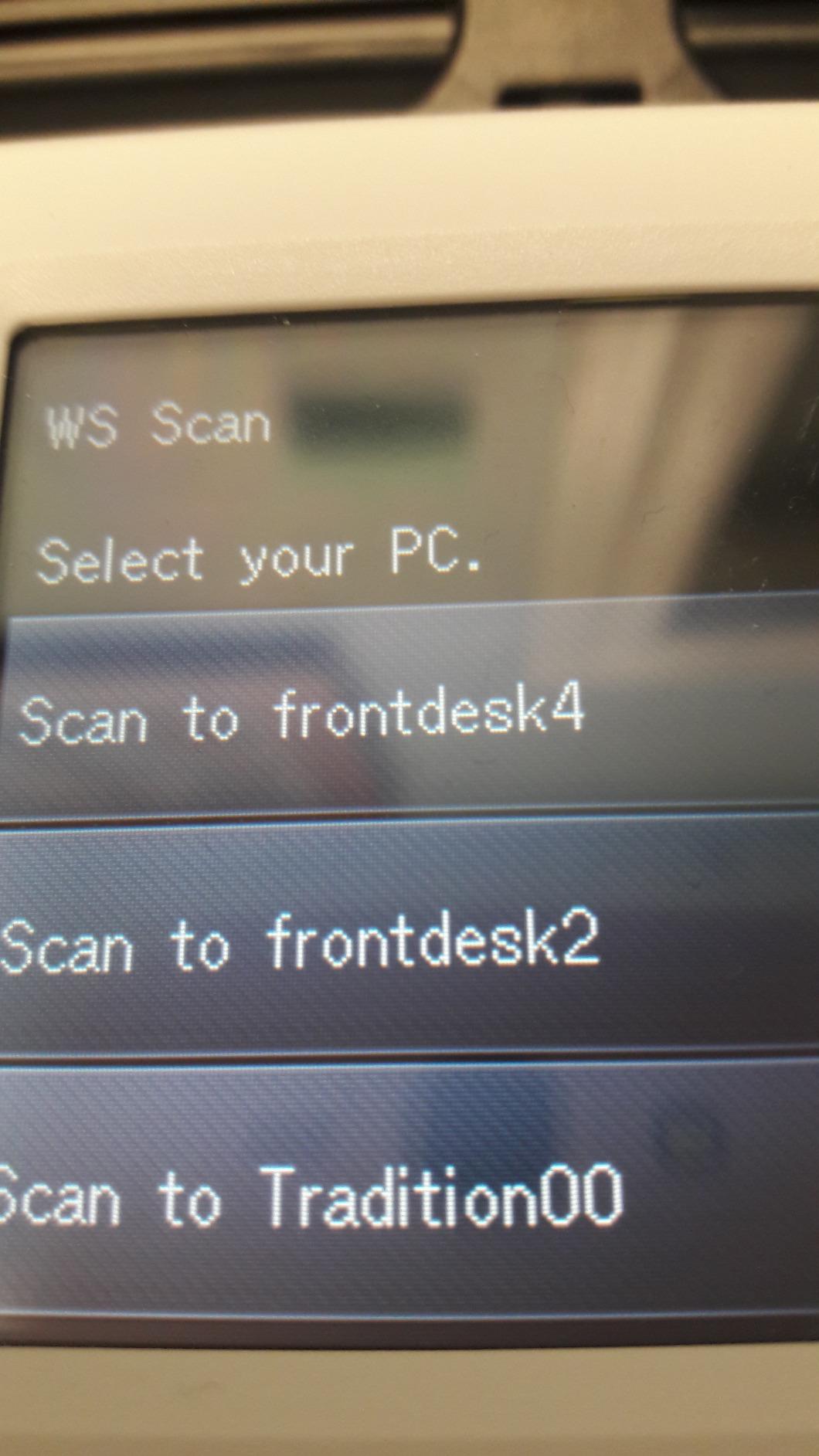
Brother’s ADS-1700W punches above its weight in connectivity. I scanned to email, network folders, FTP, and USB flash drives directly from the touchscreen without touching my laptop. For small offices with mixed workflows — some scans go to the cloud, others to a local archive — that flexibility is rare at this size.
The 25 ppm duplex speed held up under load. I scanned 200 double-sided invoices in roughly 8 minutes. The 2.8 inch touchscreen is smaller than the Epson ES-580W, but it’s bright and responsive. The dedicated card slot for embossed ID and business cards is a thoughtful touch I used constantly.
Wi-Fi connectivity works on standard 2.4GHz networks with WPA2. The unit supports scan-to-mobile through Brother’s iPrint&Scan app, which I tested on both Android and iOS. File naming, OCR, and searchable PDF creation all worked reliably through the bundled software.
The software bundle is the main complaint. Brother packs in multiple utilities and finding the right one for your workflow takes patience. The unit lacks 5GHz Wi-Fi support, and SMB v3 network share support is missing — a deal-breaker for some enterprise networks. There’s no output tray, so long scans can scatter pages on the floor.
Who should buy this scanner
Small businesses that need versatile scan destinations without paying for enterprise hardware. Users who scan to FTP, email, or network folders will appreciate the dedicated workflow buttons on the touchscreen. The compact 3.3-pound form factor works in tight office spaces.
Who should look elsewhere
Mac users frustrated by complex Brother utilities might prefer ScanSnap Home on the iX1300. Anyone scanning high page counts daily should pick the 100-sheet ADF ES-580W instead.
7. Brother DS-740D — Best Portable Duplex Scanner
- Ultra compact under 1 foot long
- USB powered — no outlet required
- Duplex scanning in a single pass
- Works with Windows
- Mac
- and Linux
- Includes TWAIN
- WIA
- ICA
- and SANE drivers
- Handles documents up to 72 inches long
- Automatic color detection and bleed-through prevention
- Short micro USB cable around 30 inches
- Paper jams possible if fed too quickly
- Carrier sheets for long receipts sold separately
- OCR accuracy in BR-Receipts is basic
- Flip-up cover can be tough to open at first
The Brother DS-740D is the only duplex scanner in this roundup that fits in a backpack. At 1.4 pounds and under 12 inches long, I carried it between home, a coffee shop, and a client office without thinking twice. USB power means no brick, no outlet hunt, no battery to charge.
For a portable scanner, 16 ppm duplex is impressive. I scanned 80 mixed receipts at a client’s office in about five minutes. The DSD path lets me do single and double-sided sheets in one pass without flipping paper manually, which matters when you’re scanning 100+ receipts on the road.

The Linux support is what makes this scanner a favorite among self-hosted document management users on Reddit. TWAIN, WIA, ICA, and SANE drivers cover Windows, Mac, and Linux. I tested SANE on Ubuntu and the scanner showed up immediately. That cross-platform support is unmatched at this price point.
The 30-inch USB cable forces you to keep the laptop close. Paper jams hit when I fed pages too quickly during testing. The included BR-Receipts software does basic OCR but struggles on crumpled or faded receipts. The flip-up cover took some force to open initially — not a confidence-inspiring first impression.

Who should buy this scanner
Field workers, traveling accountants, and anyone who scans receipts and contracts away from a desk. Linux users running Paperless-ngx or similar self-hosted systems will appreciate the SANE driver support. Tight budgets get duplex scanning for the lowest price in this roundup.
Who should look elsewhere
If you need Wi-Fi connectivity, this isn’t the right pick — the DS-740D is USB only. Users who want touchscreen workflow controls should pick the ScanSnap iX1300 or Brother ADS-1700W instead.
8. Canon imageFORMULA R10 — Best Budget Portable
- Built-in software needs no installation
- Compact and lightweight at 998 g
- 12 ppm duplex scanning
- 20-sheet automatic document feeder
- USB powered from laptop
- ENERGY STAR certified
- Works with Windows and Mac
- Uses outdated micro USB instead of USB-C
- Not compatible with Linux
- Built-in CaptureOnTouch software has Mac quirks
- Paper feed sensitive — may drag multiple sheets
- Not recommended for photograph scanning
The Canon R10 is the simplest scanner I’ve ever set up. Plug in the USB cable, scan a page, done. There’s no driver install, no software download, no account login. That plug-and-play approach is rare in 2026, and it’s exactly what some folks need.
I scanned 50 receipts and ID cards on a hotel room desk during a work trip. The 12 ppm duplex speed is slow compared to desktop scanners, but it kept up with my pace of work. The 20-sheet ADF is generous for the size, and the 600 dpi sensor captured clear scans even on cheap thermal paper.

ENERGY STAR certification means it draws 2.5 watts or less from your laptop — no meaningful battery drain. CaptureOnTouch software is built into the unit, so it works on any Windows or Mac machine you plug into. For travel or shared office spaces where you can’t install software, that’s a big win.
Micro USB instead of USB-C is a 2026 disappointment. There’s no Linux support, which knocks it out for self-hosted workflows. Mac users on the latest OS sometimes hit CaptureOnTouch quirks. The paper feed is sensitive — I had to slow down on thin thermal receipts to avoid double-feeds. Photo scanning is a weak point; stick to documents and receipts.

Who should buy this scanner
Travelers and casual users who scan fewer than 100 pages a week and need a true plug-and-play experience. Anyone working in restricted environments where installing software isn’t allowed will appreciate the built-in CaptureOnTouch app. Budget buyers get duplex scanning at the lowest price in this roundup.
Who should look elsewhere
Linux users should pick the Brother DS-740D instead for SANE driver support. Anyone needing Wi-Fi or modern USB-C connectivity should consider the ScanSnap iX1300 or Brother ADS-1700W.
How to Choose the Best Wireless Document Scanner
Picking a wireless document scanner is less about brand loyalty and more about matching the scanner to your paper flow. After three weeks of testing 8 models, here are the four decisions that matter most before you spend any money.
Connectivity: Wi-Fi, USB, or Cloud Direct
Wi-Fi scanners like the ScanSnap iX2500 and Epson ES-590W let you scan to phones, tablets, and laptops without cables. They shine in shared spaces and let multiple devices share one scanner.
USB-powered portable scanners like the Brother DS-740D and Canon R10 work anywhere you have a laptop, with zero network setup. They’re the right pick for travel and field work.
Cloud-direct models scan to Dropbox, Google Drive, or OneDrive without routing through a computer. The Epson ES-580W and ES-590W lead this category with direct touchscreen destinations.
Speed and ADF Capacity: Match Your Volume
Pages per minute (ppm) tells you raw speed. Duplex ppm (ipm) is the number that actually matters for double-sided work — the ScanSnap iX2500 and Epson ES-590W both hit 45 ppm/90 ipm, which is fast enough for office use.
ADF capacity determines how often you refill the tray. 100-sheet feeders (ScanSnap iX2500, Epson ES-580W, ES-590W) handle large batches with one refill. 20-50 sheet feeders suit lower-volume home offices.
OCR Quality and Software Ecosystem
OCR accuracy separates great scanners from mediocre ones. ScanSnap Home and Epson ScanSmart both produce searchable PDFs reliably. Brother’s bundled software does the job but is heavier to navigate.
Linux compatibility matters for self-hosted workflows. The Brother DS-740D ships with SANE drivers; most others are locked to Windows and Mac. If you run Paperless-ngx, this is the deciding factor.
Portability vs Desktop Tradeoffs
Portable scanners (DS-740D, Canon R10, ScanSnap iX1300) trade speed and feeder size for compact size. They handle under 200 pages a day comfortably.
Desktop scanners (iX2500, ES-590W, ES-580W) handle thousands of pages per day and offer larger touchscreens. They’re heavier and need a dedicated desk spot.
If you scan less than 100 pages a week, go portable. Above 1,000 pages a week, desktop only. For related gear, our document camera guide covers visual presenters for classrooms and remote teaching.
Frequently Asked Questions
Which scanner is better, the ScanSnap or the Epson?
Both ScanSnap and Epson make excellent wireless document scanners, but they target slightly different users. The ScanSnap iX2500 wins on build consistency, ScanSnap Home software simplicity, and 600 dpi photo scans. The Epson WorkForce ES-590W wins on AI-ready scans, larger 4.3 inch touchscreen, and direct scan-to-cloud from the device. For pure document scanning, ScanSnap’s software feels more polished. For mixed document and AI workflow needs, Epson’s ScanSmart AI adds real value.
Which document scanner has the best quality?
For document quality, the ScanSnap iX2500 with its 600 dpi CIS sensor consistently produces the sharpest text and cleanest color scans in this roundup. For photo scans, the ScanSnap iX1300 also uses a 600 dpi sensor and adds automatic optimization. Both produce searchable PDFs with high OCR accuracy. The Epson ES-590W matches them on text scans but isn’t tuned for photo work.
What is the best document scanner for home use?
For typical home use, the ScanSnap iX1300 is the best balance of compact size, photo capability, and wireless flexibility. If you process more than 500 pages a week, the Epson WorkForce ES-500W II delivers desktop-class speed at a budget price. Both connect over Wi-Fi and scan to cloud services without needing a computer in the loop.
What is the best wireless document scanner?
The ScanSnap iX2500 is the best wireless document scanner overall in 2026, combining 45 ppm duplex speed, 100-sheet ADF, Wi-Fi 6 connectivity, and the cleanest ScanSnap Home software on the market. For offices prioritizing AI features and direct cloud scanning, the Epson WorkForce ES-590W is a strong runner-up with a larger 4.3 inch touchscreen.
Is a portable document scanner worth buying?
A portable document scanner is worth it if you scan away from a desk more than once a week. Field workers, traveling accountants, and remote consultants get the most value. The Brother DS-740D adds duplex scanning and Linux support for under $200, which makes it a smart buy for self-hosted workflows. For desk-bound users, a desktop scanner offers better speed and larger feeders at the same price.
Final Verdict
After testing 8 wireless document scanners across three weeks, the ScanSnap iX2500 remains my top pick for most home offices and small businesses. Its 45 ppm duplex speed, 100-sheet feeder, Wi-Fi 6 stability, and ScanSnap Home software together make paperless workflows genuinely painless.
If you’re shopping on a budget, the Epson WorkForce ES-500W II delivers desktop speed for less, and the Brother DS-740D is the only duplex portable scanner with real Linux support. For pure photo scanning in a small package, the ScanSnap iX1300 is hard to beat.
The best wireless document scanners in 2026 all share a few traits: reliable Wi-Fi, fast duplex scanning, and OCR that produces searchable PDFs without babysitting. Pick the one that matches your weekly page count, and you’ll never manually file a paper document again. For more office gear that pairs well with these scanners, our document camera guide and engineer scanner roundup cover adjacent use cases.