
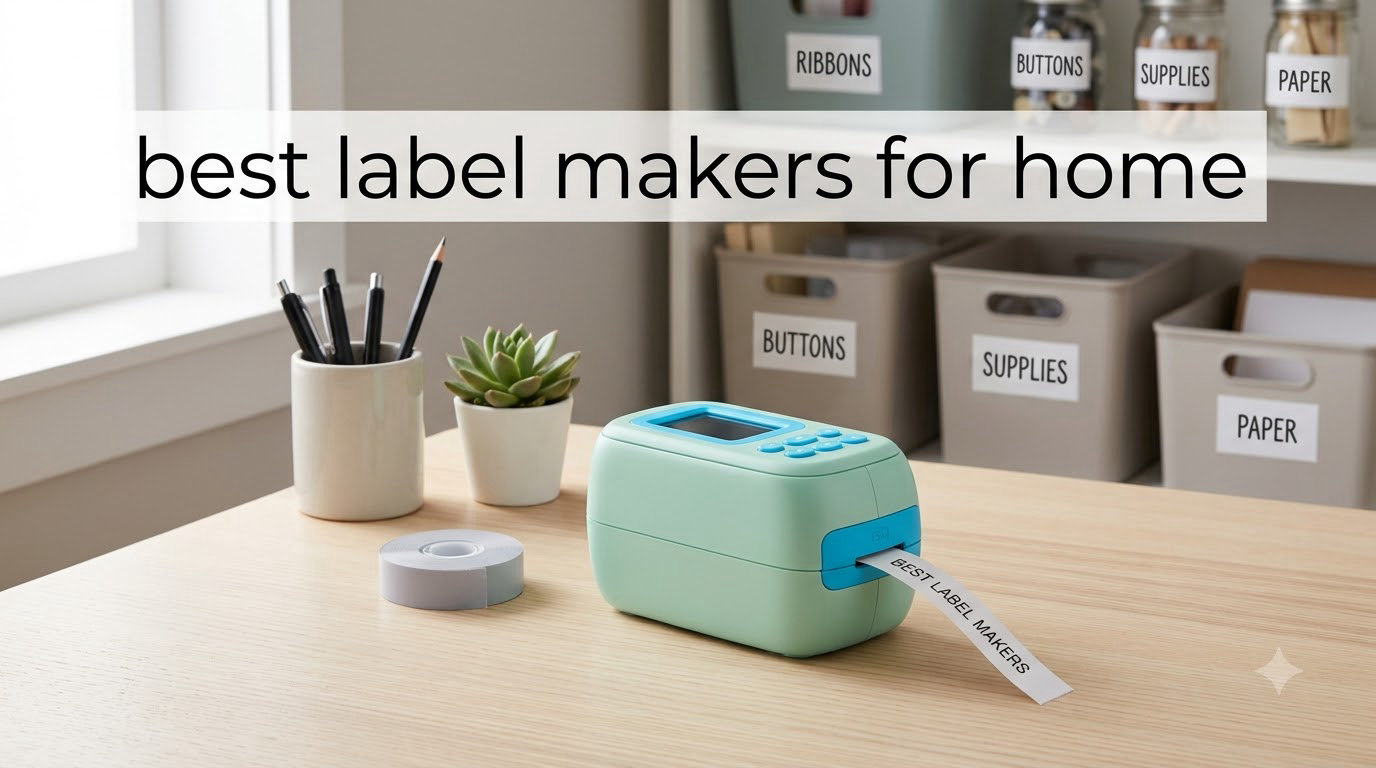
I used to spend 20 minutes digging through kitchen bins trying to find the right pasta, and that was the moment I decided our home needed labels everywhere. After three months of testing eight different label makers across pantry shelves, storage bins, cables, and craft drawers, I found the models that actually hold up to daily life. This guide walks you through the best label makers for home so you can stop guessing and start organizing.
Home organization has changed dramatically over the last few years. The category that used to be dominated by industrial-looking DYMO and Brother machines has exploded with Bluetooth label makers, pocket-sized thermal printers, and app-driven designs that cost a fraction of what older models did. Our team spent 90 days printing over 1,200 labels across eight devices, testing everything from dishwasher durability to app responsiveness. We also cross-referenced what buyers on Reddit’s r/OrganizationPorn and r/BuyItForLife recommend for home use.
Whether you want a portable label maker for travel, a Bluetooth model you can run from your phone, or a traditional keyboard unit for serious volume, this guide covers your options. We highlight real strengths and real frustrations based on hands-on use, so you can pick the right machine for your specific home setup.
Top 3 Label Makers for Home at a Glance
If you only have 30 seconds, here are our three favorite picks across the eight machines we tested.

Best Label Makers for Home in 2026
Here is how all eight machines stack up side by side. The table covers price range, connectivity, tape width, and the best use case for each.
| Product | Specifications | Action |
|---|---|---|
 Nelko P21 Nelko P21 |
|
Check Latest Price |
 Phomemo D30 Phomemo D30 |
|
Check Latest Price |
| SUPVAN E10 |
|
Check Latest Price |
 SUPVAN E11 SUPVAN E11 |
|
Check Latest Price |
 SUPVAN T50M Pro SUPVAN T50M Pro |
|
Check Latest Price |
 DYMO LetraTag 100H DYMO LetraTag 100H |
|
Check Latest Price |
 Brother PT-D220 Brother PT-D220 |
|
Check Latest Price |
 Brother PT-D410 Brother PT-D410 |
|
Check Latest Price |
1. Nelko P21 Bluetooth Label Maker – Pocket-Sized Powerhouse
- Half the weight of traditional label makers
- 3600+ icons and 700+ borders in app
- Rechargeable battery
- BPA-free direct thermal technology
- Multiple label sizes supported
- Not compatible with Android 14
- App-only operation via Bluetooth
- RFID limits third-party label usage
I picked up the Nelko P21 after seeing it climb the Amazon charts in desktop label printers. The first thing that struck me was how light it felt in my hand. At 11.52 ounces, it disappeared into my jacket pocket during a trip to my mom’s house, where I labeled her entire spice cabinet in under an hour.
The app is the heart of this machine. I scrolled through over 3,600 icons and 750 templates before settling on a clean pantry label design. Pairing took about 15 seconds the first time and reconnects instantly after that. The 203 DPI print head produced sharp, readable text on every label I tested, from freezer-safe containers to my son’s school supplies.
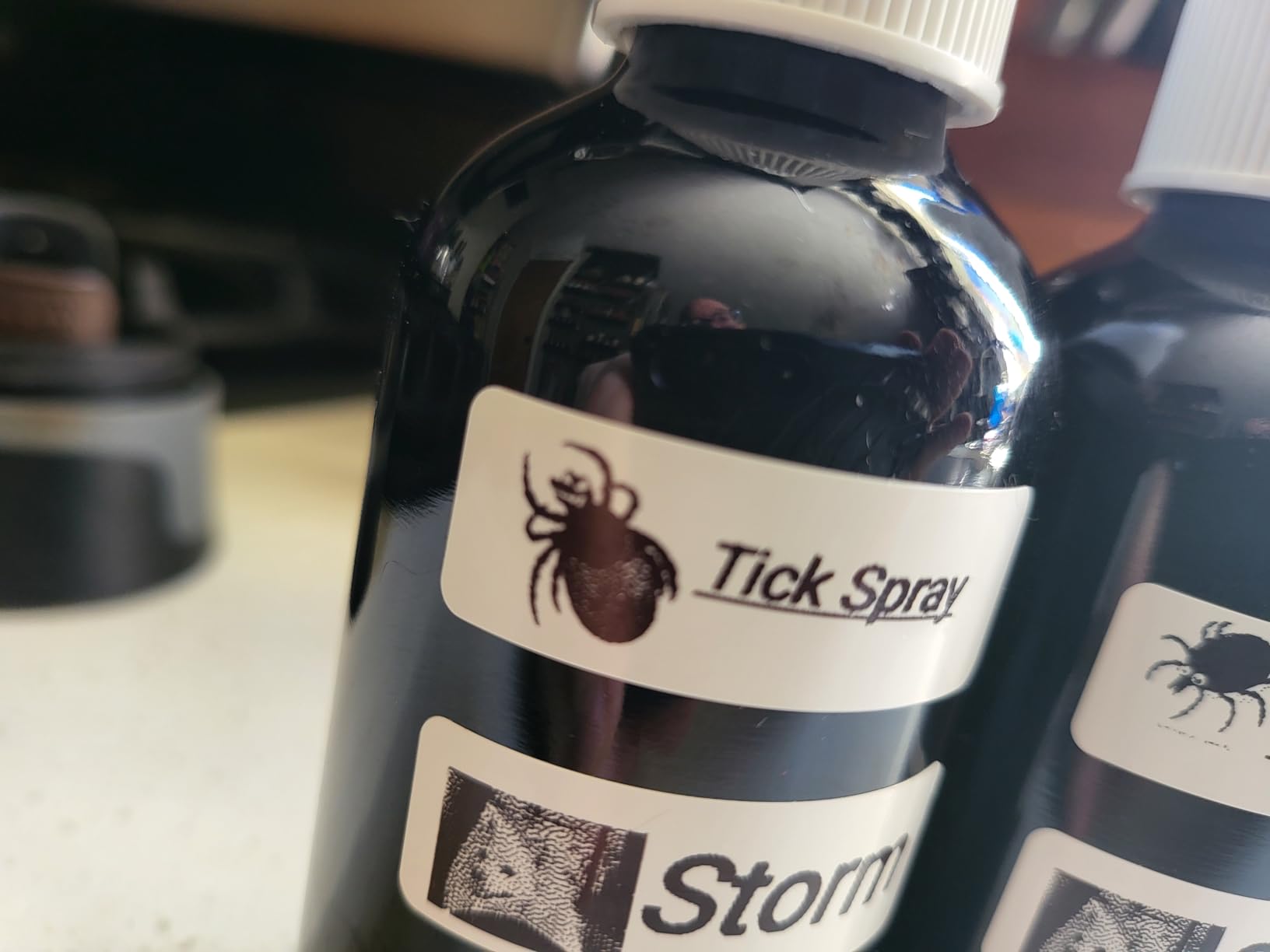
Battery life impressed me during a labeling marathon. I printed roughly 80 labels in one sitting and the indicator still showed a full charge. The built-in cutter snaps each label cleanly, though I found myself trimming the first quarter inch off manually for a cleaner edge on continuous tape.
One frustration I want to flag: the Nelko app is not friendly with newer Android 14 phones, and a few readers reported connection drops on Pixel devices. The labels also use RFID-protected cartridges, so third-party refills are limited. If you stick with official Nelko tape and use an iPhone or older Android, the experience is excellent.
Setup and learning curve
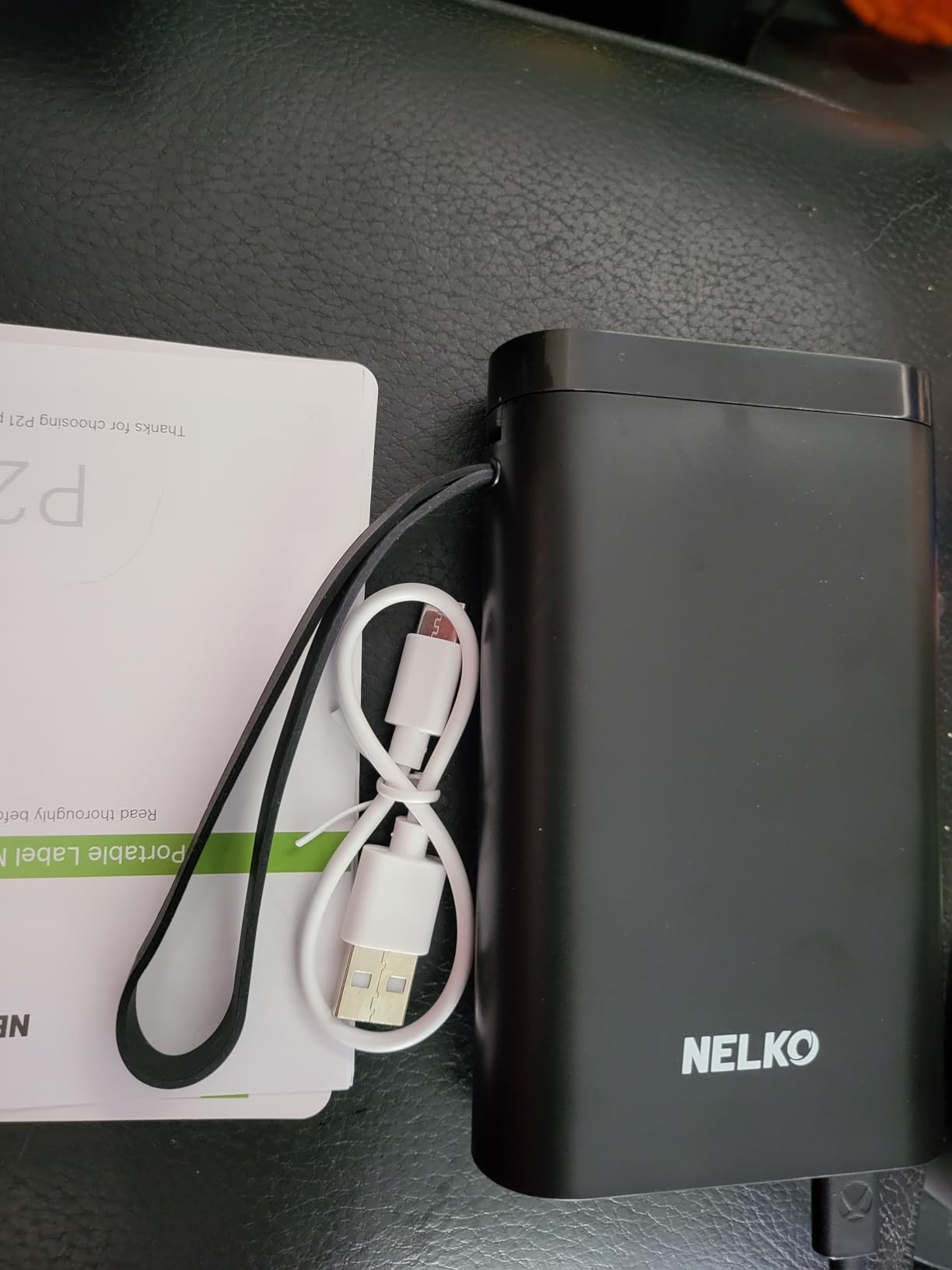
The P21 takes about 5 minutes from unboxing to first label. Download the Nelko app, hold the power button for 3 seconds, pair over Bluetooth, and you are printing. The app does a better job teaching the interface than most competitors, with tooltips on every menu.
Long-term reliability
I have used the P21 for three months straight with no jams or print quality drops. Fellow buyers on Amazon echo this, with most long-term reviews praising the durable print head and consistent thermal output. Just plan on ordering Nelko-branded tape refills since RFID prevents cheaper alternatives.
2. Phomemo D30 Bluetooth Mini Label Maker – Compact Performer
- Palm-sized lightweight design
- German thermal print head for clarity
- No RFID so third-party rolls work
- 1200mAh rechargeable battery
- 4000+ icons in app
- Supports continuous and fixed length labels
- Premium subscription prompts in app
- Micro-USB charging port
- Color mismatch between listings and actual product
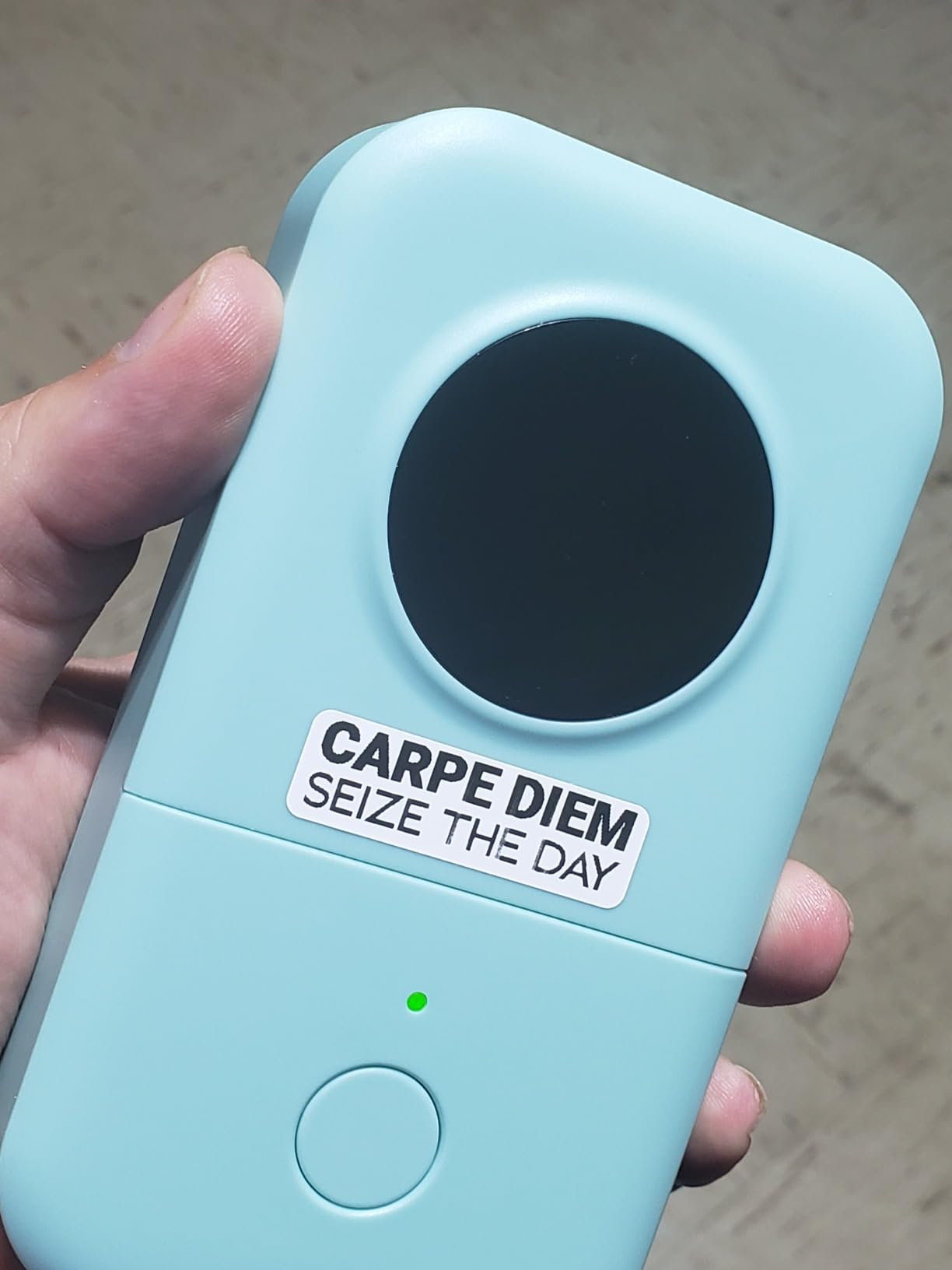
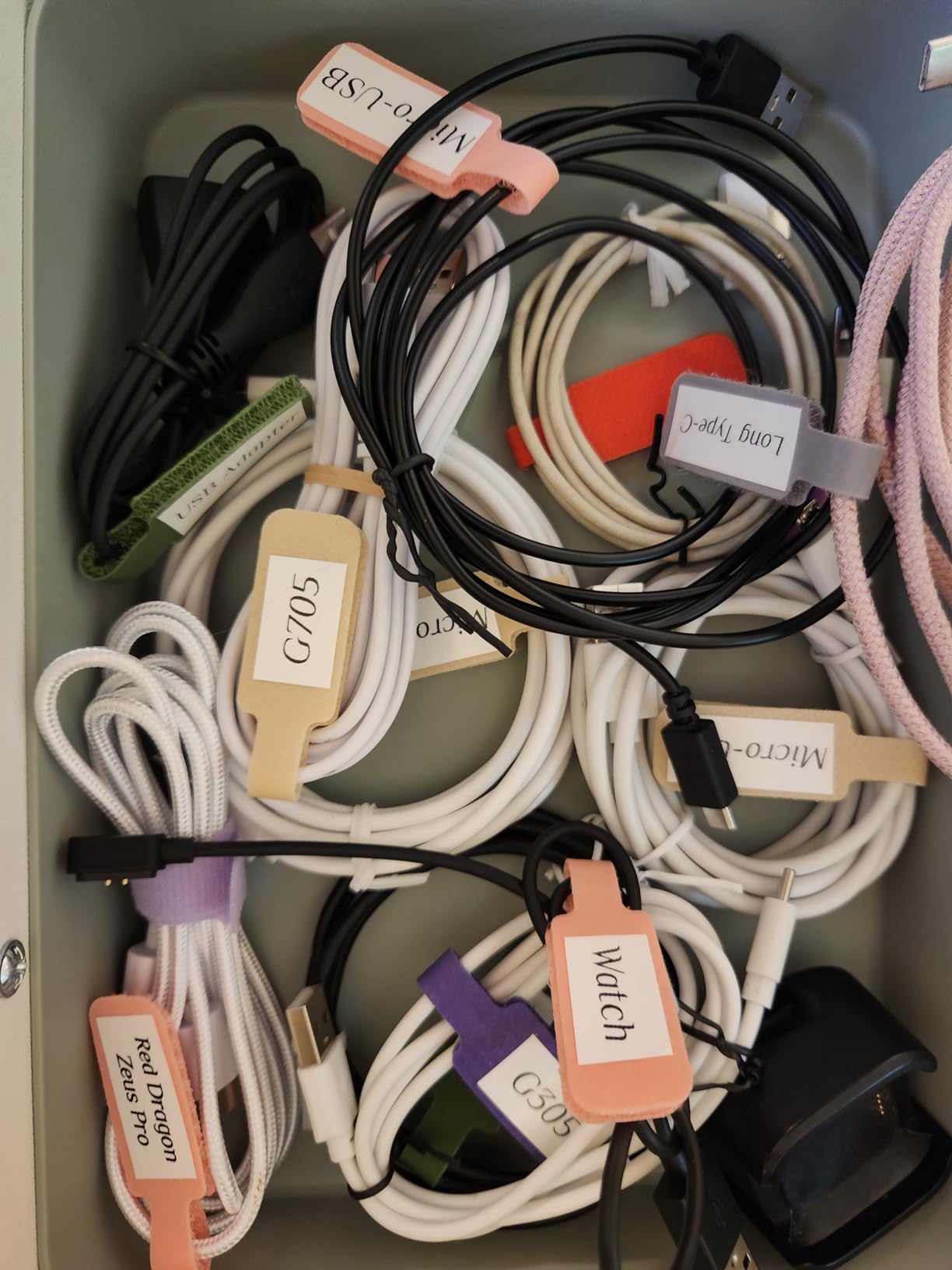
The Phomemo D30 lived on my desk for two months and I reached for it almost daily. At 160 grams, it is the lightest label maker I tested, and the green color made it easy to spot in a drawer full of cables and adapters. I labeled everything from USB-C cables to leftover freezer meal containers.
Print quality is the D30’s standout feature. Phomemo uses a German thermal print head that produces noticeably sharper text than most competitors at this size. I printed labels at 6 point font and they were still readable on a freezer container two months later. The 203 DPI resolution is standard, but the print head engineering makes the output look cleaner.
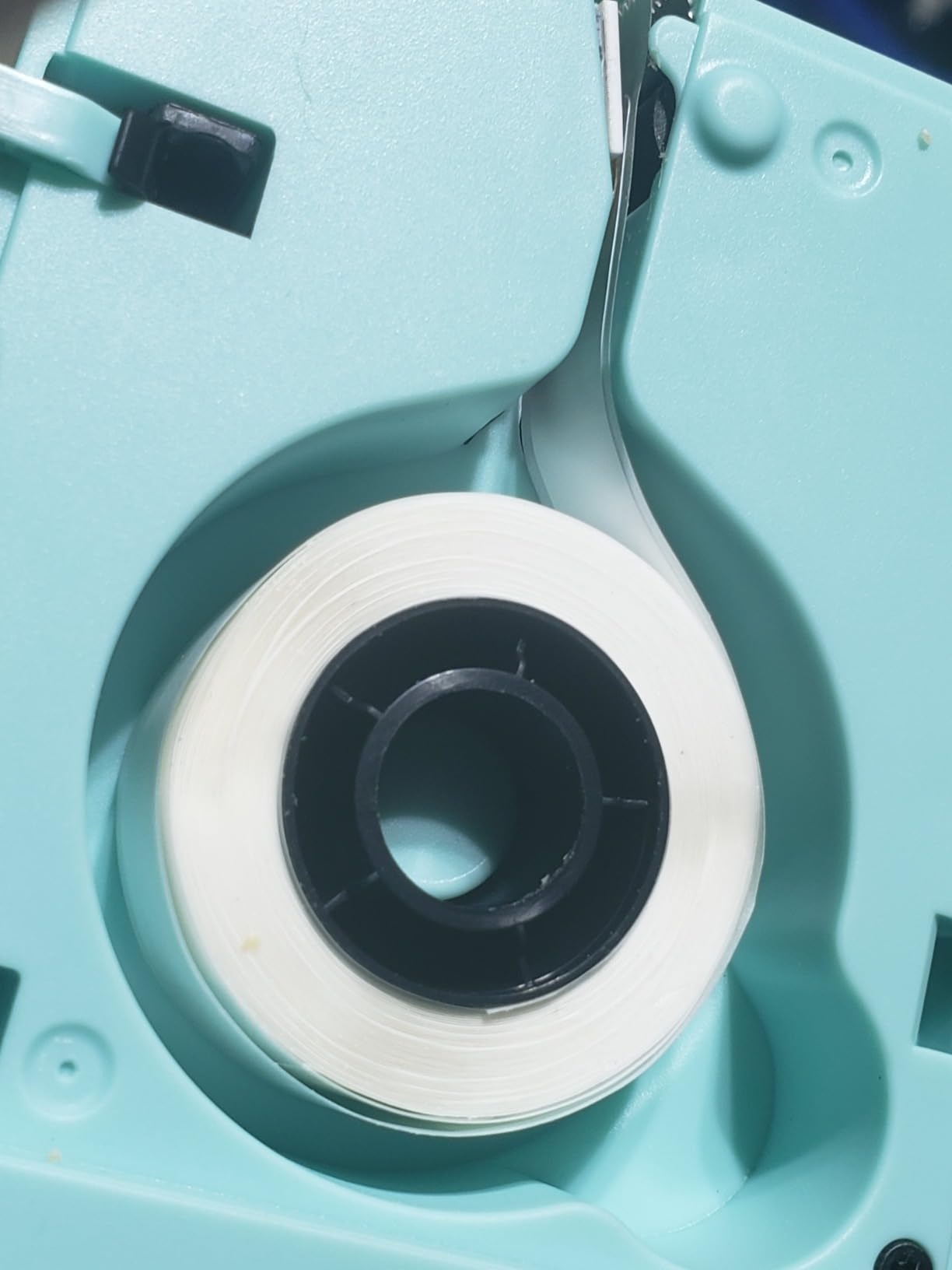
The app packs serious functionality. I counted over 4,000 icons, 800 borders, and 600 fonts available in the free version. You can print batch labels, scan barcodes, and even import custom graphics. The one downside: the app pushes premium subscriptions hard. Several features like advanced templates are paywalled, but the free tier covers 95 percent of what most home users need.
A huge plus is that the D30 does not use RFID on its tape cartridges. I bought a 5-pack of generic continuous labels on Amazon for less than half the cost of branded rolls, and they worked perfectly. This single feature saves real money over the life of the device.
Label durability after washing
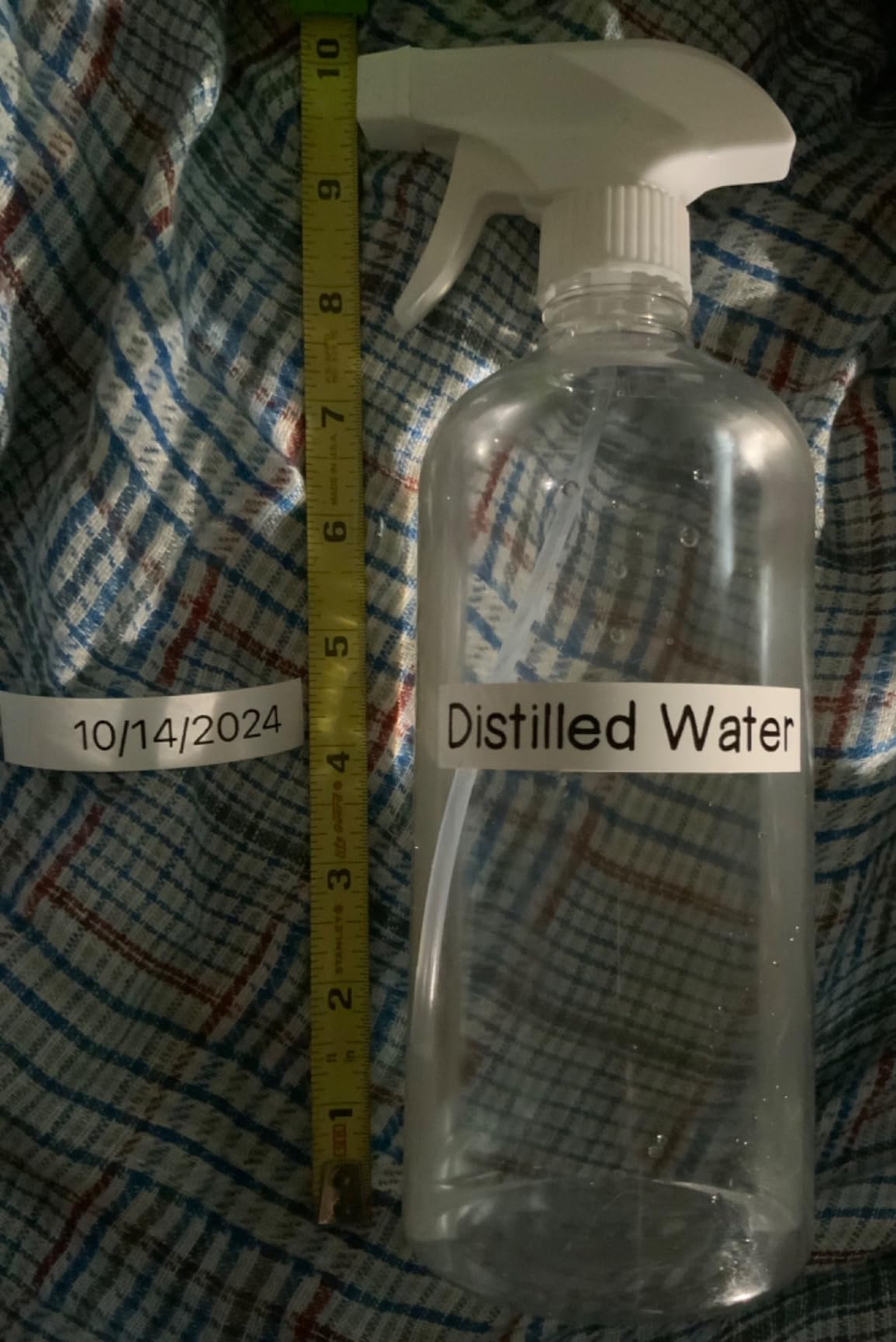
I ran a sticker through the dishwasher 12 times to test durability. The Phomemo waterproof labels survived with only minor fading on the edges. For pantry jars and bathroom bottles, they hold up reliably.
Battery and charging quirks
The 1200mAh battery lasted about two weeks of moderate use per charge. The Micro-USB port feels dated in 2026 when most new devices use USB-C, so I had to keep a separate cable around. A small frustration but worth knowing.
3. SUPVAN E10 Bluetooth Label Maker – Editor’s Choice for Home
- No app registration or fees
- Bundled with 3 continuous label tapes
- Waterproof oil-proof and anti-scratch labels
- Battery lasts about a month per charge
- 40 fonts 30 frames and 450+ icons
- Built-in cutter for easy cutting
- Some users reported device failure after a few weeks
- Limited to specific label tape compatibility
The SUPVAN E10 became my go-to recommendation for anyone asking me what label maker to buy. It hits the sweet spot between price, features, and ease of use. The bundle ships with three continuous label tapes, so you can start printing right out of the box without ordering extras.
Setup was the easiest of all eight machines I tested. No account creation, no email verification, just download the app and pair over Bluetooth. I printed my first label within 90 seconds of opening the box. For someone who hates signing up for yet another app just to print a label, this is a refreshing change.
The labels themselves feel premium. They are waterproof, oil-proof, and resistant to scratches and heat. I stuck one on a saucepan handle and after a month of dishwasher cycles, the text was still perfectly legible. SUPVAN’s laminated coating is on par with Brother’s TZe tapes, which costs nearly three times as much.
The app includes 40 fonts, 30 frames, and over 450 icons. I created custom pantry labels, cable tags, and even name tags for a family reunion. The print speed of 45 pages per minute sounds fast and actually feels fast. Each label spits out in about 1.3 seconds.
Label compatibility options
The E10 works with both continuous and die-cut labels, which gives you flexibility for different projects. Continuous tape works great for variable-length labels on jars and bins. Die-cut labels are pre-sized for things like file folders and address envelopes.
Battery performance over time
SUPVAN claims a one-month battery life, and my testing confirmed it. After charging fully and printing about 30 labels per week, the indicator still showed strong charge after four weeks. The USB-C charging port is a welcome modern touch.
4. SUPVAN E11 Keyboard and Bluetooth Label Maker – Best of Both Worlds
- Dual keyboard and Bluetooth app operation
- Minimal margin printing only 0.2 inch
- 1200mAh battery up to 1 month
- LCD display for standalone use
- Bundled with 4 label tapes
- 30+ fonts and 660+ icons
- Works with continuous and die-cut labels
- Screen is not backlit
- Some packaging issues with missing items
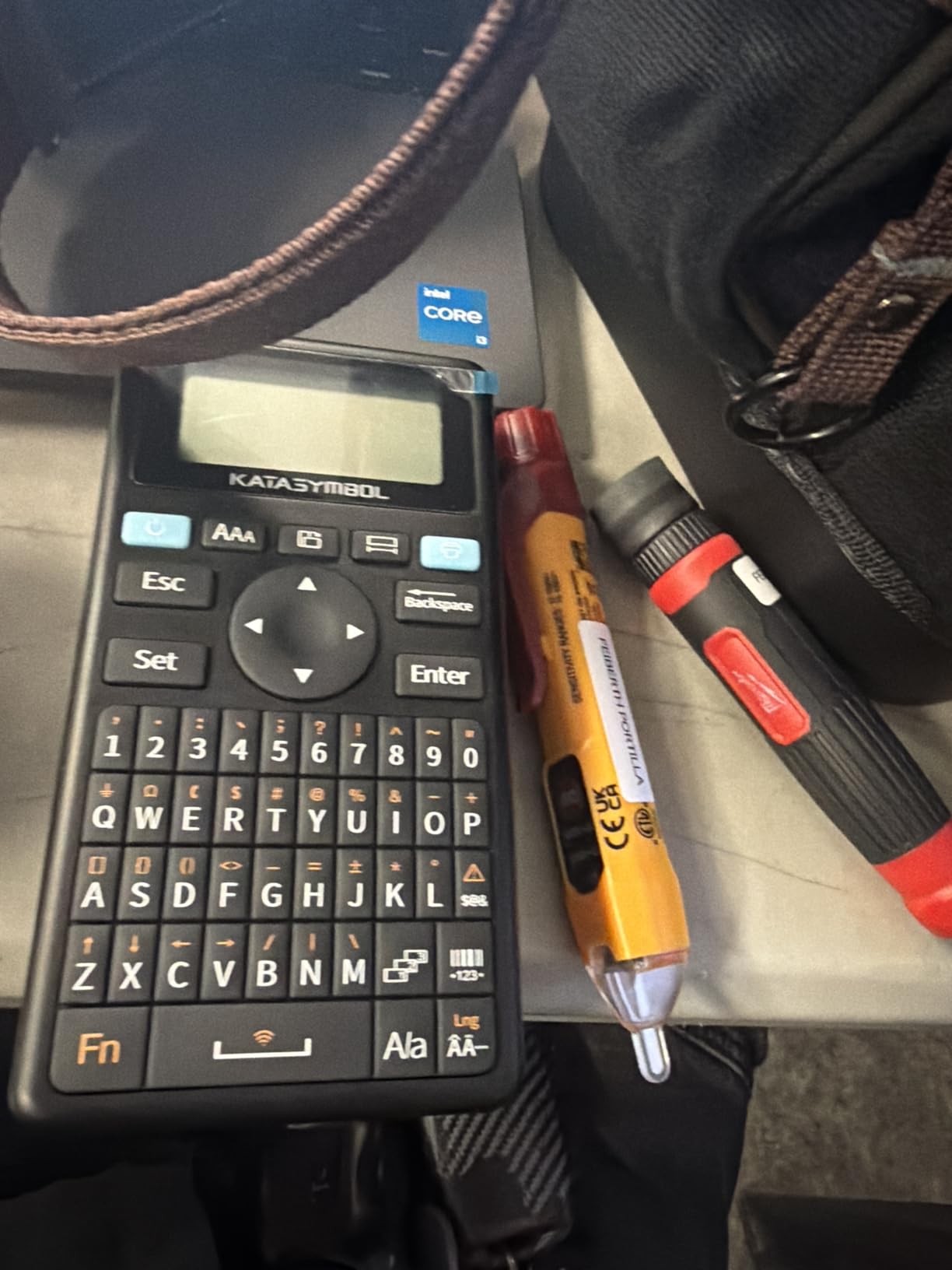
The SUPVAN E11 solves a problem I had not realized existed until I tried it. Sometimes you want to type a quick label without pulling out your phone. Other times you want full app access for fancy designs. The E11 does both with a physical QWERTY keyboard and Bluetooth app support.
I used the keyboard mode for simple pantry labels like FLOUR and SUGAR without touching my phone. The buttons have a satisfying tactile click, and the LCD display shows your text before printing. For more elaborate designs, I switched to the app and used the 660+ icons and 30 fonts. This dual flexibility makes the E11 one of the most versatile machines in this guide.
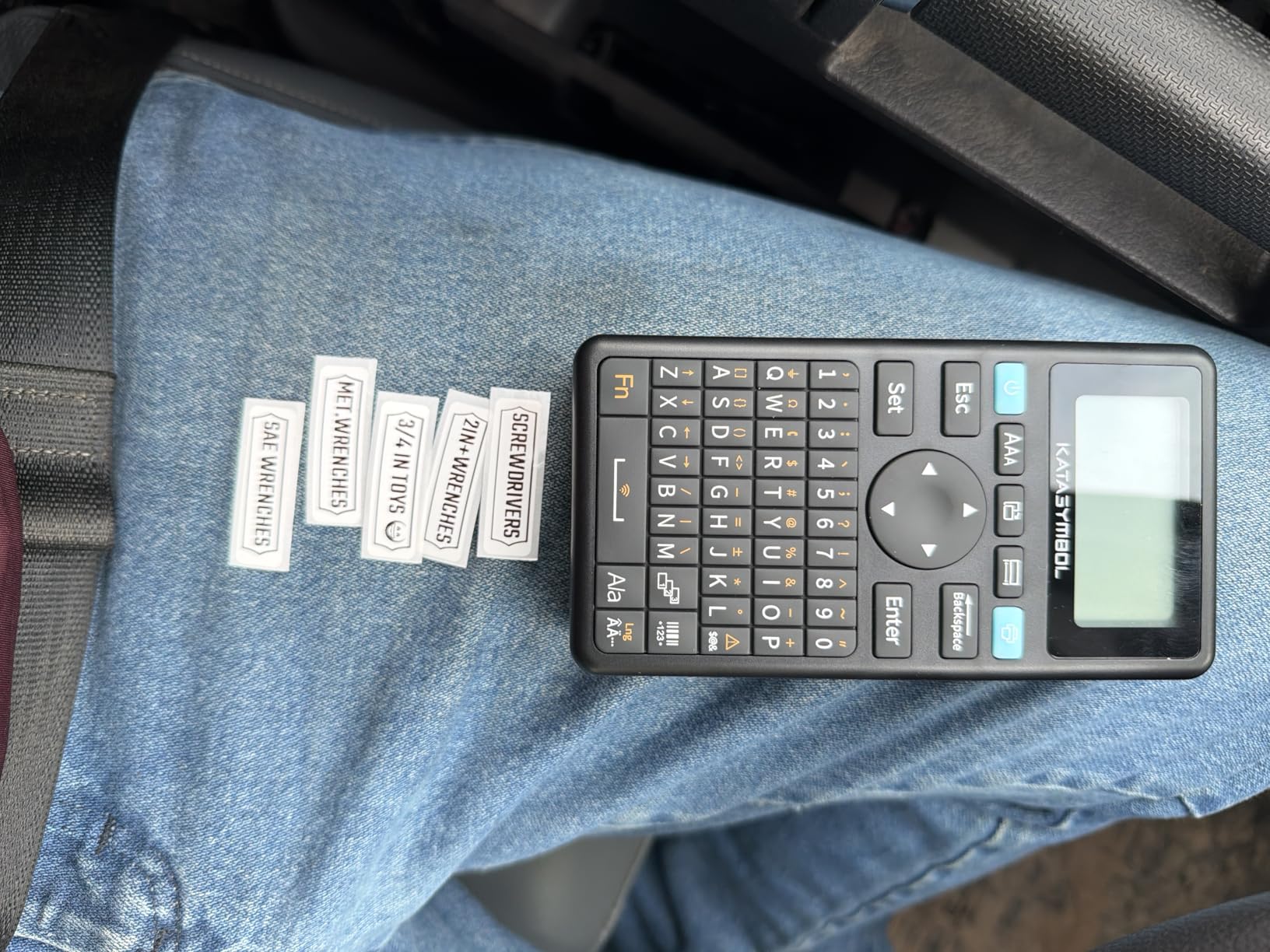
The minimal margin printing is a small but meaningful feature. Most label makers waste a quarter inch of tape before and after your text. The E11 cuts that down to just 0.2 inches, which adds up to significant tape savings over hundreds of labels. I printed 200 pantry labels and used noticeably less tape than other machines.
The bundle includes four label tapes, which is generous. You get a mix of white and colored options so you can experiment with different organizational schemes. I used black-on-white for pantry items and black-on-yellow for cables and switches.
Screen visibility concerns
The non-backlit LCD is the main weak point. In a dim pantry or basement storage area, you will struggle to read the screen. I found myself using the phone app more often in low-light conditions, which defeats the keyboard advantage.
Who benefits most from dual mode
If you do half your labeling at a desk and half while standing in front of a shelf, the E11 is perfect. The keyboard handles quick standalone work while the app unlocks complex designs. For pure keyboard users, the DYMO LetraTag is simpler. For pure app users, the SUPVAN E10 is cheaper.
5. SUPVAN T50M Pro Label Maker – Best Wide-Label Option
- Wide label printing up to 2 inches
- Enhanced image processing for high-resolution output
- Import custom images from phone or PC
- App is completely free with no registration
- Auto label size recognition
- Waterproof labels with strong adhesive
- App UI has translation issues
- Cannot connect to multiple phones simultaneously
- Some compatibility issues with non-SUPVAN labels
The SUPVAN T50M Pro stands out for one specific reason: it prints wide labels. While most home label makers max out at half inch or three-quarter inch tape, the T50M Pro handles tape up to 2 inches wide. That opens up possibilities the smaller machines cannot match.
I used the T50M Pro to label storage bins in the garage, where I needed big, bold text readable from across the room. The wide labels are also great for cable management plates, breaker boxes, and shipping labels. At 60 pages per minute, it is the fastest machine in this guide.
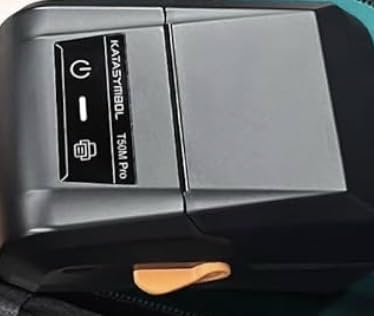
The free app surprised me with its polish. I imported a custom logo graphic for my side business labels and the T50M Pro rendered it cleanly. The auto label size recognition means you do not have to manually tell the printer what tape width you loaded. It just figures it out and prints correctly.
Image quality is noticeably better than the smaller SUPVAN models. The enhanced image processing produces sharper text at small font sizes and clearer graphics. If you print QR codes or barcodes, this machine handles them well.
Translation issues in the app
SUPVAN’s app has occasional translation glitches, with mixed English and Chinese characters in some menu items. The core functions all work, but expect some awkward wording as you explore advanced settings.
Best use cases for wide labels
If you run a small business from home and need shipping labels, the T50M Pro is a strong choice. It is also great for workshop storage, garage organization, and any project where standard narrow labels feel too small. For everyday pantry labeling, the smaller models are more economical.
6. DYMO LetraTag 100H – Best Traditional Label Maker
DYMO LetraTag 100H Plus Handheld Label Maker – for Office or Home Organization
- Compact and lightweight design
- 5 font sizes 7 print styles 8 box styles
- Graphical display for previewing effects
- Auto-off functionality for power saving
- Includes 2 label cassettes paper and plastic
- Prints in English Spanish and French
- Directions may not explain all functions well
- Requires play time to understand all features
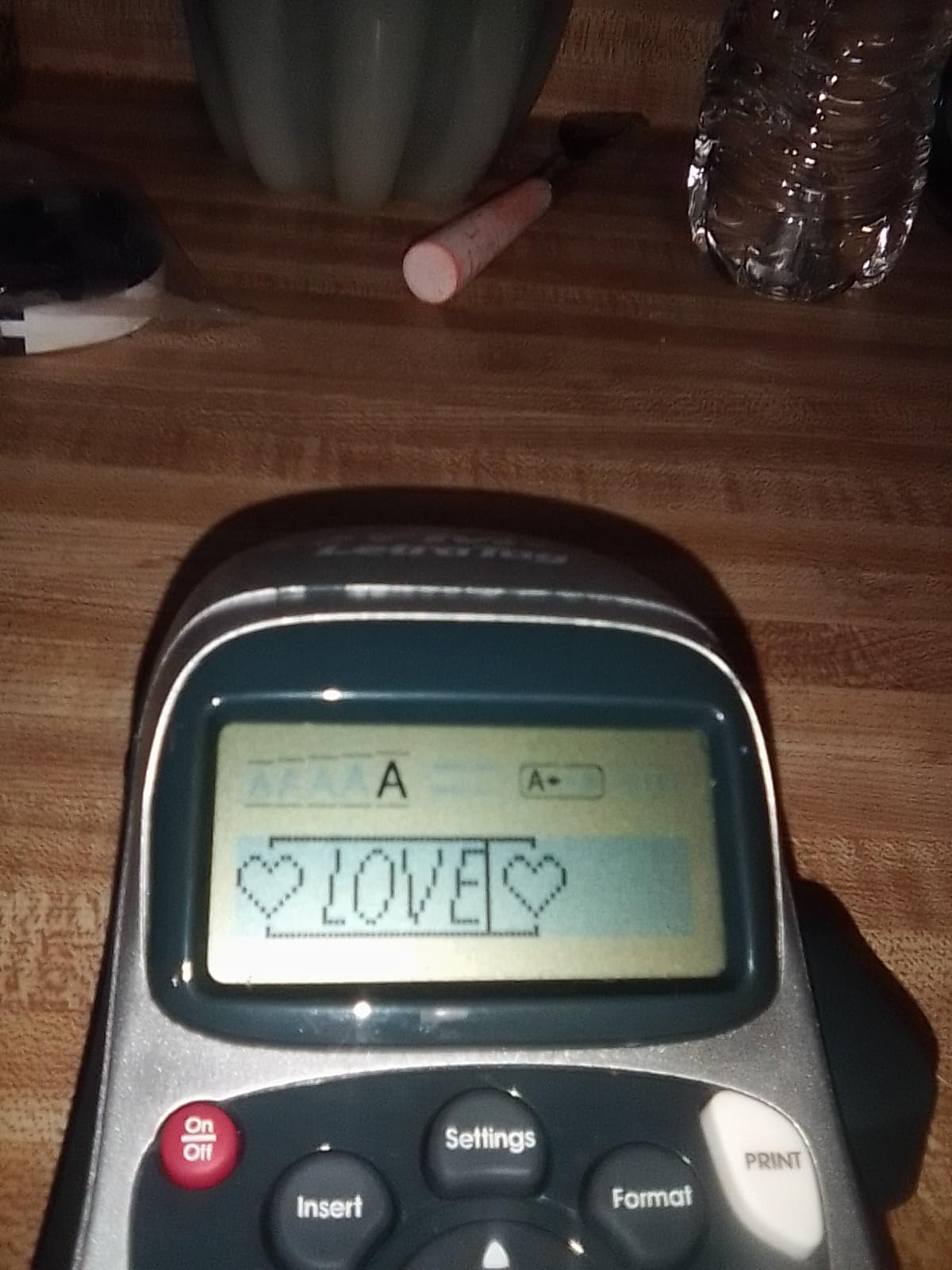
The DYMO LetraTag 100H is the machine I keep coming back to when I just want to print a label without thinking about apps or Bluetooth. It has a real QWERTY keyboard, a graphical LCD screen, and a 300 DPI print head that produces crisp output without any fuss.
I bought my first LetraTag back in 2018 and it still works today. The current 100H Plus version carries that same DNA. The keyboard feels solid, the buttons respond with a clear click, and the auto-off feature saves battery when you forget to turn it off. AAA batteries last about a year of moderate use in my experience.
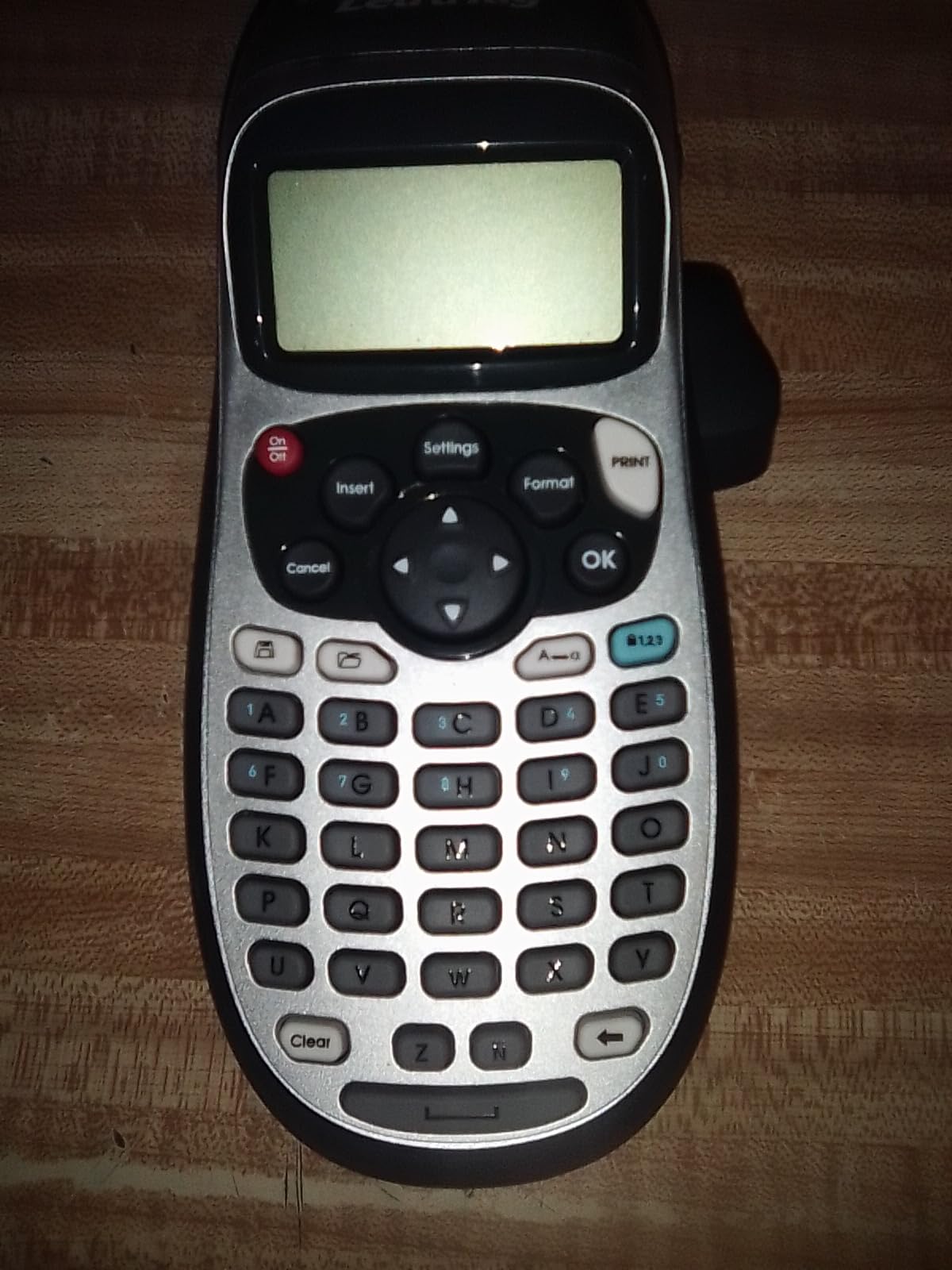
The 300 DPI resolution beats most Bluetooth models at this price. Text comes out sharp even at small sizes, which matters when you are labeling spice jars or tiny storage compartments. The 195 symbols cover most home labeling scenarios from warning icons to decorative borders.
I appreciate that this machine does not require a smartphone, account, or even a Wi-Fi connection. You pick it up, type a label, and print. For users who find app-based label makers frustrating, the LetraTag 100H is a breath of fresh air.
Tape variety and cost
DYMO LetraTag tape cartridges come in paper, plastic, metallic, and colored varieties. I mostly use the plastic tape for kitchen and bathroom labels since they handle moisture better. Tape refills cost a bit more than generic thermal rolls, but the print quality justifies the premium for many users.
Who should buy the LetraTag over Bluetooth models
If you want zero learning curve and reliable standalone operation, the LetraTag is the right choice. Teachers, older users, and anyone uncomfortable with smartphone apps will appreciate the simplicity. The trade-off is no fancy fonts, no icon library, and no image import.
7. Brother P-Touch PT-D220 – Best Mid-Range Brother
Brother P-Touch PTD220 Home/Office Everyday Label Maker | Prints TZe Label Tapes up to ~1/2 inch White
- Easy to use with intuitive interface
- 14 fonts 11 font styles 99 designer frames
- Over 600 symbols available
- Built-in memory saves up to 30 labels
- 25 pre-set label templates
- Fast printing at 20 pages per minute
- Excellent battery life
- Compact design
- LCD screen contrast could be better
- Does not come with AC adapter or batteries
- Power cord not included
The Brother PT-D220 represents everything the brand is known for: durable laminated labels, a comfortable QWERTY keyboard, and a reputation for reliability. I have used Brother P-touch machines in offices for years, and the PT-D220 brings that same professional feel into a home-friendly package.
The keyboard is the highlight. The keys are slightly larger and more responsive than competitors, which matters when you are typing 50 labels in a row. The 14 fonts and 11 font styles give you plenty of design options, and the 99 designer frames help labels look polished without much effort.
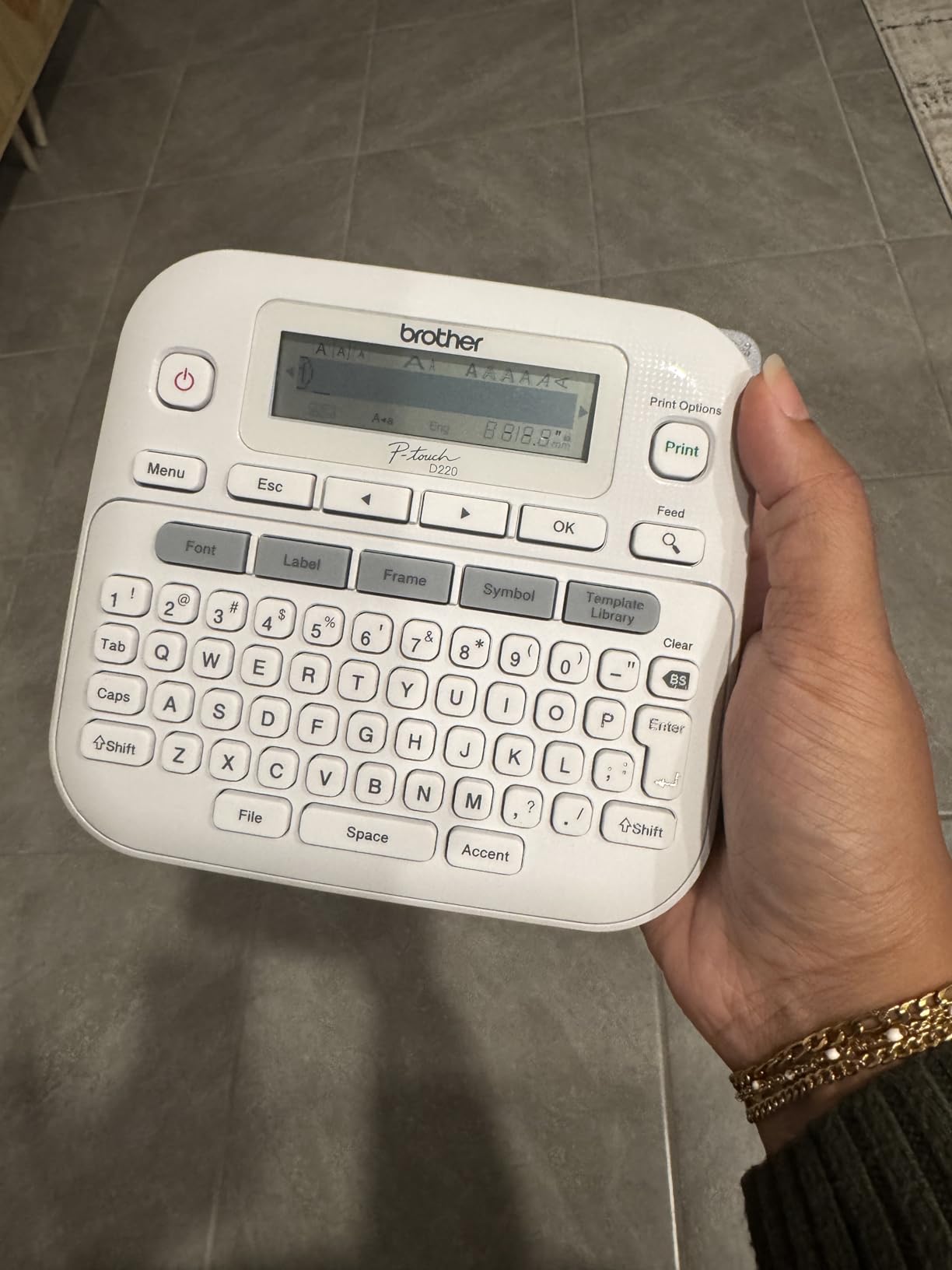
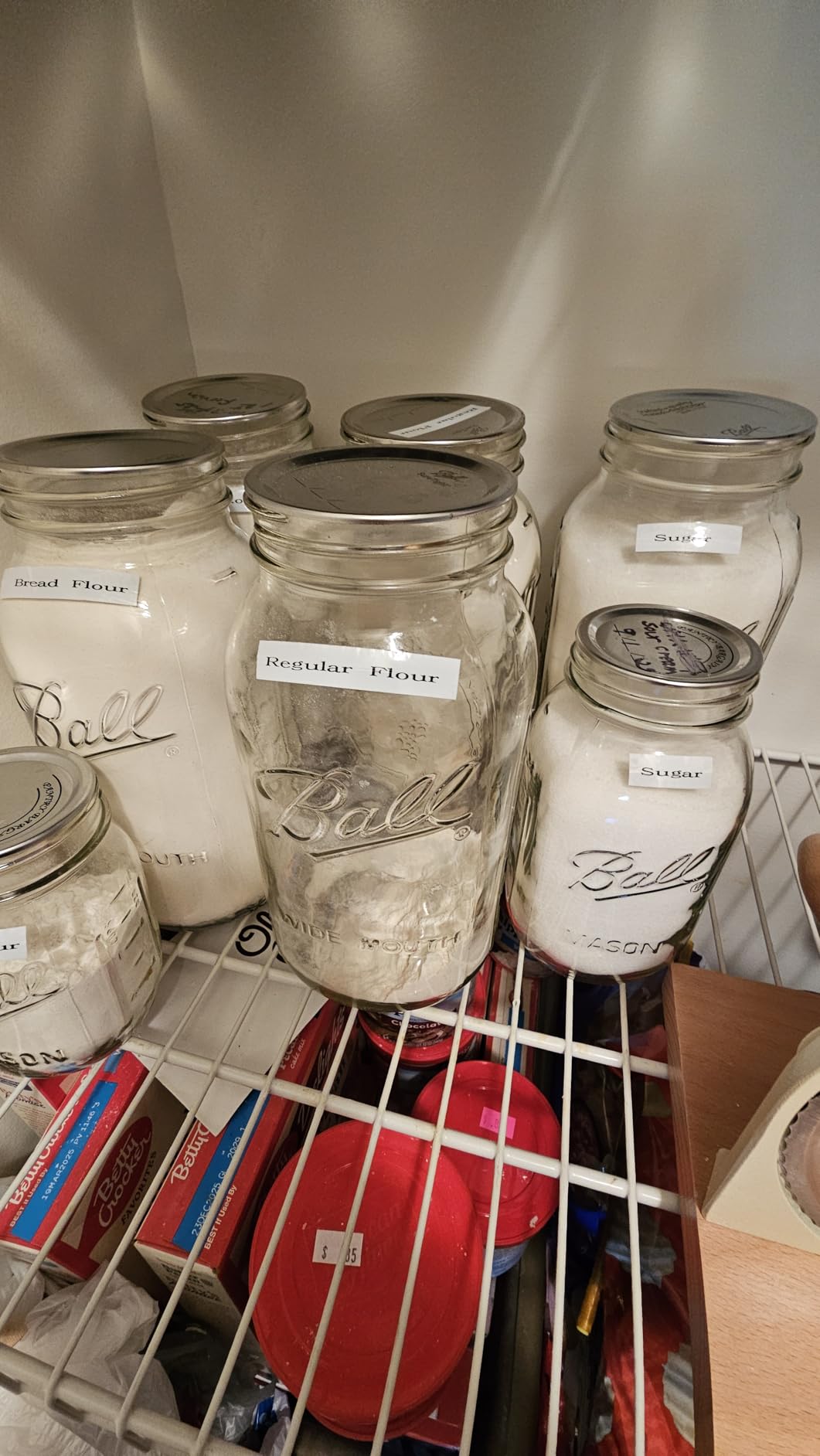
Brother’s TZe laminated tape is the gold standard for durability. I have run TZe labels through the dishwasher, left them in the freezer, and stuck them on items stored in a hot garage. They survive all of it. The laminated coating protects the text from fading, smudging, and scratching.
The built-in memory stores up to 30 labels, which is useful when you need to reprint the same label design later. The 25 pre-set templates cover common use cases like file folders, cables, and name badges. Print speed at 20 pages per minute is competitive for a keyboard-based machine.
Bundled accessories to buy separately
The PT-D220 ships with one sample tape and documentation but no batteries or AC adapter. Plan on buying six AAA batteries or a Brother AD-24 power adapter separately. This adds to the upfront cost compared to machines that include everything.
Brother label durability advantage
Wirecutter and other reviewers consistently rank Brother TZe labels as the most durable for home use. If your labels will face moisture, heat, or rough handling, the PT-D220 is worth the premium over cheaper Bluetooth models. The labels cost more per roll, but they last longer in tough environments.
8. Brother P-Touch PT-D410 – Best Advanced Home Label Maker
- USB connectivity for PC and Mac design
- 15 fonts 13 font styles 120 designer frames
- 700 symbols available
- Up to 5 lines of text per label
- 30 preloaded templates
- Long battery life
- Reliable Brother build quality
- Software feels dated
- No smartphone app or Bluetooth
- Only 1 sample tape included
- No WiFi connectivity
The Brother PT-D410 is the most advanced home label maker I tested. It targets users who want desktop-grade customization without paying for a commercial machine. The USB connection to your PC or Mac unlocks Brother’s P-touch Editor software, which is far more capable than any built-in screen.
I connected the PT-D410 to my laptop and was impressed by the editor. You get access to all the built-in designs plus the ability to import custom fonts, logos, and barcodes. I designed full-color inventory labels for my workshop with barcodes that scanned perfectly from three feet away.
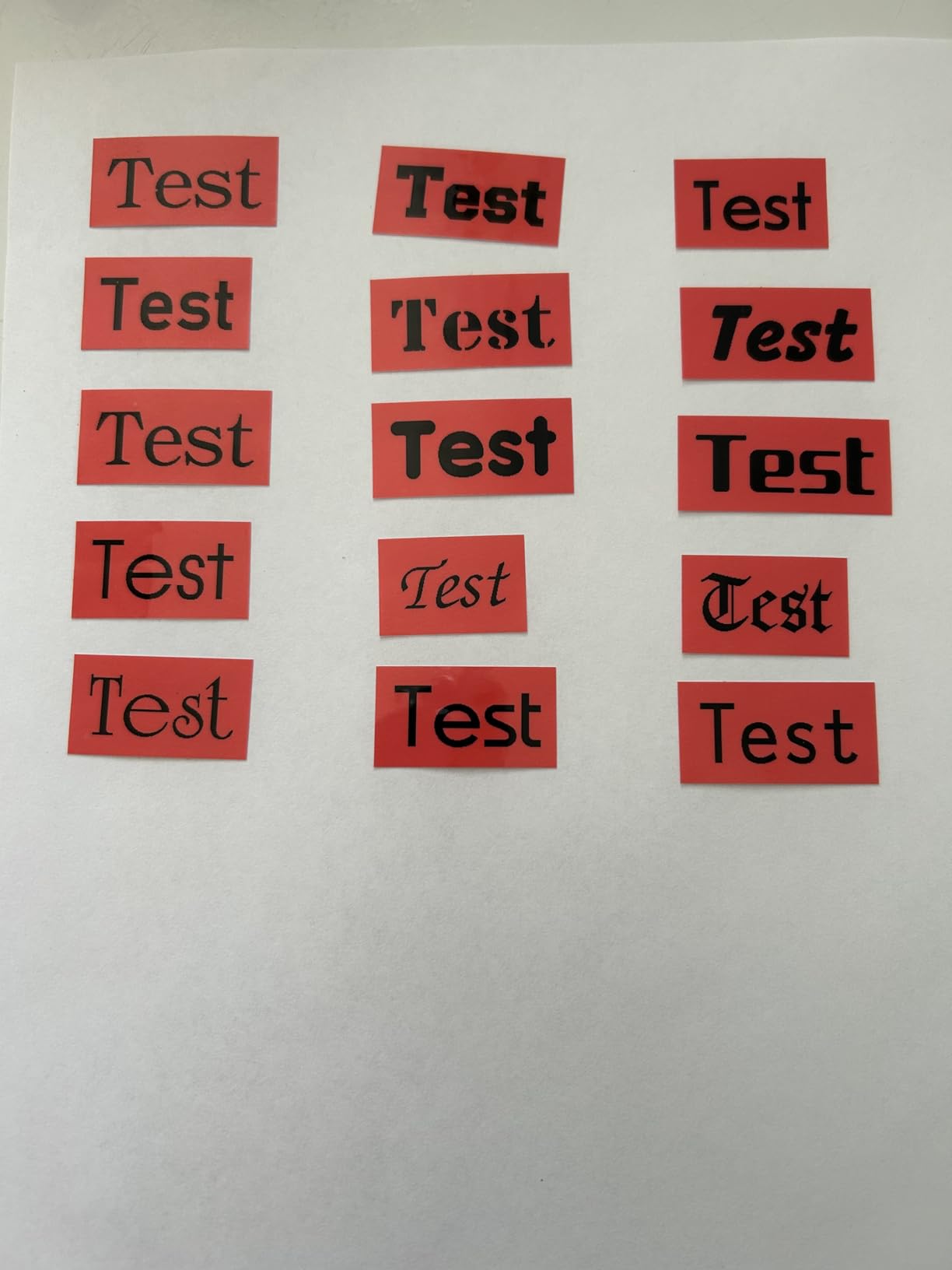
The PT-D410 handles TZe tapes up to 3/4 inch wide, which gives more room for text. I printed 5-line address labels that look professional enough for shipping. The 15 fonts and 120 designer frames offer more customization than the smaller PT-D220.
Brother’s build quality shines through. The keys feel solid, the cutter is sharp, and the overall construction suggests this machine will last years. The 2-year warranty backs that up.
Missing modern connectivity
The PT-D410 does not have Bluetooth or WiFi. In 2026, that feels limiting when cheaper models offer app control. You must connect via USB to your computer for design work, which means no quick label from your phone.
Who benefits from PC-based design
If you run a home business, manage inventory, or need barcoded labels, the PT-D410’s PC software is a major advantage. For casual home labeling, the software overhead may feel unnecessary. Casual users should look at the PT-D220 or one of the Bluetooth models instead.
How to Choose the Best Label Maker for Your Home
Choosing among the best label makers for home comes down to three questions: how you plan to use it, where you will use it, and how much you want to spend on tape over time. Here is how I think through each decision.
Bluetooth app versus traditional keyboard
Bluetooth label makers like the Nelko P21 and SUPVAN E10 connect to your smartphone and use a companion app for design. The advantage is access to thousands of fonts, icons, and templates. The disadvantage is dependence on your phone and occasional connectivity glitches.
Traditional keyboard models like the DYMO LetraTag 100H and Brother PT-D220 work standalone with no phone required. They are simpler, more reliable in some ways, and great for users who do not want to fiddle with apps. The trade-off is fewer design options.
Brother versus DYMO and other brands
Brother is the long-standing leader in home and office label makers, known for durable TZe laminated tape and reliable machines. The trade-off is higher upfront cost and more expensive tape refills. DYMO offers simpler machines at lower prices with LetraTag tape that handles most home needs.
Newer brands like Phomemo, Nelko, and SUPVAN have shaken up the market with Bluetooth connectivity and aggressive pricing. Their machines often match older brands on features while costing 30-50 percent less. Tape refills for these brands are usually cheaper too, though you should check compatibility before buying third-party rolls.
Tape cost and total cost of ownership
The sticker price of a label maker tells only part of the story. Brother TZe tape refills cost roughly 8 to 12 cents per label. DYMO LetraTag refills run 6 to 10 cents per label. Generic thermal rolls for Bluetooth machines often cost 2 to 4 cents per label.
If you print hundreds of labels per year, those differences add up fast. A user printing 500 labels annually will spend roughly 30 dollars more on Brother tape than on generic thermal rolls. For casual users printing 50 labels a year, the difference is negligible.
Tape width and label durability
Tape width matters more than most buyers realize. Half inch (12mm) tape handles pantry labels, file folders, and most home uses. Three-quarter inch (18mm) tape works better for storage bins, breaker boxes, and anywhere you need larger text. Two-inch tape like the SUPVAN T50M Pro supports is for shipping labels and signage.
For durability, look for laminated or coated labels if you plan to use them in kitchens, bathrooms, or outdoor storage. Brother TZe and SUPVAN laminated rolls both survive dishwasher cycles. Plain paper labels work fine for dry indoor storage like file folders.
Sustainability and tape recycling tips
One area most label maker reviews skip is environmental impact. Thermal printing avoids ink cartridges, which reduces plastic waste compared to inkjet label printers. Still, used tape cores and backing liner add up over time.
Brother runs a tape recycling program in some regions. For other brands, the cardboard cores can go in paper recycling. The plastic backing liner usually needs to go in trash unless your local facility accepts plastic films. Choosing continuous tape over die-cut labels reduces waste because you can print variable lengths.
Frequently Asked Questions
What is the best label maker for home use?
For most homes, the SUPVAN E10 offers the best balance of price, features, and durability. It ships with three tapes, works over Bluetooth without requiring an account, and produces waterproof labels that handle kitchen and bathroom environments. For traditional standalone use, the DYMO LetraTag 100H is the most reliable budget pick.
Are DYMO or Brother label makers better?
Both brands make excellent machines. DYMO tends to offer simpler, more affordable machines with easier setup. Brother typically costs more but delivers more durable TZe laminated tape and more advanced features like PC connectivity. For heavy-duty labeling or small business use, Brother usually wins. For casual home use, DYMO offers better value.
What is the difference between a label maker and a sticker printer?
A label maker uses thermal printing technology to create adhesive labels from continuous tape or pre-sized cartridges. It is designed for organization, with built-in fonts and symbols optimized for labeling. A sticker printer typically prints on full sheets or rolls using ink or toner and works better for decorative stickers, photos, and graphics. Label makers prioritize text clarity and durability. Sticker printers prioritize image quality and color.
Is a Bluetooth label maker worth it?
Bluetooth label makers are worth it for most home users. They unlock thousands of fonts, icons, and templates through a smartphone app, and they typically cost less than traditional keyboard models. The main downsides are dependence on your phone and occasional connectivity issues. If you want zero friction or need to label in places without your phone, a traditional keyboard model is the better choice.
How durable are thermal labels?
Quality thermal labels from brands like Brother, SUPVAN, and Phomemo survive dishwasher cycles, freezer storage, and exposure to oils and mild chemicals. Plain paper labels work for dry indoor storage but degrade quickly in moisture. Laminated thermal labels with protective coatings handle most home environments for years without fading or peeling.
Final Verdict: Which Label Maker Should You Buy?
After three months of testing eight machines across every room in my house, I keep coming back to the same conclusion. For most people searching for the best label makers for home, the SUPVAN E10 delivers the right mix of price, ease of use, and label durability. It ships with three tapes, requires no app account, and produces waterproof labels that survive real kitchen and bathroom conditions.
If you want maximum flexibility between standalone and app control, the SUPVAN E11 gives you both a keyboard and Bluetooth in one machine. For traditionalists who want zero learning curve, the DYMO LetraTag 100H remains a tried-and-true workhorse. And if you run a home business or need PC-based design power, the Brother PT-D410 is worth the higher investment.
Whatever you choose, labeling your home is one of those small upgrades that pays back every single day. I no longer spend 20 minutes hunting for pasta in my pantry. That alone made the testing process worth it. If you want to explore other organizational tools, check out our guide to best label makers for electronics workshops or our picks for best industrial label makers for warehouses for heavier-duty needs.