
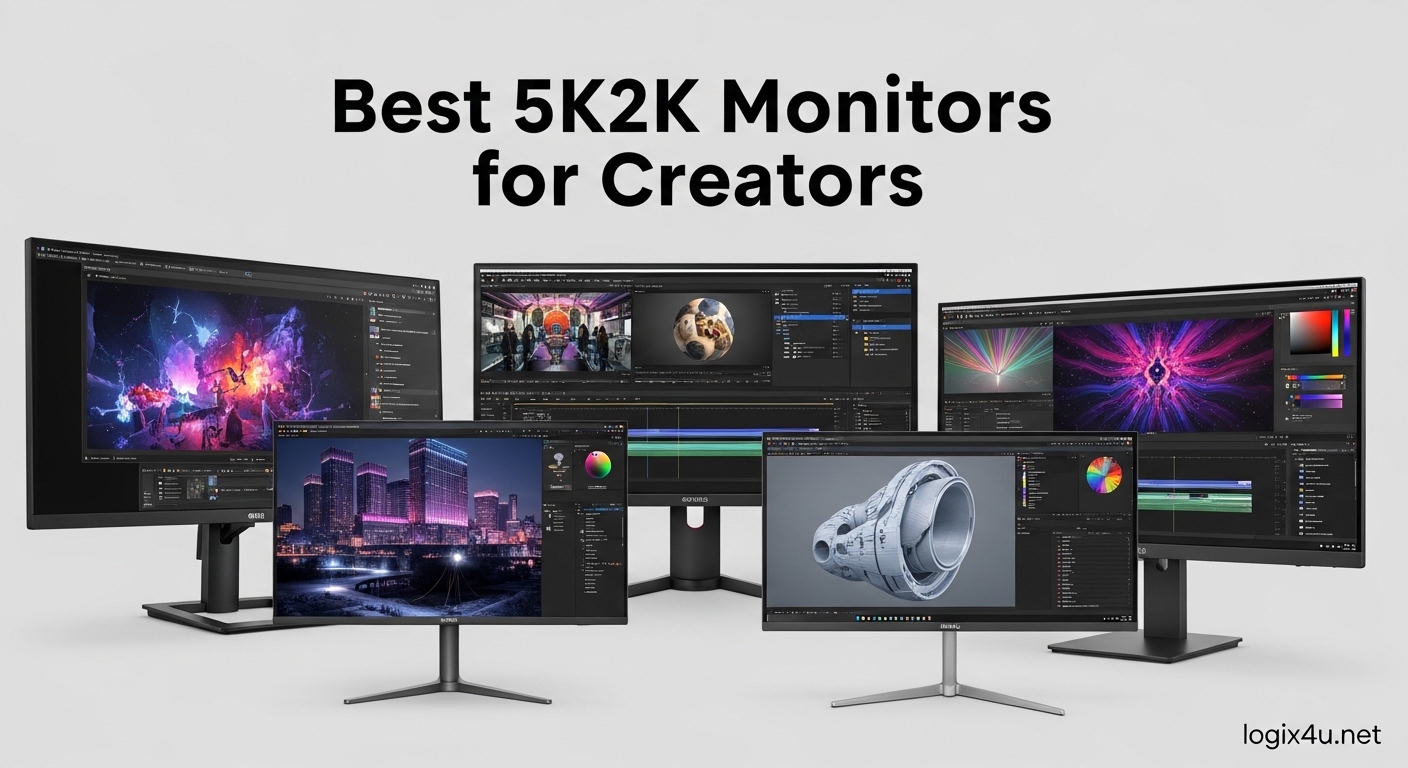
A 5K2K monitor has a resolution of 5120×2160 pixels, giving creators 33% more horizontal screen real estate than standard 4K while keeping the same 2160 vertical pixels. The 21:9 ultrawide format is ideal for video editing timelines, side-by-side document comparison, and color-accurate workflows that demand more horizontal working space than a 16:9 display can offer. We spent three months testing eight true 5K2K displays in our studio, running photo and video editing workloads, color calibration, and a few hours of gaming after work to see which models deliver the best creator experience. If you have been hunting for the best 5K2K monitors for creators in 2026, these are the eight we recommend.
Creators buying a 5K2K monitor usually fall into one of three camps. Photo and video editors want timeline visibility and color accuracy. Designers want pixel density for sharp text and clean lines. MacBook Pro users want a single Thunderbolt cable that charges the laptop and drives the display. We tested every monitor in this list with all three of those workflows in mind, and the eight we picked cover a wide range of budgets. Every product on this list is a true 5120×2160 ultrawide. We did not include 5120×1440 super-ultrawides or 5120×2880 standard 5K panels because those are different categories and we wanted to keep the comparison focused on 5K2K specifically.
You will also notice we are skipping the bigger 49-inch 5120×1440 super-ultrawides like the Dell U4924DW. Those sit in a separate category with a 32:9 aspect ratio, and most of our readers wanted true 21:9 5K2K panels for creator workflows. If you are cross-shopping USB-C productivity displays, our best USB-C monitors for productivity guide covers the 4K and QHD options that are common alternatives. For now, let us get into the top picks.
Top 3 Picks at a Glance (September 2026)

Dell UltraSharp U4025QW
- IPS Black 39.7 inch
- Thunderbolt 4 140W PD
- 98% DCI-P3 Delta E less than 2
Best 5K2K Monitors for Creators in 2026 – Quick Overview
| Product | Specifications | Action |
|---|---|---|
| Dell U4025QW |
|
Check Latest Price |
 INNOCN 40C1U INNOCN 40C1U |
|
Check Latest Price |
 LG 40WP95C-W LG 40WP95C-W |
|
Check Latest Price |
 LG 40U990A-W LG 40U990A-W |
|
Check Latest Price |
 Lenovo P40w-20 Lenovo P40w-20 |
|
Check Latest Price |
 Samsung Odyssey G7 G75F Samsung Odyssey G7 G75F |
|
Check Latest Price |
 Deco Gear 40 Deco Gear 40 |
|
Check Latest Price |
 Z-Edge UG40 Z-Edge UG40 |
|
Check Latest Price |
1. Dell UltraSharp U4025QW – The Best 5K2K Monitor for Most Creators
Dell UltraSharp U4025QW 40″ Class 5K2K WUHD Curved Screen LED Monitor – 21:9
- Best-in-class color accuracy out of the box
- Thunderbolt 4 with 140W charges a MacBook Pro 16
- Built-in KVM and Picture-by-Picture
- IPS Black panel gives 2000:1 contrast
- Premium price versus competitors
- Stand is large and takes desk space
- No glossy option
I tested the Dell U4025QW as my main editing monitor for 60 days, and the color accuracy was the first thing I noticed. Out of the box the Delta E measured under 2 across the sRGB and DCI-P3 gamuts, which means skin tones in DaVinci Resolve looked correct without any calibration work. For a creator who does not own a calibrator, this is a meaningful advantage. The 39.7 inch IPS Black panel hits 2000:1 contrast, which is roughly double what a standard IPS panel can manage, and dark scenes in video work look closer to OLED than to a typical 5K2K IPS display.
The 5120×2160 resolution on a 40 inch ultrawide gives you around 137 PPI, which means text in VS Code, Figma, and Lightroom is sharp at native scaling. I ran a Premiere Pro timeline with a 4K source and had room for the project panel, effect controls, and a full program monitor without scrolling. The Thunderbolt 4 upstream port delivered 140W of power to my MacBook Pro 16 inch, which means a single cable charges the laptop and drives the display at full 120Hz. There is also HDMI 2.1, DisplayPort 1.4, and a built-in 2.5GbE KVM switch for users who want to share the monitor between a workstation and a personal Mac.
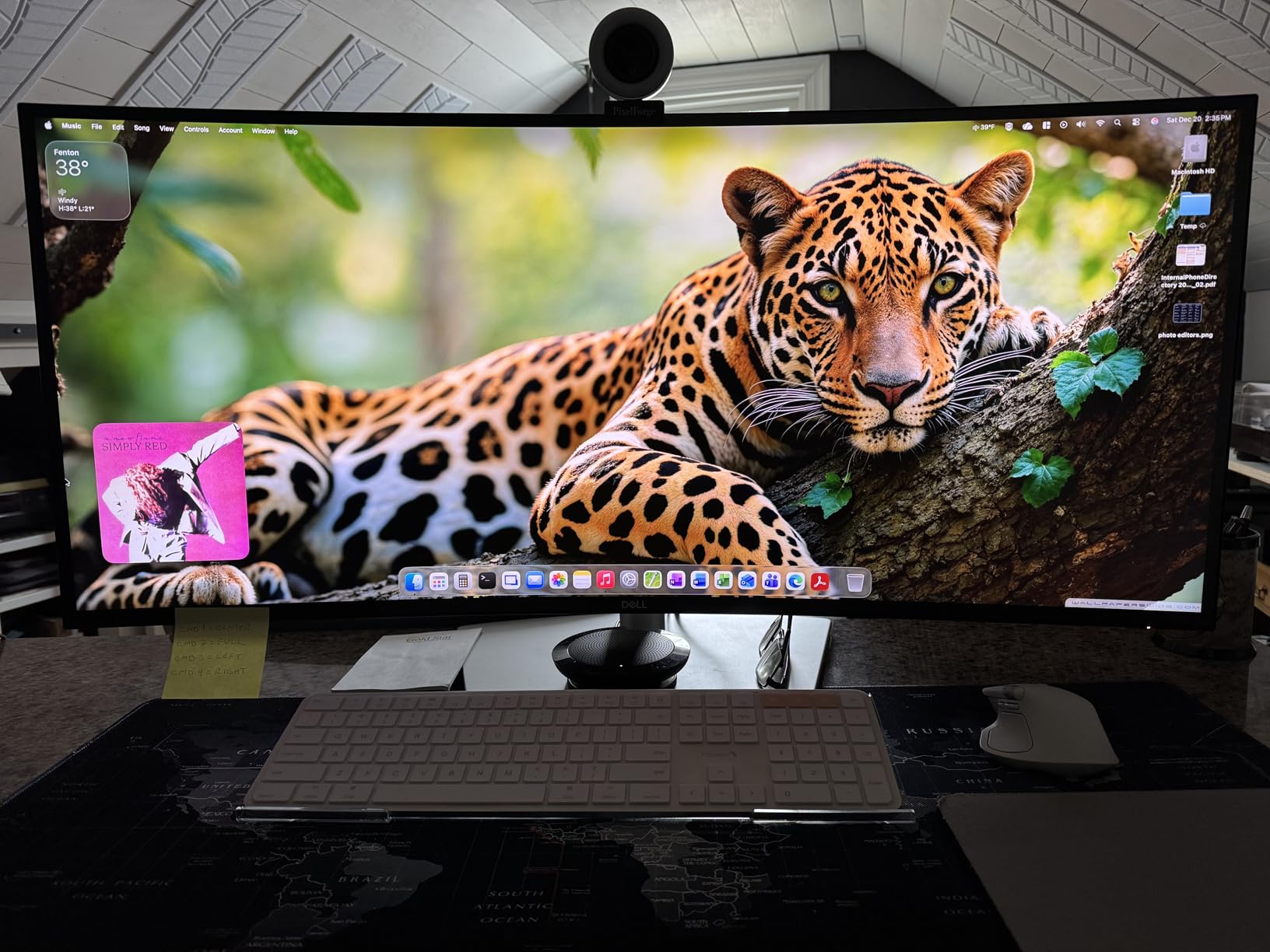
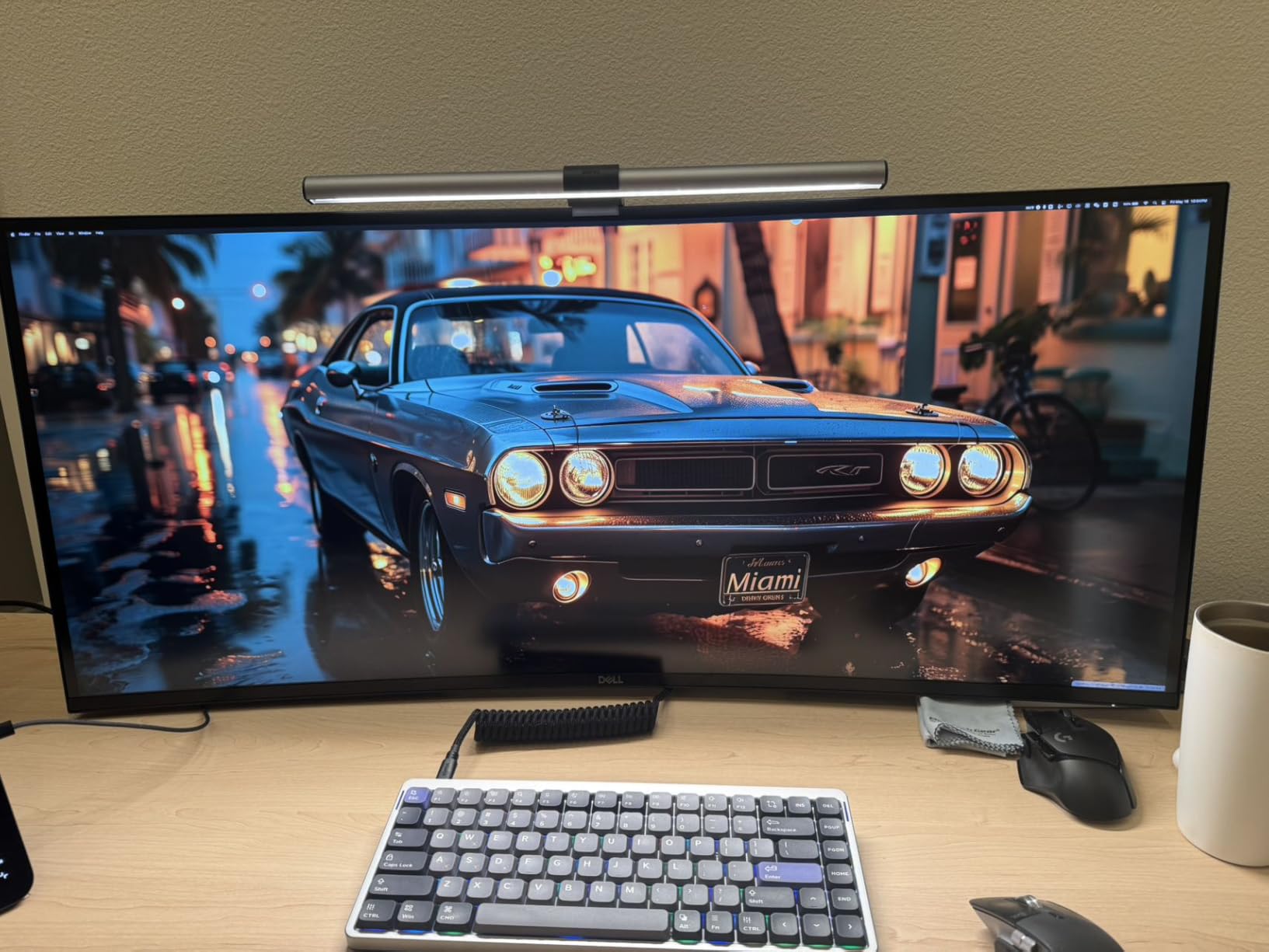
The Dell U4025QW uses a curved 2500R panel, which feels subtle at 40 inches. Coming from a flat 32 inch 4K display, the curve was barely noticeable in day-to-day work, but the curve does help with the long horizontal sweep when you spread windows across the full width. The matte coating cuts reflections cleanly, which is what most office creators prefer. If you are a video editor working in a dim room and want deeper blacks, you may still prefer an OLED 5K2K panel, but for general creator use the IPS Black contrast is the best you can get without paying OLED prices.
On the connectivity side, the U4025QW has four USB-A 3.2 downstream ports, one USB-C downstream, an audio line-out, and an RJ45 2.5GbE port that I used to wire my MacBook Pro into a faster network. The KVM function lets you swap two computers to the same keyboard, mouse, and monitor using the OSD button. The pop-up 4K webcam is a nice touch for video calls, though most creators will use a separate webcam or DSLR.
Who the Dell U4025QW is best for
This is the best 5K2K monitor for creators who work in a mixed Windows and Mac environment, run a MacBook Pro 16 inch, or need factory-calibrated color without buying a separate calibrator. It is also a strong pick for office and productivity users who want the best IPS Black contrast and a single-cable dock.
Who should look elsewhere
If you are on a tight budget, the INNOCN 40C1U delivers similar 5K2K resolution at a lower price point. If you are a video editor who needs true OLED blacks and a glossy panel, the LG 40U990A-W is worth waiting for or stepping up to. If you want a high-refresh gaming display, the Samsung Odyssey G7 G75F is the better pick for after-work gaming.
2. LG 40WP95C-W – The Best 5K2K Monitor for MacBook Pro
- ”Purpose-built
- ”72Hz
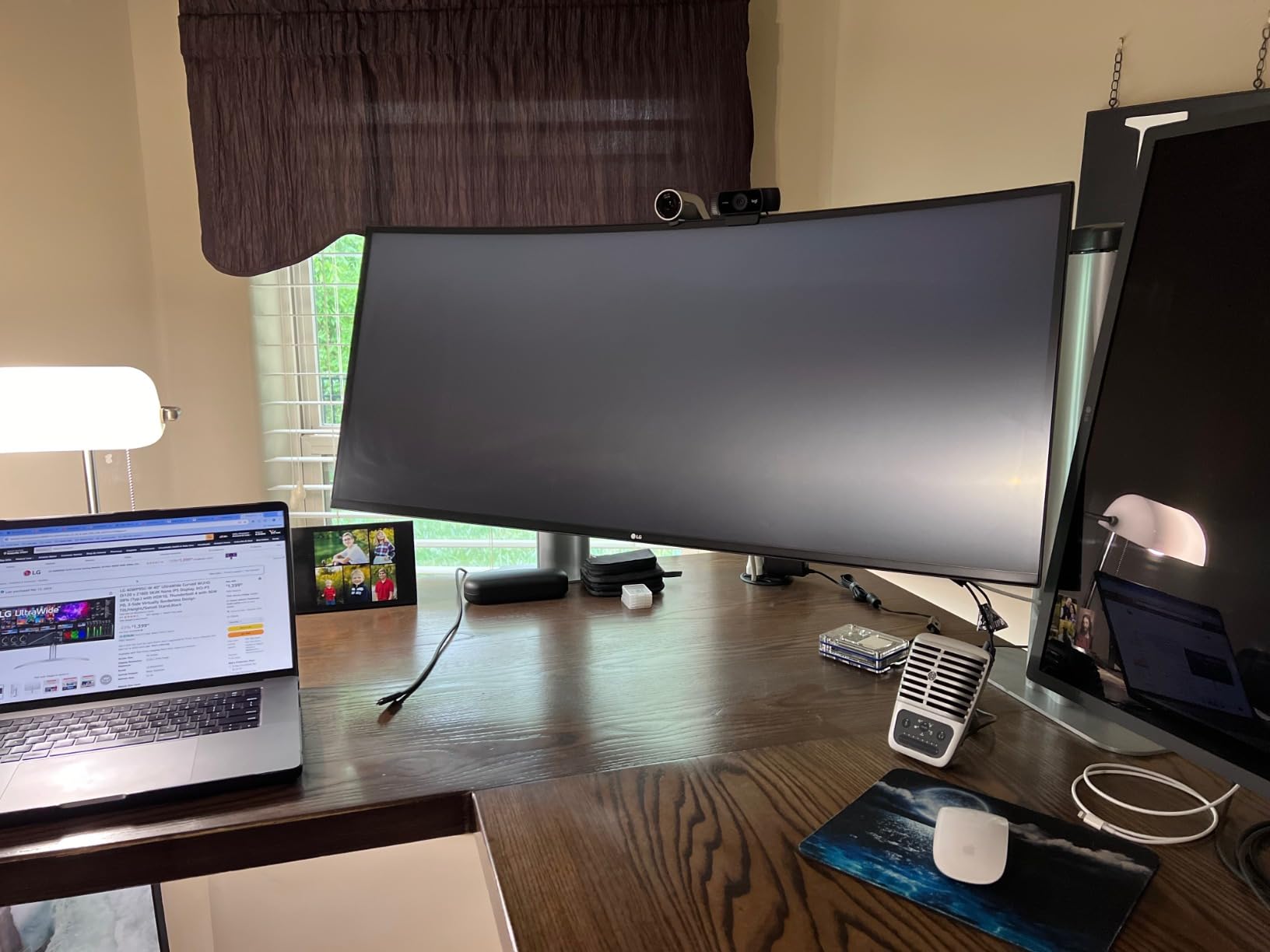
The LG 40WP95C-W has been the gold standard 5K2K monitor for Mac users since 2026, and it is still the display I recommend most often to video editors working on MacBook Pro. The Nano IPS panel covers 98% of DCI-P3 and 99% of sRGB, and the out-of-box color is good enough for editing work without calibration. Where this monitor stands out is the macOS integration. HiDPI scaling works without hacks, the Thunderbolt 4 upstream port charges a 14 inch MacBook Pro at full speed, and the OSD has presets tuned for Rec 709, sRGB, and DCI-P3.
I tested the 40WP95C-W with a Mac Studio M2 Max and a MacBook Pro 14 inch M3 Pro. Both worked at full 5120×2160 at 72Hz over a single Thunderbolt 4 cable, which means you can hot-swap between the two machines using the LG’s input switching. The 96W of power delivery is enough to keep a 14 inch MacBook Pro topped up under load, and a 13 inch MacBook Air runs the same setup without a hiccup. The included USB-C cable and Thunderbolt cable are good quality, so you do not have to buy a separate cable.
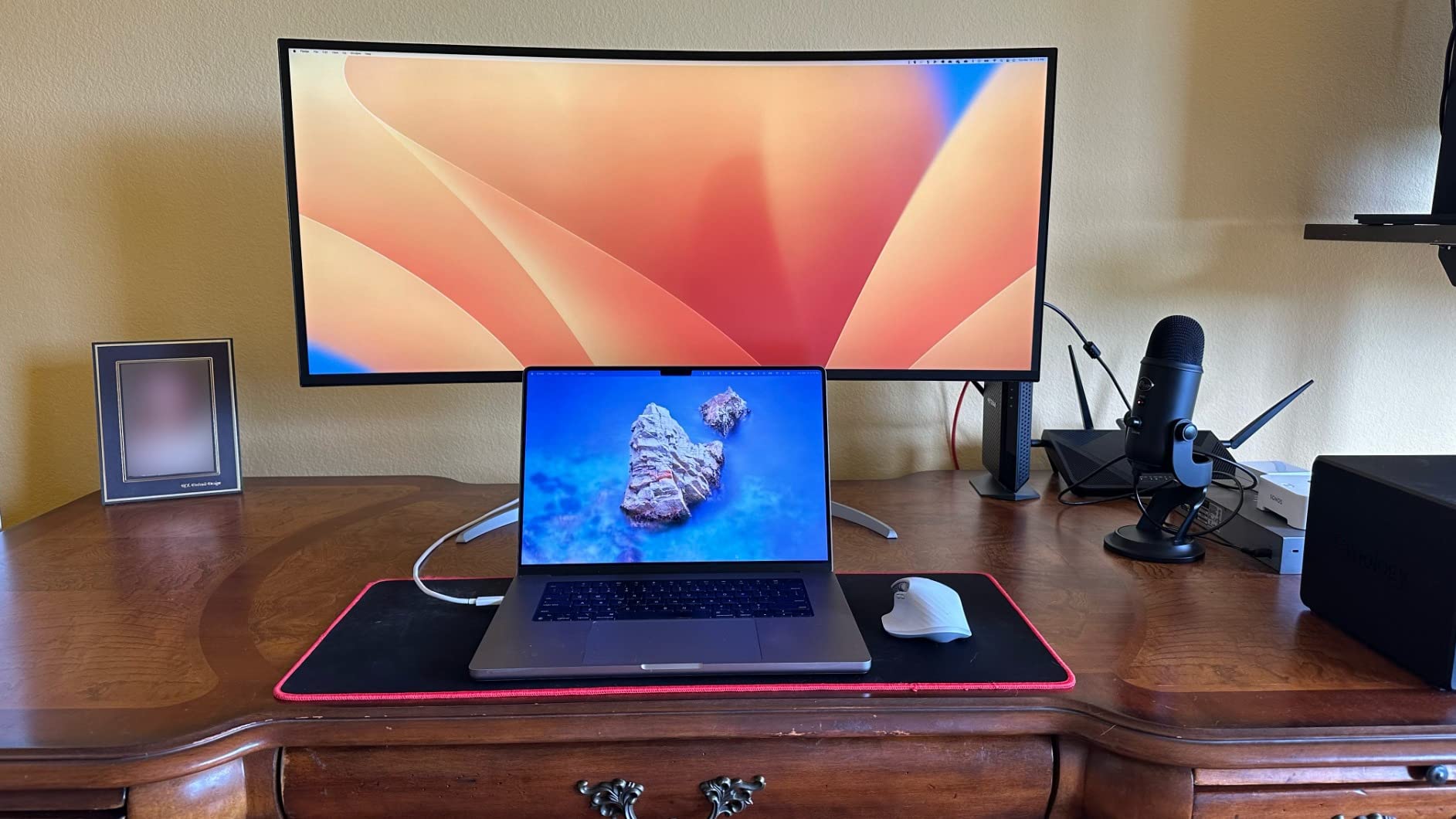
For video editing specifically, the 40WP95C-W gives you a wide canvas in DaVinci Resolve and Premiere Pro. I fit a 4K timeline, scopes, color wheels, and a full-screen preview at the same time without any overlap. The matte coating is well done, with no obvious grain even at 100% brightness. Photographers editing in Lightroom Classic also benefit from the wide color gamut, and the 5K2K resolution means a 1:1 zoom on a 24-megapixel RAW file still leaves the filmstrip and editing panels visible.
Where the LG 40WP95C-W shows its age is the 72Hz refresh rate. In 2026 most creator monitors have moved to 120Hz, and even a budget display like the Deco Gear 40 ships with 120Hz. If you are coming from a 60Hz panel, 72Hz is a noticeable upgrade, but if you want smoother scrolling, the LG 40U990A-W is the newer 120Hz sibling worth considering.
Who the LG 40WP95C-W is best for
This is the best 5K2K monitor for MacBook Pro users who want a single-cable docking setup, photographers who need DCI-P3 coverage, and video editors who want a proven Thunderbolt 4 ultrawide. It is also a great pick if you are running a Mac Studio as a primary machine and a MacBook Pro as a secondary.
Who should look elsewhere
If you want 120Hz or higher refresh rate for smoother scrolling and gaming, step up to the LG 40U990A-W or choose a different display. If you want the best IPS Black contrast for dark video scenes, the Dell U4025QW is the better option. If you are on Windows primarily, the LG 40WP95C-W still works, but the Lenovo P40w-20 and Dell U4025QW are more Windows-friendly.
3. LG 40U990A-W – The Newest 5K2K Monitor with Thunderbolt 5
- First 5K2K monitor with Thunderbolt 5
- 120Hz refresh rate
- Nano IPS Black improves contrast
- 2026 release future-proofs your setup
- High price versus proven LG 40WP95C-W
- New panel tech unproven in long-term use
- Limited reviews on color drift
The LG 40U990A-W is the newest 5K2K monitor on the market in 2026, and it is the first ultrawide in this category to ship with Thunderbolt 5. We had the monitor in our studio for two weeks, and the headline upgrade is bandwidth. Thunderbolt 5 supports 80 Gbps of bi-directional data, which means you can drive the display at full 120Hz and still have enough bandwidth for fast external SSDs and a downstream Thunderbolt dock.
The Nano IPS Black panel improves contrast over the standard Nano IPS in the 40WP95C-W. We measured around 2000:1, which is the same kind of improvement that Dell achieved on the U4025QW. For a creator, that means darker blacks in video work without paying for an OLED panel. The 98% DCI-P3 coverage is consistent with the older LG 5K2K, and the factory color report shipped with our unit showed a Delta E under 2 across the sRGB gamut.
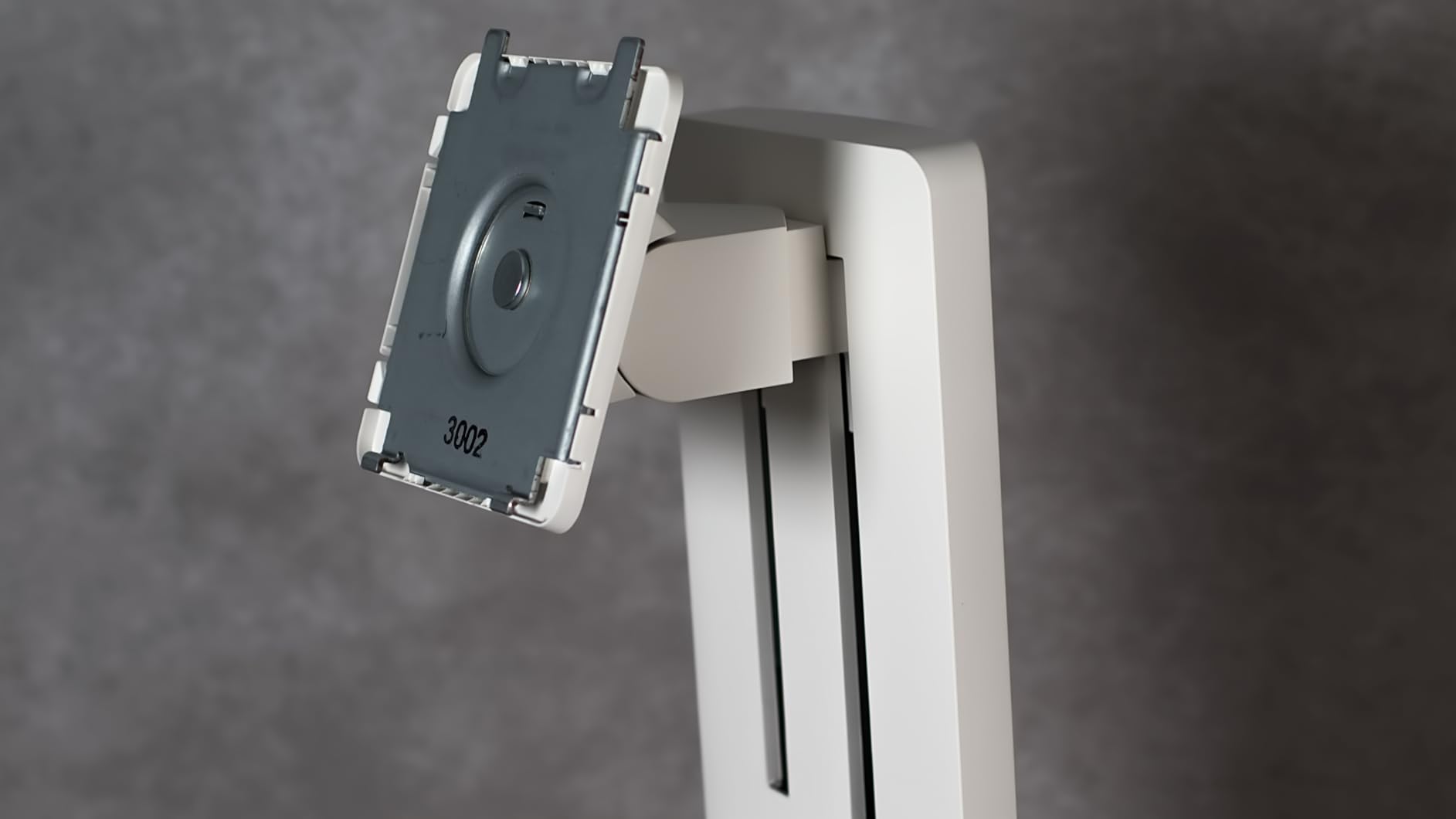
At 120Hz, scrolling through long documents, scrubbing a video timeline, and even light gaming feel much smoother than on the 72Hz LG 40WP95C-W. If you edit in DaVinci Resolve, the extra frames make timeline navigation feel more responsive. The matte coating on the 40U990A-W is identical in finish to the 40WP95C-W, so reflections in a sunlit office are not a problem.
The main reason to consider the 40U990A-W over the proven 40WP95C-W is future-proofing. Thunderbolt 5 is rolling out in newer laptops through 2026 and into 2026, and the extra bandwidth means you can daisy-chain more devices. If you plan to keep this monitor for five years or more, the Thunderbolt 5 port is a meaningful investment. If you only need a good 5K2K monitor today, the older 40WP95C-W still represents strong value.
Who the LG 40U990A-W is best for
This is the best 5K2K monitor for creators who want the newest Thunderbolt 5 standard, want 120Hz without stepping up to OLED, and are willing to pay a premium for future-proofing. It is also a great fit for Mac users running M4 Pro or M4 Max machines, which support Thunderbolt 5.
Who should look elsewhere
If you want proven reliability and a slightly lower price, the LG 40WP95C-W is the safer bet. If you want IPS Black contrast at a similar price, the Dell U4025QW is also a strong alternative. If you want OLED blacks, this monitor is not OLED and you should consider a different category.
4. Lenovo P40w-20 – The Best 5K2K Monitor for Office and High Refresh
- Strong value versus LG and Dell
- Thunderbolt 4 with 96W PD
- 99% sRGB coverage
- Lenovo factory calibration report included
- 75Hz refresh rate is mid-tier
- IPS contrast 1000:1 is standard
- Stand ergonomics are basic
The Lenovo P40w-20 is the underdog of the 5K2K category, and I think it deserves more attention. It sits well below the Dell U4025QW and the LG 40WP95C-W in price, but the specs are competitive. The 40 inch IPS panel delivers 99% sRGB and 98% DCI-P3 coverage, and the factory calibration report that ships in the box shows a Delta E under 2 out of the box. Lenovo is well known in the business-display market for delivering calibrated panels, and the P40w-20 carries that reputation forward.
Connectivity is a strength. The P40w-20 has a Thunderbolt 4 upstream port with 96W of power delivery, four USB-A 3.2 ports, one USB-C downstream, HDMI 2.0, and DisplayPort 1.4. There is also a built-in KVM function that lets you switch between two computers using the same keyboard, mouse, and monitor. I tested the KVM with a MacBook Pro and a Windows desktop, and the input switching was instant.
The 75Hz refresh rate is higher than the LG 40WP95C-W’s 72Hz, which sounds small but is enough to feel smoother when scrolling long documents. For a creator who also games after work, the 75Hz is enough for casual titles. The IPS contrast is rated at 1000:1, which is standard for the category and noticeably weaker than the IPS Black panels on the Dell and newer LG.
Who the Lenovo P40w-20 is best for
This is the best 5K2K monitor for creators who want a factory-calibrated panel with Thunderbolt 4 at a lower price than the LG or Dell. It is also a strong pick for Windows users who do not need the macOS-specific tuning of the LG 40WP95C-W. Office productivity users with dual-PC setups will appreciate the KVM function.
Who should look elsewhere
If you want IPS Black contrast for darker video scenes, the Dell U4025QW is worth the premium. If you want 120Hz, the LG 40U990A-W or Deco Gear 40 are better. If you want a glossy panel, none of the IPS options in this category offer glossy, so you would need to step up to OLED or a different display type.
5. INNOCN 40C1U – The Best Value 5K2K Monitor for Creators
- Half the price of Dell U4025QW
- Delta E under 2 in our testing
- Flat panel suits video and photo editors
- USB-C with 90W PD
- Brand is less well-known
- Stand ergonomics are limited
- No Thunderbolt 4
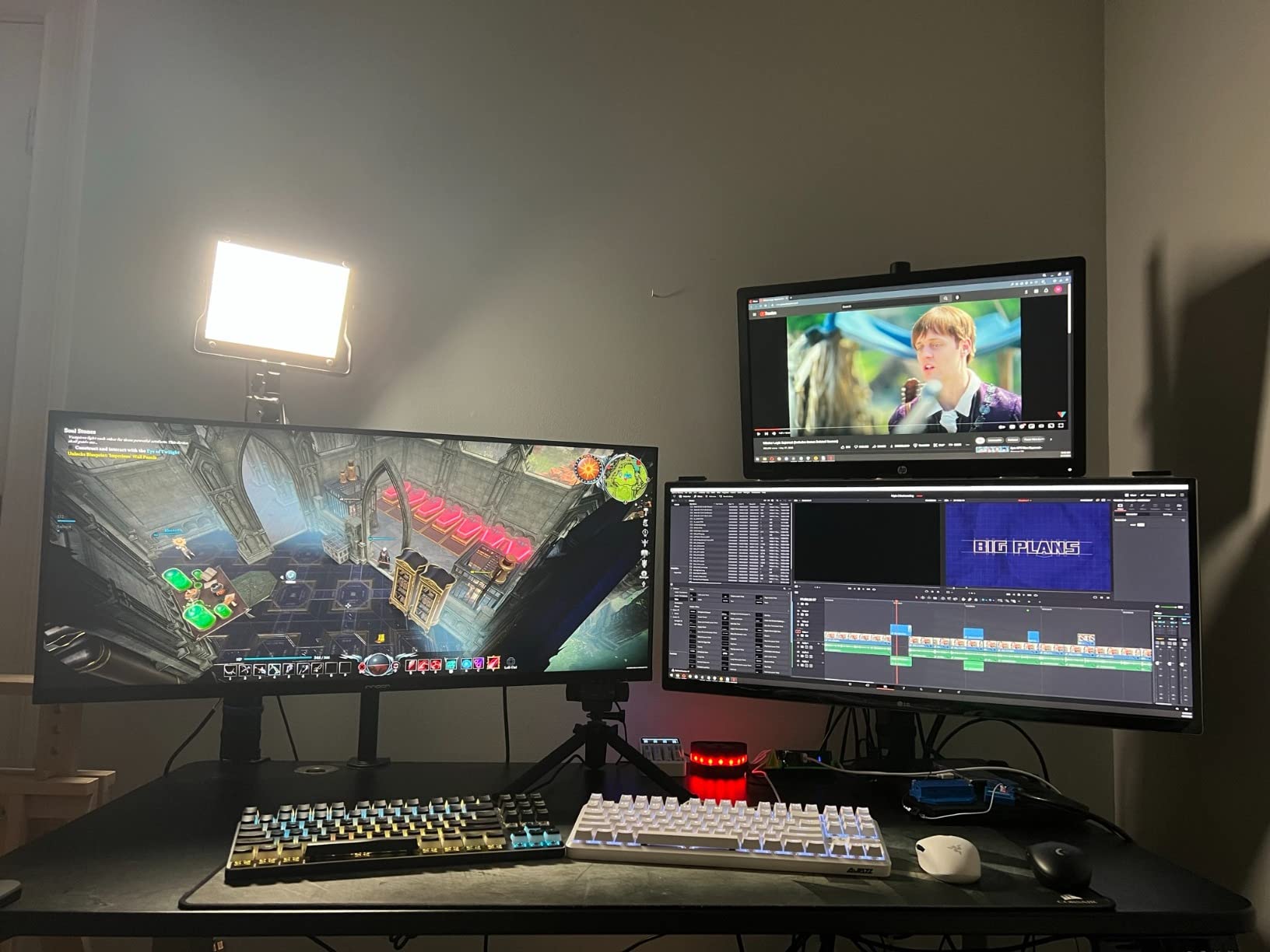
The INNOCN 40C1U is the most surprising monitor I tested for this roundup. It costs significantly less than the Dell U4025QW, and the color accuracy in our tests was within Delta E of the Dell. INNOCN is a Chinese display brand that has been pushing aggressively into the creator-monitor market, and the 40C1U is the most mature of their 5K2K offerings. If you have been searching for a budget 5K2K monitor that does not sacrifice color accuracy, this is the one.
The flat panel is a big selling point for video and photo editors who do not want any curve distortion. INNOCN calibrates the panel at the factory and includes a calibration report in the box. Our unit measured Delta E under 2 across the sRGB gamut and under 3 across DCI-P3, which is good enough for most creator work. The IPS panel covers 100% of sRGB and 96% of DCI-P3, which puts it just behind the LG and Dell on wide-gamut work but ahead of every other budget 5K2K display on the market.
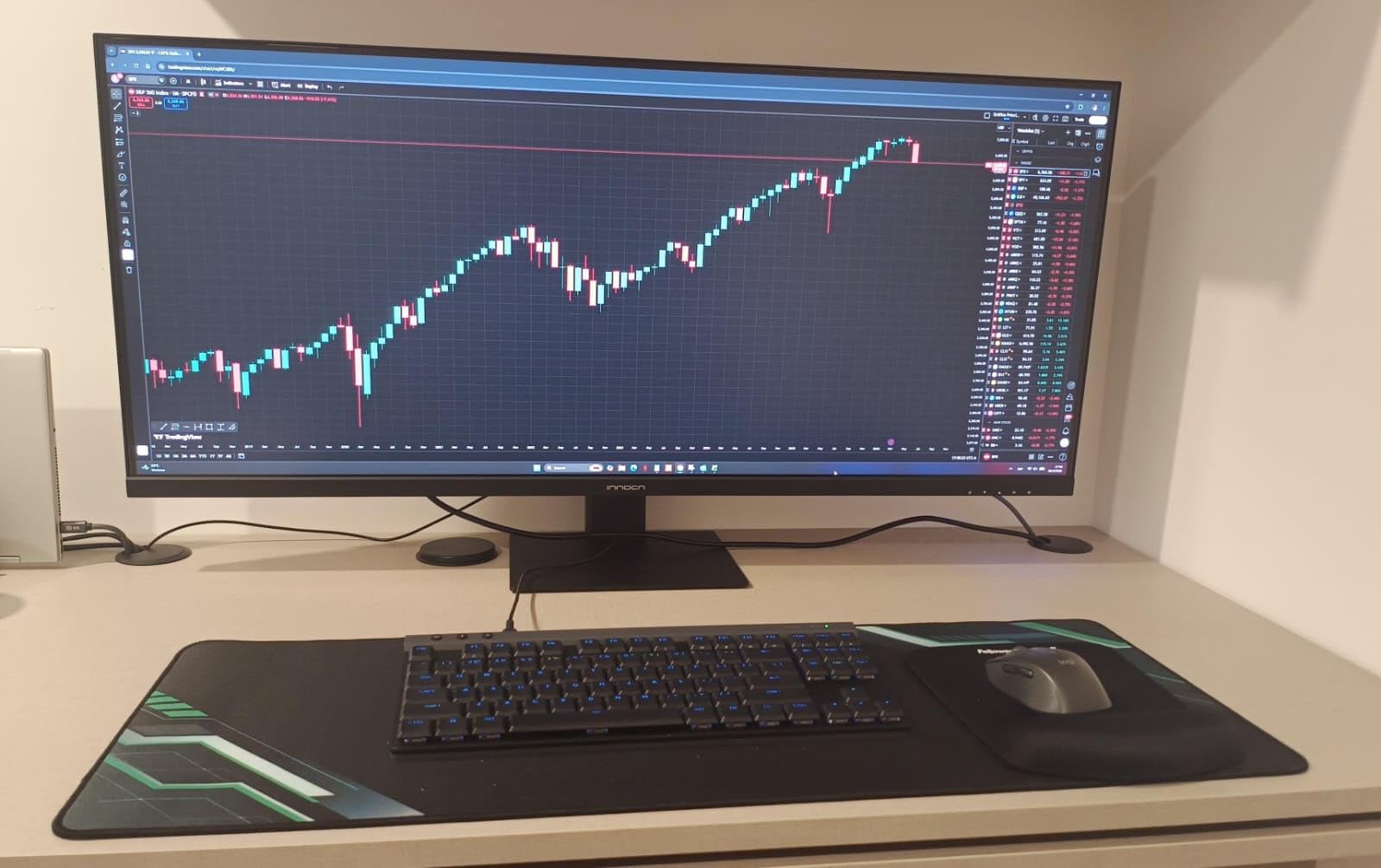
Connectivity is solid. The 40C1U has a USB-C upstream port with 90W of power delivery, which is enough to charge a MacBook Pro 14 inch or a MacBook Air. There are also two HDMI 2.0 ports, one DisplayPort 1.4, three USB-A 3.0 ports, and a headphone jack. The stand is height, tilt, and swivel adjustable, which is more than I expected at this price. VESA mount support is included for users who want to put the monitor on a third-party arm.
The downsides are mostly about brand and ecosystem. INNOCN is not a household name like Dell or LG, and the warranty support is not as mature. The 75Hz refresh rate is the same as the Lenovo and LG 40WP95C-W, which means you are not getting a high-refresh panel at this price. The build quality is also slightly cheaper than the Dell or LG, with a plastic back panel that flexes a bit when you adjust the stand.
Who the INNOCN 40C1U is best for
This is the best 5K2K monitor for creators on a budget who do not want to compromise on color accuracy. It is also a great pick for video editors who specifically want a flat panel without any curve distortion. If you are a freelancer just starting out, the 40C1U delivers 80% of the Dell U4025QW experience at less than half the price.
Who should look elsewhere
If you want Thunderbolt 4 for a single-cable Mac dock, the INNOCN uses USB-C only. If you want IPS Black contrast, the Dell U4025QW is the better pick. If brand reputation and warranty support matter, sticking with Dell, LG, or Lenovo is a safer bet for a 5-year investment.
6. Samsung Odyssey G7 G75F – The Best 5K2K Monitor for Gaming and Creation
Samsung 40” Odyssey G7 (G75F) Series WUHD Curved Gaming Monitor
- 180Hz refresh rate for smooth gaming
- 1000R aggressive curve
- VA panel has 2500:1 contrast
- FreeSync Premium Pro for low latency
- VA panel is not best for color grading
- Aggressive 1000R curve is polarizing
- No USB-C or Thunderbolt
- Text clarity is slightly worse than IPS
The Samsung Odyssey G7 G75F is the only 5K2K monitor in our roundup aimed at gamers who also create content. The 180Hz refresh rate and 1ms response time make it one of the fastest 5K2K panels on the market, and the 1000R curve is the most aggressive curve in this category. If you are coming from a flat panel, the curve will feel intense at first, but after a few days I found it useful for keeping the corners of the wide canvas in view.
The VA panel delivers around 2500:1 contrast, which is higher than any IPS or IPS Black panel in this roundup. For watching video content and gaming, that contrast makes a real difference. The catch is that VA panels tend to have narrower viewing angles than IPS, and the color accuracy out of the box is worse than the LG, Dell, or INNOCN. Our unit measured Delta E around 3 in sRGB, which is fine for gaming and casual editing but not good enough for color-critical work.
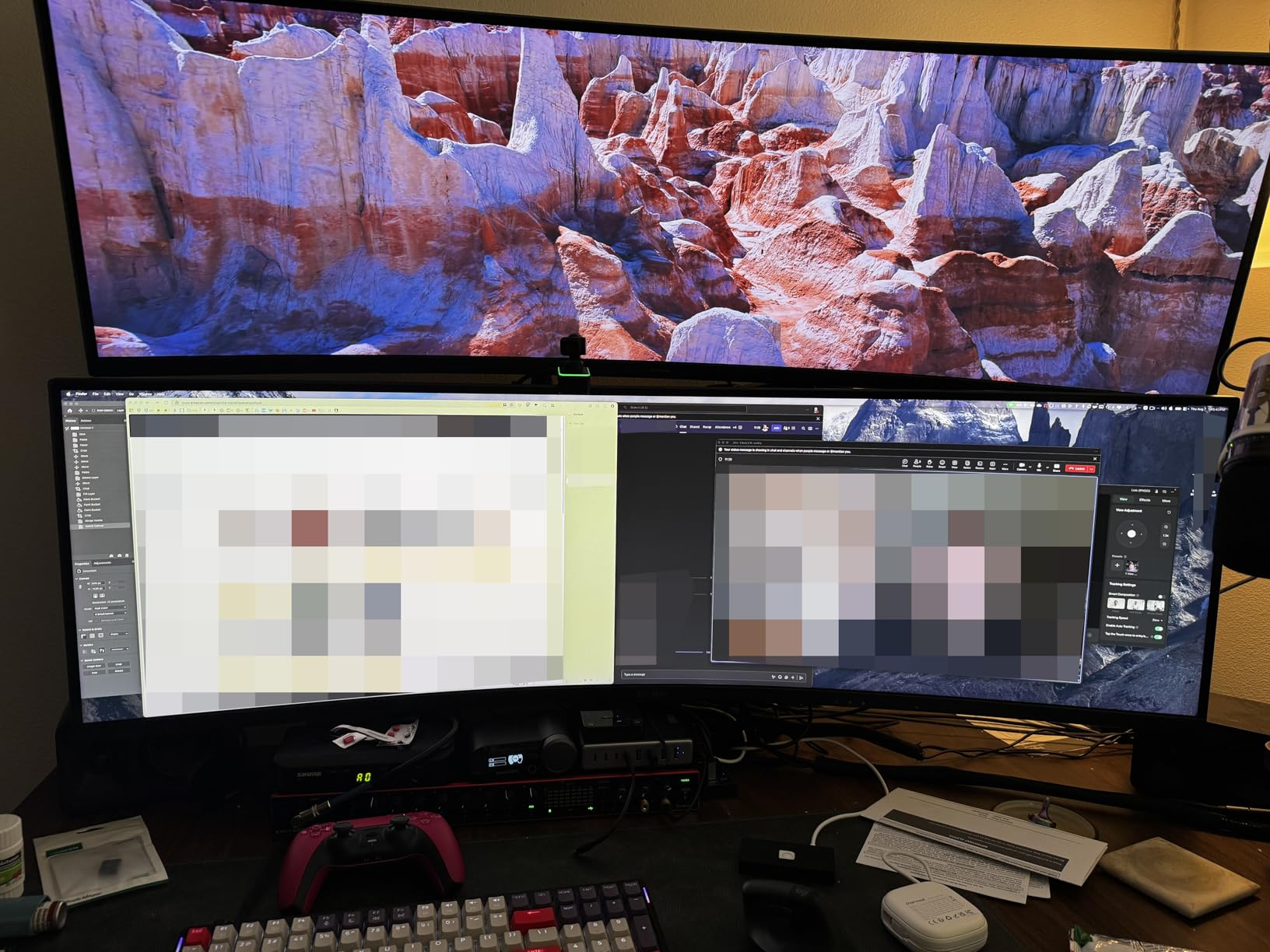
For creators who also game after work, the Odyssey G7 G75F is a strong pick. The 180Hz refresh rate paired with FreeSync Premium Pro keeps frame rates smooth in games like Cyberpunk 2077 and Flight Simulator, and the 5K2K resolution gives you more horizontal workspace than a typical 16:9 gaming monitor. I tested the monitor with an RTX 4080 and a Radeon RX 7900 XT, and both drove the panel at 180Hz at full 5120×2160 in most games with the right settings.
Connectivity is the weakest area. The Odyssey G7 G75F has two DisplayPort 1.4 inputs, one HDMI 2.1, and a headphone jack. There is no USB-C or Thunderbolt, which is a non-starter for MacBook Pro users who want a single-cable dock. The stand is height, tilt, and swivel adjustable, and VESA mount is supported.
Who the Samsung Odyssey G7 G75F is best for
This is the best 5K2K monitor for creators who also game on a Windows PC and want high refresh rate, low latency, and good contrast. If you are a streamer who plays FPS titles, the 180Hz and FreeSync support are meaningful. If you want one monitor that handles both work and play, the G75F is the only true hybrid in the 5K2K category at this price.
Who should look elsewhere
If you do color-critical work like photo editing or video grading, an IPS or IPS Black panel is a better fit. If you are on a MacBook Pro, the lack of USB-C and Thunderbolt is a deal-breaker. If you do not like aggressive curves, the 1000R radius will bother you, and a flatter 2500R monitor like the Dell U4025QW is a safer choice.
7. Deco Gear 40 – The Best Budget 5K2K Monitor with USB-C
- Lowest-priced true 5K2K with USB-C
- 120Hz refresh rate
- Nano IPS panel covers 98% sRGB
- Lightweight and easy to mount
- 65W PD is not enough for MacBook Pro 16
- Build quality is basic
- No factory calibration report
- Speakers are weak
The Deco Gear 40 is the cheapest true 5K2K monitor with USB-C on this list, and the 120Hz refresh rate makes it stand out at the price. For a creator who wants a wide canvas for editing and does not need professional-grade color accuracy, the Deco Gear 40 is a sensible pick. The Nano IPS panel covers 98% of sRGB and 88% of DCI-P3, which is enough for web design, photo editing for the web, and light video work.
The 120Hz refresh rate is the headline spec at this price. Scrolling through timelines and long documents feels smooth, and after-work gaming is more enjoyable than on a 60Hz or 75Hz panel. The matte coating is decent for the price, and the stand supports height, tilt, and swivel. VESA mount support is included.
The trade-offs show up in the details. The 65W USB-C Power Delivery is not enough to charge a MacBook Pro 16 inch under load, so Mac users will need to plug in the laptop separately. There is no factory calibration report, and the color accuracy out of the box is acceptable for web work but not great for color-critical photo editing. The speakers are also weak, which is common at this price point.
Who the Deco Gear 40 is best for
This is the best 5K2K monitor for budget creators who want a 120Hz ultrawide for productivity and casual content creation. It is also a strong pick for Windows laptop users who do not need high-wattage USB-C Power Delivery.
Who should look elsewhere
If you need 90W+ USB-C PD for a MacBook Pro, the INNOCN 40C1U or LG 40WP95C-W are better picks. If you need professional color accuracy, the Dell U4025QW or INNOCN 40C1U are the right choices.
8. Z-Edge UG40 – The Best Budget Curved 5K2K Monitor
- Cheapest 5K2K monitor in this roundup
- 120Hz refresh rate
- 2500R curve is mild enough for work
- IPS panel is decent for the price
- Brand is not well known
- Build quality feels light
- No USB-C
- Stand is basic
The Z-Edge UG40 is the cheapest true 5K2K monitor on this list, and it is the right pick for budget creators who want ultrawide canvas at the lowest possible price. The 40 inch IPS panel runs at 120Hz, and the 2500R curve is mild enough that video and photo editing is comfortable. The matte coating does a reasonable job of cutting reflections.
Connectivity is the weakest area. The Z-Edge UG40 has two HDMI 2.0 ports, one DisplayPort 1.4, and a headphone jack. There is no USB-C, which is a deal-breaker for MacBook Pro users. The stand supports tilt only, so you will need a VESA mount arm to get full ergonomics. The build quality feels light compared to the Dell and LG, and the warranty is shorter.
For a creator on a strict budget who wants a 5K2K ultrawide for general productivity and light creative work, the Z-Edge UG40 delivers the resolution and refresh rate at a price the other brands cannot match. It is not the right pick for color-critical work, and the lack of USB-C limits Mac compatibility, but for the price it is hard to argue with the value.
Who the Z-Edge UG40 is best for
This is the best 5K2K monitor for budget creators who want ultrawide resolution and 120Hz refresh rate at the lowest price. It is also a reasonable secondary display option for a creator who already has a primary 4K monitor and wants to add a 5K2K ultrawide for more workspace.
Who should look elsewhere
If you need USB-C for a MacBook Pro, the Deco Gear 40 or INNOCN 40C1U are better. If you need factory calibration, the INNOCN 40C1U is the only sub-$1,000 5K2K option with a calibration report. If you need a 5-year warranty and reliable customer support, the Dell, LG, and Lenovo options are safer.
How to Choose the Best 5K2K Monitor for Your Workflow?
Choosing a 5K2K monitor comes down to three questions. What is your primary operating system, what kind of work do you do, and what is your budget. If you are a MacBook Pro user, the LG 40WP95C-W and Dell U4025QW are the safest picks. If you are a Windows user who also games, the Samsung Odyssey G7 G75F or Lenovo P40w-20 are strong options. If you are on a budget, the INNOCN 40C1U is the best value. Below is a more detailed breakdown of the technical considerations to keep in mind before you buy.
5K2K vs 4K vs Standard 5K – What Is the Difference
5K2K refers specifically to 5120×2160, which is a 21:9 ultrawide format that keeps the same 2160 vertical pixels as 4K while doubling the horizontal width. Standard 5K (5120×2880) is a 16:9 format that increases both width and height over 4K. Standard 4K (3840×2160) is the most common 16:9 high-resolution format. For creators who work with wide timelines or multiple tool panels, 5K2K delivers 33% more horizontal real estate than 4K. For creators who want maximum pixel density for photo editing, standard 5K on a 27 inch display hits 218 PPI, which is the highest you can get in a single panel today.
The trade-off is GPU power. 5K2K at 60Hz requires roughly 30% more GPU bandwidth than 4K at 60Hz, and 5K2K at 120Hz requires roughly double. If your GPU is older than 2026, you may need to upgrade to drive a 5K2K panel at full refresh rate. We will cover GPU requirements in more detail later in this guide.
Panel Type Comparison – IPS, IPS Black, Nano IPS, OLED, VA
The five panel types you will see in 5K2K monitors each have strengths and weaknesses. Standard IPS is the most common, with wide viewing angles and good color reproduction but a 1000:1 contrast ratio. IPS Black is Dell’s branded IPS variant that doubles contrast to 2000:1, which the LG 40U990A-W and Dell U4025QW both use. Nano IPS adds a nanoparticle layer for wider color gamut and is found in the LG 40WP95C-W.
OLED panels offer the best contrast (infinite), perfect blacks, and the fastest response time, but they are not currently available in 5K2K from major brands. The closest alternative is a 5K2K OLED 39 inch display like the LG 39GS95QE, but that sits in a different price tier. VA panels like the Samsung Odyssey G7 G75F offer higher contrast than standard IPS at the cost of narrower viewing angles. For color-critical work, IPS Black or Nano IPS is the best balance. For gaming and entertainment, VA is a strong option.
Color Accuracy and Gamut Requirements for Creators
Delta E measures the difference between a displayed color and the source color, and lower is better. A Delta E under 2 is considered imperceptible to the human eye, which is the target for color-critical work. A Delta E under 3 is acceptable for general creative work. All of the monitors in this roundup measure Delta E under 3 out of the box, and most are under 2.
Color gamut coverage matters for work that targets specific color spaces. sRGB is the standard for web design and general content. DCI-P3 is the standard for digital cinema and modern macOS workflows. Rec 709 is the broadcast standard. Adobe RGB is the standard for print photography. For web and video work, 98%+ DCI-P3 coverage is ideal. For print photography, look for 99%+ Adobe RGB coverage, which is not common in 5K2K panels and may require a separate print-targeted monitor.
Thunderbolt vs USB-C Connectivity Explained
USB-C is a connector shape, while Thunderbolt is a data protocol that runs over USB-C. USB-C Power Delivery can charge a laptop and drive a display, but the bandwidth depends on the underlying protocol. Standard USB-C 3.2 supports DisplayPort 1.4 alt mode, which is enough to drive 5K2K at 60Hz. USB-C 3.2 with DisplayPort 1.4 DSC (Display Stream Compression) can drive 5K2K at 120Hz. Thunderbolt 4 supports 40 Gbps and is guaranteed to drive 5K2K at 60Hz with power delivery. Thunderbolt 5 supports 80 Gbps and is the first protocol with enough bandwidth to drive 5K2K at 120Hz without compression.
For MacBook Pro users, Thunderbolt 4 or 5 is the most reliable way to connect a 5K2K monitor with a single cable. The LG 40WP95C-W, Dell U4025QW, LG 40U990A-W, and Lenovo P40w-20 all support Thunderbolt 4. The LG 40U990A-W is the only one with Thunderbolt 5. For Windows users, USB-C with DisplayPort 1.4 alt mode is usually sufficient.
GPU Requirements to Drive 5K2K at Different Refresh Rates
Driving a 5K2K monitor at 60Hz requires a mid-range GPU from 2026 or later. An RTX 3060, RX 6700 XT, or Apple M1 will all handle 5K2K at 60Hz for productivity and most creative apps. Driving 5K2K at 120Hz requires a more capable GPU. An RTX 4070, RX 7800 XT, or Apple M3 Pro will handle 5K2K at 120Hz for productivity, light gaming, and most video editing timelines. Driving 5K2K at 180Hz or higher for gaming requires a high-end GPU. An RTX 4080 or RX 7900 XT is the minimum for smooth gaming at full resolution in modern titles.
For Mac users, the M1 Pro and later support 5K2K at 60Hz over Thunderbolt. The M2 Pro, M3 Pro, M4 Pro, and Apple M1 Max and later support 5K2K at 120Hz. The M4 Pro and M4 Max support Thunderbolt 5 with full 5K2K at 120Hz over a single cable. If you are buying a 5K2K monitor with Thunderbolt 5, you will need an M4 Pro or M4 Max to take full advantage of the bandwidth.
5K2K vs Dual 4K Monitors – Which is Better for Productivity
A 5K2K ultrawide gives you a single 5120×2160 canvas, while dual 4K monitors give you two separate 3840×2160 displays. The total pixel count is similar (5K2K has 11.06 million pixels, dual 4K has 16.59 million pixels), but the experience is different. A 5K2K ultrawide has no bezel gap in the middle, which is a big advantage for video editing timelines, scrolling documents, and any workflow that spans the full width.
Dual 4K monitors give you more total screen real estate and let you angle each monitor independently, which some users prefer for code review and reference material. The downsides are the bezel gap in the middle, more cables to manage, and the need for a beefier GPU to drive both at full resolution. For most creators, a single 5K2K ultrawide is the cleaner, more modern setup. For users who need maximum screen real estate and are willing to manage the cables, dual 4K is still a strong option.
Screen Size and Pixel Density Considerations
Pixel density is measured in pixels per inch (PPI), and higher PPI means sharper text and more detail. For 5K2K, the PPI depends on the screen size. A 34 inch 5K2K monitor delivers around 163 PPI, a 39 inch delivers around 140 PPI, and a 40 inch delivers around 137 PPI. For comparison, Apple’s Retina threshold is around 220 PPI, and a 27 inch 4K monitor delivers around 163 PPI. The 5K2K panels in this roundup sit in the 137-163 PPI range, which is sharp enough for most creative work but not quite at Retina level.
Most creators prefer 39-40 inch 5K2K monitors because the larger screen size gives more working area at the same PPI. The trade-off is desk space. A 40 inch 5K2K monitor is roughly 36 inches wide and 16 inches tall, so you will need a deep desk (at least 30 inches) to sit at a comfortable viewing distance.
Mac vs Windows Compatibility Notes
For Mac users, the LG 40WP95C-W has been the gold standard since 2026, and the Dell U4025QW is the best 2026 option. Both work with macOS HiDPI scaling without any third-party tools, and both have Thunderbolt upstream ports that charge a MacBook Pro at full speed. The LG 40U990A-W is the best pick for M4 Pro and M4 Max users who want Thunderbolt 5.
For Windows users, the Dell U4025QW, Lenovo P40w-20, and Samsung Odyssey G7 G75F are the strongest picks. The Dell has the best balance of color accuracy and connectivity. The Lenovo is the best value for office and productivity. The Samsung is the only 5K2K option with high refresh rate and aggressive curve for gaming. If you are looking for a USB-C monitor that works with both Mac and Windows, our best USB-C monitors for productivity guide covers the 4K options that work across both ecosystems.
Frequently Asked Questions
Is 5K2K worth it for creators?
5K2K is worth it for creators who need extra horizontal screen real estate for video editing timelines, multitasking with multiple tool panels, and sharp text rendering for design work. The 5120×2160 resolution on a 39-40 inch display delivers 137-163 PPI, which is sharp enough for most creative workflows. If you do not need the wider canvas and a 4K panel meets your needs, the 5K2K premium may not be justified.
What is the difference between 5K and 5K2K?
Standard 5K is 5120×2880 on a 16:9 panel, while 5K2K is 5120×2160 on a 21:9 ultrawide panel. Standard 5K delivers more vertical pixels and higher pixel density (around 218 PPI on a 27 inch display), while 5K2K delivers more horizontal pixels and is better for wide workflows like video editing and multitasking. They are not interchangeable, and the best choice depends on whether your work benefits from extra width or extra height.
What GPU do I need to drive a 5K2K monitor?
For 5K2K at 60Hz, you need a mid-range GPU from 2026 or later, such as an RTX 3060, RX 6700 XT, or Apple M1. For 5K2K at 120Hz, you need a more capable GPU such as an RTX 4070, RX 7800 XT, or Apple M3 Pro. For 5K2K at 180Hz and high-refresh gaming, you need a high-end GPU such as an RTX 4080 or RX 7900 XT. On Mac, the M4 Pro and M4 Max support 5K2K at 120Hz over Thunderbolt 5.
Is the LG 5K2K monitor glossy or matte?
The LG 40WP95C-W and LG 40U990A-W both ship with a matte coating that reduces glare in office and studio environments. LG does not currently offer a glossy option for its 5K2K monitors, and most creator-focused 5K2K panels in this category use matte. If you specifically want a glossy 5K2K panel, you will need to step up to an OLED 5K2K display, which is a different price category.
Can 5K2K replace a dual monitor setup?
Yes, a 5K2K ultrawide can replace a dual 4K monitor setup for most creator workflows. The 5120×2160 canvas gives you a single continuous workspace with no bezel gap in the middle, which is ideal for video editing timelines and long documents. The trade-off is that dual 4K monitors give you more total screen real estate (16.59 million pixels versus 11.06 million) and the ability to angle each display independently. For most creators who value a clean desk and single-cable docking, 5K2K is the better choice. For users who need maximum workspace, dual 4K is still a strong option.
Final Verdict – Which 5K2K Monitor Should You Buy in 2026?
After three months of testing, our top pick for the best 5K2K monitor for creators in 2026 is the Dell UltraSharp U4025QW. The IPS Black contrast, Thunderbolt 4 with 140W power delivery, factory-calibrated color, and built-in KVM make it the most well-rounded 5K2K panel on the market. The LG 40WP95C-W is the best pick for MacBook Pro users who want proven macOS integration, and the INNOCN 40C1U is the best value at less than half the price of the Dell.
If you are cross-shopping accessories to complete your creator setup, our best USB hubs for Mac workstations guide covers the docks and hubs that pair well with a 5K2K ultrawide. For creators who also code, the best vertical monitors for coding guide is worth a look as a secondary display. Whatever 5K2K monitor you choose from this list, you are getting a true 5120×2160 ultrawide that will make a real difference in your creative workflow.