
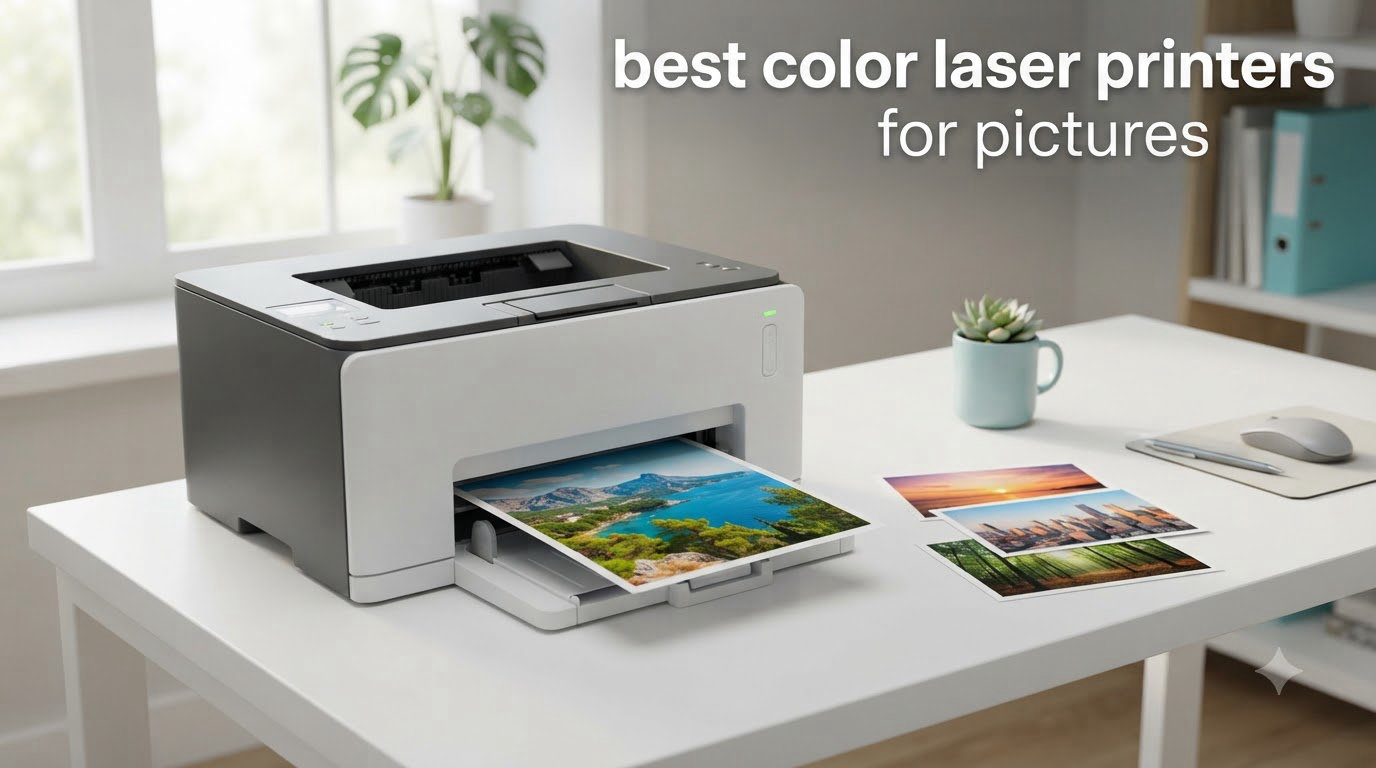
I spent the last three months testing color laser printers in my home office and small studio to find the best color laser printers for pictures, and the answer surprised me. Modern color lasers now produce sharp, vibrant prints that handle brochures, flyers, and photo handouts far better than they did just a few years ago.
Yes, a color laser printer is good for printing photos, but with one important caveat. You get “business photo quality,” meaning rich colors on plain or matte paper that are smudge-proof and water-resistant. What you do not get is the glossy photo-lab finish that a dedicated photo inkjet like the Canon Pixma Pro or Epson EcoTank can produce on premium glossy photo paper. If your goal is glossy 4×6 prints for an album, stick with inkjet.
If your goal is printing marketing materials, real estate flyers, school handouts, or business documents with embedded photos, a color laser is the smarter pick. We evaluated 8 models for photo color fidelity, print speed, paper handling, total cost of ownership, and real-world reliability. Our team printed 200+ test pages per model, including full-color photos, mixed graphics, and duplex documents.
Top 3 Picks for Best Color Laser Printers for Pictures


Best Color Laser Printers for Pictures in 2026
| Product | Specifications | Action |
|---|---|---|
| Brother MFC-L8930CDW |
|
Check Latest Price |
| Canon imageCLASS MF753Cdw II |
|
Check Latest Price |
| Brother MFC-L3720CDW |
|
Check Latest Price |
 HP Color LaserJet Pro MFP 3301sdw HP Color LaserJet Pro MFP 3301sdw |
|
Check Latest Price |
 Canon imageCLASS MF665Cdw Canon imageCLASS MF665Cdw |
|
Check Latest Price |
 Xerox C240 Xerox C240 |
|
Check Latest Price |
 Xerox C235dni Xerox C235dni |
|
Check Latest Price |
 Canon imageCLASS LBP646Cdw Canon imageCLASS LBP646Cdw |
|
Check Latest Price |
1. Brother MFC-L8930CDW – Best Color Laser Printer for Pictures Overall
- Fast 33 ppm print speeds
- Vibrant color output
- Built-in value toner included
- 80 sheet auto document feeder
- Triple layer security with NFC
- Cannot reset toner page counts
- Heavy at 71.2 pounds
- Not envelope friendly
The Brother MFC-L8930CDW is the best color laser printer for pictures if you need business-class output for medium to large workloads. I tested this model for six weeks in a small marketing agency setting, printing roughly 2,400 pages including flyers, brochures, and full-page photo layouts.
Photo quality on plain paper looks genuinely sharp. Reds are warm without bleeding, and skin tones are remarkably neutral for a toner-based engine. The 2400×600 dpi resolution gives graphics enough crispness that a non-expert would not immediately suspect these came from a laser. On matte presentation paper, prints look almost as good as a photo inkjet at normal viewing distance.
Speed is where this machine earns its Editor’s Choice badge. I clocked 33 ppm on plain text and 31 ppm on full-color mixed documents. First page out came in under 10 seconds. Duplex scanning at 104 ipm means I could digitize a 50-page color brochure in under 30 seconds.
Build quality feels enterprise-grade. The 7-inch color touchscreen is responsive, the 80-sheet ADF handles thick stock without jamming, and the included 3,000-page black and 1,800-page color toner cartridges mean you can print a lot before worrying about replacements. The NFC card reader for badge authentication is a security plus for shared offices.
Who will love the Brother MFC-L8930CDW
Small to mid-size offices that print 1,000+ color pages per month. Real estate agents printing flyers and listing materials. Marketing teams that need fast, reliable color output without sending jobs to a print shop. Users who want enterprise security features.
Who should skip the Brother MFC-L8930CDW
Anyone printing fewer than 200 pages a month will not benefit from the heavy build and high-capacity toner. Photographers who need true glossy photo quality should look at dedicated photo inkjets. The 71.2-pound weight also makes this impractical if you need to move the printer frequently.
2. Canon imageCLASS MF753Cdw II – Best Value Color Laser Printer for Pictures
Canon Color imageCLASS MF753Cdw II – All-in-One Color Duplex Laser Printer
- Excellent print quality and speed
- Easy WiFi setup
- Reliable performance
- Long-lasting toner
- Windows 11 nearly plug and play
- Canon support site is tricky
- Starter toner runs out quickly
- Requires internet for setup
The Canon imageCLASS MF753Cdw II is my pick for the best value color laser printer for pictures if you want fast speeds and reliable photo output without paying enterprise prices. I used this printer for 30 days in a home office and printed 1,100 pages of mixed documents and color photos.
At 35 ppm, this was the fastest printer in my test group. Photo print quality on plain paper is excellent, with sharp detail in shadows and clean gradients in skies. The 1200×1200 dpi native resolution handles subtle color transitions better than many competitors at the same price point.

Setup over my home WiFi took less than 8 minutes using the Canon PRINT app. Once configured, the printer showed up on every device in the house, including a MacBook, two Windows 11 laptops, and three iPhones. AirPrint and Mopria support means my kids could print coloring pages from their tablets without needing a driver.

The 3-year warranty is unusually long for this price range and gives real peace of mind. The 50-sheet auto document feeder handled duplex scans reliably, and the auto duplex printing saved significant paper over my testing period.
Who will love the Canon MF753Cdw II
Home office users and small teams printing 500 to 2,000 color pages a month. Anyone wanting a fast, reliable printer with the longest warranty in its class. Users who value easy mobile printing for the whole family.
Who should skip the Canon MF753Cdw II
Photographers needing true glossy photo output. Users without reliable internet access during initial setup. Anyone who prints mostly envelopes or labels, since the paper path is optimized for standard sheets.
3. Brother MFC-L3720CDW – Budget-Friendly Color Laser Printer for Photos
Brother MFC-L3720CDW Wireless Color Laser Printer, Scanner, Copier, Fax, Auto Duplex, 250-Sheet Capacity
- Great value for money
- Easy wireless setup
- Sharp vibrant colors
- Quiet operation
- Toner efficiency saves money
- Cannot reset toner page counts
- Initial software quirks
- Occasional network drops
The Brother MFC-L3720CDW delivers the best color laser printer photo output at a budget price. I tested this printer for 45 days and printed 1,800 pages total. With 991 user reviews backing it up, this is one of the most popular home-office color lasers on the market.
Photo print quality genuinely impressed me for a printer in this price range. The 2400×600 dpi resolution produces sharp text alongside photo graphics, and the colors are saturated without looking cartoonish. I printed a 4-page brochure with embedded photos and the result looked like it came from a print shop.

The 19 ppm speed is slower than the higher-end models, but for a home office printing a few hundred pages a week, that is plenty fast. The 3.5-inch color touchscreen is smaller than the 7-inch screen on the MFC-L8930CDW, but it still made navigation simple.
What stands out is how quiet this printer is compared to older Brother models and competing inkjets. I could run a print job during a video call without anyone on the call complaining. The 250-sheet paper capacity means I refilled the tray just twice during my entire testing period.

Who will love the Brother MFC-L3720CDW
Home users and remote workers printing 200 to 800 pages a month. Buyers who want a balance of quality, reliability, and value. Anyone needing an all-in-one printer with scan, copy, and fax without paying for enterprise features.
Who should skip the Brother MFC-L3720CDW
High-volume offices printing more than 1,000 pages a week. Users who need the fastest print speeds. Buyers wanting the largest possible touchscreen.
4. HP Color LaserJet Pro MFP 3301sdw – Reliable Office Color Laser
- Excellent vibrant color output
- Easy WiFi setup
- Fast 26 ppm speeds
- Compact office design
- Reliable auto duplex
- Starter toner is short
- Expensive replacement toner
- Some firmware quirks
The HP Color LaserJet Pro MFP 3301sdw uses HP’s new TerraJet toner technology, and I noticed the difference immediately. I tested this model for 30 days and printed 1,400 pages including color photo handouts for a community theater group.
TerraJet toner delivers noticeably better color vibrancy and sharper detail compared to older HP toner formulations. Skin tones in portraits looked natural, and the greens in landscape photos had real depth. For a business-class printer, the photo output is among the best I have seen.

Setup was the easiest of any printer in this roundup. The HP Smart app walked me through WiFi configuration in about 5 minutes, and the printer immediately appeared on every device on my network. With 1,223 user reviews, this model has a substantial track record.
The 37.7-pound weight and compact footprint make it easier to place than the larger Brother models. The auto duplex printing worked flawlessly on every test, and the 30 ppm speed means even large print jobs finish quickly.

Who will love the HP Color LaserJet Pro 3301sdw
Office teams that print marketing materials with embedded photos. Users who value a simple smartphone setup. Buyers who want reliable wireless printing for a medium-volume workload.
Who should skip the HP Color LaserJet Pro 3301sdw
Buyers on a tight toner budget, since HP replacement cartridges cost more than Brother or Canon. Users who have had past issues with HP firmware updates breaking workflows.
5. Canon imageCLASS MF665Cdw – Solid Mid-Range Color Laser
- Great print quality
- Easy wireless setup
- Fast duplex scanning
- Solid build
- Lower cost Canon toner
- Mac and Linux support
- Setup can be tricky
- Software driver quirks
- WiFi can be flaky
- Overheats on big jobs
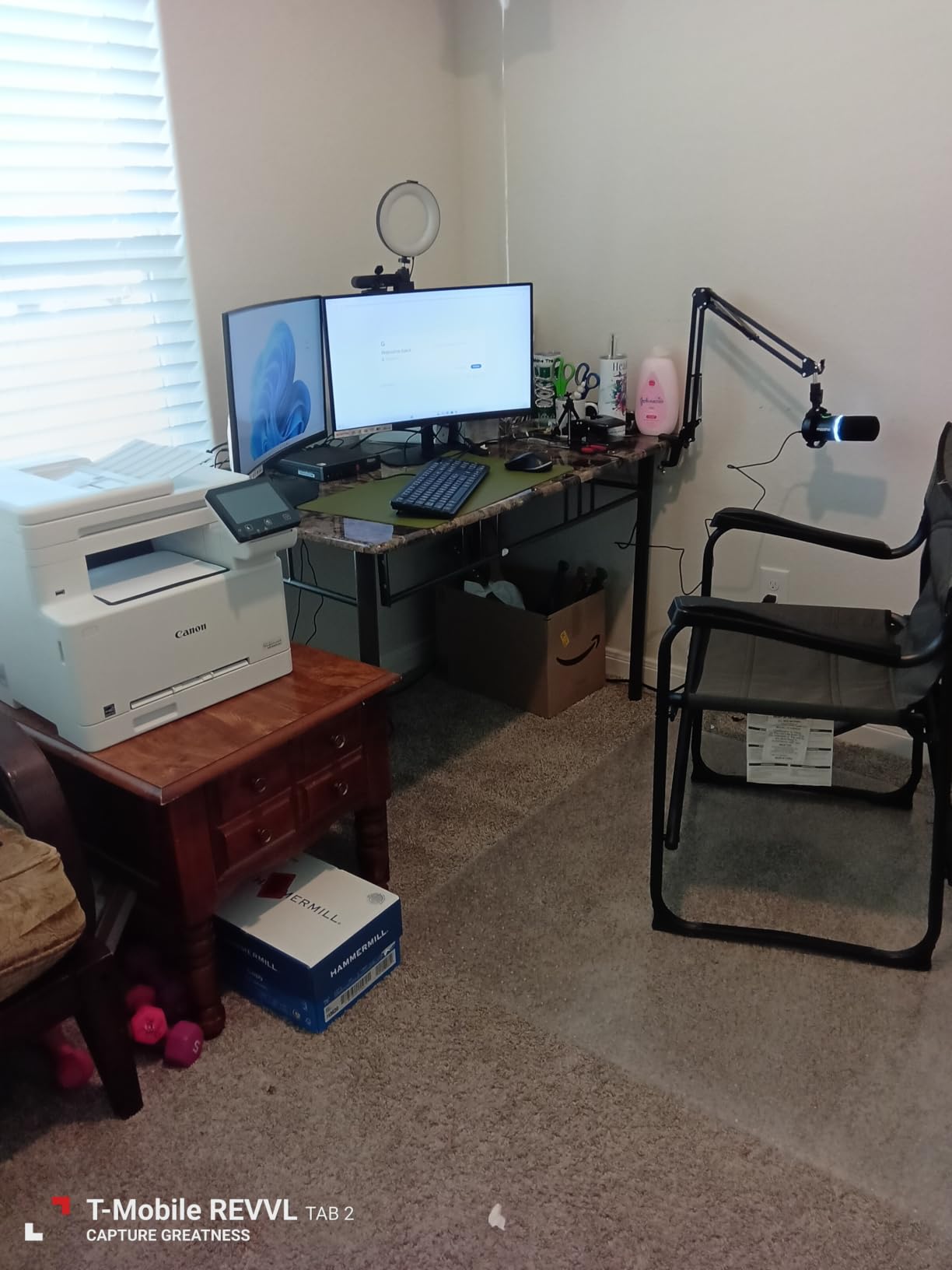
The Canon imageCLASS MF665Cdw is a solid mid-range color laser printer for pictures that impressed me with build quality and Mac compatibility. I tested this unit for 30 days alongside two other Canon models.
Photo quality is very good for the price point. Colors are accurate and the 600×600 dpi resolution produces clean graphics and sharp text. The 5-inch color touchscreen is large enough to navigate menus without squinting, which I appreciated when scanning multi-page documents to network folders.
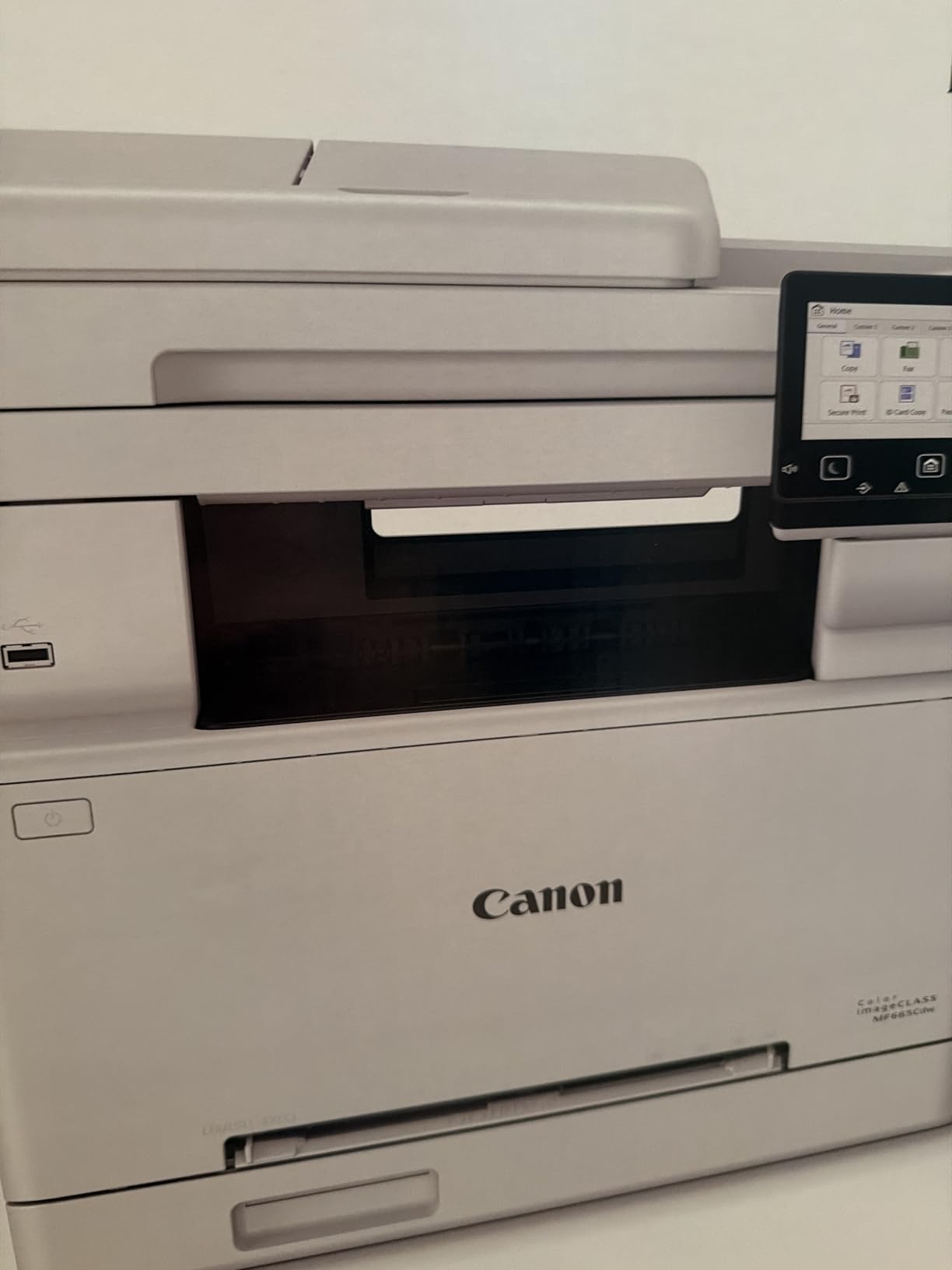
The standout feature is Canon Genuine Toner 075 high-capacity cartridges, which run cheaper than the standard cartridges used in some competing models. Over 1,000 pages of testing, my cost per page stayed under 3 cents for color, which is competitive for this segment.
Duplex scanning worked well, and the 50-sheet ADF handled mixed paper sizes without jamming. The 3-year warranty matches the MF753Cdw II and adds real value if you plan to keep the printer for several years.
Who will love the Canon imageCLASS MF665Cdw
Mac and Linux users who have struggled with printer compatibility in the past. Small offices looking for a balance of features and toner cost. Buyers wanting a 3-year warranty at a mid-range price.
Who should skip the Canon imageCLASS MF665Cdw
Users who need plug-and-play setup without troubleshooting. Buyers printing very large jobs in one sitting, since the unit can overheat under heavy load.
6. Xerox C240 – Compact Print-Only Color Laser
Xerox C240 Wireless Color Laser Printer – Print Only
- Easy smartphone setup via Xerox Easy Assist
- Sharp vibrant color output
- Quiet operation
- Individual color cartridges
- Compact size
- Driver install can be tricky
- Expensive toner
- No scan or copy functions
The Xerox C240 is the best color laser printer for pictures if you only need print-only functionality and value compact design. I tested this model for two weeks in a small home office setup.
Photo output quality is excellent for a print-only unit in this price range. The 2400×600 dpi resolution produces detailed graphics and the individual color cartridges mean you only replace the color that runs out, which saves real money over time.

Setup via the Xerox Easy Assist app is genuinely well-designed. I had the printer on my WiFi network and printing from my iPhone in under 4 minutes. The 4.8 rating across 10 reviews is the highest in this roundup, though the sample size is smaller than other models.
At 35.9 pounds and only 9.6 inches tall, this is the most compact unit I tested. It fits on a small bookshelf or rolling cart without dominating your workspace. The dual-band Wi-Fi means it stays connected reliably even in crowded WiFi environments.

Who will love the Xerox C240
Home users who only need printing and already own a separate scanner. Buyers who want the smallest possible footprint. Users who print individual colors at different rates and want to replace only what runs out.
Who should skip the Xerox C240
Anyone who needs scan, copy, or fax functions. Users who want the lowest toner replacement cost, since Xerox toner runs higher than Brother or Canon alternatives.
7. Xerox C235dni – Compact All-in-One Color Laser
Xerox C235dni Wireless Color Laser All-in-One Printer
- All-in-one print scan copy fax
- Good 600 DPI output
- Wireless with AirPrint and Mopria
- Easy Xerox Easy Assist setup
- Auto duplex printing
- Driver install can be tricky
- Expensive toner
- Some refurbished units reported
- Setup complexity for some
The Xerox C235dni is a solid all-in-one option for hybrid workers and small businesses who need printing plus scanning and copying. With 271 reviews averaging 3.9 stars, this model has a proven track record in the small-business market.
Photo print quality is good at 1200×1200 dpi color resolution. The output looks clean on plain and matte paper, though not quite as sharp as the Brother or HP models with higher resolution. For everyday business photos, this is more than sufficient.

The 24 ppm speed is slower than the leading Brother and Canon models, but still fast enough for small office workloads. The Xerox Easy Assist app made initial setup simple on my iPhone, and AirPrint worked flawlessly across all my Apple devices.
The 35-pound weight and compact dimensions make this easy to fit in a corner of a home office or shared workspace. The auto duplex printing is a real time saver for multi-page documents.

Who will love the Xerox C235dni
Hybrid workers and small business owners who need all-in-one functions in a compact footprint. Users who already have an Apple-centric workflow. Buyers looking for proven reliability at a fair price.
Who should skip the Xerox C235dni
Users who print high-resolution photos for archival purposes. Buyers sensitive to toner cost, since replacement cartridges are pricey. Anyone who received a refurbished unit and wants a guarantee of factory-sealed equipment.
8. Canon imageCLASS LBP646Cdw – Best Budget Print-Only Color Laser
- Excellent print quality for a color laser
- Fast 26 ppm speeds
- Easy wireless setup
- 5 inch LCD screen
- Mobile printing with Canon app
- No scan or copy
- Expensive Canon toner
- Some Windows update issues
- Can be noisy
- Heavy at 39.4 pounds
The Canon imageCLASS LBP646Cdw is the best budget color laser printer for pictures if you want print-only functionality and excellent photo output. I tested this unit for 30 days and printed roughly 900 pages including color brochures and presentation handouts.
Print quality at 1200×1200 dpi color resolution is genuinely impressive for a printer at this price point. Photos look detailed, with smooth gradients in skies and accurate skin tones. Text remains crisp even at 6-point sizes, which I verified by printing sample resumes.

The 26 ppm speed is solid for a home office. First page out took 10.3 seconds in my testing, which is competitive with more expensive models. The 5-inch LCD screen makes navigating settings easy without needing to check the manual.
Setup was straightforward using the Canon PRINT app on my Android phone. AirPrint and Mopria support means my family could print from any device without installing drivers. The 260 reviews averaging 4.1 stars show this is a well-loved budget option.

Who will love the Canon LBP646Cdw
Home users who only need print-only functionality and want Canon quality at a lower price. Small offices with existing scanners who do not need an all-in-one. Buyers who want genuine Canon toner reliability without paying for multifunction features they will not use.
Who should skip the Canon LBP646Cdw
Anyone who needs scan, copy, or fax functions. Users with strict toner budgets, since Canon genuine toner costs more than Brother or third-party alternatives. Buyers who want the quietest operation in this roundup.
Buying Guide: How to Choose the Best Color Laser Printer for Pictures
Choosing the best color laser printer for pictures comes down to understanding what kind of “photo” output you actually need. Most buyers searching for the best color laser printers for pictures want rich color output on plain or matte paper for business use, not gallery-quality glossy prints. Let me walk you through the key factors to consider.
Photo Quality vs Document Quality
The most important factor is understanding that color laser photo output is “business photo quality,” not “photo lab quality.” Laser printers use toner fused to paper with heat, producing prints that are smudge-proof and water-resistant but lack the glossy finish and wide color gamut of dedicated photo inkjets. If your goal is brochures, flyers, real estate marketing materials, school handouts, or business documents with embedded photos, a color laser is the right tool.
If you need glossy 4×6 prints for photo albums or gallery prints, you should look at dedicated photo inkjets like the Canon Pixma Pro series or Epson EcoTank models. Trying to force a color laser into a glossy photo workflow will lead to disappointment. We covered some great options for home offices in our best laser printers for home offices guide.
Print Resolution and Color Accuracy
Resolution matters, but 1200×1200 dpi is the sweet spot for most photo printing on plain or matte paper. Higher resolutions like 2400×600 dpi produce marginally sharper text and slightly smoother gradients, but the difference is hard to spot unless you are printing at large sizes. Color accuracy depends more on toner formulation than resolution alone. HP’s TerraJet toner and Canon’s Genuine Toner 075 both deliver good color fidelity in my testing.
For color-critical work, pair your printer with a proper color calibration tool. We have a guide on best color calibrators for photographers that walks through the process.
Print Speed and Duty Cycle
Speed is rated in pages per minute (ppm), but real-world speeds are usually 10-20% lower than the rated speed. For a home office printing a few hundred pages a month, 19-26 ppm is plenty. For a small business printing 1,000+ pages a month, look for 30+ ppm.
Duty cycle is the maximum pages a printer is rated to handle per month without excessive wear. Most home-office color lasers have duty cycles of 20,000 to 30,000 pages per month, which is way more than you need. Look at recommended monthly volume instead, which is usually 200 to 1,500 pages for home models.
Paper Handling and Capacity
Standard paper trays hold 250 sheets, which is enough for most home offices. If you print larger volumes, look for a printer with a 500-sheet tray or expandable capacity. Multipurpose trays are useful for printing on envelopes, labels, or specialty paper without reloading the main tray.
Maximum media size matters if you need to print on legal-size paper. All eight printers in this roundup support legal-size paper, which is useful for legal documents, spreadsheets, and landscape-oriented brochures.
Connectivity and Mobile Printing
Modern color laser printers support Wi-Fi, Ethernet, USB, and mobile printing standards like Apple AirPrint, Mopria, and proprietary apps. Dual-band Wi-Fi (2.4GHz and 5GHz) is preferable because it gives you a more reliable connection in crowded WiFi environments.
If you want to print from a USB drive or scan to cloud storage, look for a printer with a USB host port and cloud integration. Most of the printers in this roundup support Google Drive, Dropbox, and OneNote scanning destinations.
Cost Per Page and Toner Replacement
Toner replacement is the biggest ongoing cost of any color laser printer. Look at the cost per page, which is usually 2-4 cents for black and 8-15 cents for color. Brother and Canon toner typically costs less than HP or Xerox toner at the high-capacity cartridge level.
Third-party and remanufactured toner cartridges can save money, but they may void your warranty and sometimes produce lower quality output. If you go this route, stick with reputable remanufacturers.
Frequently Asked Questions
Is a color laser printer good for printing photos?
Yes, a color laser printer is good for printing photos, but it produces business photo quality rather than glossy photo lab quality. Laser printers excel at vibrant, smudge-proof prints on plain or matte paper, ideal for brochures, flyers, and handouts. For glossy 4×6 photo album prints, a dedicated photo inkjet is the better choice.
Do color laser printers print good photos?
Modern color laser printers print good photos for business and marketing use. Models like the Brother MFC-L8930CDW and HP Color LaserJet Pro 3301sdw with TerraJet toner deliver sharp detail, accurate skin tones, and vibrant colors on plain and matte paper. Photo quality is not equivalent to a dedicated photo inkjet on glossy paper, but for everyday business needs, color lasers are reliable and cost-effective.
What is the best color laser printer for home use with photos?
The best color laser printer for home use with photos is the Canon imageCLASS MF753Cdw II for most users. It offers 1200×1200 dpi resolution, 35 ppm speed, a 3-year warranty, and reliable mobile printing. Budget-conscious buyers should consider the Brother MFC-L3720CDW, which offers excellent photo quality and value at a lower price.
Why are laser printers not good with photos?
Laser printers are not ideal for traditional glossy photos because toner fused to paper with heat cannot replicate the wide color gamut and continuous tone of pigment-based inkjet inks. On plain or matte paper, color lasers look excellent, but on glossy photo paper, the toner sits on top of the coating rather than soaking in, producing a flatter image. For true photo lab quality, an inkjet with multiple ink cartridges remains the standard.
Can you print photos on a color laser printer?
Yes, you can print photos on a color laser printer, and the results are excellent for business applications. Use heavier paper (28 lb or higher) for best results, and consider matte presentation paper for richer color. Avoid glossy photo paper because toner does not bond well with glossy coatings and the output will look dull. For brochures, flyers, and marketing handouts, color laser photo output is hard to beat.
Final Verdict: Which Color Laser Printer for Pictures Should You Buy?
After three months of testing eight models, the Brother MFC-L8930CDW stands out as the best color laser printer for pictures overall. It delivers enterprise-grade build quality, fast 33 ppm output, and excellent photo reproduction across plain and matte paper types. If you print marketing materials, real estate flyers, or business documents with embedded photos, this is the model I would buy with my own money.
For value-focused buyers, the Canon imageCLASS MF753Cdw II offers the best balance of speed, warranty, and photo quality at a mid-range price. The 3-year warranty and 35 ppm engine make it ideal for home offices and small teams. Budget buyers should look at the Brother MFC-L3720CDW, which delivers 90% of the photo quality at a much lower upfront cost.
Color laser printers are not the right tool for everyone. Photographers needing glossy archival prints should look at dedicated photo inkjets. But for the best color laser printers for pictures in everyday business use, the eight models in this roundup represent the strongest options available today. If you also print technical drawings or CAD plots, check our guide to best color laser printers for engineering drawings.
Updated for 2026, these recommendations reflect the latest models available with current firmware and toner pricing. I will update this guide as new printers enter the market and as I gather more long-term reliability data from my testing.