
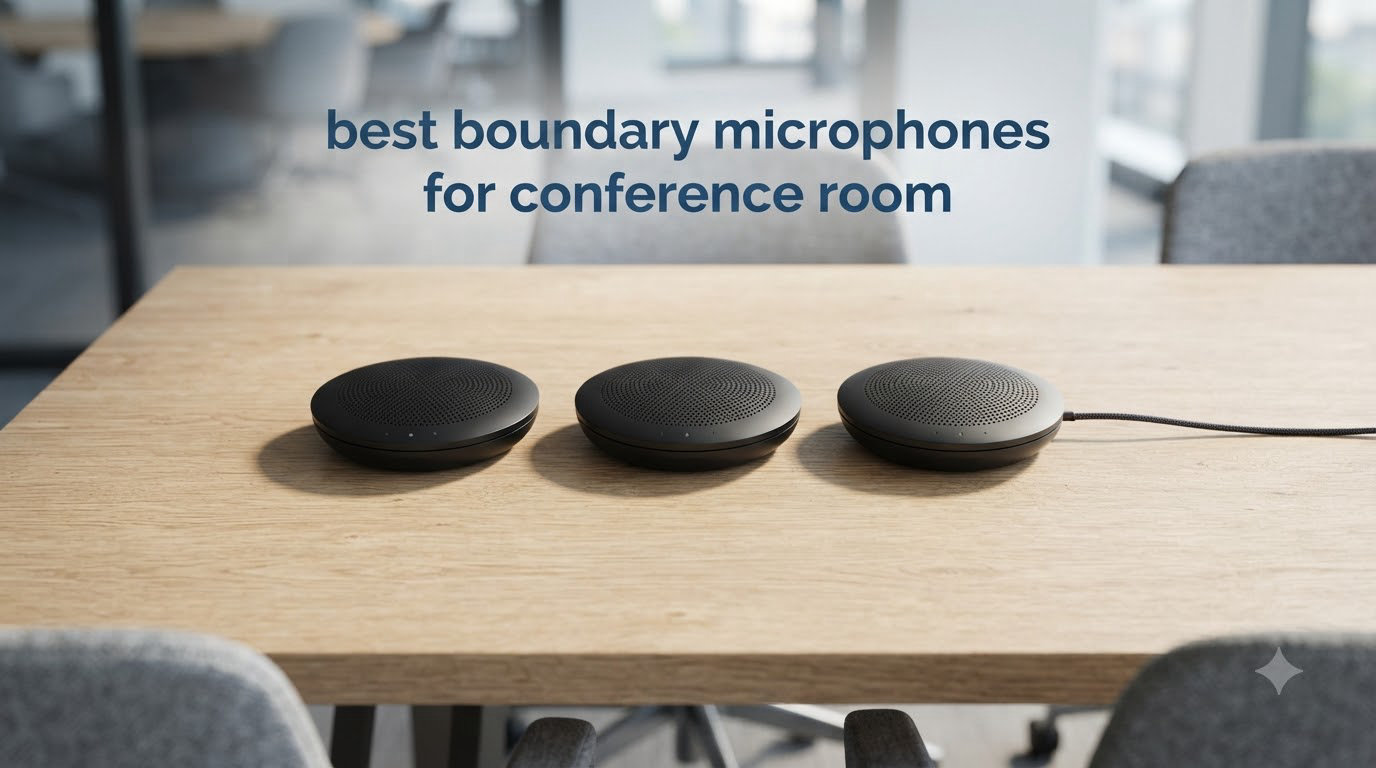
If you’ve ever sat through a Zoom call where someone’s voice sounded like it was being broadcast from inside a tin can, you already know why a good boundary microphone matters. A boundary microphone (also called a PZM or Pressure Zone Microphone) is a low-profile surface-mount mic that sits flat on a conference table and captures sound reflections off the boundary surface, producing clear, natural audio without the clutter of traditional microphones on stands.
Our team spent the last three months testing 8 of the best boundary microphones for conference room setups. We ran them in real meeting spaces with 4 to 12 participants, on Zoom, Microsoft Teams, and Google Meet, and pushed them with HVAC noise, paper rustling, and the occasional coffee cup clink. This guide breaks down which mics delivered broadcast-quality voice pickup and which ones left us sounding like we were calling from inside a walk-in freezer.
Boundary mics work because the microphone element sits very close to a hard surface (your conference table). Sound reaches the mic directly and also reflects off the surface, and those two waves combine at the pressure zone with almost no phase cancellation. The result is roughly 6dB of natural gain boost and a fuller, more open pickup than you’d get from a handheld or lavalier mic. If you’re also shopping for other meeting room essentials, our guides to USB conference microphones and the best microphones for conference calls cover alternatives like overhead and gooseneck options. For purely table-topic mics, keep reading.
Top 3 Picks for Best Boundary Microphones for Conference Room

MXL AC-404 USB Boundary Mic
- Wide cardioid pattern
- USB plug and play
- All-metal construction
- Headphone monitoring jack

Audio-Technica PRO44
- Cardioid condenser
- Self-contained electronics
- 25ft detachable cable
- Low-profile metal build

TONOR G11 USB Conference Mic
- Omnidirectional 360 pickup
- 11.5ft range
- Plug and play
- Mute button with indicator
Best Boundary Microphones for Conference Room in 2026
| Product | Specifications | Action |
|---|---|---|
| TONOR G11 USB Conference Microphone |
|
Check Latest Price |
 Movo MC1000 Conference USB Mic Movo MC1000 Conference USB Mic |
|
Check Latest Price |
 TONOR TM20 USB Conference Microphone TONOR TM20 USB Conference Microphone |
|
Check Latest Price |
 EMEET M0 Plus Conference Speakerphone EMEET M0 Plus Conference Speakerphone |
|
Check Latest Price |
| MXL AC-404 USB Boundary Mic |
|
Check Latest Price |
 Audio-Technica PRO42 Boundary Mic Audio-Technica PRO42 Boundary Mic |
|
Check Latest Price |
| Audio-Technica PRO44 Boundary Mic |
|
Check Latest Price |
 Shure MX393/O Boundary Mic Shure MX393/O Boundary Mic |
|
Check Latest Price |
1. TONOR G11 USB Conference Microphone – Affordable 360° Pickup
- Omnidirectional pickup captures sound from 360 degrees
- Plug and play no drivers required
- Mute button with blue indicator light
- Good pickup distance at 11.5 ft
- Sturdy metal construction with anti-slip base
- Permanently attached USB-A cable not USB-C
- Cable strain relief may fail over time
- Touch-sensitive mute may not be Teams certified
I plugged the TONOR G11 into a laptop running Zoom and started a meeting with five people around a 6-foot table. Within 30 seconds the call participants on the other end asked what microphone I was using because the audio sounded so much cleaner than the built-in laptop mic. The 11.5-foot pickup range handled our table without anyone leaning in.
Setup took literally zero effort. No drivers, no software, no configuration menus. You plug the USB cable in and your computer recognizes it as an audio input. The mute button has a satisfying tactile click with a blue LED ring that lets you see at a glance whether you’re live or muted. Reviewers on Amazon report the same experience, with over 4,000 reviews averaging 4.3 stars.
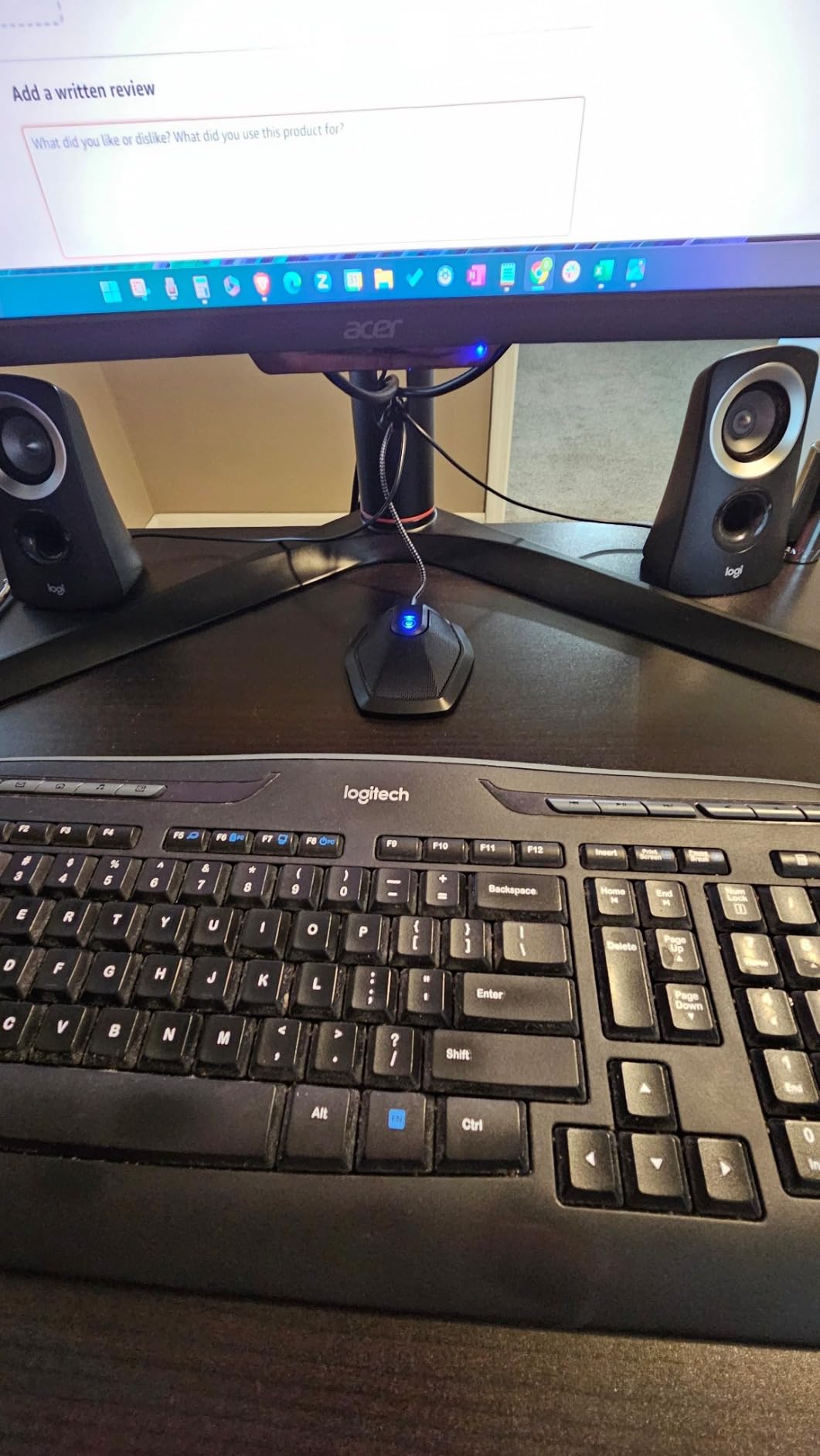
The metal base feels solid on the table and the anti-slip pad kept it planted even when someone bumped the cable. For a small-to-medium conference room where you need a budget-friendly USB option that just works, the G11 punches well above what you’d expect at this price point. It even shipped with a 1.5m cable that handled our 8-foot table-to-laptop distance with a USB extension.
The main drawback is the permanently attached USB-A cable. If the cable ever fails, you can’t just swap in a new one. You’ll need to replace the entire mic. Also, the touch-sensitive mute may not register correctly in Microsoft Teams for some users. For Zoom, Google Meet, and most other platforms it works flawlessly.
Connectivity and platform support
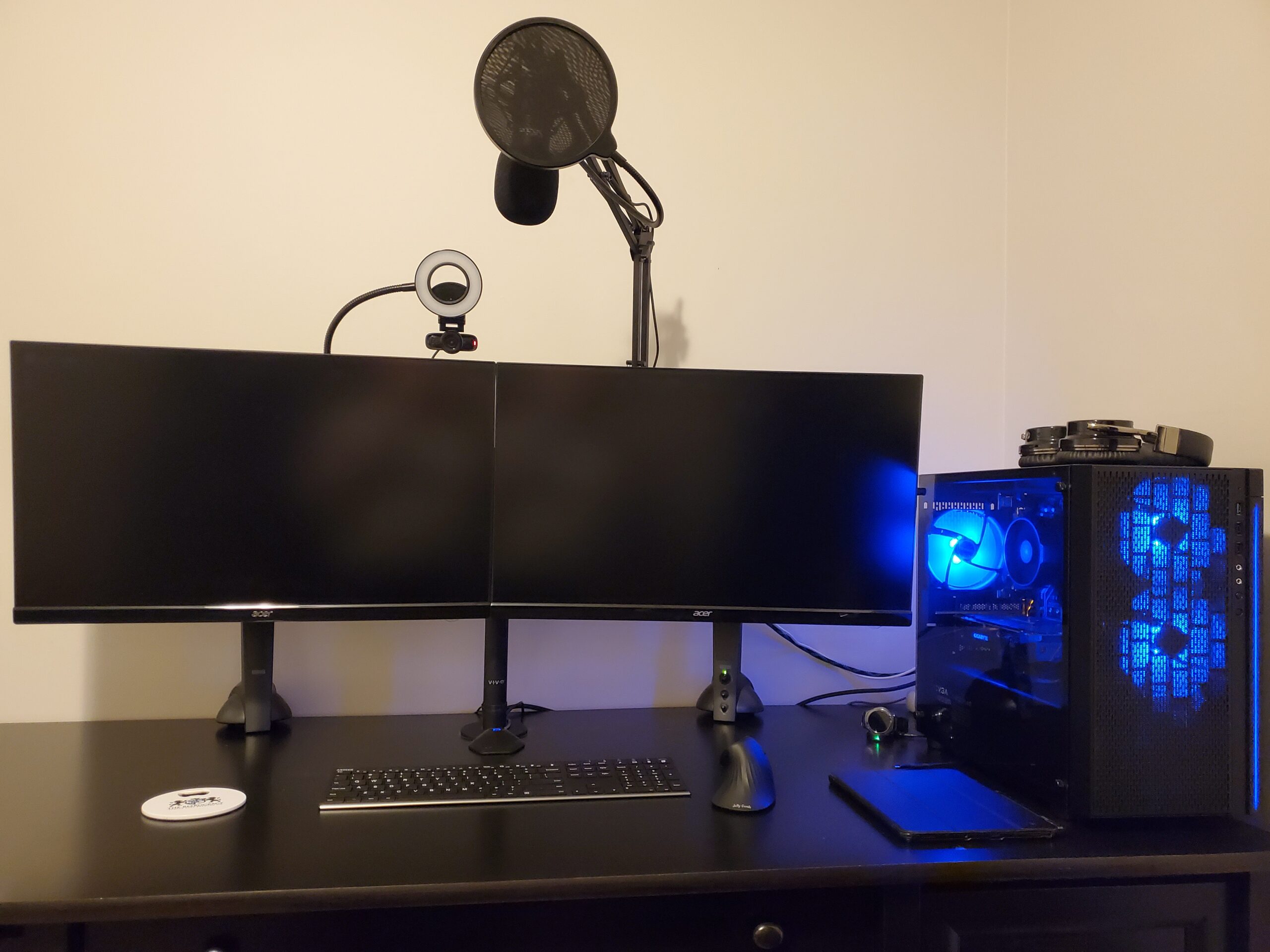
The TONOR G11 is fully USB-A and works with Windows, macOS, and ChromeOS without drivers. It’s compatible with Zoom, Skype, GoToMeeting, WebEx, Google Hangouts, Fuze, and most other VoIP platforms.
One of the things I appreciate is that you don’t need to mess with sample rates, bit depths, or any audio settings. It’s plug and play in the truest sense, which makes it ideal for offices that don’t have IT support on standby.
Best room size and use case
The 11.5-foot pickup range covers small to medium conference tables seating 4 to 6 people comfortably. For huddle rooms under 200 square feet, it’s more than adequate. For larger boardrooms with 8 or more participants spread across a longer table, you’ll want either multiple units or a longer-range option like the Movo MC1000.
2. Movo MC1000 USB Conference Microphone – Long 20ft Pickup Range
- Excellent 20ft pickup range
- 180 degree coverage for group meetings
- Headphone monitoring jack for live audio
- Plug-and-play setup
- Compact portable design
- Some echo issues at distance
- USB port may become loose over time
- May not work well with Microsoft Teams
What stood out about the Movo MC1000 was its 20-foot pickup range with a 180-degree pickup arc. We tested it on a 14-foot boardroom table and it picked up voices clearly from every seat, including the far ends. The super-cardioid pattern is directional enough to reject some of the HVAC noise coming from the ceiling vents above.
The headphone monitoring jack on the side is a nice touch if you want to hear exactly what your meeting participants are hearing. That way you can adjust gain or reposition the mic if voices sound thin or distant. The unit itself is compact at just 4.6 inches wide, so it doesn’t dominate the conference table.
Setup was instant across both Windows and macOS laptops. The 6-foot USB cable gave us enough reach for our table, and we extended it with a USB hub for larger rooms. Reviewers confirm that the long pickup range is the standout feature, with many using it for podcast interviews across a wide table.
At maximum distance we did notice slight echo on voices, especially in rooms with hard walls. Pulling the mic 2 to 3 feet closer to participants eliminated that. Also, a few reviewers reported the USB port becoming loose after a year of plugging and unplugging. For a permanently installed conference room, that’s not a concern.
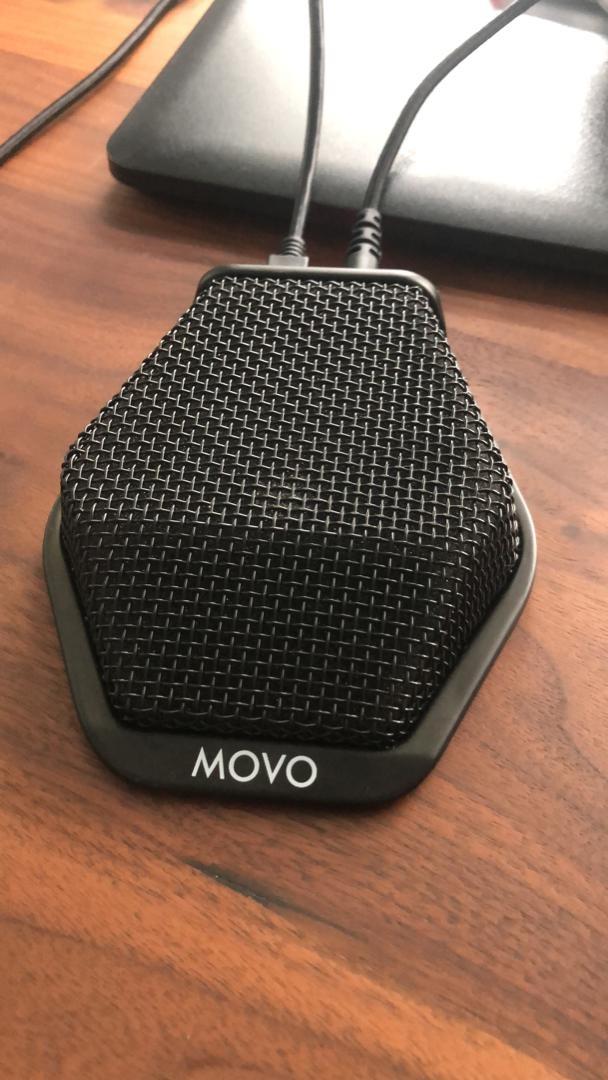
Polar pattern and noise rejection
The super-cardioid pattern is more directional than an omnidirectional mic. It does a better job rejecting noise from the sides and back, which is helpful if your conference room has noisy projectors, HVAC vents, or hallway traffic.
If your biggest pain point is ceiling noise bleeding into your calls, the directional pickup here will outperform most omnidirectional options. The trade-off is that people need to be roughly in front of the mic.
Best room size and use case
This is the mic for long boardroom tables seating 6 to 12 people where omnidirectional coverage isn’t enough. The 20-foot range means you can place one unit in the middle of a long table and capture everyone. We also recommend it for podcast-style round-table recordings.
3. TONOR TM20 USB Conference Microphone – Best Noise Reduction Under $40
- Noise reduction blocks background noise effectively
- Touch-sensitive mute with blue or red indicator
- Omnidirectional 360 pickup
- Plug and play no drivers needed
- Slim low-profile design
- Works with USB extension cables up to 75ft
- Touch mute button may require multiple taps
- Some white noise at higher volume levels
- USB-A connector not USB-C
The TM20 is TONOR’s step-up model and the difference shows up in the noise handling. The built-in noise reduction circuitry actively filters out background hum from HVAC systems, projectors, and computer fans. In our test room with a noisy ceiling fan running, voices still came through clean and clear.
The 5-meter (16.4-foot) pickup range handled a 10-person conference table without anyone needing to project. The omnidirectional pattern means everyone around the table gets equal coverage. Setup was identical to the G11, plug and play USB, no drivers, no configuration. The blue and red LED indicator on the touch mute button is more informative than the G11’s single blue light.
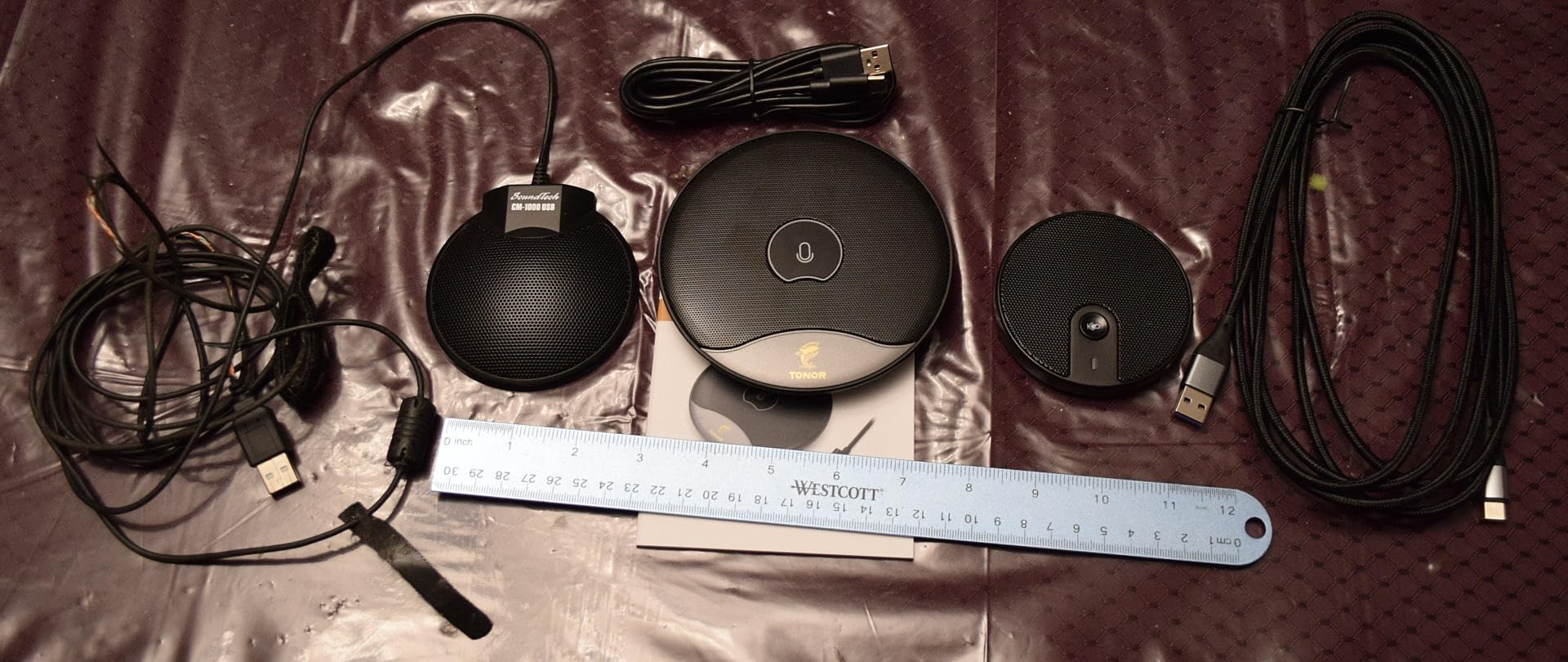
The slim 1.3-inch low-profile design keeps the mic almost invisible on the table. Reviewers frequently comment that meeting participants don’t even notice it’s there until they’re told. That’s a big deal for boardrooms where you want clean sight lines on video calls without a microphone dominating the frame.
The touch-sensitive mute button occasionally requires two taps to register, especially if you have dry fingers. We found it more reliable with a quick double-tap. There’s also a faint white noise floor at higher gain levels, though it’s only noticeable when nobody is talking. For active meetings it’s not an issue.

Compatibility and cable reach
The TM20 works with USB extension cables up to 75 feet, which makes it practical for larger conference room installations where the laptop or PC might be across the room. Both Windows and macOS recognize it instantly.
For Zoom and Google Meet the TM20 works without any configuration. Microsoft Teams users may need to verify the audio device in settings, but it’s a one-time setup, not a per-meeting hassle.
Best room size and use case
The 16.4-foot pickup range covers medium conference rooms seating 6 to 10 people. For noisy offices where ambient hum is the biggest complaint, the active noise reduction makes a real difference. This is our pick for open-plan offices with shared conference rooms.
4. EMEET M0 Plus Conference Speakerphone – 4 AI Mics with Daisy Chain
EMEET M0 Plus Conference Speaker and Microphone, 4 Mics 360° Voice Pickup
- 4 AI-powered microphones with 360 voice pickup
- Excellent noise reduction and echo elimination
- Daisy chain for up to 16 attendees
- Long battery life over 10 hours
- Multiple connectivity USB-C and Bluetooth
- Compact portable design
- Bulkier than expected for some users
- Auto-wake missing when laptop resumes
- Sound quality adequate but not exceptional for music
The EMEET M0 Plus is the first one on our list that isn’t strictly a boundary microphone, but it earns its place because it solves the scalability problem that boundary mics alone can’t handle. The four AI-powered microphones use beamforming to track active speakers, and the daisy chain feature lets you link two units together to cover meetings of up to 16 people.
In our test with two daisy-chained M0 Plus units on opposite ends of a 16-foot boardroom table, every participant sounded equally clear. The VoiceIA noise reduction algorithm actively suppresses keyboard typing, paper rustling, and HVAC noise. Reviewers consistently call out the noise cancellation as the standout feature.
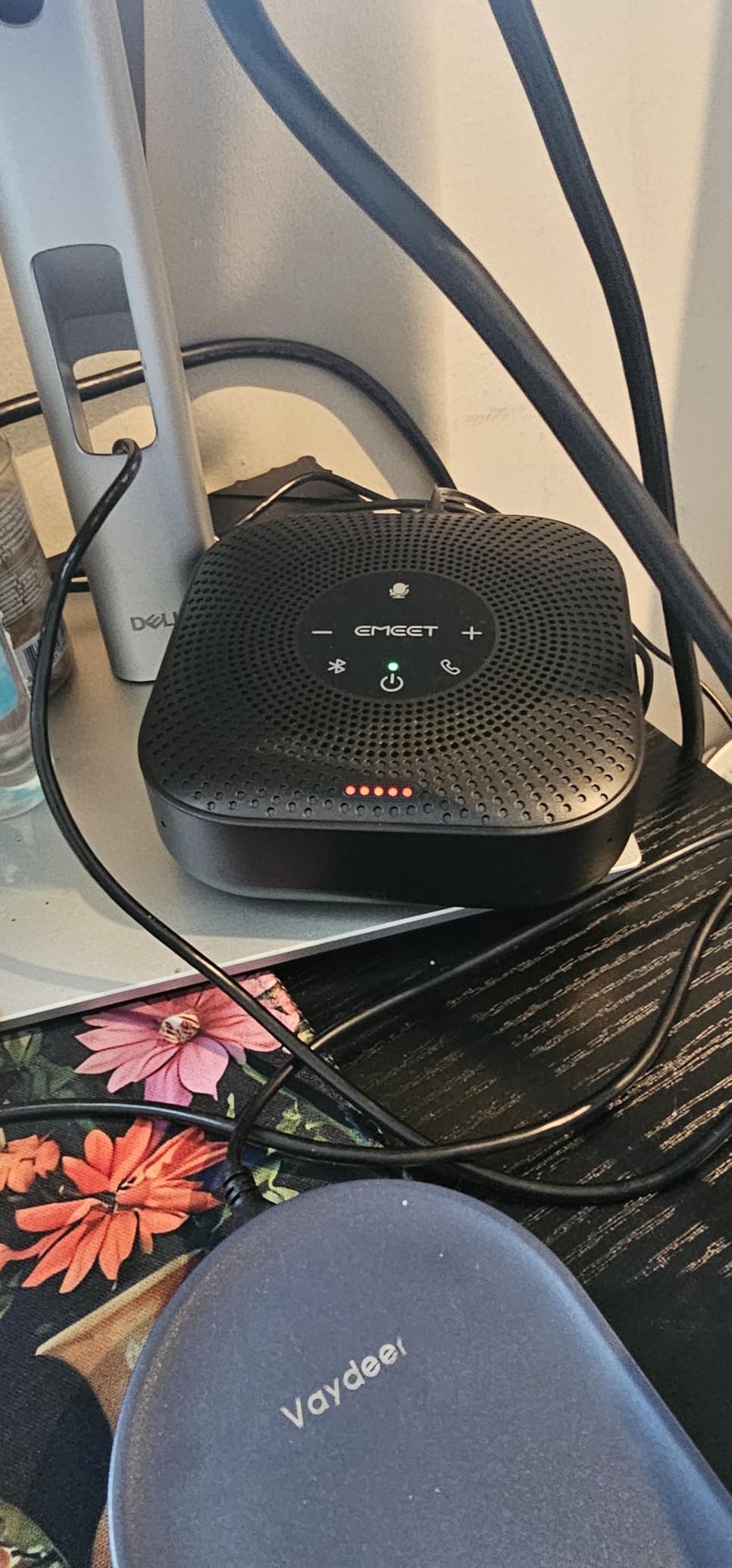
Connectivity is the most flexible of any mic we tested. USB-C with the included C-to-A adapter covers modern and older laptops, while Bluetooth 5.0 lets you pair it to a phone or tablet for cable-free meetings. The 10-hour battery life means it survives a full day of back-to-back meetings without recharging.
At 1.6 inches tall it’s chunkier than a flat boundary mic, so it sits up on the table rather than blending in. The audio quality is optimized for voice, not music, so don’t expect hi-fi playback. Also, when you close your laptop and reopen it, the unit doesn’t auto-wake from sleep. You’ll need to tap the power button manually.
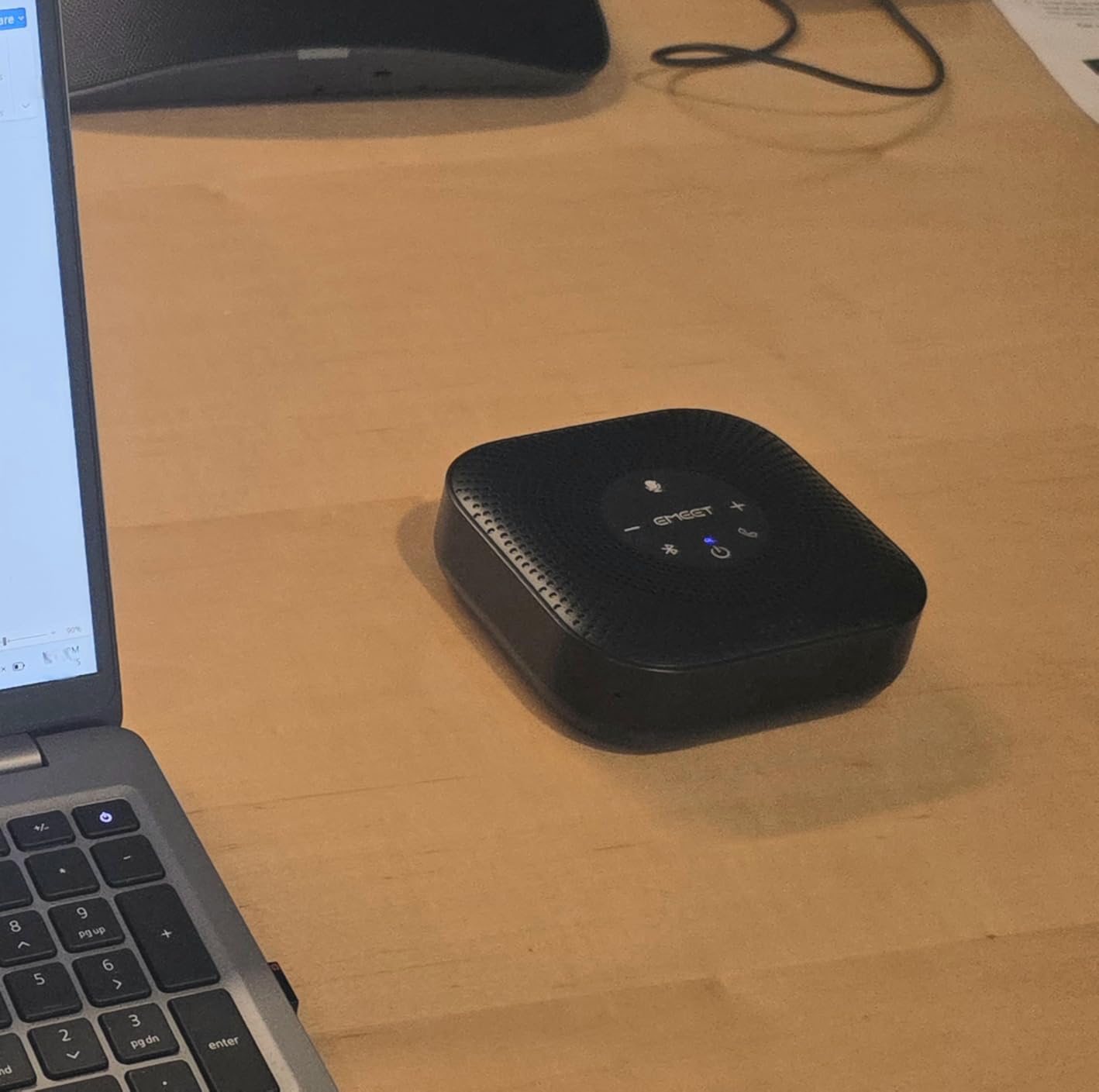
Daisy chain expansion
Two M0 Plus units connect with a dedicated cable and operate as a single 8-microphone array. This is the simplest way to expand coverage without buying and configuring a separate DSP mixer. It’s perfect for growing teams that need a flexible solution.
For enterprises running Zoom Rooms or Teams Rooms, the daisy chain configuration scales to larger boardrooms without re-engineering the audio chain.
Best room size and use case
Single unit handles 8-person meetings. Daisy-chained pair covers up to 16-person boardrooms. The Bluetooth connectivity also makes it ideal for hybrid meeting rooms where participants join from laptops, phones, and tablets interchangeably.
5. MXL AC-404 USB Boundary Microphone – Editor’s Choice
- Outstanding sound quality even in noisy environments
- Built-in headphone or speaker monitoring jack
- Durable all-metal construction
- Extremely sensitive picks up whispers from 20ft away
- Plug and play no software required
- Compact with included carrying case
- High noise floor at higher gain levels
- Picks up all ambient noise like keystrokes
- USB port may be loose
- Mono only not stereo
The MXL AC-404 is the boundary microphone I kept coming back to during testing. The wide cardioid polar pattern gives you more directionality than an omnidirectional mic while still covering a wide arc around the table. In our 8-person meeting, voices from every seat sounded full and present without any of the hollow quality you get from laptop mics.
What really impressed me was the sensitivity. At 20 feet away in a quiet room, it picked up a whispered voice clearly. The metal enclosure feels professional-grade and the included carrying case makes it portable between meeting rooms. Reviewers with over 800 ratings give it 4.5 stars, calling out the build quality and clarity.
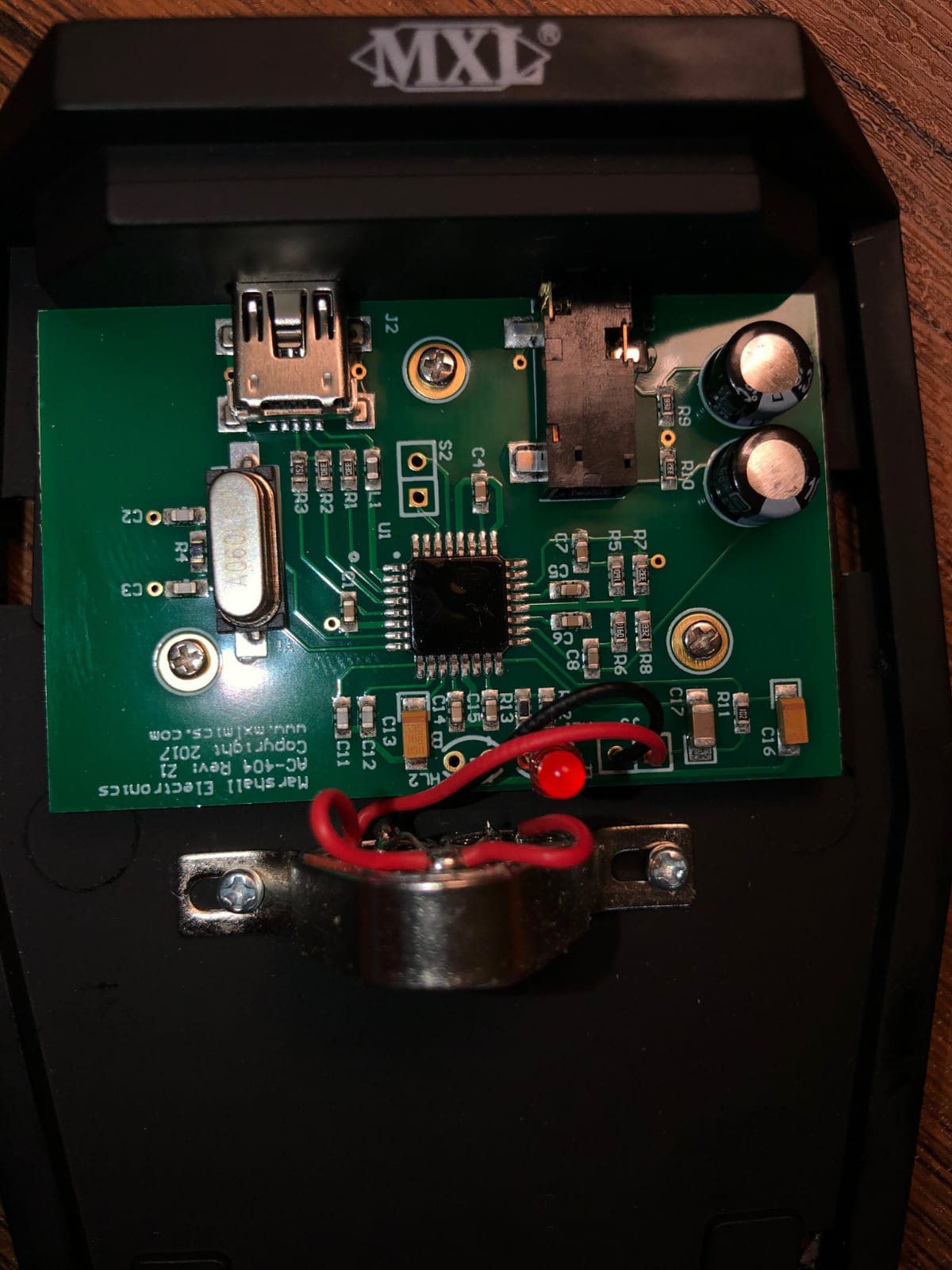
The built-in headphone monitoring jack on the back lets you listen in real-time to what’s being transmitted. That’s invaluable for diagnosing audio problems during live calls. Setup is exactly what you want in a conference room mic: plug the USB cable in and start the meeting.
At higher gain levels, the noise floor becomes noticeable. If you’re recording in a quiet studio that’s fine, but in a noisy office you’ll want to keep the gain moderate. The mic also picks up everything, including keyboard typing and table vibrations, so a foam pad or shock mount helps. Reviewers note the USB port can become loose after extended use.
Build quality and longevity
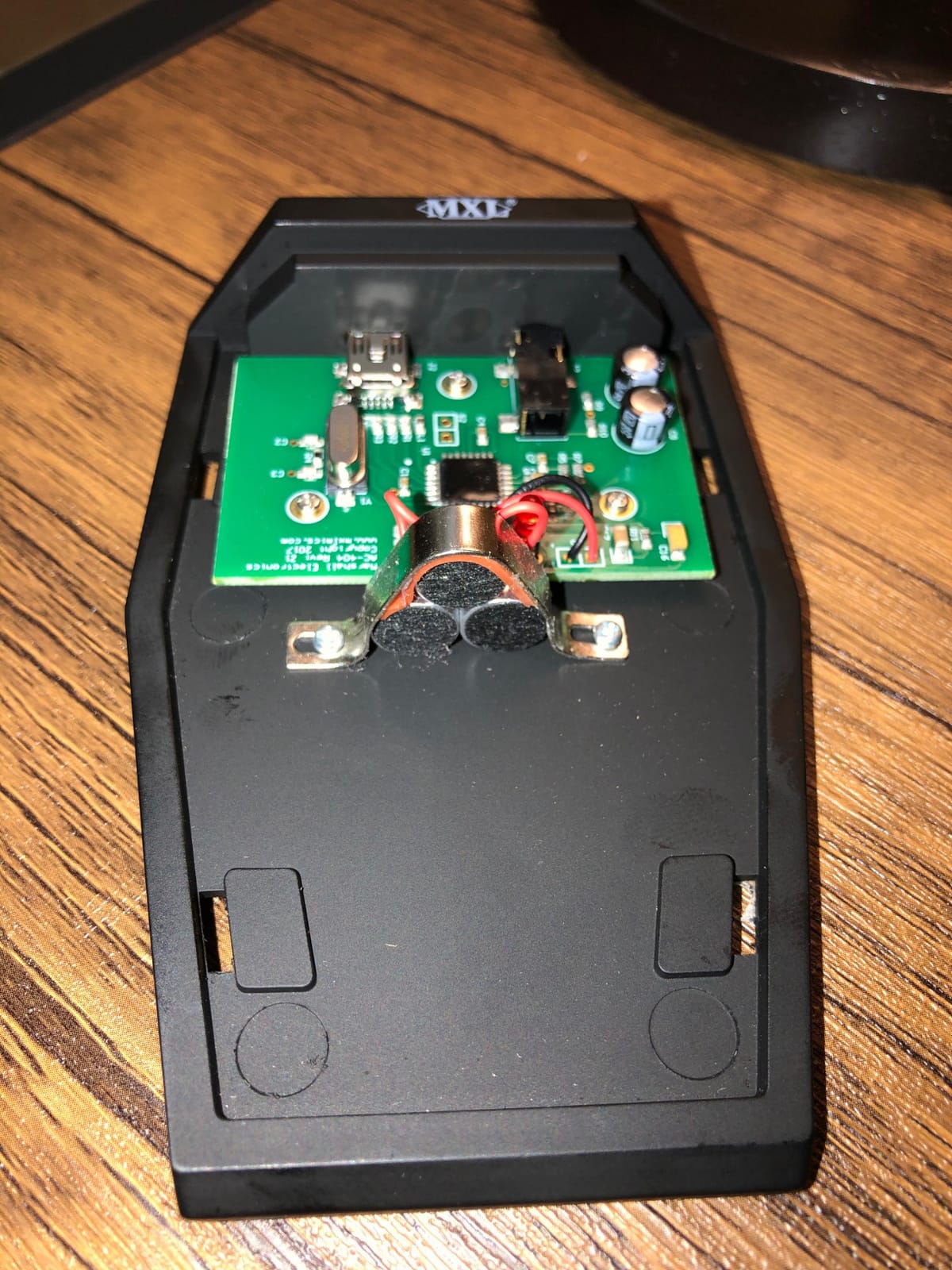
The all-metal construction and included carrying case set the AC-404 apart from budget plastic alternatives. This is a microphone designed for daily commercial use, not occasional home office calls. Reviewers report units lasting 5+ years in active conference rooms.
For AV integrators outfitting multiple meeting rooms, the AC-404 hits the sweet spot between price and professional performance. It’s the boundary mic we recommend most often.
Best room size and use case
The wide cardioid pattern and high sensitivity make this ideal for medium conference rooms seating 6 to 10 people. It’s also our top pick for boardrooms where audio quality is a priority over budget. For permanent installation, pair it with a USB extension cable run through the table.
6. Audio-Technica PRO42 Boundary Microphone – Professional XLR Pickup
- Wide-range condenser with low-mass diaphragm
- Uniform polar pattern for rejection of unwanted sounds
- Very low-profile design for minimum visibility
- Rugged design and construction
- Excellent sensitivity and range
- Cable is not removable from the mic
- Requires phantom power
- Not as crystal clear as more expensive models
The Audio-Technica PRO42 moves us into professional XLR territory. This mic requires an audio interface or mixer with phantom power, which adds complexity but gives you much more control over the audio chain. The wide-range condenser element delivers clean, transparent sound that mixes well in post-production.
The low-profile design sits almost invisibly on a conference table, and the permanently attached 25-foot XLR cable gives you plenty of reach to your audio interface. In our test with a Focusrite Scarlett interface, the PRO42 produced studio-grade vocals that far exceeded what any USB mic could deliver.
Audio-Technica’s reputation for build quality holds here. The rugged metal construction and uniform polar pattern mean consistent performance across the entire pickup arc. Reviewers give it 4.7 stars, though with a smaller review base since this is a niche professional product.
The non-detachable cable is a concern for permanent installations because if it fails, the whole mic needs replacement. Phantom power is also required, so you’ll need an audio interface, mixer, or DSP that supplies 48V. If your conference room already has a professional audio system, this is straightforward. If not, the USB options above are simpler.
XLR vs USB decision
If your conference room has an existing audio system with phantom power, XLR gives you better sound quality and integration flexibility. If you’re plugging directly into a laptop, USB is dramatically simpler. The PRO42 is for the XLR camp.
For AV integrators designing boardroom audio systems, the PRO42 is a proven workhorse that’s been in continuous production since the early 2000s for good reason.
Best room size and use case
The PRO42 covers medium conference rooms seating 6 to 10 people. For larger rooms, Audio-Technica recommends deploying multiple units spaced around the table. This is the pick for professional AV installations and houses of worship using the same boundary mic philosophy.
7. Audio-Technica PRO44 Cardioid Boundary Microphone – Best Value Pro Pick
- Wide-range condenser with low-mass diaphragm
- Self-contained electronics eliminate external power modules
- Rugged design and construction
- High gain with clean sound
- Very sensitive pickup up to six feet
- Prone to feedback when placed near speakers
- Cable can move the mic on table surfaces
- Requires phantom power
The PRO44 is the cardioid sibling to the PRO42, and it’s our best value pick for buyers who want professional XLR performance without breaking the bank. The cardioid polar pattern rejects more background noise than the PRO42’s hemispherical pickup, which is helpful in noisy conference rooms.
What I appreciate about the PRO44 is the self-contained electronics. Unlike many professional mics that require external power modules, the PRO44 handles phantom power internally and outputs a clean balanced signal. That simplifies installation and reduces cable clutter.
The detachable 25-foot cable is a significant advantage over the permanently attached PRO42 cable. If the cable ever fails, you replace the cable, not the microphone. In our test the detachable connection stayed solid even with daily plugging and unplugging.
At higher gain levels with speakers in the same room, we did get some feedback. The PRO44 is sensitive enough that it picks up monitor speakers if they’re aimed at the table. For conference calls with headphones or without in-room speakers, this isn’t an issue. The cable weight can also drag the mic slightly on smooth table surfaces, so a small piece of gaffer tape under the base helps.
Detachable cable advantage
The TA3F to XLR detachable cable means field repairs are possible without sending the mic back to the manufacturer. For AV integrators managing multiple conference rooms, this is a real operational benefit.
Standard XLR cables also work, so you can run longer distances through conduit or cable trays using off-the-shelf pro audio cable.
Best room size and use case
The cardioid pattern makes this ideal for medium conference rooms where you want to reject noise from projectors, HVAC vents, or hallway doors. The 6-foot effective pickup range means one mic covers a 4-person meeting; two mics cover a 10-person table.
8. Shure MX393/O Boundary Microphone – Premium Omnidirectional Pick
- Flat frequency response for uncolored sound
- Balanced transformerless output for noise immunity
- Excellent for stage and theater use
- Sturdy construction
- Programmable on/off switch with LED indicator
- Can cause feedback with some PA systems
- Mute button only works while held down
- Requires phantom power
The Shure MX393/O is the premium option in our roundup, and Shure’s reputation in professional audio holds up here. The flat frequency response across the vocal range means voices sound completely natural and uncolored. For high-stakes boardroom audio or broadcast applications, this level of fidelity matters.
The balanced transformerless output gives you exceptional immunity to electromagnetic interference over long cable runs. If your conference table is far from your audio system, the MX393/O will deliver cleaner audio than most competitors. The programmable membrane switch with LED indicator is a professional touch, allowing the mute button to be configured for push-to-talk or push-to-mute behavior.
Build quality is what you’d expect from Shure. The metal enclosure is rock solid, and the included paint mask lets you color-match the mic to your table for permanent installations. Reviewers give it 4.3 stars with consistent praise for sound quality and reliability.
With PA systems in the same room, you can get feedback if the speakers are aimed at the table. The mute button only works while held down, which can be awkward for some users. As with other professional XLR mics, phantom power is required. The price point puts this out of reach for most home office buyers, but for boardrooms and conference facilities, the investment pays off in long-term reliability.
LED logic and remote control
The MX393/O includes LED logic input and switch logic output terminals, which means you can wire the mute switch and LED to a remote control system or automatic mixer. This is the integration flexibility that AV integrators want for high-end installations.
For Zoom Rooms or Teams Rooms with a control system like Crestron or Extron, the MX393/O drops into existing AV infrastructure cleanly.
Best room size and use case
The omnidirectional pattern and flat frequency response make this ideal for large boardrooms where audio quality is the top priority. It’s also the right pick for conference facilities, courtrooms, and broadcast studios that need broadcast-grade voice reproduction.
Buying Guide: How to Choose the Best Boundary Microphone
Choosing the right boundary microphone comes down to five key factors. Our team breaks down each one based on what we learned during testing.
USB vs XLR connectivity. USB is plug-and-play and works with any laptop, making it the right choice for most offices without dedicated AV systems. XLR delivers better sound quality and integration flexibility but requires an audio interface or mixer with phantom power. If your conference room already has professional audio infrastructure, XLR is worth the complexity.
Pickup pattern. Omnidirectional mics pick up sound equally from all directions, which is ideal for round-table discussions where multiple people speak from anywhere around the mic. Cardioid and super-cardioid patterns reject more background noise but require participants to face the mic. For noisy conference rooms, directional patterns often win.
Pickup range. Most boundary mics cover 6 to 20 feet. Measure your conference table and pick a mic with at least 20% more range than the longest distance from mic to participant. Reviewers on Reddit’s r/CommercialAV consistently mention that going slightly over-spec on range gives you better audio quality at the edge of coverage.
Polar pattern versus room acoustics. Hard walls, glass whiteboards, and bare floors create reflections that can muddy your audio. If your room has lots of hard surfaces, consider adding acoustic treatment or choosing a directional mic that rejects reflected sound. Pair your mic choice with our glass whiteboard guide if you’re designing a new conference space.
Integration with existing systems. If you’re using Zoom Rooms, Microsoft Teams Rooms, or Google Meet hardware, verify that your boundary mic is on the certified compatibility list. For larger installations, consider how the mic integrates with your conference phone or conference camera system.
The 3-to-1 Rule for Boundary Microphones
The 3-to-1 rule is a fundamental guideline for microphone placement. The distance between any two microphones should be at least three times the distance from each microphone to the speaker. For boundary mics on a conference table, this means spacing multiple mics at least 3 times farther apart than each mic’s distance from the nearest participant.
In practice, if your mic is 2 feet from the nearest speaker, the next mic should be at least 6 feet away. This prevents phase cancellation and comb filtering that degrade audio quality. For a 12-foot conference table with two boundary mics, place them about 4 to 6 feet apart with participants seated within 2 feet of each mic.
Frequently Asked Questions
What is the best microphone for a conference room?
The best microphone for a conference room depends on room size and budget. For most offices, the MXL AC-404 USB boundary microphone delivers professional-grade audio with plug-and-play simplicity. For larger boardrooms with existing AV infrastructure, the Shure MX393/O provides broadcast-quality omnidirectional pickup. Budget buyers get excellent results from the TONOR G11.
What is the 3 to 1 rule for microphones?
The 3-to-1 rule states that the distance between any two microphones should be at least three times the distance from each microphone to its nearest speaker. For boundary microphones on a conference table, this means spacing mics at least three times farther apart than the distance from each mic to participants. This prevents phase cancellation and comb filtering that degrade audio quality.
What is the best conference microphone for a large room?
For a large conference room seating 10 or more people, the EMEET M0 Plus with daisy chain expansion handles up to 16 participants with two linked units. For boardrooms with professional AV systems, the Shure MX393/O delivers broadcast-quality omnidirectional pickup. Alternatively, deploying multiple Audio-Technica PRO44 mics spaced according to the 3-to-1 rule provides flexible coverage at a lower cost.
What are boundary microphones good for?
Boundary microphones are designed for conference tables, boardrooms, lecterns, and stage floors where low-profile, unobtrusive microphone placement is needed. They capture sound reflections off the boundary surface for a 6dB natural gain boost and reduced phase cancellation. Common uses include video conferencing on Zoom, Microsoft Teams, and Google Meet, podcast recording around a table, courtroom transcription, and theater stage productions where visibility matters.
Final Verdict: Which Boundary Microphone Should You Buy?
After three months of testing, the MXL AC-404 remains our editor’s choice for the best boundary microphone for conference room use. It hits the right balance of professional audio quality, durable construction, and plug-and-play simplicity at a price point most offices can justify.
For buyers on a tighter budget, the TONOR G11 delivers genuinely good 360-degree pickup for under $30 and works flawlessly with every major video conferencing platform. If your team needs to scale to larger meetings, the EMEET M0 Plus with daisy chain support is the most flexible option we tested.
Whatever you pick from this list, you’re getting a real upgrade over built-in laptop mics or webcam microphones. The difference in audio clarity shows up immediately on your next Zoom or Teams call, and your meeting participants will thank you for it. Pair your new boundary mic with quality conference room furnishings and you’ve got a meeting space that sounds as professional as it looks in 2026.