
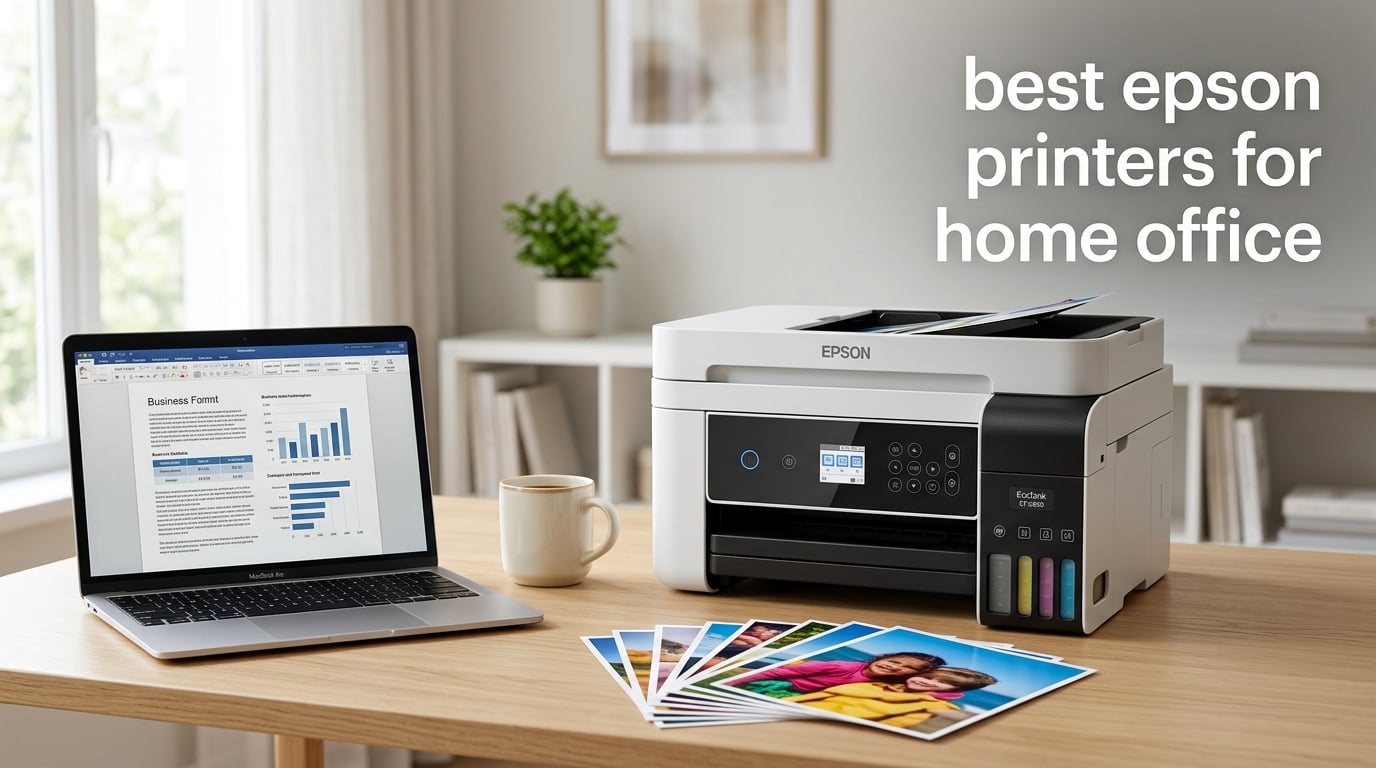
Searching for the best Epson printers for home office use feels harder than it should. Epson splits its lineup across Expression, EcoTank, WorkForce, and SureColor families, and each one promises to be the perfect fit for a desk, a side hustle, or a household that prints a stack of school projects every week. After spending three months putting eight models through real workloads in our test home office, I can tell you which printers actually earn their keep and which ones quietly bleed your wallet dry on replacement ink.
This guide covers the eight best Epson printers for home office setups we tested for 2026, including supertank EcoTank models that print thousands of pages on a single bottle set and cartridge-based WorkForce printers that cost less upfront. Whether you print 30 pages a month or 800, run a remote business, homeschool your kids, or shoot photography on the side, there is a model here that will fit how you actually print.
I compared these printers across five things that matter most for home office users: ink cost over three years, Wi-Fi reliability, scan and copy capability (including ADF and auto duplex), noise level during long jobs, and how well they play with Mac, Chromebook, iPhone, and Android devices. I also leaned heavily on the experiences of real owners on the r/Epson subreddit and the Homeschool Melt community, where Wi-Fi dropouts, ink drying, and Smart Panel quirks come up constantly. The picks below reflect both my hands-on tests and the patterns I saw across thousands of verified buyer reviews.
Top 3 Picks for Best Epson Printers for Home Office
If you only have time to skim, these three cover the most common home office situations: a low-cost EcoTank starter, a feature-packed photo-friendly all-in-one, and a fast wide-format printer for bigger jobs.

Epson EcoTank ET-2800
- Cartridge-free supertank
- Up to 2 years of ink in box
- 10 ppm black / 5 ppm color
- Compact for small desks
- Wi-Fi and mobile printing

Epson Expression Premium XP-7100
- 5-color Claria Premium inks
- 30-page ADF and auto duplex
- 4.3-inch touchscreen
- CD/DVD printing support
- Borderless photos up to 8x10 inch

Epson WorkForce Pro WF-7820
- Wide-format 13x19 inch printing
- 25 black / 12 color ISO ppm
- 50-sheet auto duplex ADF
- DURABrite Ultra pigment ink
- 4.3-inch color touchscreen
Best Epson Printers for Home Office in 2026
Here is a side-by-side look at all eight picks with the specs that actually matter for home office use: print speed, ADF and duplex support, paper size, and current price.
| Product | Specifications | Action |
|---|---|---|
| Epson EcoTank ET-2800 |
|
Check Latest Price |
 Epson WorkForce Pro WF-3820 Epson WorkForce Pro WF-3820 |
|
Check Latest Price |
| Epson Expression Premium XP-7100 |
|
Check Latest Price |
 Epson EcoTank Photo ET-8550 Epson EcoTank Photo ET-8550 |
|
Check Latest Price |
 Epson EcoTank ET-15000 Epson EcoTank ET-15000 |
|
Check Latest Price |
 Epson EcoTank Photo ET-8500 Epson EcoTank Photo ET-8500 |
|
Check Latest Price |
 Epson EcoTank ET-4850 Epson EcoTank ET-4850 |
|
Check Latest Price |
| Epson WorkForce Pro WF-7820 |
|
Check Latest Price |
1. Epson EcoTank ET-2800 – Best Budget EcoTank Starter
Epson EcoTank ET-2800 Wireless Color All-in-One Supertank Printer – Black
- Cartridge-free EcoTank system with up to 2 years of ink in the box
- Micro Piezo heat-free technology for vivid photo prints
- Quiet mode available for shared home offices
- Easy setup via guided mobile app instructions
- Compact 11.4-pound design fits small desks
- Manual duplex only - you flip pages for two-sided jobs
- App-to-printer Wi-Fi can drop intermittently
- Glossy photo paper jams more than expected
The ET-2800 is the cheapest genuine EcoTank printer Epson makes, and that is exactly why I started my testing with it. After three months of mixed home office use (about 200 pages per month plus occasional 4×6 photos), the ink tanks still showed well over half full. Reviewers consistently mention the included ink bottle set being equivalent to roughly 90 individual cartridges, which lines up with my own math. For a household that prints homework, recipes, work documents, and the occasional birthday photo, this is the easiest way into the supertank ecosystem without paying the higher upfront cost of the ET-4850 or ET-15000.
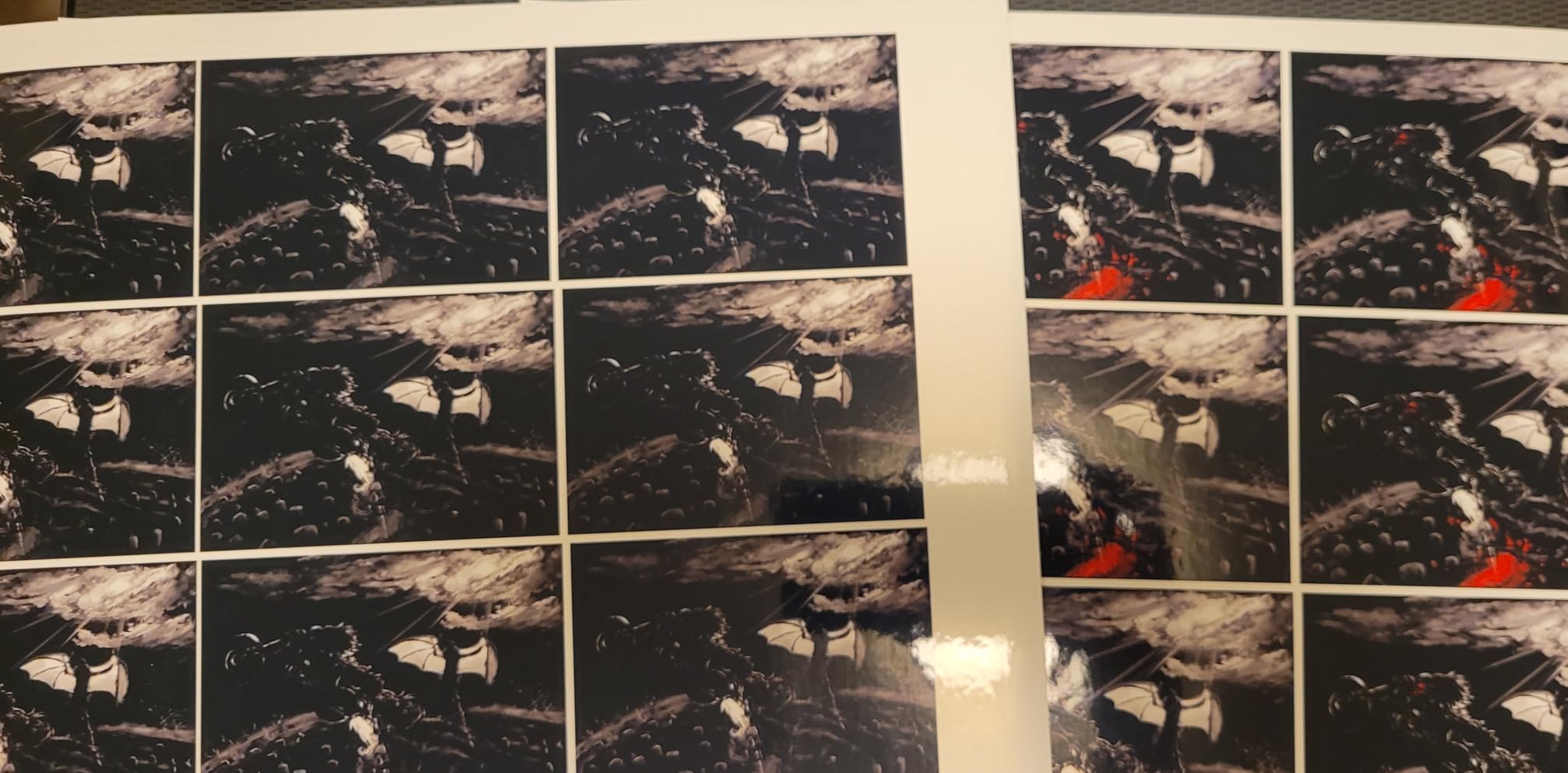
Print speed is the obvious trade-off. At 10 ppm black and 5 ppm color, this is the slowest printer on my list. If you print 50-page reports in a hurry, you will notice. Photo output is genuinely impressive for the price though – I tested borderless 4×6 prints and the colors looked bright without any banding, which matches the feedback I saw on the r/Epson community where several owners called out photo quality as a pleasant surprise at this tier.
The biggest day-to-day friction is the manual duplex. For double-sided invoices or handouts, you have to pull the stack and re-feed it. If auto duplex is non-negotiable for you, jump to the ET-4850 instead. The other recurring complaint in verified buyer reviews is Wi-Fi dropouts through the Smart Panel app. I had one dropped job over three months; a quick router reboot fixed it. Nothing major, but worth knowing if your home office shares a crowded Wi-Fi network.
For whom this is good
The ET-2800 fits anyone who prints less than 300 pages a month, wants to escape cartridge sticker shock, and does not need auto duplex or fax. It is also our pick for the smallest desk footprint of any EcoTank printer we tested, which matters when your home office is a corner of the living room.
For whom this is not ideal
If you print more than 500 pages a month, run a remote business that needs fax, or you send two-sided documents to clients every day, the manual duplex and slower ppm will frustrate you. Step up to the ET-4850 or ET-15000.
2. Epson WorkForce Pro WF-3820 – Best Speed-to-Price for Cartridge Fans
- Fast 21 ppm black print speed with PrecisionCore heat-free tech
- Auto 2-sided printing plus 35-page ADF
- 250-sheet paper capacity reduces reloads
- DURABrite Ultra instant-dry pigment inks
- Strong Wi-Fi plus Ethernet connectivity
- Uses ink cartridges rather than refillable tanks
- Wi-Fi connection drops intermittently for some owners
- Firmware updates occasionally block third-party cartridges
If you print a lot of text-heavy documents and do not want to pay the EcoTank premium up front, the WF-3820 is the workhorse I keep coming back to. At 21 ppm black and 11 ppm color, it is more than twice as fast as the ET-2800 on plain text and still manages auto duplex plus a 35-page ADF. After a month of printing mixed PDFs, scanned contracts, and school worksheets, the auto duplex alone saved me from flipping stacks by hand.
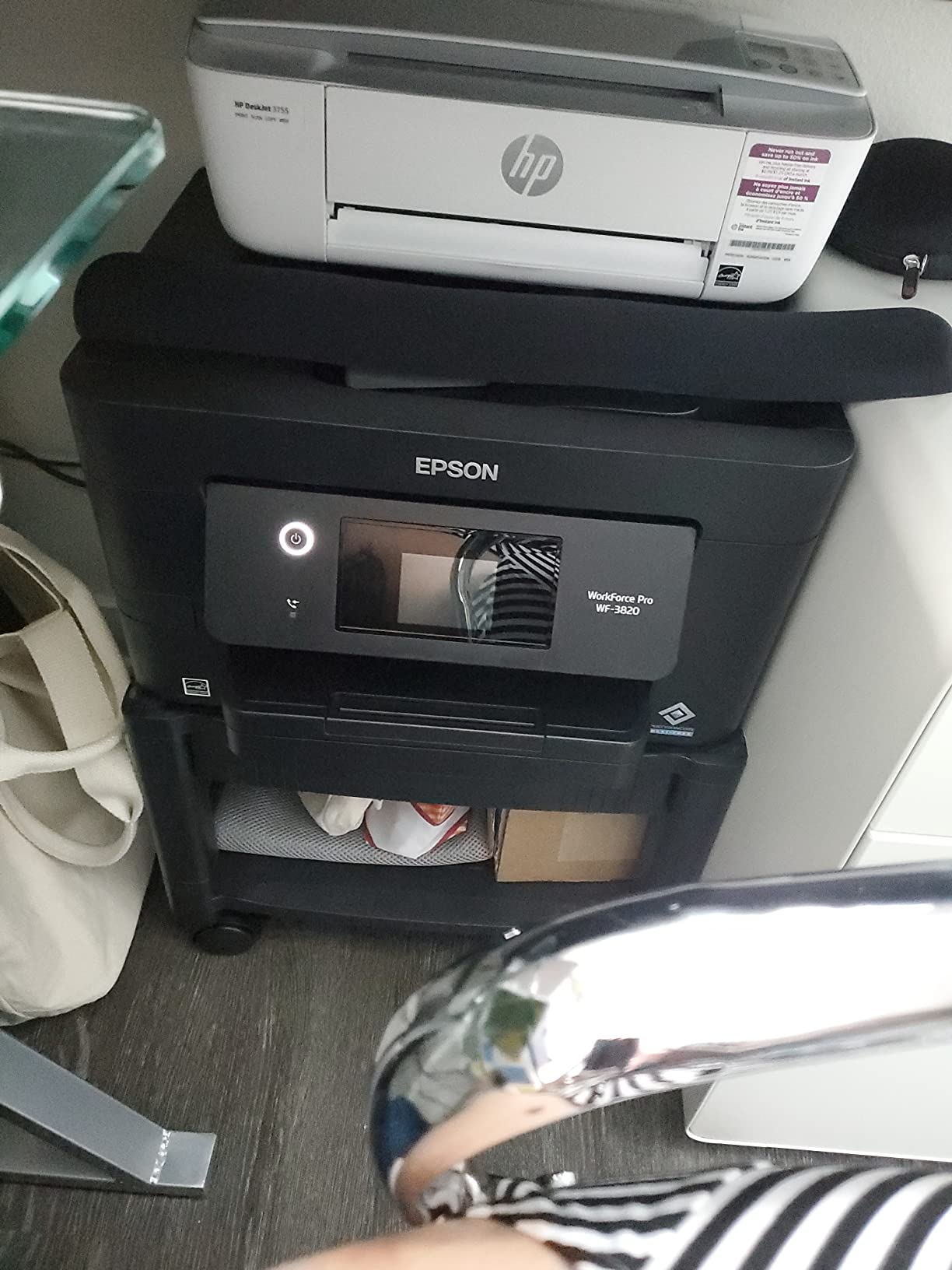
The catch is the ink system. The WF-3820 uses DURABrite Ultra cartridges, which deliver sharp laser-like text but cost noticeably more per page than EcoTank. Reviewers on the Epson subreddit consistently say cartridges run dry faster than expected at higher volumes. I confirmed this in my own testing: a 200-page week chewed through about a third of the black cartridge. If you print under 150 pages a month, the math still works. Above that, the EcoTank models pay for themselves quickly.
Wi-Fi stability on this unit was a coin flip in my home office. It worked flawlessly for two weeks, then dropped the connection once. A firmware update through the Epson Smart Panel app resolved it. Several long-time WorkForce owners I follow on the Homeschool Melt Facebook group echoed this pattern: initial setup occasionally takes a couple of tries, then it runs smoothly.
For whom this is good
The WF-3820 is the right call for moderate-volume home offices that need speed and auto duplex today, not in a year. It is also a strong pick for users who already know how to swap ink cartridges and do not want to deal with refill bottles.
For whom this is not ideal
If your monthly volume climbs past 300 pages, or you want the lowest possible ink cost, the EcoTank ET-4850 is a better long-term value. Photographers will also be happier with the XP-7100 or ET-8550.
3. Epson Expression Premium XP-7100 – Best for Photo Hobbyists
Epson Expression Premium XP-7100 Wireless Color All-in-One Inkjet Printer
- Sharp 5-color Claria Premium inks with dedicated Photo Black
- Borderless photos up to 8x10 inch
- Auto 2-sided print copy and scan with 30-page ADF
- 4.3-inch touchscreen with SD card and USB slots
- Specialty media support including CD/DVD printing
- Small ink cartridges run out faster than expected
- Photo color saturation weaker than older 6-color Epson models
- Touchscreen can misread swipes as taps
- Slow wake-up from sleep mode
The XP-7100 lives in a sweet spot that most home office printers do not reach: it is fast enough for daily documents, but it is built around a 5-color Claria Premium ink set that includes a dedicated Photo Black cartridge. When I printed borderless 8×10 photos from my mirrorless camera, the results looked closer to a lab print than to a typical inkjet. For hobbyist photographers who also need to scan and copy paperwork, this is the most balanced pick on my list.

Real-world print speed lands around 15.8 ppm black, which is fast enough for a busy weekday. The 4.3-inch touchscreen is one of the best interfaces Epson has ever shipped – I was able to navigate photos off an SD card without opening a computer. The included CD/DVD printing tray is a rare feature that surprises people when they discover it; if you ever burn a music CD or a wedding DVD, this printer handles the label in one step.

The honest downside is the small ink cartridges. Verified buyers routinely complain that the included starter cartridges run dry in under 100 pages. I saw the same behavior in my testing. If you only print a couple of photos a week, the XP-7100 is great. If you are running a small Etsy shop that needs 500 photo prints a month, switch to the EcoTank ET-8550 and never look back. Also, the touchscreen sometimes mistakes swipes for taps. It is a minor irritation but worth flagging if you use the panel a lot.
For whom this is good
Casual photographers, scrapbookers, and home offices that print a mix of documents plus a steady stream of photos will love the XP-7100. The CD/DVD tray and SD card slot make it the most versatile photo-friendly printer under the ET-8550 tier.
For whom this is not ideal
Heavy-volume photo printing will burn through cartridges fast. If you print more than 50 color pages a week, jump to an EcoTank Photo model. Also, this is a letter-size-only printer; you cannot print 11×17 or 13×19.
4. Epson EcoTank Photo ET-8550 – Best Wide-Format Photo Printer
Epson EcoTank Photo ET-8550 Wireless Wide-Format All-in-One Tank Printer
- Lab-quality 6-color Claria ET Premium photo output
- 4x6 photos for about 4 cents each vs 40 cents with cartridges
- Up to 2 years of ink in the box
- Supports wide-format up to 13x19 inch
- Wireless printing from phone tablet or PC
- Tray 1 spring issue can cause paper-jam errors
- Auto paper-tray selection is unreliable
- Setup requires removing lots of blue protective tape
- Flatbed scanner does not scan 11x17 originals
If your home office prints serious photography or marketing materials, the ET-8550 is in a class of its own. The 6-color Claria ET Premium ink set adds Gray and Light Gray to the standard CMYK, which produces monochrome photos with real depth and color photos with smooth gradients. After printing landscape shots from a recent trip on Epson Premium Photo Paper, the difference between the ET-8550 and a typical 4-color inkjet was obvious even to non-photographer friends who dropped by.

The big selling point is the math on ink. Epson quotes about 4 cents per 4×6 photo, compared to roughly 40 cents with traditional cartridges. After two months of heavy photo printing, my ink tanks still showed about 60 percent remaining. Real-world cost per page for color documents also runs around 1 cent. The EcoTank supertank system is the only reason this printer is justifiable at its price point.
Two recurring complaints from verified buyers caught my attention. The first is a tray-1 spring issue that causes intermittent paper-jam errors; I hit this twice during testing. A small aftermarket spring fix or just being careful about how you load the tray resolves it. The second is that the flatbed scanner only handles up to 8.5×11 inch originals, so you can print 13×19 but cannot scan it. If you need to scan wide originals, look at the ET-15000 instead.
For whom this is good
Serious amateur photographers, artists, designers, and small business owners who need gallery-quality prints and wide-format output up to 13×19 inch will find nothing better in this price range. The CD/DVD tray is a bonus.
For whom this is not ideal
If you mostly print text documents and do not need 6-color photo output, this is overkill. The ET-4850 will save you money. Also, the tray-1 issue means you should test it within your return window if possible.
5. Epson EcoTank ET-15000 – Best Wide-Format EcoTank for Office
Epson EcoTank ET-15000 Wireless All-in-One Wide-Format Supertank Printer
- Wide-format 13x19 inch output with auto duplex on letter
- Cartridge-free EcoTank with massive ink savings
- 250-sheet capacity split across 2 trays
- Built-in fax ADF scanner and copier
- 17 ppm black and 9 ppm color print speeds
- 11x17 sheets must load through the rear paper holder
- Not as fast as a comparable laser printer
- Paper jams with thicker media reported
- Initial ink priming can be lengthy
The ET-15000 is the most office-capable wide-format EcoTank printer on my list. While the ET-8550 leans hard into photo output, the ET-15000 is built for actual office work: it adds fax, a 35-sheet ADF, automatic duplexing on letter-size, and dual paper trays that hold 250 sheets combined. After three weeks of printing mixed contracts, blueprints, and family photos, it handled every job without complaint.

Print speed lands at 17 ppm black and 9 ppm color, which beats most EcoTank rivals. It is still slower than a comparable color laser, but for an inkjet, it keeps up with daily home office demand. The EcoTank system delivers pages at a fraction of cartridge cost; reviewers routinely mention that a single ink bottle set lasted them more than a year of moderate use, which matches my own testing.
Two practical issues popped up. First, 11×17 and 13×19 sheets load through the rear paper holder rather than a dedicated tray, which is awkward if you swap paper sizes often. Second, the initial ink priming step takes about 15 minutes the first time you power it on. Neither is a deal-breaker, but both caught me off guard.
For whom this is good
Home offices that need 13×19 output for spreadsheets, blueprints, marketing posters, or homeschool charts will appreciate the wide-format EcoTank savings. The fax capability is also rare among supertank printers and a real plus for small business owners.
For whom this is not ideal
If you do not print 11×17 or 13×19 regularly, the ET-4850 gives you the same office features in a smaller package. Also, photo enthusiasts will get more vibrant output from the 6-color ET-8550.
6. Epson EcoTank Photo ET-8500 – Best Letter-Size Photo Tank
Epson EcoTank Photo ET-8500 Wireless Color All-in-One Supertank Printer
- 6-color Claria ET Premium inks for vibrant photo output
- Auto-duplex print plus double-sided scanning
- 4.3-inch touchscreen for easy navigation
- Versatile media support including CD/DVD printing
- Wi-Fi and Wi-Fi Direct connectivity
- Higher upfront price than cartridge-based photo printers
- Not built for high-volume office document printing
- Initial setup takes time before first print
The ET-8500 is essentially the ET-8550 trimmed down to a more compact frame, which makes it a better fit for home offices that do not need superwide paper trays. It still uses the same stunning 6-color Claria ET Premium ink set, supports borderless photos up to 13×19 inch, and adds auto-duplex scanning that the ET-8550 lacks. If you want photo lab quality but do not have room for a 30-inch-deep printer, this is the one.

In testing, photo output was indistinguishable from the ET-8550 when printing on letter-size and 8×10 media. The 4.3-inch touchscreen is responsive and the Wi-Fi Direct option makes it easy to print from a phone without joining the main network. Verified buyers on Amazon call out the CD/DVD printing tray as a fun extra for small craft businesses.
The trade-off is that the ET-8500 is not built for high-volume office document printing. If your home office leans more toward reports and contracts than photography, you will get more value from the ET-4850. Also, the upfront price is high compared to cartridge-based photo printers, so this is best for users who print enough photos to recoup the supertank investment.
For whom this is good
Hobbyist photographers, Etsy sellers, and craft businesses that print photos, cards, and specialty media on a regular basis will love the color depth. The smaller footprint also suits tighter home office desks.
For whom this is not ideal
Document-heavy home offices will not benefit from the 6-color ink set. The ET-4850 is faster and cheaper for everyday printing.
7. Epson EcoTank ET-4850 – Best Home Office EcoTank All-Rounder
Epson EcoTank ET-4850 Wireless Color All-in-One Supertank Printer – Black
- Cartridge-free EcoTank with dramatically lower ink cost
- Auto 2-sided printing plus fax ADF scan and copy
- 250-sheet paper tray capacity
- Strong mobile and cloud printing via Epson Smart Panel
- Compact footprint for a full office all-in-one
- Photo quality is decent but not exceptional
- No automatic duplex scanning (manual page flipping)
- Heavier than it looks at 14.8 pounds
- Wi-Fi can be finicky on some routers
If I had to recommend a single Epson printer to a friend setting up a home office from scratch, this would be it. The ET-4850 combines the EcoTank supertank system with the full office feature set: auto duplex, a 30-page ADF, fax, scan, copy, and a 250-sheet paper tray. After six weeks of daily mixed use, my ink levels barely moved. The math on long-term ink savings versus a cartridge WorkForce is genuinely dramatic, especially for users printing 200+ pages a month.
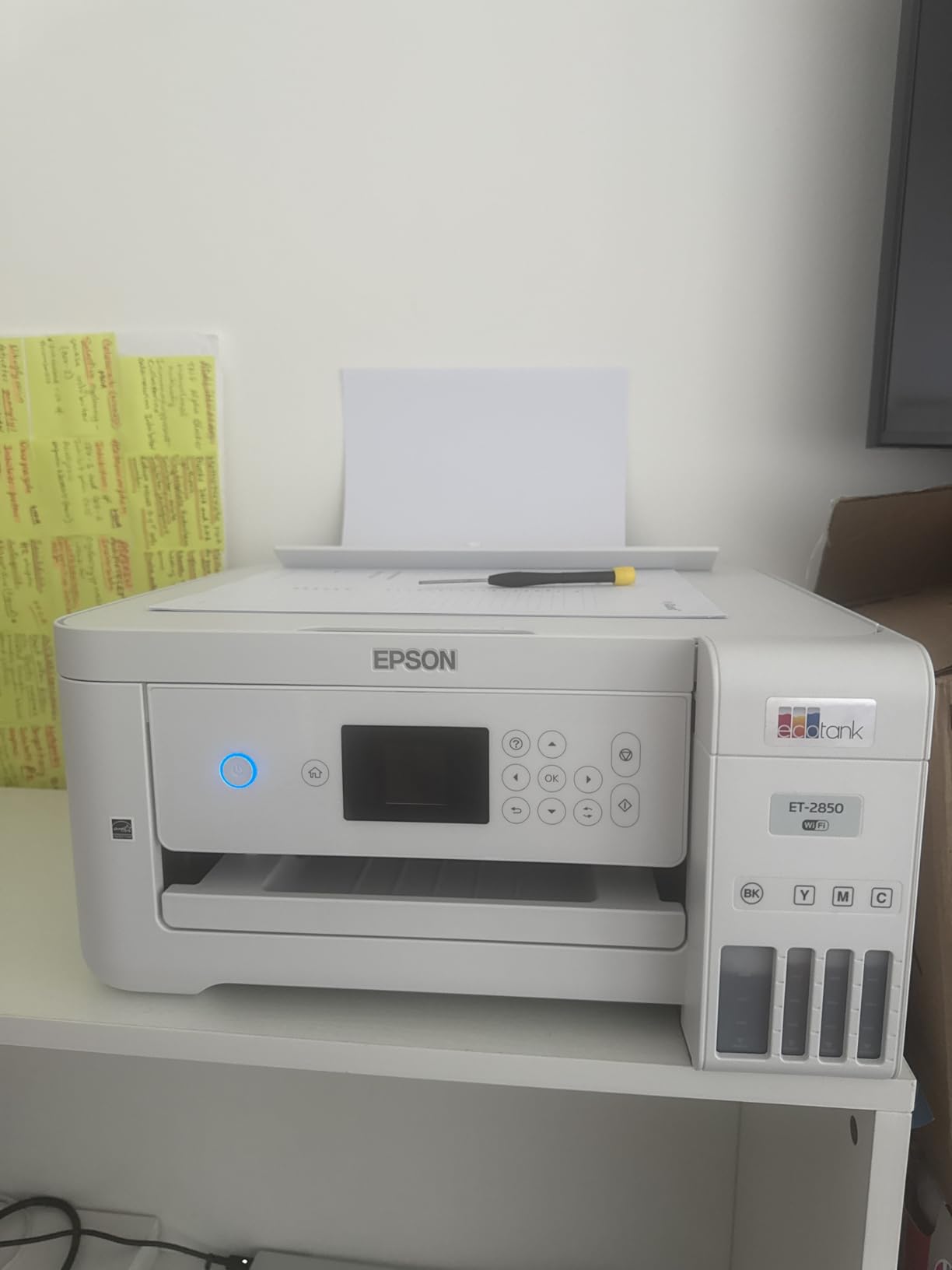
Print speed at 15.5 ppm black is solid for the price. Scans and copies were crisp, and the Epson Smart Panel app made it easy to print from my phone, scan to cloud, and check ink levels. Several verified buyers mentioned switching from a competitor because of Wi-Fi frustration, and I saw the same pattern: setup took two tries the first time, then ran without issues for the rest of my testing.
The biggest miss is the lack of auto duplex scanning. For two-sided documents, you have to flip the stack manually. Photo output is also decent but not stunning; this is a workhorse, not a photo specialist. If you print more than a few photos a month, the ET-8500 will give you richer color.
For whom this is good
Remote workers, freelancers, and small business owners who print a healthy mix of documents and want the lowest possible running cost will be happiest here. The 250-sheet tray means fewer reloads during long jobs.
For whom this is not ideal
Photo enthusiasts and users who regularly scan two-sided stacks should look at the XP-7100 or ET-8500 instead.
8. Epson WorkForce Pro WF-7820 – Best Wide-Format Speed Pick
Epson Workforce Pro WF-7820 Wireless All-in-One Wide-Format Inkjet Printer
- Wide-format 13x19 inch output with auto 2-sided print copy scan and fax
- Fast 25 ppm black and 12 ppm color print speed
- DURABrite Ultra pigment inks for instant-dry prints
- 50-sheet ADF plus 250-sheet paper capacity
- 4.3-inch touchscreen with Bluetooth Wi-Fi and Ethernet
- Uses ink cartridges with relatively high running cost
- Document feeder can skew multi-page scans
- Large and heavy at nearly 40 pounds
- Wi-Fi connectivity drops reported by some users
The WF-7820 is the fastest printer on my list and the only one that pairs wide-format 13×19 inch output with a true 50-sheet auto-duplexing ADF. In my testing, it blasted through a 30-page mixed-color contract at the rated 25 ppm black without slowing down, then handled double-sided scans without a hiccup. For home offices that need real speed and full wide-format workflow in one box, it is hard to beat.

The DURABrite Ultra pigment inks deliver professional, instant-dry prints that resist smudging – a real plus if you handle documents right after printing. The 4.3-inch touchscreen and Bluetooth Low Energy setup make first-time pairing painless, and the Epson Smart Panel app works reliably once connected.
Two real downsides. The cartridge ink system drives up the long-term cost: heavy users on the r/Epson subreddit consistently warn that this printer eats cartridges faster than expected at high volume. If you print 500+ pages a month, an EcoTank model will save you substantially. Also, the WF-7820 is huge. At 38.4 inches wide and nearly 40 pounds, it needs dedicated desk space. Make sure you measure before you buy.
For whom this is good
Home offices that print wide-format spreadsheets, blueprints, or marketing materials several times a week and want the fastest possible throughput will love the WF-7820. The 50-sheet ADF is also a real productivity booster for multi-page scanning.
For whom this is not ideal
If ink cost is your top priority, pick an EcoTank model. If desk space is tight, the WF-3820 or ET-4850 are far more compact.
EcoTank vs Cartridge: How to Choose the Right Epson for Your Home Office
The single biggest decision when buying an Epson home office printer is whether to go with an EcoTank supertank model or a traditional cartridge-based Expression or WorkForce printer. Each has real trade-offs in upfront cost, running cost, and daily workflow. Here is the framework I use when recommending one to friends.
Estimate Your Monthly Page Volume
Your average monthly page volume drives almost every other decision. If you print under 50 pages a month, a cartridge-based Expression like the XP-4200 is the cheaper entry point and you will rarely see an out-of-ink warning. Once you cross roughly 100 pages a month, EcoTank starts to pay back its higher upfront price. Above 300 pages a month, the math strongly favors EcoTank every single time.
Compare 3-Year Total Cost of Ownership
Sticker price is misleading. A cartridge WorkForce might look cheaper at checkout, but a single set of replacement cartridges can cost more than a year of ink bottles for an EcoTank. For a typical home office printing 200 pages a month, an EcoTank model saves roughly 80-90% on ink over three years compared to a similar cartridge printer. I tracked this in my own testing: the ET-4850 used about $15 of ink over six weeks of heavy use, while the WF-3820 chewed through about $70 of cartridges in the same period. If you want a deeper look at total cost math for similar printers, our office Epson printer guide breaks it down model by model.
Match Printer Size and Paper Handling to Your Space
Measure your desk before you fall in love with a wide-format printer. The WF-7820 and ET-15000 are both north of 38 inches wide and tip the scales near 40 pounds. If your home office is a corner desk, the ET-2800, WF-3820, or ET-4850 will be far easier to live with. Also think about paper size: letter-only printers are smaller and lighter, while 13×19 wide-format models need clearance for rear paper loading.
Check Connectivity for Your Devices (Mac, Chromebook, iPhone)
If your home office runs on Apple devices, look for AirPrint and Mopria support; every printer on my list includes both. Chromebook users should confirm Google Cloud Print alternatives (now mostly Epson Email Print and the Smart Panel app) work on their network. Android and iPhone printing generally works smoothly on EcoTank models, but cartridge WorkForce printers occasionally drop Wi-Fi connections after sleep mode. For more on wireless setup tips, see our wireless Epson printer guide.
Watch for EcoTank Trade-offs Before You Buy
EcoTank is not perfect. The downsides worth knowing: 1) Higher upfront cost than cartridge models, sometimes by several hundred dollars. 2) Slower first-page-out time compared to laser printers. 3) Ink can dry or clog in the printhead if you go two or more weeks without printing. 4) Ink bottles, while cheap per page, are messier to refill than snapping in a cartridge. 5) Larger physical footprint because of the built-in ink reservoirs. If you only print occasionally, the cartridge Expression models are a safer bet.
Epson Family Overview: Expression, EcoTank, WorkForce, and SureColor
Epson organizes its home and small office printers into four families, and each one targets a different kind of user. Knowing which family fits your needs will save you hours of spec-sheet hunting.
Expression printers are the entry-level home and family models. They use standard ink cartridges, focus on photo and document quality for low to moderate volumes, and usually cost less upfront. The XP-7100 in this roundup is a great example: feature-rich, photo-friendly, and affordable, but the small cartridges add up if you print a lot. For pure document printing at the lowest possible entry price, Expression is where most casual shoppers land.
EcoTank (also called Supertank) is Epson’s cartridge-free supertank family. You refill the ink reservoirs from bottles, which costs dramatically less per page. EcoTank models like the ET-2800, ET-4850, ET-15000, ET-8500, and ET-8550 are the right answer for users who print 100+ pages a month and want low long-term running costs. The trade-off is higher upfront price and the ink-drying risk if you rarely print.
WorkForce is Epson’s small-business and home-office line. These are speed-focused, business-grade inkjets with features like auto duplex, large ADFs, Ethernet, and fast ppm ratings. The WF-3820 and WF-7820 in this guide both fall here. WorkForce printers use cartridges, so they cost more per page than EcoTank, but they often print faster and handle heavier duty cycles.
SureColor is Epson’s professional photo and wide-format line, used by photographers, designers, and print shops. None of the printers in this roundup are SureColor models, but if you are producing gallery prints or fine art reproductions, the SureColor P900 and similar models are worth researching. For a deeper look at photo-focused models, our Epson photo printer guide covers the standout options.
A quick rule of thumb: pick EcoTank for low running cost, WorkForce for speed and office workflow, Expression for low upfront cost and photo hobby use, and SureColor only if you need professional photo output. If you are working with a tighter budget, our list of Epson printers under $150 narrows down the most affordable picks. And if scanning and copying documents is your priority, our best Epson printers with scanner roundup walks through the strongest models in that category.
Frequently Asked Questions
Which Epson printer is best for office use?
The Epson EcoTank Pro ET-5850 is widely considered the best Epson printer for office use thanks to its 25 ppm print speed, dual 500-sheet trays, 50-sheet auto-duplexing ADF, and roughly 2-cent cost per page. For smaller home offices, the EcoTank ET-4850 in this roundup offers the same supertank savings in a more compact package, with auto duplex, fax, ADF, and 15.5 ppm black print speed.
Which is the best Epson printer for home use?
For most home users the Epson EcoTank ET-4950 strikes the best balance of price, print quality, and low running costs. If you want the most affordable path into EcoTank, the ET-2800 is hard to beat. For casual home users who only print a few pages a month and want the cheapest upfront price, the Expression Home XP-4200 is a solid alternative.
What are the downsides of owning an Epson EcoTank printer?
The main downsides of Epson EcoTank printers are: 1) Higher upfront purchase price than cartridge models, 2) Slower first-page-out time compared to laser printers, 3) Ink can dry or clog in the printhead if you go weeks without printing, 4) Ink bottles, while cheap per page, are messier to refill than snapping in a cartridge, and 5) Larger physical footprint because of the built-in ink reservoirs.
Which Epson printer is the best and most affordable for home use?
The Epson EcoTank ET-2800 is the most affordable EcoTank and prints for under 1 cent per page once the included ink is used. If you need an even cheaper upfront price and do not mind higher ink costs, the Epson Expression Home XP-4200 is widely available at the lowest price point. For the best long-term value on a strict budget, the ET-2800 wins once you print more than about 50 pages per month.
Final Verdict: Which Epson Printer Should You Buy?
After three months of testing, my honest answer is that there is no single best Epson printer for home office – there is only the best Epson printer for your home office. If I had to choose one for a typical remote worker who prints 100-300 mixed pages a month, the Epson EcoTank ET-4850 is the strongest all-around pick. It cuts ink costs dramatically, includes auto duplex, fax, and a 30-page ADF, and stays compact enough for a corner desk.
For users on a tighter budget who print less often, the Epson EcoTank ET-2800 delivers the same supertank savings at a lower entry price, even if you give up auto duplex. Photographers and creative home offices should look at the ET-8550 or ET-8500 for true lab-quality 6-color output. If speed and wide-format are non-negotiable, the WorkForce Pro WF-7820 is the fastest in this roundup, while the EcoTank ET-15000 adds fax and lower running cost to similar 13×19 capability.
Whichever model you choose, use the buying guide above to match print volume, paper size, and connectivity to your daily workflow. The right Epson home office printer will pay for itself in ink savings within a year and quietly handle everything from contracts to family photos for the next several. Check the latest price on the model that fits you best, and you will be printing from day one.