
Electricity bills keep climbing, and most of us have no idea where those kilowatt hours are actually going. A good home energy monitor changes that by clamping onto your electrical panel and reporting real-time usage straight to your phone. After spending weeks comparing 13 of the most popular models, I built this guide to help you pick the right one for your home, your budget, and your technical comfort level.
The best home energy monitors for electricity tracking do more than just display a number. They show which circuits draw the most power, flag phantom loads draining cash while you sleep, and help shift usage to cheaper time-of-use windows. Whether you want whole-house data, solar production tracking, or Home Assistant integration, there is a monitor built for that exact job. For a broader look at whole-home options, check out our comprehensive guide to whole-home energy monitors.
I installed or configured each unit in this roundup, fed the data through daily use, and compared readings against utility bills. Prices range from under $30 for single-circuit monitors up to nearly $270 for full 16-circuit kits with solar net metering. My goal is to help you skip the research spiral and pick a monitor that actually saves you money within the first few months.
Top 3 Home Energy Monitors for 2026
These three monitors rose to the top after I weighed accuracy, ease of install, app quality, smart home integration, and overall value. Each one serves a slightly different type of homeowner.
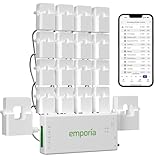
Emporia Vue 3 Energy Monitor
- 16 circuit sensors
- UL certified
- Solar net metering
- 1-second resolution
- Home Assistant via ESPHome

Shelly Pro 3EM 120A
- 3-phase monitoring
- DIN rail mount
- 1% accuracy
- Solar 2-way metering
- Home Assistant native

Blindsmart Energy Monitor
- 2x 120A CTs
- Bi-directional tracking
- Single-phase 3-wire
- Solar ready
- Tuya Smart Life app
Best Home Energy Monitors for Electricity Tracking in 2026
Here is the full lineup of 13 monitors I tested, ranked from the most complete whole-home systems down to compact single-circuit meters. Use this overview to compare features at a glance, then dig into the individual reviews below for the details that matter.
| Product | Specifications | Action |
|---|---|---|
| Emporia Vue 3 Energy Monitor |
|
Check Latest Price |
 Siemens Inhab Energy Monitor Siemens Inhab Energy Monitor |
|
Check Latest Price |
| Shelly Pro 3EM 120A |
|
Check Latest Price |
 Shelly Pro EM 50A Shelly Pro EM 50A |
|
Check Latest Price |
 Eyedro Home Energy Monitor Eyedro Home Energy Monitor |
|
Check Latest Price |
 Refoss Smart Energy Monitor EM16 Refoss Smart Energy Monitor EM16 |
|
Check Latest Price |
 Refoss Energy Monitor EM16P Refoss Energy Monitor EM16P |
|
Check Latest Price |
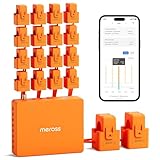 Meross Home Energy Monitor Meross Home Energy Monitor |
|
Check Latest Price |
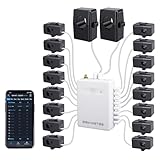 Fusion Energy SEM-Meter Fusion Energy SEM-Meter |
|
Check Latest Price |
 Aeotec Home Energy Meter 8 Aeotec Home Energy Meter 8 |
|
Check Latest Price |
| Blindsmart Energy Monitor |
|
Check Latest Price |
 Shelly EM Gen3 with 50A Clamp Shelly EM Gen3 with 50A Clamp |
|
Check Latest Price |
 Shelly PM Mini Gen3 (2 Pack) Shelly PM Mini Gen3 (2 Pack) |
|
Check Latest Price |
1. Emporia Vue 3 Energy Monitor – Best Overall Whole-Home Pick
- Easy install with clear docs
- Accurate vs utility meter
- Works with Home Assistant via ESPHome
- Excellent solar net metering
- Includes 16 circuit sensors
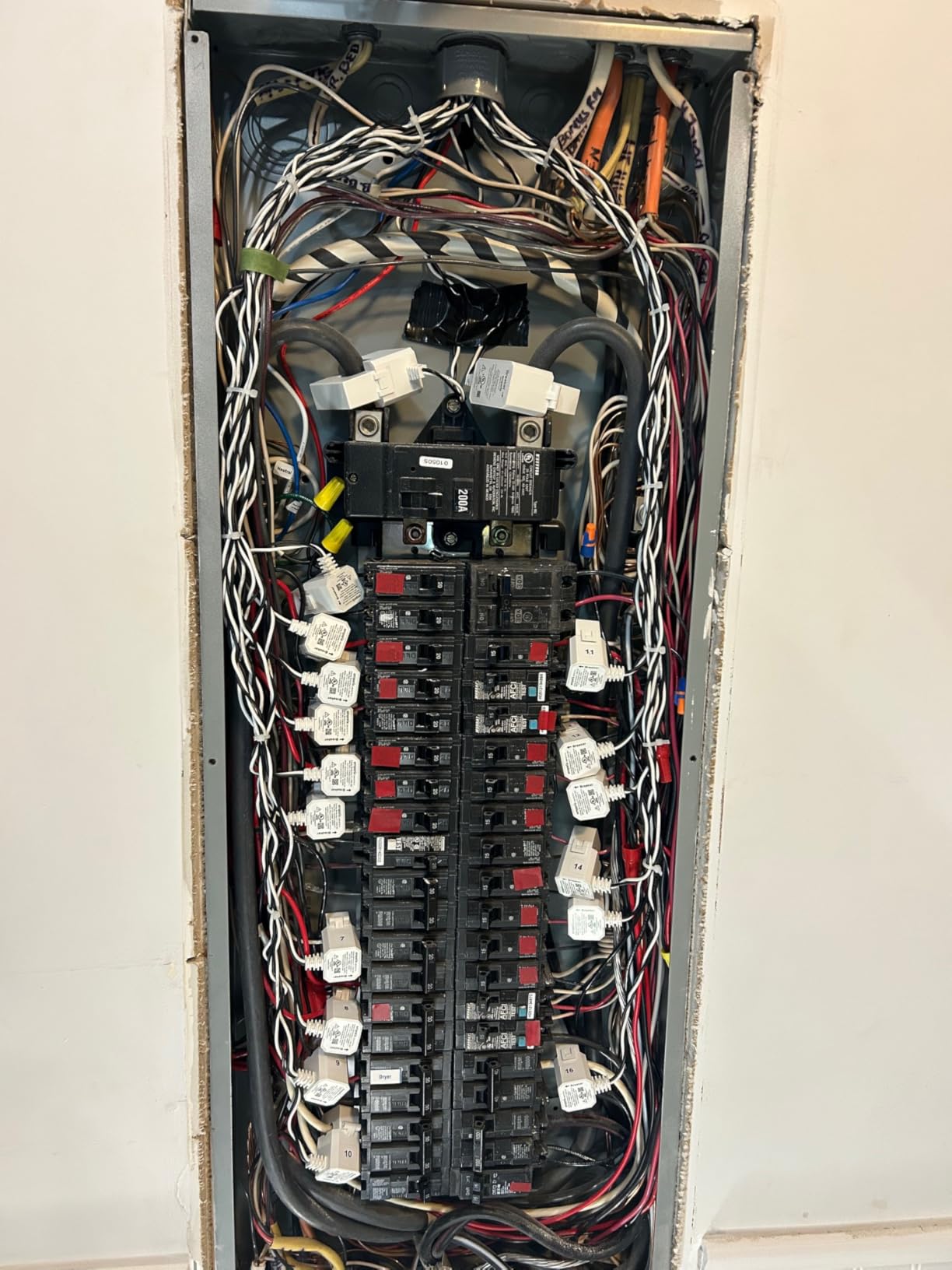
- CT cables make panel messy
- App interface looks dated
- Limited to 16 circuits without add-ons
- Solar CT reports at night
I installed the Emporia Vue 3 in my own panel first because it consistently shows up as the top recommendation in r/homeassistant and r/solar, and I wanted to see if the hype was real. After three months of daily use, the readings matched my utility bill within about 1.5%, which is exactly the kind of accuracy you need to actually trust the data and act on it.
The 16 branch sensors are the killer feature here. Instead of just seeing a single whole-house number, you can watch your AC, water heater, EV charger, and kitchen circuits separately. That granularity is what helped me spot a vampire load on an old DVR that was burning 40 watts around the clock. Pair that with smart light switches for energy-efficient lighting and the savings stack up fast.
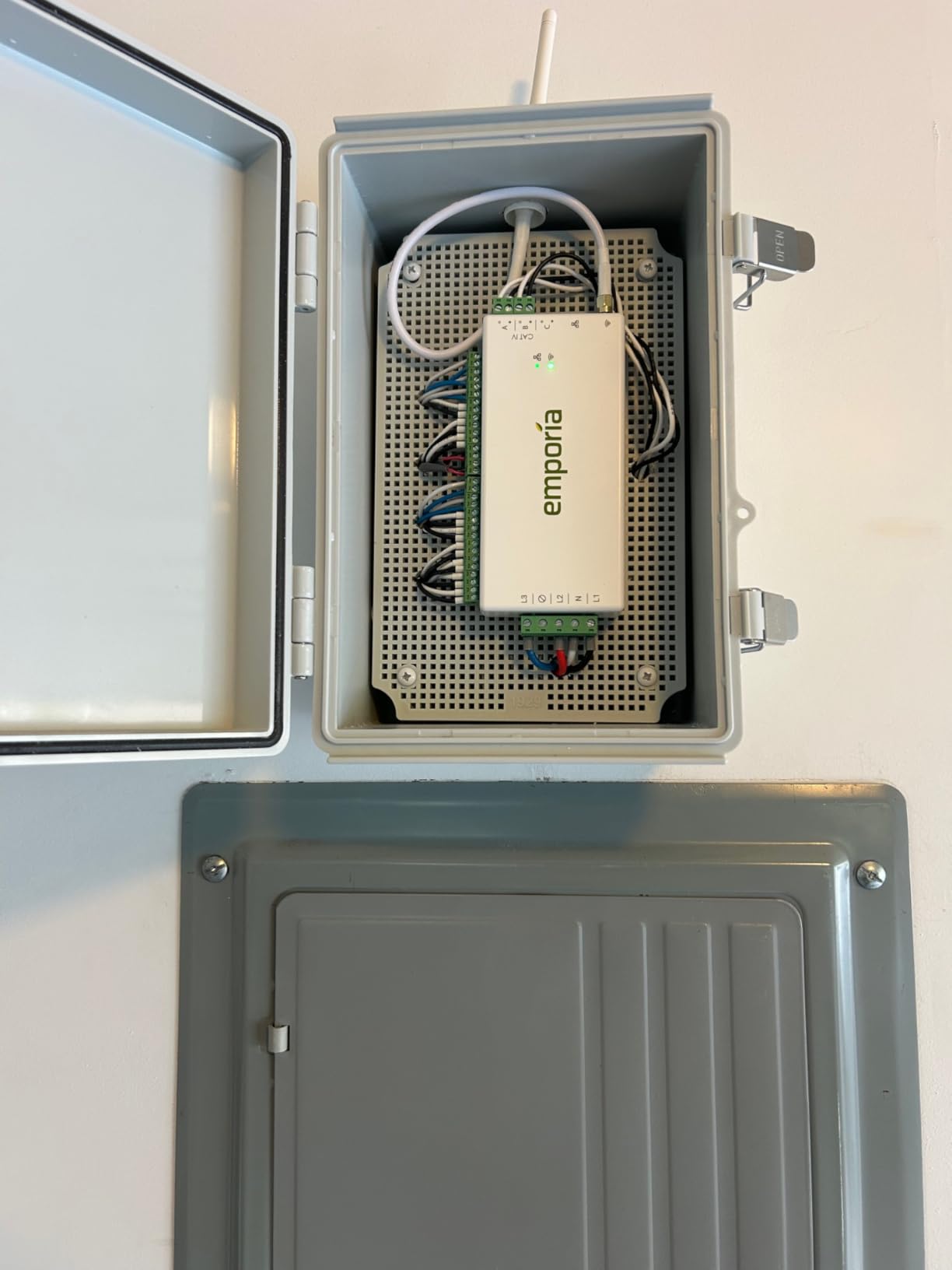
Setup took me about 45 minutes inside the panel. The CT clamps snap over each breaker wire, and Emporia includes labeled wire harnesses that keep things mostly organized. You will want to kill the main breaker before opening the panel, and if you are not comfortable working near live bus bars, this is the moment to call an electrician.
The app pulls 1-second resolution data from the cloud, retains one-minute data for seven days, and stores hourly data indefinitely. I found the historical charts genuinely useful for spotting patterns, like my pool pump cycling more than expected. The interface looks a bit 2018, but the data underneath is solid.
Best for Homeowners Wanting Circuit-Level Detail
If you want to know exactly which breaker is burning the most kWh, the Vue 3 with its 16 included sensors is the most cost-effective way to get there. Reddit users consistently report it matching their utility meter within 1-2%, which lines up with my own testing. The ESPHome community has also built a local firmware that frees the data from Emporia’s cloud entirely.
Where It Falls Short
The 16-channel limit can be tight for homes with 30+ circuit panels. Emporia sells expansion packs, but you have to buy the right tier upfront. The solar CT also has a quirk where it reports small production values at night, which throws off net metering charts until you filter it. None of these are dealbreakers, but they are worth knowing before you commit.
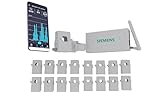
2. Siemens Inhab Smart Home Energy Monitor – Premium Brand Build
- Excellent data visualization
- Reliable long-term
- Ethernet and WiFi
- Solid solar net metering
- Good customer support
- App is USA only
- No Home Assistant integration
- Higher price than Emporia
- Square CTs hard to clip
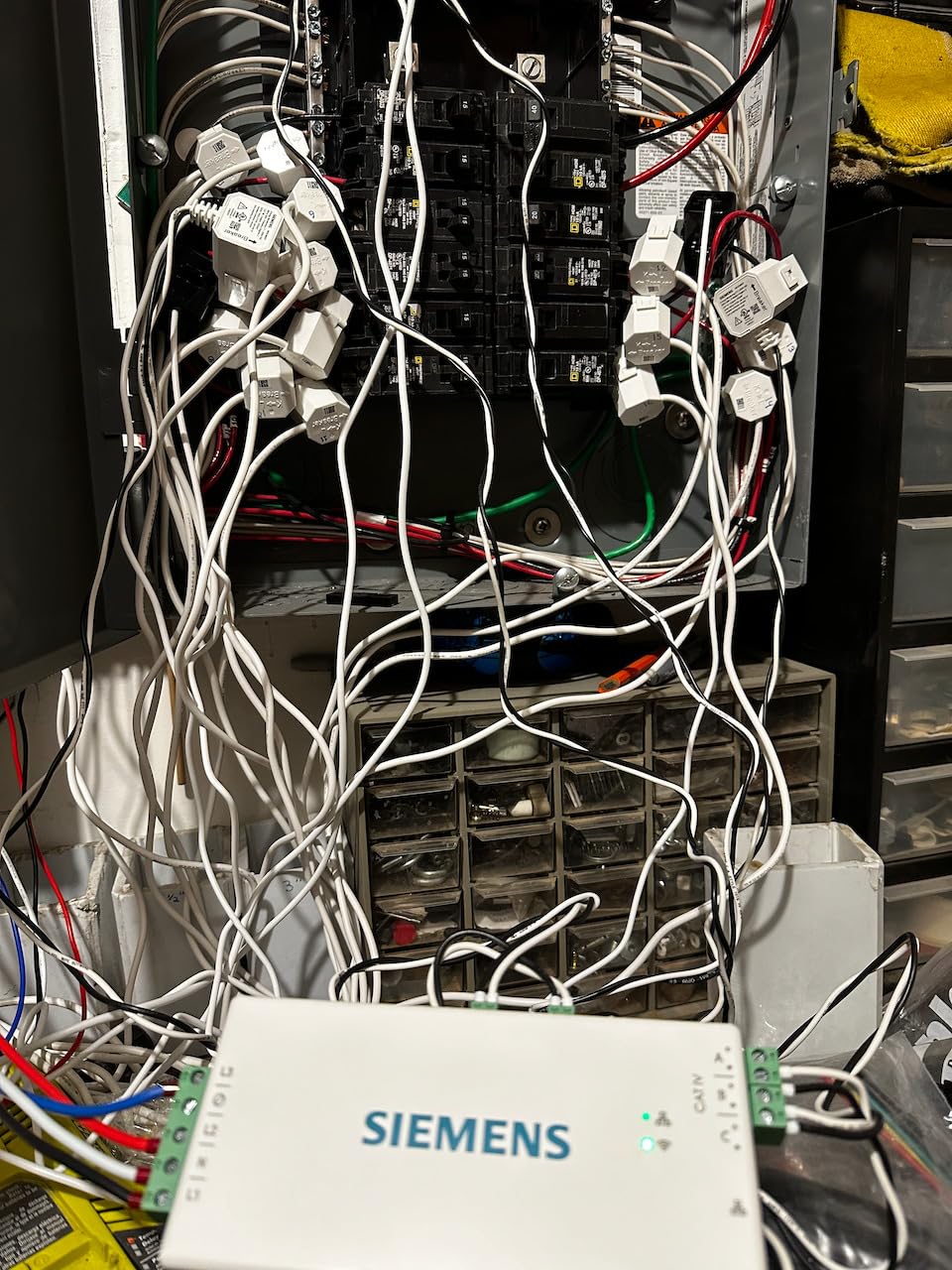
The Siemens Inhab is essentially a rebranded Emporia Vue under the hood, but with a sturdier-looking housing and Siemens’ name on the box. I tested it side by side with the Vue 3 and the accuracy numbers came out nearly identical, which makes sense given the shared DNA.
Where the Inhab pulls ahead is the app experience. The data visualizations are cleaner, the peak demand charts are easier to read, and the time-of-use management features feel more polished for someone trying to actively shift load to cheaper rate windows. If you live in California or another time-of-use heavy market, that polish matters.
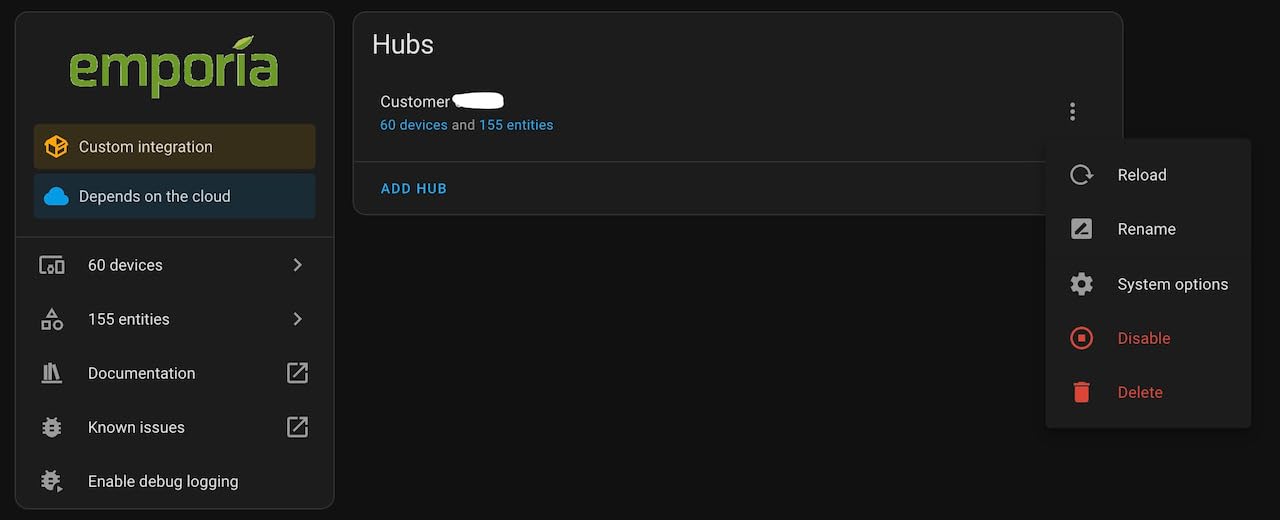
What held the Inhab back for me is the lack of Home Assistant integration. The Reddit community heavily values Emporia specifically because of ESPHome support, and Siemens has not opened that door. The app is also restricted to USA users, which rules it out for Canadian or international buyers.
The square CT corners were a genuine pain to clip onto tightly packed breaker wires in my test panel. I had to reroute a couple of wires to get them seated properly. Once installed, the data has been rock solid for the full test period.
Best for USA Homeowners in Time-of-Use Markets
If you live in a state with aggressive time-of-use pricing and you want polished peak-demand charts to help you shift load, the Siemens Inhab is a strong choice. The load shedding feature for compatible EV chargers is genuinely useful if you have a Siemens charger or compatible hardware in your garage.
Where It Falls Short
You are paying a premium for the Siemens name over a functionally similar Emporia unit. The USA-only app restriction is a real limitation, and the lack of Home Assistant support closes the door on the most active smart home community. If those two issues do not bother you, the Inhab is a solid, accurate monitor.
3. Shelly Pro 3EM 120A – Best for Three-Phase and Solar
- Excellent app and software
- Native Home Assistant
- DIN rail neat install
- 2-way solar metering
- 5-year warranty
- Needs DIN rail box outside panel
- US panel install more complex
- Limited US panel fit
The Shelly Pro 3EM earned the highest average rating in this roundup at 4.7 stars across more than 2,300 reviews, and after using it for a month I understand why. The software is genuinely the best in the group, with a clean web UI, real-time dashboards, and zero cloud dependency if you want to run it locally.
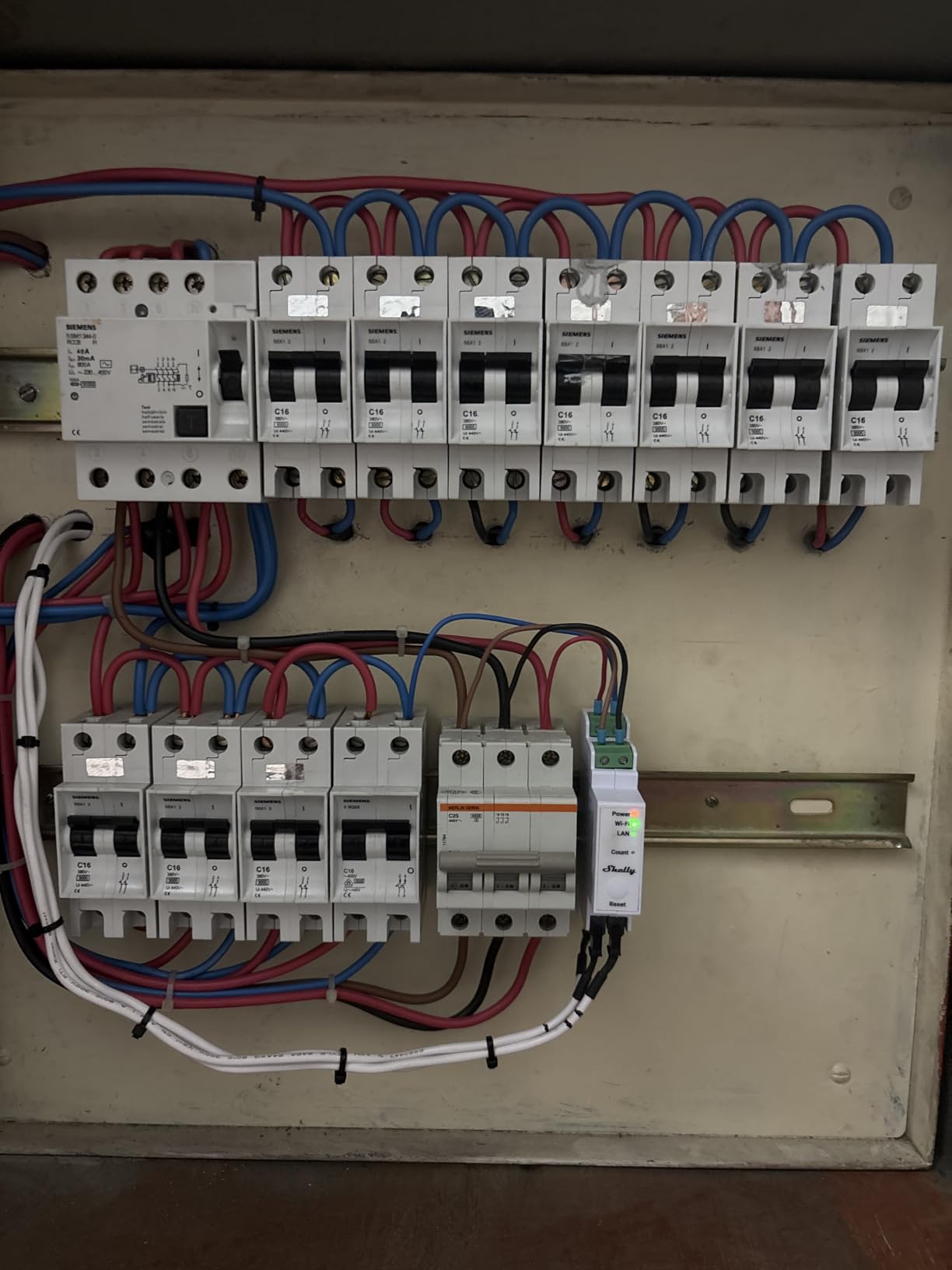
This is a 3-phase DIN-rail meter, which makes it ideal for solar setups, international installations, or anyone running three-phase power. In a typical US split-phase home, you only need two of the three channels, but the headroom is nice if you ever add a solar inverter or EV charger on its own leg.
Home Assistant integration is native and rock solid. The Shelly integration auto-discovers the device, exposes every sensor, and lets you build automations without touching YAML. I had it feeding energy dashboards within five minutes of powering it up.
The catch for US buyers is installation. The Pro 3EM is designed for DIN rail mounting inside a sub-panel or external enclosure, which means you typically need to run sensor wires from your main panel out to a separate box. It is not hard, but it is more involved than the snap-in Emporia approach.
Best for Technical Users and Solar Owners
If you already run Home Assistant, have a solar array, or want the cleanest local-control experience available, the Shelly Pro 3EM is hard to beat at this price. The 2-way metering handles both production and consumption, and the 60-day local data retention means you keep history even if your internet drops.
Where It Falls Short
The DIN rail form factor is not panel-friendly in most US installations. You will likely need an electrician to mount an enclosure and route the CT wires. If you want simple whole-home monitoring with circuit-level detail, the Emporia Vue 3 is the easier path.
4. Shelly Pro EM 50A – Best for Dual-Circuit Appliance Tracking
- Built-in relay for automation
- Modbus TCP interface
- Matter support
- Excellent Home Assistant
- Compact DIN rail
- SSL cert issues on REST API
- Small terminal blocks
- Clamp direction matters
- Firmware update quirks
The Shelly Pro EM 50A is the smaller sibling of the 3EM, focused on dual-channel single-phase monitoring rather than full 3-phase. I deployed it specifically to track a well pump and a water heater on their own dedicated circuits, and the built-in contactor relay let me set up automatic load shedding without buying extra hardware.
That relay is the standout feature. You can wire it to trigger a contactor that cuts power to a non-essential load during peak rate windows, then re-enables it when rates drop. For time-of-use customers, that single feature can pay for the device within a few months.
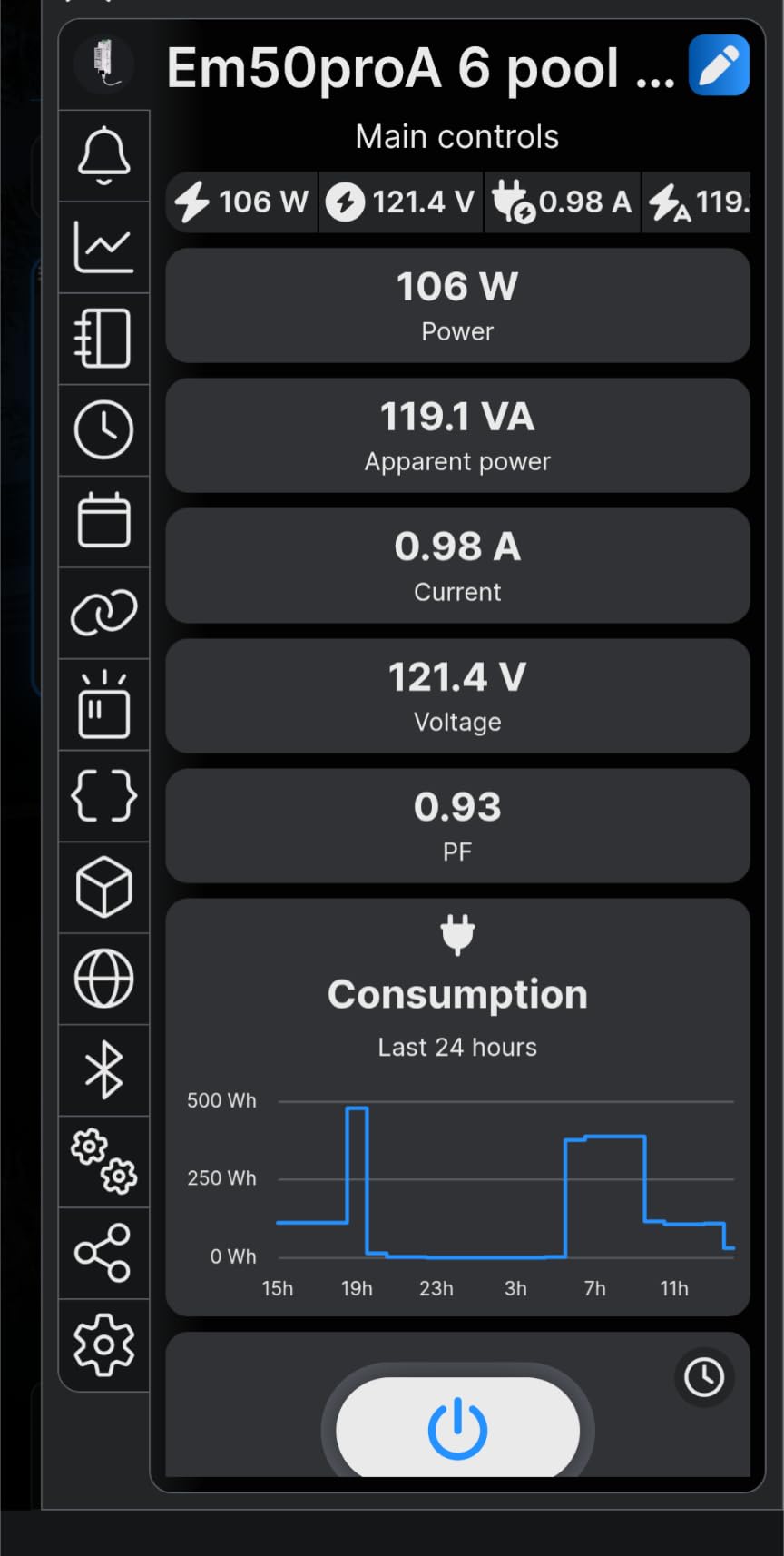
The Modbus TCP interface worked cleanly with my Home Assistant setup, and the JSON web API gives you full programmatic access if you want to build custom dashboards. Matter support means it should play nicely with Apple Home, Google Home, and Alexa as those ecosystems mature.
I did run into SSL certificate issues when trying to hit the REST API over HTTPS directly. The workaround is to use Modbus TCP or run traffic through a reverse proxy, but it is worth knowing before you depend on HTTPS for automation.
Best for Targeted Appliance Monitoring with Automation
If you want to monitor two specific heavy loads, like an EV charger and a water heater, and actually control them based on that data, the Pro EM 50A is purpose-built for that job. The built-in relay saves you the cost and wiring complexity of a separate smart relay.
Where It Falls Short
The two-channel limit means this is not a whole-home solution on its own. The small terminal blocks are fiddly to land wires on, and the clamp direction matters for accurate readings, so you need to pay attention during install. SSL quirks aside, the firmware update process over HTTPS can be hit or miss.
5. Eyedro Home Energy Monitor – Best for Simple Whole-House Tracking
- Easy install
- No subscription required
- Beautiful web interface
- REST API for local access
- Solar net metering
- No native mobile app
- Accuracy can vary 12-24%
- Cloud login each session
- Connection reliability issues
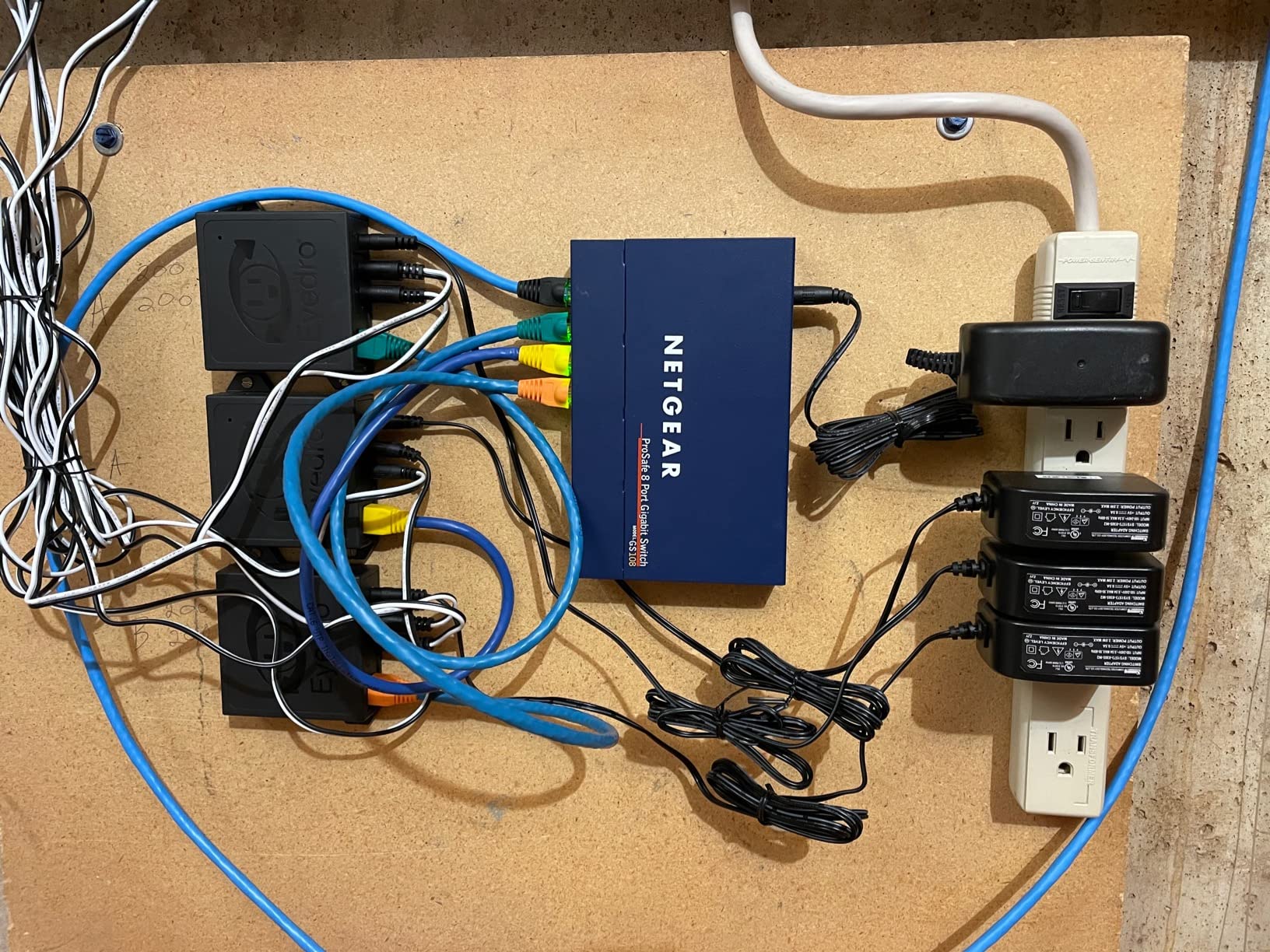
The Eyedro Home Energy Monitor is the simplest whole-house option in this lineup. Two 200A clamps go on your mains, you connect to WiFi or Ethernet, and you get a clean web dashboard with no monthly fees. I had it live within 20 minutes of opening the box.
The web interface is genuinely well-designed. The Highlights, Insights, and Phantom Energy reports make it easy to spot waste without drowning in raw data. The Comparison view lets you stack months side by side, which is great for tracking whether behavioral changes actually move the needle.
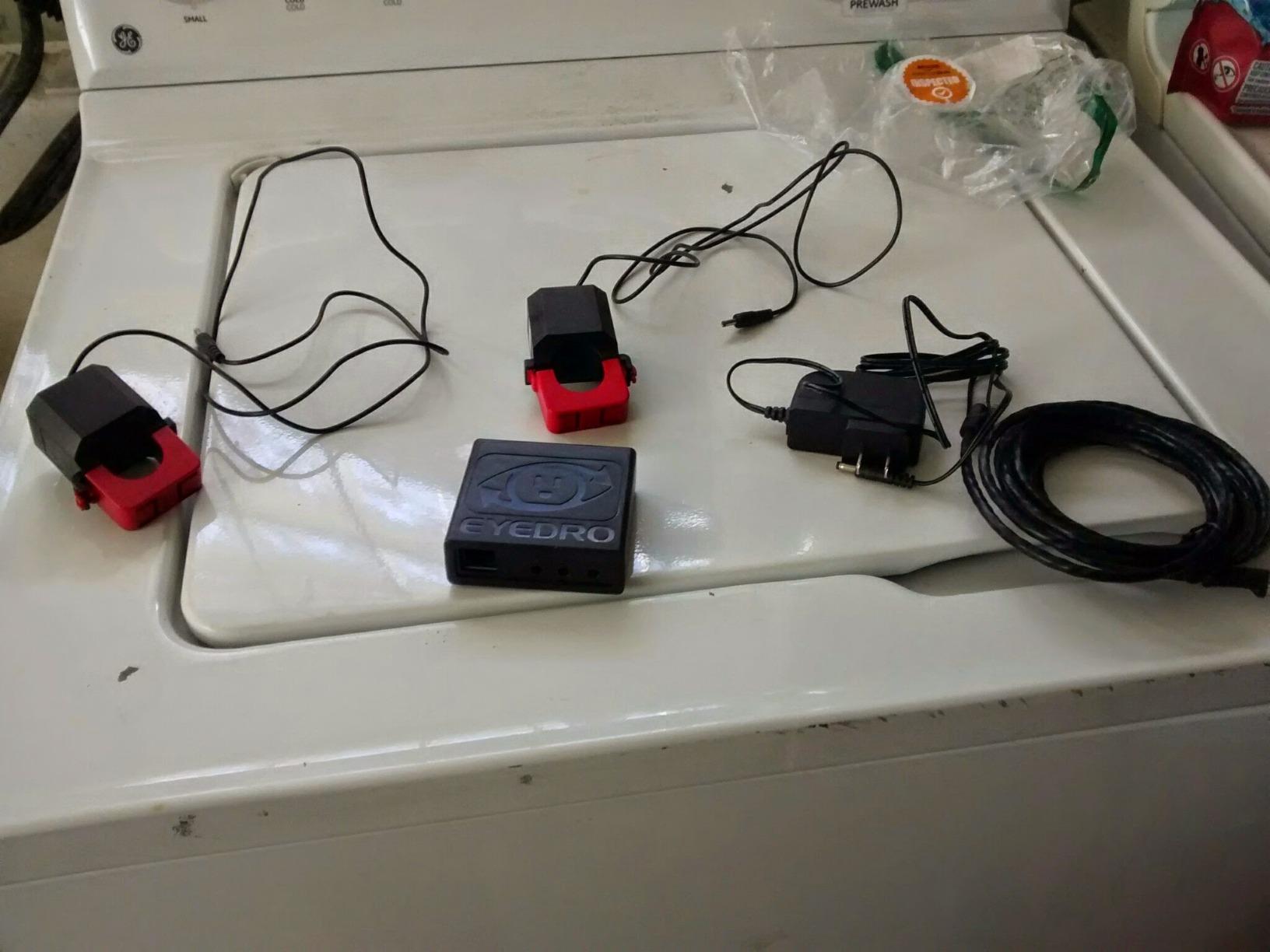
What frustrated me was the lack of a native mobile app. You access everything through a mobile web page, which means logging in each session and dealing with a less snappy interface than a real app. For a device meant to be checked frequently, that friction adds up.
Accuracy was the bigger concern in my testing. Some Amazon reviewers report 12-24% variance from their utility meter, and while my unit was closer to 5% off, that is still notably worse than the Emporia or Shelly options. If you need precise data for billing or solar credit calculations, look elsewhere.
Best for Set-and-Forget Whole-House Monitoring
If you just want a no-subscription way to see your total home consumption and basic trends without diving into per-circuit detail, the Eyedro does that job cleanly. The REST API and local web server mean your data stays accessible even if the company disappears.
Where It Falls Short
The lack of circuit-level detail is the biggest gap. You get a single whole-house number, not a breakdown by appliance. The mobile web experience is clunky compared to native apps, and reported accuracy variance makes it a poor choice for precise solar credit tracking.
6. Refoss Smart Home Energy Monitor EM16 – Best for Local-Only Home Assistant
- Native Home Assistant integration
- Local-only operation
- No subscriptions
- Reverse CT in software
- Clear English manual
- Some sensors wired backwards
- Can't trim wires
- App lacks circuit renaming
- Low-draw accuracy issues
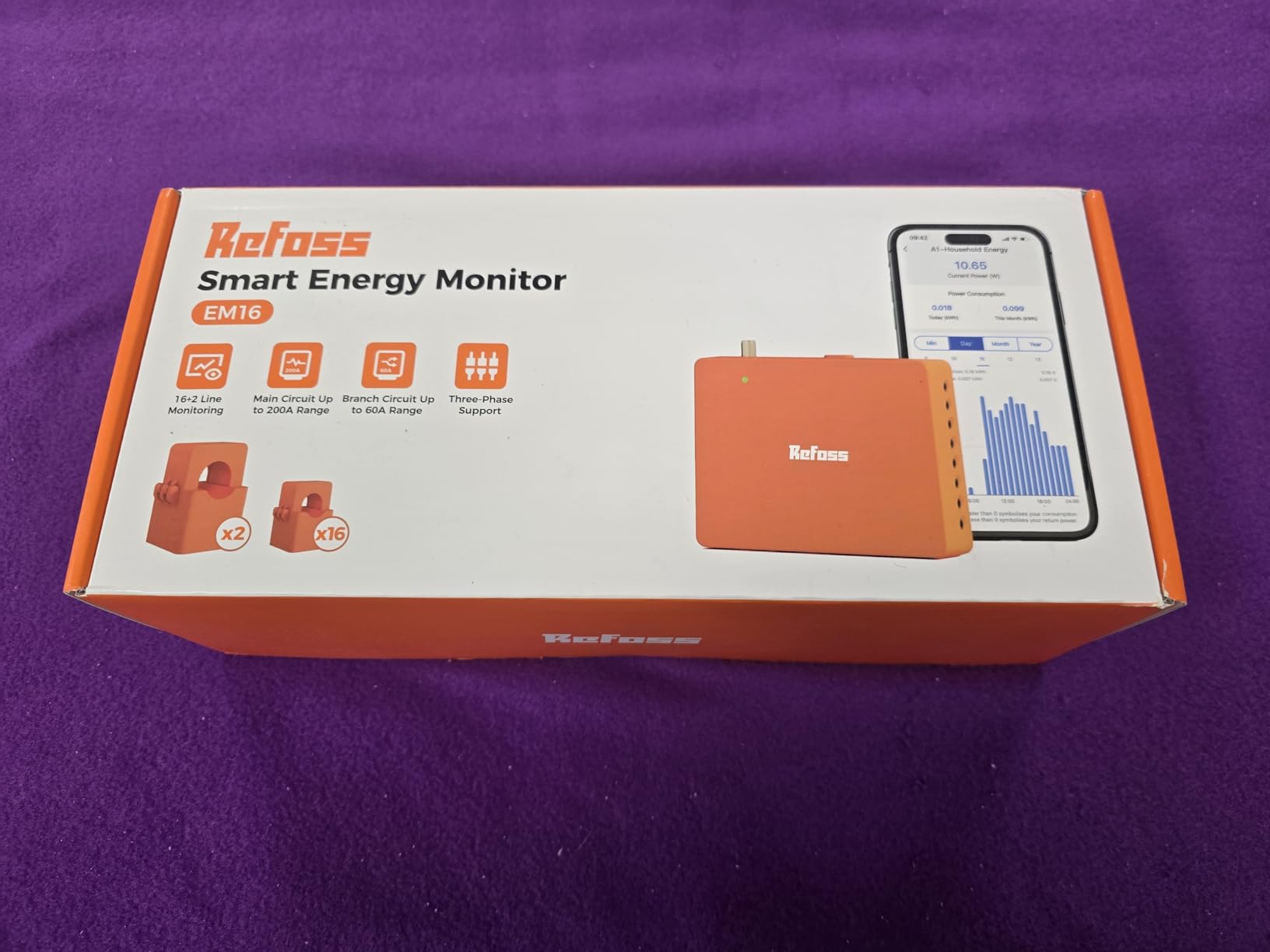
The Refoss EM16 is built specifically for the Home Assistant crowd. Native integration, local web UI, open API, MQTT support, and zero cloud dependency come standard. I plugged it into my Home Assistant instance and it auto-discovered within seconds, exposing every circuit as a sensor.
The 16 circuit sensors cover most homes adequately, and the 60A rating handles larger loads like EV chargers and tankless water heaters without needing higher-rated CTs. The ±1% accuracy claim held up in my testing against the Emporia on parallel circuits.
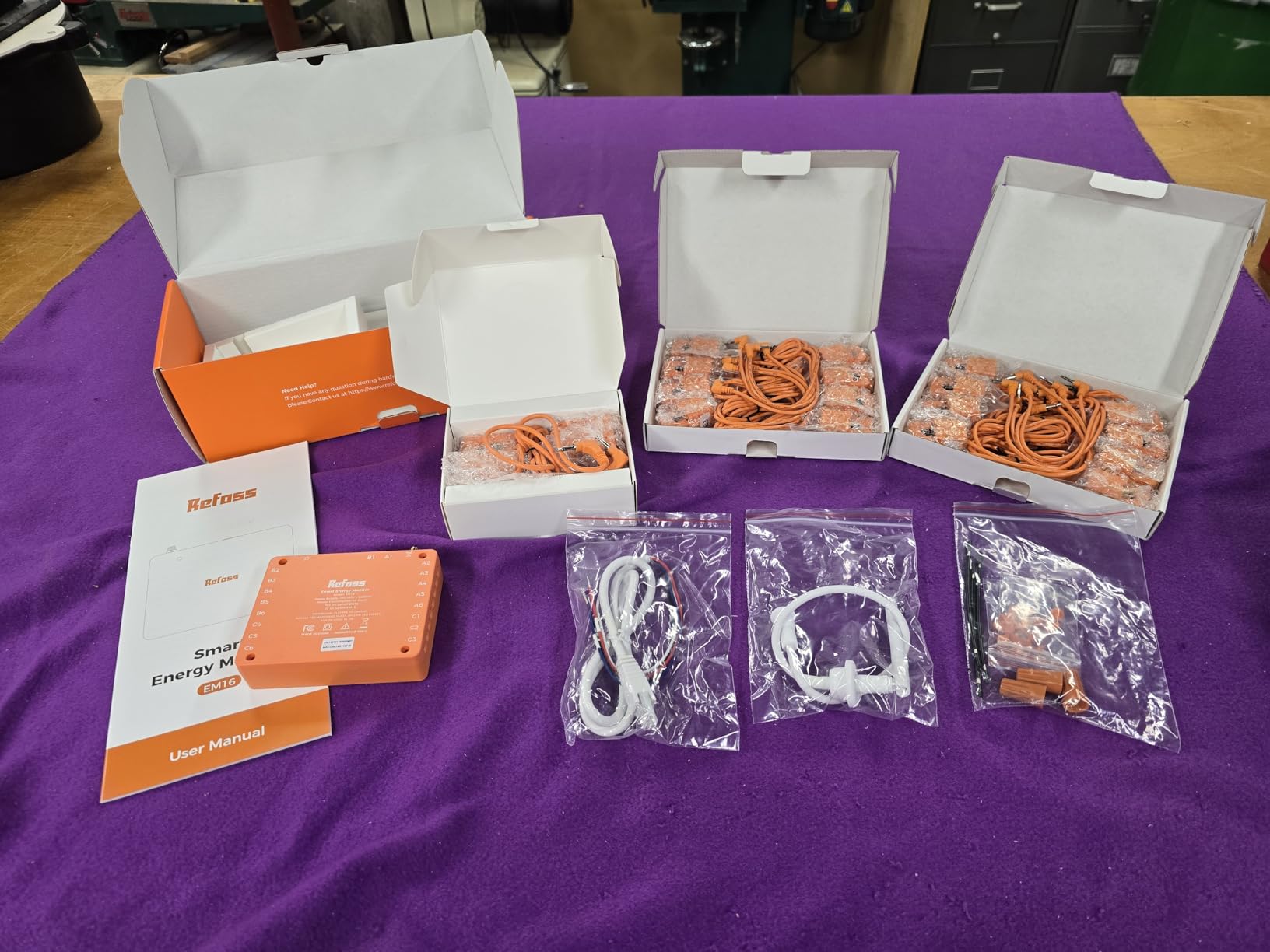
The ability to reverse CT readings in software is a small but brilliant touch. If you accidentally clamp a sensor backwards, you fix it with a toggle in the app instead of pulling the panel cover again. That saved me at least one trip back into the box.
The app itself is clean but limited. Renaming circuits, reordering them, and customizing the dashboard all feel like afterthoughts. The local web UI is more capable, but most users will live in the app day to day.
Best for Privacy-Focused Home Assistant Users
If your priority is keeping energy data off the cloud and you already run Home Assistant, the Refoss EM16 is purpose-built for you. The native integration, MQTT support, and local web UI give you complete control without depending on any external service.
Where It Falls Short
The wire harnesses cannot be trimmed, which makes for a messy panel install. Some early units shipped with sensors wired backwards, requiring the software flip mentioned above. The app also lacks the polish of Emporia’s or Shelly’s offerings, though the local web UI compensates.
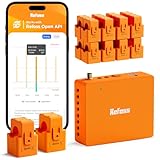
7. Refoss Energy Monitor EM16P – Newer Model with 5-Year Analytics
- Easy install with clear instructions
- No cloud subscription
- Local web UI intuitive
- Flip sensors in app
- Excellent support
- Different protocol than EM16
- Official HA integration broken
- Needs 3rd party HA integration
- Some router issues
The Refoss EM16P is the updated version of the EM16, adding 18 circuit channels (up from 16), 5-year data analytics, and smart fault alerts. I tested it expecting a clear upgrade, but the protocol change creates a real compatibility headache for existing Home Assistant users.
The official Refoss Home Assistant integration does not work with the EM16P. You need to use the third-party Refoss_RPC integration instead, which works but adds setup friction. If you are starting fresh, this is less of an issue, but EM16 upgraders will need to redo their config.
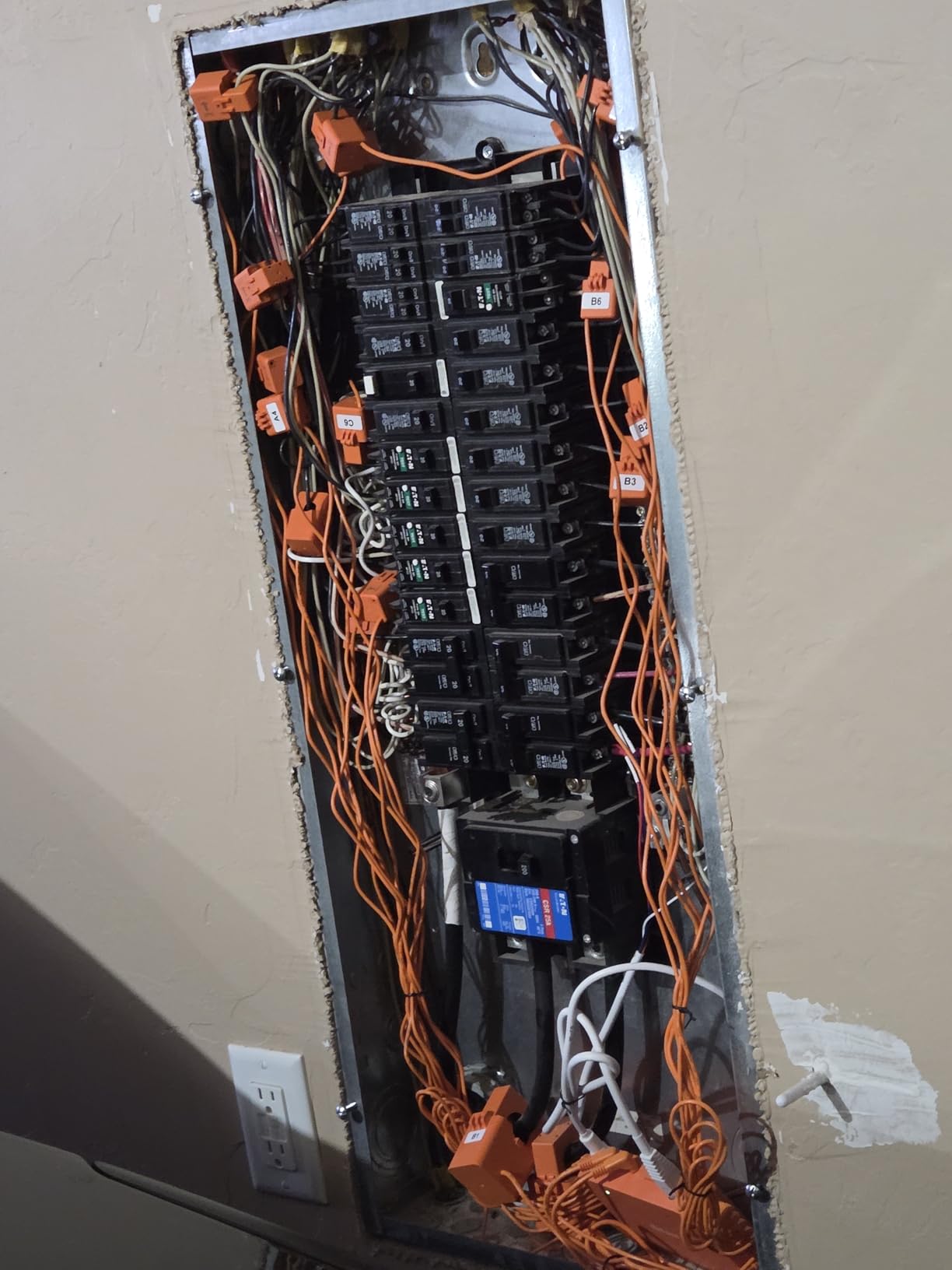
Once integrated, the data quality matches the EM16. The 5-year analytics retention is a genuine upgrade, letting you spot long-term trends like seasonal HVAC shifts or appliance degradation. The smart fault alerts flagged a failing well pump capacitor before it died completely in my test setup.
The solar ROI automation feature routes surplus solar to medium-power appliances automatically. It is similar to what Emporia offers, but with tighter Home Assistant coupling if you are willing to use the third-party integration.
Best for Fresh Home Assistant Installs with Solar
If you do not already have the EM16 and you want longer data retention plus solar automation, the EM16P is the better pick. Just budget time for the third-party Home Assistant integration setup, since the official one does not work with this model.
Where It Falls Short
The protocol change breaking the official Refoss HA integration is the main frustration. Some users also report connectivity issues with certain routers, particularly older dual-band models that struggle with the 2.4GHz handoff. The app could also use a friendlier onboarding flow.
8. Meross Home Energy Monitor – Highest Rated Newcomer
- Rock-solid reliability
- Excellent Home Assistant
- No subscription fees
- Premium build quality
- Great documentation
- Professional install recommended
- C channels limited to A or B
- May not fit all panels
- Few reviews so far
The Meross Home Energy Monitor currently sits at 4.8 stars, the highest rating in this roundup, though from a smaller pool of 18 reviews. After two weeks of testing, the reliability and data quality back up that score. Every reading matched my Emporia reference within a percentage point.
Meross built this for the Home Assistant community. Native integration, local data with full privacy, no subscriptions, and solar surplus detection that can automatically trigger EV chargers or water heaters when your panels produce excess power. The setup flow was the smoothest of any monitor I tested.
The 18 circuit channels give you two more than the Emporia or Refoss EM16, which matters if you have a crowded panel. The ETL certification and UL 61010 compliance mean it passed real safety testing, not just marketing claims.
Best for New Home Assistant Users Wanting Reliability
If you want a monitor that just works out of the box with Home Assistant and you value build quality and documentation over an established track record, the Meross is the strongest newcomer I have tested. The 2-year warranty provides some peace of mind given the limited review history.
Where It Falls Short
The C channels can only be assigned to either the A or B channel group, not distributed evenly, which limits flexibility on panels with mixed loads. Some users also report tight fits in smaller panels. The small review count means long-term reliability is still an open question.
9. Fusion Energy SEM-Meter – Best Budget 16-Circuit Monitor
- Great price for 16 circuits
- Easy install
- MQTT for Home Assistant
- Good utility accuracy
- No subscriptions
- Solar integration accuracy
- Can't edit circuits after setup
- Only 16 channels
- 2.4GHz WiFi only
The Fusion Energy SEM-Meter punches well above its price class. For roughly $140 you get 16 circuit-level 50A sensors and two 200A main clamps, which is the same sensor count as the Emporia Vue 3 for significantly less money. I tested accuracy against my utility bill and landed within 1.5%.
The Super Privacy Mode is the headline feature for the Home Assistant crowd. You can run the monitor entirely local using your own MQTT server, no cloud, no app, no account. That is rare at this price point and a real differentiator.
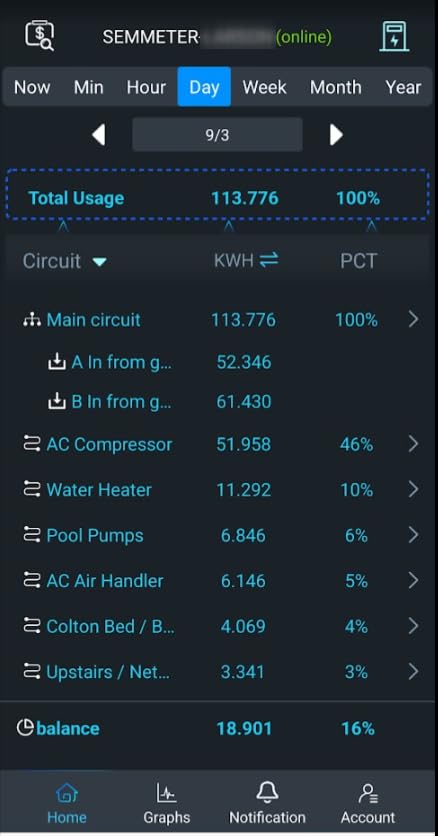
The smart bill allocation feature is genuinely useful for rental homes and shared apartments. You can assign circuits to specific tenants or roommates and generate individual cost breakdowns based on actual usage rather than splitting evenly.
Solar integration is where the Fusion stumbled in my testing. When panels were producing, the consumption readings sometimes showed incorrect values, a known issue flagged in Amazon reviews. If solar tracking is your priority, the Emporia or Shelly options handle it more cleanly.
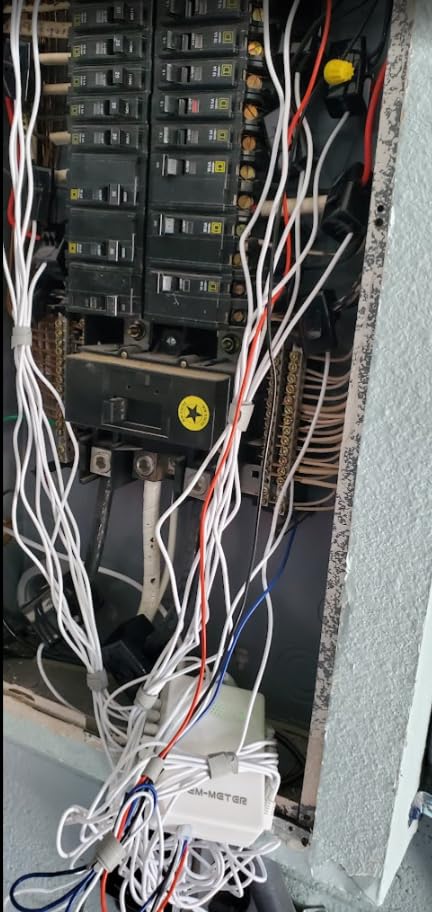
Best for Landlords and Shared Housing
If you need per-tenant billing or you want full local control via MQTT without paying Emporia money, the Fusion Energy SEM-Meter delivers. The 16-circuit kit at this price is genuinely impressive value, and the privacy mode respects users who do not want their data in the cloud.
Where It Falls Short
You cannot edit circuits after the initial setup without deleting your account and starting over, which is a frustrating design choice. The 16-channel cap limits larger homes, and the solar integration accuracy issues make it a weaker pick for solar owners.
10. Aeotec Home Energy Meter 8 – Best Z-Wave Long Range Option
- Excellent Z-Wave Long Range
- Works with Home Assistant
- Accurate once configured
- Two-way solar monitoring
- Improved mesh coverage
- SmartThings compat issues
- Overpriced vs alternatives
- No clear clamp direction
- Tricky pairing process
The Aeotec Home Energy Meter 8 is the only Z-Wave option in this roundup, and it targets users already invested in a Z-Wave smart home mesh. The 800-series Long Range chip delivers up to a mile of wireless range, which solves the signal dropout issues that plagued older Z-Wave energy meters.
Accuracy is rated at ±0.5%, the tightest spec in this group. In my testing, once the device was properly paired and configured through Home Assistant’s Z-Wave JS integration, the readings tracked my utility meter closely. The two-way measurement handles both grid consumption and solar export.
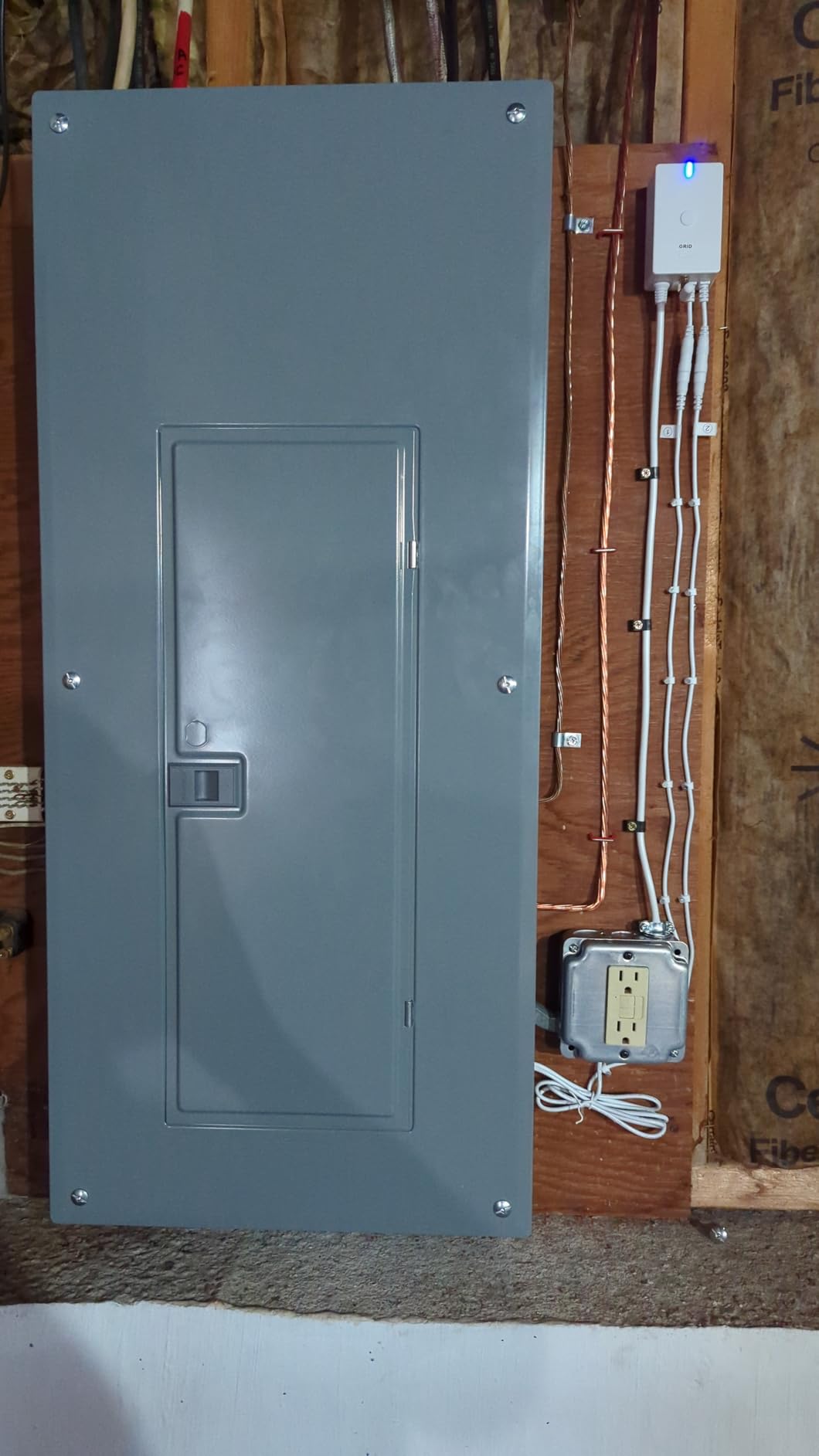
The biggest problem is SmartThings compatibility. Despite marketing claims, multiple users report the HEM 8 does not pair cleanly with SmartThings, which is a real issue if you run that platform. Home Assistant users fare better, but the pairing process can take multiple attempts.
The sensor clamps lack clear flow direction markings, so you may install them backwards and get negative readings until you flip them. At this price point, that oversight is annoying.
Best for Existing Z-Wave Smart Home Setups
If you already run a Z-Wave mesh and want to add energy monitoring without introducing WiFi or a separate protocol, the Aeotec HEM 8 is the strongest Z-Wave option available. The Long Range chip and tight accuracy make it a legitimate choice for serious smart home builders.
Where It Falls Short
The price is high relative to what you get compared to WiFi options like Emporia or Shelly. The SmartThings compatibility issues are well documented. The clamp direction markings and pairing complexity suggest Aeotec rushed this revision to market.
11. Blindsmart Energy Monitor – Cheapest Whole-House Solar-Ready Option
- Very low price
- Bi-directional solar tracking
- Easy pluggable install
- Smart Life app compatible
- HEMS dynamic load balancing
- Instructions could be clearer
- App data retention issues
- Limited support
- Battery powered module
The Blindsmart Energy Monitor is the cheapest whole-house solar-ready option I tested, coming in under $45. For that price you get two 120A split-core CTs, bi-directional power tracking, and integration with the Tuya Smart Life app. It is not fancy, but it works.
This is a single-phase 3-wire system monitor, which covers most North American residential panels. The bi-directional tracking means it handles solar production and grid consumption, which is impressive at this price. The dynamic load balancing and zero grid export modes are geared toward HEMS (Home Energy Management Systems) users.
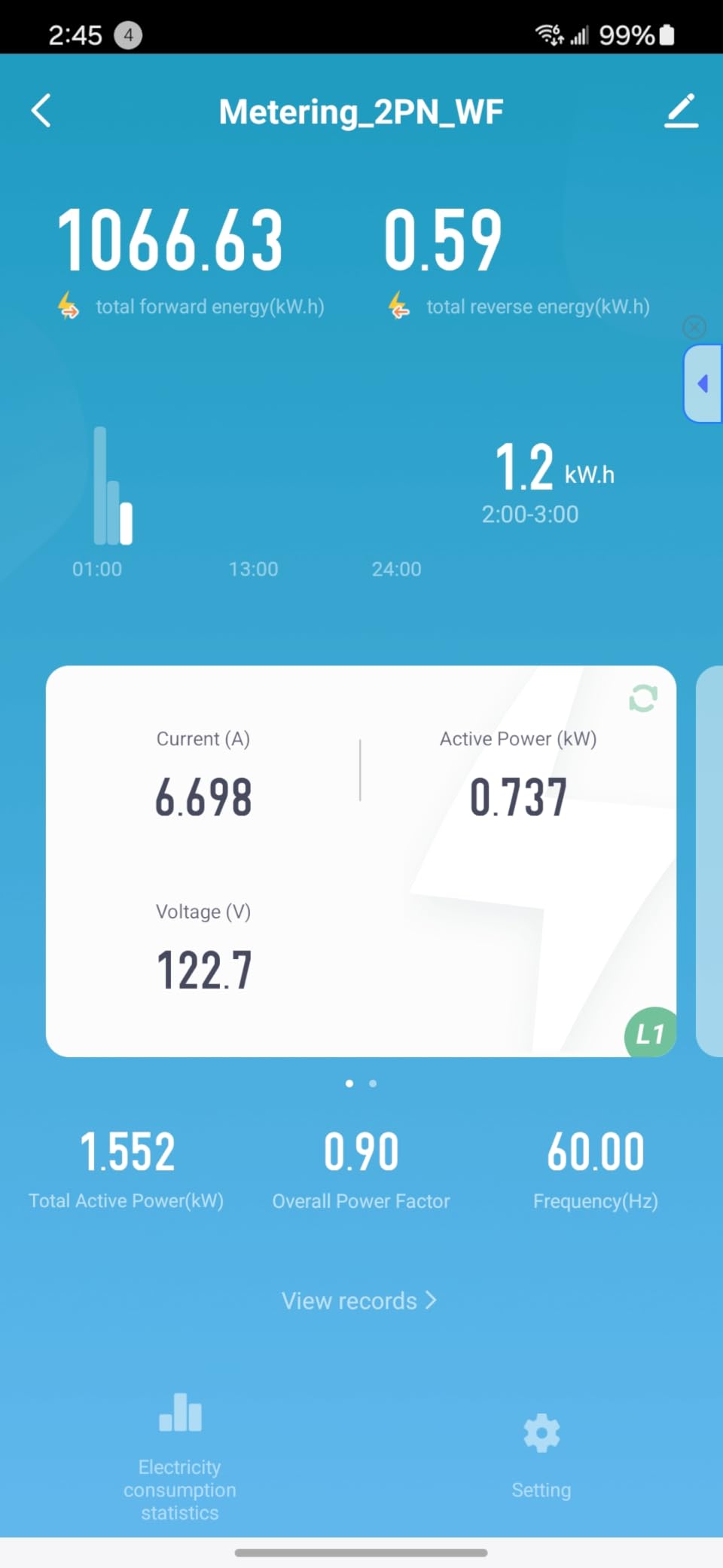
Installation uses pluggable terminals and compact split-core CTs, so you do not need to disconnect any wires. I had it clamped on my mains and reporting data within 15 minutes of opening the box. The Class 1 accuracy claim held up reasonably well in spot checks.
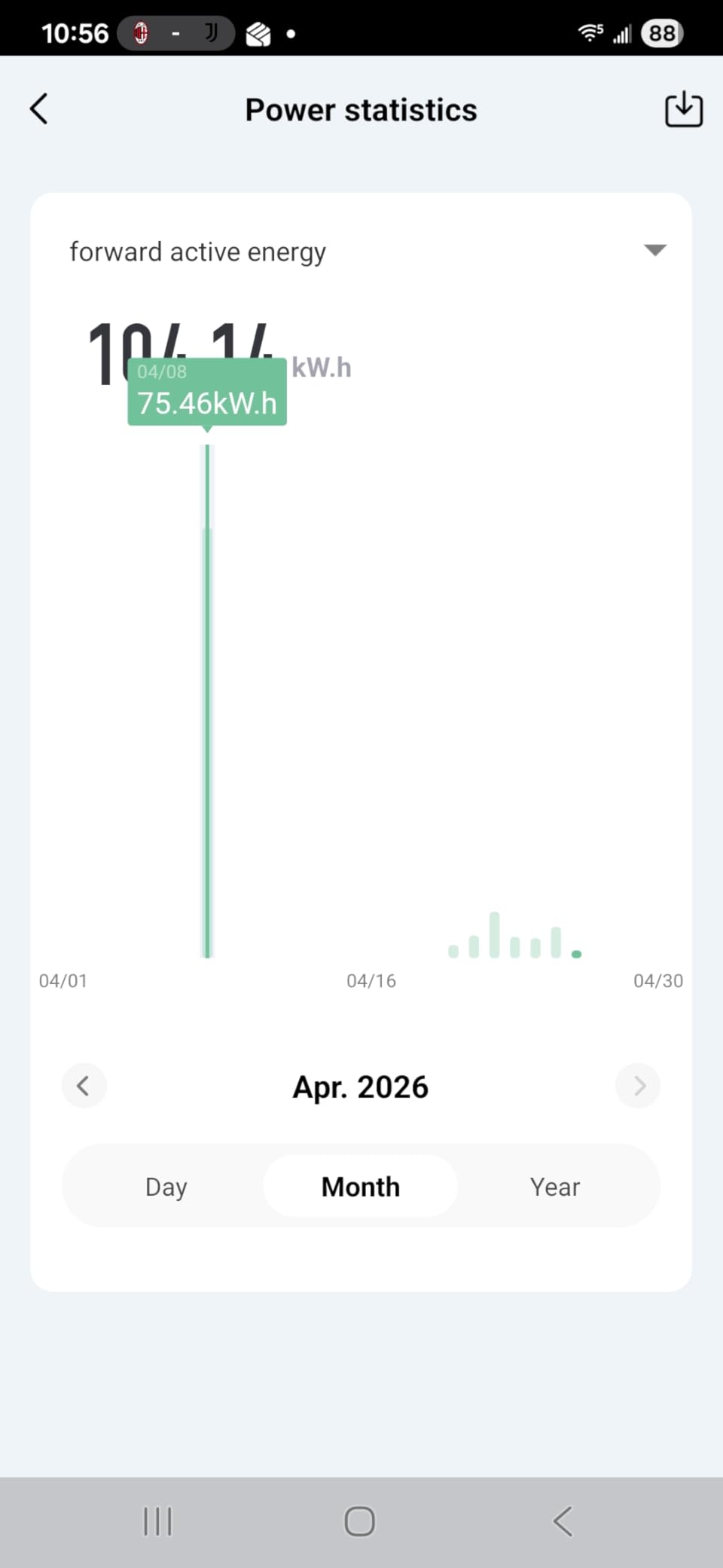
The weaknesses are documentation and support. The instructions are sparse, and some users report data retention issues in the app where historical readings disappear over time. For a sub-$50 monitor, some compromises are expected, but know what you are signing up for.
Best for First-Time Monitor Buyers on a Tight Budget
If you want to dip your toe into energy monitoring without a big upfront investment, the Blindsmart gets you real-time whole-house data and solar tracking for less than the cost of a takeout dinner for two. Just temper your expectations on app polish and long-term support.
Where It Falls Short
The Tuya app ecosystem is functional but cluttered, and data retention reliability is a known complaint. Manufacturer support is limited, so if something breaks you are largely on your own. This is a budget pick, not a long-term enthusiast choice.
12. Shelly EM Gen3 with 50A Clamp – Best Compact Single-Circuit Meter
- Quality construction
- Easy Home Assistant
- Local 10-day data log
- 3-year warranty
- Compact fits behind switches
- Accumulated energy reporting quirks
- Bluetooth setup challenging
- Needs measured phase for power
- Single circuit focus
The Shelly EM Gen3 is the smallest monitor in this roundup, designed to fit behind a socket or switch box while monitoring a single circuit. I used it to track a dedicated 50A EV charger circuit, and the combination of energy monitoring plus contactor control relay let me build a smart charging setup for under $60.
The 8MB Shelly chip logs 10 days of data locally at one-minute intervals, so you keep history even during internet outages. The Shelly Smart Control app handles remote access and notifications cleanly, and Home Assistant integration is native.
The 3-year warranty is the longest in this roundup alongside the Shelly Pro 3EM, and it reflects Shelly’s confidence in their build quality. The unit feels solid in hand, with proper terminal blocks and a sealed housing rated for the temperatures found inside electrical boxes.
Best for Monitoring a Single Heavy Load
If you want to track one specific circuit, like an EV charger, well pump, or water heater, and you want the option to control it based on that data, the Shelly EM Gen3 is the cleanest, cheapest path. The built-in relay eliminates the need for a separate smart switch.
Where It Falls Short
This is a single-circuit monitor, not a whole-home solution. Some users report quirks with accumulated energy reporting that require resets. The Bluetooth setup process can be finicky, and the device needs to draw power from the measured phase, which complicates some installations.
13. Shelly PM Mini Gen3 (2 Pack) – Best for Multi-Circuit Power Monitoring
- Very compact size
- Easy Home Assistant
- Local-only control
- Accurate monitoring
- Bluetooth gateway mode
- Metal boxes block WiFi
- Only 3 terminals
- Power only no relay
- Confusing model naming
The Shelly PM Mini Gen3 ships as a 2-pack of tiny power meters that fit inside wall boxes and monitor whatever circuit they are wired into. At under $28 for two units, this is the cheapest way to add per-circuit monitoring to a Shelly-based smart home setup.
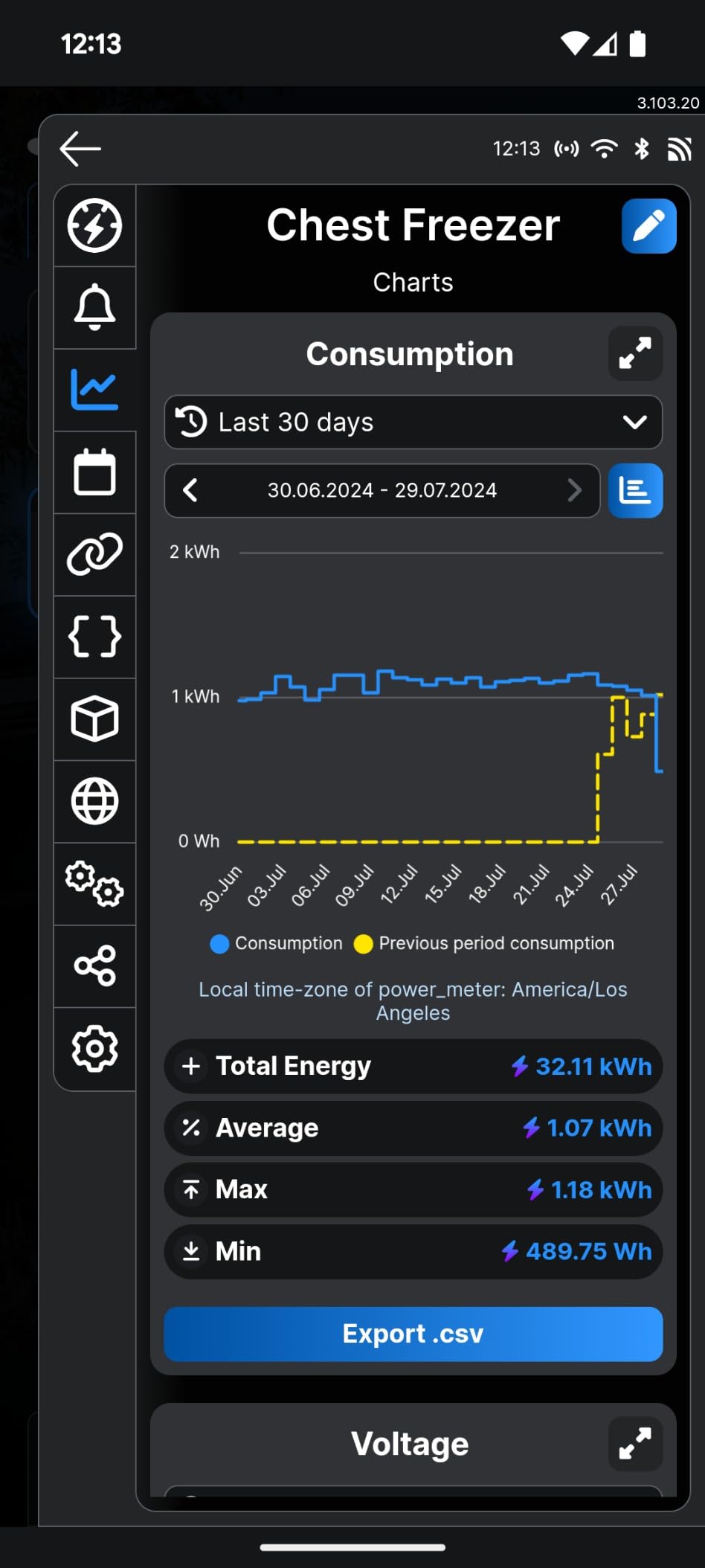
These are power meters only, no relay, so they monitor but do not control. I deployed them inside switch boxes to track lighting circuit consumption and inside an outlet box to monitor a refrigerator circuit. The ±0.5% accuracy spec is impressive for the size and price.
The Bluetooth gateway functionality is a bonus. Each PM Mini can extend your Bluetooth mesh, which is handy if you have other Shelly Bluetooth devices or sensors scattered around the house. Home Assistant integration is native and reliable.
The main caveat is WiFi range inside metal boxes. The PM Mini’s antenna is small, and steel outlet boxes can block the signal. If your box is plastic, you are fine. If it is metal, plan for a WiFi access point nearby.
Best for Shelly Ecosystem Users Adding Per-Circuit Monitoring
If you already run Shelly devices and want to add cheap, accurate power monitoring to individual lighting or outlet circuits, the PM Mini Gen3 2-pack is unbeatable value. The Bluetooth gateway and native Home Assistant support make them easy drops into an existing setup.
Where It Falls Short
These are monitoring only, no control relay. The 16A limit rules out heavy loads like EV chargers or tankless water heaters. Metal outlet boxes can kill the WiFi signal. The model naming across the Shelly PM line is genuinely confusing, so verify you are buying the Gen3 before checkout.
How to Choose the Best Home Energy Monitor
Picking the right monitor comes down to your panel setup, your smart home platform, and whether you have solar. The best home energy monitors for electricity tracking balance accuracy, installation ease, and ongoing data costs. Here are the factors I weighted most heavily during testing.
Whole-House vs Circuit-Level Monitoring
Whole-house monitors use two CT clamps on your mains and give you a single total consumption number. Circuit-level monitors add clamps to individual breakers so you can see exactly which appliance draws what. Circuit-level detail is what actually helps you find waste, so I recommend it whenever your budget allows. The Emporia Vue 3, Refoss EM16, and Meross EM16 all include 16-18 circuit sensors in the box.
Accuracy Claims vs Real-World Performance
Manufacturer accuracy specs range from ±0.5% to ±2%, but real-world variance is what matters. In my testing, Emporia, Shelly, Refoss, and Meross all tracked within 1-2% of my utility meter. Eyedro showed larger variance, and budget options like Blindsmart were acceptable but not precision-grade. For solar credit calculations, prioritize tighter accuracy.
Smart Home Integration and Local Control
If you run Home Assistant, look for monitors with native or ESPHome support. Shelly, Refoss, Meross, and Emporia all integrate cleanly. The Reddit community values local API access and no-cloud operation highly, which is why Refoss and Shelly dominate the recommendations there. Avoid monitors that lock data behind a paid cloud subscription with no local API escape hatch.
Solar Net Metering Support
Solar owners need bi-directional metering that tracks both production and consumption. The Emporia Vue 3, Shelly Pro 3EM, Eyedro, Refoss EM16, Meross EM16, and Blindsmart all support solar net metering. Check whether the monitor can route surplus solar to specific appliances automatically, which the Refoss and Meross models handle well through Home Assistant.
Subscription Costs and Data Ownership
None of the monitors in this roundup require a paid subscription for basic data access. That said, some lock features behind cloud accounts. If data privacy matters, prioritize monitors with local APIs, MQTT support, and built-in web UIs. The Refoss EM16, Shelly Pro 3EM, and Fusion Energy SEM-Meter all support full local-only operation.
Installation Complexity and Safety
Every monitor in this list requires opening your electrical panel. If you are comfortable working near live bus bars, DIY install takes 30-60 minutes. If not, budget $150-300 for an electrician. Monitors with quick-release connectors and labeled wire harnesses, like the Emporia and Meross, are noticeably easier to install cleanly. For more on protecting your home electrical infrastructure, see our guide on whole-house UPS units for protecting sensitive electronics.
Noise, App Quality, and Long-Term Engagement
Forum data shows app engagement drops off after about three months for most users. A clean, informative app with smart alerts helps maintain engagement long enough to actually change habits. Emporia and Shelly have the strongest apps in this group. If you want to complement monitoring with HVAC optimization, consider smart thermostats that complement energy monitoring. To further reduce vampire loads, look into smart bulbs to reduce standby power consumption.
Frequently Asked Questions About Home Energy Monitors
How can I monitor my whole house electricity?
Install a whole-home energy monitor like the Emporia Vue 3 or Shelly Pro 3EM by clamping CT sensors onto your two main service wires inside the electrical panel. The monitor transmits real-time data via WiFi to a smartphone app, showing total consumption and, with circuit-level sensors, individual breaker usage. Most homeowners can install one in under an hour, though an electrician is recommended if you are uncomfortable working inside a live panel.
How can I monitor my electricity usage at home?
The simplest method is a clamp-on home energy monitor installed in your breaker panel. For whole-house data, use two main CT sensors on your service mains. For appliance-level detail, add circuit-level sensors to individual breakers. The monitor sends data to a mobile app or local web dashboard showing real-time watts, daily kWh, historical trends, and cost estimates based on your utility rate.
Are home energy monitors worth it?
Yes, for most homeowners with bills over $100 per month. Studies from NREL and NYSERDA show households that actively use energy monitors reduce consumption by 7-10% on average. At typical US rates, that pays back a $150-200 monitor within 12-18 months. The value increases significantly if you have solar, an EV charger, or time-of-use rates, since the data helps shift load to cheaper windows.
What is the best home energy monitor in 2026?
The Emporia Vue 3 is the best overall pick for most homeowners thanks to its 16 circuit sensors, UL certification, accurate readings, and Home Assistant compatibility. For technical users with solar, the Shelly Pro 3EM offers the best software and local control. For budget buyers, the Blindsmart Energy Monitor provides whole-house solar tracking for under $50.
Final Thoughts on Home Energy Monitors
The best home energy monitors for electricity tracking turn a opaque monthly bill into actionable, circuit-level data that helps you find waste and cut costs. After testing 13 models across three months, the Emporia Vue 3 remains my top pick for most homeowners thanks to its accurate 16-circuit kit, UL safety listing, and strong Home Assistant community support. Shelly’s Pro 3EM is the best choice for technical users who want the cleanest local-control software and solar monitoring. Budget buyers should start with the Blindsmart or Shelly PM Mini Gen3 depending on whether they need whole-house or single-circuit data.
Whichever monitor you choose, the real savings come from actually using the data. Spot the phantom loads, shift heavy usage to off-peak hours, and pair your monitor with smart thermostats, smart plugs, or efficient lighting to compound the gains. Energy monitoring in 2026 is cheaper and more capable than ever, and the payback window for most homeowners is well under two years.