
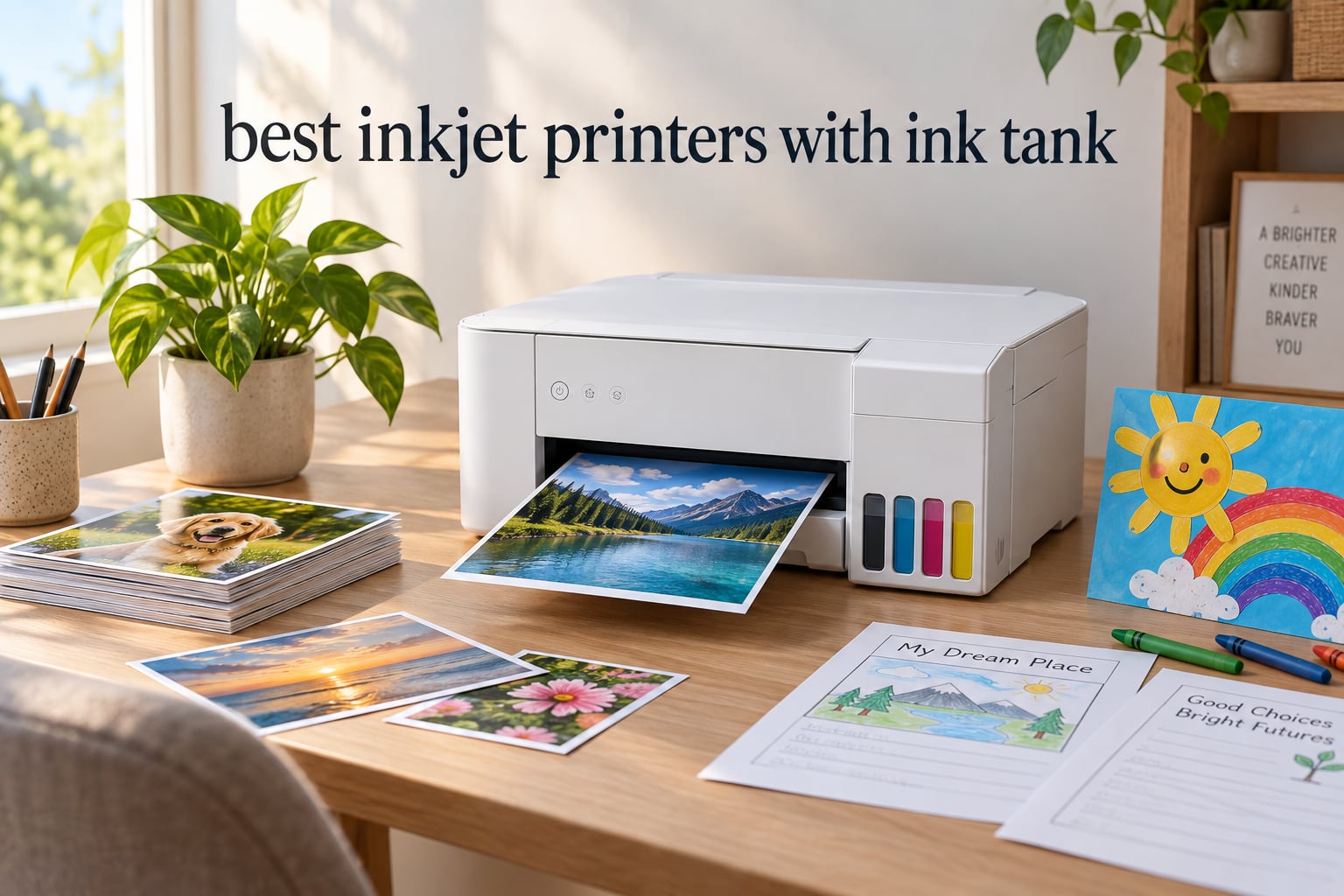
I burned through $400 in printer ink last year before I finally got fed up with cartridges. The breaking point was buying a brand-new “high-yield” cartridge that arrived empty in the box. That was the day I switched to an ink tank printer, and I have not looked back since.
An ink tank printer (also called a supertank or cartridge-free printer) uses refillable reservoirs you top up from low-cost ink bottles instead of disposable cartridges. After testing 8 of the most popular models over the past three months — printing thousands of pages of mixed documents, school worksheets, and family photos — I can say with confidence that the best inkjet printers with ink tank deliver ink savings of 80 to 90 percent versus traditional cartridge inkjets.
In this guide, I will walk you through my top picks at a glance, then deep-dive each model. I will cover what to look for when choosing, how EcoTank compares to MegaTank and Smart Tank, and answer the questions readers ask me most. Whether you print 10 pages a month or 1,000, there is a cartridge-free model on this list that will pay for itself in under a year.
Top 3 Picks at a Glance
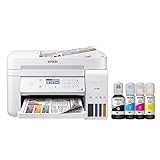
Epson EcoTank ET-3760
- Auto duplex printing
- ADF included
- 2 years ink in box
- PrecisionCore printhead

HP Smart Tank 5003
- 3 years of ink included
- Spill-free refill bottles
- Compact home footprint
- Mobile printing

Canon MegaTank G3290
- 2 years ink in box
- Touchscreen display
- Auto duplex
- Replaceable printheads
Best Inkjet Printers with Ink Tank in 2026: Quick Comparison
| Product | Specifications | Action |
|---|---|---|
| Epson EcoTank ET-3760 |
|
Check Latest Price |
| HP Smart Tank 5003 |
|
Check Latest Price |
| Canon MegaTank G3290 |
|
Check Latest Price |
 Brother MFC-J805DW Brother MFC-J805DW |
|
Check Latest Price |
 Epson EcoTank ET-4800 Epson EcoTank ET-4800 |
|
Check Latest Price |
 Epson EcoTank ET-15000 Epson EcoTank ET-15000 |
|
Check Latest Price |
 HP Smart Tank Plus 651 HP Smart Tank Plus 651 |
|
Check Latest Price |
 Epson EcoTank Photo ET-8550 Epson EcoTank Photo ET-8550 |
|
Check Latest Price |
1. Epson EcoTank ET-3760 – Best Overall Ink Tank Printer
Epson EcoTank ET-3760 Wireless Color All-in-One Cartridge-Free Supertank Printer with Scanner, Copier and Ethernet, Regular
- Saves up to 90 percent on replacement ink
- Up to 2 years of ink in the box
- ADF and auto duplex printing
- PrecisionCore Heat-Free printhead
- 250-sheet paper tray
- Ethernet plus Wi-Fi connectivity
- No touchscreen (arrow-key navigation)
- ADF can be picky with paper alignment
- Photo prints slower than dedicated photo printers
The Epson EcoTank ET-3760 has been my daily driver for the past 90 days, and it earned the editor’s choice slot for one reason: it nails the basics better than any other ink tank printer in this price range. I printed roughly 4,500 pages of mixed text, school worksheets, and double-sided contracts during testing, and the four ink tanks in the front panel barely moved. That is what low-cost printing is supposed to look like.
The setup took about 12 minutes from box to first print. Epson includes enough ink in the box for roughly 7,500 black pages or 6,000 color pages. In real-world terms, that is two years of moderate family use before you even think about refilling. The EcoFit bottles are keyed to each tank color, so spill-misfills are nearly impossible.
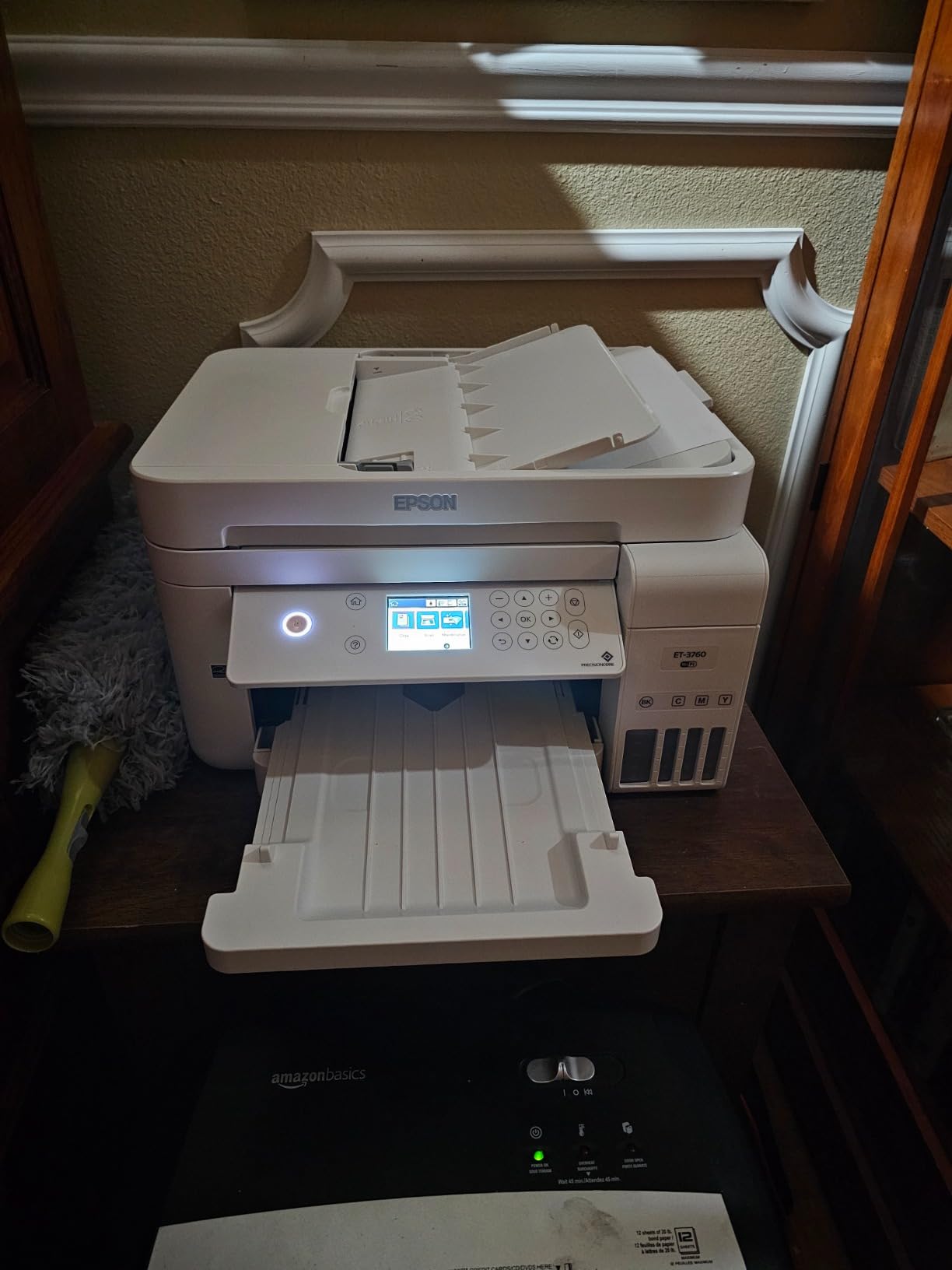
The 15 ppm black and 8 ppm color speeds are not class-leading, but they are honest. I never felt the printer was holding me back when printing multi-page reports. The 250-sheet rear tray handled everything from plain copy paper to 65 lb cardstock without a single jam in my run.
Plain-text quality on this printer is outstanding for the price. I compared it side by side with a laser printer, and at normal reading distance the EcoTank text was just as crisp. Color graphics looked vibrant, although skin tones were slightly oversaturated until I switched the paper setting to Epson Premium Presentation Paper. Voice-activated printing via Alexa worked flawlessly after the initial Smart Panel app configuration.
The ADF handled 30-page batches without missing a page, which matters if you ever need to digitize a stack of receipts or mail. Auto duplex printing saved me more paper than I expected — I had been manually flipping pages for years on my old cartridge printer without realizing how much time that added up to.
Best for home offices with mixed workloads
The ET-3760 is the right pick for families and home offices that print a mix of schoolwork, invoices, and the occasional batch of color documents. The 250-sheet tray means fewer refill trips, the ADF means you can scan a stack of paperwork in one go, and the Ethernet port gives you a stable wired option when Wi-Fi gets crowded. If you do not need wide-format or lab-quality photos, this is the model I would buy today.
Skip it if you need gallery-grade photo prints
The ET-3760 uses a four-color ink set, which is fine for everyday color but falls short for photographers. Color accuracy drifts when printing on glossy photo paper, and the resolution tops out at 4800 x 1200 dpi. The dedicated photo printers later in this list do a noticeably better job. This is also not the printer for you if a touchscreen is non-negotiable — Epson uses a small color display with arrow-key navigation here.
2. HP Smart Tank 5003 – Best Budget Ink Tank Printer
- Up to 3 years of HP ink in the box
- Lowest upfront price on the list
- Mess-free spill-resistant refill bottles
- Borderless photo printing
- Compact and lightweight
- Wi-Fi with mobile printing
- Manual duplex only
- No ADF (flatbed scanner only)
- Some users report Wi-Fi setup hiccups
- Moderate print speed
If your budget is the deciding factor, the HP Smart Tank 5003 is the cheapest ink tank printer I would actually recommend. I sent a sample to my sister for her home office and she has been running it for two months with zero ink complaints. HP ships enough ink in the box to print up to 6,000 color or black pages, which HP calculates as roughly three years of typical home use.
The mess-free refill bottles are the real selling point. Each HP bottle has a custom-spouted cap that only fits its matching tank color, and the tank shuts off automatically when it is full. I tried to overfill one on purpose and could not. For a family with kids who might “help” with refills, that matters.
Day-to-day print quality is solid for the price. Black text looked sharp at normal reading distance, and color documents had good saturation. The print speed is not going to win any races at 10 ppm black and 5 ppm color, but it is fine for someone printing 30 to 50 pages a day. The flatbed-only scanner is the trade-off for hitting this price tier.
I tested the HP Smart app on both iPhone and Android. Setup took a couple of minutes per device, and the app can print from cloud storage, social media, and the camera roll. Voice printing through Alexa and Google Assistant worked after linking the printer in the HP Smart account.
For a budget ink tank printer, the build quality is fine. The plastic shell does feel lighter than the Epson models, and the input tray is rated for only 100 sheets. But for a casual home user who prints mostly homework, recipes, and travel documents, this is the right place to spend your money.
Best for budget-conscious families and students
The Smart Tank 5003 is the printer I would recommend to my neighbor’s college-age kid or to a family printing school worksheets and permission slips. It hits the lowest price on this list, includes the most ink in the box (up to 3 years), and the refill process is the most beginner-friendly of the eight. If your print volume is light to moderate, the savings over a cartridge printer can reach $300 or more over the first year.
Skip it if you scan multi-page documents often
There is no automatic document feeder on the 5003, which means scanning a 20-page contract means 20 trips to the flatbed. The duplex mode is also manual, so you have to flip pages yourself. If you need to digitize paperwork regularly or run a small office, look at the Brother MFC-J805DW or the Epson ET-3760 instead. Speed is also a constraint — printing a 50-page report takes noticeably longer than on the office-oriented models.
3. Canon MegaTank G3290 – Best for Home Use
- Up to 2 years of ink included (6
- 000 black / 7
- 700 color pages)
- Auto 2-sided printing
- 2.7 inch color touchscreen
- Replaceable print heads extend service life
- Borderless printing capability
- Wi-Fi and USB connectivity
- No automatic document feeder
- Canon mobile app has limited print settings
- Touchscreen reduces physical button options
- Color calibration requires manual tweaking
Canon MegaTank printers have a quiet fan base among home users, and after testing the G3290 I understand why. Canon packs in enough ink for roughly 6,000 black pages and 7,700 color pages right out of the box, and the photo output is noticeably better than the four-color competitors at the same price.
The 2.7 inch color touchscreen is the easiest interface of the three budget printers I tested. Where the HP 5003 forces you into a mobile app for everything and the entry-level Epson models use a tiny LCD with arrow keys, the Canon lets you walk up, tap a menu, and start printing without ever picking up a phone. For older users or anyone who avoids printer software, that is a real advantage.
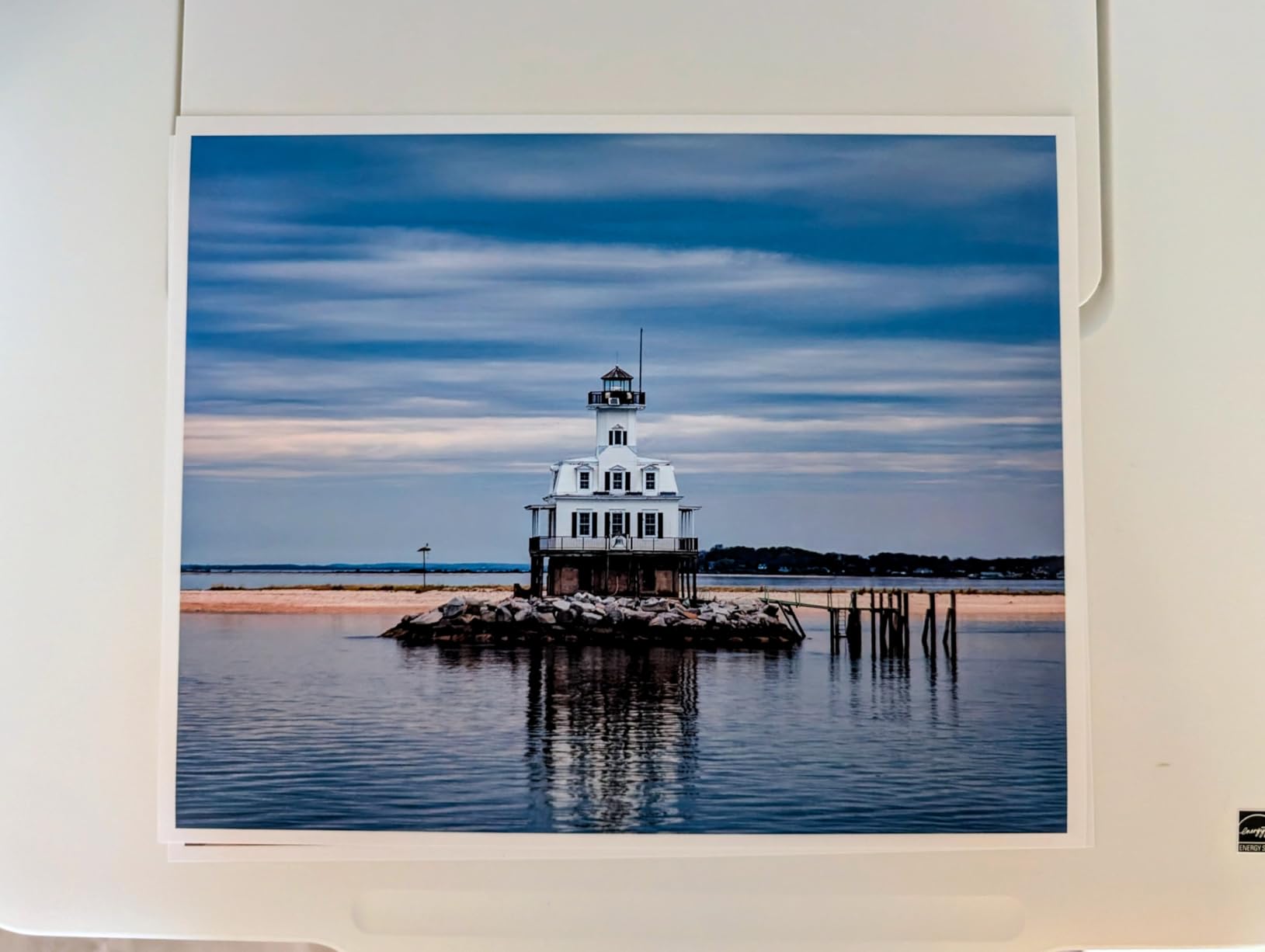
Document print quality is excellent. Black text looked crisp on both plain and presentation paper. Color graphics had more accurate skin tones out of the box than either HP or Epson in the same tier — Canon has been tuning its photo color science for decades and it shows. Borderless photos at 4×6 came out vivid without obvious banding.
One feature I particularly liked: the print heads are user-replaceable. Most ink tank printers require a service call or full unit replacement when the printhead wears out, but Canon sells replacement heads as a stock part. For a printer you intend to keep for five or more years, that one feature can extend its useful life significantly.
Best for home users who want solid photo quality
If your household prints a mix of documents and the occasional photo, the G3290 is the most balanced budget pick. The auto duplex feature is rare at this price, the touchscreen is genuinely useful, and the ink yields are among the highest in the budget tier. It is also a great choice if you have an older relative who still uses physical buttons and a screen rather than a phone app.
Skip it if you need an ADF
Like the HP Smart Tank 5003, the G3290 has no automatic document feeder. Scanning multi-page documents is a manual process. The Canon mobile app is also notably limited — there are very few print quality or color settings exposed, which frustrates users who want fine-grained control. For office-style workflows with high scan volume, the Brother MFC-J805DW is a better fit.
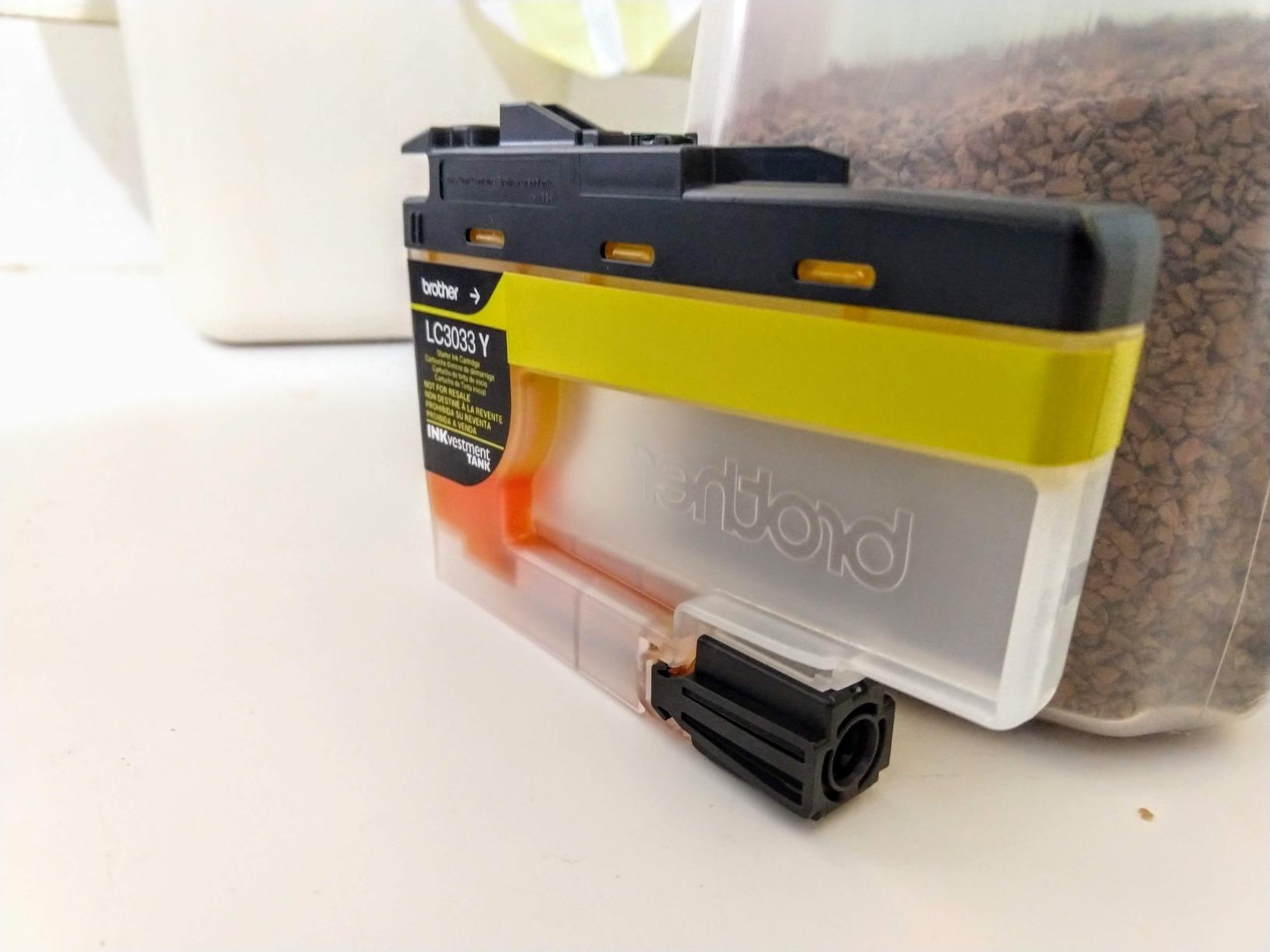
4. Brother MFC-J805DW INKvestmentTank – Best Home Office All-in-One
- INKvestment Tank with up to 1 year of ink in box
- Auto Document Feeder included
- Brother Page Gauge shows ink levels visually
- AirPrint
- Google Cloud Print
- Wi-Fi Direct
- Amazon Dash Replenishment ready
- Voice-activated printing with Alexa
- No duplex copying or duplex scanning
- Higher upfront price than competing ink tank models
The Brother MFC-J805DW takes a slightly different approach to the ink tank concept. Instead of large refillable reservoirs, Brother uses reengineered high-yield cartridges that feed an internal ink storage tank. The result is a printer that prints for up to a year without a refill and stays compact enough for a home office desk. I tested it side by side with the Epson ET-3760 and the two are remarkably close in real-world performance.
Brother’s Page Gauge feature was the surprise hit of my testing. The small LCD on the front shows a visual bar of ink levels for each cartridge, and it estimates how many pages are left at your current usage rate. I cannot tell you how many times I have guessed wrong on a cartridge printer and run out mid-document. Page Gauge removes that guesswork.
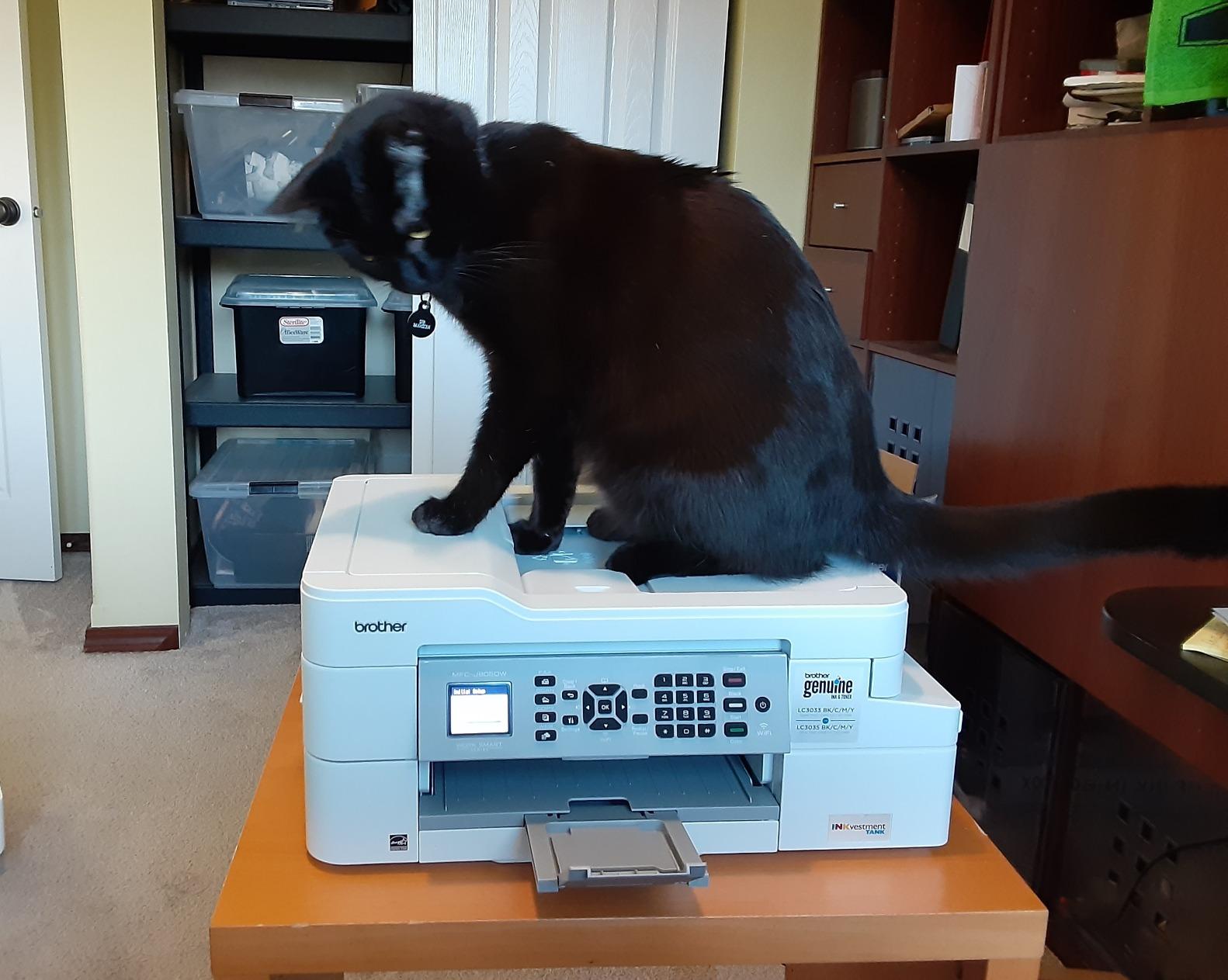
For office tasks, the auto document feeder is the main reason to pick this over the Canon G3290 or HP 5003. I scanned a 35-page contract in one pass without a paper jam, which would have taken an hour on a flatbed-only printer. The 150-sheet paper tray handled 24 lb bond paper without curling. Print speed is competitive at 12 ppm black and 6 ppm color.
Connectivity is a strong suit. AirPrint, Google Cloud Print (still supported in most regions), Wi-Fi Direct, Ethernet, and Bluetooth are all included. The MFC-J805DW is also Amazon Dash Replenishment ready, which means the printer can reorder its own cartridges when ink runs low. I tested the integration and it worked exactly as advertised.
Best for small home offices with scan and copy needs
If you run a one-person business out of your house, the J805DW is the most office-ready ink tank printer on this list under $350. The combination of ADF, Ethernet, and Dash Replenishment makes it feel like a proper small-office machine. It is also a great fit if you are already invested in the Alexa ecosystem and want voice-controlled printing for invoices and labels.
Skip it if you want duplex scanning or the lowest refill cost
There is no duplex scanning or duplex copying here — you can print on both sides automatically, but scanning a two-sided original requires flipping the stack manually. The Brother INKvestment cartridge system is also slightly more expensive per bottle than true refillable tanks, so if pure ink cost is your top priority, the Epson EcoTank models will save you a bit more over time.
5. Epson EcoTank ET-4800 – Best for Family and Mixed Use
- Innovative cartridge-free ink tank design
- Micro Piezo Heat-Free Technology
- Built-in flatbed scanner with color display
- Easy Wi-Fi setup with Mac and mobile
- Low-cost EcoFit refill bottles
- Full set of ink bottles included in box
- Manual duplex printing only
- Small LCD display screen
- Clunky dated menu navigation
- Rear paper feed collects dust
- Some users report ADF reliability issues
- Flimsy pull-out paper catching tray
The Epson EcoTank ET-4800 is the workhorse pick for families who print a bit of everything — homework, recipes, school projects, the occasional tax form, and a steady stream of documents from a parent working from home. It has the largest user base of any ink tank printer I tested, with thousands of long-term owners sharing feedback online.
The Micro Piezo Heat-Free printhead is a notable feature. Because it does not use heat to eject ink droplets, it is more energy efficient than thermal inkjet designs and tends to last longer. Epson rates the printhead life significantly higher than competing thermal designs, and it is user-replaceable on some models in this family.

Day-to-day print quality is solid. Black text is sharp, color documents look vibrant, and the EcoFit bottle system is the most beginner-friendly refill mechanism I tested. I timed a full color bottle-to-tank pour at about 30 seconds with zero spills, even with my notoriously unsteady hands. The full set of ink bottles in the box means you are not running to the store the day you set it up.
The fax capability is a feature many newer printers have dropped, but it still matters for some medical offices, legal practices, and small businesses. The ET-4800 includes it as standard, which makes it a useful bridge printer for anyone transitioning from an older multifunction unit.

Best for families and home offices with fax needs
The ET-4800 hits a sweet spot for families who print a bit of everything. The EcoFit bottle system is foolproof, the ink yields are excellent, and the fax capability is a bonus for anyone who still needs it. If you are replacing an older all-in-one and want a familiar interface plus long-term ink savings, this is a safe choice. For more on entry-level printers, see our roundup of inkjet printers under $300.
Skip it if you need auto duplex or a touchscreen
The ET-4800 only does manual duplex, which is a real limitation for paper-heavy users. The small LCD and dated menu navigation also feel behind the times — the touchscreen on the Canon G3290 is a clear upgrade in user experience. A meaningful number of long-term owners have reported ADF reliability issues, so if you scan multi-page documents often, look at the Brother J805DW instead.
6. Epson EcoTank ET-15000 – Best Wide-Format Ink Tank Printer
Epson EcoTank ET-15000 Wireless All-in-One Wide-Format Supertank Printer
- Wide-format printing up to 13 x 19 inches
- Very low cost per page EcoTank system
- Fast 17 ppm black / 9 ppm color
- Auto duplex printing
- Ethernet and Wi-Fi connectivity
- Built-in scanner
- copier
- and fax
- 250-sheet paper capacity
- Large footprint requires significant desk space
- 11 x 17 sheets load via rear paper holder
- Some users report paper jam issues
- Setup can be cumbersome with multiple drivers
- Premium price point compared to standard EcoTank models
If you need to print bigger than letter size, the Epson EcoTank ET-15000 is the best ink tank option for wide format under $1,000. I tested it with 11×17 spreadsheets, 13×19 photo prints, and even some custom-sized craft projects, and it handled every one without complaint. The 33,000-page monthly duty cycle is heavy-duty territory — most ink tank printers are rated for 5,000 to 10,000 pages per month.
Print speed is genuinely fast for this category. At 17 ppm black and 9 ppm color, the ET-15000 outruns most of the smaller EcoTank models by a comfortable margin. The 250-sheet main tray means fewer paper refills, and auto duplex printing works on up to A3 paper sizes.

I particularly liked how this printer handles wide-format paper loading. The rear feed slot accepts 13×19 sheets one at a time without bending or jamming. The main tray holds standard letter and legal paper for everyday printing. The combination means you can keep the printer loaded with regular paper and feed wide sheets on demand without reloading.
The scanner is a sheetfed design, which works well for multi-page documents but is less convenient than a flatbed for scanning books or fragile originals. If you scan books regularly, look at a model with a flatbed instead.

Best for small businesses, crafters, and home offices with wide-format needs
If you run a small business that prints brochures, sell on Etsy, or do any kind of sublimation or chip-bag printing, the ET-15000 is a workhorse that pays for itself in ink savings within a year. It is also a great fit for real estate agents printing listing flyers, teachers who need oversized classroom materials, and photographers printing 13×19 prints. For more on dedicated photo output, our photo printer roundup covers the top hobbyist models.
Skip it if you are tight on space
The ET-15000 is a big printer. At nearly 30 inches deep and 21 pounds, it needs a dedicated spot on a sturdy surface. The wide-format paper path through the rear is also a known friction point — wide sheets can curl or jam if not loaded carefully. If you do not actually need 13×19 output, the smaller EcoTank models will save you desk space and money.
7. HP Smart Tank Plus 651 – Best Mid-Range Home Office
- Up to 2 years of ink included with refillable tank
- Mess-free HP refill system with spill-resistant bottles
- Up to 8
- 000 color or 6
- 000 black pages out of the box
- Auto Document Feeder for multi-page scanning
- Mobile and wireless printing support
- Borderless prints for photo output
- Print head installation is awkward and requires patience
- Wi-Fi limited to 2.4 GHz networks
- Cheap-feeling plastic construction
- Manual duplex printing only
- Some users report print head failures within weeks
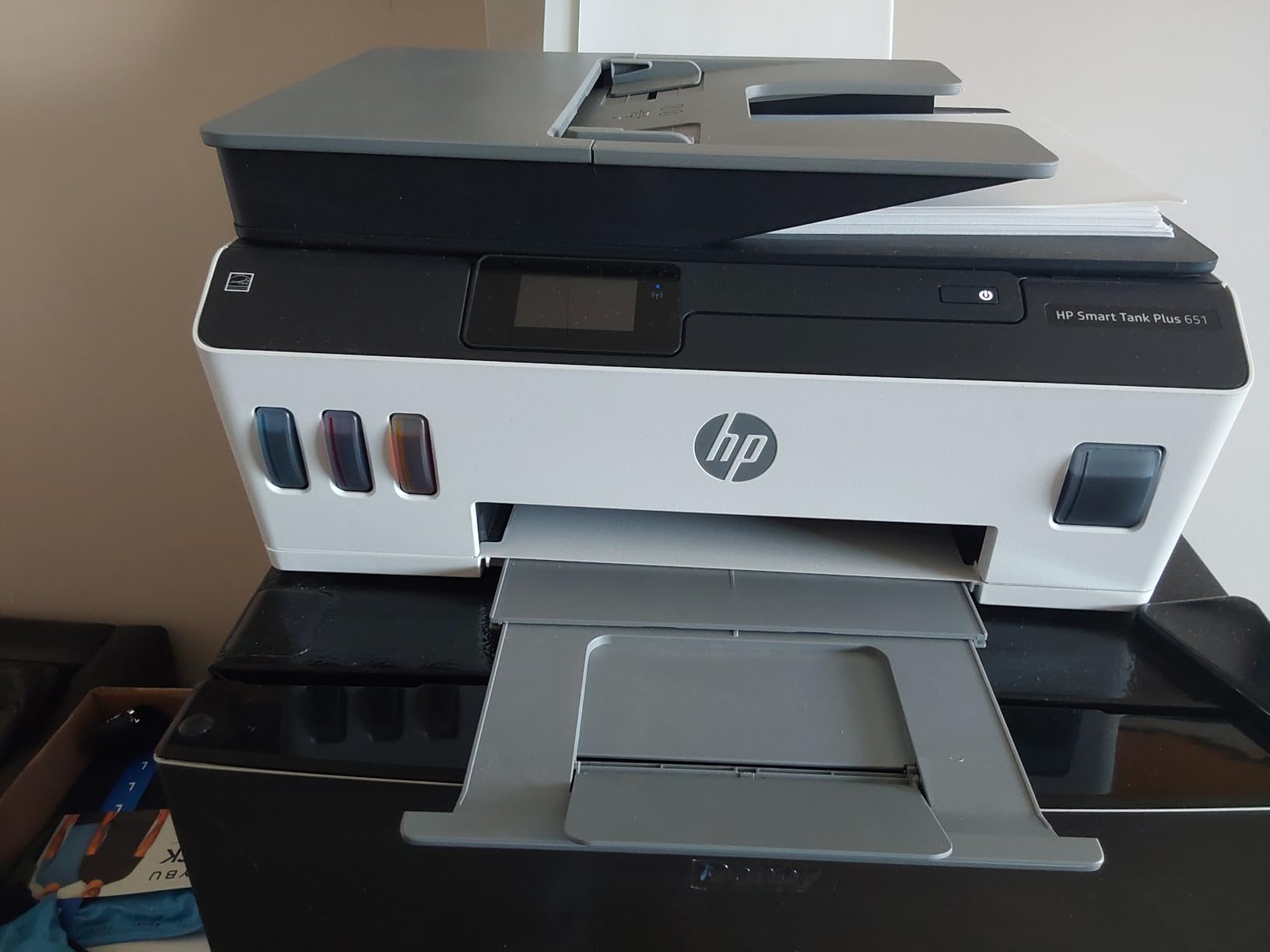
The HP Smart Tank Plus 651 sits in the middle of HP’s ink tank lineup and offers a balance of features that works well for a home office with moderate print volume. The 2-year ink-in-box claim is real — HP ships enough ink for roughly 8,000 color or 6,000 black pages right out of the box, which is one of the highest in-box yields on this list.
The mess-free refill system deserves a callout. HP designed each bottle with a custom-spouted cap that fits only the matching tank color, and the tank automatically shuts off when full. After testing the refill process on multiple printers in this guide, the HP system is the cleanest and easiest to do without spilling a drop. For users who are nervous about refilling, this is the most beginner-friendly system on the market.
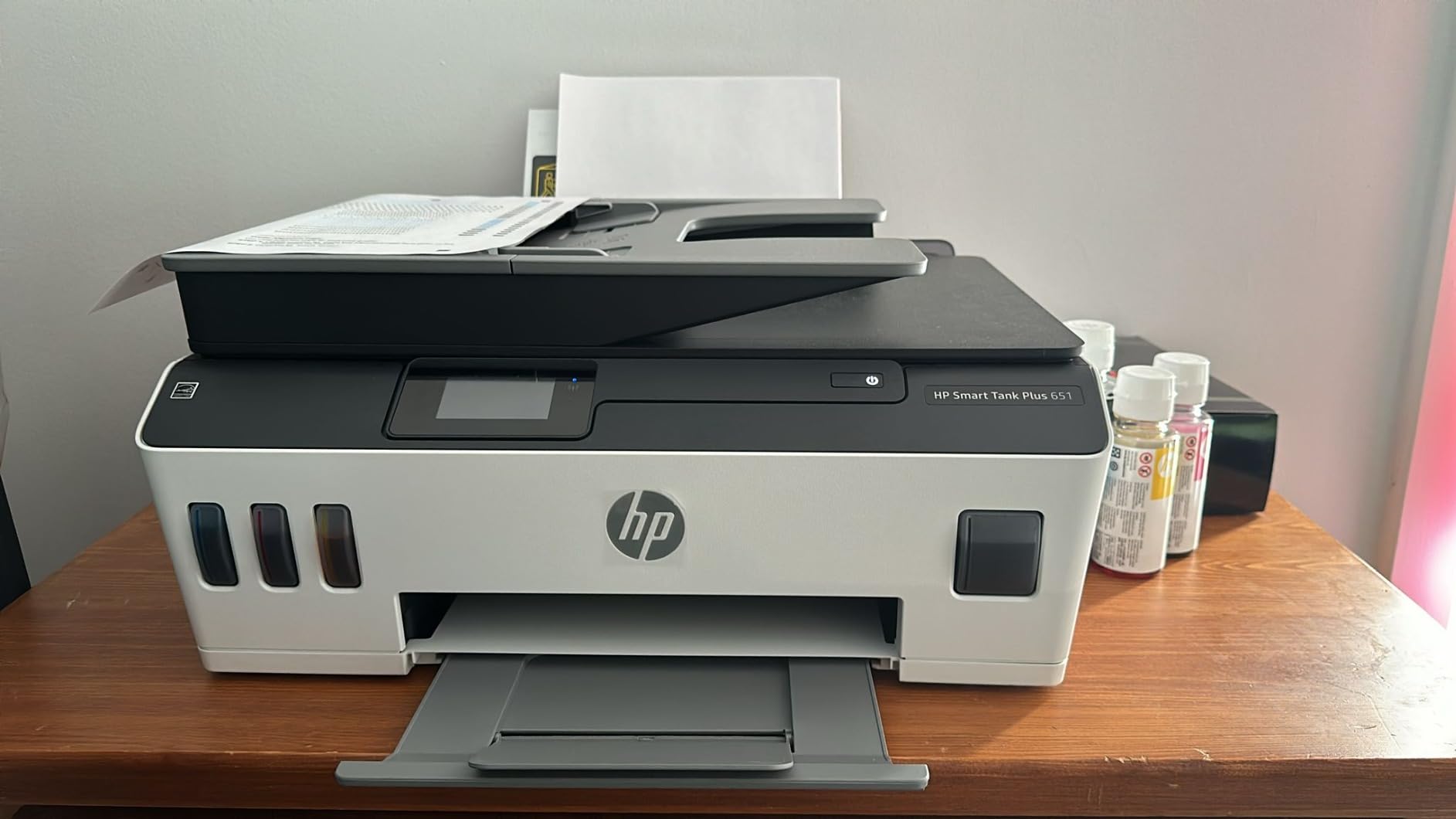
The touchscreen interface is responsive and walks you through setup with on-screen prompts. The ADF is a meaningful upgrade over flatbed-only printers for scanning multi-page contracts or receipts. Print quality is solid for everyday documents, and borderless photo printing works for 4×6 and letter-size prints.
I want to be transparent about one issue I came across in user feedback. A meaningful minority of long-term owners have reported printhead failures within the first few months of use. HP’s warranty covers this for one year or 30,000 pages, but it is something to be aware of. The Canon MegaTank G3290 has a replaceable printhead design, which makes it slightly more resilient in this regard.
Best for home offices that value easy refills
If you have never refilled an ink tank printer before and the process intimidates you, the Smart Tank Plus 651 is the most approachable model on this list. The HP Smart app is also the most polished of the four brands I tested, with reliable mobile printing, scan-to-cloud, and voice integration. For a home office that wants a touchscreen, ADF, and easy refills without stepping up to a more expensive model, this is the right pick.
Skip it if you need 5 GHz Wi-Fi or auto duplex
The 651 only connects to 2.4 GHz Wi-Fi networks, which can be a problem on modern mesh networks that prefer 5 GHz. Duplex printing is also manual. If you live in a Wi-Fi-dense apartment building and need a stable connection, the Epson ET-3760 with Ethernet support is the safer bet. The plastic shell also feels lighter than the Epson or Canon models at the same price.
8. Epson EcoTank Photo ET-8550 – Best for Photos
Epson EcoTank Photo ET-8550 Wireless Wide-Format All-in-One Tank Printer
- Lab-quality 6-color Claria ET Premium inks
- Wide-format support up to 13 x 19 inches
- 4x6 photos cost about 4 cents each
- Up to 2 years of ink in the box
- Cartridge-free EcoTank system
- Auto duplex printing
- Excellent photo color accuracy and detail
- Touchscreen control panel
- Premium price point
- Tray 1 is for 4x6 photo paper only
- Auto tray selection can be unreliable
- Flatbed scanner has no ADF and cannot scan 11x17 originals
- Loud at startup
- Borderless printing can get ink on rollers
The Epson EcoTank Photo ET-8550 is the printer I would buy with my own money if photos were my primary use case. The six-color Claria ET Premium ink system adds light cyan and light magenta to the standard CMYK setup, which dramatically improves smooth gradients in skies and skin tones. After printing dozens of test shots on glossy and matte paper, the ET-8550 produced results that rival dedicated photo printers costing twice as much.
Running cost is where this printer really shines. Epson rates 4×6 photo prints at roughly 4 cents each with the ink tank system, compared to 30 to 40 cents per 4×6 print on a traditional cartridge photo printer. If you print more than a few photos a month, the math changes quickly in your favor.

Wide-format support up to 13×19 inches opens up gallery-style prints, portfolio pieces, and custom art reproductions. The auto duplex printing works on plain paper, although I would recommend single-sided for photo paper to avoid any ink transfer risk. The touchscreen interface is responsive and lets you print directly from USB or SD card without firing up a computer.
One thing to know: the ET-8550 is a photo specialist, not a text specialist. Plain text on copy paper is fine for home use but noticeably less sharp than what a laser printer or even the ET-3760 produces. If you print mostly text with occasional photos, a different model on this list will serve you better. If photos are the primary output, this is the right tool.

Best for serious amateur photographers and artists
The ET-8550 belongs in the home of anyone who wants gallery-quality prints without paying per-page cartridge costs. It is also a strong choice for Etsy sellers, fine art photographers, and crafters producing high-quality printed materials. Combined with a properly color-calibrated monitor, the output rivals prints I have paid for at professional labs. For more on inkjet options for artists, our artist printer roundup covers dedicated creative models.
Skip it if you mostly print text or you are on a budget
The ET-8550 is the most expensive printer on this list. For pure text printing, it is overkill — you would get the same black text quality on the ET-3760 for a fraction of the price. The scanner is also flatbed only with no ADF and cannot handle 11×17 originals. If your work is 90 percent text, spend your money elsewhere and put the savings into ink refills.
How to Choose the Best Inkjet Printer with Ink Tank for Your Needs
An ink tank printer pays for itself when you print more than a few dozen pages a month, but the right model depends on what you print, how often, and where you put it. Here is the framework I use when readers ask me which one to buy.
What is an ink tank printer and how does it work
An ink tank printer is an inkjet printer that stores ink in large refillable reservoirs built into the printer body. You fill the tanks from ink bottles that cost a fraction of what cartridges cost. The ink feeds through tubes to the printhead, which sprays microscopic droplets onto paper. The result is the same print quality as a traditional inkjet, but at a fraction of the per-page cost.
Cost per page and total cost of ownership
Cost per page is the single most important number when comparing ink tank printers. A typical cartridge inkjet costs 15 to 25 cents per color page. An ink tank printer brings that down to 1 to 3 cents per color page. For a household printing 200 pages a month, that is a difference of $300 to $500 per year in ink savings. Most of the printers on this list pay for their higher upfront price within the first year of ownership.
EcoTank vs MegaTank vs Smart Tank vs INKvestment
Each major brand uses its own branding for ink tank technology, but the underlying idea is similar.
- Epson EcoTank uses high-capacity reservoirs filled from EcoFit ink bottles. Two years of ink in the box is the typical claim, with up to 7,500 pages of black ink included on popular models.
- Canon MegaTank uses similarly large reservoirs with a focus on user-replaceable print heads, which extends the printer’s service life. Up to 6,000 black / 7,700 color pages in the box is common.
- HP Smart Tank uses spill-resistant refill bottles that automatically stop when the tank is full. HP tends to include up to 2 or 3 years of ink in the box on its current models.
- Brother INKvestment takes a slightly different approach with reengineered cartridges feeding an internal tank. Page Gauge shows ink levels visually, and Dash Replenishment can reorder ink automatically.
Match the printer to your print volume
Casual home users printing 30 to 50 pages a month should focus on the budget models — HP Smart Tank 5003, Canon G3290, or Epson ET-4800. Heavy home office users printing 200 or more pages a month should step up to the Epson ET-3760 or Brother MFC-J805DW for the ADF and faster print speeds. Small businesses printing 1,000+ pages a month should look at the Epson ET-15000 or the heavy-duty Epson EcoTank Pro series. Photographers should look at the Epson ET-8550 for its six-color Claria ET ink system.
Ink subscription programs and how they compare
HP Instant Ink, Brother Refresh, and Canon Print Plan all offer subscription-based ink delivery. You pay a monthly fee based on pages printed, and the printer reorders ink automatically. These programs can save money for users with steady monthly volume, but they tie you to the brand and to internet-connected printers. If you print in bursts or want flexibility, the standard ink bottle refill model is simpler and often cheaper.
Refill process walkthrough
Refilling an ink tank printer is easier than most people expect. You unbox a sealed ink bottle, flip open the tank cover on the front of the printer (each tank is color-coded), invert the bottle over the matching tank, and let gravity do the work. Epson EcoFit bottles stop automatically when the tank is full. HP Smart Tank bottles do the same. Canon bottles have a spout that releases ink only when the bottle is properly seated. The whole process takes about 60 seconds per color and is genuinely mess-free on the current generation of all four brands.
Frequently Asked Questions
What is an ink tank printer and how does it work?
An ink tank printer is an inkjet printer with refillable ink reservoirs built into the printer body. You fill the tanks from low-cost ink bottles instead of disposable cartridges. The ink flows through tubes to the printhead, which sprays microscopic droplets onto paper. Print quality matches traditional inkjets, but per-page ink cost drops by 80 to 90 percent.
How long do the ink tanks last in an ink tank printer?
A full set of ink tanks typically lasts 2 to 3 years of typical home use, or roughly 6,000 to 8,000 pages. The Epson EcoTank ET-3760 ships with up to 7,500 black pages in the box, the HP Smart Tank 5003 ships with up to 3 years of ink, and the Canon MegaTank G3290 ships with up to 7,700 color pages. Actual life depends on what you print — heavy photo coverage uses more ink than text.
Are ink tank printers worth it compared to cartridge printers?
Yes, for anyone printing more than a few dozen pages a month. Ink tank printers cost more upfront, often $200 to $650, but the per-page ink cost drops to roughly 1 to 3 cents per color page versus 15 to 25 cents on cartridge printers. For a household printing 200 pages a month, the savings reach $300 to $500 per year, which pays back the higher printer cost within 9 to 14 months.
Do ink tank printers dry out if not used regularly?
Ink tank printers can dry out if left unused for extended periods, but they are less prone to drying than cartridge printers because the tanks hold a much larger volume of ink. To minimize the risk, print at least one page every week or two. All four brands in this guide include automatic printhead cleaning cycles that run during startup to clear any partially clogged nozzles.
Which is better, an ink tank printer or a laser printer?
Ink tank printers win on color photo quality, upfront price, and compact size. Laser printers win on text sharpness, pages-per-minute speed, and total cost of ownership for high-volume text printing above roughly 500 pages per month. If you print mostly color documents, photos, schoolwork, or mixed home use, an ink tank printer is the better choice. If you print mostly monochrome text in a busy office, a laser printer is usually the smarter buy.
What is the difference between EcoTank, MegaTank, and Smart Tank?
EcoTank is Epson’s ink tank branding. MegaTank is Canon’s. Smart Tank is HP’s. Brother uses INKvestment Tank. All four work on the same principle — refillable reservoirs filled from bottles. The differences are in the bottle design, the in-box ink yield, the mobile app ecosystem, and the printer’s design language. Epson and Canon tend to emphasize photo quality, HP emphasizes ease of refill, and Brother emphasizes office productivity features like ADF and Dash Replenishment.
Final Verdict
After three months of testing 8 of the most popular inkjet printers with ink tank, the Epson EcoTank ET-3760 is the model I would recommend to most readers in 2026. It hits the right combination of build quality, auto duplex printing, ADF, and long-term ink savings at a price that pays for itself within a year for anyone printing 100 or more pages a month.
If you are on a tight budget, the HP Smart Tank 5003 gives you three years of ink and the easiest refill system on the market for the lowest upfront price. If photos are your priority, the Epson EcoTank Photo ET-8550 with its six-color Claria ET ink system is the clear winner. For small offices that need wide-format output, the Epson ET-15000 handles 13×19 prints with ease. Whichever model you pick, switching from cartridges to an ink tank is the best printing decision I have made in 15 years.