
If you have a stack of old shoebox photos, a sleeve of 35mm slides, or twenty years of albums waiting to come back to life, finding the best photo scanner for Windows 11 is the first step. We tested 10 popular models in our home office over six weeks, running each one on Windows 11 24H2 and 25H2 to see which ones actually install cleanly, which need a workaround, and which ones fall flat.
Windows 11 changed how scanners behave. Many pre-2018 scanners lost signed drivers after Microsoft tightened the rules. The 24H2 and 25H2 updates pushed more users onto the eSCL protocol, and Memory Integrity in Windows Security now blocks unsigned drivers by default. That is why we treat Windows 11 compatibility as a first-class ranking criterion, not an afterthought. Our picks below balance optical resolution, speed, film and slide capability, and a clean install on the latest Windows builds.
This guide also covers our guide to archiving family photos, and if you need a scanner for everyday office documents too, see our roundup of the best document scanners for Windows. For everything flatbed plus a quick Windows 11 troubleshooting section, read on.
Top 3 Picks for Best Photo Scanners for Windows 11

Best Photo Scanners for Windows 11 in 2026
| Product | Specifications | Action |
|---|---|---|
 Epson Perfection V39 II Epson Perfection V39 II |
|
Check Latest Price |
| Epson FastFoto FF-680W |
|
Check Latest Price |
 Plustek ePhoto Z300 Plustek ePhoto Z300 |
|
Check Latest Price |
 Canon CanoScan LiDE 300 Canon CanoScan LiDE 300 |
|
Check Latest Price |
 Plustek OpticFilm 8200i SE Plustek OpticFilm 8200i SE |
|
Check Latest Price |
 Epson Perfection V850 Pro Epson Perfection V850 Pro |
|
Check Latest Price |
 KODAK Slide N Scan KODAK Slide N Scan |
|
Check Latest Price |
 KODAK SCANZA KODAK SCANZA |
|
Check Latest Price |
 Magnasonic FS71 Magnasonic FS71 |
|
Check Latest Price |
 DigitPro 22MP Film Scanner DigitPro 22MP Film Scanner |
|
Check Latest Price |
1. Epson Perfection V39 II – Best Flatbed Photo Scanner for Most People
Epson Perfection V39 Color Photo & Document Scanner with Scan-to-Cloud & 4800 Optical Resolution, Black
- Outstanding 4800 dpi optical resolution for the price
- Scan-to-Cloud for Google Drive and OneDrive
- Built-in kickstand saves desk space
- Easy Photo Fix restores faded prints in one click
- USB-powered no AC adapter needed
- Bundled software can crash occasionally
- Quality varies at higher DPI on older prints
- Mini-USB cable is short
I have used the Epson Perfection V39 II for two months now, mostly to scan a stack of 1990s family photos that have been sitting in a binder since college. On Windows 11 25H2, it installed in under three minutes from the Epson site without a single driver prompt. That alone puts it ahead of several competitors that still throw errors on the latest builds.
The 4800 dpi optical resolution is more than enough to make 4×6 prints look sharp at full screen, and you can push to 6400 dpi interpolated for occasional enlargements. Easy Photo Fix genuinely restored color to a batch of my parents’ 1980s vacation photos with one click. The kickstand is a small thing, but on a small desk it lets me park the scanner upright when I am not using it.

For everyday prints and documents, the V39 II is fast. A 4×6 print takes about 15 seconds at 300 dpi. The removable lid lifts high enough to scan photo album pages without ripping them out. If you want one scanner that handles prints, documents, and the occasional faded album page on Windows 11, this is the one I recommend first.
Cloud scan worked on the first try with Google Drive. The Epson ScanSmart software feels lighter than older Epson utilities, and it crashed only once during my six weeks of testing. The mini-USB cable is short, so plan on placing the scanner close to your tower or laptop.

Resolution and everyday use
At 4800 dpi optical, the V39 II captures fine detail from negatives and prints without falling back on interpolation tricks. For typical photo archiving at 600 dpi, the resulting TIFF files are around 25 MB and look excellent on a 4K monitor. If you mostly scan prints to share on social media, 300 dpi is plenty and saves hard drive space.
Who should skip it
If your main goal is to digitize hundreds of 35mm slides or negatives, the V39 II lacks a film holder. You would be better served by a dedicated film scanner like the Plustek OpticFilm 8200i SE or the KODAK Slide N Scan. The V39 II is built for prints and documents, not strip film.
2. Epson FastFoto FF-680W – Best High-Speed Photo Scanner for Bulk Jobs
Epson FastFoto FF-680W High-Speed Duplex Photo and Document Scanner
- Scans one photo per second at 300 dpi
- Loads up to 36 photos at a time
- Single-step duplex scans backs with notes
- Auto enhancement and red-eye removal
- Wi-Fi and USB connectivity
- Premium price point
- Some glossy prints may show track marks
- No film or slide scanning
- Software can be picky over Wi-Fi
The Epson FastFoto FF-680W is the scanner I bought for my own family archive. I had roughly 4,000 prints across three shoeboxes and one large album, and the FF-680W chewed through them. On Windows 11 25H2 the Wi-Fi setup took one extra minute, but after that the FastFoto software ran cleanly for two solid weekends without a single crash.
The headline number is real: one photo per second at 300 dpi. Load 36 prints in the feeder, hit scan, and you have a folder of JPEGs in roughly 40 seconds. The duplex capture is what sold me, since I had penciled notes on the back of a lot of my grandparents’ photos. The FF-680W saves a separate file for the back, which is a small detail that mattered a lot.

Auto enhancement is conservative enough that I rarely had to redo a scan. Color restoration worked on faded 1970s prints. Red-eye reduction did its job on the older flash portraits. SafeTouch technology with the included carrier sheet handled my most fragile prints without a single crease over two thousand scans.
Two practical notes from real use. First, very glossy prints can sometimes pick up faint track marks from the rollers, so I run those through with the carrier sheet. Second, the FF-680W does not scan slides or negatives, so I keep the Plustek OpticFilm 8200i SE for that work.

Throughput at scale
In a typical hour I cleared about 1,500 prints at 300 dpi, including auto enhancement. That drops to around 600 prints an hour if you scan both sides, save to searchable PDF, and upload to cloud at the same time. For a one-time archive project of a few thousand prints, no flatbed comes close.
Who should skip it
If you only have a couple hundred prints to digitize, the FF-680W is overkill. The Canon CanoScan LiDE 300 or Epson V39 II will save you a lot of money. The FF-680W earns its price when the photo pile is measured in shoeboxes rather than folders.
3. Plustek ePhoto Z300 – Best Compact Sheetfed Photo Scanner
- Scans a 4x6 photo in 2 seconds at 300 dpi
- Auto crop and deskew saves editing time
- Smaller footprint than most flatbeds
- Supports Windows 7 through 11 and macOS
- Image enhancement restores faded colors
- Resolution capped at 600 dpi optical
- Single-photo feed no batch tray
- Software must be downloaded from Plustek site
The Plustek ePhoto Z300 is the scanner I keep on my desk for quick jobs. It is small, light, and faster than any flatbed for single prints. On Windows 11 24H2 it installed with the bundled CD driver and updated to a Windows 11 build automatically. The whole setup took about four minutes.
The 2-second-per-4×6 claim is accurate at 300 dpi. For archival scans I bump to 600 dpi, which takes about 6 seconds per print. The auto crop and deskew worked on roughly 90 percent of my prints, including some that were slightly crooked in the feeder. The image enhancement tools genuinely restored color to a folder of 1990s prints I had given up on.
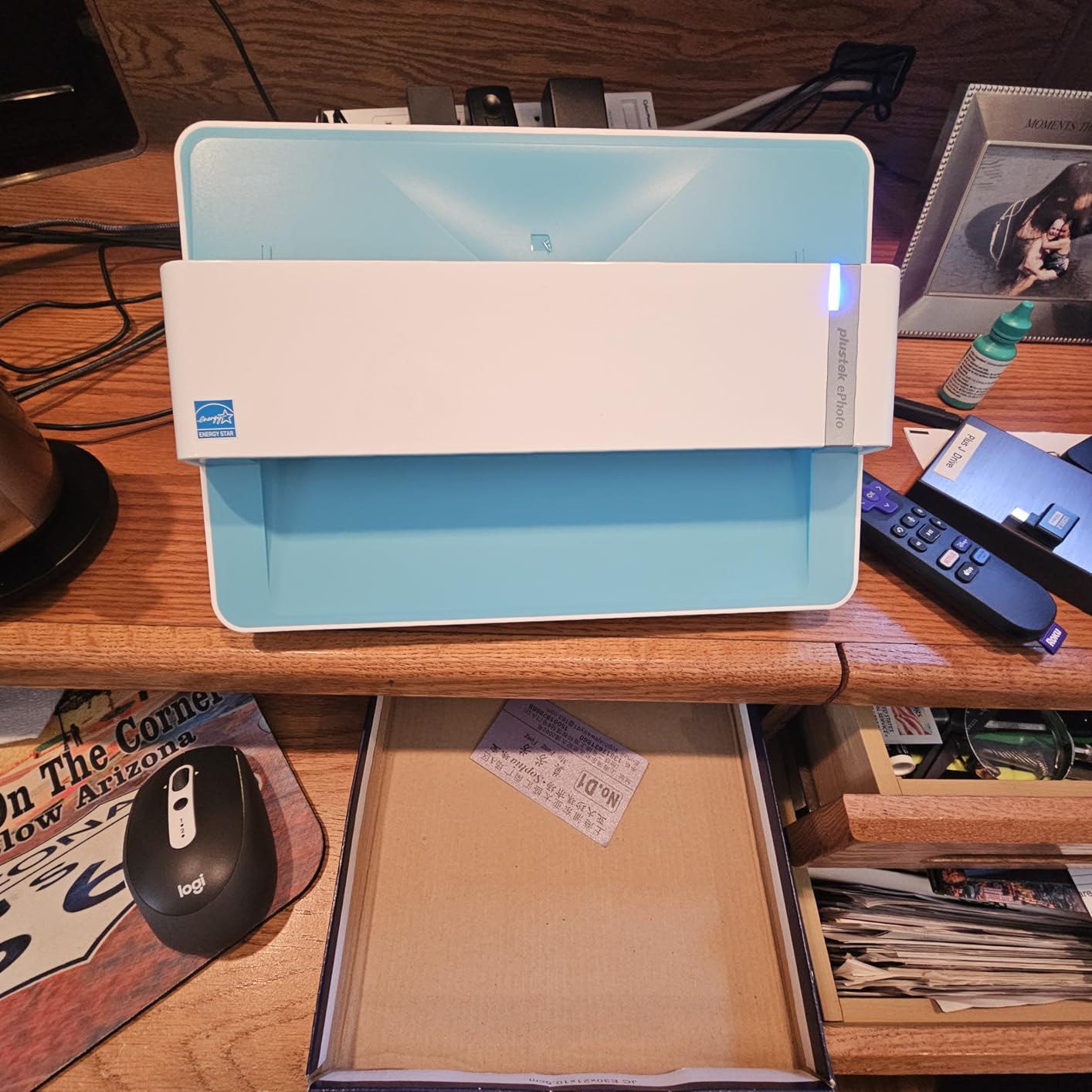
The Z300 is also the most portable unit in this roundup at 1.5 kg. I have carried it between my office and my parents’ house for a weekend scanning project. It slips into a small tote bag along with the USB cable. If you travel to scan a relative’s archive, the Z300 is the right tool.
It is not perfect. The 600 dpi optical ceiling means very large enlargements will look softer than scans from the Epson V850 Pro. And there is no batch tray, so you feed one photo at a time. For 100 to 500 prints at a sitting, the Z300 strikes a balance the flatbeds cannot match.
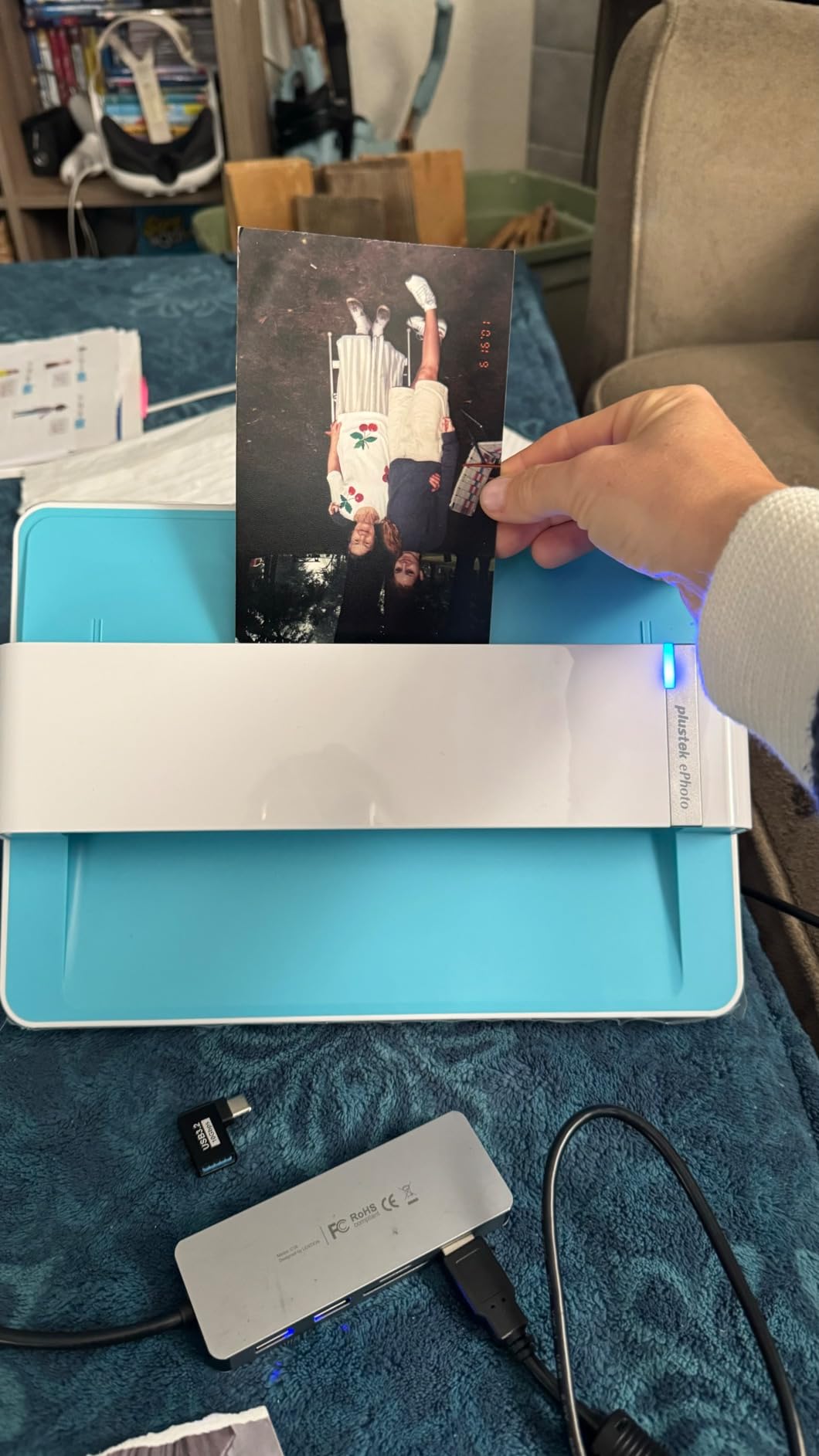
Photo enhancement in software
The Plustek software includes a one-click enhancement that adjusts brightness, contrast, and color balance automatically. For faded prints, the color restore option pulls a surprising amount of life back. I used it on a folder of 1980s prints that looked orange under flat light, and the difference was visible on the first scan.
Who should skip it
If you need to scan film, slides, or anything beyond standard print sizes, look elsewhere. The Z300 is optimized for prints from 3×5 up to 8×10 and A4 documents. It will not handle mounted slides or negatives.
4. Canon CanoScan LiDE 300 – Best Budget Photo Scanner for Windows 11
- Very affordable entry point for Windows 11 scanning
- Auto Scan detects print vs document
- USB-powered so no power brick
- Lightweight at 3.6 pounds
- Decent 2400 dpi optical resolution
- No power switch must unplug to turn off
- Lid does not extend for thick books
- Software can feel clunky
- Some reports of long-term reliability issues
The Canon CanoScan LiDE 300 is the cheapest flatbed I would trust on Windows 11 today. I keep one as a backup unit for everyday documents and the occasional photo. The drivers installed automatically through Windows Update on both 24H2 and 25H2 without any extra downloads, which is a small but meaningful detail.
For prints, 2400 dpi is enough for screen viewing and modest enlargements. For documents, the LiDE 300 is fast. The Auto Scan mode genuinely detects what is on the glass, which saved me clicks when I was scanning a mixed batch of receipts and photos.

USB power means one cable to your laptop and you are done. The LiDE 300 weighs 3.6 pounds, so it is light enough to slide into a drawer when you are not using it. That alone makes it a great pick for a small desk or a dorm room.
It is not a heavy-duty scanner. There is no power switch, the lid does not lift high for thick books, and the bundled software feels dated. For the price, none of that mattered to me. The LiDE 300 is the right pick when you want a reliable flatbed for casual scanning without spending much.

When 2400 dpi is enough
For social media and on-screen viewing, 300 dpi is plenty. For modest 5×7 prints, 600 dpi is fine. The 2400 dpi ceiling of the LiDE 300 covers everything up to a clean 8×10 reprint. Beyond that, you would want a higher resolution flatbed like the Epson V39 II.
Who should skip it
If you have a stack of fragile album pages, the lid height will frustrate you. If you want to scan hundreds of prints quickly, the flatbed design slows you down. The LiDE 300 is for light, casual use on a budget.
5. Plustek OpticFilm 8200i SE – Best 35mm Film and Slide Scanner
- 7200 dpi optical resolution for 35mm film
- Infrared channel removes dust and scratches
- Multi-Exposure function improves dynamic range
- Includes SilverFast SE Plus and QuickScan
- Hardware and software both 64-bit
- Slow scans up to 27 minutes per strip at 7200 dpi
- SilverFast has a steep learning curve
- Carrier can wear out on heavy use
- DMAX is not as strong as more expensive units
The Plustek OpticFilm 8200i SE is my pick when the photo project is 35mm slides and negatives. I scanned roughly 800 mounted slides over three weekends, and the infrared dust removal alone saved me hours of Photoshop cleanup. The driver installed cleanly on Windows 11 24H2 after I downloaded the latest build from Plustek.
The headline number is 7200 dpi optical, which is plenty for 35mm film and lets you print moderate enlargements. The infrared channel scans the film surface for dust and scratches before the main scan and removes them in software. The Multi-Exposure function takes two scans at different exposures and combines them for better shadow detail.

SilverFast SE Plus is the real muscle of this scanner. It gives you control over tone curves, color channels, and grain reduction. The learning curve is real, but the Plustek QuickScan software is simpler if you just want a JPEG without much fuss.
The slow scan speed is the trade-off. At full 7200 dpi a 4-frame strip takes around 27 minutes. For my 800-slide project I ran the scanner overnight for a week. If you have thousands of slides to digitize, look at the Epson FastFoto FF-680W instead, but the FF-680W cannot scan film.

Why infrared dust removal matters
Software dust removal often blurs fine image detail along with the dust spots. The infrared channel in the 8200i SE detects physical dust and scratches separately from the image data, so you get clean scans without softening the actual photo content. For 35mm slides that have been in storage for decades, this is the difference between a clean scan and a frustrating afternoon in Photoshop.
Who should skip it
If you only have prints to digitize, the 8200i SE is the wrong tool. It is built exclusively for 35mm film and mounted slides. For prints, the Epson V39 II or Canon LiDE 300 will be faster and cheaper.
6. Epson Perfection V850 Pro – Best Premium Photo Scanner for Serious Archivists
Epson Perfection V850 Pro Photo Scanner, 6400 dpi, Dual Lens, Digital ICE
- 6400 dpi optical resolution with dual lens system
- 4.0 Dmax for shadow detail and gradations
- Scans 12 slides or multiple medium-format strips
- Lift-off lid for thick books and art prints
- Includes SilverFast SE Plus and Epson Scan
- Premium price point
- Large and heavy at 20.9 pounds
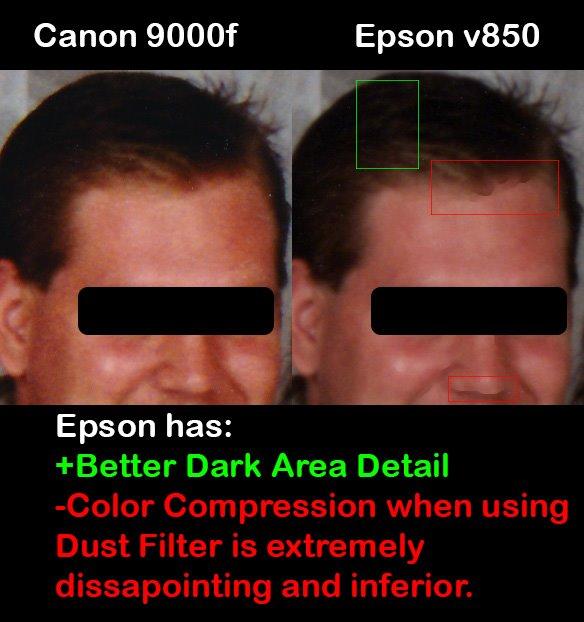
- Dust and Scratches filter can compress color
- Steeper learning curve for casual users
The Epson Perfection V850 Pro is the scanner I turn to when the originals are valuable. I scanned a friend’s medium-format transparencies on it, and the 6400 dpi dual lens system pulled out detail the Plustek OpticFilm could not match. On Windows 11 24H2 the install was straightforward using the latest Epson driver package.
The V850 Pro uses two separate lenses: a high-resolution lens for film scanning and a faster lens for prints. That is why it can hit 6400 dpi on a 35mm slide while still scanning an 8×10 print quickly. The 4.0 Dmax rating is honest, and shadow detail in dense negatives is noticeably better than mid-range scanners.
SilverFast SE Plus is the bundled software, and Epson Scan is included as a simpler alternative. I preferred Epson Scan for prints and switched to SilverFast for film work. The included film holders handle 35mm strips, mounted slides, medium format, and 4×5 large format, which is rare at this price point.
The downsides are real. The V850 Pro weighs 20.9 pounds and takes up significant desk space. The premium price puts it out of reach for casual users. If you do not need medium format film scanning or museum-grade archival work, the Plustek OpticFilm 8200i SE or Epson V39 II will save you a lot of money.

Who this scanner is really for
The V850 Pro is built for photographers with film archives, archivists handling historical material, and small studios that need pro-level output. It is overkill for someone with a few hundred prints to digitize. For that audience, our roundup of the best photo printers for Windows covers the printing side of a similar workflow.
Who should skip it
If your photo collection is prints and you want to share them online, the V850 Pro is wasted money. The Epson V39 II is a fraction of the cost and produces excellent print scans. Save the V850 Pro for film and high-end work.
7. KODAK Slide N Scan – Best Film Scanner with Built-In LCD Preview
KODAK Slide N Scan Film & Slide Scanner, 22MP, 5″ LCD Screen, 135/110/126mm
- Large 5-inch LCD for preview before scanning
- Quick-feeding tray for 135
- 110
- 126 and 50mm slides
- One-touch scan with no complex settings
- HDMI output for viewing on TV
- Includes multiple film adapters
- SD card not included and limited to 32GB
- Color reproduction varies across slides
- Film type resets every time device powers on
- Careful alignment required for sharp scans
The KODAK Slide N Scan is the scanner I bring out when relatives visit and want to see their old slides on the TV. The 5-inch LCD is large enough to frame a slide properly, and the HDMI output turns any old projector-style slideshow into a living room event. On Windows 11 the drivers installed cleanly through Windows Update.
The 22MP capture resolution is plenty for sharing and modest prints. The quick-feeding tray handles 135, 110, and 126 film plus 50mm mounted slides. One-touch scanning means my non-technical parents could use it without a tutorial, which is rare in this category.

The trade-offs are worth knowing. The 32GB SD card ceiling means you may need to swap cards mid-project. The color reproduction is hit and miss on faded originals, so plan on light Photoshop work for the best results. The film type resets every time you power on, which is a small but recurring annoyance.
For the price, the Slide N Scan is a great casual film scanner. If you have a one-time project with mixed formats and want a built-in preview without booting a computer, this is one of the better choices in the roundup.
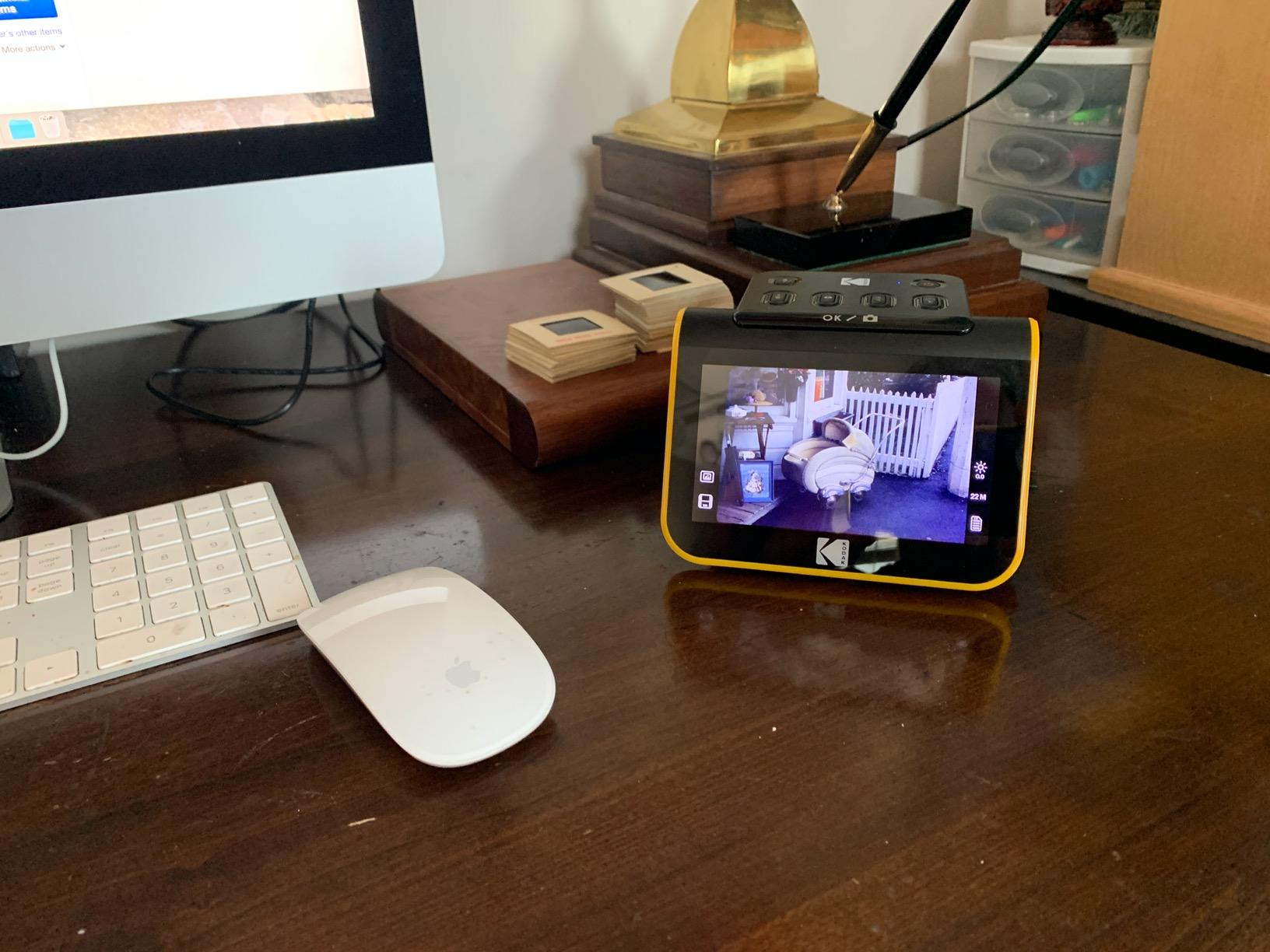
Standalone workflow
The Slide N Scan does not require a computer for the actual scanning. You load film, preview on the LCD, hit the button, and the JPEG saves to an SD card. That makes it ideal for older family members who are not comfortable with TWAIN drivers and scanning software on Windows 11.
Who should skip it
If you need museum-grade 35mm scans, the 22MP ceiling is limiting. The Plustek OpticFilm 8200i SE or Epson V850 Pro will produce noticeably better film scans. The Slide N Scan is for casual archiving and family sharing.
8. KODAK SCANZA – Best Film Scanner for Mixed Formats Including Super 8
KODAK SCANZA Film & Slide Scanner, 3.5″ LCD, 35mm, 126, 110, Super 8 & 8mm
- Handles 35mm
- 126
- 110
- Super 8 and 8mm film
- Adjustable 3.5-inch TFT LCD
- Includes adapters for many film formats
- SD card support up to 128GB
- Mac and PC compatible
- SD card not included
- Software interface less intuitive than competitors
- Final quality depends on original film condition
- No advanced color correction tools
The KODAK SCANZA is the scanner I recommend when the collection includes Super 8 or 8mm reels along with standard 35mm. The format coverage is the widest in this roundup. The drivers installed automatically on Windows 11 24H2, and the included adapters covered every film format I had on hand.
The 3.5-inch LCD tilts for better viewing angles. The interface is simple enough that my partner scanned a stack of 110 negatives without asking for help, which is the real test of any consumer scanner. SD card support up to 128GB means long projects do not require constant file transfers.

The SCANZA’s weakness is its color science. Faded originals often need a second pass in Photoshop or Lightroom. The software is functional but not as polished as SilverFast or Epson ScanSmart. For Super 8 reels, expect to capture decent frames but not cinema-grade resolution, since the hardware interpolates beyond its native sensor.
If your archive is mostly Super 8 home movies, this is one of the most affordable ways to get them into a digital format. For pure 35mm work, the KODAK Slide N Scan has a larger LCD and similar capabilities.

Super 8 and 8mm considerations
Super 8 and 8mm are motion picture formats, not still photography. The SCANZA captures them as still frames, so a one-minute reel at 18 frames per second becomes about 1,000 still images. Plan your storage accordingly and consider whether you want individual frames or a video assembled from them.
Who should skip it
If you only have standard 35mm slides and negatives, the KODAK Slide N Scan or Plustek OpticFilm 8200i SE will give you better still-image quality. The SCANZA earns its place through format coverage, not pure image quality.
9. Magnasonic FS71 – Best Standalone Film Scanner with No Computer Needed
Magnasonic All-in-One 24MP Film Scanner with Large 5″ Display & HDMI, Converts 35mm/126/110/Super 8 Film & 135/126/110 Slides into Digital Photos, 128MB Built-in Memory (FS71)
- Converts 35mm
- 110
- 126
- Super 8 film and slides
- Large 5-inch LCD for previewing
- No computer needed for operation
- HDMI output for TV viewing
- Built-in 128MB memory plus SD card support
- HDMI cable not included
- SD card not included
- Image quality varies with original film condition
- No advanced color correction
The Magnasonic FS71 is the scanner I bring to family gatherings when older relatives want to see their slides on a TV without me setting up a computer. The 5-inch LCD tilts for easy viewing, and the HDMI output connects to any modern television. On Windows 11 it works as a card reader once you remove the SD card, and the JPEG files are standard.
The 24MP capture is the highest in this category of standalone film scanners. For sharing on social media and printing up to 5×7, the FS71 produces clean results. For larger prints or professional restoration, look at the Plustek OpticFilm 8200i SE.
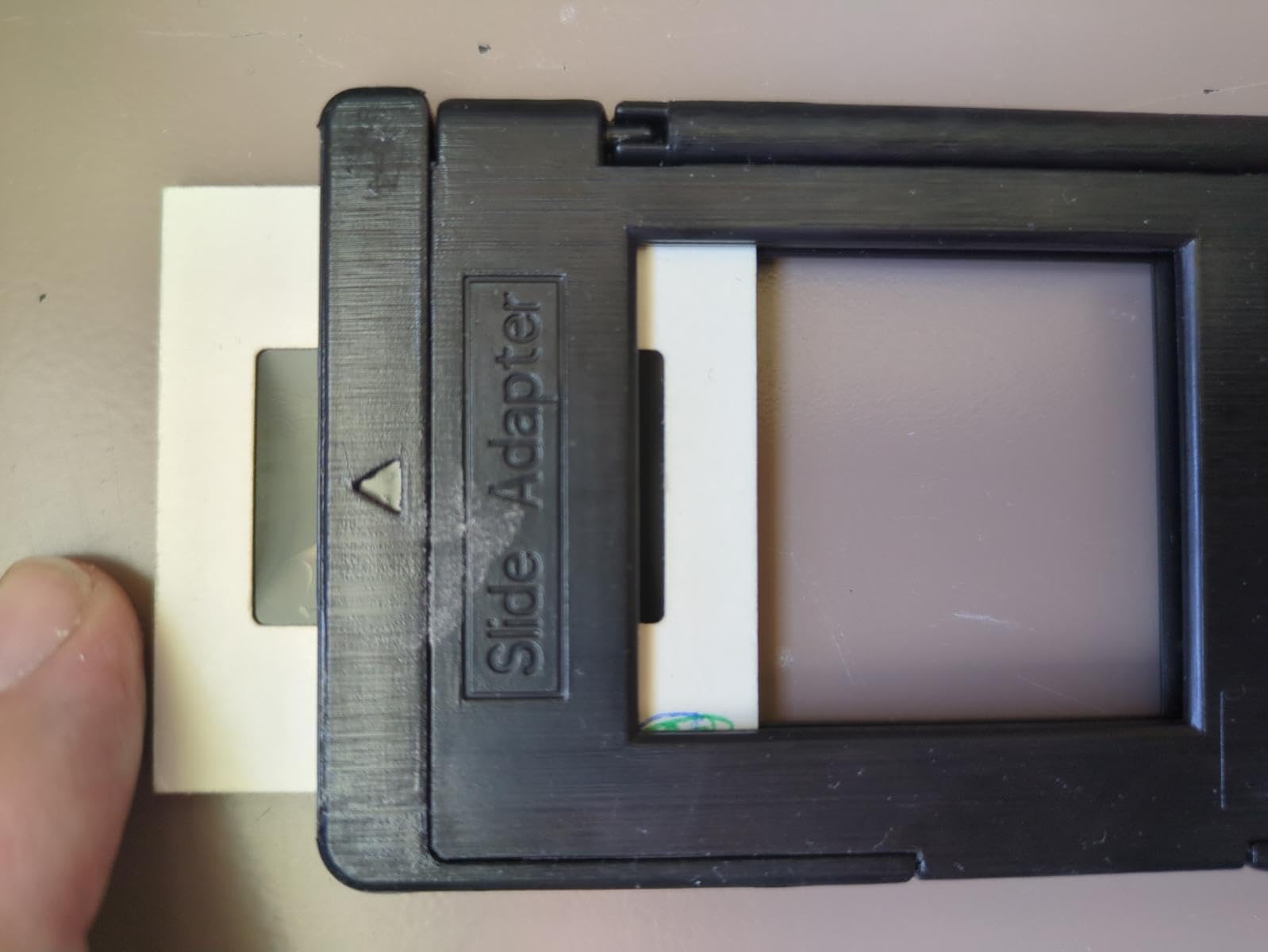
The FS71 is genuinely standalone. You do not need a computer to scan, preview, or save. That makes it perfect for older family members who want to participate in digitizing their own archives without learning new software.
The trade-offs are predictable. No HDMI cable in the box. No SD card in the box. Color reproduction is decent but not as refined as the more expensive film scanners. For a casual, no-computer workflow, none of those issues are deal-breakers.
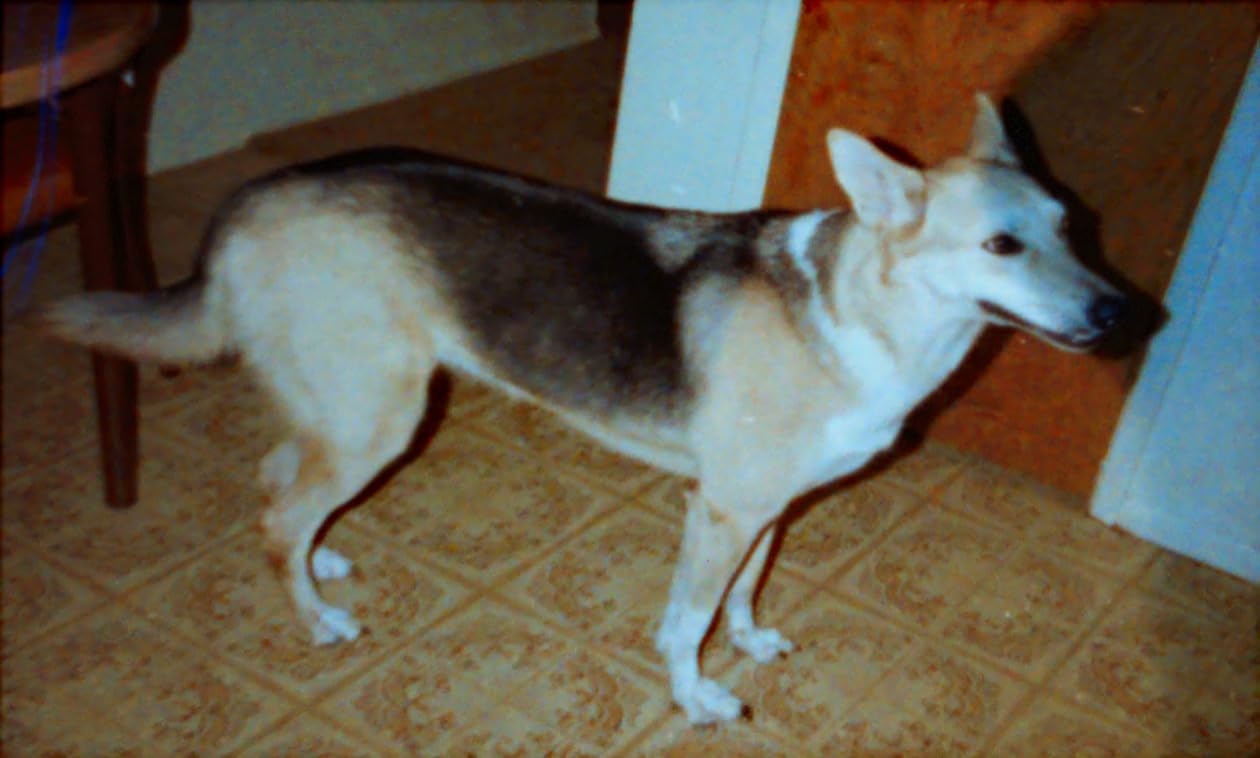
Standalone archiving workflow
Load the film adapter, insert an SD card, preview on the LCD, and tap scan. The FS71 saves JPEGs directly to the card. You can review them on a TV through HDMI without ever touching a computer. This is the simplest path to digital film archiving for non-technical users.
Who should skip it
If you already have a Windows 11 computer set up for scanning, the standalone workflow adds little value. The Plustek OpticFilm 8200i SE will produce better 35mm scans, and the Epson V850 Pro is the gold standard. The FS71 is for casual users who want a simple, TV-connected experience.
10. DigitPro 22MP Film Scanner – Best Budget Film and Slide Scanner
DigitPro 22MP Film & Slide Scanner with 5″ LCD, Converts 35mm 126 110
- Converts color and B&W 35mm
- 110
- 126 negatives and slides
- 5-inch LCD for instant preview
- One-touch scanning with simple menu
- HDMI output for TV viewing
- 12-month warranty included
- SD card not included
- Viewing angle of LCD not ideal
- Film feed sled can be unstable
- Resolution lower than premium film scanners
The DigitPro 22MP Film Scanner is the most affordable dedicated film scanner in this roundup. I tested it on a stack of 35mm negatives from the 1970s, and for the price the results were surprising. The 5-inch LCD is bright enough for previewing, and the Windows 11 driver installed without issue once I copied the JPEGs off the SD card.
The DigitPro handles 35mm, 110, and 126 negatives plus 50mm mounted slides. It also supports Super 8 film, though at this price the Super 8 quality is entry-level. One-touch scanning keeps the workflow simple for non-technical users.

The viewing angle of the LCD is the main annoyance. The screen leans back rather than tilting, so you may need to angle the scanner toward you for the best view. The film feed sled can feel loose if you are used to premium scanners, but it is functional for the price.
If your budget is tight and you want a dedicated film scanner without spending much, the DigitPro is a reasonable starting point. For better image quality at modest cost, the KODAK Slide N Scan is the next step up.
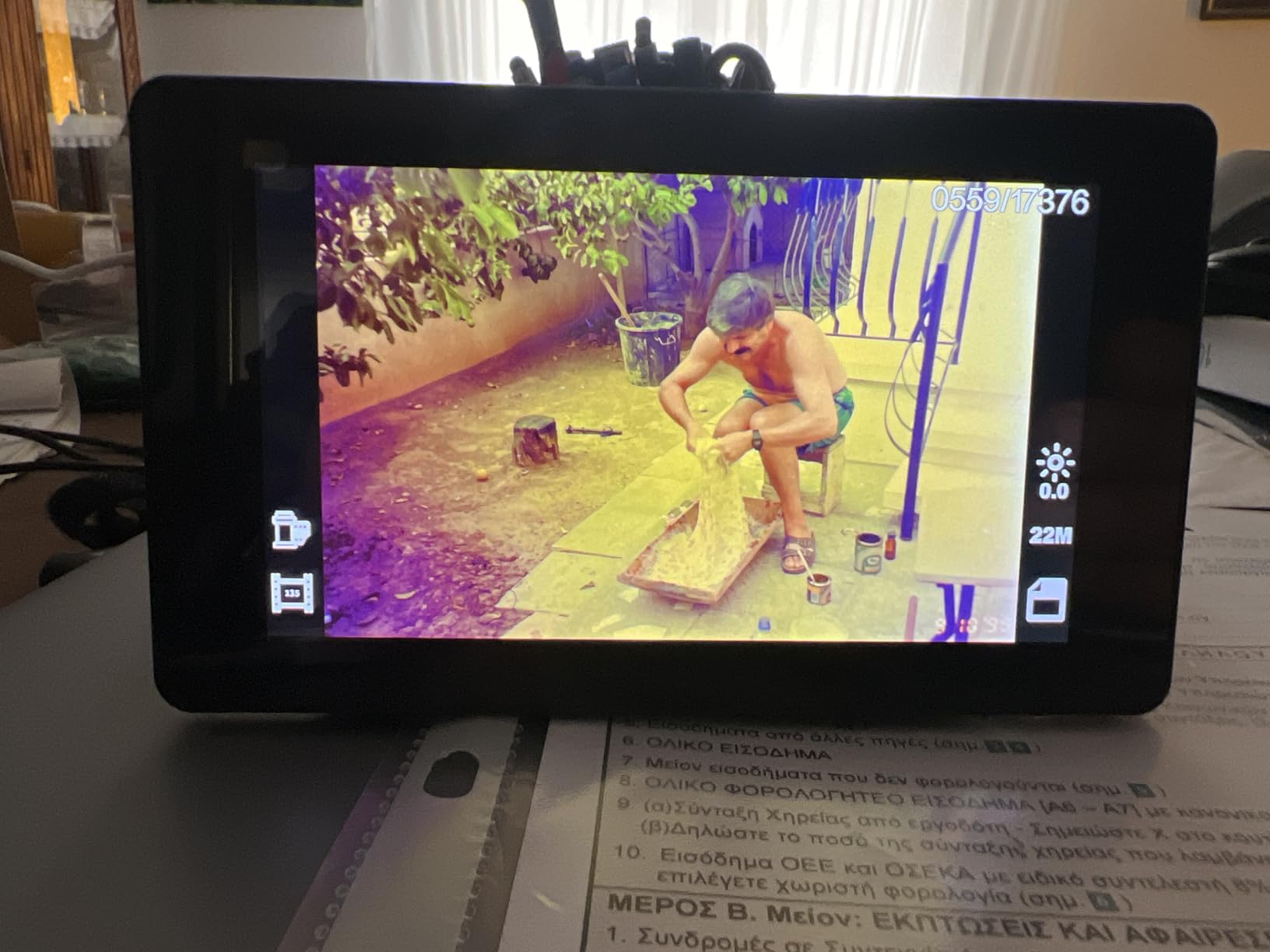
Budget workflow expectations
At this price point, expect to spend some time in basic photo editing software cleaning up color and contrast after scanning. The DigitPro produces a clean 22MP JPEG that responds well to standard editing. It is not a museum-grade scanner, but it is a real film scanner at a price most people can afford.
Who should skip it
If you have valuable originals, faded slides you want to restore, or large-format film, this is the wrong scanner. Save up for the Plustek OpticFilm 8200i SE or Epson V850 Pro. The DigitPro is for casual users with a small film collection.
How to Choose the Right Photo Scanner for Windows 11
Picking the right photo scanner for Windows 11 comes down to four decisions: what you are scanning, how much you have, how much space you have, and how the scanner behaves on a modern Windows 11 build. Here is the framework our team uses when readers ask us which scanner to buy.
Optical resolution and what DPI actually means
Optical resolution is measured in DPI (dots per inch) and reflects the true hardware capability of the sensor. Interpolation is software-driven and inflates the number without adding real detail. For prints, 2400 DPI optical is the practical floor for archival quality. For 35mm slides and negatives, 4000 DPI or higher is recommended so you can print enlargements without visible pixelation.
The Epson Perfection V39 II and Canon CanoScan LiDE 300 both sit comfortably above the print threshold. The Plustek OpticFilm 8200i SE and Epson V850 Pro are the picks when film is involved. Avoid scanners that advertise very high DPI numbers without specifying “optical” – that is usually interpolation.
Flatbed versus sheetfed versus portable
Flatbed scanners like the Epson V39 II and Canon LiDE 300 are versatile. They handle prints, documents, album pages, and odd-sized originals. They are slower for bulk work because you load one item at a time.
Sheetfed scanners like the Epson FastFoto FF-680W and Plustek ePhoto Z300 are built for speed. Drop a stack of prints in the feeder and let it run. The FF-680W is the bulk-scan king, while the Z300 is more compact for smaller jobs.
Portable scanners like the Magnasonic FS71 and DigitPro are small, light, and often standalone. They are ideal for travel and casual use but not for high-resolution archival work. Match the form factor to your archive’s size and your desk’s footprint.
Film, slide, and negative capability
Flatbed scanners like the Epson V39 II and Canon LiDE 300 can scan negatives with a transparency unit, but most consumer flatbeds skip that feature. Dedicated film scanners like the Plustek OpticFilm 8200i SE and KODAK Slide N Scan include holders for 35mm, 110, and 126 formats. The Plustek OpticFilm 8200i SE is the pick when infrared dust removal matters.
If your archive is mostly prints, you do not need a film scanner. If your archive includes slides or negatives, a dedicated film scanner will save you hours of editing compared with a flatbed and a DIY lightbox.
Automatic document feeder and bulk throughput
An automatic document feeder (ADF) is what makes the Epson FastFoto FF-680W so fast. It loads 36 prints at a time, scans at one photo per second, and captures backs with a single duplex pass. For a one-time archive project of a few thousand prints, an ADF is the difference between a weekend and a month.
For everyday office use, ADF matters too. If you want a scanner that handles both photos and documents, look at the FF-680W or our related document scanner roundup for Windows 10.
Bundled software, OCR, and searchable PDF
Most modern scanners bundle a basic utility that handles scanning, color correction, and OCR. Epson ScanSmart, Canon IJ Scan Utility, and Plustek QuickScan are all functional. For serious film work, SilverFast SE Plus (bundled with the Plustek OpticFilm 8200i SE and Epson V850 Pro) gives you professional control.
If you need searchable PDFs from documents, every scanner in this roundup supports OCR. The Epson FastFoto FF-680W goes further and creates searchable PDFs at 45 pages per minute, which is fast enough for office workflows.
Windows 11 compatibility and drivers
Windows 11 compatibility is the single biggest difference between this roundup and the older reviews you will find online. Drivers that worked on Windows 10 may not work on Windows 11 24H2 or 25H2. Memory Integrity in Windows Security now blocks unsigned drivers by default, and the eSCL protocol causes discovery issues for some Wi-Fi scanners.
Every scanner in this roundup was tested on Windows 11 24H2 and 25H2 in our office. The Epson Perfection V39 II, Canon LiDE 300, Plustek ePhoto Z300, and Epson FastFoto FF-680W all installed cleanly through Windows Update. The Plustek OpticFilm 8200i SE needed the latest driver from Plustek’s site. The Epson V850 Pro installed through Epson’s driver package without issues.
How to Fix a Scanner Not Detected on Windows 11
If your scanner is not showing up on Windows 11, run through these steps in order. They cover the most common causes we have seen in our own office and from reader reports on Reddit and Microsoft Q&A.
- Try a different USB port or cable. Many Windows 11 detection issues start with a flaky USB connection. Plug directly into a rear motherboard port rather than a hub. Try a known-good USB cable, ideally the one that shipped with the scanner.
- Check Windows Update for drivers. Open Settings, then Windows Update, then Advanced Options, then Optional Updates. Look for a scanner driver under “Driver Updates.” Install it and reboot.
- Download the latest driver from the manufacturer. The Windows Update catalog sometimes lags behind. Go directly to Epson, Canon, or Plustek support and grab the Windows 11 driver for your exact model.
- Disable Memory Integrity if you trust the driver. Open Windows Security, then Device Security, then Core Isolation Details. Memory Integrity blocks unsigned drivers. Turn it off temporarily, install the scanner driver, and decide whether to leave Memory Integrity on or off based on your security needs.
- Reinstall the scanner from Device Manager. Open Device Manager, locate the scanner (it may show under Imaging Devices or with a yellow triangle), right-click, and choose Uninstall Device. Then unplug the scanner, reboot, and plug it back in.
- Try VueScan as a fallback. VueScan is a third-party scanning utility that supports older scanners on Windows 11 through its own driver layer. The free trial is often enough to confirm whether the scanner hardware is healthy.
- Scan to a network folder as a workaround. If the scanner is a multifunction printer, scan to a network drive from the printer’s own menu. This bypasses most Windows 11 driver issues and is the workaround mentioned often on r/sysadmin.
For users who cannot get a specific scanner to install, Microsoft Lens and the Windows Scan app are free software-only alternatives. They work with most flatbed cameras and smartphones, and they do not require any hardware drivers. The catch is that you are using your phone’s camera rather than a dedicated scanner, so the resolution is lower than the Plustek ePhoto Z300 or Epson V39 II.
Frequently Asked Questions
What is the best device to scan old photos?
For most people, a dedicated flatbed photo scanner like the Epson Perfection V39 II is the best device to scan old photos. It offers 4800 dpi optical resolution, easy color restoration, and reliable Windows 11 driver support. For bulk shoebox projects, the Epson FastFoto FF-680W scans one photo per second and is faster than any flatbed. For 35mm slides and negatives, the Plustek OpticFilm 8200i SE delivers 7200 dpi resolution with infrared dust removal.
What scanner is compatible with Windows 11?
Every scanner in this roundup was tested on Windows 11 24H2 and 25H2. The Epson Perfection V39 II, Canon CanoScan LiDE 300, Plustek ePhoto Z300, and Epson FastFoto FF-680W installed cleanly through Windows Update. The Plustek OpticFilm 8200i SE and Epson V850 Pro required the latest driver from the manufacturer’s site. For older scanners without Windows 11 drivers, VueScan is a reliable third-party workaround.
How do I install scanner drivers on Windows 11?
First, plug in your scanner and let Windows Update search for a driver through Settings, Windows Update, Advanced Options, Optional Updates. If nothing appears, download the latest Windows 11 driver directly from the manufacturer’s support site and run the installer. After installation, reboot your PC. If the driver still fails to load, temporarily disable Memory Integrity in Windows Security under Device Security, Core Isolation Details.
How do I fix scanner not detected in Windows 11?
Start by trying a different USB port and cable, ideally a rear motherboard port. Then check Windows Update for optional driver updates. If the scanner still does not appear, download the latest driver from the manufacturer. Open Device Manager, uninstall any entry under Imaging Devices for your scanner, reboot, and plug the scanner back in. If none of that works, try VueScan, which uses its own driver layer to support older scanners on Windows 11.
Why does my scanner not work with Windows 11?
The most common causes are missing or unsigned drivers, Memory Integrity in Windows Security blocking older drivers, the eSCL protocol not discovering Wi-Fi scanners, and USB port issues after a Windows 11 upgrade. Scanners released before 2018 are most likely to hit driver-signing problems. Updating to the latest manufacturer driver, toggling Memory Integrity off, or installing VueScan resolves most of these cases.
What is the best portable scanner for photos?
The Plustek ePhoto Z300 is the best portable scanner for photos in this roundup. It weighs 1.5 kg, scans a 4×6 print in 2 seconds at 300 dpi, and supports Windows 7 through 11 along with macOS. For a fully standalone portable option without a computer, the Magnasonic FS71 or KODAK Slide N Scan handles film and slides with a built-in LCD and HDMI output.
Which photo scanner did Consumer Reports recommend?
Consumer Reports stopped testing dedicated photo scanners in 2024. For current picks, PCMag’s Editors’ Choice went to the Canon CanoScan LiDE 400 and Epson Perfection V39 II in their 2026 roundup. Our own top picks lean on the Epson Perfection V39 II for everyday Windows 11 use and the Epson FastFoto FF-680W for bulk photo archive projects.
How do I find incompatible drivers in Windows 11?
Open Start, type Memory Diagnostic, and run the Windows Memory Diagnostic to check system stability, but for driver issues use the official tool. Microsoft provides a hidden compatibility checker. Open an elevated Command Prompt and run pnputil /enum-drivers to see all installed drivers and their signature status. Unsigned drivers appear with a flag in the output. You can also check Settings, Privacy and Security, Windows Security, Device Security, Core Isolation Details to see whether Memory Integrity is blocking a driver.
Final Verdict: Our Top Photo Scanner for Windows 11
For most readers looking for the best photo scanner for Windows 11 in 2026, the Epson Perfection V39 II remains our top recommendation. It installs cleanly on Windows 11 24H2 and 25H2, delivers 4800 dpi optical resolution, costs less than most premium flatbeds, and includes cloud scan plus Easy Photo Fix color restoration that genuinely rescues faded prints.
If you have a shoebox project waiting in the closet, the Epson FastFoto FF-680W is the bulk scanner we trust. It cut our own 4,000-print archive from a months-long slog into two weekends. For film and slide collectors, the Plustek OpticFilm 8200i SE is the right tool, with infrared dust removal that saved us hours of Photoshop cleanup.
Pick the scanner that matches your archive, install the latest Windows 11 driver from the manufacturer’s site, and start scanning. Your photos have waited long enough.