
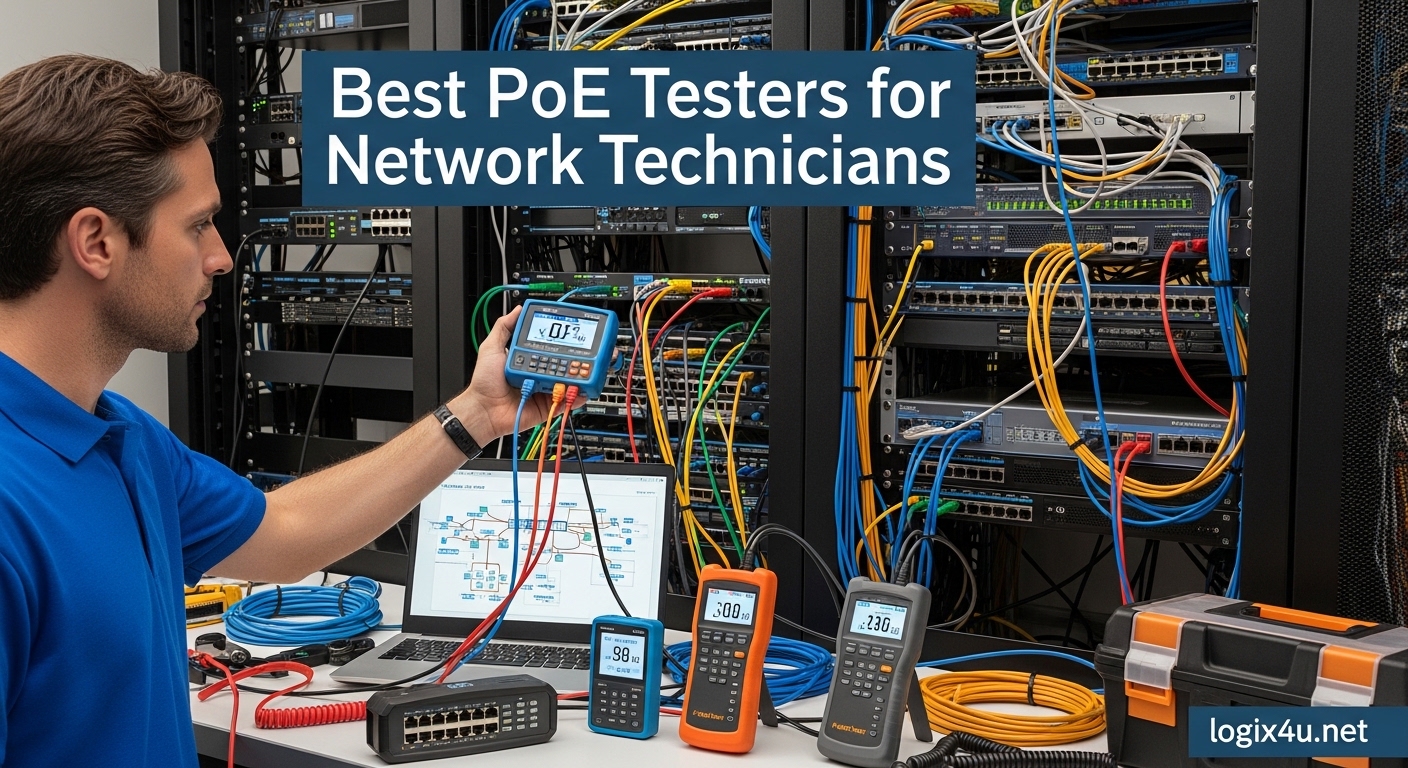
Nothing ruins a network installation faster than discovering your IP camera won’t power on after you’ve already mounted it 20 feet up a wall. I learned this the hard way during a security system deployment last year when three out of twelve cameras simply refused to boot. The cables tested fine for continuity, the switch ports showed active, but the cameras stayed dark. That is when I realized I needed a proper PoE tester in my toolkit.
Power over Ethernet has become the standard for modern network devices. IP cameras, wireless access points, VoIP phones, and even LED lighting systems all rely on PoE to receive both data and power through a single Ethernet cable. Best PoE testers for network technicians are specialized diagnostic tools that go beyond basic cable continuity checks. They detect voltage levels, identify PoE classes, measure actual power delivery, and help troubleshoot why a device might not be receiving the power it needs.
In this guide, I have tested and reviewed eight PoE testers ranging from budget-friendly options under $40 to professional-grade tools that cost over $2,500. Whether you are a field technician working on commercial installations or a DIY enthusiast setting up a home security system, I will help you find the right tool for your specific needs and budget in 2026.
Top 3 Picks at a Glance (August 2026)
Before diving into detailed reviews, here are my top three recommendations for different use cases and budgets:

Fluke Networks LinkIQ Cable + Network…
- Cable performance testing up to 10GBASE-T
- Ethernet Alliance certified PoE verification with load testing
- Switch diagnostics with IP and port identification
- LinkWare PC reporting software included

Fluke Networks MicroScanner MS-POE
- PoE Class 0-8 detection up to 90W
- Ethernet Alliance EA8 Certified
- Cable length measurement to 1500ft
- IntelliTone digital and analog toning

NOYAFA NF-8209 Network Cable Tester
- PoE detection up to 60V DC
- Cable length measurement 1.5-200m
- Wire tracer and continuity testing
- Port flashing for switch identification
Best PoE Testers for Network Technicians in 2026
Here is a quick comparison of all eight PoE testers covered in this guide. I have organized them by price range and primary use case to help you narrow down your options:
| Product | Specifications | Action |
|---|---|---|
| Fluke Networks LinkIQ Kit |
|
Check Latest Price |
| Fluke MicroScanner MS-POE |
|
Check Latest Price |
 Klein Scout Pro 3 Klein Scout Pro 3 |
|
Check Latest Price |
 PoE Texas Gen2.5 PoE Texas Gen2.5 |
|
Check Latest Price |
| NOYAFA NF-8209 |
|
Check Latest Price |
 TESMEN TLP-900AR TESMEN TLP-900AR |
|
Check Latest Price |
 NOYAFA NF-488 NOYAFA NF-488 |
|
Check Latest Price |
 TRENDnet TC-NTP1 TRENDnet TC-NTP1 |
|
Check Latest Price |
1. Fluke Networks LinkIQ Cable + Network Tester Kit – Premium Professional Choice
- Tests actual cable performance not just switch advertising
- Ethernet Alliance certified PoE verification
- Identifies nearest switch by IP name port and VLAN
- Includes IntelliTone Probe for cable locating
- Premium price point at over $2
- 500
- RJ45 NIC limited to 1Gig for network testing
- TDR only works on disconnected cables
I have been using the Fluke Networks LinkIQ for about six months on enterprise installations, and it has fundamentally changed how I approach network troubleshooting. This is not just a PoE tester; it is a complete cable and network diagnostic system that performs frequency-based measurements to verify actual cable performance up to 10GBASE-T. The difference is significant: most testers only check if a switch port advertises 10G capability, but the LinkIQ tests whether the cable can actually support those speeds.
The PoE testing capabilities are equally impressive. Unlike basic testers that simply detect voltage presence, the LinkIQ performs actual load testing to verify that the power sourcing equipment can deliver the advertised wattage under real-world conditions. This is critical when troubleshooting high-power devices like PTZ cameras or pan-tilt units that require the full 90W available under 802.3bt Type 4.
The switch diagnostics feature saves me hours on large installations. Connect the tester to a live network port, and it displays the connected switch’s IP address, name, port number, and VLAN information along with advertised data rates. I recently used this to trace a mislabeled cable in a 48-port switch rack – something that would have taken manual tracing and guesswork with lesser tools.
One limitation to note: while the cable testing supports up to 10GBASE-T, the built-in RJ45 network interface card is limited to 1 Gigabit for actual network connectivity testing. This means you can verify a cable will support 10G, but you cannot actually transmit data at those speeds through the tester itself. For most troubleshooting scenarios this is not an issue, but it is worth knowing if you are specifically testing 10G network performance.
The included LinkWare PC software allows you to manage results and generate professional reports – a requirement for many enterprise and government contracts. If you are a network contractor who needs documentation for client handoffs, this feature alone justifies the investment.
Best For Enterprise and Professional Installers
The LinkIQ is built for network professionals who need comprehensive cable qualification and PoE verification. If your work involves structured cabling certification, enterprise network deployments, or high-value contracts requiring detailed reporting, this is the tool you need. The price is significant, but the time savings and professional credibility it provides pay for themselves on large projects.
Skip If You Are On a Tight Budget
If you are a small business owner, home user, or occasional DIY installer, the LinkIQ is overkill. You can get reliable PoE detection and basic cable testing from options that cost one-tenth the price. Save this investment for when your business scales to the point where certification and reporting become requirements.
2. Fluke Networks MicroScanner MS-POE – Editor’s Choice for Professional Use
- Professional-grade Fluke quality and reliability
- Detects all PoE classes 0-8 including 90W 802.3bt
- Backlit LCD works in any lighting condition
- Wire map to TIA-568A/B standards with distance to fault
- Does not test actual cable bandwidth capacity
- Remote ID locators sold separately
- Display scrolls through PoE information continuously
The MicroScanner MS-POE strikes the perfect balance between professional capability and reasonable price for working network technicians. I have carried this tester in my field bag for over a year now, and it has become my go-to tool for quick PoE verification and cable troubleshooting.
What sets this apart from budget alternatives is the Ethernet Alliance EA8 certification. This means the PoE detection meets industry standards for accuracy – critical when you are troubleshooting why a PoE camera or access point is not powering up. The tester detects all PoE classes from 0 through 8, covering everything from basic 15.4W 802.3af devices up to the latest 90W 802.3bt Type 4 equipment.
The oversized backlit LCD display is a field-friendly feature that sounds simple but makes a real difference. I have used this tester in dark server closets, outdoor enclosures at night, and dimly lit ceiling spaces where phone-based testers or dim displays would be useless. The screen clearly shows voltage, power class, and wire map results without squinting or flashlight assistance.
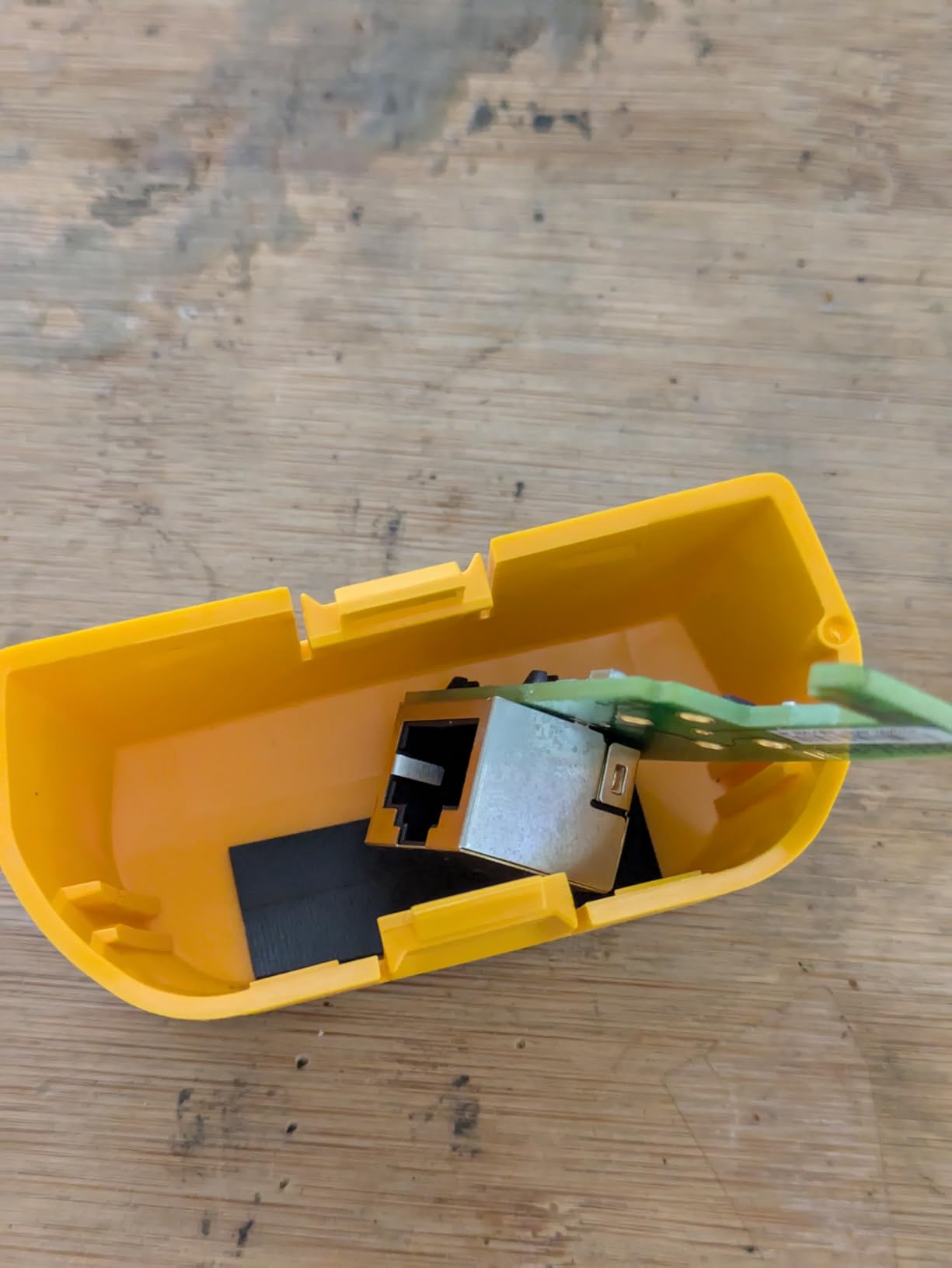
Cable length measurement works up to 1,500 feet with one-foot resolution, and the wire map function identifies opens, shorts, split pairs, and reversed pairs while showing the distance to any fault. This has saved me countless hours of manual cable tracing. Recently, I identified a split pair issue in a 200-foot run that was causing intermittent connectivity problems – the kind of fault that basic continuity testers miss entirely.
The IntelliTone toning technology is compatible with both digital and analog modes, making it work with most existing toner probes you might already own. However, the remote ID locators for mapping multiple cable runs are sold separately, which adds to the total cost if you need that functionality.
Best For Professional Technicians and Contractors
This is the ideal tool for network technicians who need reliable PoE testing and cable verification without the full certification capabilities of the LinkIQ. If you install IP cameras, wireless access points, or VoIP phones professionally and need accurate troubleshooting data, the MS-POE delivers professional-grade results at a fraction of the certification tool price.
Consider Alternatives If You Need Cable Certification
The MicroScanner verifies cable continuity and wire mapping but does not perform frequency-based testing to certify bandwidth capacity. If your work requires actual cable certification for CAT6A or higher standards, you will need the LinkIQ or a dedicated certifier. For basic PoE troubleshooting and cable verification, however, this is the best balance of capability and value.
3. Klein Tools VDV501-852 Scout Pro 3 – Best Value for Voice/Data/Video
- Comprehensive voice data video cable testing
- Single-step cable mapping with Test-n-Map remote
- PoE wire and voltage information display
- Excellent value compared to Fluke alternatives
- Rugged carrying case keeps everything organized
- Analog probe VDV500-123 sold separately for tracing
- Does not certify cable bandwidth capacity
- Limited to basic continuity testing
Klein Tools has built a reputation for reliable, affordable professional tools, and the Scout Pro 3 continues that tradition. I tested this kit during a multi-site installation project involving both network cabling and coaxial drops for IPTV systems. The ability to test RJ11, RJ45, and F-connector cables with one tool streamlined my toolkit significantly.
The standout feature is the Test + Map remote system. Unlike basic testers that require you to trace cables one at a time, this kit includes 18 RJ45 remotes and 18 F-connector remotes. I mapped an entire 24-port patch panel in a single pass – attach remotes to all the wall jacks, connect the tester to each patch port, and the display immediately shows which remote is connected and whether the cable passes. This cut my cable verification time by at least 70 percent compared to traditional methods.
PoE testing displays voltage and wiring information, though it is not as detailed as the Fluke MS-POE. It will tell you if PoE is present and which pairs are carrying power, which is sufficient for most installation verification work. I used this feature to confirm a batch of pre-terminated cables were properly wired for PoE before installing access points – catching three miswired cables that would have caused power failures.
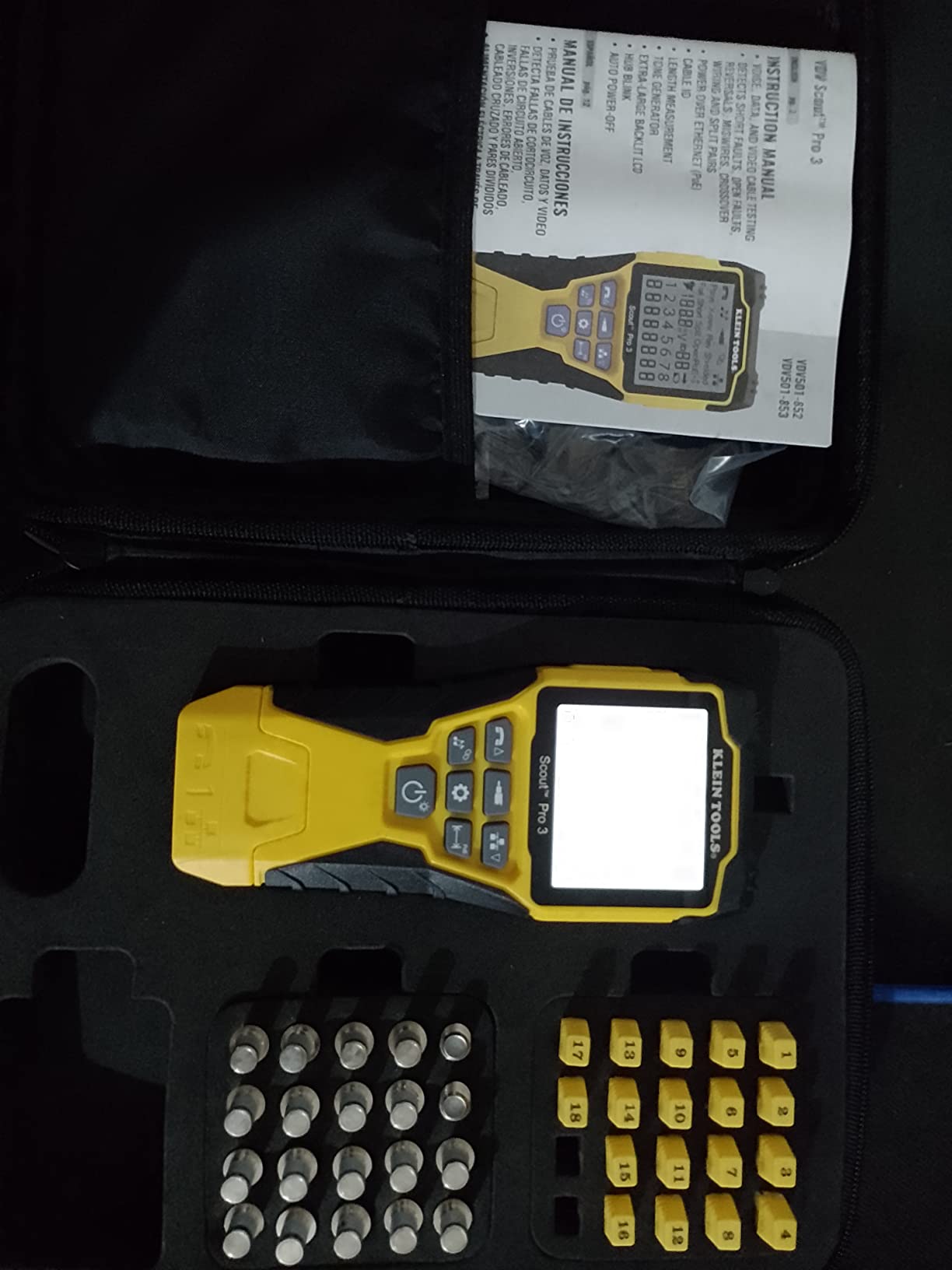
The cable length measurement extends to 2,000 feet, longer than most competitors, making this suitable for large commercial buildings or campus installations. The included carrying case holds the tester, all 36 remotes, and cables in organized compartments – a small but appreciated touch when you are working in the field.
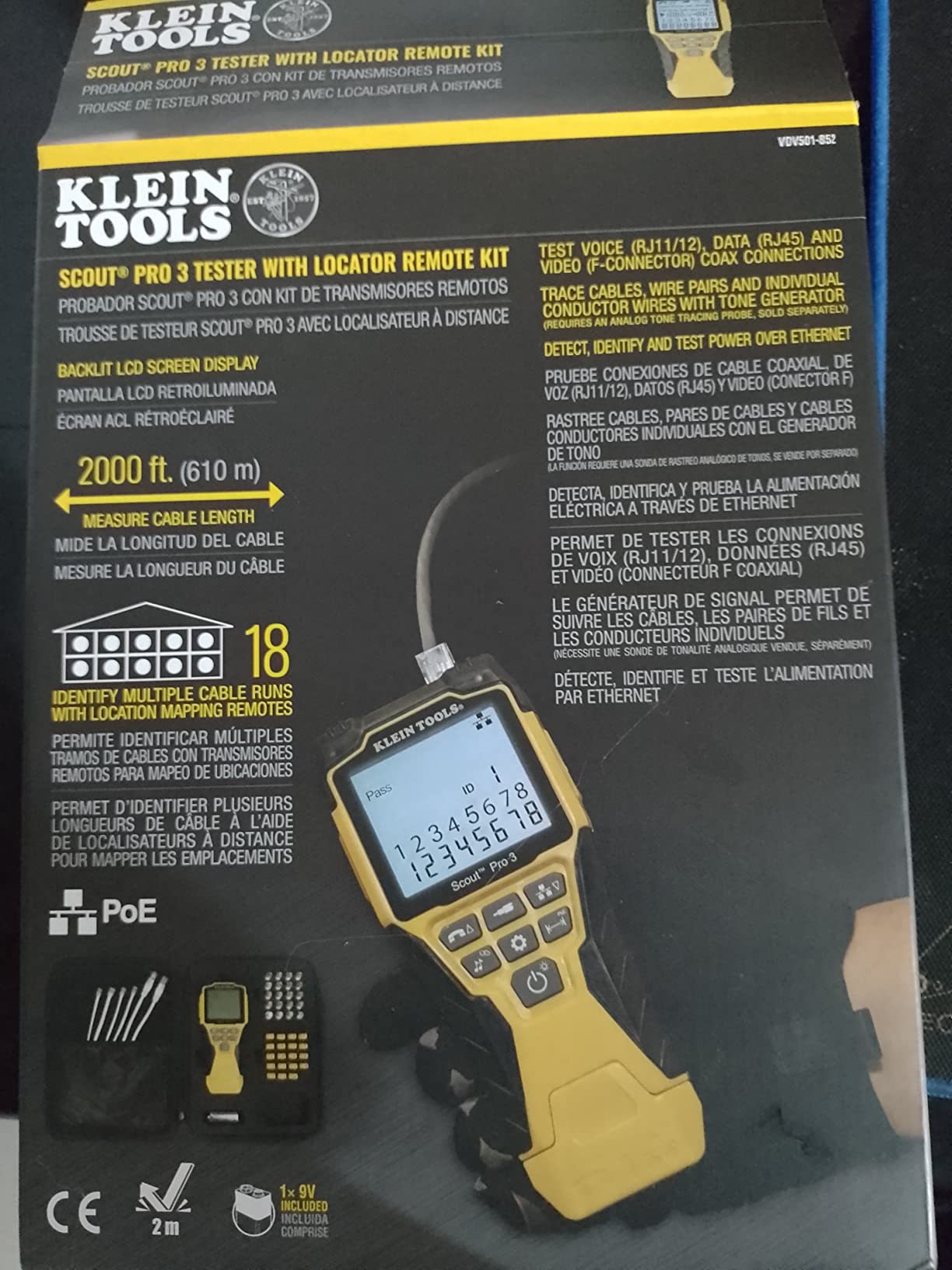
One limitation: the analog tone probe for cable tracing is sold separately as the VDV500-123. If you need to trace cables through walls or ceilings, factor this additional cost into your decision. The basic kit is excellent for cable testing and mapping but does not include active tracing capabilities.
Best For Multi-Service Installations
If your work involves both network and video cabling – common in security system installations, hospitality deployments, or MDU wiring – the Scout Pro 3 eliminates the need for separate testers. The included remotes and organized case make it ideal for contractors who verify multiple cable runs in a single visit.
Consider the Fluke MS-POE If PoE Is Your Primary Focus
While the Klein tester handles PoE detection adequately, the Fluke MS-POE provides more detailed PoE class information and Ethernet Alliance certification. If your work is primarily PoE device installation with occasional coax work, the Fluke might be worth the price difference. For balanced voice/data/video work, the Klein offers better overall value.
4. PoE Texas PoE Tester Gen2.5 – Best Inline Battery-Free Option
- No batteries needed - draws power from network
- Displays voltage current and watts clearly
- Compact and portable design
- Supports latest 802.3bt standard up to 90W
- Scrolling display makes continuous reading difficult
- Very small font size
- Documentation could be more detailed
The PoE Texas Gen2.5 solves a specific problem that other testers do not: inline power monitoring without batteries. I keep this tester in my bag for situations where I need to monitor actual power consumption of a PoE device over time, not just verify that voltage is present at installation.
Unlike detection testers that simply confirm PoE is available, this inline device sits between your switch and powered device, displaying real-time voltage, current draw, and wattage consumption. This is invaluable for troubleshooting power-hungry devices or verifying that a switch can deliver sufficient power under load. I used it to diagnose a problematic PTZ camera that would boot but then randomly reboot – the tester revealed the camera was spiking to 28W during movement, exceeding the switch port’s 15.4W budget.
The battery-free operation is a genuine advantage for field work. There is nothing worse than pulling out a tester on a job site only to find dead batteries. The Gen2.5 draws its operating power from the PoE connection itself, so it is always ready to use. The compact size fits easily in a pocket or tool bag without the bulk of multifunction testers.
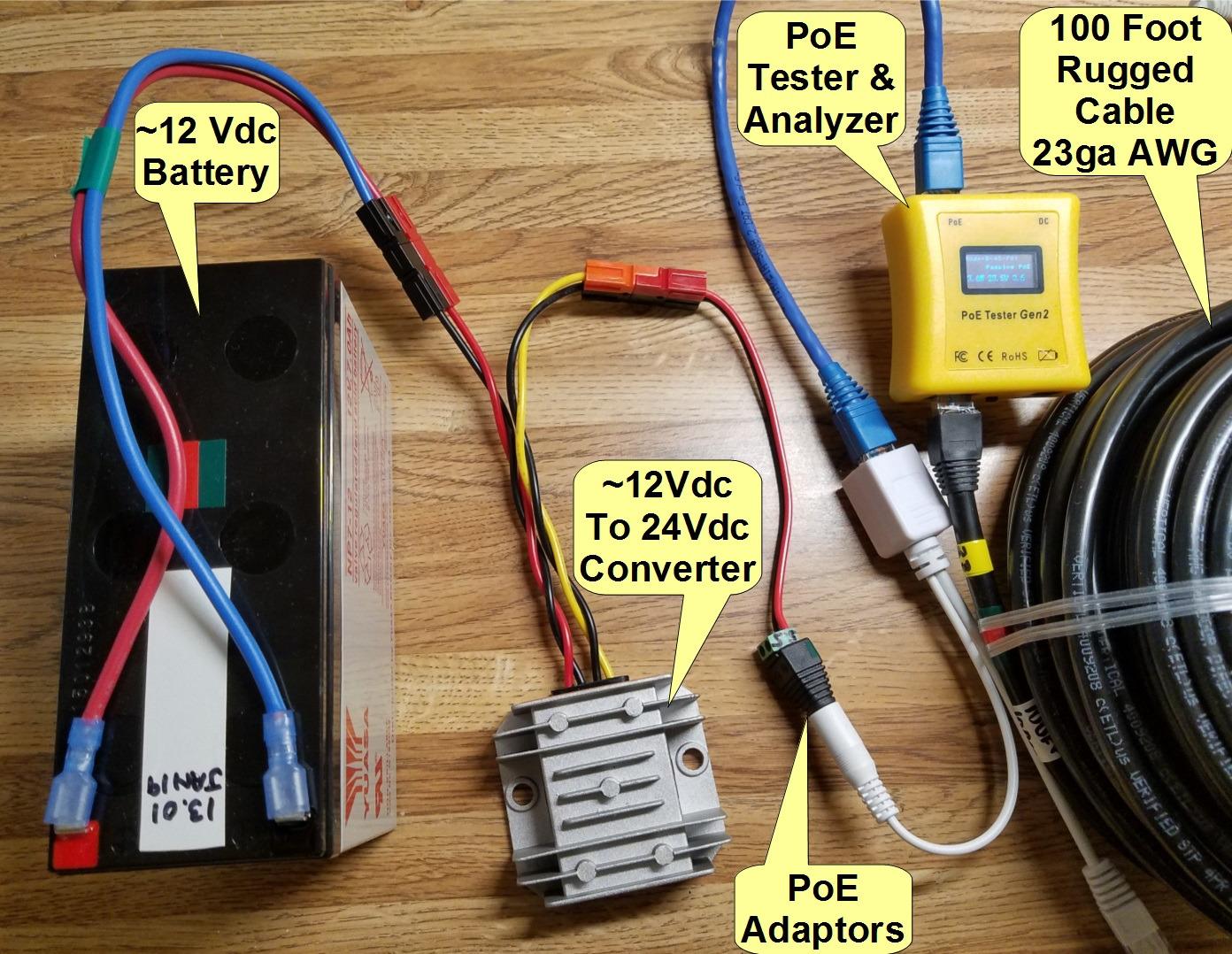
The tester supports the full range of PoE standards including the latest 802.3bt Type 4 for 90W devices – important as more high-power equipment hits the market. The 3.5 to 56-volt measurement range covers standard and non-standard passive PoE implementations as well.
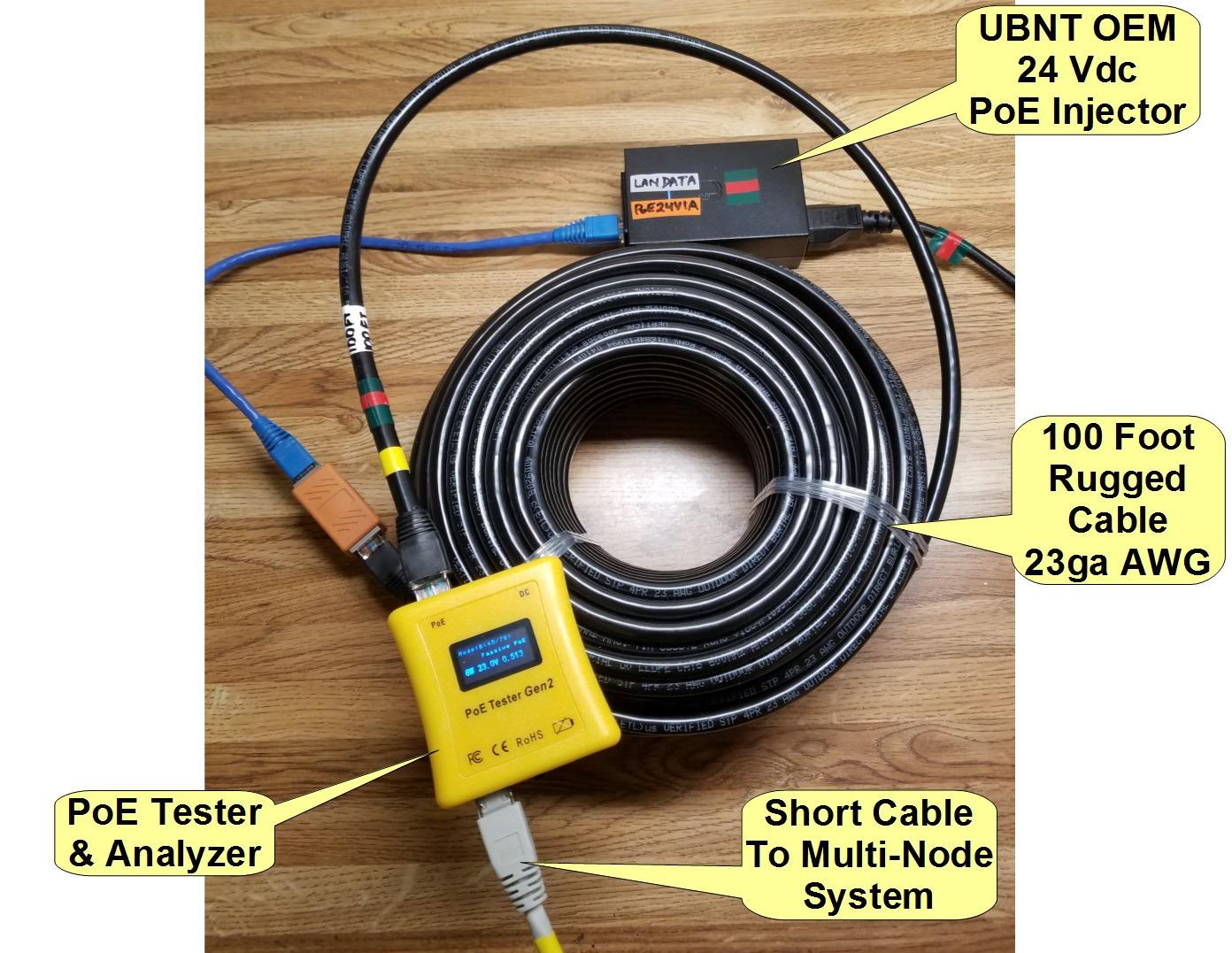
The main usability issue is the scrolling display. Rather than showing all measurements simultaneously, the screen cycles through voltage, current, and power readings. This makes it difficult to capture a quick snapshot of all three values, especially when documenting test results. The font is also quite small, requiring good lighting or reading glasses for some users.
Best For Active Power Monitoring
If you need to verify actual power delivery under load, troubleshoot devices that are not receiving sufficient power, or monitor power consumption for capacity planning, this inline tester is the right choice. It is also ideal for field technicians who want a simple, always-ready PoE verification tool without battery management concerns.
Not Ideal For Cable Troubleshooting
The PoE Texas tester only displays power information – it does not test cable continuity, wire mapping, or length measurement. If you need to diagnose wiring faults or trace cables, you will need a separate cable tester. Consider this a specialized power measurement tool rather than a general-purpose network tester.
5. NOYAFA NF-8209 – Best Budget Multi-Function Tester
- Multiple functions in one affordable kit
- Over 2000 reviews with strong 4.3 star rating
- Accurate cable length measurement
- Port flashing helps identify switch connections
- Good value for small business budgets
- Battery life is poor with frequent replacement needed
- Soft case allows accidental button activation
- Cheap plastic construction feels fragile
The NOYAFA NF-8209 is the most popular PoE-capable cable tester on the market with over 2,000 reviews, and after testing it extensively, I understand why. For under $60, you get a multifunction tool that handles cable continuity, length measurement, wire tracing, PoE detection, and even port flashing – capabilities that would cost significantly more from premium brands.
I used the NF-8209 during a residential security camera installation where budget was a primary concern. The cable length measurement proved accurate within a few inches on runs I verified with a measuring tape – impressive for a tool at this price point. The PoE detection confirmed which switch ports were delivering power before I climbed the ladder to mount cameras, saving unnecessary troubleshooting later.
The port flashing feature is genuinely useful. Connect the tester to a cable, activate flash mode, and the corresponding switch port LED will blink – perfect for identifying which cable goes where in an unlabeled patch panel. I mapped a 16-port switch in under 10 minutes using this function, something that would have taken manual tracing or trial-and-error otherwise.
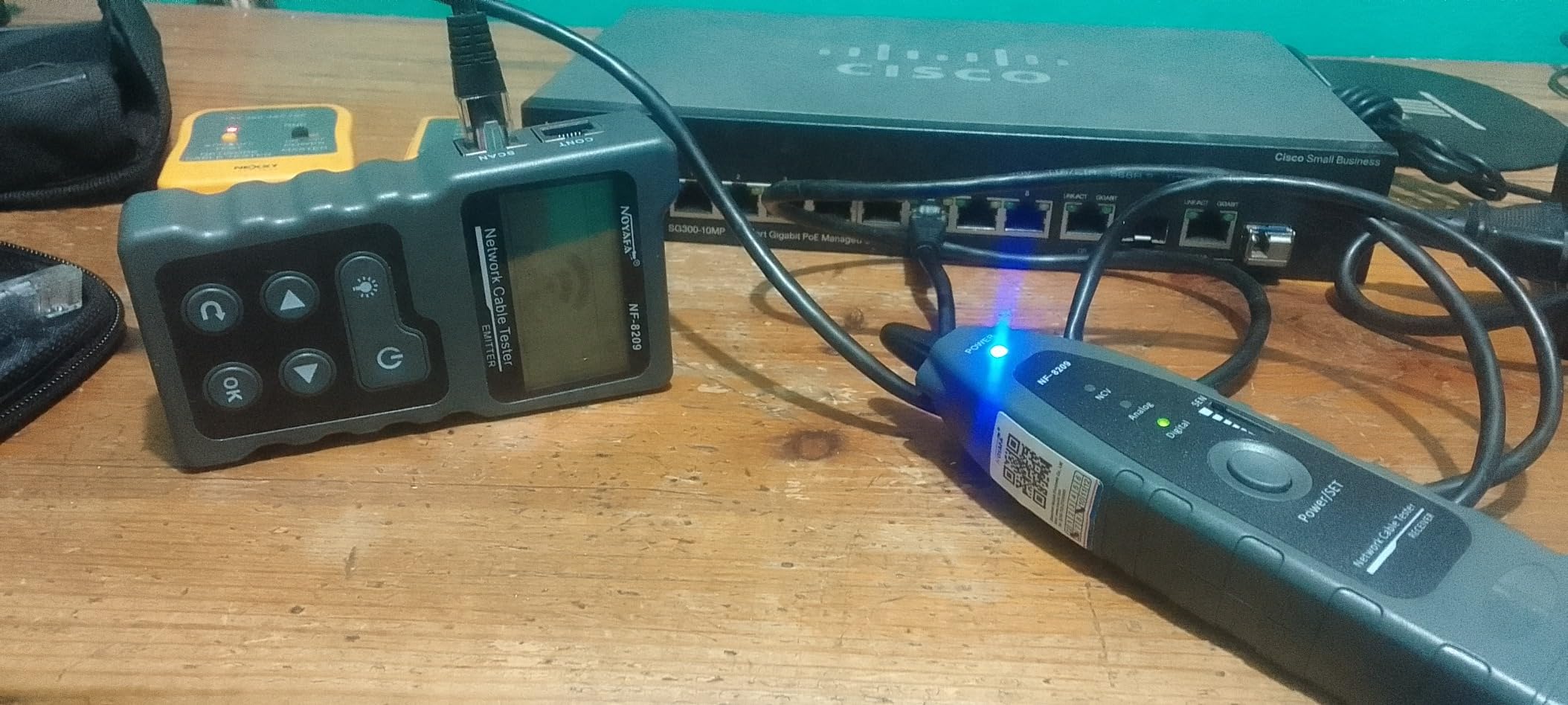
The wire tracing capability works with the included tone generator and probe, letting you follow cables through walls and ceilings. While not as sophisticated as the IntelliTone system on Fluke products, it gets the job done for basic cable location.
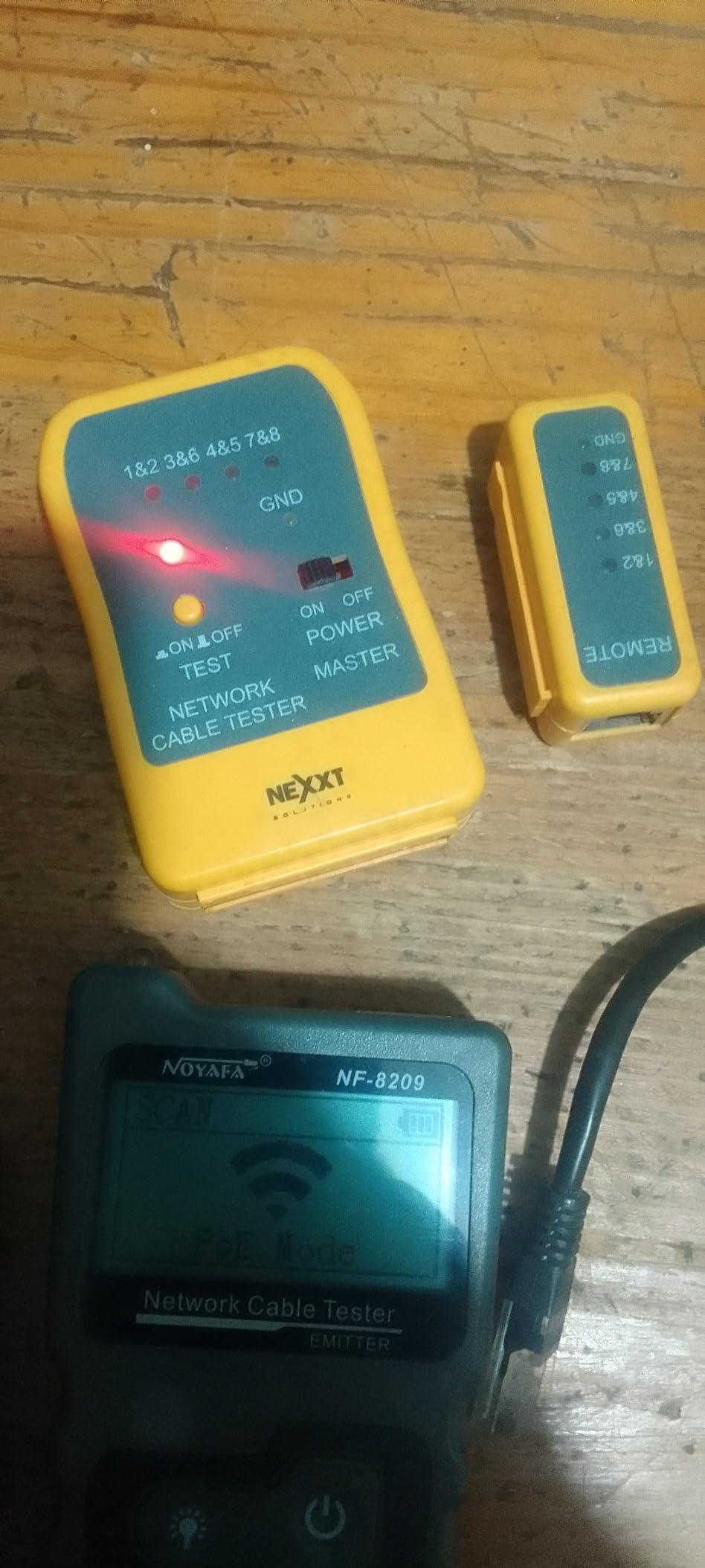
The downsides are real, however. Battery life is noticeably poor – I go through a 9V battery about every two weeks of regular use. The soft case does not protect the buttons well, and I have had the unit turn on accidentally in my bag and drain the battery overnight. The plastic construction feels less durable than professional tools, though mine has survived a year of field use without breaking.
Best For Small Business and Occasional Use
If you are a small business owner, IT generalist, or occasional installer who needs PoE testing capability without a major investment, the NF-8209 delivers excellent value. The multiple functions cover most common troubleshooting scenarios, and the price leaves room in your budget for other tools.
Consider Premium Options For Daily Professional Use
If you are a full-time network technician using a tester daily, the Fluke or Klein options offer better reliability, accuracy, and professional credibility. The NOYAFA works fine for occasional jobs but may not withstand the rigors of constant field use or provide the documentation clients expect from professional contractors.
6. TESMEN TLP-900AR – Best For Cable Tracing and Anti-Interference
- Works effectively over 200 foot CAT6 runs
- Anti-interference design for noisy environments
- Sensitive detection with volume adjustment
- Works on live devices at cable end
- Lightweight for small jobs and quick checks
- Instructions could be more clear
- Flashlight feature unreliable on some units
- Limited compatibility with standard toners
The TESMEN TLP-900AR is a newer entry in the cable tester market that focuses on reliable cable tracing with anti-interference capabilities. I tested this unit in an industrial environment with significant electrical noise from nearby machinery – exactly the scenario where cheaper tone generators often fail.
The anti-interference design genuinely makes a difference. In my test environment, a basic tone probe became nearly unusable due to electromagnetic interference from VFD drives and motor controllers. The TESMEN maintained a clear, traceable tone that let me follow cables through cable trays and conduit without false signals or dropouts.
The sensitivity adjustment is a feature I appreciate. Different environments require different sensitivity levels – high sensitivity for tracing in open cable trays, lower sensitivity when cables are bundled tightly together. The volume control helps in noisy industrial settings where you need to hear the tone over machinery.
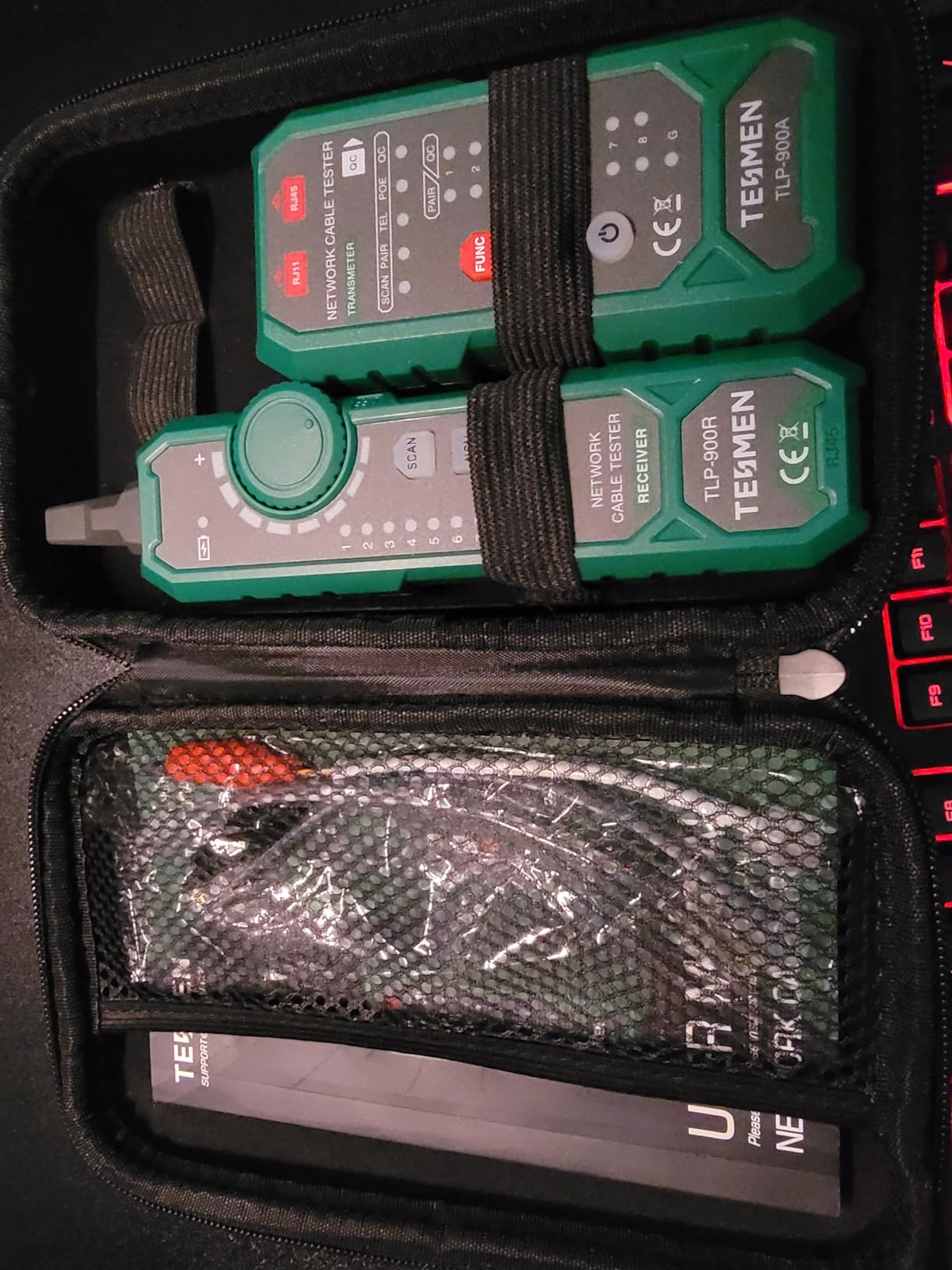
The NCV (non-contact voltage) detection adds safety for working near electrical systems. It can detect AC voltage from 50V to 1000V without direct contact, warning you before you touch a cable that might be carrying dangerous voltage. This is particularly valuable when working in mixed environments where power and data cables share pathways.
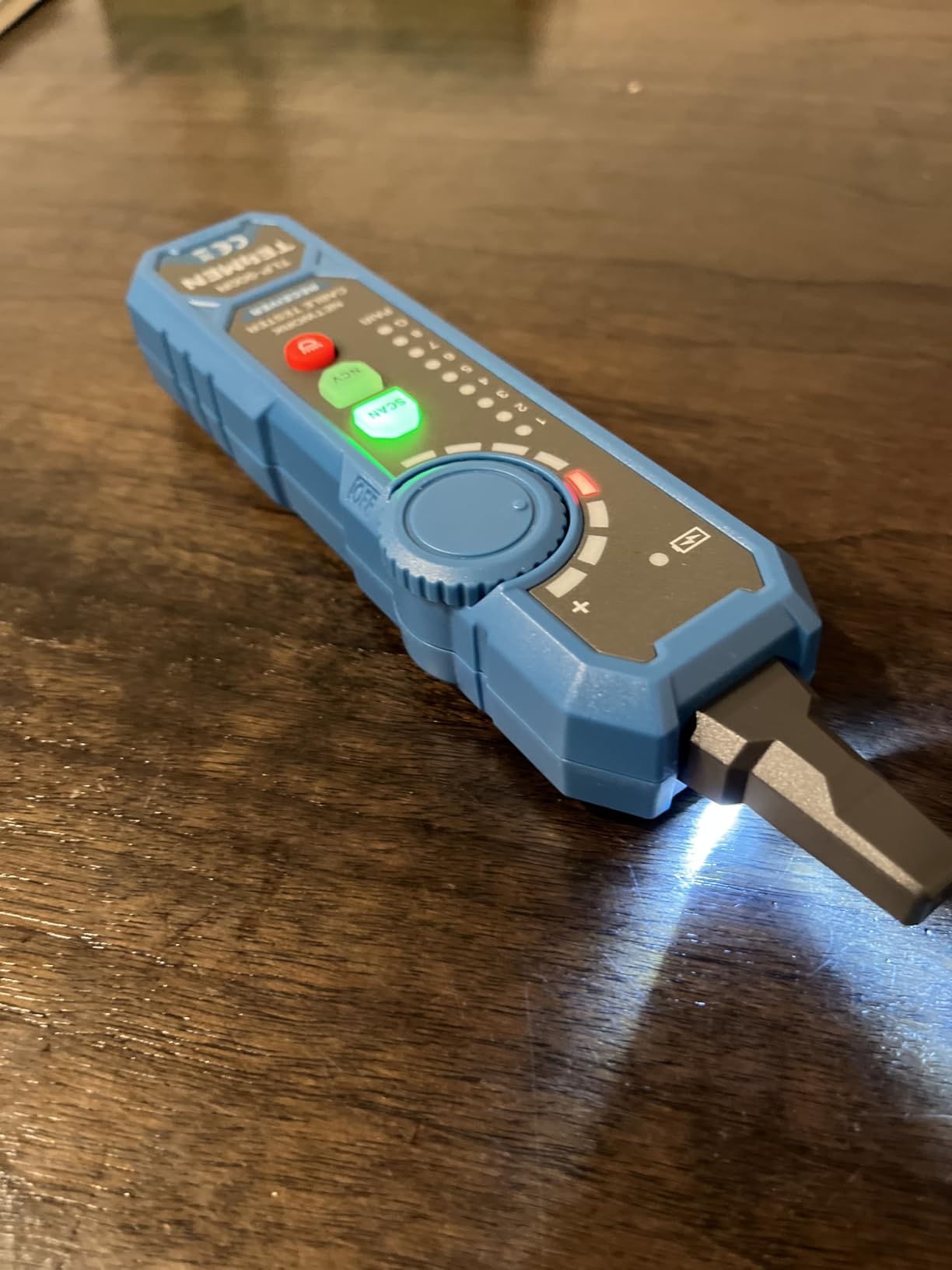
The pair testing functionality lets you verify that all four pairs in a CAT5e/CAT6 cable are properly connected – essential for Gigabit Ethernet and PoE applications that use all pairs. The LED line sequence indicator shows wiring order at a glance.
Build quality is decent for the price point. The green case is distinctive (easy to find in a tool bag), and the unit feels solid enough for regular field use. However, some users report the flashlight feature does not work reliably, and the instructions could use clearer translation.
Best For Industrial and Noisy Environments
If you work in factories, processing plants, or other electrically noisy environments where standard tone generators fail, the TESMEN’s anti-interference design justifies the purchase. The NCV detection adds safety value for mixed electrical/data installations.
Consider Alternatives For Comprehensive Testing
The TLP-900AR focuses on cable tracing and continuity testing. If you need detailed PoE class information, cable length measurement, or switch diagnostics, other options provide more comprehensive capabilities. This is a specialized tracing tool rather than a full network tester.
7. NOYAFA NF-488 – Best Budget Dedicated PoE Tester
- Excellent value for dedicated PoE testing
- Automatically identifies standard vs non-standard PoE
- Good for endpoint checking and continuity
- Compact and easy to carry
- Paid for itself on first use for many buyers
- Display hard to read without backlight
- Screwless battery door may be easy to lose
- No overall pass or fail indicator for continuity
The NOYAFA NF-488 is the most affordable dedicated PoE tester in my roundup, and it delivers surprising capability for its sub-$40 price. This is a purpose-built PoE detection tool without the additional cable testing functions of its NF-8209 sibling – making it ideal if you specifically need PoE verification without the extra complexity.
The automatic PoE identification is the standout feature. Connect the tester to a powered Ethernet cable, and it immediately displays whether the connection uses standard 802.3af/at PoE or non-standard passive PoE, along with voltage and polarity information. I used this to diagnose a batch of cheap PoE injectors that were causing camera failures – the tester revealed they were outputting reverse polarity passive PoE that the cameras could not handle.
The RJ45 wiring test with remote unit lets you check cable continuity and wiring order. While not as comprehensive as dedicated cable testers, it confirms that cables are properly terminated and wired for Ethernet. The remote unit stores conveniently in the tester body when not in use.
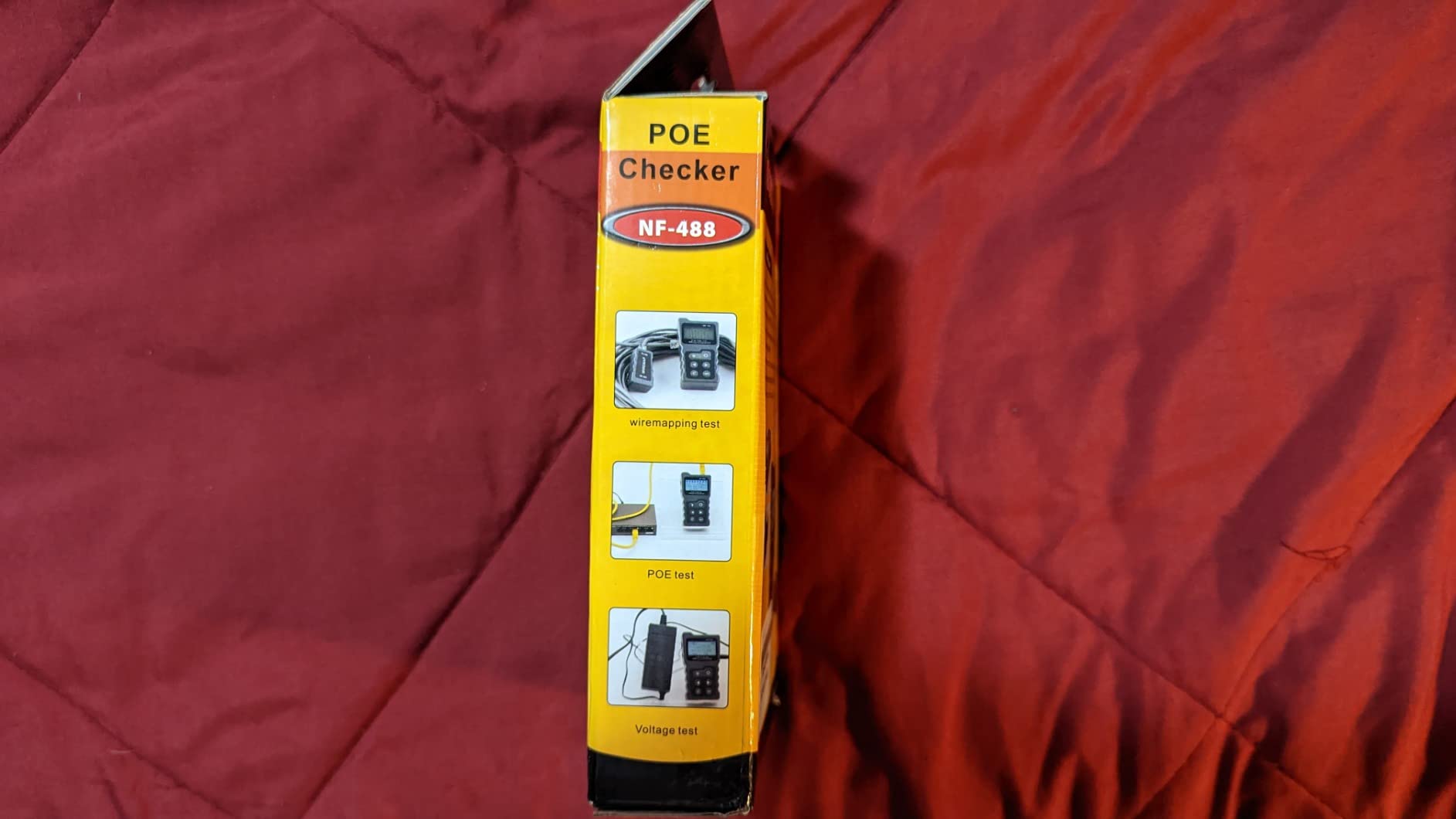
The large backlit LCD is easy to read in dim environments, though some users note the contrast is poor without the backlight activated. The anti-slip casing provides good grip even with work gloves.
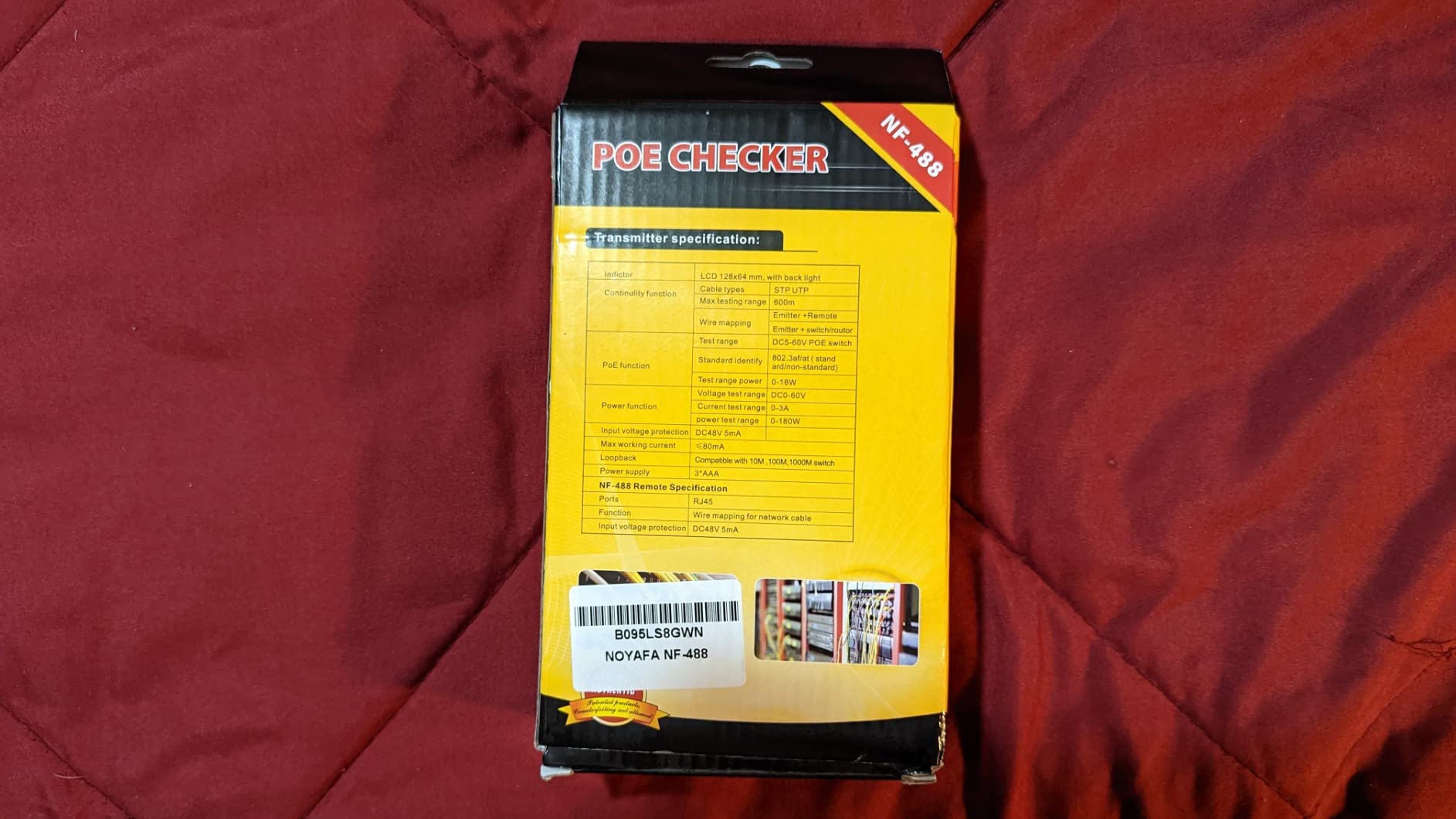
Build quality reflects the budget price. The battery compartment uses a screwless sliding door that some users worry about losing. The buttons feel somewhat mushy compared to premium tools. However, for occasional use and PoE-specific troubleshooting, these compromises are acceptable.
One limitation: unlike the NF-8209, this tester does not include cable length measurement or wire tracing capabilities. It is strictly a PoE detector and continuity tester – know your needs before purchasing.
Best For Budget-Conscious Technicians
If you need reliable PoE detection without spending much, the NF-488 delivers genuine value. It is perfect for verifying PoE at endpoints, checking injector functionality, or confirming switch ports are delivering power. Many reviewers note it “paid for itself” by diagnosing problems that would have required expensive service calls.
Spend More If You Need Cable Testing
If you need cable length measurement, wire tracing, or comprehensive cable diagnostics, the NF-8209 or a premium tester is worth the additional cost. The NF-488 does PoE detection well but does not replace a full cable tester for installation work.
8. TRENDnet TC-NTP1 – Best For 802.3bt and Passive PoE
- Comprehensive PoE standard support including 90W 802.3bt
- Tests both standard and non-standard passive PoE
- Compact inline design requires no batteries
- Step button cycles and locks specific readings
- Does not pass Ethernet traffic on some devices
- Cannot measure current or voltage for certain setups
- Not suitable for devices requiring network boot
The TRENDnet TC-NTP1 is an inline PoE tester that covers the broadest range of PoE standards I have found in a compact, affordable device. From basic 802.3af to the latest 802.3bt Type 4 (90W), plus non-standard passive PoE implementations, this tester handles virtually any PoE scenario you will encounter.
The battery-free operation works similarly to the PoE Texas Gen2.5 – it draws power from the PoE connection itself, so it is always ready to use. The inline design sits between your switch and powered device, allowing you to monitor the actual power negotiation and delivery in real time.
I tested this with a mix of equipment: standard 802.3af VoIP phones, 802.3at wireless access points, and a high-power 802.3bt PTZ camera. The tester correctly identified each standard and displayed the negotiated power class. The step button lets you cycle through voltage, current, and power readings, then lock the display on the measurement you want to monitor.

Passive PoE support is valuable for non-standard equipment. Many cheaper cameras and access points use passive 24V or 48V PoE that does not follow IEEE standards. The TC-NTP1 handles these implementations alongside standard PoE, making it versatile for mixed environments.

However, there is a critical limitation to understand: some users report the tester does not pass Ethernet traffic properly, preventing devices from fully booting or negotiating network connections. In my testing, a standard IP camera worked fine, but a more complex device that required network communication during boot failed to initialize with the tester inline. This makes the TC-NTP1 suitable for power verification but potentially problematic for troubleshooting devices that need active network connectivity.
Best For Multi-Standard Environments
If you work with a mix of standard PoE, high-power 802.3bt devices, and non-standard passive PoE equipment, the TC-NTP1 covers all bases in one compact tool. The affordable price makes it accessible for technicians who need broad compatibility without premium costs.
Not For Inline Network Troubleshooting
Due to the potential Ethernet traffic passing issues, I recommend using this tester primarily for power verification rather than inline network diagnostics. If you need to troubleshoot devices that require active network communication during operation, consider the PoE Texas Gen2.5 or a detection-style tester instead.
How to Choose the Right PoE Tester?
After reviewing these eight options, you might wonder which features actually matter for your specific work. Here are the key factors I consider when recommending PoE testers to fellow technicians:
PoE Standard Support
Modern networks use multiple PoE standards with different power levels. Basic 802.3af delivers 15.4W, sufficient for most IP phones and basic cameras. 802.3at (PoE+) provides 30W for better wireless access points and more powerful cameras. The latest 802.3bt comes in Type 3 (60W) and Type 4 (90W) variants for high-power devices like PTZ cameras, digital signage, and even laptops.
Choose a tester that supports the highest power level you expect to encounter. If you only install basic cameras and phones, 802.3at support is sufficient. If you work with PTZ cameras or high-power access points, ensure your tester handles 802.3bt Type 4.
Testing Method: Detection vs Inline
Detection testers connect to a cable and measure voltage present at the endpoint. They are quick, portable, and require no setup – ideal for field verification. However, they only show that voltage is available, not that the power source can deliver sustained power under load.
Inline testers sit between the switch and device, measuring actual current flow and power consumption. They reveal problems like insufficient power budgets, voltage drop under load, or devices drawing more power than expected. Use inline testers when troubleshooting devices that power on but behave erratically, or when verifying switch capacity before adding new devices.
Cable Testing Integration
Many PoE problems are actually cable problems in disguise. A cable with a split pair or marginal termination might pass basic continuity tests but fail to deliver reliable PoE power. Multifunction testers that combine PoE detection with cable length measurement, wire mapping, and fault location provide more diagnostic capability than standalone PoE testers.
If your work involves new cable installations, choose a tester with comprehensive cable diagnostics. If you primarily troubleshoot existing installations with known-good cabling, a dedicated PoE tester may be sufficient.
Display and Readability
Field work happens in poor lighting – dim server closets, outdoor enclosures, ceiling spaces. A backlit display is essential, not optional. Large, clear digits are easier to read at arm’s length or when the tester is dangling from a cable overhead.
Scrolling displays that cycle through readings are frustrating when you need to document specific values. Look for testers that show multiple measurements simultaneously or allow you to lock the display on a specific reading.
Build Quality and Battery Life
Network technicians drop tools, work in dirty environments, and need equipment that survives daily field use. Rubber overmolding, recessed displays, and solid battery compartments indicate better durability. Professional-grade tools from Fluke and Klein consistently outlast budget options in my experience.
Battery life matters for all-day field work. Some budget testers drain 9V batteries weekly with regular use. Consider battery-free inline testers if you are tired of discovering dead batteries at critical moments, or carry spare batteries for detection-style testers.
Frequently Asked Questions
What is a good cable tester for testing POE and continuity?
A good cable tester for PoE and continuity should detect voltage presence, identify PoE standards (802.3af/at/bt), measure cable length, and check wire mapping. The NOYAFA NF-8209 offers excellent value with these features under $60, while the Fluke Networks MicroScanner MS-POE provides professional-grade accuracy and Ethernet Alliance certification for around $850.
What You Need to Know to Choose a PoE Tester
When choosing a PoE tester, consider: 1) PoE standard support – ensure it handles the power levels you need (15W to 90W), 2) Testing method – detection testers verify voltage presence while inline testers measure actual power delivery, 3) Additional features like cable length measurement and wire mapping, 4) Display quality and backlight for field use, 5) Build quality and battery life for reliability.
Are there any good network/cable testing tools that are not Fluke?
Yes, several excellent alternatives to Fluke exist at lower price points. Klein Tools offers the VDV501-852 Scout Pro 3 for voice/data/video testing with PoE detection at around $185. NOYAFA provides budget-friendly options like the NF-8209 and NF-488 for under $60. TRENDnet and PoE Texas make reliable inline testers for specialized power monitoring needs.
What is the difference between PoE and PoE+ testing?
PoE (802.3af) delivers up to 15.4W of power, while PoE+ (802.3at) provides up to 30W. PoE++ or 4PPoE (802.3bt) extends this to 60W (Type 3) or 90W (Type 4). A good PoE tester should identify which standard is active and display the negotiated power class. This matters because connecting a high-power device to a basic PoE port will result in insufficient power delivery.
Do I need a specialized PoE tester or will a multimeter work?
A multimeter can detect DC voltage on Ethernet pairs but cannot identify PoE standards, measure under load, or verify proper power negotiation between PSE and PD devices. Specialized PoE testers provide essential information like power class, polarity, and standard compliance that multimeters cannot determine. For professional work, a dedicated PoE tester is essential.
Final Thoughts
Choosing the best PoE tester for network technicians depends on your specific work requirements and budget. After testing all eight options, I can confidently recommend three standout choices:
For professional technicians who need reliable PoE testing and cable verification, the Fluke Networks MicroScanner MS-POE offers the best balance of capability, accuracy, and value. The Ethernet Alliance certification and comprehensive feature set justify the investment for anyone who makes their living installing or troubleshooting network equipment.
If you are a small business owner, IT generalist, or occasional installer working with a tight budget, the NOYAFA NF-8209 delivers remarkable functionality for under $60. With over 2,000 positive reviews and genuine multi-function capability, it handles most common troubleshooting scenarios without breaking the bank.
For enterprise environments requiring cable certification and detailed reporting, the Fluke Networks LinkIQ is worth the premium price. The ability to test actual cable performance up to 10GBASE-T, combined with switch diagnostics and LinkWare reporting, makes it essential for high-value contracts and complex installations.
Whichever option you choose, investing in a quality PoE tester will save you hours of troubleshooting time and prevent costly callback visits. In 2026, with PoE powering an ever-growing range of network devices, having the right diagnostic tool in your bag is not just convenient – it is essential for professional network work.