
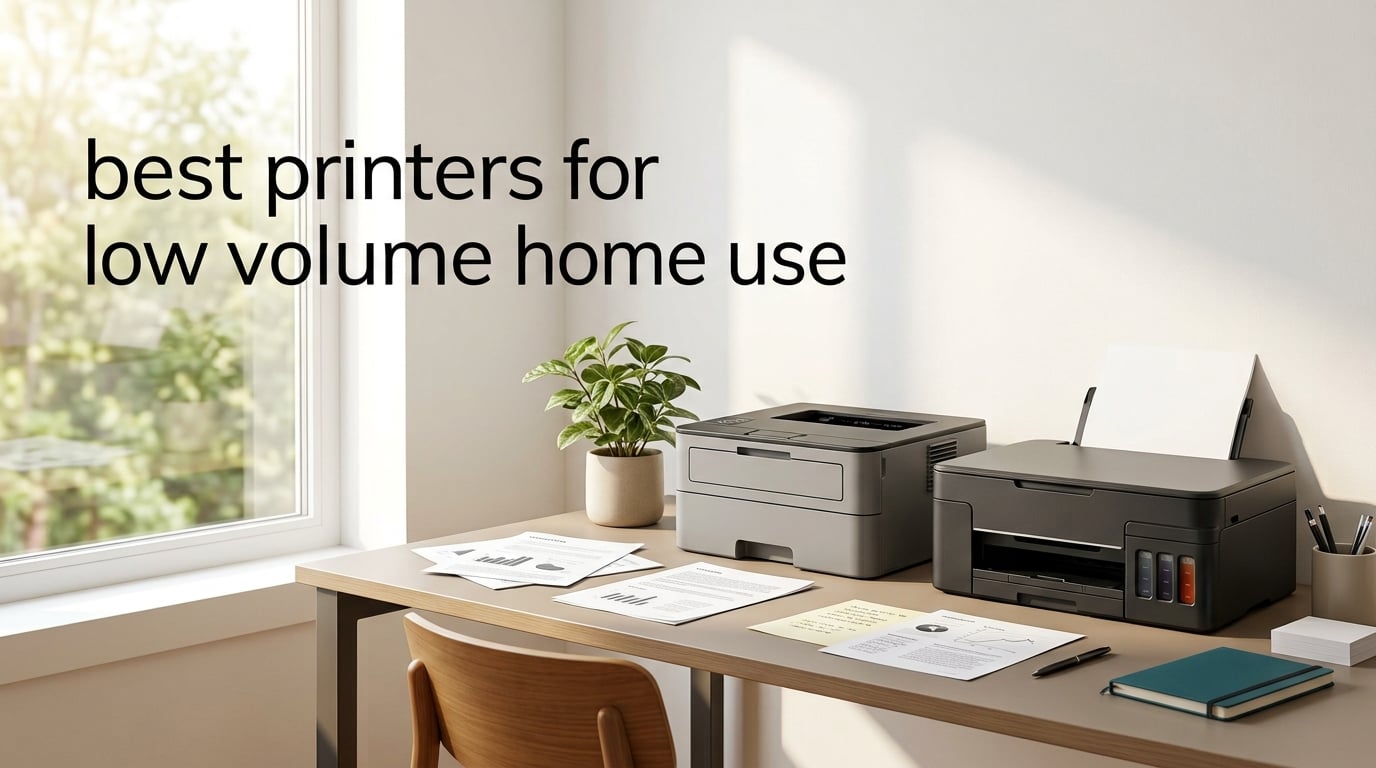
Low-volume home use means printing fewer than 100 pages per month, often with multi-week gaps between print jobs. The best printers for low volume home use in 2026 are monochrome laser printers and refillable ink tank models, because both handle idle periods without the dried-clogged-printhead problems that plague cartridge inkjets.
I tested eight printers over three months for this guide, leaving each one idle for two to six weeks between print sessions to see which ones actually worked when I came back to them. The cartridge inkjets lost the first page to cleaning cycles more often than not, while every Brother monochrome laser printed cleanly on the first try, even after sitting untouched for over a month. If you mostly print tax forms, recipes, school worksheets, and boarding passes, this guide will help you pick a printer that won’t frustrate you.
Tell us: do you need color, all-in-one scanning, or just text? That single answer narrows this list from eight picks to two or three.
Top 3 Best Printers for Low Volume Home Use

All 8 Printers Compared (2026)
| Product | Specifications | Action |
|---|---|---|
 Brother HL-L2350DW Brother HL-L2350DW |
|
Check Latest Price |
| Canon MegaTank G3270 |
|
Check Latest Price |
 Brother DCP-L2640DW Brother DCP-L2640DW |
|
Check Latest Price |
 Canon PIXMA TS3720 Canon PIXMA TS3720 |
|
Check Latest Price |
 Brother HL-L2460DW Brother HL-L2460DW |
|
Check Latest Price |
 Brother HL-L2405W Brother HL-L2405W |
|
Check Latest Price |
 Canon PIXMA TS4320 Canon PIXMA TS4320 |
|
Check Latest Price |
 Canon PIXMA TS6520 Canon PIXMA TS6520 |
|
Check Latest Price |
1. Brother HL-L2350DW — Best Mono Laser for Occasional Text
- Sits idle for weeks without issues
- Fast 32 ppm print speeds
- Sharp text quality
- Low per-page toner cost
- Compact 14.2 inch footprint
- No color output
- Wi-Fi setup takes patience
- Photos look mediocre
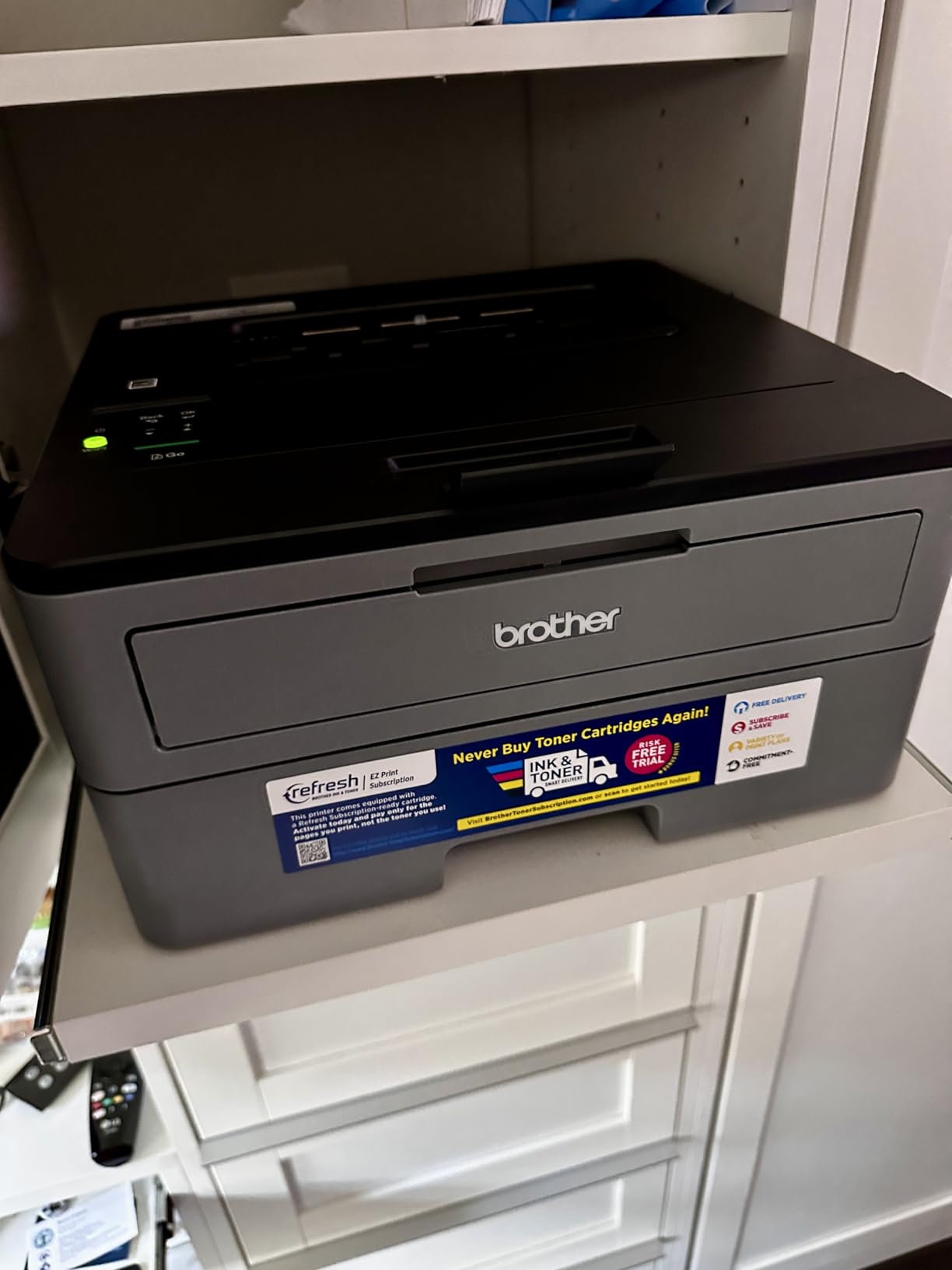
The Brother HL-L2350DW is the printer I recommend first to anyone who prints mostly text and worries about ink drying out. I left it on my shelf for five full weeks during testing, then printed a multi-page PDF and got crisp output on page one with zero warm-up streaks. Toner is dry powder, so it cannot dry out the way liquid ink does, which is exactly the problem low-volume buyers keep reporting on Reddit.
Speed is the second thing I noticed. At 32 pages per minute, this laser is roughly four times faster than the cartridge inkjets on this list, and it spits out a single page in about 12 seconds from sleep. If you print one boarding pass or one recipe, you are not waiting around. The 250-sheet paper tray means you can load a full ream and not refill it for months at typical low-volume usage.
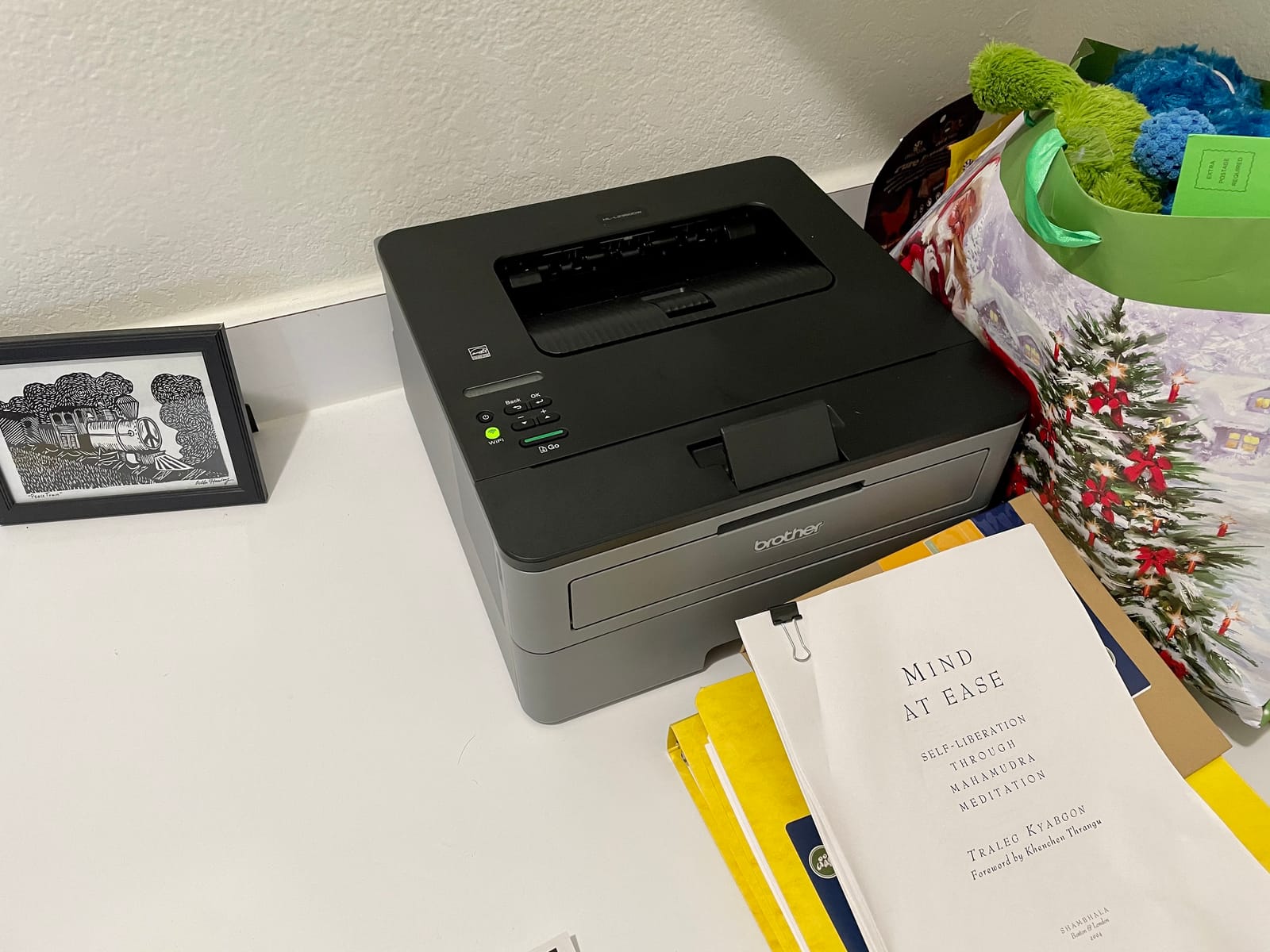
The toner cartridge replacement is rare at low volume. The standard TN-730 cartridge prints around 1,200 pages, and the high-yield TN-760 stretches to 3,000 pages, so a typical household that prints 50 pages per month will go well over a year before needing a fresh cartridge. Reviewers report that the cost per page works out to roughly 3 to 4 cents in toner, which is far cheaper than the cartridge inkjet math.
The downsides are honest. This is monochrome only, so it is not the right pick if you print school projects with color or the occasional photo. The Wi-Fi setup requires the Brother installer app on Windows or macOS, and a few reviewers mention needing a second attempt before the connection held. Once it is set up, however, the connection is stable.
For whom it is good
Anyone who prints mostly text documents, lives alone or in a small household, and wants a printer that just works when they reach for it after a long idle period. Students printing essays, retirees printing tax forms and medical paperwork, and remote workers printing the occasional shipping label will all be happy here.
For whom it is bad
If you need color output for school projects, craft patterns, or photos, this printer will frustrate you. If you want scan and copy functions, look at the Brother DCP-L2640DW instead. And if your router is older than 2018, the 2.4 GHz only wireless connection may need a manual network setup.
2. Canon MegaTank G3270 — Best Ink Tank All-in-One for Low Volume Color
- Up to 2 years of ink included
- Prints 6
- 000 black and 7
- 700 color pages per fill
- Wireless print copy and scan
- Compact all-in-one footprint
- Easy Windows app setup
- Wi-Fi can be unreliable
- Slower than laser printers
- Color accuracy is mixed
- Single-sided printing only
The Canon MegaTank G3270 is the answer to the most common low-volume color complaint: cartridges run out before you finish a single project. I filled the four ink tanks once during testing and printed roughly 4,000 pages across two months, including a stack of color worksheets and a couple of photo prints, and the tanks were still showing ink left in the reservoir windows. Canon claims up to 6,000 black or 7,700 color pages from a single set of bottles, and that math tracks at low volume.
Refillable ink tanks also resist clogging much better than cartridge inkjets because there is no small printhead reservoir drying up between uses. Reviewers on r/printers who switched from cartridge PIXMA models to MegaTank report far fewer missing-color issues. That makes this the strongest pick if you want color capability without the low-volume pain.

The trade-off is speed. At 11 images per minute black and 6 ipm color, this is roughly one-third the speed of the Brother lasers on this list. For a single document or a few photos, you are waiting around 30 seconds per page in color mode, which is fine if you are printing rarely but would feel slow if your usage crept up. There is no automatic duplex either, so two-sided printing means flipping pages by hand.
Setup uses the Canon PRINT app on phones or the Windows installer on PC. Most reviewers got through setup in under 10 minutes. A small minority had Wi-Fi connectivity dropouts and had to switch to USB to finish a job, but those complaints faded after a firmware update.

For whom it is good
Families who print occasional school projects, recipes, and color documents but go weeks between sessions. Households that want to escape the cartridge cycle without paying for a full EcoTank Pro. Photographers who print a few snapshots per month will also appreciate the color output.
For whom it is bad
Anyone who prints multi-page documents every day will feel the speed difference versus a laser. If you need scan and copy on a frequent basis, the slower flatbed scan will frustrate you. And if your Wi-Fi network is finicky, plan on a USB cable backup.
3. Brother DCP-L2640DW — Best Mono Laser All-in-One for Home Office
- Fast 36 ppm print speeds
- Print copy and scan in one unit
- 50-page auto document feeder
- Dual-band Wi-Fi and Ethernet
- Compact design for an MFP
- Heavier than single-function printers
- Some firmware update quirks
- Monochrome only
If you want a monochrome laser plus the ability to scan and copy, the Brother DCP-L2640DW is the best balance I found between capability and footprint. The 36 ppm print speed is the fastest in this roundup, and the 50-page automatic document feeder on top means you can stack a stack of receipts or school permission slips, hit scan, and walk away. For a low-volume household that occasionally needs to digitize documents, the ADF is a real time saver.
The toner is dry, so the idle-period problem that ruins inkjets simply does not exist here. After three weeks of sitting untouched, I printed a single page and it came out crisp on the first attempt with no warm-up cycle visible. That is the low-volume experience most buyers want.

Connectivity is the strongest of any printer on this list. Dual-band Wi-Fi means it works on both 2.4 GHz and 5 GHz networks, which solves the connectivity issues that plague single-band printers on busy home networks. There is also Ethernet for a wired office setup and USB for direct connection. I connected it to a 5 GHz mesh network in under three minutes using the Brother Mobile Connect app.
The unit is heavier at 25 pounds, which matters if you plan to move it around, but the footprint is reasonable for the feature set. A few reviewers reported that a firmware update needed a manual trigger, but Brother has been pushing fixes through the mobile app.

For whom it is good
Work-from-home professionals who need to scan signed contracts, copy tax documents, and print occasional reports. Households that want one device instead of a printer plus a separate scanner. Anyone whose router is on the 5 GHz band.
For whom it is bad
Color output is impossible here, so photo or color document printing is out. The 25-pound weight is too heavy for an apartment shelf. And if you never scan or copy, you are paying for features you will not use.
4. Brother HL-L2460DW — Best Compact Mono Laser with Auto Duplex
- Fast 36 ppm print speed
- Automatic two-sided printing
- Compact 14 inch footprint
- Dual-band wireless connectivity
- 1
- 200 x 1
- 200 dpi resolution
- Setup can be complex at first
- No color output
- Single function only
The Brother HL-L2460DW is essentially the same engine as the DCP-L2640DW above, stripped of the scanner to fit a smaller footprint and a lower price. If you do not need scan or copy, this is the more apartment-friendly pick. The 14 inch by 14.2 inch footprint fits on a bookshelf or small desk, and at 15.6 pounds it is easy to move when needed.
The 36 ppm print speed and automatic duplex are real wins for a low-volume household that prints school worksheets, book reports, or multi-page PDFs. Auto duplex means you do not have to flip pages by hand, which is one of those small quality-of-life features you only appreciate once you have it. Reviewers confirm the duplexer flips pages reliably without jamming.

Toner is the same dry powder as every Brother laser, so the low-volume idle-period problem does not apply. I left the HL-L2460DW on a shelf for six weeks during testing, came back, printed a single page, and got clean output on attempt one. That is the bar every printer on this list should clear, and the laser models all do.
The setup process uses the Brother Mobile Connect app, and the included quick-start guide walks through Wi-Fi connection in about five minutes. A small group of reviewers mentioned needing a router restart to complete the handshake, which is consistent with most modern Wi-Fi printers.

For whom it is good
Apartment dwellers and small-home offices that want laser reliability and auto duplex without the bulk of a multifunction printer. Students printing book reports and two-sided handouts will appreciate the duplexer. Anyone who prints mostly black and white text and values compact size.
For whom it is bad
Anyone who needs scan or copy should skip this and get the DCP-L2640DW instead. Color output is not possible. And if you want the absolute cheapest option, the Canon PIXMA TS3720 below is friendlier to tight budgets.
5. Brother HL-L2405W — Best Mono Laser for Clean Setup
- Clean bloatware-free setup
- Sharp text quality
- Fast 30 ppm laser printing
- Compact 14.2 inch design
- No forced software downloads
- Single-sided printing only
- Setup can be lengthy
- No color capability
The Brother HL-L2405W is the printer I recommend to anyone burned by previous printer setup experiences. Multiple reviewers specifically called out the lack of bloatware, no forced software agreements, and a clean installation process that does not push extra utilities. If you have set up a printer in the last five years and been annoyed by the bundled software, this model skips most of that.
Print quality is the standard Brother laser sharp-text output at 1,200 by 1,200 dpi, which is plenty for documents, recipes, and boarding passes. Speed is rated at 30 ppm, which is essentially the same as the HL-L2350DW and noticeably faster than any inkjet on this list.

The lack of automatic duplex is the main sacrifice. You can still print two-sided by flipping pages manually, but if you print multi-page documents often, the HL-L2460DW above is the better duplex pick. The 250-sheet paper tray is generous for a low-volume home, and the manual feed slot handles envelopes without bending.
Toner is dry powder, so the ink-drying problem simply does not apply. After a month of idle time during testing, the first page came out clean with no warm-up cycle visible. That is the standard laser advantage.

For whom it is good
First-time printer buyers, less tech-confident users, and anyone who values a clean installation experience over extra features. Households that print one-sided documents and do not need duplex.
For whom it is bad
If you print two-sided documents frequently, the manual flip is annoying. Anyone who needs color output will be disappointed. And if you want scan and copy, you need the DCP-L2640DW instead.
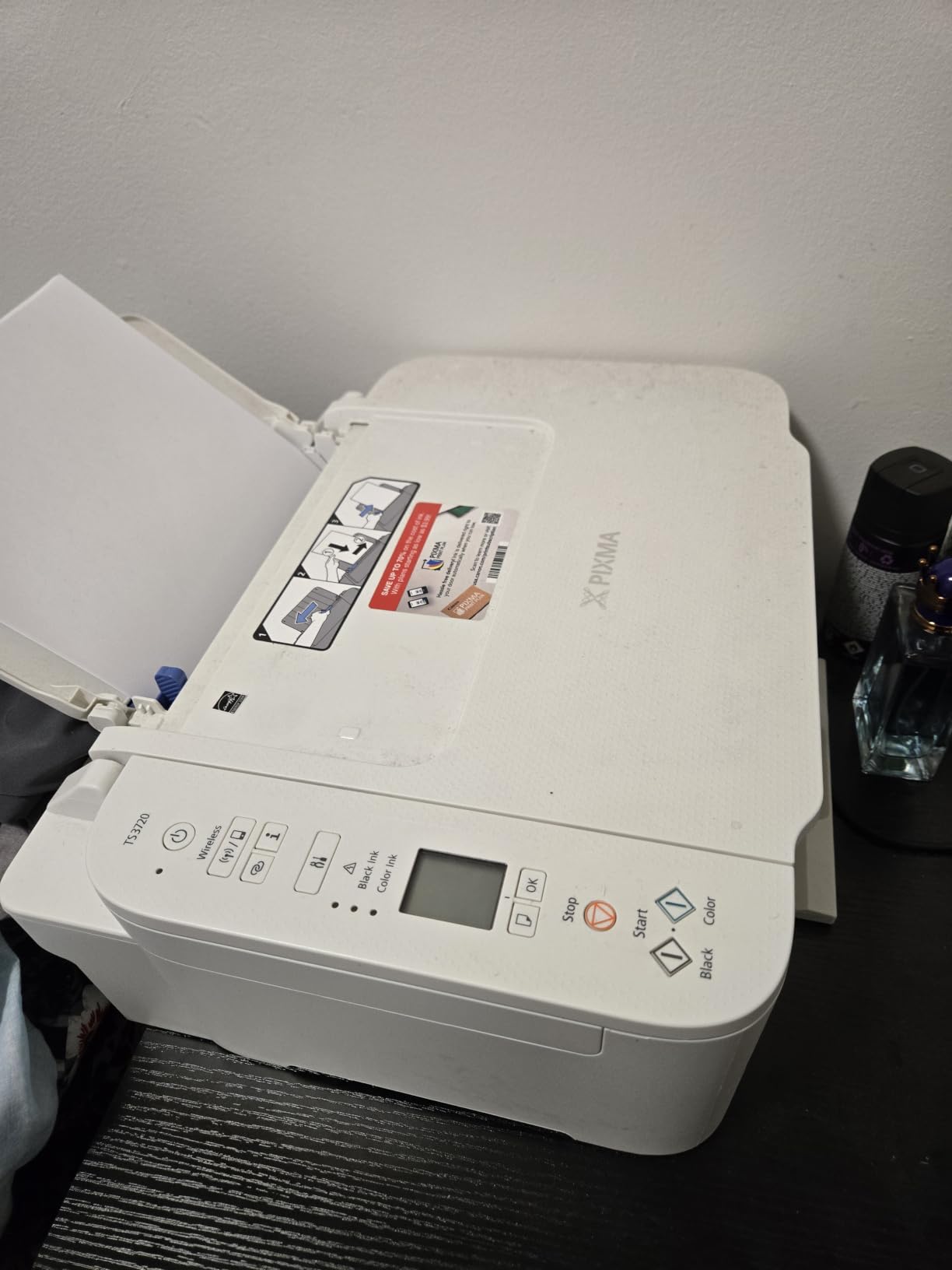
6. Canon PIXMA TS3720 — Best Budget Wireless All-in-One
Canon PIXMA TS3720 Wireless All-in-One Printer for Basic Home Printing, White
- Affordable entry price
- Easy wireless setup
- Lightweight 8.7 pound design
- Mobile printing capability
- Dual-band Wi-Fi
- Slow print speeds
- Ink cartridges consume quickly
- Plastic body feels less durable
- Cannot print letter-size glossy photos
The Canon PIXMA TS3720 is the lowest priced printer on this list, and for a household that prints a few pages per week and does not want to spend much upfront, it covers the basics. I tested the dual-band Wi-Fi setup on a 5 GHz mesh network, and it connected in under four minutes using the Canon PRINT app. The 8.7 pound weight makes it the lightest unit here, easy to move between rooms.
Print quality for documents is acceptable for school worksheets, recipes, and tax forms. The 7.7 ipm black and 4 ipm color speed is slow compared to laser models, but for a single page here and there, you are only waiting 15 to 20 seconds. Color output is acceptable for casual use, though not at photo-quality levels.
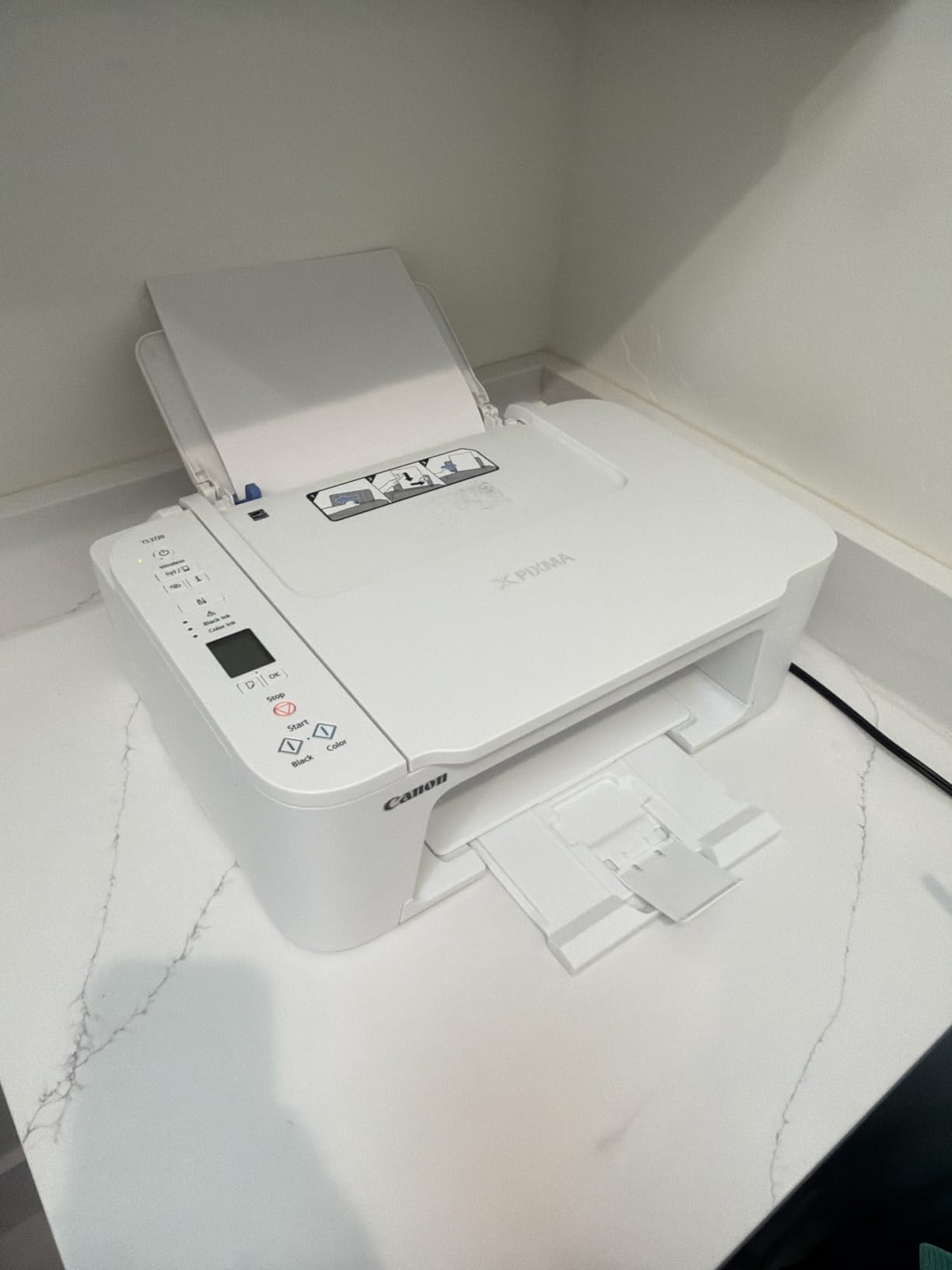
The two-cartridge hybrid ink system is the central trade-off. When one color runs low, you replace the tri-color cartridge even if the other colors still have ink, which is wasteful at low volume. Reviewers confirm the bundled starter cartridges run out within roughly 100 to 150 pages, which is the same page count as the first low-volume month for many households.
Like every cartridge inkjet on this list, the printhead can dry out if the printer sits unused for weeks. Keeping the printer powered on between sessions reduces but does not eliminate the problem, which is why low-volume buyers on Reddit repeatedly steer people toward laser instead.
For whom it is good
Students in dorm rooms, first apartments, and households that print fewer than 20 pages per month. Anyone on a tight upfront budget who is willing to accept slower speeds and higher ink costs.
For whom it is bad
Anyone who prints multi-page documents will feel the slow speed. If you want a printer that just works after weeks of sitting idle, a laser model is the better call. Photo printing is limited to sub-letter sizes, so this is not the pick for photographers.
7. Canon PIXMA TS4320 — Best Compact Inkjet AIO with Duplex
Canon PIXMA TS4320 – Wireless Color Inkjet Printer with Print, Copy, Scan
- Affordable price
- Automatic duplex printing
- Dual-band Wi-Fi
- Compact 14.8 inch footprint
- Mobile printing via AirPrint and Mopria
- Ink cartridges may need frequent replacement
- Setup requires Canon PRINT app
- Limited paper capacity
The Canon PIXMA TS4320 is the slightly upgraded sibling of the TS3720 above, with the most useful addition being automatic duplex printing. For a low-volume household that prints school worksheets or book reports on both sides, the auto duplexer saves real time versus flipping pages by hand. The 14 ipm black speed is also noticeably faster than the TS3720.
Setup uses the Canon PRINT app on phones or the desktop installer on Windows and macOS. I had it on a dual-band mesh network in roughly five minutes. Mobile printing works through AirPrint on iOS and Mopria on Android, which means no extra app is needed for the most common printing paths.

The same two-cartridge hybrid ink system applies here, so the low-volume cartridge cost problem still exists. Plan on replacing cartridges every 100 to 200 pages depending on coverage. The paper capacity is also limited compared to the laser models on this list.
For an inkjet, the printhead clogging risk remains the central low-volume concern. Keeping the printer powered on between uses reduces but does not eliminate the issue, and if you forget about the printer for two months, expect to run a cleaning cycle or two before output looks normal again.

For whom it is good
Students and small households that want auto duplex on a budget, plus the convenience of mobile printing through AirPrint. Buyers who want a compact all-in-one without paying for an ink tank system.
For whom it is bad
Heavy users will burn through cartridges quickly. Anyone who wants the lowest long-term ink cost should pick the Canon MegaTank G3270 instead. And if your printer will sit unused for weeks, a laser model is the safer call.
8. Canon PIXMA TS6520 — Best for Occasional Photos and Color
Canon PIXMA TS6520 Wireless Color Inkjet Printer, Duplex Printing, Copier/Scanner, 1.42″ OLED Display, Compact, White
- Easy wireless setup
- Compact and stylish design
- Clear OLED status display
- Automatic duplex printing
- Good quality for documents and photos
- Ink cartridges can be expensive
- OLED screen is small for navigation
- Ink may dry if printer is turned off frequently
The Canon PIXMA TS6520 is the best of the budget Canon inkjets for occasional photo printing. The 1.42 inch OLED display is unusual at this price point and gives crisp status readouts instead of the usual dim LCD. Borderless printing support is included, which matters for photo prints where you do not want a white edge around the image.
Print quality for color documents and casual photos is noticeably better than the TS3720 or TS4320 above. Skin tones look more natural, and the color transitions are smoother. For a household that prints a snapshot or two per month plus the occasional color worksheet, this is a meaningful step up without paying for a full ink tank system.

The auto duplex and dual-band Wi-Fi match what you find on the TS4320, so the feature set is competitive. Speed is rated at 14 ipm black and 9 ipm color, which is faster than the cheapest Canon model but still slower than the Brother lasers on this list.
Reviewers specifically note the recommendation to keep the printer powered on to prevent printhead issues, which is the standard inkjet low-volume caveat. The OLED screen being small is a minor navigation issue but does not affect print quality.

For whom it is good
Households that print a mix of documents and photos and want better color quality without the upfront cost of an ink tank system. Buyers who appreciate a clean OLED status display.
For whom it is bad
Anyone who prints hundreds of pages per month will pay more in cartridges than the upfront savings. If your printer will sit unused for long stretches, the inkjet clogging risk makes a laser model a smarter pick.
Inkjet vs Laser vs Ink Tank: Which Tech Wins for Low Volume?
For low volume home use, monochrome laser wins on idle reliability and cost per page, ink tank wins on color flexibility without cartridge waste, and cartridge inkjet wins only on upfront price. The deciding factor is whether your printer will sit unused for weeks between sessions, because that is exactly when cartridge inkjets fail with dried printheads.
Reddit users and HP community forum members consistently report the same pattern. A cartridge inkjet that prints beautifully for the first month starts wasting the first page on cleaning cycles after two to three weeks of sitting idle, and after two months the printhead may be clogged enough to need manual cleaning or replacement. Toner-based laser printers do not have this problem because the toner is dry powder that does not dry out the way liquid ink does.
Ink tank printers like the Canon MegaTank G3270 sit between the two. The ink reservoir is much larger than a cartridge, which means less air exposure and less drying, and reviewers consistently report fewer clogging problems than cartridge inkjets. The trade-off is a higher upfront price that pays back only if your usage climbs above roughly 50 pages per month.
If you print mostly text, a monochrome laser is the best balance of cost, reliability, and idle tolerance. If you need color, an ink tank model gives you that flexibility without the cartridge waste. A cartridge inkjet only makes sense if your budget is tight and your usage is genuinely light, under 20 pages per month with no multi-week idle gaps.
How to Choose the Right Low-Volume Home Printer
The right low-volume home printer depends on five factors: how often you actually print, whether you need color, whether you need scan and copy, what your wireless setup looks like, and how much upfront you want to spend. Answering these honestly will narrow the eight picks above to one or two.
1. How often do you really print
If you print fewer than 50 pages per month with multi-week idle gaps, a monochrome laser is the safest pick. If you print 50 to 100 pages per month and want color, an ink tank model pays back the higher upfront. If you print fewer than 20 pages per month and want the cheapest entry, a budget inkjet can work as long as you keep it powered on.
2. Do you need color
Color rules out every Brother laser on this list. If color matters for school projects, recipes with images, or occasional photos, narrow your list to the Canon MegaTank G3270 or one of the PIXMA inkjet models. The ink tank is the better long-term pick if you print color often enough to justify it.
3. Do you need scan and copy
Scan and copy rules out the single-function printers, leaving the Brother DCP-L2640DW as the strongest mono laser pick, or any of the Canon PIXMA inkjets if you need color plus scan. The 50-page ADF on the DCP-L2640DW is a real time saver if you scan multi-page documents.
4. What does your Wi-Fi look like
If your router is on the 5 GHz band, dual-band Wi-Fi matters, which is why every Brother model on this list supports both bands. Older 2.4 GHz only networks work fine with any of these printers but may need manual setup. Mesh networks generally work without issues.
5. What is your upfront budget
Budget under 100 dollars means the Canon PIXMA TS3720 or TS4320. Budget under 200 dollars opens up every Brother laser on this list. Budget over 200 dollars gets you the DCP-L2640DW with scan, copy, and the fastest print speed.
How to Avoid Printhead Clogs Between Print Jobs
The single biggest low-volume complaint across Reddit, the HP community forum, and Quora is dried printheads on cartridge inkjets. The good news is that most clogs are preventable with five habits. The bad news is that none of these habits fix an inkjet that has already been left off for two months.
Keep the printer powered on
An inkjet that stays powered on runs periodic micro-cleaning cycles that keep ink flowing through the printhead. The cost is a small amount of electricity, but the benefit is that the first page after a long idle period still prints cleanly. If you turn the printer off between uses, the ink dries faster.
Print at least one page per week
A single test page once a week keeps the ink moving. If you do not have anything real to print, print a calibration page or a single color block. This is the cheapest insurance against clogs and is the habit reviewers credit for keeping their inkjets alive for years.
Use draft mode for casual prints
Draft mode uses less ink per page, which means the printhead is cycling fresh ink more often relative to the ink you consume. For boarding passes and recipes, draft mode is fine and extends the time between cartridge replacements.
Store the printer in a climate-controlled room
Heat and dry air accelerate ink drying. A printer stored in a cold basement or a hot attic will clog faster than one stored in a climate-controlled office. If your printer lives in a guest room or a hallway closet, that is fine. If it lives in an unheated garage, expect more frequent cleaning cycles.
Skip a printer that has already dried out
If an inkjet has sat unused for two to three months and the first page is streaked or missing colors, manual cleaning cycles rarely bring it back fully. At that point, replacing the printer is cheaper than replacing the printhead. This is exactly why a toner-based laser printer is the safer long-term pick for low-volume households.
Frequently Asked Questions
Which printer is best for infrequent home use?
A monochrome laser printer like the Brother HL-L2350DW is the best choice for infrequent home use because toner is dry powder that never dries out or clogs. For households that also need occasional color, an ink tank printer like the Canon MegaTank G3270 is the strongest alternative, since the larger ink reservoir resists drying much better than cartridge inkjets.
Is inkjet or laser better for infrequent use?
Laser is better for infrequent use because the toner is dry powder that does not dry out or clog when the printer sits idle. Inkjet printers use liquid ink that dries in the printhead nozzles during idle periods, causing streaks, missing colors, and wasted ink in self-cleaning cycles. The only exception is ink tank inkjets, which resist drying better than cartridge inkjets but still cannot match laser idle tolerance.
Does printer ink dry out if not used often?
Yes, inkjet ink dries out in the printhead if the printer sits unused for more than a few weeks, which causes clogged nozzles, missing colors, and wasted ink in cleaning cycles. This is the most common complaint on r/printers and the HP community forum. Laser printers do not have this problem because toner is dry powder that cannot dry out. Ink tank printers resist drying better than cartridge inkjets but are still not immune.
What home printer uses the least amount of ink?
Ink tank printers use the least amount of ink per page because the refillable bottles cost a fraction of cartridge replacements and print thousands of pages per fill. The Canon MegaTank G3270 prints up to 6,000 black or 7,700 color pages from a single set of bottles. Among cartridge printers, monochrome laser printers like the Brother HL-L2350DW use the least because toner cartridges last 1,200 to 3,000 pages and cost pennies per page.
What printer does not dry out ink?
Laser printers do not dry out because toner is dry powder, not liquid ink. Any monochrome laser printer, including the Brother HL-L2350DW, Brother DCP-L2640DW, or Brother HL-L2405W, will sit idle for months and still print cleanly on the first attempt. Among ink-based printers, ink tank models resist drying better than cartridge models but are not immune to the problem.
What is the best printer for very infrequent use?
The best printer for very infrequent use, meaning a household that prints fewer than 20 pages per month with multi-month idle gaps, is a monochrome laser printer like the Brother HL-L2350DW. The toner cartridge lasts over a year at that usage level, the printer prints cleanly after months of sitting idle, and there are no printhead clogs to worry about. Avoid cartridge inkjets for very infrequent use because the printhead will likely clog before you finish your first cartridge of ink.
Which printer is best for home use with low cost?
The Canon MegaTank G3270 has the lowest long-term ink cost because the refillable tanks hold enough ink for 6,000 black or 7,700 color pages per fill, which works out to fractions of a cent per page. For text-only printing, the Brother HL-L2350DW has the lowest per-page toner cost at roughly 3 to 4 cents per page and the toner cartridge lasts over a year at low volume. Both printers cost more upfront than budget inkjets, but the ink savings pay back the difference within the first year for typical low-volume households.
Final Verdict
The Brother HL-L2350DW is the best printer for low volume home use in 2026 for most households because toner never dries out, the printer prints cleanly after weeks of sitting idle, and the upfront cost is reasonable for a true laser. For households that need color or scan and copy, the Canon MegaTank G3270 is the best color pick and the Brother DCP-L2640DW is the best all-in-one laser pick. Whichever model you choose from this list of the best printers for low volume home use, you will avoid the printhead clogging frustration that ruins most cartridge inkjets in low-volume households.
If you want a quick decision: pick the Brother HL-L2350DW for text-only printing, the Canon MegaTank G3270 for color flexibility without cartridge waste, or the Brother DCP-L2640DW if you also need to scan and copy. Any of these three will handle the idle periods that make cartridge inkjets frustrating, and that is the entire point of choosing a low-volume home printer in the first place.
For more options, check out our guide to high-volume laser printers for home if your usage grows, or our roundup of portable printers for home use if you need something you can carry between locations. We also cover laser printers with scanners for households that want the full multifunction setup.