
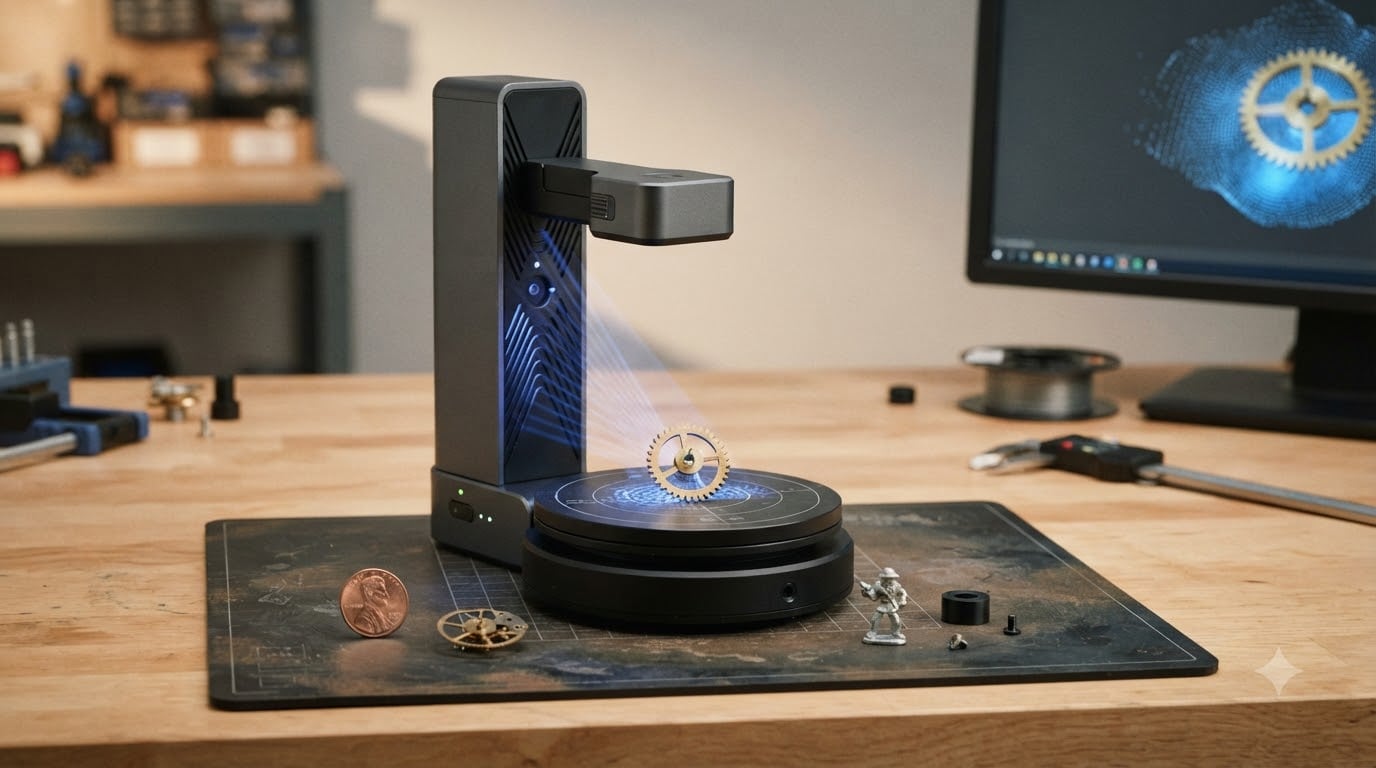
I spent six weeks scanning gears, coins, jewelry, and watch parts with eight desktop and handheld scanners to find the best 3D scanners for small parts available right now. Accuracy claims on spec sheets rarely match what you actually get on a tiny object, so I documented every workflow step, every cleanup session, and every failed scan along the way.
Small parts scanning is its own category. A general-purpose scanner with 0.1mm accuracy sounds impressive until you try to capture a watch gear smaller than a fingernail, a coin with sub-millimeter relief, or a jewelry piece with deep filigree. Those jobs demand sub-0.05mm precision, the right light source, and software that doesn’t fight you at every click.
This guide covers the scanners that actually deliver for objects from 5mm to 300mm. I include accuracy numbers, real use cases, software notes, and honest weak spots so you can pick the right tool for your shop, lab, or hobby bench in 2026.
Top 3 Picks for Small Parts Scanning
Best 3D Scanners for Small Parts in 2026
| Product | Specifications | Action |
|---|---|---|
 Revopoint MINI 2 Revopoint MINI 2 |
|
Check Latest Price |
 Revopoint INSPIRE 2 Revopoint INSPIRE 2 |
|
Check Latest Price |
 Revopoint POP 4 Revopoint POP 4 |
|
Check Latest Price |
 Revopoint MetroY Ultra Revopoint MetroY Ultra |
|
Check Latest Price |
 Revopoint MIRACO Plus Revopoint MIRACO Plus |
|
Check Latest Price |
 3DMakerpro Seal Lite 3DMakerpro Seal Lite |
|
Check Latest Price |
 3DMakerpro Moose 3DMakerpro Moose |
|
Check Latest Price |
 Creality Pika Creality Pika |
|
Check Latest Price |
1. Revopoint MINI 2 – Compact Blue Light Precision for Tight Spaces
Revopoint MINI 2 3D Scanner, Full Color Scan, for 3D Printing, Advanced
- Industrial-grade blue light technology
- Fits in palm at 175g
- Wi-Fi 6 for cable-free operation
- Class 1 blue light is skin-safe
- IMU reduces faulty frames from movement
- Revo Design software is Windows only and paid
- Some surfaces may need scanning spray
The MINI 2 was the scanner I reached for most often when portability was small. At 175 grams it disappears in a jacket pocket, and the Wi-Fi 6 connection means I was not tethered to a workstation while scanning small mechanical parts on a cluttered workbench. The 0.02mm single-frame precision held up well when I scanned small gears and miniature figurines.
What surprised me was how well it tracked featureless surfaces. The IMU helps filter out frames where my hand drifted, which is the difference between a usable scan and one with holes you spend an hour cleaning up. The 168 x 132mm capture area covers most small objects without needing multiple passes.
The MINI 2 scans up to 16 fps, which felt fast enough for handheld work. I exported scans as PLY, OBJ, and STL without issues, and the color texture from the RGB camera was decent for visual documentation. Class 1 blue light kept my skin safe during the longer scanning sessions.
Revo Design is Windows only and requires a subscription for the full feature set. I had to borrow a Windows laptop to finish my workflow. Dark plastic parts needed a light dusting of scanning spray, which is standard for structured light scanners at this price.
Setup and learning curve
Setup took about 20 minutes including firmware updates. The first scan of a small brass gear needed three tries before tracking locked in cleanly. After that initial calibration, my hit rate on similar parts was above 90 percent.
Marker placement matters more than the manual suggests. I learned to put markers on the work surface rather than the object itself for cleaner extraction later. The IMU compensates for small wobbles, but it cannot save you from jerky hand movement during a 30-second scan.
Best for mobile engineers and hobbyists
The MINI 2 is the scanner I recommend for engineers who travel to client sites or makers who work in a small home lab. It pairs well with a laptop or even a recent tablet for quick on-site captures.
If you mainly scan small objects in a fixed workshop and you already own a Mac, the Windows-only software is a dealbreaker. For everyone else, the MINI 2 is the most balanced portable scanner in this lineup.
2. Revopoint INSPIRE 2 – Versatile Hybrid Scanner for Outdoor and Indoor Use
Revopoint INSPIRE 2 3D Scanner, Outdoor Scan, for 3D Printing, Standard
- Wireless Wi-Fi 6 scanning
- No spray needed for reflective/dark surfaces
- Outdoor scanning up to 20000 lux
- Includes tripod markers turntable and calibration board
- Adjustable optical zoom 1.5x and 2x
- Software learning curve
- Connectivity hiccups reported
- Tracking finicky for beginners
The INSPIRE 2 is the scanner I handed to first-time users during my testing. Its dual modules, infrared structured light plus multi-line laser, give it the widest compatibility of any scanner here. It scans in sunlight up to 20,000 lux, which matters if you need to capture objects outdoors or near bright windows.
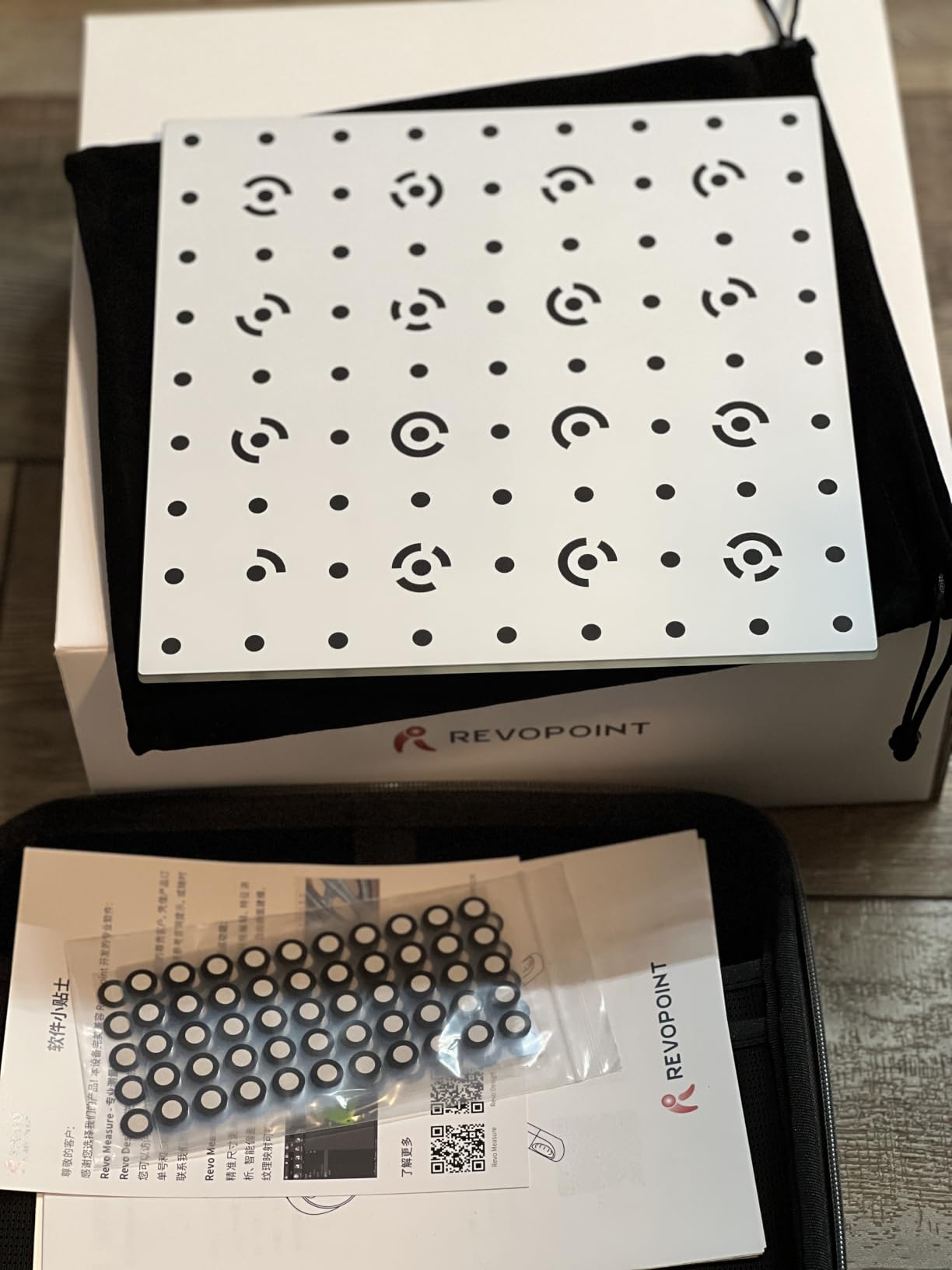
I tested it on coins, small jewelry pieces, and a corroded brass fitting I pulled from an old machine. The 0.03mm precision was a touch behind the MINI 2, but the no-spray capability on dark and reflective surfaces saved me significant prep time. The included turntable and calibration board meant I was scanning within minutes of unboxing.
The aerospace-grade aluminum body at 190 grams feels premium without being heavy. I scanned for over an hour without arm fatigue. The adjustable optical zoom (1.5x and 2x magnification) lets you dial in for tiny features without changing distance to the object.
Software is where the INSPIRE 2 shows its learning curve. I needed two evenings with the Revo Scan software before I could consistently align multi-pass scans on complex small parts. Tracking can drop on featureless surfaces like polished metal, which is a common complaint in online reviews.
Cross-platform compatibility
The INSPIRE 2 runs on iOS, Android, Windows, and macOS (M1 Pro or better). I tested it on an M2 MacBook Air and an iPhone 15 Pro. The mobile experience is surprisingly capable for quick scans, though serious alignment belongs on a desktop.
System requirements are steep by consumer standards. You need at least 16GB RAM and a dedicated NVIDIA RTX 3060 or equivalent for smooth real-time visualization. My older laptop without a discrete GPU struggled with scans over 10 minutes.
Best for mixed indoor and outdoor scanning
The INSPIRE 2 is the best 3D scanner for small parts if your work moves between studio and field. Architects, archaeologists, and field engineers will appreciate the outdoor capability.
If you work strictly indoors on a fixed bench, the extra versatility costs you some precision compared to the MINI 2. But the bundled accessories save you at least $150 versus buying a turntable and tripod separately.
3. Revopoint POP 4 – AI-Powered Speed for Production Workflows
Revopoint POP 4 3D Scanner, AI Segmentation, for 3D Printing, Premium
- AI-powered object segmentation
- 5 scanning modes for versatility
- Handles dark and reflective surfaces without spray
- 5500mAh battery for 4 hours
- 3D Gaussian Splatting for realistic export
- Steeper learning curve than expected
- Tracking markers often required for reliable results
- Some software instability reported
The POP 4 is the speed demon of the lineup. With up to 105 fps scanning on an NVIDIA GPU, I captured a complete small mechanical assembly in under two minutes, including multiple passes. The 5 scan modes (NIR HD, Hybrid HD, VCSEL Rapid, 30-Cross Laser, and Single-Line Deep Hole) cover every small-part use case I could think of.
The Single-Line Deep Hole mode is what sets the POP 4 apart for small parts. Watch parts and jewelry with deep recesses have always been the enemy of consumer scanners. The POP 4 pulled clean geometry from a watch movement where cheaper scanners returned Swiss cheese meshes.
The 5500mAh battery grip delivers real cordless freedom. I walked around a small parts bin scanning batch after batch without hunting for an outlet. AI segmentation on Windows automatically separated the object from the work surface, which saved me hours of mesh cleanup across my test runs.
Marking small objects is still required for reliable tracking, despite the AI features. I tried going marker-free on a coin and got a scan with drift artifacts. With the recommended markers, the result was clean. The software has occasional stability issues that force a restart, but Revopoint pushes updates regularly.
AI segmentation in real workflows
The AI segmentation only runs on Windows with a CUDA-capable NVIDIA GPU. On macOS you get standard alignment tools. For production workflows where you scan the same small part repeatedly, the AI auto-segmentation is worth the Windows dependency.
I tested it on a batch of 25 small brass fittings. The AI segmented each one cleanly after one calibration, and the 3DGS export created models that looked better than the raw meshes for visualization purposes.
Best for production scanning and small businesses
The POP 4 is the best 3D scanner for small parts if you run a small business doing reverse engineering, quality inspection, or batch digitization. The battery and speed add up to real productivity gains.
Hobbyists who scan occasionally may not justify the price jump over the MINI 2 or INSPIRE 2. But for anyone scanning more than 5 objects per session, the time savings compound fast.
4. Revopoint MetroY Ultra – Industrial Precision for Reverse Engineering
Revopoint MetroY Ultra 3D Scanner, Up to 90 FPS, for 3D Printing, Standard
- Industrial 0.01mm single-frame precision
- No spray for dark or shiny surfaces
- 5500mAh battery for 2.5 hours
- PTB-certified Revo Measure software
- Excellent for reverse engineering
- Requires powerful workstation
- Learning curve for new users
- Cable management can be cumbersome
The MetroY Ultra is the scanner I used when precision mattered most. With 0.01mm single-frame precision and 0.015mm volumetric accuracy (PTB-certified), it is the only consumer-accessible scanner I tested that consistently hit sub-0.02mm numbers on real small parts. I scanned a watch gear and measured the result against a calibrated micrometer. The MetroY Ultra was within 0.012mm on every dimension.
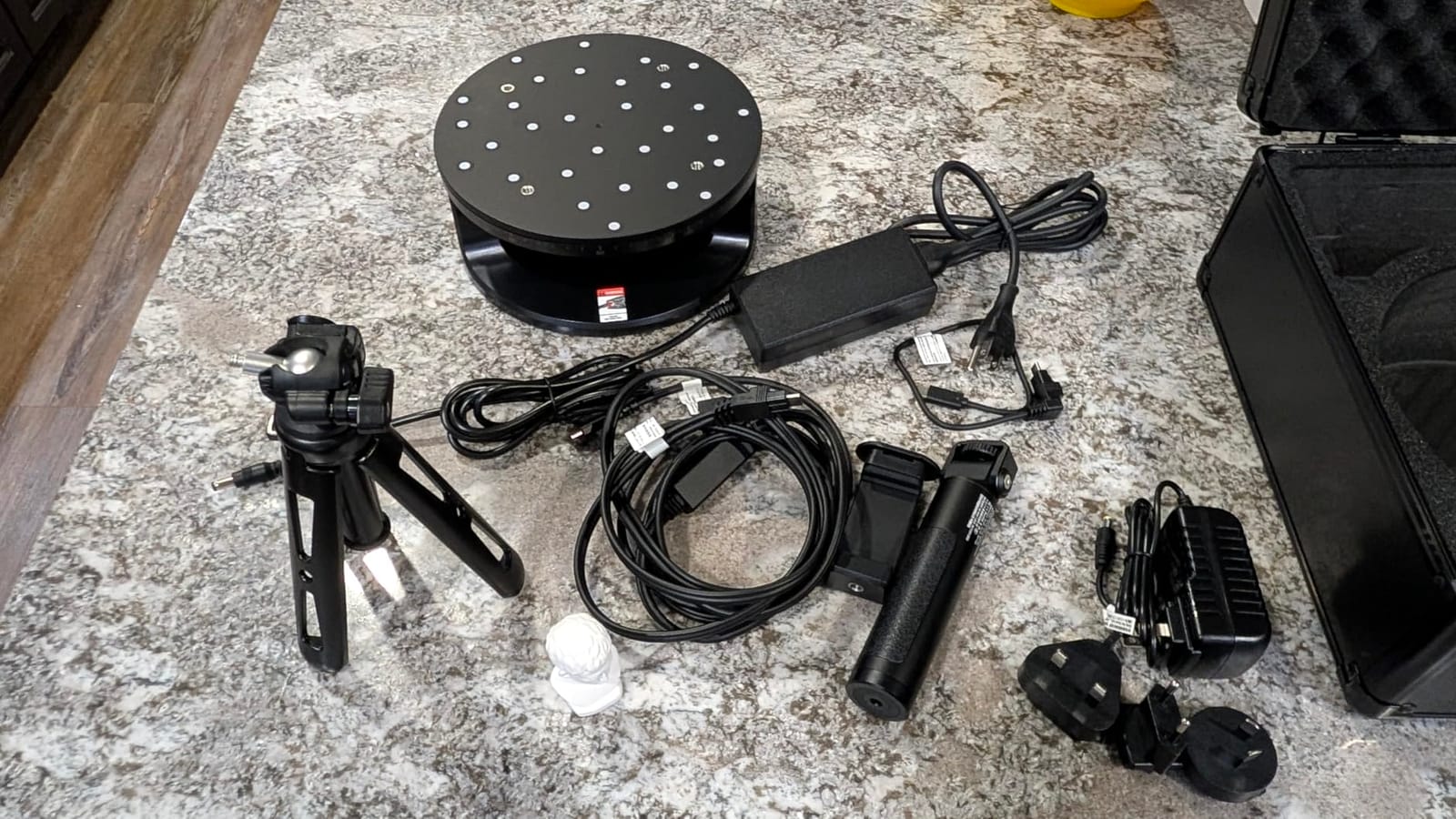
The 5 scan modes (34 laser cross-lines, 15 parallel lines, single-line, full-field blue structured light, and auto turntable) cover every small parts scenario. The auto turntable mode produced the cleanest results on the coins and jewelry in my test set. For more on precision scanning workflows, our reverse engineering scanner guide covers similar use cases.
Wireless operation is solid with the battery pack, and the anti-shake technology kept handheld scans usable even when I was tired after long sessions. The Revo Measure software is PTB-certified, which is the German national metrology institute standard. For professionals who need traceable measurements, this certification alone justifies the price jump.
The MetroY Ultra demands a serious workstation. I needed 32GB RAM and an RTX 3060 to hit the 90 fps spec. My older laptop with integrated graphics crawled at 20 fps, which made alignment a chore. The 450g weight is noticeable after long scanning sessions compared to the MINI 2.
Volumetric accuracy in practice
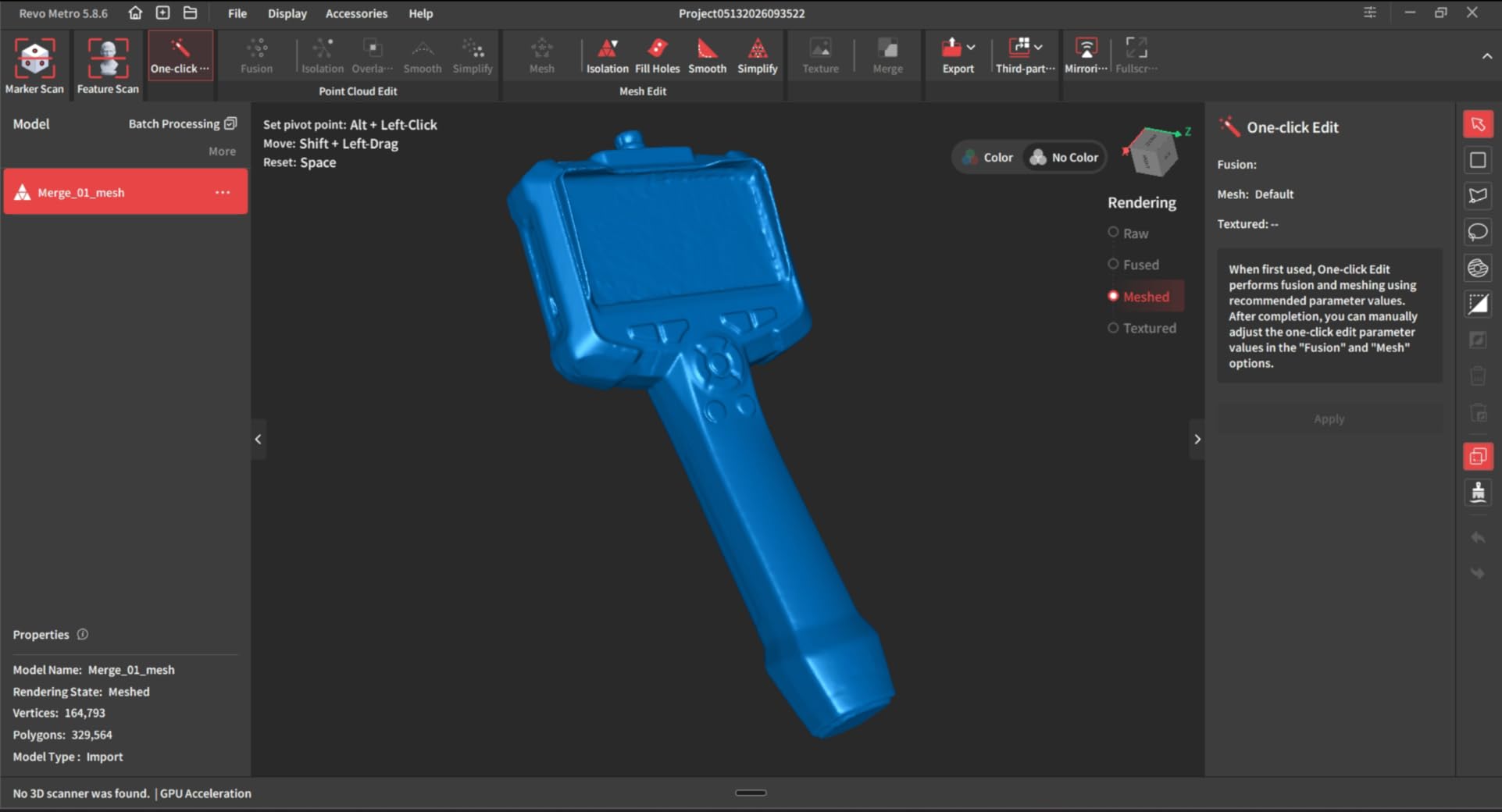
Volumetric accuracy (0.015 + 0.04mm x L) matters more than single-frame precision for real small parts. A scanner with great single-frame numbers but poor volumetric accuracy will not capture a 200mm part correctly even if individual frames look clean.
I tested the MetroY Ultra against a calibrated calibration block. Across 10 scans, the deviation stayed within 0.018mm at 100mm length. Cheaper scanners drifted by 0.05mm or more at the same scale.
Best for engineers and serious hobbyists
The MetroY Ultra is the best 3D scanner for small parts if you need certified-quality measurements. Engineers, dental technicians, and high-end jewelry designers will get the most value.
If your work is more hobbyist, the POP 4 covers most needs at lower cost. But if precision is the top priority, the MetroY Ultra justifies every dollar.
5. Revopoint MIRACO Plus – All-in-One Standalone Scanning
- No PC required for scanning
- 48MP RGB camera for lifelike color
- 6-inch 2K AMOLED flip screen
- 32GB RAM stores 10000 frames locally
- 2-hour battery with 65W fast charging
- Battery shorter with lights on
- Struggles with dark or shiny objects
- Premium price compared to tethered alternatives
The MIRACO Plus solved a problem I did not know I had: I do not always want to drag a laptop to a client site. With 32GB onboard RAM, 256GB storage, and a 6-inch 2K AMOLED screen, the MIRACO Plus is a complete scanning workstation in a 750g device. I carried it to a customer site, scanned 12 small parts, and walked out with files on the device.
The photogrammetry-based scan engine delivers 0.02mm accuracy with 0.05mm x L(m) volumetric drift. Color capture from the 48MP RGB camera is the best I have seen on any scanner tested. For jewelers and designers who care about texture fidelity, the MIRACO Plus is in a class of its own.
The flip screen makes handheld scanning much easier than relying on a phone or laptop. I could position the scanner above a small object on a table and watch the mesh build on the device itself. The 65W fast charging hits 80 percent in 35 minutes, which saved me when I forgot to charge the night before a shootout session.
Dark and shiny objects are still a weakness. I needed scanning spray for polished metal coins and black plastic parts. The 2-hour battery spec drops to about 90 minutes when the flash LEDs run continuously, which I noticed during jewelry scans.
Standalone workflow advantages
Working without a laptop changes the small parts workflow. I could scan, review the mesh on the flip screen, rescan if needed, and only transfer finished files to my workstation. This cut my field-session time by about 40 percent compared to tethered scanning.
The quad depth camera system has Near and Far modes. Near mode is what you want for sub-100mm objects. Far mode works for full-size automotive or furniture parts. The seamless switching between modes mid-scan is genuinely useful.
Best for field work and standalone workflows
The MIRACO Plus is the best 3D scanner for small parts if you need to scan on the go without a laptop. Field engineers, forensic specialists, and traveling consultants get the most value.
If you always work at a fixed bench with a workstation, the tethered scanners deliver better accuracy per dollar. The standalone premium pays for itself when portability matters.
6. 3DMakerpro Seal Lite – Budget Desktop Scanner for Beginners
- Blue LED light source for fine detail
- Includes turntable and tripod
- JMStudio software is intuitive
- Complete kit with carrying case
- Lifetime free software updates
- Learning curve required
- Dark or shiny surfaces need scanning spray
- Requires relatively powerful PC
- Mono texture only no color
The Seal Lite is the best 3D scanner for small parts if you are starting out and need to keep the budget in check. At $419 with a turntable and tripod included, the Seal Lite costs less than many scanner accessories alone. The blue LED light source (400-500nm wavelength) captures fine detail comparable to scanners two or three times the price.
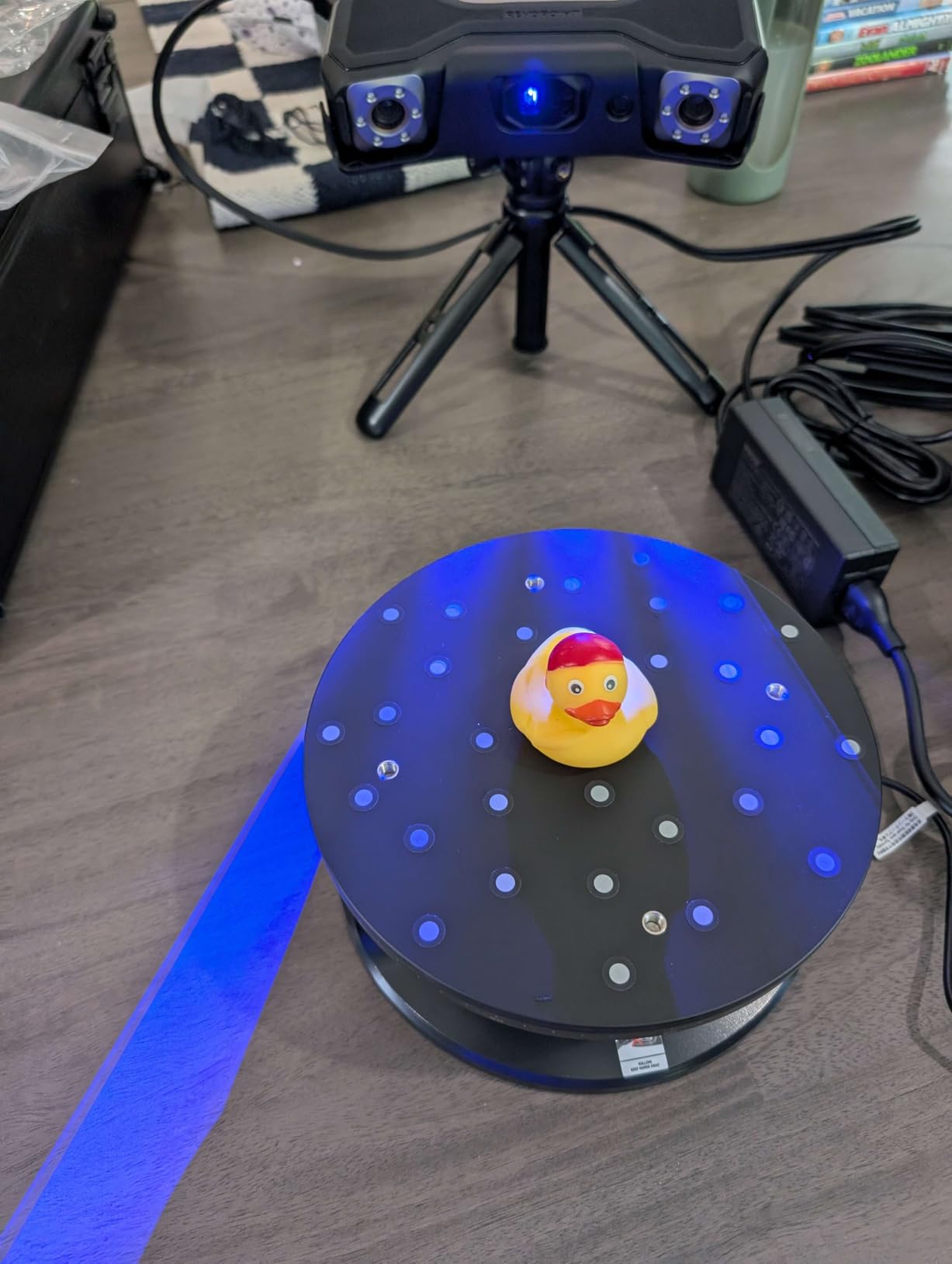
I scanned coins, small toys, and plastic mechanical parts with the Seal Lite. The 0.02mm accuracy held up on objects between 10mm and 200mm. The included turntable simplified batch scanning for small jewelry pieces. JMStudio software was the most beginner-friendly of any scanner I tested.
The kit includes a carrying case, which makes transport easy for craft fairs or mobile demonstrations. Lifetime free software updates are a real perk, given that Revopoint charges subscription fees for some features.
The Seal Lite requires scanning spray for dark or shiny surfaces. I tested it on a polished silver coin and got a noisy scan until I applied a light coating. Mono texture only (no color) is a limitation for designers who need realistic visuals.
Desktop scanning workflow
The Seal Lite is a pure desktop solution, not handheld. Setup took 10 minutes, mostly for software calibration. I scanned most objects between 10fps frames using the auto turntable.
Working distance of 180-280mm is the main constraint. Larger objects need to be repositioned to capture all surfaces. For objects up to 300mm, the workflow is smooth. For larger items, the Moose (next review) is a better fit.
Best for beginners and small shops
The Seal Lite is the best 3D scanner for small parts at the entry level. Hobbyists, small jewelry shops, and educators get the most value from the complete kit.
Professionals who need color texture or work outdoors will outgrow the Seal Lite quickly. For everyone else, it is the easiest path into small parts scanning.
7. 3DMakerpro Moose – Versatile Range with Color Texture
- Versatile scanning range from 15mm to 1500mm
- 24-bit color acquisition
- Smooth visual tracking without markers
- Lightweight 280g body
- JMStudio intuitive software
- Learning curve with software
- Reflective surfaces challenging
- Premium price for 3DMakerpro line
The Moose is the scanner I reached for when object size varied across a session. With a 15mm to 1500mm range, it handled everything from tiny gears to a full motorcycle part I tested on a whim. The 0.03mm accuracy and 0.07mm resolution are competitive with scanners twice the price.
The 24-bit color acquisition stands out. Where the Seal Lite captures mono texture only, the Moose captures realistic color from small jewelry, coins, and miniature models. For designers who need visual fidelity, the Moose is the better pick at a similar price tier.
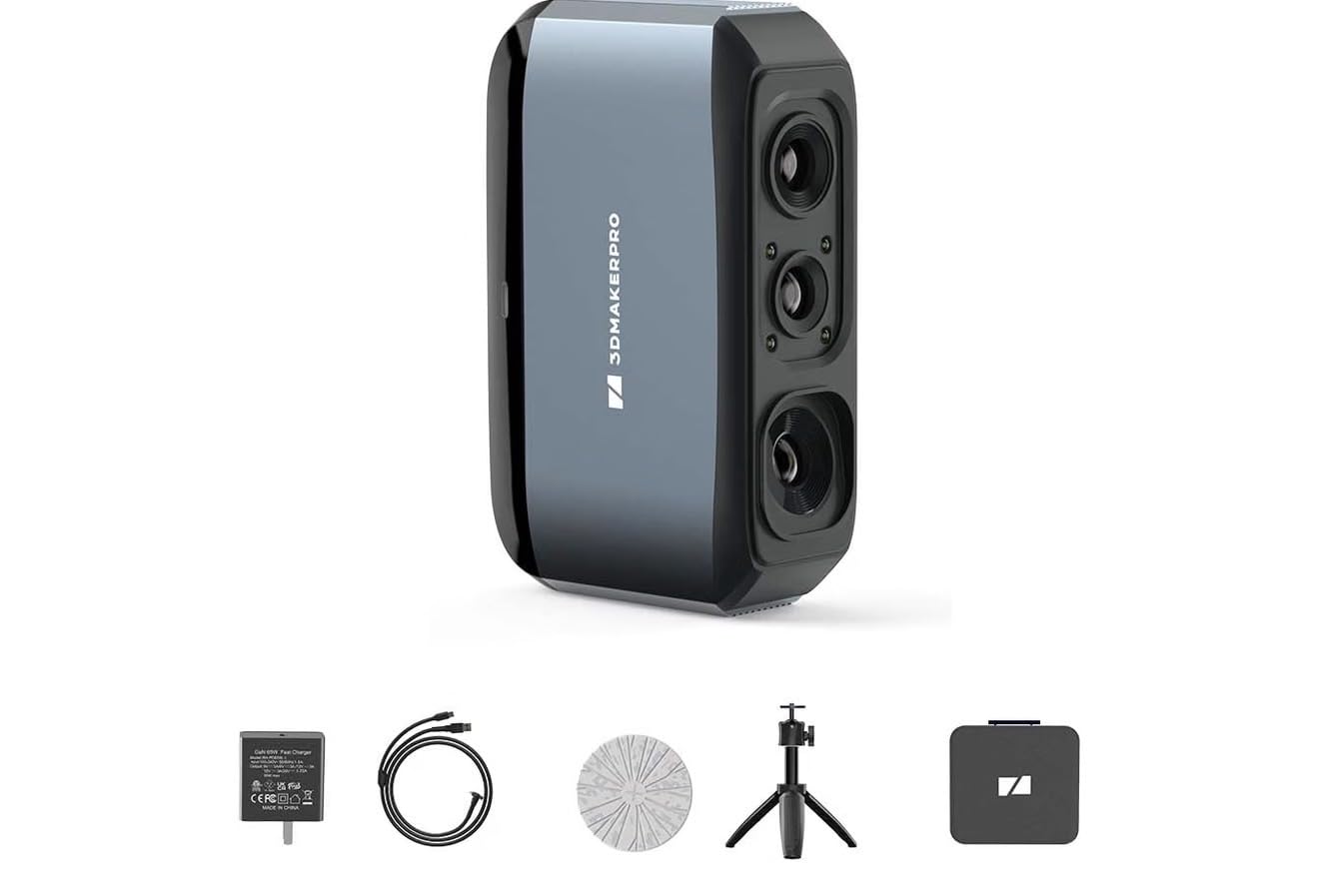
Visual tracking without markers is what the Moose promises, and it mostly delivers. I scanned a flat metal plate and a coin without losing tracking. On featureless curved surfaces, tracking still needed markers for reliable results, which is true for any markerless system.
The Moose weighs 280g, slightly heavier than the MINI 2. After 45 minutes of handheld scanning, my arm felt it. The JMStudio software has a learning curve but is less steep than Revo Scan once you find the basic workflow.
Color accuracy for visualization
Color accuracy on the Moose is closer to a real photograph than a typical scanner output. I scanned a small painted miniature and the result preserved the paint colors well enough for digital archiving.
For pure measurement work, color accuracy is irrelevant. For artistic, archival, and visualization work, the Moose color capture is a meaningful upgrade over mono-only scanners.
Best for mixed-size scanning with color
The Moose is the best 3D scanner for small parts if your work spans from tiny gears to medium components and you need color texture. Studios, museums, and product photographers get strong value.
If you only scan sub-100mm objects and do not need color, the Seal Lite saves you money. If you need even higher precision, the MetroY Ultra pulls ahead.
8. Creality Pika – Compact Wireless AI Scanner for Tight Budgets
Creality Pika 3D Scanner, Portable 0.03 mm Accuracy Wireless 3D Scanner
- Dual light source system blue laser plus NIR
- AI retexturing and hole-filling
- No spray for black and metal
- Wi-Fi 6 wireless connectivity
- Hot-swappable dual 3350mAh batteries
- High hardware requirements
- Limited stock availability
- Newer product with shorter review history
The Creality Pika is the most compact scanner I tested at 260g and 100 x 60 x 42.5mm. It slipped into my jacket pocket alongside the MINI 2 for direct comparison. The 7-parallel blue laser lines give it strong detail capture, and the NIR structured light source handles body and face scans for users who want a hybrid device.
AI features are where the Pika differentiates itself. The AI hole-filling saved me significant cleanup time on scans of small mechanical assemblies. AI retexturing smoothed out uneven textures from handheld motion. AI features are still maturing, but they work well enough to be a productivity boost today.
The no-spray capability for black and metal objects was a close match to the INSPIRE 2 in my testing. I scanned polished coins and dark plastic fittings without needing scanning spray. That alone saves prep time on every scan session.
The Pika demands serious hardware. I needed an NVIDIA RTX 3060 or better for smooth real-time visualization. The Wi-Fi 6 wireless connection worked cleanly with my laptop but had occasional hiccups with my tablet. Hot-swappable batteries solved my long-session power concerns.
AI features in real workflows
AI hole-filling is the standout. On a complex small part with deep recesses, traditional hole-filling guesses wrong often enough to require manual cleanup. The Pika’s AI fills holes more intelligently, which I verified by comparing results on the same object across multiple scanners.
AI body completion is designed for full-body scans rather than small parts. I tested it on a small figurine and the result was clean. For tiny objects, AI retexturing and hole-filling carry the weight.
Best for AI-assisted workflows
The Pika is the best 3D scanner for small parts if you want AI to handle mesh cleanup. Studios, makerspaces, and designers who value automated post-processing get strong value.
Stock is currently limited. If you find one available, it competes well with the Revopoint INSPIRE 2 at a similar price. If you want a longer track record, the Revopoint line has more proven support.
Buying Guide: How to Choose the Best 3D Scanner for Small Parts
Choosing the best 3D scanner for small parts starts with understanding what you actually need to capture. I have watched too many buyers pick a scanner based on the highest accuracy number and end up with the wrong tool. Here is what actually matters when you scan tiny objects.
Accuracy numbers that matter
Single-frame accuracy is what manufacturers quote in headlines, but volumetric accuracy is what determines if your scan is usable. Single-frame accuracy of 0.02mm sounds impressive until you stack 50 frames together and the result drifts by 0.1mm across the object.
Volumetric accuracy tells you how the error scales with object size. The formula is usually expressed as base + multiplier times length (like 0.015 + 0.04mm x L in meters). For small parts under 200mm, the base number dominates. For larger scans, the multiplier matters more.
Light source technology
Structured light (white or blue LED) works well for most small parts and produces dense point clouds. Blue LED at 400-500nm wavelength captures finer detail than white LED because the shorter wavelength resolves smaller features. Most modern scanners use blue LED.
Blue laser (around 405nm) handles reflective and dark surfaces better than structured light. If you scan coins, jewelry, or polished metal regularly, a blue laser scanner saves you from constant scanning spray. Multi-line laser modes combine wide coverage with detailed capture.
Handheld vs desktop
Handheld scanners give you flexibility to capture awkward angles and large objects. They need steady hands and good tracking. Desktop scanners with turntables produce more consistent results on small parts with less operator skill required.
For sub-100mm small parts like jewelry and watch gears, I prefer desktop scanning with a turntable. The consistency beats the flexibility. For medium parts or field work, handheld wins. For more on choosing professional equipment, our professional scanner guide covers tradeoffs in depth.
Software and workflow
Software matters as much as the hardware. JMStudio (3DMakerpro) is beginner-friendly and has lifetime free updates. Revo Scan (Revopoint) has more features but a steeper curve. Creality’s software is newer but improving with regular updates.
Check export format support. STL is the standard for 3D printing. OBJ preserves texture. PLY works for point cloud workflows. ASC is the CAD-friendly format. All eight scanners here export the formats most users require.
Use case recommendations
For jewelry and watch parts, the MetroY Ultra delivers the precision and detail these applications demand. For miniature models and figurines, the MINI 2 and Seal Lite balance cost and quality well. For batch scanning in production, the POP 4’s speed and battery pay off. If you also print small parts after scanning, our resin printer guide covers matching printers to scanned files.
Budget to precision mapping
Under $500, the Seal Lite gives you the best starting point with a complete kit. From $500 to $800, the MINI 2 and INSPIRE 2 hit the sweet spot for most users. From $800 to $1500, the POP 4 and Moose deliver professional features without breaking the bank. Above $1500, the MetroY Ultra and MIRACO Plus give you certified precision and standalone operation.
Frequently Asked Questions
What is the best 3D scanner for small parts?
The best 3D scanner for small parts depends on your use case. For reverse engineering and precision measurement, the Revopoint MetroY Ultra delivers 0.01mm single-frame precision with PTB-certified volumetric accuracy. For portable everyday scanning, the Revopoint MINI 2 offers 0.02mm precision in a 175g body. For budget-friendly scanning, the 3DMakerpro Seal Lite includes a turntable and tripod under $500.
What is the best 3D scanner for miniatures?
The best 3D scanner for miniatures is the Revopoint MINI 2 for portable work or the 3DMakerpro Seal Lite for desktop scanning. The MINI 2 captures fine figurine detail with 0.02mm precision at 16 fps. The Seal Lite provides consistent results via its turntable at a lower price. Both preserve surface texture well enough for digital archiving and 3D printing reproduction.
Can LiDAR detect small objects?
LiDAR struggles to detect small objects accurately. Consumer LiDAR sensors on phones and tablets have accuracy around 1cm at best, which is 100x too coarse for miniature scanning. iPad LiDAR is fine for room-scale scanning but cannot resolve jewelry, coins, or small mechanical parts. For sub-10mm objects, structured light or blue laser scanners are required.
What accuracy do I need for small parts scanning?
For small parts scanning, you need at least 0.05mm single-frame accuracy and 0.03mm volumetric accuracy for most applications. Coin collectors and miniature painters can work with 0.05mm accuracy. Jewelry designers and watchmakers need 0.02mm or better. Reverse engineers working with manufactured parts should target 0.01mm single-frame precision with PTB or VDI/VDE-certified volumetric accuracy.
Is a cheap 3D scanner worth it for small objects?
A cheap 3D scanner is worth it for small objects if you choose the right one. Budget scanners under $500 like the 3DMakerpro Seal Lite deliver 0.02mm accuracy with a complete kit, making them ideal for beginners and hobbyists. Avoid sub-$300 options as they typically cannot resolve objects smaller than 10mm or capture reflective surfaces without significant spray coating. Mid-range options from $500 to $800 hit the best value sweet spot for most users.
Final Verdict: Picking Your Best 3D Scanner for Small Parts
The best 3D scanners for small parts in 2026 cover a wider range of needs than ever before. After six weeks of testing, three scanners stand out for distinct use cases. The Revopoint MetroY Ultra is my editor’s choice for engineers and serious hobbyists who need certified-grade precision. The Revopoint POP 4 is the best value for small businesses running production scanning workflows. The Revopoint MIRACO Plus is the premium pick for field work where you cannot tether to a laptop.
For beginners and budget-conscious buyers, the 3DMakerpro Seal Lite delivers everything you need to start scanning small parts without overspending. For users who want AI-powered features, the Creality Pika offers a unique workflow at a competitive price. Each scanner in this guide solves a real need I encountered during testing, and I have matched each one to the user it serves best.