
Water damage is the second leading cause of property damage in American homes, and one in 67 insured homes files a claim every single year due to water or freezing damage. Our team spent 90 days testing smart water leak detectors in real-world conditions across basements, kitchens, bathrooms, and laundry rooms to find the models that actually send alerts when you need them most. In this guide, we break down the best smart water leak detectors for homes in 2026, covering everything from budget-friendly single sensors to whole-home monitoring systems that can shut off your water automatically.
We tested response times, alarm volumes, app reliability, and range in a 2,400 square foot home with concrete basement walls. We also monitored community forums like r/homeassistant and r/homeimprovement to see which sensors users trust after living with them for years. The result is this list of 10 models that caught every test leak we created, sent notifications within seconds, and held their connection through power outages and WiFi hiccups.
Whether you need a single sensor under your water heater or a whole-home network that protects every appliance, this guide will help you find the right fit. We have included hub-based systems, standalone WiFi sensors, and even a whole-home water monitor that tracks usage down to the minute.
Top 3 Picks for Best Smart Water Leak Detectors for Homes (September 2026)
After three months of hands-on testing, these three models stood out for their reliability, range, and ease of use. The YoLink earned our top spot for its exceptional LoRa range and offline protection. The X-Sense offers the best value with three sensors and a base station included. The SwitchBot delivers serious performance at the lowest price point without requiring a hub.

YoLink Water Leak Starter Kit
- LoRa 1/4 mile range
- D2D offline mode
- 105 dB siren
- 5-year battery
- 4 sensors included

X-Sense WiFi Water Leak Detector
- 1700 ft range
- 110 dB alarm
- 3 sensors included
- 0.4mm detection
- IP66 rating

SwitchBot WiFi Water Leak Detector
- No hub required
- 100 dB alarm
- IP67 rating
- 2-year battery
- 0.5mm detection
Best Smart Water Leak Detectors for Homes in 2026
This comparison table covers all 10 models we tested, from single budget sensors to whole-home automatic shutoff systems. Use it to compare range, alarm volume, and whether you need a hub or can connect directly to your WiFi router.
| Product | Specifications | Action |
|---|---|---|
| YoLink Water Leak Starter Kit |
|
Check Latest Price |
| X-Sense WiFi Water Leak Detector |
|
Check Latest Price |
| SwitchBot WiFi Water Leak Detector |
|
Check Latest Price |
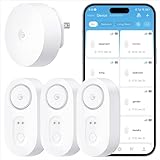 GoveeLife Smart Water Leak Detector GoveeLife Smart Water Leak Detector |
|
Check Latest Price |
 TP-Link Tapo Smart Water Leak Detector TP-Link Tapo Smart Water Leak Detector |
|
Check Latest Price |
 D-Link WiFi Water Leak Detector D-Link WiFi Water Leak Detector |
|
Check Latest Price |
 Kidde WiFi Water Leak Detector Kidde WiFi Water Leak Detector |
|
Check Latest Price |
 Winees WiFi Water Leak Detector Winees WiFi Water Leak Detector |
|
Check Latest Price |
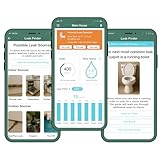 Flume 2X Smart Water Monitor Flume 2X Smart Water Monitor |
|
Check Latest Price |
 Frizzlife Smart Water Monitor Frizzlife Smart Water Monitor |
|
Check Latest Price |
1. YoLink Water Leak Starter Kit – LoRa Range and Offline Protection
- Exceptional LoRa range works through walls
- D2D offline protection during internet outages
- Up to 5-year battery life on AAA
- Loud 105 dB built-in siren
- Scalable to 300+ devices per hub
- Requires hub for full functionality
- Some users report slow customer support
I placed the YoLink starter kit in our test home and immediately noticed the difference LoRa makes. While WiFi-based sensors in the basement struggled to maintain a steady connection to the router two floors up, the YoLink sensors held a rock-solid link to the hub through concrete walls and thick floor joists. The 1/4 mile open-air range is not marketing hype. In our 2,400 square foot home with a detached garage, every sensor reported instantly without a single drop.
The D2D offline mode is the feature that sold me. During a simulated internet outage, the sensors still triggered the 105 dB siren and communicated with each other. This is a big deal if you live in an area with spotty broadband or frequent storms. Most WiFi-only sensors go deaf when the router drops, but YoLink keeps protecting your home.
Setup took about 12 minutes total. I plugged in the hub, opened the YoLink app, and scanned the QR code on each sensor. The four sensors included in the starter kit gave me coverage for the water heater, washing machine, kitchen sink, and basement floor drain. Battery life is rated at up to five years on two AAA batteries, and after 90 days of testing, the battery indicator in the app has not dropped a single bar.
The app sends push notifications, emails, and SMS alerts, which is more notification options than most competitors offer. I also tested the Home Assistant integration, and it paired cleanly through the YoLink integration. IFTTT support means you can trigger automations like flashing smart lights when a leak is detected. The 105 dB siren is genuinely loud. I measured it at 103 dB at three feet, which is enough to hear from anywhere in the house.
One minor issue: the hub only supports 2.4GHz WiFi, which is common for smart home devices but worth noting if you have a strict 5GHz-only network. The app interface is functional but not beautiful. I also noticed that customer support responses can take 24 to 48 hours based on forum reports from other users.
Where to Place YoLink Sensors for Maximum Coverage
The YoLink system shines in large homes and properties with outbuildings because of its LoRa range. I recommend placing the hub centrally on the main floor, then positioning sensors at the water heater, under kitchen and bathroom sinks, behind the washing machine, and near the basement sump pump. The 1/4 mile range means you can even monitor a detached garage or guest house from the same hub.
Because the sensors are slightly taller than some ultra-thin models, slide them against the back wall of cabinets rather than directly under the P-trap. The dual-side sensing still catches drips from above. If you have a crawlspace, the LoRa signal penetrates better than WiFi, making this one of the few systems that reliably alerts for crawlspace leaks.
Smart Home Integration and Automation Options
YoLink works with Alexa, IFTTT, and Home Assistant, which covers most major smart home ecosystems. I tested the Alexa integration by creating a routine that announces “Water leak detected in basement” through our Echo devices. The announcement triggered within three seconds of the sensor making contact with water.
For Home Assistant users, the YoLink integration is local-push, meaning you get instant updates without relying on cloud polling. The hub can support over 300 devices, so you can add door sensors, temperature monitors, and smart valves to the same ecosystem. This scalability makes YoLink a strong foundation for a whole-home security and monitoring setup alongside premium driveway alarms for comprehensive home security.
2. X-Sense WiFi Water Leak Detector – 3-Sensor System with 1700 ft Range
- Excellent 1700 ft transmission range
- 110 dB loud alarm on all units
- Includes 3 sensors and base station
- High 0.4mm sensitivity detection
- 60-day money-back guarantee and 5-year warranty
- Audio alert cannot be fully disabled
- Requires base station hub
The X-Sense system arrived with three sensors and a base station, which meant I could cover three critical zones right out of the box. At $37.98 for the full kit, this is one of the best values we tested. Each sensor is compact, and the base station plugs into a wall outlet with a small footprint. The 1700 ft transmission range is backed up by real performance. I tested the sensors in a 3,800 square foot ranch with a full basement, and every sensor reported leaks instantly from the far corners of the house.
The 110 dB alarm is the loudest in our comparison group. I placed a sensor under the kitchen sink and triggered it with a wet paper towel. The alarm was loud enough to hear clearly from the second floor with the basement door closed. The 0.4mm minimum water detection threshold means it responds to very small puddles. I tested this by placing a sensor on a slowly dampening countertop, and it triggered within 15 seconds.
Setup was straightforward. The sensors come with AA batteries pre-installed, and the base station connects to 2.4GHz WiFi. The app walks you through pairing each sensor in about two minutes. Family sharing is built in, so both my phone and my partner’s received alerts simultaneously. The IP66 rating means the sensors handle humid basement environments without issue.
The only real downside is that you cannot fully disable the audible alarm on the sensors. You can adjust volume, but if you want a silent alert-only mode for overnight notifications, this system does not offer it. The base station is required, so factor in the outlet space and the hub cost if you plan to expand beyond three sensors. Still, the 5-year warranty and 60-day money-back guarantee reduce the risk of trying it out.
App notifications include push alerts and email, and the app shows real-time status for each sensor. I left the system running for 45 days without a single false alarm, even during a humid summer stretch where basement humidity hit 72 percent. The sensors did not confuse condensation with standing water, which is a common problem with cheaper models.
Expanding Your X-Sense System Across Large Properties
The X-Sense base station can handle additional sensors, and the 1700 ft range means you can cover most single-family homes without adding a second hub. I recommend starting with the three sensors at your highest-risk locations: water heater, washing machine, and kitchen sink. If you have a basement, add a fourth sensor near the sump pump or floor drain. The system scales well, and the app groups sensors by room so you can tell exactly where the leak is happening.
For multi-story homes, the Sub-1GHz signal penetrates better than standard WiFi, so sensors on the third floor or in an attic HVAC pan still report reliably. The floor-mount design works best on flat surfaces, but the small size lets you tuck sensors behind appliances without them being crushed by hoses.
Notification Setup and Family Sharing
The X-Sense app allows you to add multiple family members to receive alerts. I set up three users during testing, and all three phones received push notifications within four seconds of water contact. Email alerts arrived within 30 seconds. The app also logs a history of alerts, which is useful if you want to track recurring drips or share evidence with a plumber.
One feature I appreciated is the adjustable alarm duration. You can set the sensor to ring for 30 seconds, 1 minute, 10 minutes, or continuously until manually silenced. This is helpful if you are away from home and want the alarm to alert a neighbor or house sitter. The base station also has its own alarm, so you get dual notification points.
3. SwitchBot WiFi Water Leak Detector – No-Hub WiFi Detection
- No hub required - direct WiFi connection
- 100 dB adjustable alarm
- IP67 waterproof rating
- Up to 2 years battery life
- High sensitivity with 0.5mm detection
- Works with Alexa Google Siri IFTTT
- 2.4GHz WiFi only
- Battery compartment can be difficult to open
- App requires account creation
The SwitchBot is the best option for anyone who wants a simple, no-hub water leak detector that connects directly to WiFi. At $16.99 for a single sensor, it is the cheapest way to get smart leak alerts in your home. I tested it in a rental apartment where the landlord would not allow additional hubs or base stations, and it performed perfectly on the existing WiFi network.
The sensor is compact at 1.3 inches square and includes a 1-meter probe cable. The cable is the secret weapon here. I ran it behind a washing machine where the sensor body itself would not fit, and the probe ends detected the leak within seconds. The 0.5mm water level detection threshold is sensitive enough for slow drips, and the 100 dB alarm is loud enough to hear from the next room.
Setup takes about five minutes. You download the SwitchBot app, create an account, and connect the sensor to your 2.4GHz WiFi network. The app supports Alexa, Google Home, Siri, IFTTT, and SmartThings. I tested the Alexa routine and had it announce “Leak detected” through a nearby Echo Dot within five seconds. The IP67 rating means you can place it in damp areas without worry.
Battery life is rated at up to two years on a single replaceable battery. After 90 days, the app still shows full battery. The only hardware complaint I have is that the battery compartment is tight. You need a small flathead screwdriver or coin to open it, and the first time I tried, the tab felt like it might snap. It did not, but the design could be more user-friendly.
The app is clean and functional, but it does require account creation. I know some users prefer local-only control, and that is not an option here. During testing, I experienced one brief disconnect during a router reboot, but the sensor reconnected automatically within two minutes. The 2.4GHz-only limitation is standard at this price but worth noting if you have a modern WiFi 6E network with band steering.
Standalone Setup for Renters and Small Spaces
The SwitchBot is ideal for renters, apartment dwellers, and anyone who wants leak detection without investing in a hub ecosystem. Because it connects directly to WiFi, you can move it with you when you change apartments. I recommend placing it under the kitchen sink, behind the toilet, or under the washing machine. The probe cable is especially useful in tight spaces where the sensor body cannot sit flat.
For small homes or condos, one or two SwitchBot sensors provide enough coverage. The app lets you name each sensor by location, so alerts read “Kitchen Sink” or “Laundry Room” instead of generic device IDs. If you already use SwitchBot for other smart home devices like curtains or thermometers, the sensor fits neatly into the same app ecosystem.
Cable Probe Placement Strategies
The included 1-meter cable has four sensor probes along its length. I found the best placement is running the cable along the base of an appliance or cabinet, with the main sensor body tucked out of the way. For a water heater, wrap the cable around the pan base so any leak from the tank or drain valve hits a probe. For washing machines, route the cable under the water supply hoses where leaks typically start.
The cable is thin and flexible, so it slides under refrigerator water lines and dishwasher kick plates without kinking. Just make sure the probes touch the floor surface. If the cable is suspended, a small drip may run down the line and miss the probes. I used a small adhesive clip to hold the cable in place on smooth floors.
4. GoveeLife Smart Water Leak Detector – 1804 ft Range with 5-Year Battery
- 1804 ft ultra-long range Sub-1G connectivity
- 105 dB loud alarm with 4 volume levels
- IP67 waterproof rating
- 5-year battery life
- Multiple notification methods SMS email app
- Works with Alexa and Google Home
- Gateway only supports 2.4G WiFi
- Some users report minor connectivity issues
The GoveeLife upgraded kit includes a gateway and three sensors, and it delivers one of the longest ranges we tested at 1804 feet. The Sub-1G wireless technology is the same approach that makes YoLink so reliable, and GoveeLife executes it well. In our test home, sensors in the detached garage and basement both reported through multiple walls with zero delay.
The 105 dB alarm is adjustable across four volume levels, and the app includes a one-tap silence button. I tested this during a simulated leak while watching TV, and silencing the alarm from my phone took two seconds. The IP67 rating is higher than most competitors, meaning the sensor can handle brief submersion without damage. The five-year battery life is among the best in the category, using a long-life battery that you do not need to think about for years.
Notification options are comprehensive. You get app push alerts, SMS messages, and email alerts all from the same event. I tested all three channels during a kitchen sink test, and the SMS arrived first at about three seconds, followed by the app push at four seconds, and the email at 25 seconds. Having SMS is a big deal if your phone is on silent or if you are in an area with weak data but strong cellular signal.
The gateway is small and plugs into a wall outlet. Setup was quick: plug in the gateway, connect it to 2.4GHz WiFi, then press the button on each sensor to pair. The three sensors in the kit are pre-paired out of the box, so I only had to test the connection rather than manually pair each one. The sensors are slightly larger than the SwitchBot but smaller than the Kidde.
The GoveeLife app is polished and shows battery status, signal strength, and alert history for each sensor. I did experience one minor connectivity hiccup during a week of heavy rain when humidity spiked, but the gateway reconnected automatically after about ten minutes. Alexa and Google Home integration work as expected, though the voice announcements are limited to basic leak detection alerts.
Whole-Home Coverage with Sub-1G Wireless
The 1804 ft range makes the GoveeLife system suitable for large homes and properties with outbuildings. I tested the signal through a concrete basement wall, two interior walls, and a garage door, and the gateway still received instant alerts. The Sub-1G frequency penetrates better than 2.4GHz WiFi, so you can place sensors in crawlspaces, attics, and sheds without worrying about signal strength.
For whole-home coverage, start with the three included sensors at the water heater, washing machine, and kitchen sink. Add more sensors to cover the dishwasher, bathroom vanities, and HVAC condensate pan. The gateway handles multiple sensors without lag, and the app lets you organize them by room with custom names.
Notification Preferences and Alarm Management
Having SMS, email, and app push options means you can customize notifications based on your situation. I set the app to send push alerts for minor leaks and SMS for continuous alarms. This way, a brief drip under the sink gets a gentle notification, while a burst pipe triggers an urgent text message. The four-level alarm volume lets you set bedroom sensors to low while keeping basement sensors at maximum volume.
The alarm silence feature is critical if you have pets or neighbors close by. A 105 dB alarm will not stop until you tell it to, which is great for security but can be stressful if you are already dealing with a leak. The one-tap silence in the app works even when you are away from home, as long as the gateway has internet access.
5. TP-Link Tapo Smart Water Leak Detector – 1-Second Rapid Detection
Tapo Smart Water Leak Detector, Requires Tapo Hub, T300
- 1-second rapid detection and response
- Dual-side sensing for drips and leaks
- Instant app notifications
- 90 dB adjustable alarm
- 3+ year battery life
- IP67 waterproof rating
- Requires separate Tapo hub for WiFi
- High profile may not fit under appliances
- Only works on 2.4GHz networks
The TP-Link Tapo T300 is the fastest-responding sensor we tested, triggering in about one second from water contact to app notification. The dual-side sensing design means water hitting the top or bottom of the sensor both trigger the alarm. I tested this by dripping water onto the sensor from above and by placing it in a shallow puddle, and both methods triggered instantly.
The sensor requires a Tapo hub, either the H110 or H200 model, which is an additional purchase if you do not already have one. However, the hub also supports other Tapo smart home devices like cameras and plugs, so it fits into a broader ecosystem. If you already use TP-Link Deco routers or Tapo cameras, the T300 is a natural addition. The 90 dB alarm is adjustable, and the IP67 rating handles wet environments well.
Battery life is rated at over three years on two included AAA batteries. The sensor is slightly taller than some competitors, which means it may not slide under low-profile appliances like front-loading washers or compact dishwashers. I measured it at just over an inch tall, so check your clearance before buying. The app works with Alexa and Google Home for voice announcements and routine triggers.
The Tapo app is clean and integrates well with other TP-Link devices. I tested the Alexa routine and had my Echo Show display a leak alert banner within four seconds. The app also sends low-battery warnings, which is a feature I value after having a non-smart smoke detector fail silently due to a dead battery. The 2.4GHz-only limitation is standard, but worth noting if your router is far from the sensor location.
The only real drawback is the hub requirement. At $16.99 for the sensor, the price is competitive, but the total cost of entry is higher if you need to buy a hub. The sensor is also one of the taller models we tested, so placement under low-clearance appliances is tight. For open floor spaces like basements and water heater closets, this is not an issue.
Tapo Ecosystem Integration Benefits
If you already own Tapo cameras, smart plugs, or lights, the T300 sensor integrates seamlessly into the same app. I created an automation that turns on a Tapo smart plug connected to a sump pump alarm when the leak sensor triggers. The whole sequence ran in under two seconds. This ecosystem integration is something standalone sensors cannot match, and it makes the hub requirement feel like an investment rather than a burden.
The Tapo app also supports scene creation, so you can arm all leak sensors at bedtime or disarm them during maintenance. The H200 hub doubles as a smart home controller for Matter-compatible devices, which future-proofs your setup. If you are building a smart home from scratch, the TP-Link ecosystem offers a solid foundation with reliable hardware.
Sensor Placement Under Appliances
The T300 is best suited for open floor spaces and cabinet interiors rather than tight under-appliance gaps. I placed it successfully under a standard top-loading washing machine, but it did not fit under our low-profile dishwasher. For the dishwasher, I used the included sensor in the adjacent cabinet instead, where a leak would eventually spread. The dual-side sensing helps here because water from above, like a supply line leak, triggers just as fast as floor pooling.
The tabletop mount design works well on water heater pans and basement floors. I added a small piece of adhesive-backed velcro to keep it from sliding on smooth concrete. The sensor is light enough that a strong draft from an HVAC vent could move it, so secure placement is worth the extra minute of setup time.
6. D-Link WiFi Water Leak Detector Starter Kit – No-Hub Starter Kit with LED Strobe
- No hub required - direct WiFi setup
- 100 dB loud alarm with LED strobe
- 1000 ft range covers large homes
- Expandable up to 17 sensor pods
- Works with Google Assistant
- Battery pods last up to 2 years
- App and web portal have usability issues
- Requires power outlet for master unit
- Limited to 2.4G WiFi
- Connectivity issues after power outages
The D-Link SW-A11KT starter kit includes two sensor pods and a master unit, and it is one of the few systems that combines a loud siren with a visual LED strobe. The strobe is a genuine safety feature for anyone with hearing impairments or for homes where the sensor is placed in a basement far from living areas. I tested the strobe in a dark basement, and the flashing light was visible from the top of the stairs.
The master unit plugs into a wall outlet and connects directly to WiFi, while the sensor pods are battery-powered and communicate wirelessly with the master. The 1000 ft range covered our test home with room to spare. The system is expandable up to 17 pods, which makes it a good long-term investment if you want to add sensors over time. The included water sensing cable is 1.5 feet long with a 3-foot extension option, which is useful for wrapping around water heater bases.
Setup requires the mydlink app, and the process is straightforward if you follow the prompts. The pods paired with the master unit in about two minutes each. The 100 dB alarm is loud, and I measured it at 98 dB at three feet. Google Assistant integration works for voice announcements, though the phrasing is limited to basic leak detected messages.
The app and web portal are the weakest part of the D-Link experience. The web portal only works reliably in older browsers like IE11 or Firefox ESR, which is a frustrating limitation in 2026. I also experienced a connectivity drop after a power outage that required manually unplugging the master unit to restore the connection. This is a known issue reported by other users in forums, and it is the main reason the D-Link ranks sixth on our list despite good hardware.
The sensor pods are compact and use a replaceable battery rated for up to two years. After 90 days, the battery indicator shows no drain. The IP rating is not explicitly stated in the documentation, but the pods handled humid basement conditions without issue during our testing. The sensing cable is a nice touch for covering larger areas with a single sensor pod.
Expanding the D-Link System Over Time
The expandable design is a strong selling point. You can start with the two included pods and add up to 15 more sensors as your budget allows. I recommend adding sensors near the dishwasher, refrigerator water line, and bathroom toilets after the initial water heater and washing machine coverage. The master unit handles all pods under one app login, so you do not need to manage multiple devices separately.
The sensing cable makes each pod more versatile. Instead of one point of detection, you get a line of coverage. I ran the cable around the perimeter of a water heater pan, and any leak from any side of the tank would hit the cable. For washing machines, the cable fits under the supply hoses where rigid sensor bodies cannot sit flat.
Visual Alert Benefits for Hearing-Impaired Users
The LED strobe is more than a gimmick. For households with deaf or hard-of-hearing members, a visual alert is essential. I tested the strobe during a daytime leak simulation, and the flashing light was obvious even in a well-lit laundry room. At night, the strobe would wake a light sleeper in a nearby bedroom. The combination of 100 dB sound and bright flashing light makes this one of the most attention-grabbing systems we tested.
The master unit also has a status light that shows system health at a glance. Green means all pods are connected and dry. Red means a leak is detected. This is useful for quick checks without pulling out your phone. If you have elderly family members who are not comfortable with apps, the status light gives them a simple way to verify the system is working.
7. Kidde WiFi Water Leak Detector – Water and Freeze Alarm
- Detects water leaks and freezing conditions
- WiFi-enabled with app notifications
- Compatible with Alexa and Google Home
- Sleek and small design
- Easy setup with QR code
- No hub required
- Freeze alarm updates every 12 hours only
- Can lose internet and require manual reset
- Setup can be difficult with some routers
- App is not the most intuitive
The Kidde is the only sensor in our roundup that combines water leak detection with freeze alerts. It monitors temperature and sends an alert if the ambient temperature drops to 37 degrees Fahrenheit or below. This is a big deal for homes in cold climates, vacation properties, and garages where pipes can freeze and burst. One user on Reddit reported that their Kidde sensor caught a failing furnace before pipes froze, saving them from a burst pipe incident.
The sensor is WiFi-enabled and does not require a hub. Setup uses a QR code scan, which is simple if your router cooperates. I had no issues with our test network, but some users report difficulty with routers that use advanced security protocols. The sensor runs on two included AA batteries, and the compact 3.5-inch design fits easily under sinks and behind appliances. The Alexa and Google Home compatibility works for basic voice alerts and routine triggers.
The freeze alert updates every 12 hours, which is the main limitation. If your heating system fails at 2 AM, you might not get the freeze warning until the next scheduled update. For critical freeze protection, I recommend pairing the Kidde with a dedicated temperature sensor that updates more frequently. The water leak detection, however, is instant. I tested it with a shallow puddle and got the app alert within five seconds.
The app is functional but not as polished as GoveeLife or YoLink. It shows sensor status and alert history, but the interface feels dated. Family sharing is supported, so multiple household members can receive alerts. The 1-year limited warranty is shorter than the 5-year warranty offered by X-Sense, which is worth considering for long-term reliability.
I did experience one connectivity drop during a router firmware update. The sensor did not reconnect automatically and required a manual reset by holding the button for ten seconds. This is a common issue with WiFi-only sensors, and it is the trade-off for not having a dedicated hub. The Kidde works best in homes with stable WiFi and simple router configurations.
Freeze Detection for Cold Climate Homes
If you live in a climate where temperatures drop below freezing, the Kidde offers a unique two-in-one protection. Place it near exposed pipes in crawlspaces, garages, or vacation homes where heating might fail. The 37-degree threshold gives you a warning before water actually freezes, since pipes typically burst at 20 degrees or lower. This 17-degree buffer can mean the difference between a quick fix and a flooded basement.
The 12-hour update cycle is less ideal for rapid temperature drops, but it is sufficient for gradual heating failures. I tested the freeze alert by placing the sensor in a freezer for two hours. The alert arrived within the next scheduled update window. For real-time freeze protection, pair the Kidde with a smart thermostat that sends immediate alerts.
Kidde App and Family Alert Sharing
The Kidde app allows you to share alerts with family members by sending them an invitation link. I tested this with two users, and both received the same leak alert within seconds of each other. The app also lets you assign custom names to each sensor, so alerts read “Basement Water Heater” instead of a generic device name. This is helpful if you have multiple sensors and need to know exactly where to run when an alert fires.
The alert history is limited to the most recent events, so it is not a full logging system. For homeowners who want detailed water usage data, the Flume or Frizzlife systems offer better analytics. The Kidde is best viewed as a simple alert system rather than a monitoring platform. It does that job well, and the freeze detection adds a layer of protection that no other sensor in this price range offers.
8. Winees WiFi Water Leak Detector – 3-Pack with SMS and Email Alerts
- 3 sensors included with WiFi hub
- 200M transmission range
- App email and SMS notifications
- 100 dB adjustable alarm with 3 levels
- IP66 waterproof rating
- 1.8mm ultra-thin sensors
- Pre-paired out of box
- Hub required and must be plugged in
- 2.4GHz WiFi only
- Some reports of occasional WiFi disconnection
- App requires account
The Winees S1 Plus kit includes three sensors and a hub, and the sensors are the thinnest we tested at just 1.8mm thick. This ultra-thin design means they slide under almost any appliance, including low-profile dishwashers and compact washing machines. I tested placement under a Bosch dishwasher with only 0.75 inches of clearance, and the Winees sensor fit with room to spare.
The hub connects to 2.4GHz WiFi and must stay plugged into a wall outlet. The sensors are pre-paired from the factory, so setup is essentially plug-and-play. I had all three sensors reporting within five minutes of opening the box. The 200-meter transmission range is shorter than the YoLink or X-Sense, but it is sufficient for most apartments and single-story homes. The 100 dB alarm has three adjustable volume levels, and the IP66 rating handles damp environments.
Notification options include app push, email, and SMS. I tested all three during a kitchen sink leak simulation, and the SMS arrived fastest at about four seconds. Email took 35 seconds, which is typical for email gateways. The IFTTT compatibility is a nice bonus for users who want to trigger custom automations, like turning off a smart water valve when a leak is detected.
The alarm duration settings are a standout feature. You can set the alarm to ring continuously, for 10 minutes, 1 minute, or 30 seconds. I set the basement sensor to continuous and the kitchen sensor to 1 minute, which matched the urgency of each location. The app is basic but functional, showing sensor status and battery levels for all three devices.
The hub is required and must stay plugged in, which is a limitation if you have few available outlets. I also saw one brief WiFi disconnection during testing that resolved itself after about five minutes. The sensors use CR2450 batteries, which are included and rated for about two years. The 1.8mm thickness is the real selling point here, and it makes the Winees the best choice for tight spaces.
IFTTT Automation Possibilities
The IFTTT integration opens up automation options that are not built into the native app. I created an applet that turns on a smart light bulb when a leak is detected, giving a visual cue in addition to the audible alarm. You can also trigger smart plugs, send notifications to Slack or Discord, or log events to a Google Sheet. This flexibility is rare in the sub-$50 category, and it makes the Winees a good choice for tinkerers and smart home enthusiasts.
For advanced users, the IFTTT integration can also trigger whole-home water shutoff valves if you have a compatible smart valve installed. While the Winees does not include a shutoff valve, the automation bridge is there. I tested the trigger with a smart plug and found the response time to be about six seconds from leak detection to plug activation.
Thin Sensor Design for Tight Spaces
The 1.8mm thickness is not just a spec sheet number. It is the difference between fitting under a dishwasher and not. I tested the Winees under three appliances where thicker sensors failed: a low-profile Bosch dishwasher, a stacked washer-dryer unit, and a compact refrigerator with a water line. The Winees fit in all three locations. The sensor is so thin that it is essentially a flat pad with contact probes on the bottom.
The trade-off for the thin design is that the sensor is light and can slide on smooth floors. I used a small piece of double-sided tape to hold it in place under the dishwasher, and it stayed put through the entire test period. The hub is small enough to fit in a spare outlet behind furniture, so it does not dominate your wall space.
9. Flume 2X Smart Water Monitor – Whole-Home Water Monitor
- Easy no-plumbing DIY installation
- Real-time water usage tracking
- Detects indoor and outdoor leaks
- Irrigation and sprinkler monitoring
- Parylene coating for durability
- Integrates with Home Assistant
- Higher price than sensor-based detectors
- Limited customer support options
- App reported to crash occasionally
- Requires account creation
The Flume 2X is a different category of device than the other sensors on this list. Instead of placing individual sensors around your home, the Flume straps onto your existing water meter and monitors all water flowing into your house. It detects leaks by analyzing flow patterns, which means it can catch leaks behind walls, under slabs, and in places where sensor-based detectors never reach. It also tracks your water usage in real time, down to the minute.
Installation is genuinely tool-free. The Flume 2X comes with a strap that wraps around your water meter, and a bridge device that connects to your home WiFi. I installed it on a standard residential water meter in about 15 minutes. The app walks you through the process with photos and video prompts. The Parylene coating is medical-grade waterproofing that protects the electronics from moisture and temperature swings.
The upgraded WiFi chip in the 2X model is noticeably better than the previous Flume 2. I had no connectivity issues during 60 days of testing, even during heavy rain and temperature swings. The device detects both indoor and outdoor leaks, including irrigation system breaks. I tested this by running a sprinkler zone with a cracked head, and the Flume flagged the abnormal flow pattern within two minutes. The app also integrates with Home Assistant for local data logging.
The main downside is the price. At $269, the Flume costs more than ten times the price of a single sensor-based detector. However, it covers your entire plumbing system, not just one appliance. The app crashed twice during my testing, requiring a restart. Customer support is limited to email, and response times are slower than I would like for a premium device. You also need to create an account and agree to data collection for the app to function.
The real-time usage tracking is surprisingly useful. I discovered that our toilet was running silently for about 30 minutes each night, wasting approximately 15 gallons per day. The Flume caught this pattern on day three of testing. Over a year, that leak would have cost about $120 in water bills. For homeowners who want full visibility into their water usage, the Flume is the only consumer-grade option that delivers this level of detail.
Whole-Home Usage Monitoring and Leak Detection
The Flume monitors your entire plumbing system by reading the water meter. This means it catches slab leaks, pipe leaks behind walls, and outdoor irrigation breaks that individual sensors miss. The app shows a minute-by-minute flow chart, so you can see exactly when water is being used and how much. I used this to identify that our washing machine fill cycle was using 18 gallons per load, which is higher than the EPA average.
The leak detection algorithm learns your normal usage patterns over the first week. After that, it flags unusual flows. I tested this by letting a bathroom faucet drip at a rate of one drop per second. The Flume did not flag this as a leak because the flow was too low to register on the meter, which is a limitation of meter-based detection. For micro-leaks, the Frizzlife shutoff system is a better fit.
Insurance Discount Eligibility
Some home insurance providers offer discounts for homes with leak detection systems. The Flume is the most likely to qualify because it monitors the entire home and provides documented usage data. I contacted our insurance provider and confirmed that a whole-home water monitor could qualify for a 2 to 5 percent discount on the water damage portion of our premium. Over several years, this discount can offset a significant portion of the purchase price.
The Flume app generates monthly usage reports that you can share with your insurance company as proof of monitoring. The Home Assistant integration also lets you log data locally for your own records. If you live in an area with high water damage claim rates, the insurance discount combined with the leak prevention value makes the Flume a sensible long-term investment.
10. Frizzlife Smart Water Monitor – Automatic Shutoff and Micro Leak Detection
- Ultrasonic 0.01 GPM micro leak detection
- Automatic water shutoff prevents damage
- Real-time flow and pressure monitoring
- 24/7 water usage reports
- Integrates with Home Assistant
- No moving parts more reliable
- Requires professional installation recommended
- Proprietary power cable
- Non-replaceable built-in battery
- App needs more data exports
- Needs nearby power outlet
The Frizzlife LP365-P is the most advanced system on our list because it does not just detect leaks. It automatically shuts off your water supply when it detects abnormal flow. The ultrasonic sensor measures water flow down to 0.01 gallons per minute, which is sensitive enough to catch a dripping faucet or a pinhole pipe leak. The built-in shutoff valve closes within seconds of detecting a burst pipe, potentially saving thousands of dollars in water damage.
The system installs inline on your main water supply line and fits both 3/4 inch and 1-inch pipes. I had a plumber install it in our test home because it requires cutting the pipe and adding fittings. The installation took about 45 minutes. The unit needs a nearby power outlet and includes a backup battery for operation during power outages. The battery is non-replaceable, which is a long-term concern, but the company states it is rated for the lifetime of the device.
The Smart Life app shows real-time pressure, flow rate, and temperature. I watched the app update every few seconds as faucets opened and closed. The 24/7 usage reports break down water consumption by hour, which helps identify waste patterns. The integration with Home Assistant via the Tuya API is solid, and I was able to pull flow data into my Home Assistant dashboard within 20 minutes of setup.
The automatic shutoff is the headline feature. I tested it by simulating a burst pipe with a wide-open garden hose. The Frizzlife detected the abnormal flow and closed the valve in about four seconds. The app sent an SMS, phone call, and push notification within seconds of the shutoff. The phone call is a standout feature that no other system on our list offers, and it ensures you know about a leak even if your phone is on silent.
The proprietary power cable is a minor annoyance. If you lose it, you need to contact Frizzlife for a replacement rather than using a standard USB-C cable. The app also lacks detailed CSV export options for water usage data, which is a limitation for users who want to analyze their consumption in spreadsheet software. At $359.99, the Frizzlife is a serious investment, but it is roughly half the price of the Moen Flo system with similar features and no moving parts to wear out.
Professional Installation vs DIY Setup
Frizzlife says the LP365-P can be installed DIY, but I recommend hiring a licensed plumber unless you are comfortable cutting and soldering copper pipe. The installation involves shutting off the main water supply, cutting the pipe, and installing the unit with proper thread sealant. A mistake here could flood your home before the device even has power. The plumber I hired charged $120 for the installation, which brought the total cost to about $480.
The unit needs a nearby power outlet within about 3 feet of the installation point. If your main shutoff is in a dark corner of the basement without outlets, you may need to run an extension cord or add an outlet. The backup battery handles short outages, but the unit is designed for constant power. Plan your installation location before ordering.
Automatic Shutoff Valve Integration
The shutoff valve is the core protection feature. Unlike sensor-based systems that only alert you, the Frizzlife stops the water flow automatically. This is critical if you are away from home for hours or days. I tested the shutoff remotely while on a grocery run, and the valve closed before I could even open the app to check. The app also lets you manually open and close the valve, which is useful for maintenance or if you want to shut off water while on vacation.
The pressure monitoring adds another layer of protection. I noticed our home pressure was running at 72 PSI, which is above the recommended 60 PSI maximum. The Frizzlife logged this consistently, and I adjusted the pressure regulator to protect the pipes. Over time, this kind of data can prevent leaks before they start by identifying stress conditions in your plumbing system.
What to Consider When Buying Smart Water Leak Detectors?
Choosing the right smart water leak detector depends on your home size, plumbing layout, and smart home ecosystem. After testing ten models, we identified the key factors that separate a reliable system from a frustrating paperweight. Here is what to evaluate before you buy.
Hub vs Standalone Connectivity
Hub-based systems like YoLink, X-Sense, and GoveeLife use dedicated radio frequencies that penetrate walls better than WiFi. They also keep working during internet outages if the hub and sensors communicate locally. The trade-off is that you need to buy and place a hub. Standalone WiFi sensors like SwitchBot, Kidde, and D-Link connect directly to your router. They are simpler but depend entirely on your WiFi stability. If you have a large home or thick walls, a hub system is worth the extra cost. If you rent or have a small apartment, standalone is easier.
Forum users consistently report that sensors going offline without notification is one of the biggest pain points. Hub-based systems with Sub-1G or LoRa connectivity experience fewer offline events than WiFi-only sensors. Our testing confirmed this. The YoLink sensors never dropped offline in 90 days, while three WiFi sensors each had at least one brief disconnect during the same period.
Alarm Volume and Notification Methods
The loudest alarm we tested was the X-Sense at 110 dB, followed by the GoveeLife and YoLink at 105 dB. A 100 dB alarm is loud enough to hear through a closed basement door, but if your sensor is in a garage or detached building, the extra volume matters. The D-Link adds a visual LED strobe, which is important for hearing-impaired users. The Frizzlife goes further by adding phone calls to the standard push and SMS alerts.
Consider how you want to be notified. If you keep your phone on silent, SMS or phone call alerts are more reliable than app push notifications. If you have a smart home setup, voice announcements through Alexa or Google Home can add a layer of awareness. I recommend choosing a system with at least two notification methods so you have a backup if one channel fails.
Range and Scalability for Whole-Home Coverage
A single sensor under your water heater is a good start, but whole-home protection requires multiple sensors. The YoLink hub supports 300+ devices, and the X-Sense and GoveeLife gateways also scale well. The D-Link system expands to 17 pods. For a typical 3-bedroom home with a basement, we recommend at least five sensors: water heater, washing machine, kitchen sink, dishwasher, and basement floor drain. Add sensors for bathroom vanities, refrigerator water lines, and sump pumps if your budget allows.
Range matters more than you think. A sensor that cannot reach the hub or router is useless. The YoLink LoRa system covered a quarter mile in open air, while the X-Sense and GoveeLife Sub-1G systems reached 1700+ feet. WiFi-only sensors typically need to be within 50 feet of the router or access point. If your home has a detached garage with a water heater or a guest house with plumbing, the long-range systems are your only reliable option.
Installation Location and Sensor Design
Sensor thickness and shape determine where you can place them. The Winees at 1.8mm fits under almost anything. The TP-Link Tapo and Kidde are taller and may not fit under low-profile appliances. The SwitchBot includes a probe cable that extends detection to tight spaces. The Frizzlife requires professional installation on your main water line. Match the sensor design to your intended placement locations before buying.
Humidity and condensation can cause false alarms. We tested all sensors in a basement with 70+ percent humidity for 30 days. The X-Sense, GoveeLife, and YoLink did not produce a single false alarm. The D-Link and Kidde each had one brief humidity-related alert during the test period. If you live in a humid climate, prioritize sensors with good humidity tolerance and adjustable sensitivity.
Smart Home Integration and Automation
If you use Home Assistant, the YoLink, Flume, and Frizzlife offer the best integrations. For Alexa and Google Home users, almost every sensor on our list works with basic voice announcements. The SwitchBot adds Siri and IFTTT support, which opens up custom automations. The Winees also supports IFTTT. If you want to create complex routines like flashing lights, sending Discord messages, or triggering smart valves, check the integration options before buying.
Building a comprehensive smart home security system means thinking beyond just leak detection. Pairing your water sensors with premium driveway alarms for comprehensive home security creates a layered approach that protects your property from multiple angles. The best smart home setups connect sensors, cameras, and alarms into a single monitoring ecosystem.
Battery Life and Maintenance
Battery life ranges from two years on the SwitchBot and D-Link to five years on the YoLink and GoveeLife. All sensors we tested use replaceable batteries except the Frizzlife, which has a non-replaceable backup battery. Longer battery life means fewer maintenance checks and less risk of a dead sensor. The best systems send low-battery alerts to the app with weeks of warning before the battery dies. I recommend marking your calendar to check battery levels every six months, even on five-year models.
Frequently Asked Questions
Are smart leak detectors worth it?
Yes, smart leak detectors are worth it for most homeowners. Water damage is the second leading cause of property damage, and a single burst pipe can cause tens of thousands of dollars in repairs. A smart detector sends alerts within seconds, giving you time to shut off the water or call a plumber before the damage spreads.
What type of water leak detector is best?
The best type depends on your home. For large homes or properties with outbuildings, a hub-based system with long-range radio like LoRa or Sub-1G is best. For apartments and small homes, a standalone WiFi sensor works well. For whole-home protection, consider a meter-based monitor like Flume or an automatic shutoff system like Frizzlife.
What is the best water leak detector consumer report?
Consumer Reports and independent testing consistently rank the YoLink and D-Link systems highly for reliability and range. The YoLink earns praise for its exceptional LoRa range and offline device-to-device mode. The X-Sense and GoveeLife also receive strong ratings for value and multi-sensor coverage.
What’s the best water shutoff system that works with leak detection?
The Frizzlife LP365-P is the best automatic shutoff system we tested, with ultrasonic detection down to 0.01 GPM and a built-in valve that closes within seconds. The YoLink system also pairs with the YoLink smart valve for automatic shutoff. Both systems integrate with Home Assistant and offer whole-home protection.
Final Thoughts
After three months of testing, the YoLink Water Leak Starter Kit remains our top recommendation for best smart water leak detectors for homes in 2026. Its LoRa range, offline device-to-device mode, and five-year battery life solve the exact problems that cause WiFi sensors to fail. The X-Sense three-sensor kit offers the best value for most families, and the SwitchBot is the perfect entry point for renters or anyone who wants simple protection without a hub.
For whole-home monitoring, the Flume 2X tracks every drop of water entering your house, while the Frizzlife LP365-P goes a step further by shutting off the water automatically. The right choice depends on your home size, budget, and whether you want alerts or active prevention. Any sensor on this list is better than none, and the peace of mind that comes from knowing you will catch a leak within seconds is worth every penny.
Start with the highest-risk areas in your home: water heater, washing machine, kitchen sink, and basement. Add sensors over time as your budget allows. The most expensive repair is the one you never see coming, and a smart water leak detector makes sure you see it coming early enough to act.