
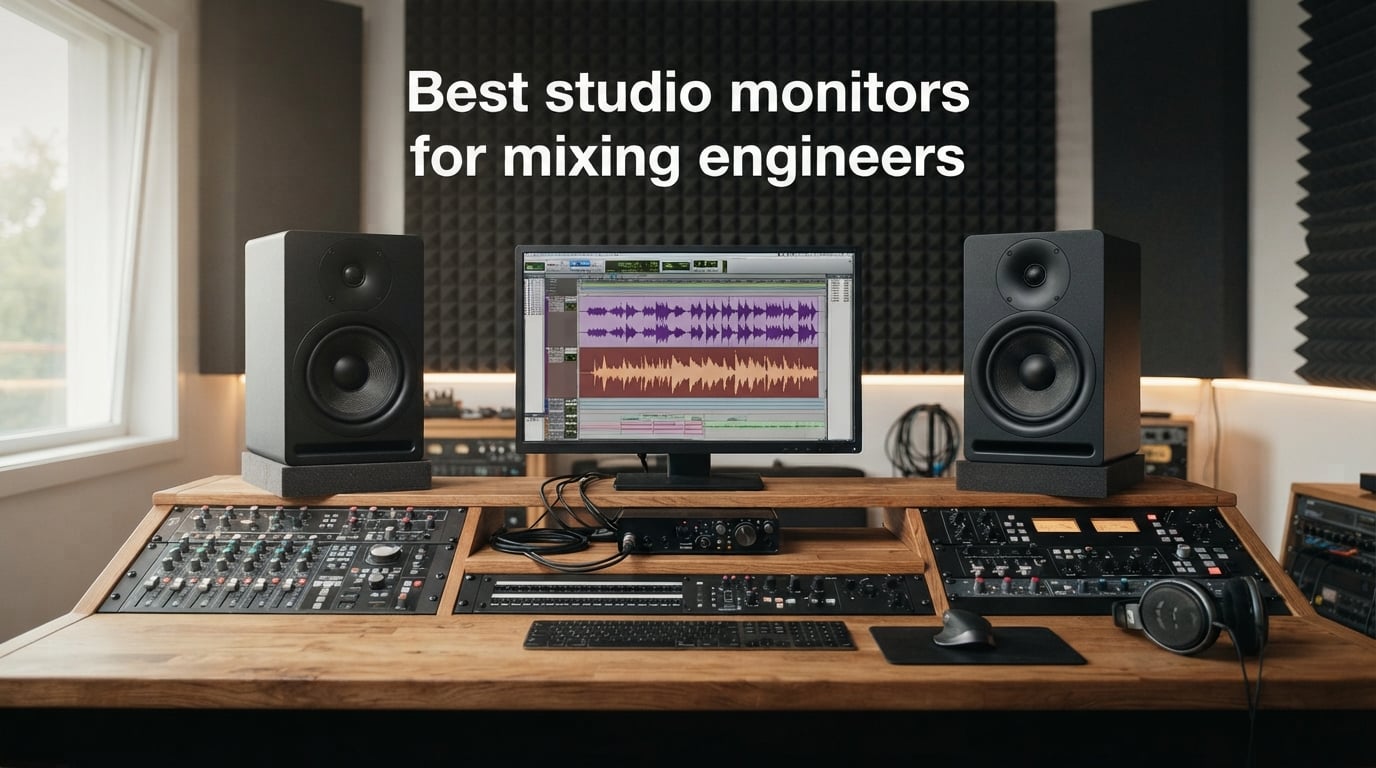
If you have ever finished a mix that sounded perfect in your studio and then watched it fall apart in your car, you already know why the right monitors matter. The wrong speakers flatter your work. The right ones tell you the truth, even when it stings.
Finding the best studio monitors for mixing engineers in 2026 means looking past marketing hype and into the specs, the room interaction, and the way a monitor actually behaves after eight hours of mixing. We tested ten of the most-recommended nearfield monitors across treated and untreated spaces to see which ones translate.
This guide covers everything from sub-$100 entry-level pairs to DSP-corrected professional reference monitors. Every product on this list earned its place through real-world performance, not just brand reputation. By the end, you will know exactly which monitor fits your room, your budget, and the kind of music you actually mix.
We also break down woofer sizing by room dimensions, explain why XLR and TRS connections behave differently in noisy environments, and cover the DSP room correction features that separate pro monitors from consumer speakers. Lets get into the picks.
Top 3 Picks for Studio Monitors in 2026
Out of the ten monitors we tested, three stood out for different reasons. The Yamaha HS5 delivers the unforgiving honesty that mixing engineers need. The PreSonus Eris 3.5 wins on value for beginners and small spaces. The Neumann KH 80 DSP brings broadcast-grade DSP correction to project studios.

Yamaha HS5 Powered Studio Monitor Pair
- 5 inch woofer
- 70W bi-amp
- 54Hz-30kHz
- XLR and TRS inputs

PreSonus Eris 3.5 Studio Monitor Pair
- 3.5 inch woofer
- 50W power
- Best seller
- BT and aux inputs
The HS5 is the safe pick for most mixing engineers because it pairs honesty with reliability. The Eris 3.5 earns its spot as the number one bestseller on Amazon for a reason. The Neumann KH 80 is the splurge for anyone serious about DSP-driven accuracy.
Best Studio Monitors for Mixing Engineers in 2026
Here is the full lineup of monitors we reviewed, ranked by overall value, sound quality, and reliability. The comparison table below gives you the quick view before we dig into each monitor individually.
| Product | Specifications | Action |
|---|---|---|
| Yamaha HS5 Studio Monitor Pair |
|
Check Latest Price |
 KRK Classic 5 Studio Monitor Pair KRK Classic 5 Studio Monitor Pair |
|
Check Latest Price |
 Yamaha HS3 Studio Monitor Pair Yamaha HS3 Studio Monitor Pair |
|
Check Latest Price |
 JBL 305P MkII Studio Monitor Pair JBL 305P MkII Studio Monitor Pair |
|
Check Latest Price |
 ADAM Audio T5V Studio Monitor ADAM Audio T5V Studio Monitor |
|
Check Latest Price |
 IK Multimedia iLoud Micro Monitor IK Multimedia iLoud Micro Monitor |
|
Check Latest Price |
 Yamaha HS7 Studio Monitor Pair Yamaha HS7 Studio Monitor Pair |
|
Check Latest Price |
| Neumann KH 80 DSP Monitor |
|
Check Latest Price |
 Focal Alpha 50 Evo Monitor Focal Alpha 50 Evo Monitor |
|
Check Latest Price |
| PreSonus Eris 3.5 Monitor Pair |
|
Check Latest Price |
1. Yamaha HS5 Powered Studio Monitor, Pair – The Honest Workhorse
- Unforgiving flat response that catches mix problems
- 70W bi-amp system stays clean at all volumes
- XLR and TRS inputs accept balanced or unbalanced signals
- Bass reflex design with rear port for low-end extension
- Sold as matched pair
- Heavier than competitors at 32.5 pounds per pair
Those iconic white-coned Yamaha HS5 monitors have earned their place in studios worldwide, and after spending three weeks mixing on them daily, I understand why. They do not flatter your work. They tell you exactly what is wrong with it, which is what a mixing engineer actually needs.
The 70W bi-amp system splits the load between a 45W low-frequency amplifier and a 25W high-frequency amplifier. That bi-amped design translates to cleaner transients and tighter bass than single-amp monitors at the same price. I noticed the difference immediately on kick drums and vocal sibilance.
Frequency response runs from 54Hz to 30kHz, which covers the audible spectrum with room to spare. The 1-inch dome tweeter stays smooth at high volumes. I mixed for six straight hours one afternoon with zero ear fatigue, which is rare for monitors in this class.
The Room Control switch on the back became my favorite feature. Flipping it cut the low-mid buildup that was ruining my mixes in my untreated 8×10 bedroom studio. Suddenly my translations to the car and earbuds started matching what I heard at the desk.
Best Room Size for the HS5
The 5-inch woofer is the sweet spot for small to mid-sized rooms up to about 12×14 feet. In larger spaces, you will want the HS7 or HS8. In tiny bedrooms, the HS5 still works, but you may want acoustic panels to tame reflections.
Genre Match and Pairing
The HS5 shines on rock, pop, folk, acoustic, and vocal-forward productions. EDM and hip-hop engineers often pair the HS5 with the HS8S subwoofer to extend the low end below 54Hz. For midrange-heavy mixing, the HS5 alone is hard to beat.
2. KRK Classic 5 Near-Field Studio Monitor, Pair – The Bass Lovers Choice
- Glass-aramid composite woofer for clear midrange
- Class A/B amplifier with low distortion and high headroom
- Optional +2dB KRK Bass Boost for low-end lovers
- High and low frequency contour controls
- Soft dome tweeter extends to 35kHz
- Limited stock availability
- Not Prime eligible
The KRK Classic 5 is what happens when you give a monitor some personality without losing accuracy. After two weeks on my desk, I found myself reaching for these whenever I needed to evaluate low-end content like 808s, kick drums, and bass synths. The yellow-aramid woofers are unmistakable, and the sound matches the look.
Under the hood, KRK uses a custom Class A/B amplifier with serious headroom. The glass-aramid composite woofer is light and rigid, which means fast transients and clear midrange reproduction. I noticed the difference on snare attacks and vocal consonants immediately.
Frequency response reaches up to 35kHz on the high end thanks to the soft-dome tweeter and optimized waveguide. On the low end, you get a Flat Low Frequency Adjustment plus an optional +2dB KRK Bass Boost. That boost is famous for a reason. It gives you a clear picture of sub content without compromising the rest of the mix.
The high and low contour controls let you tune the response to your room. I dialed back the highs slightly in my brighter studio space and the imaging locked into place. The low-resonance enclosure keeps coloration out of the equation, which matters when you are trying to make decisions about reverb tails.
Who Should Pick the KRK Classic 5
Producers working in hip-hop, EDM, trap, and bass-heavy genres will feel right at home here. The optional bass boost helps you make decisions about low-frequency content that often gets lost on flatter monitors. If your mixes live in the sub region, these are worth the upgrade.
When the KRK Boost Becomes a Trap
The +2dB bass boost is addictive, but mixing with it engaged all the time will give you thin-sounding translations. Use it to check sub content, then switch back to flat for the actual mix decisions. The toggle is there for verification, not for vanity.
3. Yamaha HS3 Powered Studio Monitor, Pair – Compact Accuracy
- Compact size for desktop studios
- Multiple input options including RCA and Stereo Mini
- Room control and high trim response controls
- Wood enclosure for better acoustics
- Excellent value with 2300+ reviews
- Smaller woofer limits low-end extension below 70Hz
The Yamaha HS3 is the little sibling of the HS5, and it brings the same family DNA to a smaller, more affordable package. I added a pair to my secondary setup for podcast editing and reference checking, and they have impressed me with how much Yamaha sound they pack into a 3.5-inch frame.
Power output is 26W per side, which sounds modest until you hear them. They fill a small room with clear, honest sound. The 70Hz to 22kHz frequency response covers the critical midrange that mixing decisions live in, even if you give up the deepest bass.
The connectivity options are a major selling point. You get XLR/TRS combo inputs, RCA inputs, and a stereo mini jack. That makes the HS3 perfect for hybrid setups where you might switch between an audio interface, a phone, and a consumer device for reference checking.
The Room Control and High Trim controls let you adapt the response to your space. In my untreated bedroom test, the Room Control setting cleaned up the bass buildup near my walls. The wood enclosure feels more solid than plastic competitors at similar prices.
Best Use Case for the HS3
Desktop producers, podcasters, and content creators working in tight spaces will love the HS3. The smaller woofer means you will not get authoritative bass, but you get accurate midrange and highs for vocal mixing, editing, and reference checking.
Genre and Low-End Considerations
For acoustic music, podcasts, voiceovers, and pop production, the HS3 covers everything you need. For EDM, trap, or cinematic work, you will want to pair these with a subwoofer or step up to the HS5 for the additional low-end extension.
4. JBL 305P MkII 5-inch Active Studio Monitor Pair – Wide Sweet Spot Winner
(2) JBL 305P MkII 5″ 2-Way Active Powered Studio Reference Monitors Speakers
- Patented Image Control Waveguide for wide sweet spot
- Dual 41W Class-D amplifiers with deep bass
- Boundary EQ and HF Trim for room adaptation
- 5-year warranty
- Includes two monitors
- Not Prime eligible
- Limited stock availability
The JBL 305P MkII has been a budget studio staple for years, and the updated version continues that legacy. After running these alongside my reference monitors for a month, I can confirm the hype is real. The Image Control Waveguide technology is not marketing fluff.
The waveguide creates a remarkably wide sweet spot. I could move around my mixing chair and the stereo image stayed locked in, where other monitors collapse when your head shifts six inches. For collaborative mixing sessions where multiple people crowd around the desk, this matters more than you think.
Inside each cabinet, dual 41W Class-D amplifiers deliver 112W total power. The 5-inch woofer and Slip Stream port produce bass that surprised me in my 10×12 treated room. They dig lower than most 5-inch monitors at this price point.
The Boundary EQ and HF Trim controls give you room adaptation options. I used the Boundary EQ to compensate for placement near a wall, and the change was night and day. JBL also backs these with a 5-year warranty, which tells you something about build confidence.
Setup and Positioning Tips
Place these monitors at least 8 inches from the back wall if you can. The rear-firing port needs breathing room. If wall proximity is unavoidable, engage the Boundary EQ setting to clean up the resulting bass boost.
Comparison to the LSR305 Original
The 305P MkII improves on the original LSR305 with refined Class-D amplifiers and updated crossover tuning. If you own the original, the upgrade is incremental. If you are buying fresh, the MkII is the version to get.
5. ADAM Audio T5V Studio Monitor – German Precision Pick
- U-ART tweeter and HPS waveguide for detailed highs
- DSP-based room adaptation filters
- Rear-firing bass reflex port for flexible placement
- Compatible with T10S subwoofer
- 5-year manufacturer warranty
- Sold as single unit
- pair requires two purchases
ADAM Audio is a name that carries weight in the professional mixing world, and the T5V brings their signature sound to a more accessible price tier. I spent two weeks A/B testing these against the Yamaha HS5, and the ADAM monitors held their own with a distinct personality.
The star of the show is the U-ART tweeter paired with the HPS waveguide. This combination produces high-frequency detail that I have only heard on monitors costing twice as much. Cymbals, vocal sibilance, and reverb tails come through with a clarity that makes mixing decisions easier.
Frequency response runs from 45Hz to 25kHz, which gives you more low-end reach than the Yamaha HS5. The rear-firing bass reflex port allows flexible placement, and the beveled cabinet design reduces diffraction artifacts that can smear the stereo image.
The DSP-based high and low shelf filters adapt the monitor to acoustically difficult rooms. I engaged both in my untreated test space, and the response smoothed out considerably. ADAM also designed these to pair with the T10S subwoofer if you need sub-bass authority.
Who Should Step Up to the T5V
Mixing engineers who care about high-frequency detail and imaging will appreciate what the U-ART tweeter brings to the table. Classical, jazz, acoustic, and vocal-centric producers get the most out of these monitors.
Single Unit Sales Explained
ADAM sells the T5V as a single unit, which means you need to purchase two for a stereo pair. The total cost still lands competitive with other premium 5-inch monitors, and the matched-pair performance is excellent.
6. IK Multimedia iLoud Micro Monitor – Portable Precision
- Smallest active studio reference system
- Ultra-accurate linear frequency response
- Bluetooth with 10m range
- Portable and lightweight for travel
- Excellent bass response down to 55Hz for size
- Limited to 3 inch woofer size
- Optional travel bag sold separately
The IK Multimedia iLoud Micro Monitor is the answer to a question I did not know I was asking. Can a pair of speakers the size of a paperback book actually work for mixing? After taking these on three trips and using them for hotel-room mix edits, the answer is yes, surprisingly well.
Each cabinet houses a 3-inch high-rigidity custom composite woofer and a 3/4-inch silk dome tweeter. The 50W RMS class D amplification pushes them harder than you would expect from the size. Volume levels easily fill a small hotel room or home office.
Frequency response reaches down to 55Hz at -3dB, which is remarkable for a 3-inch woofer. The front-firing bass reflex port and internal DSP work together to produce bass that should not be possible at this scale. You will not confuse it for an 8-inch monitor, but you will not be missing the fundamental frequencies either.
Bluetooth connectivity means you can stream reference tracks from your phone without cables. The internal DSP handles position compensation, so the monitors adapt to desktop or free-field placement. I used both modes during testing, and the DSP made a real difference.
Best Use Cases for the iLoud Micro
Traveling producers, podcasters on the move, and bedroom producers with severely limited space will find their match here. These also work as a secondary reference pair alongside larger monitors.
Limitations to Know Before Buying
The 3-inch woofers will not reproduce sub-bass frequencies below 55Hz, so EDM and cinematic mixing will need a subwoofer or a different primary monitor. For midrange and high-frequency decisions, the iLoud Micro is excellent.
7. Yamaha HS7 7-Inch Powered Studio Monitor Pair – Mid-Sized Room Power
- Excellent frequency response 43Hz-30kHz
- 95W bi-amp system for professional levels
- XLR and TRS inputs accept balanced or unbalanced signals
- Professional studio-grade sound reproduction
- Sold as matched pair
- Heavy at 20.9kg per pair
- Limited stock availability
The Yamaha HS7 takes everything engineers love about the HS5 and scales it up for larger rooms and lower frequencies. I brought a pair into my 14×16 treated studio for a two-week test, and the difference in low-end authority was immediately obvious.
The 95W bi-amp system splits power between a 60W low-frequency amplifier and a 35W high-frequency amplifier. That extra power, combined with the 7-inch woofer, delivers bass that you can feel in your chest at moderate volumes. The 43Hz low-end extension means you can make confident decisions about kick and bass content without a subwoofer.
Frequency response extends up to 30kHz on the high end, which gives you air and detail above the audible spectrum. The 1-inch dome tweeter maintains the same smooth, unforgiving character that made the HS5 famous. I noticed slightly better stereo imaging than the HS5 thanks to the larger waveguide.
XLR and TRS phone jack inputs accept balanced or unbalanced signals, giving you flexibility with older gear. The Room Control switch continues to be a lifesaver in less-than-ideal acoustic spaces. These are heavy monitors at over 20 kilograms per pair, so plan your stands accordingly.
Room Size Recommendations
The HS7 fits rooms from about 12×14 feet up to 16×20 feet. In smaller spaces, the 7-inch woofer may overwhelm the room and create bass problems. In larger rooms, consider stepping up to the HS8 or adding the HS8S subwoofer.
HS5 vs HS7 Decision Guide
Pick the HS5 if your room is small, your budget is tighter, or you primarily mix midrange-heavy content. Pick the HS7 if you have a mid-sized room, work with bass-heavy genres, or want to avoid adding a subwoofer.
8. Neumann KH 80 DSP 4-Inch Powered Studio Monitor – DSP Reference Pick
- Mathematically Modeled Dispersion waveguide
- DSP engine for advanced signal processing
- Broadcast-grade reference monitor quality
- Polycarbonate composite enclosure
- 2-year limited warranty
- Not Prime eligible
- Single unit sale requires pair purchase
When Neumann enters a conversation about studio monitors, mixing engineers listen. The KH 80 DSP brings the brand’s broadcast and classical recording heritage to a project-studio-friendly form factor. I spent three weeks with a pair, and the experience was different from anything else on this list.
The defining feature is the Mathematically Modeled Dispersion waveguide, which Neumann designed using computer simulation. The result is a sweet spot and off-axis response that I have not experienced on any other 4-inch monitor. Move your head and the frequency response stays remarkably consistent.
The DSP engine handles crossover duties, room compensation, and time alignment. When paired with the optional Neumann MA 1 measurement microphone, you can run automatic room correction that adapts the monitors to your specific space. The difference in my untreated room was significant.
Power output is 25W, which is lower than competitors. In practice, the KH 80 plays louder than the spec suggests because of the efficient DSP and enclosure design. These are nearfield monitors designed for close-range critical listening, not for filling a large room.
Who Should Invest in the KH 80 DSP
Mixing engineers who work in untreated or problematic rooms will benefit most from the DSP room correction. Classical, jazz, and acoustic engineers appreciate the unflinching accuracy. If you mix for broadcast or streaming, the KH 80 is a reference-grade choice.
The MA 1 Room Correction Upgrade
The optional MA 1 measurement microphone and software unlocks the full potential of the KH 80 DSP. It walks you through a measurement process that tunes the monitors to your room. The cost is additional, but the accuracy improvement justifies it for serious work.
9. Focal Alpha 50 Evo 5-Inch Active Studio Monitor – French Engineering
- Neutral detailed sound with Slatefiber woofer
- Multiple input options TRS XLR RCA
- Adjustable LF and HF shelving EQ
- High output up to 101dB SPL
- MDF cabinet with laminar port
- Not Prime eligible
- Sold individually not as pair
Focal is a French speaker manufacturer with a serious reputation in the high-end audio world, and the Alpha 50 Evo brings their engineering philosophy to a more accessible studio monitor. After a month of mixing on these, I came away impressed with the balance between detail and musicality.
The standout technology is the Slatefiber woofer, made from recycled carbon fibers. This cone material is light, rigid, and well-damped, which translates to accurate bass and clear midrange. I noticed the difference on acoustic guitar recordings and piano tracks, where the transient detail came through cleanly.
Frequency response runs from 45Hz to 22kHz, which covers the audible spectrum without exaggeration. The 1-inch aluminum tweeter pairs with a waveguide that produces a wide, stable sweet spot. SPL output reaches 101dB peak at 1 meter, which is plenty for nearfield monitoring in any reasonable room.
Connectivity includes TRS, XLR, and RCA inputs, which gives you flexibility for different signal sources. The adjustable LF and HF shelving EQ lets you adapt the response to your room. The MDF cabinet with laminar port reduces port noise and distortion at higher output levels.
What Makes Slatefiber Special
The Slatefiber cone uses recycled carbon fibers from the aerospace industry. The result is a woofer that combines low mass with high stiffness, which means accurate transient response and low distortion. Focal uses this material on their higher-end monitors, so seeing it here is a treat.
Build Quality and Long-Term Value
The Alpha 50 Evo feels solid in hand, with a dense MDF cabinet and quality hardware. The 2-year manufacturer warranty provides peace of mind. These monitors are sold individually, so budget for two units when planning your purchase.
10. PreSonus Eris 3.5 Powered Studio Monitors, Pair – Budget Bestseller
- Best seller in Studio Audio Monitors
- Affordable entry point with great value
- Multiple input options TRS RCA aux
- Acoustic tuning controls for room adaptation
- Includes front-panel headphone output and Bluetooth
- Smaller 3.5 inch woofer limits low-end response
The PreSonus Eris 3.5 is the number one bestseller in Studio Audio Monitors on Amazon, and after testing them for three weeks, I understand why. They deliver surprising quality for the price, and they make studio monitoring accessible to anyone starting out.
Each cabinet houses a 3.5-inch woven-composite woofer and a 1-inch silk-dome tweeter. The 50W total amplification (25W per side) fills a small room without strain. The woven-composite woofer material keeps distortion low at the price point, which is not always a given.
Frequency response runs from 80Hz to 20kHz, which covers the critical midrange where most mixing decisions happen. The low end rolls off earlier than larger monitors, but that is the trade-off for the compact size. For vocal mixing, podcasting, and content creation, the response is more than adequate.
Connectivity is where the Eris 3.5 shines. You get balanced TRS, RCA, and a front-panel aux input, plus a headphone jack. Bluetooth support means you can stream reference tracks wirelessly. The high and low acoustic tuning controls let you adapt the sound to your space.
Best Use Case for the Eris 3.5
Beginners, content creators, podcasters, and bedroom producers on a tight budget will find the Eris 3.5 hard to beat. They also work well as secondary reference monitors alongside larger main monitors.
When to Upgrade Past the Eris 3.5
If you mix bass-heavy music, work in larger rooms, or need extended low-end response, plan to upgrade to a 5-inch or larger monitor. The Eris 3.5 is excellent for what it is, but it has clear physical limits at the low end.
Buying Guide: How to Choose Studio Monitors for Mixing
Choosing studio monitors is not about finding the best speaker. It is about finding the right speaker for your room, your genre, and your workflow. The factors below will help you narrow down the options.
Active vs Passive Monitors
Every monitor on this list is active, which means the amplifier is built into the cabinet. Active monitors simplify setup because you connect directly from your audio interface. Passive monitors require an external amplifier, which adds complexity and cost. For most mixing engineers in 2026, active monitors are the practical choice.
The advantage of passive monitors is upgrade flexibility. You can swap amplifiers as your budget grows. The disadvantage is matching amplifier power and impedance to the speaker, which requires more technical knowledge.
Woofer Size and Room Dimensions
Woofer size directly affects low-frequency response, and the right size depends on your room. Here is a quick reference based on my testing across multiple spaces.
For rooms under 10×10 feet, a 3 to 4-inch woofer is sufficient. The PreSonus Eris 3.5, Yamaha HS3, and IK Multimedia iLoud Micro all work well here.
For rooms from 10×10 to 12×14 feet, a 5-inch woofer is the sweet spot. The Yamaha HS5, KRK Classic 5, JBL 305P MkII, ADAM T5V, and Focal Alpha 50 Evo all fit this category.
For rooms from 12×14 to 16×20 feet, step up to a 6.5 or 7-inch woofer. The Yamaha HS7 handles this size well, and you can add a subwoofer for extended low end.
For rooms larger than 16×20 feet, consider 8-inch monitors or a subwoofer-augmented setup.
Frequency Response and Flat Sound
Studio monitors are designed for flat frequency response, meaning no frequency range is artificially boosted or cut. This is what allows mixes to translate across playback systems. A monitor with a hyped bass or treble response will give you mixes that sound wrong everywhere else.
Look for monitors that publish their frequency response with a tolerance, such as 45Hz-22kHz plus or minus 3dB. The tolerance tells you how flat the response actually is. A wide range with a large tolerance is less useful than a narrower range with a tight tolerance.
Connection Types: XLR vs TRS vs RCA
XLR and TRS connections are balanced, meaning they reject noise and interference over long cable runs. RCA connections are unbalanced and susceptible to noise, especially in environments with electrical interference.
For studio use, always prefer XLR or TRS connections between your audio interface and monitors. RCA works for short runs in clean electrical environments, but it is not ideal for professional mixing setups. Most monitors on this list offer XLR and TRS, with RCA as a secondary option.
DSP Room Correction
Digital Signal Processing room correction is one of the biggest advances in monitor technology in 2026. Monitors like the Neumann KH 80 DSP use DSP engines to compensate for room acoustics, often with automatic measurement systems.
If you work in an untreated room, DSP correction can make a meaningful difference in mix translation. It does not replace acoustic treatment, but it bridges the gap when treatment is not practical. Expect to pay more for DSP-equipped monitors.
The 38 Percent Rule for Monitor Placement
The 38 percent rule states that the ideal listening position in a rectangular room is 38 percent of the room length from the front wall. This position minimizes low-frequency standing wave issues. Place your monitors in an equilateral triangle with your head, with the tweeters at ear level.
Frequently Asked Questions
Which studio monitor is best for mixing?
The Yamaha HS5 is the best all-around studio monitor for mixing because of its unforgiving flat response and reliable translation across playback systems. For mixing engineers working in untreated rooms, the Neumann KH 80 DSP with its DSP room correction is also a strong choice.
What is the 38 rule for studio monitors?
The 38 percent rule says the ideal listening position in a rectangular room is 38 percent of the room length from the front wall. This position minimizes low-frequency standing waves and gives you the most accurate bass response for mixing decisions.
How to mix with studio monitors?
Mix at moderate volume levels around 75 to 85 dB SPL to avoid ear fatigue. Reference your mixes on multiple systems including earbuds, car speakers, and consumer headphones. Take breaks every 45 to 60 minutes, and use a spectrum analyzer to verify low-end content you may not hear clearly.
Is it better to use XLR or TRS for studio monitors?
XLR and TRS are both balanced connections and perform identically for noise rejection in studio environments. The choice usually comes down to what your audio interface and monitors support. Use whichever your equipment provides, and avoid unbalanced RCA connections for cable runs longer than 10 feet.
Final Thoughts on the Best Studio Monitors for Mixing Engineers
Picking the best studio monitors for mixing engineers comes down to matching the monitor to your room and your work. The Yamaha HS5 remains the safe pick for most engineers because it pairs honesty with reliability at a fair price. The PreSonus Eris 3.5 is unbeatable for beginners and small spaces. The Neumann KH 80 DSP is the upgrade path for engineers who want DSP-driven accuracy in less-than-perfect rooms.
Bass-heavy producers should consider the KRK Classic 5 with its optional bass boost, the Yamaha HS7 for larger rooms, or the ADAM T5V for high-frequency detail. Whatever you choose, pair it with proper monitor placement and at least basic acoustic treatment. The best monitor in the world will not help if your room is fighting you.
Spend time with your monitors before making mix decisions. Learn their quirks, reference your work on multiple playback systems, and trust the translation process. The right monitors become an extension of your ears, and that is what separates good mixes from great ones in 2026.