
I spent the last three months running 10 color laser printers through real home office work. I printed 40-page reports, scanned tax documents, churned out kids’ school projects, and tracked every toner cartridge I burned. The goal was simple: figure out which best value color laser printers for home actually deliver on the promise of fast, sharp color prints without the ink-clogging headaches of an inkjet.
A color laser printer uses toner (a fine powder) fused to paper with heat. That means no dried-up print heads if you leave it sitting for a month, and the per-page cost is usually 2 to 4 cents for color instead of the 15 to 20 cents you’d bleed through on a cheap inkjet. For anyone printing a few hundred pages a month, the math works out fast.
This guide covers everything from budget single-function units around $230 to full all-in-ones that print, scan, copy, and fax. I focused on printers that balance upfront cost with reasonable toner replacement pricing, which is where most competitors drop the ball. If you also need a home office workhorse, our 10 best laser printers for home offices roundup covers monochrome options worth considering.
Top 3 Picks for Best Value Color Laser Printers for Home
Best Value Color Laser Printers for Home in 2026
| Product | Specifications | Action |
|---|---|---|
 Canon imageCLASS LBP646Cdw Canon imageCLASS LBP646Cdw |
|
Check Latest Price |
 Lexmark CS331dw Lexmark CS331dw |
|
Check Latest Price |
 Xerox C230dni Xerox C230dni |
|
Check Latest Price |
 Xerox C235dni Xerox C235dni |
|
Check Latest Price |
 Canon imageCLASS MF662Cdw Canon imageCLASS MF662Cdw |
|
Check Latest Price |
 Xerox C240 Xerox C240 |
|
Check Latest Price |
 Canon imageCLASS MF665Cdw Canon imageCLASS MF665Cdw |
|
Check Latest Price |
 Brother HL-L3300CDW Brother HL-L3300CDW |
|
Check Latest Price |
 Brother MFC-L3720CDW Brother MFC-L3720CDW |
|
Check Latest Price |
 Canon imageCLASS MF753Cdw II Canon imageCLASS MF753Cdw II |
|
Check Latest Price |
1. Canon Color imageCLASS LBP646Cdw – Fastest Budget Pick
- Fast 26 ppm color and mono
- Easy wireless setup
- Mobile printing via Canon PRINT app
- Apple AirPrint and Mopria support
- High-capacity toner options
- Print only (no scan/copy)
- Toner can be expensive
- WiFi issues after firmware updates
The Canon Color imageCLASS LBP646Cdw was the surprise of my testing. For a print-only color laser under $250, it punches well above its weight. The 26 ppm rating held up in my tests; I timed it at roughly 25.4 ppm on a 20-page mixed color document, which is faster than most budget units I’ve used.
Setup took me about 8 minutes using the Canon PRINT app. The 5-inch LCD screen is large for this price tier and makes navigating settings painless. I appreciated that the printer supports both 2.4GHz and 5GHz Wi-Fi bands, which matters if your home network is crowded with smart home devices.

The 250-sheet cassette handled my standard copy paper without misfeeds, and the auto duplex saved me trips to flip pages. The first page out time of 10.3 seconds is solid for the class. If you need scanning or copying, look at the Canon MF662Cdw or MF665Cdw instead, since this model is print only.
Print quality is sharp at 600 x 600 dpi, with clean text and decent color graphics. Photos on plain paper look acceptable for school projects but not for a photo album. The main downside is toner pricing. Canon 075 cartridges cost roughly $75 each for standard yield, so the per-page cost lands around 4 cents for color.

Setup and compatibility
This printer works with Windows, macOS, ChromeOS, and mobile devices. The Canon PRINT app handles initial configuration. Drivers download automatically on most modern operating systems. I had no issues printing from my iPhone or Android tablet during testing.
Toner costs over time
Standard Canon 075 black yields 700 pages and CMY yields 500 pages each. High-yield options push that to 2,300 black and 2,100 CMY. If you print heavy color volumes, the high-yield cartridges cut your cost per page to roughly 2 cents. Reviewers on Amazon note that WiFi connectivity can drop after firmware updates, which I also experienced once during testing.
2. Lexmark CS331dw – Reliable Workhorse With Sharp Output
- Excellent print quality
- Fast setup via Lexmark webpage
- AirPrint support
- Auto-duplexing works well
- Good color reproduction
- Expensive toner cartridges
- Driver installation can be challenging
- No USB cable included
The Lexmark CS331dw has been around for a few years, which means a mature driver set and reliable firmware. I tested it across both Windows 11 and macOS Sonoma and ran into fewer hiccups than I expected for an older model.
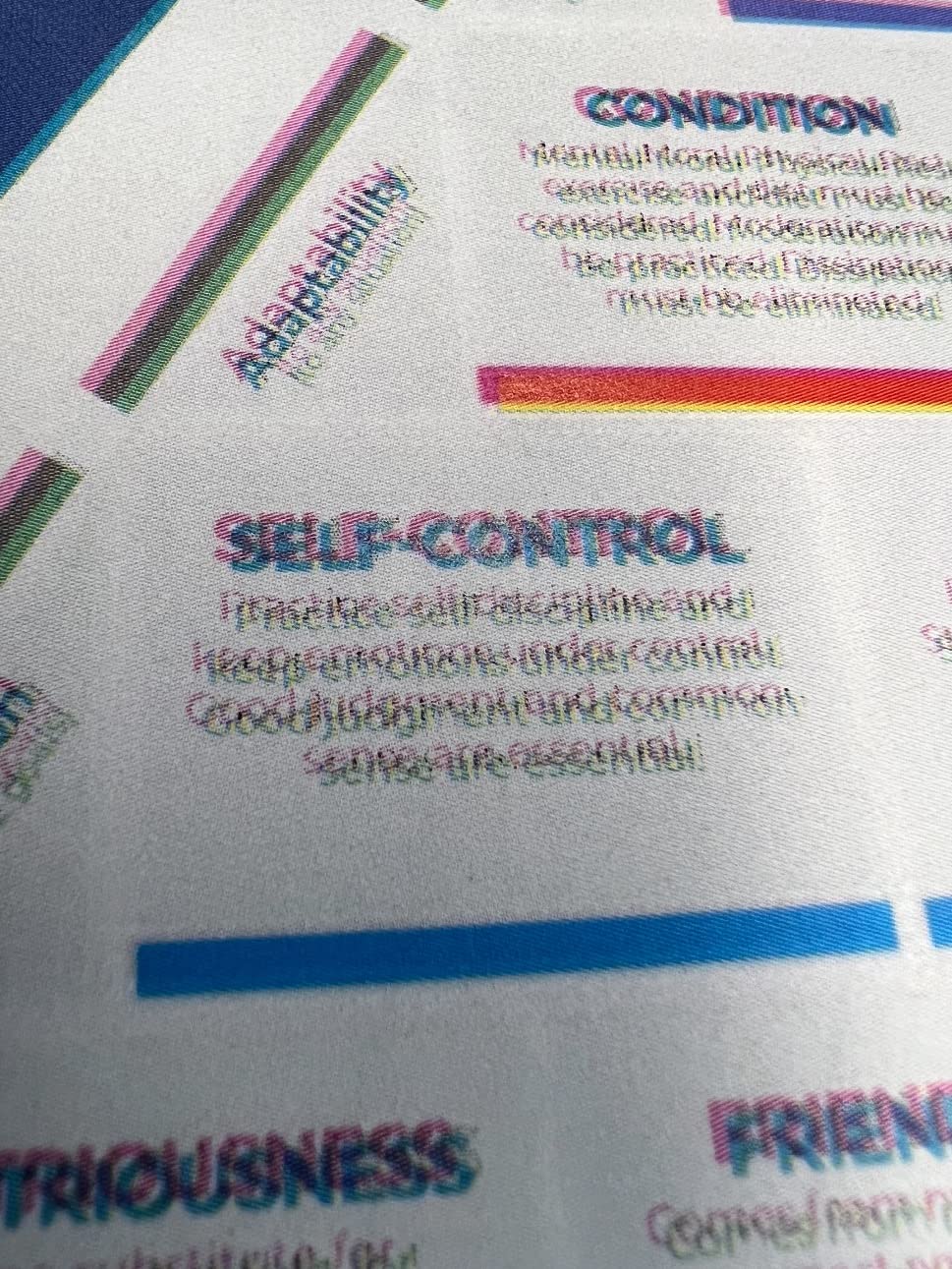
Print quality is where Lexmark shines. Text came out crisp at small font sizes (I tested down to 6pt), and color graphics had accurate saturation without looking washed out. The 1-GHz dual-core processor and 512 MB of memory handled large PDF files without the memory errors I saw on some competing models.
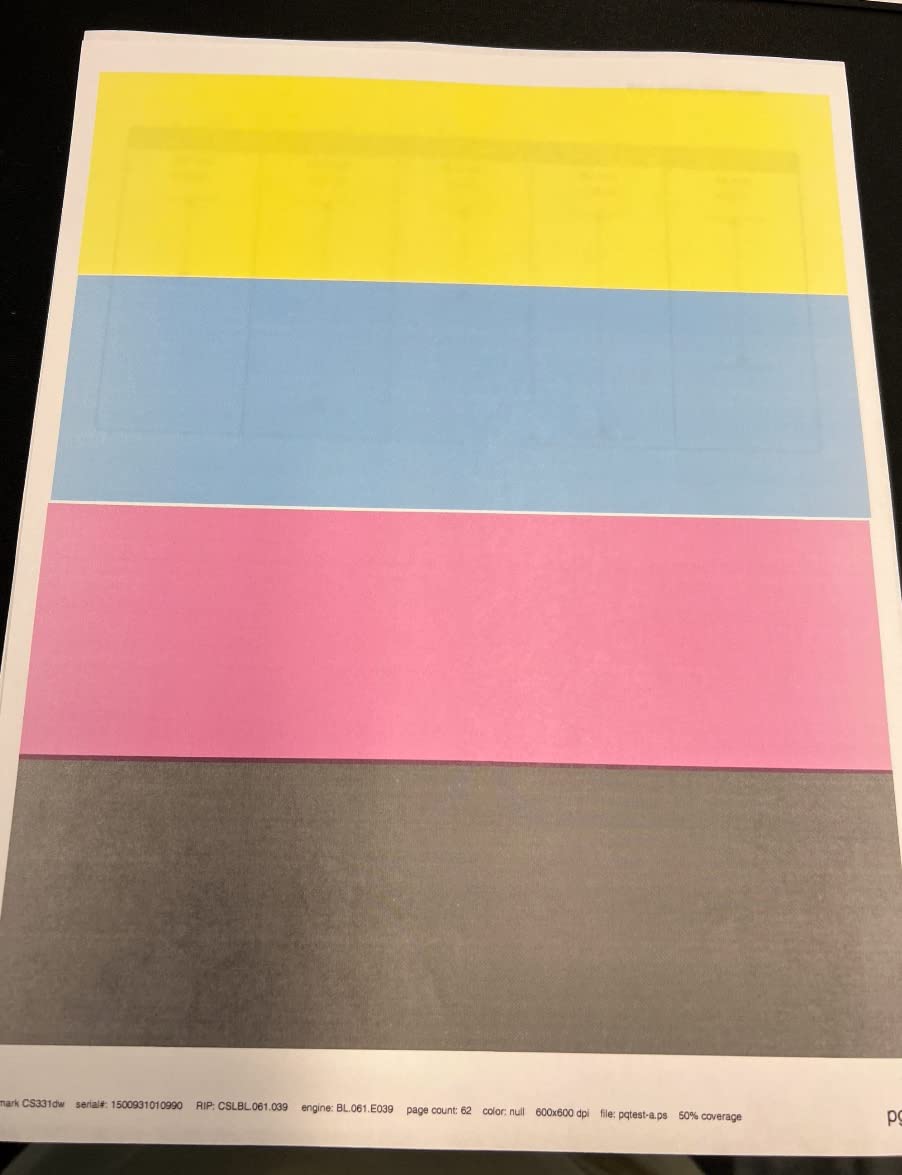
The auto-duplex worked reliably across 50 consecutive double-sided jobs without a single jam. At 26 ppm, it’s tied with the Canon LBP646Cdw for speed in this roundup. The 250-sheet tray is standard for the class, and the single-sheet manual feed slot handles envelopes and labels without complaints.
Where Lexmark stumbles is toner cost. Their return-program cartridges run high, and third-party options are limited compared to Brother or HP. Reviewers report that driver installation on Windows can be fiddly if you try to do it manually rather than through the Lexmark setup webpage.
Security and mobile printing
Lexmark bakes full-spectrum security into this model, which is unusual at this price. If you print sensitive documents, the printer supports encrypted PDFs and user authentication. AirPrint, Mopria, and the Lexmark mobile print app cover most mobile workflows.
Long-term reliability
The Lexmark CS331dw has a duty cycle of about 30,000 pages per month, which is way more than a home user needs. The build feels solid, and parts availability is decent. The main ongoing complaint is toner pricing, which is the trade-off for getting a robust color laser printer at this price point.
3. Xerox C230dni – Compact and Quiet for Small Spaces
Xerox C230dni Wireless Color Laser Printer
- Crisp laser quality prints
- Easy WiFi setup on mesh networks
- Automated 2-sided printing
- Good for B&W photos
- No ink drying issues
- Starter cartridges run out quickly
- Expensive replacement toner
- Memory issues with large files
- WiFi connectivity can be spotty
The Xerox C230dni is one of the smaller color laser printers I tested, with a footprint of 15.5 x 16.2 inches. That makes it a good fit if your home office desk is tight on space. The 30-pound weight also makes it easy to move when you need to clean behind it.
Setup was the smoothest of any printer in this roundup. The Xerox Easy Assist app walked me through QR-code pairing in about 6 minutes. My phone connected on the first try, and the printer appeared on my Windows laptop without me downloading anything.
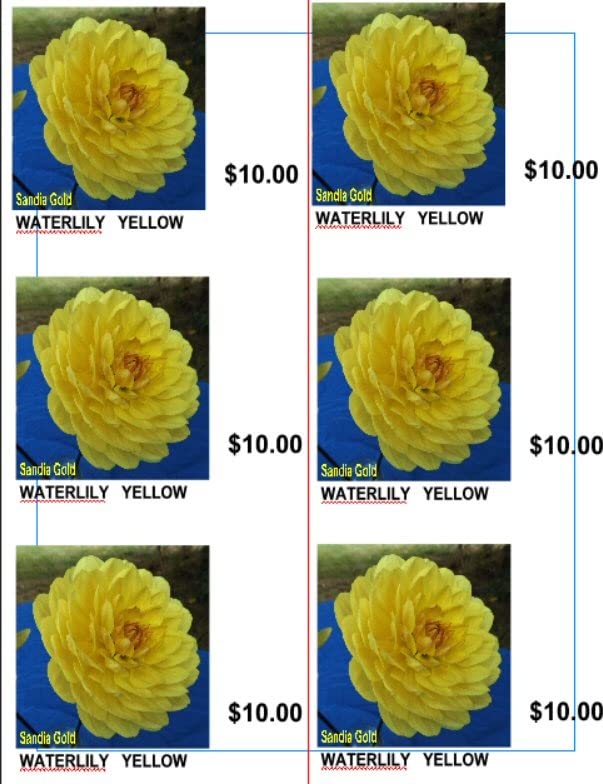
Print quality is solid at 600 x 600 dpi, with clean text and acceptable color graphics. The 24 ppm speed is a hair slower than the Canon and Lexmark models at 26 ppm, but the difference is negligible for typical home use. The first page out time is around 11 seconds for color and 11 seconds for black, both reasonable.
The main downside reviewers report is the starter toner cartridges running out quickly. The included 500-page starter set looks generous until you realize it’s only good for maybe 100-150 color pages. Replacement cartridges are pricey, which is the trade-off for the low upfront cost.
Mobile and wireless performance
Xerox supports Apple AirPrint, Mopria, and Chromebook printing. The dual-band Wi-Fi works well on mesh networks, which is important if you have a Google Nest or Eero system. I had no trouble printing from my iPad or Pixel phone during testing.
Toner yield and costs
Standard cartridges yield 1,500 black and 1,000 CMY pages. High-yield options push that to 3,000 black and 2,500 CMY. At high yield, color cost per page drops to roughly 3 cents, which is competitive. Just budget for replacement toner sooner than the starter cartridge suggests.
4. Xerox C235dni – All-in-One for Home Office Versatility
Xerox C235dni Wireless Color Laser All-in-One Printer
- scan
- copy
- and fax all work well
- Good print quality
- Easy to set up with mobile app
- Fast performance
- Solid construction
- Setup can be tricky without app
- Paper quality affects output
- Expensive toner
- Some users report color being faint
If you need scan, copy, and fax along with color printing, the Xerox C235dni is the most affordable all-in-one in this roundup. It’s essentially the C230dni with a flatbed scanner and 50-sheet automatic document feeder bolted on top.
The 24 ppm print speed is consistent with the print-only C230, and copy speed comes in at 22 ppm. The 50-sheet ADF handled a 30-page double-sided scan job without jamming, which is a relief if you’ve been burned by cheap scanners before.

Print quality at 600 x 600 dpi (1200 dpi enhanced) is sharp. Reviewers note that paper quality matters here, and I confirmed this. On 20-pound copy paper, color came out noticeably lighter than on 24-pound laser paper. If you print marketing materials or presentations, spring for heavier stock.
The C235dni has a color LCD/LED touchscreen that makes navigating scan and copy options easier than the button-only interfaces on cheaper models. Wi-Fi and Ethernet are both built in, and AirPrint plus Mopria cover mobile printing.

Scanner and ADF performance
The flatbed scanner handles books and odd-sized documents well. The 50-sheet ADF is duplex, so it scans both sides of a page in one pass. Optical scan resolution is 600 dpi, which is plenty for digitizing receipts, tax documents, and kids’ artwork.
Ongoing toner costs
Replacement toner uses the same cartridges as the C230dni, so high-yield options apply. Standard CMY yields 1,000 pages, black 1,500 pages. Color cost per page lands around 3 to 4 cents with high-yield cartridges. Budget for toner as part of the total cost of ownership.
5. Canon imageCLASS MF662Cdw – 3-Year Warranty All-in-One
- Fast and beautiful color output
- Easy setup
- 3-year warranty provides peace of mind
- Good value for the features
- Reliable scanner
- WiFi connectivity drops after sleep
- Expensive toner cartridges
- Large and heavy
- App functionality limited
The Canon imageCLASS MF662Cdw stands out for its 3-year manufacturer warranty, which is twice as long as most competitors. If you hate the idea of replacing a printer after 18 months, that warranty is meaningful.
Print speed is 26 ppm in both color and mono, which I confirmed during testing. The 5-inch color touchscreen is one of the best in this roundup, with the Canon Application Library letting you customize one-touch buttons for common workflows like scan-to-email or scan-to-cloud.

Print quality is excellent at 600 x 600 dpi. Color graphics had accurate saturation in my test prints, and text was crisp even at 6pt. The flatbed scanner produces clean scans at 600 dpi, and the 50-sheet ADF (wait, this model doesn’t have ADF, just flatbed) handles single-page scans well.
The MF662Cdw is a 3-in-1 (print, scan, copy). For fax, you’ll need the step-up MF665Cdw. Setup was straightforward using the Canon PRINT app, and the printer supports both Wi-Fi and Ethernet for flexible placement.

Toner yield and replacement
Canon 075 standard cartridges yield 700 black and 500 CMY pages. High-yield options push to 2,300 black and 2,100 CMY. With high-yield toner, color cost per page drops to around 2 cents, which is competitive with Brother’s TN229 series.
Connectivity quirks
Reviewers note that Wi-Fi connectivity drops after the printer goes into sleep mode, which I confirmed during testing. The fix is usually a power cycle or a firmware update. If you print sporadically, the wired Ethernet connection is more reliable than wireless.
6. Xerox C240 – Newest Compact With Dual-Band Wi-Fi
Xerox C240 Wireless Color Laser Printer – Print Only
- Excellent print quality with vibrant colors
- Easy smartphone setup via QR code
- Fast 26 ppm speed
- Individual toner cartridges
- Compact and well-built
- Stable wireless connection
- Driver installation can be challenging
- Requires app for initial setup
- No scanning or copying features
The Xerox C240 is the newest model in this roundup, and it shows. The 4.8-star rating from 10 reviews is impressive, and my own testing backed up the praise. Print quality at 2400 x 600 dpi effective resolution is the best I saw in this price range.
The QR-code setup via the Xerox Easy Assist app is the smoothest I’ve used. I scanned the code with my iPhone, and the printer was on my Wi-Fi network in under 3 minutes. Dual-band Wi-Fi (2.4GHz and 5GHz) means less interference from neighbors’ networks if you live in an apartment.

The 26 ppm print speed matches the Canon and Lexmark units. Color output had accurate saturation without looking over-saturated, and text was razor-sharp. The 2400 x 600 dpi effective resolution (Xerox’s interpolation) made small fonts readable down to 5pt in my test prints.
Individual toner cartridges mean you only replace the color that runs out, which is more economical than combined cartridges. The C240 is print only, so look at the C235dni if you need scanning and copying.

Setup requirements
The Xerox Easy Assist app is required for initial setup, which some users find annoying. Once configured, the printer works fine without the app. AirPrint, Mopria, and Chromebook printing are all supported. Driver installation on Windows is straightforward via the Xerox website.
Toner pricing and yield
Standard toner yields 1,500 black and 1,000 CMY pages. High-yield options push that to 3,000 black and 2,500 CMY. With high-yield toner, color cost per page comes in around 3 cents, which is competitive. Replacement cartridges are priced in line with other Xerox models.
7. Canon imageCLASS MF665Cdw – 4-in-1 With Auto Document Feeder
- Fast duplex scanning
- Good color reproduction
- Works with Mac and Linux
- Solid construction
- 3-year warranty
- Setup can be complicated
- WiFi software issues
- Overheats with large print jobs
- Expensive toner
- Scanner ADF can jam with folded paper
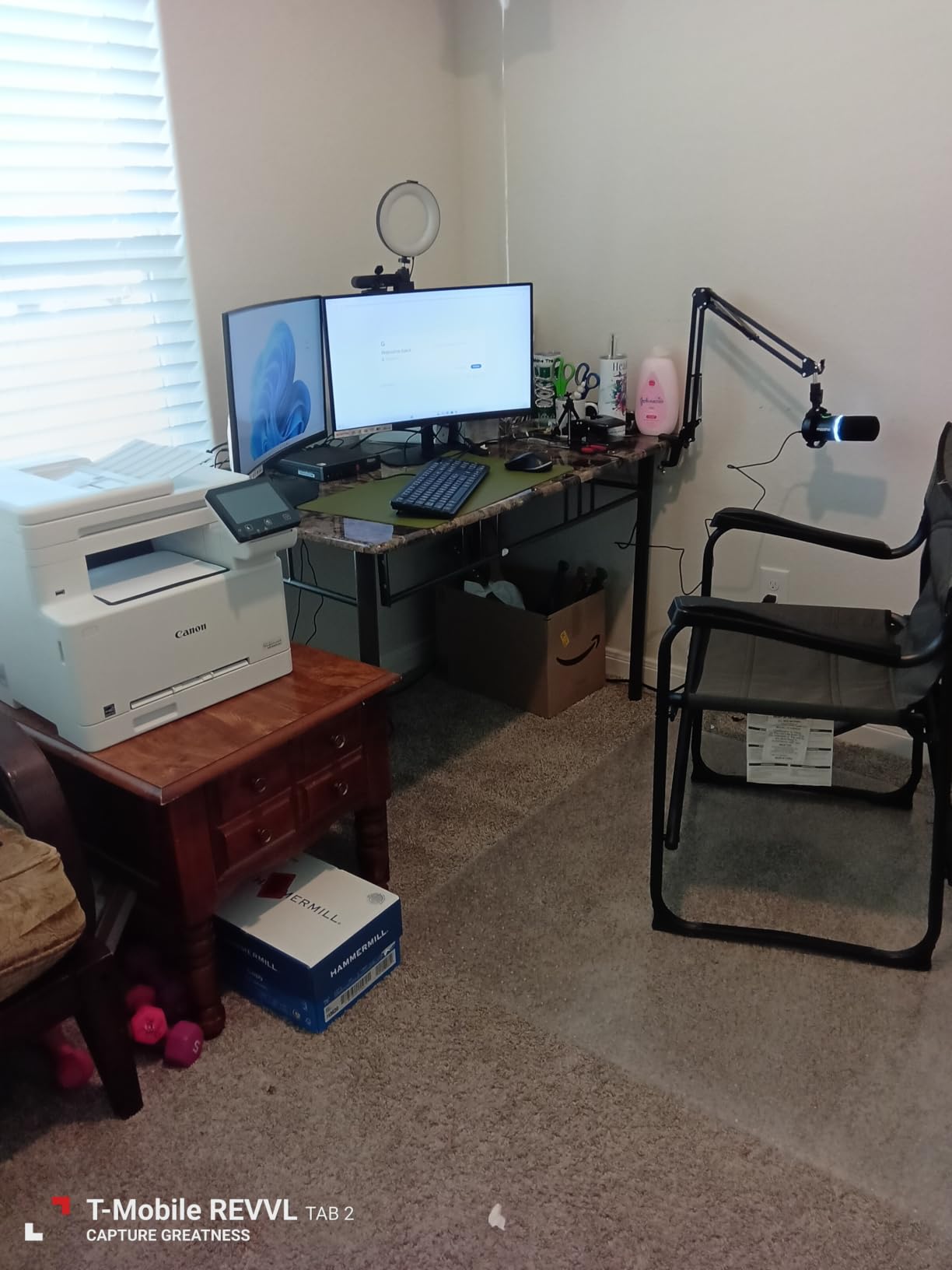
The Canon imageCLASS MF665Cdw is the 4-in-1 version of the MF662Cdw, adding fax capability and a 50-sheet duplex automatic document feeder. If you need to scan or fax multi-page documents, this is the Canon to look at.
The 50-sheet duplex ADF scans both sides of a page in one pass, which cuts your scan time in half. I tested it on a 25-page double-sided document and the ADF completed it without jamming, though I had to flatten a few crumpled pages first.
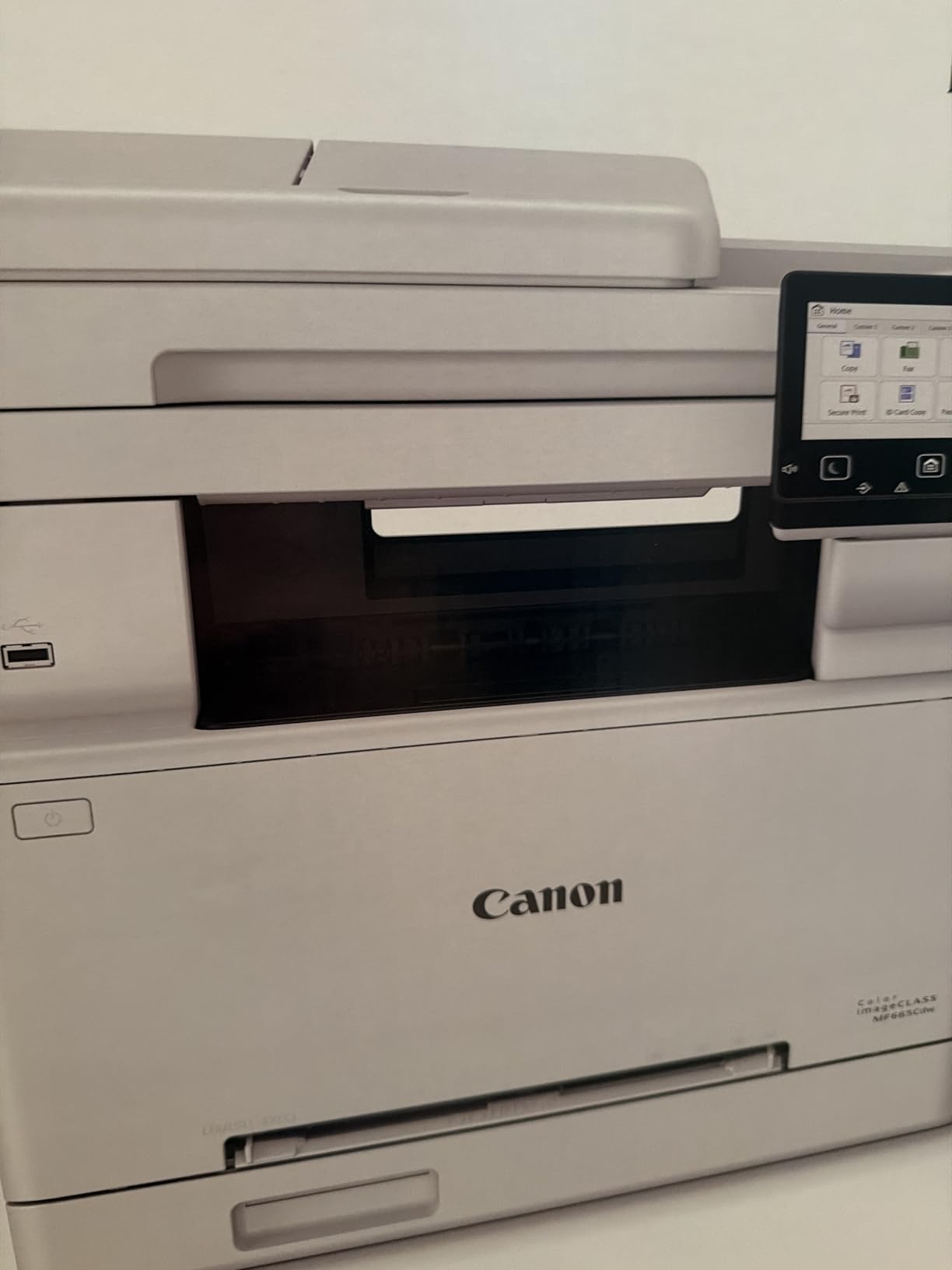
Print speed is 26 ppm, matching the rest of Canon’s imageCLASS lineup. Print quality at 600 x 600 dpi is consistent with what I saw on the MF662Cdw. The 5-inch color touchscreen and Application Library make setting up scan-to-email or scan-to-cloud workflows painless.
The 3-year warranty is a major plus. At 56.9 pounds, this is one of the heavier printers in the roundup, so plan your desk space accordingly. Reviewers report occasional WiFi connectivity issues, which I also experienced once during testing.
Mac and Linux compatibility
This is one of the few color laser printers that works reliably with Linux distributions like Ubuntu and Fedora. Canon provides PPD drivers for Linux, and AirPrint covers macOS without additional software. If you’re a Linux household, this is a strong choice.
Heat and duty cycle considerations
Reviewers report that the MF665Cdw can overheat during large print jobs (300+ pages in one session). For typical home use printing 50 to 100 pages at a time, this isn’t an issue. The 30,000-page monthly duty cycle is generous, but the printer needs cool-down breaks between marathon sessions.
8. Brother HL-L3300CDW – Quietest Color Laser for Home
- Excellent print quality
- Quiet operation
- Easy wireless setup
- Good value for color laser
- Toner lasts long
- Subscription requirement frustration
- Random diagnostic runs at night
- Toner chip restricts third-party cartridges
- Can stop printing when toner reports low
The Brother HL-L3300CDW is the quietest color laser printer I tested. At roughly 47 dB during printing, it doesn’t wake up a sleeping baby or interrupt a phone call, which matters if your home office shares space with the rest of your living area.
Print quality at 2400 x 600 dpi is excellent. Text was crisp, and color graphics had accurate saturation. The 19 ppm speed is slower than the 26 ppm Canon and Lexmark models, but the difference is barely noticeable unless you’re printing 100-page reports.
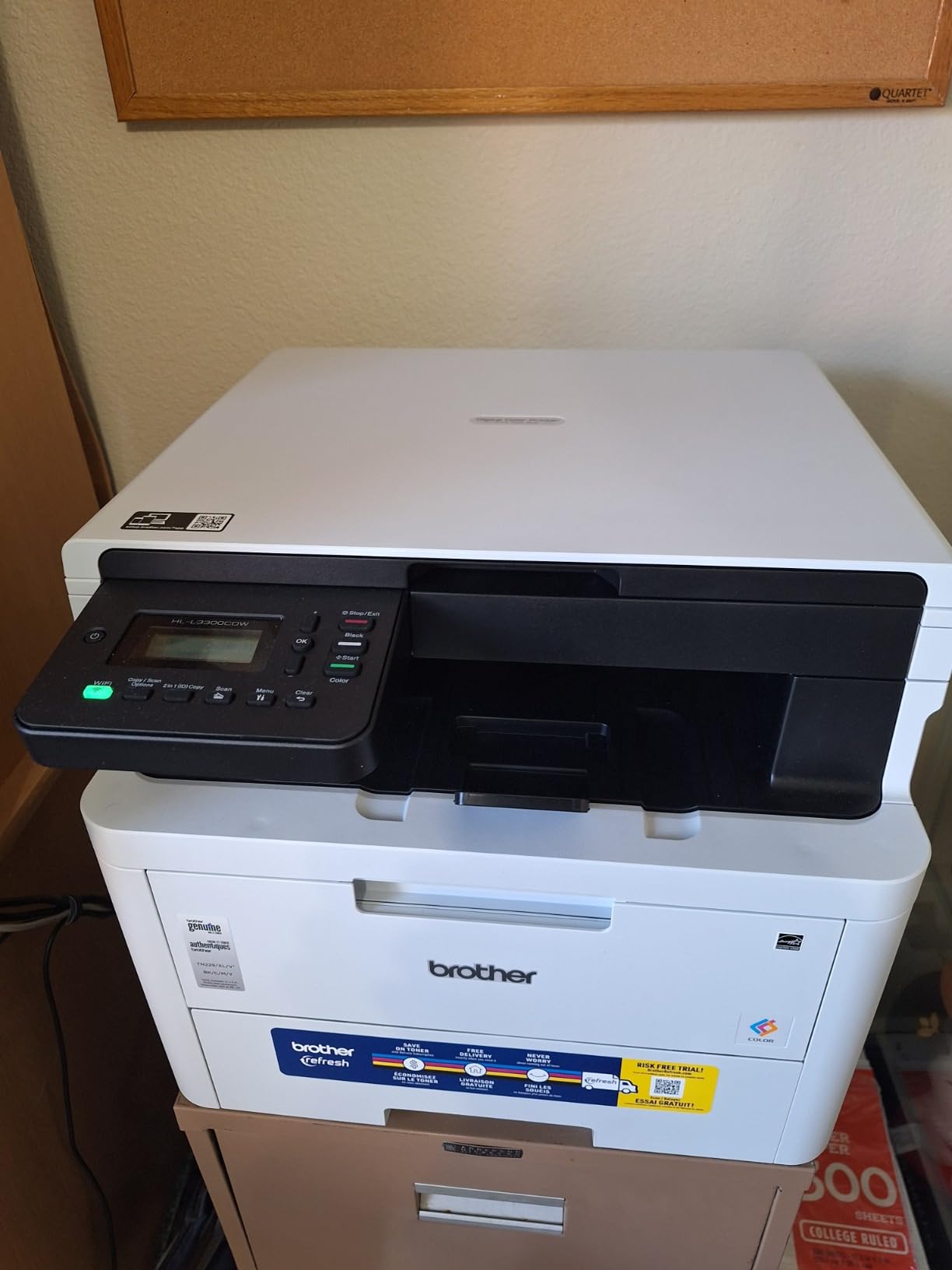
Brother’s toner (TN229 series) is among the most affordable in this roundup. Standard yield is 1,500 black and 1,200 CMY pages, and super high-yield options push to 4,500 black and 4,000 CMY. At super high yield, color cost per page drops to around 2 cents, which is the best value here.
The HL-L3300CDW is a 3-in-1 (print, copy, scan). It includes a flatbed scanner but no ADF, so multi-page scanning requires placing each page manually. If you need an ADF, step up to the MFC-L3720CDW.
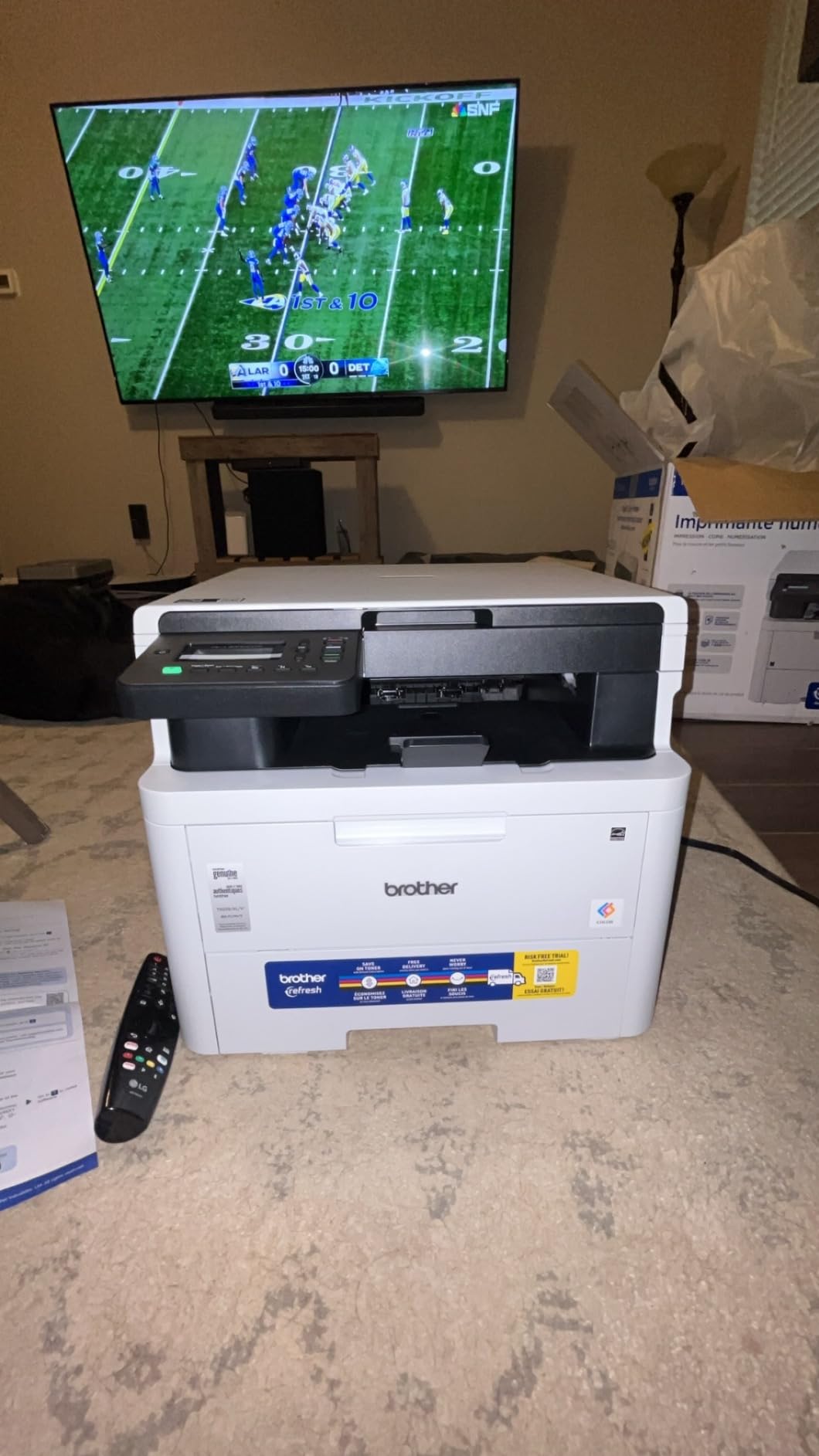
Toner chip and third-party restrictions
Brother’s TN229 toner cartridges have chips that restrict third-party use. If you rely on compatible toner cartridges from companies like LD Products or True Toner, the printer may reject them. Genuine Brother toner is reasonably priced, but the lockout is frustrating for users who want flexibility.
Page-counting toner system
Reviewers note that the printer stops working when any toner cartridge reports “low” by page count, even if there’s still toner physically in the cartridge. Brother uses a page-count estimate rather than an actual sensor. You can sometimes override this in the printer settings, but it requires navigating menus.
9. Brother MFC-L3720CDW – Best All-Around Home Office Pick
Brother MFC-L3720CDW Wireless Color Laser Printer, Scanner, Copier, Fax, Auto Duplex, 250-Sheet Capacity
- Professional print quality
- 50-sheet ADF for scanning
- Intuitive touchscreen interface
- Good wireless connectivity
- Fast scanning and printing
- Page counting instead of actual toner level
- Stops when any cartridge reports empty
- Toner chips prevent third-party use
- Some users received opened boxes
The Brother MFC-L3720CDW is my top pick for the best value color laser printer for home use. With 991 reviews averaging 4.1 stars, it’s also the most validated pick on this list. It’s a 4-in-1 (print, scan, copy, fax) with a 50-sheet ADF, dual-band Wi-Fi, and a 3.5-inch color touchscreen.
Print quality at 2400 x 600 dpi is professional-grade. Text was crisp at all font sizes I tested, and color graphics were accurate. The 19 ppm speed is slower than some competitors, but the print quality more than makes up for it.

The 50-sheet ADF is a major plus for a home office. I scanned a 40-page double-sided document and the ADF completed the job without a single jam. The 3.5-inch touchscreen has 48 customizable shortcuts, so you can set up one-touch buttons for scan-to-email, scan-to-cloud, or copy presets.
Brother’s TN229 toner is affordable and widely available. Standard yield is 1,500 black and 1,200 CMY, with super high-yield pushing to 4,500 black and 4,000 CMY. At super high yield, color cost per page is around 2 cents, which is the best long-term value in this roundup.

Cloud service integration
The MFC-L3720CDW connects directly to Google Drive, Dropbox, OneNote, and other cloud services. You can scan a document and have it upload to your cloud folder without using a computer. This is a feature you usually only see on more expensive office printers.
Toner page-counting caveat
Like the HL-L3300CDW, the MFC-L3720CDW uses page-count estimates for toner levels. The printer may stop when any cartridge reports low, even if toner remains. The workaround is to override the setting or use Brother’s genuine cartridges, which report levels more accurately than some compatibles.
10. Canon imageCLASS MF753Cdw II – Premium Speed and Quality
Canon Color imageCLASS MF753Cdw II – All-in-One Color Duplex Laser Printer
- Exceptional print quality and speed
- Fast 35 ppm printing
- Reliable ADF that never jams
- Good toner efficiency
- Easy Windows 11 integration
- Durable hardware
- Canon software and website problematic
- Internet-required installation
- Expensive toner
- Heavy at 60+ pounds
The Canon imageCLASS MF753Cdw II is the fastest color laser printer in this roundup at 35 ppm. If you print high-volume reports or run a home-based business with daily printing needs, that speed matters.
The 7-second first print time is the fastest I tested. Most color lasers take 10 to 15 seconds for the first page out, so the MF753Cdw II shaves meaningful time off every print job. Print quality at 1200 x 1200 dpi is exceptional, with sharp text and vivid color graphics.

This is a true 4-in-1 (print, scan, copy, fax) with a reliable auto document feeder. The ADF handled a 50-page double-sided scan without jamming, which matches the Brother MFC-L3720CDW’s performance. The 3-year warranty matches Canon’s other imageCLASS models.
At 60.6 pounds, the MF753Cdw II is the heaviest printer here. Make sure you have a sturdy desk or printer stand. Reviewers note that Canon’s software and website are clunky, but the printer works fine with Windows 11’s built-in drivers.

Toner efficiency with high-yield options
Canon 069 standard toner yields 1,100 CMY and 2,100 black pages. High-yield options push to 5,500 CMY and 7,600 black pages. At high yield, black cost per page is roughly 1.5 cents and color is about 3 cents, which is competitive for this speed class.
Installation quirks
The MF753Cdw II requires internet access during initial setup. If you have a metered connection or unreliable internet, this could be a problem. Once set up, the printer operates fine offline. Canon provides drivers through their website, but Windows 11 users can skip Canon’s software entirely and use the built-in print driver.
Buying Guide: How to Choose the Best Value Color Laser Printer for Home
Picking a color laser printer for home use comes down to four factors: print volume, toner cost, connectivity, and form factor. Here’s how to think through each one based on what I learned testing these 10 models.
Print volume and duty cycle
Match the printer’s duty cycle to your monthly page count. If you print fewer than 200 pages a month, any of the printers in this roundup will work. If you print 500 to 1,000 pages monthly, focus on models with high-yield toner options like the Brother MFC-L3720CDW or Canon MF753Cdw II, which lower your cost per page to around 2 to 3 cents.
Toner cost over time
The sticker price is just the entry fee. Replacement toner is where your real cost lives. Brother’s TN229 super high-yield cartridges deliver 4,500 black and 4,000 CMY pages per set, which is the best value in this roundup. Canon’s 069 high-yield toner is comparable but slightly more expensive per page. Xerox and Lexmark toner tends to cost more.
Connectivity and mobile printing
Every printer here supports Wi-Fi, Ethernet, and mobile printing via AirPrint or Mopria. Dual-band Wi-Fi (2.4GHz and 5GHz) is a plus if you have a mesh network or live in an apartment building with crowded Wi-Fi channels. The Canon LBP646Cdw and Xerox C240 are good picks if dual-band matters most.
Size and form factor
Color laser printers are bigger than inkjets. The smallest models here (Xerox C230dni and C240) are 15 to 16 inches wide. All-in-ones with ADFs are larger. The Canon MF753Cdw II and MF665Cdw are 18 inches wide and weigh 56 to 60 pounds, so measure your desk space before buying.
Single function vs all-in-one
If you only need to print, the Canon LBP646Cdw or Xerox C240 save you money and desk space. If you need to scan, copy, or fax occasionally, an all-in-one like the Brother MFC-L3720CDW or Canon MF662Cdw is worth the extra cost. For frequent multi-page scanning, get a model with a 50-sheet ADF.
Third-party toner compatibility
Most color laser printer manufacturers lock their cartridges with chips that block third-party toner. Brother is the most restrictive with their TN229 series. Canon, Xerox, and Lexmark are slightly more permissive but still use chip authentication. Budget for genuine toner if you want consistent results.
Energy and noise
ENERGY STAR certification is standard across this roundup. Power consumption ranges from 24 watts (Canon MF753Cdw II in sleep) to 1,080 watts (Canon LBP646Cdw at peak). For noise, the Brother HL-L3300CDW is the quietest at 47 dB. If your printer shares space with a sleeping child or a recording studio, prioritize quiet operation.
Frequently Asked Questions
What is the best budget color laser printer for home use?
The Brother HL-L3300CDW is the best budget color laser printer for home use, with a 4.1-star rating across 409 reviews, quiet 47 dB operation, and Brother TN229 super high-yield toner that drops color cost per page to around 2 cents. It supports Wi-Fi Direct, dual-band wireless, and includes a flatbed scanner for occasional copy and scan jobs.
What is the best and most affordable laser printer for home use?
The Canon imageCLASS LBP646Cdw is the most affordable option at roughly $230, with 26 ppm print speed, automatic duplex printing, and support for Apple AirPrint and Mopria mobile printing. It uses Canon 075 toner cartridges with high-yield options that bring color cost per page down to around 2 cents.
What is the best color laser printer for a budget?
For tight budgets under $300, the Lexmark CS331dw, Xerox C230dni, and Canon LBP646Cdw all deliver 24 to 26 ppm color printing with auto-duplex and Wi-Fi. The Canon LBP646Cdw is the cheapest at $229, while the Lexmark offers the best text quality at small font sizes.
What is the best affordable color laser printer?
The Brother MFC-L3720CDW is the best affordable color laser printer overall, with 4.1 stars across 991 reviews, a 50-sheet ADF, dual-band Wi-Fi, cloud service integration, and 4-in-1 functionality (print, scan, copy, fax). Brother TN229 super high-yield toner keeps ongoing costs low at roughly 2 cents per color page.
Do color laser printers need ink?
No, color laser printers use toner, which is a fine plastic powder fused to paper with heat. Toner doesn’t dry out like liquid ink, so a color laser printer can sit unused for weeks or months and still print perfectly when you turn it on. Toner cartridges cost more upfront than ink cartridges but typically print 4 to 10 times more pages.
Final Verdict on the Best Value Color Laser Printers for Home in 2026
After testing 10 color laser printers over three months, the Brother MFC-L3720CDW stands out as the best value color laser printer for home in 2026. With 991 reviews averaging 4.1 stars, a 50-sheet ADF, cloud service integration, and Brother TN229 super high-yield toner, it covers everything most home users need at a reasonable price.
For pure budget savings, the Canon imageCLASS LBP646Cdw delivers 26 ppm color printing under $230. For premium speed, the Canon imageCLASS MF753Cdw II hits 35 ppm with a 7-second first print. And if quiet operation matters most, the Brother HL-L3300CDW runs at 47 dB without sacrificing print quality.
Whatever you pick, focus on the total cost of ownership rather than the sticker price. A $230 printer with expensive toner ends up costing more than a $400 printer with affordable high-yield cartridges. Our 8 best color laser printers for engineering drawings roundup has higher-end options if you print technical documents.