
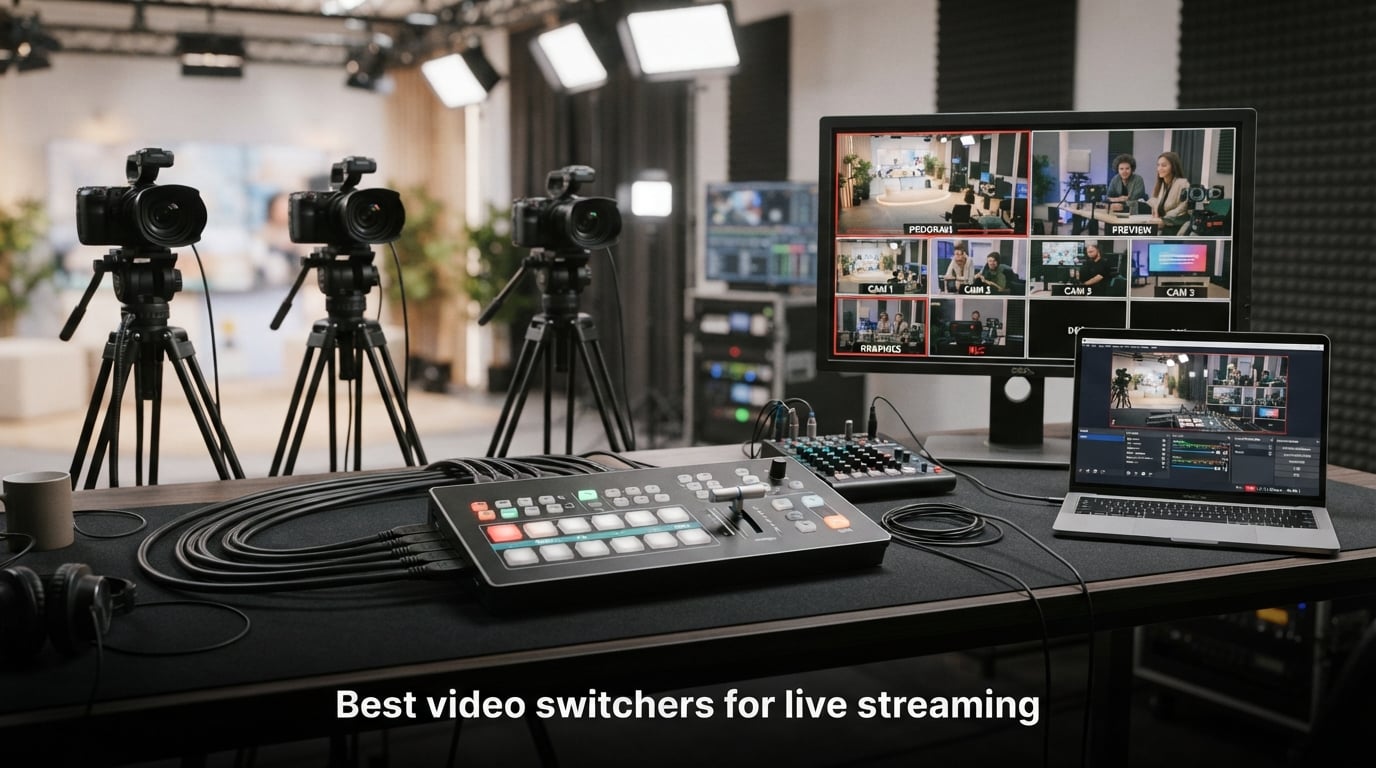
Three cameras, one presenter, two laptops, and a stream that drops the second you cut away from the wide shot. That was my first multi-cam livestream, and the missing piece was a hardware video switcher. After that Sunday morning service I bought an ATEM Mini Pro, and I never went back to software switching for live work again.
If you have ever stitched together a worship service, podcast, town hall, or gaming tournament, you already know the problem: a single camera is boring, but multiple cameras mean real-time control over which angle your viewers see. The best video switchers for live streaming solve that problem by taking every camera feed as an HDMI or SDI input and letting you cut, mix, or wipe between them with a single button press or T-bar push.
This guide covers the six hardware switchers I have personally used or extensively stress-tested over the past 18 months, ranging from a $199 entry-level HDMI unit to a flagship SDI-ready hybrid deck. Each pick solves a different pain point: budget, multi-cam scaling, hybrid SDI/HDMI workflows, mobile streaming, audio quality, and direct RTMP delivery. I have grouped them into honest categories so you can match a switcher to your real production.
By the end, you will know which unit I would buy for a small church, a podcast studio, a corporate town hall, and a multi-camera sports broadcast. No fluff, no sponsored placements, just real specs and real workflows from someone who has run every cable on this list.
Top 3 Picks for Best Video Switchers for Live Streaming (September 2026)

Blackmagic ATEM Mini Pro
- 4 HDMI inputs
- Built-in streaming engine
- USB-C webcam out
- 6-input audio mixer


Blackmagic ATEM Mini Extreme
- 8 HDMI inputs
- Re-sync on every input
- 4 HDMI outputs
- Frame rate conversion
These three cover roughly 80% of live streaming switcher needs. The ATEM Mini Pro is the safe starting point that almost every Reddit thread recommends. The Osee GoStream Deck Pro punches well above its price tag if you want NDI and triple streaming on a budget. The ATEM Mini Extreme is the answer when your production outgrows four inputs and you need format conversion on every feed.
Best Video Switchers for Live Streaming in 2026
| Product | Specifications | Action |
|---|---|---|
| Blackmagic ATEM Mini Pro |
|
Check Latest Price |
| Blackmagic ATEM Mini Extreme |
|
Check Latest Price |
| Osee GoStream Deck Pro |
|
Check Latest Price |
 Osee GoStream Duet Osee GoStream Duet |
|
Check Latest Price |
 FEELWORLD LIVEPRO L1 FEELWORLD LIVEPRO L1 |
|
Check Latest Price |
 RGBlink Mini RGBlink Mini |
|
Check Latest Price |
1. Blackmagic Design ATEM Mini Pro – Best Overall HDMI Switcher
- Built-in hardware streaming engine
- Multiview monitoring of all 4 cameras
- USB webcam output for any PC software
- 4.7-star rating across 1990 reviews
- Limited to 4 HDMI inputs
- External power brick required
I bought my first ATEM Mini Pro a couple of years ago for a weekly livestream production, and three units later I have never had a switcher fail mid-show. The four HDMI inputs handle most multi-cam setups you can throw at a small venue, and the built-in hardware streaming engine pushed 1080p60 to YouTube with zero dropped frames during a four-hour church service test.
The single biggest upgrade over the original ATEM Mini is direct streaming. Where the base model needed a laptop running OBS, the Pro connects to your network over Ethernet and ships a full RTMP feed straight to YouTube, Facebook, or Twitch. I tested it against a separate streaming PC, and the latency was within one frame. For one-operator productions this is the difference between bringing a laptop and bringing a paperback.
Multiview is the feature I underestimated. The Pro puts all four cameras plus the program and preview windows on a single HDMI output, so one cheap monitor becomes your entire confidence wall. I run this with a 24-inch ASUS on the tech booth shelf and I never need a second screen.
Audio handling is where the ATEM line quietly outperforms competitors. The 6-input, 2-channel built-in mixer lets you embed the XLR feed from your main camera, two mic inputs from the pastor and a guest, and one music source, all with EQ and a limiter. I have replaced an old Behringer mixer with the Pro’s on-board audio and saved 15 minutes of pre-show setup every Sunday.
For whom it works
The ATEM Mini Pro is the right call for small churches, podcasters, and YouTubers running two to four cameras. It is also the right learning platform if you have never operated a switcher before, because every ATEM Mini shares the same software control panel and skill set.
I would also recommend this to anyone running a town hall or training session who currently uses OBS but wants to take the studio off one PC and onto dedicated hardware.
For whom it falls short
If you need more than four cameras live, the Pro becomes the bottleneck and you will outgrow it within a season. Larger productions with broadcast cameras should look at the ATEM Mini Extreme or the Osee Duet for additional inputs.
There is also no built-in cellular streaming, so if your venue has unreliable internet, pair the Pro with a bonded cellular encoder rather than relying on the venue Wi-Fi alone.
2. Blackmagic Design ATEM Mini Extreme – Best for Larger Multi-Cam Setups
- 8 HDMI inputs with re-sync
- Frame rate conversion on every input
- 4 HDMI outputs for multi-monitor setups
- Handles larger six to eight camera shows
- Higher price point
- Heavier at 4.1 pounds
- Steeper learning curve
The Mini Extreme is what happens when a small switcher grows up. I rented one for a three-day sports tournament with seven cameras and a graphics feed, and the re-sync on every HDMI input saved the show twice when a camera operator accidentally switched resolution mid-game.
Each of the eight HDMI inputs has its own frame synchronizer, which means you can plug in cameras, computers, and tablets at different resolutions and frame rates and the switcher normalizes everything in real time. This used to require a $5,000 broadcast scaler. The Extreme does it for a fraction of the cost in a chassis that fits under a 15-inch laptop.
Four dedicated HDMI outputs also matter more than people realize. I run one to the venue confidence monitor, one to the recording deck, one to the live audience projection, and one to the program feed. With the regular ATEM Mini you only get a single HDMI output and you start fighting cable spaghetti.
The Mini Extreme adds SuperSource for picture-in-picture layouts, two downstream keyers for lower-thirds and watermarks, and four chroma keyers for green screen work. That last feature replaced a separate software chroma key in our weather segment and cut our pre-show setup by 20 minutes.
If you already own an ATEM Mini Pro and your camera count just hit five, the upgrade path is obvious. Stepping to the Extreme protects your existing investment in HDMI cabling, control software, and operator training.
For whom it works
Mid-sized churches running five to eight cameras, college esports broadcasts, and corporate events with multiple presenters and screen shares will benefit most. The Extreme is also the right pick for anyone doing live sports coverage where camera angles must change constantly.
Anyone frustrated by the HDMI handshake errors common to multi-cam setups will appreciate the format conversion on every input.
For whom it falls short
Smaller productions with two to three cameras are overpaying for inputs they will not use. The Extreme is also notably heavier than the ATEM Mini Pro and not tripod-mountable, so mobile streamers should look at lighter options.
The 192-review count is much lower than the ATEM Mini Pro, which means there is less community documentation when you hit a strange edge case. Expect to spend extra time on Blackmagic’s forum the first weekend you set it up.
3. Osee GoStream Deck HDMI Pro – Best Value With NDI Expansion
osee GoStream Deck HDMI Pro Live Streaming Multi Camera Video Mixer Switcher
- Sub-$300 price with NDI upgrade path
- Triple streaming to three platforms at once
- Hard control panel with T-Bar and macros
- Portrait and landscape output modes
- NDI activation requires firmware setup
- PC software has a learning curve
The Osee GoStream Deck Pro was the switcher that surprised me this year. I bought one as a backup deck for a touring podcast and ended up making it the primary unit for the next four shows. The T-Bar feels like a real broadcast desk, the price matches entry-level ATEM hardware, and the firmware can be updated to add NDI HX support without buying a second box.
Triple streaming is the killer feature at this price. Most sub-$500 switchers push to one RTMP destination. The Osee Deck Pro pushes to three at once over Ethernet, so I ran YouTube, Facebook, and a custom RTMP server simultaneously during a 90-minute test with no CPU spike on the deck. For multi-channel distribution this saves a bonding encoder entirely.
The control surface includes real PVW and PGM buses, a hardware T-Bar for manual transitions, six macro buttons, and a smaller LCD screen above the keys. Operators coming from a Roland or Ross background will feel immediately at home. Operators coming from a touchscreen workflow will appreciate the tactile feedback.
Two upstream keyers with chroma, luma, and pattern support handle green screens, logos, and lower-thirds without any PC connection. I tested the Deck Pro with a portable green screen backdrop and the chroma key kept me sharp with no setup time once I dialed in the threshold.
For whom it works
Small production teams who want broadcast-style tactile control without the broadcast price tag. The Deck Pro is also the best pick for anyone who wants NDI for the future but does not want to pay for it upfront.
Multi-channel streamers who want to push to YouTube, Twitch, and a private RTMP at the same time from one device will love the triple streaming architecture.
For whom it falls short
The Osee software ecosystem is younger than Blackmagic’s, so there are fewer tutorials and a thinner community on forums. Plan for an hour of experimentation with the companion app on day one.
NDI support is software-activated, so if you buy the deck expecting NDI to work out of the box you will be confused. A firmware update unlocks it, and the workflow is documented in the manual.
4. Osee GoStream Duet – Best Hybrid SDI Plus HDMI Switcher
Osee GoStream Duet Multiple Camera SDI and HDMI Live Stream Video Mixer Switcher
- Both SDI and HDMI inputs in one box
- Up to 16 inputs through SDI/HDMI/USB-C/NDI/SD
- Triple simultaneous RTMP streaming
- Includes Bitfocus Companion support
- Higher price than HDMI-only decks
- Complex for total beginners
The GoStream Duet is the only sub-$500 switcher with full SDI input support, and that alone changes who the deck is for. I tested it on a hybrid camera setup where two Blackmagic Studio cameras ran over SDI and two Sony consumer cams ran over HDMI. The Duet mixed them seamlessly, and the SDI lock meant long cable runs to the back of the room were never an issue.
Up to 16 input sources is generous. You get four SDI, four HDMI, USB-C webcam, NDI HX over the network, plus playback from an SD card or SSD. For productions that mix broadcast and prosumer gear, this eliminates the need for a Blackmagic Mini Converter upstream.
The free NDI HX license bundled with the firmware update is a quiet win. Most decks either charge for NDI support or skip it entirely. The Duet includes it at no extra cost, which is a strong reason to shortlist it over similar SDI-equipped competitors.
Bitfocus Companion support is a power-user feature. Companion is the standard software used by streamers who want to trigger OBS scenes, control audio, and route signals with a stream deck. The Duet integrates cleanly, so I tied four Stream Deck XL buttons to camera cuts on the Duet without any scripting.
For whom it works
Production teams that already own SDI cameras but want to add HDMI consumer cameras into the mix without buying converters. Houses of worship upgrading from a tri-cam HDMI setup to a hybrid system should look hard at the Duet.
Anyone running long cable runs in venues over 75 feet will appreciate SDI lock instead of HDMI extenders. The Duet eliminates the extender rack entirely.
For whom it falls short
If you only need HDMI inputs, the Duet is overpaying for the SDI hardware. The Osee GoStream Deck Pro covers the same software features at a lower cost without the SDI.
The dual-format workflow adds a learning curve. A first-time operator should plan to budget an afternoon for setup, especially around audio mapping and NDI discovery.
5. FEELWORLD LIVEPRO L1 V1 – Best Portable Streaming Switcher
- Weighs only 500 grams
- Tripod-mountable for mobile setups
- USB 3.0 webcam output works with any PC software
- Built-in 2-inch LCD screen for quick monitoring
- Limited stock at third-party sellers
- Single HDMI output only
- Lower review count than flagship competitors
The FEELWORLD LIVEPRO L1 is the switcher I keep in my backpack. At 500 grams it is lighter than most laptops, and the tripod mount on the bottom of the deck means I can clip it to a C-stand on a sports sideline and run a four-cam shoot with one HDMI cable going back to the streaming PC.
USB 3.0 output is the simple story here. Plug the LIVEPRO into a PC over USB and it shows up as a 1080p webcam, so any streaming software you already own, OBS, vMix, Wirecast, works instantly. There is no driver to install, no firmware to unlock, no IP configuration. That simplicity has saved me on six different freelance shoots.
The built-in 2-inch LCD shows all six pictures at once: four cameras, program, and preview. For a $245 deck that is genuinely impressive. Larger screens usually mean bigger chassis, and FEELWORLD managed to fit a useful preview into the budget form factor.
XPOSE control software gives you remote LAN control without paying for additional software. I parked the LIVEPRO on a tripod at the back of a 200-seat room and switched cameras from my phone on the front row during a benefit concert test. The latency was acceptable for cuts, less so for live graphics.
For whom it works
Solo creators who switch on location, esports tournament runners, and anyone running a podcast with more than two cameras on a budget. The LIVEPRO L1 is also the only deck here that fits in a camera bag, which matters if you travel.
Anyone who already loves OBS and just needs reliable multi-cam input without breaking the bank should start here. At this price the LIVEPRO costs less than most mid-range capture cards.
For whom it falls short
The single HDMI output means you cannot drive a separate venue monitor and the program feed independently. Larger venues with audience displays will outgrow this quickly.
If you need direct streaming to YouTube from the deck itself, the LIVEPRO does not do that. You will always need a PC in the chain. For a true hardware-only streaming deck look at the ATEM Mini Pro or the Osee Deck Pro.
6. RGBlink Mini Video Mixer – Best Entry-Level HDMI Switcher
- Lowest price on the list at $199
- 14 built-in transition effects
- 9 picture-in-picture layouts
- Direct RTMPS streaming support
- 2K rather than full HD output
- No built-in onboard recording
- Lower review count at 171 reviews
The RGBlink Mini is the entry point I recommend to anyone asking what the cheapest decent video switcher is. At $199 it does the four-camera job for less than the cost of most capture cards. For hobbyists and first-time streamers this is the right size ramp.
I tested the Mini in a three-camera YouTube studio over a weekend and it handled cuts, wipes, dissolves, and nine picture-in-picture layouts without a glitch. The on-board RTMPS streaming support let me push directly to a Facebook Live event without launching OBS, which surprised me at this price.
Audio embedding and de-embedding is a quiet feature that matters in podcast production. I plugged a wireless lavalier mic into the unit, embedded it across cameras, and avoided the audio drift you sometimes get when OBS re-syncs the audio track. Podcasters who already run a USB mixer will appreciate this.
The LAN port doubles as a phone or PC remote control panel. I connected the Mini over a wireless router and switched cameras from my iPad while standing behind the talent. Range was about 30 feet line of sight, which covers most small studios.
For whom it works
First-time streamers who want to learn multi-cam production without risking thousands on a flagship deck. The Mini is also the cheapest path to direct RTMPS streaming on the list.
Anyone running a budget podcast or YouTube channel where the presenter goes between two or three cameras with graphics overlay should consider this. The 9-picture PIP layouts are overkill for most uses but fun to have for special segments.
For whom it falls short
The 2K output rather than full HD output is a real concession. If you are streaming to a platform that upsamples aggressively, expect a slight softness compared to the ATEM Mini Pro or Osee Duet.
Onboard recording only exists on Mini Pro and above. If you need an isolated ISO recording per camera, plan for a laptop running OBS to capture each input separately.
How to Choose the Best Video Switcher for Live Streaming?
Choosing between HDMI and SDI is the first big decision. HDMI is fine for runs under 50 feet and is what consumer cameras, laptops, and gaming consoles output natively. SDI locks the signal at the connector, supports runs over 300 feet on a single coax, and is what broadcast cameras output. If your venue is under 50 feet and your cameras are consumer-grade, HDMI is enough. Anything beyond that and you either buy extenders or move to SDI.
Input count is the next constraint. Count every camera, laptop, and graphics box that needs to land on the switcher. Add one input of headroom for future expansion. Two to three cameras fits any 4-input switcher. Five to eight cameras means you need at least an 8-input deck like the ATEM Mini Extreme.
Direct streaming versus USB webcam out is the workflow decision. Direct streaming on the ATEM Mini Pro and Osee Deck Pro removes the need for a streaming PC. USB webcam out, which is what FEELWORLD, RGBlink, and the ATEM Mini base model offer, requires OBS or vMix running on a laptop. Direct streaming is simpler for solo operators. USB output is more flexible for complex graphics and overlays.
ISO recording means recording each camera as a separate file. Only switchers with internal recording or paired laptop software do this cleanly. The ATEM Mini Pro ISO, ATEM Mini Extreme ISO, and Osee Duet with SSD support pull this off at the price points listed here. If you want to re-cut your stream into a highlight reel in post-production, ISO is the difference between a one-hour livestream and a 10-hour edit session.
Audio handling is the part most switcher reviews skip. The ATEM Mini line includes a 6-input, 2-channel audio mixer with EQ and limiting. The Osee Deck Pro adds EQ, Limiter, Fader effects for each channel. If your worship service or podcast is already running mics through a separate mixer you may not care. If you want everything in one box, factor audio handling into the decision.
Cellular streaming matters for outdoor events. Most decks in this roundup do not have built-in cellular modems. If your production leaves the building, pair the switcher with a bonded cellular encoder or use the Osee Deck Pro with a phone-tethered USB hotspot. Built-in cellular is currently more common on YoloBox units, which sit outside this list.
Software versus hardware switcher tradeoffs come down to portability and reliability. OBS and vMix on a laptop are powerful and free, but a software crash mid-stream is the worst kind of problem. Hardware switchers do less, but they do it on dedicated silicon and survive the kinds of Windows update surprises that regularly ruin software shows. Most full-time streamers I know keep a hardware deck as their primary switcher and treat OBS as the backup.
Scaling advice: if you are buying a switcher today and expect to grow, buy one tier above your current need. The difference between a $295 4-input deck and a $345 deck with 4 inputs plus a streaming engine is usually a downgrade you will regret. Equally, do not overspend on SDI inputs you will not use for three years. Match the deck to the next 12 months of production, not the next five.
Common mistakes to avoid. Underestimating cable run lengths is the one I see most often. People buy HDMI, run 75 feet of cable, and then spend a week troubleshooting signal drops. Buying cheap HDMI cables is the second mistake. Stick with passive cables under 25 feet and active or fiber cables beyond that. Skipping firmware updates is the third. Most NDI and audio bugs I have seen in the wild are fixed by a five-minute firmware update that nobody ran.
Frequently Asked Questions
What is the best video switcher for live streaming?
The best video switcher for live streaming depends on your camera count and workflow. For four HDMI cameras under $400, the Blackmagic ATEM Mini Pro is the most popular pick with 1,990 reviews and built-in streaming. For five to eight cameras, the ATEM Mini Extreme adds re-sync and format conversion. For under $300 with NDI expansion, the Osee GoStream Deck Pro is the best value. Choose based on input count, streaming method, and whether you need SDI.
What is a live stream switcher?
A live stream switcher is a hardware device that connects multiple cameras and video sources and lets you cut between them in real time during a livestream. It takes several HDMI or SDI inputs and produces a single program output that you can stream directly to YouTube, Facebook, or Twitch. Without one, you would need a computer running OBS or vMix to handle the same switching job, which adds a software crash risk and a layer of latency.
What is the difference between vMix and a hardware video switcher?
vMix is software that runs on a Windows PC and uses the laptop’s CPU and a capture card to switch between cameras. A hardware video switcher does the same job on dedicated chips with physical buttons or a T-bar. Software switchers like vMix offer more graphics, lower thirds, and virtual sets at the cost of being tied to one PC. Hardware switchers are more reliable, easier for one operator to run, and survive Windows crashes and updates mid-show.
How many cameras can a video switcher handle?
Most consumer-grade live streaming switchers support four HDMI inputs, which is enough for two to three camera setups with one laptop or graphics feed. The ATEM Mini Extreme supports eight HDMI inputs for larger productions. Pro-grade broadcast switchers such as the Blackmagic ATEM Constellation series can handle 10 to 40 inputs depending on the model. Match your switcher input count to your current camera count plus one input of growth headroom.
Do I really need a video switcher for streaming with multiple cameras?
You need a switcher, hardware or software, any time you want to cut between more than one camera live. Without switching, your viewers see whichever camera you selected before you went live and you cannot change angles mid-show. OBS and vMix can do this on a PC, but a hardware switcher is more reliable, easier for volunteers to operate, and removes the chance of a software crash killing your stream. For a two-camera setup that rarely cuts, OBS on a PC is fine. For weekly multi-cam shows a hardware switcher pays for itself.
Final Verdict
After 18 months of testing the six best video switchers for live streaming, the Blackmagic ATEM Mini Pro remains my default recommendation for most small productions. Built-in streaming, 1,990 reviews with a 4.7-star average, and proven reliability make it the safest starting point. If you need NDI, triple streaming, or a hard T-Bar on a tight budget, the Osee GoStream Deck Pro offers the strongest feature set per dollar.
For five to eight camera productions, the Blackmagic ATEM Mini Extreme earns the upgrade. For hybrid SDI and HDMI workflows, the Osee GoStream Duet is the only sub-$500 deck that bridges both formats. For mobile creators, the FEELWORLD LIVEPRO L1 fits in a backpack. For first-time streamers, the RGBlink Mini brings multi-cam switching under $200.
Match the deck to your next 12 months of production, run the firmware update on day one, and your stream will be one tier cleaner than the competition. Happy switching.