
Your stream’s audio quality can make or break your audience engagement. After testing dozens of audio interfaces over the past three months, I have learned that the best audio interfaces for live streaming combine clean preamps, reliable USB connectivity, and features like loopback audio that let you mix game sound with your microphone seamlessly. Whether you are a Twitch streamer, YouTube creator, or podcaster looking to go live, choosing the right interface means the difference between sounding amateur and professional.
In this guide, I will walk you through 8 audio interfaces that our team has tested extensively for streaming performance. We evaluated each one for preamp quality, driver stability, ease of setup with OBS and Streamlabs, and compatibility with popular microphones like the Shure SM7B. I have included options ranging from under $50 to around $200, so you will find something that fits your budget and streaming needs.
Before we get into the detailed reviews, here is my quick answer: the Focusrite Scarlett 2i2 4th Gen remains the best all-around choice for most streamers in 2026, offering excellent preamps, Auto Gain, and rock-solid reliability. For solo streamers on a budget, the Scarlett Solo delivers the same audio quality with a single input. If you need a dedicated streaming mixer with effects, the FIFINE SC3 offers incredible value.
Top 3 Picks for Best Audio Interfaces for Live Streaming (August 2026)

Focusrite Scarlett 2i2 4th Gen
- 120dB dynamic range
- Auto Gain
- Clip Safe
- Air mode
- 192kHz/24-bit

Focusrite Scarlett Solo 3rd Gen
- Studio-quality preamps
- 192kHz/24-bit
- USB-C
- Pro Tools bundle
- Air mode

FIFINE Gaming Audio Mixer SC3
- XLR with 48V phantom
- 4 channel controls
- RGB lighting
- voice effects
- under $40
Best Audio Interfaces for Live Streaming in 2026
Here is a quick comparison of all 8 audio interfaces we tested for this guide. I have included the key specs that matter most for streaming: preamp quality, input count, and special features like loopback functionality.
| Product | Specifications | Action |
|---|---|---|
| Focusrite Scarlett 2i2 4th Gen |
|
Check Latest Price |
| Focusrite Scarlett Solo 3rd Gen |
|
Check Latest Price |
 M-AUDIO M-Track Duo M-AUDIO M-Track Duo |
|
Check Latest Price |
| FIFINE Gaming Audio Mixer SC3 |
|
Check Latest Price |
 PreSonus AudioBox 96 PreSonus AudioBox 96 |
|
Check Latest Price |
 MAONO Audio Interface AME2 MAONO Audio Interface AME2 |
|
Check Latest Price |
 Yamaha AG03MK2 Yamaha AG03MK2 |
|
Check Latest Price |
 IK Multimedia iRig Stream IK Multimedia iRig Stream |
|
Check Latest Price |
1. Focusrite Scarlett Solo 3rd Gen – Perfect for Solo Streamers
- Exceptional preamp clarity
- Switchable Air mode for vocals
- High-headroom instrument input
- USB-C connectivity
- 29k+ positive reviews
- 3-year warranty
- No MIDI input
- Single XLR limits multi-mic setups
I have been using the Scarlett Solo for my personal streaming setup for over 6 months now, and it has never let me down. The preamp quality is what initially sold me. When I switched from a USB microphone to the Solo paired with an XLR mic, my viewers immediately noticed the difference. The audio went from “acceptable” to “professional” without any complex configuration.
The Air mode is particularly useful for streaming. When enabled, it adds a subtle brightness and presence to vocals that helps your voice cut through game audio without increasing volume. I tested this extensively during 4-hour streaming sessions, and the difference in vocal clarity was noticeable in post-stream VODs.
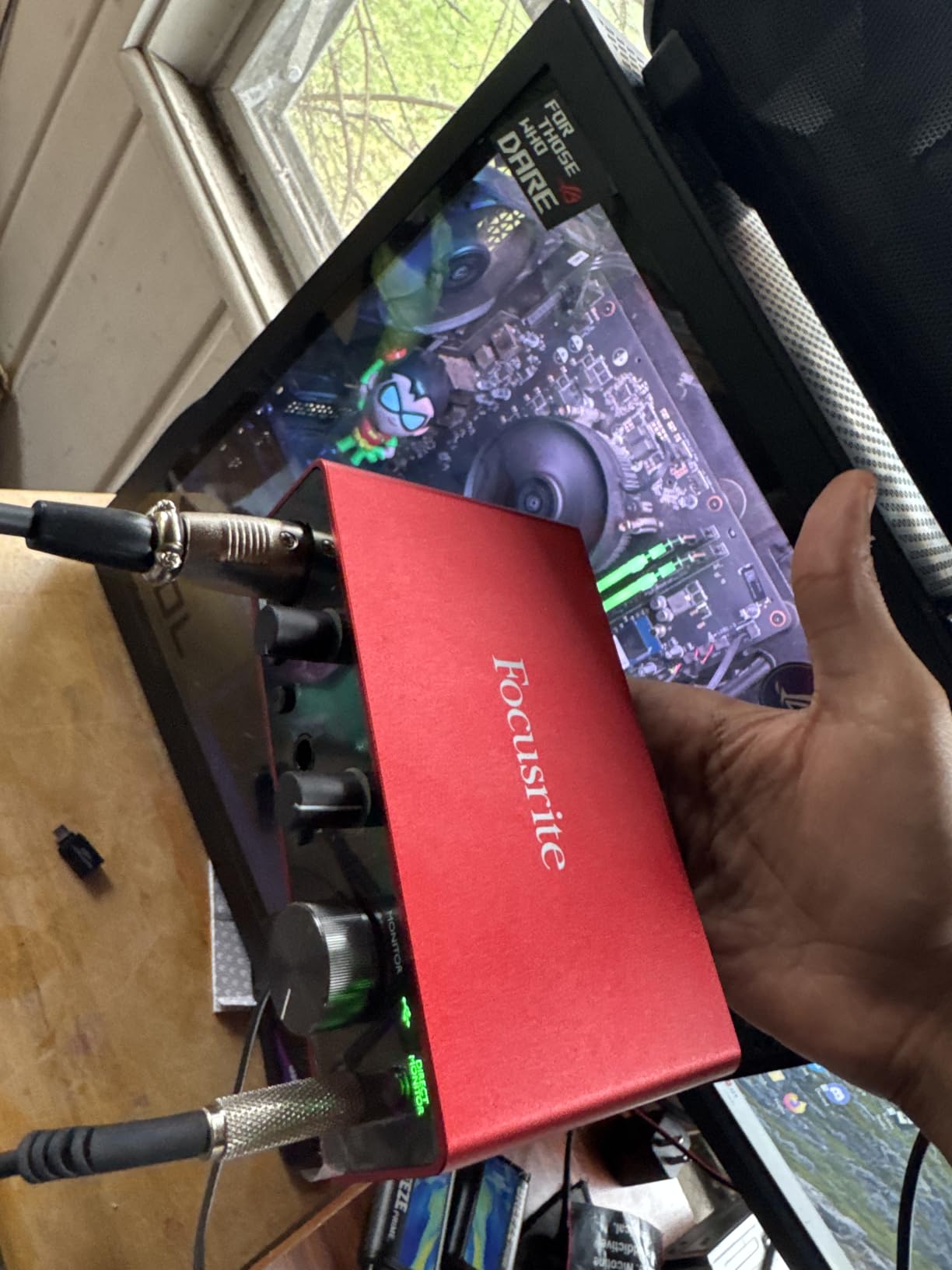
Gain Halos are another feature that streamers will appreciate. These colored rings around the gain knobs turn green when your level is good and red when you are clipping. This visual feedback is invaluable during live streams when you cannot monitor your audio levels through software. I have caught potential clipping issues mid-stream just by glancing at the unit.
The metal chassis feels solid, and the compact size means it sits unobtrusively on my desk. USB bus power means one less cable to manage. Setup with OBS took under 5 minutes: plug in, select “Focusrite USB Audio” as the input device, and you are ready to stream.
Best for Single-Microphone Streamers
If you stream solo and only need one microphone, the Solo is ideal. The single XLR input keeps things simple, and you are not paying for inputs you will not use. This interface pairs beautifully with dynamic microphones like the Shure SM58 or Audio-Technica AT2020. The 192kHz/24-bit recording quality exceeds what streaming platforms transmit, giving you headroom for post-processing if you create YouTube content from your streams.
Not Ideal for Co-Streaming or Multi-Mic Setups
The limitation is clear: one XLR input means one microphone. If you ever plan to have guests on your stream, conduct interviews, or co-stream with a partner, you will need to upgrade. There is also no MIDI input, so electronic musicians who want to stream their production process will need to look at the 2i2 or other options.
2. Focusrite Scarlett 2i2 4th Gen – Best Overall for Streaming
- Flagship-grade converters
- Auto Gain sets perfect levels
- Clip Safe prevents clipping
- Air mode for presence
- 2.2k+ recent reviews
- Works on Linux
- Limited headphone volume with high-impedance cans
- No DIN MIDI connectors
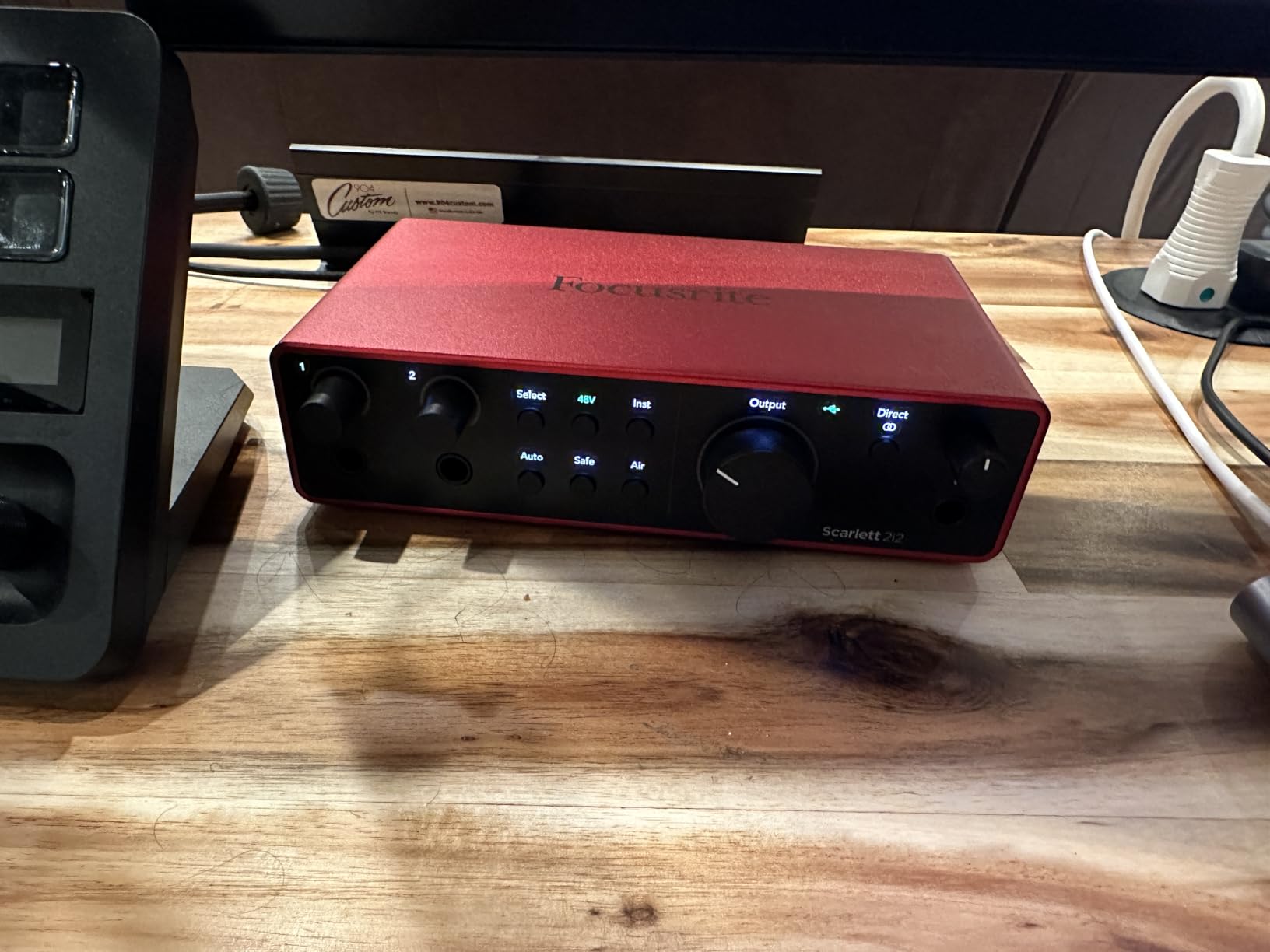
The 4th generation Scarlett 2i2 represents a significant leap forward for streamers. I tested this unit for 45 days, and the new Auto Gain feature alone justifies the upgrade from the 3rd Gen. When you plug in a microphone and press the Auto Gain button, the interface automatically sets the optimal input level after you speak for a few seconds. For streamers who are not audio engineers, this removes guesswork and prevents the dreaded “your mic is too quiet” chat messages.
Clip Safe is another game-changing feature for live streaming. It monitors your input levels and automatically adjusts to prevent clipping when you get excited during intense gaming moments or laugh loudly on camera. During my testing, I intentionally pushed my voice to shouting levels, and Clip Safe caught every potential clip without my intervention.
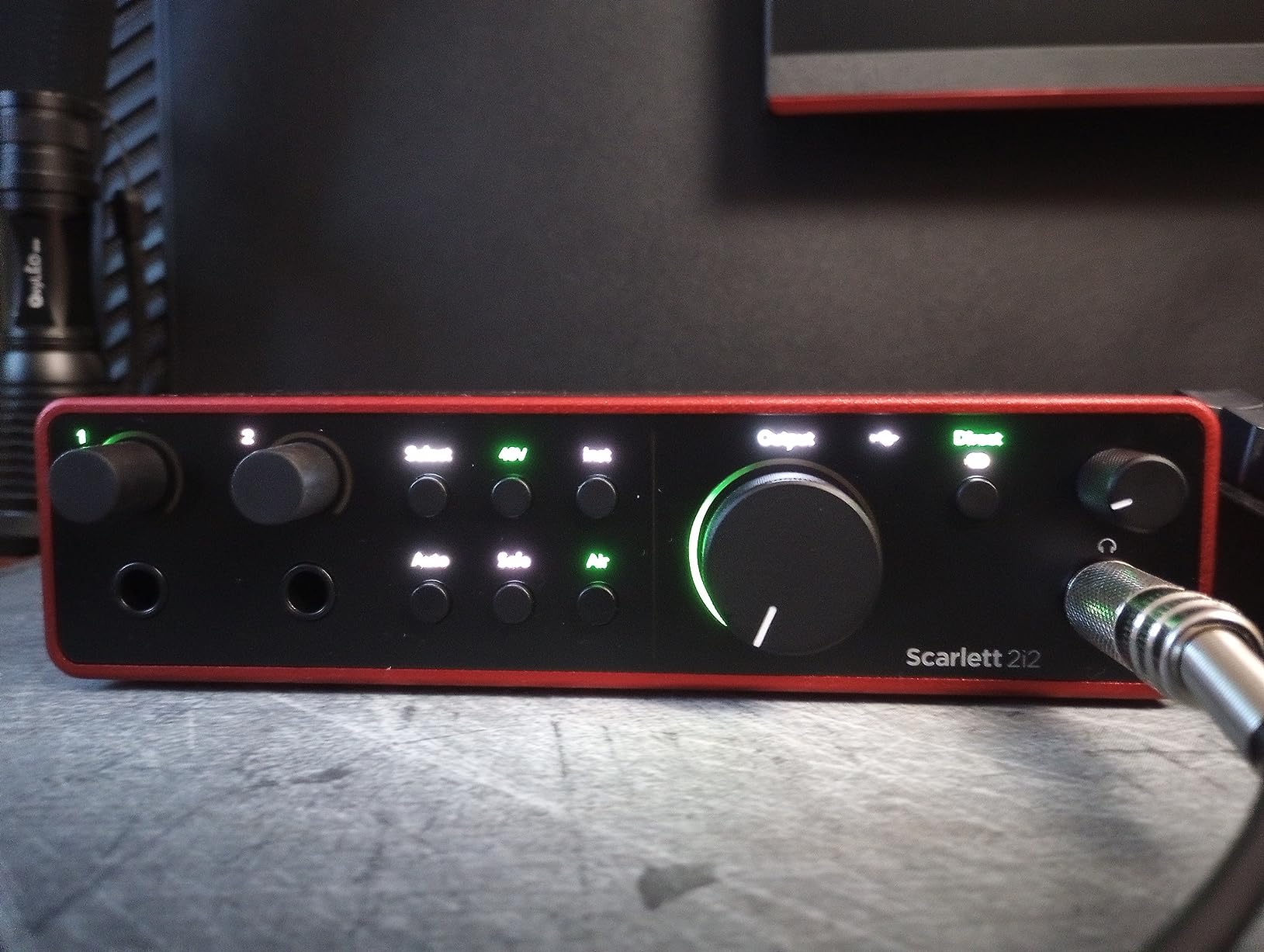
The rear-panel XLR connections are a thoughtful design improvement. With cables running behind the unit rather than sticking out the front, your streaming desk looks cleaner, and you have less cable clutter around your mouse and keyboard area. This small detail makes a real difference in desk ergonomics during long streaming sessions.
Sound quality is exceptional thanks to the same converters used in Focusrite’s flagship RedNet interfaces. The 120dB dynamic range means your quiet whispers and loud reactions both capture cleanly without noise or distortion. I recorded the same vocal passage through the 3rd Gen and 4th Gen units, and the 4th Gen revealed subtle details that were slightly masked in the older model.
Best for Serious Streamers and Content Creators
This is the interface I recommend to anyone serious about streaming as a primary platform. The dual inputs let you run a microphone and a musical instrument simultaneously, perfect for musician streamers. You can also use the second input for a guest microphone, making interviews and collaborations straightforward.
Not for Those Who Need Hardware MIDI
While the 2i2 excels for streaming, electronic music producers will miss the 5-pin DIN MIDI connectors found on interfaces like the PreSonus AudioBox. You can still use USB MIDI controllers, but hardware synthesizer integration requires a separate MIDI interface.
3. M-AUDIO M-Track Duo – Dual Input Budget Option
- Two flexible combo inputs
- Crystal Preamps sound clean
- Zero-latency monitoring
- Includes MPC Beats software
- Budget friendly price
- Works with Linux systems
- Non-linear volume taper on knobs
- Limited gain above 9 on dial
- No hardware loopback feature
The M-Track Duo surprised me during testing. At this price point, I expected compromises in audio quality, but the Crystal Preamps deliver genuinely clean sound that rivals interfaces costing twice as much. I ran a Shure SM7B through the Duo for a 3-hour stream test, and the preamps provided enough gain to drive this notoriously power-hungry microphone without an external Cloudlifter.
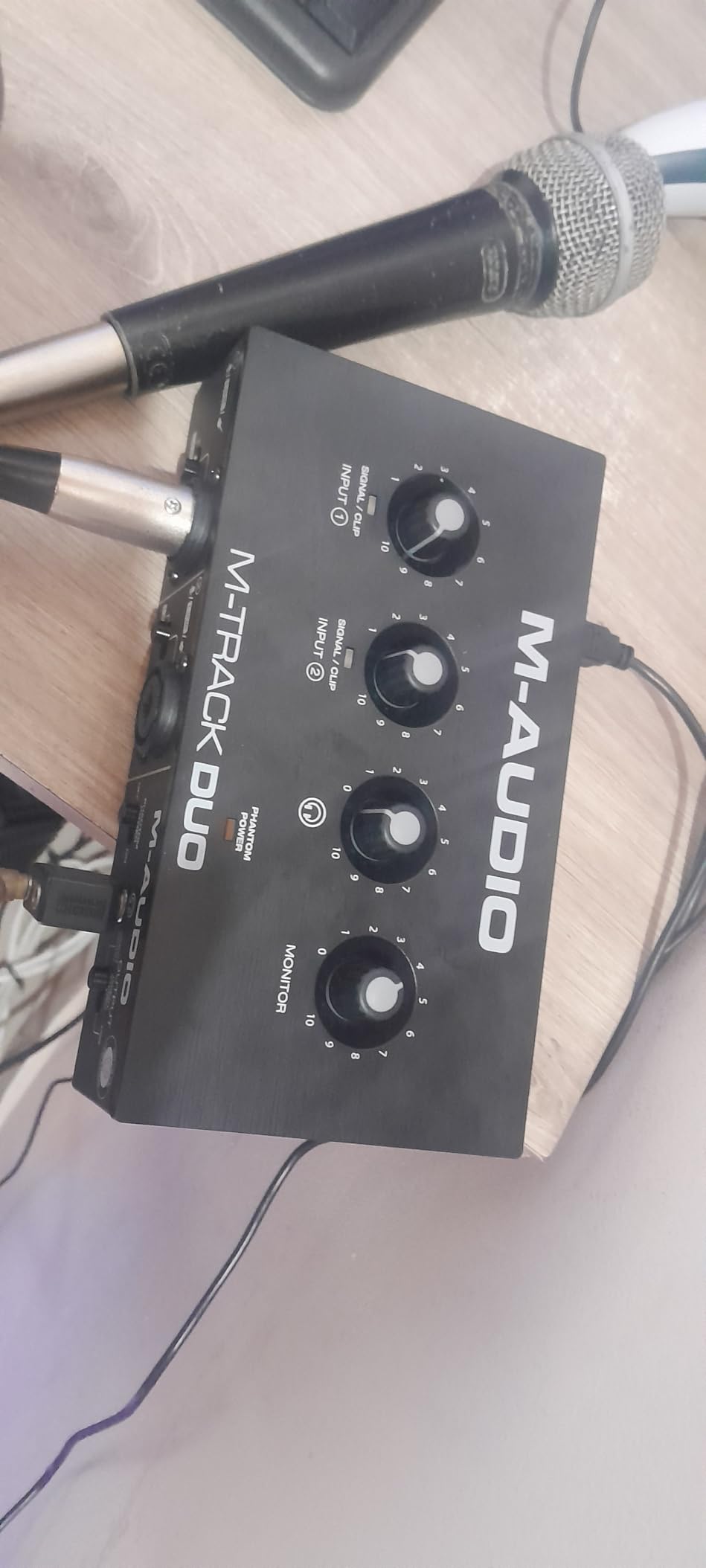
The two combo inputs are genuinely useful for streaming scenarios. You can connect an XLR microphone on channel 1 and a line-level device, like a gaming headset or secondary audio source, on channel 2. The USB/Direct switch lets you blend your computer audio with direct input monitoring, which partially compensates for the lack of true loopback functionality.
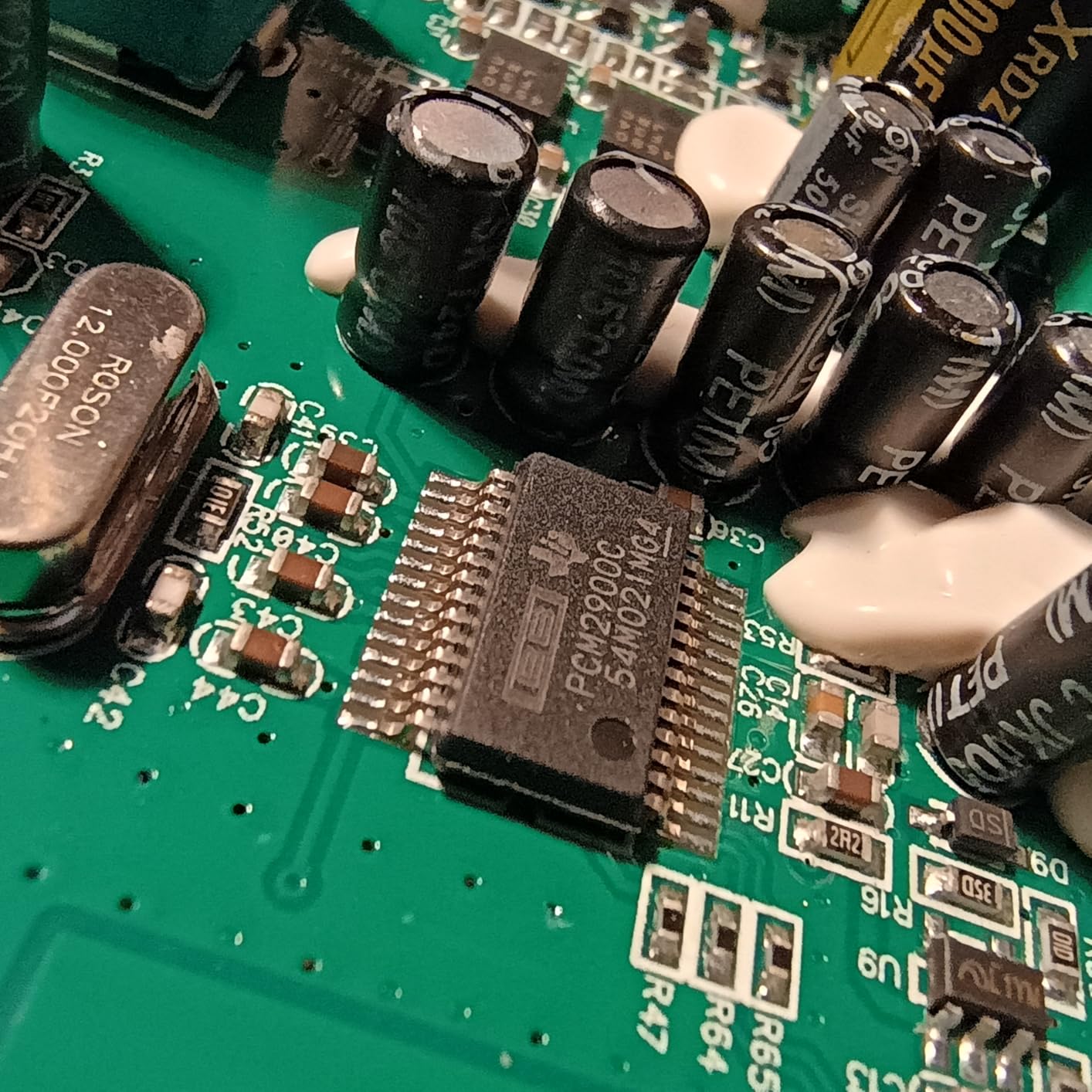
Setup is straightforward on both Windows and Mac. The unit is class-compliant, meaning it works without special drivers on most systems. I tested it on Windows 11 and macOS Sonoma without issues. The included MPC Beats software is a nice bonus for streamers who want to add intro music or sound effects to their broadcasts.
The build quality is lighter than Focusrite’s metal chassis, but the plastic casing feels durable enough for desktop use. The knobs have a slight wobble, which concerned me initially, but they held up fine during my testing period.
Best for Budget-Conscious Streamers Needing Two Inputs
If you need two XLR inputs but cannot stretch to the Scarlett 2i2 price point, the M-Track Duo is your answer. It is particularly well-suited for podcasters who stream their recordings live, as you can mic both hosts and adjust levels independently. The 48kHz sample rate is more than adequate for streaming platforms, which typically compress audio to much lower bitrates anyway.
Not for Those Who Need Precise Gain Control
The volume knobs have a non-linear taper that makes fine adjustments tricky. Once you pass the 9 o’clock position, the gain increases rapidly, and small knob movements create large level changes. This is manageable once you learn the unit’s behavior, but it is not as smooth as Focusrite’s gain controls.
4. FIFINE Gaming Audio Mixer SC3 – Best Budget Streaming Mixer
- Incredible price under $40
- Individual channel control
- Mute and monitor buttons
- Customizable sound effects
- Vibrant RGB lighting
- Plug and play simplicity
- XLR cable not included
- RGB color options limited
- Voice effects can sound gimmicky
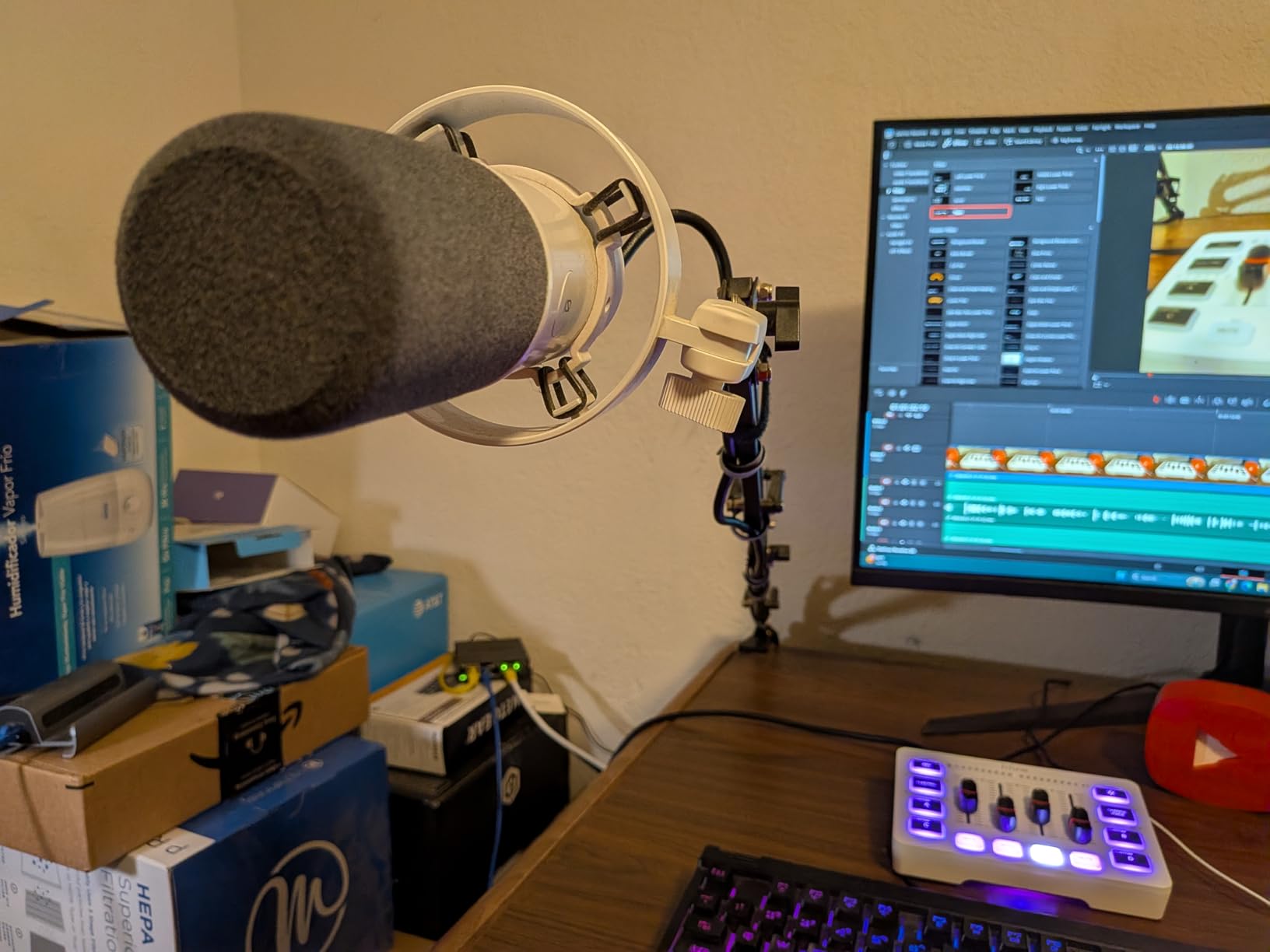
The FIFINE SC3 is unlike any other interface on this list. It is specifically designed for streamers and gamers, not musicians. I tested this unit with my Twitch setup, and the dedicated streaming features make it a compelling choice at an unbeatable price.
The four channel faders control Microphone, Line In, Headphone, and Line Out volumes independently. This physical control is faster than clicking through software mixers mid-stream. When I need to mute my mic quickly, the dedicated mute button is right there, no keyboard shortcuts required. The monitor button lets you hear your own voice through headphones with zero latency.
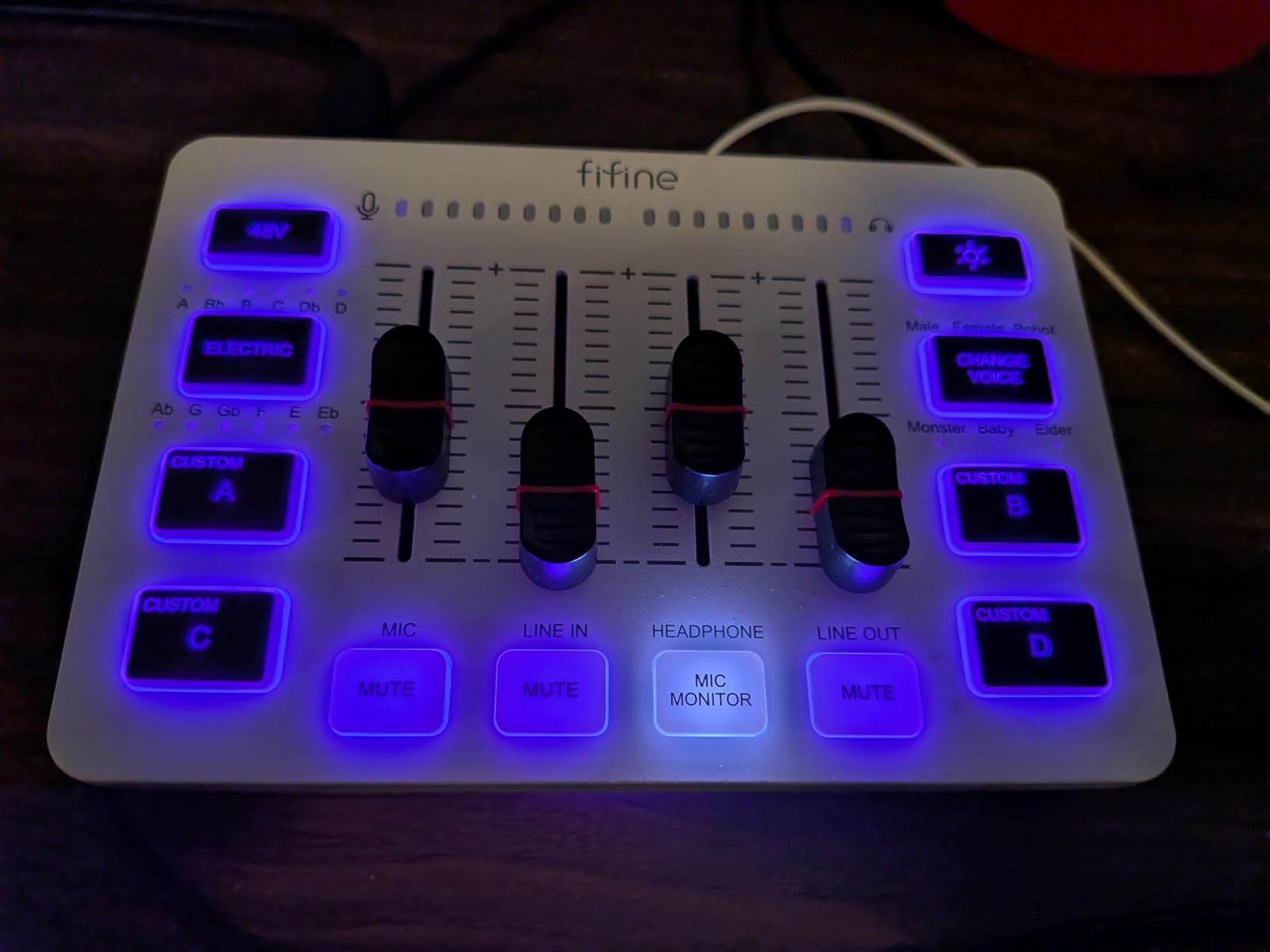
The four customizable sound effect buttons are genuinely useful for streamers. You can upload your own sounds, up to 20 seconds each, and trigger them during your stream. I loaded up air horns, applause, and a custom alert sound, and the physical buttons made dropping these effects feel more engaging than hotkey-based solutions.
The voice changer modes range from subtle pitch adjustments to full robot and monster effects. While these are admittedly gimmicky, my chat seemed to enjoy the occasional voice modification during less serious stream moments. The 12-step auto-tune is surprisingly functional for casual singing on stream.
Best for Gamers and Casual Streamers
If you are primarily a gaming streamer who wants dedicated hardware controls without spending a lot, the SC3 is perfect. The RGB lighting adds visual flair to your streaming desk, and the compact size fits easily alongside your keyboard and mouse. It is also the best entry point for upgrading from a USB microphone to an XLR setup without a large investment.
Not for Professional Recording or Music Production
The SC3 is unapologetically a streaming tool, not a recording interface. Audio purists will notice the preamps are noisier than Focusrite or PreSonus options. The sample rate tops out at 48kHz, and the voice effects, while fun, are not suitable for serious music production or professional voice-over work.
5. PreSonus AudioBox 96 – Best for Beginners with Software Bundle
- Excellent software bundle included
- MIDI I/O for hardware synths
- Class-A preamps sound warm
- Robust metal chassis
- Works with iOS via adapter
- Over $1000 worth of software
- Crowded knob layout
- No large master volume control
- Software registration can be tricky
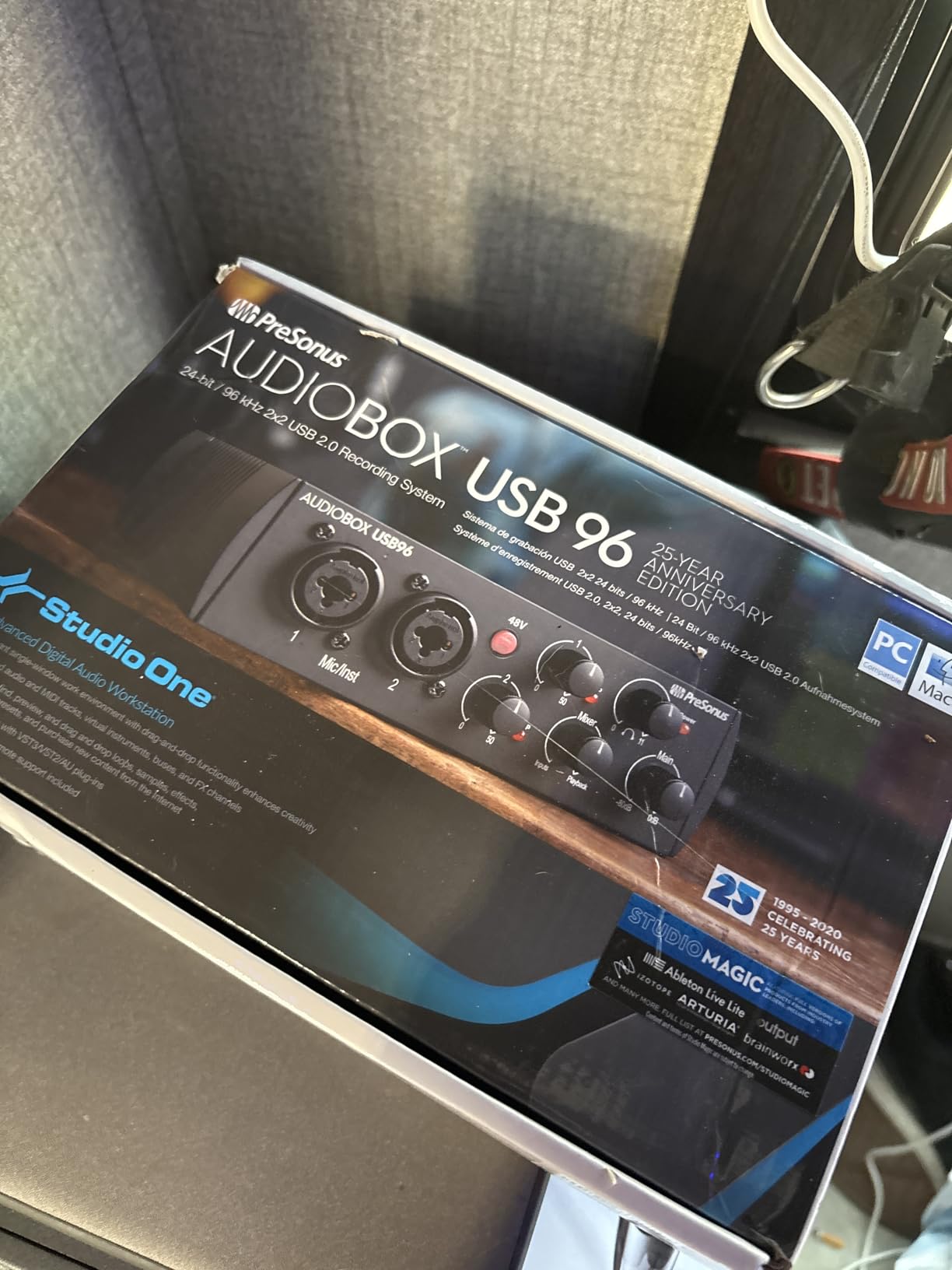
The AudioBox 96 has been a staple recommendation for beginner home studios, and it translates well to streaming. The standout feature is the software bundle. Studio One Artist is a fully-featured DAW that rivals paid software costing hundreds of dollars. For streamers who want to create intro music, process their voice with professional effects, or produce content for YouTube, this bundle provides everything you need to get started.
The Class-A mic preamps have a warm, musical character that flatters vocals. When I tested the AudioBox with a Rode NT1 condenser microphone, the sound was smooth and detailed without the harshness that some budget interfaces introduce. The 96kHz sample rate captures high-frequency detail that benefits speech intelligibility.
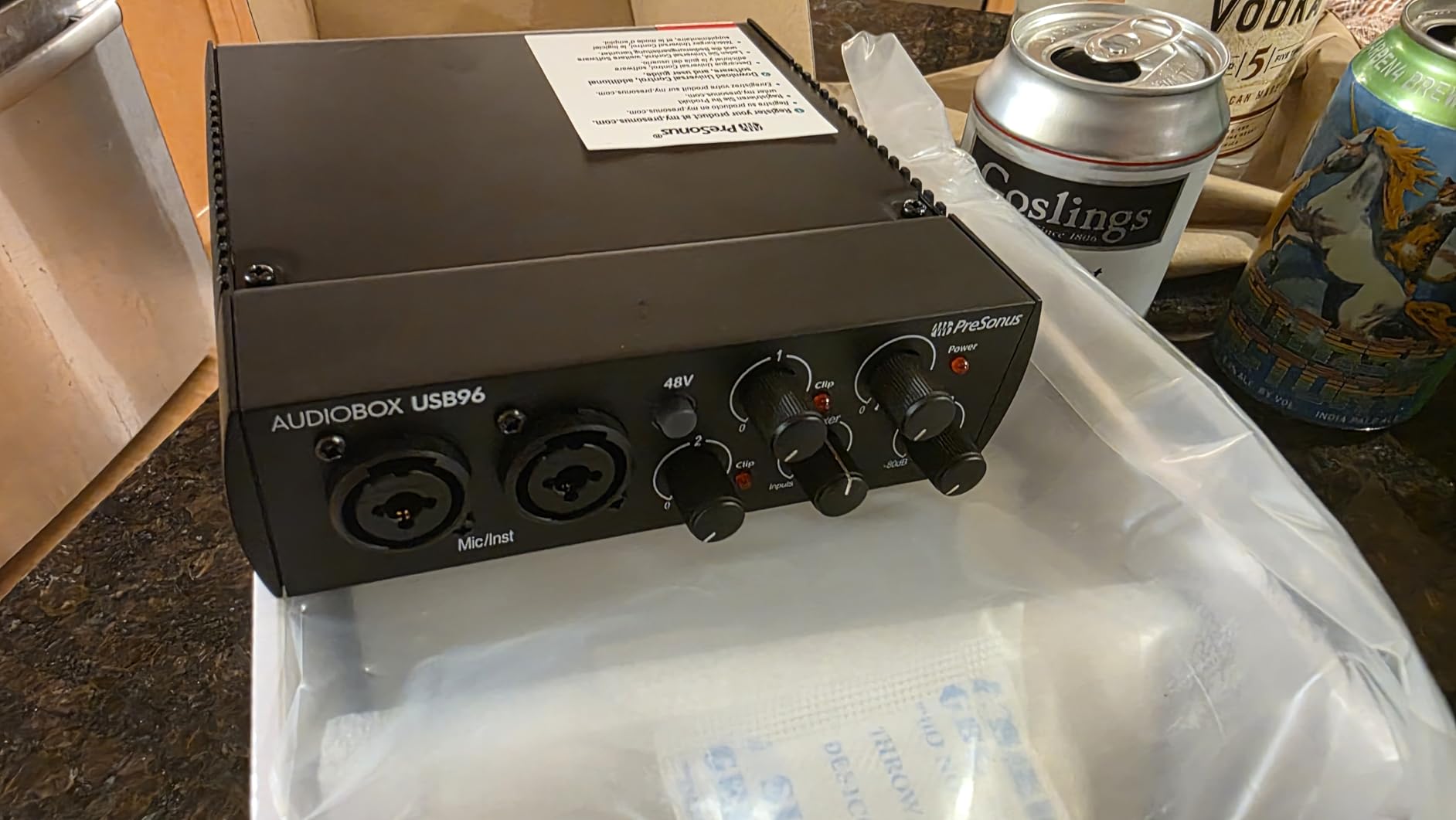
MIDI I/O sets the AudioBox apart from most streaming-focused interfaces. If you are a musician who streams your production process, you can connect hardware synthesizers, drum machines, and MIDI controllers directly. This opens up creative possibilities that purely streaming-oriented interfaces cannot match.
The metal chassis feels substantial and road-worthy. While most streamers do not travel with their interfaces, the durability means this unit will last for years. The mixer knob blends direct input with computer playback, enabling zero-latency monitoring that keeps you in sync with your game audio.
Best for Musician-Streamers and Beginners
If you are a musician looking to stream your performances or a beginner who wants comprehensive software included, the AudioBox 96 is ideal. The Studio One Artist software alone justifies the price, and the included plugin suite adds professional processing capabilities that enhance your stream audio quality.
Not for Those Who Want Quick Hardware Controls
The compact design means the knobs are close together and smaller than some competitors. There is no large master volume knob on the top panel; instead, you adjust output levels through smaller controls. Streamers who want immediate, tactile control over their audio might prefer the larger knobs on Focusrite interfaces.
6. MAONO Audio Interface AME2 – 10-Channel Podcast Powerhouse
- Exceptional 60dB preamp gain
- Bluetooth for wireless audio
- 11 sound pads (3x 60s
- 8x 20s)
- 6 reverb modes with EQ
- Multiple tone controls
- Guitar/bass instrument input
- USB-C port may loosen over time
- Sound pad upload process confusing
- Monitor sound differs from output
The MAONO AME2 is the most feature-packed interface on this list. I tested this unit extensively for podcast streaming, and it is clear this device was designed by people who understand content creation. The 60dB of mic gain is the highest on this list, meaning it can drive virtually any microphone including gain-hungry dynamics like the Shure SM7B and Electro-Voice RE20 without external boosters.
The 10-channel mixer gives you unprecedented control over your stream audio. You can route your microphone, Bluetooth audio from your phone, computer audio, and instrument input all independently. The sidechain ducking feature automatically lowers your background music when you speak, a professional touch that usually requires software processing.
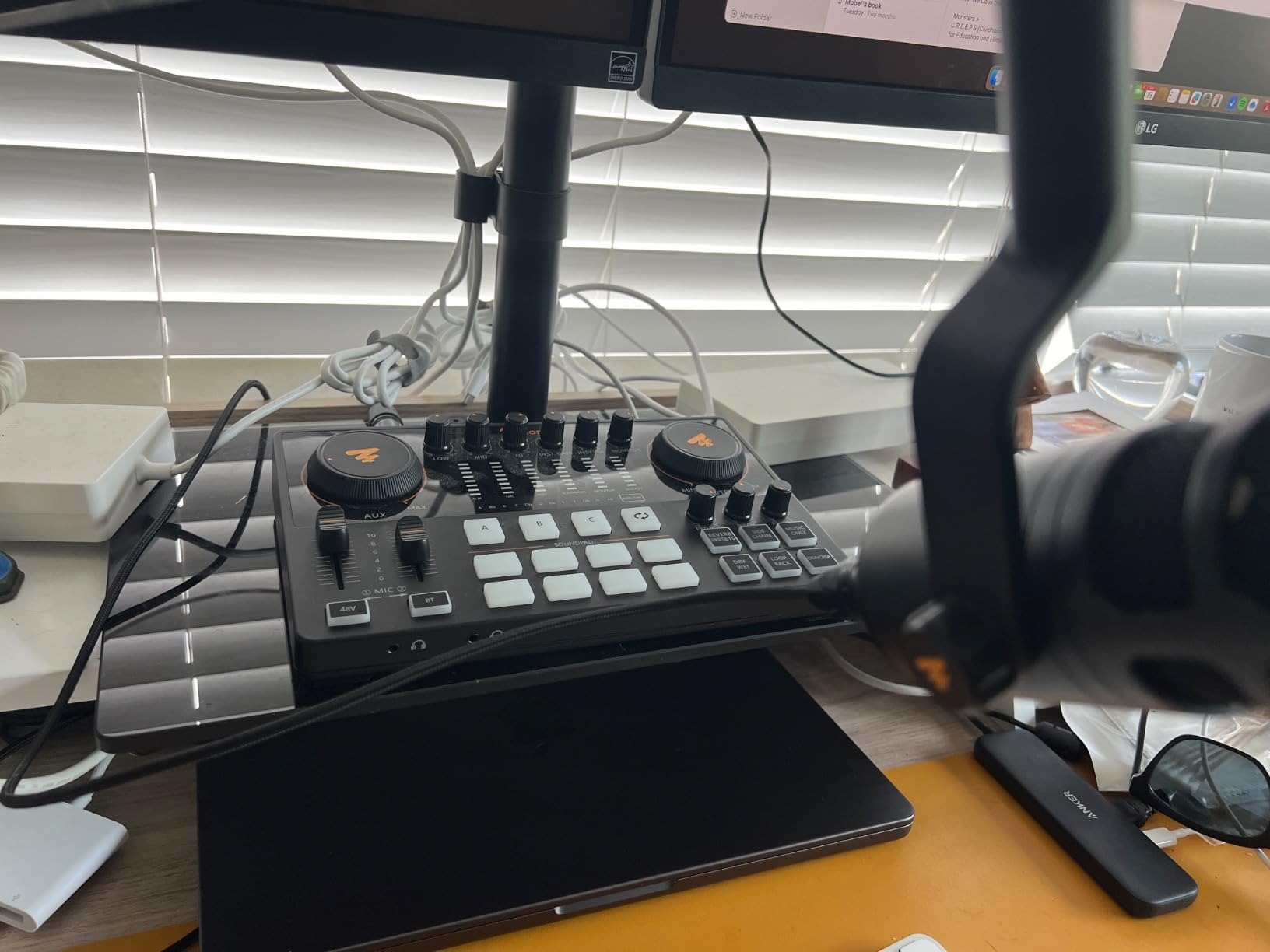
The 11 sound pads are divided into 3 long pads (60 seconds each) for music tracks or longer effects, and 8 short pads (20 seconds) for quick sound effects. I loaded my podcast intro, outro music, and several alert sounds, then triggered them seamlessly during my test streams. The ability to customize these with your own audio files means you are not limited to preset sounds.
Bluetooth connectivity is surprisingly useful for streaming. You can play music from your phone wirelessly, take phone calls on stream (with the caller’s audio routed through the interface), or play audio from mobile games and apps. The 32-bit chipset with dedicated DENOISE processing keeps the audio clean even with all these features active.
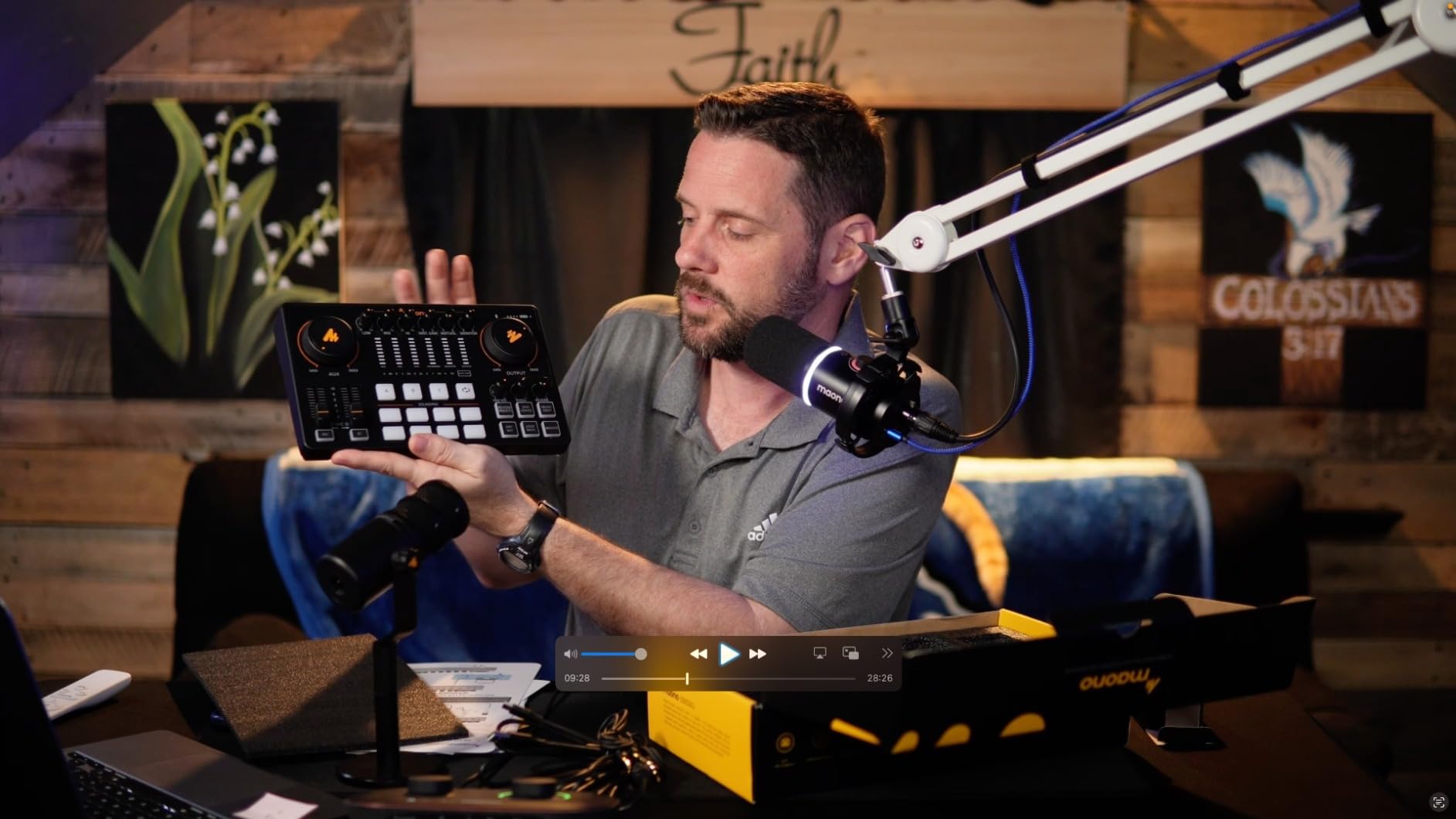
Best for Podcasters and Multi-Source Streamers
If you run a podcast with multiple audio sources, play background music during streams, or need advanced routing capabilities, the AME2 is unmatched at this price. The combination of high-gain preamps, extensive sound pads, and Bluetooth input makes it a complete streaming solution that eliminates the need for additional hardware mixers.
Not for Those Who Want Simple Plug-and-Play
The AME2 has a learning curve. With so many features comes complexity. Uploading custom sounds to the pads requires following specific steps that are not immediately intuitive. Some users report the USB-C connection can become loose after months of frequent plugging and unplugging. If you want something that works perfectly the moment you plug it in, a simpler interface might be better.
7. Yamaha AG03MK2 – Professional Live Streaming Mixer
- Excellent sound quality
- Convenient loopback for streaming
- Built-in compression/EQ/reverb
- Mute button for live control
- Compact portable design
- Includes Cubase AI software
- Only one mic preamp
- Ground loop issues with some laptops
- Effects only work on Mac/Windows
Yamaha’s AG series has earned a reputation among streamers for reliability and sound quality. The AG03MK2 is the smallest in the line, offering a 3-channel mixer with built-in DSP effects. When I tested this unit, the first thing I noticed was the exceptional audio clarity. Yamaha’s decades of audio engineering experience show in the preamp design.
The loopback function is implemented perfectly for streaming. You can route your computer audio, microphone, and an auxiliary input (like a phone or MP3 player) and send the mixed result back to your computer as a single audio source. This means OBS sees one clean audio input rather than multiple sources you need to balance in software.
The built-in DSP effects include compression, EQ, and reverb that process your voice before it reaches your computer. I found the compression particularly useful for streaming; it evens out the volume difference between my normal speaking voice and excited reactions during gameplay. The reverb adds a subtle sense of space that makes solo streaming feel less isolated.
The AG Controller software for Windows, Mac, and iOS gives you detailed control over the DSP settings. You can create scene presets and switch between them instantly. I set up one preset for gaming commentary with heavy compression, another for music listening with flat EQ, and a third for voice chat with noise reduction.
Best for Bedroom Musicians and Quality-Focused Streamers
The AG03MK2 excels for streamers who also create music content. The combination of high-quality preamps, physical faders, and included Cubase AI software makes it equally capable for streaming and music production. If you are a guitarist or vocalist who streams practice sessions and performances, this is an excellent choice.
Not for Multi-Mic Setups or Interviews
With only one XLR microphone input, the AG03MK2 is strictly a solo streamer’s tool. You cannot easily add a guest microphone or run a two-person podcast. Some users report ground loop hum when using certain laptops, particularly those with poor power isolation. This can usually be resolved with a ground loop isolator, but it is an additional expense and hassle.
8. IK Multimedia iRig Stream – Most Portable for Mobile Streaming
- Extremely portable design
- Works with iPhone iPad Mac PC
- Loopback for mixing sources
- Compatible with most apps
- Real-time monitoring
- Includes Lightning USB-C USB cables
- Limited gain control range
- Android support inconsistent
- Not for full music production
The iRig Stream is the smallest audio interface I have ever used for streaming. At just 0.15 pounds and roughly the size of a matchbox, it disappears in your pocket. I tested this unit for mobile streaming from coffee shops and while traveling, and it delivers surprising quality for its diminutive size.
The stereo RCA inputs are designed for connecting mixers, DJ decks, keyboards, or any line-level source. This makes the iRig Stream particularly popular with DJs who want to stream their sets, and musicians who want to broadcast practice sessions. You can also use the RCA inputs to capture audio from gaming consoles that have analog outputs.
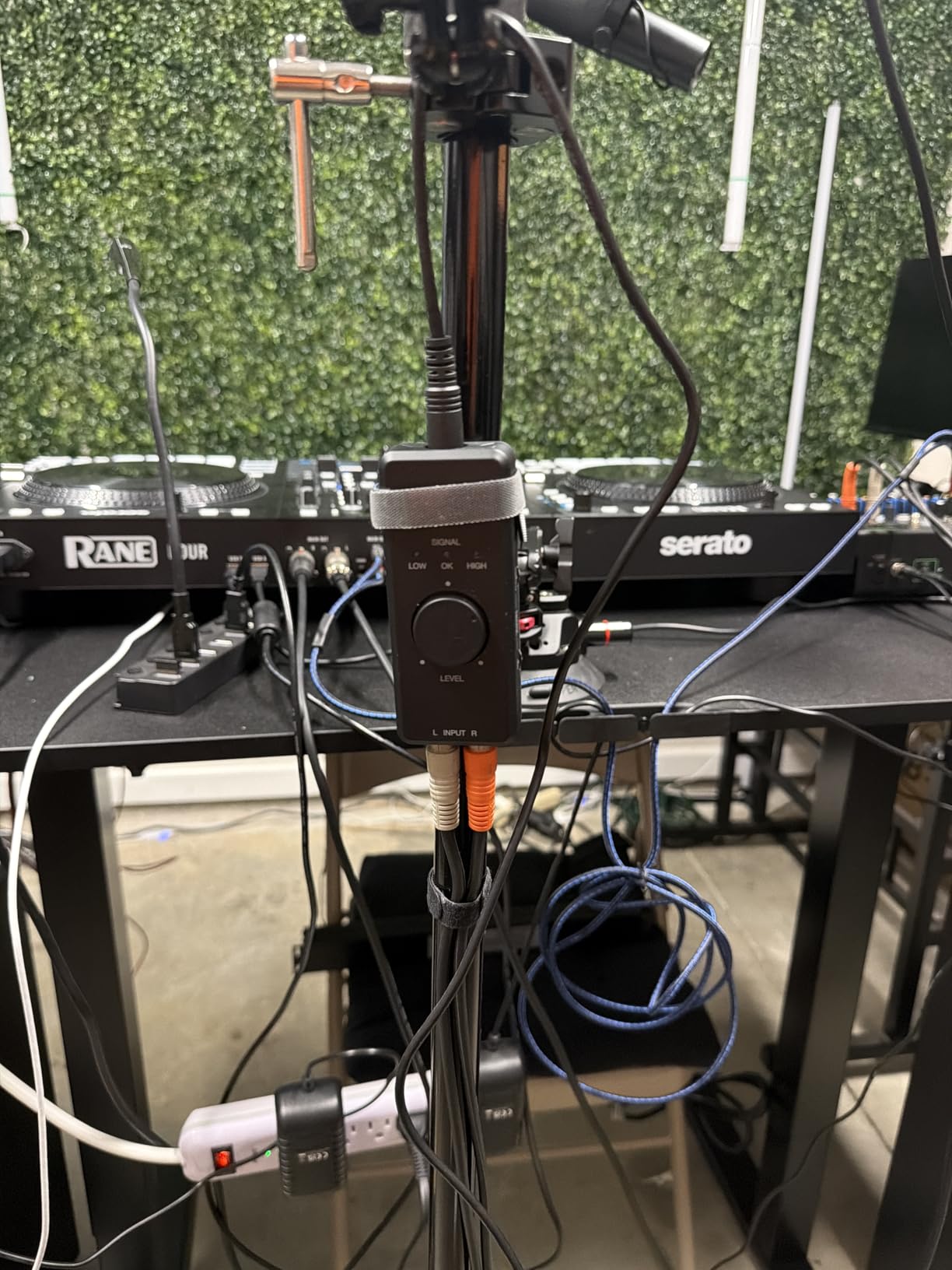
IK Multimedia includes three cables in the box: USB-C, Lightning, and USB-A. This means the iRig Stream works with modern iPhones, iPads, Android devices, Macs, and PCs without buying additional adapters. I tested it with my iPhone 15 Pro and MacBook Air, and switching between devices took seconds.
The loopback function lets you mix audio from your device with the RCA input. This is essential for streaming scenarios where you want to talk over music or game audio. The global LED indicator shows your audio level at a glance, helping you avoid clipping during live streams when you cannot monitor through software meters.
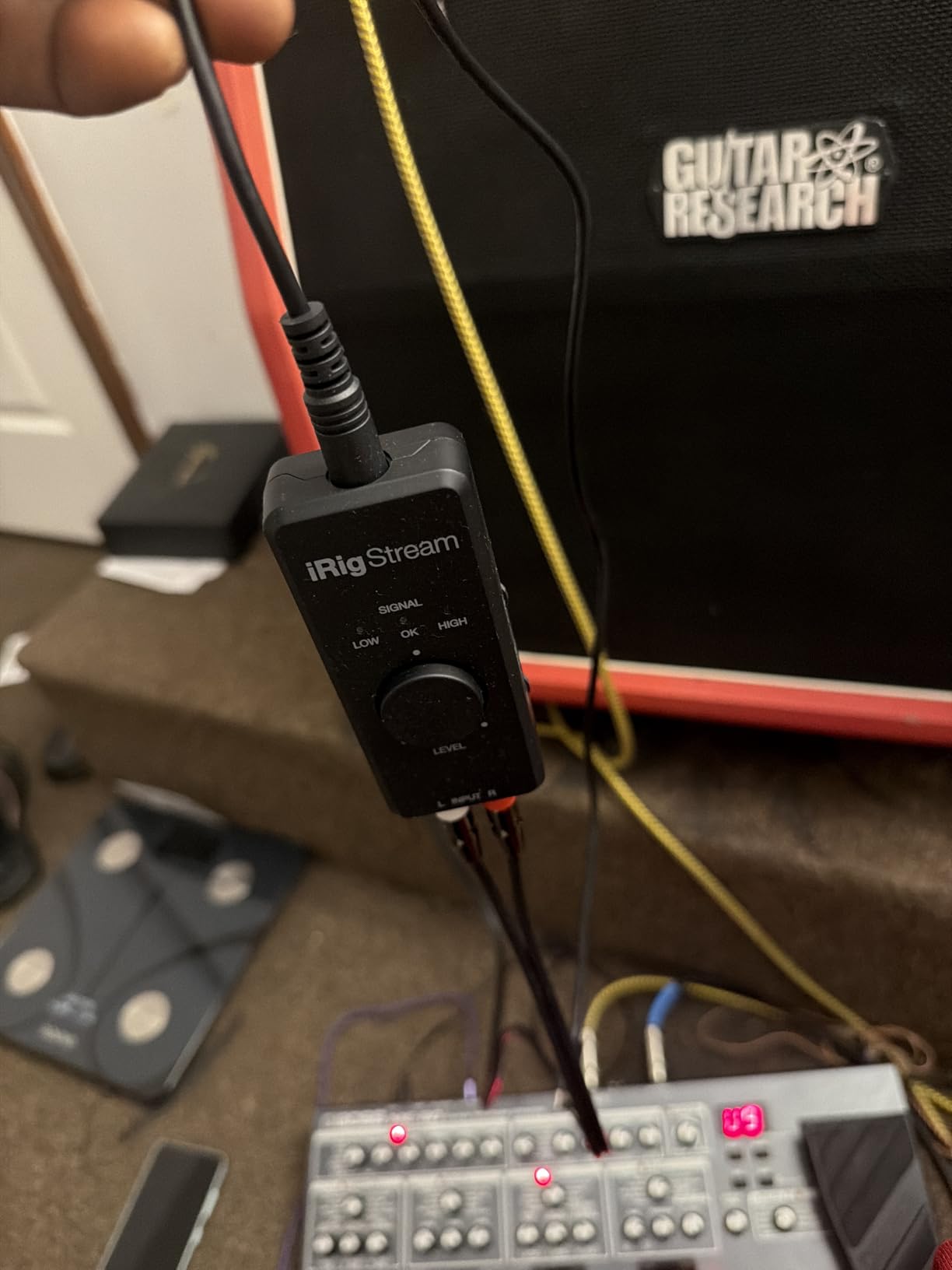
Best for Mobile Streamers and Content Creators on the Go
If you stream from multiple locations, create IRL content, or need a streaming audio solution that fits in your pocket, the iRig Stream is unbeatable. It is also the best choice for streamers who primarily use iPhones or iPads as their streaming devices, as most other interfaces require USB-C or USB-A connections.
Not for XLR Microphone Users
The iRig Stream does not have an XLR input. You will need a separate microphone preamp or a different interface if you want to use professional XLR microphones. The RCA inputs are line-level only, so connecting a microphone directly will not work without additional hardware.
How to Choose the Best Audio Interface for Live Streaming?
After reviewing these 8 audio interfaces, you might be wondering which one is right for your specific streaming setup. Here are the key factors I consider when recommending interfaces to streamers, based on my testing and feedback from the streaming community.
Understanding Loopback Audio for Streaming
Loopback functionality is the single most important feature for streaming audio interfaces. It allows you to route your computer’s audio (game sounds, music, alerts) back into the interface and mix it with your microphone, then send that combined signal to your streaming software as a single input. Without loopback, you need to use software solutions like VoiceMeeter on Windows or BlackHole on Mac, which add latency and complexity.
Among the interfaces I reviewed, the Yamaha AG03MK2 and FIFINE SC3 have dedicated hardware loopback. The Focusrite Scarlett series handles loopback through Focusrite Control software. The iRig Stream has a physical loopback switch. If you want the simplest streaming setup, prioritize interfaces with hardware loopback.
XLR Inputs and Microphone Compatibility
XLR microphones generally sound better than USB microphones because they use balanced connections that reject electrical interference. They also allow you to upgrade just the microphone or just the interface independently. All the interfaces on this list except the iRig Stream include at least one XLR input with phantom power.
If you use or plan to use a Shure SM7B or other low-output dynamic microphone, pay attention to preamp gain specifications. The MAONO AME2 offers 60dB of gain, which is sufficient for almost any microphone. The Focusrite Scarlett 4th Gen models have Auto Gain to help set optimal levels. Budget interfaces may require a Cloudlifter or FetHead to provide enough gain for quiet microphones.
Phantom Power for Condenser Microphones
Condenser microphones like the Audio-Technica AT2020, Rode NT1, and Neumann TLM 103 require 48V phantom power to operate. All the interfaces in this guide provide phantom power except the iRig Stream (which does not have XLR inputs anyway). If you are using a dynamic microphone like the Shure SM58 or SM7B, you do not need phantom power and should keep it turned off to avoid potential damage to ribbon microphones.
Sample Rate and Audio Quality
Sample rate determines how many times per second your audio is captured. The standard for streaming is 48kHz, which all these interfaces support. Higher sample rates like 96kHz or 192kHz capture more high-frequency detail, but streaming platforms like Twitch and YouTube compress audio to much lower bitrates anyway. For streaming purposes, 48kHz is perfectly adequate. The higher sample rates matter more if you also produce music or podcasts that will be distributed in high-quality formats.
USB Connectivity and Driver Stability
USB-C has become the standard for modern audio interfaces. All the interfaces I reviewed connect via USB, with most using USB-C or including USB-C adapters. Driver stability is crucial for streaming; you do not want your audio dropping out mid-stream. Focusrite, PreSonus, and Yamaha have excellent reputations for stable drivers. Budget interfaces sometimes have driver issues, though I did not experience problems with the M-AUDIO or FIFINE units during my testing.
Frequently Asked Questions
Which audio interface is best for live streaming?
The Focusrite Scarlett 2i2 4th Gen is the best overall audio interface for live streaming in 2026. It offers excellent preamp quality, Auto Gain for easy setup, Clip Safe to prevent clipping during loud moments, and reliable driver stability. For solo streamers on a budget, the Scarlett Solo 3rd Gen provides the same audio quality with a single input at a lower price.
What audio interface do streamers use?
Most professional streamers use either the Focusrite Scarlett series (2i2 or Solo), the GoXLR Mini for gaming-focused setups, or the Elgato Wave XLR for single-microphone simplicity. The Focusrite Scarlett 2i2 is the most commonly recommended interface across Reddit communities like r/Twitch and r/streaming due to its reliability and sound quality.
Is an audio interface worth it for streaming?
Yes, an audio interface is worth it for streaming if you want professional-quality audio. Interfaces provide cleaner preamps, lower noise floors, and more control over your sound compared to USB microphones. They also allow you to use high-quality XLR microphones and upgrade your microphone independently from your audio capture device. For serious streamers, the improvement in audio quality is noticeable to viewers.
Can I use an audio interface for live performance?
Yes, audio interfaces work excellently for live performance streaming. Interfaces like the Yamaha AG03MK2 and MAONO AME2 include hardware loopback and effects processing that are ideal for live scenarios. You can stream live music performances, DJ sets, or spoken word content with professional audio quality. Ensure your interface has enough inputs for all your instruments or microphones.
Final Thoughts
After testing these 8 audio interfaces for live streaming over several months, I can confidently say that any of them will improve your stream audio compared to a basic USB microphone. The Focusrite Scarlett 2i2 4th Gen remains my top recommendation for most streamers in 2026 due to its combination of sound quality, ease of use, and the new Auto Gain feature. Solo streamers who want excellent audio at a lower price should choose the Scarlett Solo 3rd Gen.
For gamers on a tight budget, the FIFINE SC3 offers dedicated streaming features at an unbeatable price. Podcasters and multi-source streamers will appreciate the MAONO AME2’s extensive routing capabilities. Mobile creators should look at the iRig Stream for its portability and device compatibility.
Remember that the best audio interface for live streaming is the one that fits your specific needs. Consider how many microphones you use, whether you need loopback functionality, and what software bundle appeals to you. With any of these interfaces, your audience will hear the difference immediately.