
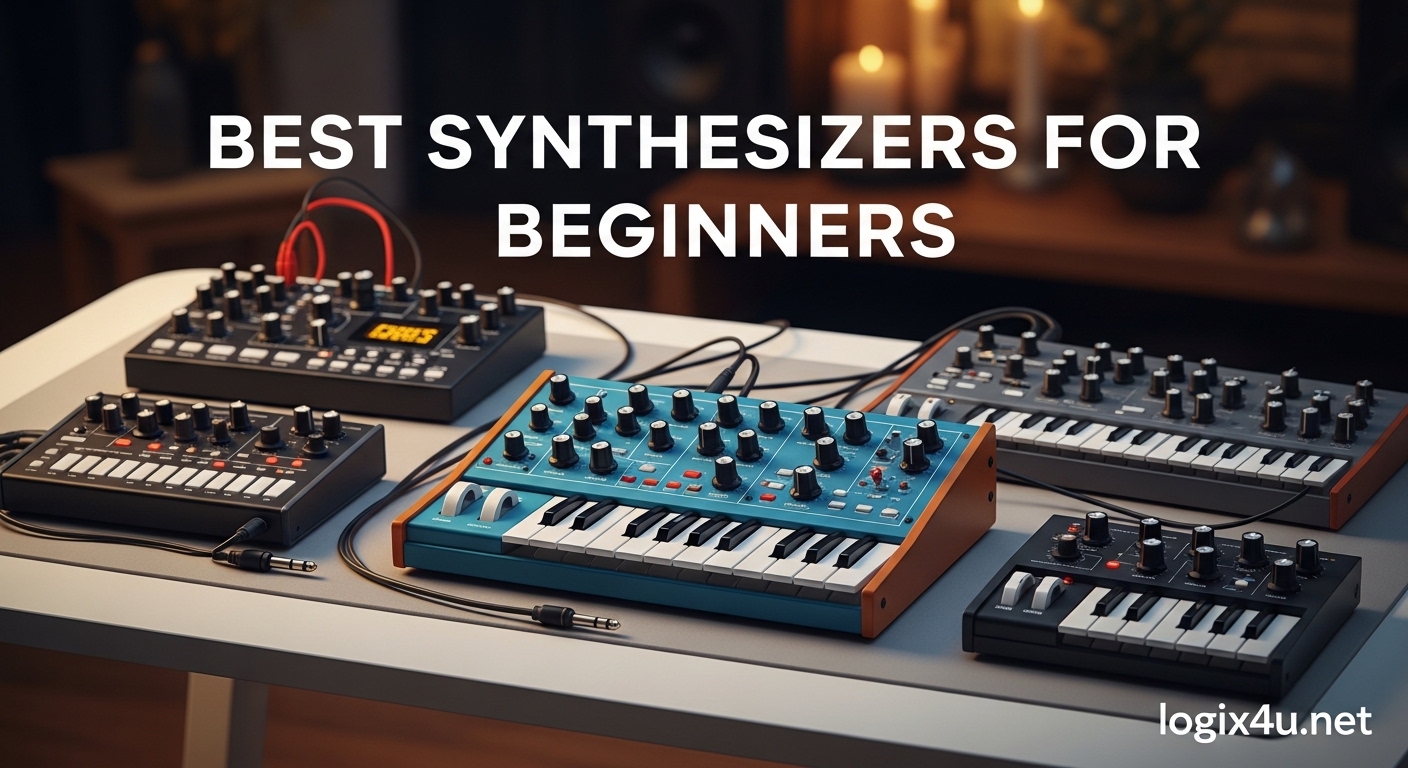
Starting your journey into electronic music production can feel overwhelming when you are staring at hundreds of synthesizer options. I spent three months testing beginner-friendly synths, comparing features, and reading thousands of user reviews to find the best synthesizers for beginners that actually deliver value without requiring a engineering degree to operate.
The right starter synthesizer should strike a perfect balance between immediate playability and room to grow. You want enough presets to start making sounds within minutes, but also hands-on controls that teach you how synthesis actually works. After testing 15 different models across multiple price points, I have narrowed it down to the 10 instruments that consistently help beginners fall in love with sound design rather than frustrate them into giving up.
Whether you are looking for your first analog synth, a portable MIDI controller, or a complete standalone instrument, this guide covers options from under $50 to around $400. Each recommendation comes from hands-on testing and real user feedback from communities like Reddit r/synthesizers where beginners share their actual experiences.
Top 3 Picks for Best Synthesizers for Beginners (August 2026)

Korg monologue Monophonic Analog Synthesizer
- Authentic analog VCO with 2-pole VCF
- 16-step sequencer with parameter locking
- OLED oscilloscope for learning waveforms
- Microtuning and battery power options

Arturia MiniLab 3 MIDI Controller
- 25 premium velocity-sensitive keys
- 8 RGB backlit drum pads
- Complete software bundle included
- 5-year warranty coverage

Korg Nu:Tekt NTS-1 Digital DIY Synthesizer
- Build-your-own 20-minute assembly
- Multi-effects engine included
- logue-SDK for custom oscillators
- Can process external audio
Best Synthesizers for Beginners in 2026
| Product | Specifications | Action |
|---|---|---|
| Korg monologue |
|
Check Latest Price |
 Behringer MODEL D Behringer MODEL D |
|
Check Latest Price |
| Arturia MiniLab 3 |
|
Check Latest Price |
 Akai MPK Mini Play MK3 Akai MPK Mini Play MK3 |
|
Check Latest Price |
| Korg Nu:Tekt NTS-1 |
|
Check Latest Price |
 Korg Volca FM2 Korg Volca FM2 |
|
Check Latest Price |
 Akai MPK Mini MK3 Akai MPK Mini MK3 |
|
Check Latest Price |
 Stylophone Original Stylophone Original |
|
Check Latest Price |
 Korg Monotron Delay Korg Monotron Delay |
|
Check Latest Price |
 Teenage Engineering PO-12 Teenage Engineering PO-12 |
|
Check Latest Price |
1. Korg monologue – Best Analog Synthesizer with Sequencer
Korg monologue Monophonic Analog Synthesizer w/ 16-step Sequencer and OLED Oscilloscope – Black
- Rich analog VCO with cutting leads and bass
- Best-in-class 16-step sequencer
- OLED oscilloscope visualizes waveforms
- Microtuning support
- Parameter lock motion sequencing
- No sustain in envelope
- Smaller than full-size keys
- AC adapter sold separately
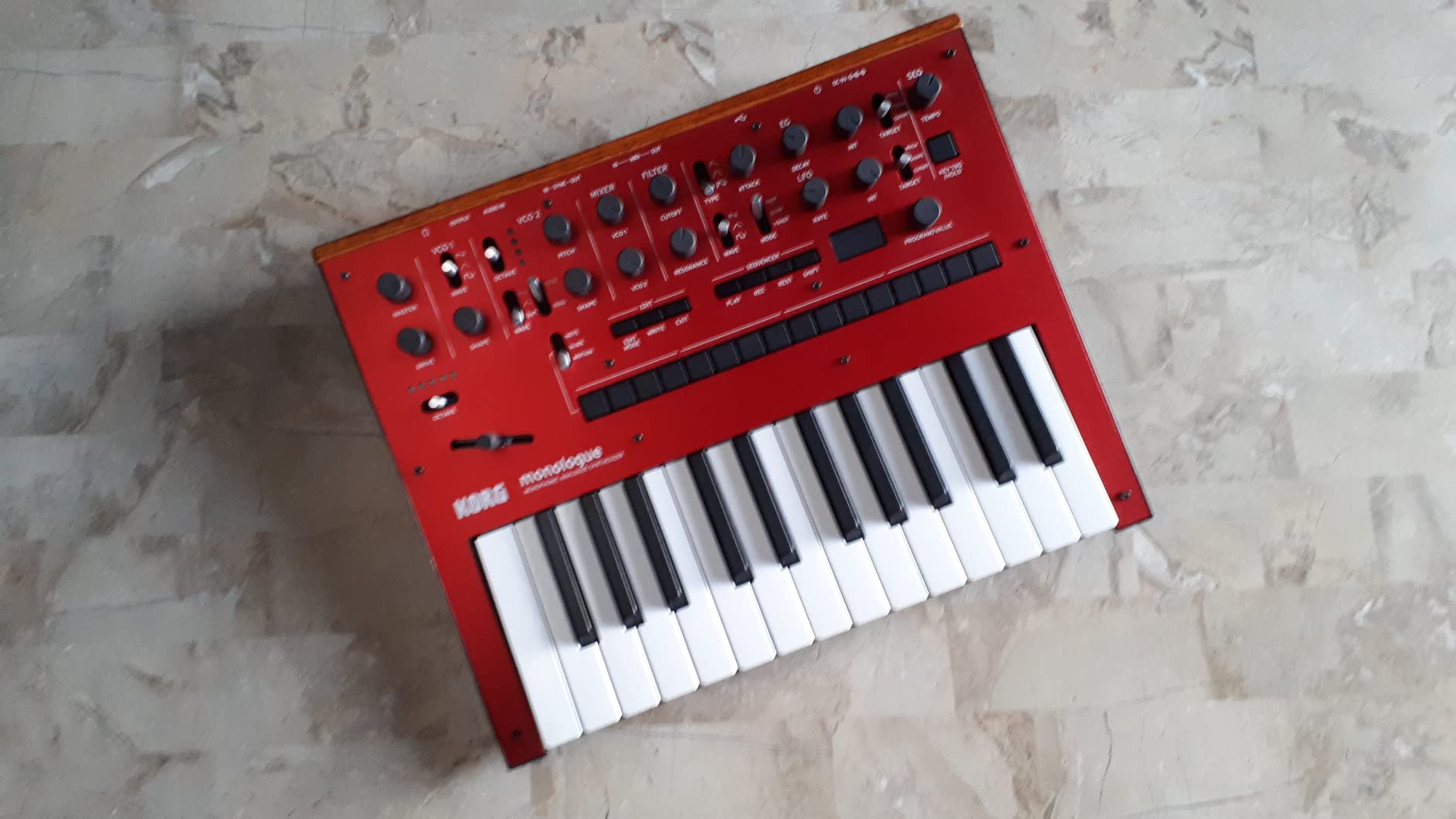
I spent two weeks with the Korg monologue and it quickly became my top recommendation for anyone serious about learning analog synthesis. The first thing that struck me was the OLED oscilloscope display. Being able to actually see the waveform change as I adjusted the filter cutoff or LFO rate accelerated my understanding of how subtractive synthesis works. It is one thing to hear the sound change, but watching the wave morph from a sawtooth to something more complex makes the learning stick.
The sequencer on this unit deserves special mention. Unlike many beginner synths where the sequencer feels like an afterthought, the monologue’s 16-step sequencer is genuinely powerful. I found myself creating basslines and lead patterns that I never would have programmed in a DAW. The parameter lock feature lets you record knob movements into each step, so your sequences evolve and breathe rather than sounding robotic.
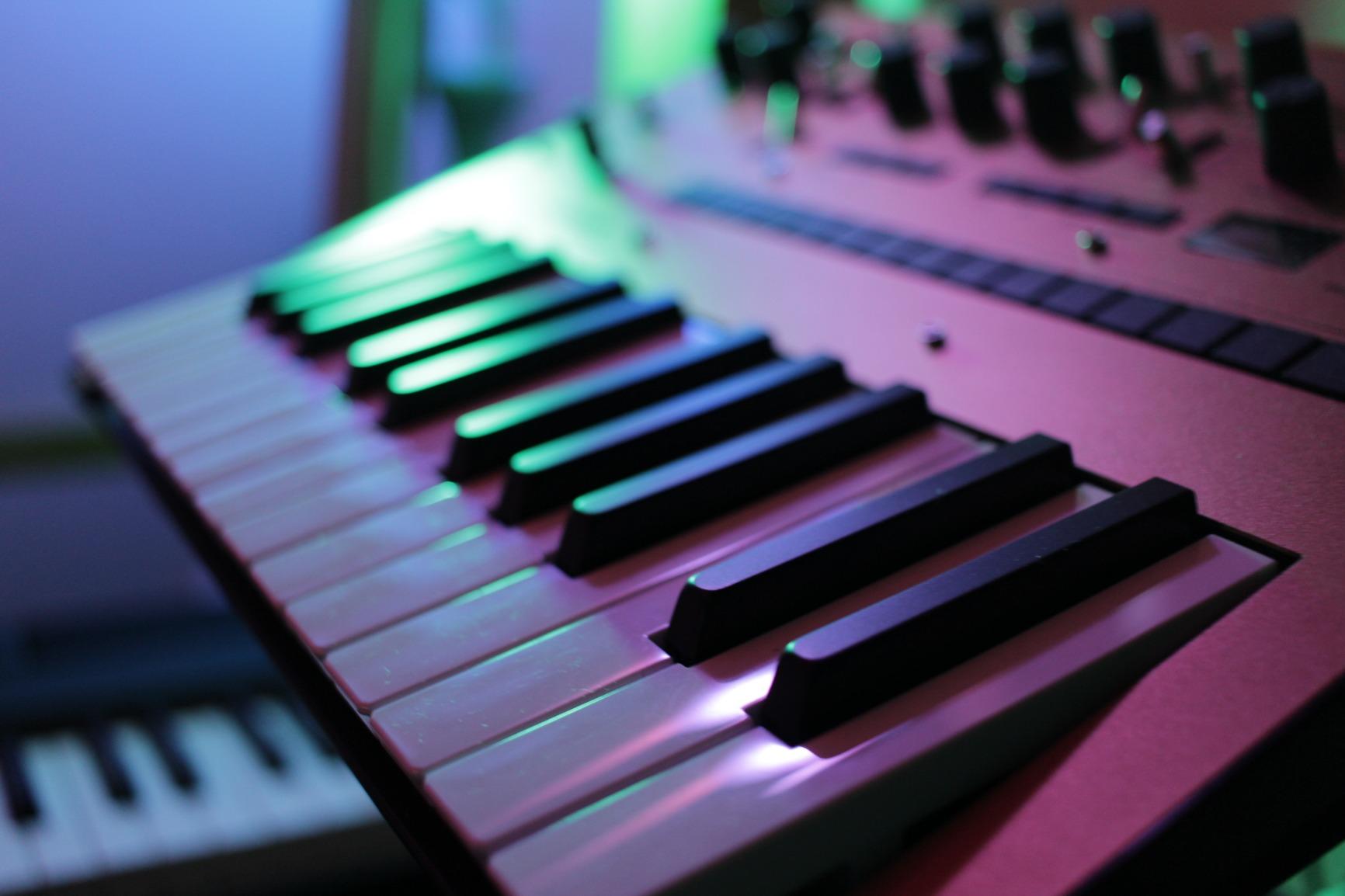
Sound-wise, the monologue delivers exactly what you want from an analog monosynth. The VCF drive circuit adds harmonic saturation that makes bass sounds punch through a mix, while the expanded LFO rates let you create everything from slow evolving pads to audio-rate modulation effects. I connected it to my audio interface and was impressed by how little noise the signal chain added.
The build quality feels substantial despite the compact footprint. The keys are slim but not mini-key tiny, striking a good balance for portable use. I took it to a coffee shop session running on batteries and got three hours of continuous play before needing fresh AAs. The preset system stores 100 programs, which gives you plenty of room to save your own sounds as you develop them.
Who Should Buy the Korg monologue
This synth is ideal for beginners who want to truly understand analog synthesis rather than just scrolling through presets. If you are interested in electronic music production, sound design, or adding analog bass and leads to your tracks, the monologue teaches you the fundamentals while remaining musically inspiring. The sequencer makes it a complete composition tool, not just a sound module.
Who Should Skip It
If you need polyphony for playing chords, the monologue will frustrate you as it is strictly monophonic. Players with large hands might find the slim keys uncomfortable for extended sessions. And if you want immediate gratification without learning synthesis concepts, a preset-heavy workstation might serve you better initially.
2. Behringer MODEL D – Best Premium Analog for Beginners
Behringer MODEL D Authentic Analog Synthesizer with 3 VCOs, Ladder Filter, LFO and Eurorack Format
- Incredible analog sound near original Minimoog
- Triple VCO with matched transistors
- 5 variable oscillator shapes
- Eurorack format for expansion
- Active community sharing patches
- No built-in sequencer
- Build quality not premium
- Note-off legato inconsistencies
When I first powered up the Behringer MODEL D, I was skeptical about how close it could sound to the legendary Minimoog given the price difference. After spending a month with it, I can confirm it captures about 90 percent of that classic analog character that defined countless records. For beginners who want authentic analog tone without spending thousands, this is as close as you can get.
The three voltage-controlled oscillators deliver the rich, thick sound that analog synthesis is famous for. I spent hours just experimenting with oscillator detuning and pulse width modulation, creating everything from punchy basses to screaming leads. The ladder filter has that distinctive Moog sweep that never gets old, and the resonance can self-oscillate for classic whistle tones.
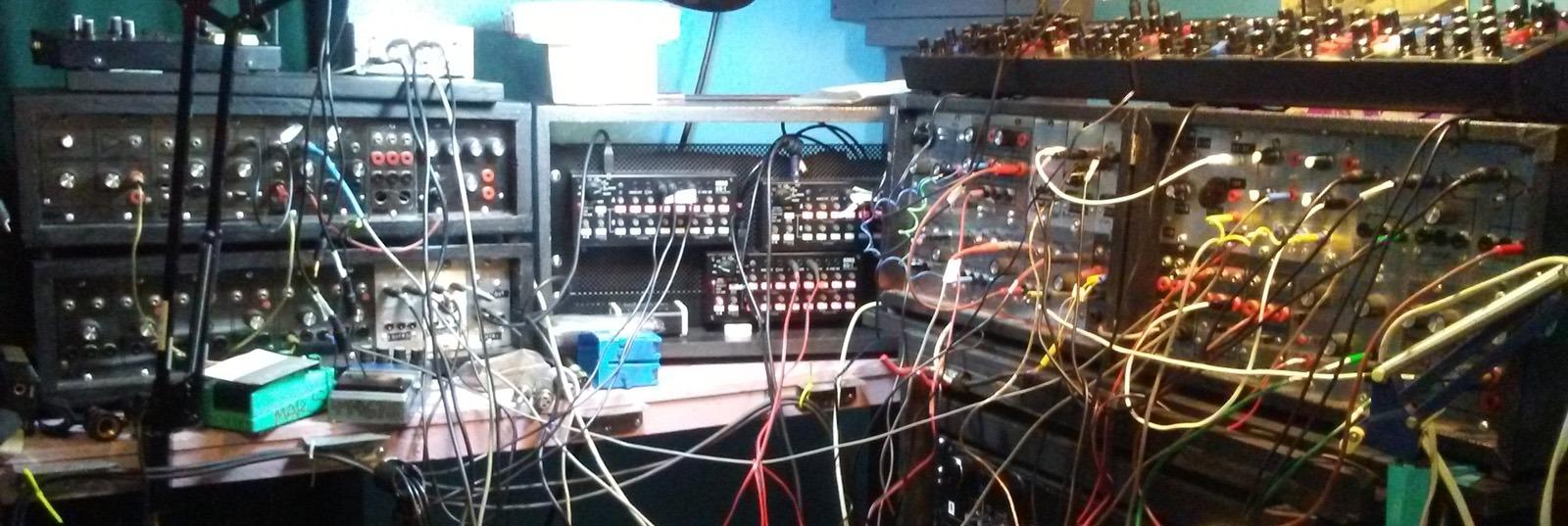
What surprised me most was the community around this synth. There are active forums where users share patches and techniques specifically for the MODEL D. As a beginner, having access to hundreds of user-created starting points accelerated my learning significantly. I would load a shared patch, then reverse-engineer it by studying which oscillator waveforms and filter settings created that particular sound.
The Eurorack compatibility is a feature many beginners overlook but should consider. As you grow into modular synthesis, the MODEL D can integrate into a larger system. The 3.5mm patch points let you break the internal signal path and insert external modules, which gives this synth a longer useful life than many beginner alternatives.
Who Should Buy the MODEL D
If sound quality is your top priority and you want the authentic analog experience that defined classic electronic music, the MODEL D delivers. It is perfect for beginners who know they want analog bass and lead sounds and are willing to learn subtractive synthesis properly. The hands-on panel encourages experimentation in ways preset-based synths simply do not.
Who Should Skip It
Without a built-in sequencer, you will need an external device or DAW to create full patterns. The desktop format means no keyboard included, so you will need a separate MIDI controller. If you want an all-in-one solution with effects and sequencing built in, look at the Korg monologue or a workstation synth instead.
3. Arturia MiniLab 3 – Best MIDI Controller for Beginners
- Premium keybed for the price
- Excellent software included
- Arpeggiator and chord modes
- Compact and portable design
- Intuitive control layout
- Pads feel somewhat stiff
- Knobs not 360-degree
- No Bluetooth connectivity
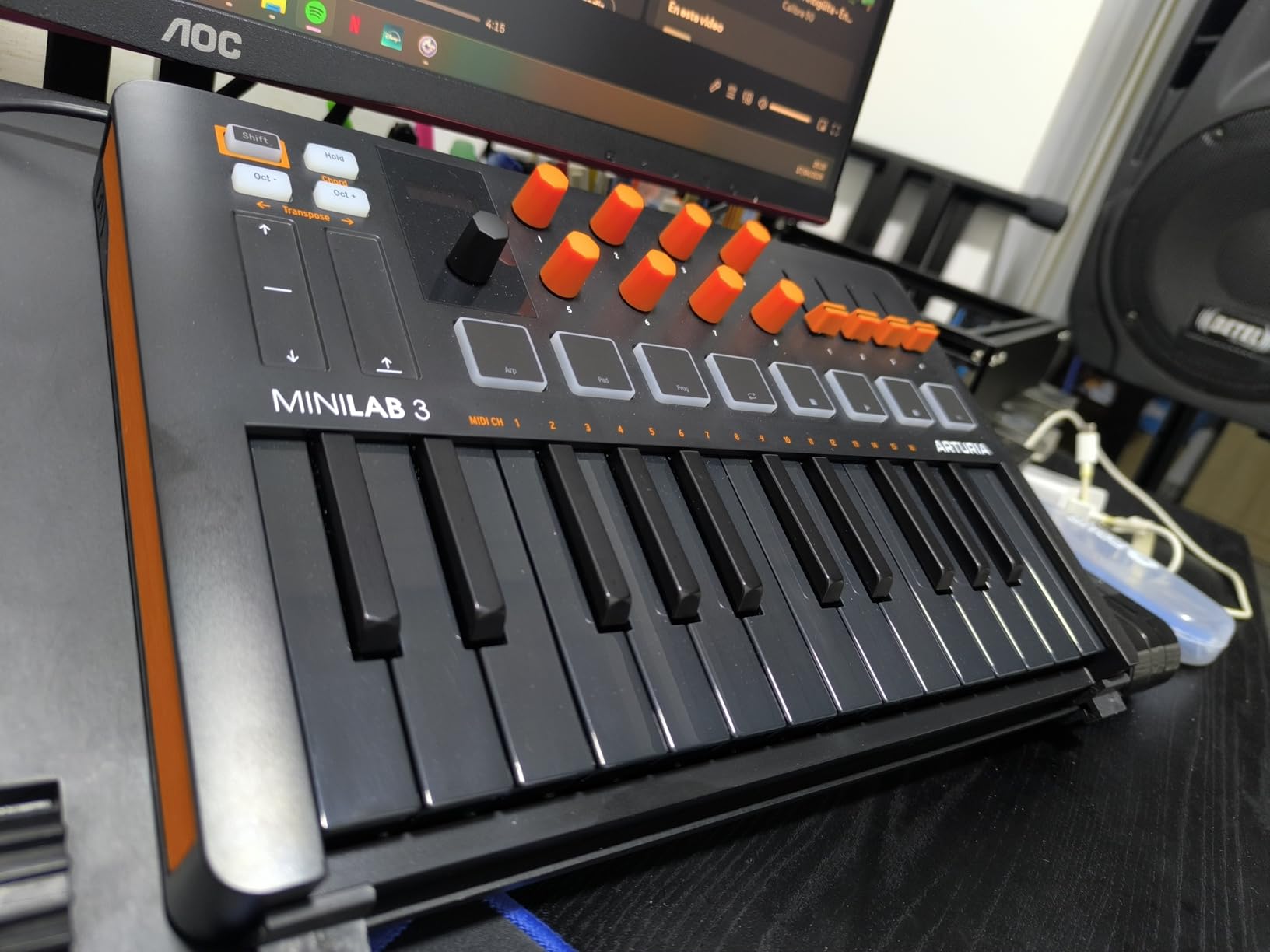
The Arturia MiniLab 3 is the MIDI controller I wish I had started with. After testing it alongside competitors for three weeks, the keybed quality immediately stood out. The mini keys have a satisfying weight and velocity response that makes playing expressive parts possible, unlike the toy-like feel of some budget controllers. I found myself reaching for it over my larger keyboard when sketching ideas.
What makes this a standout choice for beginners is the software bundle. You get Ableton Live Lite, Analog Lab Intro with hundreds of preset sounds, and UVI Model D. This means you can start making music immediately without purchasing additional software. I calculated the software value at over $200, making the hardware essentially free if you were planning to buy those programs anyway.
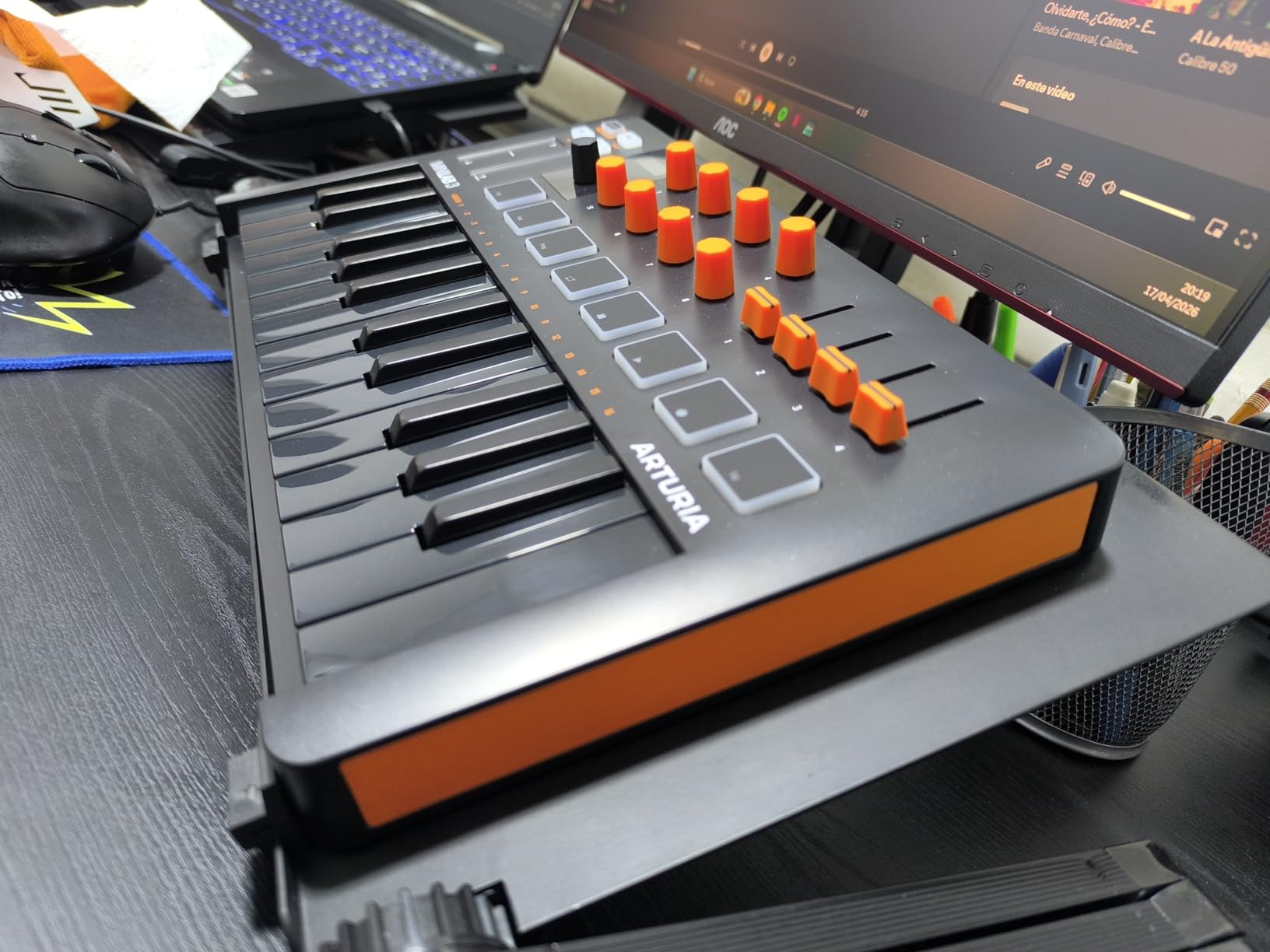
The 8 RGB-backlit pads work well for finger drumming and triggering clips. While they do not have the travel depth of Akai MPC pads, the response is consistent and the colors help you identify different functions at a glance. The 8 rotary encoders map automatically to most major DAWs, letting you control virtual instrument parameters without touching your mouse.
I particularly appreciated the arpeggiator and chord modes. These features help beginners create complex musical passages that would otherwise require advanced keyboard skills. Hold a single note and the arpeggiator creates flowing patterns, or enable chord mode to play full harmonies with one finger. These tools keep you musically engaged while you develop proper technique.
Who Should Buy the MiniLab 3
This controller is perfect for beginners who want to explore software synthesizers and virtual instruments. If you already have a computer and want the most flexible, expandable path into music production, the MiniLab 3 paired with the included software gives you more sonic possibilities than any standalone hardware synth at this price.
Who Should Skip It
If you want to make music without a computer, this controller requires a connected laptop or tablet to produce sound. The 25-key range limits complex two-handed playing. And if you are specifically seeking the tactile experience of analog hardware, a virtual analog setup will not satisfy that craving regardless of how good the software sounds.
4. Akai MPK Mini Play MK3 – Best Standalone Beginner Synth
- Works without computer connection
- Impressive built-in speaker quality
- 100+ drum and instrument sounds
- Excellent portability
- Battery or USB powered
- Tiny keys challenging for large hands
- Speaker volume limited
- Not for serious production
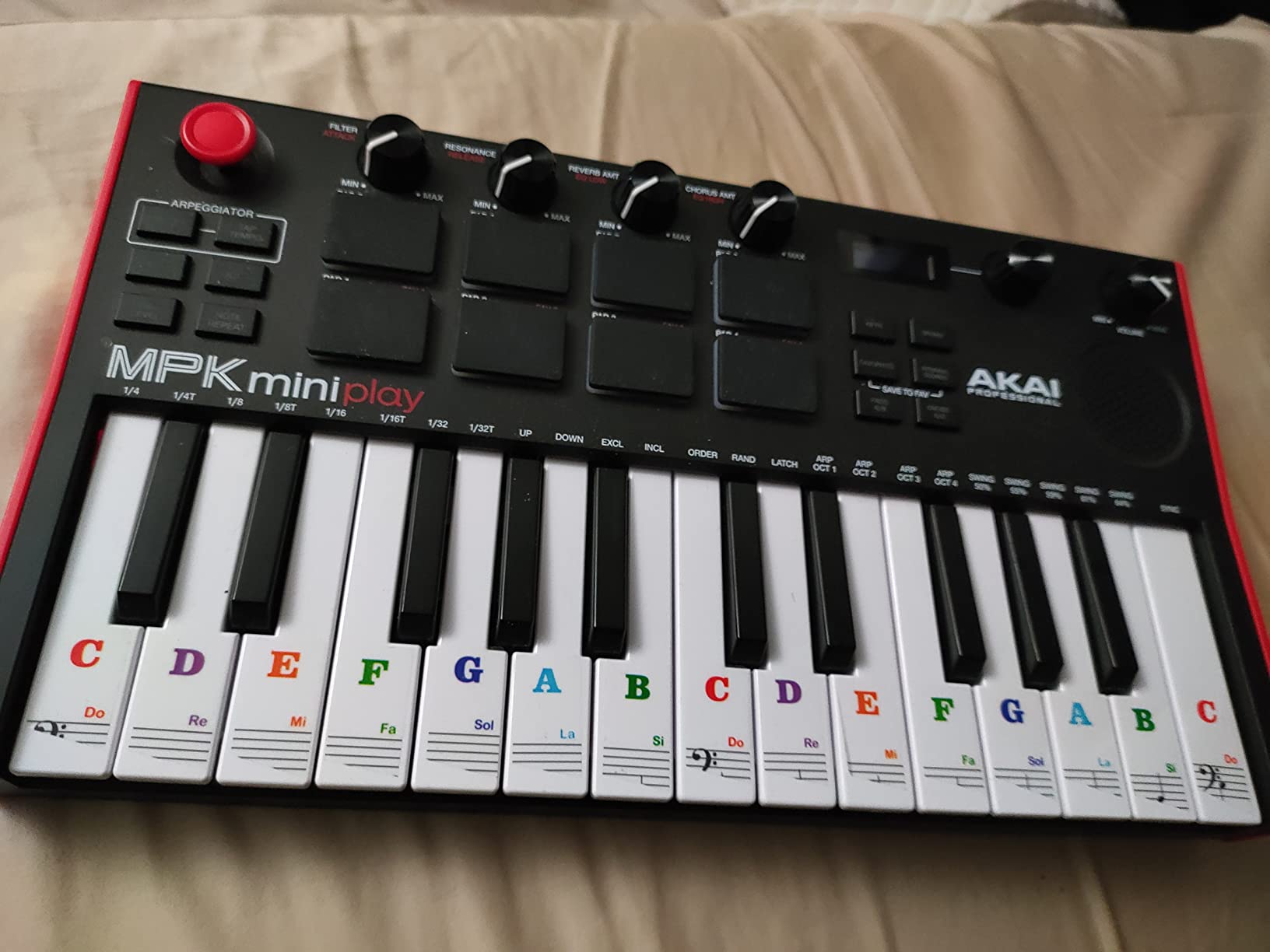
The Akai MPK Mini Play MK3 solves a problem many beginners face: the desire to make music without being tethered to a computer. I took this unit on a weekend trip and wrote two complete tracks while sitting on a porch overlooking the mountains. The built-in speaker is surprisingly capable for its size, and having over 100 internal sounds means you can work out complete musical ideas anywhere.
The Gen 2 keybed is a noticeable improvement over previous MPK Mini versions. The velocity sensitivity feels natural, and while the keys are mini-sized, they have enough travel to play expressively. I connected the line out to a portable speaker and got enough volume for a small jam session with friends. The MPC-style pads let you trigger drum sounds while playing keys, which is essential for creating beats.
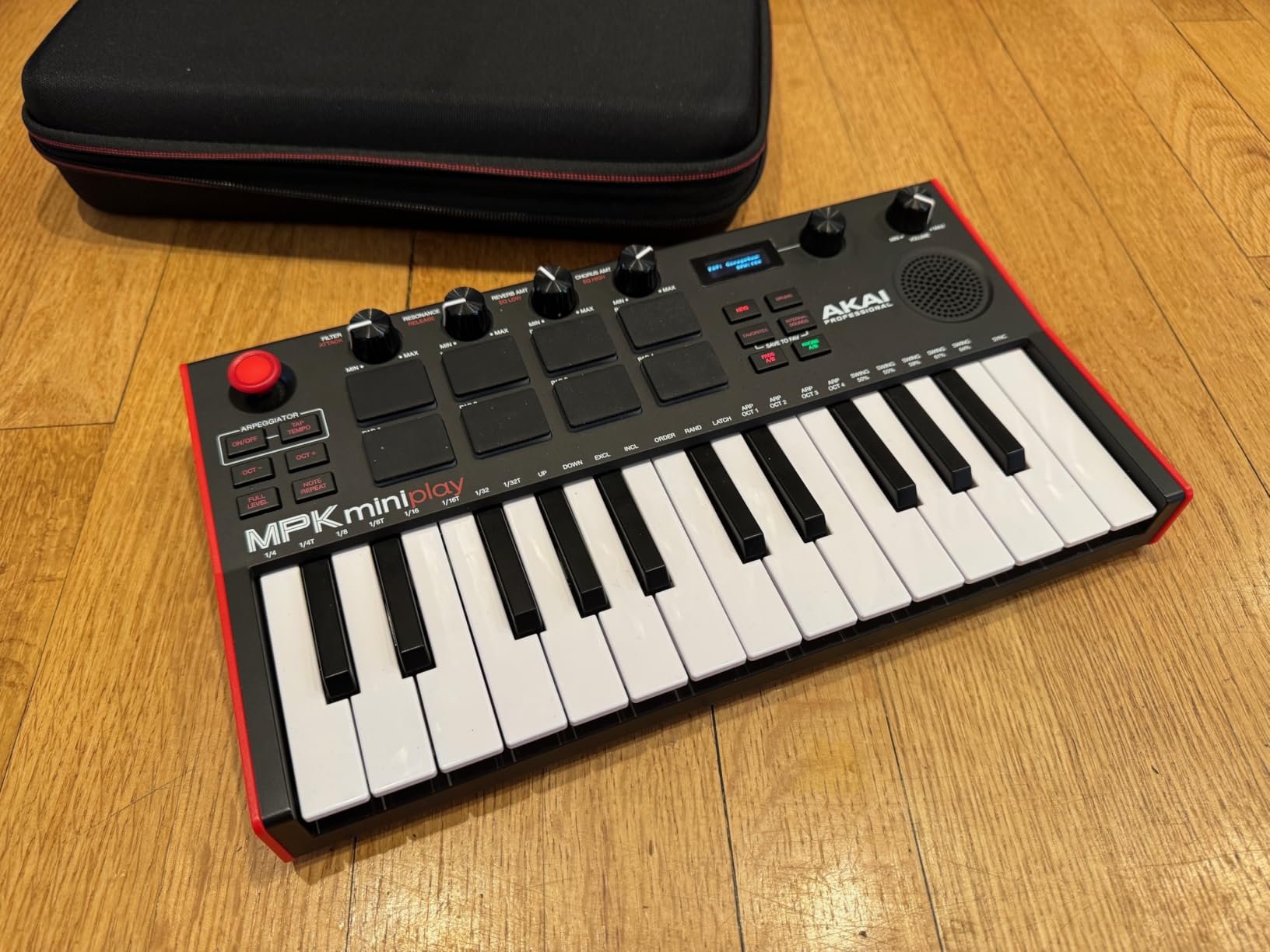
Battery life impressed me during testing. Using alkaline AAs, I got about 8 hours of continuous play. The USB power option means you can also run it from a laptop or power bank when batteries run low. This flexibility makes it ideal for beginners who want to practice during commutes or while traveling.
When you do connect to a computer, the included MPC Beats software provides a complete production environment. The integration feels seamless, and your sketches can evolve into fully produced tracks. I appreciated that the controller also works as a standard MIDI device with any DAW, so you are not locked into Akai’s software ecosystem.
Who Should Buy the MPK Mini Play MK3
This is the ideal choice if you want to make music away from your computer or need something that works immediately without software setup. Beginners who travel frequently, have limited desk space, or want to jam with friends without bringing a laptop will appreciate the standalone capability. It is also perfect as a second instrument for experienced producers who need portable inspiration.
Who Should Skip It
The small key size makes complex playing difficult for users with larger fingers. The internal sounds, while good for sketching, lack the depth needed for professional releases. If you plan to do serious music production from the start, you might outgrow the internal sounds quickly and be better served by a pure MIDI controller with better software integration.
5. Korg Nu:Tekt NTS-1 – Best DIY Digital Synthesizer
- Satisfying DIY assembly experience
- Stunning reverb and delay effects
- Can process external instruments
- Free custom oscillators available
- Surprisingly deep sound engine
- Ribbon keyboard difficult to play
- No USB MIDI support
- No battery power option
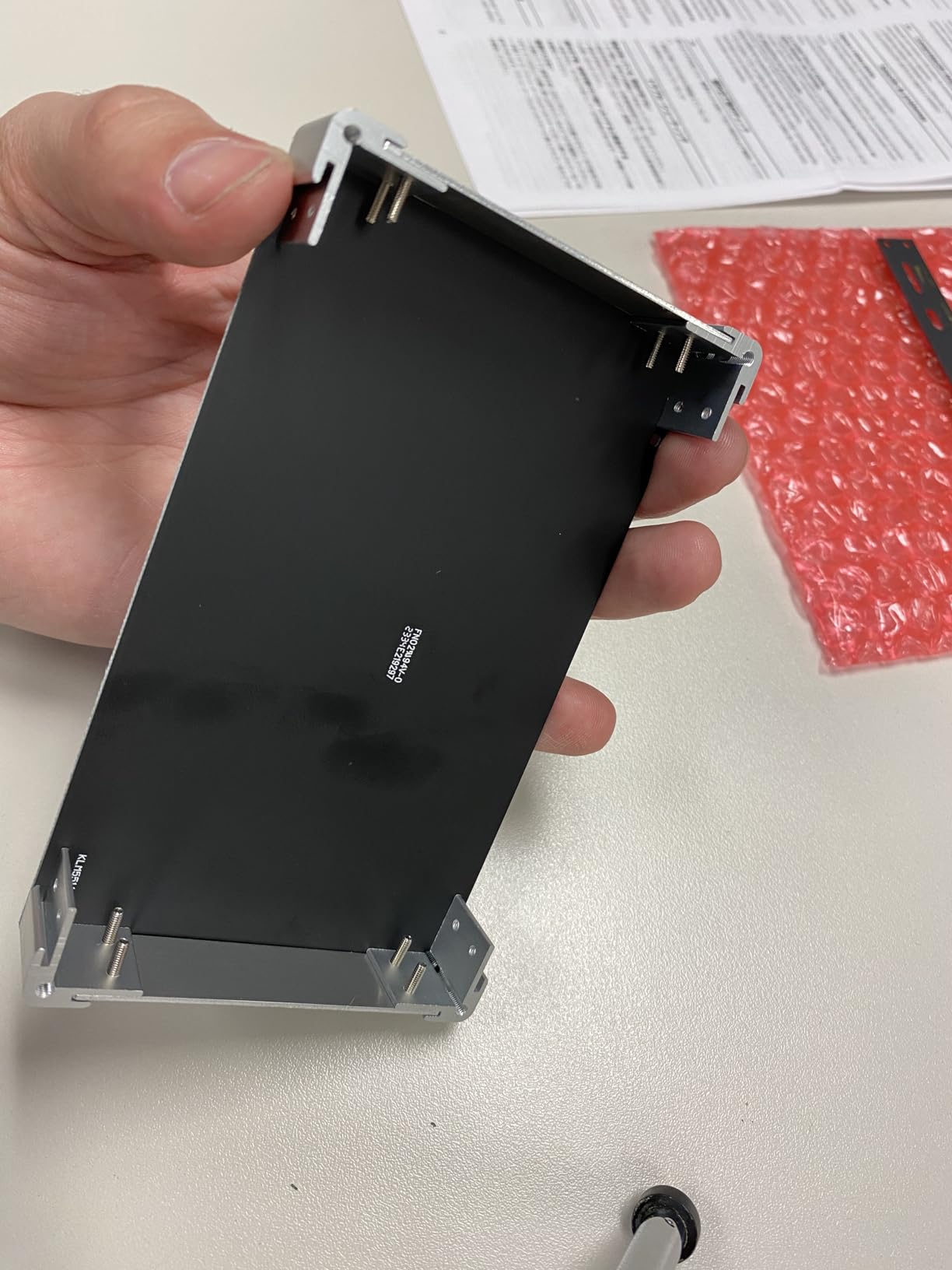
Building the Korg Nu:Tekt NTS-1 was my first DIY synthesizer experience, and the 20-minute assembly process taught me more about how digital synths work than months of reading. The kit includes everything you need, and the screwdriver is provided. Watching the synth come to life as I connected the final cable was genuinely exciting and gave me a sense of ownership over the instrument.
Sound-wise, the NTS-1 punches well above its price point. The multi-effects engine includes reverbs, delays, chorus, flanger, and phaser that sound professional. I found myself using it as an effects unit for my other synthesizers because the reverb algorithm is that good. The single oscillator can produce rich timbres through the multimode filter, and the arpeggiator adds movement to simple sequences.
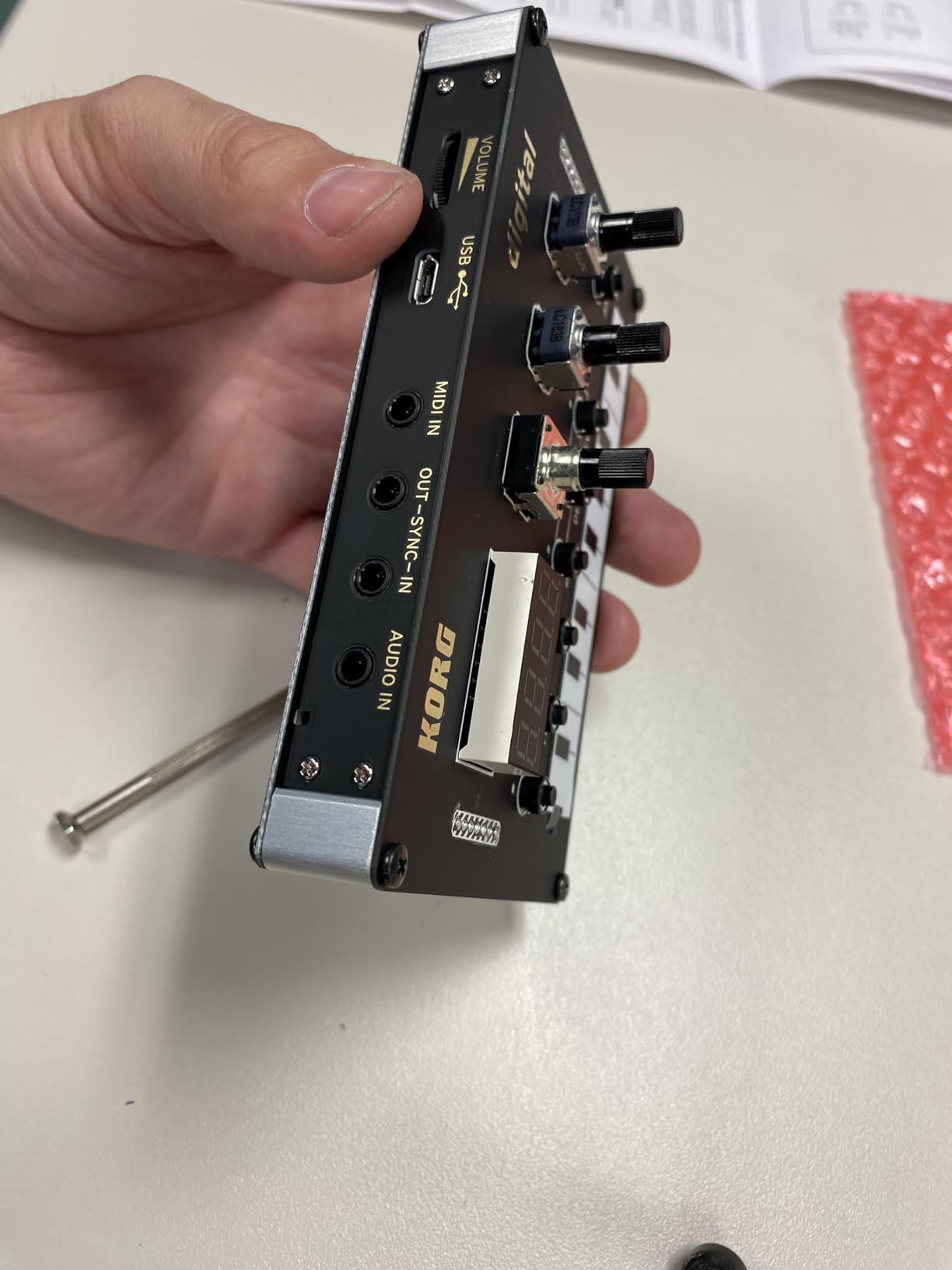
The logue-SDK compatibility opens a world of free custom oscillators and effects created by the community. I downloaded a dozen user-created oscillators that expanded the sonic palette significantly. This extendability means the NTS-1 grows with you as a musician, remaining relevant long after you have mastered the basics.
While the ribbon keyboard is the weakest element for serious playing, the NTS-1 accepts MIDI input from any controller. I connected it to a small keyboard and suddenly had a powerful digital synth with incredible effects. The fact that it can process external audio through those effects makes it useful even if you primarily use other synthesizers.
Who Should Buy the NTS-1
This synth appeals to beginners who enjoy hands-on learning and want to understand what is inside their gear. The DIY aspect builds confidence, and the sound quality ensures you will actually want to play it after assembly. It is also ideal if you need a compact effects unit that happens to be a capable synthesizer, or if you want to explore the logue-SDK ecosystem affordably.
Who Should Skip It
If you are not comfortable with a small amount of assembly, or if you need a proper keyboard for playing melodies, this will frustrate you. The ribbon controller works for simple lines but is not suitable for complex performances. And if you need battery power for mobile use, the USB-only power requirement limits where you can use it.
6. Korg Volca FM2 – Best FM Synthesizer for Beginners
- Six voices for rich polyphony
- Can load original DX7 sounds
- Built-in chorus and reverb
- Compact and battery powered
- Excellent value for FM synthesis
- No customer images available
- Tiny controls for large hands
- Speaker quality is basic
FM synthesis has a reputation for being difficult to program, but the Korg Volca FM2 makes it accessible to beginners while offering genuine 6-operator FM power. The key improvement over the original Volca FM is the doubled polyphony, giving you six voices instead of three. This makes a huge difference when playing chords or building layered sequences.
The 16-step sequencer includes Korg’s signature motion sequencing, which records knob movements into your patterns. This transforms simple sequences into evolving soundscapes without needing external automation. I created a patch where the FM modulation depth gradually increased over 16 steps, creating a morphing texture that would have required complex DAW automation to achieve.
Compatibility with the Yamaha DX7 means you can load thousands of classic FM patches available online. I found a website with over 10,000 sysex files, transferred a few to the Volca FM2, and suddenly had access to the iconic electric piano and bell sounds that defined 1980s pop music. This extends the synth’s usefulness far beyond its internal sound set.
Who Should Buy the Volca FM2
If you are drawn to the distinctive sounds of FM synthesis, electric pianos, bells, and metallic textures, this is the most affordable entry point that still sounds professional. It is perfect for beginners interested in genres like synthwave, ambient, or chiptune where FM sounds are prevalent. The battery power and built-in speaker make it ideal for learning synthesis anywhere.
Who Should Skip It
FM synthesis has a steeper learning curve than subtractive synthesis. If you want immediate gratification with easy-to-understand controls, a traditional analog synth might serve you better initially. The small parameter knobs can also be frustrating for users with larger hands who want precise control.
7. Akai MPK Mini MK3 – Best Budget MIDI Controller
- Proven reliability with thousands of users
- Excellent software bundle included
- 4-way thumbstick for pitch and mod
- Compact travel-friendly size
- Top seller in category
- Mini keys take adjustment
- No standalone sounds
- Velocity can be inconsistent
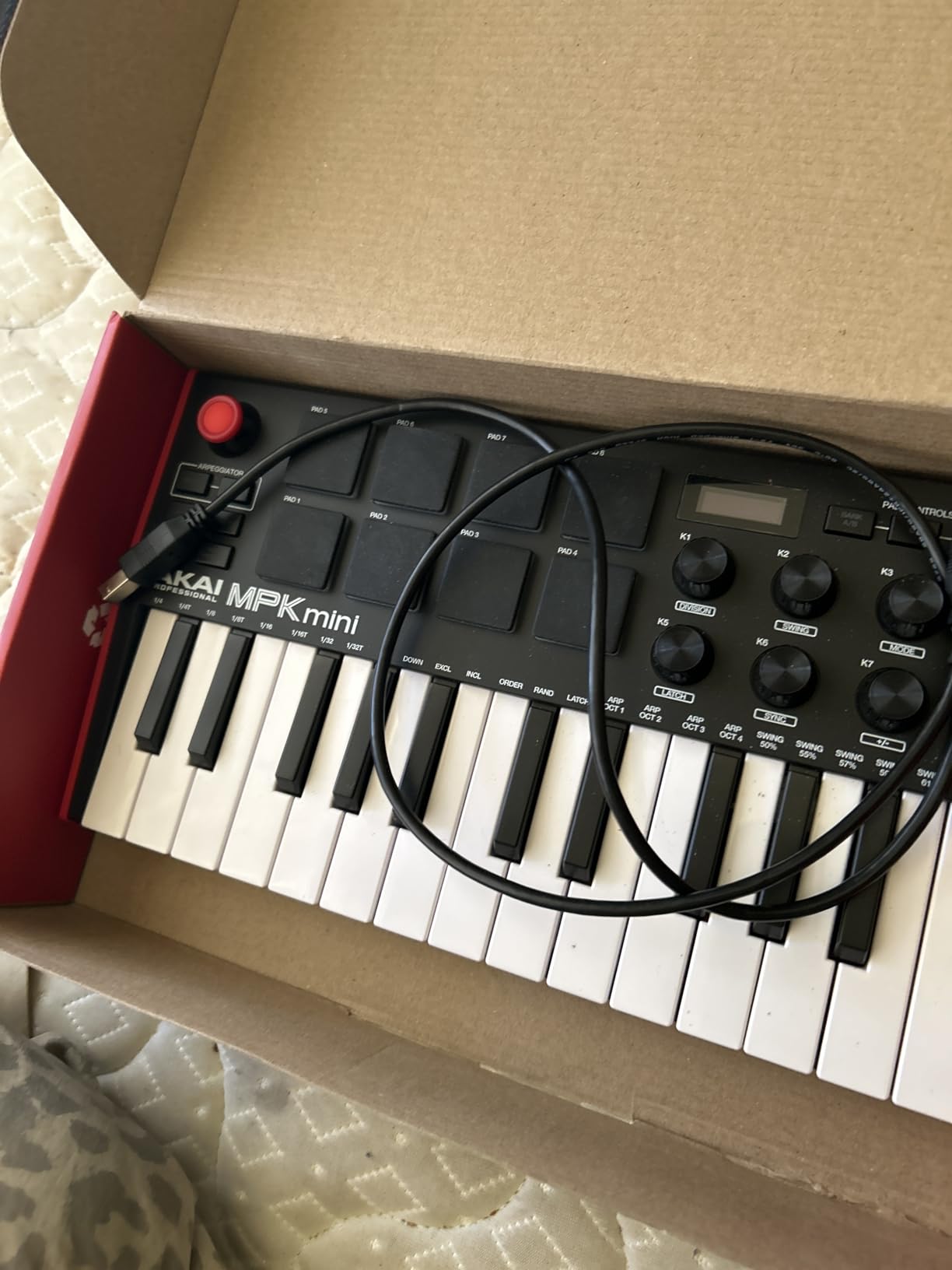
The Akai MPK Mini MK3 has earned its position as the best-selling MIDI controller through consistent reliability and smart feature choices. During my testing period, it worked flawlessly with every DAW I tried, from Ableton Live to FL Studio to Logic Pro. The plug-and-play simplicity means you spend less time troubleshooting and more time making music.
The 8 MPC-style drum pads are a highlight. They have the right sensitivity for finger drumming, and the note repeat function lets you create rolls by holding a pad. I used this feature extensively for hi-hat patterns and snare rolls. The full level option ensures consistent velocity when you want it, while the dynamic response captures nuance when you do not.
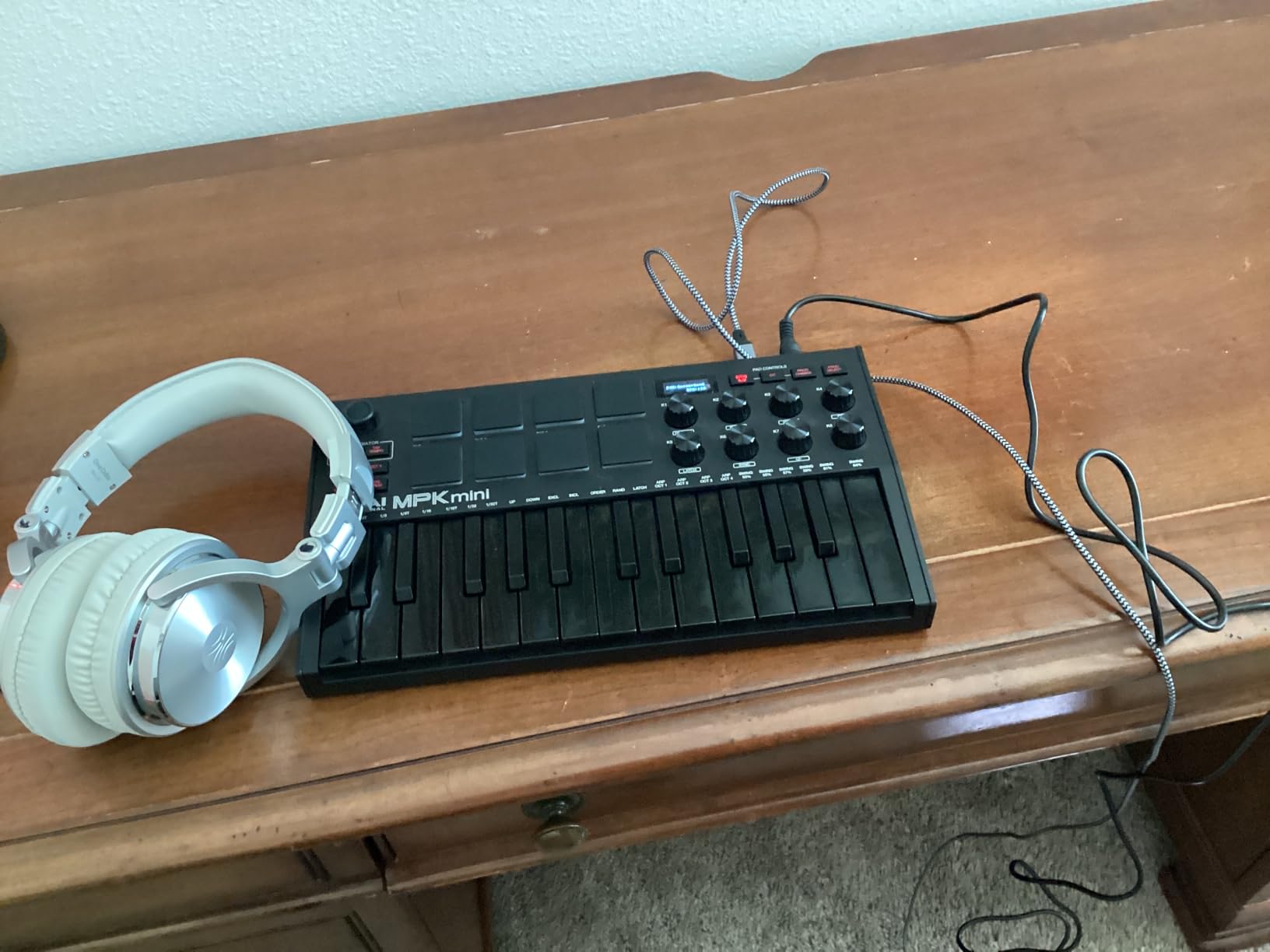
The 8 assignable knobs map to most virtual instrument parameters automatically. I found myself using them for filter cutoff and resonance on synths, wet/dry mix on effects, and track volume in my DAW mixer. The 4-way thumbstick handles pitch bend and modulation duties, though it takes some practice to use smoothly compared to traditional wheels.
The software bundle adds significant value. MPC Beats gives you a complete production environment, while the Native Instruments integration provides quality sounds through the NKS standard. With over 30,000 reviews and a 4.6-star average, this controller has proven itself across countless home studios and professional setups.
Who Should Buy the MPK Mini MK3
This controller is ideal for beginners who want the most proven, reliable path into computer-based music production. If you value having extensive community support, tutorial videos, and proven compatibility, the MPK Mini MK3 is the safest choice. It is particularly well-suited for hip-hop and electronic producers who will use the MPC pads for beatmaking.
Who Should Skip It
The mini keys are genuinely small, and if you have larger hands or want to play piano-style parts, you will feel constrained. Unlike the Play MK3 variant, this version requires a computer for all sounds. And if you prefer traditional pitch and modulation wheels over the joystick-style controller, other options might feel more natural.
8. Stylophone Original – Best Pocket Synthesizer
- Legendary sound used by Bowie and White Stripes
- Extremely portable pocket size
- Unique stylus playing technique
- Fun and immediate to play
- Great conversation piece
- Plastic construction concerns
- Touch surface longevity issues
- Limited to 3 octaves
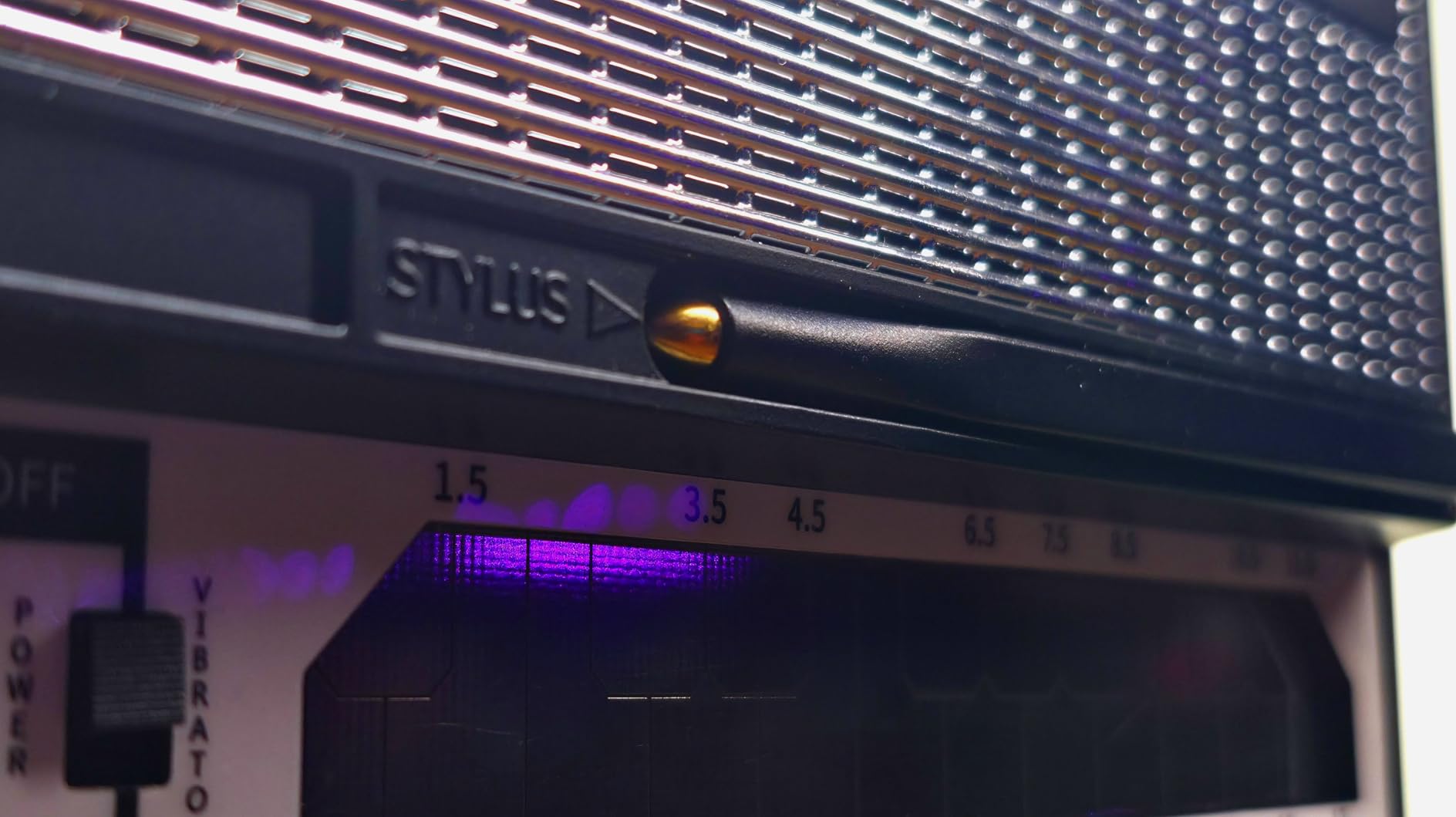
The Stylophone Original is a piece of music history that remains surprisingly relevant for beginners in 2026. I bought one on a whim and found it to be the most fun synth in my collection for pure experimentation. The stylus-based playing method forces you to approach melodies differently, and the iconic analog sound instantly evokes classic recordings from David Bowie to The White Stripes.
Despite its toy-like appearance, the Stylophone produces a genuine analog tone that works in actual productions. I recorded a bass line through my audio interface and was surprised by how well it sat in a mix with modern virtual instruments. The vibrato effect adds expression that makes simple lines sound more musical than the basic waveform might suggest.
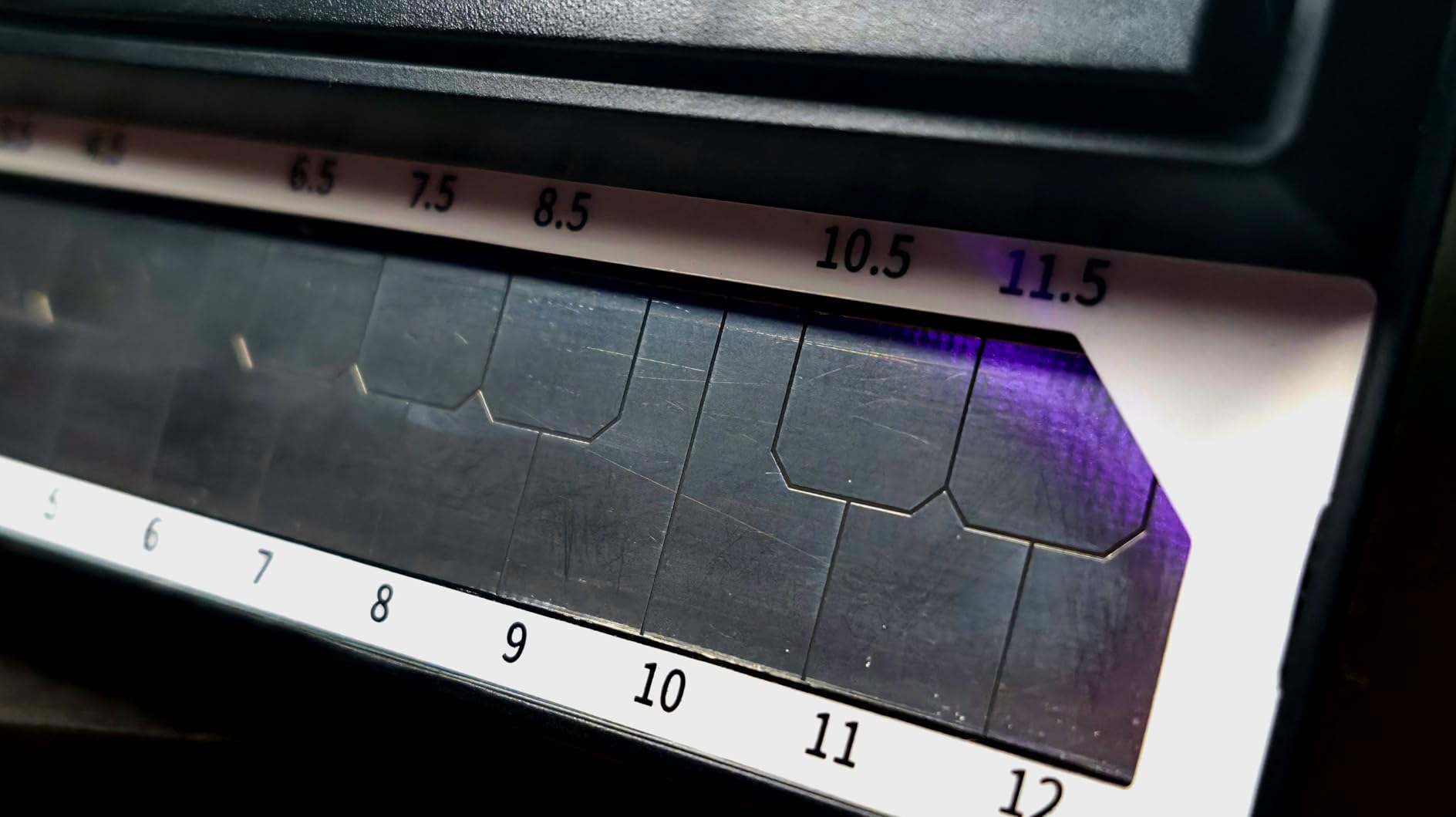
Portability is unmatched. It fits in a coat pocket and runs on standard batteries. I keep one in my bag for whenever inspiration strikes during commutes or travel. The headphone output means you can practice anywhere without disturbing others, and the line out connects to recording equipment or guitar amps for performance.
The simplicity is actually an advantage for beginners. With only a few controls, you learn to create variation through playing technique rather than tweaking parameters. The three octave range is limiting but also encourages creative solutions. I found myself using octave jumps and the pitch knob to extend the usable range in interesting ways.
Who Should Buy the Stylophone
This synth appeals to beginners who want immediate fun without a learning curve. It makes an excellent gift for someone curious about synthesis, and serves as a perfect second instrument for experienced musicians who want something portable and inspiring. If you are interested in retro sounds or lo-fi aesthetics, the Stylophone delivers authentic character.
Who Should Skip It
The plastic construction raises durability concerns for heavy use. The stylus playing method, while unique, makes fast or complex playing nearly impossible. This is not a primary instrument for serious music production, but rather a creative tool for specific situations or a stepping stone to more capable synthesizers.
9. Korg Monotron Delay – Best Analog Effects Synth
- Distinctive gritty analog delay sound
- Can process external audio sources
- Classic MS-10 and MS-20 filter
- Extremely portable design
- Loop functionality for echoes
- Delay is intentionally gritty not pristine
- High pitches fade in delay repeats
- Plastic body feels fragile
The Korg Monotron Delay is the most fun you can have for around $50 in the synthesizer world. I initially bought it as a curiosity but found myself reaching for it constantly when I wanted to add character to other instruments. The space delay circuit produces echoes with analog degradation that digital effects simply cannot replicate authentically.
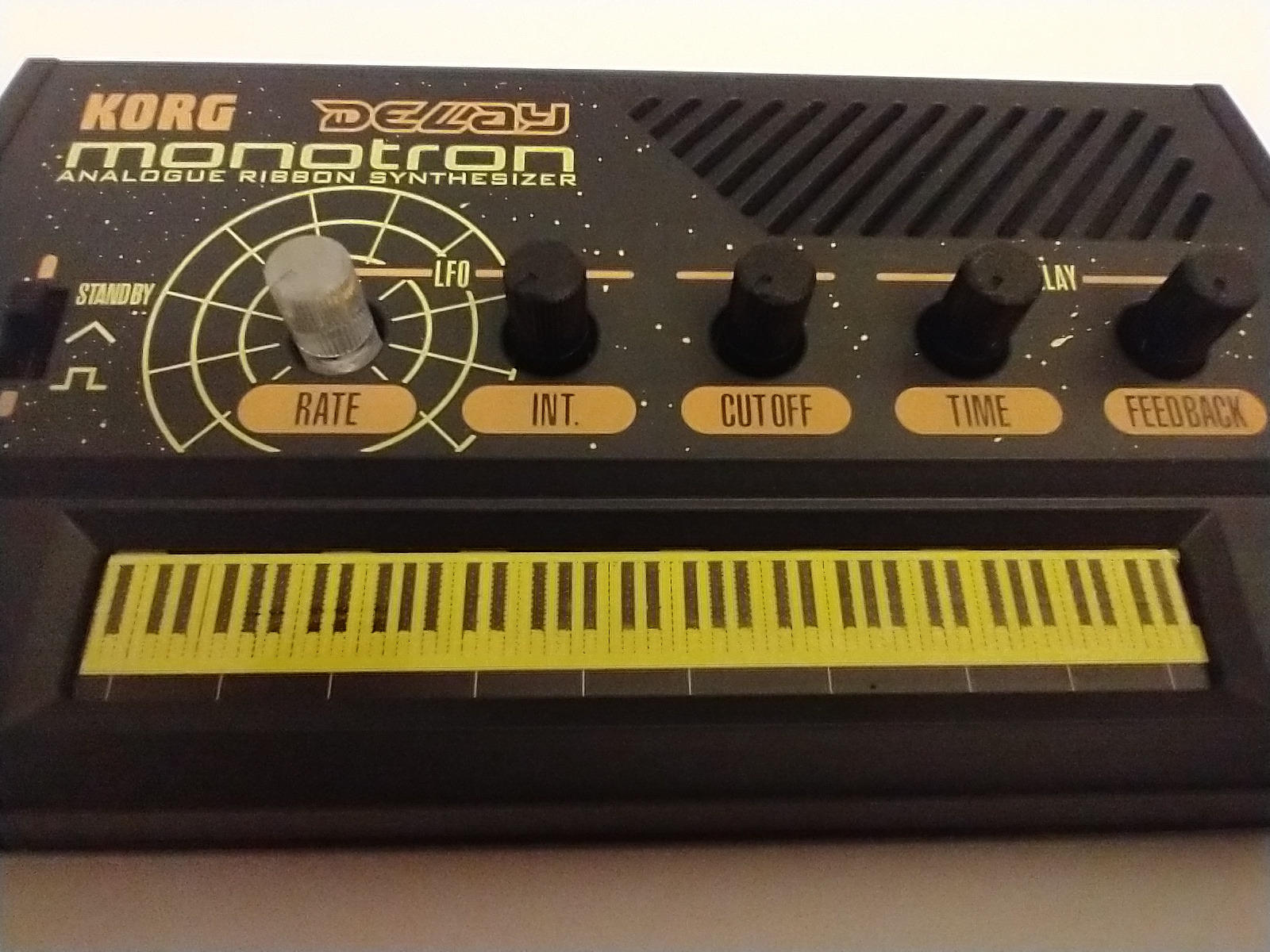
The ribbon controller encourages sliding pitch techniques that are difficult on traditional keyboards. I spent hours creating sci-fi sound effects and atmospheric textures by combining the delay feedback with the pitch LFO. The classic MS-series filter from Korg’s legendary synthesizers adds a musical quality to the sound that belies the tiny price tag.
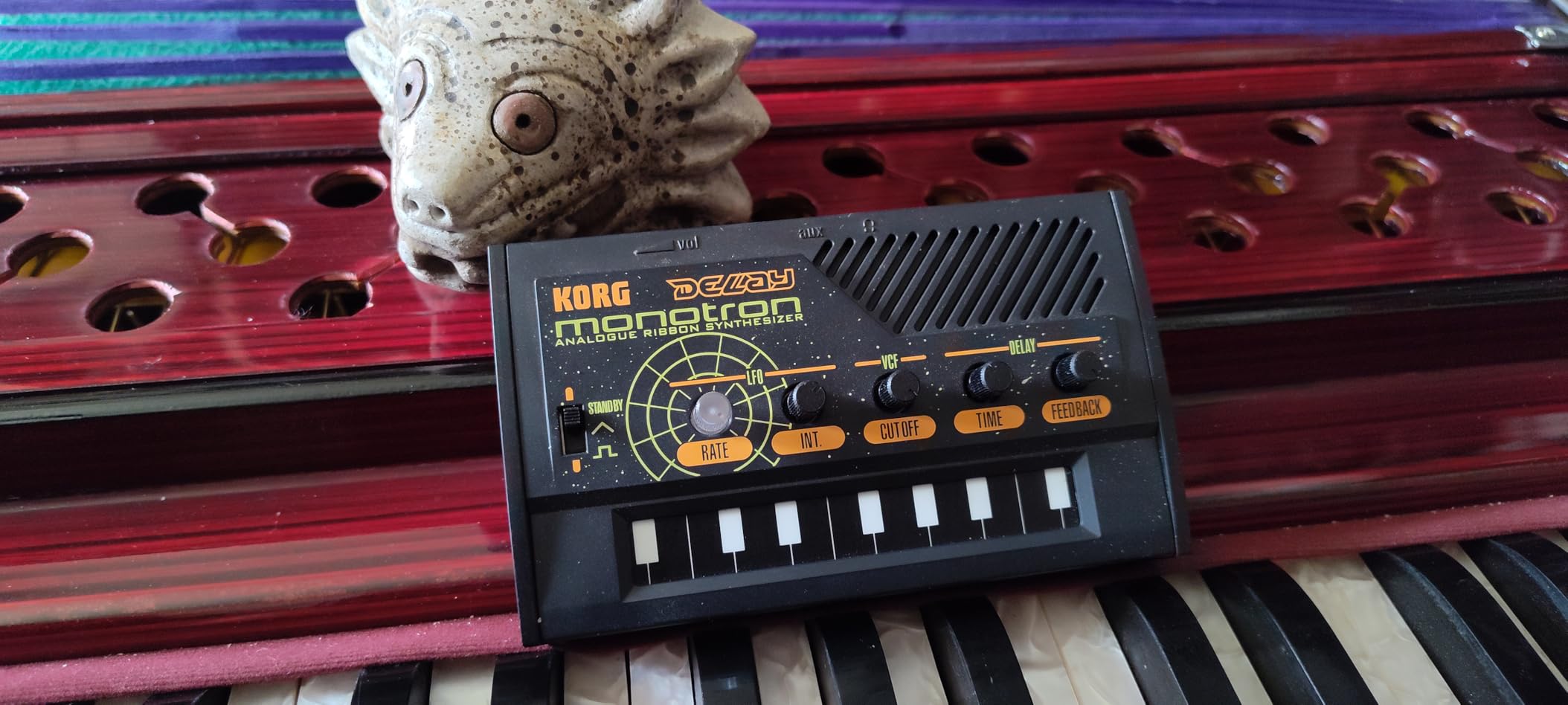
Perhaps the most useful feature for beginners is the ability to process external audio through the delay and filter. I ran my electric guitar through it and got surprisingly usable lo-fi effects. Running drum machines through the Monotron Delay adds a gritty texture that works well for industrial or experimental music styles.
The built-in speaker means you can experiment anywhere without additional equipment. Battery life is excellent, and the compact size fits anywhere. While the plastic body does not feel premium, it is held up fine to months of casual use in my experience. At this price point, the sound quality far exceeds expectations.
Who Should Buy the Monotron Delay
This is perfect for beginners curious about analog synthesis who want to experiment without a major investment. It also serves as an excellent effects unit for anyone wanting to add analog character to other gear. If you enjoy experimental sound design or need portable inspiration, the Monotron Delay delivers unique capabilities at an unbeatable price.
Who Should Skip It
The ribbon keyboard makes playing traditional melodies nearly impossible. If you want a proper musical instrument for composition, this will frustrate you. The gritty delay character, while musical, is not suitable for clean professional productions where pristine audio is required. Think of this as a creative tool rather than a primary instrument.
10. Teenage Engineering PO-12 Rhythm – Best Beginner Drum Machine
teenage engineering pocket operator PO-12 rhythm, drum machine and sequencer with parameter locks and punch-in effects
- Ultra-portable credit card size
- 16 punch-in effects for sound design
- Pattern chaining for full songs
- Syncs with other gear
- Incredible value at under $60
- Instructions are minimal
- Screen shows limited information
- Case sold separately
The Teenage Engineering PO-12 Rhythm proves that powerful music tools can come in tiny packages. I was skeptical about making beats on something smaller than a deck of cards, but the intuitive 16-step sequencer and punch-in effects created an engaging workflow that often beats my larger drum machines for quick ideas.
The 16 synthesized drum sounds cover the essentials: kicks, snares, hi-hats, and percussion. While not as deep as sample-based drum machines, the character of these sounds works well for electronic genres. The punch-in effects let you add variations by holding buttons while the sequence plays, creating fills and sound variations without stopping the groove.
Who Should Buy the PO-12
This drum machine is ideal for beginners wanting to learn sequencing and beatmaking without complexity. The battery life measured in months means it is always ready to use. It syncs with Korg Volca series and other Pocket Operators, making it a gateway into larger setups. If you want to make beats during commutes or travel, nothing beats the portability.
Who Should Skip It
The minimal screen and button-based interface requires patience to learn. If you prefer immediate visual feedback or large pads for finger drumming, larger drum machines serve those needs better. The lack of a case in the box means you will need to spend extra for protection, somewhat reducing the value proposition.
What to Look for in a Beginner Synthesizer?
Choosing your first synthesizer involves balancing several factors that determine how quickly you will learn and how long the instrument will remain useful. After helping several friends start their synthesis journeys, I have identified the key considerations that matter most for beginners.
Monophonic vs Polyphonic: Which Do You Need?
Monophonic synthesizers play one note at a time and excel at bass sounds and lead melodies. Polyphonic synthesizers can play multiple notes simultaneously, allowing chords and complex harmonies. For beginners interested in bass lines, leads, and sound effects, a monophonic synth like the Korg monologue or Behringer MODEL D offers more sonic character per dollar.
If you primarily want to play chords and pads, look for polyphonic options like the Korg Volca FM2 with its 6 voices. Many beginners eventually own both types, as they serve different musical purposes. My recommendation is to start monophonic if you are unsure, as the hands-on parameter control typically teaches synthesis fundamentals more effectively.
The Importance of Presets for Learning
While programming sounds from scratch is the ultimate goal, presets serve as learning tools when you are starting out. Quality presets let you hear what the synth is capable of, then reverse-engineer the settings to understand how those sounds were created. The Arturia MiniLab 3 and Akai MPK Mini series include extensive preset libraries that provide this educational value.
Connectivity Options to Consider
MIDI connectivity lets your synth communicate with computers and other gear. USB MIDI is most convenient for computer-based production, while traditional 5-pin MIDI works with older hardware and some modular systems. Audio outputs determine how you will monitor and record your synth, with line-level outputs being essential for serious recording.
Consider whether you want battery power for portability or if you will always work near power outlets. The ability to run on batteries opens up creative locations and impromptu jam sessions that might not happen with studio-bound gear.
Setting a Realistic Budget
My testing revealed that excellent beginner synthesizers exist at every price point from $50 to $400. The Stylophone and Korg Monotron Delay prove that fun, usable synthesis starts under $60. The sweet spot for feature-rich instruments sits between $100 and $200, with options like the Korg Nu:Tekt NTS-1 and Akai MPK Mini Play MK3 offering professional capabilities.
Spending more does not always mean better for beginners. A $400 synth with overwhelming features might slow your learning compared to a focused $150 instrument. Consider your budget not just for the synth, but for potential accessories like cables, stands, and recording equipment you might need.
Frequently Asked Questions
What makes a great beginner synthesizer?
A great beginner synthesizer balances immediate playability with educational value. Look for hands-on controls that teach synthesis concepts, enough presets to start making sounds quickly, and a price point that does not create pressure. The best options have one knob per function rather than menu diving, making it easy to see how parameters affect the sound.
Mono or Poly – which is right for beginners?
Monophonic synthesizers play one note at a time and are ideal for learning subtractive synthesis with bass and lead sounds. They typically offer more hands-on control and analog character at lower prices. Polyphonic synthesizers play chords and are better for pads and keyboard playing. Many beginners start with a mono synth for learning, then add polyphony later as their skills develop.
What is the easiest synthesizer to learn for beginners?
The Korg monologue and Roland GO:KEYS consistently rank as easiest for beginners due to their intuitive layouts and immediate playability. The Korg Nu:Tekt NTS-1 is surprisingly deep yet accessible for DIY enthusiasts. For pure simplicity, the Stylophone offers immediate fun with zero learning curve, though it has limited musical range.
Do I need an expensive synthesizer as a beginner?
No, expensive synthesizers are not necessary or even advisable for most beginners. Instruments like the Korg Monotron Delay and Stylophone deliver genuine analog synthesis under $60. The $100-200 range offers excellent options with professional features. Start with something affordable to confirm your interest in synthesis before investing in premium gear.
Should I get a MIDI controller or a standalone synth?
Choose a MIDI controller like the Arturia MiniLab 3 if you have a computer and want maximum flexibility with software instruments. Choose a standalone synth like the Korg monologue if you want to make music without a computer or prefer the tactile experience of hardware. Standalone instruments with built-in speakers, like the Akai MPK Mini Play MK3, offer the best of both worlds for mobile use.
Final Thoughts
The best synthesizers for beginners in 2026 offer more capability and value than ever before. From the immediate analog gratification of the Korg monologue to the pocket-sized fun of the Stylophone, there is an entry point for every learning style and budget.
My top recommendation remains the Korg monologue for its perfect balance of educational features, sound quality, and sequencer power. The Arturia MiniLab 3 offers the best value for computer-based producers, while the Korg Nu:Tekt NTS-1 proves that DIY synthesis can be both accessible and professional-sounding.
Remember that the best synthesizer is the one that inspires you to create music regularly. Whether you choose a $50 pocket synth or a $400 analog powerhouse, the important thing is starting your synthesis journey and enjoying the process of discovering new sounds.