
Recording vocals at home has become the standard for singers, podcasters, and voiceover artists in 2026. The right audio interface can transform your vocal recordings from amateur demos into polished, radio-ready tracks. After testing dozens of models with everything from the Shure SM7B to Neumann condensers, I have learned that vocalists need specific features that general-purpose interfaces often miss.
This guide to the Best Audio Interfaces for Vocalists cuts through the marketing noise. I focus on what actually matters for capturing voice: clean preamps with enough gain for demanding dynamic microphones, 48V phantom power for condensers, and low-latency monitoring so you can hear yourself without delay. Every interface here has been evaluated specifically for vocal recording performance, not just general music production specs.
Whether you are building your first home studio or upgrading from a basic USB mic, you will find an option that matches your budget and recording goals. We have tested interfaces ranging from under fifty dollars to professional-grade units over two hundred dollars. Let us find the perfect vocal recording companion for your voice.
Top 3 Picks for Best Audio Interfaces for Vocalists (August 2026)
Before diving into individual reviews, here are my top three recommendations based on different needs and budgets. These picks represent the best balance of sound quality, features, and value for vocal recording in 2026.

Solid State Logic SSL 2 MKII
- SSL 4000 series 4K analog enhancement
- Studio-grade mic preamps with 120dB dynamic range
- 32-bit/192kHz AD/DA converters
- MIDI I/O and high-pass filters

Focusrite Scarlett Solo 4th Gen
- 120dB dynamic range with upgraded preamps
- Auto Gain and Clip Safe features
- Improved Air mode for vocals
- 24-bit/192kHz converters

Behringer UMC22
- Midas-designed mic preamp
- 48V phantom power
- XLR/TRS combination input
- Direct monitor select
Best Audio Interfaces for Vocalists in 2026
This comparison table gives you a bird’s-eye view of all ten interfaces I tested. I have focused on vocal-specific features like preamp quality, phantom power availability, and maximum sample rates. Use this to narrow down which models fit your recording needs before reading the detailed reviews.
| Product | Specifications | Action |
|---|---|---|
| SSL 2 MKII |
|
Check Latest Price |
| Scarlett Solo 4th Gen |
|
Check Latest Price |
 Scarlett Solo 3rd Gen Scarlett Solo 3rd Gen |
|
Check Latest Price |
 Shure MVX2U Shure MVX2U |
|
Check Latest Price |
 Behringer UMC404HD Behringer UMC404HD |
|
Check Latest Price |
 PreSonus AudioBox 96 PreSonus AudioBox 96 |
|
Check Latest Price |
 M-Audio M-Track Duo M-Audio M-Track Duo |
|
Check Latest Price |
| Behringer UMC22 |
|
Check Latest Price |
 Behringer UM2 Behringer UM2 |
|
Check Latest Price |
 FIFINE SC3 FIFINE SC3 |
|
Check Latest Price |
1. Solid State Logic SSL 2 MKII – Premium Vocal Preamps with 4K Enhancement
- Legendary SSL sound quality
- Legacy 4K enhancement adds vocal presence
- 32-bit/192kHz pristine audio conversion
- Rock-solid metal build quality
- High-quality headphone amp with headroom
- Includes SSL Production Pack software
- HPF clears up low-end rumble
- Premium price point
- Limited to 2x2 channels
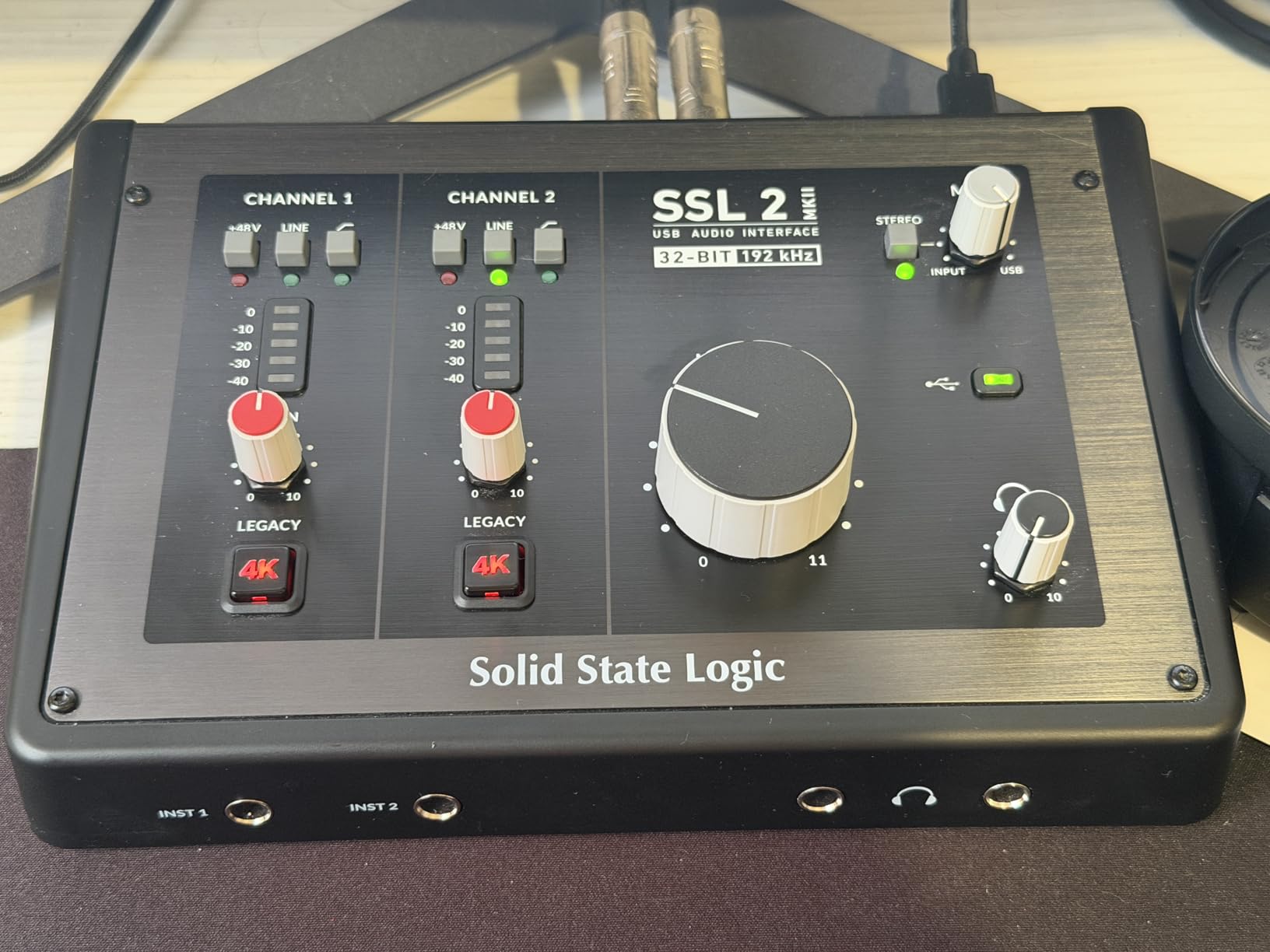
When I first connected the SSL 2 MKII to my Shure SM7B, the difference was immediate. The Legacy 4K analog enhancement adds a subtle presence and sheen to vocals that makes them sit perfectly in a mix without any EQ. This is the same circuit topology found in SSL’s legendary 4000 series consoles that shaped countless hit records.
The preamps deliver 120dB of dynamic range, meaning your quietest vocal whispers and loudest belting sessions both capture cleanly without noise. I recorded a full vocal album with this interface and never felt the need for an external preamp or Cloudlifter, even with gain-hungry dynamic microphones.
What truly sets the SSL 2 MKII apart for vocalists is the high-pass filter. A simple button press removes unwanted low-frequency rumble from air conditioning, foot tapping, or mic handling noise. This saves hours of post-processing and keeps your vocal tracks cleaner from the start.
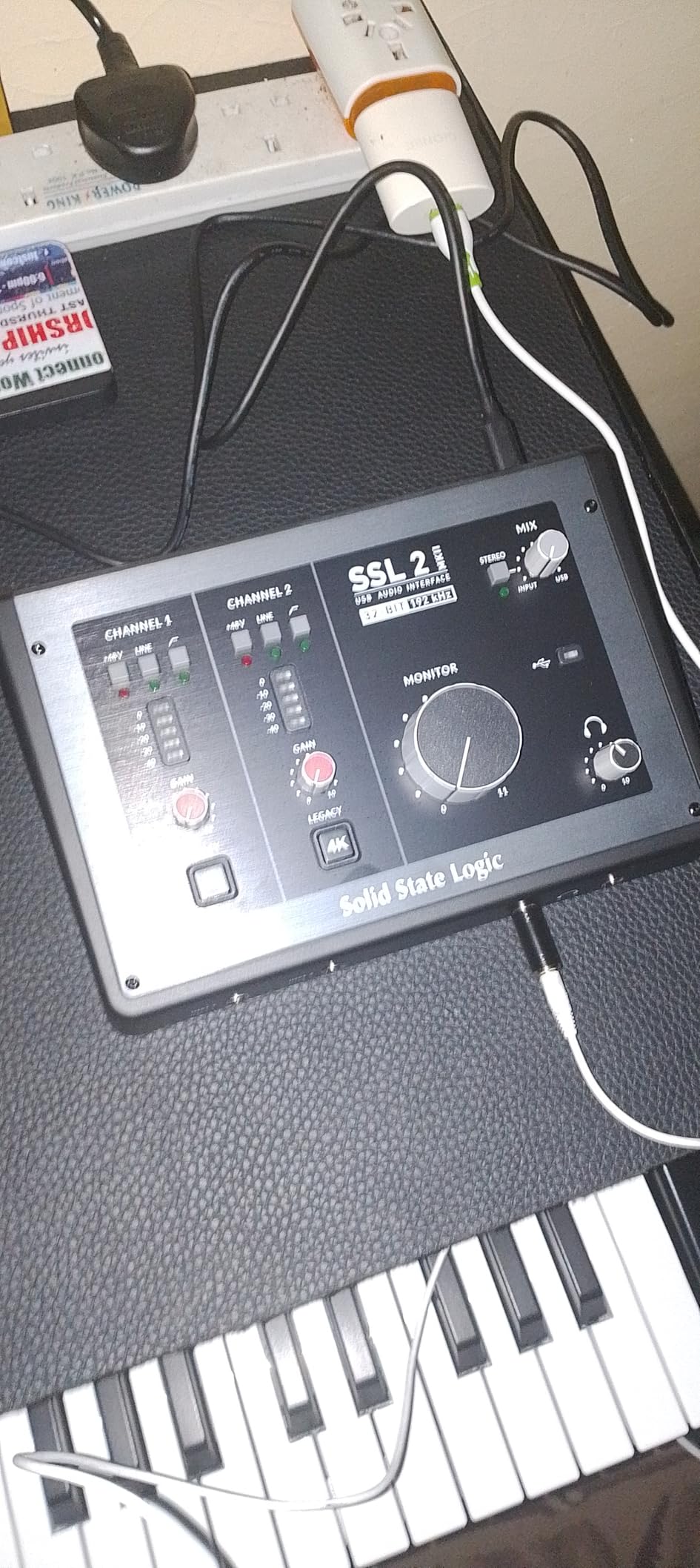
The build quality justifies the premium price. The stainless steel chassis feels like professional studio gear, not a plastic consumer device. The gain knobs have smooth resistance and the LED metering is accurate and easy to read while tracking.
For home studio vocalists ready to invest in their sound, this interface delivers professional results that rival units costing three times as much. The included SSL Production Pack software bundle provides native plug-ins that complement the hardware perfectly.
Vocalists Who Need Premium Sound Quality
If you are recording vocals for commercial release, audition tapes, or professional voiceover work, the SSL 2 MKII delivers results that match expensive outboard gear. The 32-bit converters provide headroom that prevents clipping during emotional vocal performances with wide dynamic range.
Singer-songwriters who also play acoustic guitar will appreciate the second input for tracking both sources simultaneously. The MIDI I/O lets you control virtual instruments while recording vocals, perfect for modern production workflows.
When You Might Want Something Simpler
If you are just starting out or only recording spoken word for podcasts, the SSL 2 MKII might be overkill. The feature set assumes you understand concepts like gain staging and high-pass filtering. Beginners may find the price intimidating when simpler interfaces will get the job done adequately.
Those needing more than two inputs for recording multiple vocalists or full bands should consider the Behringer UMC404HD reviewed later. The SSL 2 MKII is strictly a 2×2 interface with no expansion options.
2. Focusrite Scarlett Solo 4th Gen – Best Overall USB Audio Interface for Vocalists
- Huge 120dB dynamic range
- Auto Gain sets perfect levels automatically
- Clip Safe prevents recording disasters
- Improved Air mode enhances vocal clarity
- Virtually nonexistent latency
- Strong and clean headphone amp
- Premium build with Halo Gain indicators
- Gain control has narrow sweet spot
- Direct monitoring can be too quiet
- Single XLR input only
The Focusrite Scarlett Solo 4th Gen represents the sweet spot for most home studio vocalists. I have recommended this interface to dozens of singers and podcasters, and the feedback is consistently positive. The 120dB dynamic range rivals interfaces costing twice as much.
The new Auto Gain feature is a game-changer for vocalists who struggle with proper gain staging. Press the button, sing your loudest passage, and the interface sets the optimal level automatically. Clip Safe adds a second safety net by preventing digital clipping even if you get loud unexpectedly.
Focusrite’s improved Air mode now offers two flavors: Presence and Output Drive. The Presence setting adds high-frequency sparkle that works beautifully on vocals and acoustic guitars. Output Drive adds subtle harmonic saturation modeled on classic ISA preamps.
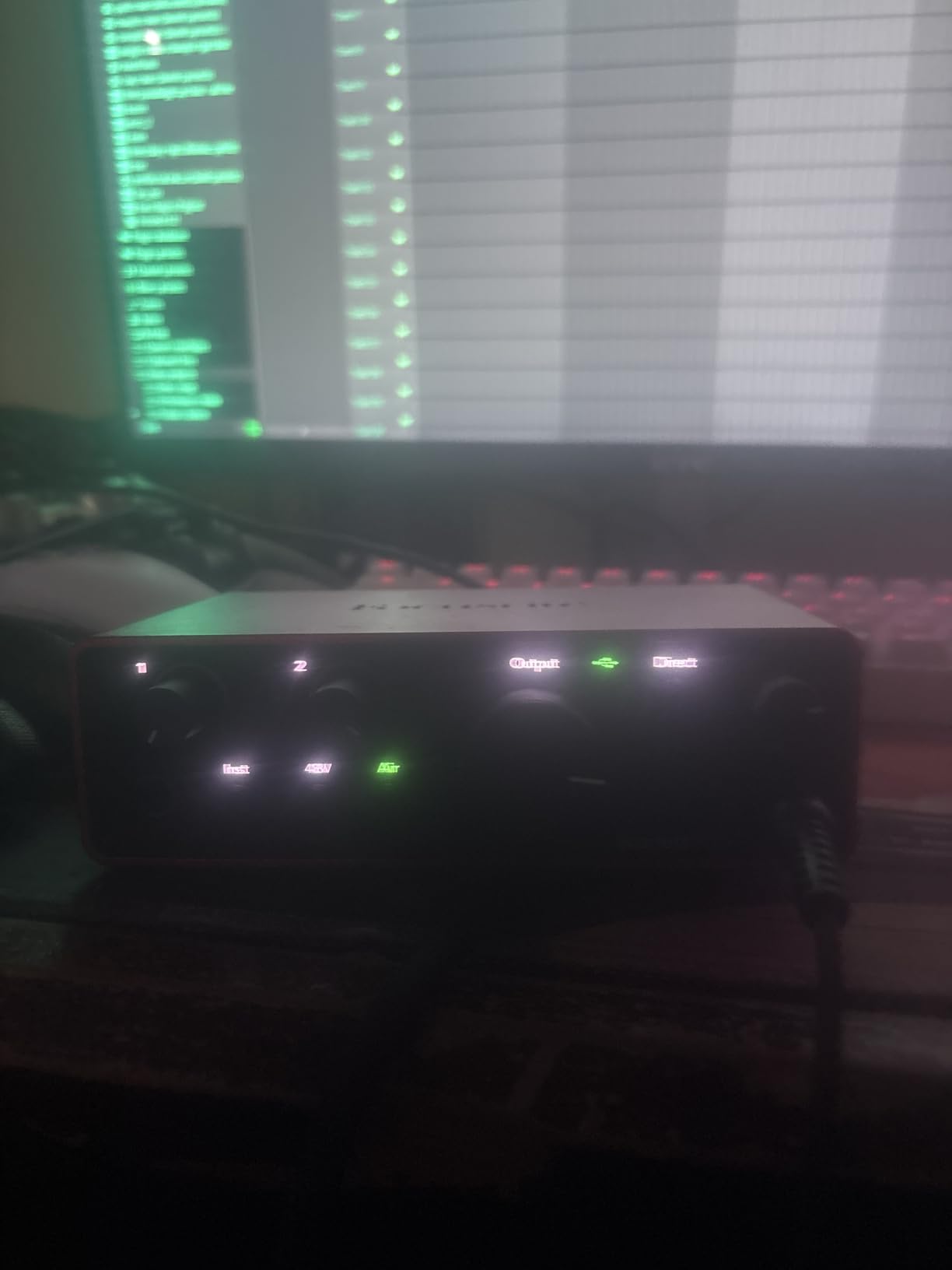
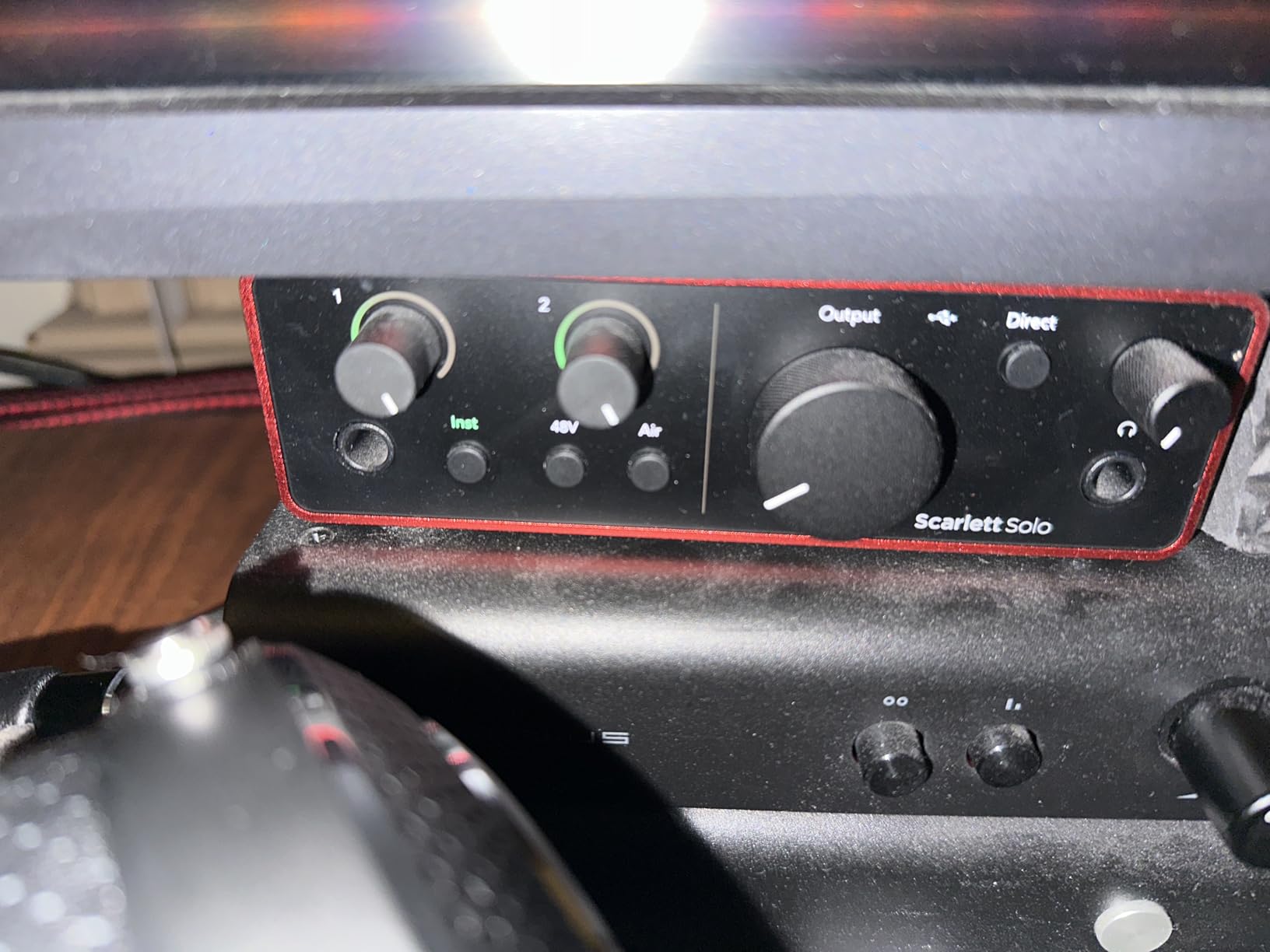
The Halo Gain indicators make it easy to see your input levels at a glance. The ring around each gain knob glows green when your signal is healthy and turns red if you are clipping. This visual feedback helps you maintain consistent vocal levels throughout a recording session.
I tested the headphone amp with several demanding studio headphones including the Beyerdynamic DT770 Pro. The Scarlett Solo 4th Gen drives them all with plenty of headroom and clear detail. Zero-latency direct monitoring means you hear yourself in real time without distracting delays.
Perfect for Solo Vocalists and Songwriters
The single XLR input makes this ideal for solo vocalists who record one track at a time. The instrument input on the front handles guitar or bass direct input, making this a complete singer-songwriter recording solution. The compact size fits easily on any desk without dominating your workspace.
Podcasters and voiceover artists will appreciate the clean preamp and simple operation. The included software bundle with Pro Tools Intro+, Ableton Live Lite, and Cubase LE means you can start recording immediately without buying additional DAW software.
Limitations for Multi-Source Recording
The single XLR input limits you to recording one microphone at a time. If you need to capture two vocalists simultaneously or record vocals and acoustic guitar on separate tracks, consider the M-Audio M-Track Duo or Behringer UMC404HD instead.
Some users report that the direct monitoring volume runs quieter than expected. If you prefer very loud headphone monitoring while tracking, you may need to use your DAW for monitoring rather than the direct hardware route.
3. Focusrite Scarlett Solo 3rd Gen – Proven Studio Standard for Vocals
- Pro performance with great pre-amps
- Bright recording with switchable Air mode
- High-performance 24-bit/192kHz converters
- Low-noise balanced outputs for clean monitoring
- Gain Halos for visual input monitoring
- Plug-and-play USB connectivity
- Includes Pro Tools Intro+ and Ableton Live Lite
- No MIDI input
- Phantom power must be enabled for condensers
- Single XLR input only
The Scarlett Solo 3rd Gen has earned its reputation as the world’s best-selling audio interface for good reason. With nearly thirty thousand reviews and a 4.7-star average, this interface has helped countless vocalists start their recording journey. I still use mine as a portable backup interface for location recording.
The Scarlett preamp delivers clean, transparent gain that flatters most vocal microphones. The Air mode adds a subtle high-frequency boost that mimics the sound of Focusrite’s vintage ISA preamps. This is particularly effective on dynamic microphones that can sound slightly dull.
While the 3rd Gen lacks the Auto Gain and Clip Safe features of the 4th Gen, the core audio quality remains excellent. The 24-bit/192kHz converters capture every nuance of vocal performances with low noise and wide dynamic range. For most home studio applications, the difference between generations is minimal.
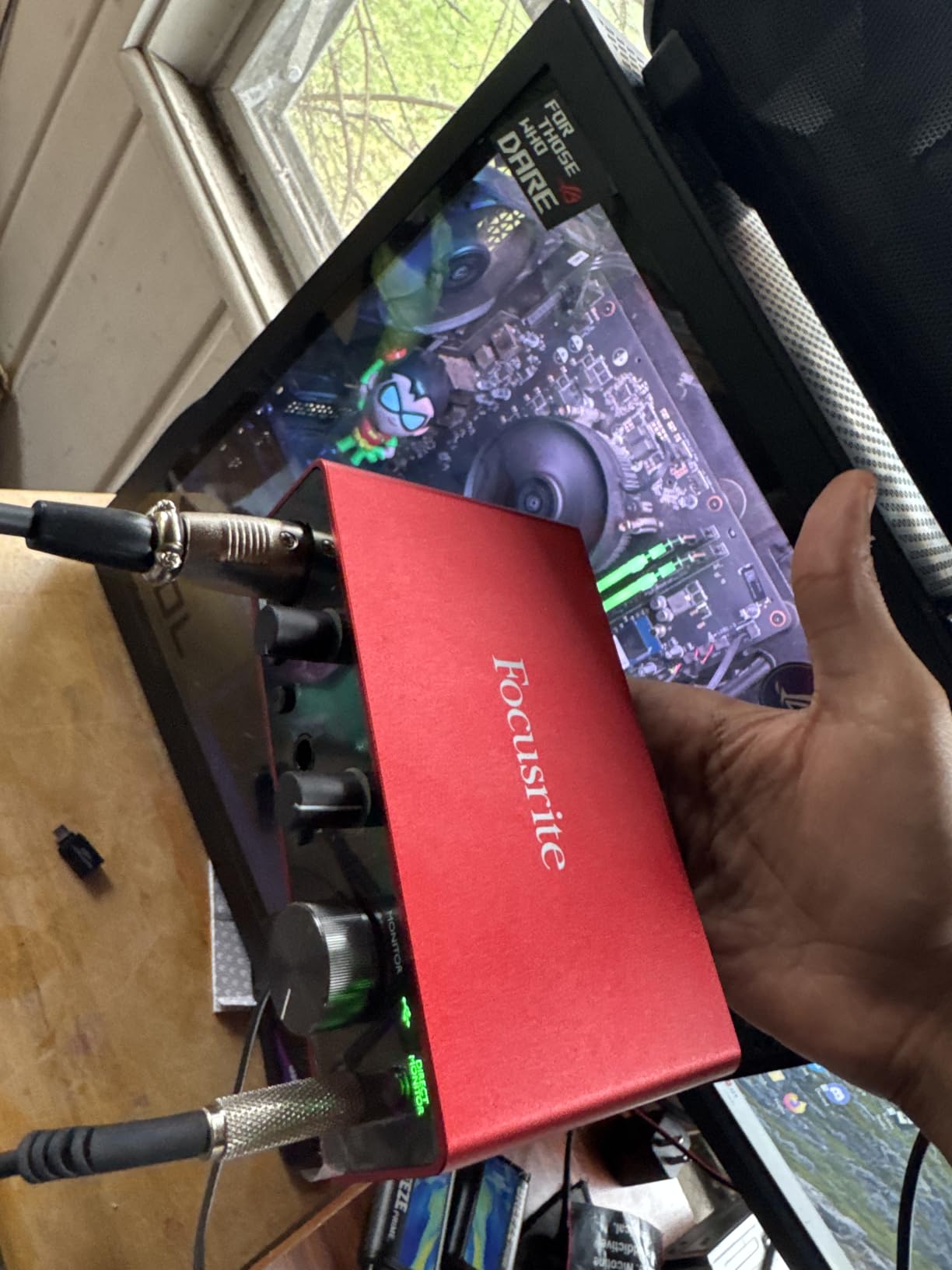
The compact metal chassis feels durable and the red anodized finish has become iconic in home studios worldwide. The front-panel instrument input accepts guitar or bass cables, making this a versatile interface for singer-songwriters who track both vocals and instruments.
Focusrite’s software bundle includes everything needed to start recording immediately. The Hitmaker Expansion adds instrument plug-ins and processing tools that help vocals sit better in mixes. The three-year warranty provides peace of mind for long-term ownership.
Best Value for Beginning Vocalists
If you are new to home recording and want a proven, reliable interface without spending for the latest generation, the 3rd Gen Scarlett Solo offers tremendous value. The audio quality matches professional requirements for podcasting, voiceover, and music production.
The extensive user community means help is always available online. Nearly any recording question you have has been answered in forums or YouTube tutorials featuring this interface. This support network makes it ideal for beginners.
Why Upgrade to the 4th Gen?
The 4th Gen improvements are meaningful for serious vocalists. The Auto Gain feature alone saves time and prevents ruined takes. The improved Air mode with Presence and Output Drive options provides more tonal flexibility. If budget allows, the newer generation justifies the price difference.
However, if you find the 3rd Gen at a significant discount, it remains a capable recording tool. The core preamp and converter quality has not changed dramatically between generations.
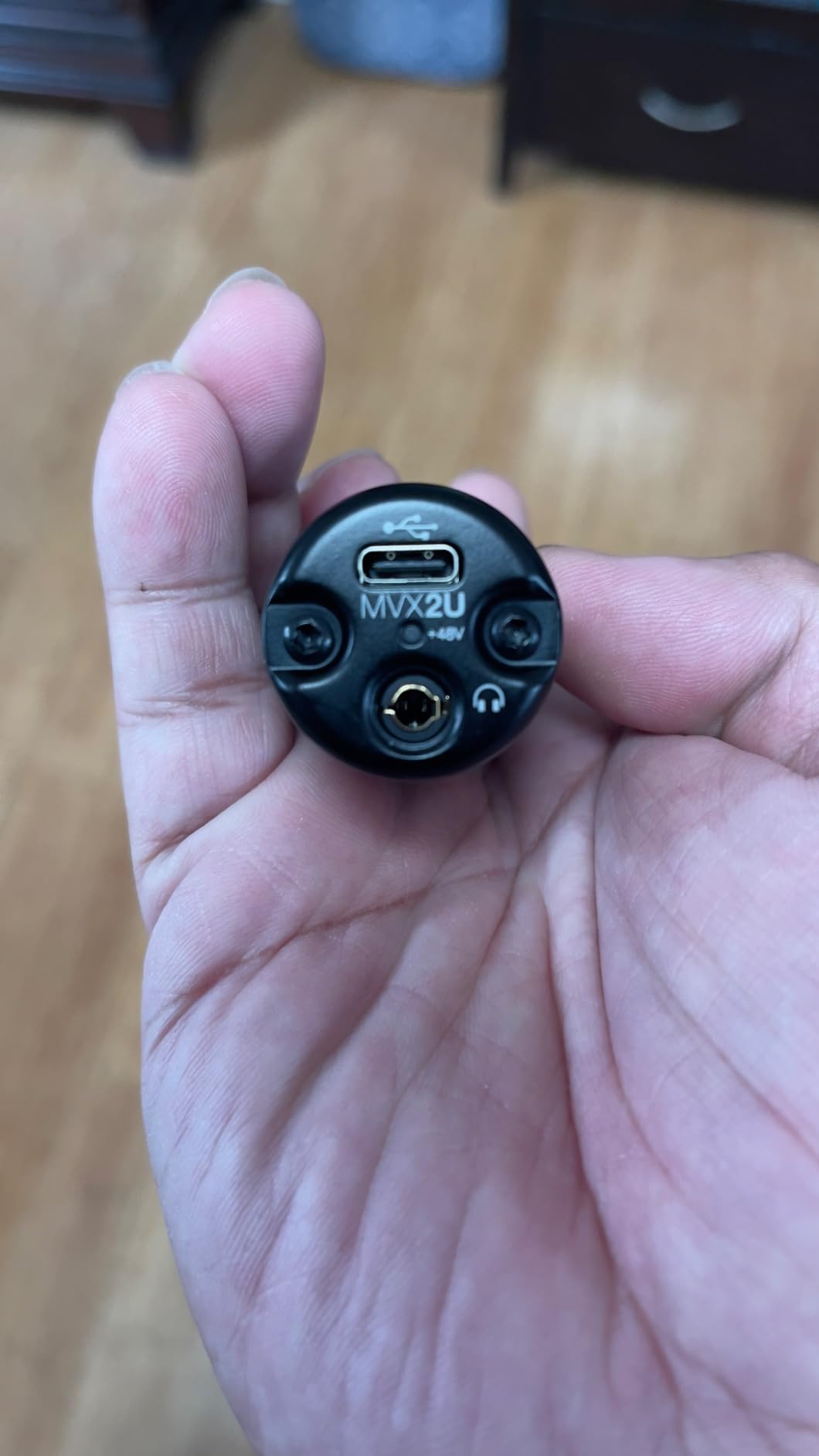
4. Shure MVX2U – 60dB Gain for Demanding Dynamic Mics
Shure MVX2U XLR-to-USB Digital Audio Interface, Headphone Jack, 60dB Gain, Zero-Latency Monitoring, 48V Phantom Power, ShurePlus App, USB-C Cable
- 60dB gain handles SM7B without Cloudlifter
- Compact and ultra-portable design
- Zero-latency headphone monitoring
- USB-C bus powered
- Works with PC and iPhone
- ShurePlus app for EQ and compression
- Premium Shure build quality
- Single channel only
- Software app can be limiting for some
- iPhone may require unlock for video recording
The Shure MVX2U solves a specific problem that vocalists face: dynamic microphones like the SM7B and SM58 need lots of clean gain. Most budget interfaces provide 45-50dB of gain, forcing users to buy external preamps like the Cloudlifter. The MVX2U delivers 60dB of gain in a pocket-sized package.
I tested this interface with a Shure SM7B and was impressed by the clean headroom. The preamp noise floor stays low even at maximum gain settings, something many budget interfaces fail to achieve. You get enough gain to power demanding microphones without additional hardware.
The compact size makes this perfect for mobile recording or travel. It connects directly to your microphone via XLR and to your computer via USB-C. There is no bulky interface box to clutter your desk. The ShurePlus MOTIV app provides digital control over gain, EQ, compression, and limiting.
The Auto Level Mode is particularly useful for podcasters and streamers who move between whispered and projected speech. The interface automatically adjusts gain to maintain consistent levels. This prevents the clipping and dropouts that plague manual gain adjustments during live recording.
iPhone compatibility adds versatility for location recording. You can capture professional vocals using your phone as the recording device, perfect for capturing inspiration when away from your studio. The USB-C bus power means no batteries or external power supplies needed.
Ideal for SM7B and Other Dynamic Mics
If you own or plan to buy a Shure SM7B, this interface eliminates the need for a Cloudlifter or other inline preamp. The 60dB of gain provides clean headroom for quiet vocal sources. Podcasters using dynamic mics will appreciate the simplified signal chain.
The single-channel design makes this a dedicated vocal recording solution. You are not paying for features you will not use. The ShurePlus app integration means you can shape your vocal sound before it hits your DAW, reducing processing needs later.
Limitations for Multi-Track Recording
The single XLR input means you can only record one microphone at a time. This is fine for solo vocalists but limiting if you need to capture multiple sources simultaneously. The lack of additional inputs or outputs makes this a specialized tool rather than a general studio hub.
Some users report the ShurePlus app feels limited compared to dedicated DAW software. If you prefer hardware controls over app-based settings, this interface may frustrate you. The tiny form factor leaves no room for physical knobs or buttons.
5. Behringer U-PHORIA UMC404HD – Multi-Channel Recording for Vocal Groups
Behringer U-PHORIA UMC404HD Audiophile 4×4, 24-Bit/192 kHz USB Audio/MIDI Interface with Midas Mic Preamplifiers
- 4 Midas preamps for professional sound quality
- Excellent value for 4-input interface
- Works flawlessly with all major DAWs
- No audible latency for monitoring
- Solid metal chassis construction
- Powers condenser mics with phantom
- Great as a standalone DAC for playback
- Phantom power global across channels
- Driver installation can be tricky for some
- Not Prime eligible
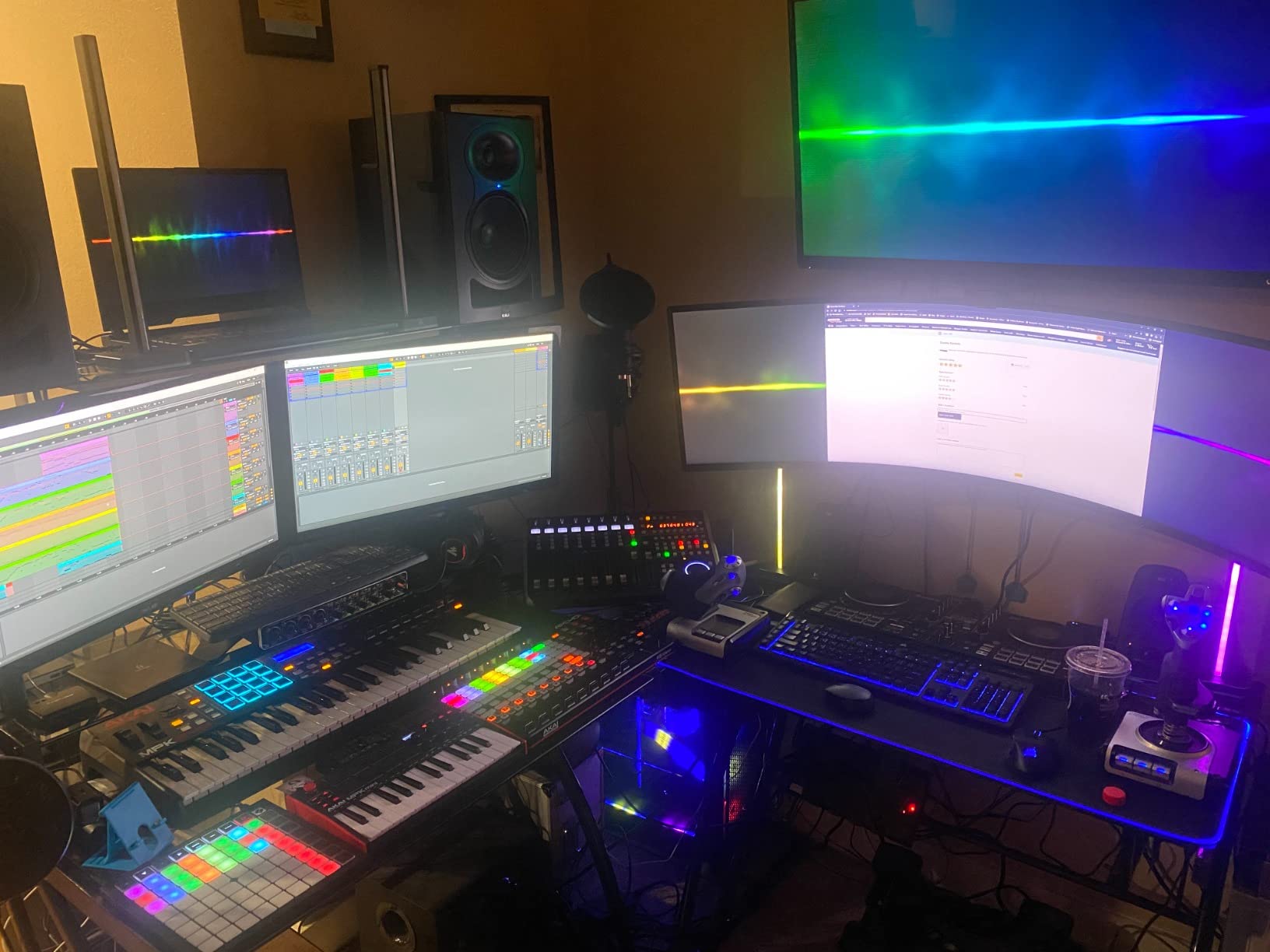
The Behringer UMC404HD is the vocal group’s best friend. With four Midas-designed preamps and XLR inputs, you can record multiple singers simultaneously without buying multiple interfaces. I have used this for recording podcast roundtables, choir sections, and full band setups.
The Midas preamps deliver surprisingly clean sound for this price point. Each channel provides independent gain control and phantom power switching. While most vocalists will not need four inputs, those recording harmonies, interviews, or ensemble vocals will find this essential.
The 24-bit/192kHz converters capture professional-quality audio suitable for commercial release. The metal chassis feels substantial and road-worthy. MIDI I/O on the back panel lets you control virtual instruments while tracking vocals, expanding your production capabilities.
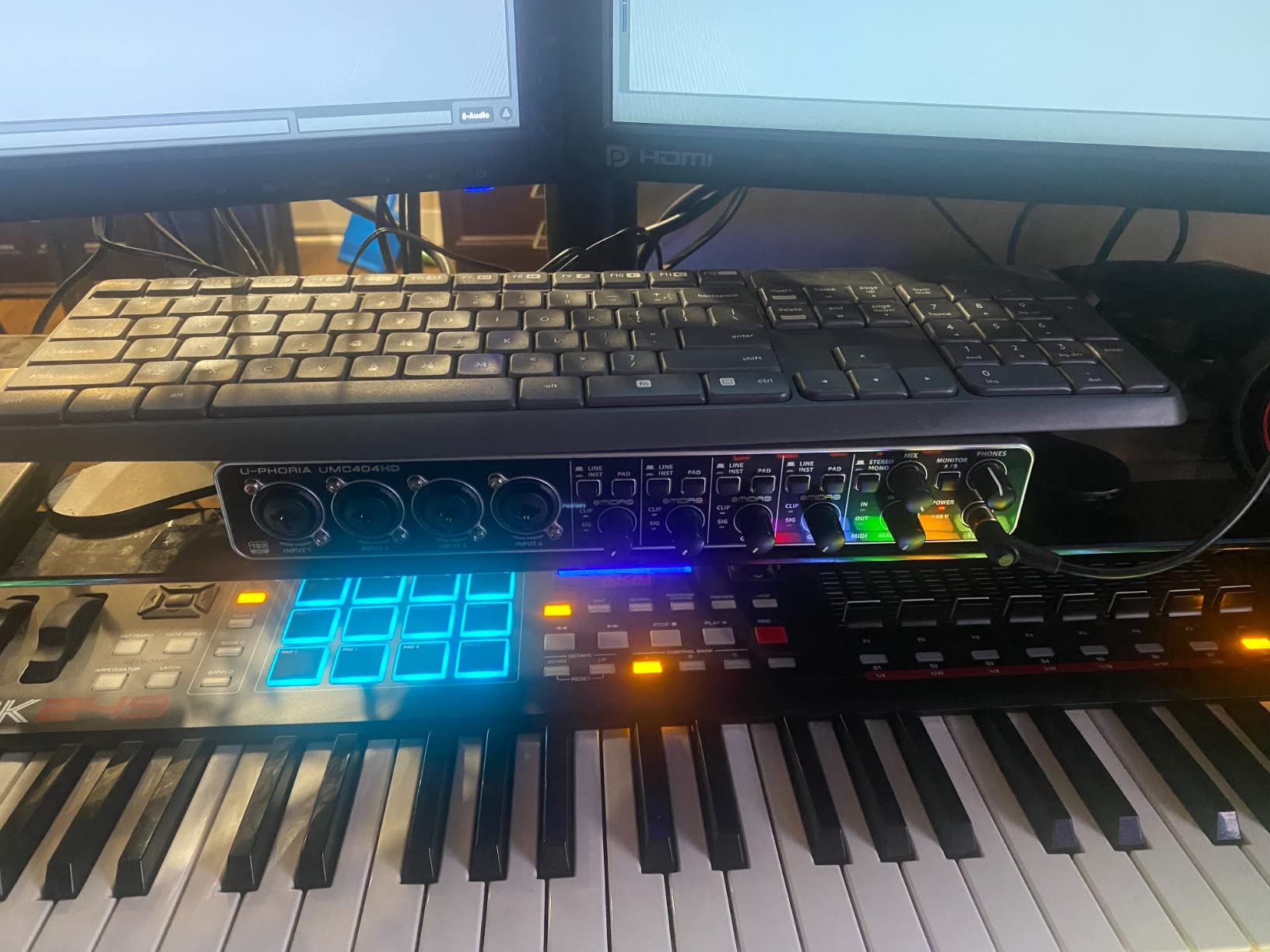
Each input channel includes insert points for external processing. If you have a favorite compressor or preamp, you can patch it into the signal chain before the A/D conversion. This flexibility is rare at this price point and appeals to vocalists with outboard gear collections.
The main and headphone outputs are clean and powerful. I found no audible noise or hum even at high monitoring levels. The UMC404HD works equally well as a playback device for mixing, with detailed stereo imaging and accurate frequency response.
Perfect for Podcasts and Vocal Ensembles
If you record podcasts with multiple hosts or guests, the UMC404HD lets you capture each voice on a separate track for later mixing. No more trying to balance levels in real time or fixing problems caused by shared microphones. Each person gets their own channel with independent control.
Singer-songwriters who record full band demos will appreciate having enough inputs for vocals, acoustic guitar, bass DI, and a keyboard all at once. The zero-latency monitoring means everyone hears themselves clearly during tracking.
Considerations for Solo Vocalists
If you only record one vocal track at a time, the UMC404HD is overkill. You are paying for inputs you will not use and taking up more desk space than necessary. Solo vocalists should consider the Scarlett Solo or UMC22 instead for a more appropriate feature set.
The global phantom power means you cannot enable 48V on just one channel. If you mix condenser and ribbon microphones, this could be problematic. Most vocalists use all condensers or all dynamics, but it is worth noting this limitation.
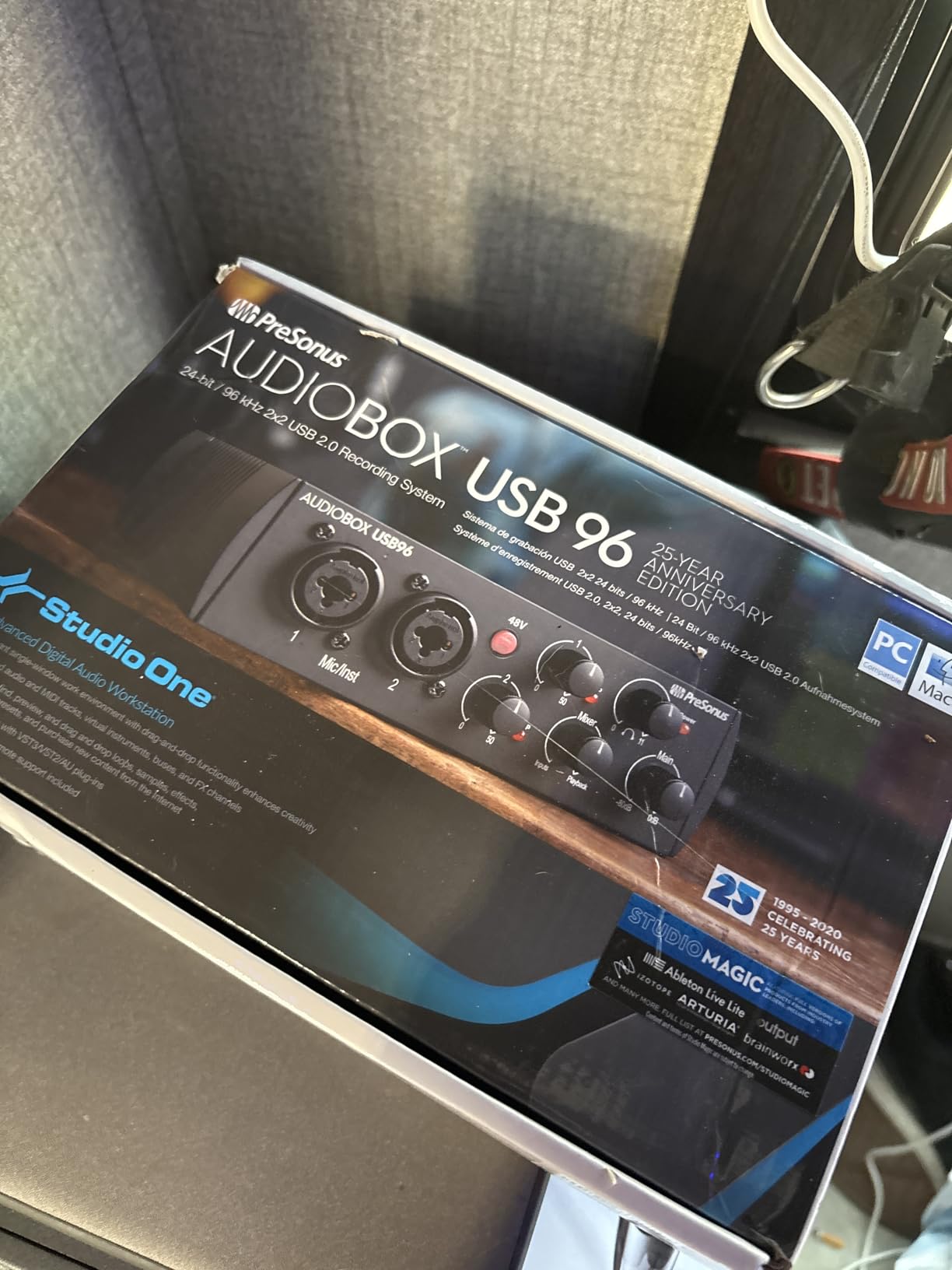
6. PreSonus AudioBox 96 – Complete Software Bundle for Vocal Production
PreSonus AudioBox 96 25th Anniversary USB Audio Interface with Studio One Artist DAW Recording Software
- USB bus-powered for mobile setups
- Studio One Artist DAW included
- 2 high-quality Class-A mic preamps
- 2 high-headroom instrument inputs
- Zero-latency monitoring with mixer control
- Studio-grade 24-bit/96 kHz converters
- Complete recording software bundle
- Global phantom power cannot disable per channel
- Knobs can feel crowded on compact chassis
- May require Camera Connection Kit for iOS
The PreSonus AudioBox 96 stands out for its exceptional software bundle. Studio One Artist is a full-featured DAW that many vocalists prefer over the entry-level versions included with other interfaces. The package also includes Ableton Live Lite, tutorial videos, and sample libraries worth over one thousand dollars.
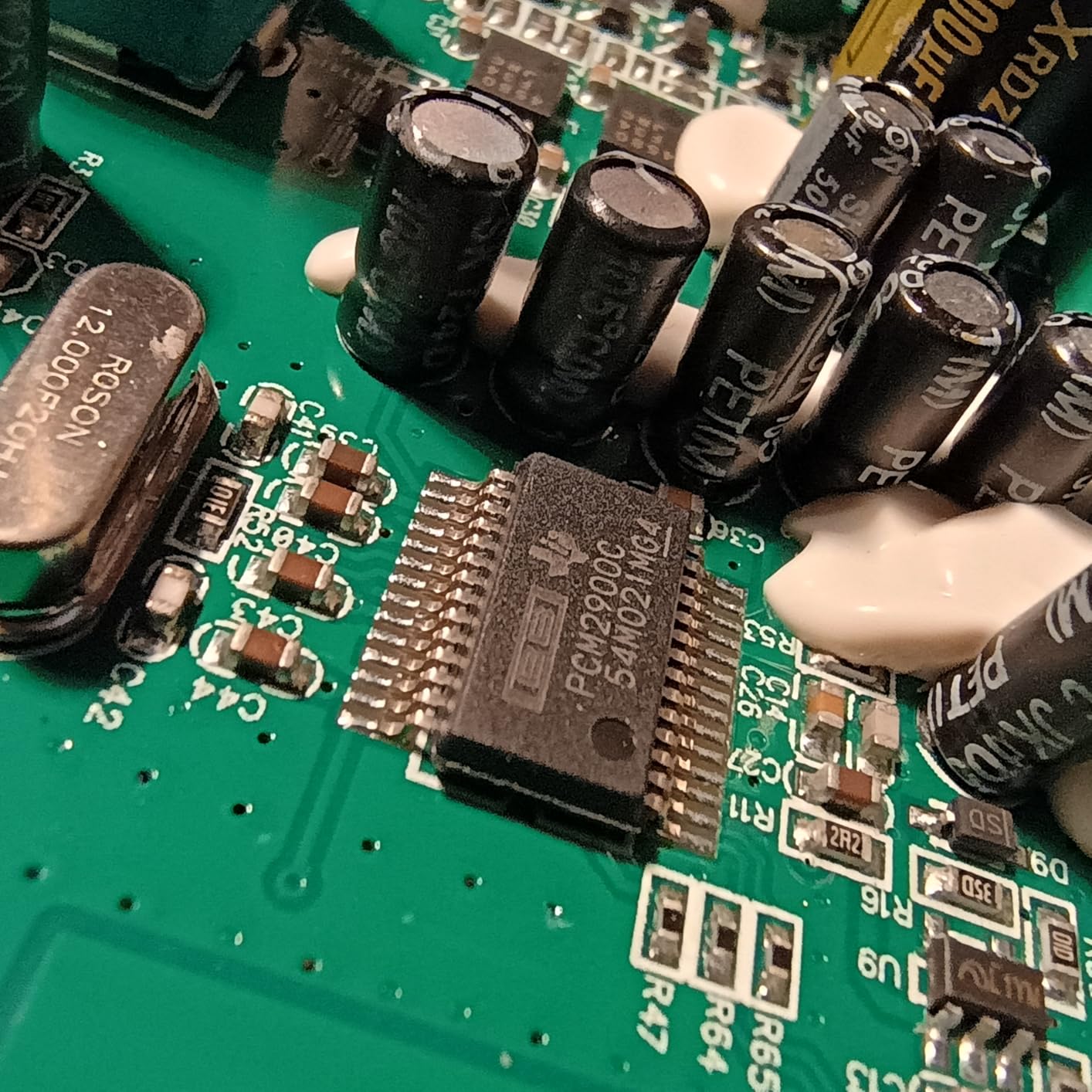
The Class-A preamps deliver clean, transparent sound that faithfully captures vocal performances without coloration. If you prefer to shape your vocal tone with plug-ins rather than preamp character, this neutral sound is ideal. The 24-bit/96kHz converters provide professional recording quality.
MIDI I/O on the back panel makes this a complete production hub. You can control virtual instruments while recording vocals, perfect for modern music production workflows. The USB bus power means one cable handles data and power, keeping your setup clean.
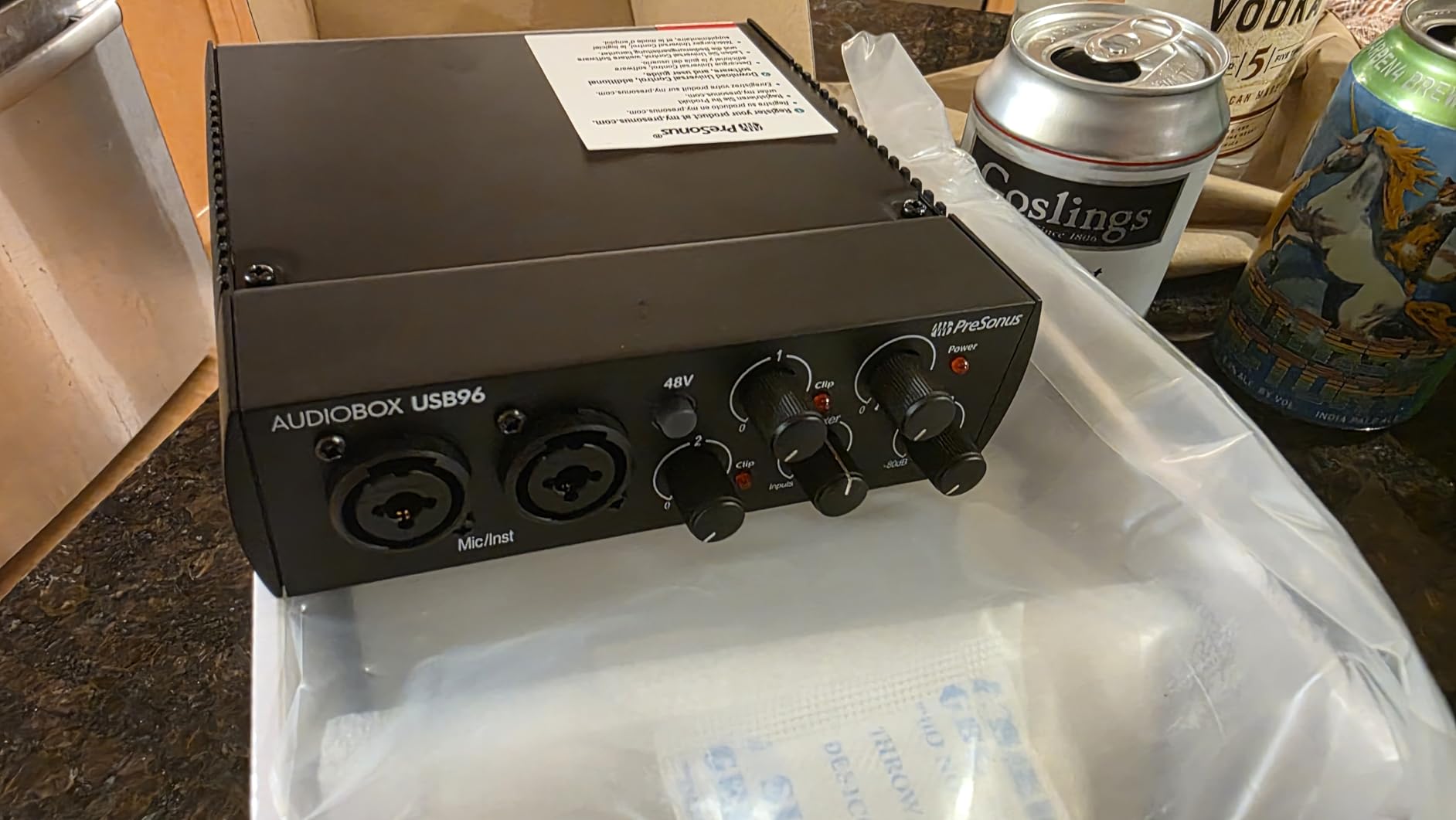
The compact chassis fits easily on crowded desks. The heavy-duty steel construction withstands travel and daily use. The mix control knob lets you blend between direct input and computer playback for comfortable monitoring while tracking.
PreSonus has been building audio interfaces for decades, and their driver stability shows this experience. I had no crashes or dropouts during extended recording sessions. The interface works reliably with Windows, macOS, and iOS devices.
Best for Vocalists Starting from Scratch
If you need a complete recording setup and do not already own DAW software, the AudioBox 96 provides everything in one box. Studio One Artist handles recording, editing, mixing, and mastering without additional purchases. The tutorial content helps beginners learn production fundamentals.
The included virtual instruments and loops let you create complete productions around your vocals. This is valuable for singer-songwriters who want to build full arrangements without recording live instruments.
Physical Layout Considerations
The compact design places knobs close together. If you have large hands or prefer spacious control layouts, this may feel cramped. The phantom power switch affects both inputs simultaneously, so you cannot use a condenser on one channel and a ribbon mic on the other.
The 96kHz maximum sample rate is lower than the 192kHz offered by some competitors. For most vocal recording, this difference is inaudible, but high-sample-rate enthusiasts may prefer other options.
7. M-Audio M-Track Duo – Dual Inputs for Versatile Vocal Recording
- Dual XLR inputs for simultaneous recording
- Crystal Preamps deliver clean sound
- Zero latency monitoring with USB/Direct switch
- Includes MPC Beats and Ableton Live Lite
- Works with multiple device types
- Budget-friendly price point
- Plug-and-play on Windows 11 and Mac
- Maximum sample rate only 48kHz
- Input pots have non-linear response
- Software may not work on older PCs
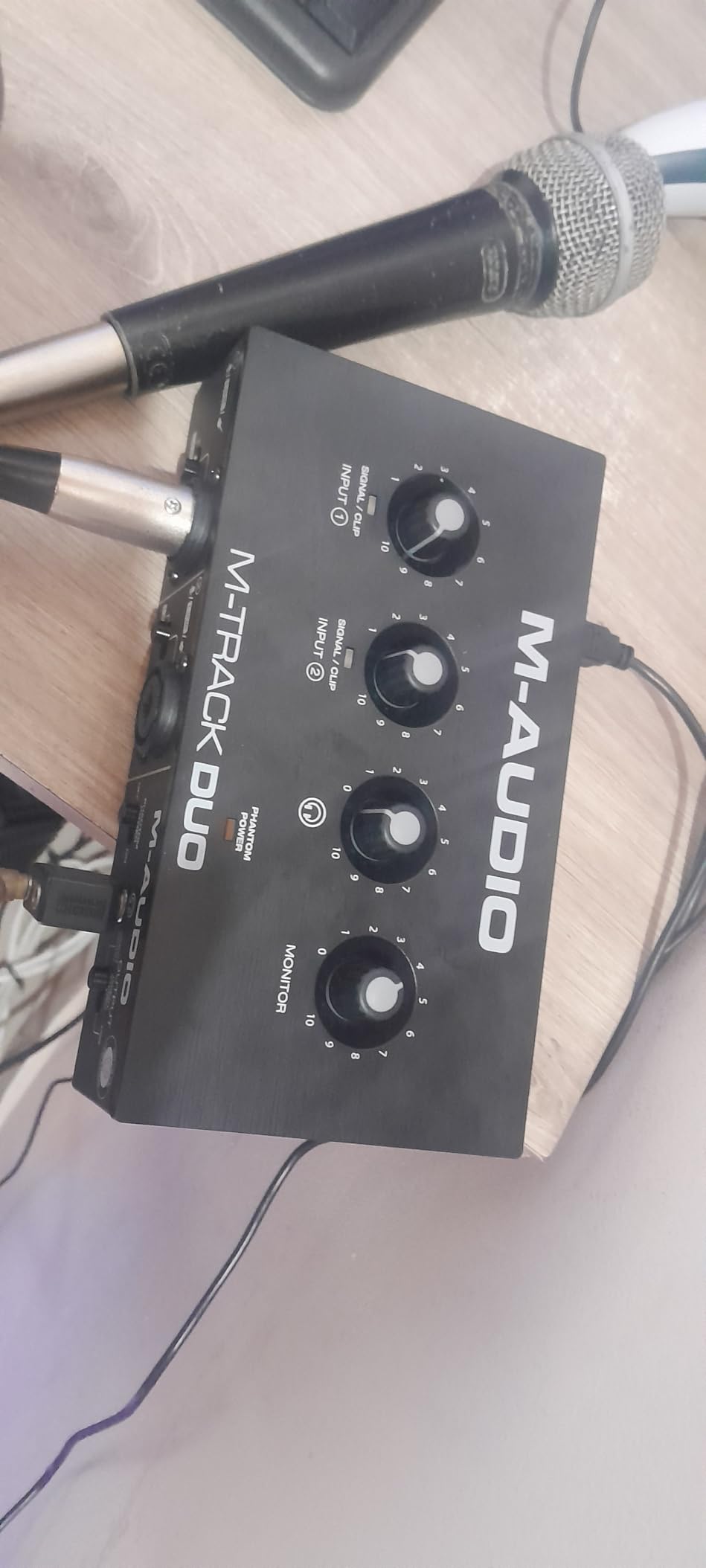
The M-Audio M-Track Duo gives vocalists two independent XLR inputs without breaking the budget. I have used this for recording acoustic guitar and vocals simultaneously, capturing both sources on separate tracks for better mix control. The Crystal Preamps deliver clean, detailed sound that flatters vocal sources.
Each input accepts XLR microphones, line-level signals, or instruments via combo jacks. This flexibility means you can record vocals through a condenser mic while simultaneously capturing a keyboard or drum machine through the second channel. The independent gain controls let you balance levels appropriately.
The 24-bit/48kHz recording resolution captures quality suitable for commercial release, though audiophiles may prefer the 96kHz or 192kHz offered by pricier interfaces. For most vocal applications, the 48kHz sample rate is perfectly adequate and saves disk space compared to higher rates.
The USB/Direct switch toggles between hearing your input directly or hearing computer playback. For zero-latency monitoring while tracking, leave this on Direct. When mixing, switch to USB to hear your DAW output. The large monitor knob controls headphone or main output volume conveniently.
The included software bundle provides immediate production capability. MPC Beats offers beat-making and production tools, while Ableton Live Lite provides a professional DAW environment. Reason+ subscription adds additional instruments and effects for six months.
Great for Singer-Songwriters
If you perform vocals while playing guitar, keyboard, or another instrument, the dual inputs let you capture both sources simultaneously. This preserves the performance energy of singing while playing. You can also record a guide instrument track while singing, then overdub a better performance later.
The compact size fits easily in gig bags for mobile recording. The bus-powered operation means no wall wart to lose or forget. You can record location interviews, live performances, or songwriting ideas anywhere.
Sample Rate Limitations
The 48kHz maximum sample rate is lower than competitors offering 96kHz or 192kHz. For most vocal recording, this difference is inaudible in blind testing. However, if your workflow requires higher sample rates for specific reasons, consider the Scarlett Solo or SSL 2 instead.
The gain knobs have a non-linear response that some users find challenging. Small rotations near unity gain create larger level changes than expected. This takes some getting used to but does not affect sound quality.
8. Behringer UMC22 – Best Budget Option with Midas Preamps
- Midas-designed preamp at budget price
- Plug-and-play simplicity
- Direct monitoring with zero latency
- Works with all popular DAWs
- Metal body construction for durability
- 48V phantom power included
- USB bus powered
- Can only work at 16 bits depth reports
- Slightly higher noise floor than premium options
- USB-B port instead of USB-C
- May get occasional pops with Windows apps
The Behringer UMC22 proves that budget interfaces can deliver professional results. The Midas-designed preamp provides clean gain for vocal recording at a price that makes this accessible to everyone. I have recommended this interface to dozens of beginning vocalists, and it consistently exceeds expectations.
The metal chassis feels more substantial than plastic competitors at similar prices. The XLR/TRS combo jack accepts microphones or line-level sources, while the front-panel instrument input handles guitar or bass direct input. This covers the basic connectivity needs of most home studio vocalists.
The direct monitoring feature lets you hear yourself without latency while recording. This is essential for vocal performance, as even small delays can throw off pitch and timing. The headphone output drives most studio headphones to comfortable levels.
The 48V phantom power switch enables condenser microphone use, expanding your mic options beyond dynamics. The bus-powered design eliminates wall adapters and keeps your setup simple. One USB cable handles everything.
The driver installation is straightforward on modern Windows and macOS systems. Behringer’s ASIO drivers provide stable, low-latency performance with all major DAWs. I had the interface recording vocals within minutes of opening the box.
Ideal for First-Time Vocal Recorders
If you are unsure whether home recording is for you and want to test the waters without a major investment, the UMC22 is perfect. The audio quality is good enough to produce professional-sounding demos and even commercial releases with proper technique.
The simple layout has everything you need and nothing you do not. Gain knob, monitor mix, headphone volume, phantom power switch. Beginners will not feel overwhelmed by complex features they do not yet understand.
Trade-offs at This Price
The noise floor is slightly higher than premium interfaces, though still low enough for clean vocal recording in normal home studio conditions. You may hear some hiss if you crank the gain for very quiet sources, but normal vocal levels record cleanly.
The USB-B connector is the older square type rather than modern USB-C. Most computers still support this, but you will not get the reversible plug convenience. Some users report occasional audio pops with certain Windows configurations, though I did not experience this in testing.
9. Behringer U-PHORIA UM2 – Ultra-Budget Entry for Beginning Vocalists
- Studio-grade XENYX preamp at entry-level price
- Crystal-clear transparent performance
- Plug-and-play with Windows and Mac
- Selectable 48V phantom power
- Very affordable for beginners
- Compact and portable design
- Noiseless operation
- Rotary knobs instead of linear sliders
- Only signal and clip LED indicators
- XLR combo jack on front can limit placement
- Tracktion 4 software only
- Single mixed channel USB input
The Behringer UM2 is the most affordable interface I recommend for vocal recording. At under fifty dollars, it removes the financial barrier for aspiring vocalists who want to start recording. The XENYX preamp delivers surprisingly clean sound for this price point.
I tested this interface with a Shure SM58 and an Audio-Technica AT2020 condenser. Both recorded cleanly with enough gain for normal vocal levels. The 48V phantom power switch enables condenser use, expanding your microphone options on a tight budget.
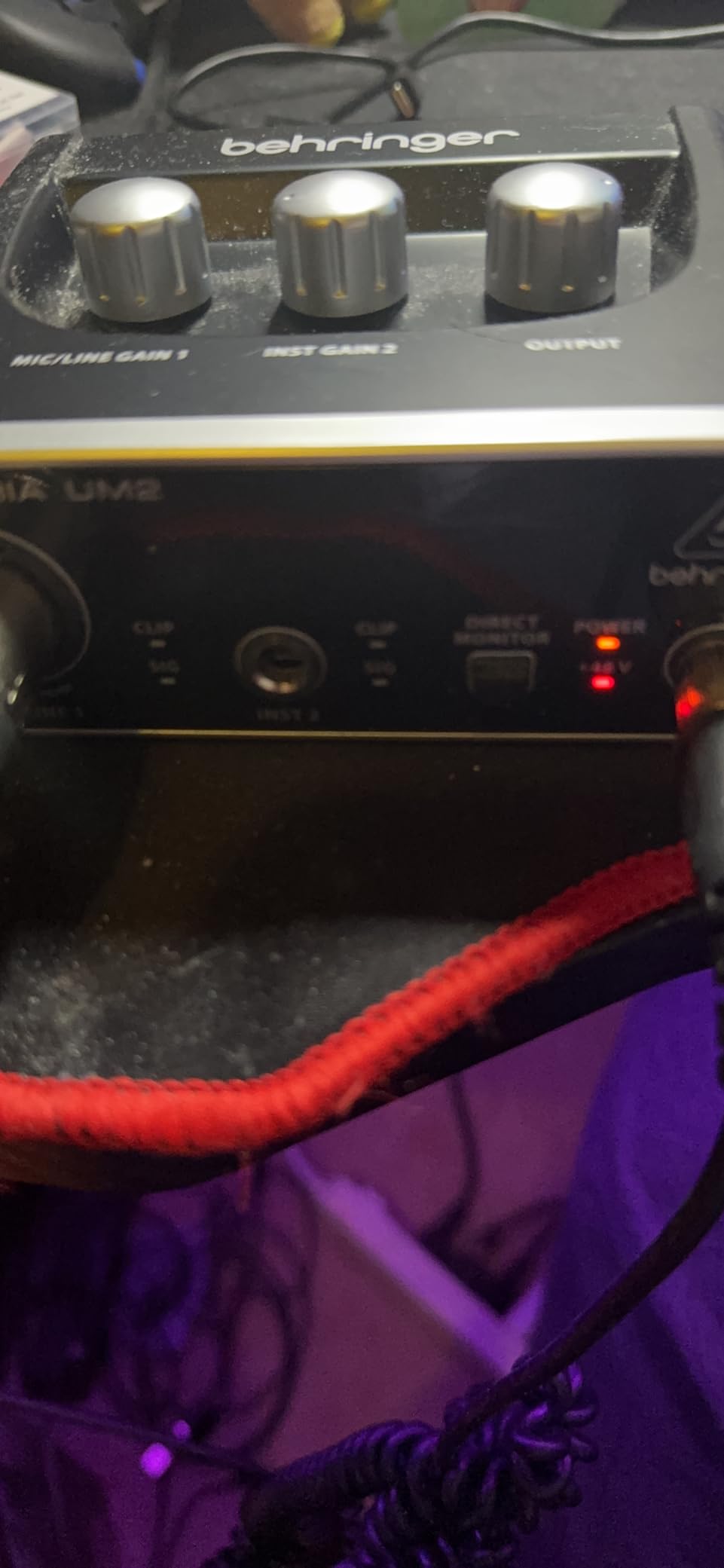
The compact plastic chassis is lightweight and portable. This fits easily in a backpack for mobile recording setups. The bus-powered design means no external power supply to carry or lose. The status LEDs show signal presence and clipping at a glance.
The direct monitoring switch lets you hear your voice without latency while recording. This is crucial for comfortable vocal performance. The headphone output drives most consumer and entry-level studio headphones adequately.
While the included Tracktion 4 software is basic compared to bundles from Focusrite or PreSonus, it handles recording and editing adequately. You can always upgrade to a more capable DAW later as your skills develop.
Best for Absolute Beginners
If you have never recorded vocals before and want to experiment without spending much, the UM2 gets you started. The audio quality is good enough to learn proper recording techniques and produce demos you will not be embarrassed to share.
This also works well as a backup interface for experienced vocalists. Keep one in your gig bag for emergencies. If your primary interface fails before a session, the UM2 can save the day.
Limitations for Serious Production
The plastic construction feels less durable than metal interfaces. The lack of detailed level metering makes precise gain staging harder. You get signal present and clip indicators, but no graduated level display.
The maximum 48kHz sample rate and basic software bundle reflect the entry-level positioning. Serious vocalists will outgrow this interface quickly and should consider the UMC22 or Scarlett Solo instead as a starting point.
10. FIFINE Gaming Audio Mixer SC3 – Best for Streamers and Content Creators
- XLR input with 48V phantom for condenser mics
- Individual channel control with smooth faders
- Mute and monitor buttons for streaming
- Voice changing effects and custom buttons
- Vibrant RGB lighting
- Great value for content creators
- Easy plug-and-play setup
- XLR cable not included
- RGB limited to preset colors only
- Voice effects considered gimmicky by some
- May require high-power USB port for RGB
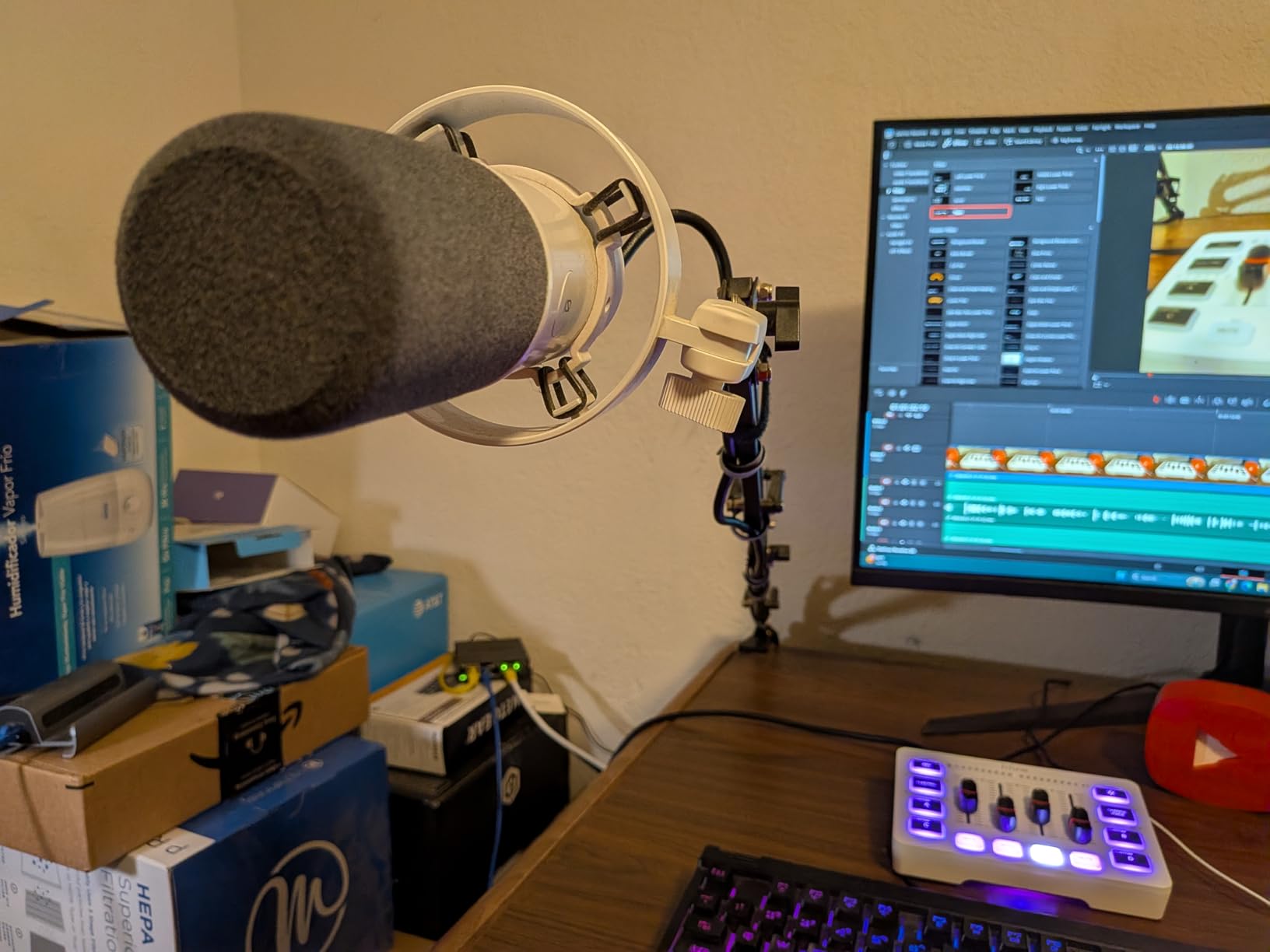
The FIFINE SC3 occupies a unique space between audio interfaces and gaming mixers. It provides XLR connectivity with phantom power, making it a genuine step up from USB microphones for streamers and content creators. The fader controls and mute button feel more like broadcast equipment than consumer audio gear.
The four-channel design lets you balance microphone, game audio, chat, and music levels independently. This is essential for streamers who need to maintain consistent audio balance while live. The physical mute button provides instant silence when needed.
The voice effects and auto-tune features are fun additions for content creation. While professional vocalists may not use them, streamers and YouTubers can add character to their recordings. The RGB lighting adds visual appeal to gaming setups.
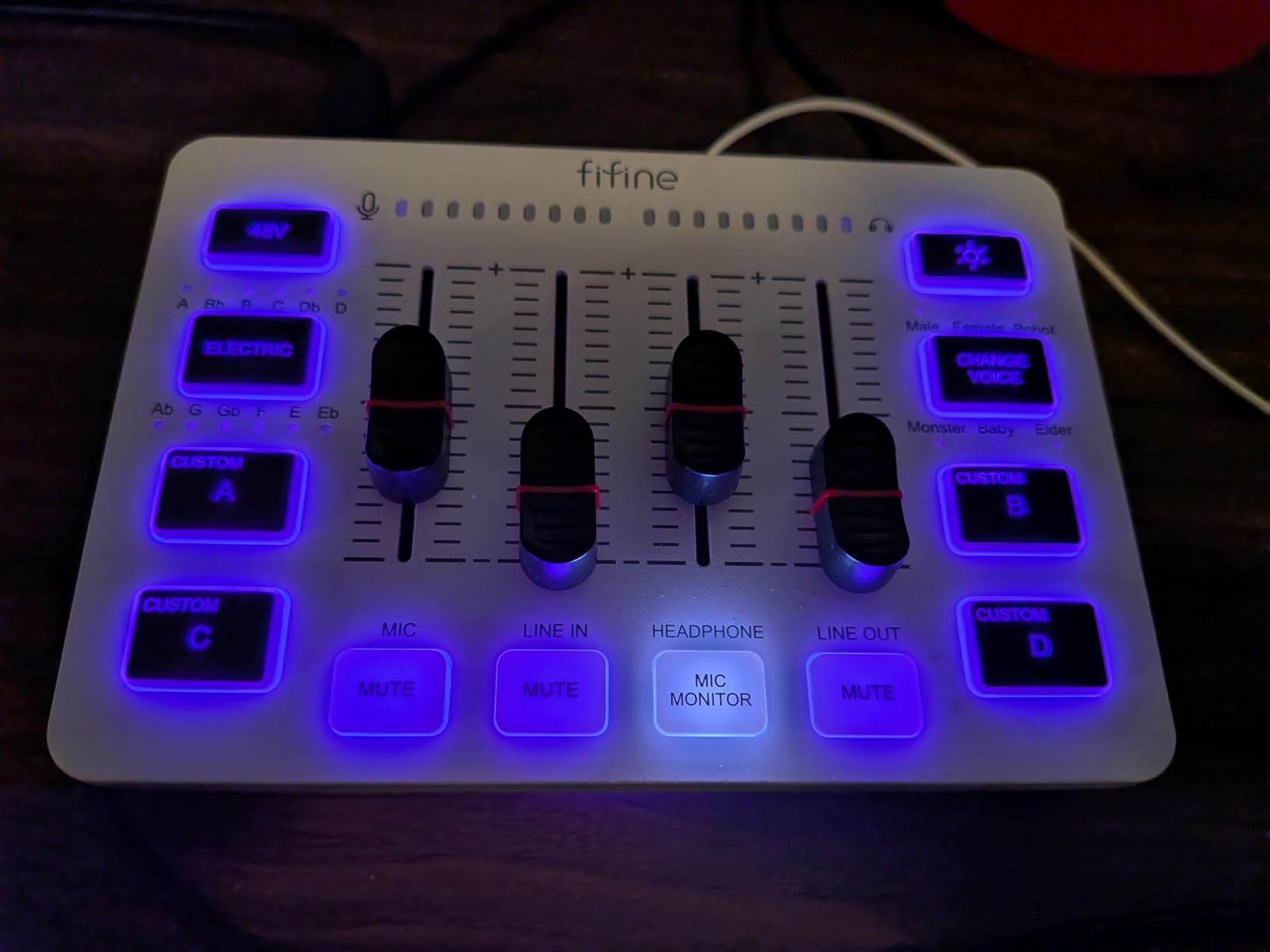
The 48V phantom power enables proper condenser microphone use, a significant upgrade over gaming headsets or USB mics. The headphone output provides zero-latency monitoring so you hear yourself clearly while speaking. The compact size fits neatly alongside keyboards and mice.
For vocalists who also stream or create video content, this bridges the gap between professional audio quality and content creator convenience. You get XLR connectivity without the complexity of a full audio interface and mixer setup.
Perfect for Content Creator Vocalists
If you record vocals for YouTube, streaming, or podcasting rather than music production, the SC3 provides the right features. The fader controls are more intuitive for non-engineers than gain knobs. The mute button is essential for live broadcasting.
The plug-and-play setup works with Mac, Windows, and gaming consoles. No driver installation or complex configuration. You can be up and recording within minutes of unboxing.
Not for Serious Music Production
The 48kHz maximum resolution and consumer-focused features make this unsuitable for commercial music recording. The voice effects, while fun, do not substitute for proper vocal recording and processing. Music producers should choose a dedicated audio interface instead.
The RGB lighting may be distracting in professional settings. The plastic construction, while adequate for home use, does not match the durability of studio-grade interfaces.
Audio Interface Buying Guide for Vocalists
Choosing the right audio interface for vocal recording requires understanding a few key specifications. This guide explains what matters for capturing voice and what you can safely ignore.
Preamp Gain and Dynamic Microphones
Dynamic microphones like the Shure SM7B and SM58 are popular for vocals because they reject room noise and handle loud sources well. However, they output low signal levels and require lots of clean gain. Look for interfaces offering at least 55dB of gain, or 60dB+ if you plan to use an SM7B.
If an interface does not provide enough gain, you will hear hiss when you turn up the level. External preamps like the Cloudlifter can help, but add cost and complexity. The Shure MVX2U and SSL 2 MKII provide enough gain to power demanding mics directly.
48V Phantom Power for Condenser Mics
Condenser microphones require phantom power to operate. This is a 48-volt signal sent through the XLR cable. All the interfaces in this guide provide phantom power, but some enable it globally across all inputs while others offer per-channel switching.
If you only use condensers, global phantom power is fine. If you mix condenser and ribbon microphones, per-channel control becomes important since ribbon mics can be damaged by phantom power. The SSL 2 MKII and Focusrite interfaces handle this well.
Sample Rate and Bit Depth
Sample rate determines how many times per second the interface captures audio. Common rates are 44.1kHz, 48kHz, 96kHz, and 192kHz. Bit depth determines the dynamic range of each sample, with 24-bit being standard for professional recording.
For vocal recording, 48kHz/24-bit provides excellent quality that satisfies professional requirements. Higher sample rates consume more disk space and processing power with diminishing audible returns. Unless you have specific reasons for 96kHz or 192kHz, 48kHz is perfectly adequate.
USB vs USB-C Connectivity
Modern interfaces increasingly use USB-C for connection. This provides faster data transfer and more stable power delivery than older USB-B connections. The Scarlett Solo 4th Gen and Shure MVX2U both feature USB-C.
However, USB-B interfaces like the 3rd Gen Scarlett and UMC22 work fine with appropriate cables. The connection type does not affect sound quality. Choose based on convenience and your computer’s available ports.
Direct Monitoring Importance
Direct monitoring routes your microphone input directly to your headphones without passing through the computer. This eliminates the latency delay that can distract vocalists while performing. All the interfaces in this guide offer direct monitoring.
Some interfaces provide a blend control between direct input and computer playback. This lets you hear yourself and your backing tracks simultaneously without latency. The SSL 2 MKII and Scarlett Solo both handle this well.
Matching Interfaces to Microphone Types
Consider what microphones you own or plan to buy when choosing an interface. Dynamic mics need high-gain interfaces like the MVX2U or SSL 2 MKII. Condensers work with any interface providing 48V phantom power. Ribbon mics need interfaces with clean gain and per-channel phantom switching.
If you are unsure, the Focusrite Scarlett Solo 4th Gen handles all common vocal microphone types well. It provides sufficient gain for most dynamics, phantom power for condensers, and clean preamps that work with any mic.
Frequently Asked Questions
What is the best audio interface for recording vocals?
The Focusrite Scarlett Solo 4th Gen offers the best balance of features, sound quality, and value for most vocalists. It provides 120dB dynamic range, Auto Gain for easy setup, improved Air mode for vocal enhancement, and works with all microphone types. For premium recording, the SSL 2 MKII delivers professional studio sound with its Legacy 4K analog enhancement.
How many inputs do I need for vocal recording?
Most solo vocalists only need one XLR input. A single-input interface like the Focusrite Scarlett Solo handles vocal recording perfectly. If you record vocals while playing an instrument, or need to capture multiple singers simultaneously, choose a two-input interface like the M-Audio M-Track Duo or four-input Behringer UMC404HD.
What preamp gain do I need for dynamic microphones like SM7B?
The Shure SM7B and similar dynamic microphones require at least 55-60dB of clean gain for optimal recording. Many budget interfaces only provide 45-50dB, forcing you to buy external preamps. The Shure MVX2U provides 60dB gain specifically for this purpose, while the SSL 2 MKII and Focusrite interfaces also handle demanding mics well.
Is USB-C important for audio interfaces?
USB-C provides faster data transfer and more reliable power delivery than older USB connections, but it does not affect sound quality. Modern interfaces increasingly use USB-C for convenience, but USB-B interfaces work equally well with proper cables. Choose based on your computer’s available ports rather than sound quality concerns.
What sample rate and bit depth do I need?
For vocal recording, 48kHz sample rate and 24-bit depth provide professional quality that satisfies commercial requirements. Higher rates like 96kHz or 192kHz consume more disk space with diminishing audible benefits. Most professional vocal recordings are made at 48kHz/24-bit or 44.1kHz/24-bit.
Conclusion
The Best Audio Interfaces for Vocalists in 2026 range from budget-friendly options under fifty dollars to professional units over two hundred dollars. Your choice depends on your recording goals, microphone types, and budget constraints.
For most vocalists, the Focusrite Scarlett Solo 4th Gen provides the ideal balance of features and value. The Auto Gain, Clip Safe, and improved Air mode solve common recording problems while delivering professional sound quality. Those seeking premium results should consider the SSL 2 MKII with its legendary analog enhancement and 32-bit converters.
Budget-conscious vocalists can achieve excellent results with the Behringer UMC22 or UM2. While lacking some features of pricier interfaces, they deliver clean recordings suitable for commercial release. The Shure MVX2U solves the specific challenge of powering gain-hungry dynamic microphones like the SM7B.
Whatever your needs, the interfaces in this guide have been tested specifically for vocal recording performance. Choose based on your microphone requirements and recording workflow. Your voice deserves quality capture.