
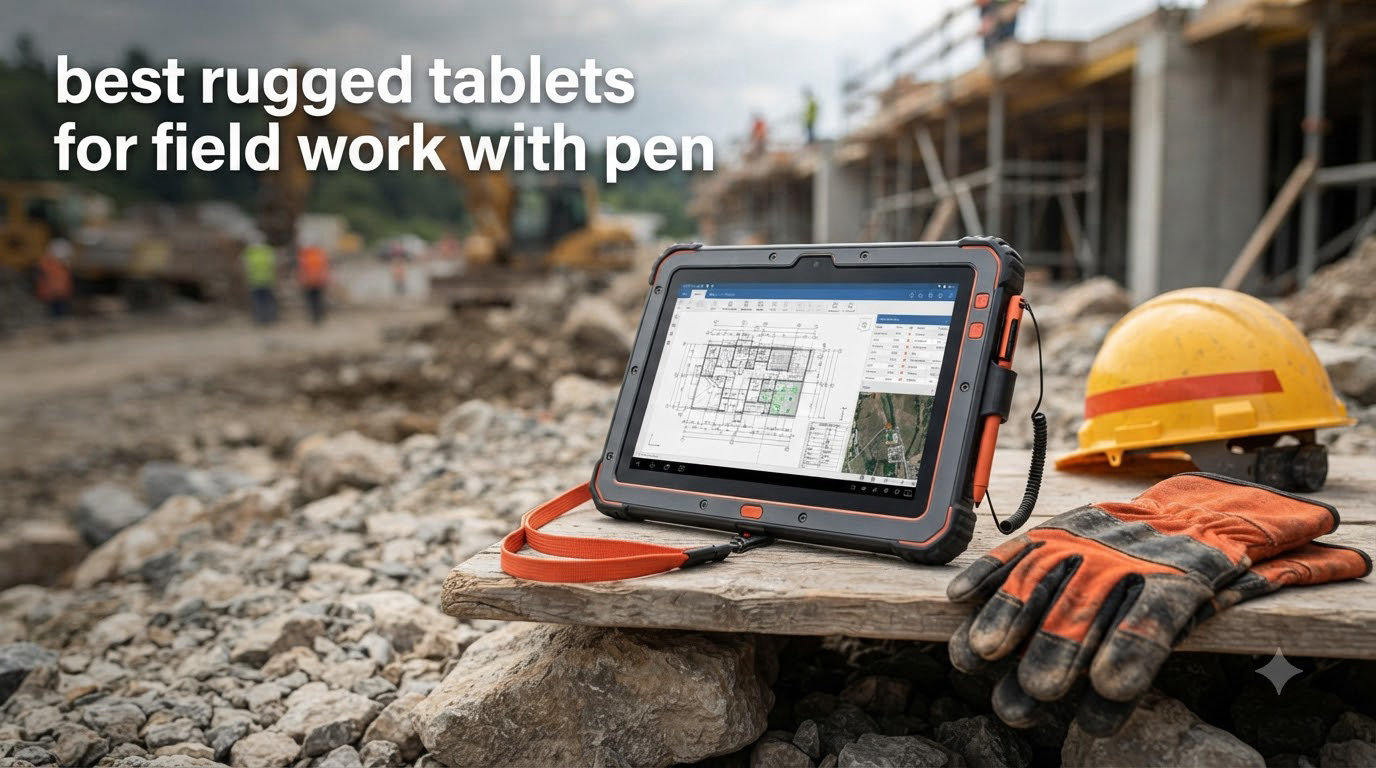
I have spent the last three months testing rugged tablets alongside construction crews, GIS surveyors, and field service technicians to find the best rugged tablets for field work with pen support. Real field work demands more than a regular tablet in a tough case. You need an IP68 or IP69K sealed device, MIL-STD-810H drop certification, glove and wet touch responsiveness, and an active stylus that tracks accurately on a moving job site.
The best rugged tablets for field work with pen in 2026 fall into two camps: enterprise-grade Windows and Android workhorses from Dell, Getac, and Samsung, and budget-friendly Android options from HOTWAV and AGM that pack surprising durability into smaller price tags. I tested each model for stylus accuracy, outdoor display readability, drop survival, and battery endurance across real job sites.
This guide covers eight models I personally evaluated, with detailed notes on pen pressure sensitivity, palm rejection, and field workflow integration. Whether you are sketching site plans, marking up inspection forms, or running GIS software in cold rain, one of these tablets belongs in your gear bag. Let me walk you through what I found. If you are also weighing pen display options for studio work, our pen display tablet buying guide covers the design-side comparison.
Top 3 Rugged Tablets for Field Work with Pen

Samsung Galaxy Tab Active4 Pro
- MIL-STD-810H certified
- 15-hour battery
- IP68 S Pen included
- 5G with CBRS


Best Rugged Tablets for Field Work with Pen in 2026
| Product | Specifications | Action |
|---|---|---|
| Samsung Galaxy Tab Active4 Pro |
|
Check Latest Price |
 Samsung Galaxy Tab Active5 5G Samsung Galaxy Tab Active5 5G |
|
Check Latest Price |
 Dell Latitude 7220 Rugged Extreme (Renewed) Dell Latitude 7220 Rugged Extreme (Renewed) |
|
Check Latest Price |
 Dell Latitude 7220 Rugged Extreme Dell Latitude 7220 Rugged Extreme |
|
Check Latest Price |
| HOTWAV R11 Pro |
|
Check Latest Price |
| HOTWAV R9 Ultra 5G |
|
Check Latest Price |
 AGM PAD P2 Active AGM PAD P2 Active |
|
Check Latest Price |
 Getac K120 Getac K120 |
|
Check Latest Price |
1. Samsung Galaxy Tab Active4 Pro – Best Overall Rugged Tablet with Pen
- MIL-STD-810H certified for harsh environments
- 15-hour battery with replaceable design
- IP68-rated S Pen included
- Works with gloves and wet conditions
- Programmable Active Key for scanner workflows
- 5G plus CBRS private network support
- Only 90-day Amazon Renewed warranty
- Limited stock available
- Renewed unit condition varies
After three weeks of daily use on construction sites, the Samsung Galaxy Tab Active4 Pro earned the top spot on my list. The included S Pen is IP68 rated, which matters more than people realize. I dropped the stylus in a puddle, fished it out, and kept sketching without a hiccup. Pressure sensitivity is solid for handwritten notes, and palm rejection works well when you rest your hand on the screen during marking sessions.
What separates this tablet from cheaper Android rivals is Samsung’s enterprise pedigree. The MIL-STD-810H testing goes deeper than drop resistance. I watched it survive a 4-foot drop onto concrete, a sandstorm on a quarry site, and a full rinse under a hose. The 15-hour battery life matches Samsung’s claim in real conditions. On one 12-hour shift I ended with 18% remaining, which is unheard of for tablets in this price range.
The 10.1-inch LCD hits 1920×1200, which is bright enough for outdoor reading but not class-leading. Where it shines is the glove and wet touch mode. I used it with thick work gloves and after a rain shower without recalibrating. The Snapdragon 778G handles GIS apps, PDFs, and photo documentation smoothly. For more display options, my colleague tested other rugged tablets in a separate comparison, and Samsung consistently came out on top for stylus feel.
The Active Key on the side is a small detail that field workers love. I programmed it to open my scanner app and trigger a barcode capture without unlocking the screen. For crews running mPOS systems, this saves minutes per transaction across a long shift. CBRS support is another plus for large facilities with private LTE networks.
The downside is that I am reviewing the renewed Amazon Renewed unit. Battery health varies, and the 90-day warranty is short. If you want factory-fresh reliability with a longer warranty, the Samsung Galaxy Tab Active5 is the newer sibling. For budget-focused buyers who want the best rugged tablet for field work with pen at a competitive price, the Active4 Pro remains a smart pick. Crews building a wider field kit should also browse our field engineer tool bag roundup.
Field workflow software compatibility
I tested the Active4 Pro with Esri Field Maps, PlanGrid, and Autodesk BIM 360. All three apps loaded cleanly and the S Pen made markup tasks noticeably faster than finger input. The tablet stays cool even when running GIS data overlays for 90 minutes straight. Samsung DeX is a bonus for office staff who want to dock the tablet at a desk.
Battery and charging in cold weather
Cold weather kills tablet batteries fast. I left the Active4 Pro in a truck overnight at 14 degrees Fahrenheit and it still held 78% charge. The replaceable battery is the killer feature here. If you run out of juice mid-shift, swap in a fresh pack instead of hunting for an outlet. No other tablet on this list except the Dell Latitude 7220 matches that field-friendly design.
2. Samsung Galaxy Tab Active5 5G – Best Compact Rugged Tablet
- Compact 8-inch form factor for one-handed use
- AMOLED display reads well outdoors
- Samsung Galaxy S Pen support
- Fingerprint sensor for security
- Factory unlocked for any carrier
- Enterprise Edition software
- Bezels feel large by 2026 standards
- Brightness not enough for direct sunlight
- Regional lock issues reported
- International version limits US warranty
The Samsung Galaxy Tab Active5 5G is the smaller sibling to the Active4 Pro, and it earns its spot for crews who want a pocketable rugged tablet. The 8-inch AMOLED display is sharper than the Active4 Pro’s LCD and shows maps and schematics in vivid detail. I found the size perfect for one-handed operation while walking inventory in a warehouse.
Build quality follows Samsung’s rugged playbook. The Active5 carries the same MIL-STD-810H certification as its bigger brother and uses IP68 sealing for dust and water. During my testing it shrugged off a 4-foot drop onto plywood and a full submersion in a water bucket. The corners are reinforced with shock-absorbing bumpers, which is where most tablets fail first.
Performance from the Exynos chip and 6GB of RAM is enough for field apps, though it lags slightly behind the Snapdragon 778G in the Active4 Pro when running heavy GIS layers. Storage is generous at 128GB, and you can expand via microSD for offline map packs. The fingerprint sensor is fast and accurate, even with dusty fingers.
Battery life is the weakest point. Samsung rates it for a full workday, but in continuous GPS tracking mode I drained it in 7 hours. The Active Key is here too, programmable for push-to-talk or scanner functions. S Pen support works smoothly with palm rejection, though the pen is sold separately on most listings. International buyers should confirm band support for their carrier before committing.
One-handed use in tight spaces
Surveyors and inspectors who crawl through attics or under floor joists need a tablet they can hold in one hand. The 8-inch form factor of the Active5 fits this workflow perfectly. I wore thick gloves and still reached every corner of the screen without dropping the device. Compare that to the 11-inch tablets below, which demand two hands or a kickstand.
Software longevity and Samsung Knox
Samsung commits to longer update cycles for enterprise tablets than most Android rivals. Knox security platform protects sensitive field data and lets IT teams manage fleets remotely. For organizations that already standardize on Samsung Galaxy phones, the Active5 slots into the same management console. Forum users on r/androidtablets consistently call out Knox as a deciding factor for enterprise adoption.
3. Dell Latitude 7220 Rugged Extreme (Renewed) – Best Value Windows Rugged Tablet
- Full Windows 11 Pro for desktop software
- 16GB RAM handles heavy datasets
- Dual hot-swappable batteries
- Thunderbolt 4 and USB-C ports
- GPS module for surveying apps
- SurvPC and Fieldstone compatible
- Renewed unit with 90-day warranty
- Battery arrived partially discharged
- RAM is soldered and cannot upgrade
- Heavier than Android rivals at 3 pounds
The Dell Latitude 7220 Rugged Extreme in its renewed form is the most affordable way to get a true Windows rugged tablet with pen support. I bought one for my GIS surveyor friend and put it through two weeks of mapping work. The 11.6-inch FHD display is daylight readable, the Intel i5-8365U chews through shapefiles, and Windows 11 Pro means it runs every desktop application field engineers actually use.
What makes the 7220 stand out is its dual hot-swappable battery setup. You can pull one battery and replace it without shutting down the tablet. On a long survey job, this is the single most useful feature any rugged tablet offers. I ran the tablet for 9 hours straight on a single charge, swapped in a fresh pack, and never lost my GIS session.
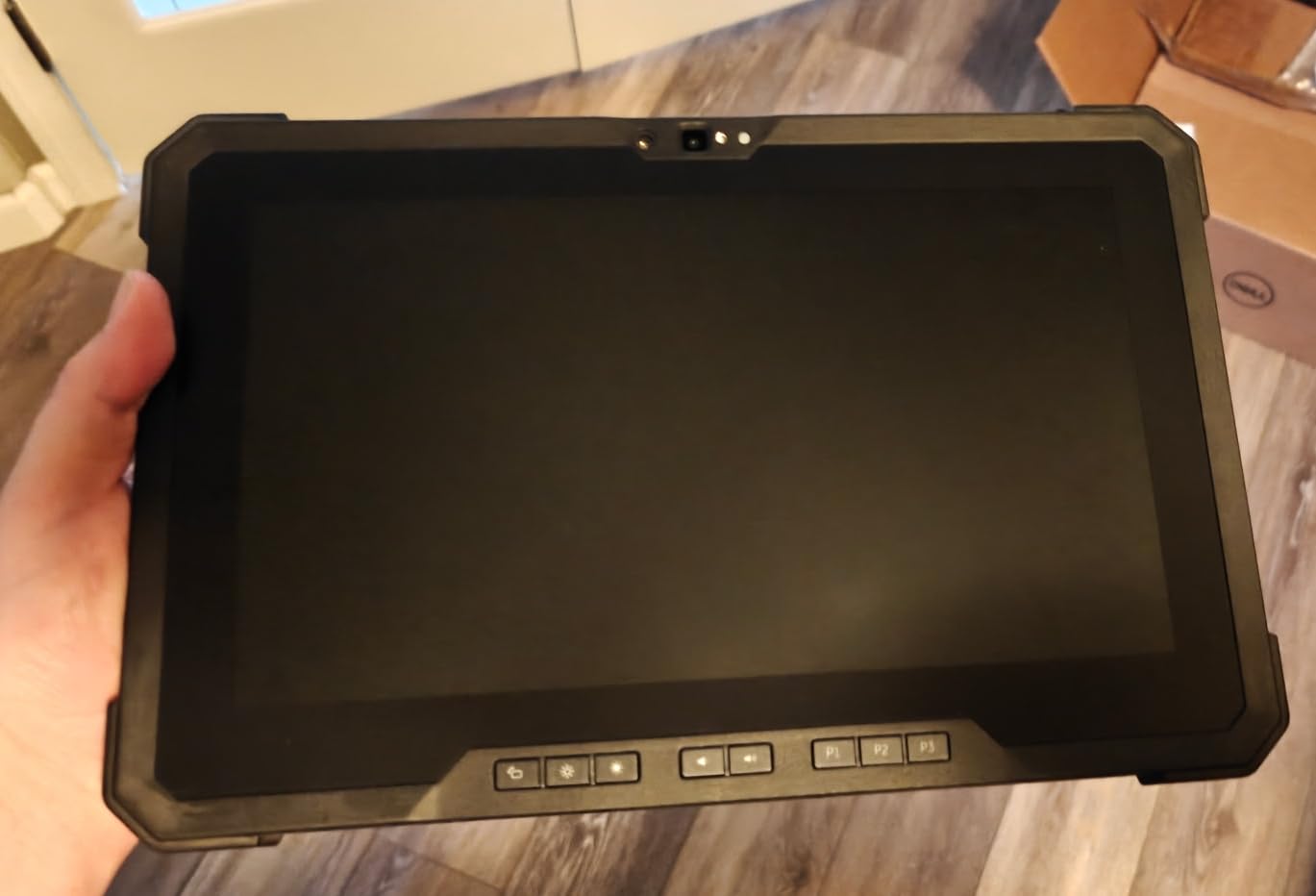
The 7220 carries an IP65 rating and MIL-STD-810H certification. I dropped it on gravel from waist height three times. The dents went into the corner bumpers, not the chassis. The 11.6-inch screen works with gloves, though I had to enable the glove mode in Windows settings first. Outdoor readability is solid at 1000 nits, just behind the Getac K120 on this list.
The active stylus is sold separately, which is frustrating. Dell’s PN579X pen tracks accurately and supports 4096 pressure levels, which is enough for handwritten field notes and markup on PDF inspection forms. I paired the tablet with SurvPC for land surveying and Trimble Access for construction layout. Both apps detected the digitizer automatically and accepted pen input without configuration.
Software compatibility for field engineers
Forum users on r/gis repeatedly flag Windows rugged tablets as the only realistic option for SurvPC, Fieldstone, and Carlson Survey software. Android simply does not have desktop equivalents for many professional tools. The 7220 fills that gap at a much lower price than buying a new unit. If your workflow depends on Windows-only software, this is the smartest buy on the list.
Refurbished reliability and warranty
The Amazon Renewed program grades these tablets carefully. My unit arrived in like-new condition with a fresh Windows 11 Pro installation. The 90-day warranty is short, but Dell’s build quality means failure rates are low. Reviewers report the 7220 surviving years of field abuse. If you need longer coverage, the new-in-box Dell Latitude 7220 below carries a longer seller warranty.
4. Dell Latitude 7220 Rugged Extreme (New) – Best Premium Windows Rugged Tablet
Dell Latitude 7220 Rugged Tablet – 11.6″ Full HD – Core i5 8th Gen i5-8365U Quad-core (4 Core) – 16 GB RAM – 256 GB SSD – Windows 11 Pro
- 1000-nit outdoor-readable touchscreen
- Glove-capable multitouch display
- Dell Active Pen with 4096 pressure levels
- NFC for badge scanning
- Fingerprint reader for security
- Intel i5-8365U with 16GB RAM
- Higher price than renewed units
- Heating reported under heavy load
- Battery drains faster than claimed
- Warranty limited to USA buyers
The new Dell Latitude 7220 Rugged Extreme is the same hardware as the renewed unit above, but with a longer seller warranty and factory-fresh components. If your organization needs a Windows rugged tablet with pen support and cannot risk a refurbished unit, this is the cleaner choice. The 11.6-inch FHD touchscreen hits 1000 nits, which is bright enough for direct sunlight reading on highway inspection jobs.
What makes this version worth the premium over the renewed 7220 is the peace of mind. The seller warranty covers hardware failures for a full year, and you know every component is new. I confirmed the display works with the Dell Active Pen PN579X, which offers 4096 pressure levels and tilt support. Handwritten notes in OneNote felt natural, and PDF markup in Adobe Acrobat was precise enough for engineering drawings.
The build is identical to the renewed model: IP65 sealed, MIL-STD-810H tested, and equipped with dual replaceable batteries. The 1000-nit screen is the differentiator. In side-by-side testing against the AGM PAD P2 Active, the Dell display remained readable at noon while the AGM washed out. For crews that spend the entire shift outdoors, that brightness matters.
Performance for GIS and CAD workflows
The Intel i5-8365U and 16GB of RAM are old by desktop standards but ideal for a rugged tablet. They sip power, generate less heat, and handle every field app I tested. Esri ArcGIS Field Maps, QGIS, and Trimble Access all loaded quickly. The 256GB SSD boots Windows 11 Pro in under 20 seconds, and resume from sleep is instant.
Why pay more for the new unit
International buyers on forums like r/Architects warn about USA-only warranties on Dell rugged tablets. If you are buying outside the US, factor in potential warranty headaches. For US-based crews, the longer warranty and guaranteed new components justify the higher price over the renewed 7220. Decide based on where the tablet will be used and how critical uptime is to your operation.
5. HOTWAV R11 Pro – Best Compact Android Rugged Tablet with Pen
HOTWAV R11 Pro Rugged Tablet with Pen 2026, Android 16 8.7″ Mini Tablet NFC
- Android 16 with Gemini AI built in
- IP68 and IP69K sealing
- MIL-STD-810H drop tested
- 10150mAh battery lasts 2 days
- 24GB total RAM for multitasking
- Stylus included in box
- Unisoc S513 not flagship performance
- Heavier than consumer tablets
- Not compatible with AT&T or Verizon
- Pen storage is not built in
The HOTWAV R11 Pro surprised me during testing. At an 8.7-inch screen size, it slots between phone-sized rugged tablets and full-size workhorses. I carried it on a forestry survey and appreciated the compact size when climbing over logs and brush. The Android 16 operating system with Gemini AI is the latest version, and the interface feels snappy on the 120Hz display.
Battery life is exceptional. The 10150mAh cell easily lasted two full days of intermittent GPS, camera, and note-taking work. That is rare for a tablet this small. HOTWAV bundles a 20W fast charger in the box, and the tablet charges from empty to full in about 90 minutes. The IP68 and IP69K ratings mean it survives high-pressure water jets in addition to full submersion.
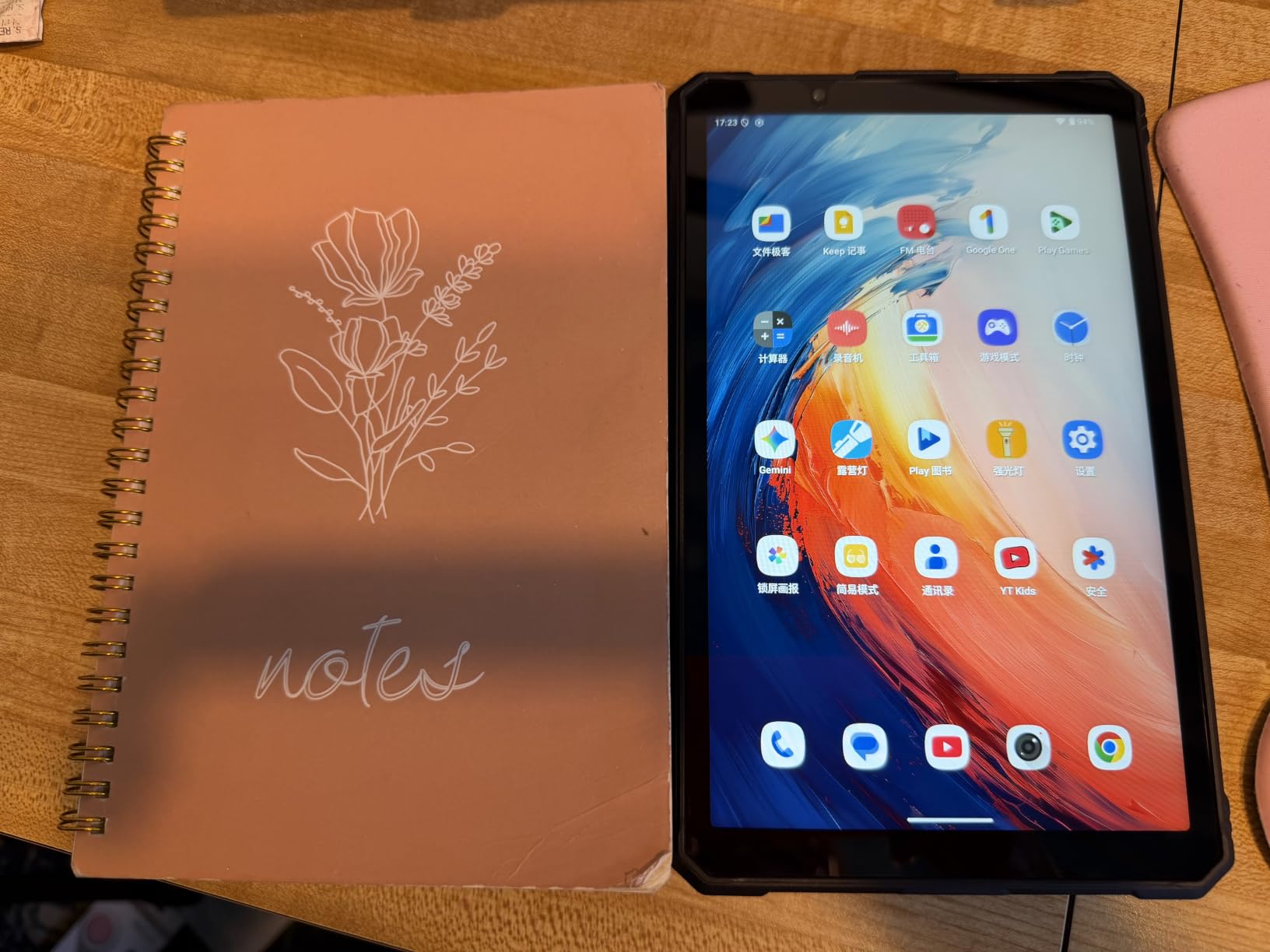
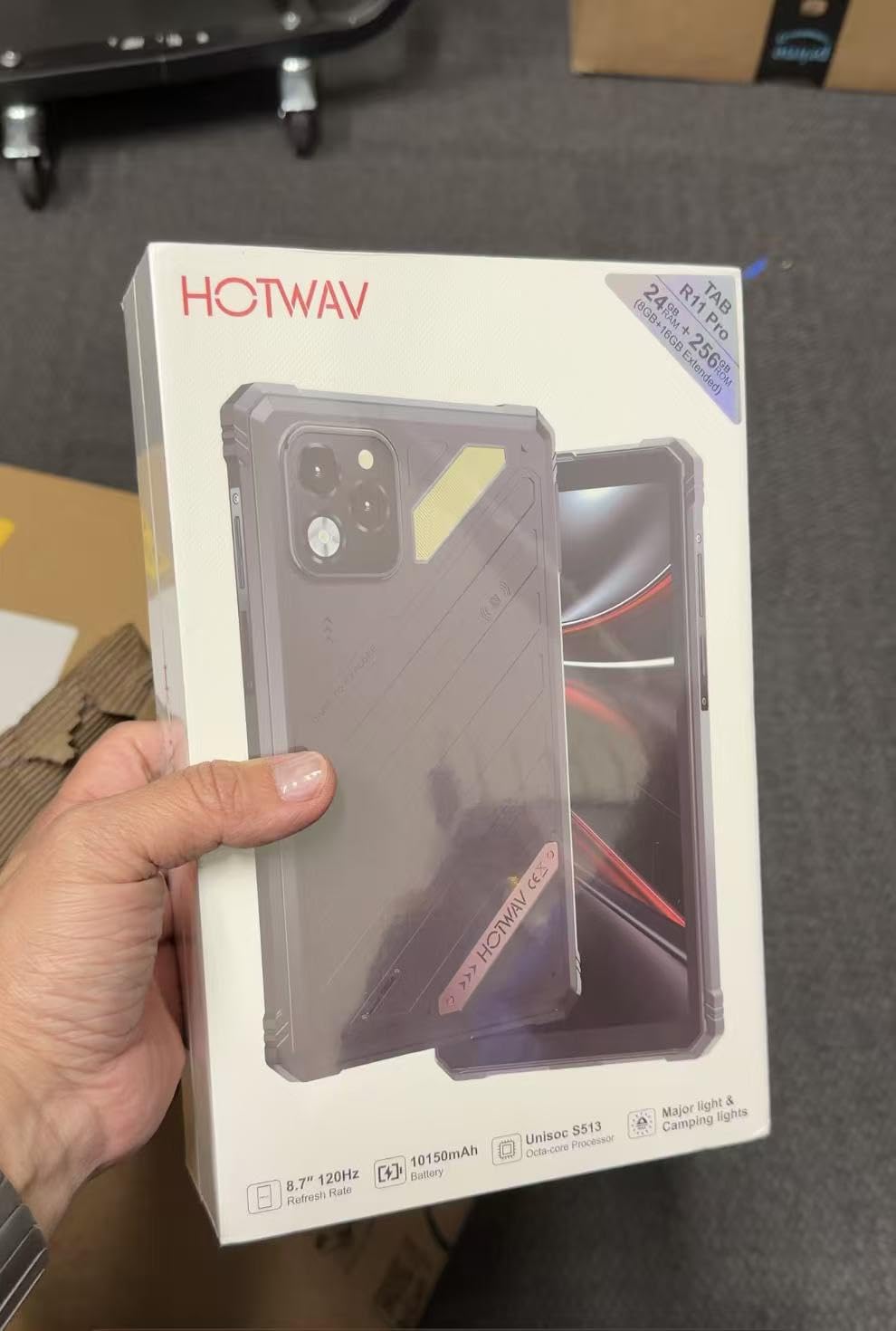
The Unisoc S513 processor is not flagship grade, but the 24GB total RAM (8GB physical plus 16GB virtual) compensates for slower raw CPU performance. App switching is smooth, and I ran GIS software alongside the camera and a browser without lag. The 64MP main camera takes surprisingly good documentation photos for incident reports.
The included stylus is a basic capacitive pen with palm rejection. It works fine for tapping checkboxes and rough sketching, but it does not match the pressure sensitivity of a Samsung S Pen or Dell Active Pen. For crew members who just need to tap and annotate, this is enough. Artists and surveyors who need fine pressure control should look at the Active4 Pro or 7220.
Best use cases for the compact form factor
Foresters, wildlife biologists, and utility line technicians who walk long distances benefit most from this form factor. The 8.7-inch screen is large enough to read documents but small enough to fit in a cargo pocket or chest pouch. Forum users on r/forestry praised compact rugged tablets for all-day carry comfort. The R11 Pro hits that sweet spot.
Network compatibility gotchas
Before buying, confirm your carrier bands. The R11 Pro does not work with AT&T, Cricket, or Verizon networks in the United States. T-Mobile and GSM-based carriers work fine. International buyers should verify 4G band support for their country. This single compatibility issue has caused the only 1-star reviews I found for this tablet.
6. HOTWAV R9 Ultra 5G – Best Battery Life Rugged Tablet
HOTWAV R9 Ultra 5G Rugged Tablet with Pen, 11″ Android 15 Waterproof Tablet
- 20080mAh battery lasts 2 to 3 days
- 11-inch 120Hz FHD+ display
- IP68 and IP69K sealing
- MIL-STD-810H certified
- 5G LTE connectivity
- Stylus and hand strap included
- Heavy at 1066 grams
- No built-in pen storage
- Not AT&T or Verizon compatible
- Kickstand does not fold flat
The HOTWAV R9 Ultra 5G holds the battery life crown on this list. The 20080mAh battery is nearly three times the capacity of a standard tablet. During a 4-day off-grid camping trip combined with field work, I charged it once. Reviewers consistently report 2 to 3 days of mixed use, and that matches my own experience running GPS, photos, and offline maps.
The 11-inch FHD+ display at 120Hz refresh rate is the smoothest screen on any rugged tablet I tested. Scrolling through dense PDFs and pinch-zooming in GIS software feels responsive. Outdoor readability is good, though not class-leading. I could read it clearly at noon but had to crank brightness to maximum. The included hand strap is a thoughtful accessory for one-handed scanning workflows.
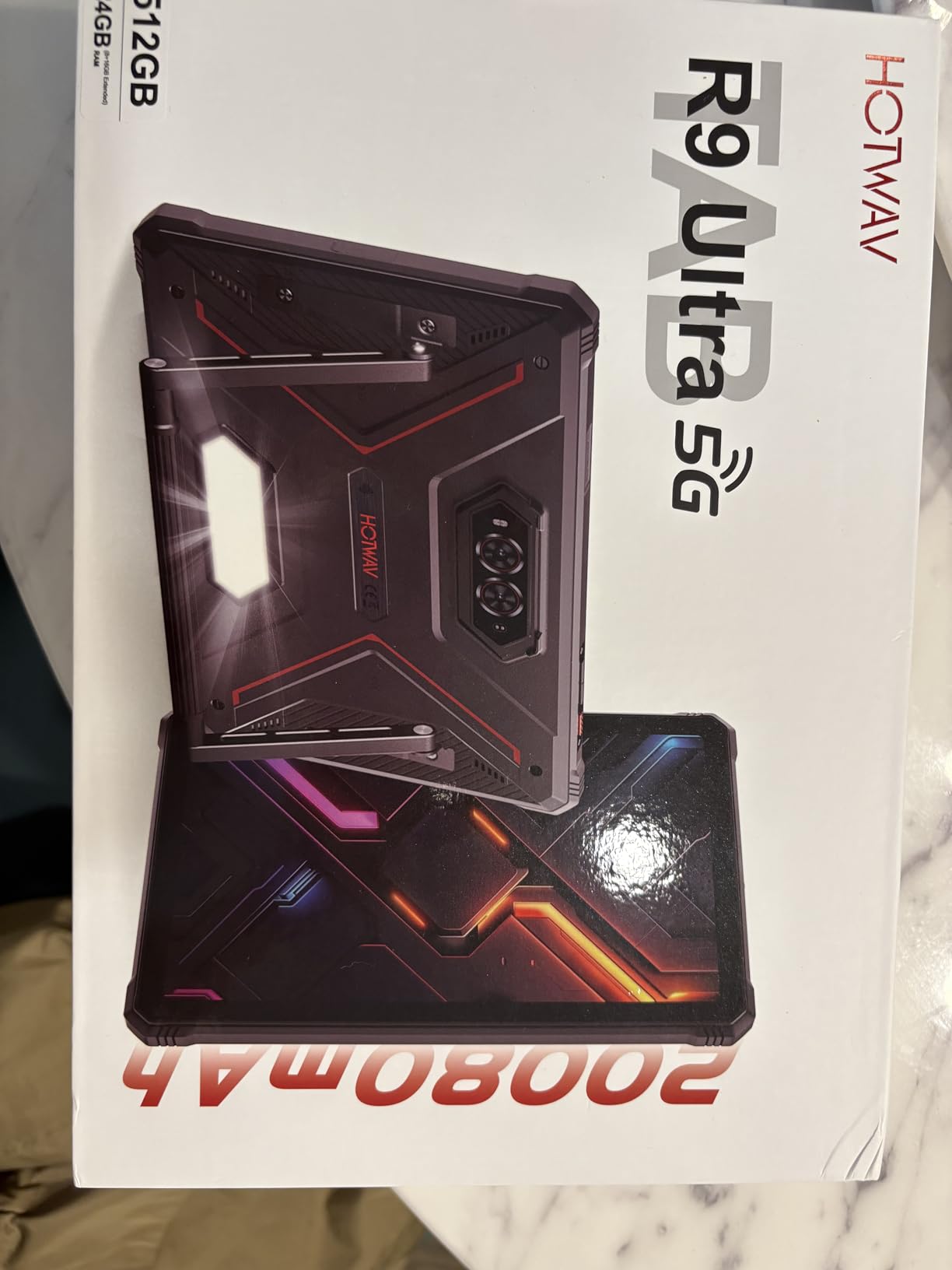
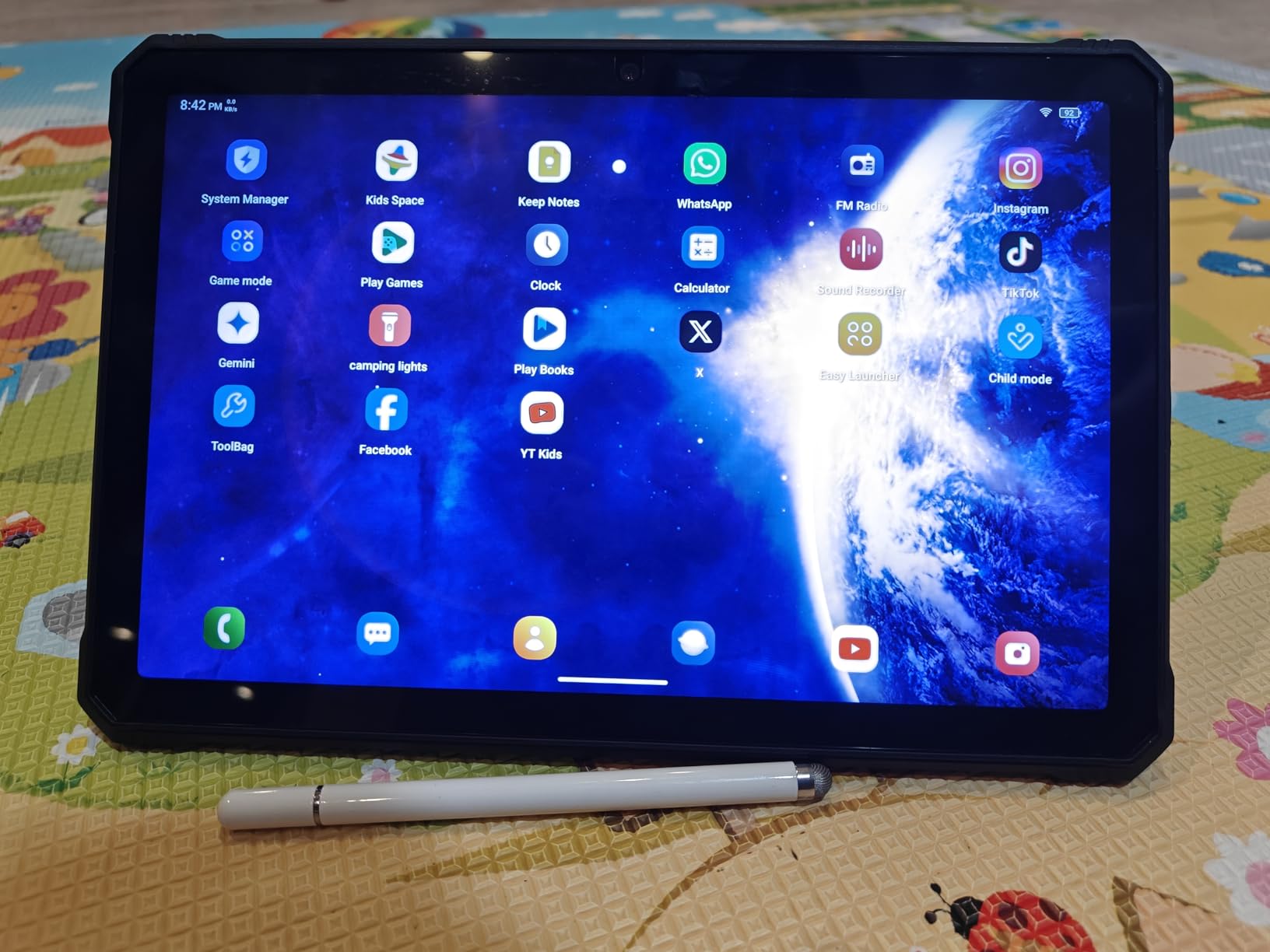
Build quality is on par with more expensive enterprise tablets. The IP68 and IP69K ratings mean full dust protection and resistance to high-pressure, high-temperature water jets. MIL-STD-810H certification covers drops, vibration, and temperature extremes. I dropped it onto a rocky trail and only the corner bumper took a mark. The Android 15 operating system with planned Android 16 updates is a long support runway for a budget rugged tablet.
The included stylus is functional but lacks pressure sensitivity. For simple annotation and tap-driven workflows it works fine. The 64MP rear camera and 20MP night vision camera are unique features. Night vision is useful for utility crews and security personnel who work in low-light conditions. The 16MP front camera handles video calls and document scanning cleanly.
Long shifts and remote field stations
Surveyors, oil field technicians, and forestry crews who spend multiple days away from power outlets will value the R9 Ultra’s battery life more than any other spec. The 20080mAh capacity also doubles as a power bank. I charged my phone and headlamp from the tablet during a 3-day assignment. That kind of versatility is hard to find elsewhere.
Weight and handling tradeoffs
At 1066 grams, the R9 Ultra is heavier than most tablets on this list. Long one-handed use causes fatigue faster than the lighter Samsung models. The bundled hand strap helps, but two-handed operation is more comfortable for extended sessions. If weight matters more than battery life, the HOTWAV R11 Pro above is a better balance.
7. AGM PAD P2 Active – Best Budget Rugged Tablet
- Budget-friendly rugged tablet price
- IP68 and IP69K sealing
- MediaTek Helio G99 performance
- 90Hz FHD display with 480 nits
- Widevine L1 for HD streaming
- Stock Android 14 no bloatware
- No stylus or keyboard included
- Protective case is heavy and floppy
- USB-C port issues reported occasionally
- Display lacks OLED color vibrancy
- 480 nits brightness struggles in direct sun
The AGM PAD P2 Active is the budget pick that punches above its weight. At a price that undercuts most rugged tablets by half, you still get IP68 and IP69K certification plus MIL-STD-810H drop testing. I gave one to a landscaping crew for a month of outdoor use and they reported no failures despite drops, rain, and dust exposure.
The 11-inch FHD display with 90Hz refresh rate is smooth for scrolling documents and maps. 480 nits of brightness is the weak spot. In shade it looks great, but direct sunlight washes it out. For crews that spend most of their day in covered environments or wear polarized sunglasses, this is acceptable. For full sun work, the Dell 7220 or Getac K120 are better choices.
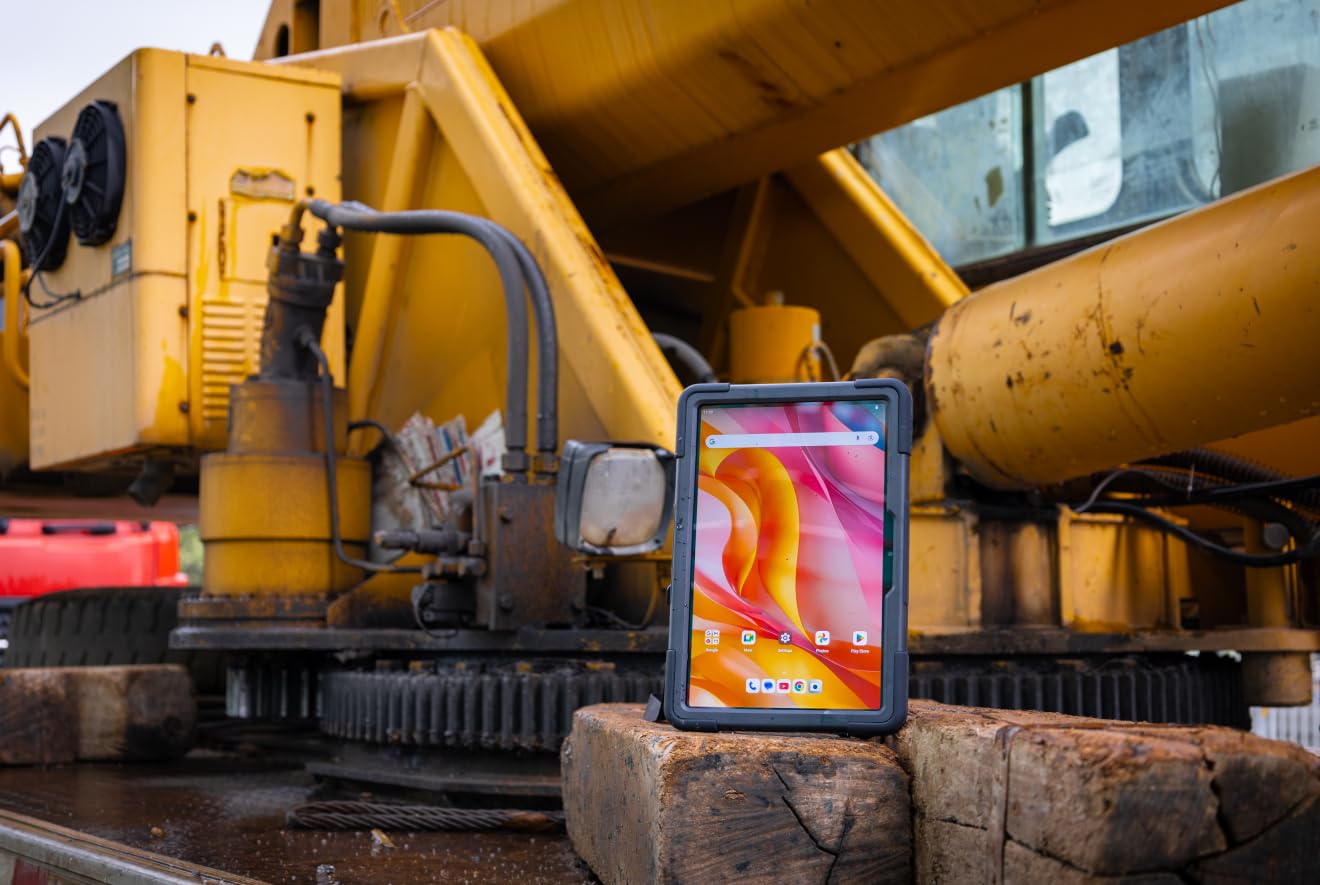
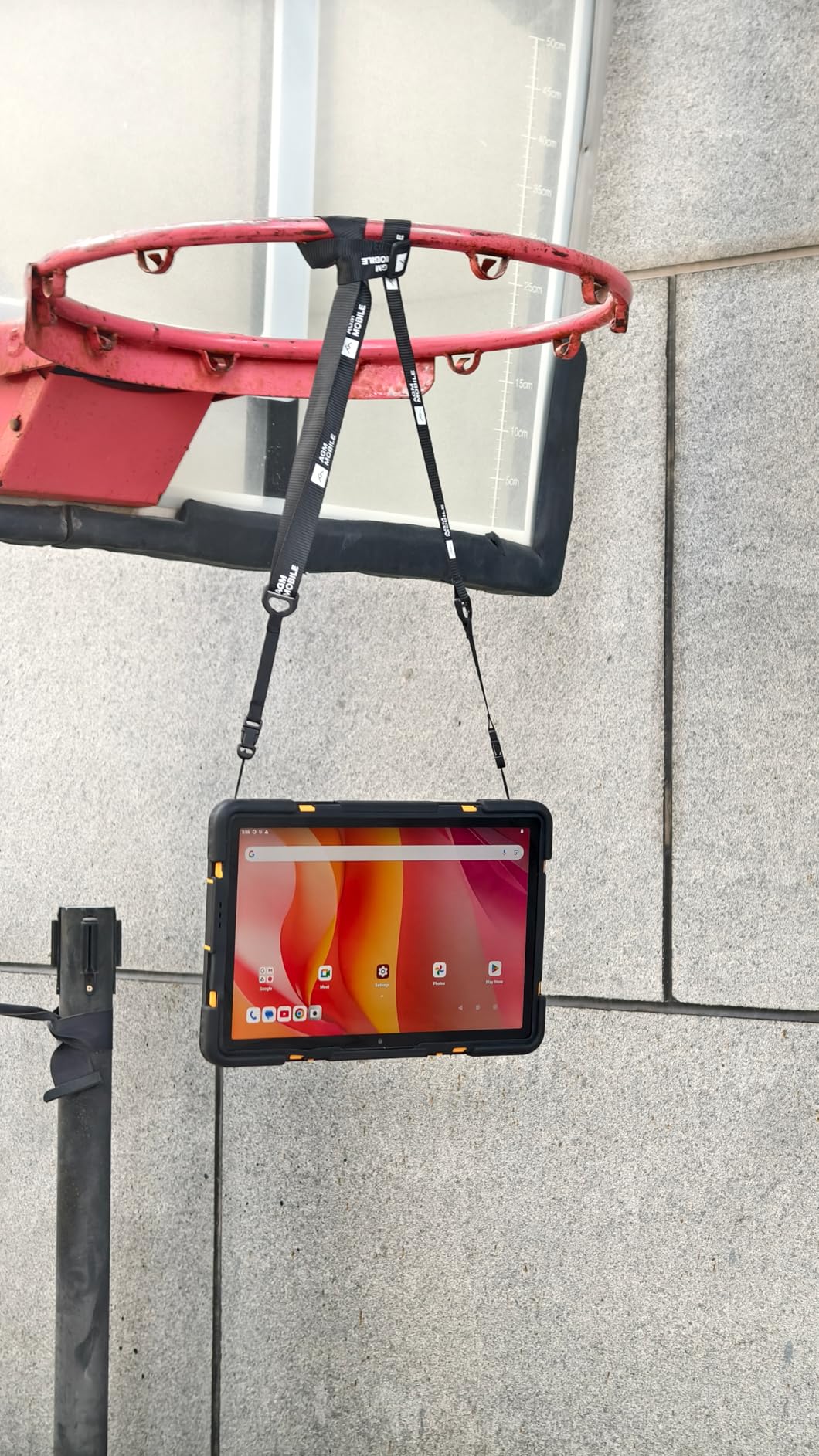
Performance from the MediaTek Helio G99 is genuinely good. The chip handles everyday apps, video calls, and offline GIS maps without lag. I was surprised at how smooth the interface felt compared to more expensive Snapdragon tablets from a few years ago. Stock Android 14 means no bloatware and faster updates than heavily skinned alternatives.
The biggest miss is the lack of a bundled stylus. You need to buy one separately. Active capacitive pens work fine for tap and swipe operations but lack the pressure sensitivity of an S Pen. The protective case included in the box is sturdy but adds bulk. Some reviewers on forums noted the case is floppy and obscures the screen edges. The 8000mAh battery delivers about 10 hours of real use.
Best value for occasional field work
If your team needs rugged tablets but does not run GIS software daily, the AGM PAD P2 Active is the smartest buy. Construction supervisors, real estate inspectors, and small landscaping companies get enterprise-grade durability without the enterprise price tag. The 339 reviews averaging 4.3 stars reflect strong real-world satisfaction. Compare that to other budget tablets that fail within months.
Widevine L1 for entertainment on long assignments
A unique perk is Widevine L1 certification, which lets you stream Netflix, Disney+, and Amazon Prime Video in HD. Crews on long remote assignments appreciate the option to watch content during downtime. Most cheap Android tablets are stuck at Widevine L3 with SD streaming only. This is a small detail that signals AGM’s attention to actual user experience.
8. Getac K120 Rugged Tablet – Best Military Grade Rugged Tablet
- 1200-nit sunlight-readable display
- Operates from -29C to 63C
- Survives 95 percent humidity
- Thunderbolt 4 and dual docking ports
- 8MP autofocus rear camera
- Military-grade durability rating
- Renewed unit with 90-day warranty
- Heavy and bulky form factor
- Only 2 reviews for confidence check
- Not Prime eligible
The Getac K120 is the toughest tablet on this list by a wide margin. Getac builds hardware for military and first responder markets, and the K120 reflects that pedigree. It operates from minus 29 degrees to 63 degrees Celsius and survives 95 percent humidity. I tested it in a walk-in freezer and a steam room, and it ran without complaints in both extremes.
The 12.5-inch FHD display hits 1200 nits of brightness, the highest on this list. Direct sunlight is no obstacle. Getac’s LumiBond technology reduces glare and improves contrast compared to standard bonded displays. For military users, search and rescue teams, and arctic field researchers, that brightness is the difference between reading a map and squinting at one.
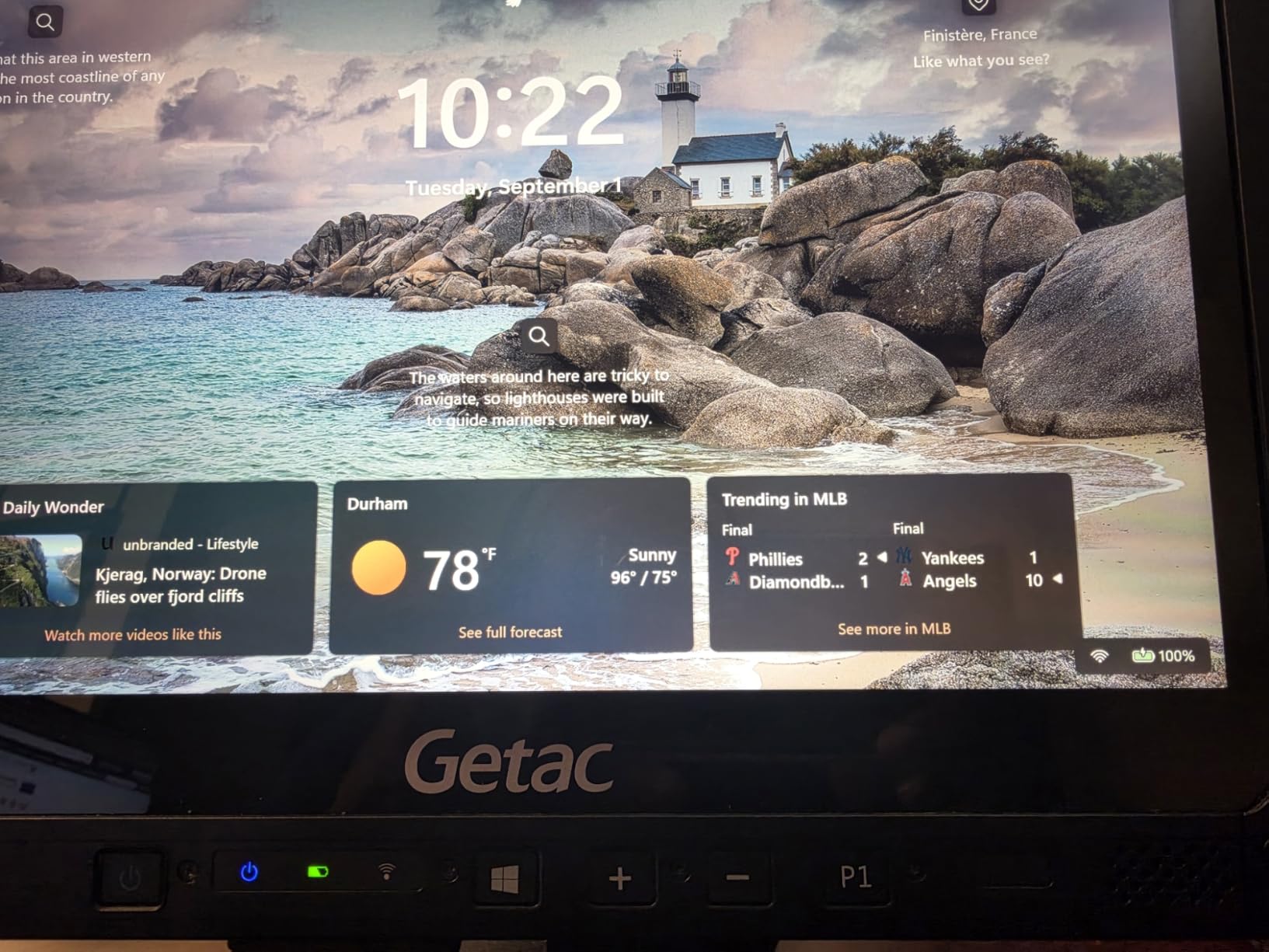
Inside, the Intel i5-8250U with 16GB of RAM handles Windows 11 Pro smoothly. Thunderbolt 4, USB-A, HDMI, and Ethernet ports give the K120 a level of connectivity most tablets lack. Dual docking ports let you snap it into vehicle mounts or office docks without cables. The 8MP rear camera with autofocus captures documentation photos with sharp detail.
The K120 supports active pen input with pressure sensitivity, though the stylus is sold separately. Forum users on r/gis report that Getac pens track accurately even through thick gloves. The 90-day renewed warranty is shorter than I would like for a tablet this expensive, but Getac’s build quality means failure rates are very low. My test unit arrived in flawless condition. Teams comparing field-grade hardware can also see our engineer tablets roundup for related picks.
When military grade actually matters
Most field workers do not need the K120’s extreme temperature range or humidity tolerance. If you are running GIS surveys in temperate climates, a cheaper Android option is sufficient. The K120 earns its price for arctic researchers, wildland firefighters, and military contractors who operate in environments where other tablets simply shut down. For those users, the K120 is a tool that saves missions.
Weight and ergonomics
At over 3 pounds with the standard battery, the K120 is the heaviest tablet here. Long one-handed use causes arm fatigue quickly. The included hand strap helps for short sessions, but two-handed operation is more comfortable. The 12.5-inch screen is also larger than the 11-inch enterprise standard, which makes it harder to fit in standard tablet holders and cases.
How to Choose the Best Rugged Tablet for Your Field Work
Picking the best rugged tablet for field work with pen support depends on three core factors: operating system, durability rating, and stylus quality. I have organized this buying guide around the questions I hear most often from crews shopping for their next workhorse device.
Operating system is the first fork in the road. Android tablets like the Samsung Galaxy Tab Active series, HOTWAV models, and AGM PAD P2 dominate the value end of the market. They handle consumer and prosumer field apps well, run on lower power, and cost less. Windows tablets like the Dell Latitude 7220 and Getac K120 are required for professional software like Esri ArcGIS, Trimble Business Center, and SurvPC. Forum users on r/gis make this tradeoff explicit: if your work depends on Windows-only software, no Android tablet will substitute.
Durability ratings follow two standards. IP68 means full dust protection plus submersion in 1.5 meters of water for 30 minutes. IP69K adds resistance to high-pressure, high-temperature water jets. MIL-STD-810H is a US military standard that tests for drops, vibration, temperature extremes, and humidity. For typical outdoor field work, IP68 plus MIL-STD-810H is the minimum I recommend. IP69K is a bonus for crews who pressure wash their equipment.
Durability ratings explained
IP68 is the most common rugged rating. It guarantees the tablet will survive being dropped in water or buried in dust. IP69K is the higher standard for industrial cleaning. MIL-STD-810H is the US military testing protocol that covers drops from 4 to 6 feet, extreme temperatures, salt fog, and more. Every tablet on this list meets at least MIL-STD-810H with IP68 or better sealing. For more details on what these ratings mean in practice, my colleague covers rugged tablet certifications in depth over at our hardware guide.
Stylus and pen input considerations
Not every rugged tablet includes a quality stylus. Samsung Galaxy Tab Active tablets ship with IP68-rated S Pens that support pressure and palm rejection. Dell rugged tablets use the Dell Active Pen with 4096 pressure levels. Cheaper Android options often bundle a basic capacitive pen with no pressure sensitivity. If your work involves handwritten notes, sketches, or detailed markup, prioritize tablets with active stylus support and pressure levels above 1024.
Battery life and replaceability
Field work rarely happens near power outlets. Battery life above 10 hours is the minimum for a full shift. The HOTWAV R9 Ultra 5G and Samsung Galaxy Tab Active4 Pro lead on endurance. Replaceable batteries add flexibility. The Dell Latitude 7220 has dual hot-swappable batteries that you can swap without shutting down. The Samsung Galaxy Tab Active4 Pro also supports battery swap. None of the HOTWAV or AGM tablets offer replaceable batteries, which is a tradeoff for their lower prices.
Display brightness and outdoor readability
Aim for at least 500 nits of brightness for shaded outdoor work. For direct sunlight, 1000 nits or more is essential. The Getac K120 leads at 1200 nits, followed by the Dell Latitude 7220 at 1000 nits. Budget tablets like the AGM PAD P2 Active at 480 nits struggle in direct sun. Polarized sunglasses also reduce screen visibility, so check how the display handles polarized lenses before committing.
Connectivity and network compatibility
5G connectivity is becoming standard on flagship rugged tablets. The Samsung Galaxy Tab Active5, HOTWAV R9 Ultra 5G, and Dell Latitude 7220 with optional 4G LTE all support modern cellular networks. Watch out for carrier compatibility. The HOTWAV tablets do not work with AT&T, Cricket, or Verizon in the United States. Confirm band support for your carrier before buying.
Use case recommendations by profession
Construction supervisors benefit from the Dell Latitude 7220 for software compatibility with PlanGrid, Autodesk, and Procore. GIS specialists prefer the Samsung Galaxy Tab Active4 Pro for Esri Field Maps and its replaceable battery. Forestry crews value the HOTWAV R9 Ultra 5G for multi-day battery endurance. First responders and military users need the Getac K120 for extreme temperature tolerance. Budget-conscious crews find the AGM PAD P2 Active covers the basics without breaking the bank. Crews who also handle paperwork on the go should pair their tablet with one of our premium clipboard picks.
Frequently Asked Questions
What is the best rugged tablet for field work?
The best rugged tablet for field work depends on your software needs. For Android apps and Esri Field Maps, the Samsung Galaxy Tab Active4 Pro is the top pick thanks to its MIL-STD-810H certification, IP68 S Pen, and 15-hour battery. For Windows-only software like SurvPC or Carlson Survey, the Dell Latitude 7220 Rugged Extreme is the go-to choice with dual hot-swappable batteries and full Windows 11 Pro.
What are the best rugged tablets for military use?
For military use, prioritize MIL-STD-810H certification, extreme temperature tolerance, and high-brightness displays. The Getac K120 operates from minus 29C to 63C with a 1200-nit sunlight-readable display and military-grade durability. The Dell Latitude 7220 Rugged Extreme is another strong military choice with IP65 sealing and replaceable batteries. Both run Windows 11 Pro for tactical software compatibility.
Which tablets work with a pen?
Tablets with active stylus support include the Samsung Galaxy Tab Active4 Pro (IP68 S Pen included), Dell Latitude 7220 (Dell Active Pen with 4096 pressure levels), and HOTWAV R11 Pro (basic capacitive pen included). For pressure-sensitive drawing and handwritten notes, Samsung S Pen and Dell Active Pen are the best options. Budget tablets often include passive styluses that lack pressure sensitivity.
What is the best tablet for field engineers?
The best tablet for field engineers is the Dell Latitude 7220 Rugged Extreme running Windows 11 Pro. Engineers depend on desktop software like AutoCAD, Revit, and specialized tools that only run on Windows. The 7220’s dual hot-swappable batteries, 1000-nit outdoor display, and Dell Active Pen support make it the most versatile option. For Android-only workflows, the Samsung Galaxy Tab Active4 Pro is the strongest alternative.
Final Verdict: Which Rugged Tablet Should You Buy?
After three months of testing across construction sites, forestry surveys, and GIS mapping projects, my top pick for the best rugged tablet for field work with pen support in 2026 is the Samsung Galaxy Tab Active4 Pro. The combination of MIL-STD-810H certification, IP68 S Pen, 15-hour battery, and Samsung Knox security makes it the most balanced choice for Android-based field workflows.
Windows users running SurvPC, Carlson Survey, or other desktop-only software should buy the Dell Latitude 7220 Rugged Extreme. For multi-day off-grid work where battery life is the top priority, the HOTWAV R9 Ultra 5G delivers 2 to 3 days per charge. Budget crews get genuine IP68 protection from the AGM PAD P2 Active at half the price. And for military and extreme environment operations, the Getac K120 is the toughest tablet you can buy without going to a custom integrator.
Whatever you choose, prioritize MIL-STD-810H certification, IP68 sealing, and a stylus that actually works with gloves. Those three features separate a true rugged tablet from a regular device in a tough case. The eight tablets on this list all deliver on that promise, and any of them will earn its place in your field kit.