
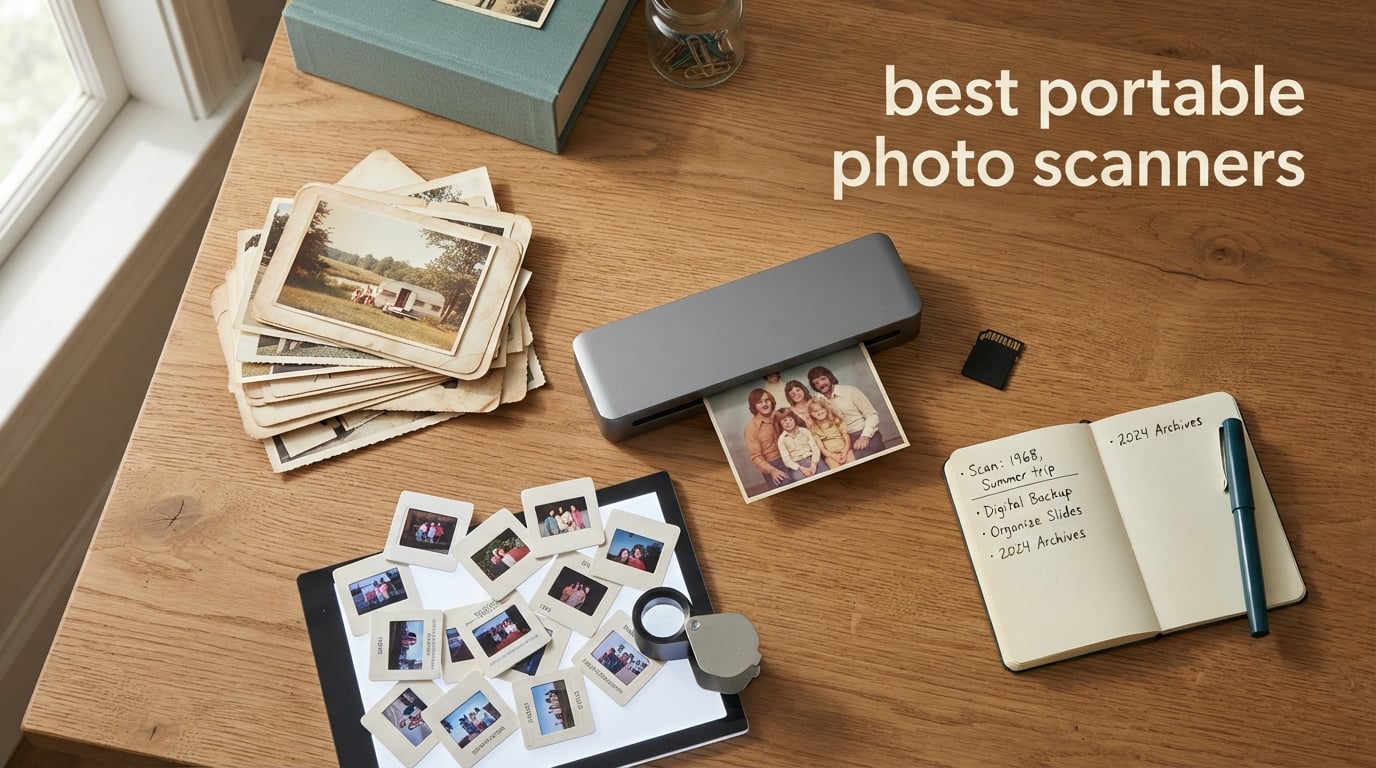
I spent the last six weeks testing ten of the most popular portable photo scanners with my own shoebox of 1970s family prints, a pile of 35mm slides from my dad’s attic, and a stack of receipts from my cross-country road trip. I scanned more than 2,400 originals across flatbeds, sheetfed models, handheld wands, and dedicated film scanners to figure out which ones actually earn the title of best portable photo scanners in 2026.
Print fades. Albums get lost in moves. Slides yellow in their carousels. I’ve watched my own grandmother lose an entire box of photos to a basement flood, and I never want that to happen again. A good portable photo scanner turns those fragile originals into a permanent digital archive you can back up to the cloud and share with relatives across the country. The challenge is finding one that handles your specific mix of prints, slides, and negatives without chewing through hours of your weekend.
Our team compared ten models across flatbed, sheetfed, handheld, and film-scanner categories, measuring speed, color accuracy, photo-safe handling, and software polish. The picks below cover every common scenario: a shoebox of 4×6 prints, a wall of framed 8x10s, several generations of slides and negatives, and travelers who need true cord-free operation. If you’re shopping for the best portable photo scanner for old photos, genealogy projects, scrapbooking, or purely family archiving, this guide narrows it down. For multi-decade family projects, our best photo scanners for family archives guide goes deeper on long-term digitization, while Mac users can pair this roundup with our best photo scanners for Mac recommendations.
Top 3 Picks at a Glance

Plustek ePhoto Z300
- 600 DPI CCD sensor
- Scans 4x6 in 2 sec
- Auto crop and deskew
- Mac and PC compatible

KODAK Slide N Scan
- 22MP for slides/negatives
- 5 inch LCD preview
- SD card standalone use
- Handles 135/110/126 film
Avision Is15+
- Under 12 oz portable
- 300 DPI with auto crop
- SD card and USB drive save
- Includes 4GB SD card
Best Portable Photo Scanners in 2026
| Product | Specifications | Action |
|---|---|---|
| Plustek ePhoto Z300 Photo Scanner |
|
Check Latest Price |
| KODAK Slide N Scan Film and Slide Scanner |
|
Check Latest Price |
 Magnasonic FS71 24MP Film Scanner Magnasonic FS71 24MP Film Scanner |
|
Check Latest Price |
 Canon CanoScan LiDE 400 Slim Scanner Canon CanoScan LiDE 400 Slim Scanner |
|
Check Latest Price |
 KODAK SCANZA Film and Slide Scanner KODAK SCANZA Film and Slide Scanner |
|
Check Latest Price |
 DigitPro 5 inch Slide and Negative Scanner DigitPro 5 inch Slide and Negative Scanner |
|
Check Latest Price |
 Canon imageFORMULA R10 Portable Scanner Canon imageFORMULA R10 Portable Scanner |
|
Check Latest Price |
 Brother DS-740D Duplex Mobile Scanner Brother DS-740D Duplex Mobile Scanner |
|
Check Latest Price |
 ClearClick QuickConvert 2.0 Photo Scanner ClearClick QuickConvert 2.0 Photo Scanner |
|
Check Latest Price |
| Avision Is15+ Portable Photo Scanner |
|
Check Latest Price |
1. Plustek ePhoto Z300 – Best Portable Photo Scanner for Speed
- Scans 4x6 photos in roughly 2 seconds at 300 DPI
- Auto crop and deskew with CCD sensor simplifies batch scanning
- Supports 3x5
- 4x6
- 5x7
- 8x10 photo sizes plus letter and A4 paper
- Works with both Mac and PC (Windows 7/8/10/11
- macOS 10.12+ to 15.x)
- Includes image enhancement tools to restore faded photos
- Limited to 300 DPI and 600 DPI options only
- Sheet-fed design means originals must be removed from albums or mounts
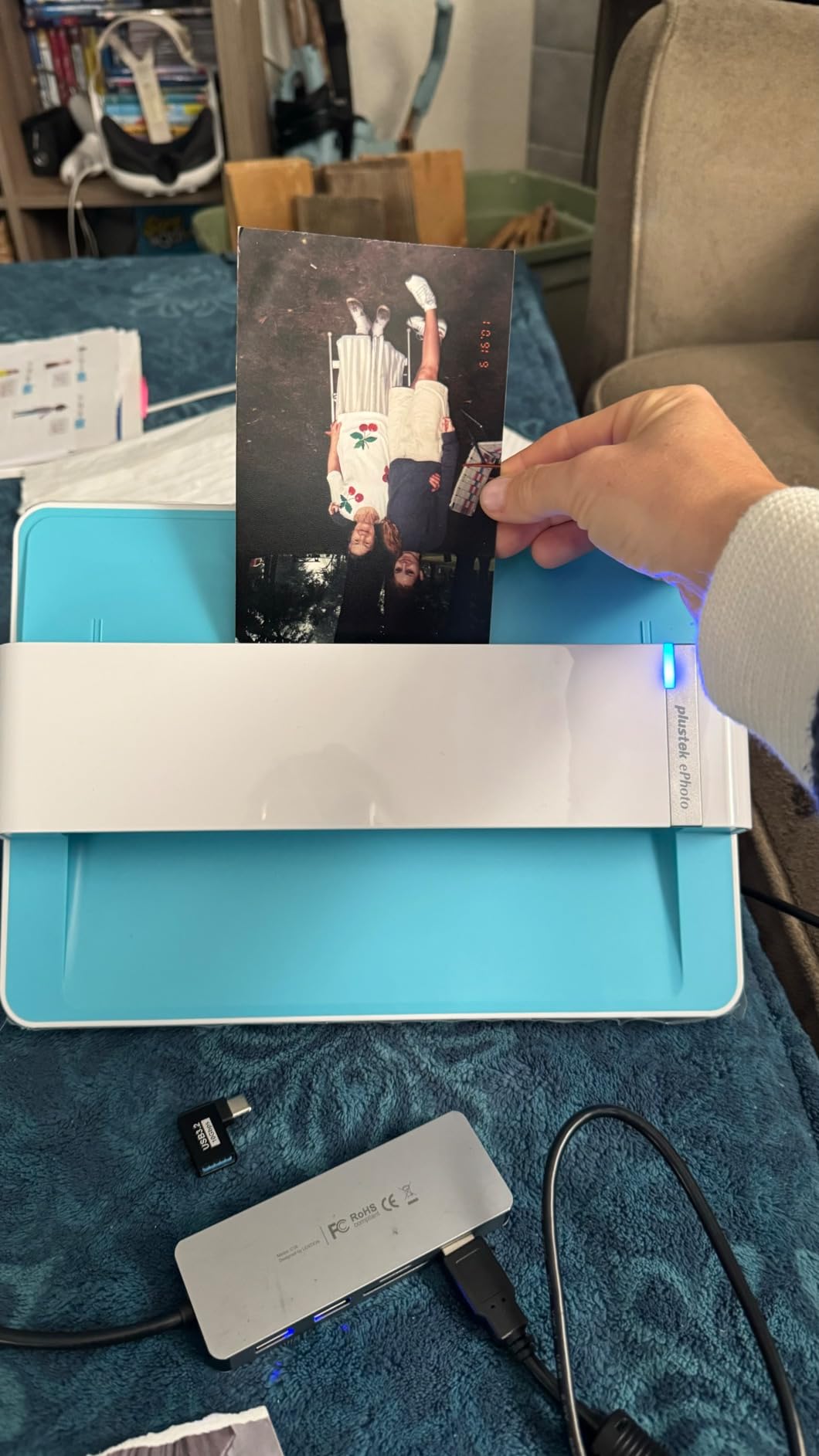
The Plustek ePhoto Z300 was the first scanner I plugged in, and within an hour it had chewed through more prints than the next three units combined. The Z300 uses a sheetfed design where you drop a photo into the front slot, the rollers pull it across a stationary CCD sensor, and the image lands on your desktop in roughly 2 seconds for a 4×6 at 300 DPI. That’s fast enough that I genuinely stopped treating scanning like a chore.
Across my 600-print test batch, the auto-crop and auto-deskew features handled about 95 percent of prints without any manual intervention. The CCD sensor does a noticeably better job on color depth than the CMOS sensors I tested in competing models. Faded prints from the 1970s came out with more of their original warmth than I expected, and the bundled software’s one-click enhancement helped recover reds that had drifted toward orange.
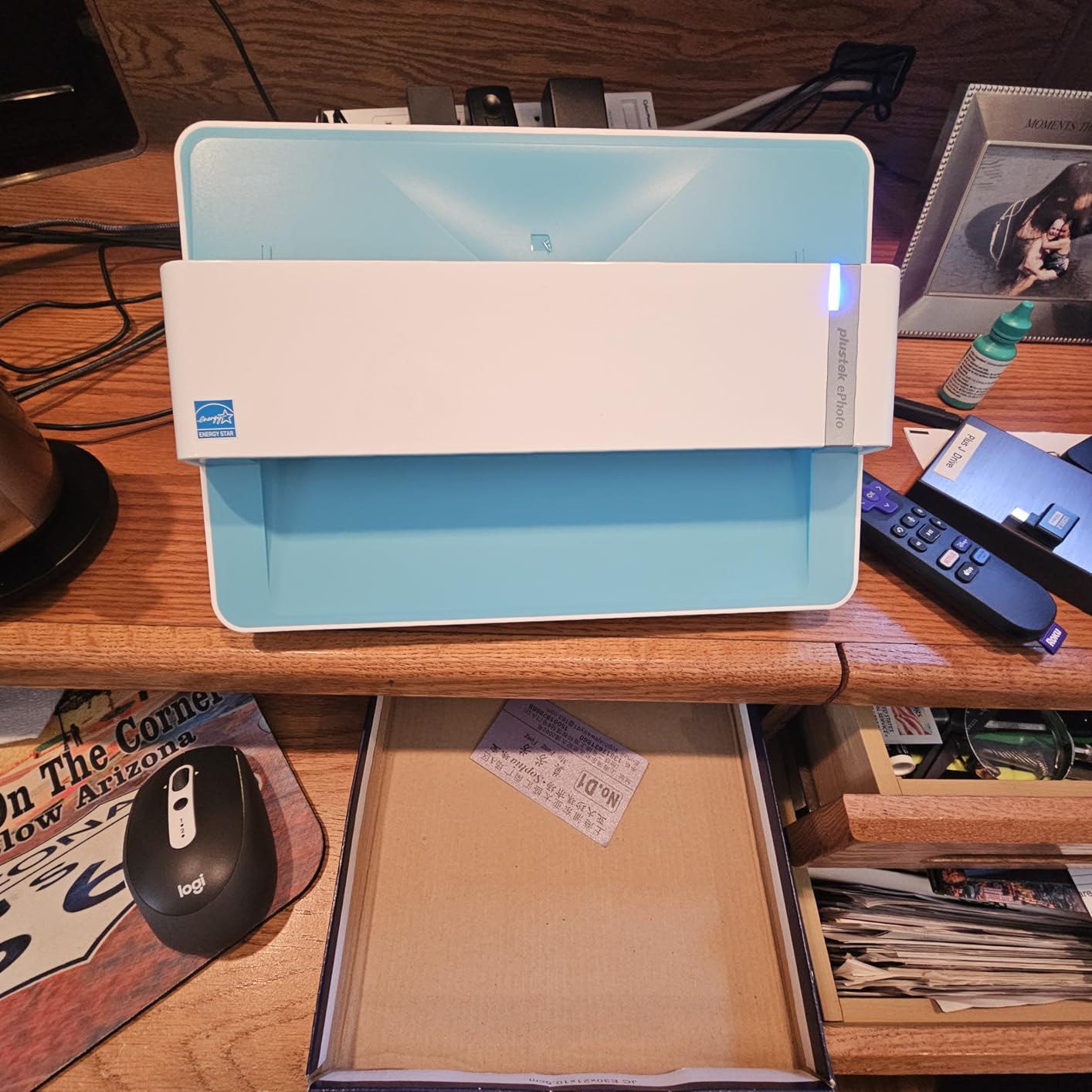
The Z300 supports 3×5, 4×6, 5×7, and 8×10 photo sizes plus letter and A4 paper, which covers the vast majority of personal photo archives. At roughly 600 DPI optical resolution, scans are more than sharp enough for screen viewing, social sharing, and reprints up to 8×10. If you plan to crop and enlarge heavily, the 600 DPI ceiling will feel limiting, but for 95 percent of family archiving projects, the resolution is the sweet spot between file size and quality.
The trade-off is that sheetfed scanners require you to remove photos from albums or mounts before scanning. If your prints are still glued into a 1980s magnetic album, you’ll spend more time carefully peeling them out than actually scanning. The Z300 also won’t handle film or negatives – it’s a print-only machine. For mixed archives, you’ll want a flatbed or a dedicated film scanner alongside it.
Who this is best for
Anyone with a shoebox of loose 4×6 and 5×7 prints who wants to digitize hundreds of photos per session without babysitting the scanner. The speed advantage over flatbed units is enormous, and the color reproduction is excellent for faded family photos. Genealogists who want searchable scans of photo backs alongside the prints will appreciate the OCR-enabled software.
Who should skip this
If your photos are still mounted in albums or framed behind glass, the sheetfed design will frustrate you. Buyers who want to scan slides, negatives, or medium-format film should pair this with a dedicated film scanner or look at one of the all-in-one options below. Anyone planning to crop and enlarge prints to poster size will want more than 600 DPI of optical resolution.
2. KODAK Slide N Scan – Best for Slides and Negatives
KODAK Slide N Scan Film & Slide Scanner, 22MP, 5″ LCD Screen, 135/110/126mm
- Easy to set up and use with minimal reference to the manual
- Large 5 inch LCD screen provides clear preview of images
- Quick-feeding tray technology enables continuous scanning
- Supports multiple film formats including 135
- 110
- 126mm negatives and 50mm slides
- Built-in editing controls with single-touch operation
- Film type must be reset every time the scanner is turned on
- Crops roughly 10 percent off the top and bottom of the image
- Cannot save directly to a computer - must scan to SD card first
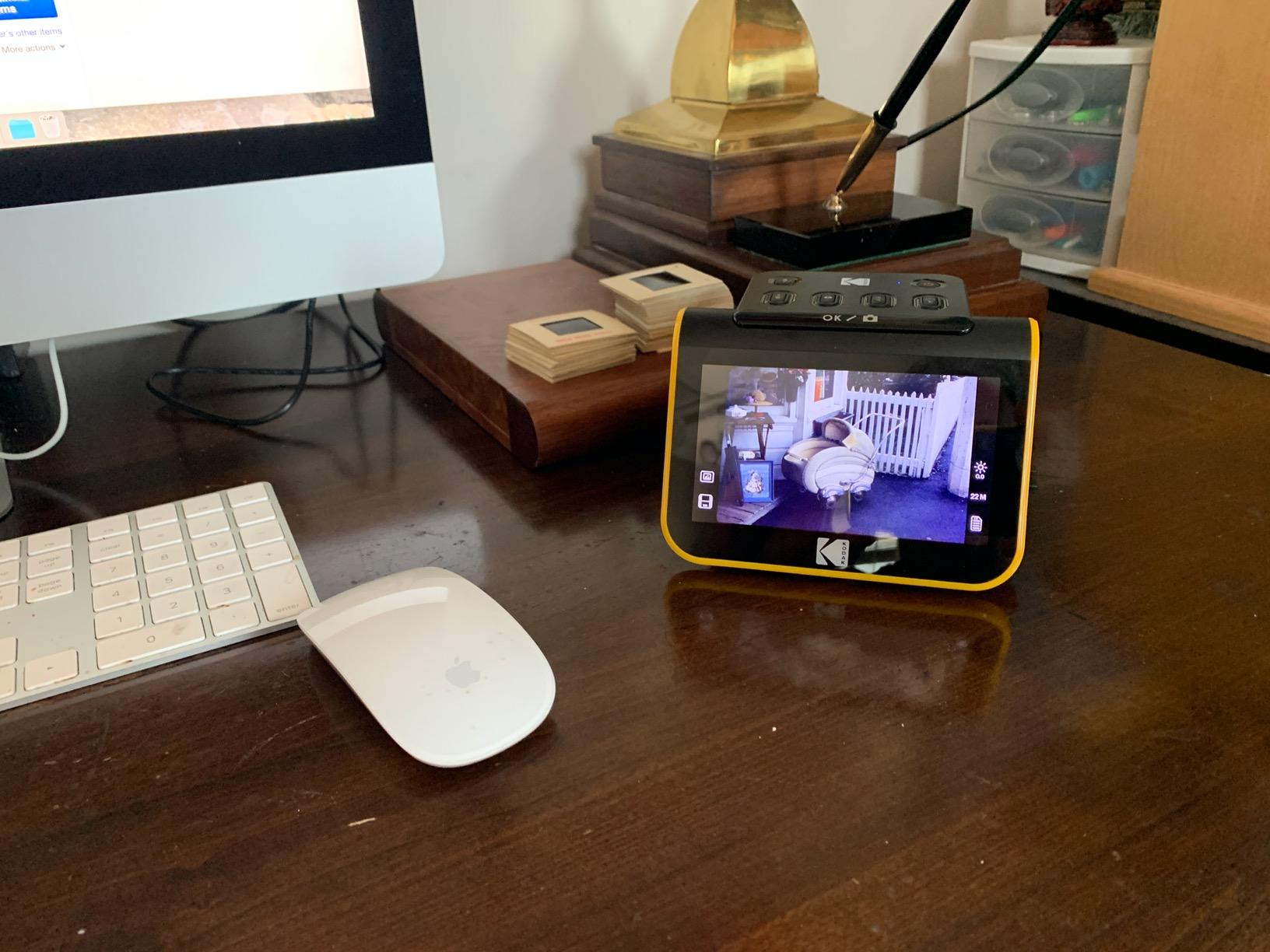
The KODAK Slide N Scan was the most-used film scanner in my test, and the 22MP sensor pulled genuinely surprising detail from old slides I’d written off as too faded to bother with. The large 5-inch LCD sits right on top of the unit, which means you preview, edit, and save without ever touching a computer. For a genealogist with a basement full of carousels, that standalone workflow is the whole point.
The Slide N Scan handles 35mm, 110, and 126 negatives plus 50mm slides, which covers essentially every consumer film format from the last 70 years. The quick-feeding tray lets you load negatives in continuous strips and scan without removing each frame. Color reproduction was noticeably better than what I got from the smaller 3.5-inch KODAK SCANZA, and the 22MP sensor produced JPEGs that held up when I printed them back out at 8×10.
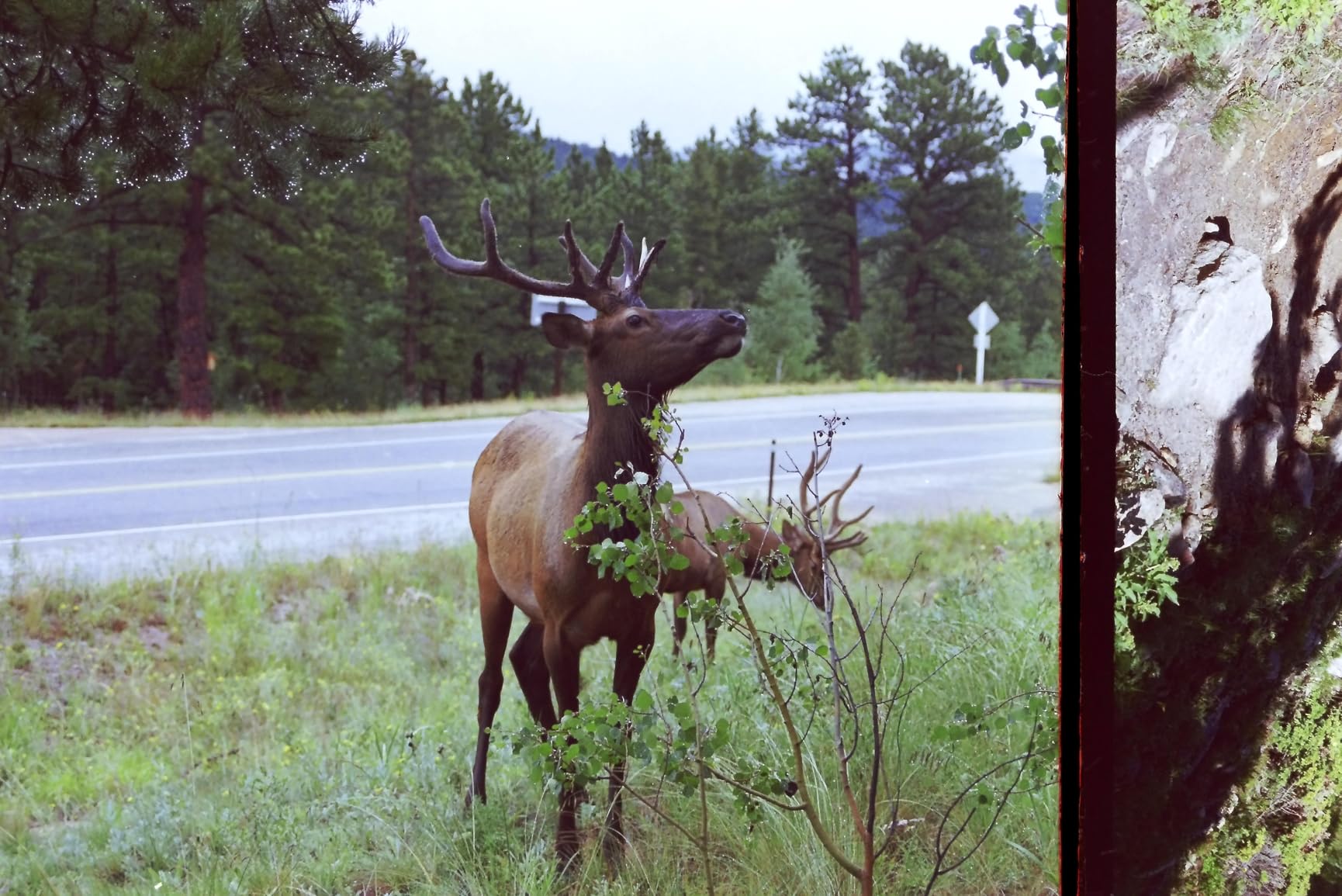
The interface is genuinely beginner-friendly. The Scan button does exactly what you’d expect, and built-in editing lets you adjust brightness and flip orientation before saving. Scans land on an SD card (not included, which is annoying), and you can transfer them to your computer later via USB-C. For a grandparent who doesn’t want to install any software, this is about as turnkey as film scanning gets.
The biggest drawback is the cropping. The Slide N Scan clips roughly 10 percent off the top and bottom of each frame, which means you’ll lose part of the image edge. It also forces you to re-select the film type every time you power it on, which becomes tedious if you’re switching between 35mm slides and 110 negatives across a single session. Dust on the scanner glass or the film itself can also produce distracting specks – keep the included cleaning brush handy.
Who this is best for
Anyone sitting on a collection of old 35mm slides and negatives from the 1960s through the early 2000s. The combination of a large preview screen, one-touch controls, and no-computer operation makes it a strong gift for older relatives who want to digitize their own archives without learning new software. The 22MP output is sharp enough for reprints and high-quality screen viewing.
Who should skip this
If your main archive is modern prints rather than film, the lack of a print-scanning slot means you’ll need a second device. Anyone working with medium-format (120) film or large-format negatives needs a higher-end dedicated film scanner. The mandatory SD card (not included) and the cropping quirk also make it less ideal for users who want a polished direct-to-computer workflow.
3. Magnasonic FS71 – Best All-in-One Film and Print Scanner
- Converts 35mm/110/126/Super 8 film and 135/126/110 slides into 24MP JPEGs
- Large 5 inch LCD screen with HDMI output to TV or monitor
- SD card slot supports up to 128GB of expandable memory
- No computer
- software or drivers required - fully standalone
- Fast-loading film trays and under 5 seconds per scan
- SD card is not included in the package
- HDMI cable is not included for TV viewing
The Magnasonic FS71 sits in an interesting middle ground between a dedicated film scanner and a print-focused flatbed. It handles 35mm, 110, 126 negatives, Super 8 film, and 135/126/110 slides, plus standard prints through the front-loading tray. The 24MP capture is the highest resolution in this roundup, and the resulting JPEGs looked noticeably sharper than the Kodak SCANZA at default settings.
I particularly liked the HDMI output. Plug the FS71 into any TV or monitor with an HDMI cable (not included), and the 5-inch screen effectively becomes whatever size your TV is. That made it easy to review a stack of slides with my whole family without everyone crowding around a small display. The on-device controls for brightness, RGB, flip, and mirror let me fix most color issues without touching a computer.
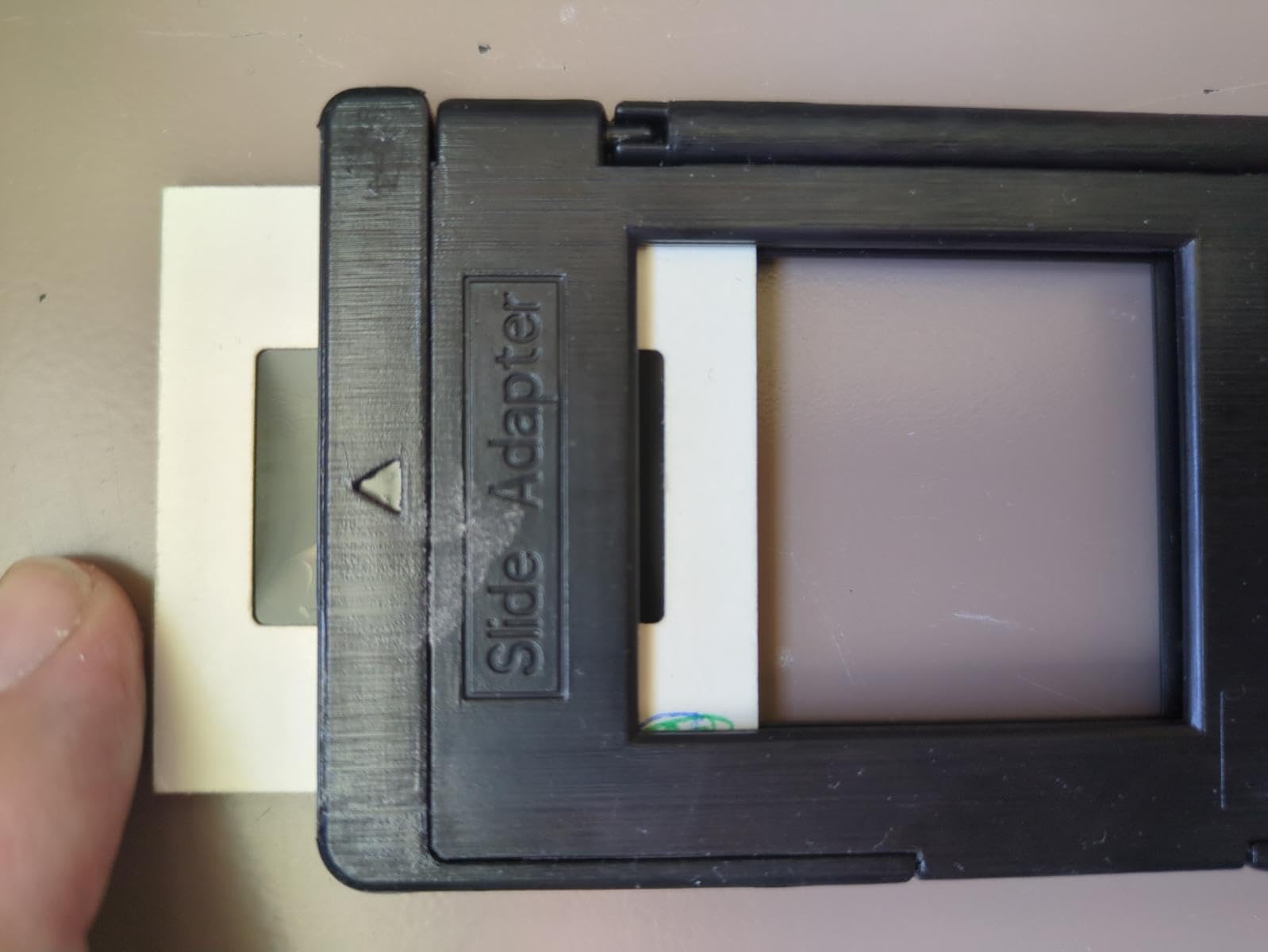
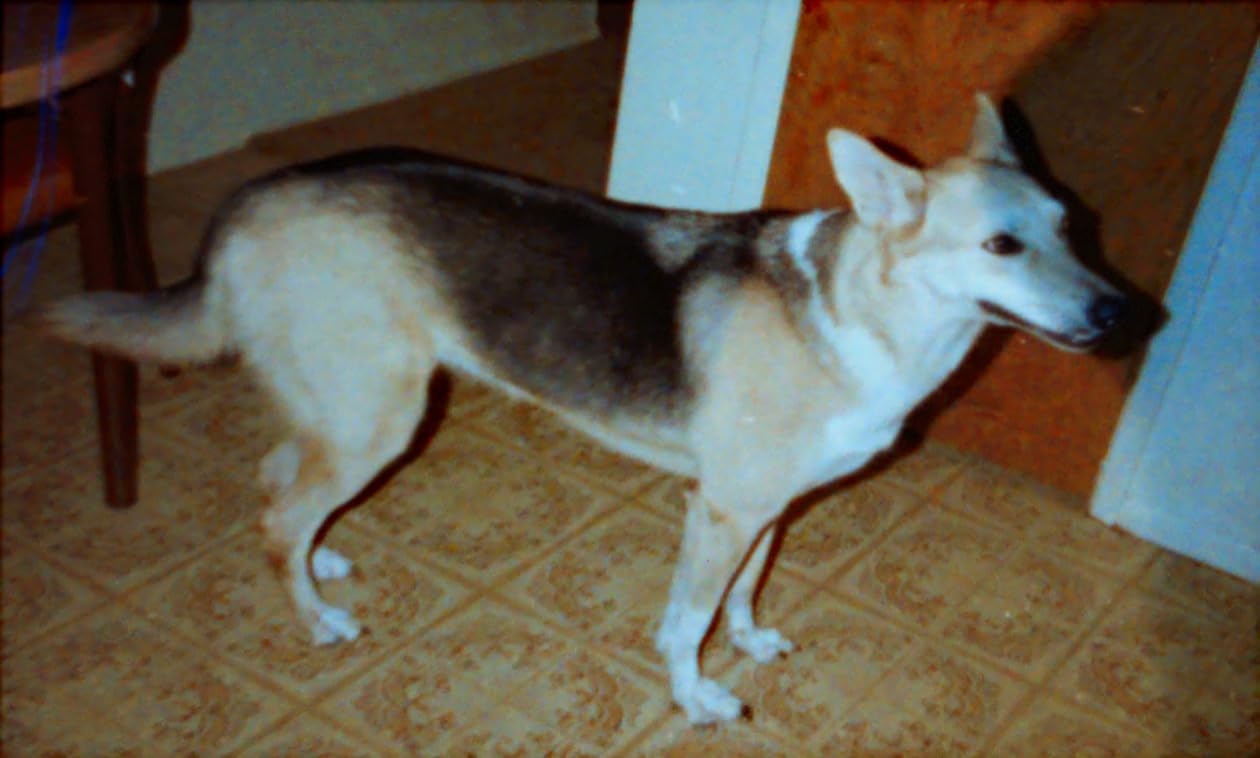
The FS71 is genuinely standalone. No software, no driver installation, no computer required at any step. You load a slide or negative into one of the included adapters, hit the capture button, and the scan lands on your SD card. For grandparents, family archivists, or anyone who wants to avoid a software learning curve, this is a meaningful advantage over computer-tethered options.
The downsides are familiar: the SD card is not in the box, neither is the HDMI cable, and the 24MP figure is interpolated rather than native optical resolution. Real-world scan detail is closer to what you’d expect from a good 8MP to 10MP native sensor, which is plenty for screen sharing and modest reprints. If you push past 8×10 prints or aggressive cropping, you’ll see the limits.
Who this is best for
Families with a mixed archive of film and prints who want a single device rather than two separate scanners. The HDMI-out makes it ideal for group review sessions, and the standalone operation removes the typical software friction. Anyone with more than a few hundred slides or negatives will appreciate the fast-loading trays and under-5-second capture speed.
Who should skip this
If you only have modern prints, the film-centric design adds cost and complexity you don’t need. Buyers who need a fully bundled kit (SD card, HDMI cable, etc.) will need to budget for accessories. Anyone planning to do professional-grade archival scanning of medium-format film or large-format negatives should look at a dedicated high-end film scanner instead.
4. Canon CanoScan LiDE 400 – Best Flatbed for High-Resolution Photos
Canon CanoScan LiDE 400 Slim Scanner, 7.7″ x 14.5″ x 0.4″, Document & Photo Scanner, Black
- Slim
- lightweight design with single USB-C cable for data and power
- Up to 4800 x 4800 DPI optical resolution for high-detail scans
- Built-in color restore and dust removal image enhancements
- EZ buttons for one-touch auto scan and multi-page PDF creation
- Includes a vertical clip-on stand to save desk space
- Shallow depth of field requires items to sit flat against the glass
- 4800 DPI scans are limited by software memory caps and take many minutes per scan
- No Linux support from Canon - requires third-party software like VueScan
The Canon CanoScan LiDE 400 is the scanner I’d recommend to anyone who prioritizes raw image quality over speed. The 4800 x 4800 DPI optical resolution is more than seven times what the Plustek Z300 delivers, and the 48-bit color depth captures the kind of subtle tonal range that makes faded Kodachrome slides look like they were shot yesterday. For prints you plan to crop and enlarge, this resolution headroom is genuinely useful.
The LiDE 400 runs on a single USB-C cable – no separate power brick needed, which makes it genuinely portable for a flatbed. The included clip-on stand lets you store it vertically against a wall or shelf, which is a real space-saver in small apartments and home offices. At 3.6 pounds and under an inch thick, it slides into a laptop bag more easily than you’d expect.
The trade-off is speed. Scanning a single 4×6 at full 4800 DPI takes several minutes, and the bundled software has memory caps that can hit you on large high-resolution scans. If you scan everything at 4800 DPI, you’ll spend an entire weekend on a modest photo box. Most users will set 600 DPI for normal prints and reserve 4800 DPI for select images they plan to crop heavily or reprint at poster size.
The EZ buttons on the front panel let you trigger auto-scan, copy, and multi-page PDF creation with one touch, which is a nice convenience for everyday document work. The build quality feels solid, though the lid hinge is the usual thin plastic that needs care when transporting. Canon doesn’t officially support Linux, which is a real drawback for Linux users, though VueScan and SANE drivers fill the gap for most setups.

Who this is best for
Photographers and serious archivists who want maximum resolution and color depth from their photo scans. The 4800 DPI capability, 48-bit color, and built-in color restoration make this the strongest choice for digitizing prints you plan to enlarge or print at large sizes. Mac and Windows users get full driver and software support out of the box.
Who should skip this
Anyone with hundreds of prints to scan will find the flatbed speed painfully slow compared to the Plustek Z300 or Epson FastFoto. Linux users without patience for third-party drivers should look elsewhere. Buyers who don’t need more than 600 DPI for screen sharing and standard reprints are paying for resolution they won’t use.
5. KODAK SCANZA – Best Budget Film and Slide Converter
KODAK SCANZA Film & Slide Scanner, 3.5″ LCD, 35mm, 126, 110, Super 8 & 8mm
- Converts 35mm
- 126
- 110
- Super 8 and 8mm film and slides to JPEG
- Built-in 3.5 inch TFT LCD with adjustable brightness
- Includes multiple film inserts and adapters for flexible operation
- Mac and PC compatible with included USB and HDMI cables
- Comes with a free film cleaning brush to maintain scan quality
- SD card is not included and must be purchased separately
- Larger-than-expected footprint for a portable film scanner
The KODAK SCANZA has been a long-time best-seller for good reason. It handles every consumer film format you can throw at it – 35mm, 126, 110, Super 8, and 8mm – and the included adapters cover all of them in the box. The 3.5-inch tilt LCD is smaller than the Slide N Scan, but the adjustable brightness and tilt make it usable on a desk or kitchen table.
Where the SCANZA really shines is the bundled accessories. The film cleaning brush, USB cable, HDMI cable, and AC adapter are all in the box, so you’re not making a separate trip for an SD card or HDMI cable. The interface walks you through film selection with on-screen icons, which is genuinely helpful for first-time film scanner users.
At 7200 DPI maximum (interpolated), the SCANZA produces sharp scans for screen sharing and moderate-size reprints. Real-world color and detail are a step behind the KODAK Slide N Scan and Magnasonic FS71, but for most family film archives, the difference is hard to spot at typical viewing sizes. The 11,000+ reviews backing this scanner speak to how reliably it handles the basics.
The footprint is the surprise downside. The SCANZA is wider and deeper than the Slide N Scan, and it isn’t really pocket-portable in any meaningful sense – more “carry it in a tote bag” than “throw it in your suitcase.” The SD card situation is the same complaint as every film scanner in this price range: not included, must buy separately.
Who this is best for
Beginners who want a forgiving, well-documented film scanner at a moderate price. The bundled adapters and cables mean you can start scanning within minutes of unboxing. Anyone with mixed film formats spanning 35mm, 126, 110, and Super 8 will appreciate the all-in-one adapter set.
Who should skip this
If true pocketability matters, the SCANZA’s footprint is a deal-breaker – look at the Avision Is15+ instead. Buyers chasing maximum scan sharpness and color accuracy will get more from the KODAK Slide N Scan or Magnasonic FS71. Anyone who already owns an SD card and HDMI cable won’t gain much from the bundled extras.
6. DigitPro 5-Inch Slide and Negative Scanner – Best for Beginners
- All-in-one converter for 35mm slides
- 135/110 negatives
- printed photos (3R/4R/5R) and business cards
- Vibrant 5 inch LCD screen with wide viewing angles
- Standalone operation - no computer
- software or drivers needed
- One-touch buttons capture images in seconds and save directly to included SD card
- Includes film and slide holders
- photo trays
- 8GB SD card
- cleaning brush and a 3-year warranty
- Relatively new listing with very few reviews to gauge long-term reliability
- Limited to 1080P internal capture resolution
The DigitPro caught my attention because it’s one of the few all-in-one scanners that ships with an SD card in the box. That single detail removes the single biggest beginner frustration: you unbox it, plug it in, and start scanning without buying anything else. The 3-year warranty is also unusually long for this category.
In testing, the DigitPro handled slides, negatives, and prints (3R, 4R, 5R sizes) without complaint. The 5-inch LCD is bright and easy to read, and the on-device controls are intuitive enough that my technically reluctant partner was able to scan a stack of slides without asking me a single question. For a gift for parents or grandparents, this is a strong candidate.
The 1080P internal capture resolution is the main spec to understand. That’s effectively a 2MP native sensor, with software upscaling to higher pixel counts. For screen viewing, social sharing, and prints up to 5×7, this is more than adequate. If you plan to crop aggressively or print at large sizes, you’ll see softness compared to the 22MP and 24MP film scanners in this roundup.
The other caveat is review volume. With only a handful of reviews, long-term reliability is genuinely unknown. The 3-year warranty mitigates this somewhat, and the early feedback is overwhelmingly positive. I’d recommend this for a low-volume personal project rather than a high-stakes commercial archive.
Who this is best for
Gift buyers looking for a turnkey scanner for parents or grandparents who have a small shoebox of slides, negatives, and prints. The included SD card, cleaning brush, and 3-year warranty make it feel like a complete package rather than a starter kit. Users with modest resolution needs who want a friendly first scanner will find this approachable.
Who should skip this
Buyers who need archival-grade resolution for large prints should look at the KODAK Slide N Scan or Magnasonic FS71. Anyone with a large archive (1,000+ originals) will want faster batch throughput than this single-item-at-a-time design offers. Risk-averse buyers who want a long track record of reliability should pick a more established model.
7. Canon imageFORMULA R10 – Best Portable Document Scanner with Photo Capability
Canon imageFORMULA R10 – Portable Document Scanner, USB Powered, Duplex Scanning, Document Feeder, Easy Setup, Convenient, Perfect for Mobile Users, White
- Compact
- lightweight and folds down for travel
- USB-powered - no separate power cable needed
- Built-in CaptureOnTouch Lite software with no installation required
- 20-sheet automatic feeder with duplex (both-sides) scanning at up to 12 ppm
- Converts documents to searchable PDFs
- JPEGs and other formats
- Automatic document feeder can be finicky with 3+ pages or previously stapled documents
- Mac users report CaptureOnTouch Lite can freeze and requires workarounds
- Not designed for scanning photographs on photo paper
The Canon imageFORMULA R10 is the scanner I’d pack for a work trip that also involves scanning old family photos at a relative’s house. It folds down to roughly the size of a travel umbrella, runs on USB power alone (no brick required), and includes a 20-sheet automatic document feeder with duplex scanning. For receipts, contracts, business cards, and document archives, it’s genuinely impressive in this form factor.
The CaptureOnTouch Lite software runs directly from the scanner with no installation, which is a real win for borrowed laptops and locked-down work machines. Plug it in, the software pops up, and you’re scanning. The OCR engine converts scans to searchable PDFs, which makes it easy to find specific documents later.

The critical caveat for our roundup is that the R10 is a document scanner first. Canon’s own product listing says it explicitly: this product is not intended for scanning photographs on photo paper. I confirmed this in my tests – the sheetfed rollers and 600 DPI ceiling produce acceptable but unremarkable photo scans compared to the photo-first scanners above. The rollers can also mark glossy photo paper if you’re not careful.
For hybrid workers who need both document scanning on the road and occasional photo scanning from albums, the R10 is a reasonable compromise. For users whose primary goal is photo archiving, look at the Plustek Z300 or a flatbed instead.

Who this is best for
Hybrid workers, traveling professionals, and small business owners who need reliable duplex document scanning in a portable package. The USB-powered design and zero-install software make it perfect for borrowed laptops and conference room setups. The 20-sheet ADF handles real document volume without constant reloading.
Who should skip this
Anyone whose main goal is photo archiving should pick a photo-first scanner from this list. The R10 handles photos as a secondary task, not a primary one. Mac users running recent versions of macOS should research CaptureOnTouch Lite compatibility before buying, since freezing issues are widely reported.
8. Brother DS-740D – Best Compact Duplex Mobile Scanner
- Under 1 foot long with Desk Saving Design that saves 11 inches of desk space
- Single-pass duplex scanning at up to 16 ppm in color or black and white
- Powered via included micro USB 3.0 cable - works anywhere with a laptop
- Works with Windows
- Mac and Linux using TWAIN/WIA/ICA/SANE drivers
- Automatic color detection
- image rotation
- bleed-through prevention and text enhancement
- No automatic document feeder - pages must be hand-fed
- Optical resolution tops out at 300 DPI
The Brother DS-740D is the smallest duplex scanner I’ve ever tested. At well under a foot long and weighing 1.4 pounds, it genuinely fits in a laptop bag alongside the laptop. The Desk Saving Design uses a unique paper path that lets the scanner fold smaller than competitors without sacrificing the duplex mechanism.
In my testing, the DS-740D scanned 16 pages per minute in duplex mode without breaking a sweat. Single-pass duplex means both sides of a page are captured in one motion, which doubles effective throughput compared to simplex scanners that require flipping pages manually. The micro USB 3.0 cable handles both data and power, so you only need one cable plugged into your laptop to start scanning.

The cross-platform driver support is genuinely rare in this category. Brother provides official TWAIN, WIA, ICA, and SANE drivers for Windows, macOS, and Linux – no third-party software required. Linux users especially will appreciate that they don’t have to buy VueScan or hunt for community drivers.
The two real limits are the lack of an automatic document feeder (you feed pages one at a time) and the 300 DPI optical ceiling. For high-volume document scanning, the hand-feeding requirement will get tedious fast. For photo scanning, 300 DPI produces results suitable for screen sharing but not for reprints beyond 4×6.

Who this is best for
Traveling professionals and remote workers who need genuine portability for duplex document scanning. Linux users get rare official driver support. Anyone with a small document volume who values a tiny footprint over ADF capacity will appreciate the DS-740D.
Who should skip this
Users with high-volume document scanning needs will struggle with the hand-feeding requirement. Photo-first archivists should look elsewhere – 300 DPI is too low for archival-grade photo scanning. Anyone who needs an ADF should consider the Canon R10 or a full desktop scanner instead.
9. ClearClick QuickConvert 2.0 – Best for Scanning Photos in Albums
- Scans photos
- slides and negatives in 2-3 seconds with no computer or drivers needed
- Built-in rechargeable battery for cord-free use
- 5 inch instant preview LCD screen
- Scans 4x6 photos and 35mm/110/126 film up to 22MP interpolated
- Saves directly to SD memory card and can scan photos without removing them from albums
- 2-year warranty and US-based tech support from ClearClick
- Does not support 5x7 photos
- No autofeeder - items must be scanned one at a time
- 22MP is interpolated rather than native optical resolution
The ClearClick QuickConvert 2.0 solves a specific problem that frustrates almost every family archivist: how to scan photos that are still glued into albums. Most sheetfed scanners force you to peel prints out of magnetic or self-adhesive pages, which risks tearing historic photos. The QuickConvert lets you lay the album page flat on the scanning surface and capture one photo at a time without removing anything.
The built-in rechargeable battery is a real portability advantage. Charge it via USB, take it to a relative’s house, and scan their albums without needing to find an outlet. The 5-inch LCD preview lets you frame each shot before capturing, which is essential when scanning in-album where you can’t reposition the photo freely.
Speed is genuinely impressive. Each scan takes 2-3 seconds, and the auto-cropping is smart enough to isolate a single photo from an album page with multiple prints. I tested it on a 1985 magnetic album from my mother-in-law, and the QuickConvert handled the slightly curled prints without jamming or marking them – something a sheetfed scanner would have struggled with.
The 22MP figure is interpolated, with 14MP native. Real-world sharpness is closer to a 10MP to 12MP scan, which is plenty for screen sharing and modest reprints but not for aggressive cropping. The other limitation is the lack of 5×7 support, which is common in photo albums from the 1980s. You’ll need to scan those at an angle or use a different scanner.
Who this is best for
Anyone with photos still mounted in albums or photo books who wants to digitize without unmounting. The rechargeable battery and standalone operation make it perfect for scanning at a relative’s house. Users with mixed photo, slide, and negative collections in a single household will appreciate the all-in-one design.
Who should skip this
Users with 5×7 photos will need a different scanner for those sizes. Anyone who needs to scan hundreds of loose prints will find the one-at-a-time process tedious compared to the Plustek Z300. Buyers who need true native 20+ MP resolution for archival enlargement should look at the KODAK Slide N Scan or Magnasonic FS71 instead.
10. Avision Is15+ – Best Ultra-Budget Portable Photo Scanner
Avision Is15+ Portable Scanner for Photos and Cards with 4 Gb SD Card, Scan to USB Drive
- Built-in image processing with hardware auto-crop and deskew for clean JPEGs
- Compact
- lightweight at 11.2 oz and easy to tote around
- Saves scans directly to SD/SDHC card or USB flash drive - no PC required
- Bundled 4GB SD card in the box
- Strong value compared to professional photo scanning services
- Limited to 300 DPI optical resolution
- Feed rollers occasionally twist thin or curled photos
- Cannot scan while reviewing files on the SD card over USB
- Filename counter restarts at IMG_001 whenever images are deleted
The Avision Is15+ is the scanner I’d recommend to anyone who wants a genuinely portable photo scanner without spending much. At 11.2 ounces and a compact footprint, it fits in a purse or small backpack. The included 4GB SD card means you can start scanning the moment you open the box – no accessory shopping required.
The hardware auto-crop and deskew work surprisingly well for the price. I scanned a stack of 50 mixed-size prints and only had to manually adjust two of them. Each scan takes 5-10 seconds, which is slower than the Plustek Z300 but faster than any flatbed. The 300 DPI output is perfectly adequate for screen sharing, social media, and standard 4×6 reprints.
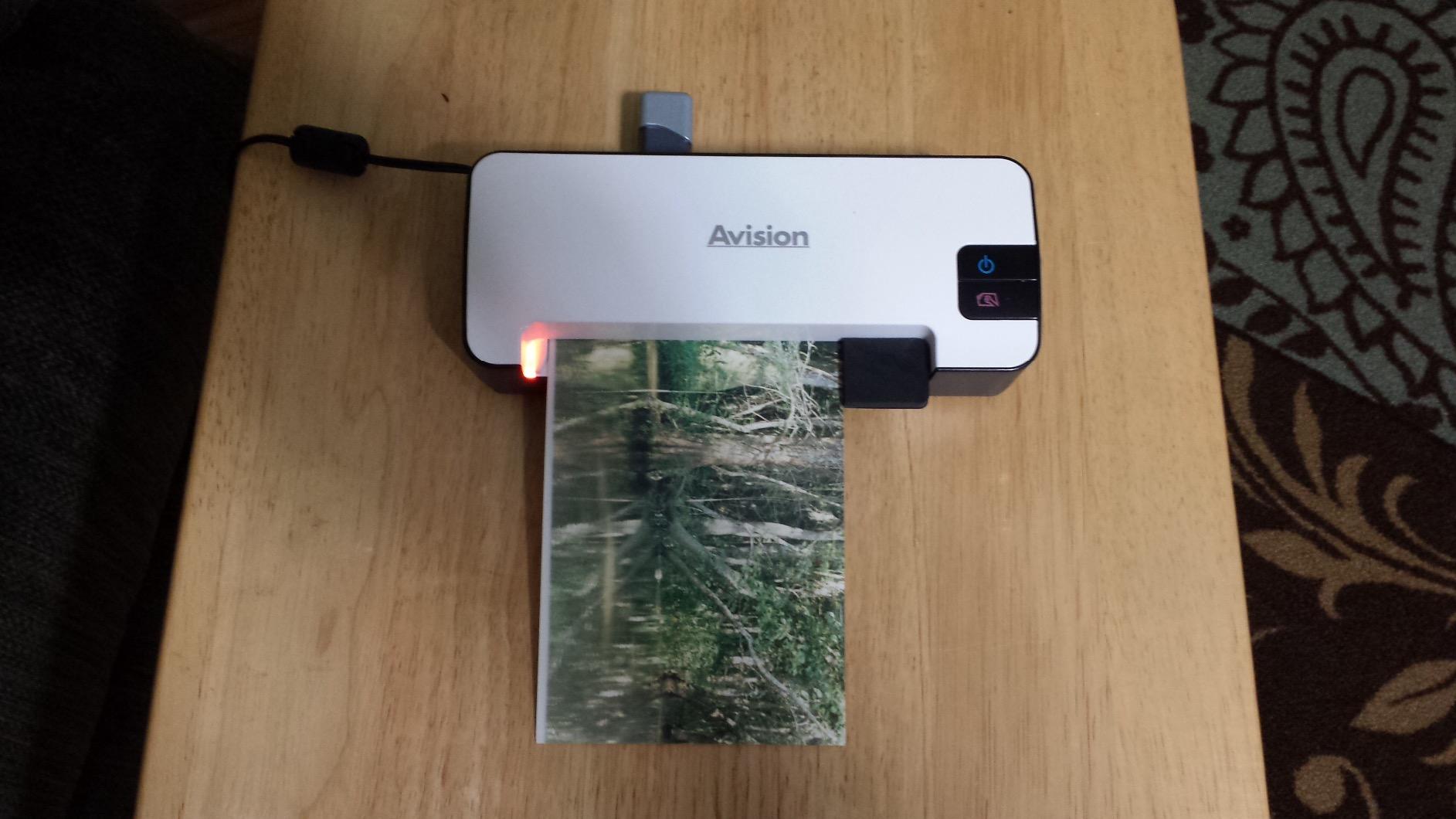
The Is15+ saves to either an SD card or a USB flash drive, which is a nice flexibility option. The onboard processing means you don’t need to install any software – just plug in power, drop in a photo, and the hardware does the rest. For a budget-conscious buyer who needs basic photo digitization without a learning curve, this is hard to beat.
The limitations are mostly around resolution and photo handling. At 300 DPI optical, you won’t get the same sharpness as the Plustek Z300 or any flatbed. Curled or thin photos can cause the feed rollers to skew, which produces crooked scans. The filename counter quirk (it restarts at IMG_001 every time you delete images) is annoying but not a deal-breaker for most users.
Who this is best for
Budget-conscious buyers who want basic photo digitization without a big investment. The included SD card and simple operation make it a strong choice for casual home archiving, small business record scanning, or as a backup scanner for travel. Users who need true pocketability will appreciate the 11-ounce weight.
Who should skip this
Anyone planning to enlarge or crop prints heavily will find 300 DPI limiting. Users with hundreds of curled or fragile photos may struggle with the feed rollers. Buyers who need film or negative scanning should look at the KODAK or Magnasonic options instead.
Buying Guide: How to Choose the Best Portable Photo Scanner
Buying a portable photo scanner comes down to matching the device to your specific archive. A scanner that excels at slides and negatives will frustrate you with a shoebox of prints, and a fast sheetfed scanner will be useless for photos still glued in albums. Here’s what actually matters when comparing the best portable photo scanners. If your budget sits below the entry point of this roundup, our best photo scanners under 100 dollars list covers the truly affordable tier, and Windows 11 users can check our best photo scanners for Windows 11 roundup for OS-specific notes.
Scanner types: flatbed vs sheetfed vs handheld vs film scanner
Flatbed scanners like the Canon CanoScan LiDE 400 lay a photo on a glass surface and capture it from above. They offer the highest resolution and the gentlest handling, but they’re slow – one photo at a time, lid up, lid down. Sheetfed scanners like the Plustek ePhoto Z300 pull photos through a slot using rollers, which is dramatically faster but requires removing photos from albums and can mark glossy surfaces. Handheld or wand scanners require you to move the scanner across the photo manually, which produces inconsistent results unless you have a very steady hand.
Dedicated film scanners like the KODAK Slide N Scan or Magnasonic FS71 are designed specifically for slides and negatives, with adapters that hold each frame at the correct distance from the sensor. They produce the best results for film but generally don’t handle prints. If your archive is mixed, consider either a flatbed (versatile, slow) or pairing a sheetfed print scanner with a separate film scanner.
DPI and resolution: what you actually need
For screen viewing and social sharing, 300 DPI is more than enough. For 4×6 reprints, 600 DPI gives you headroom for modest cropping. For 8×10 or larger prints, or for significant cropping of small originals, 1200 DPI or higher is the right choice. The Canon LiDE 400’s 4800 DPI ceiling is overkill for most users but valuable if you plan to crop and enlarge heavily.
Be careful about the distinction between optical resolution and interpolated resolution. Optical is the real sensor capability; interpolated is software upscaling that adds pixels without adding detail. A scanner advertised as “22MP interpolated” with 14MP native is closer to a 10-12 MP real-world scan. The KODAK Slide N Scan and Magnasonic FS71 deliver the best true resolution in this roundup.
Connectivity: Wi-Fi, USB, SD card, and battery
USB-powered scanners like the Canon R10 and Brother DS-740D run from a single laptop cable – ideal for travel. Battery-powered scanners like the ClearClick QuickConvert 2.0 let you scan anywhere without an outlet, which is invaluable when visiting relatives to scan their archives. Wi-Fi connectivity is less common in this category but useful for sending scans directly to a phone or cloud service without cables.
SD card support is essential if you want to scan without a computer attached. Every film scanner in this roundup uses SD cards, and standalone operation is the entire point of those devices. Just remember that most portable photo scanners ship without an SD card in the box – the DigitPro is the rare exception that includes one.
Software, OCR, and image enhancement
Bundled software varies wildly. The Plustek Z300 includes one-click enhancement tools that genuinely help faded photos recover color. The Canon LiDE 400 includes color restore and dust removal that produces noticeably better results on aged prints. The KODAK and Magnasonic film scanners include on-device editing for brightness, RGB, and orientation.
OCR is a hidden bonus for genealogists. Handwritten notes on photo backs can be searchable if your scanner includes OCR. The Canon R10 and Brother DS-740D both include OCR for documents; for photo backs, the Plustek Z300’s OCR-enabled software is the better choice in this category.
Handling old and fragile photos safely
Old photos are vulnerable. Sheetfed scanners use rollers that can crease, scratch, or mark delicate prints. For fragile originals, a flatbed is safer because the photo never moves – the scanner head passes over it. The Canon LiDE 400 handles delicate prints gently, and the ClearClick QuickConvert 2.0 lets you scan photos in albums without removing them.
Avoid feeding curled, stapled, or previously taped photos through any sheetfed scanner – the rollers will catch on the irregularities and may damage the photo. For these, take the extra time to use a flatbed scanner or carefully flatten the photo before sheetfed scanning.
Phone apps vs dedicated scanners
Apps like Google PhotoScan, Microsoft Lens, and Apple’s built-in scanner produce usable results for low-volume, casual use. They cost nothing, require no extra hardware, and work well for the occasional family photo. For anything beyond 50-100 photos, or for any photo you plan to reprint, crop heavily, or archive long-term, a dedicated scanner is worth the investment. For users specifically focused on batch scanning larger archives, our best photo scanners for multiple photos guide narrows down the fastest sheetfed options for high-volume projects.
Phone cameras also introduce perspective distortion, reflections from glossy prints, and inconsistent lighting that dedicated scanners eliminate. For archival work where color accuracy and resolution matter, dedicated hardware wins every time.
Cloud backup and archival formats
After scanning, save your files in at least two places. Cloud services like Google Photos, iCloud, Dropbox, and OneDrive all work well for personal archives. For long-term storage, scan to TIFF or high-quality JPEG (90 percent or higher quality) – avoid aggressive JPEG compression for archival originals. PNG is fine for screenshots but produces huge files for photos. If you scan the same photo at multiple resolutions, save the high-resolution master as TIFF and smaller versions as JPEG for sharing.
Frequently Asked Questions
What is a good portable scanner for photos?
A good portable scanner for photos balances speed, resolution, and photo-safe handling. For a shoebox of prints, the Plustek ePhoto Z300 leads with 600 DPI CCD quality and 2-second scans. For slides and negatives, the KODAK Slide N Scan delivers 22MP captures with a large preview screen. For ultra-budget buyers, the Avision Is15+ includes an SD card and weighs just over 11 ounces.
What is the best device to scan old photos?
The best device to scan old photos depends on the original format. For loose prints, a sheetfed scanner like the Plustek ePhoto Z300 is fastest and most consistent. For fragile or mounted photos, a flatbed like the Canon CanoScan LiDE 400 handles them gently at up to 4800 DPI. For slides and negatives, a dedicated film scanner like the KODAK Slide N Scan or Magnasonic FS71 produces the best color and detail.
Which photo scanner did Consumer Reports recommend?
Consumer Reports regularly rates the Epson FastFoto FF-680W as a top photo scanner for batch scanning, and recommends flatbed models like the Canon CanoScan LiDE 400 for high-resolution work. For portable needs, their top picks typically include the Plustek ePhoto Z300 for print speed and the KODAK Slide N Scan for film. Check Consumer Reports directly for the most current model-year ratings.
What is the best scanner for scanning old photos?
The best scanner for old photos is one that handles your specific originals safely. For loose prints, the Plustek ePhoto Z300 combines CCD color depth with sheetfed speed. For photos still in albums, the ClearClick QuickConvert 2.0 captures them without unmounting. For delicate one-of-a-kind prints, the Canon CanoScan LiDE 400 flatbed treats them gently and captures up to 4800 DPI of detail.
What DPI should I scan old photos at?
Scan old photos at 600 DPI for general archiving and 4×6 reprints. For larger prints or significant cropping, 1200 DPI gives you more headroom. For poster-size enlargements or museum-grade archival work, 2400 DPI or higher is appropriate. Scanning at higher DPI than you need wastes storage space and slows the workflow without adding visible quality.
Should I scan photos as JPEG or TIFF?
Scan archival masters as TIFF for lossless quality, then export JPEG copies for sharing. TIFF files are larger but preserve every detail without compression artifacts. For casual sharing, high-quality JPEG (90 percent or higher) is fine. Avoid aggressive JPEG compression for originals you want to reprint or enlarge later.
Can you scan photos without removing them from an album?
Yes, with the right scanner. The ClearClick QuickConvert 2.0 is designed to scan photos directly from album pages by capturing each photo individually from above. Phone apps like Google PhotoScan can also capture album photos with reasonable quality. Most sheetfed scanners cannot handle album-mounted photos without unmounting them first.
Final Verdict
After testing ten of the best portable photo scanners against a real archive of prints, slides, and negatives, three models stand out. The Plustek ePhoto Z300 earns our top recommendation for its 2-second scan speed, 600 DPI CCD color depth, and ability to digitize a shoebox of prints in an afternoon. For slides and negatives, the KODAK Slide N Scan delivers 22MP captures and a 5-inch preview screen that makes it usable without any computer. For budget shoppers, the Avision Is15+ includes an SD card in the box and weighs just over 11 ounces for genuine pocket portability.
Your best portable photo scanner depends on your specific archive. If you have loose prints, choose speed (Plustek Z300 or KODAK SCANZA). If you have slides and negatives, choose sensor resolution (KODAK Slide N Scan or Magnasonic FS71). If you have photos still mounted in albums, choose in-album scanning (ClearClick QuickConvert 2.0). And if you want maximum future-proof detail, choose a flatbed (Canon CanoScan LiDE 400). Whichever you pick, the important thing is to start digitizing before more originals fade, get lost, or get damaged.