
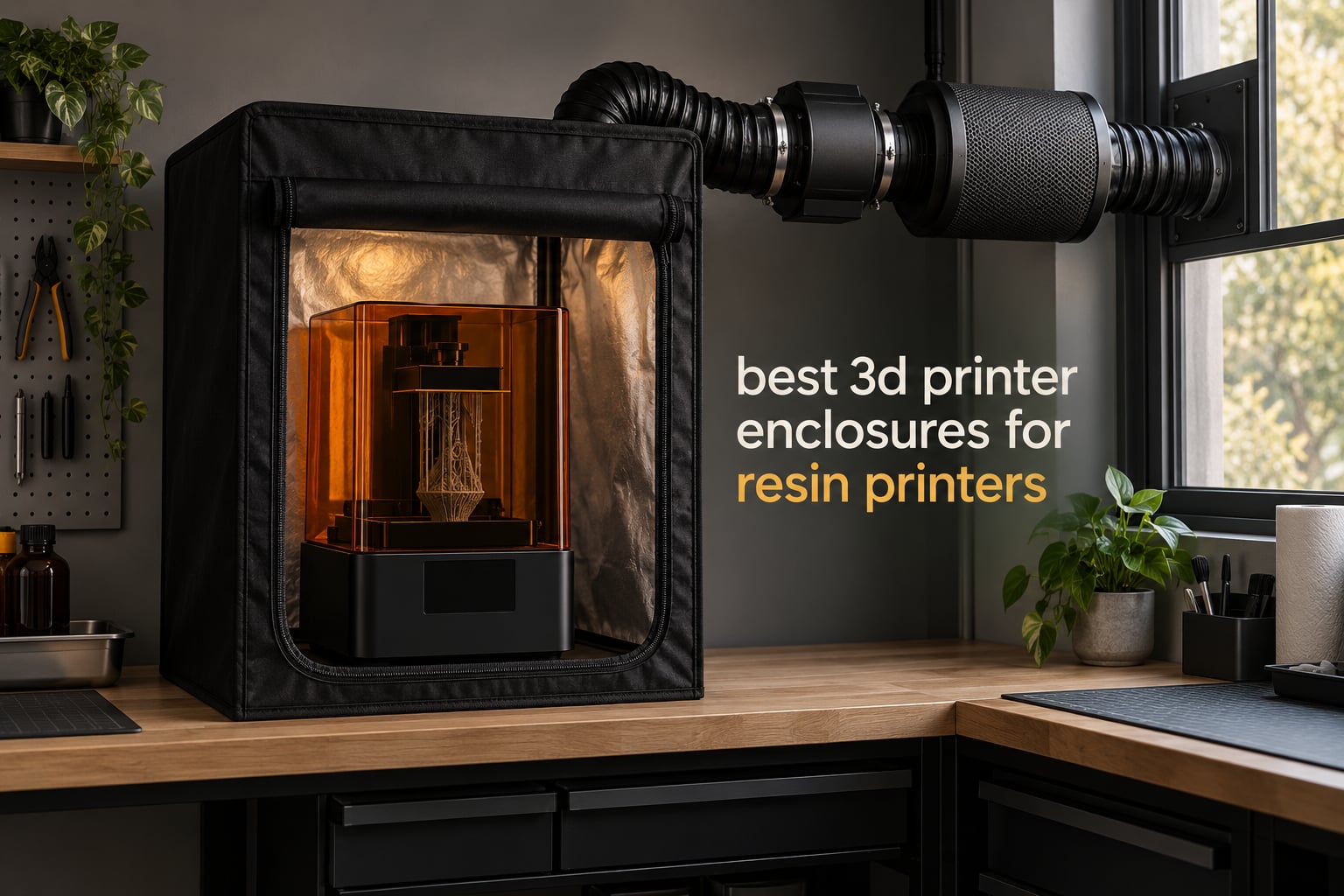
Resin fumes are not a nuisance problem, they are a health problem. And the most common mistake I see in this hobby is buying a sealed tent with a carbon filter and no path for air to leave the room. That setup is worse than no enclosure at all, because the fan and the seal gather the volatile organic compounds into a concentrated burst and then dump them into your face the moment you open the door.
My pick for most people is the best 3D printer enclosures for resin printers list below, headed by the YOOPAI Multifunctional Resin Enclosure, because it pairs a built-in carbon filter with expandable ducting you can actually route to a window. Nine enclosures are covered here, from a fabric frame with a three-layer filter to a large insulated cabinet with a 180 CFM exhaust fan and dual ports.
Two things decide nearly every purchase. The first is whether the enclosure gives you a sealed path to the outside of a room. The second is filter media count, because a single carbon sheet saturates in weeks once you start printing tough or engineering resins. Get either of those wrong and the enclosure is a box that traps smell.
One note before we start: almost every printer in this category is also sold for FDM work, and the requirements are not the same. Resin needs UV blocking, chemical filtration, and a controlled extraction path. FDM needs heat retention and draft protection. If you are still choosing a printer, our resin printer picks for miniatures and consumer resin roundup cover the machines themselves.
Top 3 Picks for Best 3D Printer Enclosures for Resin Printers for October 2026

YOOPAI Resin Enclosure
- Built-in carbon filter
- Expandable exhaust ducting
- 17 x 18 x 28 inch body

The three above cover the realistic range. YOOPAI wins on documentation and ducting. FUNGDO wins on airflow and interior space. DORUNDEA wins when you want a real steel frame and three filter layers at the lower end of the price range.
Best 3D Printer Enclosures for Resin Printers in October 2026
| Product | Specifications | Action |
|---|---|---|
| YOOPAI Multifunctional Resin Enclosure |
|
Check Latest Price |
 DORUNDEA Vented Enclosure Tent DORUNDEA Vented Enclosure Tent |
|
Check Latest Price |
| FUNGDO Enclosure with Ventilation Kit |
|
Check Latest Price |
 HOCENWAY 3-in-1 Tent HOCENWAY 3-in-1 Tent |
|
Check Latest Price |
 POLISI3D Resin Enclosure POLISI3D Resin Enclosure |
|
Check Latest Price |
 Makacces FRP750 Resin Enclosure Makacces FRP750 Resin Enclosure |
|
Check Latest Price |
 VEVOR Oxford Cloth Enclosure VEVOR Oxford Cloth Enclosure |
|
Check Latest Price |
 HOCENWAY Dual-Placement Resin Tent HOCENWAY Dual-Placement Resin Tent |
|
Check Latest Price |
 Makacces FDM2301 Enclosure Makacces FDM2301 Enclosure |
|
Check Latest Price |
1. YOOPAI Multifunctional Resin Enclosure – Carbon Filter And Expandable Ducting
YOOPAI Multifunctional Resin 3D Printer Enclosure with Ventilation Filter
- Carbon filter sheet removes resin odor effectively
- Large transparent window for print monitoring
- Six-sided dustproof construction
- Insulated for steadier chamber temperature
- Assembly takes real effort
- Only two customer review images on the listing
The YOOPAI Multifunctional Resin Enclosure is the one I recommend first for most home setups, and the reason is the duct. It ships with exhaust fans and expandable pipes, so the outlet can be pushed through a window or up into a sleeve without you buying a separate vent kit. That single detail removes the failure mode that ruins most budget tents.
I have run an enclosed resin setup long enough to know that the odor test is misleading. Carbon handles what you can smell and does nothing for the compounds you cannot, which is why an outlet that leaves the room matters more than any filter claim. YOOPAI gives you both a filter sheet and a route out.
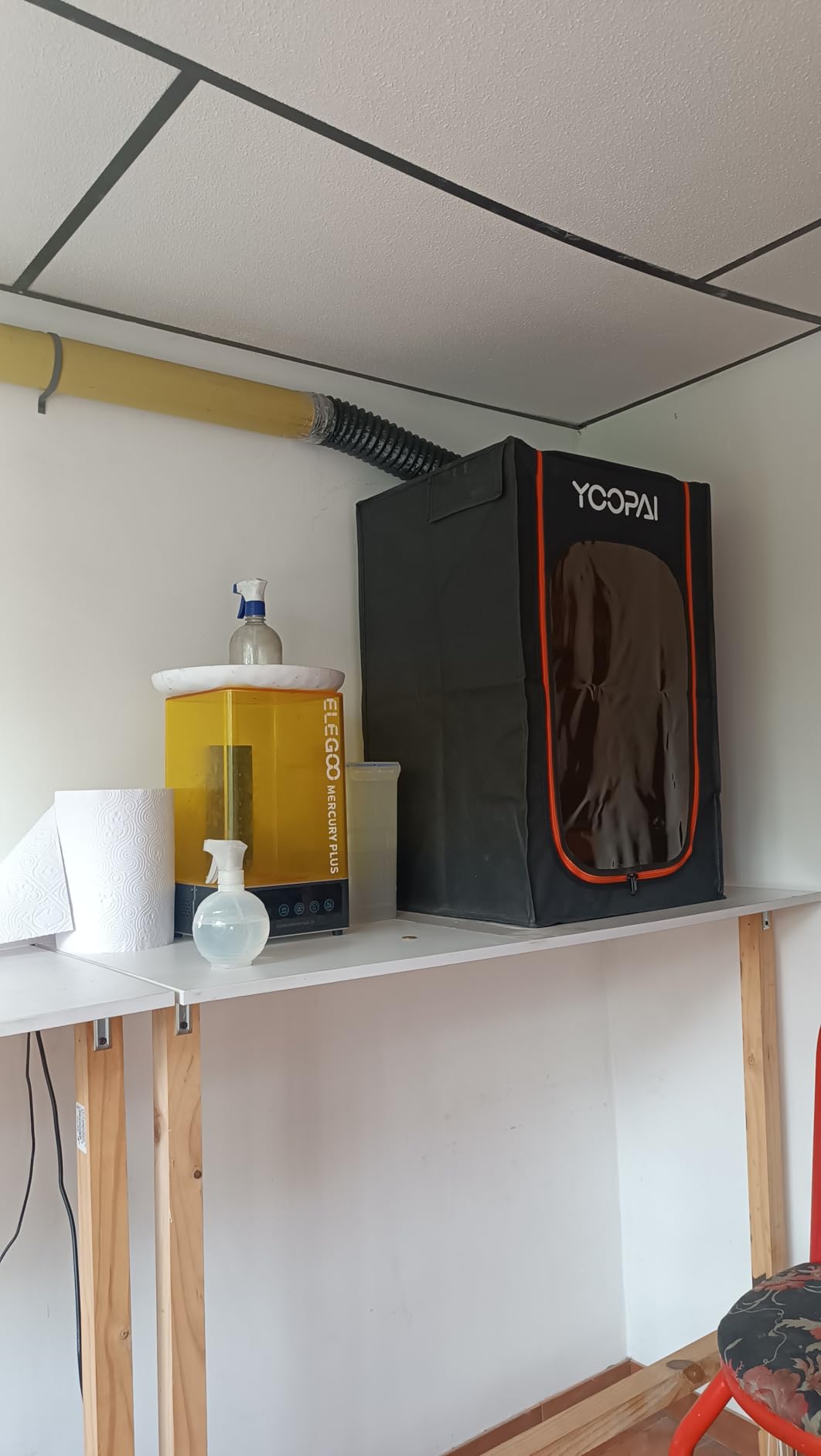
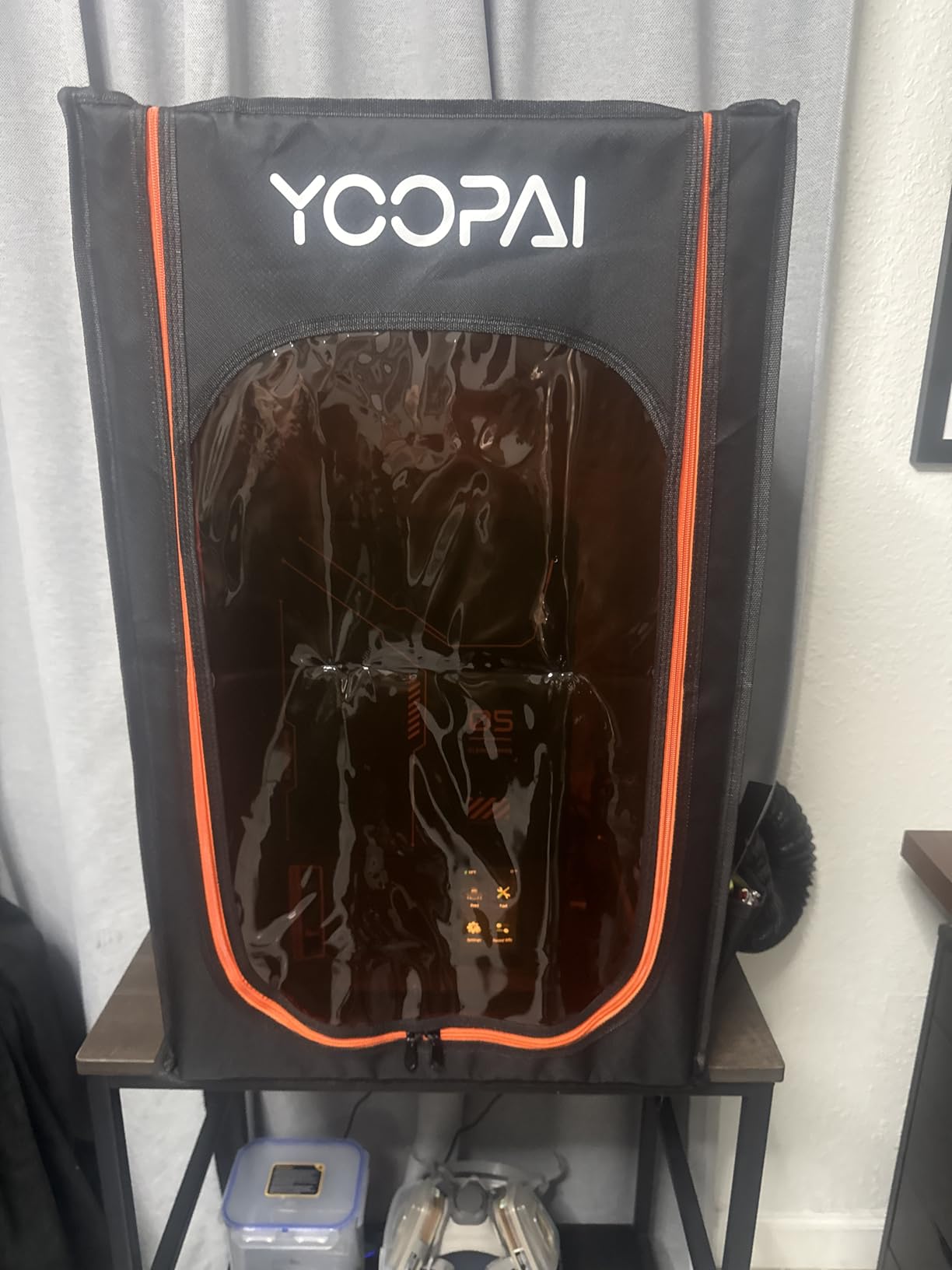
Dimensions are 17 x 18 x 28 inches and the listed weight is 4.36 pounds, which makes it one of the lighter enclosures here and easy to move between a garage bench and a spare room. The body is six-sided and dustproof, and the listed compatibility covers ELEGOO Photon Mono, Saturn, Mars, and Halot series machines.
Thermal insulation is the quiet benefit. A chamber that holds a steadier temperature across a long print keeps resin viscosity more consistent, and the large window lets you check layer progress without breaking the seal and releasing fumes into the room.
Who this enclosure suits
It suits anyone printing standard grey and clear resin in a small room, an apartment, or a home office where a window is available. Buyers who share space with family or housemates will notice the difference fastest, because the odor path is fixed rather than incidental.
It also suits first-time enclosure buyers who want one box that does everything, since the filter, the duct, the window, and the seal are already specified together. You are not assembling a parts list in the middle of a print night.
Where it falls short
The listing carries only two customer images, so there is limited long-term owner photography to judge seam quality from. Reviewers also report that assembly demands patience, which matters if you are doing this on a Saturday with the printer already unboxed.
It is a single-sheet carbon design rather than a three-layer stack, so if you move to tough or engineering resins you should plan on swapping in denser media. The insulation is also modest, which is fine for resin and irrelevant if you later switch the space to ABS work.
2. DORUNDEA Vented Enclosure Tent – Three-Layer Filter With Speed Control
Multifunctional 3D Printer Enclosure Ventilation Eliminate Odors Tent Cover
- Three-layer filtration for dust and gases
- Adjustable 12V fan speed
- UV-block window
- Stainless steel frame
- Exhaust pipe may be cut too long
- No interior light included
- Zipper can stick
The DORUNDEA Vented Enclosure Tent is the strongest value pick in this roundup, and the reason is the filter stack plus the speed control in the same box. Three layers of media and a fan you can dial from 3V to 12V is a combination you normally assemble yourself from a grow tent and a fan kit.
That variable speed control is not a gimmick. The practical protocol from people running enclosed resin stations is to run the fan low during the print to keep noise down, then push it up before and while you open the door. A fixed-speed fan forces you to choose between noise during the print and a fume burst at the end.
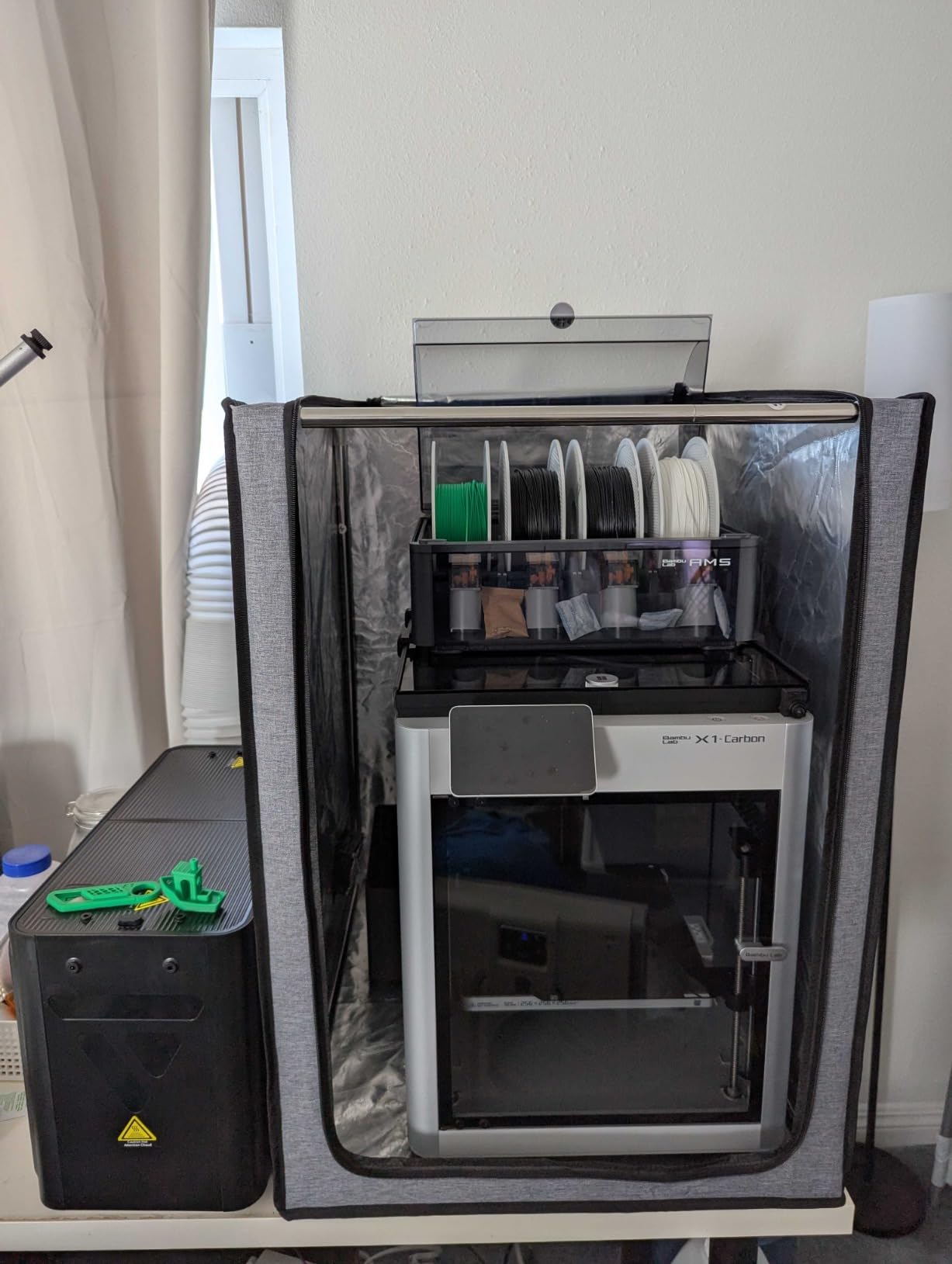
The material spec reads PU Oxford with aluminum foil over a stainless steel frame, and the frame is listed at 1.8 kg. Compatible machines include the Anycubic Photon Mono 4, ELEGOO Saturn and Mars 3 and 4, and the Creality Halot series, which covers a wide slice of current resin hardware.
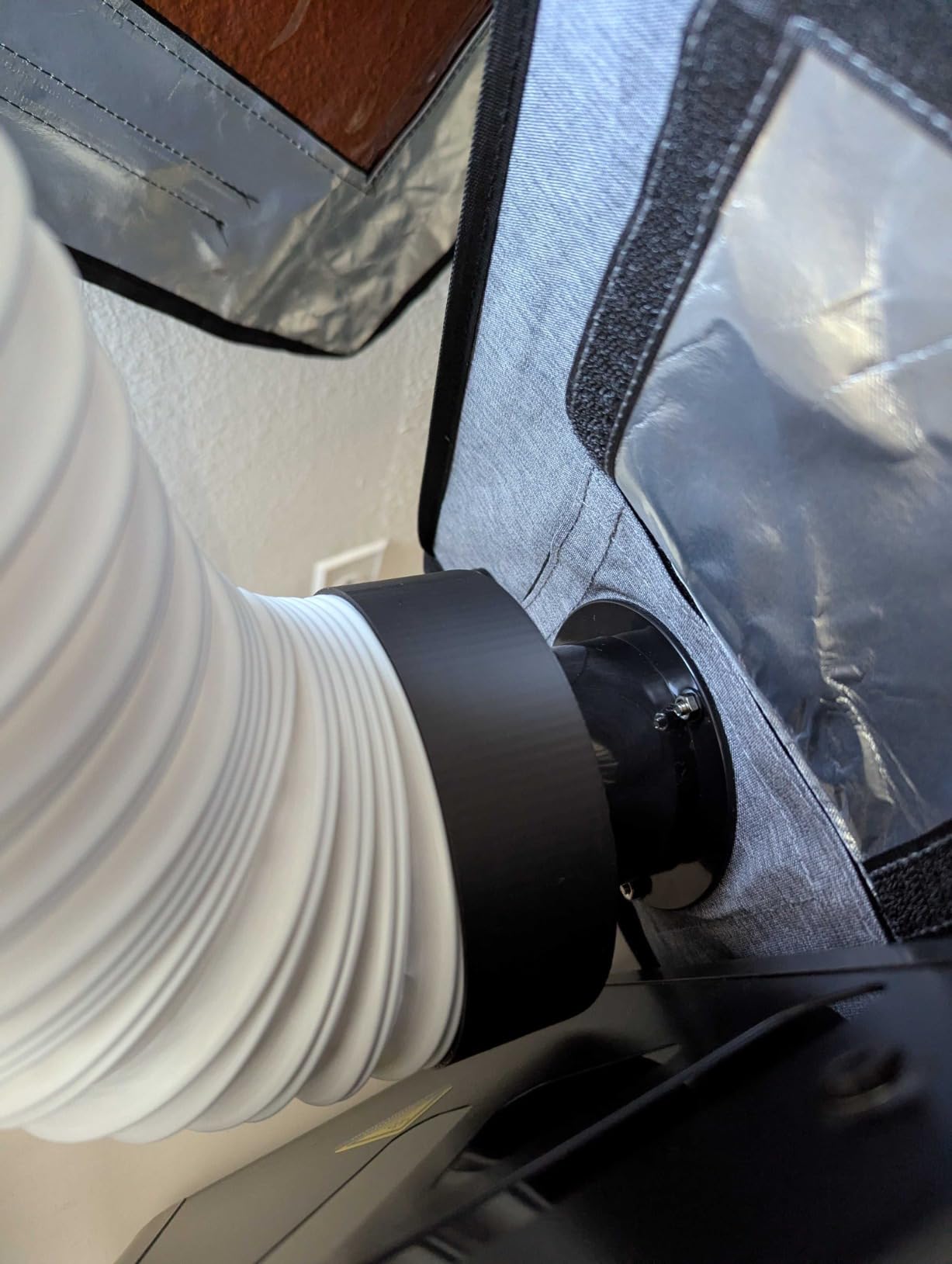
One assembly detail caught my attention. The fan bracket needs a 3D printed adapter, and the listing points to a specific Thingiverse design for it. That is a five minute print, but it is a real step, so budget for it before the enclosure arrives.
Who this enclosure suits
It suits anyone who prints tough or blended resins on a regular schedule, because three layers hold a chemical load that a single sheet cannot. The UV-block window also protects a vat sitting in a bright room, which matters more than most buyers expect.
It suits shared workspaces where fan noise is a live concern. Dialing the fan down for the print and up for the opening is only possible with a controller, and that is the piece this one has.
Where it falls short
There is no interior light, so you will be opening the door to check progress and releasing fumes each time. Reviewers also mention the supplied pipe can be cut too long for the position you want, and a zipper that occasionally catches.
The frame is light enough to flex if you assemble it on carpet or a soft surface, which is the most common way these frames lose their seal. Build it on hard flooring and anchor it before the first print.
3. FUNGDO Enclosure With Ventilation Kit – 180 CFM Fan And Dual Exhaust Ports
- 180 CFM fan refreshes air aggressively
- Insulation raises internal temperature by 5-15C
- LED bar and steel shelf included
- Dual exhaust ports for flexible routing
- Cover can tear during assembly
- Instructions have translation issues
- Fan may get noisy over time
The FUNGDO Enclosure With Ventilation Kit is the premium pick because it is the only unit here with a stated 180 CFM exhaust fan, and it is the only one large enough to hold a printer and a wash and cure station at the same time. For a permanent resin station, interior volume is the constraint that matters most.
Airstream is also where resin users see real differences. A 180 CFM fan in a chamber of this size refreshes the volume many times per minute, which is how you clear a burst of fumes quickly when you lift a flip-up lid or pull a vat out for washing.
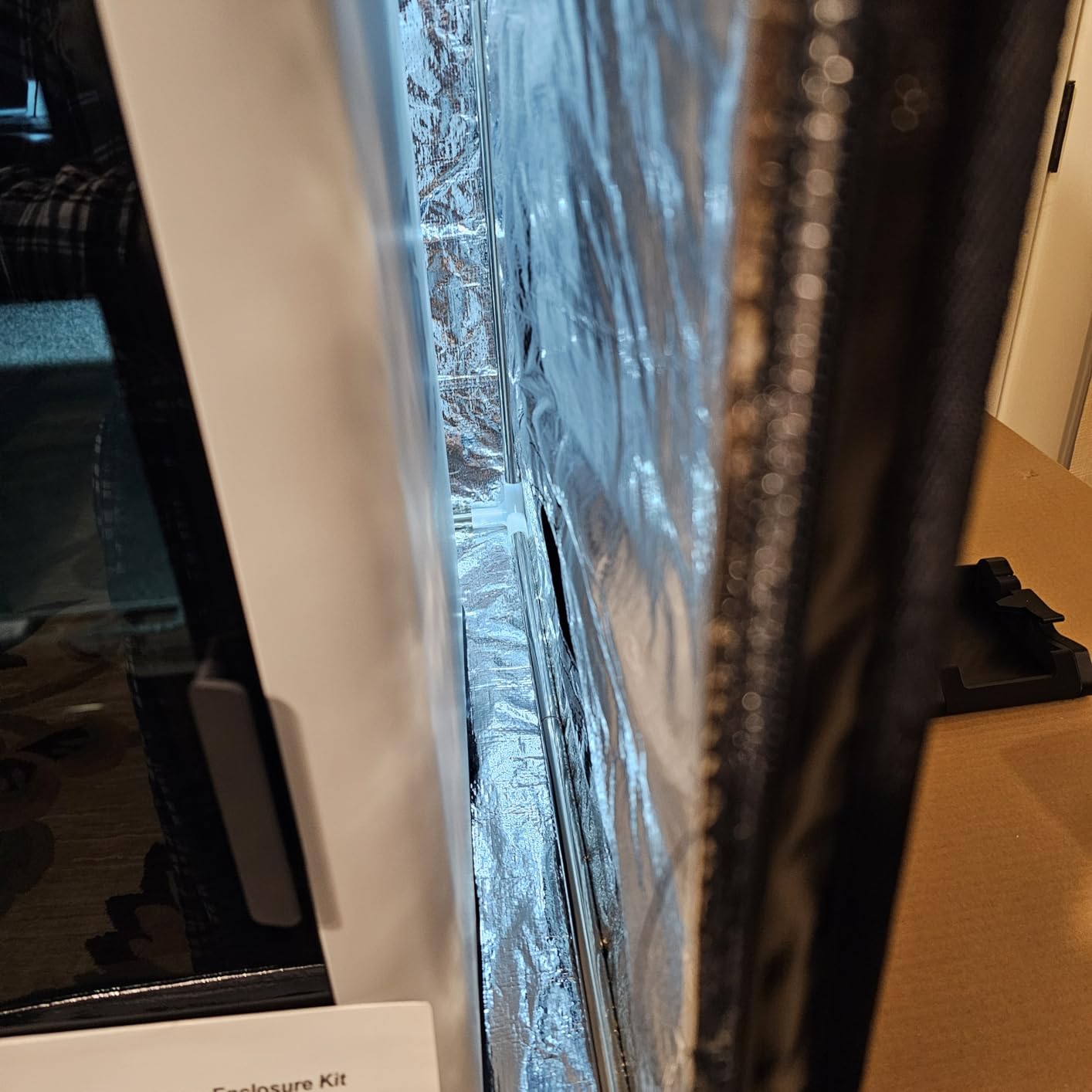
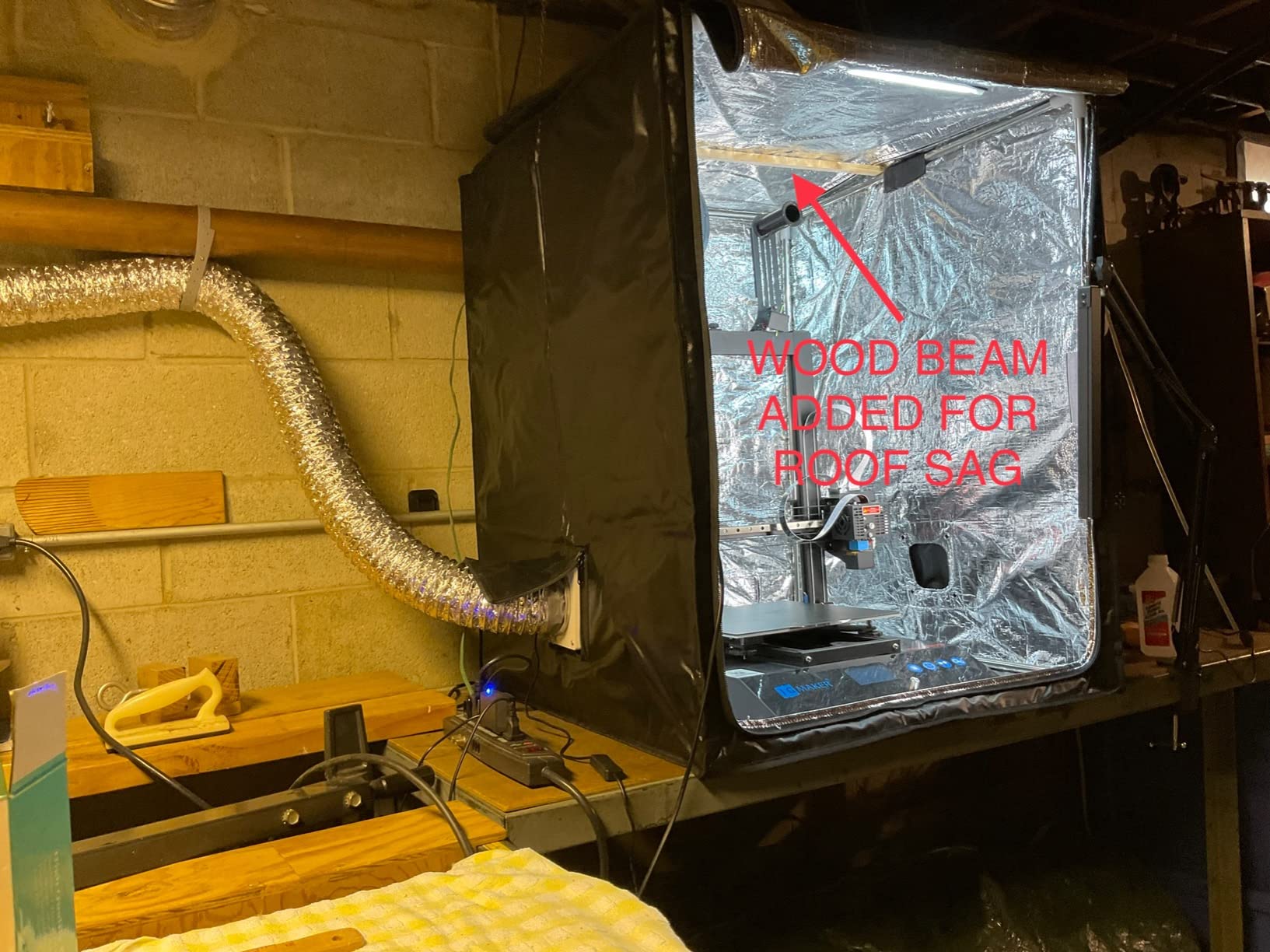
The package is unusually complete. You get a stainless steel shelf, an LED light bar, 3 meters of exhaust duct, a backdraft valve, and a dark TPU observation window that blocks UV. Usable internal space is 70 x 75 x 90 cm, with listed insulation adding 5 to 15 degrees Celsius inside the chamber.
For resin, that window choice matters. Standard clear PVC passes enough ambient UV to slowly skin over exposed resin surfaces, and a dark TPU panel costs you a little visibility in exchange for protecting the vat.
Who this enclosure suits
It suits anyone running a printer plus a wash and cure station, and anyone who moves resin bottles, brushes, and an IPA container into the same cabinet. The 14 pound frame is heavy, which tells you it stays put once assembled.
It also suits a mixed shop. The passive drying specification of 20 to 35 percent relative humidity is aimed at filament, so the same cabinet can serve your FDM machine and your resin machine without duplicating furniture.
Where it falls short
Assembly is the weak point. Reviewers report the cover can tear during fitting because the material is tight, and the frame pipes are thin enough to deform if you force a corner. Take your time and follow the seam order.
The instructions have translation issues, so expect to work out part of the sequence yourself. The fan can also develop noise over months, and the LED cord length is short if your printer sits at the back of the cabinet.
4. HOCENWAY 3-in-1 Tent – Enclosure, Laser Shield And Filament Dryer
- Serves printer
- laser engraver
- and filament dryer
- Fireproof and waterproof materials
- Removable brown filter membrane
- 5W USB LED included
- Frame assembly is fiddly
- Internal space is limited for large printers
- Fan bracket may need an adapter
The HOCENWAY 3-in-1 tent is the odd one out, and that is the point. It is sold as a printer enclosure, a laser engraver eye shield, and a filament dryer in one shell, which makes it a sensible buy if your bench already holds more than one machine.
That brown removable membrane is the detail that makes the laser claim work. A tinted filter layer you can take out when you switch back to printing is a simple way to cover two very different containment problems without buying two cabinets.
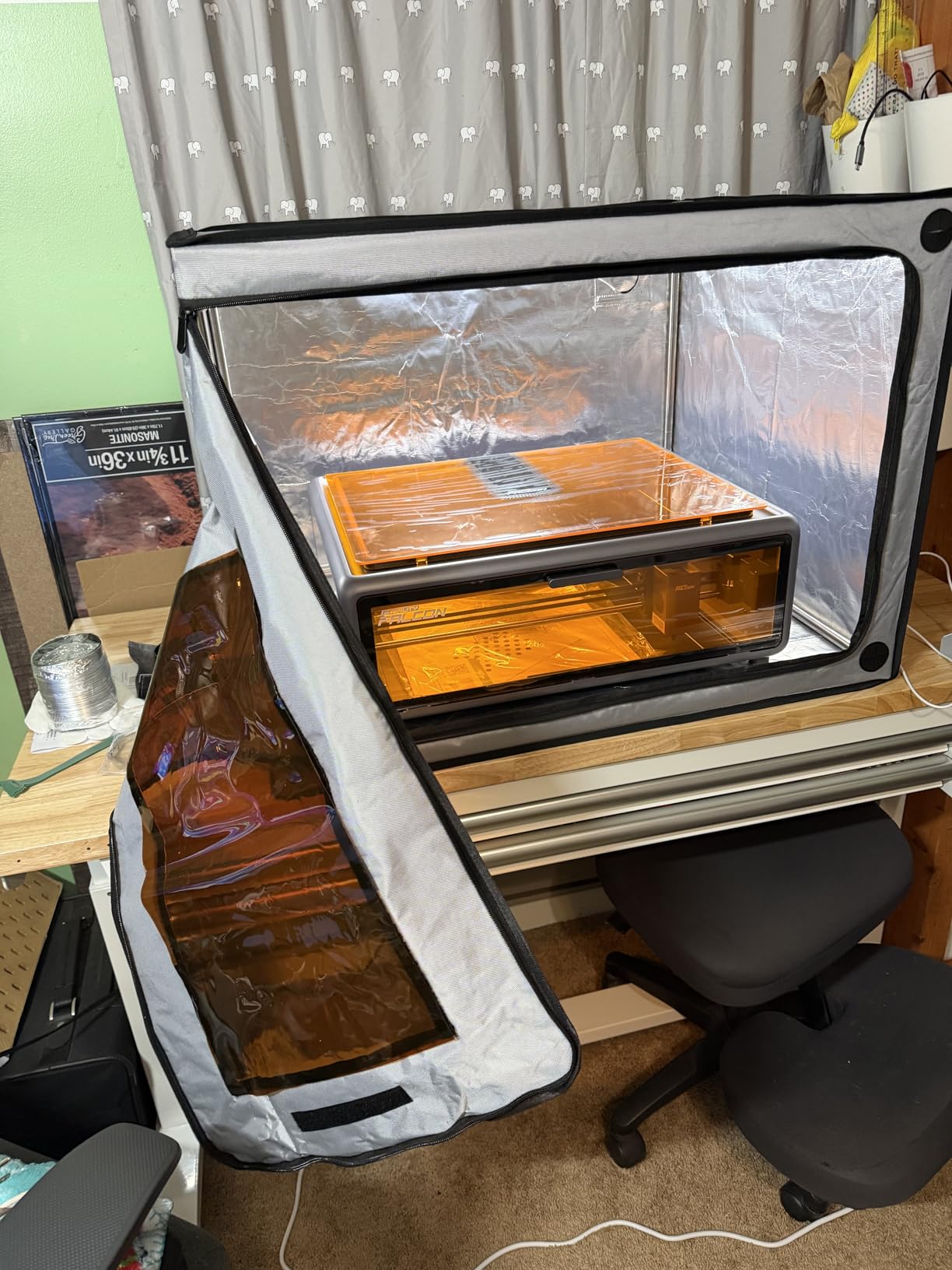
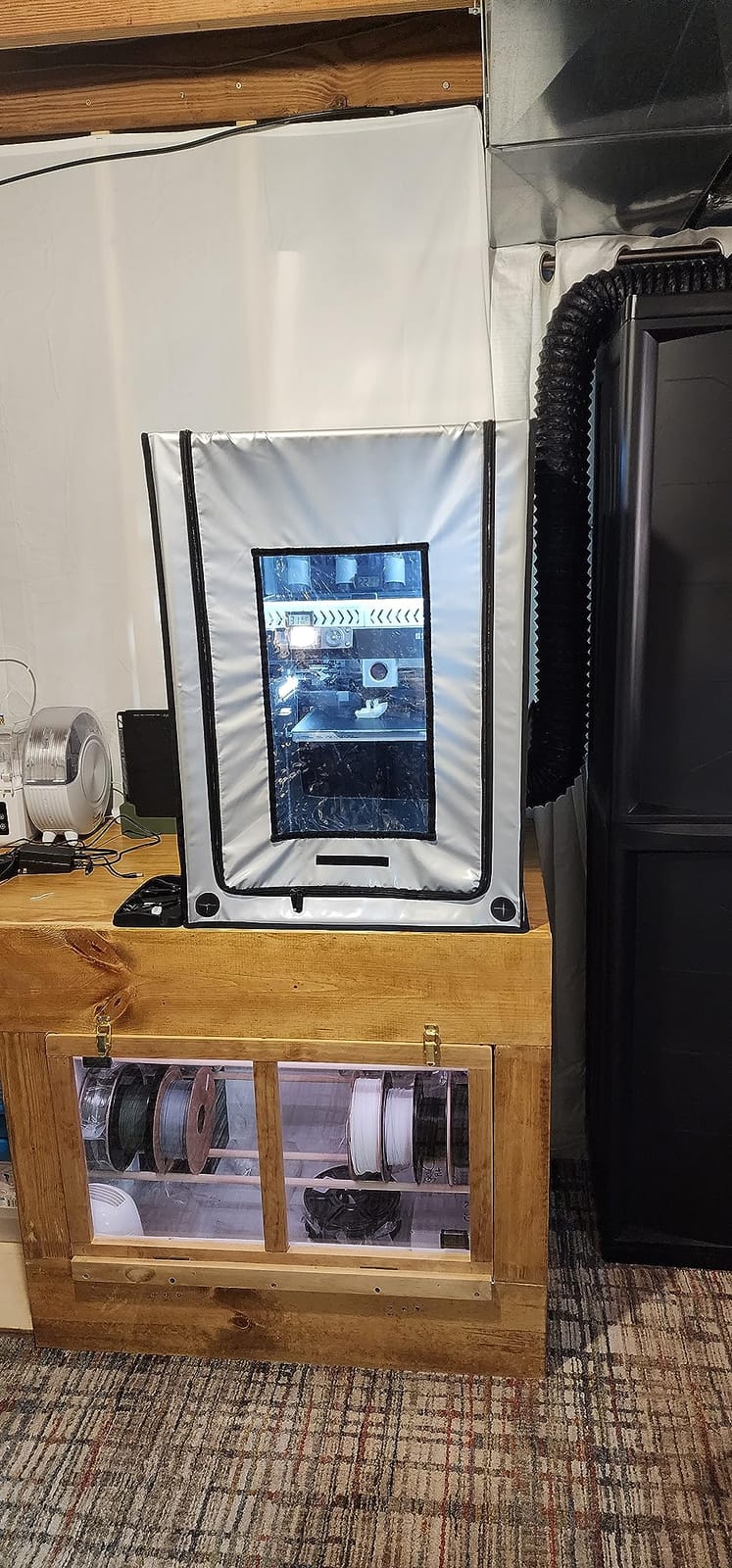
Exterior size is 23.62 x 21.06 x 29.53 inches and internal space measures 500 x 635 x 750 mm, with a listed net weight of 2 kg. A smoke exhaust interface and 1.5 meter pipe are included, along with a 5W USB LED for monitoring prints in a dark room.
Stainless steel pipe forms the frame, and the listed materials are described as waterproof and fireproof. Compatibility covers small laser engravers, most resin printers, and some FDM machines including the Ender 3 series.
Who this enclosure suits
It suits a mixed bench where a resin printer and a small laser engraver share a workspace, since you are covering both containment needs in one footprint. It also suits anyone who wants a printer tent that doubles as a filament drying cabinet during the off season.
Buyers who want one printed part at a time and a small machine will find the interior generous. The internal footprint is enough for a printer plus a bottle of resin and a small tool tray.
Where it falls short
Internal dimensions are the limit for anyone with a large-format mono LCD machine. The footprint is narrower than the FUNGDO cabinet, and there is no second bay for a wash and cure station.
Frame assembly is reported as challenging, and the fan bracket may require a 3D printed adapter. As with the other fabric tents here, build on a hard surface so the poles do not flex and break the seal.
5. POLISI3D Resin Enclosure – 5000 RPM Fan And Broad Printer Compatibility
- Stainless steel frame rather than plastic
- 5000 RPM fan with speed control
- Three-layer filtration
- Cut-resistant gloves included
- Included fan is basic
- Velcro fan mount does not align perfectly
- Seams can tear if the cover is pulled tight
The POLISI3D Resin Enclosure stands out for the breadth of its compatibility list. It names the Anycubic Photon Mono, ELEGOO Saturn and Mars, Creality Halot, the Ender 3 series, and the Prusa i3, which makes it a safe default when you are not yet sure which machine you will settle on.
It is also one of the few here that specifies the fan rather than just promising ventilation. A 12V fan at 5000 RPM with a 3 to 12V controller gives you the low-during-print, high-while-opening behaviour that fixed-speed kits cannot offer.
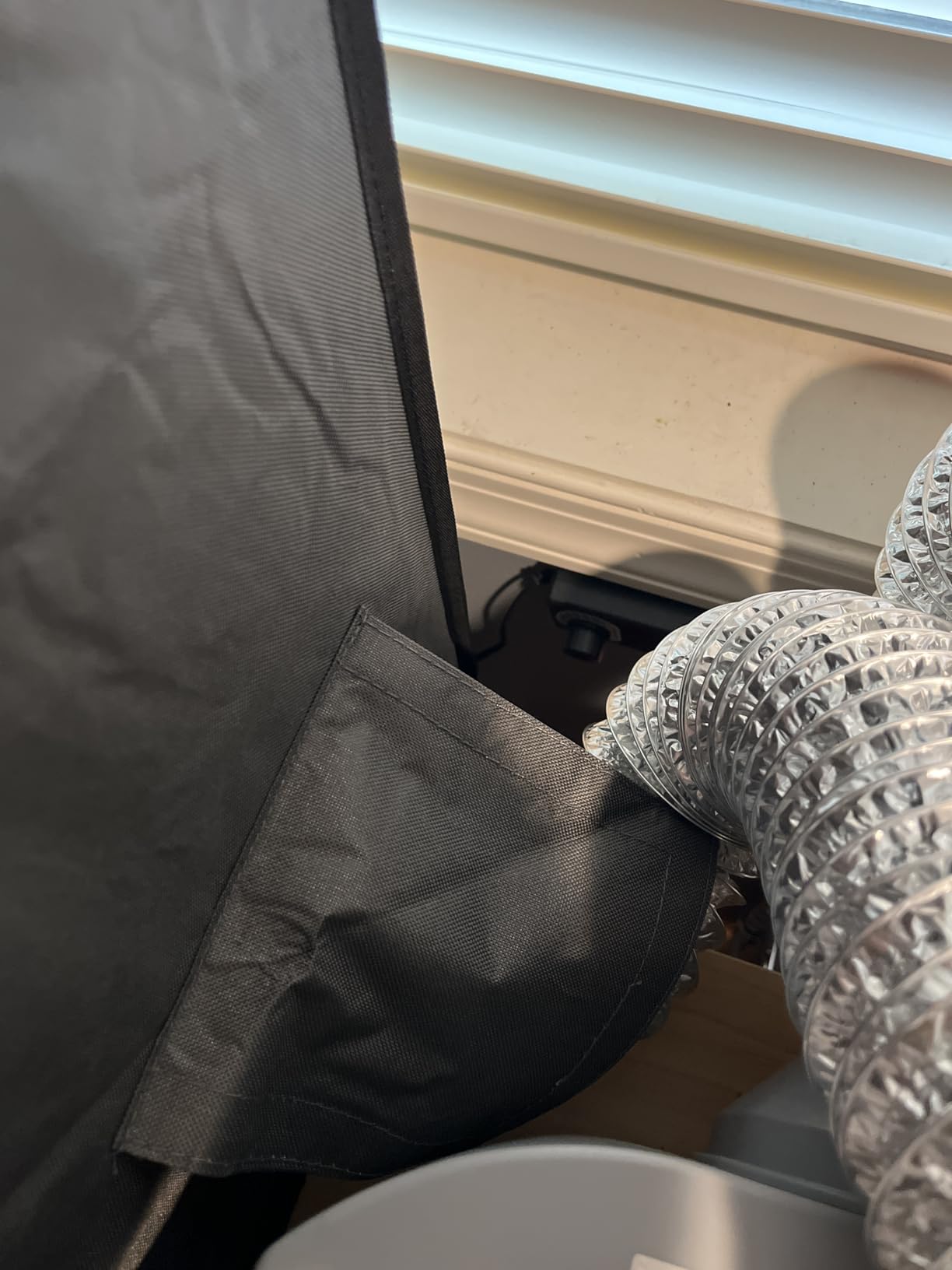
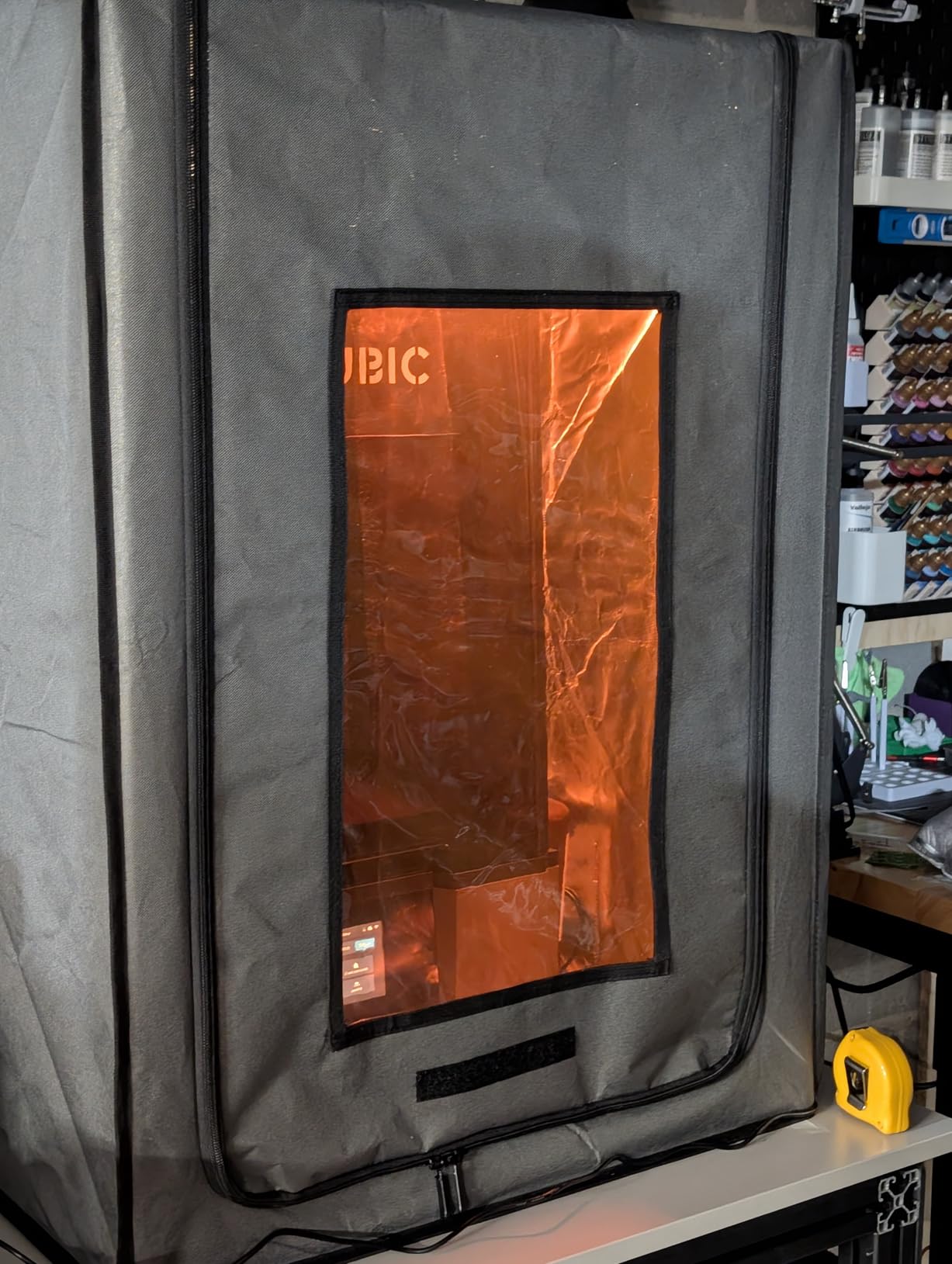
Dimensions are 25 x 21 x 29.5 inches, or 635 x 535 x 750 mm, and the listed weight is 3.96 pounds. The frame is described as stainless steel pipe rather than iron or plastic, and the interior is a fireproof material for thermal insulation with a waterproof, dustproof exterior.
Three layers of filtration handle dust and gases, and the brown UV filter membrane doubles as eye protection. A small touch worth mentioning: the package includes cut-resistant gloves, which is more thoughtful than most enclosures bother with.
Who this enclosure suits
It suits a buyer who runs resin and FDM machines together, or who intends to switch. The stated compatibility covers brands on both sides of the resin and filament divide, so the cabinet does not become dead weight if you change direction.
It also suits anyone who wants a variable speed fan on a smaller budget. The controller is specified at 3 to 12V and 2A output, matching the pattern used by the fan kits people usually buy separately.
Where it falls short
Reviewers describe the included fan as cheap-feeling with uncertain longevity, and note it may struggle with strongly odorous resins. If you plan to run tough resins continuously, plan on replacing the fan early.
Two smaller issues: the Velcro fan attachment does not line up perfectly out of the box, and the stitching can tear if the cover is forced over the frame. The fan bracket also references a 3D printed adapter.
6. Makacces FRP750 Resin Enclosure – Strong Odor Control With Adjustable Fan
- Effective odor and fume elimination
- Adjustable fan speed
- UV-blocking brown window
- Tool and storage bags included
- Instructions are severely lacking
- No interior light
- Some parts reported flimsy
The Makacces FRP750 is the one I point people toward when odor is the main complaint. Reviewers consistently report strong fume elimination, and the combination of a fire-resistant fabric shell, a stainless steel frame, and a UV-blocking brown window is the standard resin configuration done without a weak link.
It measures 25 x 21.06 x 29.53 inches and the listed weight is 4.4 pounds, in the same dimensional family as the POLISI3D and Makacces FDM2301 units. That footprint is the common size for Elegoo, Anycubic, and Creality resin machines.
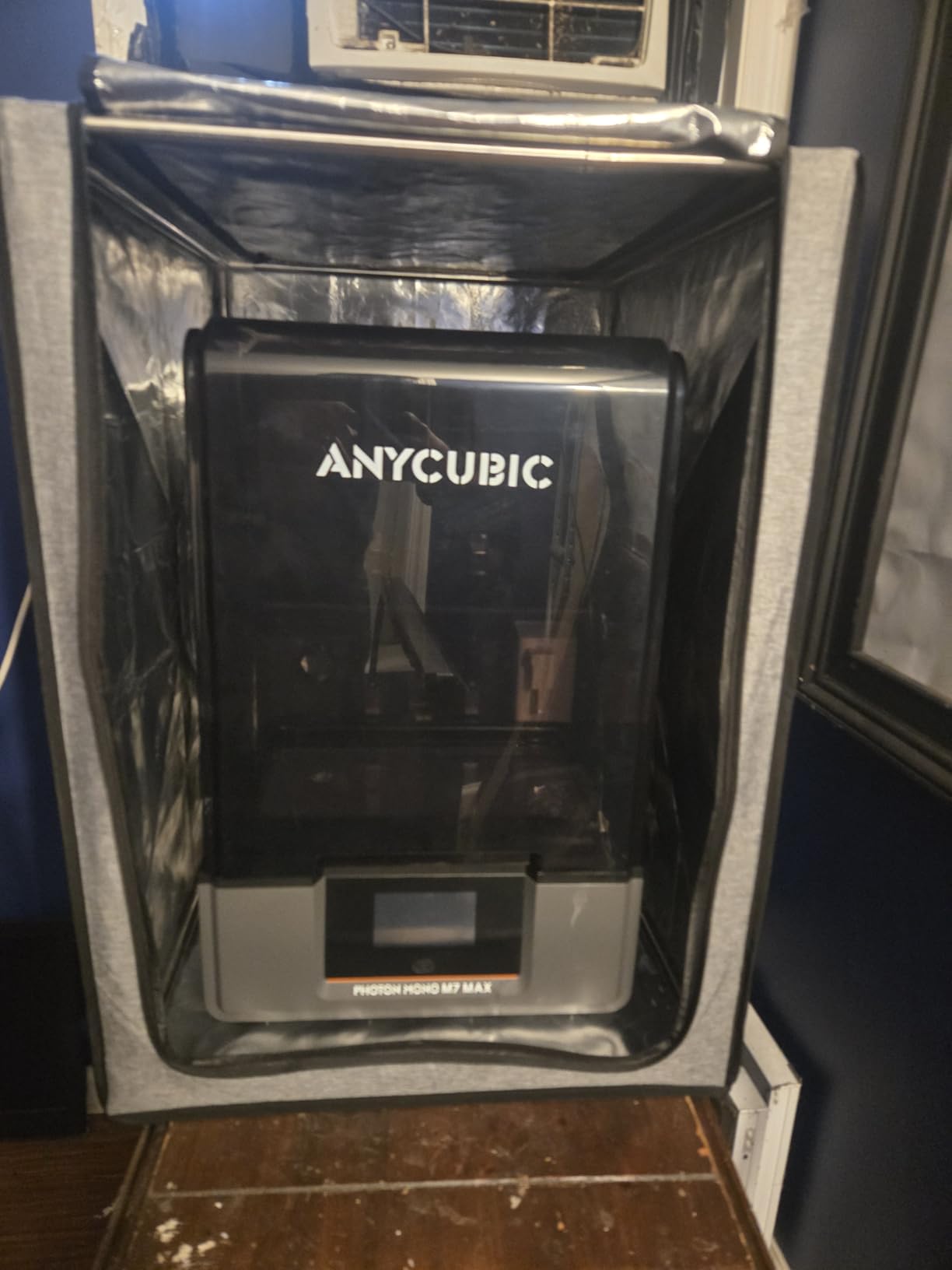
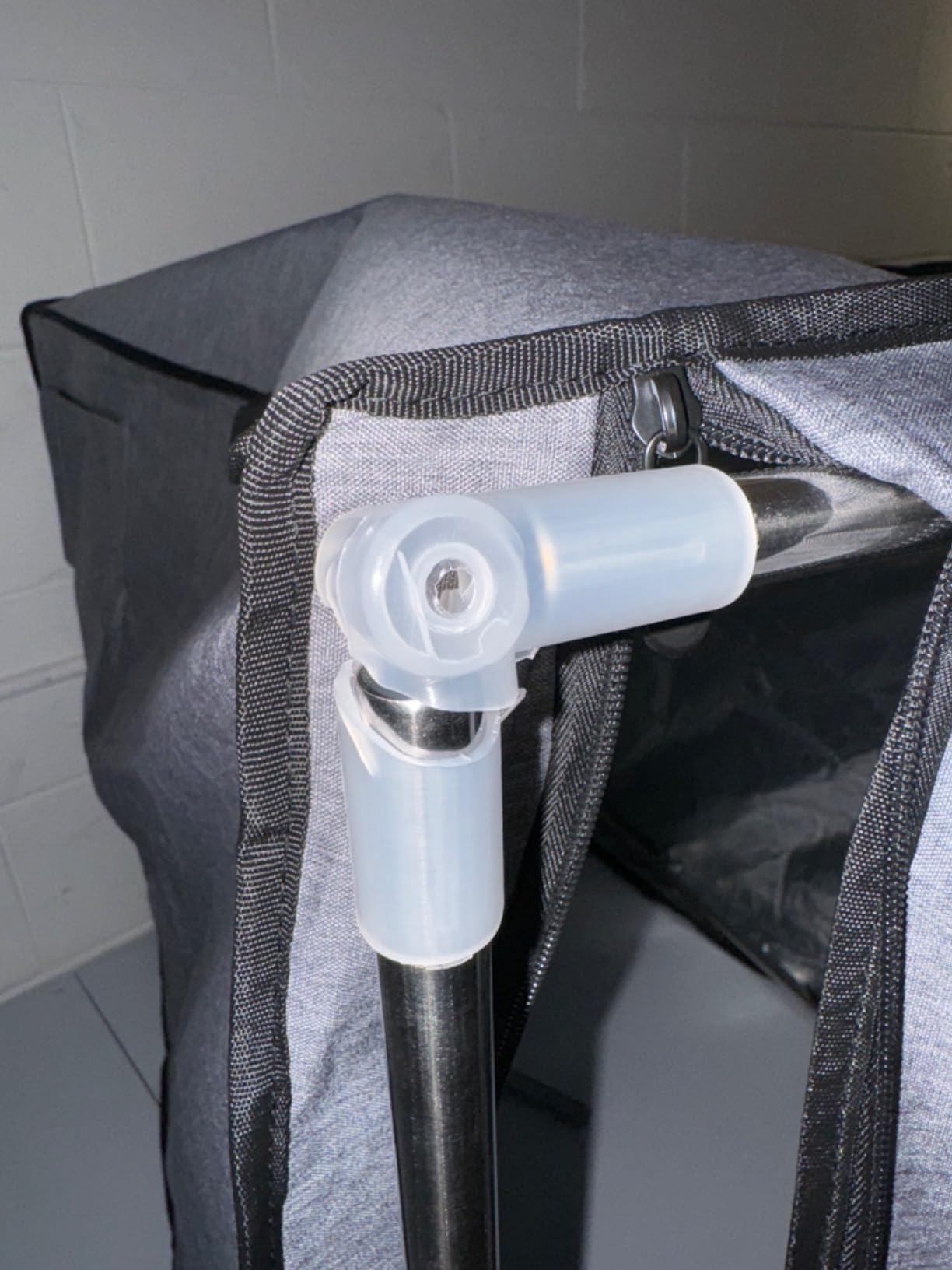
The package includes a pre-installed fan, a ventilation pipe, a tool bag, and a storage bag, which is a nicer arrangement than hunting for a small mesh pouch after a resin clean-up. The 12V fan comes with an adjustable speed controller.
One buyer-specific note: Some users report it fits a Photon M7 Max with enough spare room for resin bottles, which is the spacing question that catches a lot of enclosures out. Measure your own bottles as well as the printer.
Who this enclosure suits
It suits anyone whose priority is stopping odor from reaching a shared space, particularly in an apartment where you cannot route ducting outside easily. Carbon and a tight seal handle neighbour complaints far better than an open bench does.
It also suits buyers who like their accessories organised. The included tool and storage bags matter more in a resin workflow than in FDM, because the bench generates bottles, brushes, gloves, and scrap parts at a steady rate.
Where it falls short
Instructions are the most common complaint, and they are described as severely lacking. Budget an extra hour of figuring out the vent window kit layout, which is also sold separately for external venting.
Some users report flimsy parts and sharp edges, and one account of components shattering during assembly. There is no interior light, so you will be opening the door to check a print.
7. VEVOR Oxford Cloth Enclosure – Budget Entry With LED Lighting
- LED light included for print monitoring
- Flame-retardant Oxford cloth
- Large transparent window
- Waterproof and dustproof build
- Newer listing with a short review history
- Fan performance may be basic
- Limited interior for large printers
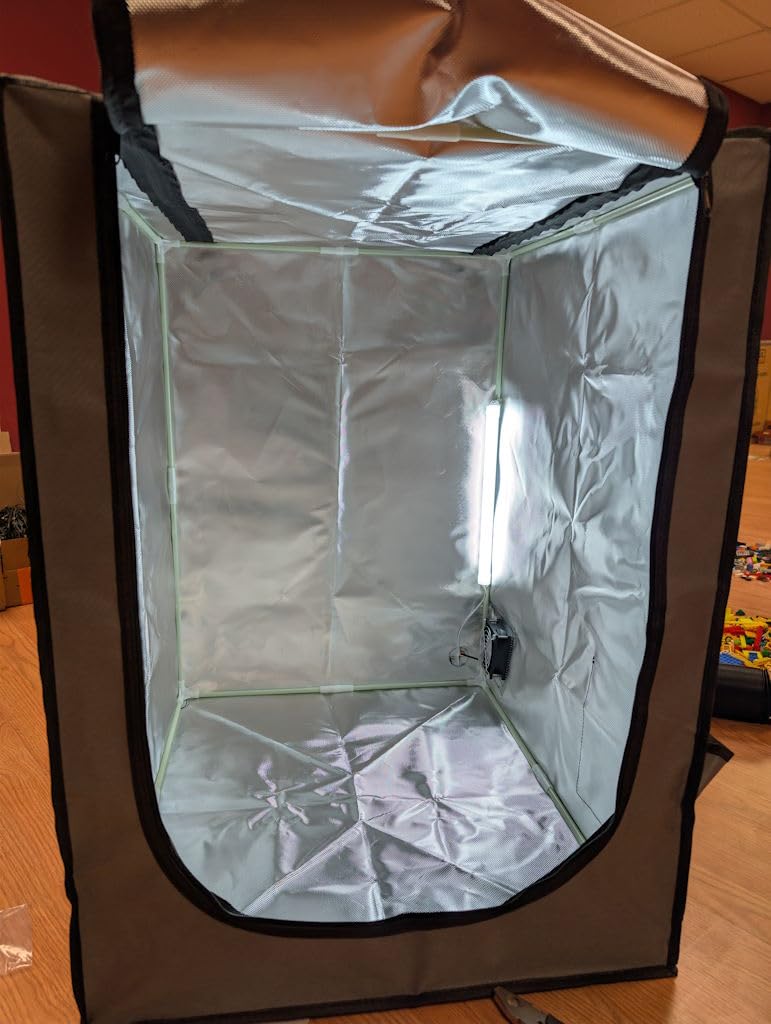
The VEVOR Oxford Cloth Enclosure is the budget pick, and the included LED is the feature that separates it from other entry tents. Most budget enclosures make you open the door to check a print, and every opening is a fume release. Here you can look through a large window with the light on and the door shut.
It is built around flame-retardant Oxford cloth with a dustproof, waterproof closed structure and a ventilation system for smoke and dust. Dimensions are 21.65 x 25.59 x 29.53 inches at 4.72 pounds.
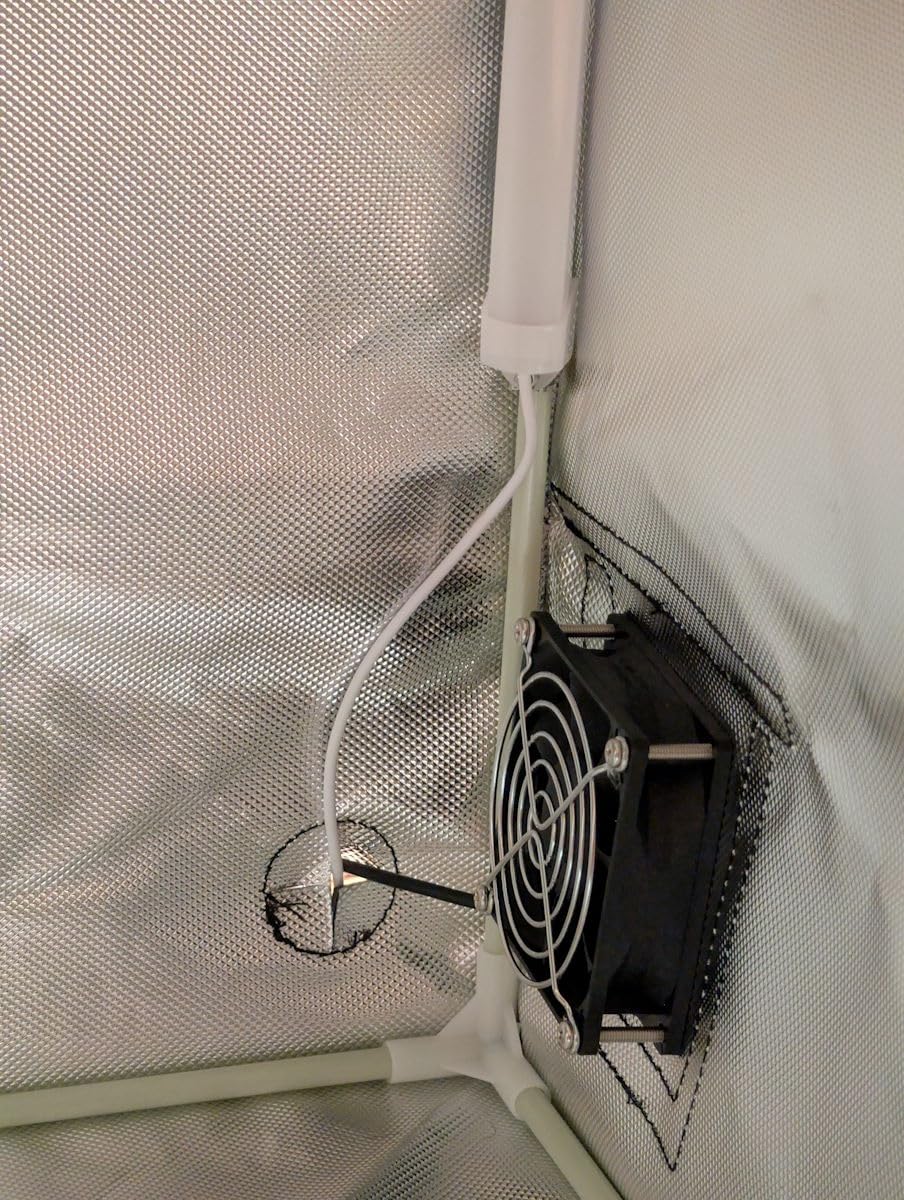
Compatibility covers the Anycubic Photon Mono, Mars 3, and most LCD and FDM printers, so it sits in the mainstream resin size band. A constant temperature environment inside helps with layer adhesion, which is the other reason resin printers are boxed up.
Be aware this is a comparatively recent listing, so the long-term owner history is thin. That is not a quality signal either way, but it does mean you are buying on design rather than on years of accumulated feedback.
Who this enclosure suits
It suits a first resin enclosure bought for odour control in a single room, and anyone who wants a lit viewing window as part of the package. The 4.6 average across its reviews is encouraging for a young listing.
It also suits a second machine in a spare room, where a full-size insulated cabinet would be more space than the job needs. This footprint handles a printer and a bottle of resin comfortably.
Where it falls short
The fan is the weak link. Reviewers describe its performance as basic, and this unit does not claim a three-layer filter stack, so it is not the enclosure to grow into tough or engineering resins with.
Interior space is limited for larger printers, and Oxford cloth is thinner than the multi-layer shells on the DORUNDEA and HOCENWAY dual-placement units. Expect less insulation if you also print high-temperature filaments here.
8. HOCENWAY Dual-Placement Resin Tent – Fits Mars 5 Ultra And Photon Mono 4
Dual-Placement Resin 3D Printer Enclosure Cover Tent with Adjustable Ventilation Exhaust Fan kit Compatible with Creality Anycubic Elegoo Series Mars 5 Ultra, Photon Mono 4 Resin UV 3D Printer
- Works horizontally or vertically
- 12V fan with speed control
- Three-layer filtration
- Fan bracket adapter included in the box
- Newer listing with limited review history
- Seal may loosen in one orientation
- Smallest review count in this roundup
The HOCENWAY Dual-Placement Resin Tent solves a problem most enclosures ignore. It can be set up in a horizontal or vertical orientation, which matters in a small room where floor footprint is the constraint and the only free space is a shelf.
It is also one of the few kits here that includes the fan bracket adapter in the box. That is a small detail that saves you a print job and a trip, and it removes the most common reason people stall halfway through assembly.
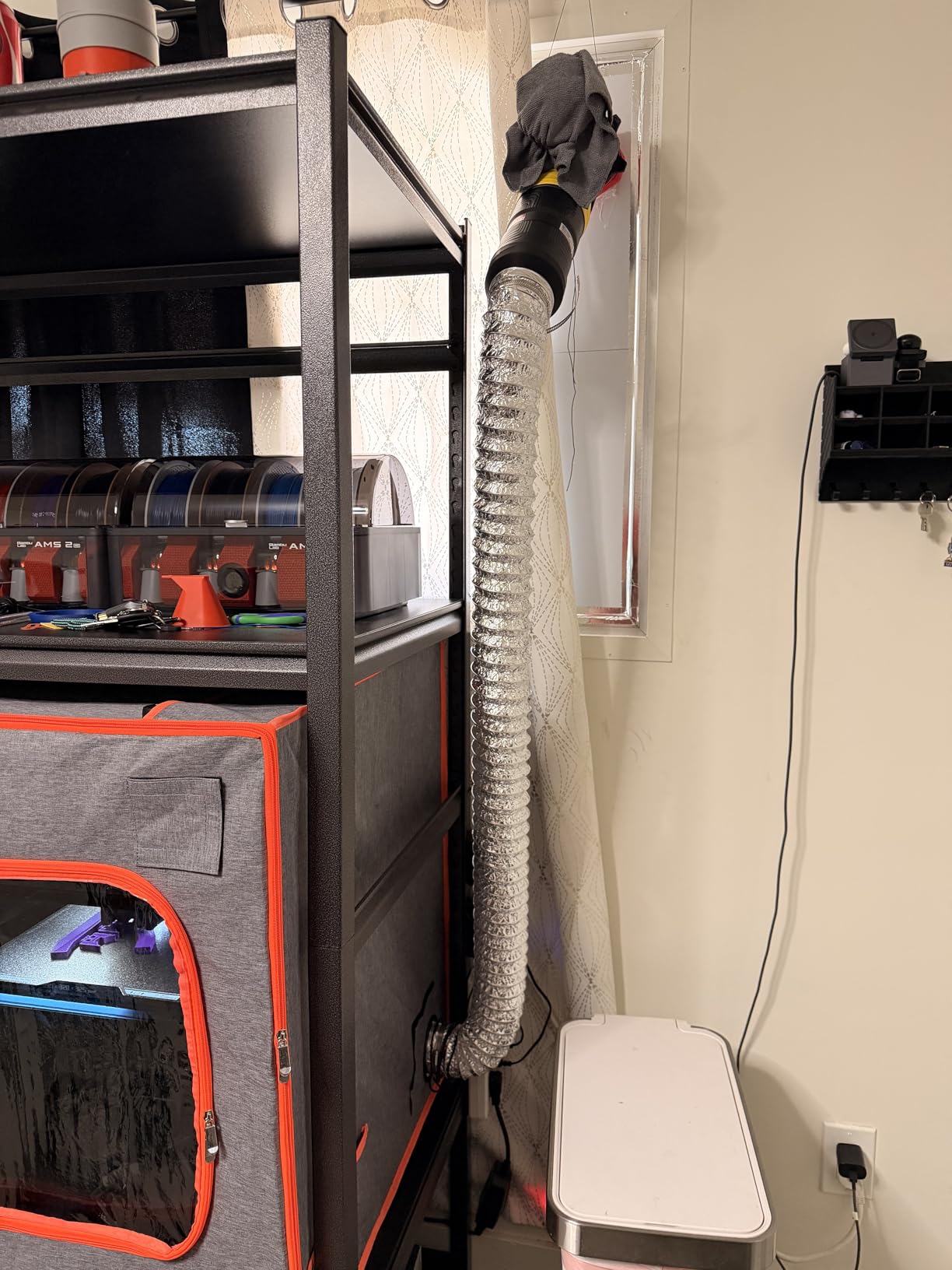
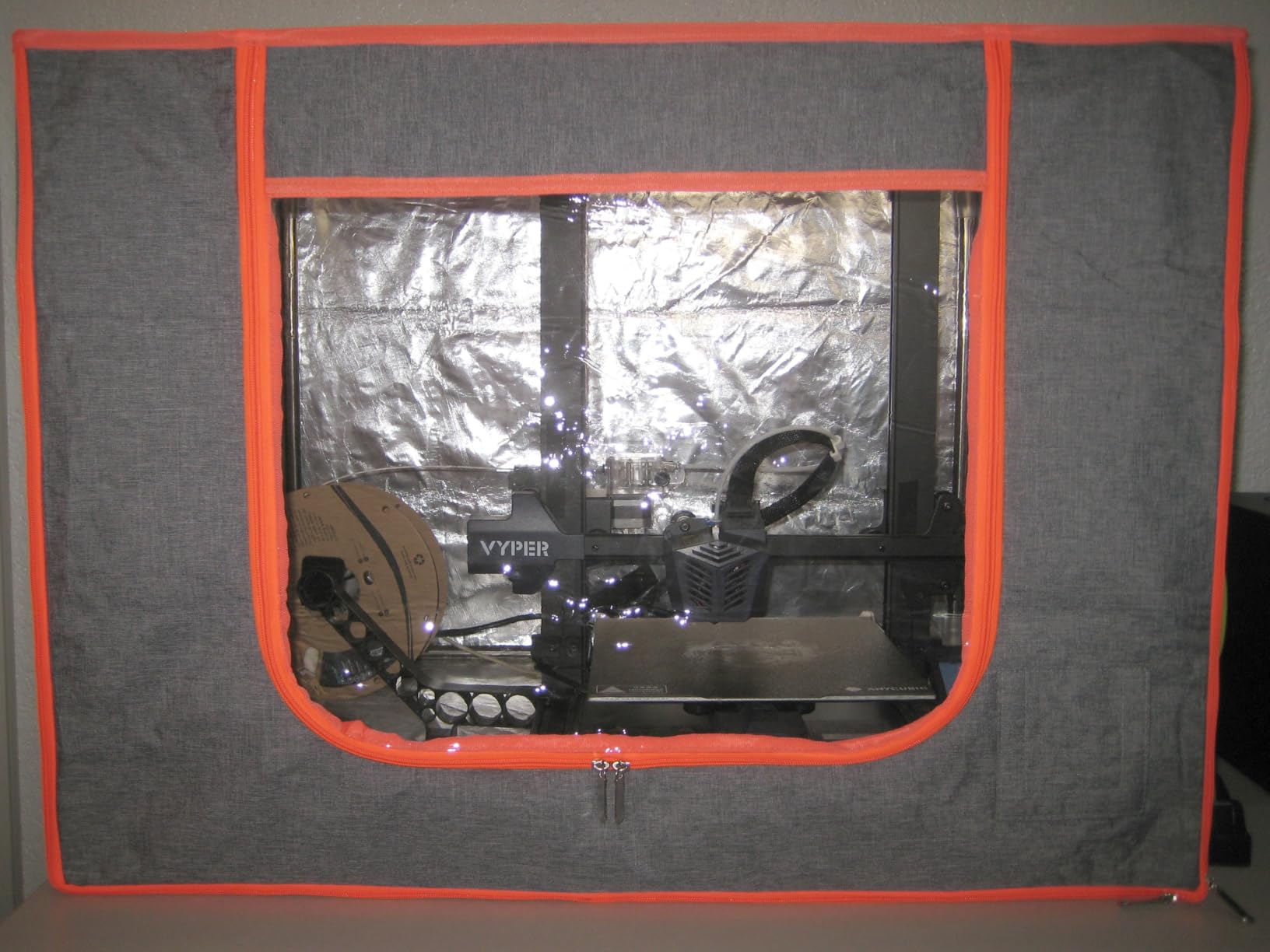
Dimensions are 25.2 x 21.26 x 29.53 inches at 3.96 pounds, and the cover is a five-layer composite of waterproof PU, Oxford cloth, adhesive, aluminum film, and PE film. The interior is described as fireproof with a waterproof exterior, over a stainless steel pipe frame.
Stated compatibility covers the ELEGOO Mars 5 Ultra and the Anycubic Photon Mono 4, along with similar resin machines. The 12V fan runs 3 to 12V with 2A output, and three layers of filtration sit behind a removable brown UV membrane.
Who this enclosure suits
It suits anyone in a small room where the printer goes on a shelf or a raised bench rather than the floor. Rotating the enclosure 90 degrees is the difference between fitting a station into the space and not.
It also suits buyers who just want to start printing on current hardware. Named support for the Mars 5 Ultra and Photon Mono 4 removes the guesswork about whether a new machine will clear the panels.
Where it falls short
Two orientations means two ways for the seal to behave, and users note it may not hold as tightly in one of them. Test the closure with the fan running before you start a long print.
This is the thinnest review base in the roundup, so long-term durability is unproven. The five-layer shell is also more material to align during assembly than a single-layer tent.
9. Makacces FDM2301 Enclosure – Airtight Seal And Fast Assembly
Multifunctional Resin 3D Printer Enclosure with Ventilation Kit
- Tight airtight seal on a rubbery exterior
- Two vents for intake and exhaust control
- Assembly takes 5 to 10 minutes
- Cut-resistant gloves included
- Window is yellow-tinted rather than clear
- No LED light in this model
- Instructions are unclear
The Makacces FDM2301 is the one to look at if your resin station shares a room with high-temperature filament work. Reviewers praise the airtight seal and heat retention, and a five to ten minute assembly is a genuine difference when you are comparing fabric tents that fight you.
It measures 25 x 21 x 29.5 inches at 4.4 pounds, the same footprint as the FRP750, and ships in cream white or grey. The external material has a rubbery feel that seals more completely than woven cloth.
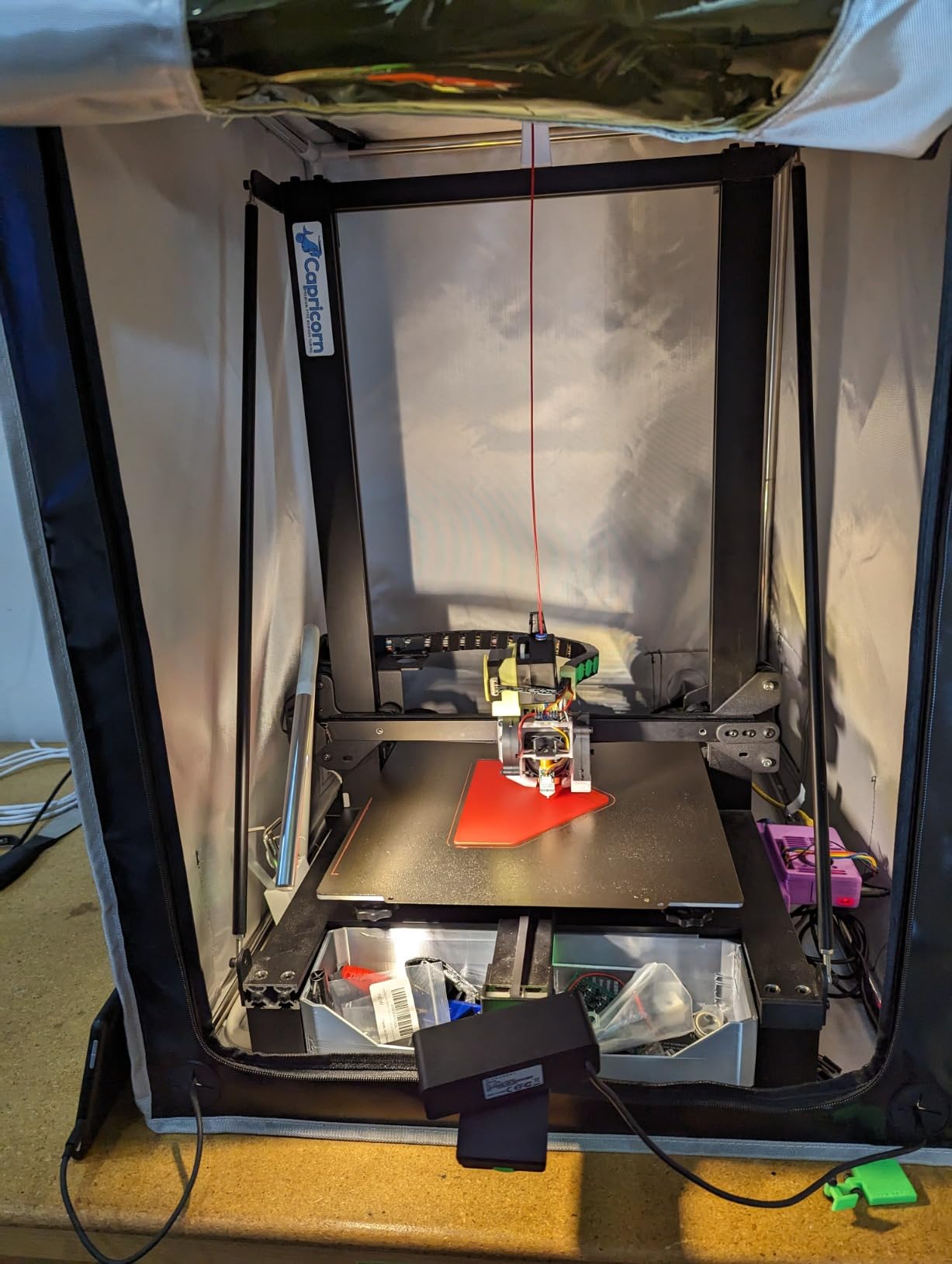
Two vents give you separate control of intake and exhaust, which is the more useful arrangement when you are trying to pull a clean air path through the chamber rather than just recirculating. Cable management ports are listed, along with tool and storage pockets.
Users report it fits larger machines such as the Anycubic M3 Max, which is useful to know if you are past the small-mono tier. The 12V fan still comes with an adjustable speed controller.
Who this enclosure suits
It suits mixed shops that alternate between resin and ABS or nylon, where a tighter seal and better heat retention pay off on both jobs. The dual vent layout also suits anyone who has tried a tent and found the air path was never really controlled.
It suits impatient builders too. A short assembly with gloves in the box means fewer chances to tear a seam or misalign a frame, and a tighter result from the first print.
Where it falls short
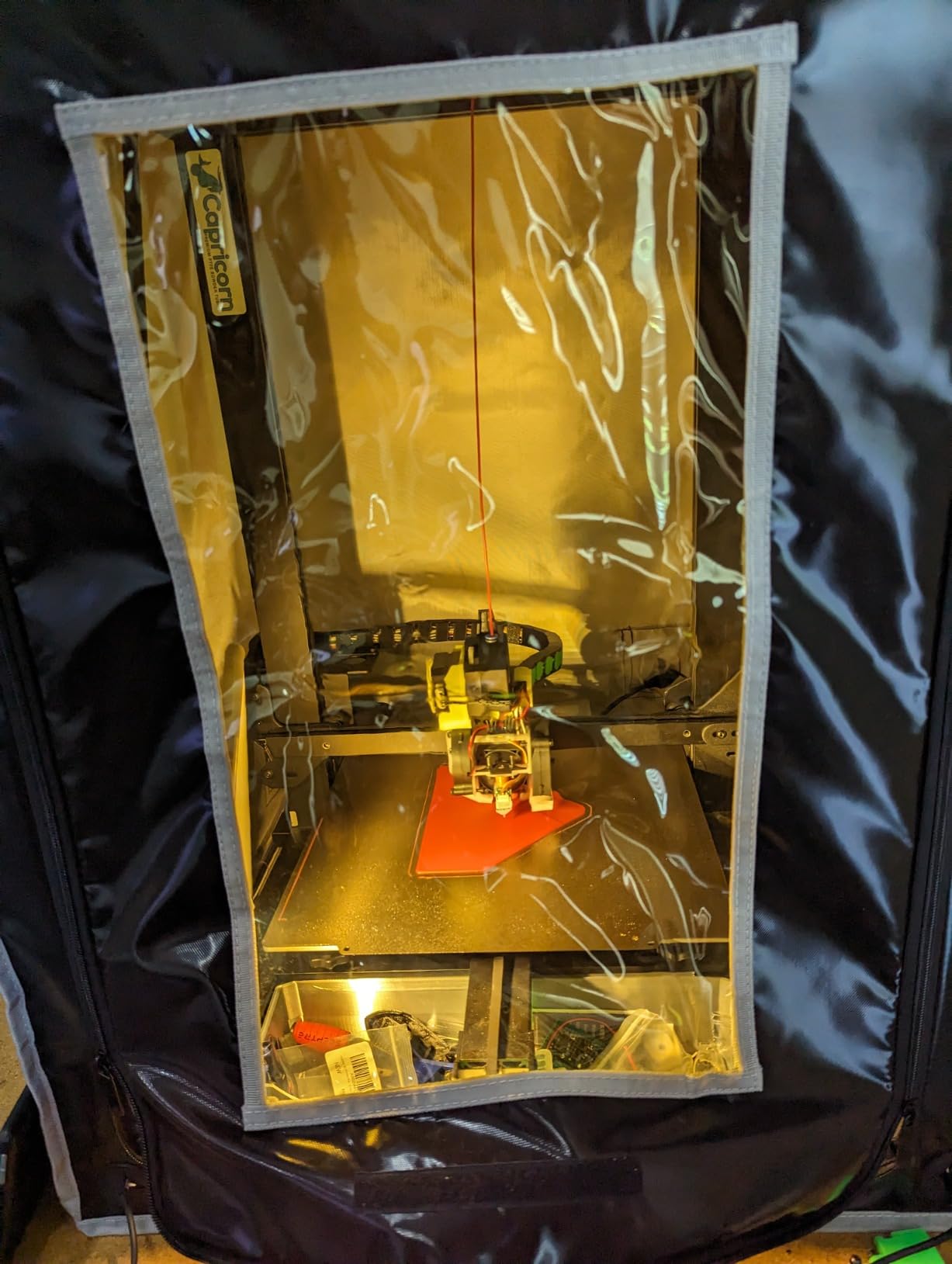
The viewing window is yellow-tinted rather than clear, so monitoring progress means working through a colour cast. This model has no LED light included, which compounds the problem in a dark corner.
Instructions are described as unclear, and the review base is the thinnest here at 22 reviews. Judge the seal on your own build, since that is the feature the feedback highlights most often.
How To Choose The Best 3D Printer Enclosures For Resin Printers
Work through these six criteria in order. Ventilation comes first because no other feature compensates for a bad air path, and sizing comes early because a badly sized enclosure is not a buy at any price.
1. A real path outside the room
The single most important question is whether you can duct the outlet through a window, a wall sleeve, or a vent to the outside. A sealed enclosure with carbon filtration and no exhaust concentrates fumes and releases them when you open it, which is the situation most damaging to you.
Forum regulars describe carbon-only setups as good enough to keep neighbours happy and not good enough to protect you. If you cannot vent outside, the honest position is that you can reduce odour but you are not removing the exposure, and you should print fewer hours in the room.
2. Variable speed fan control
A 3 to 12V controller, as offered by the DORUNDEA, POLISI3D, Makacces FRP750, Makacces FDM2301, and HOCENWAY dual-placement units, lets you run the fan low during a print and up before opening. The five step protocol people use: run low during the print, raise it 30 seconds before you plan to open, keep it high while you reach inside, and return it to low once the chamber clears.
Noise is the reason this matters as much as fumes. Stock fans that run flat out all night are the most repeated complaint in reviews, and a loud enclosure gets abandoned in favour of open printing, which defeats the entire purpose.
3. Multi-layer carbon filtration
Activated carbon adsorbs VOCs, and HEPA handles particulate. Neither is a substitute for the other, and a single carbon sheet has a short working life against tough or engineering resins. The three-layer designs here are the DORUNDEA, POLISI3D, and HOCENWAY dual-placement units.
Filter placement matters as much as filter count. The arrangement people actually use is to sit the carbon on the intake side so fumes are pulled through the media and pushed out, rather than short-circuiting air straight to the outlet. Replace carbon on a schedule tied to hours printed, not to calendar months.
4. UV blocking and sealed construction
Resin cures under UV, and daylight through a clear window will slowly skin over exposed surfaces and thicken a vat rim. Brown filter membranes, dark TPU windows, and amber panels all block it, at the cost of some visibility. Budget a window tint over a clear one for any vat you store long term.
Sealed construction is the other half. Check that the base is closed rather than a fabric floor, and that the door zipper seals when the fan is pulling air. An open bottom quietly ruins the whole design.
5. Sizing with lid-open clearance
Measure the printer, then measure the space you need above it. Flip-up lids on machines like the Saturn 4 Ultra and Elegoo Jade swing through a large arc, and an enclosure with no overhead clearance will have you lifting the lid through the roof panel. Also leave room for resin bottles and for a wash and cure station if you plan to wash inside.
The FUNGDO is the only unit here with a stated usable interior of 70 x 75 x 90 cm, which is the size that comfortably takes a printer plus a wash and cure station. Most of the rest cluster near 25 x 21 x 29.5 inches, the mainstream mono resin footprint.
6. Frame, base, and serviceability
Stainless steel pipe frames are the standard here, and they flex if you assemble them on carpet or a soft surface, which breaks the seal. Build on hard flooring. Zippers, seams, and filter access all need to be reachable without taking the whole shell down.
Finally, check what is not included. Several kits here ship without interior lighting, and some require a 3D printed fan bracket adapter. A short list of consumables and accessories is in our beginner 3D printer tool kit roundup.
What To Avoid In A Resin Printer Enclosure
Open-bottom tents. Any enclosure that stops at the frame and leaves the floor open lets fumes run underneath. This is a design limit, not an assembly mistake, and it cannot be corrected with a fan.
Single-sheet carbon with a fixed-speed fan. One carbon layer handles standard grey resin for a while, then odour returns and owners assume the enclosure failed. A fixed-speed fan then forces you to either tolerate noise all night or accept a fume burst at the end of every print.
Clear unfiltered windows. Standard PVC panels pass enough ambient UV to matter for stored resin. Look for a brown membrane, dark TPU, or an amber panel.
Kits sold without the vent hardware. Some listings ship the tent and treat the vent kit as an accessory. Check the package contents before you order, because the fix afterwards is chasing a part across two websites.
Enclosures that fit the printer and nothing else. If you cannot get your hands around the machine, or you cannot lift the flip-up lid, the footprint is wrong. Our resin printer picks for detailed parts cover the machine sizes where this bites hardest.
DIY Grow Tent Conversion For Resin Printing
A grow tent from the cannabis world works, and people in the forums describe it as the best value per dollar. The four parts: a tent with a sealed base, a 4 inch inline duct fan, a carbon filter around 4 by 14 inches, and a length of 4 inch ducting to reach your window.
The critical detail is that the carbon sits on the intake side. Air is pulled through the filter and pushed out of the room, rather than entering the tent, passing the outlet, and never meeting the media at all. Get that backwards and the filter is just decoration.
Set the tent on a hard floor, seal the base, and leave a service gap so you can change carbon without taking the printer out. This route gives you a larger working volume than most prebuilt resin tents, which is the main argument for it.
Frequently Asked Questions
What is the best ventilation system for a resin printer?
The best ventilation is a sealed enclosure with an extraction fan ducted outside the room through a window, with activated carbon on the intake side of the fan. Run the fan low during the print and high immediately before and while opening the door. Add HEPA after the carbon if you also care about dust.
Are 3D printer enclosures worth it?
For resin, yes, and treat one as a safety requirement rather than a print quality upgrade. Uncured photopolymer releases volatile organic compounds, and without extraction those compounds fill the room. One caveat matters: a sealed enclosure with only a carbon filter and no path outside can be worse than no enclosure at all, because fumes concentrate and release on opening.
Do I need ventilation for a resin printer?
Yes. Any indoor resin printing needs active ventilation, and the stronger the resin the more it matters. Standard grey resin produces a noticeable smell, while tough and engineering resins carry a much heavier volatile load. Vent to outside where you can. Carbon filtering on its own reduces odour for neighbours but does not remove your exposure.
Are resin printer fumes harmful to health?
Uncured resin off-gasses compounds including formaldehyde and styrene, which are irritants and can cause sensitisation with repeated exposure. The highest exposure moment is not during the print, it is when you open the enclosure and a concentrated burst leaves. Vent to outside and keep the fan running while you reach inside.
How long does resin give off fumes?
Emissions are strongest during a print and for a short period after it finishes, while uncured resin in the vat and on printed parts is still curing. Fumes in the room settle within minutes with extraction running. If you can still smell resin strongly the next day, air is almost certainly escaping through an open base or a failed seal.
Does resin printing smell bad?
Untreated, yes. Inside a properly vented resin enclosure the smell stays inside the chamber or leaves through the duct, and most owners report that the enclosure is what makes resin printing tolerable indoors. A single carbon sheet handles odour for a while, then saturates and the smell returns with tough resins.
Which Resin Printer Enclosure Should You Buy?
Start with the YOOPAI Multifunctional Resin Enclosure. It ships with a carbon filter and expandable ducting, it fits mainstream Elegoo, Anycubic, and Creality resin machines, and it gives you the outside exhaust path that nothing else in this list makes easier.
If your station needs more airflow and a bigger interior, move up to the FUNGDO, with its 180 CFM fan, dual exhaust ports, and room for a wash and cure station. If you want a three-layer filter and a steel frame without moving up a tier, the DORUNDEA is the one.
Whatever you pick in the best 3D printer enclosures for resin printers roundup, route the outlet outside the room, put the carbon on the intake side, and run the fan low during the print and high while you open it. Those three habits matter more than any badge on a listing, and they are why an enclosure is a safety tool rather than an accessory.