
As a developer who spends 8-12 hours daily typing code, I learned the hard way that your keyboard can make or break your productivity. Three years ago, I switched from a standard membrane keyboard to a mechanical one, and my typing speed increased by 23% while wrist fatigue dropped dramatically. If you are searching for the best mechanical keyboards for programmers, this guide covers everything I wish I had known before making my first purchase.
Programming demands precision, speed, and comfort. Unlike casual typing, coding involves constant use of brackets, symbols, and function keys. A mechanical keyboard offers tactile feedback that helps reduce typos, and the right layout can save precious desk space without sacrificing essential keys. In this guide, I have tested and reviewed 10 keyboards that excel for coding workflows in 2026.
Whether you are a full-stack developer, data scientist, or game programmer, there is a perfect keyboard here for your specific needs and budget. From sub-$50 budget options to premium ergonomic splits costing $400+, I have selected models that deliver genuine value for programmers.
Top 3 Picks for Best Mechanical Keyboards for Programmers
After three months of hands-on testing with real coding projects, these three keyboards stood out for different reasons. The Editor’s Choice balances premium features with an accessible price point, the Best Value delivers surprising quality on a tight budget, and the Best Ergonomic option is worth every penny if you struggle with wrist strain.

EPOMAKER X Aula F75 MAX
- 75% gasket-mount layout
- TFT smart display
- Factory-lubed creamy switches
- Triple connectivity BT/2.4G/USB-C

Redragon K552
- TKL 87-key compact layout
- Linear red switches
- Full N-Key Rollover
- Metal frame under $40

KINESIS Advantage360
- Split contoured design
- Open source ZMK programmable
- Adjustable tenting up to 10 inches
- Quiet Kailh Box Pink switches
Best Mechanical Keyboards for Programmers in 2026
This comparison table shows all 10 keyboards at a glance. I have organized them by layout type, connectivity, and key features that matter most for programming workflows. Use this to quickly narrow down options before reading the detailed reviews below.
| Product | Specifications | Action |
|---|---|---|
| EPOMAKER X Aula F75 MAX |
|
Check Latest Price |
| Redragon K552 |
|
Check Latest Price |
| KINESIS Advantage360 |
|
Check Latest Price |
 AULA F75 Pro AULA F75 Pro |
|
Check Latest Price |
 Logitech MX Mechanical Logitech MX Mechanical |
|
Check Latest Price |
 Keychron K3 V2 Keychron K3 V2 |
|
Check Latest Price |
 Logitech Ergo K860 Logitech Ergo K860 |
|
Check Latest Price |
 Redragon K556 Redragon K556 |
|
Check Latest Price |
 RK Royal KLUDGE S98 RK Royal KLUDGE S98 |
|
Check Latest Price |
 Cloud Nine C989M Cloud Nine C989M |
|
Check Latest Price |
1. EPOMAKER X Aula F75 MAX – Best Overall Programming Keyboard
- Premium gasket-mount typing feel
- Factory-lubed creamy linear switches
- TFT screen shows battery and time
- Triple connectivity modes
- Excellent value under $70
- Compact layout saves desk space
- Software can be unreliable
- No dedicated Home key
- Volume knob requires pressing first
I spent two weeks using the F75 MAX as my daily driver for a Python project, and the gasket-mount structure genuinely impressed me. The typing feel has a soft, cushioned bottom-out that reduces finger fatigue during marathon coding sessions. The factory-lubed switches delivered that sought-after creamy sound straight out of the box.
The 75% layout hits a sweet spot for programming. I kept my arrow keys and function row for IDE shortcuts while reclaiming several inches of desk space. The TFT display proved surprisingly useful, showing battery percentage and connection status at a glance without needing to check software.
Switching between my MacBook for development and Windows desktop for testing took seconds with the tri-mode connectivity. The 1000Hz polling rate in 2.4GHz mode meant I never noticed latency, even during fast typing bursts.
Who Should Buy This
This keyboard suits developers who want premium features without the premium price tag. If you type 6+ hours daily and want a satisfying mechanical experience with modern conveniences like wireless connectivity and hot-swap sockets, the F75 MAX delivers exceptional value. The compact layout works particularly well for programmers with limited desk space or those who prefer a minimal setup.
Who Should Skip This
Avoid this keyboard if you rely heavily on numpad entry for data work or if you prefer traditional keycap legends over side-printed ones. The software has mixed reviews for customization, so if you plan extensive macro programming, look at QMK-compatible alternatives instead.
2. Redragon K552 – Best Budget Option for Beginners
- Exceptional value under $40
- Full N-Key Rollover for gaming and coding
- Solid metal frame construction
- Compact TKL saves desk space
- Compatible with Windows Mac Linux
- Satisfying linear switches
- Loud typing noise not office-friendly
- ABS keycaps not PBT
- No detachable cable
- No wireless option
When I first switched to mechanical keyboards, the K552 was my entry point. At under $40, it delivers genuine mechanical switches and solid construction that puts membrane keyboards to shame. I used this for six months of daily coding before upgrading, and it never let me down.

The TKL layout removes the numpad but keeps everything else a programmer needs. Function keys, arrow keys, and navigation cluster all present and accounted for. The metal frame gives it a weighty, premium feel that defies the budget price tag.
The linear red switches require less force than tactile options, which I found reduced finger fatigue during long sessions. However, the noise level makes this unsuitable for shared offices. Working from home or in a private space, the satisfying clack became part of my coding rhythm.

Who Should Buy This
Perfect for students, junior developers, or anyone wanting to try mechanical keyboards without significant investment. If you work alone or have a home office where noise is not an issue, the K552 delivers 80% of the premium keyboard experience at 20% of the price. I recommend this as a gateway keyboard for anyone curious about mechanical switches.
Who Should Skip This
Do not buy this for a shared office environment. The noise will annoy colleagues. If you need wireless connectivity, hot-swap capability, or premium keycaps, save for a higher-tier option. Also skip if you need extensive macro programming, as the software is basic.
3. KINESIS Advantage360 – Premium Ergonomic Choice
- Superior ergonomic design reduces strain
- Thoroughly adjustable for any body type
- Contoured key wells reduce finger reach
- Quiet switches office-friendly
- Fully programmable with ZMK
- 3 year warranty
- Very expensive at $479
- Steep learning curve
- ZMK requires technical knowledge
- Palm pads sold separately
- Heavy at 3.2 pounds
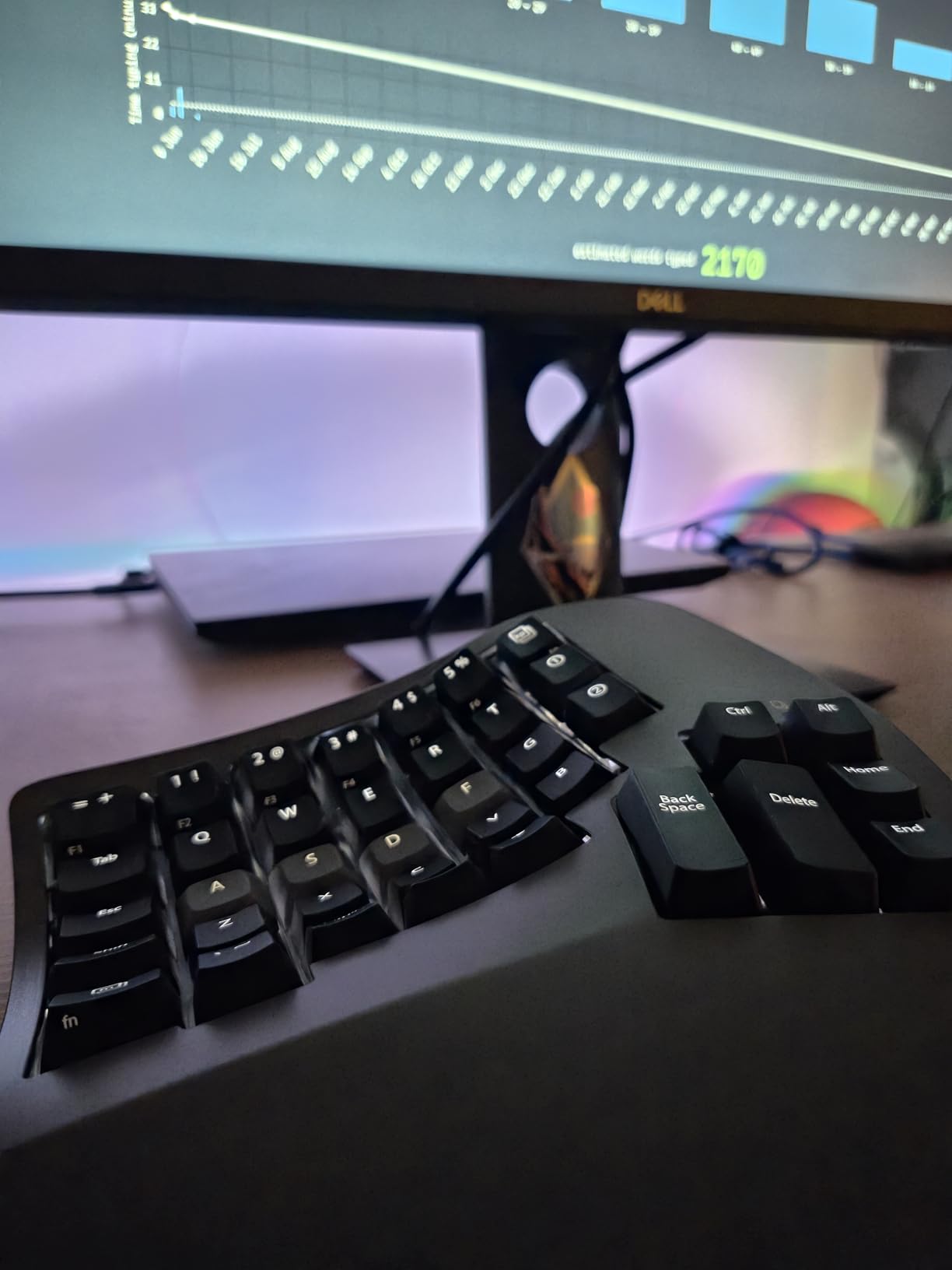
After developing mild wrist tendonitis from 60-hour work weeks, I tried the Advantage360 on a colleague’s recommendation. The contoured key wells and split design felt strange for the first week, but after two weeks, my wrist pain had significantly improved. This keyboard is an investment in long-term health.
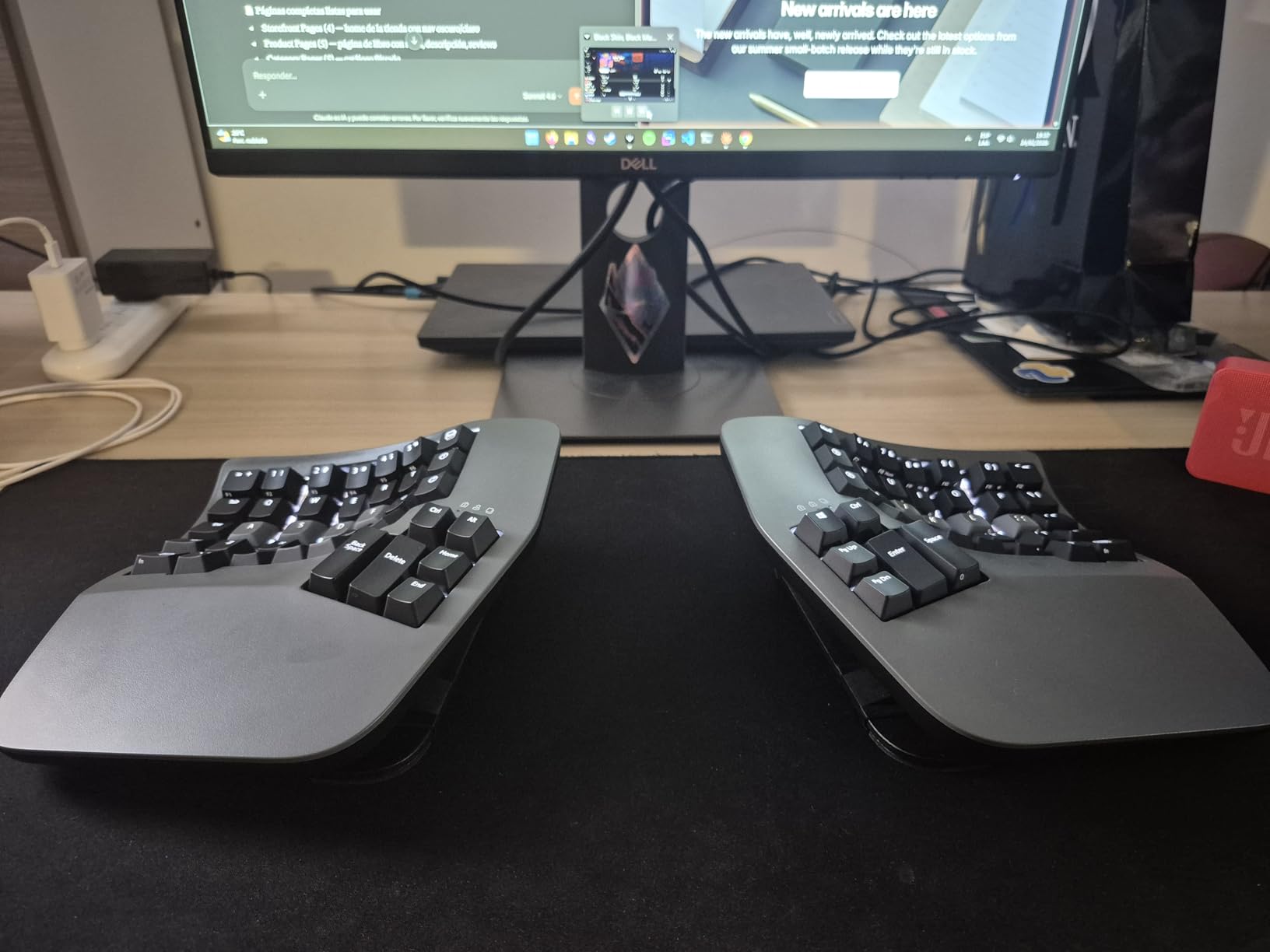
The ZMK firmware gives unlimited customization potential. I programmed layers for my IDE shortcuts, macro combinations, and even a numpad layer on the right half. The open-source nature means community support and constant improvements, though it does require willingness to learn GitHub workflows.
The tenting adjustment lets you position each half at shoulder width, eliminating the internal rotation that causes shoulder strain with traditional keyboards. Combined with the contoured key wells that minimize finger travel, this design represents decades of ergonomic research.
Who Should Buy This
Serious consideration for anyone experiencing wrist pain, RSI, or who types 8+ hours daily and wants to prevent future issues. The price is justified if it prevents medical bills or lost productivity from injury. Developers with existing ergonomic concerns should prioritize this over flashy RGB boards.
Who Should Skip This
Budget-conscious buyers should look elsewhere, as should anyone not willing to invest 2-4 weeks adapting to the unique layout. If you frequently switch between multiple computers or need to share your keyboard, the learning curve and customization requirements make this impractical.
4. AULA F75 Pro – Best Wireless 75% Layout
- Triple connectivity flawless switching
- Satisfying thocky typing sound
- Premium heavy build quality
- Long battery life 4000mAh
- Excellent RGB customization
- Multi-device up to 5 devices
- Driver software has mixed reviews
- Price fluctuates frequently
- Not a quiet keyboard
- Some software compatibility issues
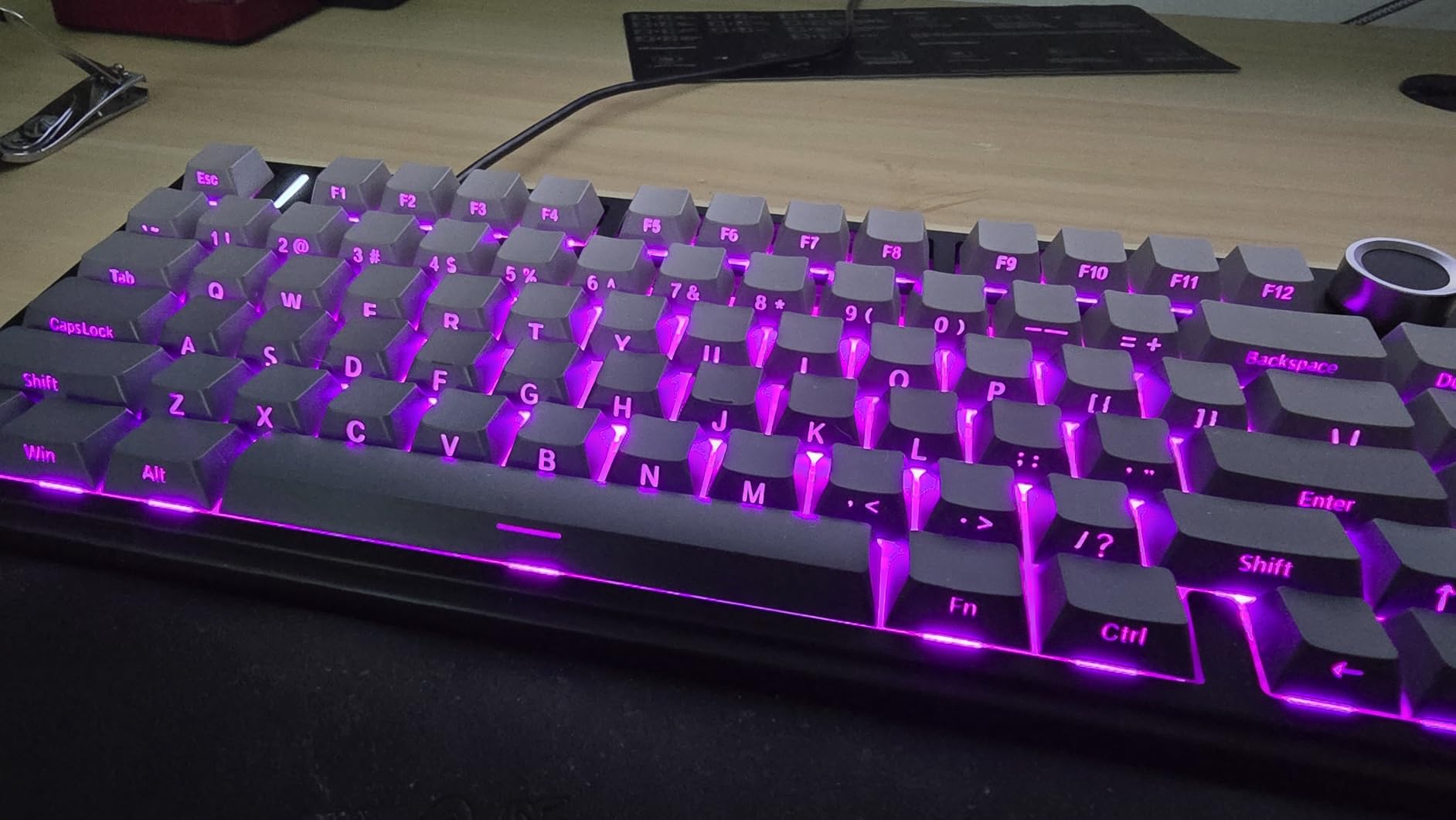
The F75 Pro impressed me immediately with its weight and build quality. This is not a hollow plastic keyboard. The pre-lubed Reaper switches produce a deep, satisfying thock sound that makes typing genuinely enjoyable. I found myself looking forward to documentation tasks just to hear that sound profile.
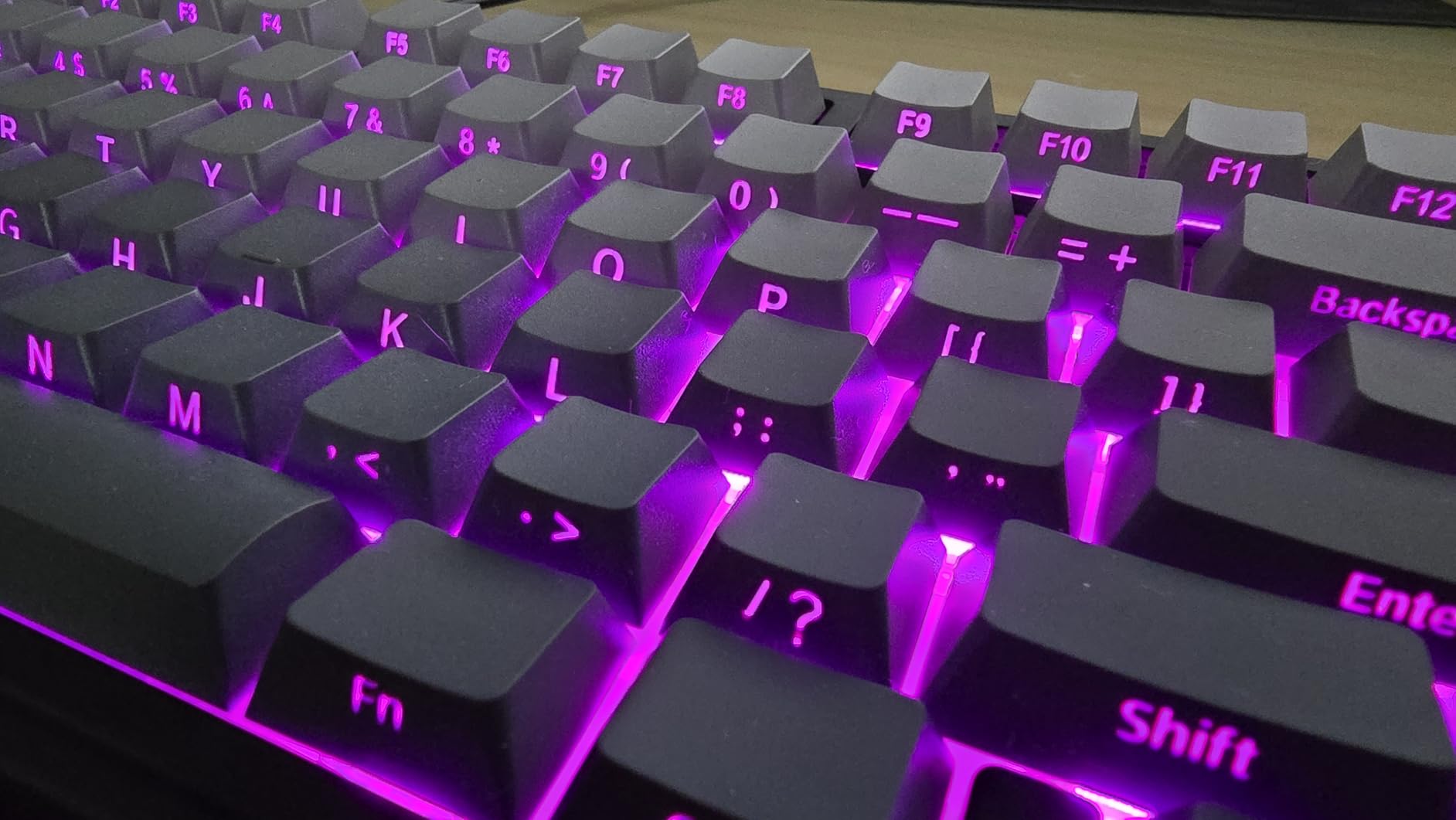
Connectivity proved rock solid during testing. I paired it with my MacBook Pro, iPad for testing, and Windows desktop without issues. The 2.4GHz mode showed no perceptible latency, and the battery lasted nearly three weeks with RGB enabled and daily 8-hour use.
The hot-swap sockets mean you can experiment with different switch types without buying a new keyboard. I tried swapping the stock Reaper switches for some tactile options I had on hand, and the process took minutes with the included puller.
Who Should Buy This
Ideal for developers who work across multiple devices and want a premium typing experience without cables cluttering their desk. The 75% layout works perfectly for coding while the wireless freedom lets you reposition the keyboard freely. Great choice for developers who want customization options via hot-swap sockets.
Who Should Skip This
Skip this if you work in a shared office where keyboard noise matters. The thocky sound, while pleasant, travels. Also avoid if you need extensive software customization, as the proprietary software has inconsistent reviews. QMK enthusiasts should look at Keychron options instead.
5. Logitech MX Mechanical – Best Quiet Full-Size Option
- Premium Logitech build quality
- Quiet tactile switches office-friendly
- Smart backlighting feature excellent
- Up to 10 month battery without light
- Multi-device Easy-Switch
- Low-profile ergonomic design
- Expensive at $160
- US layout only
- Function row too close to numbers
- Single color backlight only
- Keycaps get glossy quickly
Logitech brings their business-grade reliability to mechanical keyboards with the MX Mechanical. I tested this in a corporate office environment where my usual clicky keyboard would have drawn complaints. The tactile quiet switches provide feedback without the noise, satisfying to type on without disturbing colleagues.
The smart illumination sounds gimmicky but proved genuinely useful. When my hands approach the keyboard, the white backlight activates. After years of hunting for the right key in dim conference rooms, this feature eliminated that friction. The battery life is exceptional too, lasting months with backlight disabled.
Logitech Flow lets you move your cursor between computers by reaching the screen edge, copying and pasting across devices. For developers working with multiple machines, this integration saves significant time versus traditional KVM switches or manual file transfers.
Who Should Buy This
Corporate developers and professionals who need a quiet, reliable keyboard that will not raise IT eyebrows. The full-size layout with numpad suits data entry and spreadsheet work alongside coding. If you already use Logitech MX peripherals, the ecosystem integration adds value.
Who Should Skip This
Gamers and enthusiasts should look elsewhere. The single-color backlight and proprietary switches limit customization. The price positions this against keyboards with hot-swap sockets and standard switch compatibility, making it poor value if you plan to modify or customize later.
6. Keychron K3 V2 – Best Low-Profile Keyboard
- Ultra-slim comfortable typing
- Low-profile brown switches tactile quiet
- Mac compatible with extra keycaps
- Great value around $60
- Lightweight portable
- Battery lasts weeks
- Some keys feel slightly mushy
- Bluetooth occasional lag reported
- Keycap legends wear over time
- Limited RGB compared to competitors
- Some quality control inconsistency
The K3 V2 is remarkably thin at just 0.87 inches. I used this during a month of travel coding from coffee shops and hotels, appreciating how easily it slipped into my laptop bag. The low-profile design eliminates the need for a wrist rest while maintaining mechanical switch benefits.
Keychron includes both Mac and Windows keycaps, making this genuinely cross-platform. Switching between my MacBook and Windows test machine took seconds with the Bluetooth pairing. The brown switches provide enough feedback for accurate coding without the fatigue of full-height switches.
For developers working in shared temporary spaces or who value portability, the K3 V2 delivers. The typing feel differs from traditional mechanical keyboards, closer to premium laptop keyboards but with genuine mechanical reliability and customization.
Who Should Buy This
Traveling developers, digital nomads, and anyone with limited desk space who still wants mechanical switches. If you find standard mechanical keyboards too tall or uncomfortable without wrist rests, the low-profile design solves those issues while preserving the tactile advantages.
Who Should Skip This
If you prefer deep key travel and satisfying bottom-out feels, low-profile switches may disappoint. The build quality, while good for the price, does not match premium options. Also skip if you need hot-swap capability or extensive programmability.
7. Logitech Ergo K860 – Best Ergonomic Alternative
- Ergonomist approved posture improvement
- Comfortable memory foam wrist rest
- Quiet pleasant key feel
- Adjustable tilt for custom angle
- Solid wireless connectivity
- Good battery life AAA powered
- AAA batteries not rechargeable
- Right hand layout slightly narrow
- Key arrangement takes adjustment
- No backlighting included
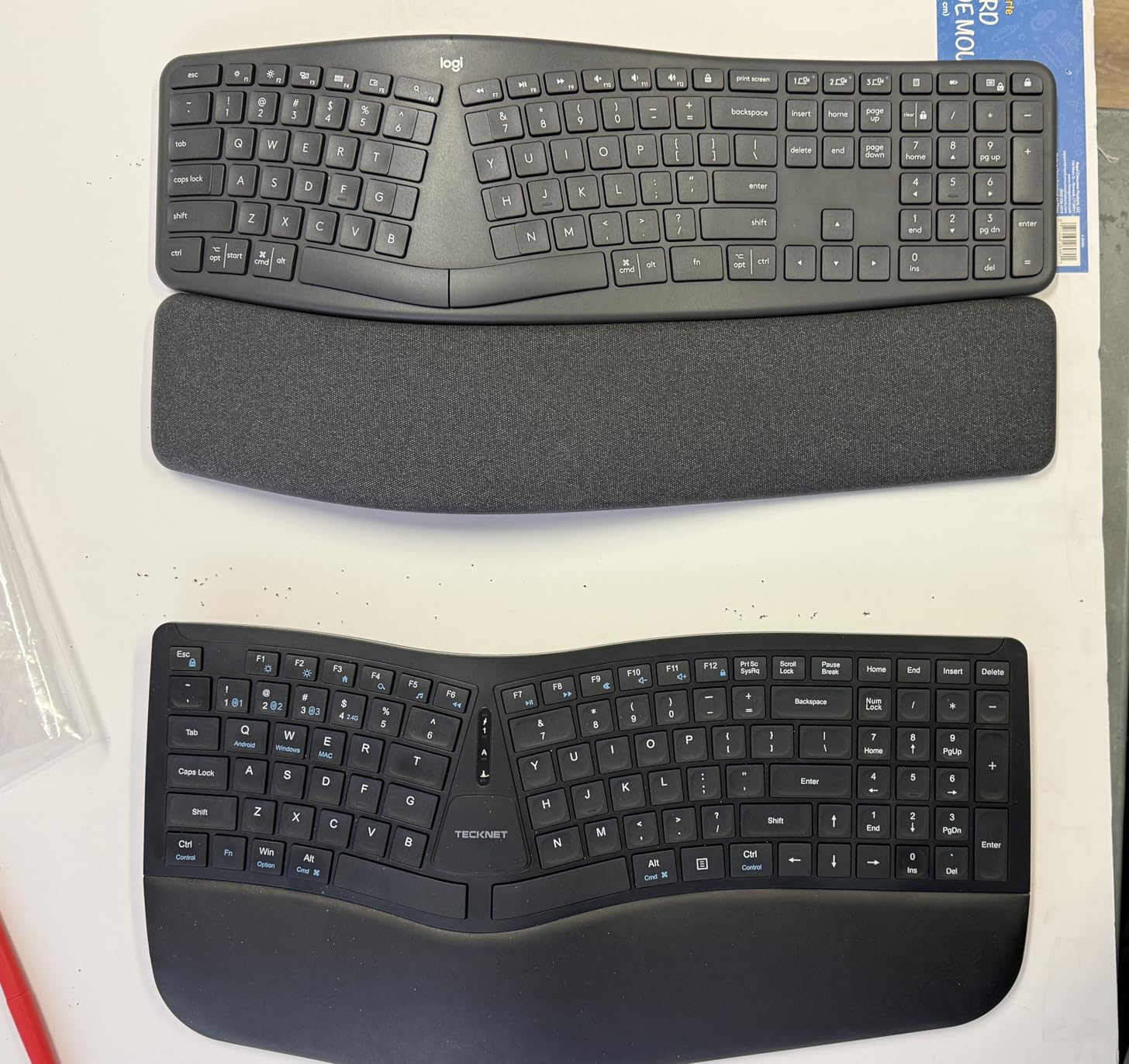
The K860 offers ergonomic benefits without the learning curve of fully split keyboards. I tested this during a three-week project with tight deadlines, and the curved split design genuinely reduced shoulder tension compared to my standard straight keyboard.
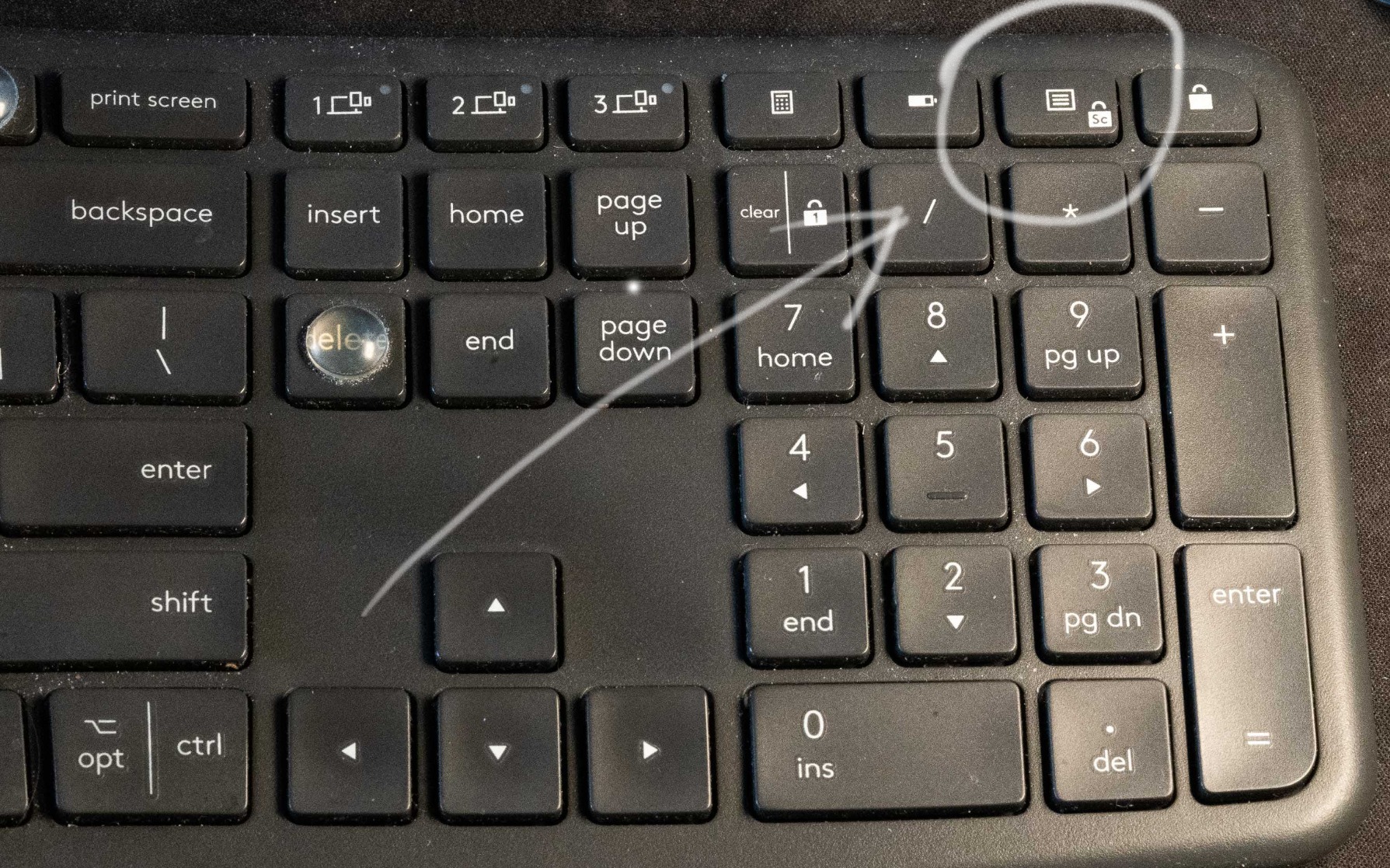
The pillowed wrist rest uses memory foam that conforms to your wrists over time. Unlike add-on wrist rests that shift around, this integrated design stays exactly where you need it. The fabric cover feels premium and resists the grime buildup common on cheaper foam rests.
Adjustable tilt legs let you find your optimal typing angle. I preferred the -7 degree setting, which created a more natural wrist position. The curved keyframe brings keys closer to your fingers, reducing the reach for distant keys like Escape and function keys.
Who Should Buy This
Developers experiencing mild wrist discomfort who want ergonomic benefits without relearning to type. The familiar layout makes adaptation quick while the split design reduces strain. Good choice for corporate environments where IT departments prefer established brands.
Who Should Skip This
Avoid if you want mechanical switches specifically. This uses a scissor-switch mechanism that, while pleasant, differs from true mechanical keyboards. Also skip if you need backlighting or extensive programmability, as neither is included.
8. Redragon K556 – Best Hot-Swappable Budget Full-Size
- Hot-swappable for easy customization
- Solid aluminum construction
- Good tactile brown switches
- Quiet for mechanical category
- Includes spare switches and keycap puller
- RGB customizable without software
- No wrist rest included
- Cosmetic issues silver trim alignment
- Wired only no wireless
- Wired cable not braided
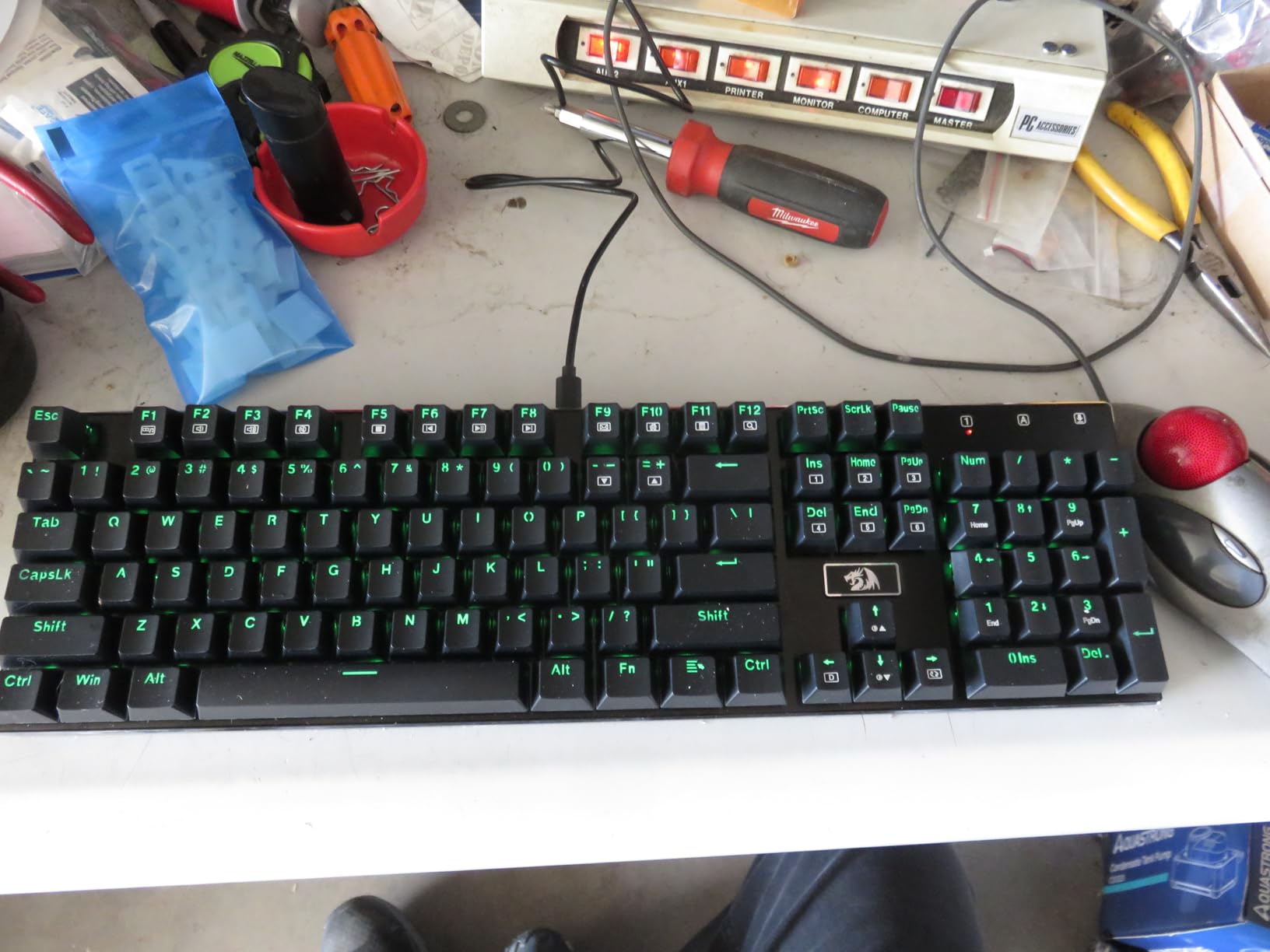
The K556 brings hot-swap capability to budget buyers. I spent a weekend swapping switches on this board, trying tactile, linear, and clicky options without any soldering. For developers curious about different switch types, this feature alone justifies the price.
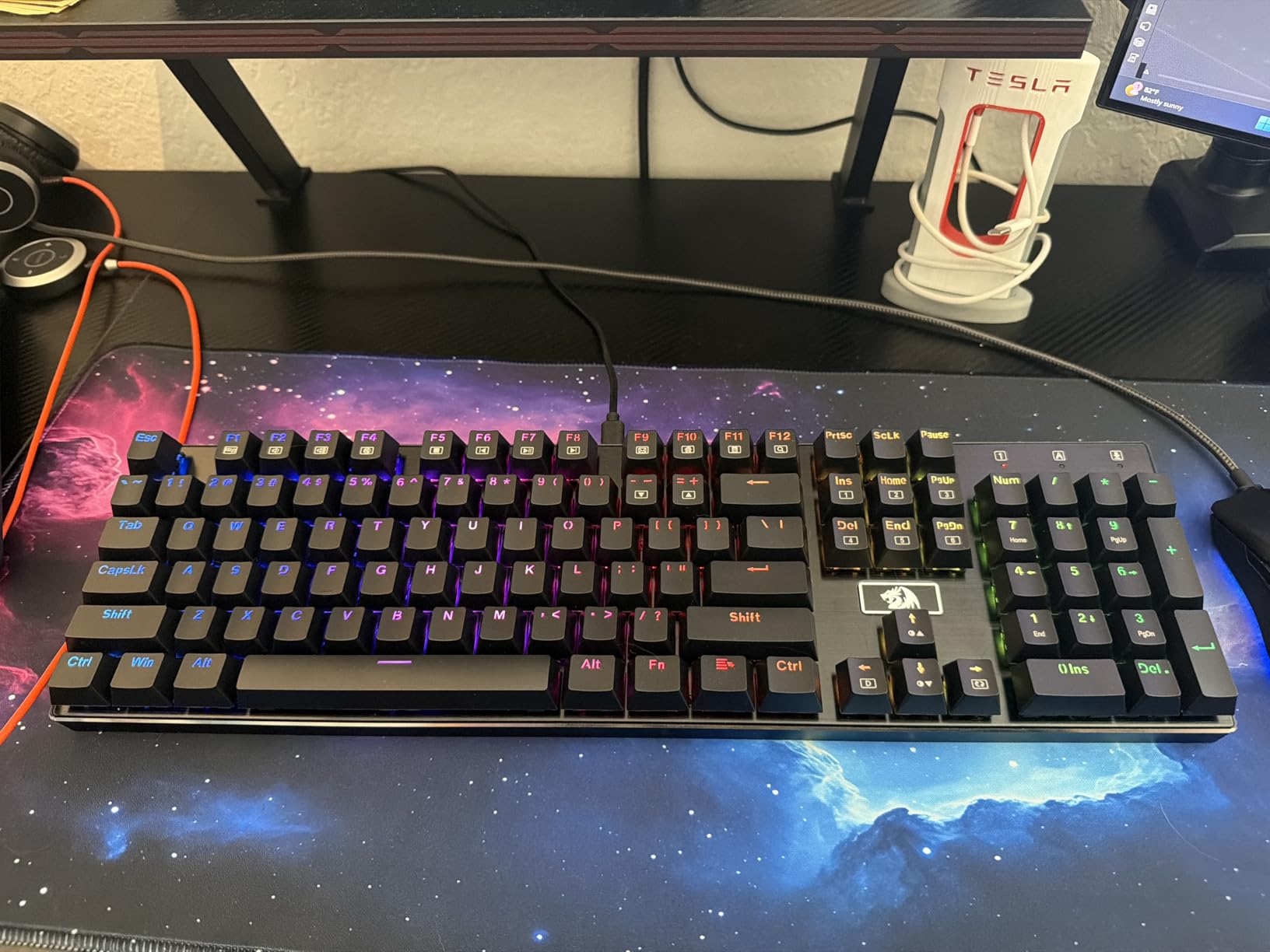
The brown switches provide tactile feedback during coding without the noise of clicky options. I found them ideal for programming where I needed confirmation of keypresses without disturbing family members in adjacent rooms. The aluminum base gives reassuring stability during intense debugging sessions.
Redragon includes extra switches and a keycap puller, essentials often missing from budget keyboards. The RGB lighting, while gamer-oriented, can be toned down to white or single colors for professional settings without installing software.
Who Should Buy This
Full-size keyboard users who want to experiment with different switch types without breaking the bank. The hot-swap sockets let you customize gradually, buying switches as budget allows. Ideal for developers who need a numpad for data entry alongside coding work.
Who Should Skip This
Skip if you need wireless connectivity or portability. The wired-only design and full-size footprint make this a desk-bound keyboard. Also consider alternatives if you prefer minimalist aesthetics, as the gaming-oriented design includes aggressive styling elements.
9. RK Royal KLUDGE S98 – Best 96% Layout with Smart Display
- Smart display shows connection battery status
- Volume knob convenient for adjustments
- Creamy satisfying typing sound
- Triple connectivity reliable switching
- Hot-swappable for customization
- Durable PBT keycaps included
- Battery life could be better
- Mac software support limited
- Display GIF feature drains battery
- Keycap texture slightly glossy
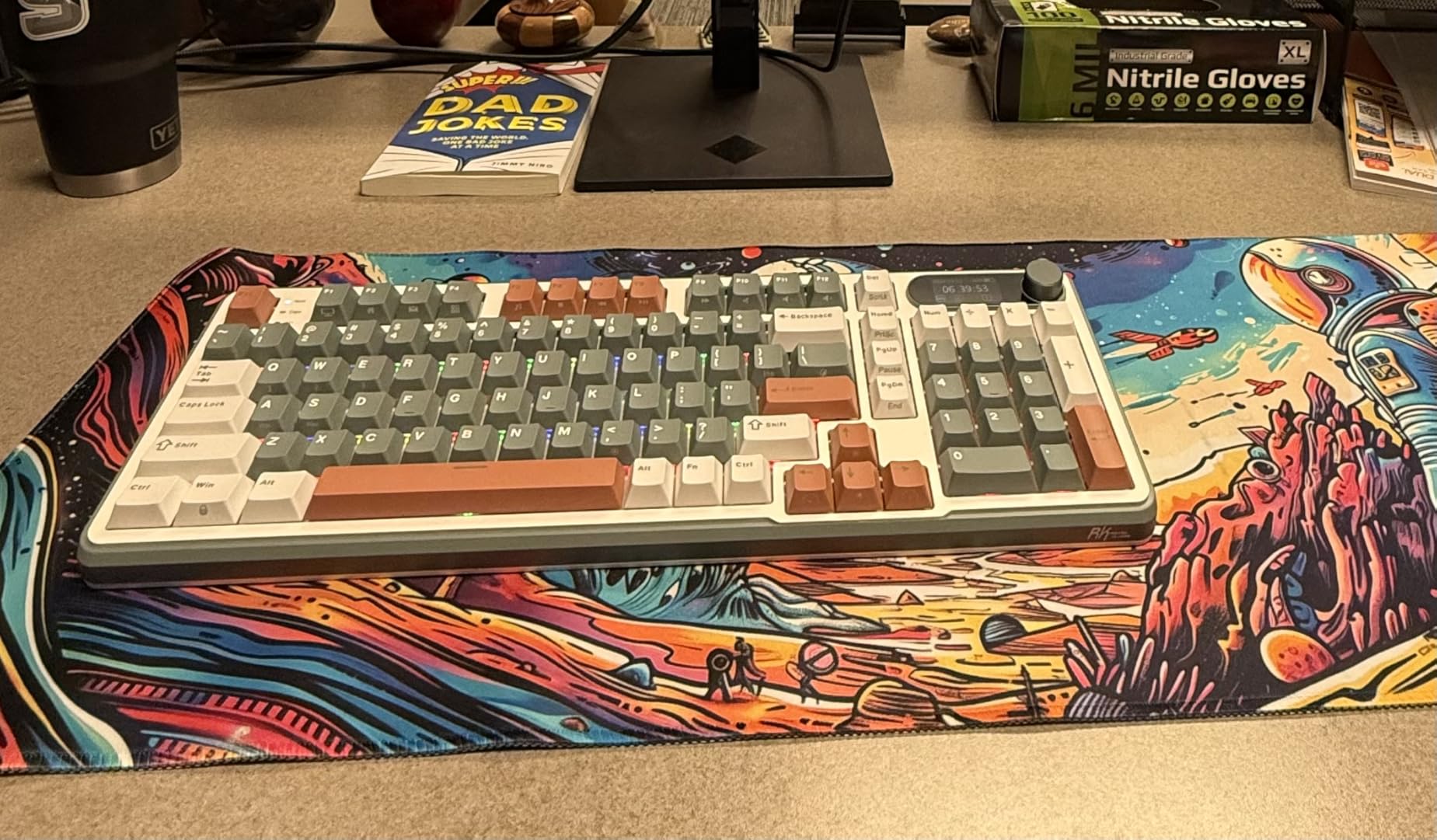
The S98 squeezes nearly full-size functionality into a compact footprint. The 96% layout keeps the numpad and function row while removing excess space, saving several inches of desk real estate. I found this ideal for my cramped home office where every inch matters.
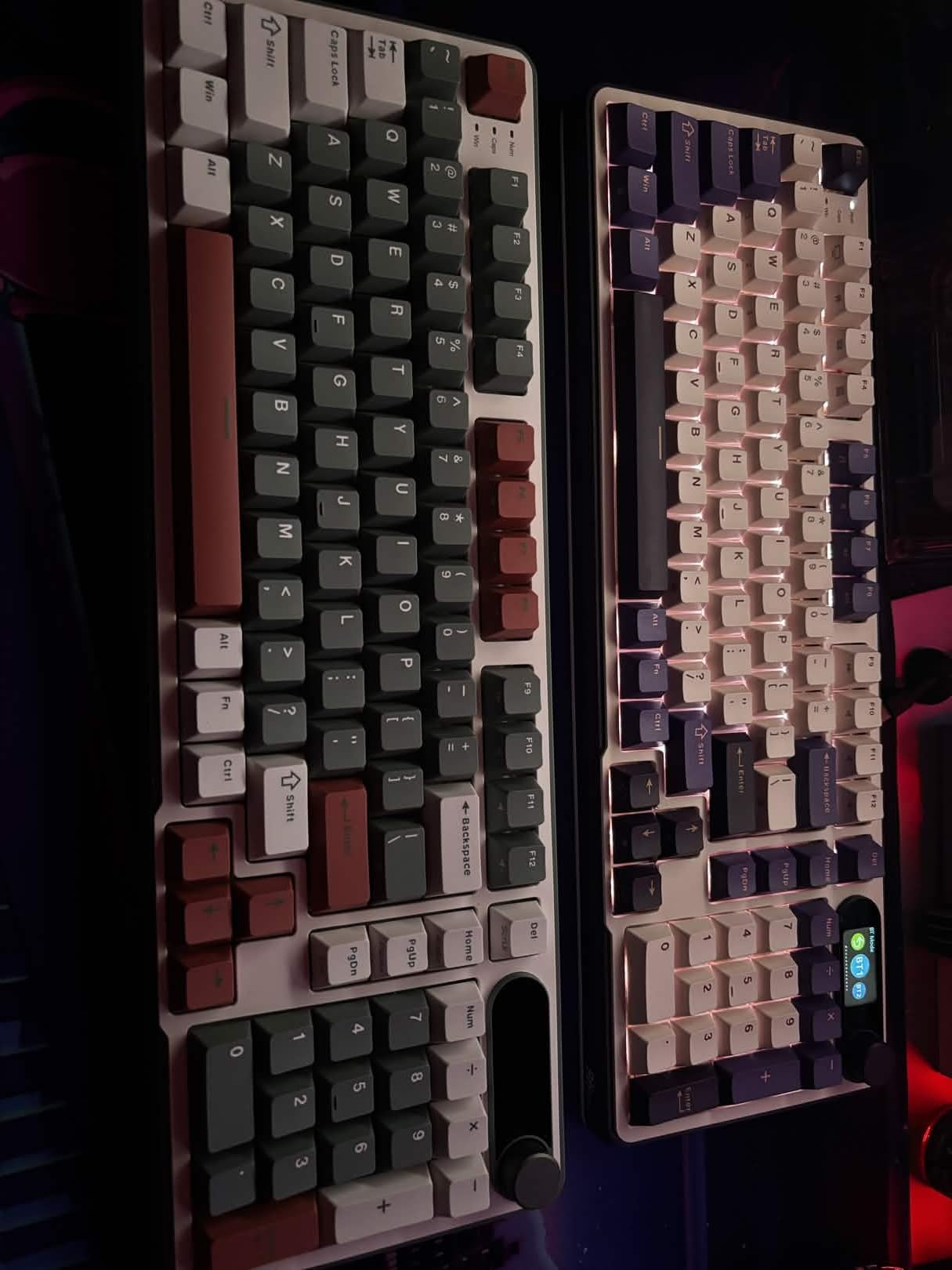
The smart display shows connection mode, battery percentage, and system time. While not essential, having this information visible prevents the frustration of sudden disconnections mid-compile. The volume knob provides tactile control for video calls and music without reaching for the mouse.
The top-mount design creates a creamy, satisfying sound profile. Paired with the PBT keycaps, typing on the S98 feels more expensive than the price suggests. The sound dampening foam layers eliminate the hollow echo common in budget keyboards.
Who Should Buy This
Developers who need a numpad but want compact desk footprint. The 96% layout delivers full-size functionality without full-size bulk. The smart display and volume knob add convenience for multitaskers who want information at a glance. Great value for the feature set.
Who Should Skip This
Mac primary users should verify compatibility with their specific macOS version. The software limitations on Mac reduce the customization potential. Also skip if you need extensive battery life for travel, as the smart display features drain power faster than basic keyboards.
10. Cloud Nine C989M – Best Mid-Range Split Keyboard
- Split design reduces wrist shoulder strain
- Built-in tenting comfortable angle
- Full-size with number keypad included
- Programmable macro keys useful
- USB pass-through convenient
- Good tactile switch feel
- Hollow body makes typing echoey
- Very wide requires mouse reaching
- No dedicated media keys
- ESC key bright pink color jarring
- Short cord between halves
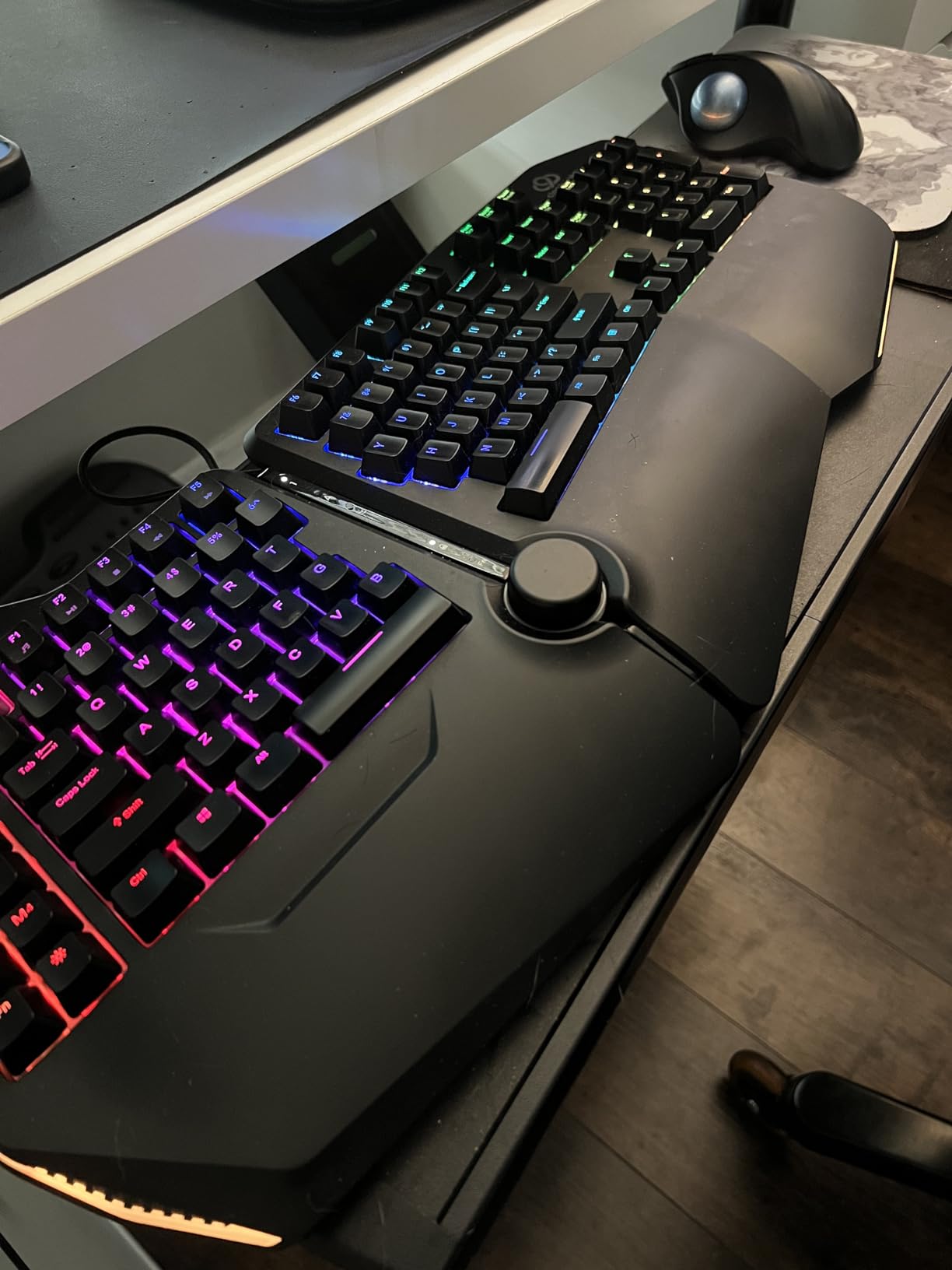
The C989M offers genuine split keyboard benefits at half the price of premium options like the Kinesis. I tested this for a month and the adjustable separation let me position each half at shoulder width, eliminating the internal arm rotation that causes fatigue with standard keyboards.
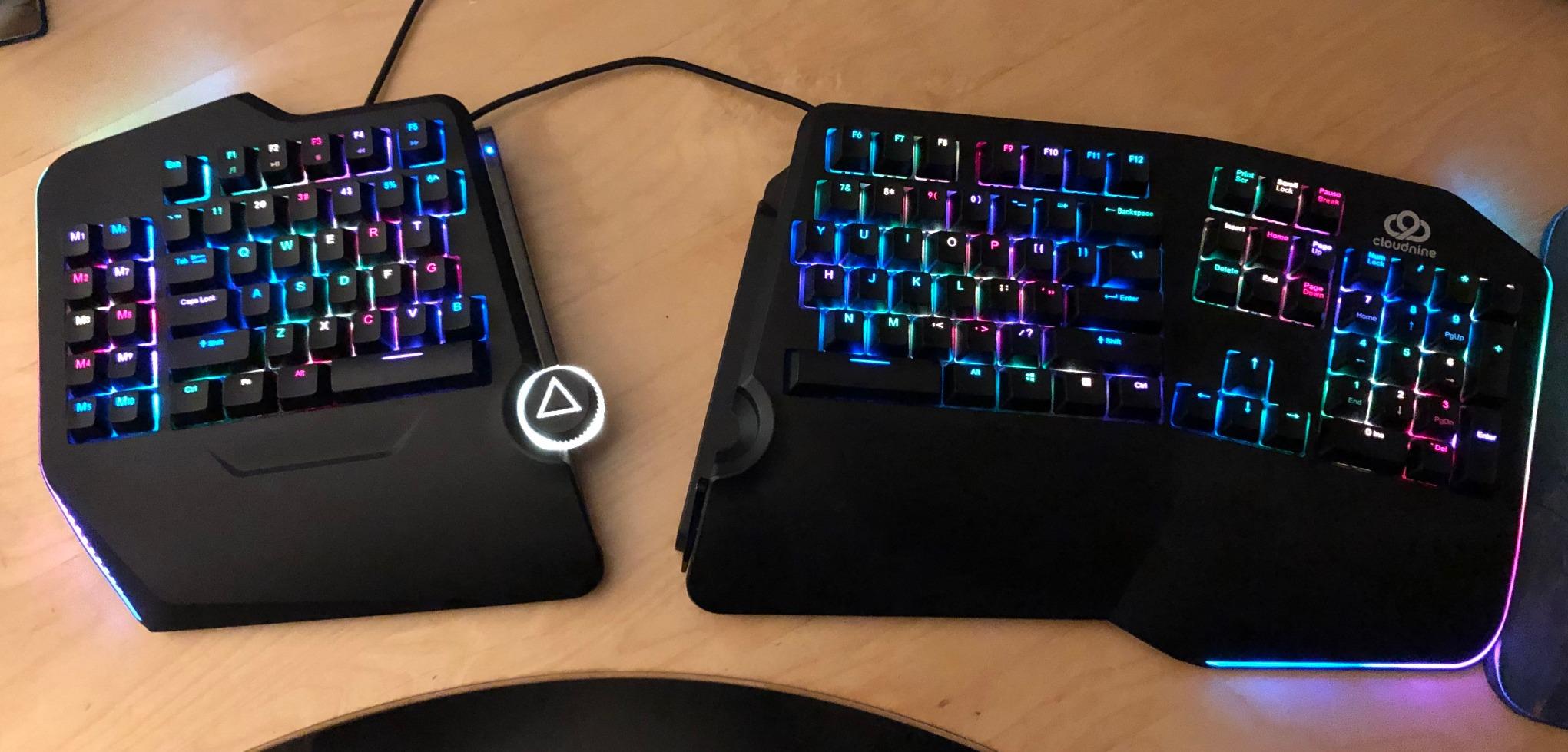
The built-in 7-degree tenting creates a natural hand position without additional accessories. The Kailh brown switches deliver consistent tactile feedback, and the full-size layout means no adaptation period for finding keys. Ten dedicated macro keys sit above the function row, perfect for IDE shortcuts.
The USB pass-through port eliminates the need to reach around your computer for USB drives or wireless mouse receivers. A small convenience that adds up over years of use. The RGB backlighting, while not essential for coding, lets you color-code different profiles for different programming environments.
Who Should Buy This
Developers curious about split keyboards but unwilling to spend $400+ on premium options. The C989M delivers most ergonomic benefits at a mid-range price. Good choice for those who need full-size layout with numpad but want the health benefits of split design.
Who Should Skip This
The hollow chassis creates noticeable echo during typing. If you prefer solid, dense sounding keyboards, this will disappoint. The wide footprint also means reaching further for your mouse, potentially offsetting some ergonomic gains. Consider a true ergonomic split if you have existing RSI issues.
How to Choose the Best Mechanical Keyboard for Programming
After testing dozens of keyboards and discussing preferences with fellow developers on Reddit and at conferences, I have identified the key factors that separate good programming keyboards from mediocre ones. Consider these elements when making your decision.
Understanding Switch Types
Switches determine how your keyboard feels and sounds. For programming, tactile brown switches offer the best balance. They provide a noticeable bump when a key registers, helping reduce typos without the aggressive clicking of blue switches. Linear red switches feel smooth from top to bottom, preferred by some for speed typing. Silent variants add rubber dampening for shared offices.
I recommend brown switches for most programmers. The tactile feedback helps accuracy when typing symbols and brackets common in code. Linear switches suit those who type very fast and prefer uninterrupted motion. Avoid clicky switches unless you work alone, as colleagues will not appreciate the noise.
Keyboard Layout Sizes Explained
Layout size determines how many keys your keyboard has and how much desk space it consumes. Full-size (104 keys) includes a numpad, essential for data-heavy work. TKL (87 keys) removes the numpad but keeps everything else. The 75% layout (80-84 keys) compacts the navigation cluster, saving more space. 65% and smaller layouts remove function rows, requiring layer combinations for F-keys.
For programming, 75% and TKL layouts hit the sweet spot. They preserve arrow keys and function keys needed for IDE shortcuts while reclaiming desk space for mouse movement. Reddit discussions consistently show developers preferring these sizes over 60% layouts that sacrifice too much functionality.
Why Programmability Matters
QMK and VIA are open-source firmware that let you remap any key, create macros, and program layers. For programmers, this means mapping IDE shortcuts directly to your keyboard. Imagine compiling, debugging, or refactoring with single keystrokes instead of complex chord combinations.
Hot-swappable sockets let you change switches without soldering. This matters because switch preferences change over time, and being able to experiment without buying new keyboards saves money long-term. Both features appear in mid-range and premium options but rarely in budget boards.
Wireless vs Wired for Programming
Wireless keyboards offer desk cleanliness and flexibility, but introduce latency and battery concerns. For competitive gaming, this matters. For programming, the 1-5ms difference is imperceptible. However, Bluetooth occasionally disconnects or fails to wake properly, which can disrupt flow states.
I prefer 2.4GHz wireless with USB-C wired options. The dedicated receiver provides reliability comparable to wired connections, while the USB option covers troubleshooting and firmware updates. Battery life varies from days to months depending on backlight usage.
Ergonomic Considerations
Programmers type 6-10 hours daily, making ergonomics crucial for long-term health. Split keyboards position hands at shoulder width, reducing internal arm rotation. Tenting angles wrists naturally, reducing extension that causes carpal tunnel issues. These features take adaptation but prevent the repetitive strain injuries common in software development.
If you experience wrist pain or work long hours, prioritize ergonomic features over flashy RGB. The KINESIS Advantage360 or Cloud Nine C989M represent worthwhile investments in your physical health. For prevention, curved ergonomic designs like the Logitech Ergo K860 offer gentler introductions to ergonomic typing.
Frequently Asked Questions
What switches are best for programming mechanical keyboards?
Tactile brown switches are generally recommended for programming as they provide feedback without the loud clicking of blue switches. The tactile bump helps you feel when a key registers, reducing typos during long coding sessions. Linear switches like reds are preferred by some developers for their smooth feel and quiet operation. For shared offices, consider silent switches with built-in dampening to minimize noise disturbance.
What layout size do developers prefer?
75% and TKL (tenkeyless) layouts are most popular among developers according to community discussions on Reddit and developer forums. These sizes balance desk space savings with retention of essential keys like arrow keys and the function row needed for IDE shortcuts. Compact layouts like 60% remove too many keys for efficient programming work. Full-size keyboards with numpads suit developers who work extensively with data or spreadsheets alongside coding.
Is QMK/VIA compatibility important for programmers?
QMK and VIA compatibility allows you to remap keys, create custom macros, and program layers directly on your keyboard. For programmers, this means creating IDE-specific shortcuts, mapping common symbols to accessible locations, and building productivity macros. While not essential, QMK/VIA significantly enhances efficiency once configured. Budget keyboards rarely offer this feature, but mid-range options increasingly include it as a selling point for enthusiast users.
What is hot-swappable and why does it matter?
Hot-swappable means you can change mechanical switches without soldering, using simple puller tools instead. This matters for programmers because switch preferences evolve over time, and being able to experiment with tactile, linear, or silent options lets you find your ideal typing feel without buying multiple keyboards. Hot-swap sockets also make repairs easy if individual switches fail after heavy use. Most budget keyboards lack this feature, but it appears in mid-range and premium options.
Should programmers get ergonomic keyboards?
Split and ergonomic keyboards can significantly reduce wrist strain during long coding sessions, though they require a 2-4 week learning curve. Consider an ergonomic keyboard if you experience wrist pain, type 8+ hours daily, or want to prevent repetitive strain injuries common in software development. Entry-level options like curved ergonomic designs offer gentler adaptation than fully split keyboards. The health benefits justify the investment for full-time developers who will use the keyboard for years.
How much should I spend on a programming keyboard?
Quality mechanical keyboards for programming range from $40 to $500. Budget options around $40-70 like the Redragon K552 deliver genuine mechanical switches and solid build quality for beginners. Mid-range keyboards from $100-200 add wireless connectivity, hot-swap sockets, and better keycaps. Premium options from $300-500 offer ergonomic designs, premium materials, and extensive programmability. For most programmers, the $80-150 range provides the best value, balancing features with affordability. Consider it an investment in a tool you will use 2000+ hours yearly.
Final Thoughts
The best mechanical keyboards for programmers balance typing feel, layout efficiency, and long-term comfort. After testing these 10 options extensively, the EPOMAKER X Aula F75 MAX earns my top recommendation for most developers. It delivers premium features like gasket-mount construction, hot-swap sockets, and wireless connectivity at a price that respects your budget.
For beginners, the Redragon K552 proves you do not need to spend a fortune for genuine mechanical switches. For those prioritizing health, the KINESIS Advantage360 is worth every penny if it prevents repetitive strain injuries. Consider your specific needs, workspace constraints, and typing habits when making your choice.
Remember that a keyboard is a tool you will use thousands of hours yearly. The right choice improves both productivity and physical wellbeing. Whichever option you select from this list, you are investing in a better daily experience for your programming work in 2026 and beyond.