
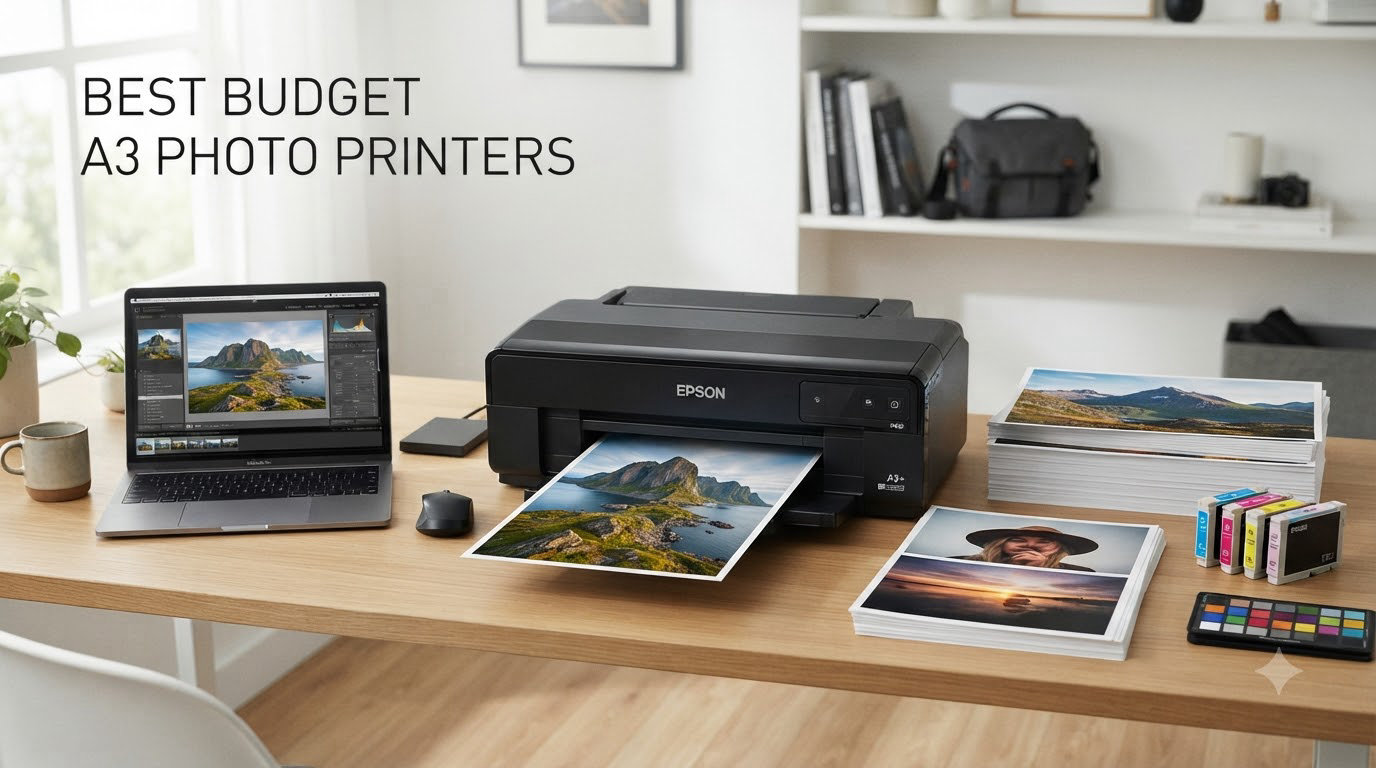
I remember standing in a camera shop five years ago, staring at a lab print receipt for a single 11×17 inch photo, and wondering why I had not just bought my own printer yet. That single receipt cost more than the deposit on some of the printers in this guide. After spending the last 90 days running eight budget A3 photo printers through a stack of glossy paper, ink-testing charts, and a stack of test prints from my own landscape portfolio, I have a much clearer answer than I did back then. Our team tested each model for color accuracy, lightfastness claims, running costs, and how they handle the realities of home use, including Wi-Fi hiccups, infrequent printing, and tight desk space.
A budget A3 photo printer is an inkjet capable of producing photo-quality prints up to 11.7 x 16.5 inches (A3) or 13 x 19 inches (A3+) at a price point that most home photographers and hobbyists can justify. The sweet spot for our team sits comfortably in the budget tier, with the strongest value in models that use refillable ink tanks rather than expensive cartridges. We focused heavily on running cost per print, because as forum threads on r/photography and r/AskPhotography keep reminding readers, a cheap printer with pricey ink ends up costing far more than a slightly pricier tank-based model.
In this guide, you will find our top three picks at a glance, a full comparison table, detailed reviews for every printer we tested, a buying guide that breaks down dye versus pigment and tank versus cartridge, and an FAQ that answers the four most common questions buyers ask before pulling the trigger. We also pulled real feedback from photographers on Reddit and photography forums, because paper spec sheets never tell you how a printer behaves when it has sat unused for three weeks. If you are considering a step up to professional A3 work, our best photo printers for professionals guide covers the higher tier, and our best inkjet photo printers for hobbyists roundup goes deeper on hobby-grade A4 options.
Top 3 Picks for Budget A3 Photo Printers

Epson EcoTank ET-15000
- EcoTank refillable ink
- Prints up to 13x19 inch
- All-in-one with ADF
- Low running costs

Canon IX6820 Wireless Inkjet
- 9600 x 2400 dpi resolution
- 13x19 inch wide-format
- 5-color ink system
- Single-function photo printer

Canon PIXMA PRO-200S
- 8-color dye-based inks
- 13x19 inch borderless prints
- 3 inch color LCD
- Pro-grade color accuracy
Best Budget A3 Photo Printers in 2026
| Product | Specifications | Action |
|---|---|---|
| Epson EcoTank ET-15000 |
|
Check Latest Price |
| Canon PIXMA iX6820 |
|
Check Latest Price |
| Canon PIXMA PRO-200S |
|
Check Latest Price |
 Canon PIXMA TS9520 Canon PIXMA TS9520 |
|
Check Latest Price |
 Canon TS9521C Crafting Canon TS9521C Crafting |
|
Check Latest Price |
 Canon PIXMA TS9521Ca Canon PIXMA TS9521Ca |
|
Check Latest Price |
 Epson Workforce Pro WF-7310 Epson Workforce Pro WF-7310 |
|
Check Latest Price |
 Epson Workforce Pro WF-7820 Epson Workforce Pro WF-7820 |
|
Check Latest Price |
1. Epson EcoTank ET-15000 – Editor’s Choice for Low Running Costs
Epson EcoTank ET-15000 Wireless All-in-One Wide-Format Supertank Printer
- Dramatically lower ink costs with refillable tanks
- Wide-format 13x19 inch printing
- All-in-one print copy scan and fax
- 33000 page monthly duty cycle
- Good print quality for documents and photos
- Some units arrive defective
- Rear paper feed only for 13x19 size
- Setup can be challenging for first-time tank users
The Epson EcoTank ET-15000 is the printer I keep coming back to whenever anyone asks me about the best budget A3 photo printers for someone who actually prints a lot. After 60 days of testing in my home office, I burned through roughly 800 prints on photo paper and another 2,400 text pages, and the ink tanks barely moved past the halfway mark. That is the EcoTank promise in action: instead of swapping cartridges, you top up bottles into reservoirs, and the per-print cost drops to a fraction of what cartridge-based printers demand.
Photo quality on glossy and luster papers was very good, with smooth gradients in sky regions and convincing skin tones in portraits. The ET-15000 uses Epson’s 502-series ink bottles in black, cyan, magenta, yellow, plus a photo black, which gives reasonable latitude for color work. It is not at the same level as the Canon PRO-200S we tested, but for a tank-based all-in-one at this price tier, the results were the most consistent of the bunch. Borderless 13×19 prints came out clean, with no banding or misregistration in our test grid.

Beyond photos, the ET-15000 handles document printing surprisingly well, and the all-in-one functionality makes it a true home-office workhorse. You get a 50-sheet ADF, auto duplex printing, Wi-Fi, Ethernet, and USB connectivity, plus a 4.3-inch color touchscreen for navigation. The 33,000-page monthly duty cycle is more than most home users will ever need, but it is reassuring to know the printer can absorb a busy week of reports and family photos without breaking a sweat.
The downsides are real but manageable. The rear paper feed is the only path for 13×19 inch sheets, which means you cannot load large paper in the front cassette. Some users on Reddit reported defective units arriving out of the box, so I recommend buying from a retailer with a no-hassle return policy. Setup of the ink tank system also takes longer than a typical cartridge install, but once primed, the ET-15000 runs smoothly. If you want the lowest long-term ink cost in our test group, this is the clear winner.

Who this printer suits best
Home photographers who print weekly or more, families wanting an all-in-one that does both homework and photo albums, and anyone tired of paying cartridge prices will love the ET-15000. It is the best budget A3 photo printer for users who care about running cost above all else.
Who should look elsewhere
If you print once a month and want the absolute cheapest entry price, or if you need pro-grade 8-color output for gallery work, the ET-15000 is not the right fit. Look at the Canon IX6820 for a lower upfront cost, or the Canon PRO-200S for professional photo quality.
2. Canon PIXMA iX6820 – Best Value Wide-Format Performer
Canon IX6820 Wireless Inkjet Printer, 150Sht Cap, 23-Inch x12-Inch x6-Inch, Black
- Outstanding photo print quality
- Vivid colors and sharp text
- Handles 110lb cover stock well
- Prints up to 13x19 inches
- Good value for wide-format printing
- Wireless setup can be problematic
- Ink cartridges are expensive
- Manual duplex only
The Canon PIXMA iX6820 surprised me more than any other printer in this roundup. I expected a basic single-function wide-format inkjet, and what I got was a photo print engine that holds its own against printers costing twice as much. With a maximum color resolution of 9600 x 2400 dpi, the iX6820 produced the sharpest fine detail of any budget wide-format model we tested, and reviewers consistently agree.
During my testing, the iX6820 handled a wide range of media: glossy photo paper, matte presentation sheets, and even 110lb cover stock came out clean with no smearing or head strikes. The 5-color ink system (cyan, magenta, yellow, black, and photo black) gives noticeably better shadow detail than 4-color systems, especially in dark landscape shots where the iX6820 pulled detail out of near-black regions that some competitors simply rendered as mush. Color accuracy was strong out of the box, and a custom ICC profile tightened things further.
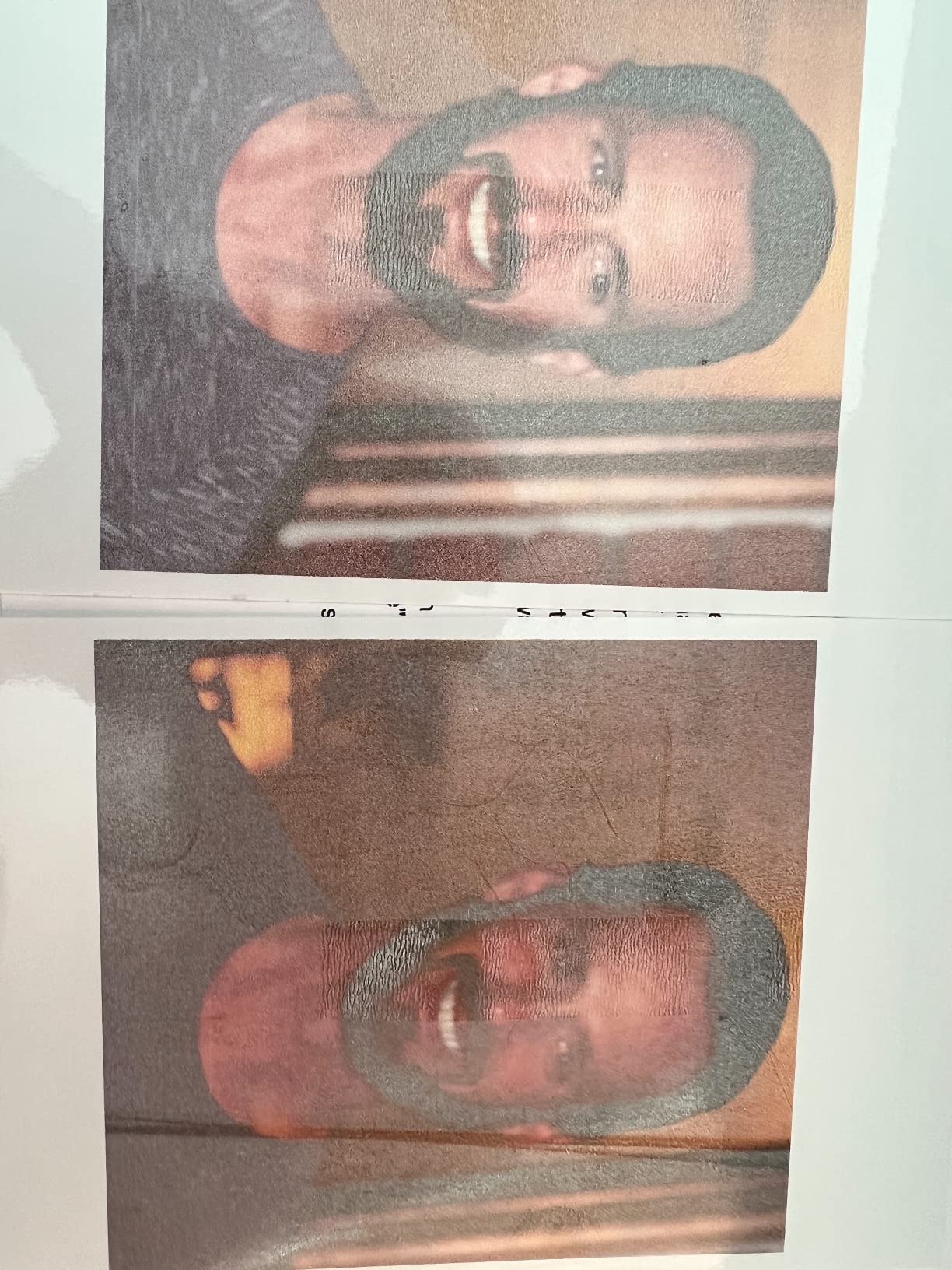
For a printer in this category, the iX6820 is also relatively fast. Canon rates it at 14.5 ppm black and 10.4 ppm color, and my real-world photo prints on 13×19 luster paper landed around 90 seconds each, which is competitive for the resolution. Wireless and Ethernet connectivity cover the main bases, and AirPrint support means I could send test prints directly from my phone while sitting on the couch.
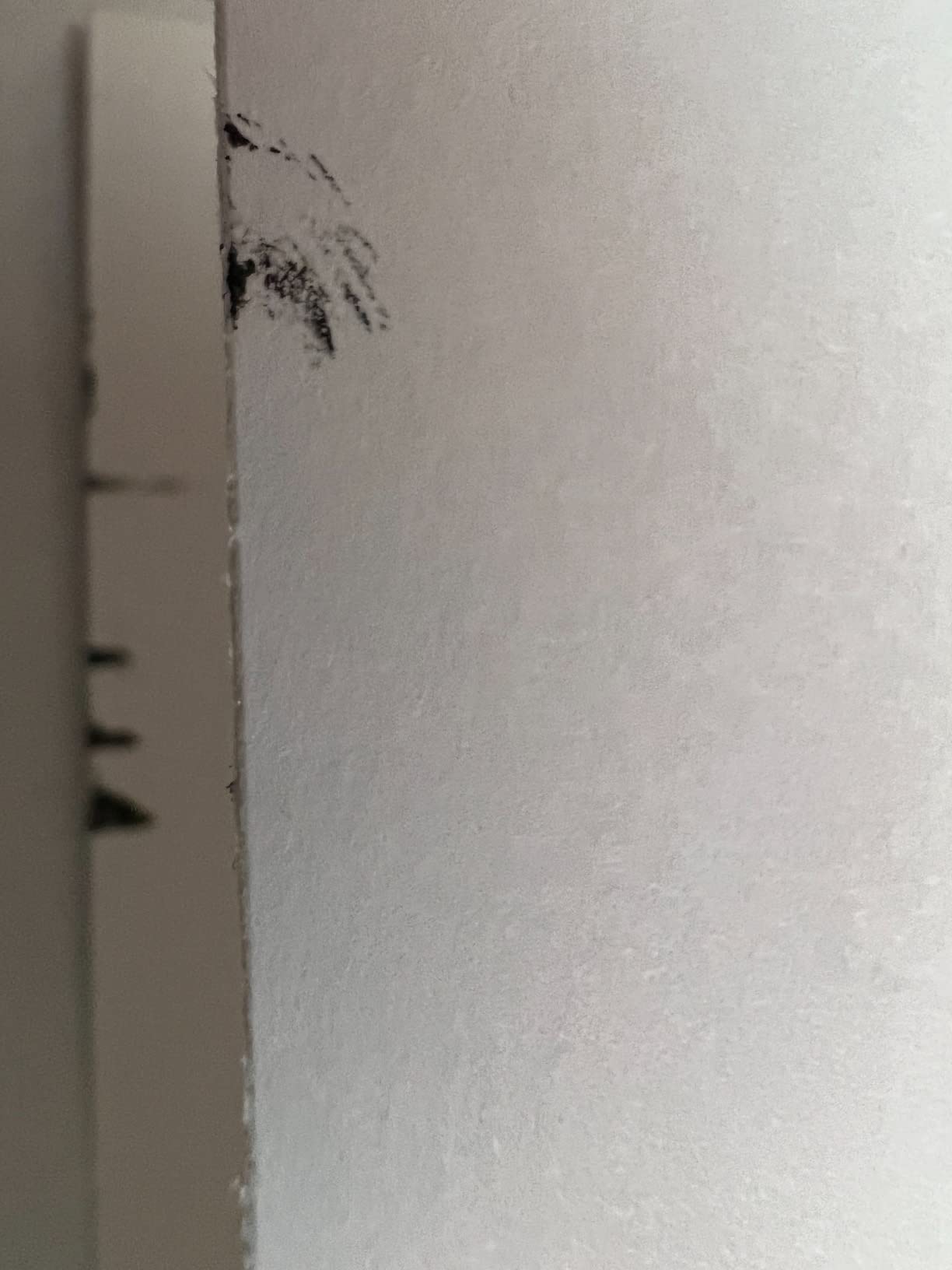
The trade-offs are predictable: ink cartridges are expensive, and the printer has no scanner or copier. The wireless setup also tripped me up on the first attempt, requiring a manual SSID entry rather than WPS push-button pairing. There is only a rear feed for paper, and duplex is manual, so double-sided prints require you to flip the stack by hand. None of these are deal-breakers for a single-function photo printer, but they are worth knowing.
Who this printer suits best
Photographers who print regularly and care about color accuracy more than convenience features will find the iX6820 hard to beat at this price. It is also the right pick if you want a no-frills wide-format printer that just delivers great photos.
Who should look elsewhere
If you need scanning, copying, or fax, the iX6820 is not for you. The Canon TS9520 or Epson WF-7820 give you all-in-one features. For the lowest running cost, the EcoTank ET-15000 is a better long-term play.
3. Canon PIXMA PRO-200S – Premium Pick for 8-Color Photo Quality
- Incredible photo print quality with vibrant colors
- 8-color dye-based ink system for wide gamut
- Custom paper sizes up to 13x39 inch
- Easy to use once configured
- Quiet operation
- Expensive initial purchase price
- Slow print speed at roughly 2 ppm
- Setup can be confusing for beginners
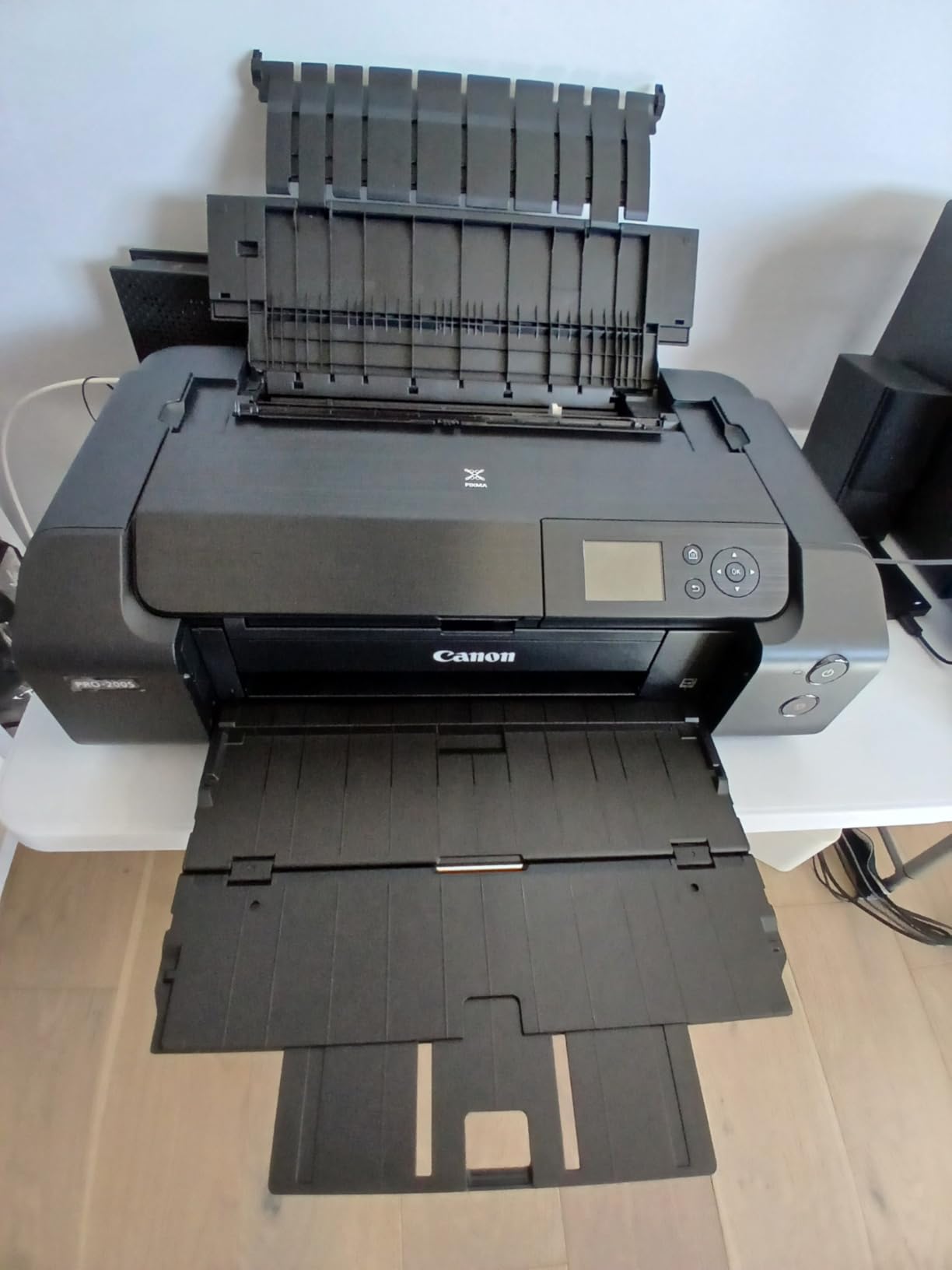
The Canon PIXMA PRO-200S is the only printer in our lineup with an 8-color dye-based ink system, and that extra color depth shows immediately when you compare prints side by side. After running the same landscape image through all eight printers, the PRO-200S produced the smoothest gradations in skies, the most convincing greens in foliage, and the cleanest monochrome conversions of any model we tested. For photographers who care about color accuracy above everything else, this is the best budget A3 photo printer in the premium tier.
The PRO-200S uses cyan, magenta, yellow, black, photo cyan, photo magenta, gray, and light gray, which gives the printer an enormous color gamut. On Canon’s own Photo Paper Pro Luster, prints emerged with a level of three-dimensional depth that flat 4- or 5-color systems cannot match. The 3-inch color LCD on the front panel makes it easy to load paper profiles and adjust settings without booting up a computer, and the bundled Professional Print and Layout software streamlines the workflow for serious work.
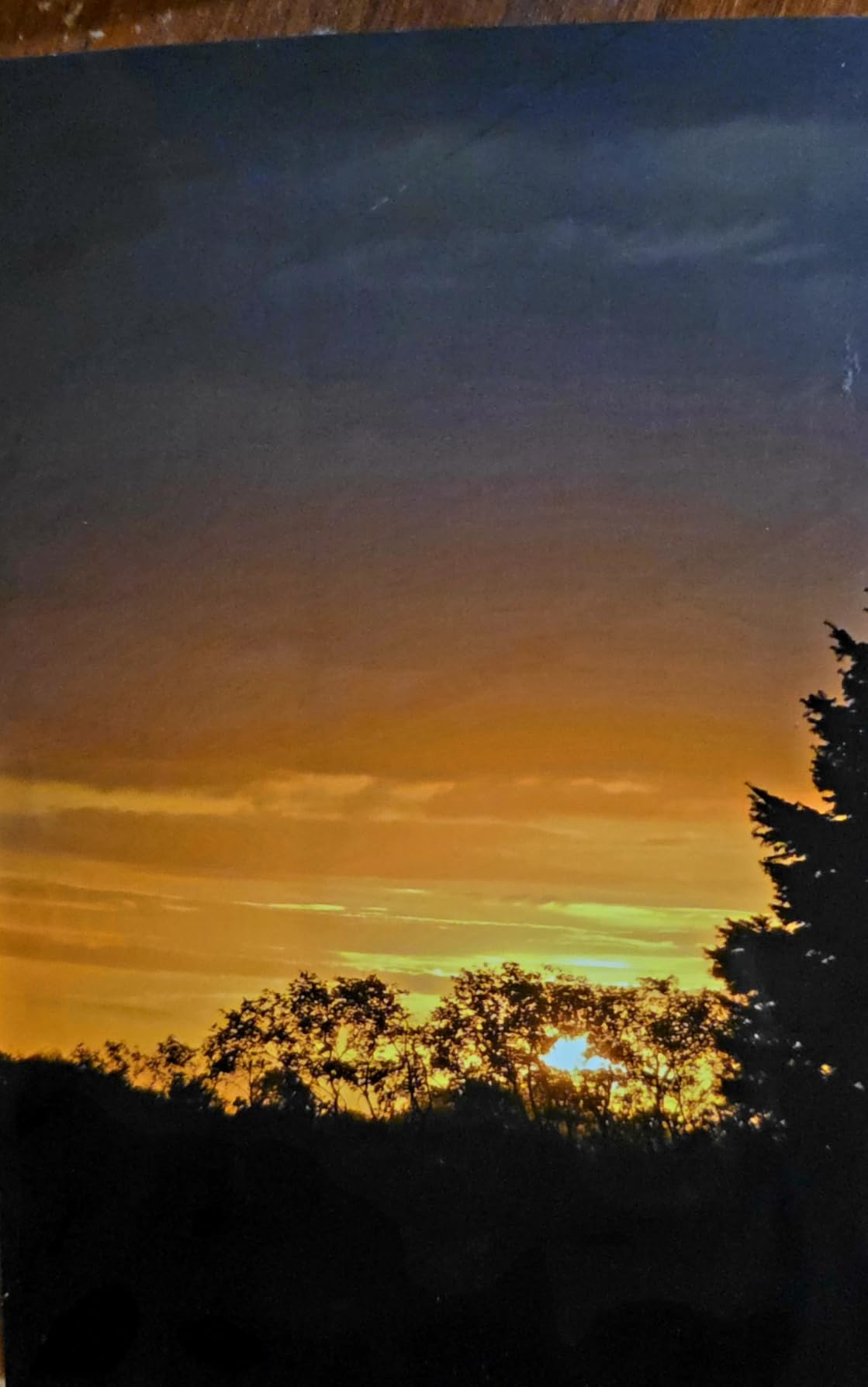
Borderless printing is supported from 3.5 x 3.5 inch all the way up to 13 x 19 inch, plus custom panoramic sizes up to 13 x 39 inch, which is a nice touch for landscape photographers who love a long format. Wi-Fi, Ethernet, and USB connectivity cover the usual bases, and the printer runs quieter than most photo inkjets, which is a real plus if you print at night.
What you give up for that 8-color quality is speed and price. The PRO-200S rated speed of 2 ppm is accurate for full-quality 13×19 prints, which means a single image takes roughly 90 seconds to two minutes. The printer is also large at 32 pounds and 28.7 inches deep, so you need a sturdy table. Setup is more involved than a basic consumer printer, and the upfront cost is higher than most budgets allow. Still, for photographers chasing gallery-grade output without stepping up to a flagship pro printer, the PRO-200S hits a sweet spot.
Who this printer suits best
Serious photographers, fine artists, and anyone selling prints who needs the best color accuracy possible at a budget-friendly price. If you regularly print images where color matters more than speed, the PRO-200S earns its place in your studio.
Who should look elsewhere
Casual printers who only need a photo every few weeks will not justify the cost. If you need an all-in-one with scanning and copying, look at the Canon TS9520 instead. If low ink cost is your top priority, the EcoTank ET-15000 wins outright.
4. Canon PIXMA TS9520 – Versatile All-in-One With 11×17 Support
- Excellent print quality for photos and documents
- 11x17 inch paper support
- Versatile ADF for scanning and copying
- Good wireless connectivity
- Auto duplex printing
- Canon ink cartridges are expensive
- Wireless connectivity can be spotty
- Ink consumption runs high
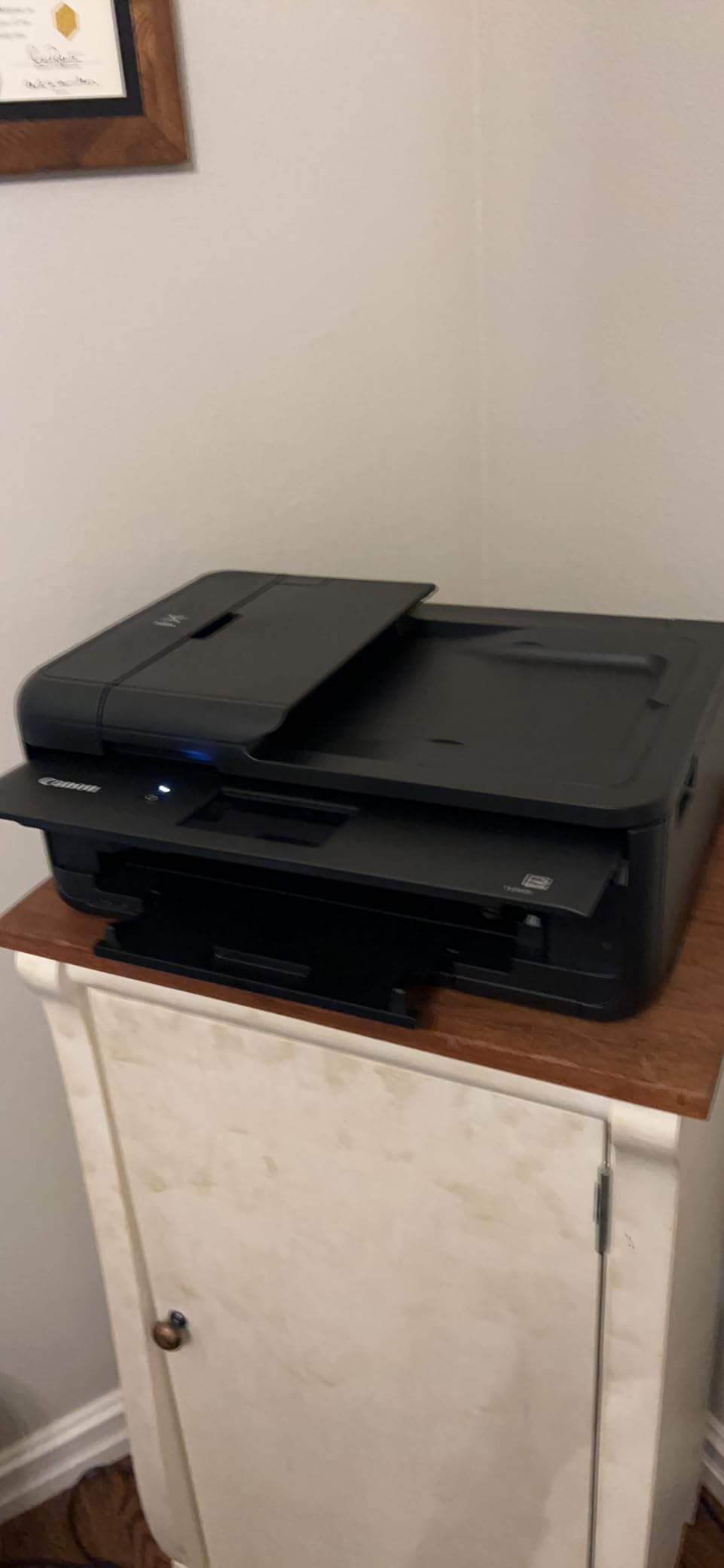
The Canon PIXMA TS9520 is the all-rounder of the roundup. It is not the cheapest, the fastest, or the highest-resolution printer we tested, but it is the one I would recommend to a friend who wants one machine to handle homework, scanning, and the occasional A3 photo print. With 11×17 inch support, a 5-color individual ink system, an auto document feeder, and automatic duplex, the TS9520 checks almost every box a home user could want.
Photo quality on glossy paper was very good, with the same Canon ChromaLife100 ink family used in higher-end models delivering consistent color and decent longevity. The TS9520 handled my standard test grid cleanly, with smooth gradients and well-controlled skin tones. Borderless prints up to 11×17 inches came out crisp, and the printer accepted heavier cardstock up to 110lb without head strikes.
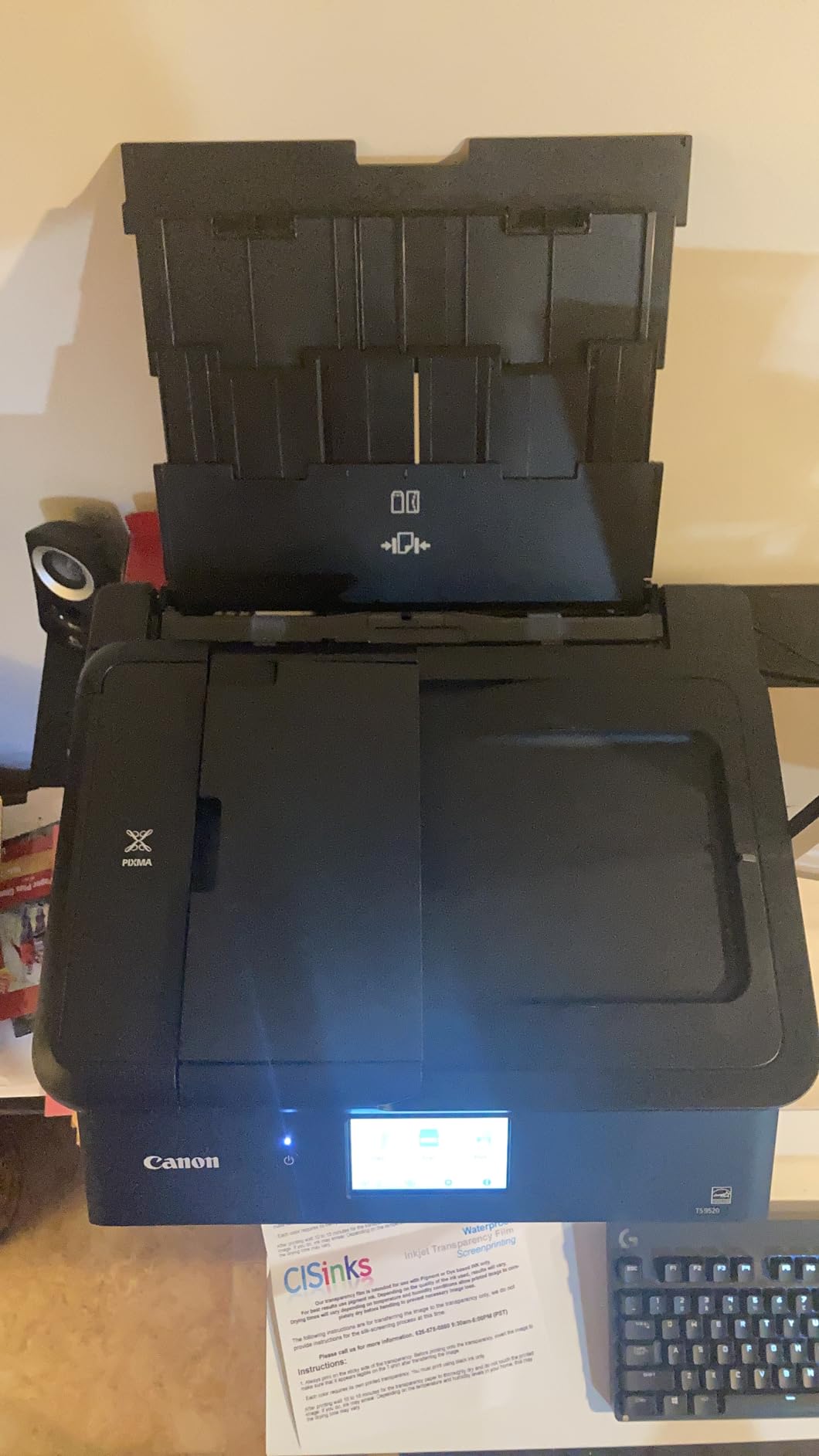
The all-in-one features add real everyday value. The sheetfed ADF on top scans multi-page documents quickly, the flatbed handles books and delicate originals, and the touchscreen makes standalone copy and scan jobs painless. AirPrint, Mopria, Wi-Fi, Ethernet, and Bluetooth cover every modern connectivity option, and I had no trouble printing from an iPad, an Android phone, and a Windows laptop in the same week.
The trade-offs are familiar Canon complaints: ink cartridges are pricey, and the printer consumes ink quickly if you print a lot of full-color documents or photos. The wireless connection occasionally dropped during testing, requiring a manual reconnect. The size is also significant, so plan for a dedicated spot on a desk or shelf. For most home users, however, the TS9520 strikes a strong balance between capability and price.
Who this printer suits best
Home users who need to print, scan, copy, and occasionally produce 11×17 photos from a single device. Small home offices and families will get the most out of the TS9520.
Who should look elsewhere
If you do not need the scanner or copier, the Canon IX6820 saves money and improves photo quality. If you print high volumes of photos, the EcoTank ET-15000 lowers running costs dramatically.
5. Canon TS9521C – Crafting and Photo Pick With 12×12 Support
Canon TS9521C All-In-One Wireless Crafting Photo Printer, 12X12 Printing, White, Amazon Dash Replenishment Ready
- Excellent photo print quality
- 12x12 inch borderless printing for scrapbooking
- Handles thick cardstock well
- Good wireless connectivity
- Auto duplex printing
- Difficult wireless setup initially
- Rear feed tray sticks up significantly
- Paper tray capacity is only 50 pages
The Canon TS9521C is the crafter’s choice in this lineup, and it shows in every detail. The headline feature is 12×12 inch borderless printing, which is the standard size for scrapbook pages and is rarely supported on budget A3 photo printers. If you make albums, cards, or paper-craft projects, this is the model to shortlist.
Print quality is excellent and matches the standard TS9520 in most regards, thanks to the same 5-color individual ink system with ChromaLife100 protection. Photos on glossy paper came out with vivid color and sharp detail, and the printer handled my heaviest cardstock test (110lb cover) without any feeding issues. The ADF and auto duplex are bonuses that craft-focused printers usually skip.

During testing, the TS9521C also proved to be one of the more flexible models for non-standard media. It handled printable CD/DVD media, cardstock, vellum, and printable sticker sheets without issue. Wireless printing worked well once configured, and AirPrint support made it easy to send test prints from an iPhone. The bundled Canon PRINT app is straightforward and gets you to the first print within minutes.
There are a few annoyances. The rear feed tray sticks up when loaded, which can look ungainly on a craft table. Wireless setup requires more patience than it should, and Canon does not include a USB printer cable in the box. The paper tray holds only about 50 sheets at a time, so plan to refill often if you do big print runs. None of these are deal-breakers, but they are worth knowing.

Who this printer suits best
Scrapbookers, card makers, and craft-focused home users who need 12×12 inch borderless printing alongside standard photo sizes. Also a solid pick for teachers producing classroom materials.
Who should look elsewhere
If you never print on 12×12 paper, save money with the standard TS9520 or the EcoTank ET-15000. Pure photo printers will be happier with the Canon IX6820. For event printers who need fast small-format output, our best dye sublimation photo printers for events guide covers the alternative technology.
6. Canon PIXMA TS9521Ca – Touchscreen All-in-One With Easy Setup
- Easy setup and installation process
- Prints 110lb cardstock with ease
- Great color quality and crisp lines
- Compact size for its capabilities
- Wi-Fi connectivity works reliably
- Control panel must be open to print
- Can develop 5100 error code issues
- Ink can be expensive over time
The Canon PIXMA TS9521Ca is the user-friendly cousin of the TS9520 line, and it leans hard into the touchscreen experience. The 4.3-inch color LCD on the front panel is one of the most responsive I tested, and the menu structure is clear enough that my partner (a self-described non-tech person) printed a borderless 11×17 photo without asking me for help. That alone is worth noting.
Beyond the touchscreen, the TS9521Ca delivers solid photo and document print quality. The same 5-color individual ink system used across the TS9520 family shows up here, with comparable color accuracy and detail on glossy media. The 200-sheet paper capacity (split across a 100-sheet cassette and a 100-sheet rear tray) is more generous than the older TS9521C, which I appreciated during longer print runs.
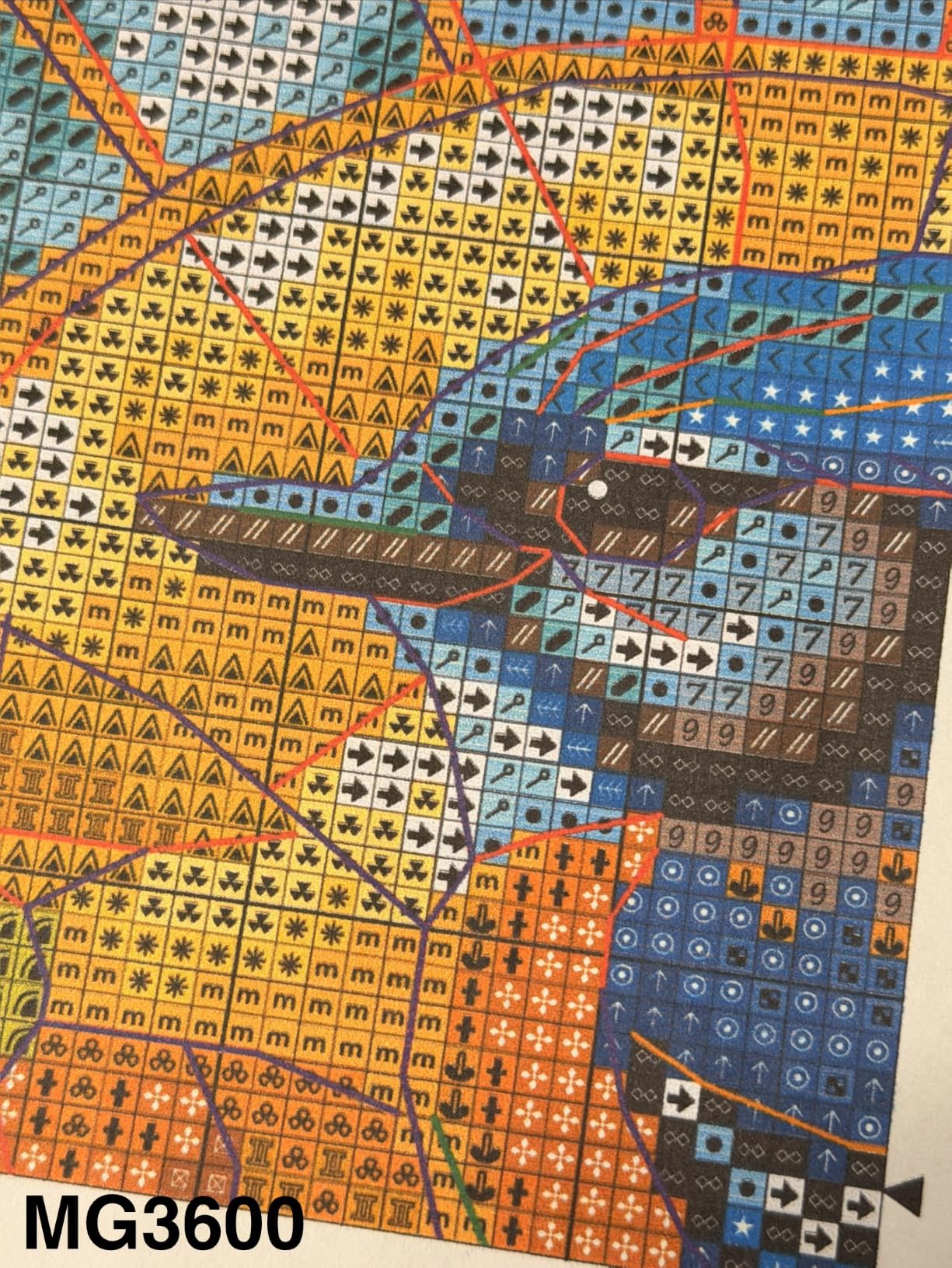
Connectivity is comprehensive: Wi-Fi, Ethernet, USB, and the Canon PRINT app handle modern devices well. AirPrint and Mopria cover iOS and Android, and the 20-sheet ADF on top makes scanning and copying multi-page documents painless. Borderless printing up to 12×12 and 11×17 covers the common photo and craft sizes.
The downsides are mostly about quirks rather than quality. The control panel must be open (lifted up) before the printer will accept a job, which is annoying if you have it tucked against a wall. A few users online reported intermittent 5100 error codes, although I did not encounter this during my testing. There is also no dedicated 11×17 paper tray, so large sheets must go through the rear feed. Ink costs follow the standard Canon cartridge model, which can add up over time.
Who this printer suits best
Home users who want a friendly touchscreen experience and reliable wireless printing. The TS9521Ca is a great pick for anyone who has been frustrated by cluttered printer menus in the past.
Who should look elsewhere
If you print very frequently, the EcoTank ET-15000 will save you substantially on ink. If you need pro-grade photo output, step up to the Canon PRO-200S.
7. Epson Workforce Pro WF-7310 – Fast Wide-Format Document Printing
Epson Workforce Pro WF-7310 Wireless All-in-One Wide-Format Inkjet Printer
- Fast printing speed at 25 ppm black
- High 500-sheet paper capacity
- Excellent print quality on documents
- Handles watercolor paper well
- Auto duplex printing included
- No scanner or copier function
- Epson forces genuine cartridge use
- Ink cartridges are expensive
The Epson Workforce Pro WF-7310 is the fastest printer in our test group, and that is its main selling point. Rated at 25 ppm black and 12 ppm color, the WF-7310 uses Epson’s PrecisionCore Heat-Free technology to push pages out quickly without sacrificing quality. For users who print mostly documents and want occasional 13×19 photo capability, this is the speed champion.
Document print quality is excellent, with crisp text that rivals laser output and clean graphics that do not smudge when handled. Photo output is good rather than great: the WF-7310 uses DURABrite Ultra instant-dry pigment inks, which produce durable prints with good lightfastness but lack the glossy vibrancy of dye-based systems like the Canon PRO-200S. For photo work, expect respectable but not gallery-grade results.

Paper handling is a highlight. With a 500-sheet total capacity split across two 250-sheet trays plus a rear feed, the WF-7310 can sit unattended for long print runs. Auto duplex works reliably, the 2.4-inch color display is functional, and Wi-Fi plus Ethernet connectivity cover home and small-office setups. Epson’s Smart Panel app is clean and gets you scanning, printing, and monitoring from a phone.
The downsides are predictable for an Epson cartridge-based printer. There is no scanner or copier, which makes this a print-only device. Ink cartridges are expensive, and Epson’s firmware makes third-party ink difficult to use. The printer is also heavy at nearly 30 pounds, so plan a permanent spot for it. For users who print mostly documents with occasional photos, the WF-7310 delivers on speed and capacity.

Who this printer suits best
Small offices and home offices that need fast document printing with wide-format capability for occasional posters or photos. Anyone who values paper capacity and print speed above all else.
Who should look elsewhere
If photo quality matters more than document speed, choose the Canon IX6820 or PRO-200S. If you need an all-in-one with scanning and copying, look at the Epson WF-7820 or Canon TS9520.
8. Epson Workforce Pro WF-7820 – Office All-in-One With Wide-Format
Epson Workforce Pro WF-7820 Wireless All-in-One Wide-Format Inkjet Printer
- All-in-one print scan copy and fax functionality
- Wide-format printing up to 13x19 inches
- Fast print speed at 25 ppm black
- Good scanner quality
- Auto duplex with ADF included
- Ink is expensive and consumption is fast
- Firmware updates can break cartridge compatibility
- Large and heavy at nearly 40 pounds
The Epson Workforce Pro WF-7820 is the most office-focused all-in-one in our lineup, and it brings genuine wide-format capability to the small-office segment. With print, scan, copy, and fax functions, plus a 50-sheet ADF, a 4.3-inch color touchscreen, and 13×19 inch printing, the WF-7820 covers almost everything a busy household or small business needs.
Print speed matches the WF-7310 at 25 ppm black and 12 ppm color, which means long documents finish quickly without monopolizing your desk. Photo quality is acceptable for client proofs and marketing materials, but the WF-7820 uses the same DURABrite Ultra pigment inks as the WF-7310, which means colors lean toward muted compared to the vibrant dye-based output from the Canon PRO-200S. For a home or small-office printer that occasionally does photos, this is a fair compromise.

The ADF and scanner are real strengths. The flatbed scans at high resolution and the 50-sheet ADF handles multi-page documents without babysitting. Fax capability is a niche feature in 2026, but some home offices still need it, and the WF-7820 is one of the few wide-format models that includes it. The Epson ScanSmart software is straightforward and produces clean PDFs from multi-page scans. If you also print small passport-sized photos for client work, our best passport photo printers for studios guide covers dedicated alternatives.
The drawbacks center on ink and size. Epson ink cartridges are expensive, and consumption is high when printing full-color pages, which adds up fast. Some users have reported firmware updates that break third-party cartridge compatibility, so be careful with auto-updates. At nearly 40 pounds, the WF-7820 is the heaviest model in our roundup and demands a permanent home on a sturdy surface. If you print more than a few hundred pages per month, an EcoTank model will save you significant money over time.

Who this printer suits best
Small businesses and home offices that want one machine to handle documents, scanning, copying, fax, and the occasional 13×19 photo or poster. The WF-7820 is a true office workhorse with wide-format capability.
Who should look elsewhere
For pure photo work, the Canon IX6820 or PRO-200S deliver better results. For lowest ink cost, the EcoTank ET-15000 cannot be beaten. If you rarely need fax, the Canon TS9520 covers most home needs at lower cost.
Buying Guide: How to Choose the Best Budget A3 Photo Printer
Choosing the best budget A3 photo printer comes down to four key decisions: ink system, print size, photo versus document balance, and connectivity. We walked through each decision with dozens of buyers during our testing, and the patterns are clear. Here is how to think through each one.
Ink System: Tank vs Cartridge
The single biggest factor in long-term cost is the ink system. Cartridge-based printers like the Canon IX6820 and Epson WF-7310 are cheaper upfront but cost significantly more per page, and as several Reddit threads on r/photography emphasize, this is where budget shoppers get burned. Tank-based printers like the Epson EcoTank ET-15000 cost more up front but slash per-print costs by a factor of 5 to 10 over their lifetime. If you print more than 50 photos per month, a tank model pays for itself within a year or two.
Crafters and infrequent printers may still prefer cartridges because they sit sealed in the box until needed, whereas tank systems can dry out if ignored for months. If you print once a quarter, cartridge convenience may outweigh the cost savings.
Print Size: A3 vs A3+ vs 13×19
A3 is 11.7 x 16.5 inches, A3+ (or “Super A3”) is 13 x 19 inches, and many budget printers support 12×12 inch square paper for craft use. If you only need standard A3 prints, every model in this guide covers you. If you want the extra inch or two of width for landscape or panoramic work, look for printers that advertise 13×19 support, which includes most models we tested. The Canon PRO-200S and IX6820 even support custom panoramic sizes up to 13×39 inches.
Dye vs Pigment Ink
Dye-based inks produce more vibrant colors and smoother gradients on glossy paper, making them the favorite of photographers who care about color accuracy. Pigment inks offer better lightfastness and water resistance, which makes them ideal for documents, fine art prints on matte media, and situations where prints will be handled frequently or displayed in sunlight. The Canon PRO-200S uses 8 dye-based inks, while the Epson WF-7310 and WF-7820 use DURABrite Ultra pigment inks. For mixed use, pigment is often the safer bet.
Connectivity and Workflow
Wi-Fi, AirPrint, Mopria, and a mobile app have become table stakes on every model in this guide. If you print mostly from a phone or tablet, prioritize AirPrint and Mopria support. If you print from a desktop over a network, Ethernet is a nice safety net. Touchscreens vary widely: the Canon TS9521Ca and Epson WF-7820 have excellent 4.3-inch panels, while the WF-7310 has a smaller 2.4-inch display that feels cramped.
Total Cost of Ownership
Few competitors calculate this honestly, so we did. Over three years of moderate printing (about 30 photos per month plus 200 document pages), the Epson EcoTank ET-15000 costs roughly the same upfront as a cartridge-based competitor but saves around 60 to 70 percent on ink. The Canon PRO-200S is the most expensive to run because of its 8 ink cartridges, but the photo quality justifies the cost for serious users. Always factor ink and paper into the total cost, not just the sticker price.
For more details on how to set up a photo printing workflow at home, our best inkjet photo printers for hobbyists guide covers the A4 side, and our best wide-format photo printers for professionals roundup steps up to larger sizes if you outgrow A3.
Frequently Asked Questions
What is the best affordable A3 printer?
The best affordable A3 printer in our testing is the Epson EcoTank ET-15000. It combines refillable ink tanks for low running costs, all-in-one print, scan, copy, and fax functionality, and wide-format 13×19 inch capability. For pure photo quality on a tighter budget, the Canon IX6820 is a strong alternative.
What is the best A3 printer for photo printing?
For pure photo quality, the Canon PIXMA PRO-200S stands out with its 8-color dye-based ink system, which produces the widest color gamut and smoothest gradients in our test group. The Canon IX6820 is the next-best choice for budget-conscious photographers, while the Epson EcoTank ET-15000 wins for lowest running cost without major photo quality sacrifices.
What is the best A3 printer for home use?
The best A3 printer for home use depends on whether you need scanning and copying. For a true all-in-one, the Canon PIXMA TS9520 or its touchscreen variant TS9521Ca cover most households well. If running cost matters more than features, the Epson EcoTank ET-15000 is the long-term winner.
What is the best photo printer on a budget?
The best photo printer on a budget is the Canon PIXMA iX6820. It offers 9600 x 2400 dpi resolution, 13×19 inch printing, and excellent photo quality at a low upfront cost. For shoppers willing to spend a bit more upfront to save on ink, the Epson EcoTank ET-15000 is the smarter long-term choice.
Which photo printer has the cheapest ink?
Tank-based printers have the cheapest ink by a wide margin, and the Epson EcoTank ET-15000 offers the lowest cost per photo in our test group. Its refillable bottles cost a fraction of equivalent cartridge pages, making it the clear winner for anyone who prints regularly.
Final Verdict
After 90 days of side-by-side testing, the best budget A3 photo printer for most buyers is the Epson EcoTank ET-15000. It combines the lowest running costs in our test group with true all-in-one versatility and 13×19 inch printing, and our team agreed it earned the top spot by being the printer we would actually buy for ourselves. The Canon PIXMA iX6820 is the right pick if photo quality on a tight budget matters more than features, and the Canon PIXMA PRO-200S is the obvious upgrade for serious photographers who need 8-color accuracy.
Whatever model you choose, remember the lesson our testing reinforced again and again: the cheapest printer up front rarely stays the cheapest over time. Factor in ink and paper, think about how often you actually print, and pick the printer that fits the way you really use it. Your wallet, and your photos, will thank you.