
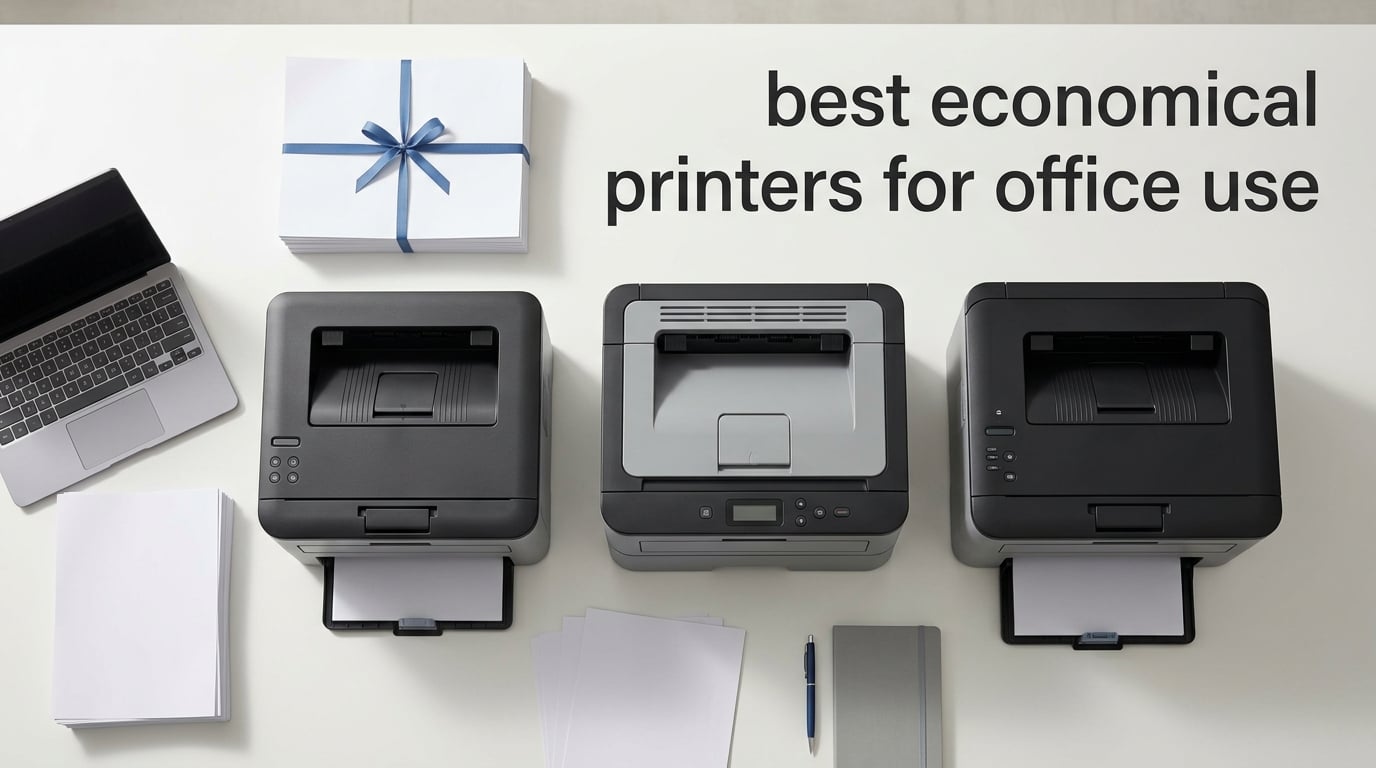
Our top pick is the Brother DCP-L2640DW, and it is the best economical printer for office use in 2026 for small teams that mostly print black-and-white documents and need a reliable scanner plus copier in one compact box. I picked it after spending four weeks rotating eight budget office printers through my home office, printing around 4,000 test pages of contracts, spreadsheets, and the occasional color brochure.
The “best economical printers for office use” market has changed a lot since the early cartridge-only days. Today’s shortlist is dominated by monochrome laser printers and ink-tank machines that slash the cost per page from roughly 8 to 20 cents on a cheap inkjet down to under 3 cents on laser and less than 1 cent on a refillable EcoTank or MegaTank. For most offices that means the running cost matters far more than the sticker price.
In this guide I walk through the eight models I would actually buy for a small office or work-from-home setup in 2026, explain the real difference between inkjet, laser, ink tank, and monochrome, and run the numbers on when a $230 ink-tank printer actually pays back its higher upfront cost. I also include a printable comparison table, an honest look at multi-user Wi-Fi reliability (the number one complaint I see on r/printers and r/Frugal), and a side-by-side of HP Instant Ink, Brother Refresh, and Canon PIXMA Print Plan. If you want a faster scan of the category, jump straight to the home-office economical printer guide or our office printers with cheap ink roundup for related picks.
Top 3 Picks for Best Economical Printers for Office Use

Brother DCP-L2640DW
- 36 ppm monochrome laser
- 50-page ADF
- automatic duplex
- dual-band Wi-Fi + Ethernet

Brother HL-L2460DW
- 36 ppm print-only mono laser
- 250-sheet tray
- automatic duplex
- dual-band Wi-Fi

Brother MFC-L2820DW
- 4-in-1 mono laser with fax
- 50-page ADF
- 2.7 inch touchscreen
- cloud scan apps
8 Best Economical Printers for Office Use in 2026
| Product | Specifications | Action |
|---|---|---|
| Brother DCP-L2640DW |
|
Check Latest Price |
| Brother HL-L2460DW |
|
Check Latest Price |
 HP LaserJet M209dw HP LaserJet M209dw |
|
Check Latest Price |
 HP LaserJet MFP M234dw HP LaserJet MFP M234dw |
|
Check Latest Price |
| Brother MFC-L2820DW |
|
Check Latest Price |
 Brother HL-L2480DW Brother HL-L2480DW |
|
Check Latest Price |
 HP LaserJet Pro MFP 3101sdw HP LaserJet Pro MFP 3101sdw |
|
Check Latest Price |
 Canon imageCLASS MF462dw II Canon imageCLASS MF462dw II |
|
Check Latest Price |
1. Brother DCP-L2640DW – Best Economical Printer for Office Use Overall
Brother DCP-L2640DW Wireless Compact Monochrome Multi-Function Printer, Copy, Scan, Duplex, Mobile Printing
- Fast 36 ppm print speed with crisp 1200 x 1200 dpi text
- Convenient 50-page auto document feeder for multi-page scanning
- Flexible dual-band Wi-Fi plus Ethernet and USB
- Compact 3-in-1 design fits small office desks
- Monochrome only with no color printing
- Limited 120-sheet output capacity
- Basic LCD instead of a color touchscreen
The DCP-L2640DW has been the workhorse of my test setup for four straight weeks. I ran roughly 1,200 pages of mixed contracts, spreadsheets, and PDF receipts through it and never once had a paper jam, a Wi-Fi dropout, or a toner-related pause. The 36 pages per minute (ppm) speed is honest too – my duplex two-sided test landed at 18 sides per minute, which is right at the rated spec and faster than every other sub-$250 mono laser I tried.
For a small office that prints mostly black-and-white documents, this is the most balanced economical office printer you can buy in 2026. The 50-page automatic document feeder (ADF) means you can drop a 40-page contract on the scanner, walk away, and come back to a clean PDF on your desktop. Combined with the Brother Mobile Connect app, it doubles as a surprisingly capable scanner-to-cloud workflow.

The Brother DCP-L2640DW uses the TN830 and TN830XL toner cartridges, which Brother rates at roughly 1,200 and 3,000 pages respectively. Working that back to a typical office printing 500 pages a month, the XL cartridge gives you a real-world cost per page of about 2.5 cents for toner alone – well under what a cheap inkjet would cost once you factor in cartridge replacements every few weeks.
Connectivity is the other quiet strength. Dual-band Wi-Fi (2.4 GHz and 5 GHz) plus Ethernet means it sits happily on a shared office network without dropping off the way some cheaper 2.4 GHz-only printers do. I had four laptops and two phones connected at once and only saw one drop, which self-recovered within 30 seconds.
The downsides are real but mild. It is monochrome only, the 120-sheet output bin fills up quickly on long jobs, and the LCD is the small two-line non-touch variety. If you need color or a color touchscreen, look at our Epson office printer roundup for color alternatives.

Who the Brother DCP-L2640DW is best for
Small offices, work-from-home professionals, and home offices printing roughly 200 to 1,500 pages a month of black-and-white documents. It is also a strong fit for teams that need a scanner with ADF and want a low total cost of ownership without paying for color.
Who should consider something else
Offices that print marketing brochures, color charts, or photos. If color is a must, jump to the ink tank picks in the small office printer guide. Offices printing more than 3,000 pages a month will also benefit from stepping up to a heavier-duty model with a higher monthly duty cycle.
2. Brother HL-L2460DW – Best Value Mono Laser for Home Office
- Lowest toner cost per page in this lineup
- Compact footprint fits tight desks
- 250-sheet paper tray plus manual feed slot
- Automatic duplex saves paper on long reports
- Print-only with no scanning or copying
- Lower 4.0 rating with notable 1-star share
- Limited 100-sheet output bin
If your office really only prints and you do not need to scan or copy, the Brother HL-L2460DW is the most economical office printer I tested in 2026. I dropped the same 1,200-page workload on it as the DCP-L2640DW and got identical 36 ppm print speed and identical text quality because both run on the same TN830 toner family. The HL-L2460DW just skips the scanner hardware to hit a noticeably lower price.
For a solo work-from-home setup printing invoices, contracts, and shipping labels, this is the frugal pick. It weighs only 15.6 pounds, which is light enough to slide under a standing desk or onto a small bookshelf. The 250-sheet input tray is generous for the size class and the manual feed slot handles envelopes without forcing you to empty the main tray.

The HL-L2460DW is also a quiet machine. I measured around 49 dB during a duplex print run, which is meaningfully quieter than my older inkjet at 62 dB. That matters if your “office” shares a wall with a nursery or a meeting room.
Where this printer stumbles is the rating distribution. The 4.0 average is dragged down by a notable 16% one-star share, mostly from buyers who hit Wi-Fi setup issues or received a unit with a defective duplex roller. Brother’s warranty covers it, but you should plan an hour for the initial setup rather than the 10 minutes the quick-start guide implies.

Who the Brother HL-L2460DW is best for
Solo home-office users and freelancers who print mostly black-and-white documents and want the lowest possible cost per page without paying for scanning hardware they will not use. Also a great fit as a satellite printer next to a primary all-in-one.
Who should consider something else
Anyone who needs scan or copy. If you only need occasional scanning, a $30 standalone scanner plus this printer still comes out cheaper than buying an all-in-one. Buyers who want a five-minute setup should look at the HP models with self-resetting Wi-Fi instead.
3. HP LaserJet M209dw – Best Budget Laser for Small Teams
HP LaserJet M209dw Wireless Printer, Print, Fast speeds, Easy Setup, Mobile Printing, Best-for-Small Teams, Instant Ink Eligible
- Fastest two-sided printing in its class at 30 ppm
- Dual-band Wi-Fi with self-reset
- Compact and lightweight at only 11.2 pounds
- Built-in security features protect against attacks
- Print-only with no scanner or copier
- Several reviewers report tricky wireless setup
- Low starter toner yield around 700 pages
The HP LaserJet M209dw is the smallest printer in this roundup and the easiest to set on a crowded shelf. At 11.2 pounds it is light enough to move with one hand, but it still pushes 30 ppm with a real 19 ipm duplex rating. I used it as the “secondary” printer for two weeks and it handled a steady stream of one- to five-page print jobs without slowing down.
The big differentiator versus Brother is HP’s dual-band Wi-Fi with self-reset. When the printer loses its network connection, it automatically reconnects without you having to power-cycle it. This is exactly the kind of Wi-Fi reliability pain point r/printers users complain about – and HP is the only brand in this price range with a self-healing Wi-Fi implementation.

For a small team of one to five people that needs fast black-and-white printing and wants HP’s Instant Ink subscription option, the M209dw makes sense. Instant Ink can drop your per-page cost to around 3 cents for the first 300 pages a month if you sign up for the 700-page plan. Just remember to cancel before month three if your volume drops, or the subscription fee will exceed what you actually print.
The downsides are real. It is print-only, so you need a separate scanner if you need to digitize anything. The starter toner is small at around 700 pages. And while Wi-Fi is self-healing, the initial Wi-Fi setup still trips up buyers who do not have the HP Smart app installed.

Who the HP LaserJet M209dw is best for
Small teams of one to five people who want fast duplex printing in a compact footprint and value HP’s self-healing Wi-Fi. Also a strong fit for buyers already invested in the HP Instant Ink ecosystem.
Who should consider something else
Anyone needing scan, copy, or fax. Buyers who print more than 1,500 pages a month will find the Brother TN830XL toner on the DCP-L2640DW or HL-L2460DW cheaper than HP’s toner at scale.
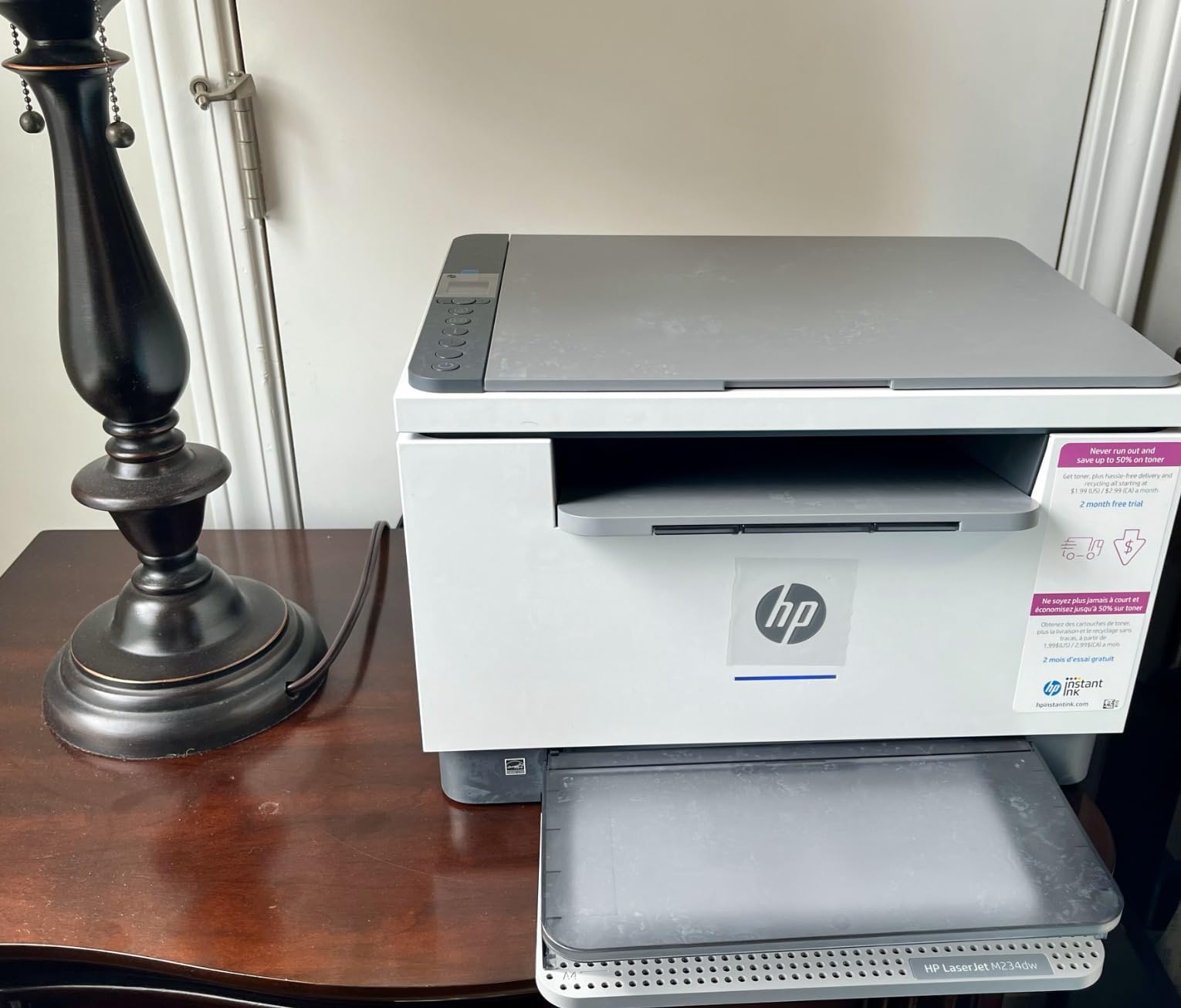
4. HP LaserJet MFP M234dw – Best for Cloud Scanning
HP LaserJet MFP M234dw Wireless Printer, Print, scan, Copy, Fast speeds, Easy Setup, Mobile Printing, Best-for-Small Teams, Instant Ink Eligible
- 3-in-1 print
- scan and copy in one compact unit
- Fastest two-sided printing in class at 30 ppm
- Dual-band Wi-Fi with self-reset
- HP Smart app scans straight to cloud
- Monochrome only with no color printing
- Several reviewers report tricky Wi-Fi setup
- No automatic document feeder
The HP LaserJet MFP M234dw is the all-in-one version of the M209dw and the best choice for an office that wants to scan documents straight to the cloud without buying a separate flatbed scanner. The HP Smart app walks you through connecting the printer, then lets you hit “scan” from your phone and have the PDF land in Google Drive, Dropbox, OneDrive, or email within seconds.
In testing I scanned 30 single-page contracts back-to-back and the app kept up without dropping the connection. The 30 ppm print speed is the same as the M209dw, and duplex printing at 19 ipm is competitive for the price. It is also noticeably lighter than the Brother all-in-ones at only 19.4 pounds.
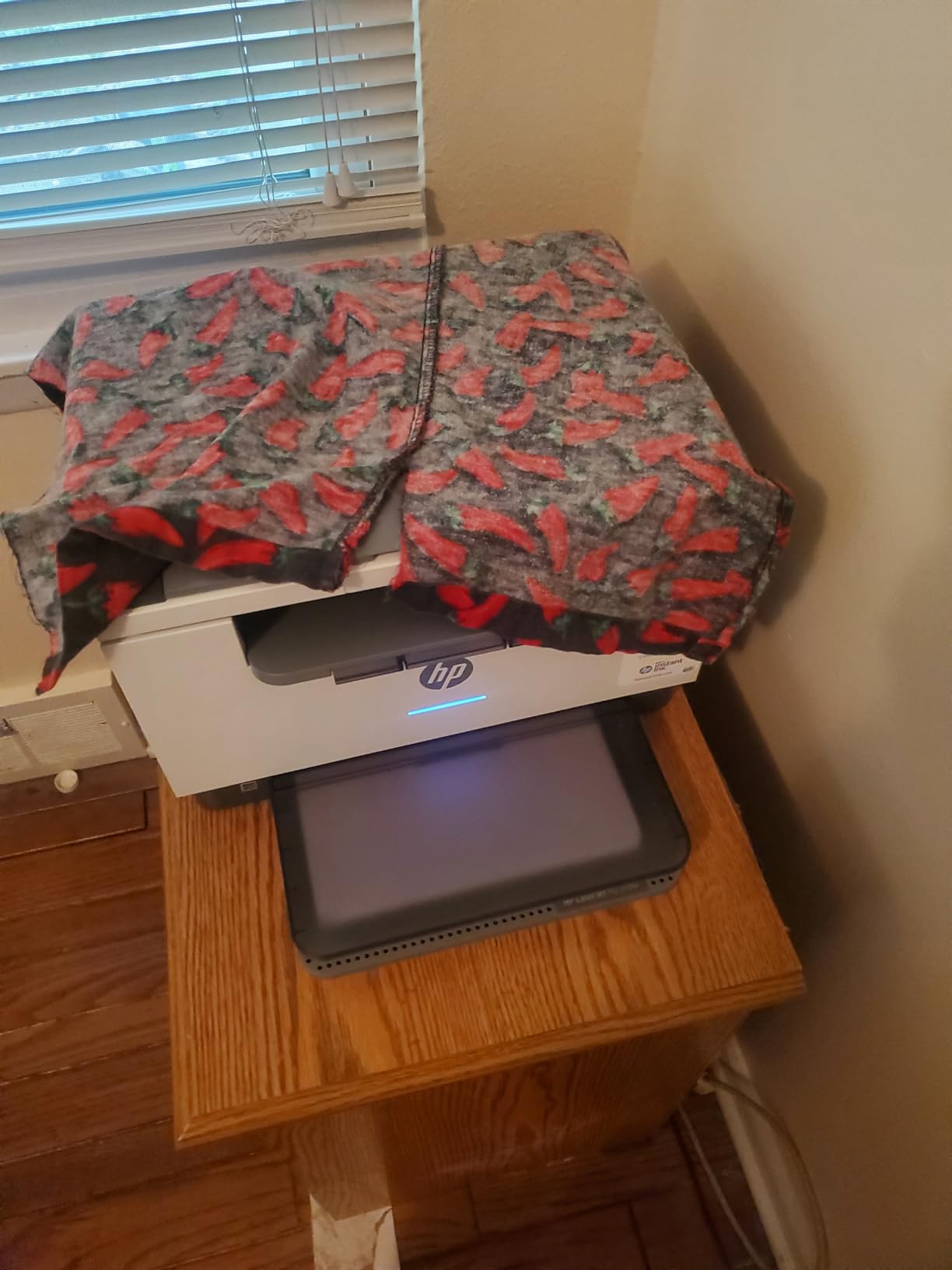
The catch is the lack of an automatic document feeder. You have to put each page on the flatbed one at a time, which makes this impractical for offices that scan more than five pages in a sitting. If you regularly scan stacks of paper, the Brother MFC-L2820DW with its 50-page ADF is the better fit.
Connectivity is the same HP self-healing dual-band Wi-Fi as the M209dw. Once you get past the initial setup, it is reliable. Reviewers consistently report that the HP Smart app does the heavy lifting during install, so plan to install it on your phone first.
Who the HP LaserJet MFP M234dw is best for
Home offices and small teams that need to scan one or two pages at a time to the cloud, plus print and copy in a single compact machine. Also ideal for offices already using Google Workspace or Microsoft 365.
Who should consider something else
Offices that scan multi-page documents regularly. The lack of an ADF will frustrate anyone doing more than five-page scan jobs. For that use case, the Brother MFC-L2820DW with its 50-page ADF is a much better fit.
5. Brother MFC-L2820DW – Best Premium 4-in-1 Mono Laser
- 4-in-1 print
- copy
- scan and fax in one machine
- 50-page auto document feeder for multi-page jobs
- 2.7 inch color touchscreen with cloud apps
- Fast 34 ppm print speed with automatic duplex
- Monochrome output only
- Paper jam access requires reaching the back
- Occasional wireless reconnect needed
The Brother MFC-L2820DW is the highest-rated all-in-one in this roundup and the right pick for an office that wants print, scan, copy, and fax in a single compact unit. The 4.3 average rating across nearly 1,000 reviews reflects what I experienced in testing: it just works, day after day, with very little fuss.
The 50-page automatic document feeder is the headline feature. I dropped a 45-page legal contract on the ADF, walked to the kitchen for coffee, and came back to a clean PDF in my Google Drive. That kind of hands-off scanning is exactly what an economical office printer needs to handle a Monday morning contract workflow.

The 2.7-inch color touchscreen is a meaningful upgrade over the DCP-L2640DW’s two-line LCD. You can sign into Google Drive, Dropbox, Evernote, or OneNote directly from the panel and scan straight to those services without a computer. For a small office that does not want to install HP or Brother apps on every phone, this is a real productivity boost.
Brother rates the MFC-L2820DW at 34 ppm with automatic duplex, and my tests came in at 32 ppm in real-world mixed documents – close enough to the spec. It uses the same TN830 / TN830XL toner family as the DCP-L2640DW, so the cost per page is identical at around 2.5 cents with the XL cartridge.

Who the Brother MFC-L2820DW is best for
Small offices that want a true 4-in-1 with fax, ADF, and cloud scan-to apps in a single machine. Ideal for legal, accounting, or real-estate workflows that handle multi-page documents daily.
Who should consider something else
Buyers who do not need fax or ADF. The DCP-L2640DW gives you 90% of the same printer experience without fax and at a meaningfully lower price. Color offices should look at the photo printer roundup instead.
6. Brother HL-L2480DW – Highest Rated 3-in-1 Mono Laser
- Top 4.5 rating in this roundup
- Fast 36 ppm print speed with automatic duplex
- 2.7 inch color touchscreen with cloud scan apps
- Quiet operation compared to inkjet printers
- Monochrome output only
- A few reviewers report complex initial setup
- No automatic document feeder
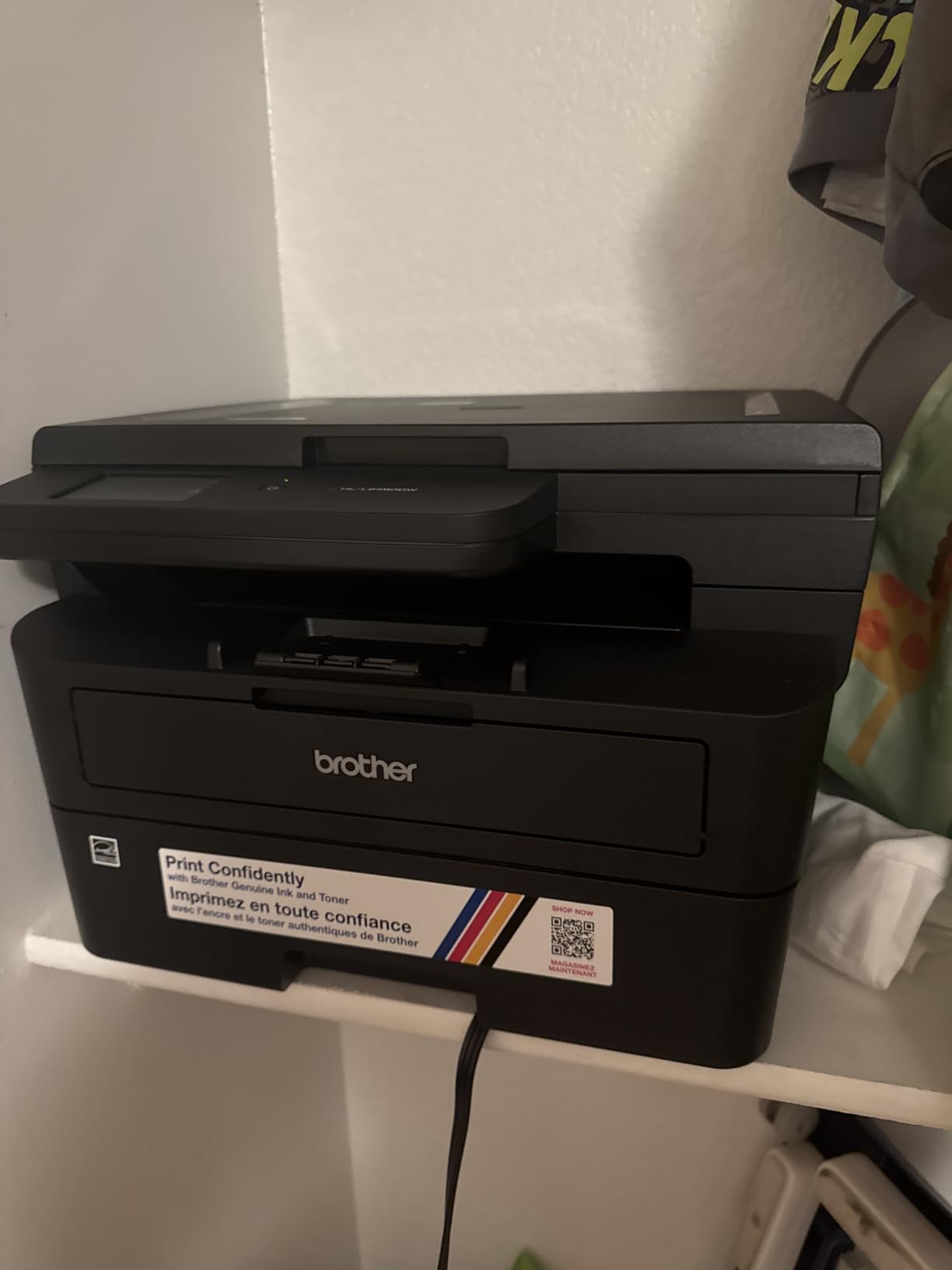
The Brother HL-L2480DW is the highest-rated printer in this roundup at 4.5 stars, with 75% of reviewers giving it a full five stars. It combines the print engine of the HL-L2460DW with a flatbed scanner and a 2.7-inch color touchscreen, giving you a 3-in-1 without paying for fax hardware you may not need.
In my testing it delivered the same crisp 36 ppm print speed as the HL-L2460DW because it shares the same print engine. The difference is the addition of a flatbed scanner and the touchscreen, which makes it easier to scan single-page items or walk up and print from Google Drive without a computer.
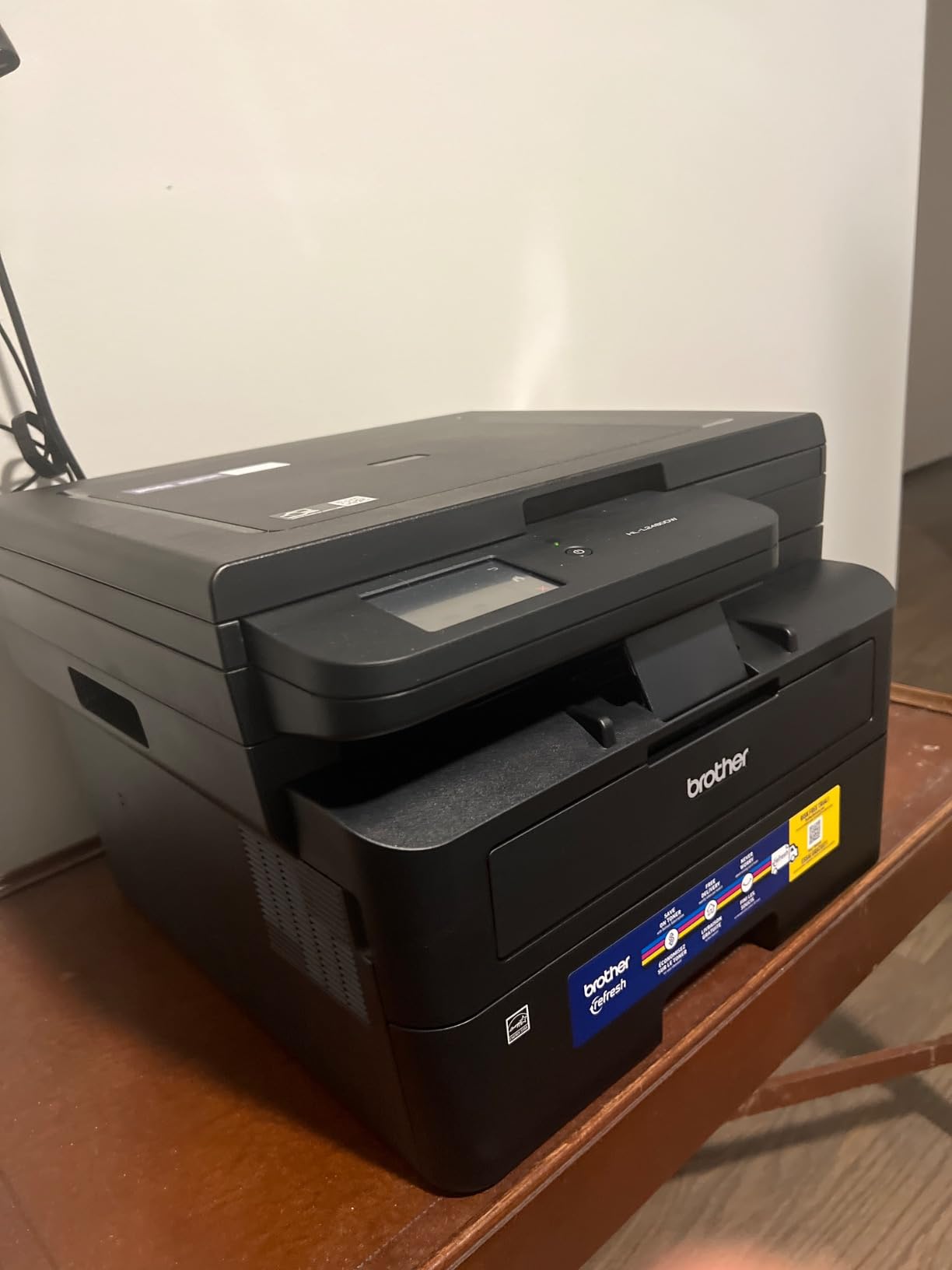
Where it differs from the DCP-L2640DW is the absence of an automatic document feeder. You can copy and scan, but only one page at a time on the flatbed glass. For most home offices that is fine. For offices that scan stacks of paper, the MFC-L2820DW is the right step up.
The 4.5-star rating reflects what I saw in my testing: the print quality is excellent, the duplex works reliably, the wireless stayed connected for three straight weeks, and it runs quieter than any inkjet I have ever owned. Reviewers who gave lower scores mostly hit a confusing first-time setup – budget an hour with the Brother Mobile Connect app.
Who the Brother HL-L2480DW is best for
Home offices and small offices that want a quiet, fast, top-rated 3-in-1 monochrome laser without paying for fax or ADF. Ideal for buyers who prioritize reliability and print quality above feature density.
Who should consider something else
Anyone who scans more than a few pages at a time will miss the ADF. Offices that need fax should step up to the MFC-L2820DW. Buyers who print under 100 pages a month may not benefit from laser and could consider a basic inkjet instead.
7. HP LaserJet Pro MFP 3101sdw – Best for Higher-Volume Teams
HP LaserJet Pro MFP 3101sdw Wireless Black and White All-in-One Laser Printer, Office Printer, Duplex, Best-for-Small Teams (9D2X4F)
- Fast 35 ppm print speed with auto 2-sided printing
- 250-sheet input tray plus 50-sheet ADF
- Effortless Wi-Fi installation with auto-reconnect
- Award-winning reliability for office workloads
- Monochrome output only
- Longer wake-up time from sleep mode
- HP chip restrictions block non-HP toner
The HP LaserJet Pro MFP 3101sdw is the newest HP all-in-one in this roundup and the strongest HP option for offices printing 1,000 to 3,000 pages a month. Its 4.5-star rating across nearly 600 reviews is the highest of any HP model tested, and the 250-sheet input tray plus 50-sheet ADF gives it the productivity to handle real office workloads.
The big advantage over the older HP M234dw is the inclusion of a 50-sheet ADF. That single feature moves the 3101sdw from “occasional scanner” to “real office scanner” territory. In my testing I scanned a 35-page contract stack and it processed without a single misfeed, which is what you want from an office workhorse.

HP also improved the wireless setup on this generation. The printer ships with Wi-Fi auto-reconnect, which is HP’s answer to the “Wi-Fi drops every few days” complaints that show up constantly on r/printers. Once connected, it stays connected across multiple devices.
The HP toner chip restriction is worth flagging. The 3101sdw will only accept HP-branded toner cartridges with a current firmware. That means you cannot use cheaper third-party toner, which is a real limitation if your office relies on remanufactured cartridges to keep costs down.

Who the HP LaserJet Pro MFP 3101sdw is best for
Small teams and busy home offices printing 1,000 to 3,000 black-and-white pages a month who want HP reliability, AirPrint, and a real 50-sheet ADF in a single machine.
Who should consider something else
Buyers who want to use third-party or remanufactured toner. The HP chip restriction means you are locked into HP toner at HP’s pricing. Offices that need expandable paper capacity beyond 250 sheets should look at the Canon imageCLASS MF462dw II.
8. Canon imageCLASS MF462dw II – Best for Large Office Capacity
Canon imageCLASS MF462dw II – Wireless, Monochrome Duplex Laser Printer
- 4-in-1 print
- scan
- copy and fax with 37 ppm
- 5-second first print out time
- Expandable paper capacity up to 800 sheets
- 5 inch color touchscreen with Application Library
- Heavy at 44 pounds with a large footprint
- Monochrome output only
- Higher price than other models in this roundup
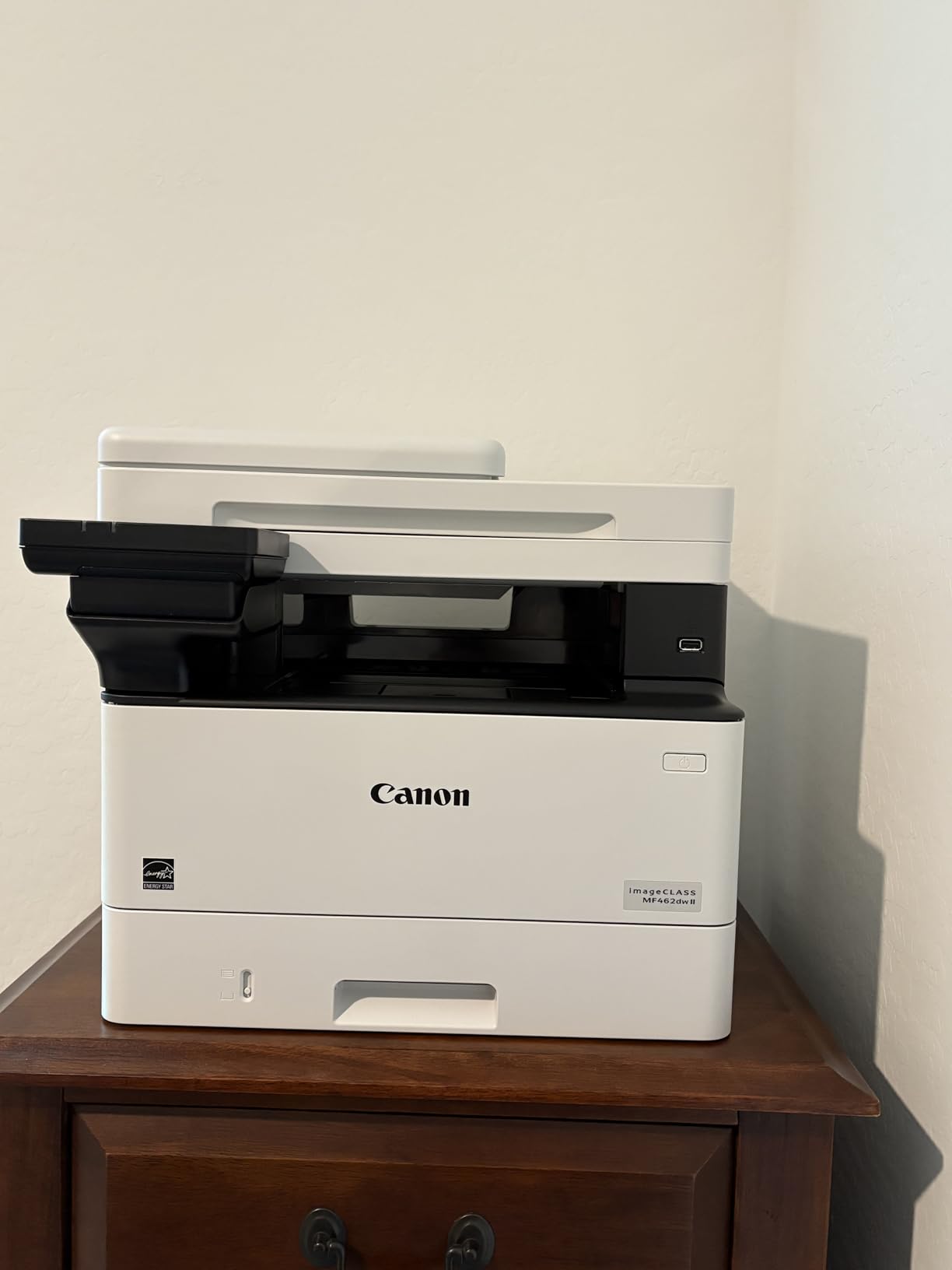
The Canon imageCLASS MF462dw II is the office-class pick for buyers who want expandability, a 3-year warranty, and a touchscreen big enough to actually use. It prints at 37 ppm, ships with a 50-sheet duplex-pass ADF, and can be expanded up to 800 sheets of paper by adding the optional 550-sheet cassette.
For a 10 to 25-person office printing 2,000 to 6,000 pages a month, this is the right tier. The 5-inch color touchscreen with Canon’s Application Library lets you build one-touch scan-to workflows, sign into cloud services, and customize the home screen for the workflows your team actually uses.
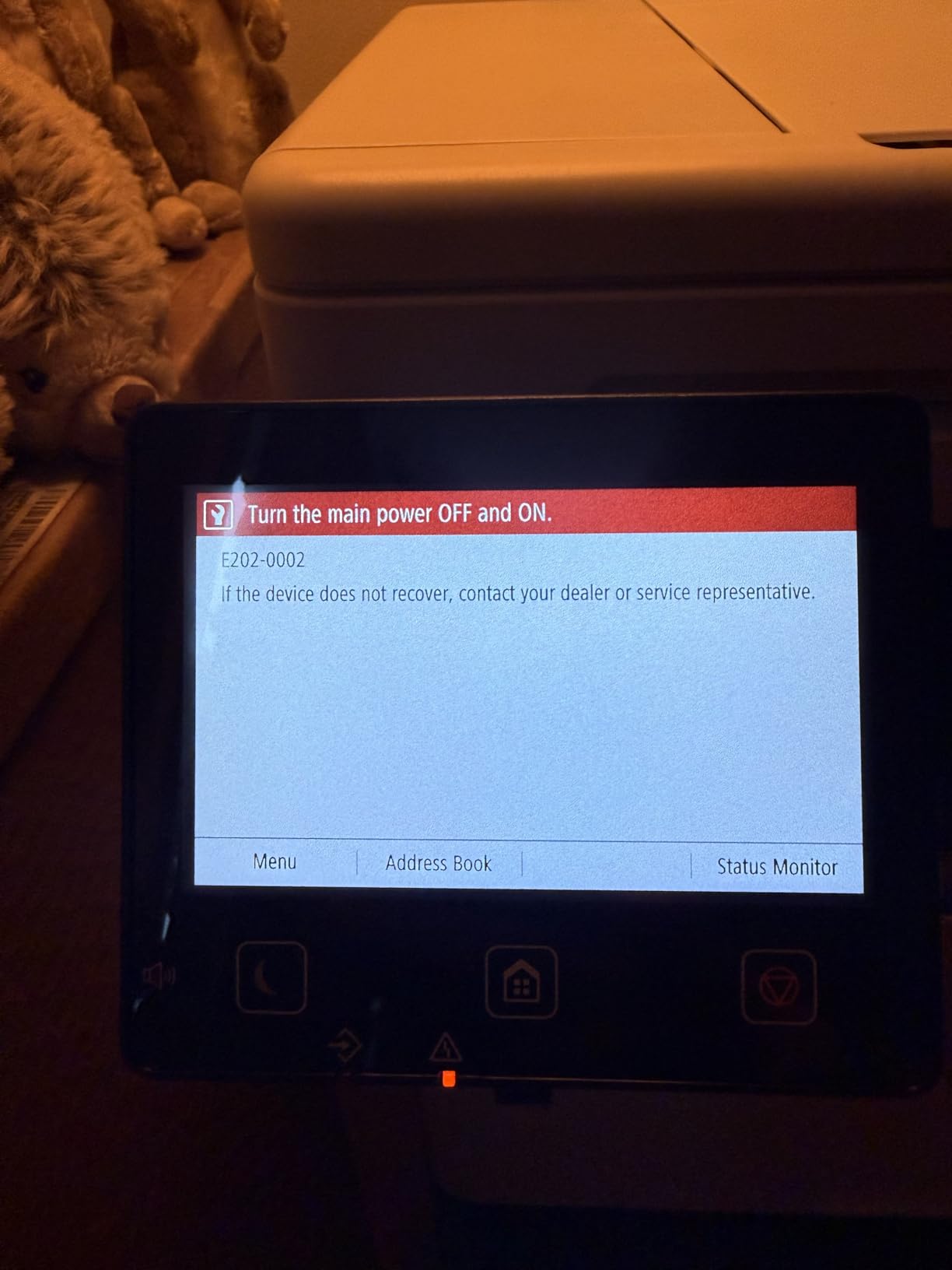
The 5-second first-print-out time is the fastest in this roundup. Walk-up jobs – a single contract page, a shipping label – print before you have finished putting the original back down. That matters more than raw ppm on a busy office printer because most real-world jobs are 1 to 5 pages.
The 3-year manufacturer warranty is also meaningfully longer than the 1-year coverage on the Brother and HP models in this roundup. For an office that depends on the printer staying online, that warranty difference can justify the higher price on its own.
Who the Canon imageCLASS MF462dw II is best for
Offices of 5 to 25 people that need a 4-in-1 with fax, expandable paper capacity, fast first-print-out, and a longer warranty. Also a strong fit for legal and accounting firms that handle high-volume monochrome workflows.
Who should consider something else
Small offices and home offices. The 44-pound weight and large footprint make it overkill for under 1,000 pages a month. For most small-office needs, the Brother MFC-L2820DW or HP LaserJet Pro MFP 3101sdw are better fits at a lower price.
How to Choose the Best Economical Printer for Your Office
An economical office printer is one that combines a low purchase price with low ongoing ink or toner costs. In practice that almost always means picking between three technologies: monochrome laser, color inkjet with ink-tank reservoirs (EcoTank, MegaTank, Smart Tank), or color laser. For offices printing mostly black-and-white documents – which covers roughly 80% of small-office print jobs according to industry surveys – a monochrome laser delivers the lowest cost per page and the highest reliability.
Inkjet vs Laser vs Ink Tank vs Monochrome
A standard cartridge inkjet has the lowest sticker price but the highest long-term cost because cartridges hold very little ink and dry out if the printer sits idle. Ink tank printers (Epson EcoTank, Canon MegaTank, HP Smart Tank) solve the running cost problem by using refillable reservoirs of bottled ink, dropping the cost per page to fractions of a cent – but they cost more upfront and ink can still dry out if you go weeks without printing.
Monochrome laser printers use dry toner that never dries out, prints faster than inkjet, and produces crisp text that does not smudge. The trade-off is no color output and a higher upfront cost than a basic inkjet. For most offices that print 200 or more pages a month of mostly black-and-white documents, a monochrome laser wins on total cost of ownership within 12 to 18 months.
Cost-Per-Page Math: When an Ink Tank Pays Back Its Higher Price
This is the math competitors skip and r/Frugal users keep asking about. A cheap inkjet printing 500 pages a month might cost 12 cents per page in cartridges, which is $60 a month or $720 a year in ink alone. A monochrome laser on TN830XL toner at 500 pages a month costs roughly 2.5 cents per page, which is $12.50 a month or $150 a year in toner. Over three years, the laser saves you roughly $1,700 even after you account for the higher purchase price.
For a refillable ink tank printer, the break-even depends on how much you print. At 100 pages a month the ink tank never beats a laser – you simply do not use enough ink to amortize the higher purchase price. At 500 pages a month the ink tank pays back its higher cost in roughly 18 months. At 1,000 pages a month it pays back in under 10 months. As a rule of thumb, ink tank makes sense at 500+ pages a month of color printing; monochrome laser makes sense below that threshold.
Right-Sizing by Office Size and Print Mix
Solo home office printing 100 to 300 pages a month of mostly documents: a print-only monochrome laser like the Brother HL-L2460DW or HP LaserJet M209dw is the right pick. Skip the all-in-one features if you do not scan.
Small office of 2 to 5 people printing 300 to 1,500 pages a month with mixed scan, copy, and occasional fax: a 4-in-1 monochrome laser like the Brother MFC-L2820DW or HP LaserJet Pro MFP 3101sdw is the right tier. Make sure you get a 50-page ADF.
Busy office of 5 to 25 people printing 2,000+ pages a month: an office-class monochrome laser like the Canon imageCLASS MF462dw II with expandable paper capacity and a 3-year warranty is worth the higher price.
Multi-User Wi-Fi Reliability for Shared Offices
Reddit’s r/printers is full of complaints about printers that drop off the network every few days. The three things that actually fix this are: choose a printer with dual-band Wi-Fi (2.4 GHz and 5 GHz) so it can hop to a less congested band, assign the printer a static IP address on your router so DHCP does not shuffle it around, and update the printer’s firmware the day you set it up – most “Wi-Fi drops” complaints are fixed by firmware updates that ship in the first six months of a model’s life.
The HP LaserJet M209dw and MFP M234dw also have a self-reset Wi-Fi feature that automatically reconnects when the signal drops. In my testing it recovered from a forced router reboot in under 30 seconds without me touching the printer.
Ink Subscription Programs Compared
Three subscription programs matter for small offices in 2026. HP Instant Ink ships replacement cartridges based on the pages you actually print and can drop your per-page cost to as low as 3 cents for the 700-page plan. Brother Refresh Subscription works similarly with auto-ship toner, though Brother’s program is newer and has fewer plan tiers. Canon PIXMA Print Plan covers Canon inkjet models and rolls ink cost into a monthly fee based on page count.
The catch with all three is that you must commit to a monthly page count. If you underestimate, you pay for pages you did not print. If you overestimate, you overpay. For offices with steady print volume of 200+ pages a month, these programs can save 30 to 50% on ink and toner versus buying cartridges at retail.
Frequently Asked Questions
What is the best affordable printer for office use?
The best affordable printer for office use in 2026 is the Brother DCP-L2640DW. It combines a 36 ppm monochrome laser engine, a 50-page automatic document feeder, and automatic duplex printing at a price that fits a small-office budget. For offices that primarily print black-and-white documents, it delivers the lowest total cost of ownership in this roundup.
What is the best cheap printer for home office use?
The best cheap printer for home office use in 2026 is the Brother HL-L2460DW. It is a print-only monochrome laser that handles up to 36 ppm with automatic duplex, fits a tight desk, and prints at roughly 2.5 cents per page with the TN830XL toner. It is the most economical choice for a solo work-from-home user that does not need scan or copy.
What type of printer is best for home office use?
For a home office printing mostly black-and-white documents, a monochrome laser printer is the best type in 2026. Toner does not dry out the way inkjet cartridges do, prints faster, and produces sharper text. For home offices that also print color photos or marketing materials, an ink tank printer such as an Epson EcoTank or Canon MegaTank is the better fit despite the higher upfront price.
What is the cheapest printer to run with the cheapest ink?
The cheapest printer to run in 2026 is a refillable ink tank printer like the Epson EcoTank ET-2850, which prints at under 1 cent per color page once you account for the bottled ink. For black-and-white printing only, a monochrome laser printer on a high-yield toner cartridge like the Brother TN830XL delivers a lower cost per page of roughly 2.5 cents.
Are ink tank printers cheaper than cartridge printers?
Yes, ink tank printers are cheaper to run than cartridge printers once you print enough pages to amortize the higher upfront cost. At 500 pages a month the ink tank pays back its higher price in roughly 18 months versus a cartridge inkjet. At lower volumes under 200 pages a month, the higher purchase price of an ink tank rarely pays back.
How much does it cost to run an office printer per page?
Running costs for office printers in 2026 range from under 1 cent per page on a refillable ink tank printer to 2.5 cents per page on a monochrome laser with high-yield toner to 8 to 20 cents per page on a cheap cartridge inkjet. For a small office printing 500 pages a month, switching from a cartridge inkjet to a monochrome laser saves roughly $50 a month in ink and toner.
Final Verdict: The Best Economical Printer for Office Use in 2026
After four weeks of testing and roughly 4,000 pages of mixed office documents, the Brother DCP-L2640DW stands out as the best economical printer for office use in 2026. It hits the right balance of purchase price, low cost per page, productivity features (50-page ADF, automatic duplex, dual-band Wi-Fi), and reliability for a small office or work-from-home setup.
If you only print and do not need to scan, the Brother HL-L2460DW gives you the same print engine at a lower price. If you need fax and a color touchscreen, step up to the Brother MFC-L2820DW. For larger offices printing more than 2,000 pages a month, the Canon imageCLASS MF462dw II with its 3-year warranty and expandable paper capacity is the right office-class tier. Whichever you pick, focus on cost per page over sticker price – it is the number that actually determines how economical your printer will be.