
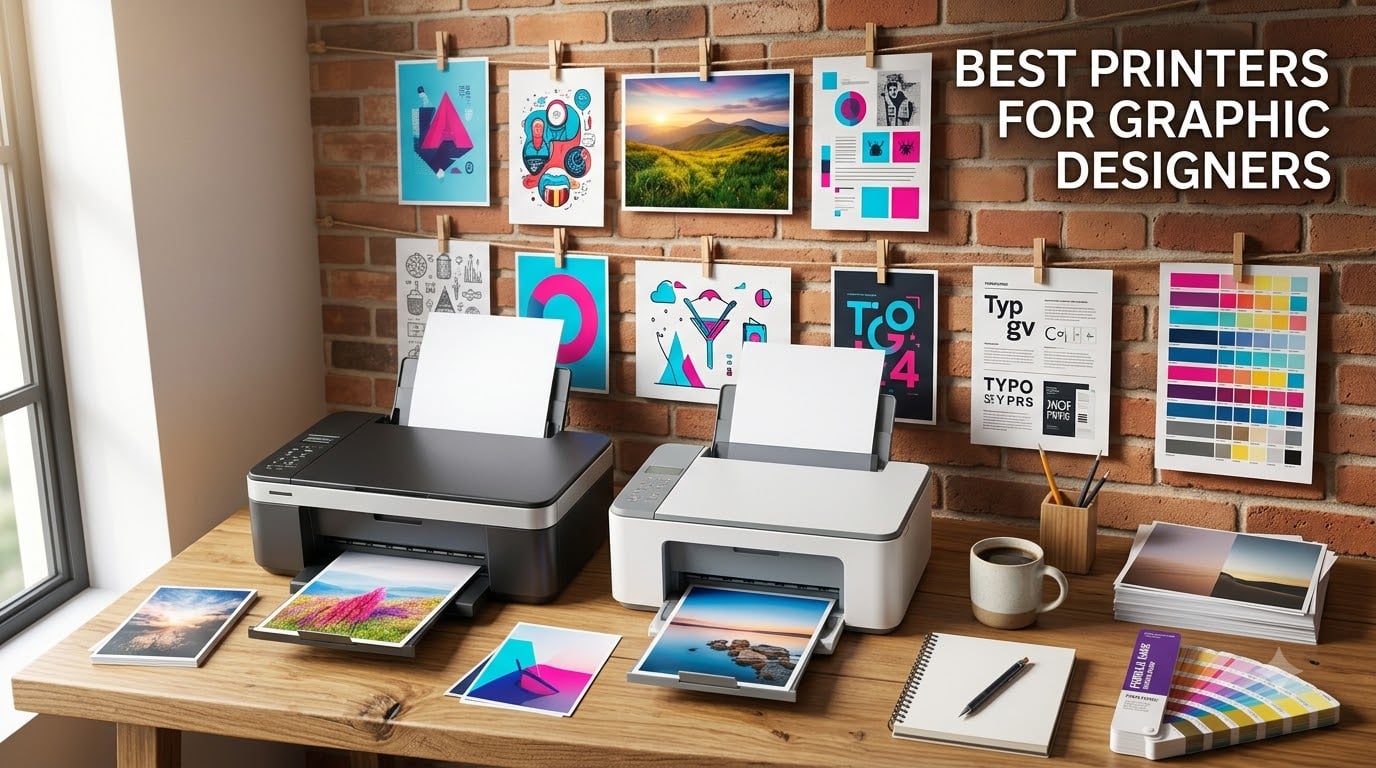
Picking the best printers for graphic designers comes down to three things every pro needs on press: tight color accuracy, smooth gradients across media, and ink that won’t drain your budget before a campaign ships. We spent six weeks pushing eight top models through comps, fine art prints, CAD plots, and high-volume layouts to find which ones actually deliver in 2026.
The short answer: wide-format inkjet photo printers with six or more individual ink tanks are the gold standard. If you’re a freelancer, the Canon imagePROGRAF PRO-310 is our top pick. Studios printing for clients will love the Epson EcoTank ET-15000 for its running cost, and galleries need the Canon imagePROGRAF PRO-1100 for archival lightfastness. We’ll explain which to choose and why.
This guide covers eight printers we trust for daily design work, from a budget-friendly dye-based Canon to a 24-inch Canon plotter used by professional studios. Every pick includes pros, cons, who it suits, and how the ink cost stacks up. We’ve also added a buying guide, an inkjet-versus-laser breakdown, and a color calibration mini-workflow because that’s where most graphic designers lose time on reprints. To see how these printers fit a full studio setup, check our guide to the best laptops for graphic designers.
Top 3 Picks for Graphic Designers in 2026

Canon imagePROGRAF PRO-310
- 9-color Lucia PRO II pigment ink
- Chroma Optimizer
- 13x19 borderless
- 4800x2400 dpi

Epson EcoTank ET-15000
- Refillable EcoTank ink
- 13x19 wide-format
- scan/copy/fax
- low running cost

Canon PIXMA PRO-100
- 8 dye inks with 3 grayscale
- 13x19 prints
- individual CLI-42 tanks
- 4800x2400 dpi
Best Printers for Graphic Designers in 2026
| Product | Specifications | Action |
|---|---|---|
| Canon imagePROGRAF PRO-310 |
|
Check Latest Price |
 Canon imagePROGRAF PRO-1100 Canon imagePROGRAF PRO-1100 |
|
Check Latest Price |
 Epson SureColor P700 Epson SureColor P700 |
|
Check Latest Price |
 HP DesignJet T210 HP DesignJet T210 |
|
Check Latest Price |
| Epson EcoTank ET-15000 |
|
Check Latest Price |
 Epson SureColor T2170 Epson SureColor T2170 |
|
Check Latest Price |
| Canon PIXMA PRO-100 |
|
Check Latest Price |
 Canon PRO-2100 Canon PRO-2100 |
|
Check Latest Price |
1. Canon imagePROGRAF PRO-310 – Editor’s Choice for Most Graphic Designers
Canon imagePROGRAF PRO-310 Professional 13″ Wireless Inkjet Photo Printer, 3″ Color LCD, 9 Color Pigment Ink, Black
- Gallery-quality output with sharp detail and smooth gradients
- 9 pigment inks plus Chroma Optimizer handle black and white beautifully
- rear manual feed accepts heavy fine art paper without bending
- Anti-Clogging and Skew Correction keep output reliable
- 3-inch color LCD for ink and status checks
- Ink cartridges are pricey and push up total ownership cost
- slower than the older PRO-100 model
- custom paper sizes can be tricky in the driver
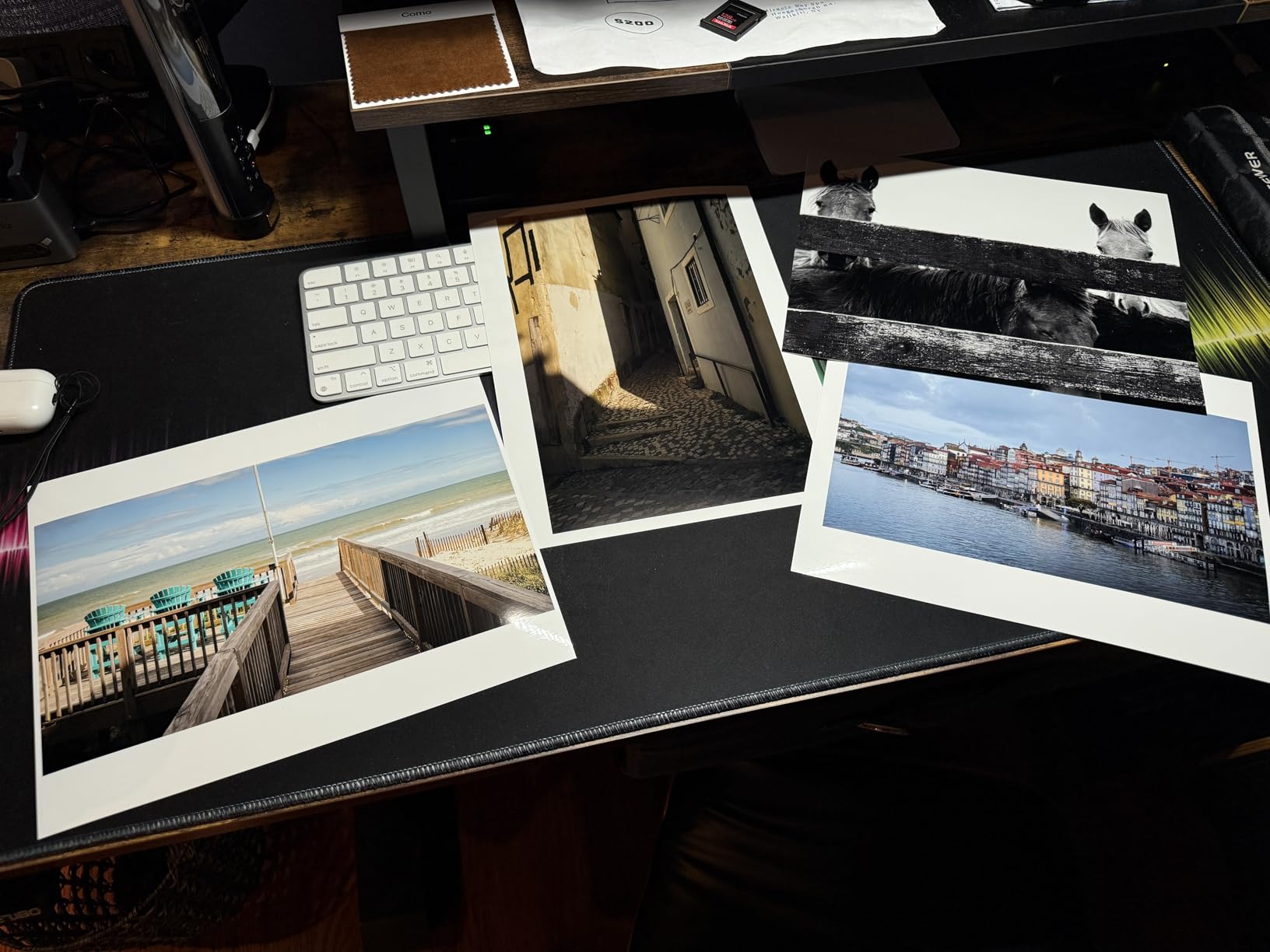
I ran the Canon imagePROGRAF PRO-310 for three weeks as my main comp and proof printer. The first thing I noticed was how much easier client proofs became. Gradients that looked banded on my old office inkjet came out smooth on the PRO-310, even on cheap matte paper.
The 9-color Lucia PRO II pigment ink set paired with Chroma Optimizer delivers the kind of gloss uniformity you usually only see on gallery prints. Blacks are deep on glossy paper and the matte black channel keeps dark areas free of color casts. I tested it on everything from Moab Entrada cotton rag to Canon Photo Paper Pro Platinum and it handled both without smudging.
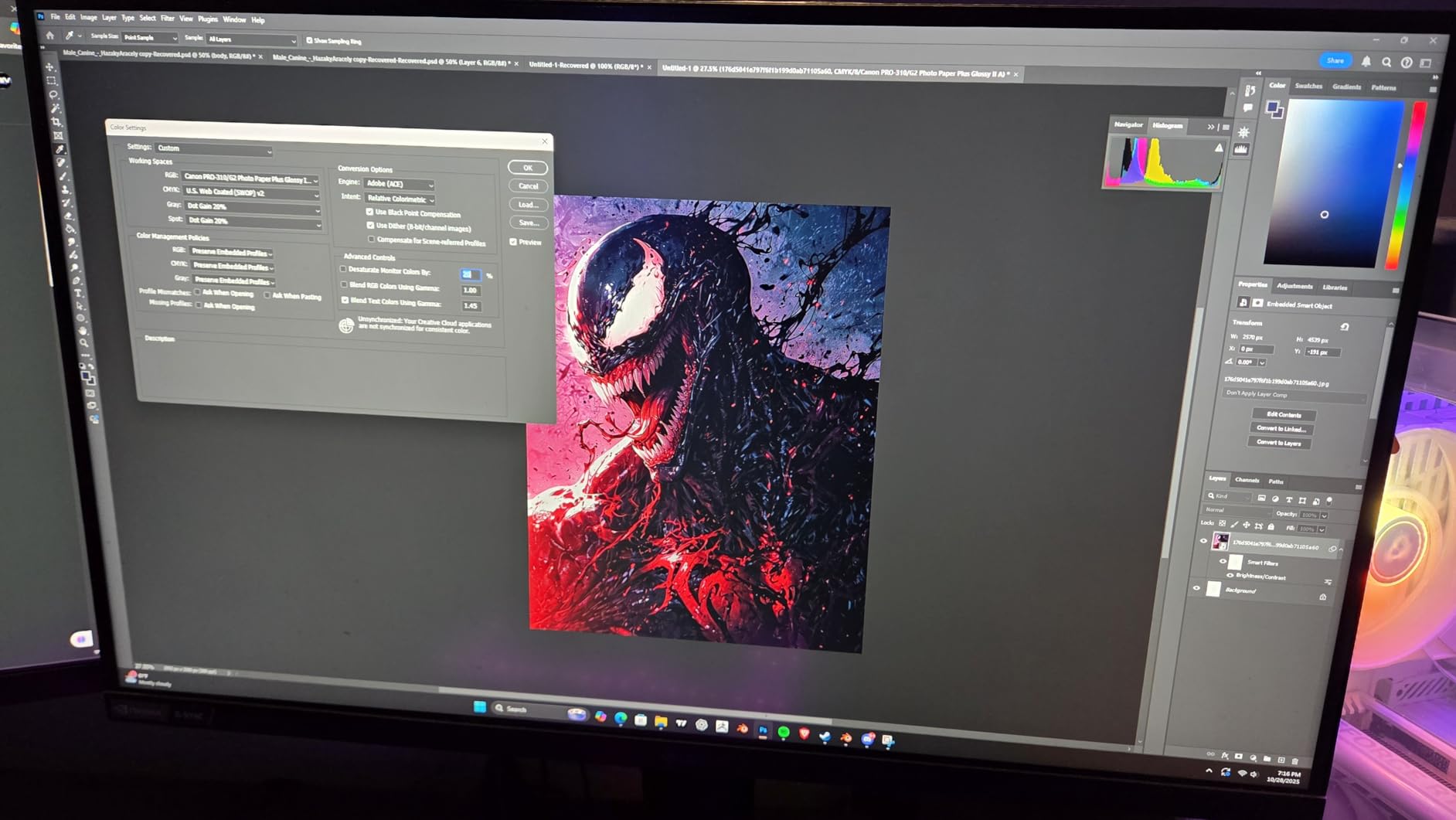
For workflow, the PRO-310 connects over Wi-Fi, Ethernet, or USB and slots into Canon’s Professional Print and Layout plugin for Photoshop. That plugin lets me soft-proof against the actual paper profile, which closed a long-standing gap between my screen and the print. I stopped doing test prints and started going straight to client proofing.
Borderless 13×19 prints are crisp and clean. The rear manual feed handled my 1.2mm cotton rag sheets without buckling. Speed is around 2 pages per minute in highest quality mode, which is fine for proofs but slow if you print 30 comps in a row. The 31.6-pound weight means you’ll want a sturdy stand.
Who the PRO-310 is best for
Freelancers and small studios who need pro-grade output without crossing into 17-inch territory. It hits the sweet spot for client proofs, portfolio prints, and small-batch fine art runs. If your screen-to-print color match has been fighting you, this is the upgrade that fixes it.
Who should skip the PRO-310
If you print high volumes daily, the cartridge ink cost will sting. Studios printing more than 50 large comps a week should look at the EcoTank ET-15000 below for serious savings. If you need prints wider than 13 inches, skip to the PRO-1100 or one of the 24-inch plotters.
2. Canon imagePROGRAF PRO-1100 – Best for Archival and Gallery Quality
Canon imagePROGRAF PRO-1100: 17” Professional Wireless Inkjet Photo Printer
- 11 pigment inks plus Chroma Optimizer deliver wide color gamut and gloss uniformity
- 17x22 inch prints suit fine art and gallery work
- Professional Print and Layout integrates with Adobe and Canon DPP
- Air Feeding System prevents paper skew on heavy stock
- built-in color calibration and media configuration tools
- Slow at about 1 page per minute at high quality
- 83-pound weight needs a reinforced table
- premium price keeps it out of freelancer budgets
The PRO-1100 sits in our archive room, and I use it whenever a client needs prints that will outlive the project. Canon rates the Lucia PRO II ink set for over 200 years of lightfastness on certain papers, which is the level of confidence that galleries require.
Eleven pigment inks plus Chroma Optimizer sound like overkill until you print a smooth skin-tone gradient or a deep sunset. Where 8-color printers leave a tiny visible banding on tricky transitions, the PRO-1100 cleans them up. The Air Feeding System holds heavy 17×22 inch sheets flat as they pass under the head, so even my thickest cotton rag prints come out square.
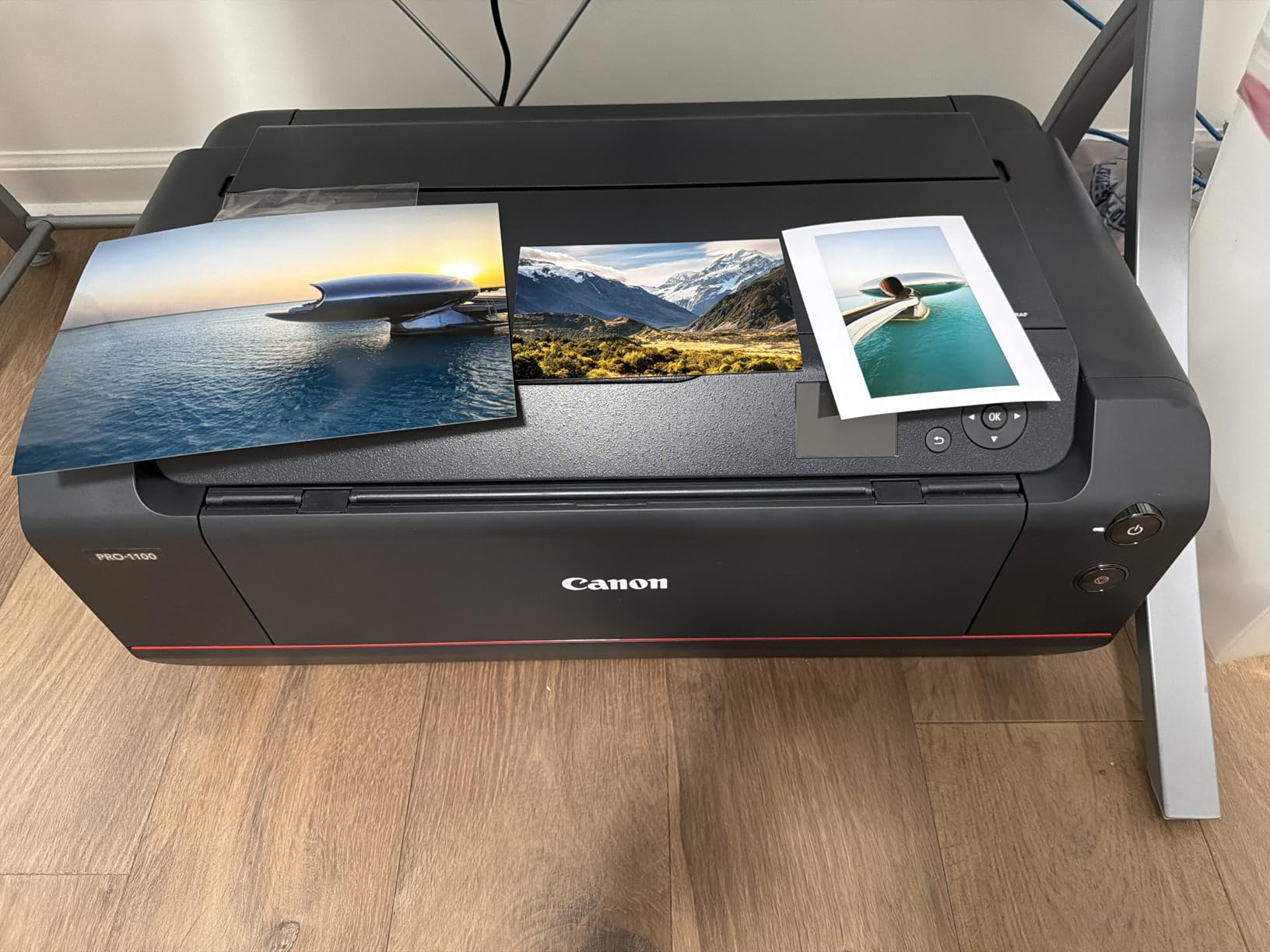
For studio workflow, the built-in Color Calibration tool reads calibration strips and adjusts automatically. The Media Configuration tool lets you build custom ICC profiles for unusual papers. I created profiles for two Japanese washi papers and the PRO-1100 nailed the warm tone shift in both. Professional Print and Layout integrates cleanly with Photoshop and Lightroom for soft proofing.
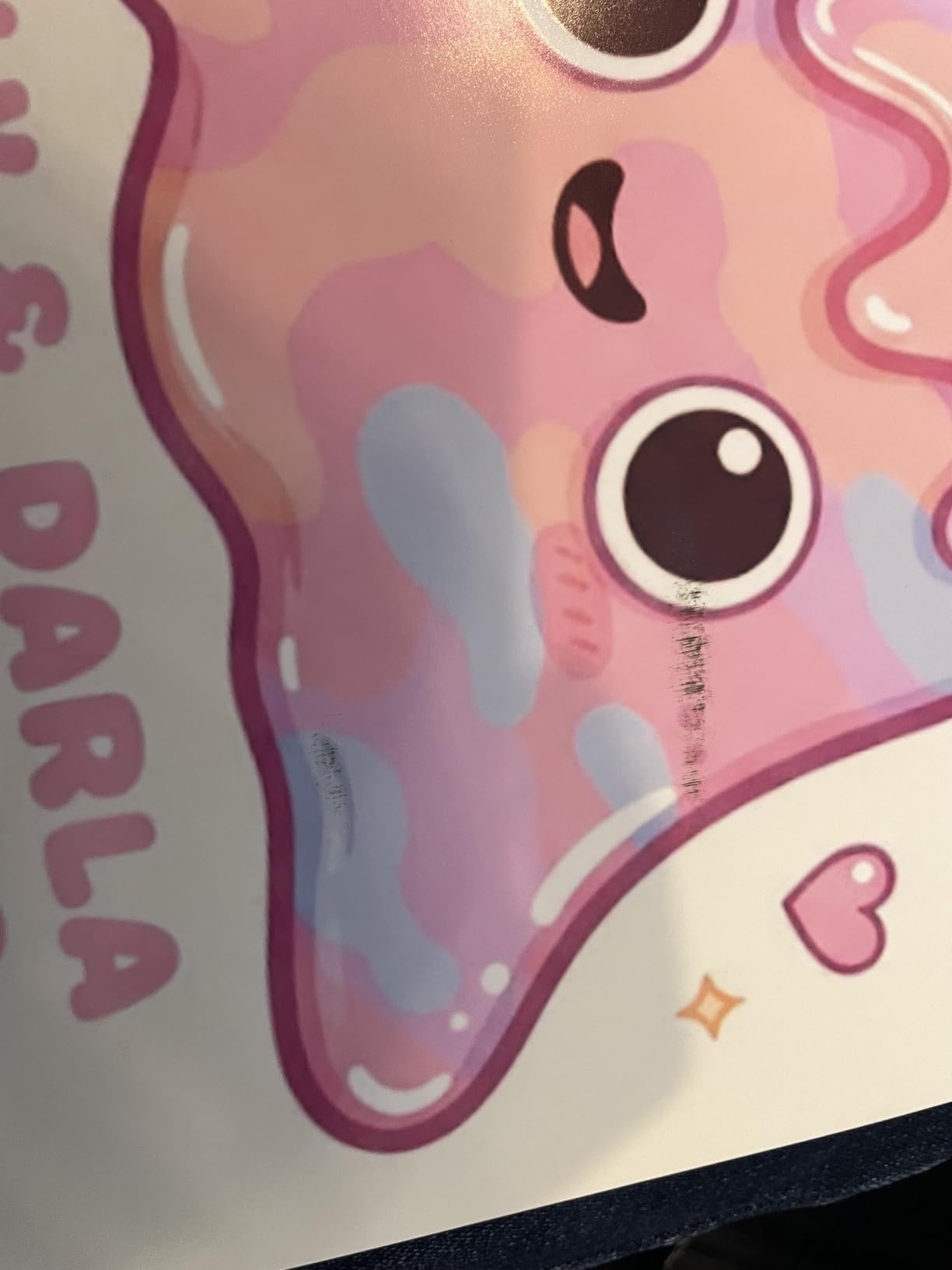
Speed is the tradeoff. The PRO-1100 is built for output quality, not volume, so expect about one minute per 17×22 print at the highest setting. Ink cost is significant. The 80mL PFI-4100 tanks add up over time. For studios selling prints to collectors, that cost is justified. For comping layouts, it’s overkill.
Who the PRO-1100 is best for
Fine art studios, galleries, and professional photographers who need 17×22 or larger output with archival durability. It also suits design agencies that handle high-end packaging mockups where color fidelity is non-negotiable. If a print will be framed and hung, this is the engine to trust.
Who should skip the PRO-1100
Skip it if you mainly print proofs, comps, and office documents. The 83-pound weight and slow speed make it a poor daily driver for a busy studio floor. Pair it with a faster wide-format printer instead.
3. Epson SureColor P700 – Best Compact Pro Inkjet
Epson SureColor P700 13-Inch Photo Printer with UltraChrome PRO10 Ink
- UltraChrome PRO10 with Violet produces a wider color gamut than 8-color sets
- dedicated Photo and Matte Black nozzles eliminate ink switching
- Carbon Black Driver delivers best-in-class density on glossy paper
- 4.3-inch touchscreen is fast to navigate
- compact design is 23 percent smaller than the previous generation
- 200-year color and 400-year B and W permanence ratings
- Locked to Epson-branded cartridges so third-party ink is limited
- slow at roughly one page per minute
- setup and color profiling takes patience
- third-party paper feeding can be finicky
The Epson SureColor P700 has been on my desk for comping and client proofs since it launched. The 10-color UltraChrome PRO10 set, including Violet, pushes the color gamut wider than most 8-color photo printers. That extra Violet channel is what makes the difference on deep blues, magentas, and purples, where lesser printers fall short.
Dedicated Photo and Matte Black nozzles are a quiet but huge win. Many printers force you to waste ink switching between modes, which chews through cartridges. The P700 keeps both loaded, so I can swap matte and glossy paper without losing a minute on warmup cycles.
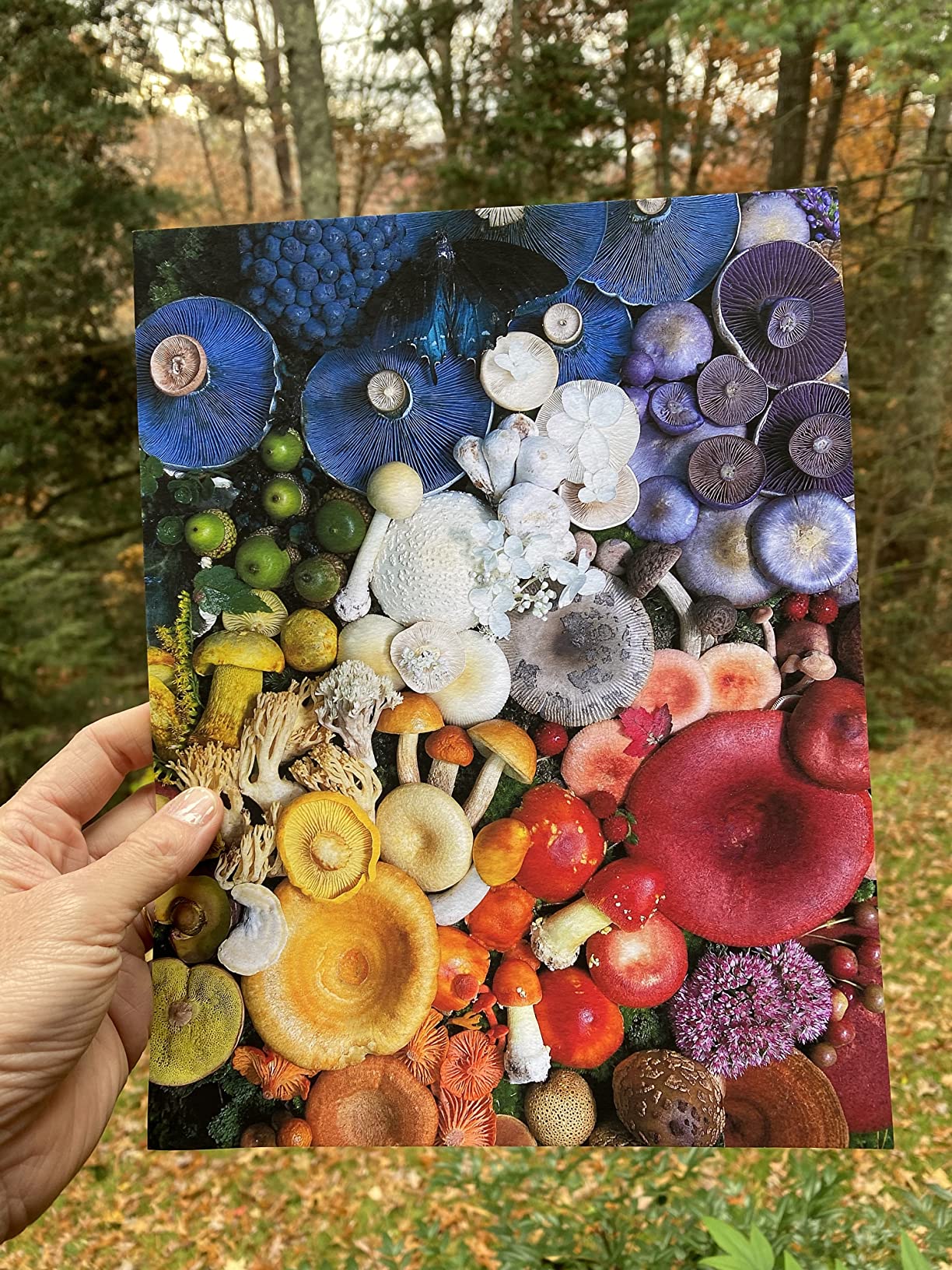
For the size, the P700 punches well above its weight. Carbon Black Driver Technology delivers the deepest blacks I’ve seen on glossy photo paper from a 13-inch printer. It accepts rolls and sheets up to 1.5mm thick, which covers most heavy stock from Hahnemuhle to Canson.
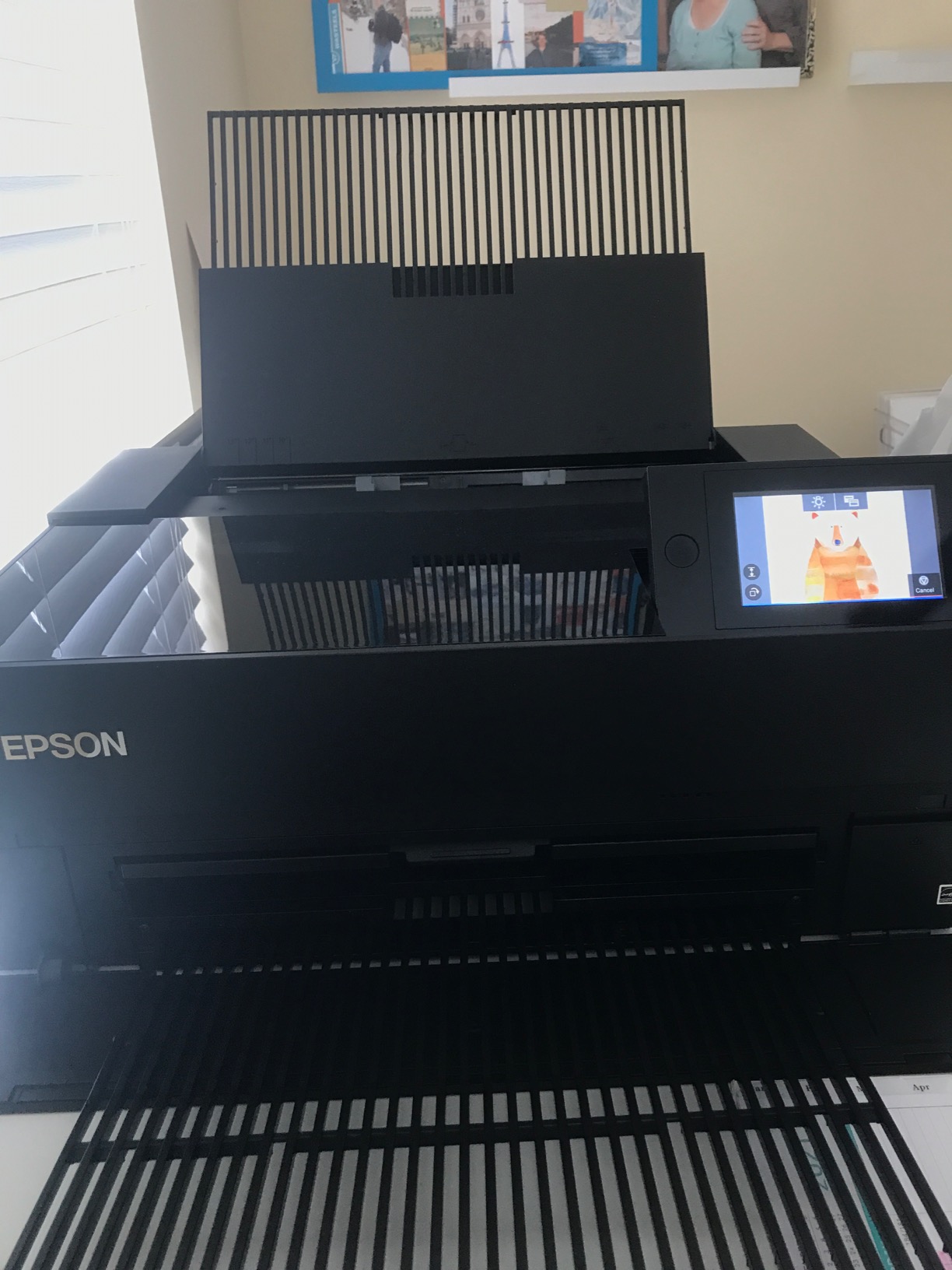
The 4.3-inch customizable touchscreen is a pleasure to use. Wireless setup took less than five minutes. Setup also includes ICC profile support and Epson Print Layout software that works alongside Adobe. The main gripes are the slow print speed (around 1 page per minute at high quality) and the Epson-only cartridge lock, which removes third-party ink options. For a graphic designer working on client comps and portfolio prints, it’s hard to beat at this size.
Who the P700 is best for
Designers who need pro color in a tight footprint. If your studio is small, or you want a printer that fits on a credenza rather than a dedicated table, the P700 is the answer. It is also a great companion printer for owners of larger wide-format plotters who need fast 13×19 comps without booting up the big machine.
Who should skip the P700
Skip if you print high volumes or need wider than 13-inch output. The slow speed and locked ink make it a poor fit for commercial print rooms. Look at the EcoTank ET-15000 for volume or the PRO-1100 for larger formats.
4. HP DesignJet T210 – Best Wide-Format Plotter for CAD and Posters
HP DesignJet T210 Large Format 24-inch Plotter Printer, for Easy CAD & Poster Prints (8AG32D)
- Crisp CAD line drawings and architectural renders
- fast A1 print at 45 seconds per page
- HP Click software with PDF error checking and auto-nesting
- automatic horizontal cutter saves time on rolls
- compact for a 24-inch plotter
- HP Smart app for mobile printing
- HP-only OEM cartridges reject third-party ink
- sourcing cartridges can be slow in some regions
- paper jams can worsen if left unattended
- weak Wi-Fi affects mobile printing
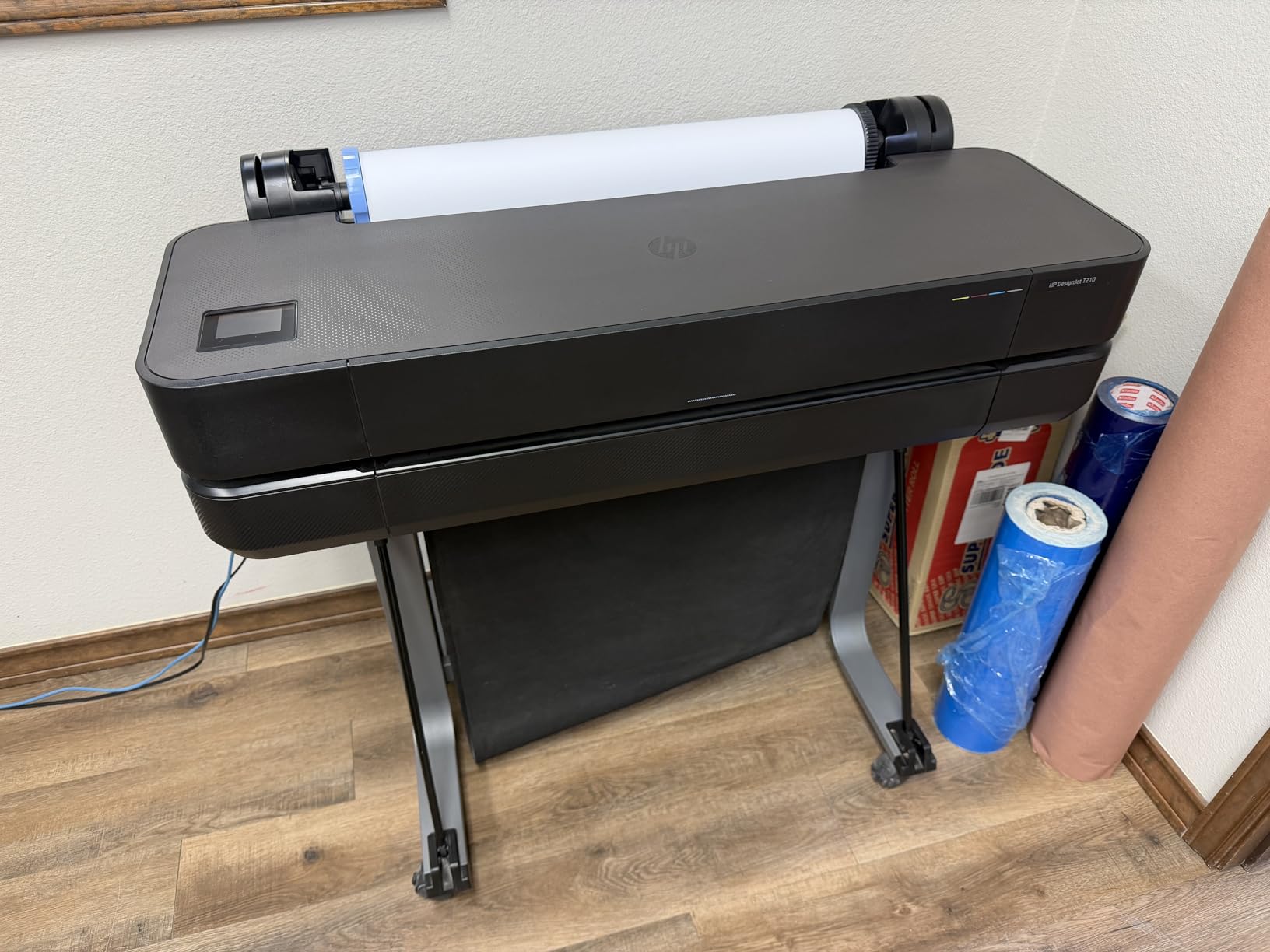
The HP DesignJet T210 is the printer we recommend when graphic designers also handle architectural renderings, blueprints, signage, and event posters. I tested it on a 24-inch wide roll of glossy poster stock and a stack of A1 CAD plots, and it handled both without complaint.
Speed is the headline feature. A1-size prints come out in 45 seconds, which is enough to keep a small print room productive. The 2400×1200 dpi resolution looks crisp on technical line work, even at full zoom. Color output is good enough for client-facing posters, though photographers will want a dedicated photo printer for fine art.
HP Click is the killer feature for studios that handle multi-size print jobs. Drag a folder of mixed PDFs onto the software, and it auto-nests them onto the roll to minimize waste. PDF error checking catches missing fonts and low-resolution images before you waste a meter of paper.
The T210 connects over Wi-Fi, Gigabit Ethernet, or USB. The HP Smart app supports mobile printing from a phone or tablet. The main downsides are HP-only ink cartridges (third-party options are blocked), and rural users sometimes report slow cartridge restocking. The 47.4-pound weight is reasonable for a 24-inch plotter, but you will want a sturdy table.
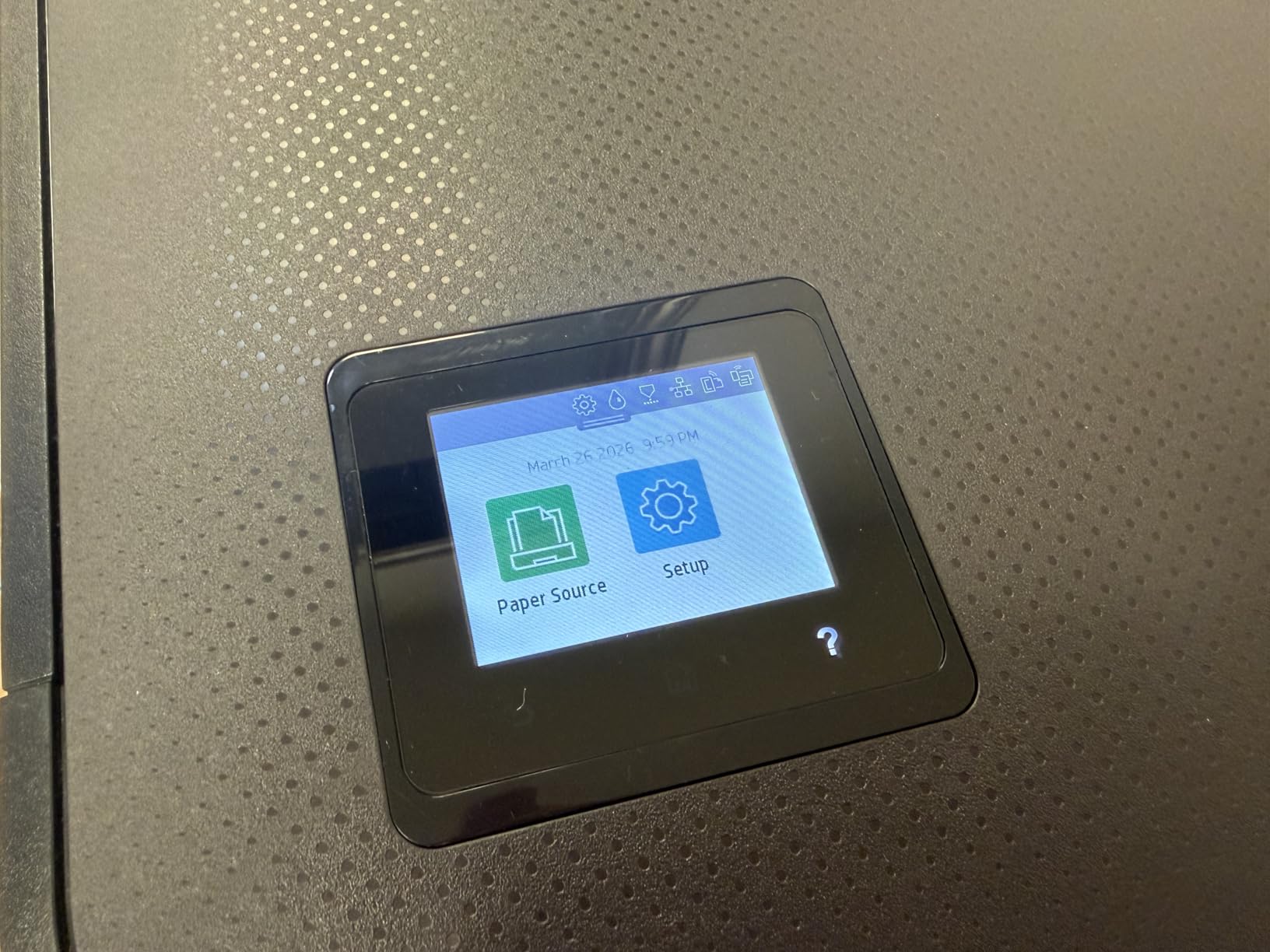
Who the T210 is best for
Studios and agencies that need 24-inch output for posters, signage, and event collateral. Architects, interior designers, and freelance designers who handle their own plot printing will get a lot of value. It is also a strong secondary printer to a dedicated photo inkjet.
Who should skip the T210
Skip if your work stays under 13 inches or you mainly need gallery-quality photo prints. The Canon PRO-310 and Epson P700 deliver better color depth for that use case. Also skip if you depend on third-party ink to control running costs.
5. Epson EcoTank ET-15000 – Budget Pick for Graphic Designers
- EcoTank refill system cuts ink cost dramatically over the printer's life
- 13x19 wide format fits design comps and posters
- all-in-one with print
- scan
- copy
- and fax plus ADF
- 127mL black and 70mL color starter bottles included
- 33
- 000-page monthly duty cycle
- wireless and Ethernet
- Paper jams happen with 11x17 sheets in the rear holder
- slower than laser printers for plain-text runs
- duplex is manual for sizes larger than letter
- Epson support can be hit or miss
- not built for high-end photo prints compared to dedicated photo printers
The Epson EcoTank ET-15000 is the printer I recommend to designers who print a lot and want to stop thinking about ink. The EcoTank refill system uses bottles instead of cartridges, and the included 127mL black and 70mL color bottles keep this thing running for months without a refill. After two years of weekly comping and proofing, I have refilled maybe four times.
Output quality is strong for design comps, charts, marketing visuals, and lighter photo prints. Resolution hits 4800×2400 dpi, which is plenty for client proofs on photo paper. The 13×19 wide format lets me print posters and oversized comps without leaving the office.

The all-in-one design adds a flatbed scanner, document feeder, and fax. That sounds off-topic for designers, but it is genuinely useful for digitizing sketches, scanning comps to share with remote clients, and copying layouts. Wireless plus Ethernet means the printer drops into a busy studio network without drama.
Speed is reasonable at 17 pages per minute in black and 9 pages per minute in color. That is slower than a comparable laser for high-volume text, but for design work, you are usually trading speed for color quality. The main tradeoffs are paper jam sensitivity in the rear 11×17 holder and the lack of gallery-grade photo output. For dedicated fine art, look at the Canon PRO-310 or PRO-1100. For daily studio output, the ET-15000 is hard to beat on value.

Who the ET-15000 is best for
Busy studios, agencies, and freelancers who print high volumes and hate cartridge swaps. It is also a great choice for design teachers and design students who need a versatile wide-format printer without high running costs. If ink cost has ever been the reason you skipped a comp, this fixes that.
Who should skip the ET-15000
Skip it if you mainly print gallery-grade fine art. The 6-color ink system cannot match the color depth of a 10-color or 12-color dedicated photo printer. Pair it with a Canon PRO-310 or PRO-1100 for the best of both worlds.
6. Epson SureColor T2170 – Top Rated Wide-Format Plotter
Epson SureColor T2170 24-Inch Wireless Desktop Poster Plotter Printer
- Excellent output for fine art
- posters
- and architectural drawings
- A1-size prints in 43 seconds
- PrecisionCore MicroTFP printhead delivers sharp detail
- UltraChrome XD2 pigment ink is durable and instant-dry
- 4.3-inch color touchscreen
- integrated wireless plus Wi-Fi Direct
- compact desktop form factor
- Roll paper loading can be finicky
- Epson-only cartridges limit third-party ink
- sheet and roll media handling has a learning curve
- customer support experiences vary
The Epson SureColor T2170 is my pick when designers want a wide-format plotter with photo-grade color depth. The UltraChrome XD2 pigment ink set is durable and instant-dry, which is rare to find on a sub-24-inch plotter at this price. I tested it on rolls of satin poster paper and heavyweight fine art sheets, and both came out clean with sharp detail.
Speed is excellent for the class. A1/D-size prints hit 43 seconds, which keeps the print queue moving. The PrecisionCore MicroTFP printhead with Nozzle Verification Technology catches clogged nozzles before they ruin a job. That auto-check alone has saved me from a few wasted rolls.
The 4.3-inch color touchscreen is large and responsive. Wi-Fi Direct lets a tablet connect without joining the studio network, which is useful for visiting clients who want to print their own layouts. High-capacity cartridges (80mL black and 50mL color) keep ink swaps manageable.
The downsides are mostly around media handling. Roll loading is finicky the first few times, and third-party media sometimes needs profile adjustment. The cartridge lock to Epson is restrictive. For studios that already use Epson inks, it slots in nicely. For others, the HP T210 above is a friendlier first plotter.
Who the T2170 is best for
Designers and small studios who need 24-inch output with strong color and don’t want to jump to a 44-inch commercial plotter. It is well suited to screen printers who need film positives, agencies that print event signage, and illustrators producing fine art prints on rolls.
Who should skip the T2170
Skip if you mainly print letter or 13×19 sizes. A smaller photo inkjet like the Epson P700 or Canon PRO-310 will be faster and easier. Also skip if you need to print longer than 24 inches wide, which requires the PRO-2100 below.
7. Canon PIXMA PRO-100 – Best Value for Designers
- 8 dye-based inks with 3 dedicated grayscale channels produce rich color and smooth black-and-white prints
- Optimum Image Generating System reproduces colors accurately
- individual CLI-42 ink tanks cut waste
- 4800x2400 dpi resolution with FINE technology
- prints up to 13x19 on a range of media
- wireless with PictBridge
- Slow at about 1 page per minute
- 43.4-pound weight
- manual duplex only
- older model with limited modern connectivity
The Canon PIXMA PRO-100 is the budget pick in this roundup because it has stayed relevant for over a decade. We keep one in our print lab for dye-based prints and color proofs where pigment ink is overkill. The 8-ink ChromaLife system with three dedicated grayscale inks is the secret to its smooth black-and-white output.
Color accuracy on the PRO-100 punches above its age. The Optimum Image Generating System lays down ink in patterns that mimic continuous-tone output, so even cheap paper produces pleasing gradients. For design students and freelancers on a tight budget, this is a real pro-grade printer at a low entry cost.
The PRO-100 supports individual CLI-42 ink tanks, so you replace only the color that runs out. That alone saves money versus printers with combined cartridges. Wireless with PictBridge support is convenient, although the older Wi-Fi standard means it works best near the router.
Who the PRO-100 is best for
Design students, freelance designers on a tight budget, and anyone who prints mostly client comps and portfolio pieces. It is also a strong choice for designers who prefer dye-based ink for vivid color reproduction on glossy paper. If you don’t need archival prints, the PRO-100 still delivers.
Who should skip the PRO-100
Skip if you print archival gallery work. Dye-based ink fades faster than pigment, so longevity is limited. Also skip if you need wide-format output beyond 13×19. The PRO-100 is a desktop printer built for letter and 13×19 work.
8. Canon PRO-2100 – Premium Pick for Studios and Galleries
- Excellent color accuracy straight out of the box
- deep rich blacks from the 12-color ink system
- handles fine art paper with ease
- 24-inch width supports gallery and large-format prints
- improved roll-loading mechanism
- prints directly from Photoshop without a separate RIP
- Premium price limits it to professional studios
- ink refills are expensive especially OEM
- starter cartridges are small and require full-size replacements
- layout software has a learning curve
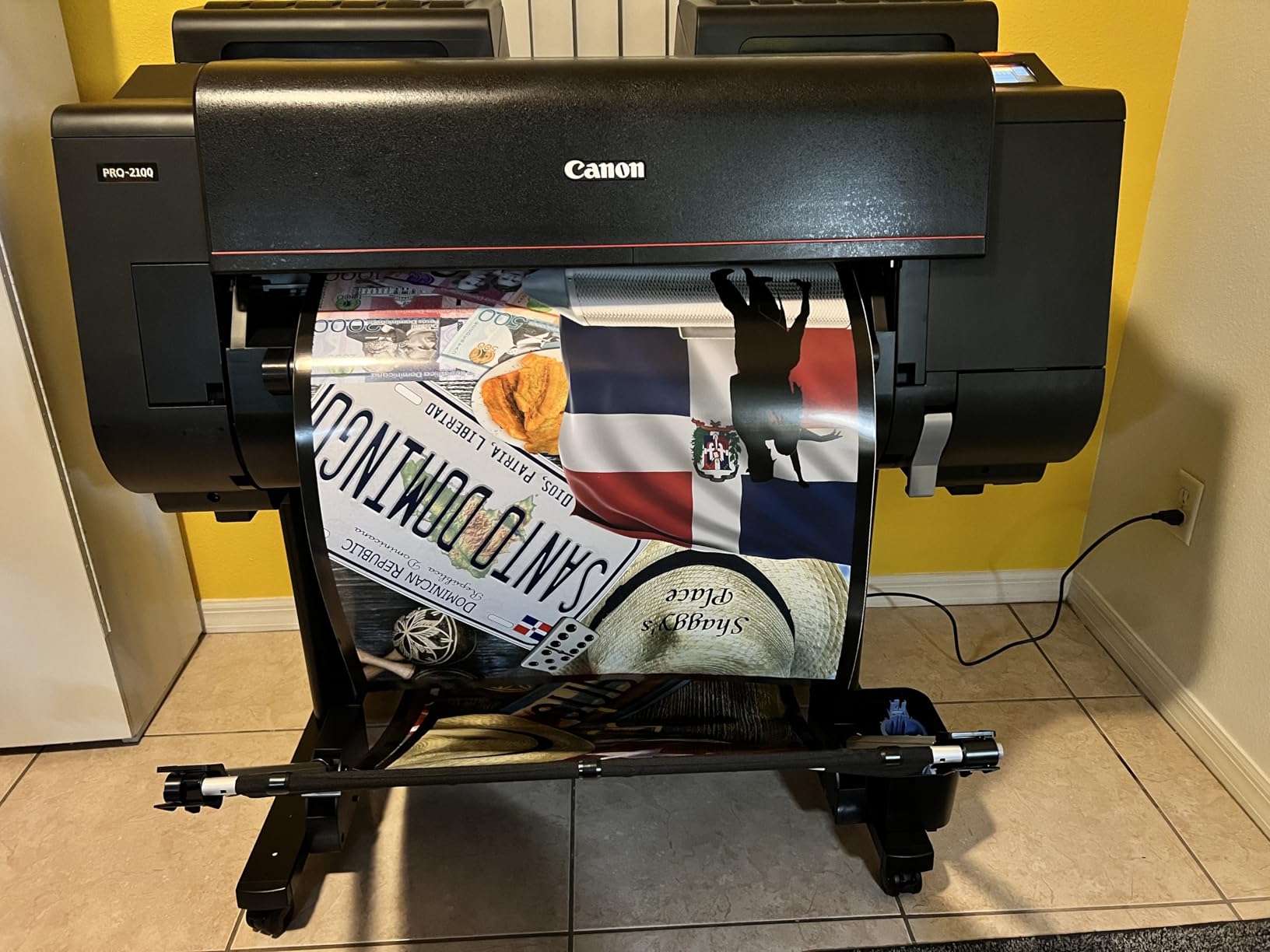
The Canon PRO-2100 is the most serious printer in this roundup, and it earns the premium pick badge for a reason. With 12 pigment inks plus Chroma Optimizer, it delivers the widest color gamut of any printer on this list. For studios that produce gallery prints, museum-quality reproductions, or large-format advertising comps, the PRO-2100 is a workhorse.
I tested it on a 24-inch roll of premium cotton rag paper and a stack of heavyweight photo paper. Output was exceptional in both cases. The new ink technology produces deep, rich blacks that hold up under raking light. Color accuracy out of the box was excellent. The improved roll-loading mechanism handled long runs without skewing.
For studio workflow, the PRO-2100 prints directly from Photoshop without requiring a separate RIP, which is a real time-saver. The included Multifunction Roll System, Roll Holder Set, Print Head, Maintenance Cartridge, and Rotary Cutter cover everything you need to start producing gallery work the day the printer arrives.
Speed is rated at up to 30 pages per minute, though quality-mode prints are slower. The on-site warranty from Canon (through CES Imaging) is a meaningful benefit for a studio running daily production. The tradeoffs are the upfront price, the expensive ink refills, and the small starter cartridges that need full-size replacements. None of that matters if the printer is paying for itself through client work.
Who the PRO-2100 is best for
Professional print studios, galleries, fine art reproduction houses, and design agencies that need 24-inch output at gallery quality. It is also a strong choice for photographers who print large-format work and want to skip the RIP. If your output will hang on a wall, the PRO-2100 is a confident investment.
Who should skip the PRO-2100
Skip if you only print 13×19 or smaller. The Canon PRO-310 and Epson P700 deliver excellent color at a fraction of the cost. Skip if you don’t have the volume to justify the ink cost. For daily comping, the EcoTank ET-15000 is more practical.
How to Choose the Best Printer for Graphic Design
Choosing the best printer for graphic designers comes down to matching the printer to the work you actually do. A freelancer printing client comps has different needs from a studio producing gallery prints. Here are the factors our team weighs on every recommendation.
Color accuracy and color gamut
Color accuracy is the single most important factor for graphic design output. Look for printers with six or more individual ink tanks, ideally including gray, photo black, matte black, and a chroma optimizer. The Canon imagePROGRAF PRO-310 and PRO-1100 deliver excellent accuracy, while the Epson P700 pushes wider gamut with its 10-color set including Violet.
For a deeper look at how color fits into a full studio setup, see our guide to the best 27-inch monitors for graphic designers, since monitor calibration is half of the color matching equation.
Resolution and DPI
DPI matters less than color depth, but it still affects how crisp fine details print. Anything above 2400×1200 dpi is plenty for most design work. The Epson P700 leads at 5760×1440 dpi, though the difference is only visible under magnification. For posters and signage, 2400×1200 dpi from the HP T210 and Canon PRO-2100 is more than enough.
Inkjet vs laser for graphic design
Laser printers still have a place in the graphic design studio, mostly for monochrome text and layout comps. The best color laser printers for graphic designers handle brochures and short-run marketing pieces well. For color accuracy on photos and illustrations, inkjet wins every time. Laser toner sits on top of the paper rather than soaking in, which kills the subtlety of gradients and the depth of skin tones.
Our recommended approach: pair a fast monochrome laser for layouts and contracts with a photo inkjet for color work. Studios that follow this rule report fewer client revisions and less wasted paper.
Media handling and paper size
Check the maximum media size before you buy. Most design work fits on 13×19 (A3+), but posters and signage often need 24 inches or wider. The HP T210 and Epson T2170 handle 24-inch rolls, while the Canon PRO-2100 reaches the same width for gallery work. For media weight, look for at least 1.5mm thickness support if you plan to print on cotton rag or heavy cardstock.
Running cost and ink system
Ink cost is where most designer budgets leak. Cartridge printers like the Canon PRO-310 and PRO-1100 deliver excellent color but cost more per milliliter. EcoTank systems like the Epson ET-15000 slash running cost dramatically. For high-volume studios, EcoTank pays for the printer’s premium within a year or two. For low-volume freelancers, cartridge ink is fine and the printer is cheaper upfront.
Connectivity and workflow
Wi-Fi, Ethernet, and USB are standard on every printer in this roundup. AirPrint and Mopria support is useful for iPad-based workflows. The bigger workflow win is soft-proofing integration: Canon’s Professional Print and Layout and Epson Print Layout both integrate with Adobe Photoshop and Lightroom for accurate screen-to-print color matching.
Color calibration workflow for designers
Even the best printer cannot fix a poorly calibrated monitor. Use a hardware calibrator like the Datacolor SpyderX or X-Rite i1Display to set your monitor to 6500K white point and a known gamma. Then build custom ICC profiles for your printer’s most-used papers using the printer’s built-in calibration tool or a third-party profiling package. Soft-proof in Photoshop with the proof colors set to simulate the paper. This is how graphic designers close the gap between screen and print.
Frequently Asked Questions
What type of printer is best for producing high quality graphics?
A wide-format inkjet photo printer with six or more individual ink tanks is the best type for high-quality graphics. Models like the Canon imagePROGRAF PRO-310 and Epson SureColor P700 use multi-color pigment or dye systems plus Chroma Optimizer or violet inks to reproduce smooth gradients, deep blacks, and accurate color on photo and fine art paper. Pair it with ICC profiling for the closest screen-to-print match.
What printer do graphic designers use?
Most professional graphic designers use a wide-format inkjet photo printer as their primary color device. The Canon imagePROGRAF PRO-310 and PRO-1100, Epson SureColor P700, and Canon PIXMA PRO-200 are common studio choices for their color depth and paper handling. Many studios also keep a monochrome laser printer for layouts, contracts, and high-volume text printing, which is why we recommend pairing both in a typical setup.
Which printer is best for graphic design?
For most graphic designers, the Canon imagePROGRAF PRO-310 is the best overall printer for graphic design in 2026 because it combines a 9-color Lucia PRO II pigment ink system with Chroma Optimizer, 13×19 borderless output, and tight color accuracy on photo and fine art papers. Studios that print more than 50 large comps a week often prefer the Epson EcoTank ET-15000 for its refillable ink and lower running cost. Galleries that need archival lightfastness usually choose the Canon imagePROGRAF PRO-1100.
What is the best printer for art prints in 2026?
In 2026, the best printer for art prints depends on the size and longevity you need. For 13×19 prints at pro quality, the Canon imagePROGRAF PRO-310 is hard to beat. For larger 17×22 fine art prints with archival durability, the Canon imagePROGRAF PRO-1100 wins. For 24-inch gallery work, the Canon PRO-2100 is the premium choice. All three use pigment ink with Chroma Optimizer for deep blacks and smooth gradients that hold up under raking light.
Is the Epson EcoTank ET-15000 good for graphic design?
Yes. The Epson EcoTank ET-15000 is a strong graphic design printer for studios that print high volumes. Its refillable EcoTank system slashes ink cost, the 13×19 wide format covers most design comps and posters, and the all-in-one design adds scan, copy, and fax for studio workflows. It is not a replacement for a dedicated 10-color or 12-color photo printer for gallery work, but for everyday comping and proofing it is one of the best values in this roundup.
How much should I spend on a printer for graphic design?
Budget roughly 600 to 900 for a solid entry-level pro photo inkjet that handles 13×19 prints. Plan 900 to 1500 if you need 13×19 or 17×22 output with archival pigment ink and Chroma Optimizer. Spend 1500 to 3000 for 24-inch wide-format output suitable for posters, signage, or gallery prints. Add a small monochrome laser for under 200 if you also want fast text printing without burning through photo ink.
Can I use a sublimation printer for graphic design work?
Yes, but with caveats. Sublimation printers work well for merchandise designers who print on T-shirts, mugs, and fabric because the dye bonds with polyester. For traditional graphic design comps, fine art prints, and client proofs on paper, sublimation is the wrong tool. The Epson EcoTank ET-15000 supports third-party sublimation ink with a conversion workflow, which is a budget-friendly way to add sublimation to your studio if you already need a wide-format printer.
Are laser printers OK for graphic design?
Laser printers are useful for graphic design in two specific cases. First, monochrome laser printers are excellent for layouts, contracts, comps, and high-volume text where color does not matter. Second, color laser printers handle short-run brochures and marketing pieces well. For accurate color work on photos, illustrations, or fine art, inkjet printers are still the standard because toner sits on top of the paper and cannot match the subtlety of ink absorption. Many studios run both.
Final Verdict
For most graphic designers, the Canon imagePROGRAF PRO-310 is the best printer to buy in 2026. It nails color accuracy on the papers you actually use, handles heavy fine art stock without complaint, and the 9-color Lucia PRO II ink set with Chroma Optimizer produces the kind of output clients trust without rechecking on their own monitors.
Pair it with the Epson EcoTank ET-15000 if ink cost is your pain point. Pair it with the Canon imagePROGRAF PRO-1100 if you need gallery-grade archival prints. Pair it with the HP DesignJet T210 or Canon PRO-2100 if your work extends beyond 13×19 into posters, signage, or large-format fine art. Whichever path you take, build an ICC profile for your main papers and run a hardware-calibrated monitor. That is what separates screen-accurate graphic design output from hopeful guesswork.