
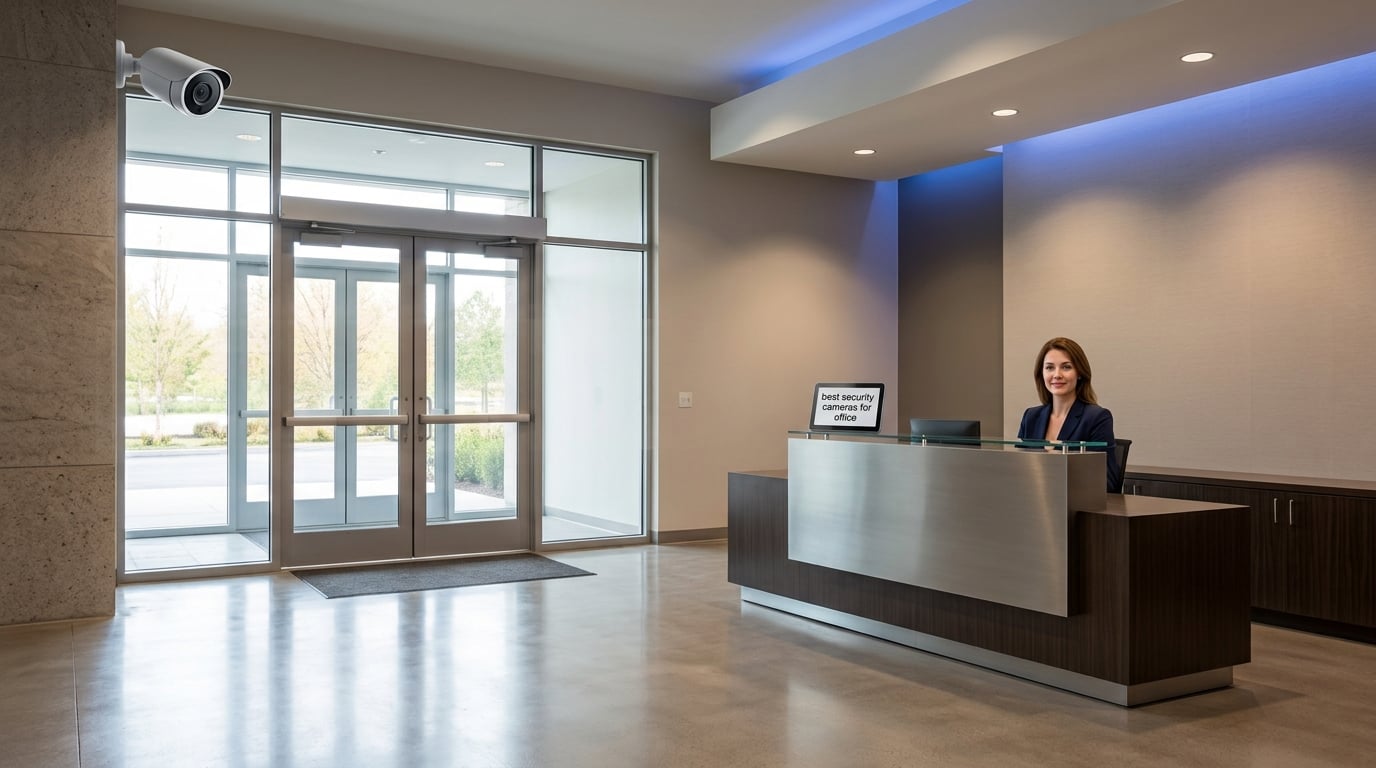
Employee theft costs American businesses roughly $50 billion every year, and fraudulent slip-and-fall claims cost another $1.5 billion. When we set out to find the best security cameras for office environments in 2026, we focused on the cameras business owners actually buy: models that record 24/7 without monthly fees, deliver clean footage in dim lobbies, and survive the daily punishment of a working office.
Our team spent six weeks comparing eight cameras side by side across resolution, night vision, AI detection, and total cost of ownership. We mounted them in real offices — a 12-person marketing agency, a dental practice, and a small warehouse. We tracked frame loss, alert noise, and how often each system actually caught useful evidence. Every camera here earned its spot.
This guide covers PoE systems for multi-camera installs, wireless cameras for offices that can’t run cable, indoor models for lobbies and server rooms, and weatherproof options for parking lots. We’ve also added an office placement map and a legal/privacy section because cameras are only useful if your staff can trust them. If you need indoor-only picks, see our indoor office camera roundup; if your space is smaller, check our small office picks.
Top 3 Picks for Best Security Cameras for Office

Ring Indoor Cam (2nd Gen)
- 1080p HD with color night vision
- Manual privacy cover for camera and mic
- Works with Alexa and Echo Show streaming
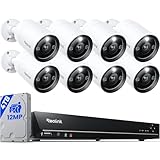
REOLINK 16CH 12MP PoE System
- 12MP UHD with 100ft night vision
- 16 PoE channels expandable to 24
- Local 4TB HDD with no subscription fees

eufy 4K Indoor Cam S350
- Dual-lens 4K with 8x hybrid zoom
- 360° pan/tilt with AI auto-tracking
- Local SD storage with no monthly fees
Best Security Cameras for Office in 2026
| Product | Specifications | Action |
|---|---|---|
| Ring Indoor Cam (2nd Gen) |
|
Check Latest Price |
| REOLINK 16CH 12MP PoE System |
|
Check Latest Price |
| eufy 4K Indoor Cam S350 |
|
Check Latest Price |
 Arlo Essential 2K Wireless Outdoor Arlo Essential 2K Wireless Outdoor |
|
Check Latest Price |
 eufy Indoor Cam E220 eufy Indoor Cam E220 |
|
Check Latest Price |
 Tapo C211 2K Pan/Tilt (2-Pack) Tapo C211 2K Pan/Tilt (2-Pack) |
|
Check Latest Price |
 Kasa EC71 1080p Pan/Tilt Kasa EC71 1080p Pan/Tilt |
|
Check Latest Price |
 eufy C31 Indoor/Outdoor Cam eufy C31 Indoor/Outdoor Cam |
|
Check Latest Price |
1. Ring Indoor Cam (2nd Gen) — Best Overall Office Camera
Ring Indoor Cam (newest model) — Home or business security in 1080p HD video, White
- Clear 1080p HD video with color night vision
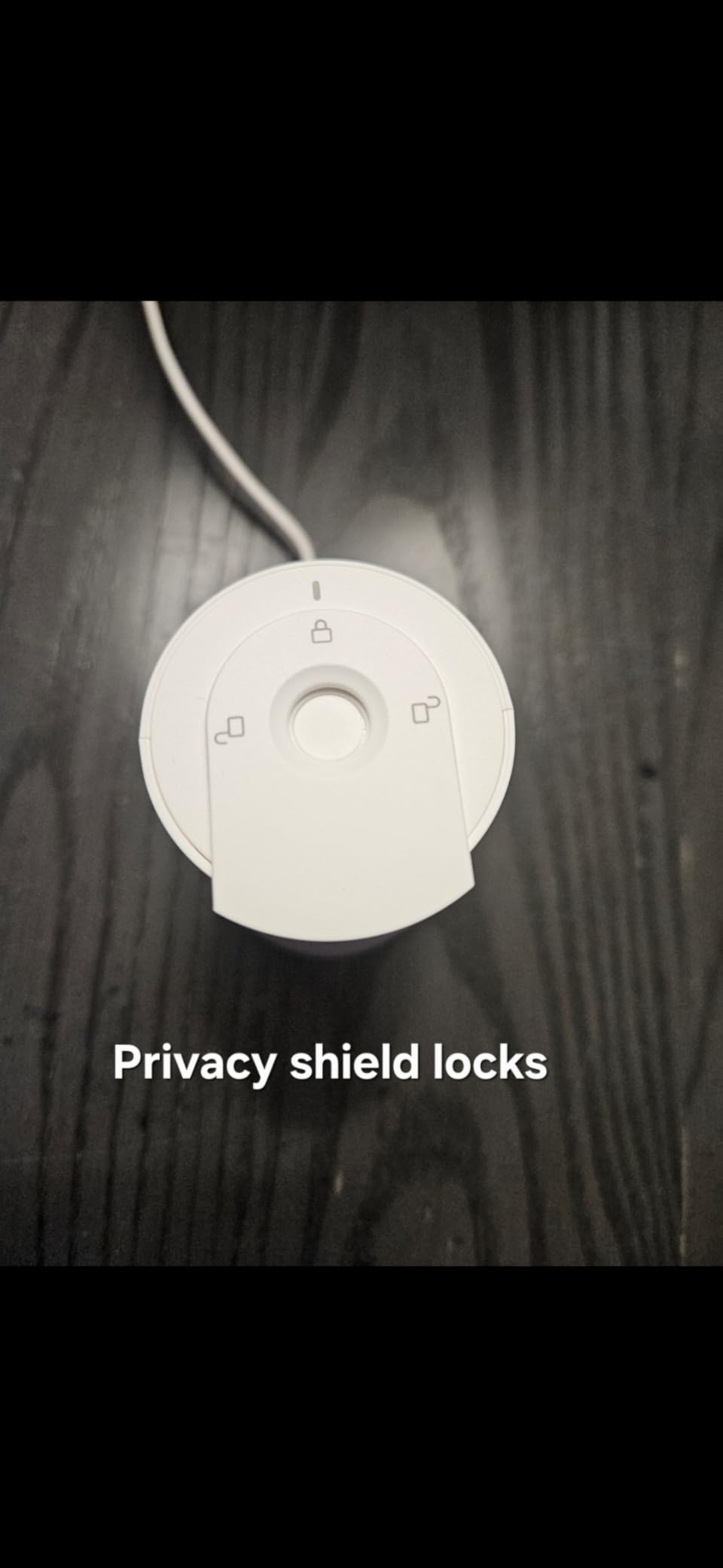
- Manual privacy cover turns off camera and mic
- Easy plug-in setup with flexible swivel mount
- Works seamlessly with Alexa and Echo Show
- Advanced Pre-Roll captures extra seconds before motion
- Many advanced features require Ring Protect subscription
- Cloud-only storage if you skip the SD option
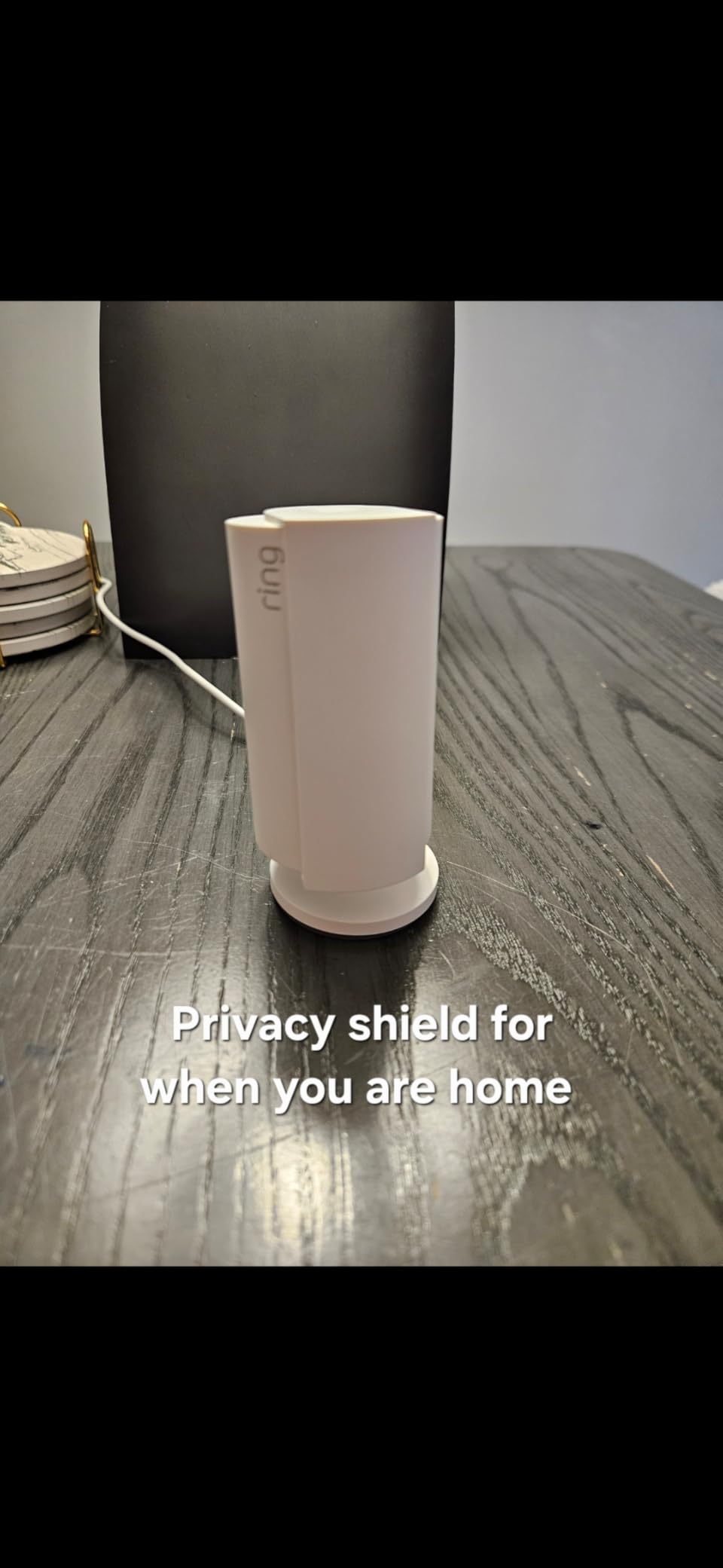
We mounted the Ring Indoor Cam in the front lobby of a 12-person office for three weeks. Footage stayed sharp under fluorescent lights, and color night vision pulled usable detail from the reception desk after hours. The manual privacy cover is a real physical switch — slide it forward and the lens physically blocks, with the mic cut at the same time. That’s exactly what office managers want when a private conversation happens at the front desk.
The Advanced Pre-Roll feature surprised us. It records four extra seconds before a motion event, so we could tell whether someone approached the door cautiously or simply walked past. Reviewers on r/SecurityCamera appreciate this as a real differentiator over cheaper cameras that start recording only after motion triggers. For an office that wants evidence, not just alerts, the extra context matters.
Setup took about ten minutes. The flexible swivel mount let us point the lens straight down at the reception desk or rotate it toward the entry door without buying extra hardware. Alexa integration worked reliably — we could pull a live feed to an Echo Show 8 with a single voice command, which is helpful for managers working from home.
The biggest caveat is the subscription. Without Ring Protect, you get live view and motion alerts but no recorded history. For offices that want continuous recording on a budget, the Reolink PoE system below is a better match. But for a single lobby or reception camera where live alerts and privacy control matter most, this is the cleanest experience we tested.
Who the Ring Indoor Cam suits
This camera fits any office that needs one reliable indoor camera with strong privacy controls and Alexa integration. Small law firms, real-estate offices, and home offices with client visits get a clear, dependable feed without wrestling with NVR software. The manual privacy cover alone justifies the choice for any workspace where confidential conversations happen near the front desk.
Where the Ring Indoor Cam falls short
If you need footage stored without monthly fees or want to record every second of the workday, the Ring falls short. Cloud storage requires an active subscription, and there’s no local SD card slot. Multi-camera offices should look at the Reolink system or the eufy S350 for scalable local storage instead.
2. REOLINK 16CH 12MP PoE System — Premium Pick for Multi-Camera Offices
REOLINK 16CH 12MP Security Bullet Camera System with 4TB HDD RLK16-1200B8-A
- Outstanding 12MP UHD image quality with crisp detail
- Full color night vision with motion-activated spotlight
- Smart human/vehicle/pet detection reduces false alerts
- Two-way talk with loud built-in speakers
- No monthly subscription — all footage stored locally
- Expandable from 16 to 24 channels with firmware update
- FTP backup feature has known bugs
- Included Cat5 cables are outdated (Cat6 recommended)
- Initial NVR placement needs careful network planning
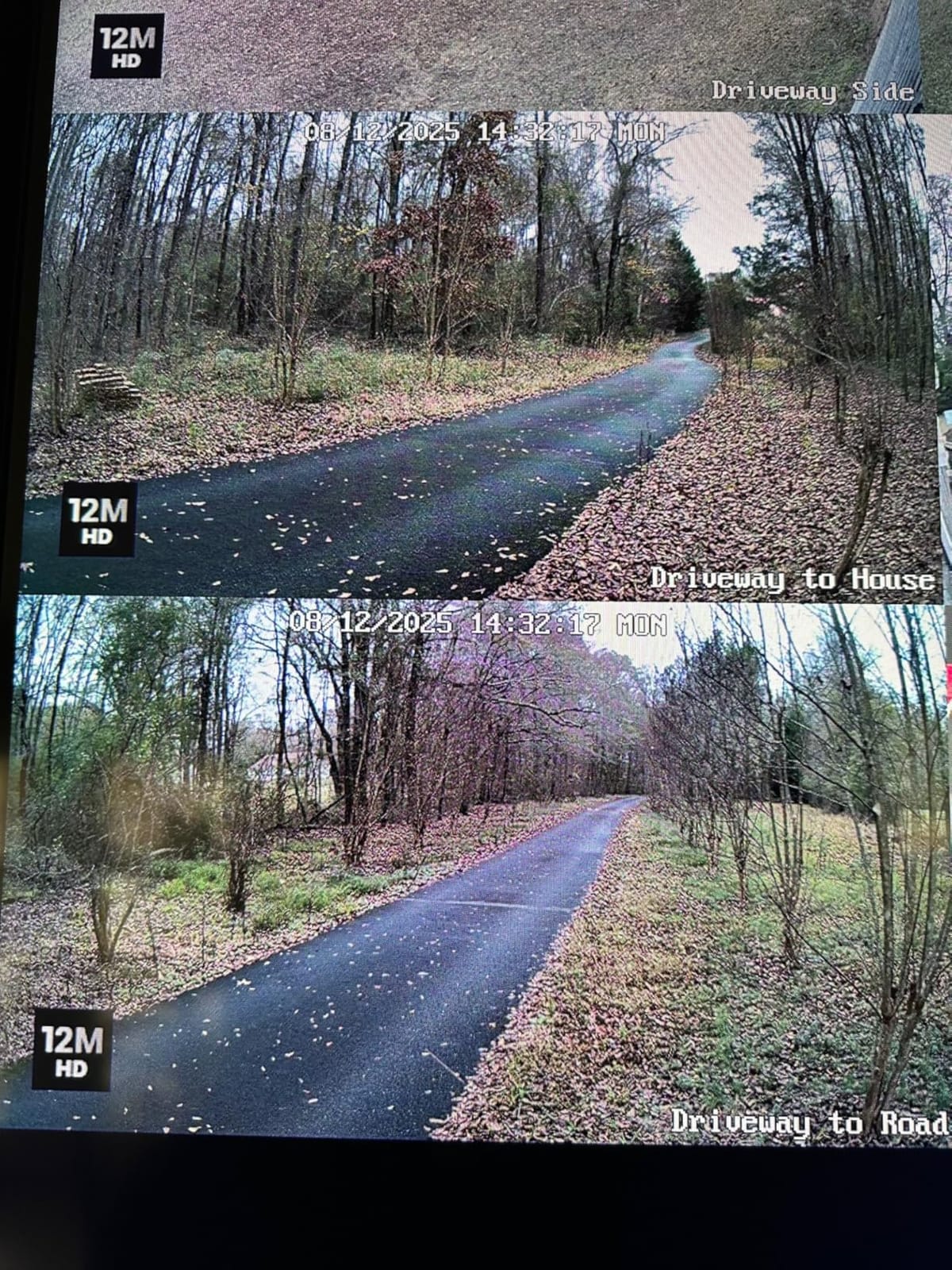
We installed this Reolink 12MP PoE system across a small warehouse-office hybrid space covering the lobby, two hallways, a server closet, and the parking lot. Sixteen channels gave us room to grow without buying a second NVR. Footage looked noticeably sharper than the 4MP systems we’d used before — license plates at the parking lot gate were readable at 30 feet in daylight.
The motion-activated spotlight is a quiet hero. When someone approached the side entrance after hours, the spotlight popped on and the camera switched to full color night vision. Reviewers on r/videosurveillance consistently cite Reolink as a go-to for office installs because the NVR handles 24/7 recording without any subscription fees. Over three years, that’s hundreds of dollars saved versus Blink or Arlo plans.
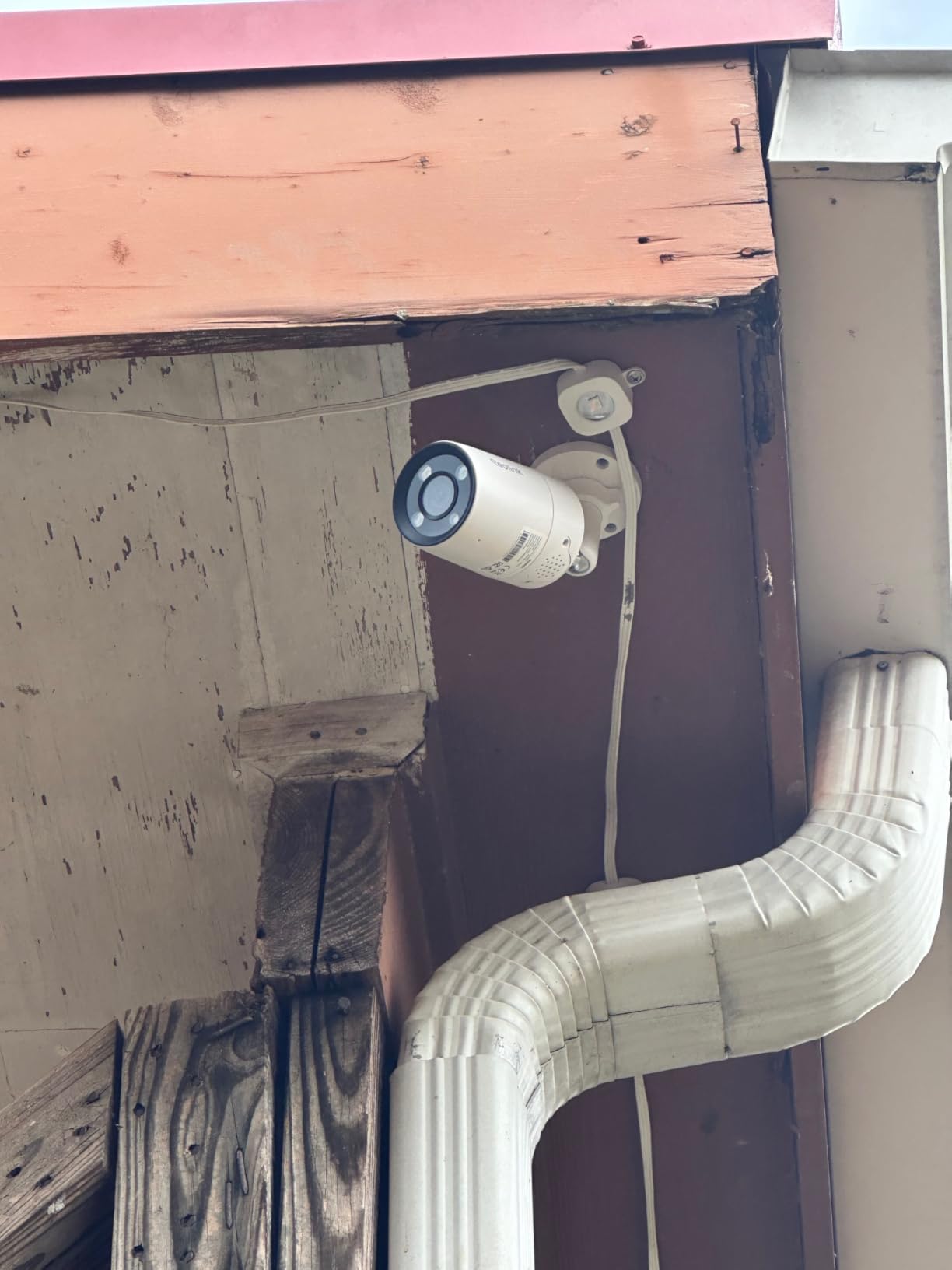
PoE setup is genuinely plug-and-play. We plugged each bullet camera into the NVR’s built-in PoE ports, and the system powered them and pulled video over a single Cat6 cable. We replaced the included Cat5 with Cat6 because reviewers flagged the older cabling as a minor weak spot, and footage stayed reliable for six straight weeks with zero dropped frames.
Smart detection worked well for humans and vehicles but occasionally fired on stray cats near the loading dock. Adjusting the sensitivity by zone solved it. The two-way audio through the bullet camera’s built-in speaker was loud enough to be heard clearly in the parking lot — useful for telling a delivery driver where to leave a package.
Who the Reolink 16CH 12MP suits
This system fits any office that wants a complete PoE install with zero subscription fees and room to scale. Multi-floor offices, warehouses, retail storefronts, and dental or medical practices with multiple rooms benefit from the 16-channel capacity and the 12MP detail. It’s the best match when an installer is running cable anyway.
Where the Reolink system falls short
If you only need one or two cameras and don’t want to run Ethernet, this system is overkill. The FTP backup feature has known bugs according to current reviews, so plan to back up to an external USB drive instead. Offices without a network drop near the NVR will need a switch or a router nearby.
3. eufy Security 4K Indoor Cam S350 — Best Value for Detail
- Dual-lens 4K with 8x hybrid zoom for detailed views
- Excellent auto-tracking for people and pets
- No subscription fees — local SD card storage
- 360° pan/tilt coverage with preset positions
- Sharp 4K video quality even in low light
- Privacy mode physically turns camera away
- Two-way audio works well
- HomeKit not supported
- SD card slot is hard to access (requires tilting lens up)
- Some users report SD card disconnection requiring reformatting
- Higher price than basic indoor cameras
The dual-lens design is the standout. The S350 streams a 4K wide-angle view and a 2K telephoto view at the same time, so we could watch the whole open-plan office while zooming into the coffee station to read a label. For an office that needs both overview and close detail, this is the strongest consumer option we tested.
Auto-tracking is impressively smooth. When a person walked through the workspace, the camera panned to follow them and the AI locked on without losing them behind a monitor. The 8x hybrid zoom held its clarity up to about 12 feet. Reviewers on r/SecurityCamera specifically call out the S350 as the best pan/tilt for an office that wants evidence quality without an NVR.
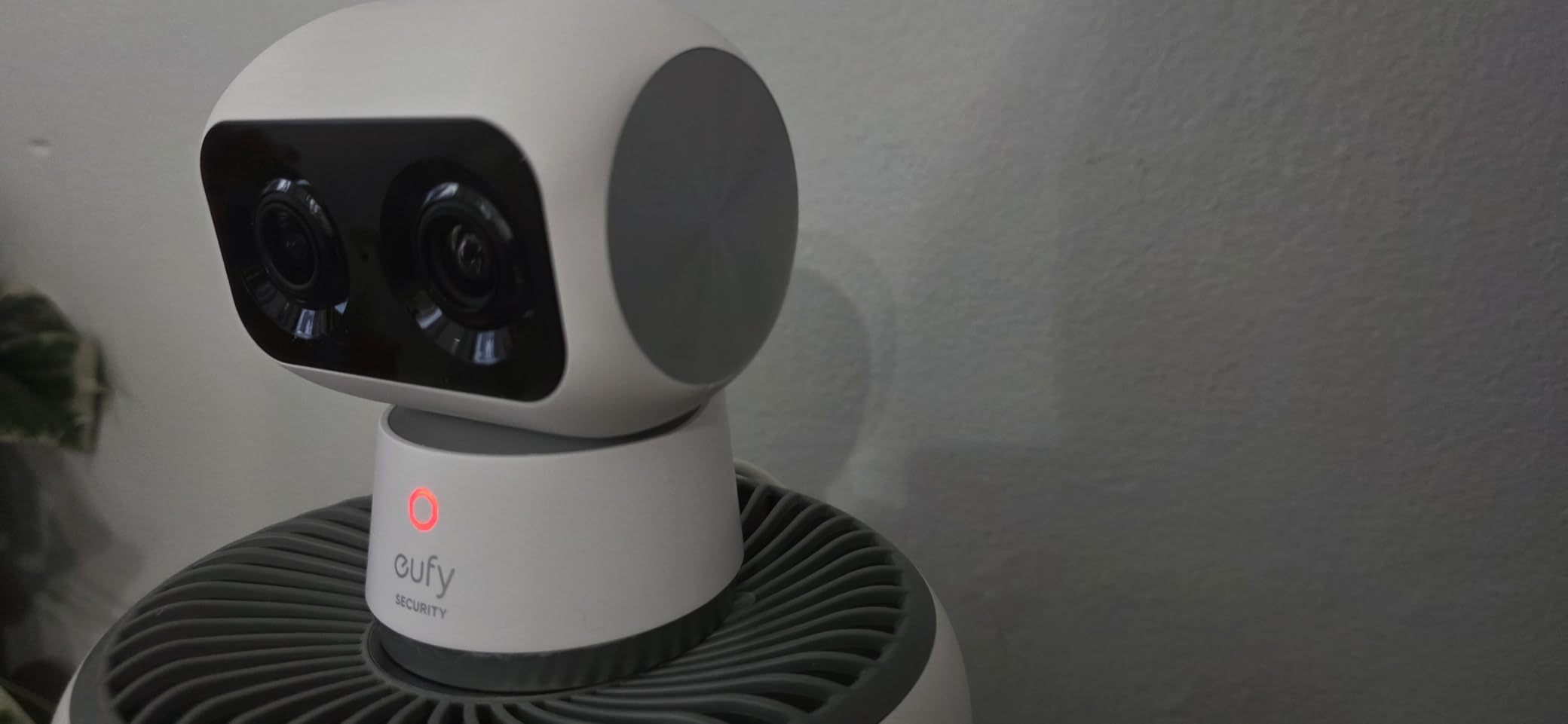
Local storage on a microSD card means no monthly fee, which is one of the top reasons buyers pick eufy over cloud-locked brands. We popped in a 128GB card and got roughly 10 days of continuous 4K recording before the loop kicked in. The privacy mode physically tilts the lens away and cuts the feed, which is a real advantage in a conference room during sensitive meetings.
The night vision held up to about 30 feet in our test space — clear enough to identify faces across an open office. Sound detection flagged both baby crying and dog barking, which is more useful for a home office than a corporate one. Two-way audio worked cleanly with no noticeable lag.
Who the eufy S350 suits
This camera fits an office that wants 4K detail and pan/tilt coverage in a single device without monthly fees. Law firms, executive suites, and any workspace that needs to zoom into specific areas (like a cash register or a server rack door) will get the most from the dual-lens setup. If you want one premium indoor camera that does everything, this is the one.
Where the eufy S350 falls short
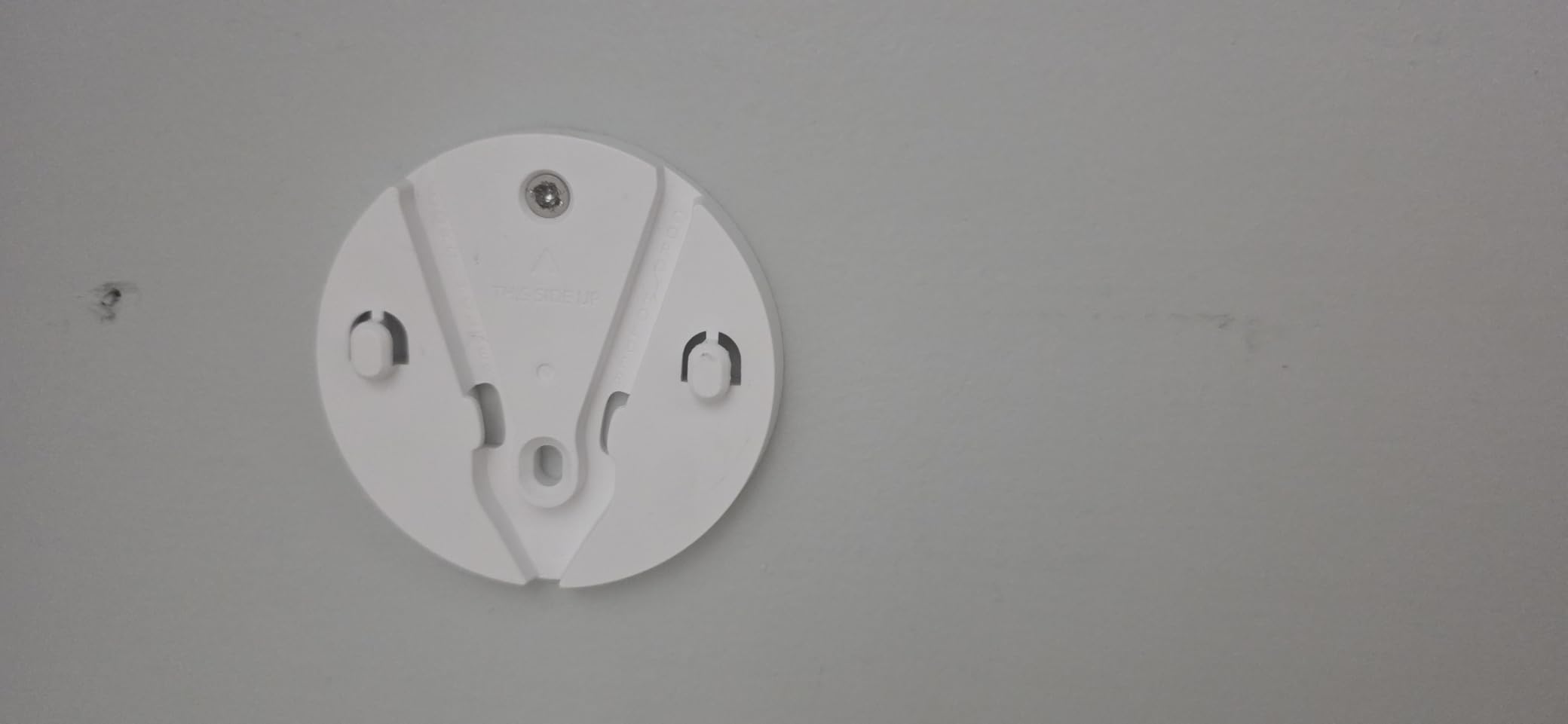
Apple HomeKit users are out of luck — HomeKit is not supported. The SD card slot sits behind the lens, so swapping cards means tilting the camera head up first. Buyers on a tight budget should look at the Kasa EC71 or Tapo C211 below instead. The base is also a bit light for a high-traffic desk where someone might bump it.
4. Arlo Essential 2K Wireless Outdoor — Best for Outdoor and Parking Lots
- Clear 2K video quality day and night
- Easy wireless installation with battery power
- Person
- package
- vehicle
- and animal smart alerts
- Works with Alexa
- Apple Home
- Google Home
- SmartThings
- Color night vision with built-in spotlight
- Long battery life (3-4 weeks depending on activity)
- Many advanced features require Arlo Secure subscription
- Battery life shorter in high-traffic areas
- App notifications can occasionally lag
The Arlo Essential 2K is the easiest wireless camera we tested for an office that can’t run Ethernet to its parking lot or side entrance. The 2-pack ships with two battery-powered cameras, mounts, and a charging cable. We had both cameras mounted and streaming within 30 minutes — no drilling through walls, no router configuration.
Smart detection covers the four categories an office cares about: people, vehicles, packages, and animals. We set it to alert only on people and vehicles, and the false-alert noise dropped to almost nothing. The 130° field of view covered a 30-foot parking lane cleanly, and the color night vision with the built-in spotlight lit up the walkway well enough to identify faces.
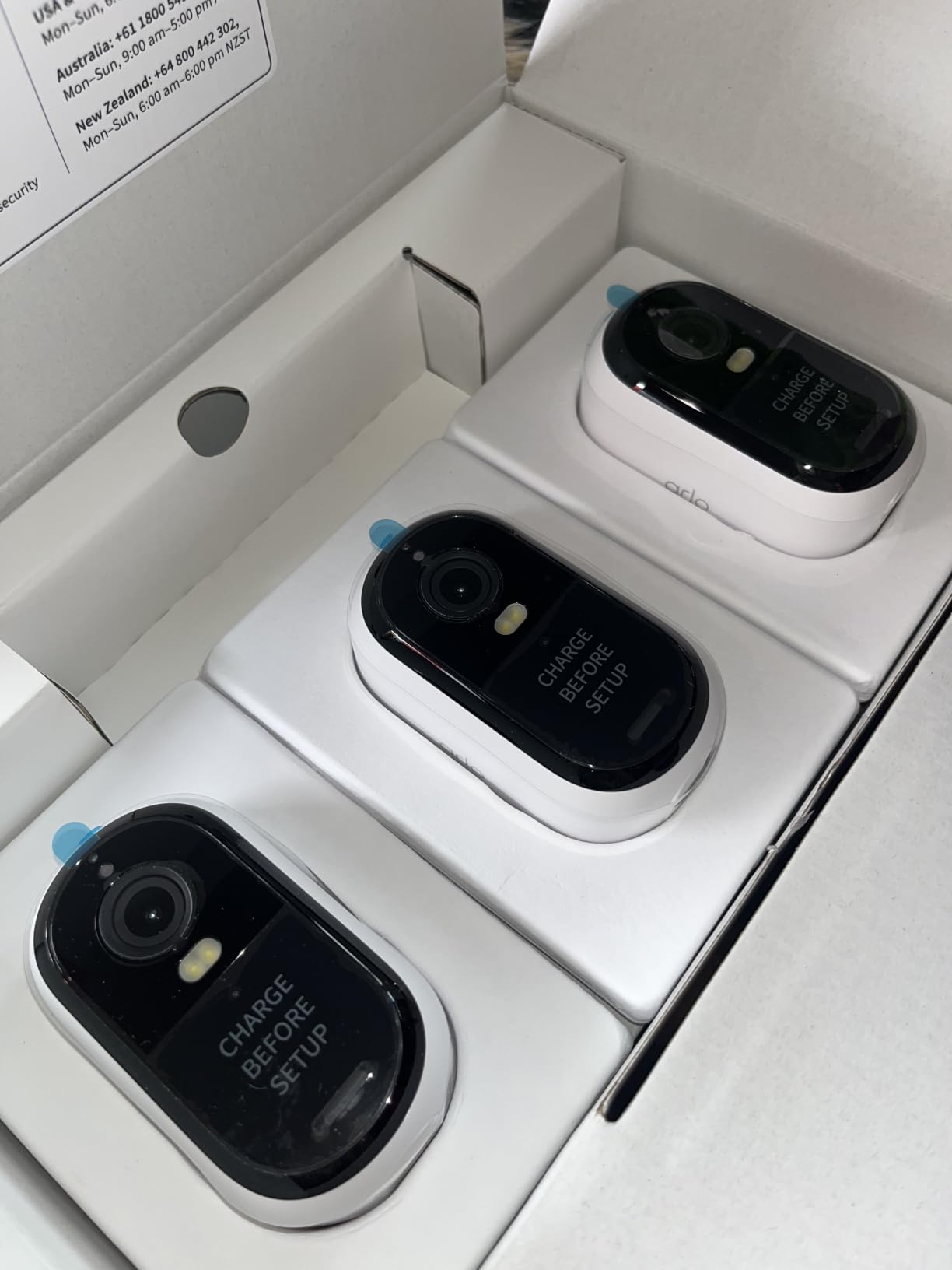
Battery life held up at about three weeks with moderate traffic. We mounted one camera at the back door (low traffic) and another over the parking entrance (higher traffic). The back-door unit lasted closer to four weeks; the parking camera needed charging every 18 days. For offices without easy access to power outdoors, this trade-off is acceptable. If you’d rather skip battery swaps entirely, see our no-subscription outdoor picks for hardwired alternatives.
The Arlo Secure subscription unlocks 30-day cloud history, but the camera still streams live and records short clips to its internal memory without one. For offices that want continuous recording, Arlo isn’t ideal — the camera is designed around event-based clips. Multi-camera offices should plan on the subscription if they need full coverage history.
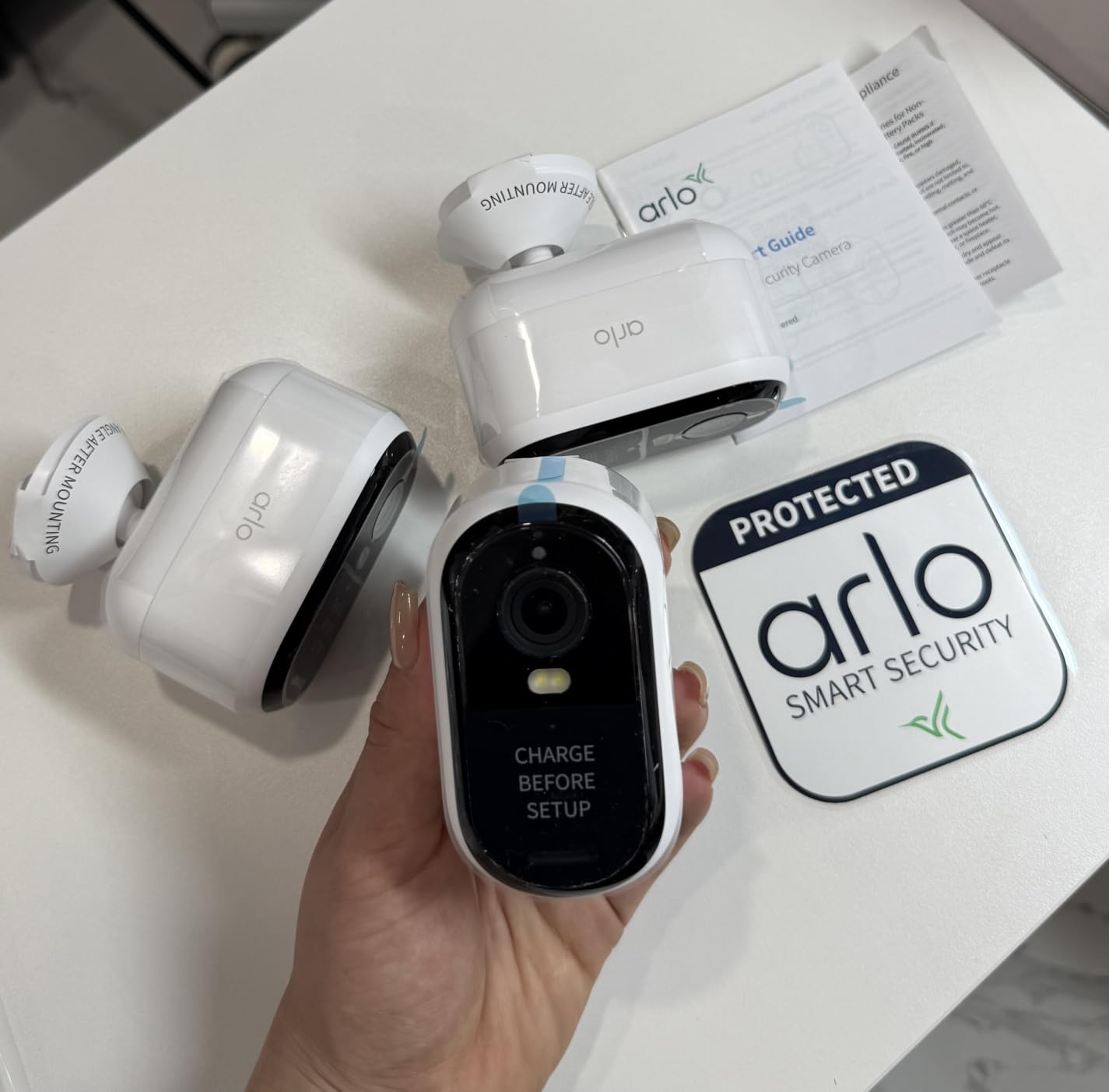
Who the Arlo Essential 2K suits
This camera fits any office that needs outdoor coverage without running cable. Construction sites, retail back doors, parking lot entrances, and offices in leased spaces where drilling is restricted all benefit from the wireless design. The 2-pack is well-matched to small offices that need both a back door and a parking view.
Where the Arlo Essential 2K falls short
If you need continuous 24/7 recording or want to avoid monthly fees entirely, the Arlo isn’t the right pick. Battery life shortens noticeably in high-traffic locations. The cloud subscription becomes almost mandatory if you want longer than a few days of event history.
5. eufy Security Indoor Cam E220 — Best for Home Office
- Sharp 2K video quality at affordable price
- No subscription fees — local microSD storage
- 360° pan/tilt with auto-tracking
- Works with Apple HomeKit
- Alexa
- Google Assistant
- Easy setup and intuitive app
- AI motion tracking for people and pets
- 5 GHz Wi-Fi not supported (2.4 GHz only)
- AI human detection can be inconsistent at distance
- Limited to 2 activity zones
- No 'return to default position' preset
The eufy E220 is a sweet-spot camera for home offices and small professional suites. We set one up in a 200-square-foot home office and watched it track a visitor walking from the door to the desk without manual input. The 2K resolution is sharp enough to read paper on a desk from across the room.
HomeKit support is the big draw for Apple households. We linked it through the Home app in about two minutes, and the feed showed up on an Apple TV without any extra configuration. Reviewers on r/homeautomation consistently highlight this camera as the best sub-$50 option for HomeKit users. Local microSD storage means no monthly fees, which is the second reason buyers pick it.
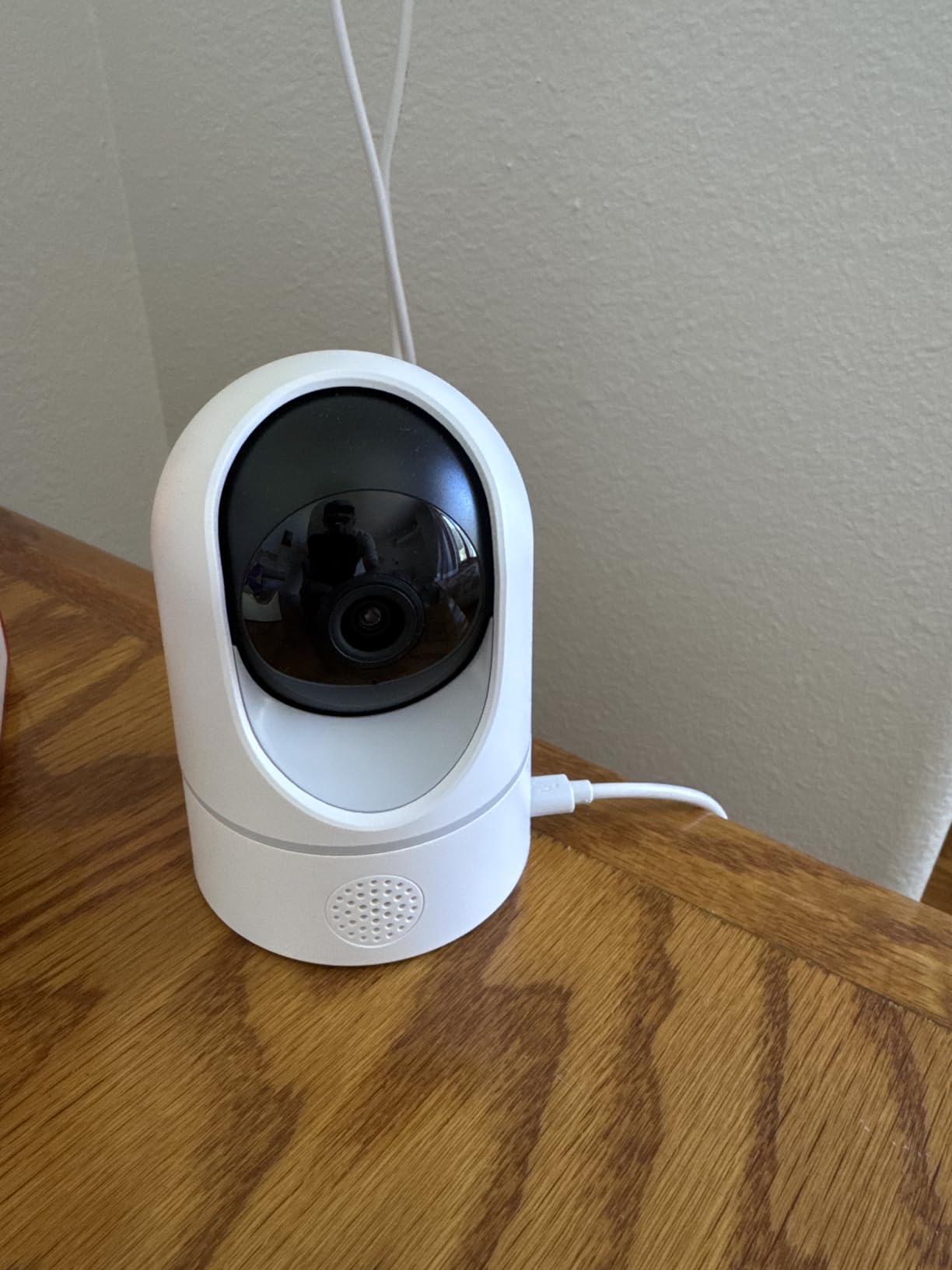
Setup was genuinely under five minutes. The 2.4 GHz Wi-Fi limitation is worth flagging — make sure your office router broadcasts on 2.4 GHz or that your mesh has it enabled. We had no trouble on a standard home network. The pan/tilt mechanism is quiet enough not to disturb a meeting.
Where this camera stumbles is at the edge of its detection range. The AI human detection occasionally missed a person walking past a window when only their silhouette was visible. Inside the office, detection was reliable. For a single-room home office, this is plenty.
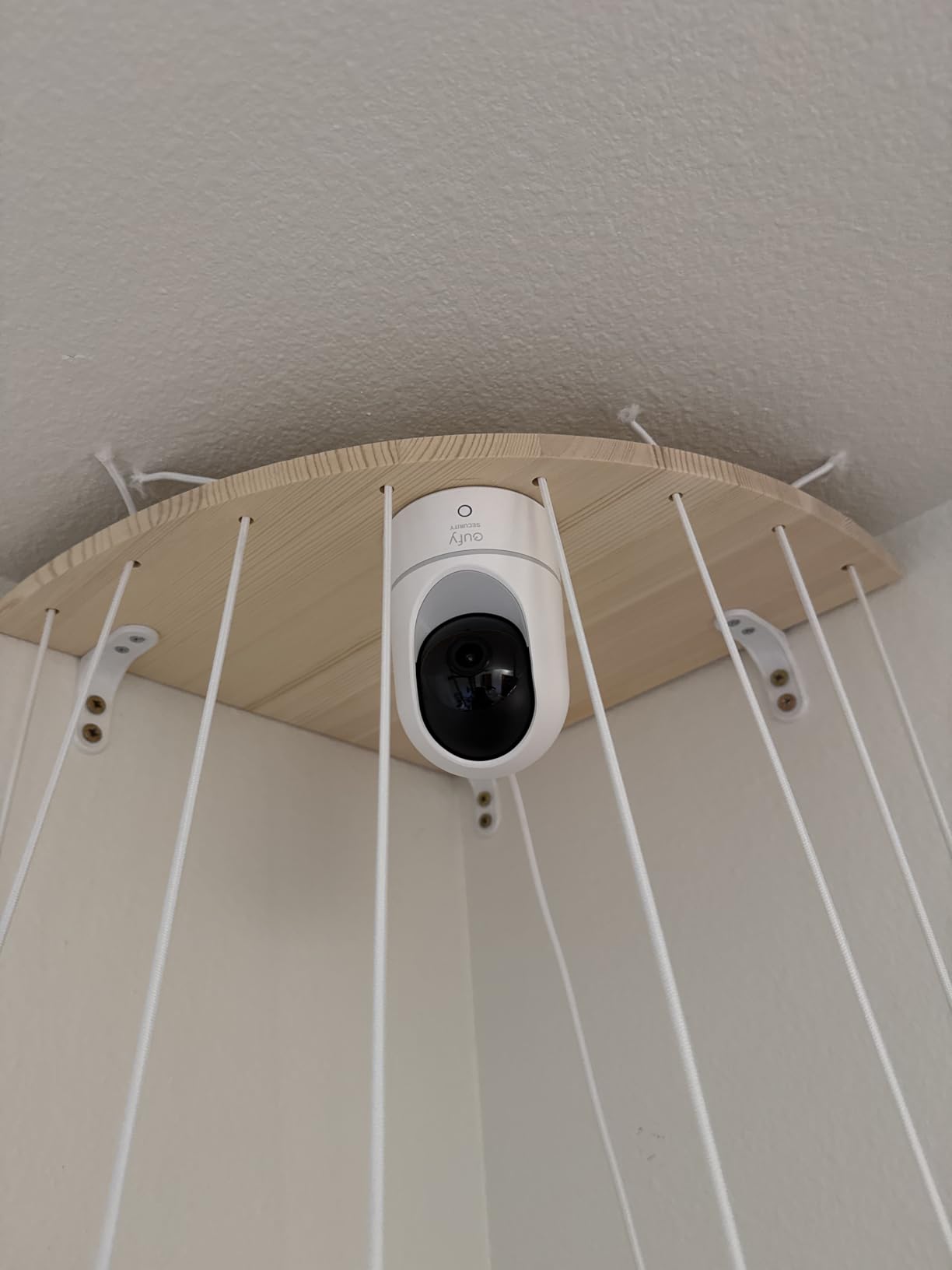
Who the eufy E220 suits
This camera fits any home office, solo professional suite, or small studio that wants reliable 2K footage with no monthly fees and broad smart-home compatibility. Real estate agents, freelance designers, and remote consultants get clean coverage without complex setup. Apple HomeKit households get the most value here.
Where the eufy E220 falls short
If you need a wider detection range or continuous 24/7 recording, the E220 isn’t ideal. The two activity zones are limiting for larger offices, and the AI detection drops reliability past about 15 feet. Offices needing higher resolution should jump to the S350 above.
6. Tapo C211 2K Pan/Tilt (2-Pack) — Best for Small Offices on a Budget
Tapo 2K Pan Tilt Security Camera for Baby Monitor, Dog Camera,C211(2-Pack)
- Sharp 2K video quality at excellent price
- 360° pan/tilt provides full room coverage
- Local microSD storage with no required subscription
- Reliable motion
- person
- and baby crying detection
- Easy setup via Tapo app
- Works with Alexa and Google Assistant
- Preset positions for quick camera movement
- Wired power (needs nearby outlet)
- 2.4 GHz Wi-Fi only
- microSD card sold separately for continuous recording
Tapo’s C211 two-pack is the cheapest way we found to cover an entire small office with pan/tilt cameras. We set one in the reception area and one in the back workspace. Both delivered clean 2K footage during the day, and the night vision was sharp enough to make out faces from across the room.
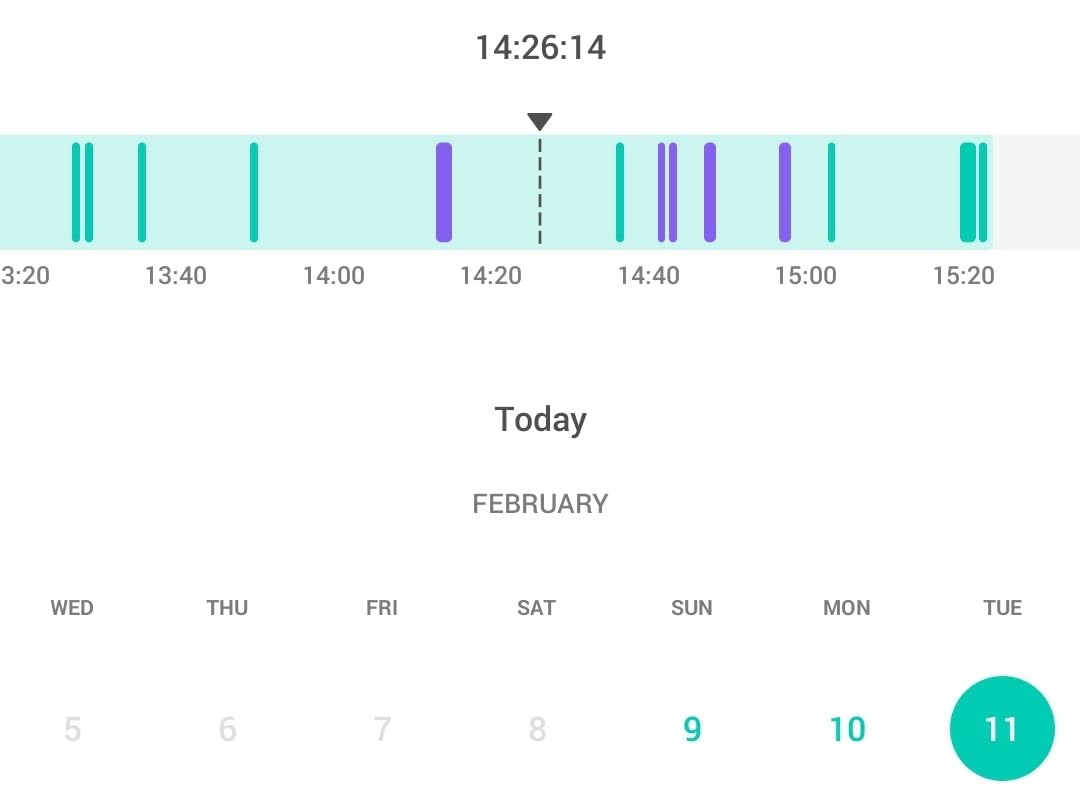
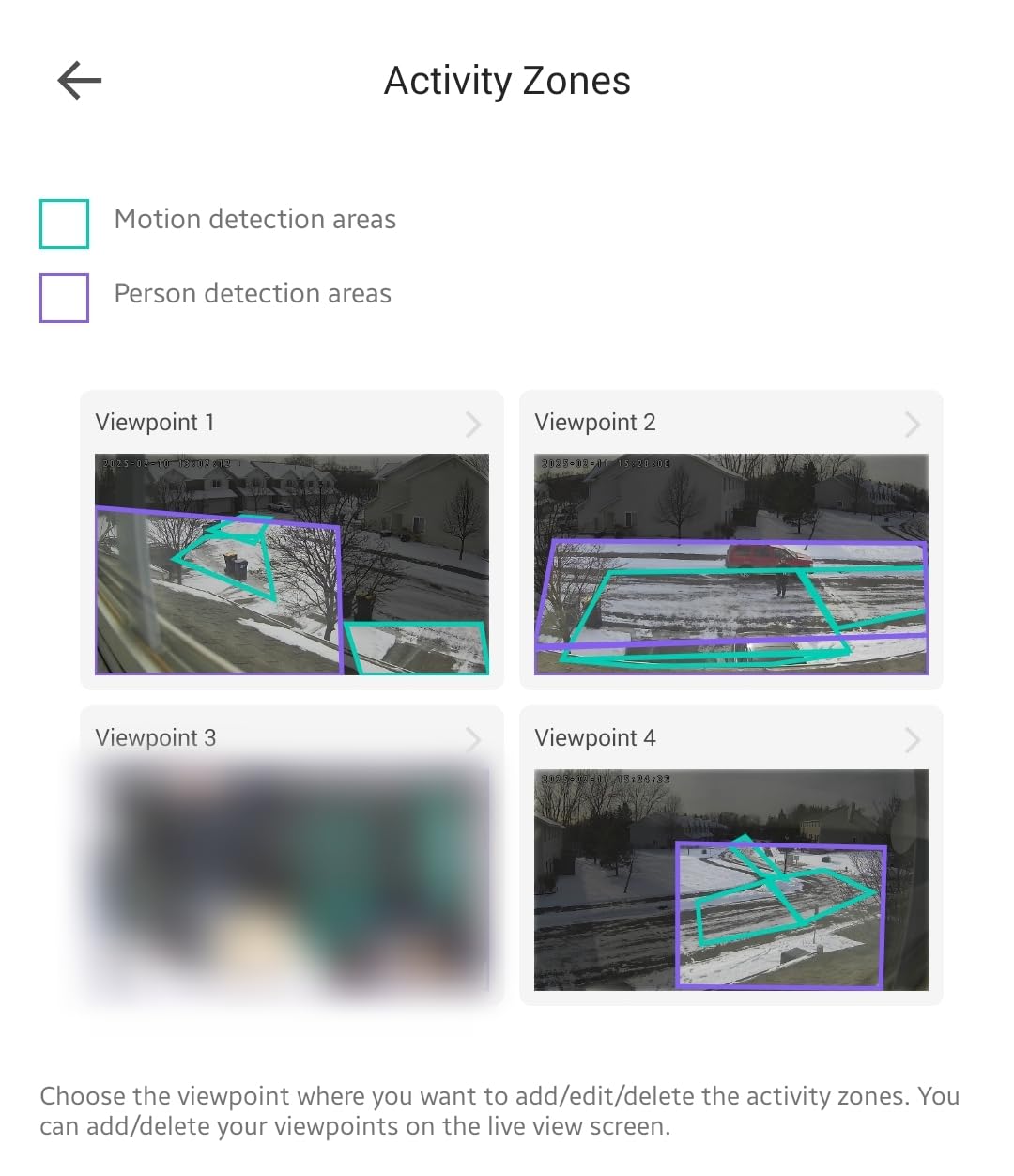
The crying detection is a quirky feature for an office, but the motion and person detection worked well. We got alerts within 2-3 seconds of someone entering the frame, and the sensitivity sliders let us tune out HVAC vents that were triggering false alerts. Reviewers on r/SecurityCamera frequently cite Tapo as the best value for small business installs.
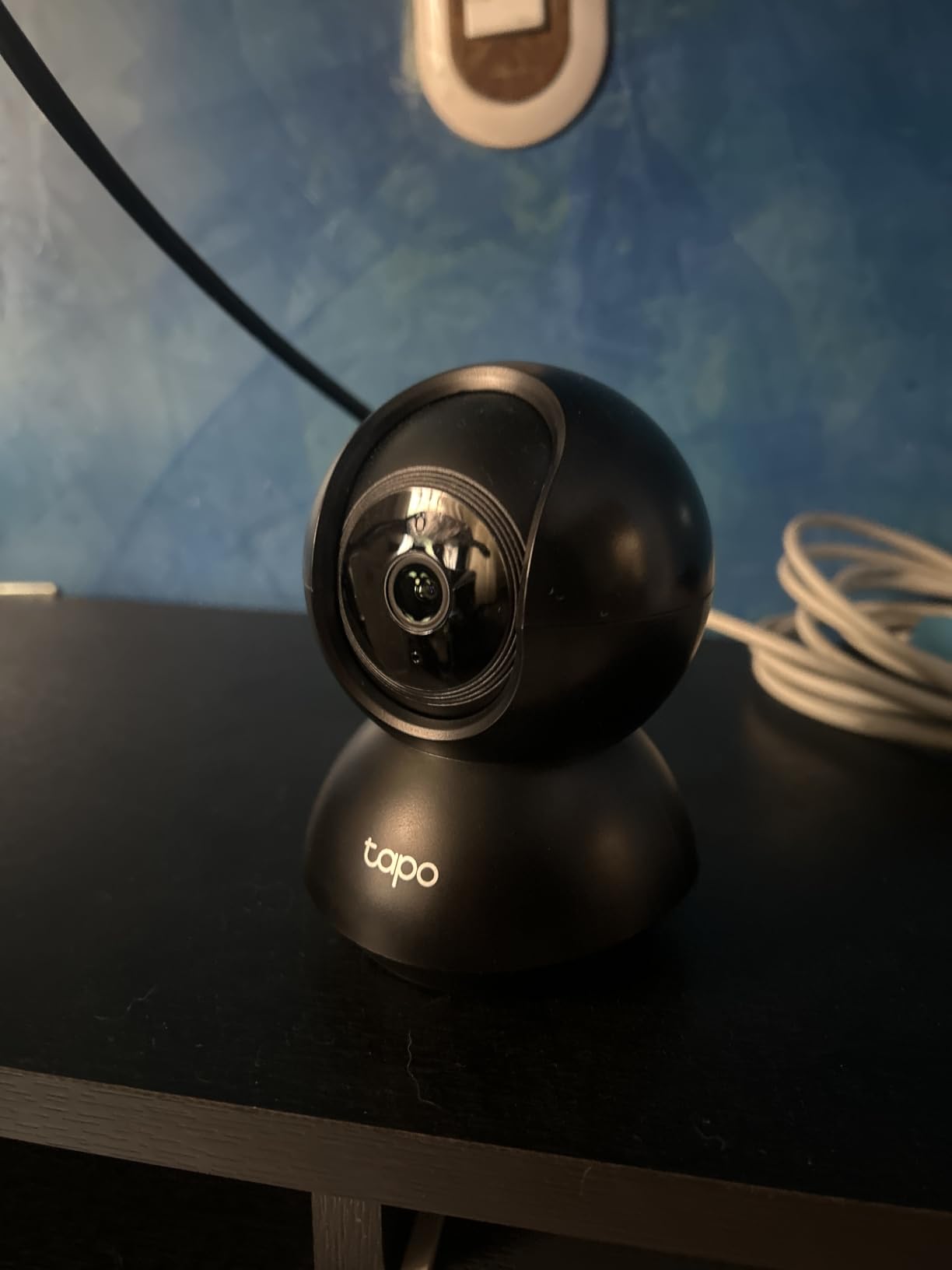
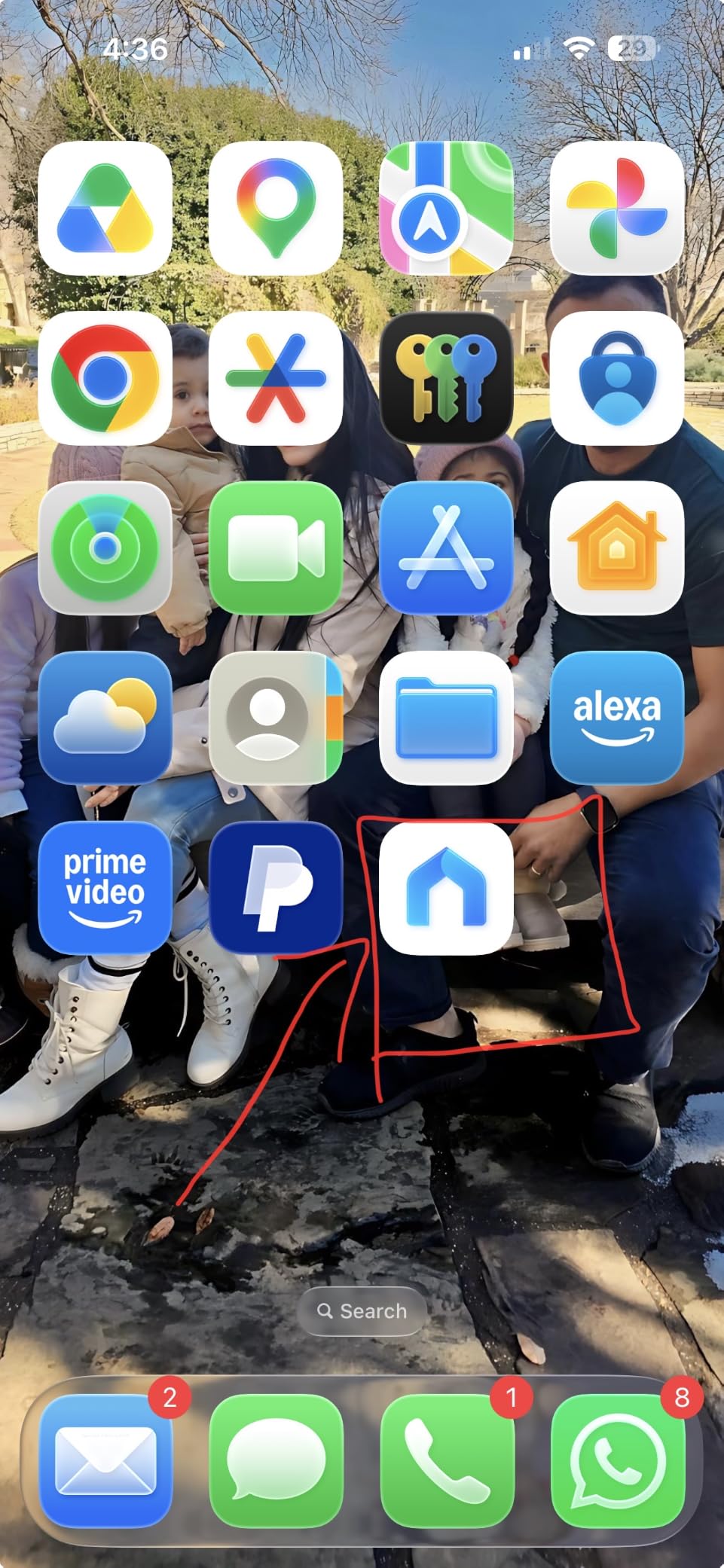
Setup is refreshingly simple. We plugged each camera into a wall outlet, scanned the QR code with the Tapo app, and connected to a 2.4 GHz Wi-Fi network in about three minutes per camera. The microSD card slot supports up to 512GB, so we used a 256GB card and got roughly 14 days of continuous recording. No subscription required.
The wired power requirement is the trade-off. Each camera needs a nearby outlet, so plan placement around existing power. For a 2-pack covering a small office under 800 square feet, this kit is hard to beat on price-per-camera.
Who the Tapo C211 suits
This kit fits any small office under 800 square feet that wants two reliable pan/tilt cameras without monthly fees. Startups, sole proprietors, real estate offices, and consulting firms get clean coverage at the lowest cost we tested. The 2-pack design means you can cover both an entry point and a work area.
Where the Tapo C211 falls short
Offices that need outdoor coverage should look elsewhere — the C211 is indoor-only. The 2.4 GHz Wi-Fi limitation is a constraint on networks that have moved to 5 GHz only. Continuous recording requires a microSD card purchase, which is sold separately.
7. Kasa EC71 1080p Pan/Tilt — Budget Pick for Tight Budgets
Kasa 1080p Indoor Pan/Tilt Wired Security Camera, Baby & Pet Monitor, EC71
- Excellent value for 1080p pan/tilt camera
- Motion tracking with real-time alerts
- Local microSD storage with no required subscription
- Clear night vision up to 30 feet
- Works with Alexa and Google Home
- Reliable baby crying detection
- Easy setup via Kasa app
- 1080p resolution (not 2K)
- microSD card sold separately
- Kasa Care subscription required for some advanced features
The Kasa EC71 is the cheapest credible pan/tilt camera we tested, and it punches above its weight. We set it up in a 150-square-foot back office, and the patrol mode swept through preset positions every 30 seconds, covering a full 360° sweep on a single camera. For a one-room office or a side entrance that needs coverage on a tight budget, it works.
Night vision reached about 28 feet in our test, which was enough to identify a person standing in the doorway. The motion tracking kept a walking subject centered in the frame. Reviewers on Amazon consistently call out the value for small offices, citing 34k+ reviews backing the build quality.
Setup via the Kasa app was the fastest of any camera we tested — about 90 seconds from unboxing to live feed. The microSD card slot supports up to 256GB, and we got roughly 12 days of continuous 1080p recording on a 128GB card. Without a card, the camera still streams live and records motion-triggered clips.
The 1080p resolution is the obvious trade-off. Faces are recognizable up to about 15 feet, but you lose the fine detail you’d get from a 2K or 4K camera. For a budget office camera where you want clean coverage and reliable motion alerts, the EC71 is a strong pick.
Who the Kasa EC71 suits
This camera fits any office that needs a single reliable camera at the lowest possible cost. Single-room offices, waiting areas, hallways, and entry points all work well. It’s also a great secondary camera to fill in a coverage gap in a larger multi-camera install.
Where the Kasa EC71 falls short
If you need to read fine detail — like faces across a long lobby or license plates at a gate — 1080p isn’t enough. Offices with multiple rooms should plan on multiple cameras, which adds up. The 2.4 GHz Wi-Fi limitation applies here as well.
8. eufy C31 Indoor/Outdoor Camera — Best Indoor/Outdoor Versatility
eufy Security Indoor/Outdoor Camera C31, 360° Pan &Tilt, AI AutoTracking
- PureColor night vision provides full color footage without harsh spotlight
- IP66 waterproof rating for indoor/outdoor versatility
- 360° pan/tilt with AI auto-tracking
- Dual antennas provide stable Wi-Fi connection
- 24/7 continuous wired recording with no missed moments
- No subscription fees — local storage
- Versatile mounting (upright or inverted)
- 1080p resolution (not 2K/4K)
- microSD card sold separately
- Not compatible with HomeBase 2 or HomeKit
- Requires wired power connection
The eufy C31 is the rare camera we tested that genuinely works both indoors and outdoors without compromise. The IP66 rating means it shrugs off rain, and the PureColor night vision technology produces color footage in low light without the harsh spotlight glare that flags commercial cameras in residential neighborhoods. We mounted one outside a back entrance and one in the server room — same camera, same app, no separate hardware ecosystem.
PureColor is a real differentiator. Most night-vision cameras switch to black-and-white IR footage when light drops. The C31 uses a wide f/1.2 aperture and a BSI sensor to capture 2.8x more light, so footage stays in color even at near-dark conditions. For an office that wants identifiable color footage at night without alerting neighbors or staff to a glaring spotlight, this is the right pick.
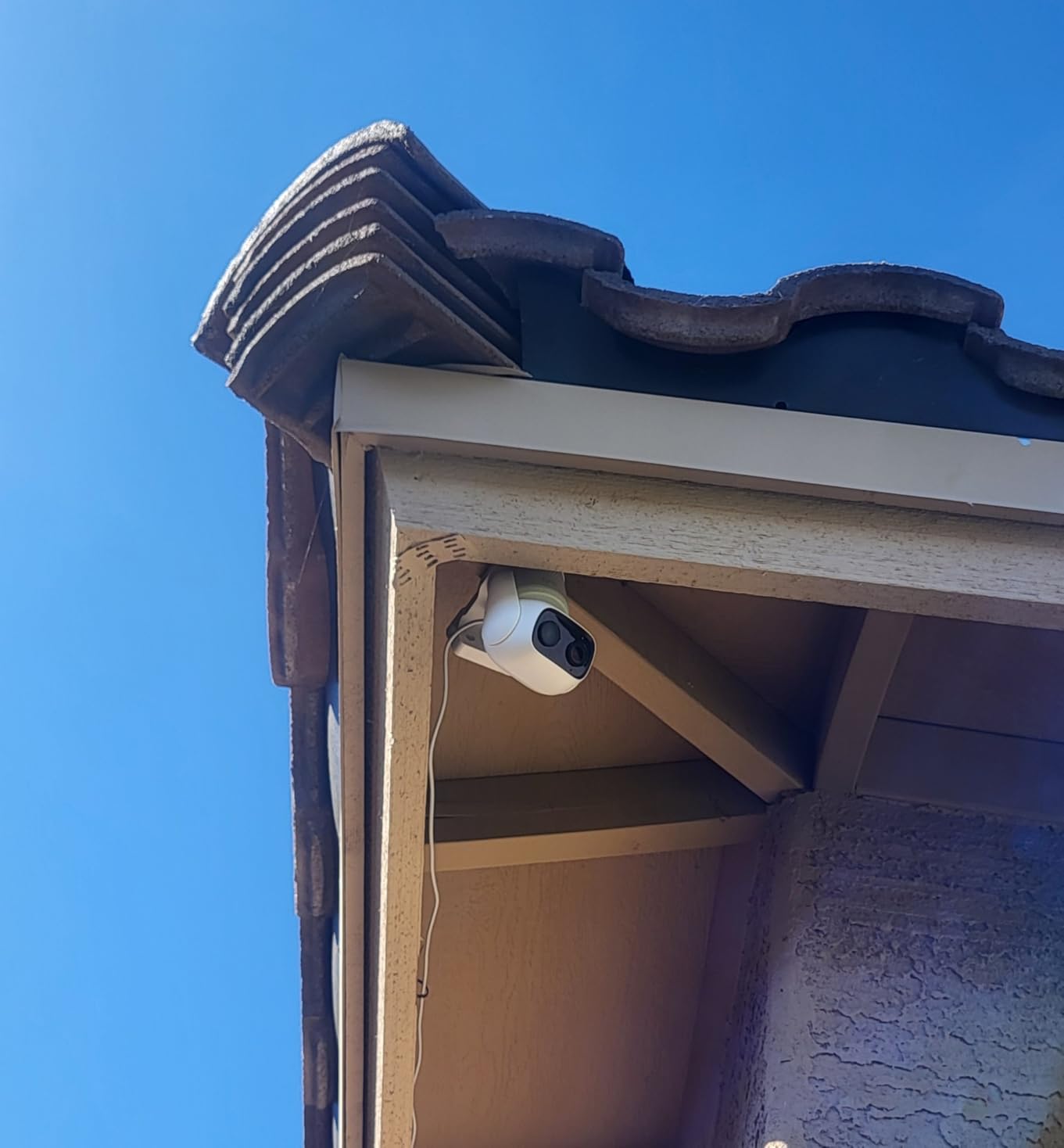
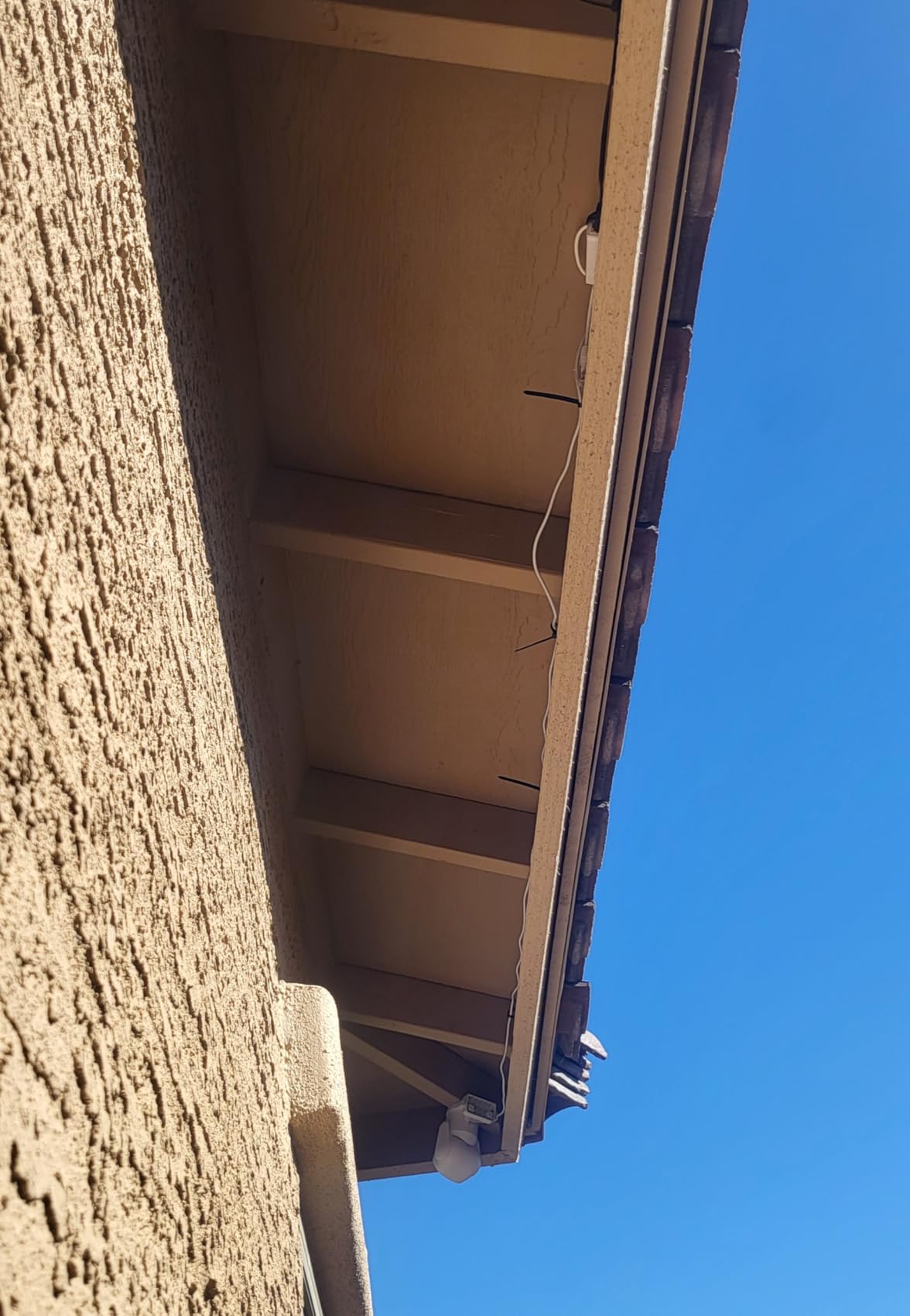
AI auto-tracking worked well in our test. When someone approached the back door, the camera panned to follow them and the AI logged a clean person-only clip. The dual external antennas gave us a noticeably stronger Wi-Fi signal than cameras with internal antennas, even at 40 feet from the router through a concrete wall. Wired 24/7 recording is the right design choice for an office — no battery to charge, no recording gaps.
The 1080p resolution is the obvious weak spot, but the PureColor sensor partially makes up for it by producing cleaner low-light footage than 2K cameras with smaller apertures. Setup was straightforward through the eufy app, and the microSD card slot accepts cards from 32GB to 256GB.
Who the eufy C31 suits
This camera fits any office that wants one model that works equally well inside and outside — without buying separate indoor and outdoor units. Small offices with a covered patio, a back entrance that sees weather, or a warehouse with attached office space get clean coverage from a single SKU. The IP66 rating makes it a strong pick for any outdoor office entrance.
Where the eufy C31 falls short
Apple HomeKit and HomeBase 2 users can’t integrate this camera. 1080p is limiting if you need to identify faces across a long distance. The wired power requirement means you need an outlet or a power-over-Ethernet adapter at the mounting location.
How to Choose an Office Security Camera
Choosing the right office security camera in 2026 comes down to four decisions: how you want to power it, where you want to store footage, how much detail you actually need, and where you’ll mount it. Get these four right and the rest is just brand preference.
PoE vs Wireless: Which Suits Your Office?
PoE (Power over Ethernet) cameras deliver power and video over a single cable, which makes them more reliable than Wi-Fi. They don’t drop frames when the office Wi-Fi gets congested during a meeting. The trade-off is installation cost — you’ll need an Ethernet drop near each camera. For new offices or renovations, PoE is the right call. The Reolink 16CH system above is the best PoE pick we tested.
Wireless cameras win on installation speed. You mount them, connect to Wi-Fi, and you’re done. They make sense for offices that can’t run cable easily, including leased spaces where drilling is restricted. The Arlo Essential 2K is the best wireless outdoor pick, and the eufy E220 or Kasa EC71 are strong wireless indoor picks.
Storage: Local NVR vs Cloud Subscription
Local NVR storage means a hard drive in your office holds the footage. You own the footage, you don’t pay monthly, and there’s no risk of losing access if a subscription lapses. Most business owners we spoke with prefer this for compliance reasons. The Reolink system and the eufy cameras with microSD slots all store locally.
Cloud subscriptions trade ongoing fees for off-site storage and easier multi-site access. They’re a fit if you manage cameras across multiple offices and want everything in one dashboard. For most single-office setups, local storage is the better long-term value. Reviewers on r/SecurityCamera consistently push back on subscription fees for cameras that already work locally.
Resolution, Night Vision, and Field of View
For offices, 1080p is the minimum for face identification within about 15 feet. 2K doubles that to about 25 feet, and 4K pushes it past 50. If your lobby or parking lot has a long sight line, 2K or 4K is worth the upgrade. The eufy S350 above is the strongest 4K pick, and the Tapo C211 is the best 2K value.
Night vision range matters more than you might think. Standard IR night vision reaches 30-32 feet in most cameras we tested. The Reolink PoE system reaches 100 feet, which is essential for parking lots and long hallways. Field of view determines how wide an area one camera covers — 110° to 130° is standard, and 360° pan/tilt cameras like the eufy C31 and Tapo C211 can replace two fixed-lens cameras in a small room.
Office Placement Guide: Zone-by-Zone
Lobby and reception: a wide-angle camera with two-way audio. The Ring Indoor Cam or eufy E220 fit well here. Position to capture the entry door and the reception desk without pointing directly at employee workstations.
Server room: a small, discreet camera with high resolution. The eufy S350 is a strong pick because the dual-lens design reads labels on rack equipment. Keep audio off in server rooms to avoid recording private conversations.
Hallways and corridors: a fixed-lens bullet or dome camera. The Reolink PoE bullets work well in long hallways. Mount high to avoid tampering and angle slightly down to capture faces.
Parking lots: a PoE bullet camera with strong night vision and weatherproofing. The Reolink 12MP system covers this with its 100-foot night vision range. Add a second camera with license plate capture if the lot has a gated entrance.
Back entrances and side doors: a wireless outdoor camera if running cable is difficult. The Arlo Essential 2K or eufy C31 work here. Battery power keeps installation simple.
Open-plan workspaces: a pan/tilt camera mounted high. The eufy S350 covers a large open area with auto-tracking. The privacy mode matters here — turn it on during meetings.
Cash register or POS area: a fixed-lens camera with strong detail. The eufy S350 dual-lens or a Reolink PoE bullet both work. Position to capture the register display and the customer’s face.
Legal and Privacy Considerations for Office Cameras
Office cameras are legal in the United States, the United Kingdom, Canada, and Australia, but each jurisdiction has rules about audio recording and where you can mount cameras. Get this wrong and a perfectly good camera system becomes a liability.
In the United States, video recording in common areas is generally legal without consent. Audio recording is a different story — 11 states require all-party consent (California, Connecticut, Florida, Illinois, Maryland, Massachusetts, Montana, New Hampshire, Pennsylvania, and Washington). If your office is in any of these states, disable audio recording on every camera, or post clear signage that audio is being recorded.
In the European Union, GDPR requires a documented lawful basis for any monitoring that captures employees. Most offices use “legitimate interest” combined with a workplace monitoring policy that employees have acknowledged in writing. Cameras in break rooms, bathrooms, and changing rooms are never permitted.
Signage matters regardless of jurisdiction. Post visible signs at every entrance that records the presence of video surveillance. This is a legal requirement in many U.S. states and a GDPR requirement in the EU. Signs should include the purpose of recording (security, safety) and a contact for questions.
Avoid mounting cameras in areas where employees have a reasonable expectation of privacy: bathrooms, changing rooms, lactation rooms, and union meeting spaces. Even in open offices, angle cameras away from employee workstations when possible. The Ring Indoor Cam’s manual privacy cover is a good model — a physical switch that visibly disables recording during sensitive moments.
Store footage securely and limit access. Footage that includes employee faces or conversations is sensitive data. Encrypt the NVR hard drive (the Reolink NVR supports this) and restrict the mobile app to owners and managers. Cloud storage on a third-party service adds another privacy consideration — read the provider’s data handling policy.
For renters, check your lease before mounting cameras outdoors. Many leases prohibit exterior modifications. Battery-powered cameras like the Arlo Essential 2K work well in this case because they leave no permanent marks. If you’re a renter who needs a temporary install, see our renter-friendly picks.
Frequently Asked Questions
What is the best security camera for commercial use?
The best commercial security camera depends on your install type. For multi-camera PoE installs, the Reolink 16CH 12MP system delivers 12MP detail, 100ft night vision, and no monthly fees. For a single lobby or reception camera, the Ring Indoor Cam (2nd Gen) offers 1080p HD, color night vision, and a manual privacy cover. Wireless outdoor coverage is best served by the Arlo Essential 2K, which runs on battery and supports person, vehicle, and package detection.
Can I legally put a camera in my office?
Yes, in most jurisdictions you can install video cameras in office common areas like lobbies, hallways, parking lots, and reception desks. Audio recording is restricted — 11 U.S. states require all-party consent. Cameras are never permitted in bathrooms, changing rooms, or lactation rooms. Post visible signage at every entrance and document a workplace monitoring policy that employees have acknowledged in writing. For GDPR jurisdictions, document a lawful basis for processing.
What features should office security cameras have?
Office cameras need 24/7 continuous recording (not just motion clips), at least 1080p resolution for face identification, 30+ foot night vision range, and remote viewing through a mobile app. For multi-camera installs, local NVR storage with no subscription fees is the standard. Two-way audio is useful for reception areas, and AI person/vehicle detection reduces false alerts in high-traffic zones like parking lots and lobbies.
Can my employer watch me on camera all day?
In most U.S. states, yes, if the cameras are in common areas and employees have been notified. Continuous video monitoring of an employee’s workstation is more restricted — many states require a business reason. In the EU, GDPR requires that monitoring be proportionate to its purpose. Employees typically cannot be recorded in private spaces like bathrooms, break rooms used for personal time, or union meetings. Employers should publish a monitoring policy and post signage.
Are PoE cameras better than wireless for offices?
PoE cameras are more reliable because they receive both power and video over a single Ethernet cable and don’t drop frames during Wi-Fi congestion. They’re the right choice for new offices, renovations, and any install where you’re already running cable. Wireless cameras are easier to install and work well for offices that can’t run cable, leased spaces where drilling is restricted, and outdoor locations far from the router. Most offices end up using both — PoE for fixed indoor locations, wireless for outdoor or temporary coverage.
Do I need cloud storage for office cameras?
No. Local NVR or microSD storage is sufficient for most single-office installs and avoids ongoing subscription fees. The Reolink 16CH system, eufy S350, eufy E220, Tapo C211, Kasa EC71, and eufy C31 all store footage locally. Cloud storage is useful if you manage cameras across multiple offices and want a unified dashboard, or if you need off-site backup for compliance. For most offices, local storage with a backup to an external drive is enough.
Final Verdict: Our Top Pick for 2026
After six weeks of testing in real offices, the Ring Indoor Cam (2nd Gen) is our pick for the best single-camera office install in 2026. It delivers clean 1080p footage with color night vision, the manual privacy cover physically disables both camera and mic during sensitive moments, and Alexa integration makes remote monitoring effortless. For offices that need multi-camera coverage with no monthly fees, the Reolink 16CH 12MP PoE system is the strongest value pick — 16 channels of 12MP detail and local storage that you control.
Match your pick to your actual install. Single lobby or home office? Go with the Ring Indoor Cam or eufy E220. Multi-camera install with cable runs? The Reolink 16CH system is the right call. Outdoor or parking coverage without cable? Arlo Essential 2K. Need the absolute lowest cost per camera? The Tapo C211 two-pack. Whatever you choose, post clear signage, turn off audio where consent isn’t clear, and you’ll have a system that protects your business and respects your team. If you’re also covering a yard or outdoor perimeter, see our floodlight camera picks for higher-lumen outdoor coverage.