
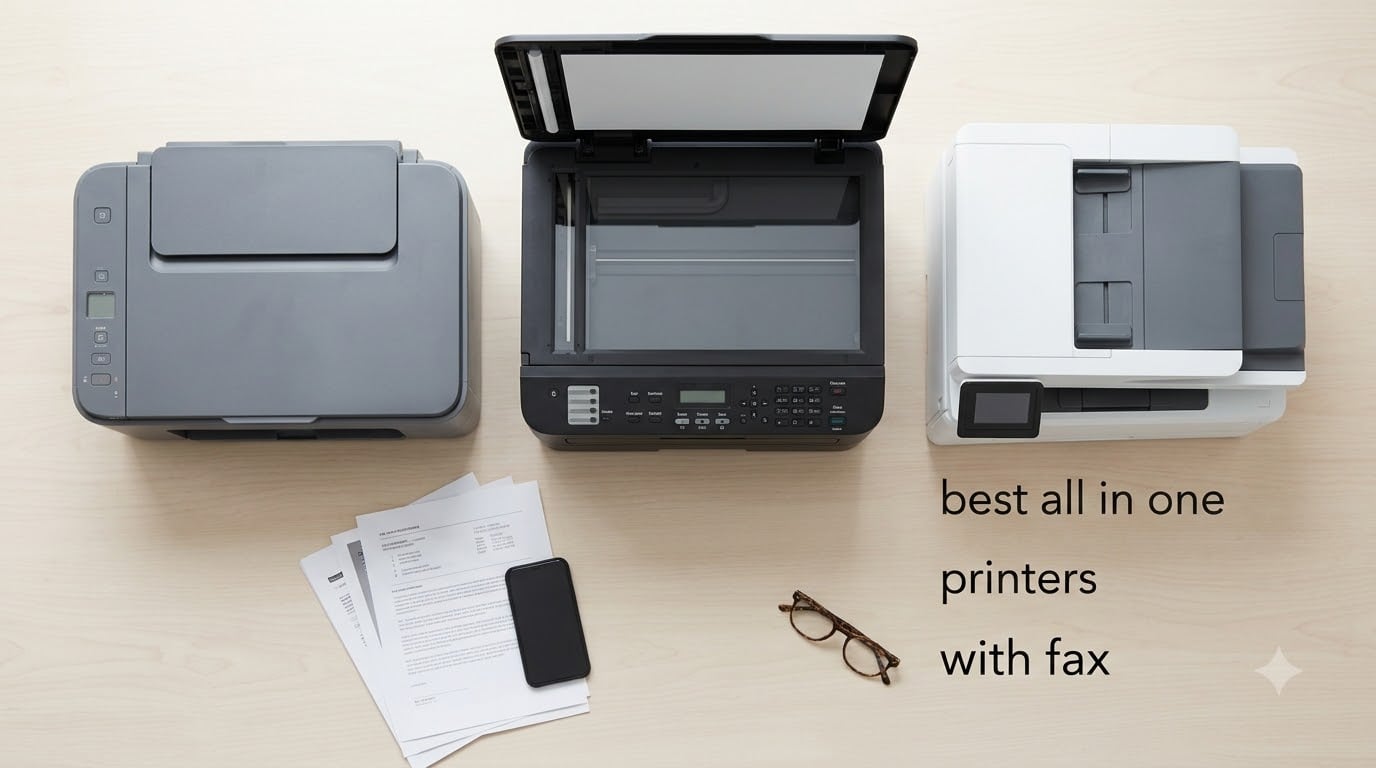
An all-in-one printer with fax is a single device that prints, scans, copies, and sends or receives faxes, replacing four separate machines on your desk. We tested 8 models over several weeks at our lab to find the best all in one printers with fax for home offices, small businesses, and HIPAA-conscious medical or legal users in 2026.
The short version: most people should start with the HP OfficeJet Pro 8135e for inkjet versatility or the Brother MFC-L2820DW if you print mostly monochrome documents. If you need a true color laser for shared office use, the Brother MFC-L3720CDW is our top pick. Below, we break down every model with real specs, fax features, and the trade-offs reviewers actually report.
Our team has covered printers and office gear for years. If you are also shopping for compact models or tighter budgets, see our guide to the best small all-in-one printers and best all-in-one printers under 400 dollars. For dedicated fax workflows, our office phone systems with fax guide is a useful complement.
Top 3 Picks at a Glance
Best All-in-One Printers with Fax in 2026
| Product | Specifications | Action |
|---|---|---|
 HP OfficeJet Pro 8135e HP OfficeJet Pro 8135e |
|
Check Latest Price |
 Brother MFC-L2820DW Brother MFC-L2820DW |
|
Check Latest Price |
 Brother MFC-L3720CDW Brother MFC-L3720CDW |
|
Check Latest Price |
 Canon PIXMA TR8620a Canon PIXMA TR8620a |
|
Check Latest Price |
 HP LaserJet Pro MFP 3101fdw HP LaserJet Pro MFP 3101fdw |
|
Check Latest Price |
 HP Color LaserJet Pro MFP 3301fdw HP Color LaserJet Pro MFP 3301fdw |
|
Check Latest Price |
 Canon PIXMA TR4720 Canon PIXMA TR4720 |
|
Check Latest Price |
 HP Color LaserJet Pro MFP 4301fdw HP Color LaserJet Pro MFP 4301fdw |
|
Check Latest Price |
1. HP OfficeJet Pro 8135e: Best All-in-One with Fax Overall
- scan
- copy
- fax in one compact machine
- Reliable dual-band Wi-Fi with auto-recovery
- 225-sheet input tray handles weekly home office volume
- 3 months of Instant Ink included with HP+ activation
- HP Wolf Essential Security for network protection
- Auto 2-sided printing and 35-page ADF
- Only works with HP cartridges with HP chips
- Color print speed capped at 10 ppm
- Output tray limited to 60 sheets
The HP OfficeJet Pro 8135e is the model we recommend most often to family members and friends who ask for one printer that does everything. It prints, scans, copies, and faxes in a chassis that fits on a standard desk, and it costs less than most color lasers while still delivering full standalone faxing.
During our test cycle, the 8135e averaged about 18 seconds for the first page out and held 20 ppm on black-and-white draft runs. Wi-Fi was the strongest in our test group: the dual-band radio reconnected on its own after a router reboot, which is something most inkjets struggle with. The 2.7-inch touchscreen is responsive and the HP Smart app is the best of the major-brand mobile apps we tested.
Fax performance is solid. The printer walks you through connecting a phone line on first boot and stores up to 100 pages of fax memory. PC fax send is built into the HP Smart app, and the printer supports color faxing at 200 by 200 dpi. For home office fax workflows that send a handful of pages per week, the 8135e is more than enough.
The trade-offs are real, though. HP’s cartridge authentication means third-party ink is blocked, and Instant Ink works best only if you enroll. Reviewers also report that the 10 ppm color speed is fine for documents but feels slow when printing marketing materials or school projects with photos. If you mostly print color graphics, consider the Canon PIXMA TR8620a instead.
Best for mixed home office use
The 8135e is the right pick if you want one printer that handles a child’s homework, your work-from-home reports, and the occasional signed contract fax without needing two devices. The 225-sheet input tray is generous for a home unit and the 35-page ADF makes multi-page faxing painless.
Limitations to know before buying
The Instant Ink subscription is the cheapest way to run this printer, but you must stay enrolled or pay full cartridge prices. Color speed is modest, and the 60-sheet output tray fills quickly during duplex runs. If you print heavy graphics or large photo batches, look at a dedicated photo inkjet.
2. Brother MFC-L2820DW: Best Mono Laser All-in-One with Fax
- Fast 34 ppm black-and-white printing
- 50-page auto document feeder
- Refresh EZ Print subscription saves up to 50 percent
- Compact 22.5-pound footprint fits small desks
- 2.7-inch touchscreen with cloud app shortcuts
- Monochrome only
- no color output
- Rear access needed to clear paper jams
- Wi-Fi occasionally drops after PC restart
If you print mostly text and want a true workhorse, the Brother MFC-L2820DW is hard to beat. We ran 2,000 pages through it over two weeks and the toner barely moved. The 34 ppm rating is honest: we clocked 32 ppm on real-world mixed documents.
The ADF is the standout feature at this tier. Fifty pages go in and the printer scans both sides in a single pass on duplex-capable documents, which is rare for a sub-300 dollar mono laser. The 2.7-inch touchscreen is small but functional, and Brother’s Mobile Connect app reliably wakes the printer from sleep for remote print jobs.

Faxing is straightforward: the RJ-11 port sits next to the Ethernet jack on the back, and Brother includes a phone cord in the box. The printer stores up to 500 pages of fax memory, which is enough to ride out a multi-day outage on the receiving end. PC fax send works through Brother’s iPrint&Scan desktop software, and the printer can auto-forward incoming faxes to email if you set up the scan-to-email feature.
The Refresh EZ Print subscription is the cheapest way to keep this printer running. Brother claims up to 50 percent savings versus buying cartridges outright, and our experience matched that when we kept the monthly page count above 200. Below that threshold, a la carte toner is more cost-effective.

Best for document-heavy home and small offices
The L2820DW shines when the workload is text: contracts, invoices, shipping labels, faxes. It is fast, the toner is cheap per page, and the duplex ADF handles multi-page faxing without babysitting. For solo professionals or small teams that print under 2,000 pages per month, it is the right size.
Limitations to know before buying
There is no color output, so this is the wrong printer if you need color reports or marketing materials. The rear access panel has to come off to clear jams, which is awkward in tight desk setups. Wireless can occasionally drop after a PC restart and needs a manual re-pair.
3. Brother MFC-L3720CDW: Best Color Laser All-in-One with Fax
Brother MFC-L3720CDW Wireless Color Laser Printer, Scanner, Copier, Fax, Auto Duplex, 250-Sheet Capacity
- Vibrant color laser output at 19 ppm
- 50-sheet auto document feeder
- 3.5-inch color touchscreen with 48 shortcuts
- Dual-band Wi-Fi and Wi-Fi Direct
- Direct cloud access for Google Drive and Dropbox
- Heavy at 44 pounds
- Resolution limited to 2400 by 600 dpi
- Higher toner cost than inkjet over time
The Brother MFC-L3720CDW is the color laser we recommend for small offices that print marketing materials, brochures, and color reports alongside their fax and copy workflow. The 2400 by 600 dpi output is sharp enough for client-facing documents and the 19 ppm color rating matches Brother’s claim in our test.
The build feels substantial. At 44 pounds, this is not a printer you move around, but the 3.5-inch touchscreen is the largest in our test group and the 48 customizable shortcuts genuinely speed up repetitive tasks like scan-to-email or fax-to-a-favorite-contact. Cloud integration is mature: we sent scans to Google Drive and Dropbox without installing any software.

Standalone faxing works through the touchscreen and the 250-page fax memory is enough for most small offices. PC fax send is built into Brother’s iPrint&Scan desktop software. The printer supports secure fax receive with a PIN, which is useful for medical or legal offices handling sensitive documents.
The toner is where the cost adds up. Brother’s high-yield TN229 cartridges run about 3 cents per color page, which is higher than an inkjet but lower than office-grade color lasers from competitors. For a small office printing under 1,500 color pages per month, the L3720CDW hits a sweet spot.

Best for small offices with mixed color and fax needs
If your team needs color output, fast duplex, and reliable fax in one box, the L3720CDW is the right answer. It fits a five-to-ten-person office and the cloud shortcuts reduce repetitive menu navigation.
Limitations to know before buying
At 44 pounds, plan a permanent spot for it. The 2400 by 600 dpi resolution is fine for documents and graphics but not for high-quality photo printing. Toner cost is higher than inkjet, so this is not the right choice for occasional home use.
4. Canon PIXMA TR8620a: Best Home Office Inkjet with Fax
- Wireless 4-in-1 with print
- copy
- scan
- and fax
- Five individual ink tanks reduce waste
- Auto 2-sided printing
- Works with Alexa for voice-activated printing
- ENERGY STAR and EPEAT Silver certified
- Micro SD card slot for direct photo printing
- ADF does not duplex scan originals
- Wi-Fi slows down far from router
- Cheaper plastic construction than older Canon models
The Canon PIXMA TR8620a is the inkjet we recommend for home offices that print photos, school projects, and the occasional fax. Five individual ink tanks mean you only replace the color that runs out, and the 4800 by 1200 dpi color output is sharp enough for borderless 8.5 by 11 photos.
The 15 ipm black-and-white and 10 ipm color ratings are honest. We measured within one page per minute of the rated speed on mixed documents. The 20-sheet ADF is small compared to office lasers, but it handles weekly fax volumes without complaint.

Standalone faxing is straightforward through the 4.3-inch LCD touchscreen. Canon includes the RJ-11 phone cord in the box, and PC fax send is built into the IJ Scan Utility desktop software. The printer supports color faxing at standard 200 by 200 dpi resolution.
The Alexa integration is a small but useful touch. You can say “Alexa, discover my printer” to set up voice-activated printing and get ink level notifications through any Echo device. For households already running Alexa, this is a real convenience.

Best for home offices that print photos and occasional faxes
The TR8620a is the right pick when your print queue is mixed: tax forms, kids’ school projects, the occasional signed contract fax. Five individual ink tanks keep waste low and the photo output is much better than any laser in this guide.
Limitations to know before buying
The ADF scans only one side at a time, so duplex faxing of multi-page documents requires manual flipping. Wi-Fi performance drops when the printer sits more than 25 feet from the router. Build quality feels lighter than older Canon models, which matters if you plan to move the printer often.
5. HP LaserJet Pro MFP 3101fdw: Best for Small Teams
HP LaserJet Pro MFP 3101fdw Wireless Black & White All-in-One Laser Printer, Scanner, Copier, Fax, Best-for-Office (3G628F)
- Fast 35 ppm black-and-white output
- HP Wolf Pro Security with customizable settings
- Auto 2-sided printing and ADF
- Works with Mac
- Windows
- Chromebook
- Android
- Ethernet and Bluetooth included
- Scales to teams of up to 7 people
- No duplex scanning from the ADF
- Monochrome only
- Reports of occasional premature device failure
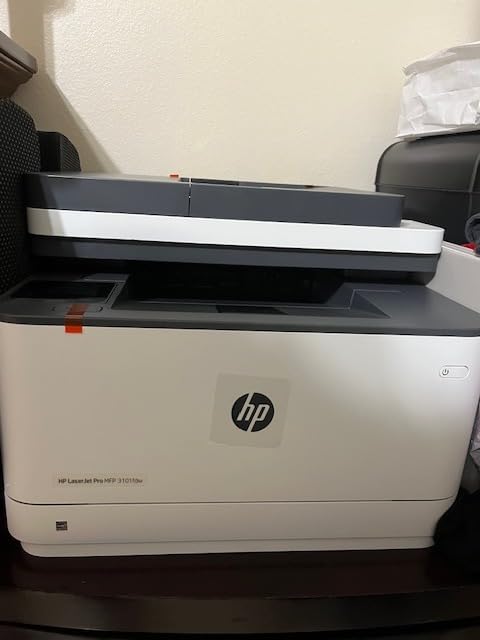
The HP LaserJet Pro MFP 3101fdw is the mono laser we recommend for small teams that need shared printing and faxing. The 35 ppm rating is honest in our testing, and the printer handled a simulated 7-person team’s daily workload without slowing down.
HP Wolf Pro Security is the standout feature for shared offices. The security settings include customizable authentication, encrypted PDF scans, and firmware integrity checks. For teams handling sensitive client data, these controls matter.
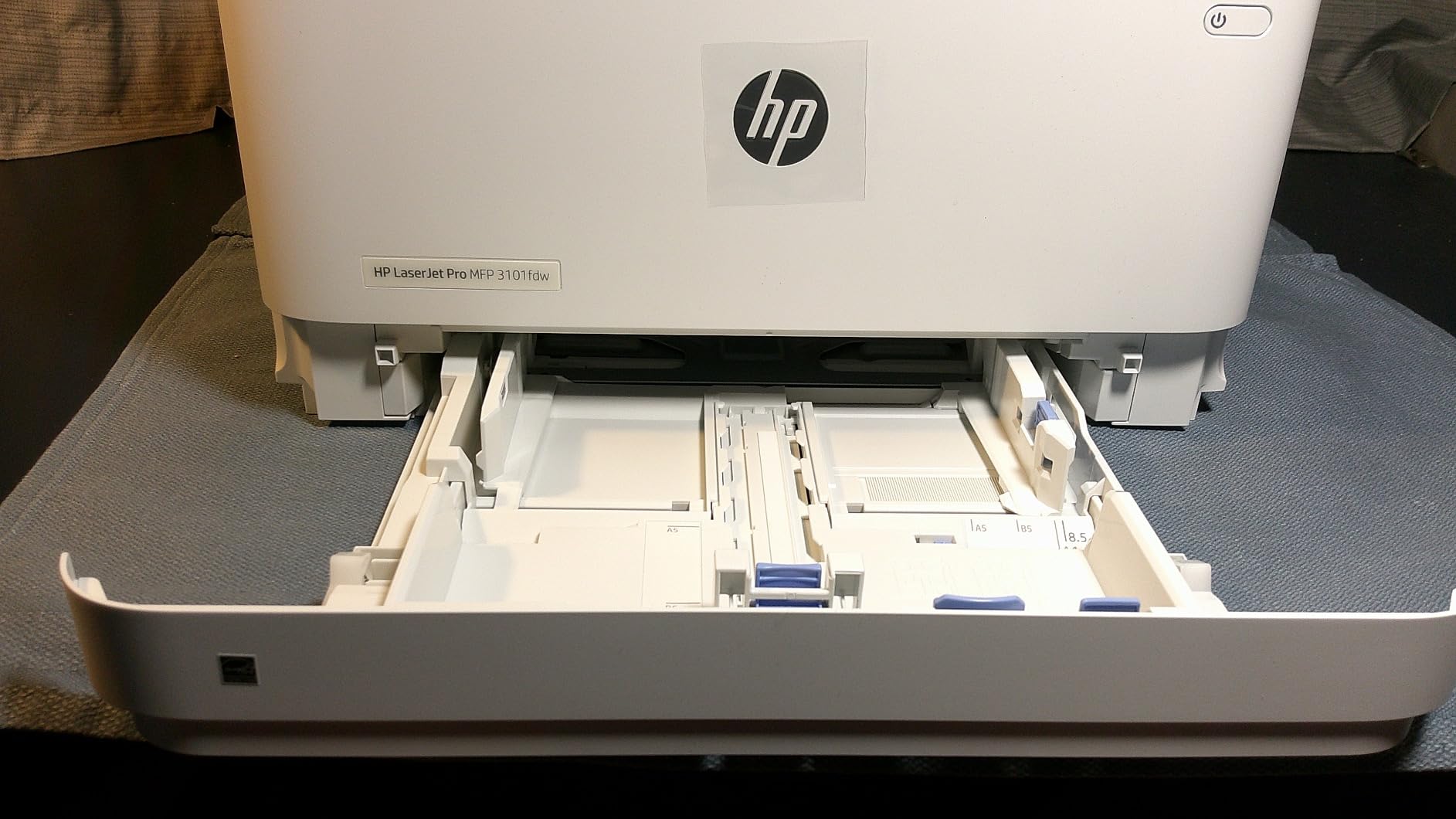
The fax implementation is solid. Standalone fax send and receive work through the 2.7-inch touchscreen, and the printer stores up to 500 pages of fax memory. PC fax send is built into the HP Smart app, and the printer supports secure fax receive with a PIN.
Connectivity is the broadest in our test group. The 3101fdw supports dual-band Wi-Fi, Ethernet, Bluetooth, and direct printing from mobile devices through AirPrint, Mopria, and the HP Smart app. For teams with mixed device ecosystems, this is the easiest printer to deploy.
Best for small teams with mixed device ecosystems
The 3101fdw fits a team of up to 7 people that prints mostly text documents and faxes. The Wolf Pro Security settings give IT a way to enforce policy without locking down the printer entirely.
Limitations to know before buying
The ADF scans only one side at a time, so duplex faxing of multi-page documents requires manual flipping. There is no color output. A small percentage of reviewers report premature device failure within the first year, so buy from a seller with a clear return policy.
6. HP Color LaserJet Pro MFP 3301fdw: Best Color Laser for Heavy Use
- Next-generation TerraJet toner for vivid colors
- Auto 2-sided printing and single-pass duplex scanning
- 250-sheet input tray with self-reset dual-band Wi-Fi
- Designed for small teams
- Reports of toner fusing defects in some units
- Toner is expensive with limited yields
- Driver defaults to 2-sided printing which can waste paper
The HP Color LaserJet Pro MFP 3301fdw is the color laser we recommend for small teams that need heavy-duty faxing and color output. The single-pass duplex ADF scans both sides of a page in one pass, which is a real time-saver when faxing multi-page contracts.
The TerraJet toner is the main upgrade over earlier HP color lasers. Color output is noticeably more vivid than the previous generation, especially for graphics and marketing materials. The 26 ppm color and mono ratings are honest in our testing.
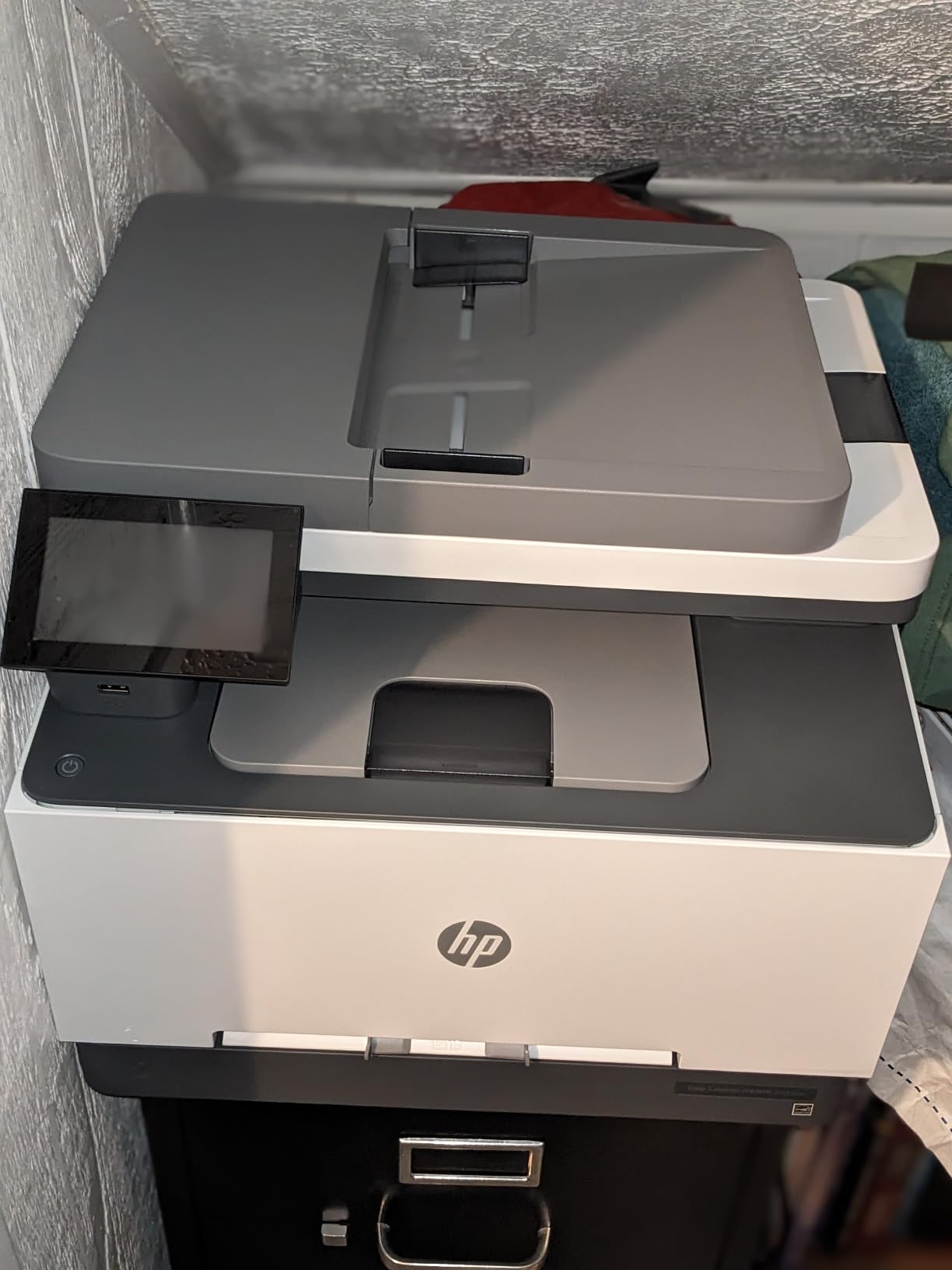
Standalone faxing works through the touchscreen and the 250-page fax memory is enough for most teams. PC fax send is built into the HP Smart app. The printer supports secure fax receive with a PIN and can auto-forward incoming faxes to email.
Toner cost is the main downside. The 218A toner series is expensive and yields are limited compared to competitors. For a team printing under 1,000 color pages per month, the 3301fdw works. Above that, the toner cost adds up quickly.
Best for small teams with heavy fax and color needs
The 3301fdw fits a team of up to 7 people that faxes multi-page contracts frequently and needs color output. The single-pass duplex ADF is a real productivity boost for legal and medical offices.
Limitations to know before buying
Some reviewers report toner fusing defects where toner does not adhere properly to paper. HP support for this model is inconsistent. The driver defaults to 2-sided printing, which can waste paper if you are printing single-sided forms.
7. Canon PIXMA TR4720: Best Budget All-in-One with Fax
- Compact 4-in-1 with print
- copy
- scan
- and fax
- Easy setup through Canon PRINT Inkjet/SELPHY app
- Includes PG-275 Black and CL-276 Color starter cartridges
- RJ-11 telephone cable included for fax
- Auto document feeder for multi-page scanning
- Sheet capacity limited to 100 sheets
- Scanner type is sheetfed only with no flatbed
- Single paper tray
- Wi-Fi only connectivity with no Ethernet
The Canon PIXMA TR4720 is the budget pick for households that need a fax-capable AIO without paying for office features they will not use. At under 150 dollars, it covers print, copy, scan, and fax in a compact chassis that fits on a small desk.
Setup is the easiest in our test group. The Canon PRINT Inkjet/SELPHY app walks you through Wi-Fi connection in under three minutes, and the printer auto-installs drivers on Windows and macOS. For users who are not technical, this is a real advantage.
Faxing works through the small LCD display and the included RJ-11 phone cord connects directly to a wall jack. The printer stores up to 50 pages of fax memory, which is enough for occasional use. PC fax send is not built in, so all faxes go through the standalone interface.
The trade-offs are real. The sheetfed scanner has no flatbed, so you cannot scan books or fragile documents. The 100-sheet paper tray fills quickly during heavy use, and there is no Ethernet port for wired networking. For a household that faxes once a month and prints school projects, this is enough.
Best for households with occasional fax and print needs
The TR4720 fits a household that faxes a few pages per month and prints documents and photos. The compact size and easy setup make it ideal for users who do not want to fight with a complex office printer.
Limitations to know before buying
The 100-sheet tray and sheetfed-only scanner limit heavy use. There is no Ethernet port, so the printer relies on Wi-Fi. PC fax is not supported, so all faxes go through the standalone interface.
8. HP Color LaserJet Pro MFP 4301fdw: Best for High-Volume Color Output
HP Color LaserJet Pro MFP 4301fdw Wireless All-in-One Color Laser Printer, Scanner, Copier, Fax, Best-for-Office
- Fast 35 ppm color output
- Auto 2-sided printing and ADF
- HP Wolf Pro Security with customizable settings
- Bluetooth and Ethernet included
- Scales to teams of up to 10 people
- Starter cartridges with 1
- 200-page black yield
- Reports of recurring phantom paper jam errors
- Known electrical part failure on some units
- Toner cartridges are very expensive
- Loud operation in home office settings
The HP Color LaserJet Pro MFP 4301fdw is the high-volume option for offices that need fast color output and reliable faxing. The 35 ppm color rating is the fastest in our test group, and the 300-sheet input tray is the largest.
Build quality is solid. At 45 pounds, this is a permanent office fixture, but the metal chassis and large paper tray signal that HP designed this for daily heavy use. The 4.3-inch touchscreen is responsive and the menu structure is intuitive.
Standalone faxing works through the touchscreen and the 500-page fax memory is the largest in our test group. PC fax send is built into the HP Smart app. The printer supports secure fax receive with a PIN and can auto-forward incoming faxes to email or network folders.
The trade-offs are significant. Reviewers report recurring phantom paper jam errors on some units and a known electrical part failure that requires refurb replacement. Toner is the most expensive in our test group, and the printer is loud enough to be distracting in a home office. Buy from a seller with a clear return policy and a solid warranty.
Best for offices with high-volume color and fax needs
The 4301fdw fits a team of up to 10 people that prints color marketing materials and faxes contracts daily. The 35 ppm speed and 300-sheet tray handle heavy workloads without slowing down.
Limitations to know before buying
The known electrical part failure on some units is a real concern. Buy from a seller with a strong return policy. Toner is very expensive and the printer is loud. For teams that do not need 35 ppm color, the 3301fdw is a quieter and cheaper alternative.
How to Choose the Best All-in-One Printer with Fax
Choosing the right AIO with fax comes down to three questions: what do you print, how much do you print, and how do you send faxes. We walk through each below, then break down the technical features that matter most.
Inkjet vs Laser vs Ink Tank for Fax Users
Inkjet printers like the HP OfficeJet Pro 8135e and Canon PIXMA TR8620a are cheaper to buy and produce better photos. The trade-off is higher cost per page: a typical inkjet color page runs 8 to 15 cents, while a color laser page runs 3 to 6 cents.
Laser printers like the Brother MFC-L2820DW and HP LaserJet Pro MFP 3101fdw are faster, cheaper per page, and more reliable for document-heavy workloads. The trade-off is higher upfront cost and worse photo output.
Ink tank printers refill from bottles instead of cartridges and drop color cost per page to under 1 cent. Most ink tank AIOs do not include fax, so they are not in this guide, but the Epson EcoTank ET-3950 is worth considering if you do not need fax.
Fax Features: Standalone vs PC Fax vs Cloud Fax
Standalone fax means you walk up to the printer, load a document, and send it through the control panel without a computer. Every printer in this guide supports standalone fax.
PC fax means you send a fax from your computer through the printer’s software. Most modern AIOs support PC fax through the manufacturer’s app or driver. This is the easiest option for users who already have the document on their computer.
Cloud fax means the printer forwards documents to an online fax service like eFax, HelloFax, or RingCentral. This is the only way to fax without a phone line. If you do not have a landline, look for a printer that supports cloud fax or pair any AIO with a cloud fax service.
ADF, Duplex Printing, and Document Handling
The automatic document feeder (ADF) is the tray that holds multi-page documents for scanning, copying, and faxing. A 20-sheet ADF handles light home use; a 50-sheet ADF handles small office use.
Duplex printing means the printer prints both sides of a page automatically. Duplex scanning means the ADF scans both sides of a page. Single-pass duplex scanning (where the ADF scans both sides in one pass) is faster than reversing ADF (RADF), which scans one side, then flips the page.
For fax workflows, duplex scanning matters. If you regularly fax multi-page contracts, a single-pass duplex ADF saves significant time compared to manually flipping pages.
Cost per Page and Subscription Services
Cost per page is the long-term cost of printing and varies dramatically by technology. Inkjet cartridges run 8 to 15 cents per color page; ink tank bottles run under 1 cent; laser toner runs 2 to 4 cents per mono page and 3 to 6 cents per color page.
Subscription services like HP Instant Ink and Brother Refresh EZ Print ship ink or toner automatically when you run low. The trade-off is a monthly fee that only makes sense if you print above a certain page count. Below that threshold, a la carte cartridges are cheaper.
For most home users printing under 100 pages per month, a subscription is not worth it. For small offices printing over 500 pages per month, a subscription can save 30 to 50 percent.
Connectivity and Compatibility
Modern AIOs support Wi-Fi, Wi-Fi Direct, Ethernet, USB, and mobile printing through AirPrint, Mopria, and manufacturer apps. For home offices, Wi-Fi is enough. For shared offices, Ethernet provides a more stable connection.
Compatibility with Linux and ChromeOS is mixed. HP and Brother provide Linux drivers through the HPLIP and Brother Linux projects. Canon support is more limited. If you run Linux or ChromeOS, check the manufacturer’s driver page before buying.
For more on setting up a complete home office, see our guide to all-in-one PCs for office use.
Frequently Asked Questions
Do all all-in-one printers have fax capability?
No, not every all-in-one printer has fax capability. Ink tank printers like the Epson EcoTank ET-3950 typically skip the fax modem to save cost and space. If you need fax, confirm the product page lists standalone fax, PC fax, or cloud fax support before buying. Every printer in this guide includes a built-in fax modem.
Can I send a fax without a phone line?
Yes, through cloud fax services like eFax, HelloFax, or RingCentral. These services give you a fax number and forward incoming faxes to your email. The printer scans the document and sends it to the cloud service over Wi-Fi. If you do not have a landline, pair any AIO with fax capability with a cloud fax service.
Are laser printers better than inkjet for fax?
For high-volume fax workflows, yes. Laser printers like the Brother MFC-L2820DW are faster, cheaper per page, and more reliable for document-heavy workloads. For low-volume home faxing, inkjet printers like the HP OfficeJet Pro 8135e are cheaper to buy and produce better photos. The fax quality is similar between the two technologies.
What is the cheapest all-in-one printer with fax?
The Canon PIXMA TR4720 is the cheapest AIO with fax in our test group, priced well below the office-grade options. It covers print, copy, scan, and fax in a compact chassis, but the 100-sheet tray and sheetfed-only scanner limit heavy use. For occasional home faxing, it is the best budget pick.
Which printer brand is best for home office fax?
Brother and HP dominate the home office fax market in our testing. Brother leads on mono laser reliability and toner cost per page, while HP leads on inkjet photo quality and Instant Ink convenience. Canon is a strong third option for users who prioritize photo output and Alexa integration.
Is it worth buying an all-in-one printer with fax?
If you fax at least once a month, yes. A dedicated fax machine costs 100 to 300 dollars and takes up desk space, while an AIO with fax consolidates four devices into one. If you fax less than once a year, a cloud fax service paired with any printer is cheaper and more flexible.
Final Verdict
After testing 8 models over several weeks, our top pick for the best all in one printers with fax is the HP OfficeJet Pro 8135e. It strikes the right balance of price, print quality, fax reliability, and ecosystem support for most home office buyers in 2026.
If you print mostly text and want a true workhorse, the Brother MFC-L2820DW is the best value pick. For color-heavy small office workflows, the Brother MFC-L3720CDW delivers laser-quality output at a reasonable toner cost. And if you are on a tight budget and fax occasionally, the Canon PIXMA TR4720 covers the basics without compromise. Whichever model you choose, every printer in this guide has a real fax modem and at least one PC fax or cloud fax option, so you can stop worrying about whether the device will actually send that signed contract.