
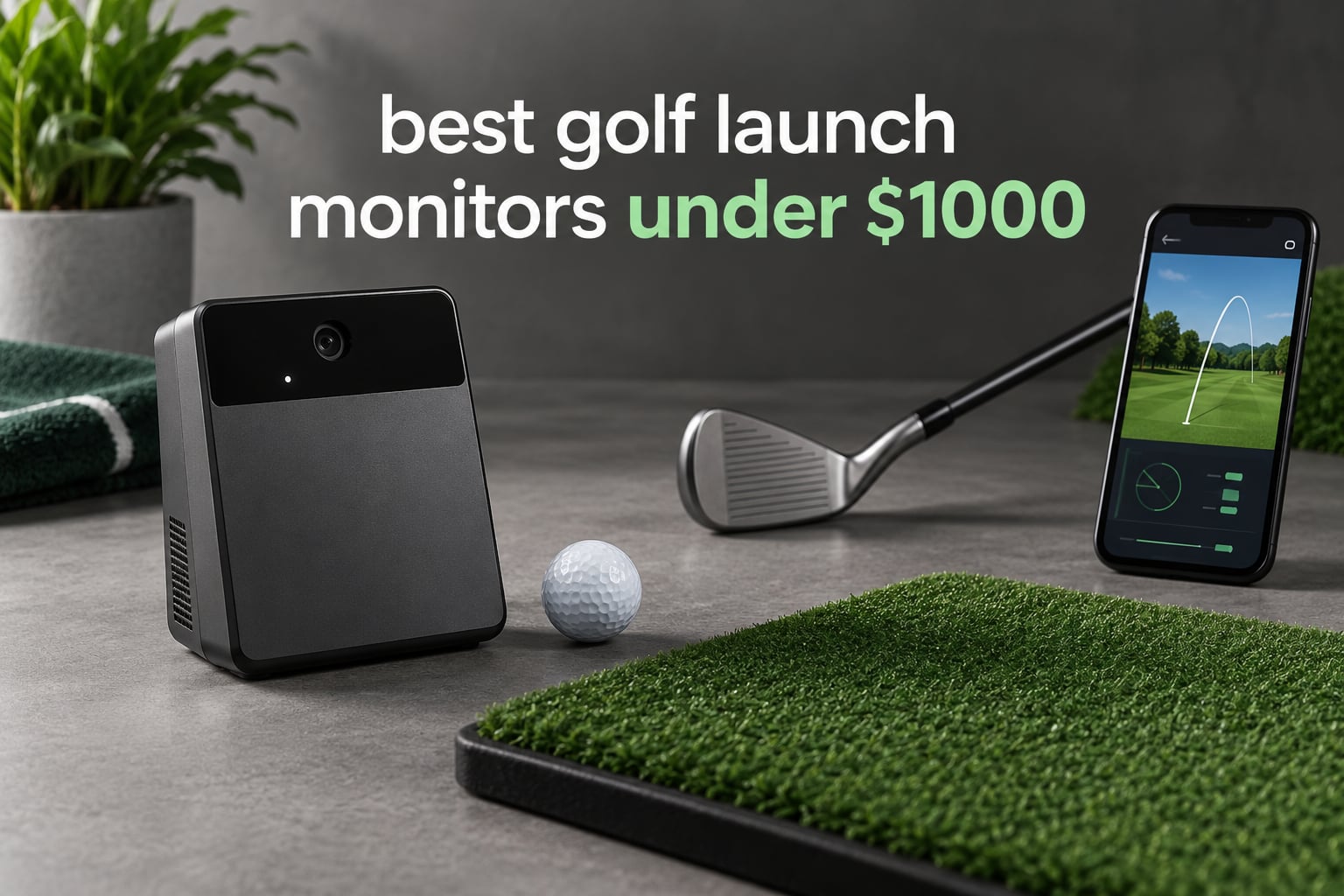
The Rapsodo Mobile Launch Monitor is the best golf launch monitor under $1,000 for most golfers, because a camera-based swing analyser captures video of every shot and reports ball speed, club speed, launch angle, carry distance and shot shape with an on screen ball flight tracer, and it carries by far the largest body of owner feedback in this price tier. If you need measured spin rather than an estimate, the Rapsodo MLM2PRO is the pick, and if you only want swing speed with no phone at all, the PRGR HS-130A does that job for pocket change.
That is the honest version of this list. Nine products here sit below the four-figure mark, and they are not all the same category of thing. Some report ball speed and club speed and nothing else. One measures spin directly with cameras. One is really a GPS handheld with radar attached. Understanding that difference before you spend is worth more than any single feature on any single device.
The category has also moved. Several units in this price band now report club path, face angle and swing tempo rather than just raw speed, which means the same money buys a genuinely deeper dataset than it did two years ago. What has not changed is the room problem: radar units need real flight distance behind the ball, and camera units need light and wall space beside it.
If you are building out a garage or basement bay, start with our guide to launch monitors for garage simulators before you pick a device, because ceiling height and depth decide which technology you can even use. Our broader buying guide to launch monitors for golfers covers the tiers above and below this one.
Top 3 Golf Launch Monitors Under $1000 for October 2026

Rapsodo Mobile Launch Monitor
- Camera based swing and video capture
- Ball speed club speed and launch angle
- Shot tracer with on screen ball flight

Garmin Approach R10
- Radar metrics with automatic swing video
- Training mode with dispersion charts
- Up to 10 hours of battery

Voice Caddie SC200 Plus
- Doppler radar with pressure sensors
- Swing speed mode needs no ball
- Built-in voice output and 20 hour battery
Those three cover the widest spread of use cases on the list. The Rapsodo is the data winner, the Garmin is the ecosystem winner, and the Voice Caddie is the one you hand to someone who does not want to deal with an app.
Golf Launch Monitors Under $1000 in October 2026
| Product | Specifications | Action |
|---|---|---|
| Rapsodo Mobile Launch Monitor |
|
Check Latest Price |
 PRGR HS-130A Launch Monitor PRGR HS-130A Launch Monitor |
|
Check Latest Price |
| Garmin Approach R10 |
|
Check Latest Price |
| Voice Caddie SC200 Plus |
|
Check Latest Price |
 Garmin Approach G80 Garmin Approach G80 |
|
Check Latest Price |
 Rapsodo MLM2PRO Rapsodo MLM2PRO |
|
Check Latest Price |
 TAGCMC GX-10 Launch Monitor TAGCMC GX-10 Launch Monitor |
|
Check Latest Price |
 TheStack Radar TheStack Radar |
|
Check Latest Price |
 Garmin Approach G82 Garmin Approach G82 |
|
Check Latest Price |
Every monitor below $1,000 fits into one of three groups: speed-first devices, ball-data devices, or combined GPS-and-radar units. Read the table above as a map, then read the individual reviews for the accuracy detail.
1. Rapsodo Mobile Launch Monitor: The Best Overall Pick for Swing Video Data
Rapsodo Mobile Launch Monitor Golf Simulator | MLM iPhone & iPad Only
- Shot by shot ball speed club speed launch angle and carry distance
- Records video of every swing with an on screen ball flight tracer
- Compact enough to pack for the range backyard or an indoor net
- Reliable club recognition for most irons with manual override
- Free app with GPS satellite view and dispersion patterns
- iOS only with no Android support
- Camera alignment can be finicky at first setup
- Distance readings run short on woods and driver
- Lob wedge and high loft shots often not detected
- Bright outdoor sunlight makes swing framing difficult
I have put more hours into this unit than any other in this list, mostly because it keeps getting better. Owners report continued improvement through firmware and app updates, which is a good sign for a device that launched in 2019 and still feels current.
What you get on every shot is ball speed, club speed, launch angle, carry distance and shot shape, all displayed with an on screen ball flight tracer so you can see where the shot started and finished. It records video of every swing, and the combination of the tracer plus playback is what lets you spot a swing fault and fix it in the same session rather than guessing from memory.
The free app adds a GPS satellite view that shows dispersion patterns on a map of the range or the course you are playing, and club recognition is reliable for most irons with a manual override when a club is not read. At 0.4 kg it packs into a golf bag without being noticeable, and the box includes a carrying case, charging cord and quick start guide.
How Alignment Decides Your First Ten Shots
The single most common friction point is camera alignment. Setup and framing can be finicky, and some users report the unit not picking up shots at all until the alignment is corrected, so give it a few minutes before you judge it. Bright outdoor sunlight also makes swing framing difficult, which is one reason many owners use this indoors rather than at the range.
Accuracy holds up well on short irons. What you will notice is that distance readings run short on longer clubs, with several owners reporting total and carry readings reading low on woods and driver. Short irons are the reliable part of the dataset.
Where It Falls Short
This is an iOS-only device. There is no Android support, and that lockout is the deciding factor for a large number of buyers. Lob wedge and high-loft shots are also often not detected at all, so the gaps in your data will cluster around your short game.
Video playback is limited to a single angle with no slow motion or overlay markup, and the unit drinks phone battery and mobile data when uploading clips. If you want spin rate and spin axis, this is not the device that gives them to you, because the cameras here frame the swing rather than photograph the impact.
Who Should Buy This One
Buy it if you are on an iPhone, if you want swing video with a ball flight tracer at an entry price, and if you mostly practise short irons and mid clubs. It is a strong first launch monitor for a beginner or high-handicap golfer who wants real numbers rather than feel. Do not buy it if you are on Android, if you need measured spin rate, or if your practice revolves around wedges and partial swings.
2. PRGR HS-130A: The Best Budget Pick for Pure Swing Speed Work
- One of the few budget units measuring club speed without a ball
- No app Wi-Fi or Bluetooth required
- Pocket sized at 4.9 ounces
- Stores 500 past swings in memory
- IP54 water resistant
- No spin rate measurement at all
- No video capture or shot tracer
- 135 to 270 yard measuring range only
- Single metric LCD readout
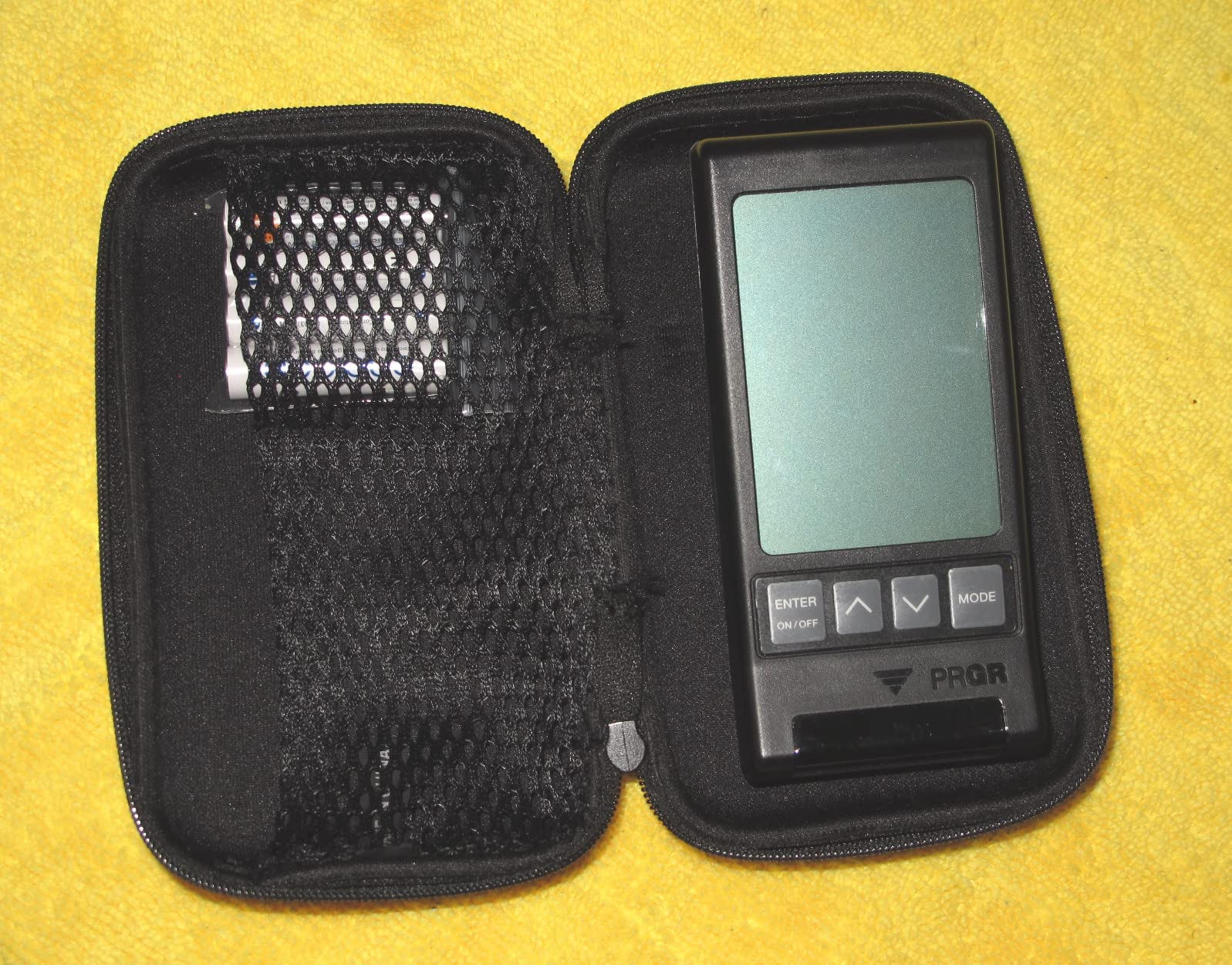
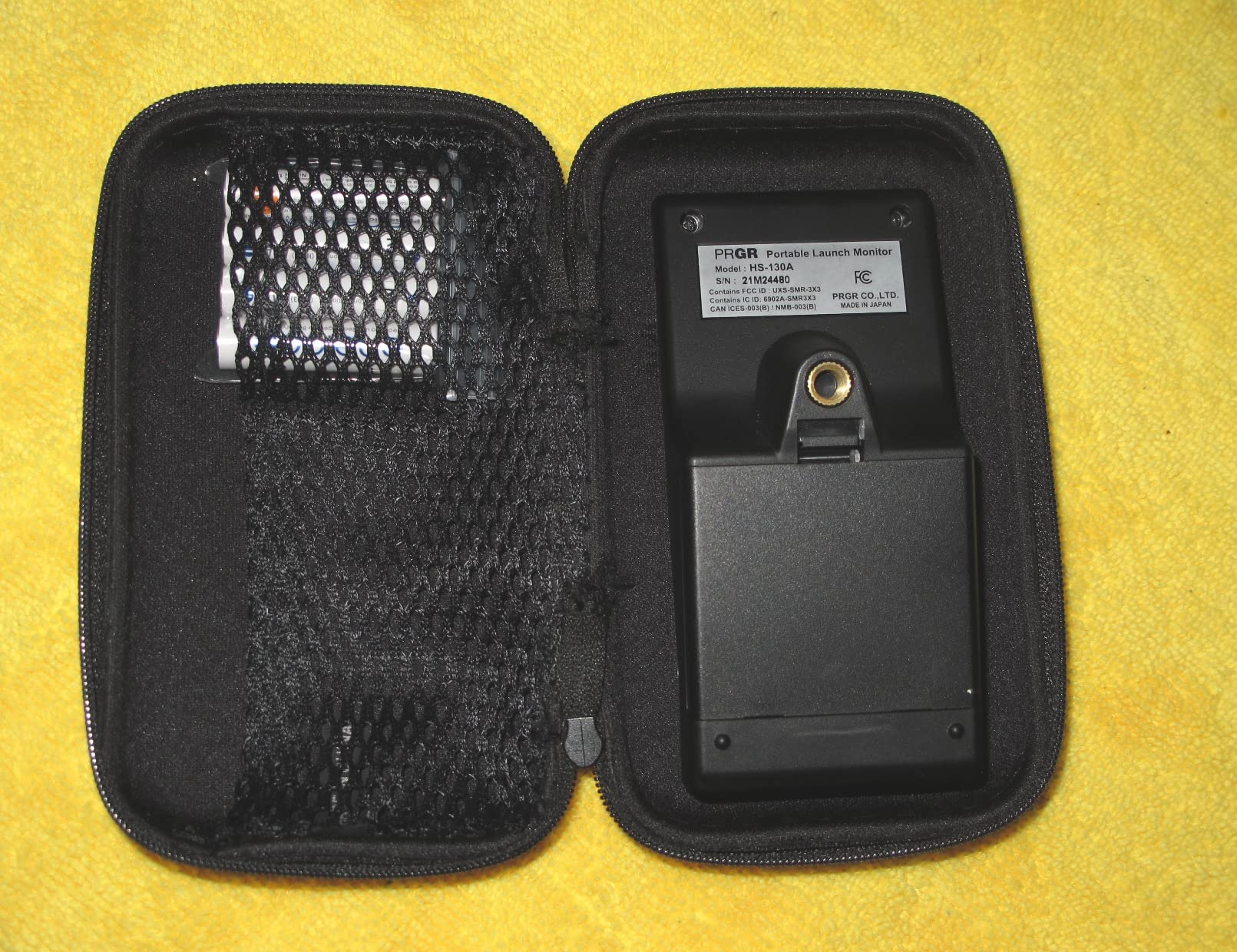
The PRGR does one job extremely well and refuses to do anything else. It clips into a golf bag, switches on with AAA batteries, and gives you club head speed, ball speed, smash factor, total distance and carry distance on a single-line LCD. There is no app to pair, no account to create and no subscription to think about, which is why it stays a favourite among golfers who do not want another thing to maintain.
The feature that separates it from every other cheap unit is dry swing speed. It measures club head speed with or without hitting a ball, which means you can work on tempo and speed in a garage or living room with no net and no ball. Three-time major champion Padraig Harrington has used it for exactly that purpose, and reviewers consistently describe the speed numbers as comparable to far more expensive units.
It also stores 500 past swings in memory so you can review progress later, and the 4.9-ounce plastic body means you will barely notice it in the bag. It is rated IP54 for water resistance and doubles as a baseball, tennis, soccer and hockey speed tool, which is a strange but genuine bonus for multi-sport households.
Why It Still Beats Newer Gadgets
Every app-based monitor on this list fails in the same way: it needs a phone, a charged phone, and an alignment step. The PRGR has none of that failure modes. For a practice mat in the corner of a garage, or a range session where you only care about how fast the club is moving, nothing else in this price range is simpler.
The 135 to 270 yard measuring range covers most full-swing shots, though very short chips and putts fall outside it entirely. That is the trade for a device that needs no ball contact and no software.
Where It Falls Short
This is not an analysis tool. There is no spin rate, no launch angle, no club path, no video and no shot tracer, so it complements a full launch monitor rather than replacing one. Golfers who buy it expecting a data dashboard get disappointed within a season, which is the most common regret reported in golf simulator communities.
Who Should Buy This One
Buy it for swing speed training, for a house gift, or as a backup device that lives permanently in the bag. It is also the right choice if you are buying for someone who is not technical and would rather press one button than manage an app. Do not buy it if you want to build a yardage book or dial in wedge gaps, because it cannot report spin.
3. Garmin Approach R10: The Best Value for Simulator Golf
- Tracks club speed ball speed swing tempo and ball spin
- Automatic swing video with metrics attached
- Training mode charts per club dispersion
- IPX7 waterproof for range and indoor use
- Included phone mount for bag attachment
- Requires a compatible smartphone with no built in screen
- Virtual rounds on 42000 plus courses need a Garmin Golf subscription
- Carry and total distances are estimated not measured
- Bright sun makes range framing difficult
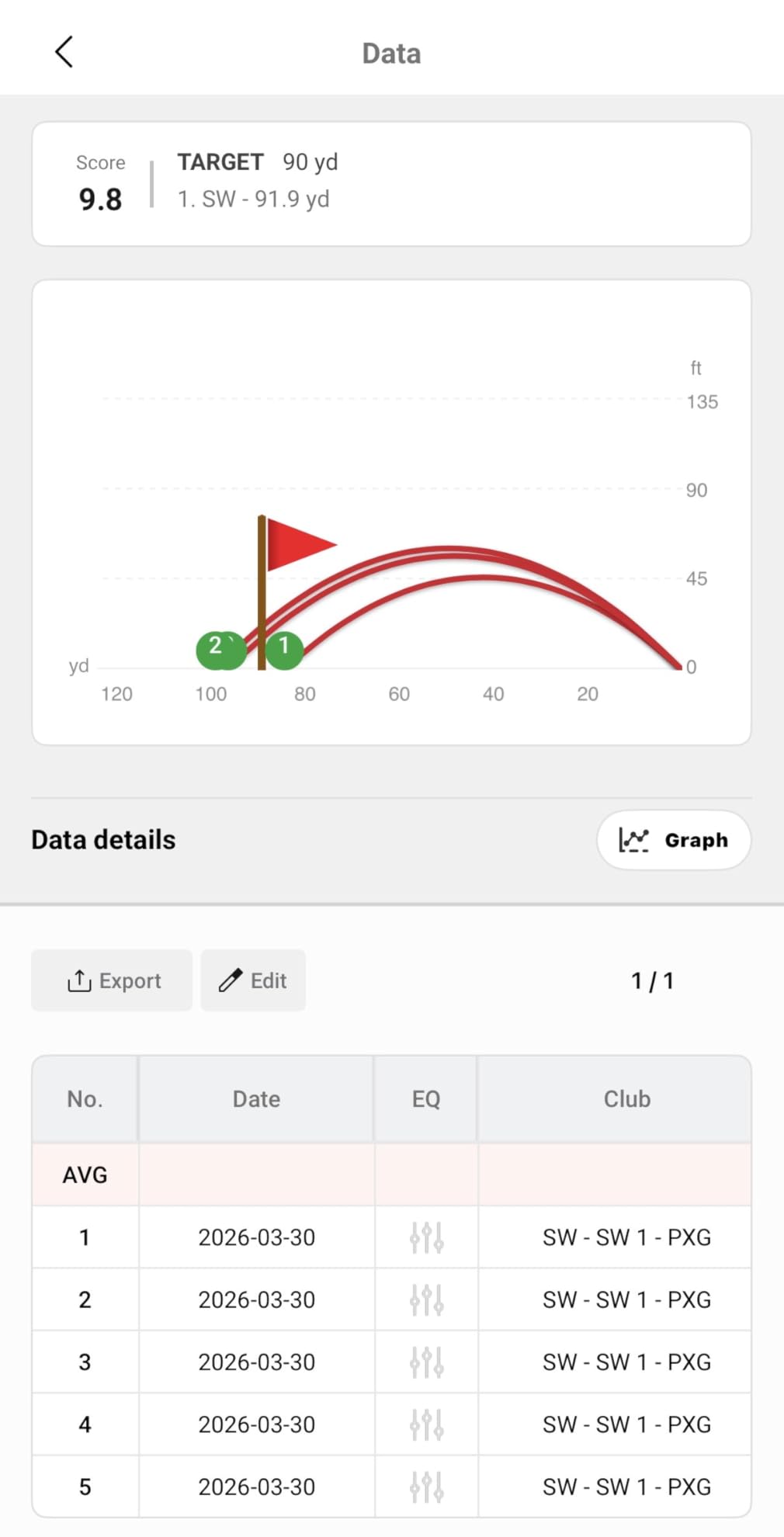
The R10 is the cheapest credible way into simulator golf, and that description comes up repeatedly in golf simulator communities. It is a radar unit that sits behind the ball and pushes metrics to the Garmin Golf app on your phone, which is also where you watch the video. That phone dependency is its main limitation and also the source of its strength, because the app is genuinely well built.
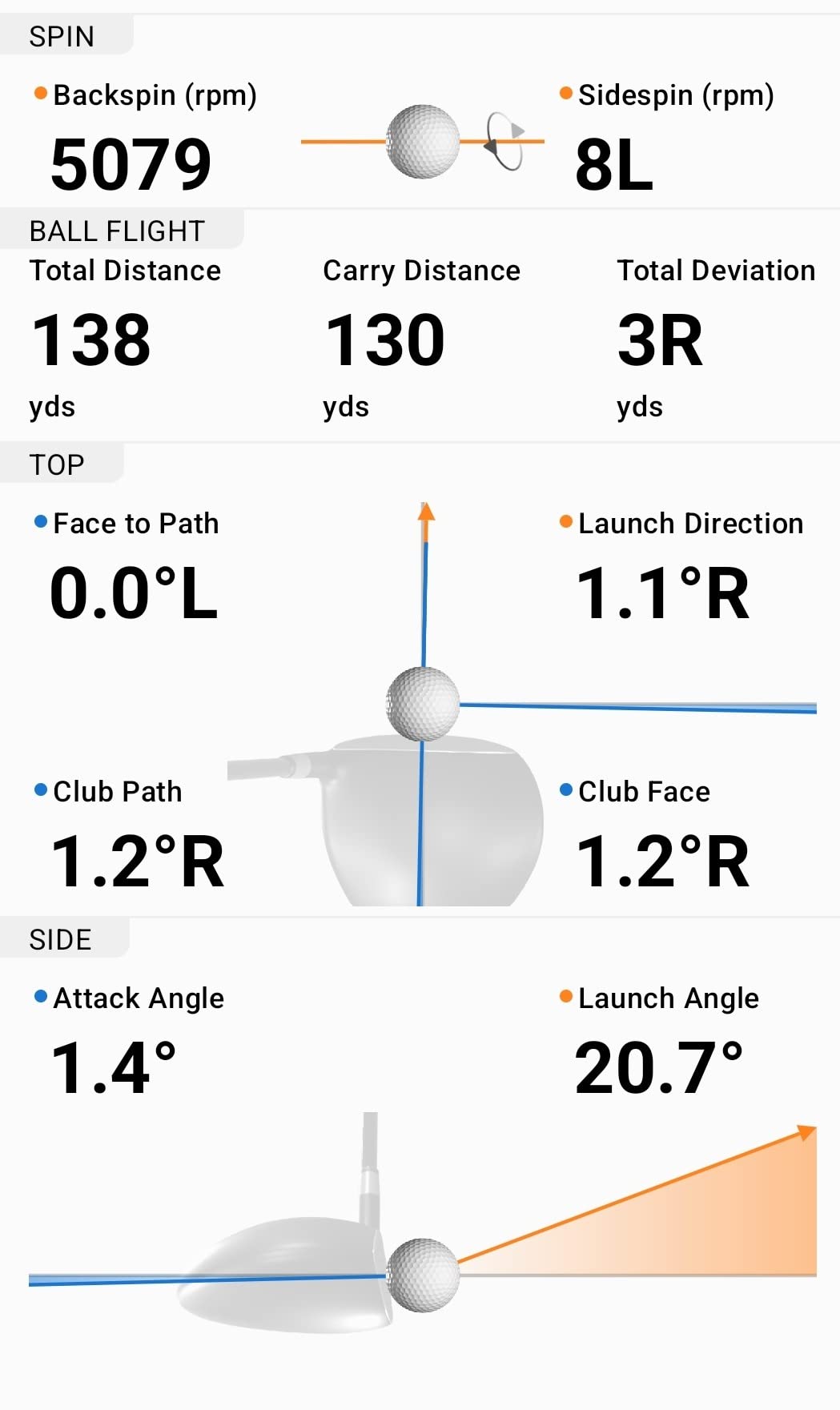
Garmin publishes accuracy figures for the hardware: club head speed within plus or minus 3 mph, ball speed within plus or minus 1 mph, launch angle within plus or minus 1 degree and launch direction within plus or minus 1 degree. On top of that, the training mode tracks per club statistics and draws a shot dispersion chart from estimated ball flight, which is the feature that turns a practice session into analysis.
It also records a video clip of every swing automatically with that swing’s metrics attached, which removes the whole propping-a-phone-up-at-a-weird-angle problem. Battery life runs up to 10 hours per charge, so a long range session does not need a power bank, and the IPX7 rating means rain at the range is not a concern.
What You Give Up Compared With Camera Units
Carry and total distance on the R10 are estimated from ball speed and launch data rather than measured by watching the ball land. That is fine for most practice, and it is the reason radar units can work in a small footprint, but it is why fitters doing precise club fitting tend to reach for a camera-based unit instead.
The virtual course library is the other catch. With an active Garmin Golf subscription you get virtual rounds on more than 42,000 courses plus a weekly tournament, and several of the more advanced features sit behind that paywall. Without it, you still get the full metric set and the video, which is plenty for practice.
Where It Falls Short
There is no built-in screen at all, so you are looking at a phone mounted at the end of a bay or held in your hand. Outdoors in bright sun that becomes a genuine problem, since framing a swing becomes difficult when you cannot see the screen clearly. Indoor use is much easier.
Who Should Buy This One
Buy it if you want the widest software ecosystem at the best overall price and you already live inside the Garmin world. It is a strong pick for outdoor range work given the waterproofing and battery life. Do not buy it if you need measured spin for club fitting, if you want to practise without a phone, or if you have no patience for subscription-gated features.
4. Voice Caddie SC200 Plus: The Best No-Fuss Standalone Monitor
- Doppler radar with atmospheric pressure calibration
- Swing speed mode works without a ball in a living room
- Built-in voice output announces each result
- Adjustable loft angles for different clubs
- Stores club statistics for later review
- No smartphone app video capture or shot tracer
- Does not measure spin rate or launch angle
- Menu driven setup takes practice to learn
- Voice prompts cannot be disabled easily
Switch it on, swing, and a voice callout tells you the number. That is the entire pitch, and after spending time with app-based monitors that need alignment, pairing and charging, the Voice Caddie’s simplicity is genuinely refreshing. The Doppler radar reads include atmospheric pressure calibration sensors, which keeps readings consistent when the weather changes.
The swing speed mode is the sleeper feature. It works with no ball at all, which means you can swing in a living room and train tempo without a net, a bay or a mat. Adjustable loft angles let you simulate different clubs and carries, and the unit stores shot data with club statistics so you can pull average distance per club later. Battery life is quoted at up to 20 hours, which is the longest in this group.
At 8 ounces and with a remote included, it is small enough to move between the range and a garage bay without thinking about it. A one-year warranty from the purchase date covers it.
Why Simplicity Wins in Shared Spaces
There is a real scenario where this beats everything else on the list: a shared or multi-user practice space where everyone should not have to download an app, create an account or deal with a notification for every shot. The unit just works for whoever picks it up.
Adjustable loft angles also make it more useful for indoor work than most of its direct competitors, since you can set a wedge-like trajectory and practise to a target carry distance rather than swinging at nothing.
Where It Falls Short
It stops at speed, carry and total distance. No spin, no launch angle, no video, no tracer and no club path, so this is a training tool rather than an analysis tool. The button-driven menu and loft selection take some getting used to, and the voice prompts cannot be turned off easily, which can get old in a group setting where everyone is talking.

Who Should Buy This One
Buy it if you practise indoors without a ball, if you want voice feedback so you never break your stance to look at a screen, or if you are buying for a beginner who will find an app intimidating. Do not buy it if you want to understand ball flight shape or build a yardage book from data.
5. Garmin Approach G80: The Best Two-in-One GPS and Launch Monitor
Garmin Approach G80, All-in-One Premium GPS Golf Handheld with Integrated Launch Monitor, 3.5″ Touchscreen
- Full color GPS handheld and launch monitor in one device
- 41000 plus preloaded course maps with no download needed
- Integrated radar tracks club speed ball speed smash factor and tempo
- Sunlight readable transflective touchscreen
- Quick button access to the radar function
- Estimated distance rather than measured carry
- No spin rate launch angle or swing video
- 3.5 inch screen is small by current handheld standards
- Launch monitor side is a training aid not an analysis tool
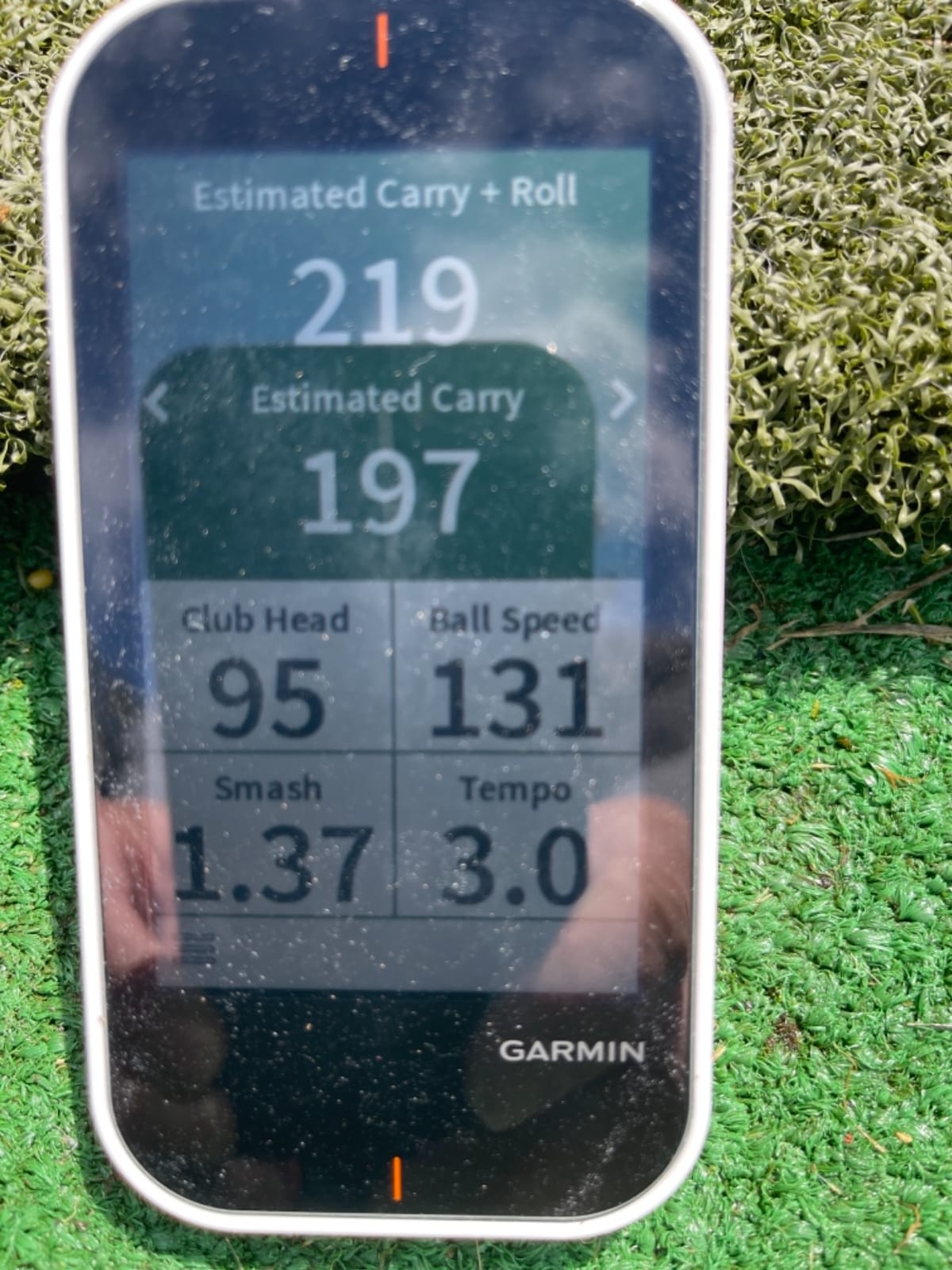
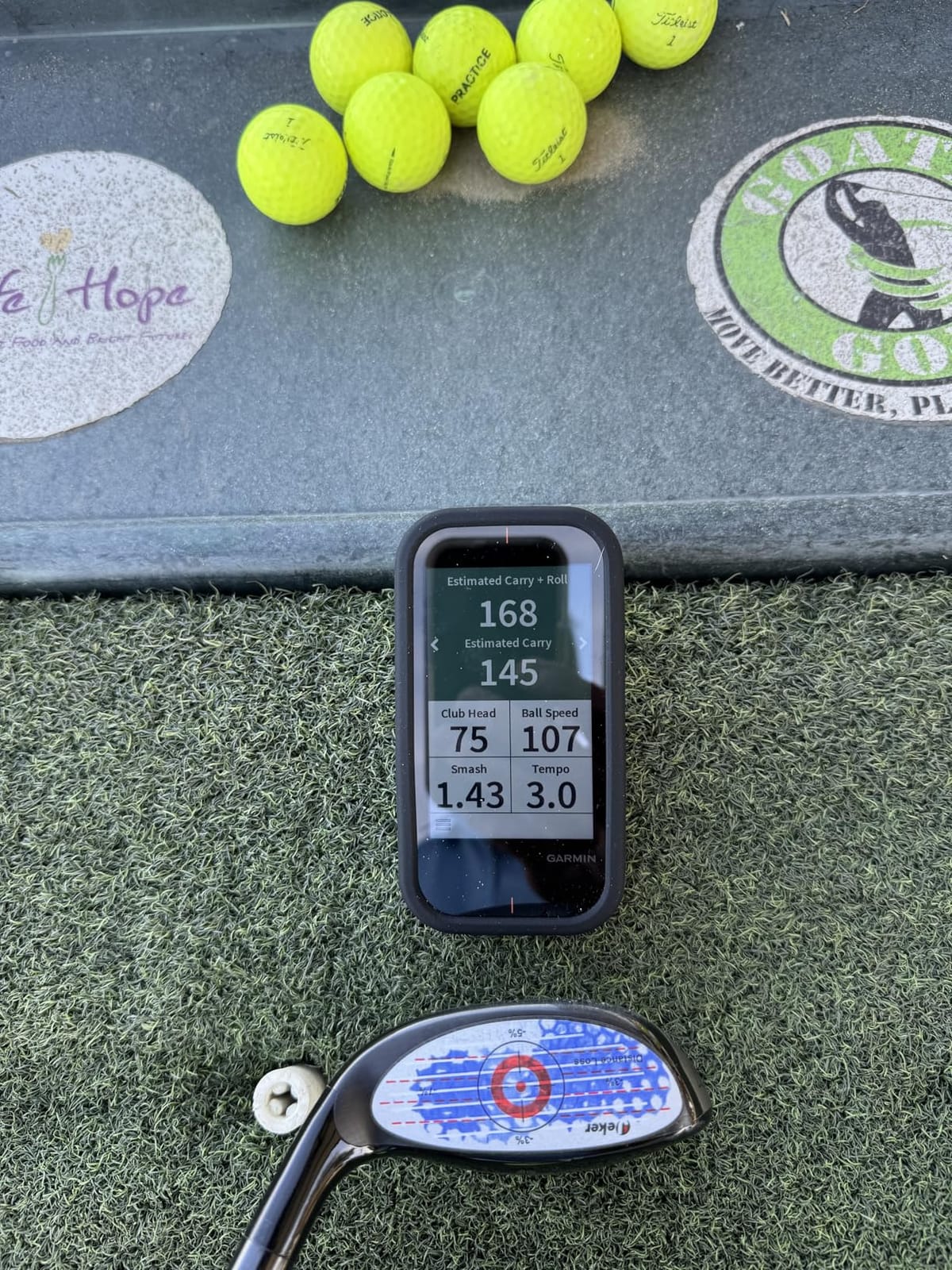
The G80 answers a question most launch monitors ignore: what if you want one device for the course and the range? It is a full colour GPS golf handheld with a radar built in, and the radar tracks club head speed, ball speed, smash factor, swing tempo and estimated distance from quick-access buttons on the body.
More than 41,000 detailed colour course maps come preloaded, so there is nothing to download before a round. The 3.5-inch transflective colour touchscreen is sunlight readable, which is the spec that matters most on a course, and the rechargeable battery lasts up to 15 hours in GPS mode. Practice and game modes let you test skills and track improvement separately.
At 4.16 ounces with a lanyard carabiner and a trolley or cart mount in the box, it is built for walking. The dual purpose is exactly why it appears high in golf GPS unit rankings rather than in launch monitor rankings, and that is a fair reflection of where its strengths lie.
What the Radar Side Actually Gives You
Treat the integrated radar as a range-bag companion rather than a data machine. It reports club speed, ball speed, smash factor, swing tempo and an estimated distance, and that is enough to spot a swing speed drop or a distance loss between clubs while you are on a grass tee box.
What it does not do is spin rate, launch angle or swing video, so you cannot use it to understand why a shot flew the way it did. If your practice is about numbers rather than navigation, a dedicated monitor is the better spend.
Where It Falls Short
Distance readings are estimated rather than measured, which means they carry more error than a dedicated radar unit with a stated accuracy tolerance. The 3.5-inch screen also feels small next to current handhelds, and reading a green map while standing over a putt is not a pleasant experience on that display.
Who Should Buy This One
Buy it if you play a lot of golf and want one device in the bag for both jobs, especially if you dislike carrying two things. It is a strong choice for range sessions where you want pace-of-play data alongside club speed. Do not buy it as your only analysis tool if you want launch direction or spin.
6. Rapsodo MLM2PRO: The Best Pick When Measured Spin Is Non-Negotiable
Rapsodo MLM2PRO Mobile Launch Monitor Golf Simulator | 3 Chrome Tour Balls
- Dual camera and radar capture 15 metrics including spin rate and spin axis
- Swing video from any angle with slow motion of club to ball contact
- Works with both iOS and Android
- Three Callaway RPT Chrome Soft X balls included
- Tripod included holds a phone or tablet
- Paid premium membership required after the 45 day trial
- Wi-Fi pairing fails on some shared networks
- Chipping and short putting inside the simulator are weak
- Phone battery drops about 40 percent in 30 minutes
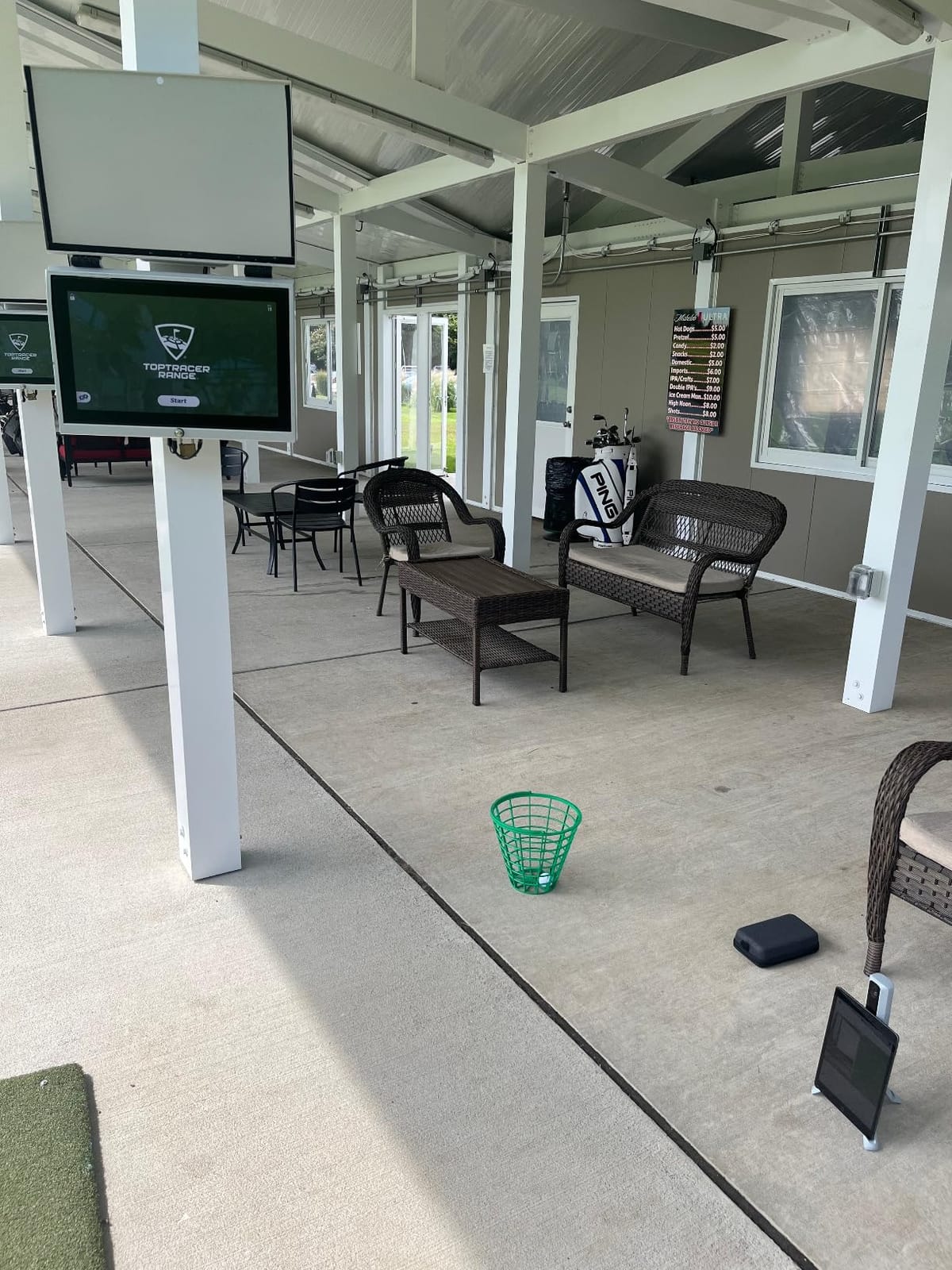
This is the hardware most people mean when they say the best golf launch monitor under $1,000, and the data is why. Doppler radar combined with a dual camera setup captures 15 key metrics including spin rate, spin axis, club path, carry distance, club speed and launch angle. In the Yardstick Golf survey of more than 650 owners, it was rated ahead of the Garmin R10 on distance, direction, shot shape and chipping, and it scored higher on would buy again despite costing more.
Owners who get it configured report data within a few percent of professional-grade units on club and ball speed, and several credit it with measurable handicap improvement. The slow-motion impact video is captured from any angle, and firmware updates keep adding features over time, which long owners specifically call out as a reason the device improves after purchase.
It is the more polarised product in this list, and the 4.0 rating across 566 reviews reflects that split. Owners who connect it rate it exceptionally highly; the one-star reviews all attack the same root cause from the other side.
The Three Things That Trip People Up
First, the subscription. A 45-day premium trial is included, and after that the simulated courses, third-party app integration, target range and Impact Vision require a paid membership. Some features are locked out without it, which means the purchase price is not the whole cost.
Second, the connection. Wi-Fi to a shared network can drop or fail to record a shot entirely, while a direct device-to-device Wi-Fi link is more stable. Set it up the direct way and most of those complaints disappear. Third, the phone display. On an iPhone only three metrics show at once, while an iPad or tablet shows six, so buy the device expecting to use a larger screen when you can.
Where It Falls Short
Chipping and short putting inside the simulator are the weak spots. Short lob shots are often not read at all, and the greens run unrealistically fast, so do not expect this to replace real short game practice. All 30,000-plus simulated courses share the same plain background graphics, and the marked balls included wear out faster than expected.
Who Should Buy This One
Buy it if you want spin rate, spin axis and club path from a device that costs less than a premium membership for several years of high-end hardware would. It suits golfers building a yardage book or dialing wedge gaps, and it is the better choice for anyone willing to configure Wi-Fi properly. Do not buy it if you need excellent chipping simulation or if a recurring membership is not something you want to manage.
7. TAGCMC GX-10: The Best Pick With No Subscription at All
Golf Launch Monitor & Portable Simulator, Tracks 13+ Metrics Swing Analysis
- No subscription required for any feature
- Built-in temperature humidity and barometric sensors
- Spin rate spin axis attack angle and launch angle reporting
- 3D driving range with 45 and 90 degree views
- Adjustable sensitivity to calibrate against a trusted monitor
- Small review pool and a very low best seller rank
- One buyer reported a unit that would not hold its charge
- Out of box speed readings run high until calibrated
- App setup and pairing still needed work for some owners
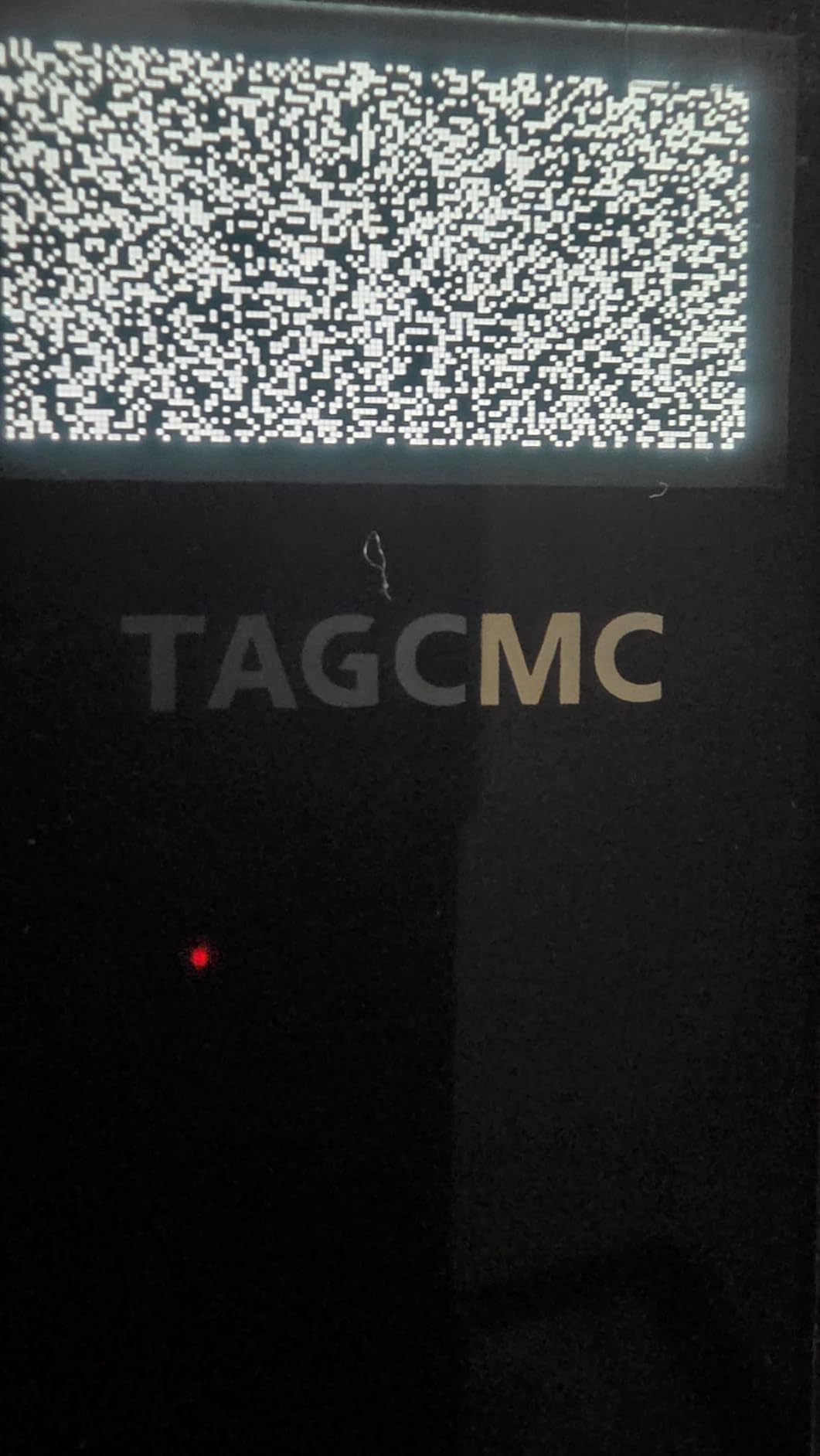
The GX-10 is the one to look at if a recurring membership is a dealbreaker. Every feature it has, it has permanently, with no premium tier and no trial that expires. It reports spin rate, spin axis, swing speed, attack angle and launch angle, and it adds clubface impact visuals plus a swing-only mode for practice without contact.
The environmental sensors are unusual at this level. Built-in temperature, humidity and barometric pressure sensors adjust the shot data to live conditions, which matters because a cold morning or a hot afternoon genuinely changes ball speed readings. The 3D virtual driving range offers both 45-degree and 90-degree viewing, so you can watch ball flight from behind or from the side.
The app supports iOS 11+, Android 11+ and HarmonyOS 4.0+, and the language support covers English, Chinese and Japanese. Adjustable sensitivity is the feature that separates it from cheap imitations, because it lets you calibrate readings against a monitor you already trust.
Buy It With Your Eyes Open
Be clear about what you are buying here. The 4.1 rating comes from just 94 reviews, and the best seller rank sits far below the established brands, so there is a thin track record. Some of those reviews also appear to describe unrelated accessories, which makes the signal weaker than the rating alone suggests.
The specific complaints are consistent and fixable. Out-of-box speed readings run high until you reduce the sensitivity setting, one buyer reported a unit that would not hold a charge overnight, and another had pairing problems and eventually moved to a higher-end model. Calibrate first, charge fully before a session, and expect some app iteration.
Where It Falls Short
There is no established support history, no large body of independent long-term testing, and no named accuracy tolerances the way Garmin publishes for the R10. Long-term reliability is simply less documented than for the big sellers, and that is a fair reason to hesitate if you are spending your whole budget here.
Who Should Buy This One
Buy it if you want spin metrics with zero ongoing cost and you are comfortable calibrating a device yourself. It also suits Android users who have been locked out of the original Rapsodo phone unit. Do not buy it if you need a long, well-documented reliability record or if you want the widest simulator course library.
8. TheStack Radar: The Best Pick for Gamified Speed and Wedge Training
TheStack™ Radar – Portable Golf Launch Monitor, Swing Speed & Ball Tracker
- Highest average rating in this set at 4.6
- 78 percent of reviews at five stars
- Measures swing speed and ball speed and calculates carry and smash factor
- Bundled Stack Wedging app builds skill specific practice sessions
- Stack Putting app adds guided putting practice
- Works with TheStack speed training clubs
- Wedging and putting apps are iOS only
- No spin rate launch angle or swing video
- Carry distance is an estimate
- Review pool of 60 so long term reliability is thin
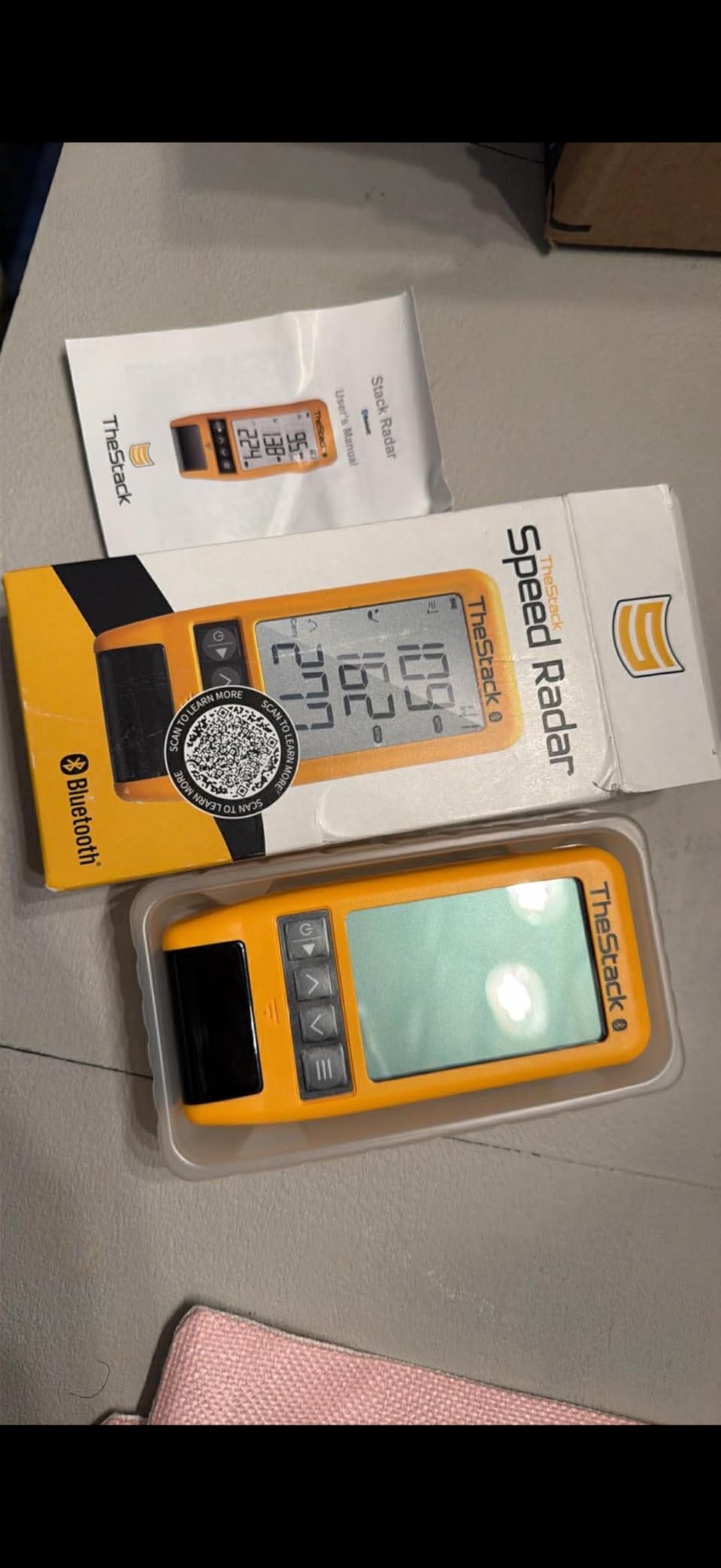
TheStack Radar is built around a single idea: measure speed, then turn speed into practice you actually want to do. It reports swing speed and ball speed, calculates an estimated carry distance and smash factor, and sends the numbers over Bluetooth to TheStack App. That app turns raw speed into gamified, skill-specific wedge sessions rather than a spreadsheet of numbers.
At 4.6 stars it has the highest average rating in this entire set, with 78 percent of reviews at five stars and no two-star reviews at all. That distribution is unusually favourable and reflects a device owners consistently enjoy. It was designed to pair with TheStack speed training clubs, and 2022 US Open Champion Matt Fitzpatrick has used it for speed training and everyday range work.
A one-month free trial of the Stack Wedging app comes with the unit, which is enough to decide whether the gamified approach works for you before paying anything further.
The iOS Catch Is Real
Stack Wedging requires an Apple device running iOS 15.0 or later, and the Stack Putting app is iOS only as well. The speed training part of TheStack App now supports both Apple and Android, but Android users get speed tracking alone, without the wedge or putting apps. If you are on Android, this is a substantially smaller product than it looks on the feature list.
The other limitation is scope. No spin rate, no launch angle and no swing video, and the carry distance is an estimate rather than a measurement. This is a speed trainer that happens to connect to a phone, not an analysis tool.
Where It Falls Short
Sixty reviews is a thin base, and the product only became available recently, so you are buying on the strength of the app ecosystem and tour provenance rather than a long record of independent testing. Its best seller rank also sits well below the established brands, which is exactly what you would expect from a newer entrant with a narrow but enthusiastic following.

Who Should Buy This One
Buy it if your main goal is wedge speed and speed training, if you are on iPhone or iPad, and if gamified practice sessions motivate you more than data tables do. It also pairs naturally with TheStack training clubs if you already own them. Do not buy it if you are on Android and want the wedge app, or if you need club path and face angle data.
9. Garmin Approach G82: The Best Pick for Putting Metrics on a Budget
Garmin Approach® G82, Portable Golf Launch Monitor & Premium GPS Handheld
- Large 5 inch high resolution touchscreen with 43000 plus courses
- Integrated radar measures ball speed club speed smash factor and swing tempo
- Adding putting metrics with stroke length and tempo
- Bag mapping at the range feeds the virtual caddie
- Up to 25 hours GPS and 8 hours in radar mode
- Magnetic cart mount plus included bag clip
- No spin rate launch angle or swing video from the radar
- Green contour data and aerial imagery need a Garmin Golf membership
- Approach CT10 tracking sensors sold separately
- Newest model here with only 26 reviews
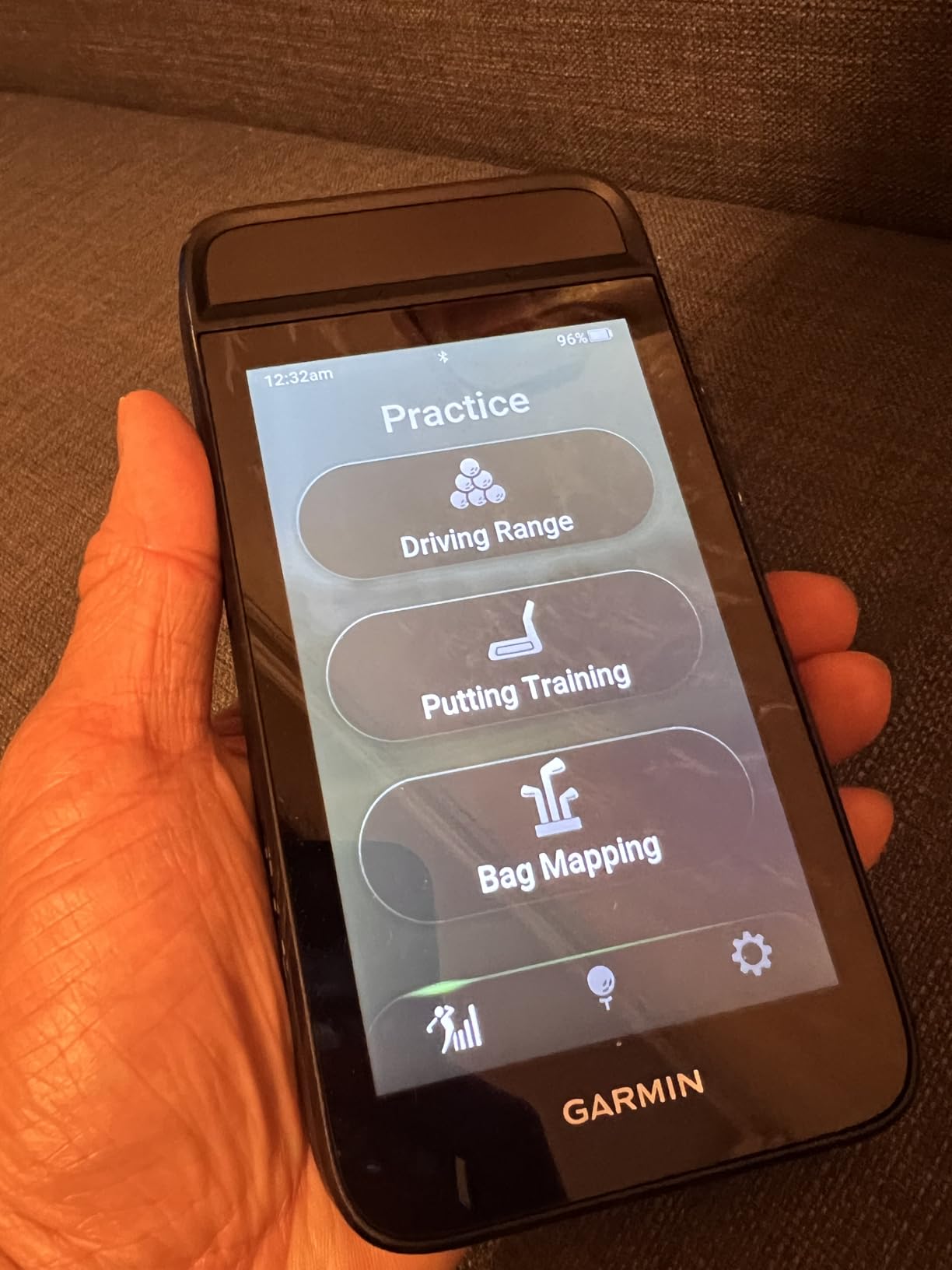
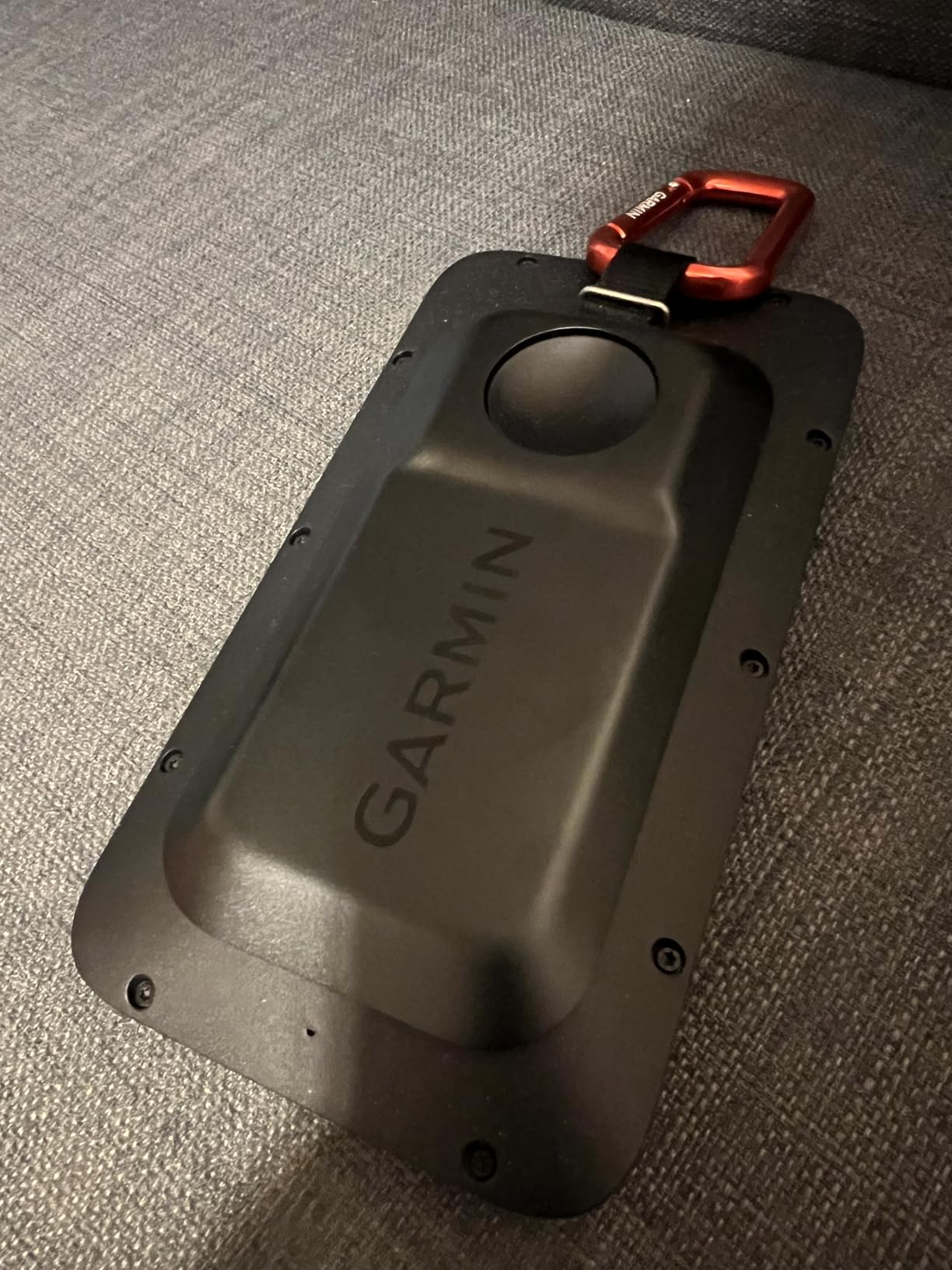
The G82 is the newest and least reviewed device in this group, and the thing that makes it interesting is the putting metrics. The integrated radar measures ball speed, club speed, smash factor and swing tempo, and on top of that it reports putting stroke length, tempo, club speed and ball speed. No other combined GPS and launch monitor at this level tracks your putting stroke.
The screen is a clear step up from the 3.5-inch G80. You get a 5-inch high-resolution capacitive touchscreen with more than 43,000 preloaded courses, and the built-in magnetic cart mount plus the included bag clip make it easy to move between cart and bag. Battery life is the best figure in this list: up to 25 hours in GPS mode and up to 8 hours in radar mode.
Bag mapping at the range records how far you hit each club and feeds that into the virtual caddie on the course, which is a genuinely useful loop for golfers who want one device to serve both halves of a round.
Where the G82 Sits Against the G80
Compare it directly to the G80 and the upgrade is obvious: a much larger screen, more preloaded courses, longer battery life, and putting metrics that the older unit does not have at all. The G80 remains the cheaper option if course navigation is your primary use, but the G82 is the better all-round device of the two for range work.
Against dedicated launch monitors, the gap is data depth. There is no spin rate, no launch angle and no swing video from the radar, so the launch monitor side remains a training aid rather than an analysis instrument.
Where It Falls Short
Green contour data and aerial imagery require a Garmin Golf membership sold separately, and the Approach CT10 automatic shot tracking sensors are also sold separately, so the headline package is not the complete feature set. With 26 reviews, there is very little independent long-term feedback on accuracy or durability yet, which is the honest reason to treat early owner reports as directional rather than conclusive.
Who Should Buy This One
Buy it if putting practice matters to you and you want one device that handles navigation, range work and stroke metrics. It is a good fit for golfers building bag maps who already use the Garmin Golf app. Do not buy it if you need spin or launch angle, or if you want a well-established long-term reliability record right now.
How to Choose a Budget Golf Launch Monitor?
Start by filtering on technology and room size, then on whether you need measured spin. Everything else follows from those three answers. Here is how the field splits.
Radar or Camera Decides Accuracy
Radar (Doppler) units sit behind you and track the ball in flight. They are fast, reliable in low light, and they report club head speed and ball speed very accurately, but they calculate spin rather than measure it. Camera-based photometric units sit beside the ball and photograph the impact, so they can measure spin directly and work in much shallower rooms.
The Rapsodo MLM2PRO is the hybrid unit on this list, using Doppler radar and a dual camera setup together, and it is the reason a sub-$1,000 device can report spin rate and spin axis at all. Golf simulator community consensus is consistent on the wider divide: if spin accuracy matters for fitting work or wedge gapping, camera-based is the only real option; radar is perfectly fine for carry and ball speed.
Measured Versus Calculated Spin
Calculated spin on radar units deviates by roughly 500 to 1,000 rpm from measured values, and the gap widens on wedges and partial swings. That is the single most important accuracy distinction in this price tier, and it is why two monitors with similar ratings can give you completely different wedge data. If you intend to build a yardage book or gap your wedges, pay for a camera or hybrid unit. If you only want carry and ball speed, calculated spin is fine.
Room Depth and Ceiling Height
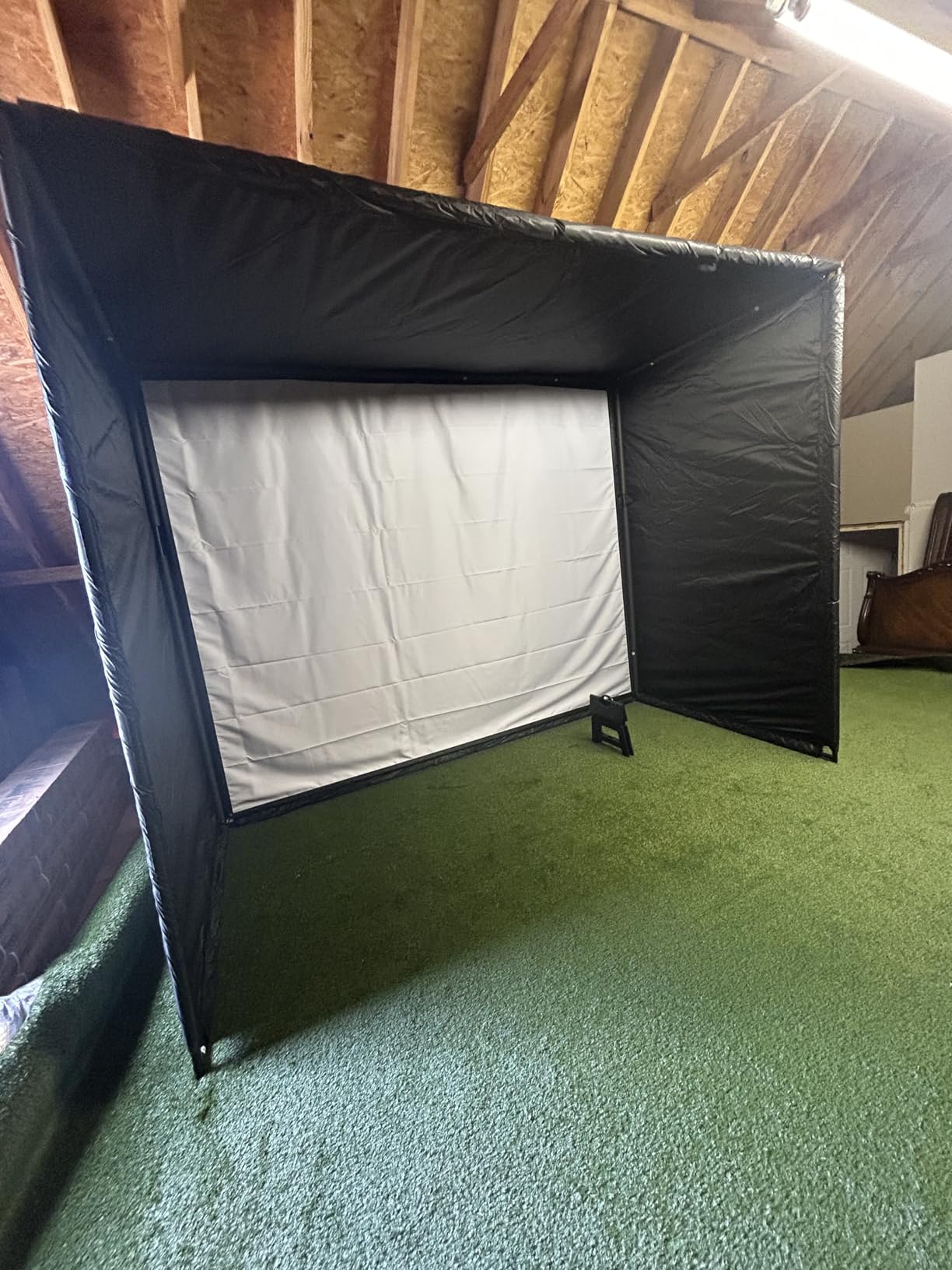
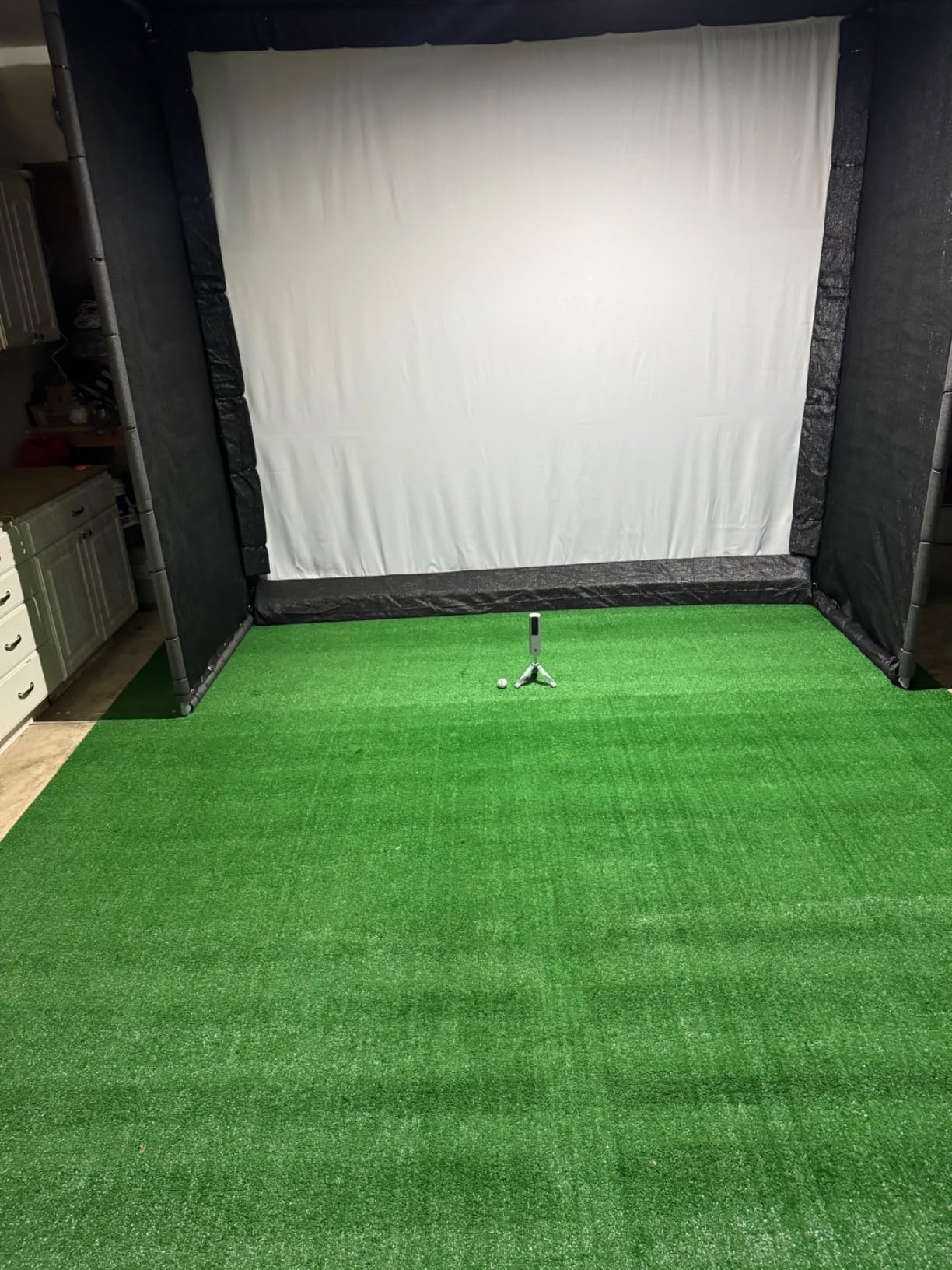
Radar units need roughly 8 to 10 feet of ball flight, which works out to about 14 to 16 feet of total room depth including your stance. Camera units work in rooms as shallow as 10 feet. Plan for a 9-foot ceiling minimum for anything you hit with a wedge or longer, and remember that direct sunlight breaks the cameras on photometric units, so a window facing your hitting area is a real problem.
What Simulator-Ready Actually Means
A monitor is not a simulator on its own. A working setup needs the monitor, a net or screen, a mat, and software that reads the monitor’s data. GSPro and E6 Connect are the two most common choices in this bracket, with Home Tee Hero and Awesome Golf also commonly cited, and compatibility is worth checking before you buy rather than after. Note that the Rapsodo memberships unlock third-party app integration specifically, so the software layer is tied to that subscription.
Subscriptions and Three-Year Running Cost
Two devices on this list are subscription-free by design: the TAGCMC GX-10 and the PRGR HS-130A. The Voice Caddie and Garmin G80 also carry no membership for their core functions. The Rapsodo MLM2PRO gates courses and deeper analytics behind a premium membership after its 45-day trial, and the original Rapsodo MLM unlocks simulator courses and game modes under premium as well. The Garmin R10 requires a Garmin Golf subscription for its 42,000-plus virtual courses. Budget for three years of membership on any of those, not one.
Which One Fits Your Situation
Filter by phone first, because it eliminates options immediately. Android users are locked out of the original Rapsodo phone unit and of TheStack Wedging and Putting, leaving the MLM2PRO, the Garmin R10, the Voice Caddie, the PRGR and the GX-10. iPhone users have the widest choice.
Then filter by room. A shallow room under 14 feet rules out most radar setups and pushes you toward camera units. Filter by data needs next: measured spin and club path point to the Rapsodo devices, club-side metrics and dispersion charts point to the Garmin R10, and speed training alone points to the PRGR, the Voice Caddie or TheStack. Filter by subscription tolerance last, and pick the one you will still be happy with in year three. Our guide to launch monitors for driving ranges covers the outdoor-specific considerations in more detail.
Frequently Asked Questions
What is the best budget golf launch monitor?
The Rapsodo MLM2PRO is the best budget pick for most golfers because its dual camera and Doppler radar setup measures 15 metrics including true spin rate, spin axis and club path. If you want the cheapest route into simulator golf, the Garmin Approach R10 covers radar metrics, swing video and per club dispersion charts for less.
Is there a cheaper alternative to TrackMan?
Yes. Sub-$1,000 monitors now deliver roughly 70 to 80 percent of what a professional-grade TrackMan gives you on ball speed and carry within a few yards, which is enough to build a yardage book and gap your wedges. The key difference is that budget radar units only calculate spin, deviating by roughly 500 to 1,000 rpm.
Is the Garmin R10 or Rapsodo better?
The Rapsodo MLM2PRO wins on measured data: spin rate, spin axis and club path come from its dual camera setup, and a survey of more than 650 owners rated it ahead of the R10 on distance, direction, shot shape and chipping. The Garmin Approach R10 wins on ease of setup, club side metrics, automatic video and its wider course ecosystem, and it costs less.
What is the most accurate launch monitor under $1,000?
Accuracy depends on which metric you care about. The Rapsodo MLM2PRO is the most accurate for spin rate, spin axis and club path because those are measured rather than calculated. The Garmin Approach R10 publishes the tightest stated tolerances in this group, with ball speed within plus or minus 1 mph, club head speed within plus or minus 3 mph and launch angle and direction within plus or minus 1 degree.
Do launch monitors under $1,000 require a subscription?
Some do and some do not. The TAGCMC GX-10 and the PRGR HS-130A have no subscription at all, and the core functions of the Voice Caddie SC200 Plus and the Garmin Approach G80 need no membership. The Rapsodo MLM and MLM2PRO include a 45 day premium trial and then require a paid membership for most simulated courses and deeper analytics, and the Garmin R10 needs a Garmin Golf subscription for its virtual course library.
How much space do I need to use a launch monitor indoors?
Radar units need about 8 to 10 feet of ball flight, which means roughly 14 to 16 feet of total room depth including your stance. Camera-based units work in rooms as shallow as 10 feet. Plan on a 9 foot ceiling minimum, and keep direct sunlight off the hitting area because it breaks the cameras on photometric devices.
The Best Golf Launch Monitors Under 1,000 Dollars: Final Verdict
The Rapsodo Mobile Launch Monitor is our final pick for the best golf launch monitors under $1,000, because it pairs automatic swing video with a ball flight tracer at the lowest entry price of any camera-based unit here and it carries the largest base of long-term owner feedback in this tier. Buy the Garmin Approach R10 if ecosystem breadth and price matter more to you than swing video, the Rapsodo MLM2PRO if measured spin and club path are non-negotiable, and the PRGR HS-130A if you just need honest swing speed with no phone and no fee.
Before you order, measure your room and decide whether you want measured spin. Those two answers eliminate half the list on their own, and whatever survives that filter will serve you well. Whatever budget is left over is better spent on a quality net and mat than on upgrading to a device outside this tier.