
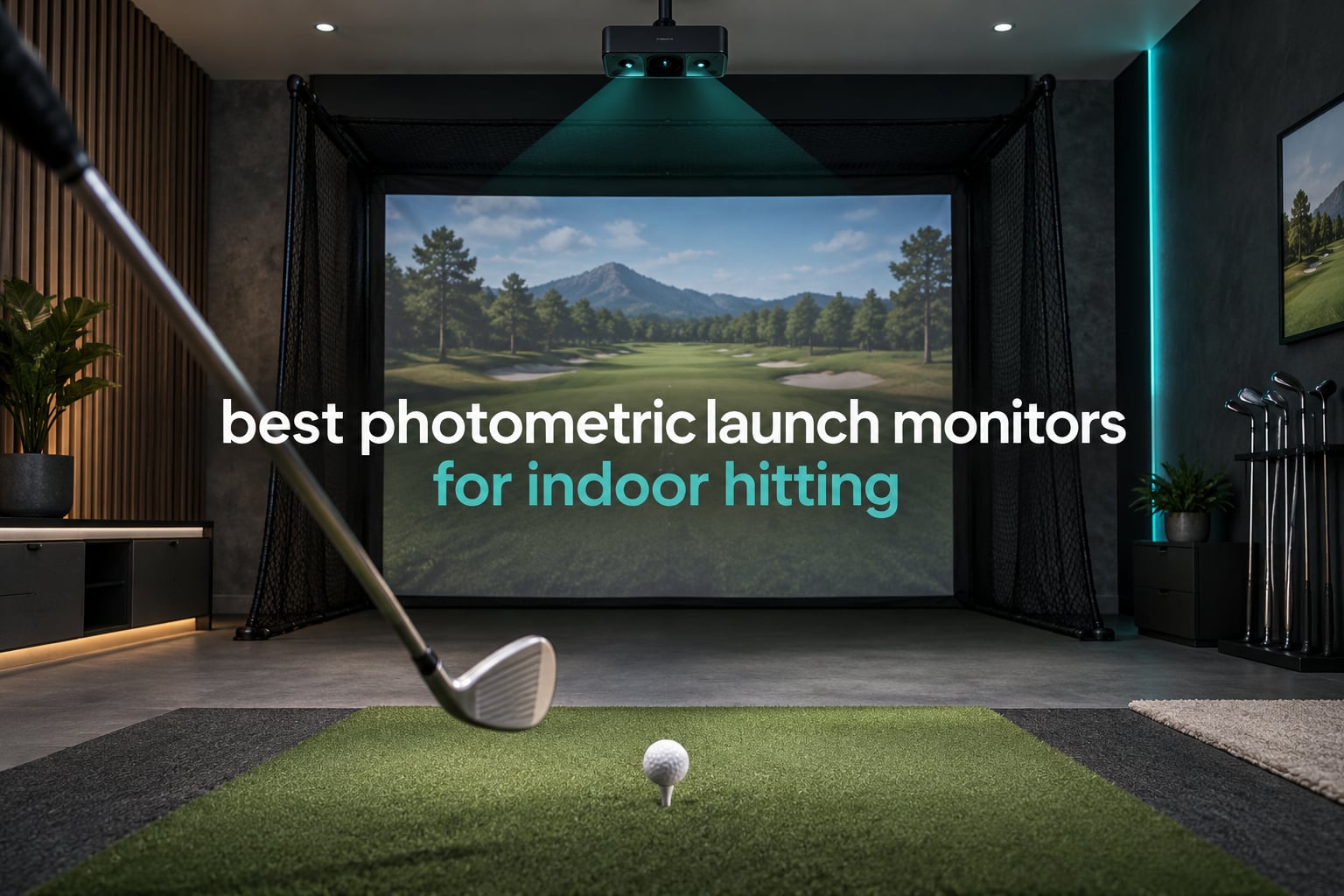
A photometric launch monitor is a golf launch monitor that photographs the moment the clubface meets the ball with high-speed cameras, then measures what happened at impact instead of guessing it from the way the ball flies. That single design choice is why camera-based products dominate the best photometric launch monitors for indoor hitting lists, and why radar-only machines mostly struggle behind a net.
Here is the problem in one paragraph. A Doppler radar unit watches frequency shifts in a ball travelling downrange, which means it needs several feet of clean ball flight to solve for spin rate. Indoors, a struck ball travels roughly 6 to 8 feet before it hits the net or impact screen. Truncate the flight and the spin math falls apart, so the radar that looks brilliant at the range produces weak or missing readings in the bay. A photometric unit does not care, because its cameras fire at the strike. Spin rate, spin axis, launch angle, club head speed and strike location are captured at contact, so they survive in a 10-foot basement bay just as well as they do at a 600-yard field.
Every product in this roundup uses cameras for measurement, either alone or paired with radar. Pure radar machines are excluded on purpose. I compared ten of them for enclosed-room work in 2026, weighting read reliability in tight spaces, how much room each one demands, how deep the dataset goes, and what the device costs to own over several years. Ten is the right number here: it spans the cheap phone-camera tier through the metal-chassis overhead systems without padding the list with radar products that do not belong in an indoor room.
Buyers in golf forums talk about room constraints long before they talk about spec sheets, so that is the order this article uses too, and comparing these picks against the wider field is worth doing in our roundup of the best launch monitors overall, which covers the range and on-course side, while the garage simulator picks cover builds with a high ceiling and no natural light.
Top 3 Photometric Picks for Indoor Hitting in October 2026

Rapsodo MLM2PRO
- Dual camera plus radar tracking
- 15 key metrics per shot
- Swing and impact video
- Pocket-sized at 16 ounces

Garmin Approach R50
- Three-camera system
- 10-inch built-in touchscreen
- Indoor and range use
- 4-hour battery

Uneekor EYE MINI CORE
- High-speed cameras with infrared
- Dimple Optix reads any ball
- 15 ball data points
- Metal chassis
Those three cover the most common indoor situations. The Rapsodo wins on read volume and video, the Garmin wins when you want one box that also travels to the range, and the Uneekor wins when a missed read is the one thing that would ruin your practice session.
All 10 Photometric Launch Monitors at a Glance for October 2026
| Product | Specifications | Action |
|---|---|---|
| Rapsodo MLM2PRO |
|
Check Latest Price |
 TAGCMC GX-10 Swing Tracker TAGCMC GX-10 Swing Tracker |
|
Check Latest Price |
| Garmin Approach R50 |
|
Check Latest Price |
| Uneekor EYE MINI CORE |
|
Check Latest Price |
 FlightScope Mevo Gen2 FlightScope Mevo Gen2 |
|
Check Latest Price |
 SkyTrak ST MAX SkyTrak ST MAX |
|
Check Latest Price |
 Uneekor EYE MINI LITE Uneekor EYE MINI LITE |
|
Check Latest Price |
 Bushnell Launch Pro i Bushnell Launch Pro i |
|
Check Latest Price |
 OptiShot Orbit OptiShot Orbit |
|
Check Latest Price |
 Foresight GC3S Bundle Foresight GC3S Bundle |
|
Check Latest Price |
Two entries deserve a quick flag. The OptiShot Orbit uses infrared light gates rather than cameras, so it is technically a different optical method, and the Foresight GC3S bundle is the only product here rated on a single review, which tells you almost nothing about the hardware. Both are here because owners ask about them, and both come with the same warning below.
1. Rapsodo MLM2PRO: The Best Overall Photometric Launch Monitor for Indoor Hitting
Rapsodo MLM2PRO Mobile Launch Monitor Golf Simulator | 3 Chrome Tour Balls
- Largest review base in this group
- 566 ratings
- Reads hold up behind a home net
- Slow-motion impact and clubface video
- Portable at 16 ounces
- Combine practice mode built with Dr. Sasho Mackenzie
- Wi-Fi connection drops reported mid-round
- Short chipping and putting reads are weak
- Premium membership needed for full value
- Battery drain is heavy
This is the unit I recommend first for most indoor hitters, and the reason is simple: it has the deepest body of owner feedback in the group, with 566 ratings averaging 4 stars, so the failure modes are well documented rather than mysterious. It combines a dual camera setup with Doppler radar, capturing 15 key metrics per shot including spin rate, spin axis, carry distance, club speed, club path and launch angle.
In a bay, the camera side carries the load. Because the ball is read at impact, the same wedge shots that defeat a radar unit indoors still produce usable spin and launch numbers. The 3-inch 1280 x 800 LCD, Bluetooth connection and 16-ounce body make it the easiest device on this list to move between a garage, a covered porch and a range session. Three Callaway RPT Chrome Soft X balls are included in the box, along with a one-year manufacturer warranty.
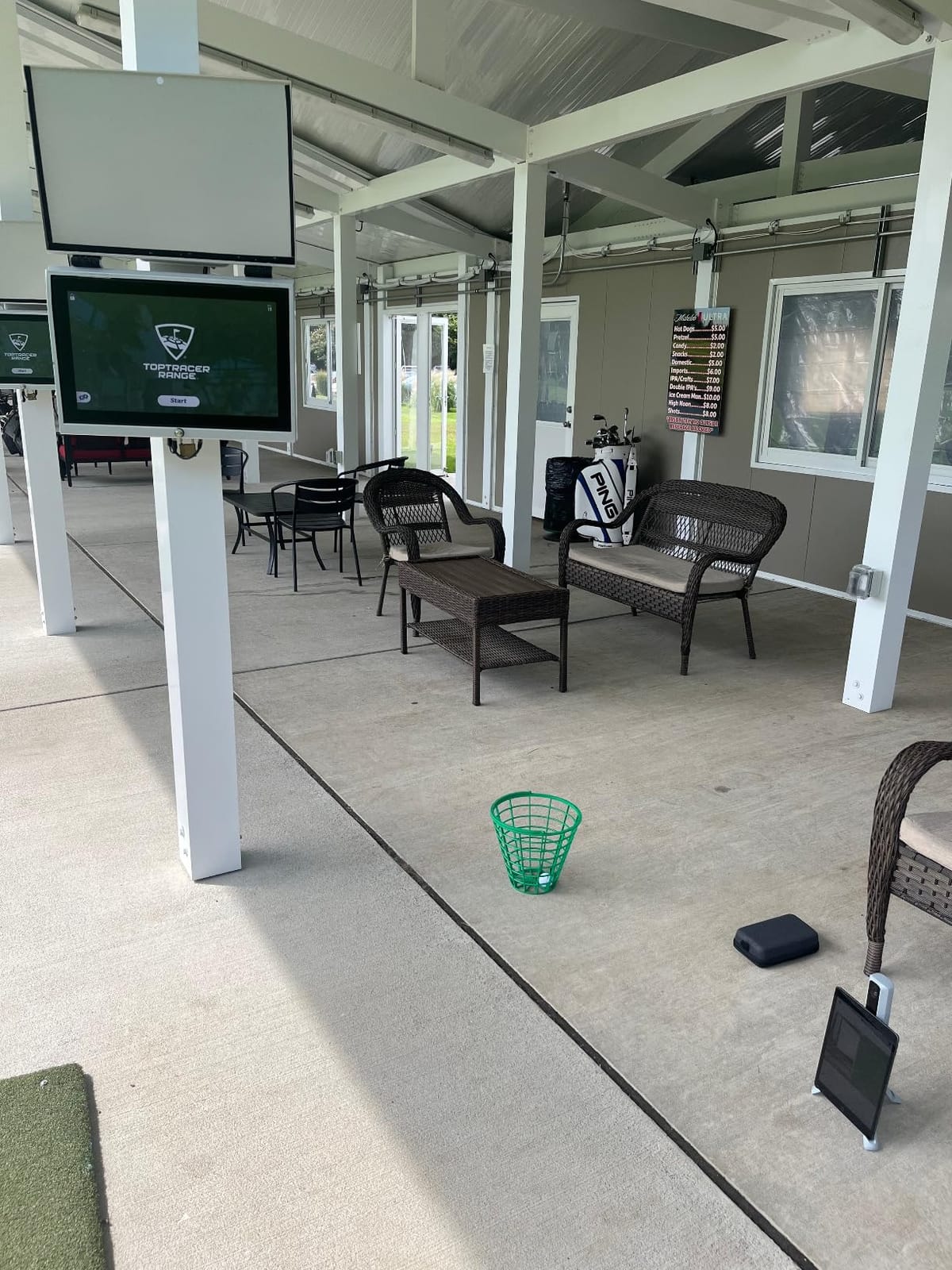
Video is where this one earns its place. Owners highlight high frame-rate swing capture with a slow-motion clubface contact view, and the software includes a Combine practice mode built with Dr. Sasho Mackenzie plus broad third-party app support. Owners also report steady firmware and app updates that have kept improving the experience, with hardware described as sturdy and supplied in a carrying case.
The catch is connectivity, and it is not minor. Owners report Wi-Fi drops mid-round, and the direct-connection mode that fixes it blocks any third-party app that needs internet. Other gripes: iPhones show only 3 metrics at a time against 6 on an iPad, the simulated courses look visually repetitive, and the premium membership required for the full 30,000-plus course library has crept up over time. The included premium balls also wear out quickly.
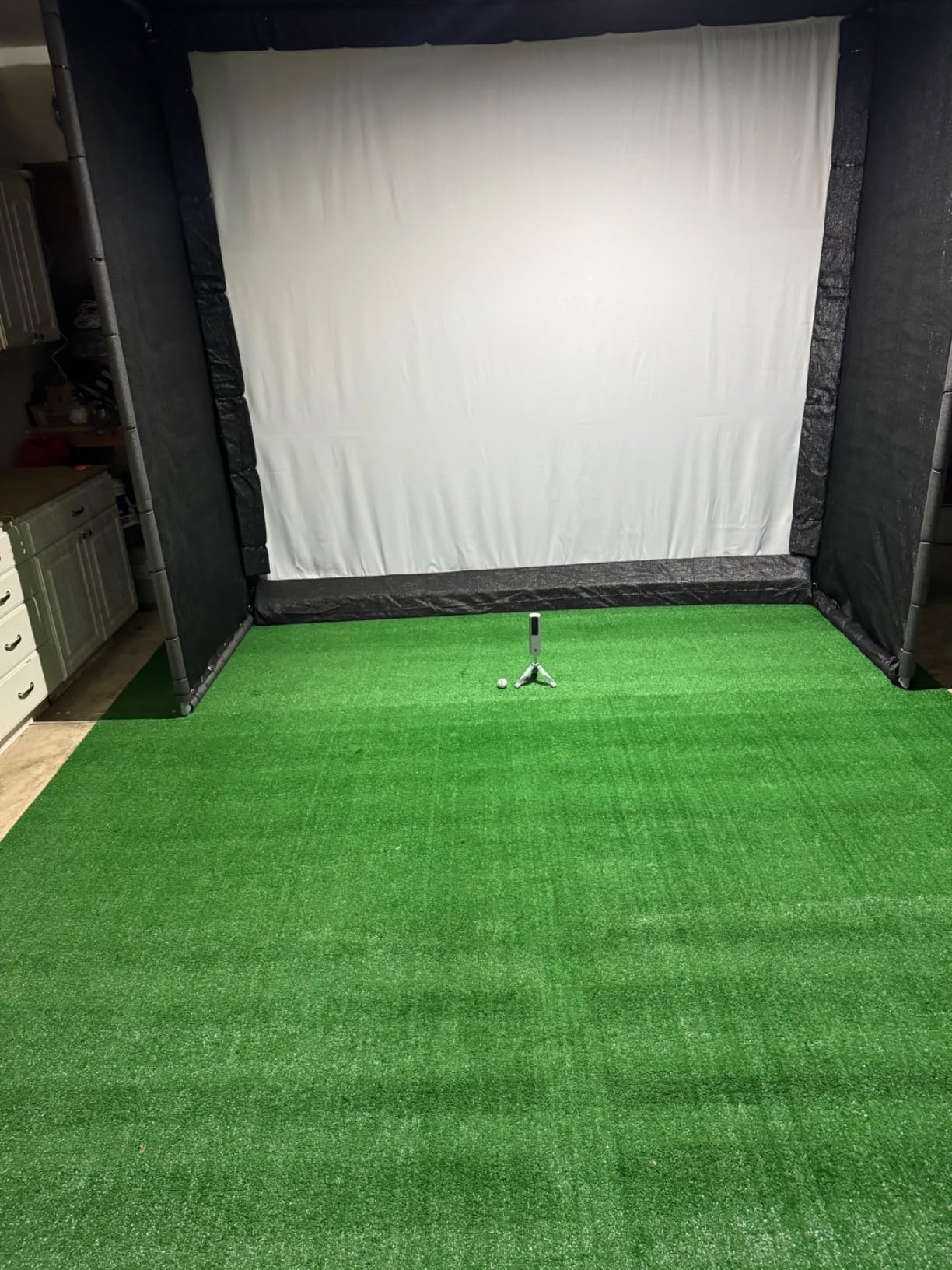
How it performs in a small bay
Reviewers report that full swings read consistently as long as the unit is placed properly and the lighting is even. The 15-metric set covers the numbers most golfers actually use for improvement, and the swing video makes it easy to see whether a miss was a face-angle problem or a path problem.
Where it will disappoint you
Short game is the weak spot. Balls under roughly 10 yards, including delicate chips and putts, are not tracked reliably, so this is not a putting or chipping trainer. Add the recurring membership cost and the Wi-Fi trade-off to any budget that assumed a one-time purchase.
2. TAGCMC GX-10: The Best Budget Photometric Entry for Indoor Hitting
Golf Launch Monitor & Portable Simulator, Tracks 13+ Metrics Swing Analysis
- Lowest entry cost on the list
- No subscription for the core app
- Temperature and humidity sensors adjust readings
- Supports iOS
- Android and HarmonyOS
- Needs manual sensitivity calibration to be accurate
- Connection and charging problems reported
- Basic display compared with dedicated hardware
- Review feed mixed with unrelated products
The GX-10 works differently from every other unit here. Rather than housing its own high-speed cameras, it uses your phone’s camera as the imaging source and pairs it with a small support unit and an app. That design drops it to the lowest price point in this roundup, and at 4.1 stars across 94 ratings it produces useful numbers for a fraction of what the dedicated units cost.
The app reports spin rate, spin axis, swing speed, attack angle and launch angle, with clubface impact visuals, a swing-only mode and a 3D driving range offering 45-degree and 90-degree viewing options. There is no subscription required for the core experience, which is rare in this category and removes the biggest objection many buyers have to cheaper launch monitors.
The unusual detail is the sensor package. Built-in temperature, humidity and barometric sensors adjust shot data to real-time conditions, so the app is trying to compensate for air rather than reporting a fixed number. Owners who like it say the adjustable sensitivity lets them calibrate speed readings against a reference monitor they already trust, which is a legitimate way to get usable data from a phone-based system.
The catch is calibration. Out of the box, speed readings run high until you dial in the sensitivity, so it is not a turn-and-hit device. Some owners also report connection problems and difficulty getting the unit to charge fully, and the display and app are basic next to dedicated hardware. One more caution: a large share of the 94 listed reviews are clearly about unrelated products, so treat the 4.1 aggregate with real suspicion.
Who this budget pick suits
A golfer with a spare room, a phone and no interest in simulator software gets swing feedback and launch numbers for very little. It is also a decent first unit for a teenager learning what launch angle and attack angle mean before committing to a bigger system.
Where it falls short
It cannot compete on short game or on the depth of club data. Because the imaging comes from a phone, ball identification and dimple reading are approximations, and putting or chipping practice is not a realistic use case.
3. Garmin Approach R50: Best All-In-One Photometric Setup for Indoor Hitting
Garmin Approach® R50, Premium Golf Launch Monitor & Simulator
- Highest rated unit with a meaningful review base
- Three cameras give strong ball and club data
- 10-inch touchscreen removes a second device
- Barometer adjusts carry for location
- Carrying case and 4-hour battery included
- High purchase cost for a home unit
- Face to path needs the included club stickers
- Virtual rounds need a Garmin Golf membership
- Tall 16.5 inch body takes floor space
The R50 sits at the top of this list on rating strength. At 4.4 stars with 63 ratings, 69 percent of reviews are five-star. Only the Bushnell Launch Pro i scores higher, and its rating rests on 10 reviews, so the R50 carries the strongest rating on a meaningful sample.
Hardware is a three-camera system feeding a 10-inch built-in colour capacitive touchscreen at 800 x 1280 resolution. It measures ball speed, launch angle, face to path, spin rate and spin axis, and adds a built-in barometer so carry distance is corrected for atmospheric pressure at your location. Training mode tracks per-club statistics and produces a shot dispersion chart, which is the kind of output that makes a practice session worth taking.
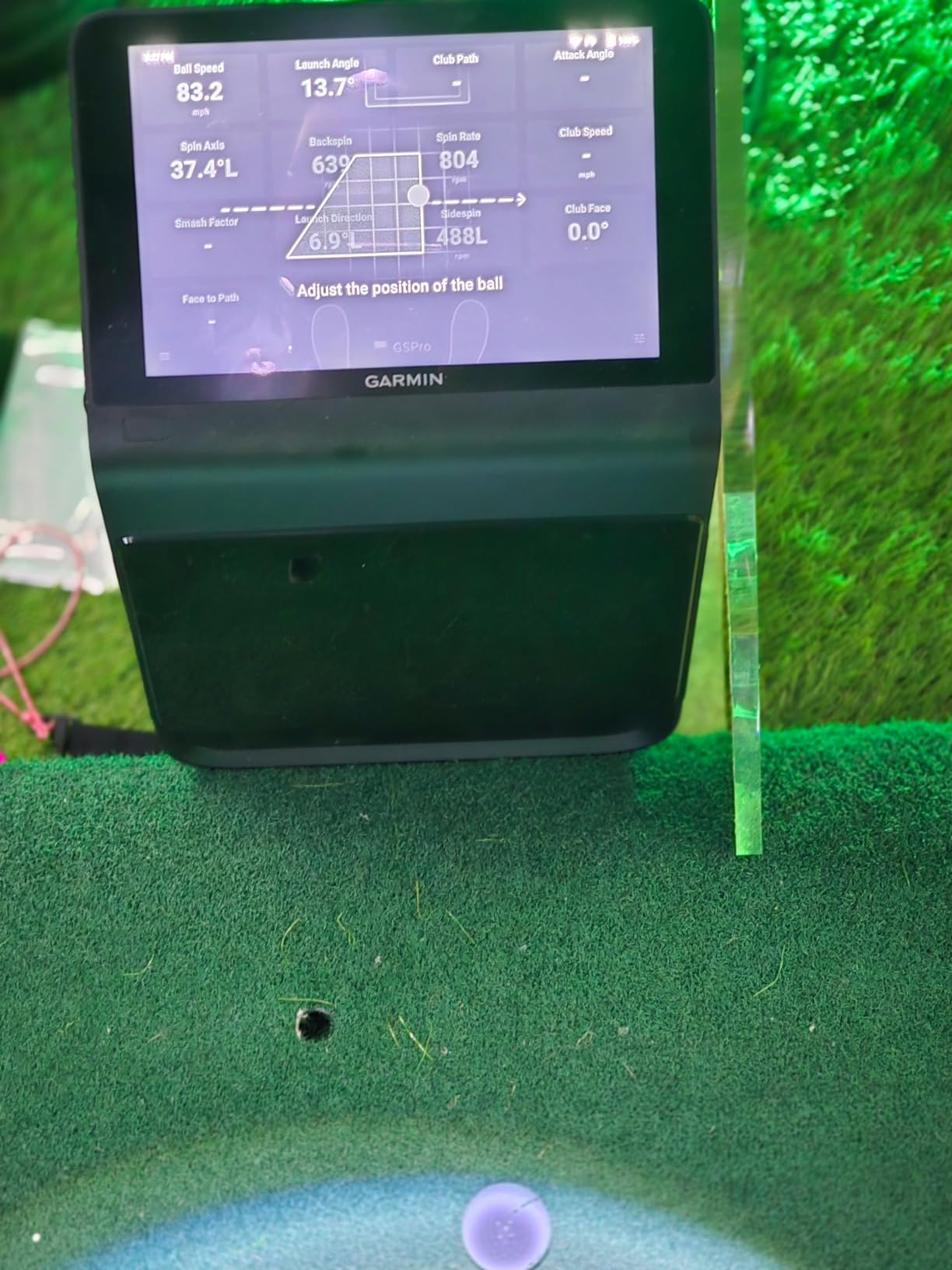
Two details make the R50 unusually practical. It runs on Windows with a 4-hour battery and a carrying case, so it moves from the bay to the range, and HDMI output lets you push the picture to a projector or larger screen. The box includes club tracking stickers, an AC adapter and a power cord, with a one-year limited warranty.
The catch is cost and the footprint. This is a heavy, tall unit at 9 pounds and 16.5 inches, so it needs real floor space rather than a corner shelf, and face-to-path measurement is unavailable unless you apply the included stickers to your shafts. Full virtual-round play across 43,000-plus Home Tee Hero courses requires an active Garmin Golf membership, which is a recurring cost that quietly changes the five-year maths.
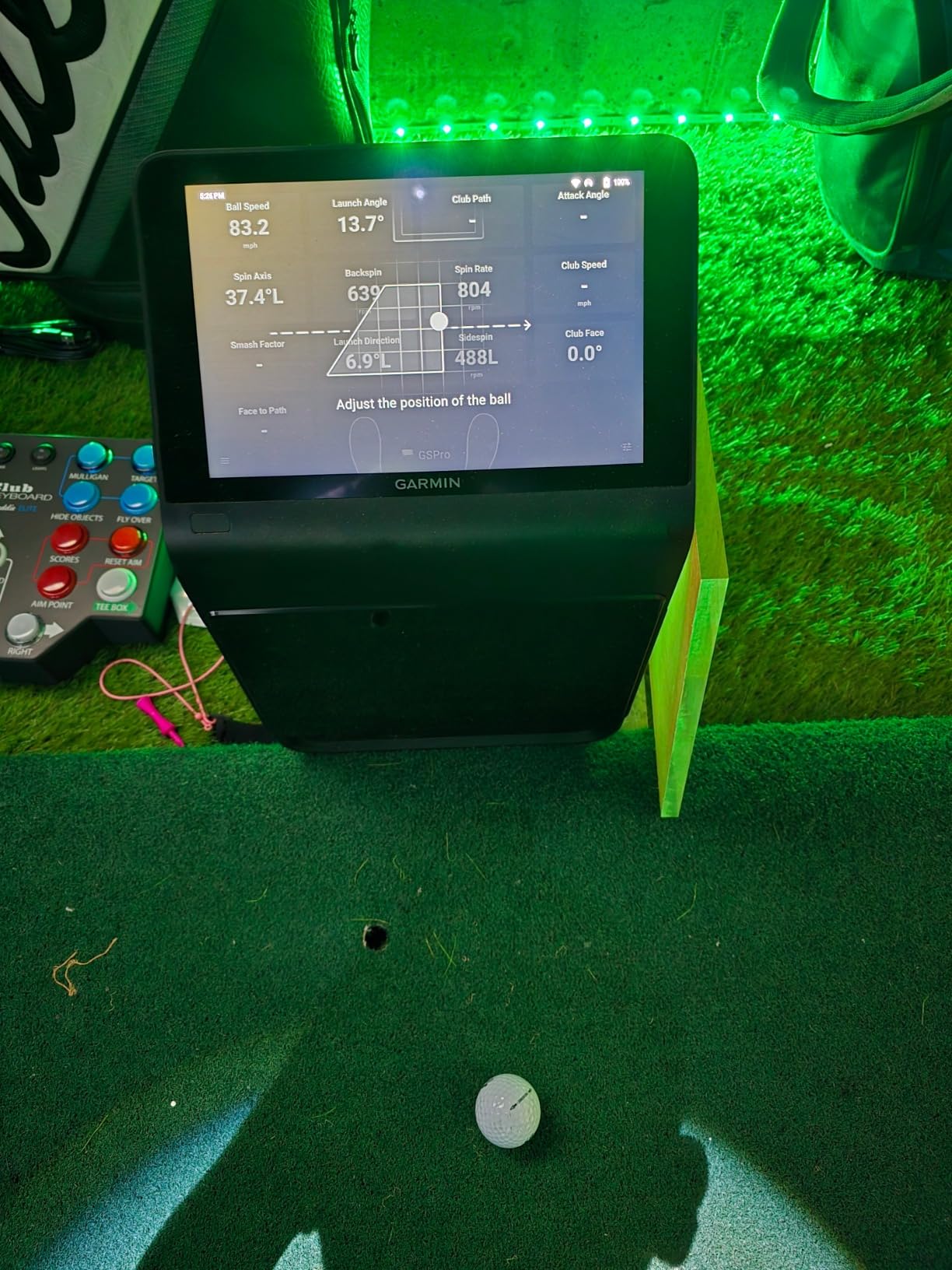
How the three cameras change practice
Owners who switched from cheaper units report noticeably better consistency club to club, and the dispersion chart is genuinely useful for spotting a pattern in a bad week. Barometer-corrected carry is a small feature that matters more indoors than it sounds, because indoor conditions swing with the weather outside.
Where it is not the right buy
If your ceiling is low or your bay is shallow, the tall body and the room it needs to see become a problem. And if you dislike recurring memberships for features you may not use, the course library is behind that paywall.
4. Uneekor EYE MINI CORE: Best Photometric Monitor When Missed Reads Ruin Practice
Uneekor EYE MINI CORE Golf Launch Monitor & Simulator, 15 Ball Data Points, Near-Zero Latency, Works with GSPro, TGC19 & E6
- Owners report a near-total absence of misreads
- Dimple Optix needs no ball stickers or marked balls
- All-metal chassis feels far more solid
- Hardwired Ethernet for instant results
- Two-year warranty
- GSPro needs a separate annual subscription
- Swing speed and face to path need the Club Optix upgrade
- Full simulation needs a gaming PC and dual monitors
- Bundled course library is limited
If your single biggest frustration is a monitor that refuses to read, this is the one to look at first. Owners upgrading from cheaper plastic monitors describe a very high shot capture rate, with several reporting zero misreads across a thousand shots. The tracking combines high-speed cameras with infrared sensors for near-zero latency, so numbers appear before you have finished walking to the screen.
Dimple Optix is the feature that saves money over time. Instead of requiring a specific marked ball, it reads any dimple pattern, so you are not stuck buying proprietary balls or applying ball stickers. The included VIEW software reports 15 ball data points with session reports, and the box contains 20 club sticker sheets, an Ethernet cable and a two-year warranty.
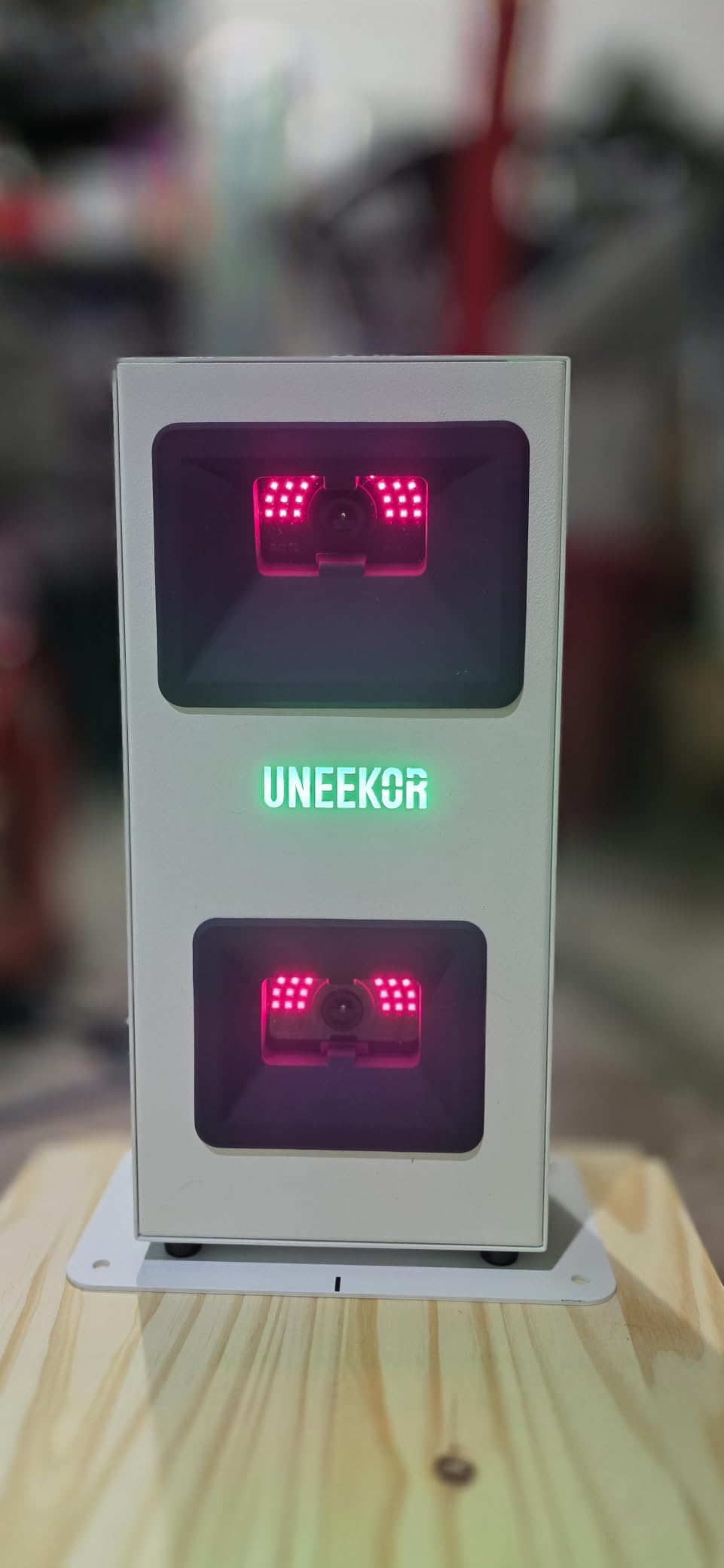
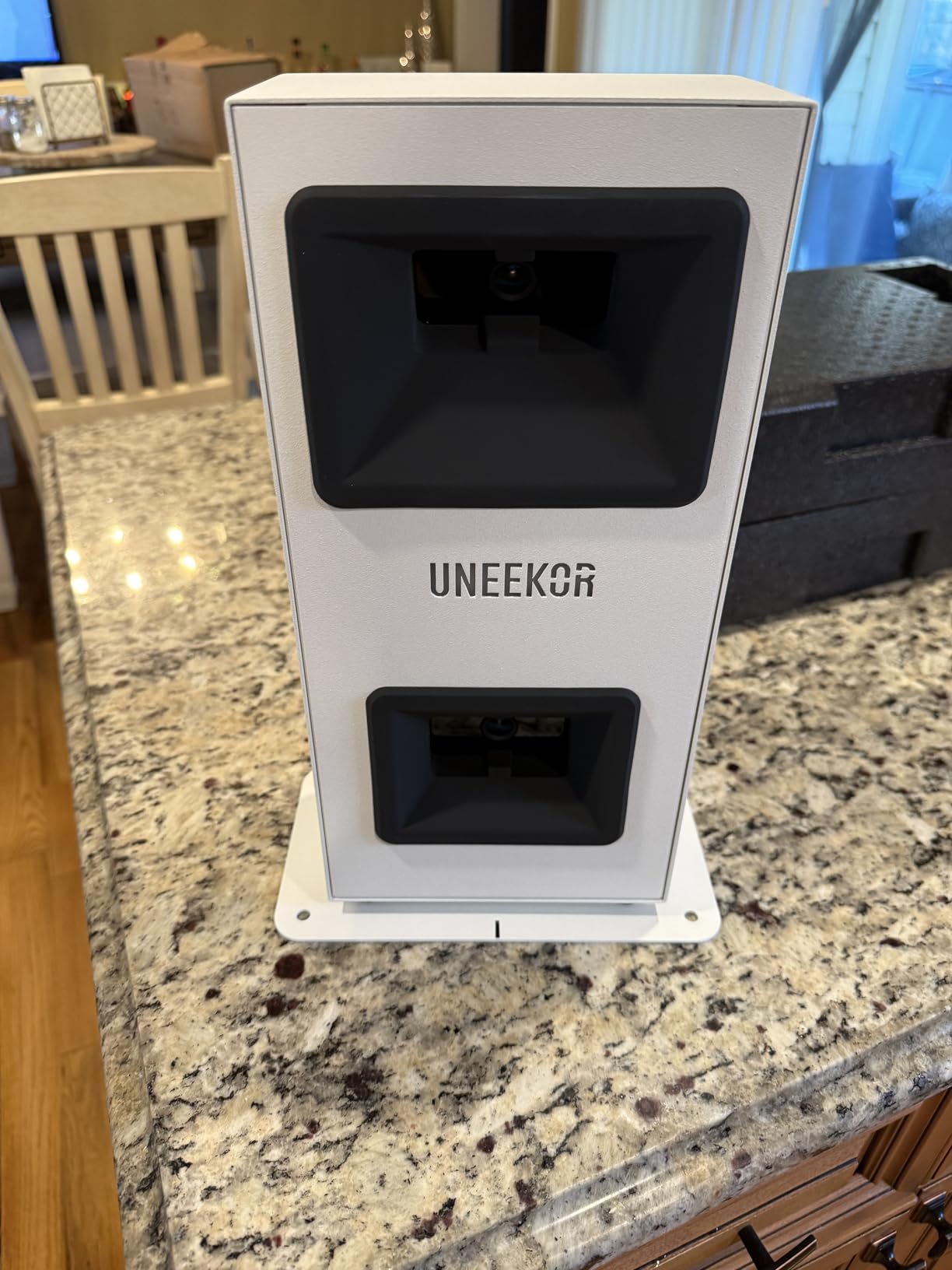
Build quality is a genuine step up. At 6.5 by 3.38 by 13.9 inches and 8.4 pounds, the metal construction is immediately obvious in the hand. Owners who upgraded from a cheaper plastic body describe the metal chassis as far more solidly built than most plastic enclosures, and support is described as responsive and helpful during setup. The hardwired Ethernet connection is a plain practical decision that removes the wireless dropouts plaguing cheaper products.
The catch is the ecosystem, not the hardware. GSPro, E6 Connect, TGC19 and Creative Golf 3D all require a separate subscription, the bundled Uneekor course library is thin next to those libraries, and the full VIEW and GameDay experience generally wants a dual-monitor setup and a gaming-class PC: an i5 Gen12 or Ryzen5, 16GB RAM, 256GB SSD and an RTX3060 for VIEW, stepping up to an i7 or Ryzen7 with 32GB and an RTX4070 for simulation.
How it handles a dark or uneven room
The infrared sensors add a layer that pure camera systems lack, which is part of why the read rate holds up when conditions are not perfect. That said, it is still an optical system, so even lighting remains the thing to fix first in any room.
Where the total cost surprises you
Club metrics such as swing speed, swing direction and face to path are not included at this tier; the Club Optix upgrade adds them. Combine that with a third-party subscription and a capable PC, and the system cost climbs well past the hardware price. The monitor must also stay plugged in, so it is not portable.
5. FlightScope Mevo Gen2: Best Photometric Monitor With No Subscription
- No subscription or annual licence fees
- 8 E6 Connect courses included permanently
- Lightest build here at 1.1 pounds
- Front camera with drawing and voiceover tools
- 6 hours of practice per charge
- Setup and iPad connectivity can take hours
- Some units capture only about one shot in ten
- Only one device can connect at a time
- Early firmware gave distances off by 15 yards or more
The Mevo Gen2 is the no-subscription answer. FlightScope Fusion Tracking pairs 3D Doppler tracking radar with synchronised high-speed image processing, and the eight E6 Connect simulation courses are included for life with no annual licence fee. In a category where recurring costs are a top purchase blocker, that is a meaningful difference over five years.
It reports 18 swing, chipping and putting data parameters, and it is one of the few monitors here that reports short-game numbers at all. A front-facing camera records every swing automatically, clips shots, overlays data and adds a 3D FlightScope Tracer animation of ball flight within the video, with multi-cam support for up to three connected mobile devices.
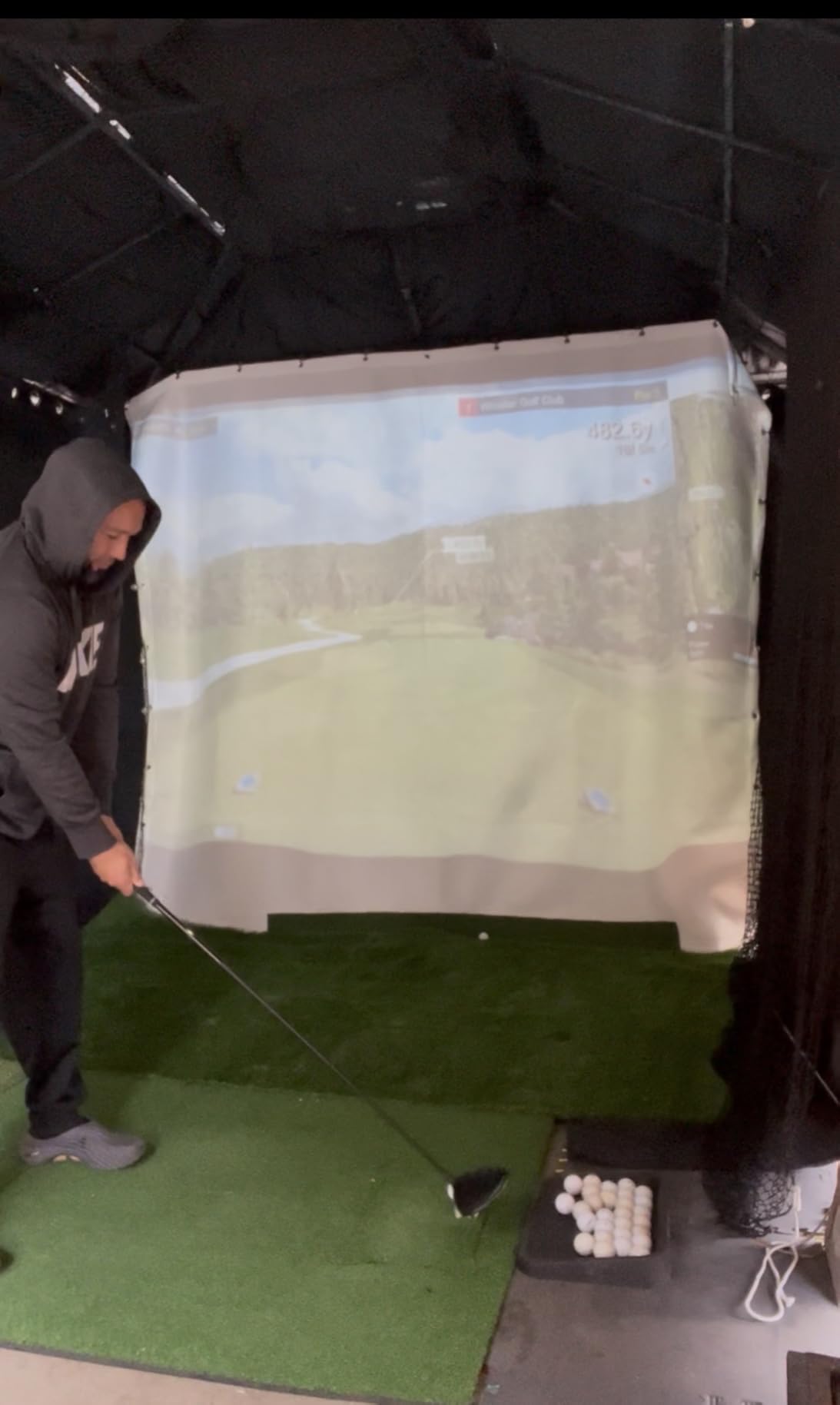
Portability is the quiet strength. At 1.1 pounds and 5.5 by 1 by 6.88 inches with a 6-hour battery, it goes anywhere, and the box includes aluminum stickers, a carrying case, a charging cable and block and a one-year limited warranty. Owners who got it running describe accurate ball and club data and a genuinely useful coaching toolset, with patient, helpful support during setup.
The catch is reliability, and here feedback genuinely splits. Setup and iPad connectivity are the most common complaints and can take hours to resolve. Some models capture roughly one shot in ten and register hits erratically even after calibration, several owners report repeated connection drops mid-session, and only one device can be connected at a time, which blocks family sharing. Early firmware produced distances off by 15 yards or more until elevation and firmware updates were applied.
How it handles indoor short game
Among the cameras and hybrids on this list, the 18-parameter set is unusually willing to report chipping and putting numbers. That makes it a better practice partner than most radar-led units, where short shots are exactly what breaks down.
Where you should look elsewhere
If a missed read ruins your mood, read the one-in-ten capture complaints before buying. Also note that some simulator courses need a stronger graphics card than the stated minimum specifications, and a single-device connection limit is a real problem in a shared household.
6. SkyTrak ST MAX: Best Photometric Monitor With Built-In Speed Training
SkyTrak ST MAX Golf Launch Monitor with 1-Year Software Included
- Radar plus cameras give complete data
- Built-in guided speed drills unique at this level
- Solid heavy build
- Plug-and-play setup and easy Wi-Fi
- Works cleanly on Mac
- Small hitting zone causes many no-reads
- Driver distances can read 20 to 30 yards short
- USB wired mode freezes mid-round
- Ongoing software subscription with no free courses
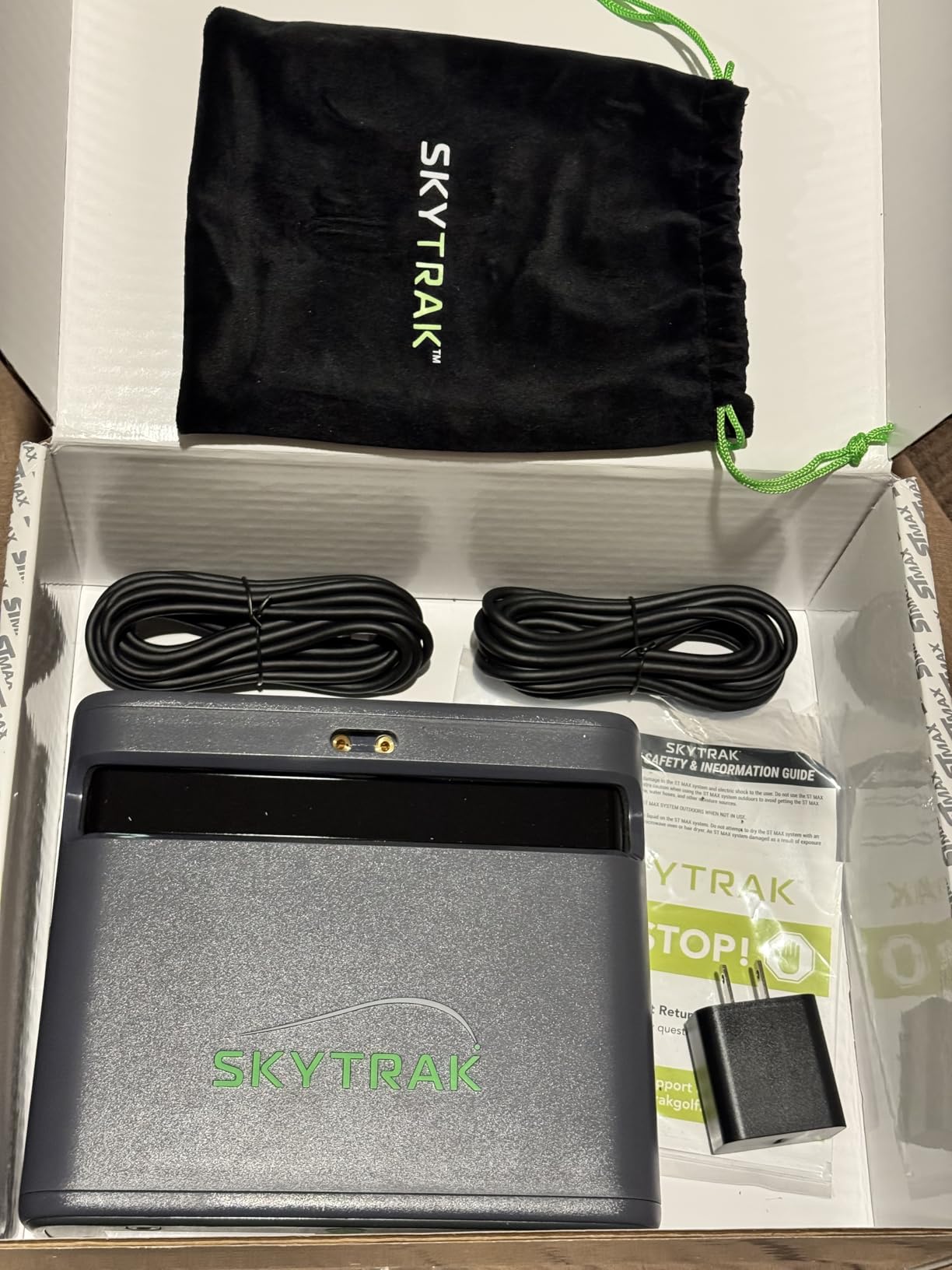
The ST MAX pairs dual Doppler radar with photometric cameras, so a camera confirms what the radar measures and the ball and club data comes out as a complete picture. What sets it apart from everything else on this list is GOLFTEC Speed Training, which is built directly into the hardware with guided drills and personalised swing insights rather than being a separate app you have to find.
The software layer is more structured than most competitors. It includes Skills Assessments, Bag Mapping, a Wedge Matrix and Randomized Practice modes, and the package includes a 14-day free trial plus one year of software. The body is 5 pounds with a lithium-polymer battery, dual USB-C ports for simultaneous charging and data transfer, and a modular internal architecture aimed at stability over thousands of sessions.
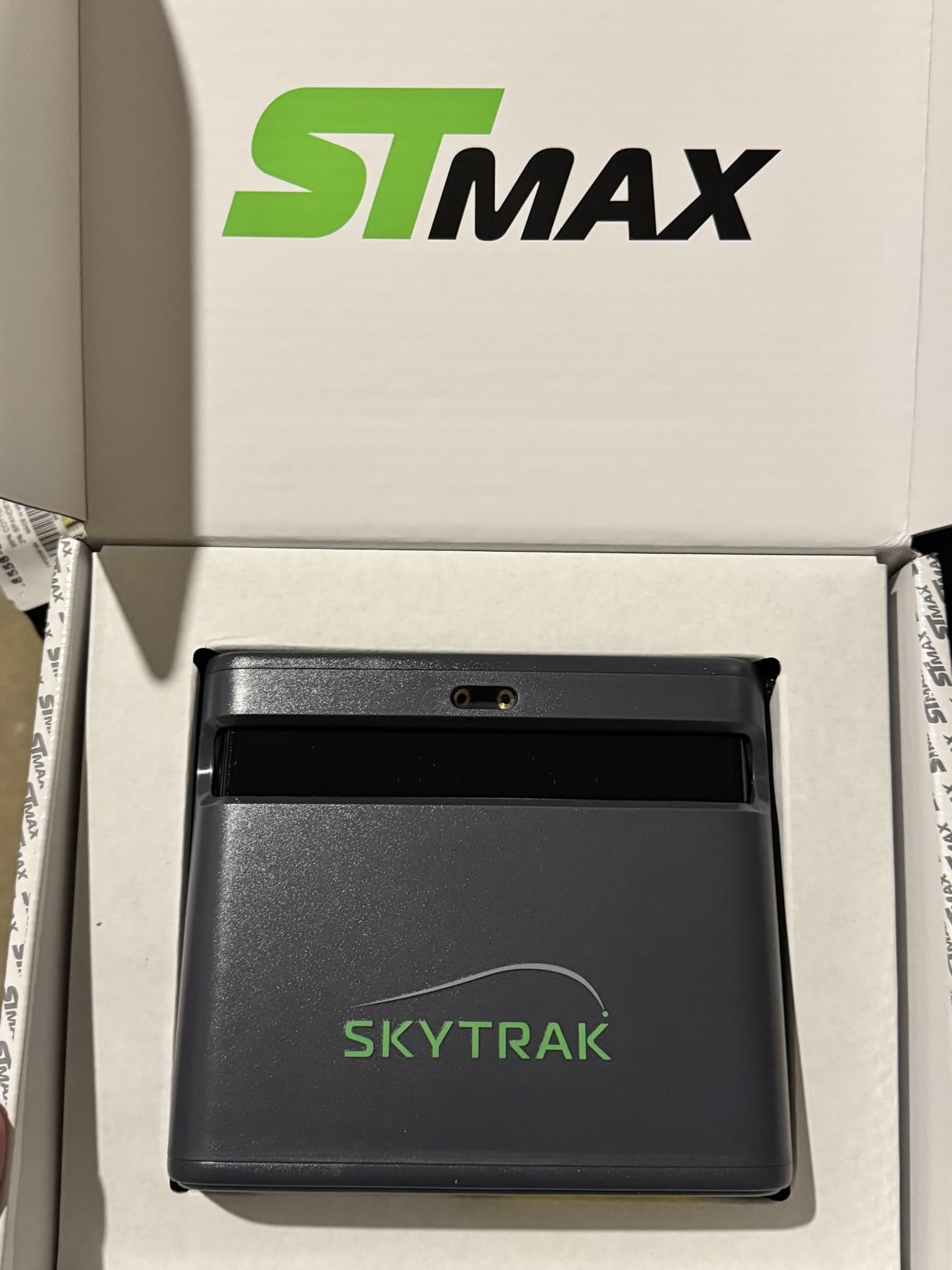
Owners describe a heavy, premium-feeling build, easy Wi-Fi connection, and consistent club-to-club numbers with useful shot-shape and slice diagnosis in the app. It is also one of the few monitors here that Mac users can run cleanly, which matters if your simulator computer is an iMac.
The catch is the hitting zone. It is small, so the ball has to be placed precisely and owners report many no-reads, especially on short shots and at tee-off. Driver distances can read 20 to 30 yards short while irons are closer to correct, and USB wired mode is unreliable, with the device freezing mid-round and missing shots. You will need about 10 by 10 feet of space for full indoor swings.
How to get consistent reads out of it
Because the zone is tight, treat ball position as part of setup rather than an afterthought, and use the Wedge Matrix and Skills Assessments to confirm your contact is where the system expects it. Several owners use it in a garage or covered porch rather than a closed room.
Where the recurring cost bites
Wi-Fi-direct mode works well but leaves no internet access, so courses cannot be downloaded while connected that way. Add an ongoing software subscription with no free built-in courses, and the total cost of ownership climbs faster than the hardware suggests. The upgrade from the earlier Plus model is also widely seen as incremental.
7. Uneekor EYE MINI LITE: Best Photometric Monitor for Data Depth
- Deepest metric set in this roundup
- Club Optix visuals included at this tier
- Dimple Optix reads any ball
- Works with GSPro
- E6
- TGC19 and Creative Golf 3D
- Ethernet and USB adapter included
- Requires a PC or laptop with a gaming-class GPU
- Simulation modes need a dual-display setup
- Third-party suites need separate subscriptions
- Compact lens-based design needs careful alignment
The MINI LITE is the data-heavy sibling of the CORE, and it adds the club-side optics at this tier. Dimple Optix reads any dimple pattern so no ball stickers or proprietary balls are needed, and Club Optix real-time club-at-impact visuals are included rather than sold as an upgrade. That pairing is why it produces 19 real-time metrics against the CORE’s 15.
The included VIEW Player Package stores 100 session reports, and a three-month Ultimate Package trial opens up REFINE+ with 20 courses and GameDay 4K competitive modes. Output is full HD at 1920 x 1080 through a single HDMI port. Reviewers are enthusiastic about the near-instant latency, which suits a tight indoor bay where you want numbers on screen before you reset.
Compatibility is the strongest argument. It works with GSPro, E6 Connect, TGC19 and Creative Golf 3D, so if you already own a course library you are not locked into one ecosystem. Swing Optix AI Trainer feedback is available as a separate purchase, and Ethernet plus a USB-to-LAN adapter are included for a stable wired connection.
The catch is that this is a component, not a standalone device. It needs a PC or laptop with a specified gaming-class GPU, generally an i5 Gen12 or Ryzen5 with 16GB RAM, 256GB SSD and an RTX3060 for VIEW, or an i7 Gen12 or Ryzen7 with 32GB and an RTX4070 plus dual display for simulation and AI. Simulation and GameDay modes generally need a dual-display setup, third-party suites need their own subscriptions, and the compact lens-based overhead design needs careful alignment in a bay. With 19 ratings the long-term reliability picture is still forming.
What the extra metrics actually buy you
Club-side data at impact changes how you practice. Instead of inferring a face problem from a pull, you see the club position at contact, which shortens the loop between a number and a correction. It also makes the monitor a better fit for a shared bay where different golfers need different club data.
Where the setup gets complicated
Alignment is the practical trap. A compact overhead lens design has a narrower tolerance for placement than a wide floor unit, so budget time to get it dialled in. And if you do not already own a gaming-class PC, the hardware is only half the system.
8. Bushnell Launch Pro i: Best Photometric Accuracy Built Specifically for Indoor Use
Bushnell Golf Launch Pro i – Circle B Edition Launch Monitor
- Highest average rating here at 4.7
- Owners report better data than a SkyTrak
- Infrared cameras measure at impact rather than infer
- Designed for indoor simulator rooms
- Alignment stick and marker pack in the box
- Active Foresight+ subscription required for data
- Course play needs a separate laptop or PC
- Foresight Sports support widely criticised as unresponsive
- Only 10 reviews behind the rating
This unit posts the highest average rating in the group at 4.7, with 87 percent five-star reviews, and the reason owners who upgraded from a SkyTrak give is consistent: the proprietary three-camera imaging system with infrared measures at impact rather than inferring values through radar algorithms. The reported output covers carry distance, ball speed, total spin, launch angle, club head speed and smash factor.
It is explicitly designed for indoor simulator use rather than being a range monitor adapted for a bay, and the box shows it: a USB-C cable, an Ethernet cable, an alignment stick, a club marker pack, a lithium-ion battery and a one-year limited warranty. At 5 pounds it is a genuinely portable indoor device, and the supplied alignment stick speeds up getting the hitting zone dialled in.
Connectivity is wired, USB-C plus Ethernet, which sidesteps the wireless dropout problems that plague the cheaper monitors here. A 30-day Foresight+ trial is included, and the membership connects to Foresight Premier simulation software and the Foresight app.
The catch is the software side, and it is a serious problem. Ball and club data and course play both require an active Foresight+ subscription, so the hardware rating says little about the ongoing experience. Owners report Foresight Sports support as effectively unresponsive, with unanswered calls and emails, and note that software has to be obtained by contacting the company directly rather than through the product website. Range session syncing to FSX Pro also requires disconnecting the direct Wi-Fi link first. And with only 10 reviews, that 4.7 rests on a very small sample.
How it handles indoor accuracy claims
Infrared imaging is the key. It works in a way that is less dependent on ambient room brightness than visible-light cameras, which is helpful in a basement with few windows. Owners describe the data as a clear upgrade from entry-level radar units on the same shots.
Where the ownership experience suffers
The subscription gates the data you bought the monitor for, and the support situation is the most common complaint in the reviews. If software support matters to you at all, this is the factor to weigh before anything else, because no amount of camera quality compensates for a support desk that does not answer.
9. OptiShot Orbit: Best Multiplayer Photometric Simulator With Lifetime Software
- No subscription
- monthly or annual fees ever
- 20 real-world courses and 3 driving ranges bundled
- Online rounds for up to 8 players
- Compact and simple to set up in a home bay
- 3.2 star average with a flat distribution
- Reported inconsistency in ball and club readings
- Course library small next to subscription platforms
- Light gate must be positioned across the hitting area
- Very few reviews
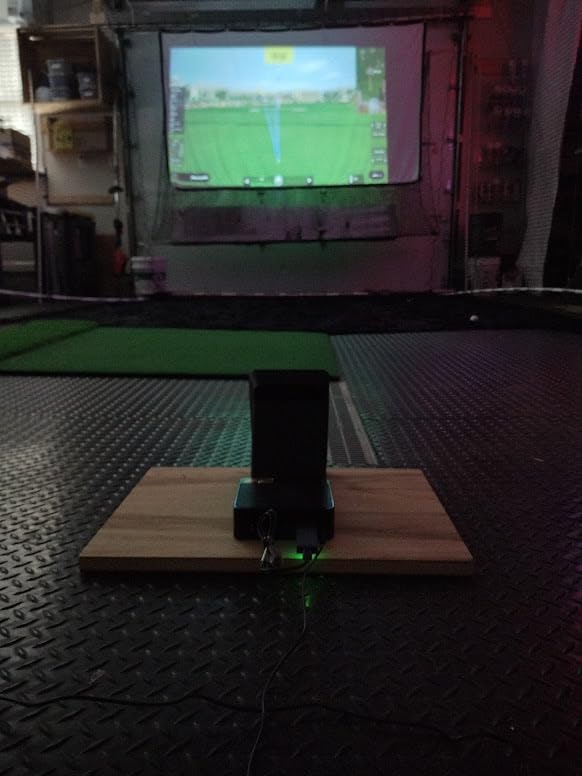
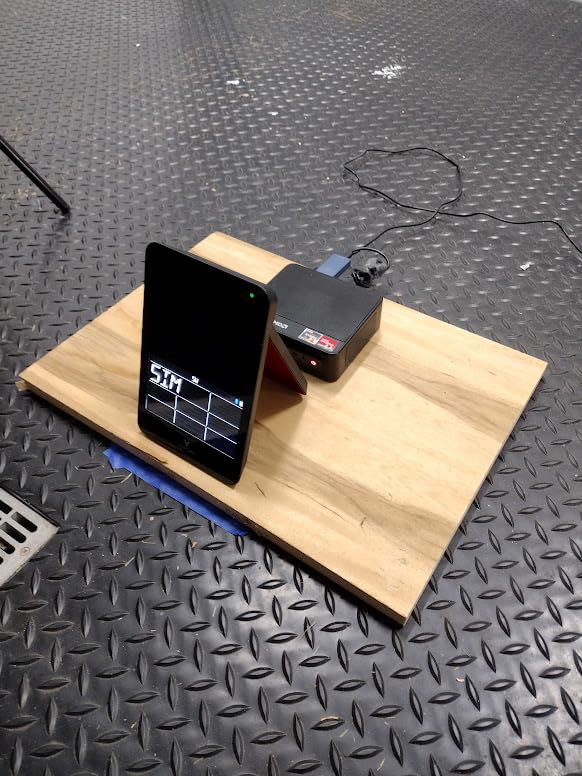
The Orbit takes a different optical approach. Instead of high-speed cameras, it uses infrared optical light gates positioned across the hitting area, and the MySwingCaddie app delivers swing and flight metrics from that. It is a non-radar solution, which is worth knowing if you have been burned by Doppler units indoors.
Its real strength is the software deal. Orion software includes 20 real-world courses and 3 driving ranges, with Game Mode supporting full rounds for up to 8 players and online play available, all under a lifetime access model with no subscription, monthly or annual fees. For a family or a club group that will hit together, that multiplayer capacity is unusual at this level.
Setup is straightforward and the footprint is compact, which suits a small bay. The package is 10.35 by 6.22 by 1.97 inches and light to move, and the whole system is simple to position.
The rating is the reason it sits at number 9 rather than higher. At 3.2 stars, no other monitor in this roundup scores as low, and the distribution is unusually flat with roughly even shares across one to five stars, which points to mixed experiences rather than one dominant complaint. Owners report inconsistency in ball and club readings, and the course library is small compared with subscription platforms. The light-gate design also constrains bay layout because it has to be positioned across the hitting area, and with only 10 reviews the quality picture is thin.
When this makes sense
If your group plays more than it analyses, the eight-player Game Mode and online play have real value that data-focused units do not offer. Zero recurring fees also means the five-year cost is simply the hardware cost, which is the cleanest ownership profile in this roundup.
Why we would not build a fitting bay around it
Flat owner feedback on reading consistency is the problem. If you are using the monitor to change a swing rather than to keep score, inconsistency undermines the whole exercise, and the smaller course library means the software will not keep a keen simulator user engaged for long.
10. Foresight GC3S Bundle: Best Photometric Bundle for On-Course Pairing
Foresight Sports GC3S Golf Launch Monitor and Rangefinder Bundle, Portable for Indoor & Outdoor Use
- Three-camera architecture used by premium photometrics
- Wide 5 to 1200 yard measuring range
- Bundled LINK rangefinder gives club recommendations
- Works in a basement
- garage
- backyard and on the course
- Seven years of EU spare part availability
- Only one review exists and it is one-star
- Battery failure reported after about four months
- Course play and ball data need a Foresight+ subscription
- Small Amazon review sample
The GC3S is the bundle version of the classic three-camera photometric architecture, and the hardware concept is sound: three high-speed cameras measuring launch angle, side angle, ball speed, total spin, club head speed and smash factor across a 5 to 1200 yard range. The package adds a Bushnell Golf Pro X3 LINK laser rangefinder, which pairs through the LINK system to give on-course club recommendations, plus an alignment stick, club markers, power and USB-C cables.
It is also the only genuinely dual-purpose monitor here, usable on the course, at the range, and in a basement, backyard or garage setup. A 30-day trial of Foresight+ Gold and Course Pass Pro is included, after which you sit in the Free, Silver or Gold tiers. Seven years of EU spare part availability is a quiet plus for anyone planning to keep a unit a long time.
The catch is the evidence. There is exactly one Amazon review for this bundle and it is one-star: that owner reports the internal battery stopped accepting charge after roughly four months, that the charging indicator never lit, and that the unit was then usable only while plugged in. They also found the return window closed and had to rely on manufacturer warranty. With a sample of one this carries no statistical weight, but it is a quality-control data point rather than a verdict on the hardware.
Should you consider it despite the rating
If you want the three-camera architecture plus a rangefinder in one purchase, the bundle logic is sound and the measurement set is complete. The three-camera approach remains the reference architecture for premium photometric accuracy, and nothing in the specifications suggests a problem with the imaging.
Where to be careful
Judge the hardware on the specification, not the single review, and expect a membership requirement for ball and club data and course play after the trial. A unit that will live plugged in is a poor match for anyone who wants to carry it between the bay and the field.
How We Judged These Monitors for Indoor Rooms
Every camera-involving monitor we evaluated for 2026 was scored on five things, in this order. Read reliability indoors came first, because a device that misses shots in a shallow bay is worse than useless no matter how good its numbers look on a spec sheet. Second was room fit: the depth, ceiling height and floor footprint each monitor demands for a full swing. Third was data depth, meaning how many metrics are measured at impact rather than modelled, and whether short-game data is included.
Fourth was total cost of ownership. A monitor with a lifetime licence and one that gates its data behind an annual membership can land in very different places after five years, so we counted the subscription as part of the purchase rather than as an afterthought. Fifth was software freedom: whether you can use the third-party suites you already own, or whether the hardware pushes you into one ecosystem.
Where a product’s review history is thin, we say so rather than filling the gap with marketing language. Two entries here, the Bushnell Launch Pro i and the Foresight GC3S, have very small samples, and we have weighted their specifications more heavily than their ratings for that reason.
Buying Guide: Room Size, Lighting and Mounting
Measure the room before the monitor. The floor monitors on this list need far less depth than radar systems, because the measurement window is the strike rather than the flight. What they still need is a swing’s worth of clearance in every direction and a camera with a clean line of sight. Ceiling-mounted designs demand more height; a bay that feels spacious to you can still be too low for a pendant system. Note the dimensions before you shop: the Garmin R50 is 16.5 inches tall and 9 pounds, the Uneekor CORE is 13.9 inches tall, and the SkyTrak ST MAX asks for roughly 10 by 10 feet of space for full indoor swings.
Get the lighting right before you blame the monitor. Photometric systems need even, consistent illumination to threshold images. Diffused LED panels around 5000K are the standard answer because they spread light instead of creating a hot single point, and mounting them to the sides rather than directly overhead kills the shadows that cause missed reads. Avoid bare bulbs, avoid fixtures that flicker, and close blinds on any direct sunlight, because a moving shadow across the hitting zone looks to a camera exactly like a ball. Owners rank this above price as the top indoor accuracy problem.
Decide floor-mounted versus overhead. A floor unit sits in the hitting zone, so it has a defined side and a defined position. That is cheaper and simpler to install, and it is the right choice for a single-user bay. In a shared household with two handednesses, the re-positioning routine is genuinely irritating, and an overhead or pendant system that reads from above removes the problem at the cost of ceiling height and a harder install. Choose the overhead route if both handednesses hit regularly; stay floor-mounted if one person does 95 percent of the swinging.
Count the ongoing cost before you buy. Several monitors on this list charge for data or courses over time, while the Mevo Gen2 includes eight E6 Connect courses for life with no annual fee and the OptiShot Orbit carries lifetime software access. Work out the five-year figure including the subscription, and add the computer if a monitor needs one: the Uneekor models want a gaming-class PC with a specified GPU, and dual monitors for full simulation.
Check the club data dependencies. Some units read any ball through dimple-pattern recognition, which removes sticker and marked-ball costs entirely. Others need tracking stickers on shafts, and some report swing speed and face to path only through a paid upgrade. Know which category your pick is in before you buy, because it affects the running cost. For the rest of the room, our picks for the best golf hitting mats and for launch monitors built for driving ranges cover the surrounding build.
Frequently Asked Questions
What is the best golf launch monitor for indoor use?
The best photometric launch monitors for indoor hitting are camera-based units that read the ball at impact, because indoor rooms truncate ball flight and break radar spin calculations. Our top pick is the Rapsodo MLM2PRO for read volume and video, the Garmin Approach R50 for a self-contained touchscreen setup, and the Uneekor EYE MINI CORE for near-zero missed reads in a tight bay.
Can you use a launch monitor indoors?
Yes, and a camera-based photometric unit is the right tool for it. Radar devices need several feet of clean ball flight to solve for spin, and an indoor ball often stops after 6 to 8 feet at the net, which is why radar reads are weak indoors. Photometric units photograph the strike itself, so spin, launch angle and club data stay accurate in a shallow room.
Do photometric launch monitors need special lighting indoors?
Yes, consistent even lighting matters more than anything else in the room. Photometric systems threshold camera images to find the ball, so flickering bulbs, bare single-point fixtures and shadows cause missed reads. Diffused LED panels around 5000K mounted to the sides of the hitting zone are the standard fix, and direct sunlight through a window should be blocked.
Should I buy a floor mounted or ceiling mounted launch monitor?
Buy floor-mounted if one golfer does nearly all the hitting, since it is cheaper and simpler to install. Choose an overhead unit if two people of opposite handedness share the bay, because a floor unit has a defined hitting zone and must be physically moved and re-aligned for the other side. Overhead systems need more ceiling height and a harder installation.
Which launch monitor has no subscription?
The FlightScope Mevo Gen2 includes eight E6 Connect courses for life with no subscription or annual licence fee, and the OptiShot Orbit offers lifetime software access with 20 courses and 3 driving ranges. Units such as the Bushnell Launch Pro i, the Uneekor EYE models and the SkyTrak ST MAX require a paid membership for full data or course play.
The Bottom Line on Indoor Photometric Launch Monitors
Start with your room, not the spec sheet. In a shallow bay where one person does most of the hitting, the Rapsodo MLM2PRO is our pick for 2026 because it has by far the deepest review history here, a 15-metric dataset, and swing video you can learn from. If the room is tight and a missed read would end your session early, move up to the Uneekor EYE MINI CORE, where owners report a near-total absence of misreads and the Dimple Optix system means no marked balls. If you want a single box that also travels to the range, the Garmin Approach R50 pairs a three-camera system with a 10-inch touchscreen and a 4-hour battery, and accept the membership behind its course library.
Match the machine to the household. Two people of opposite handedness hitting regularly means you want an overhead-style system, because re-positioning a floor unit every session is the chore indoor golfers complain about most. A shared multiplayer group is better served by the OptiShot Orbit’s eight-player Game Mode and lifetime software. And if you refuse to pay a recurring fee, the FlightScope Mevo Gen2 gives you eight E6 courses for life plus 18 data parameters. Fix your lighting before anything else, and you will get more out of any of these than a machine sitting under a bare bulb.