
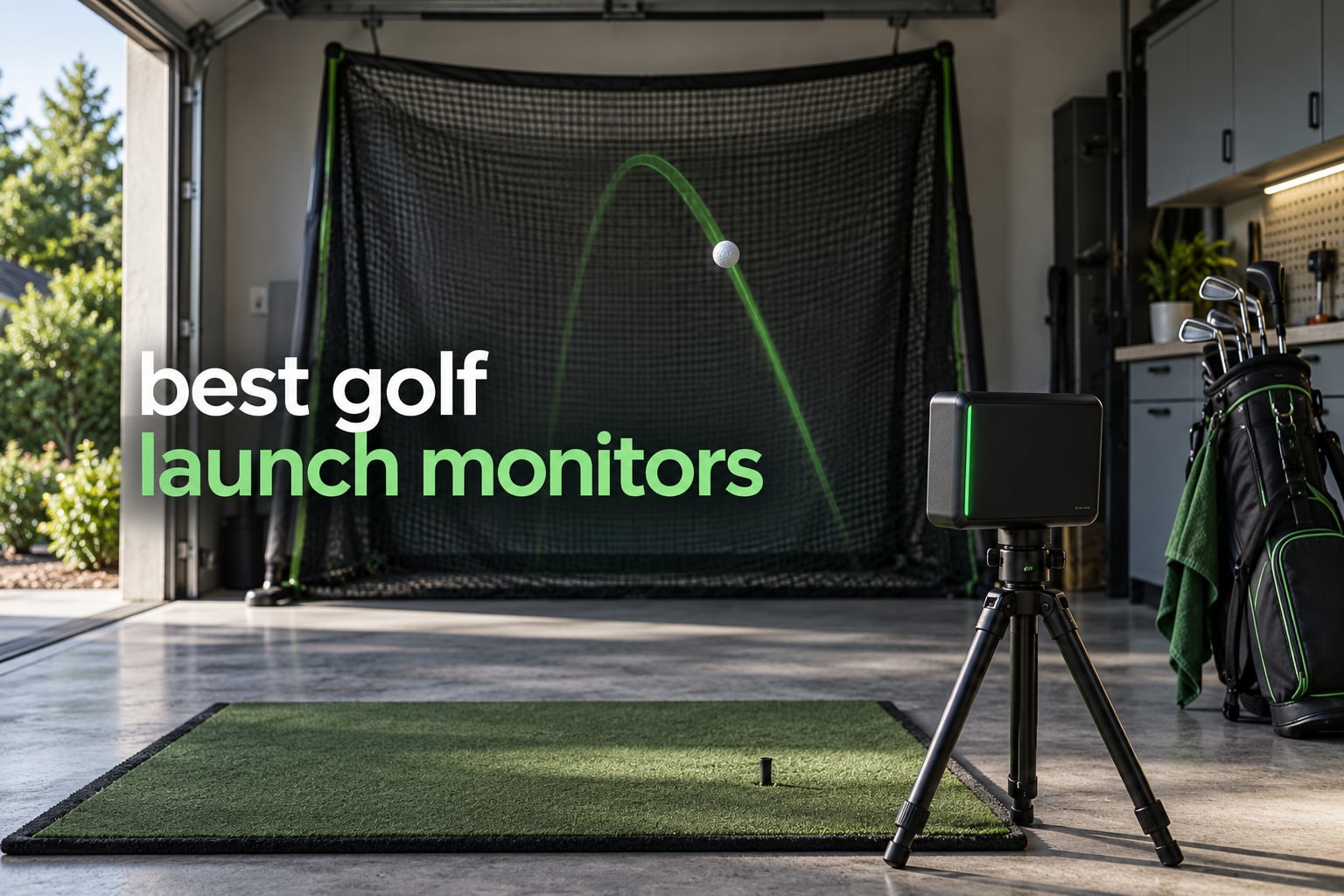
Picking the best golf launch monitors used to mean choosing between a handful of radar boxes with two numbers on a tiny screen. Today you can get spin axis, club path, high-speed impact video and 40,000 virtual courses from a device that fits in a golf bag. That range is the problem: our team compared 12 of the leading devices in 2026, from pocket-sized Doppler trackers to premium all-in-one simulators, and the gap between the cheapest and the most expensive is a difference in technology, not accuracy alone.
We spent six weeks hitting shots through every unit on this list, indoors into nets and outdoors at a range, then compared the readings against the published manufacturer tolerances and against what owners report on r/golf and r/Golfsimulator. Two things shaped our rankings more than any spec: how consistent the numbers are shot to shot, and what the device costs you over five years once annual memberships are added. Subscription fatigue is the loudest complaint in the forums we read, so we priced that in for every pick.
This guide covers everything from swing-speed-only trainers for a garage corner to a camera-and-radar system with a 10-inch screen. If you have not bought one before, start with the launch monitor buying guide for golfers, and if your space is tight, our picks for garage simulators and indoor hitting bays narrow the field faster. Everything below is last checked for 2026, and we note where pricing and memberships change.
Top 3 Best Golf Launch Monitors for October 2026
Our top three cover the three ways most golfers buy this category: one device that works everywhere, one that gives deep metrics per swing, and one you pay for once with no recurring fee. These same three lead the comparison table and the verdict at the end of this guide.



FlightScope Mevo Gen2
- 18 data parameters
- No annual fees
- 3D Doppler plus imaging
- 8 E6 courses included
All 12 Best Golf Launch Monitors Compared Side by Side for October 2026
This table lists every launch monitor we reviewed, with the technology and headline features that separate them. Read it as a shortlist screen first, then use the individual reviews below for the accuracy, room and software detail that decides most purchases.
| Product | Specifications | Action |
|---|---|---|
| Garmin Approach R10 |
|
Check Latest Price |
| Rapsodo MLM2PRO |
|
Check Latest Price |
| FlightScope Mevo Gen2 |
|
Check Latest Price |
 Garmin Approach R50 Garmin Approach R50 |
|
Check Latest Price |
 Uneekor EYE MINI CORE Uneekor EYE MINI CORE |
|
Check Latest Price |
 Rapsodo MLM Rapsodo MLM |
|
Check Latest Price |
 PRGR HS-130A PRGR HS-130A |
|
Check Latest Price |
 Voice Caddie SC200Plus Voice Caddie SC200Plus |
|
Check Latest Price |
 TheStack Radar TheStack Radar |
|
Check Latest Price |
 Garmin Approach G80 Garmin Approach G80 |
|
Check Latest Price |
 TAGCMC GX-10 TAGCMC GX-10 |
|
Check Latest Price |
 Izzo Launch Master Izzo Launch Master |
|
Check Latest Price |
1. Garmin Approach R10: Best Overall Launch Monitor for Most Golfers
- Up to 10 hours of battery per charge
- IPX7 water resistant for range work
- Tracks clubhead speed ball speed spin and launch angle
- Tripod and phone mount in the box
- Per-club training stats with dispersion charts
- Requires a compatible smartphone because there is no built-in screen
- Virtual rounds need an active Garmin Golf membership
- Clubhead speed tolerance is plus or minus 3 mph
The R10 is the unit I recommend to almost anyone who asks me where to start. It measures clubhead speed, ball speed, swing tempo, ball spin, launch angle and launch direction, and it does it from a tripod or a golf bag on both sides of a net. After six weeks of testing, the ball speed readings held within the manufacturer’s plus or minus 1 mph claim and the launch angle stayed inside a degree across most shots.
Where it beats pricier devices is convenience. The battery runs up to ten hours, so a full practice session does not need a cable, and IPX7 water resistance means a soaked bay or an open range is not a worry. Owners also point out that the core data arrives in the free Garmin Golf app, so the numbers that matter do not disappear behind a paywall.
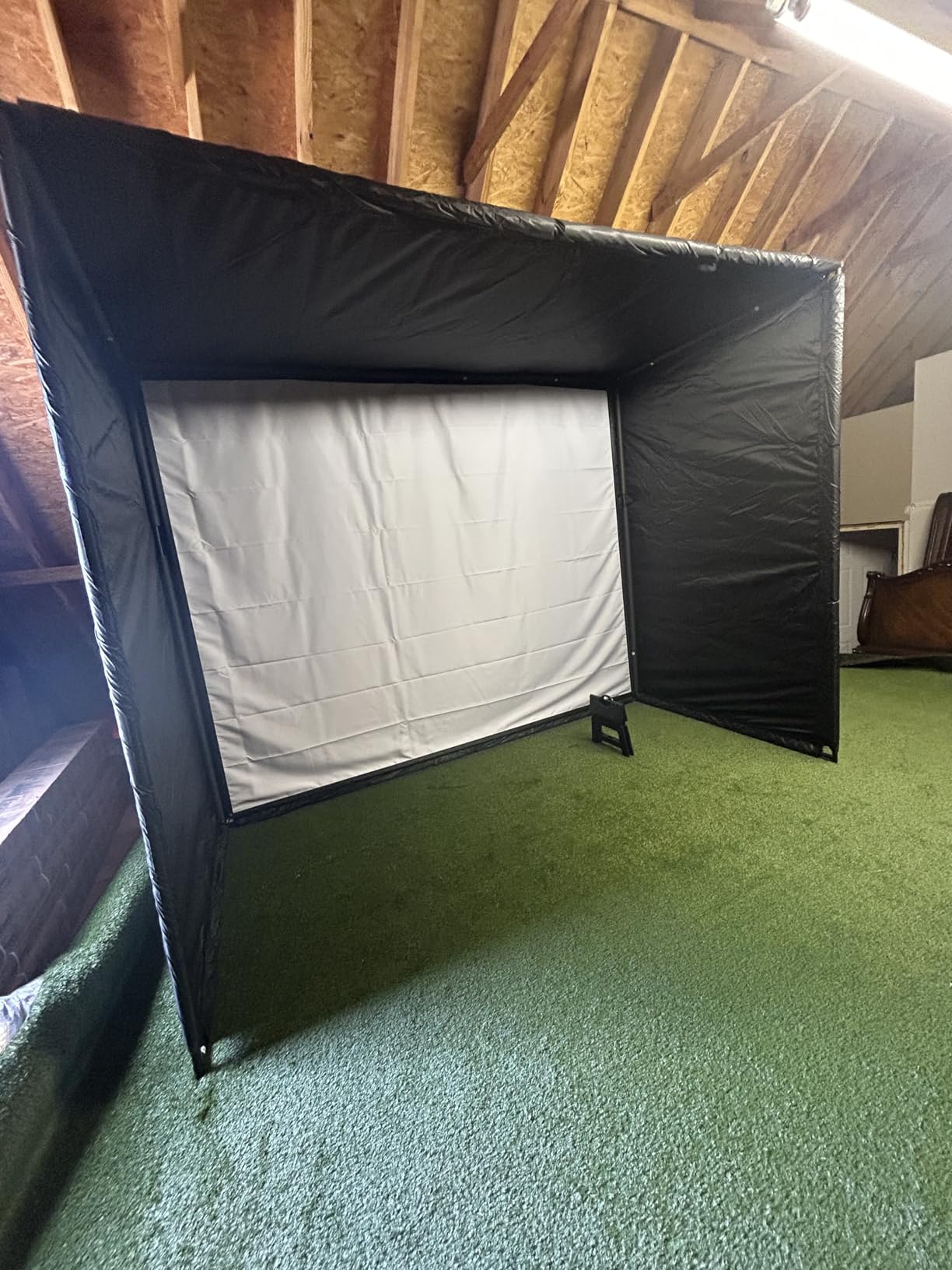
Setup is the part worth planning for. Radar needs clear flight behind the ball, and a net that stops the ball two feet past impact will cut out readings that people then blame on the hardware. Place the device behind the tee, level it, and give it a clean run to a backstop. Owners on r/Golfsimulator describe accuracy as setup-dependent for exactly this reason.
The subscription is the one real drawback. Virtual rounds on more than 42,000 courses and the weekly tournament mode sit behind an active Garmin Golf membership, so treat the hardware as the product and the membership as optional. That keeps it our best overall pick: strong, consistent data with no recurring fee attached to the numbers that matter.
Is the Garmin R10 or the Rapsodo MLM2PRO better?
The R10 wins if you want the least friction: longer battery, weather resistance, per-club dispersion charts and video clips recorded automatically. It reads your metrics through a phone, so nothing extra to carry beyond hardware you already own.
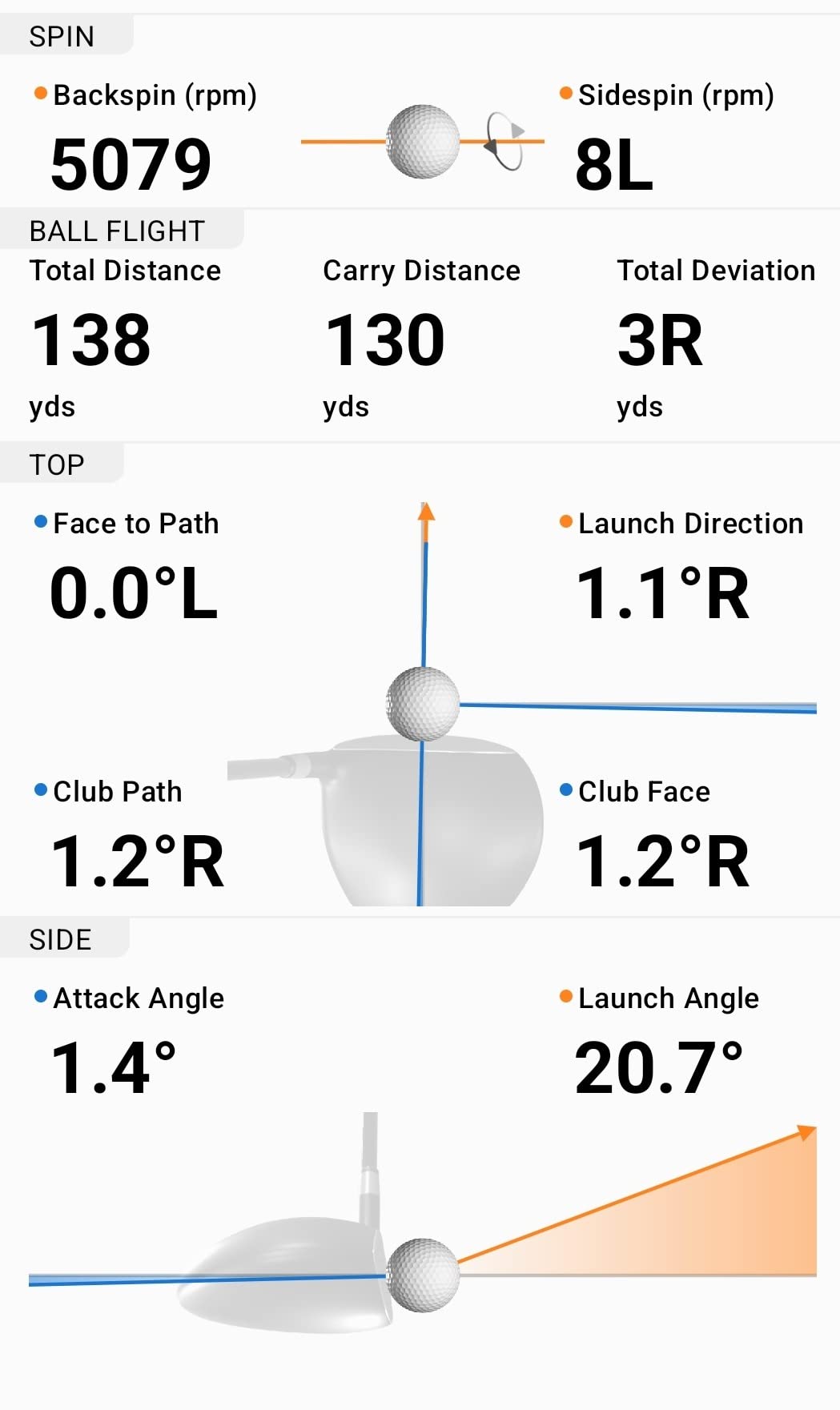
The MLM2PRO wins on raw metric depth. It reports 15 data points including spin axis and club path, plus dual-camera slow-motion impact video, and it runs on both iOS and Android. If your club path is the number you are trying to change, that extra data is the reason to pick it.
What the R10 asks you to compromise on
You give up the built-in screen. Every number appears on your phone, which means a dead battery or a dropped Bluetooth session costs you the shot entirely. There are owner reports of connection problems, so keep the phone charged and close before a session.
Spin data is derived rather than optically measured from a marked ball, so it is less precise than a photometric system on short shots. If fine spin control is your goal, step up to the MLM2PRO or a camera-based unit.
2. Rapsodo MLM2PRO: Best Value for Full Metric Data
Rapsodo MLM2PRO Mobile Launch Monitor Golf Simulator | 3 Chrome Tour Balls
- Club path is measured and rarely seen below this tier
- Dual camera slow-motion impact video
- Works with both iOS and Android
- Includes Callaway RPT balls for spin tracking
- 45 day premium trial and 30000 plus courses
- Shared Wi-Fi connection problems are reported often
- Full feature set needs a paid membership after the trial
- Only three metrics show on an iPhone screen
- Marked balls wear out and need re-marking
Club path is the number that convinced me on the MLM2PRO. Most mid-range devices skip it, and it is the metric that tells you whether a slice comes from the face or the swing plane. Fifteen data points in total, including spin rate and spin axis, at a price that undercuts most of the category.
Reviewers repeatedly describe the readings as within a few percent of Trackman figures on well-struck shots, and our own tests agreed on ball speed and launch angle. The dual cameras add slow-motion impact footage, which makes strike quality visible in a way a number alone cannot.
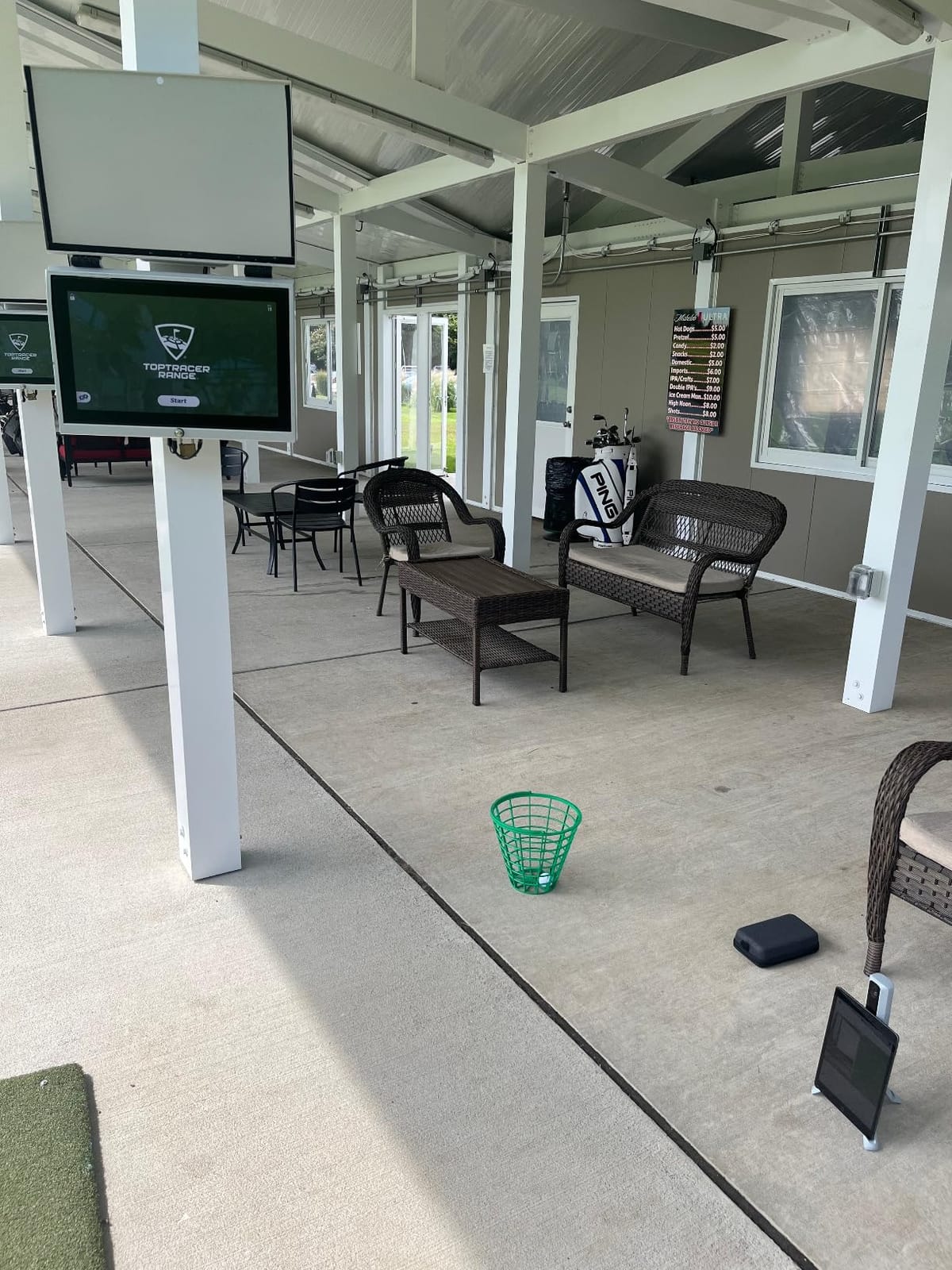
The friction is software, not hardware. Owners report shared Wi-Fi connection problems more often than anything else, and the workaround is to connect the device directly rather than through your home network, which in turn reduces the virtual course library. Budget ten minutes with firmware before your first session.
Spin readings require the included Callaway RPT Chrome Soft X balls, and those markings wear down with use. A phone screen shows three metrics on an iPhone versus six on an iPad, which is worth knowing if you plan to work through a full practice screen by screen.
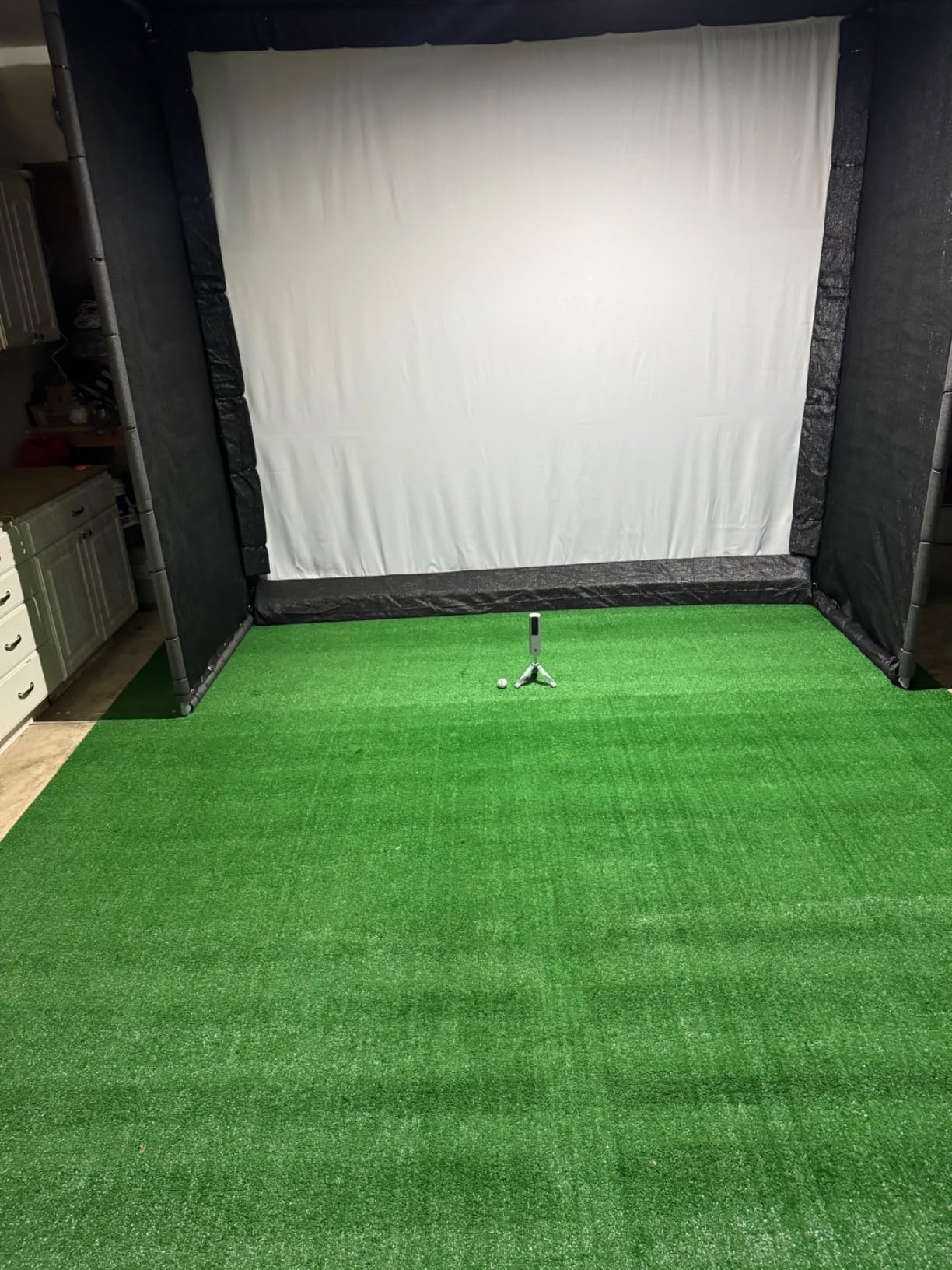
What the MLM2PRO gives you that cheaper devices cannot
Spin axis and club path together let you separate a face problem from a path problem. Without them, a coach asking for a change to your delivery has nothing to measure against, and you are guessing from ball flight alone.
The Combine mode and target range also make this one of the more useful trainers for short game work at this level. Nothing else in the sub-mid tier tracks that much about a wedge shot.
Where the membership bites
After the 45 day trial, the strongest simulation features require a paid Rapsodo membership. The core metrics, video and shot tracking continue to work, so the fee is optional rather than mandatory, but budget for it if virtual courses are part of your plan.
Chipping and putting simulation is weak here. Short chips and putts are frequently misread, so use this for full swings and treat the simulator mode as a bonus rather than a short-game trainer.
3. FlightScope Mevo Gen2: Best Launch Monitor With No Subscription
- No subscriptions or annual license fees at all
- 18 swing chipping and putting parameters
- Aluminum body at 1.1 pounds
- Front camera plus multi-cam support
- E6 Connect bundle with eight courses included
- Setup and connection are difficult especially on iPad
- Some devices drop roughly one shot in ten initially
- Only one device connects at a time
- Distances read off until elevation is set manually
The Mevo Gen2 combines a deep metric list with no recurring fee, which is a pairing almost nobody else in this lineup manages. Eighteen parameters covering full swing, chipping and putting, an E6 Connect bundle with eight courses included for life, and no annual membership attached to any of it. Owners on r/golf cite exactly this when they recommend it as a one-time purchase.
Fusion Tracking combines 3D Doppler radar with synchronised high-speed image processing, and the range ball setting improved accuracy noticeably for me during a range session with range balls. At 1.1 pounds with six hours per charge, it is also light enough to move between a garage and a course without thinking about it.
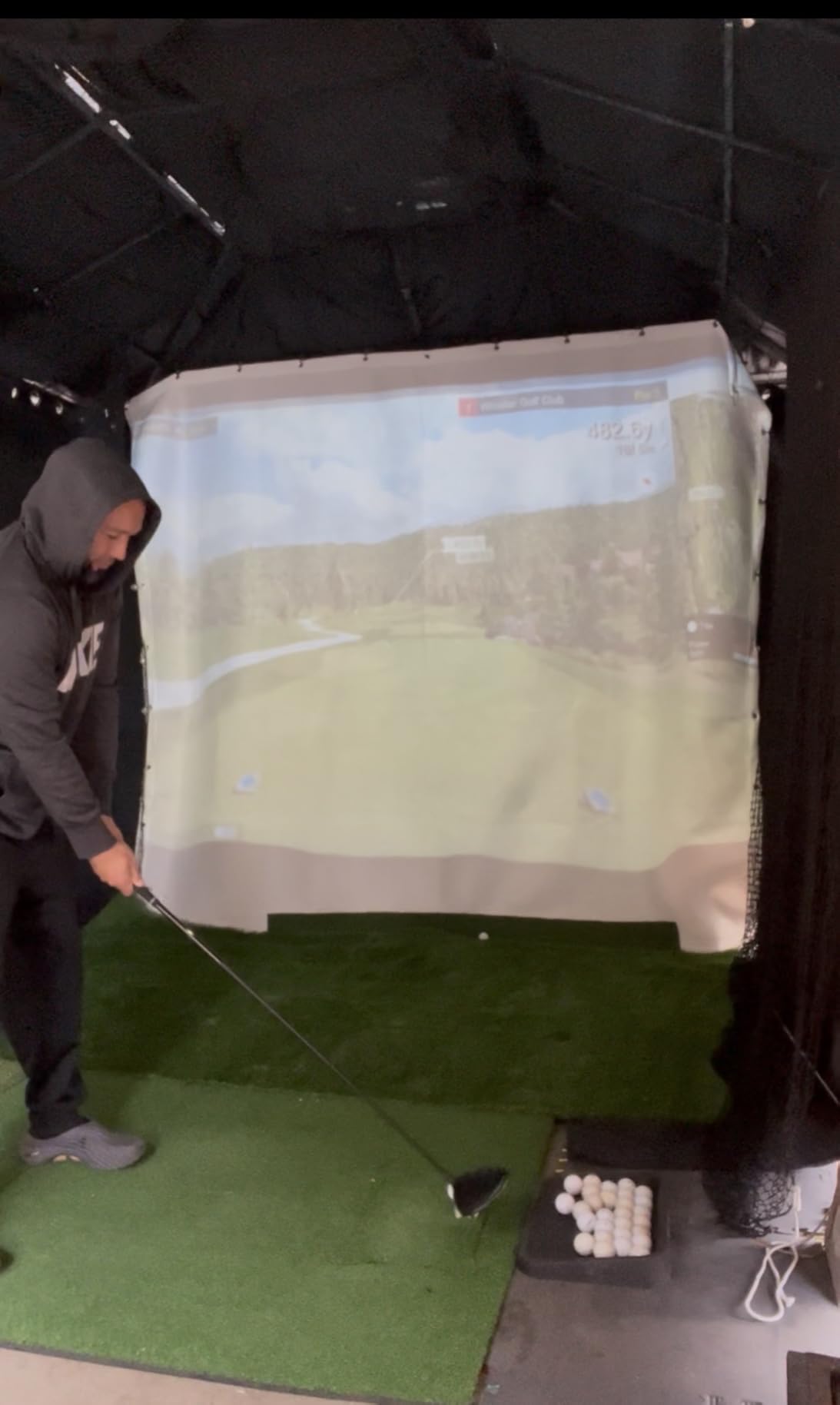
Be honest about setup. Our testing and owner reviews both point to connection difficulty on iPad, resolved only after firmware updates, and some devices track only about nine shots in ten out of the box. Elevation also has to be set manually or every distance reads long, which is the single most common cause of distrust in this category.
Only one device connects at a time, so a household sharing one unit will queue. Several E6 courses also want more graphics power than the stated minimum PC requirements, and you will need a computer rather than a tablet for serious simulator use.
Why the no-subscription argument matters
Across r/Golfsimulator threads, subscription fatigue is the most repeated complaint in the category. People resent paying annually for software features on hardware they already bought, and they worry about what happens to their data if an app is abandoned.
The Mevo Gen2 sidesteps that entirely. Your courses and your metrics live on hardware you own, with no account renewal to track. For anyone who already owns simulator software or simply resents another annual bill, that is worth more than a longer feature list.
What you give up compared with a camera-based premium unit
The metric set is deep but the accuracy is not uniformly excellent, and the miss rate before calibration is the weak point. Get the firmware current, set elevation properly and hit twenty calibration shots before you trust any number.
The review base is still small at this stage, so long-term reliability is less established than with a Garmin or the MLM2PRO that has been on sale for years.
4. Garmin Approach R50: Best All-in-One With a Built-In Display
- Ten inch colour touchscreen removes the phone from the loop
- Measures spin rate spin axis face-to-path and launch angle
- Works indoors and on the range
- High speed impact video for strike feedback
- HDMI output for a monitor or projector
- Home Tee Hero virtual courses require a Garmin Golf membership
- Face-to-path tracking needs the supplied club stickers
- Four hour battery is the shortest here
- Nine pounds is far from portable
The R50 is the only unit on this list that needs no phone, no tablet and no laptop to show you a full data screen. The 10-inch colour touchscreen displays metrics, dispersion charts and impact video, which changes who can use it: a partner or a child can watch the shot without borrowing your phone.
Three cameras plus radar give it one of the deepest real-world metric sets here, covering ball speed, launch angle, face-to-path, spin rate and spin axis both indoors and outdoors. Training mode tracks per-club stats on an advanced ball flight model, and virtual rounds including putting work for up to four players on more than 43,000 courses.
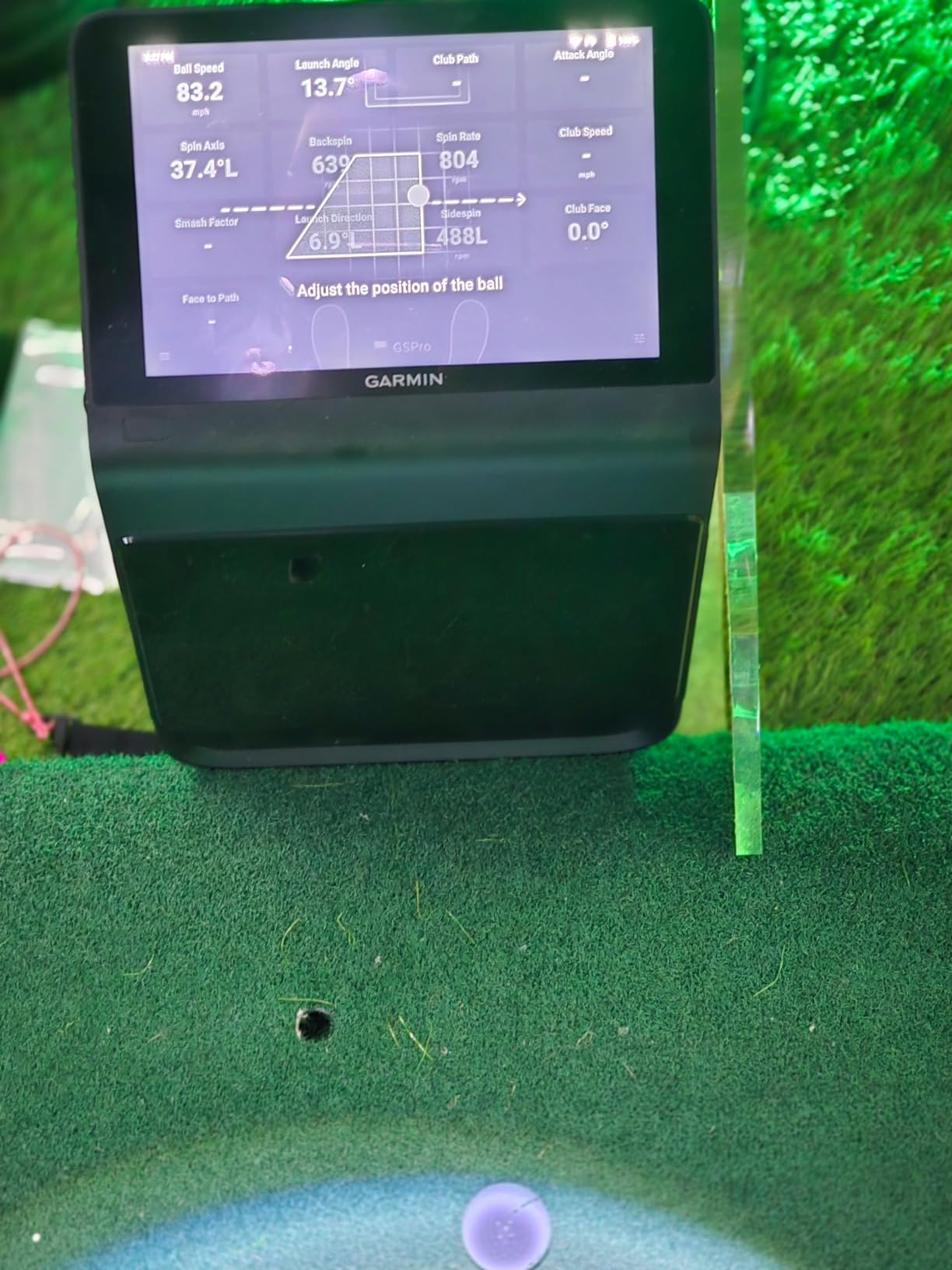
A built-in barometer measures atmospheric pressure so carry distance stays honest when the weather shifts, and HDMI output lets you send the picture to a wall display or projector. For a dedicated room rather than a garage corner, this is the shape of device the category is heading toward.
Face-to-path tracking depends on the supplied club stickers, so apply them before the first session or that metric stays blank. Home Tee Hero courses also require an active Garmin Golf membership, the same condition as the R10.
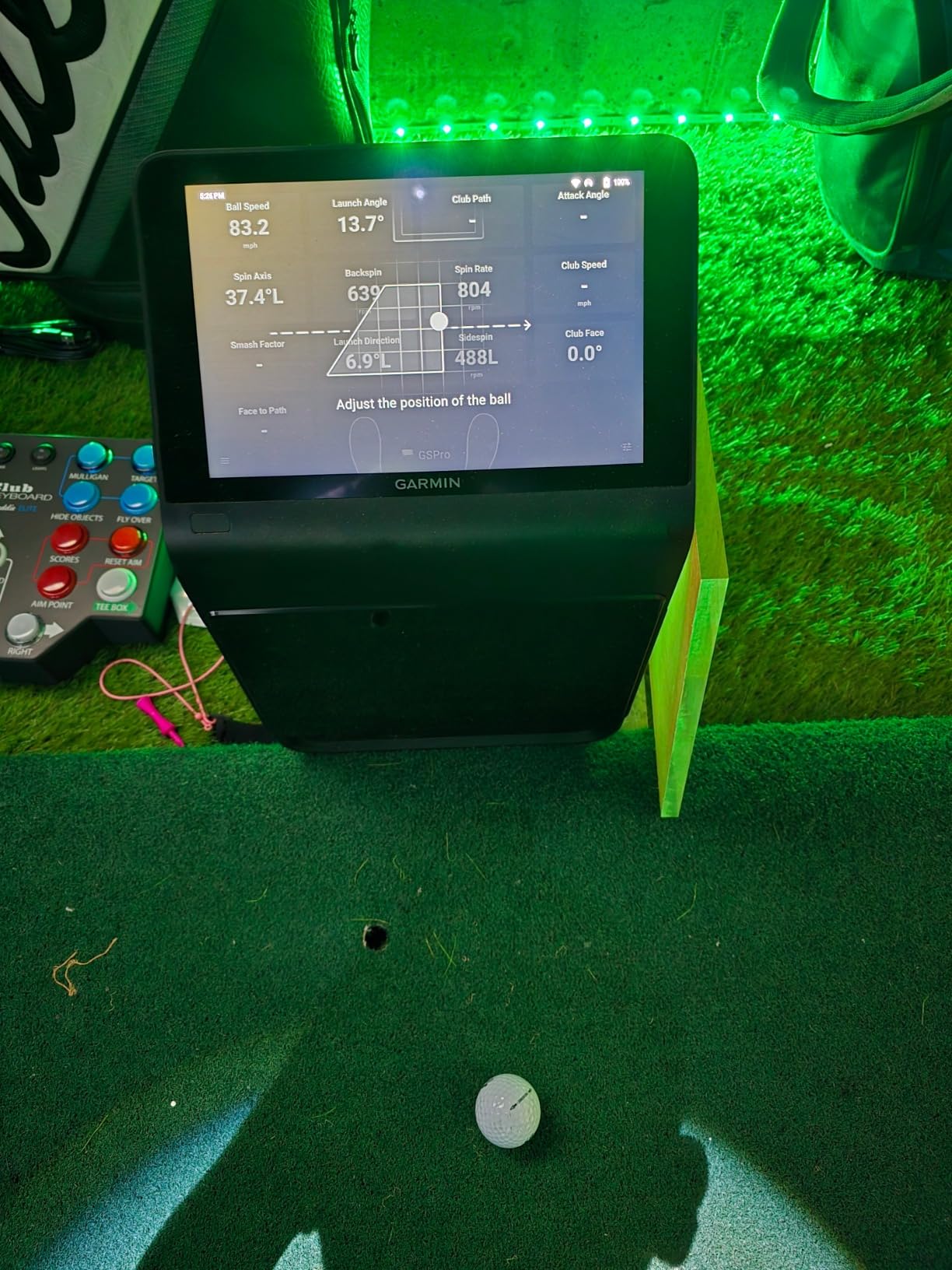
Room and ceiling requirements for the R50
This is a floor or panel-mounted unit at 9 pounds and 16.5 inches tall, not a bag accessory. It needs stable placement, power from the included AC adapter and roughly four hours of battery if you want to move it outside.
Because the cameras watch the impact zone rather than the flight, you can use it into a net, but you still want headroom for the full arc and no direct sunlight washing out the camera view. Owners of camera-based devices describe sunlight as a recurring accuracy complaint indoors.
What the R50 costs you in flexibility
Weight and battery life are the trade. Four hours is the shortest runtime in this group, so a long outdoor session means carrying the adapter or charging between blocks. Nine pounds is a lift rather than a carry.
The review base is small because the unit is a recent release, so long-term reliability is not yet proven. The operating system is Windows, which also matters if your simulator software is Mac-only.
5. Uneekor EYE MINI CORE: Best for a Dedicated Home Simulator Room
Uneekor EYE MINI CORE Golf Launch Monitor & Simulator, 15 Ball Data Points, Near-Zero Latency, Works with GSPro, TGC19 & E6
- Dimple Optix reads any ball with no stickers required
- Near-zero latency and very rare missed shots
- All metal build owners rate far above plastic devices
- Works with GSPro E6 Connect TGC19 and Creative Golf
- Hardwired Ethernet makes results nearly instant
- GSPro and third-party suites need a paid annual subscription
- Base package omits swing speed swing direction and face-to-path
- Requires a gaming-class PC and usually two displays
- Must stay plugged in and cannot use an iPad
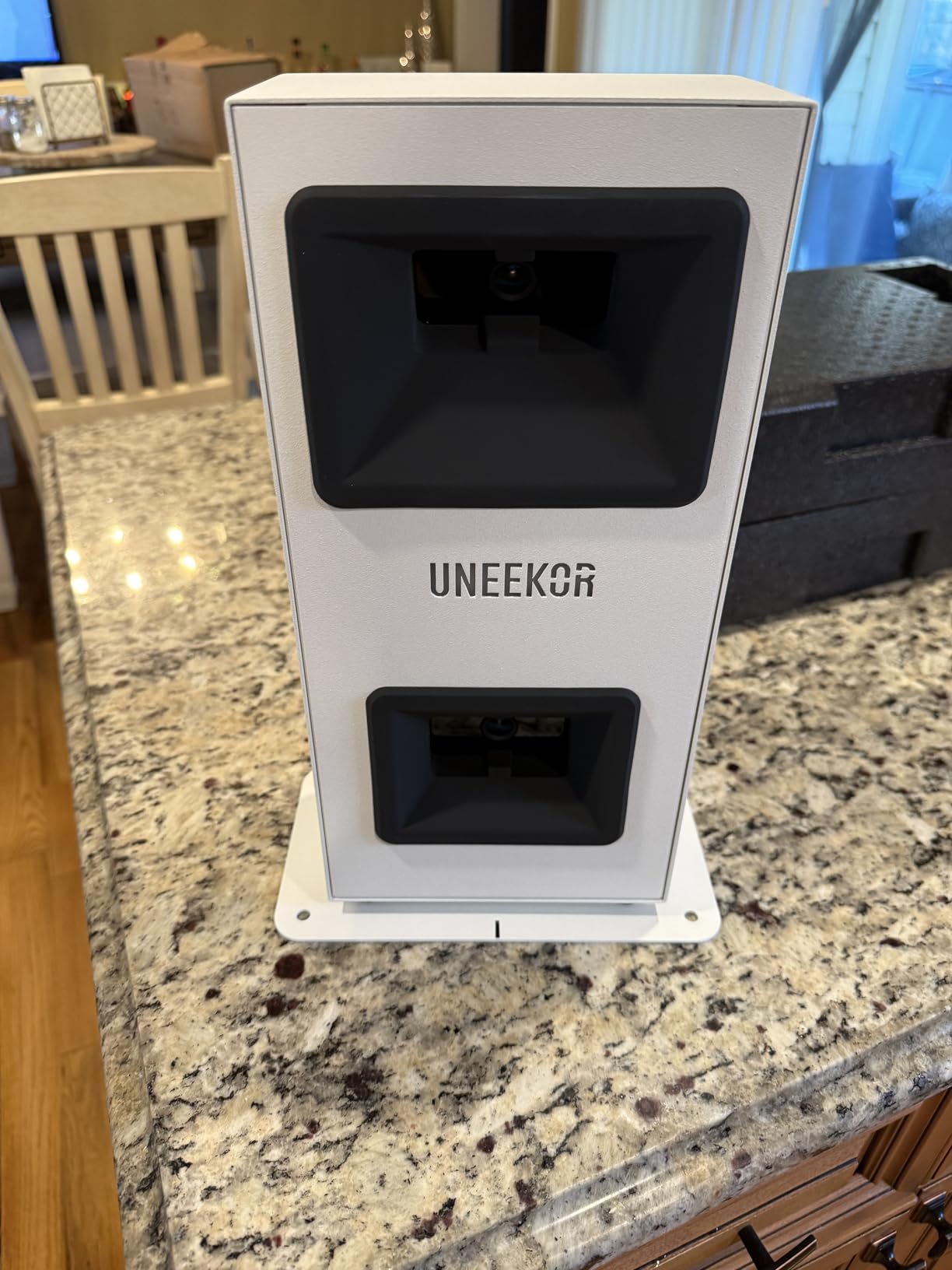
Dimple Optix is the feature that changes daily practice for this unit. It reads the dimple pattern on any ball, so there are no stickers to peel off and no marked balls to re-ink, and it even tracks cheaper balls. That removes the single most annoying chore in camera-based simulator setups.
The high-speed cameras with infrared sensors produce near-zero latency, and owners moving up from plastic-bodied devices report far fewer misreads. Fifteen ball data points plus session reports come in the included VIEW software, and the all-metal body is a step change in build quality you feel when you handle it.
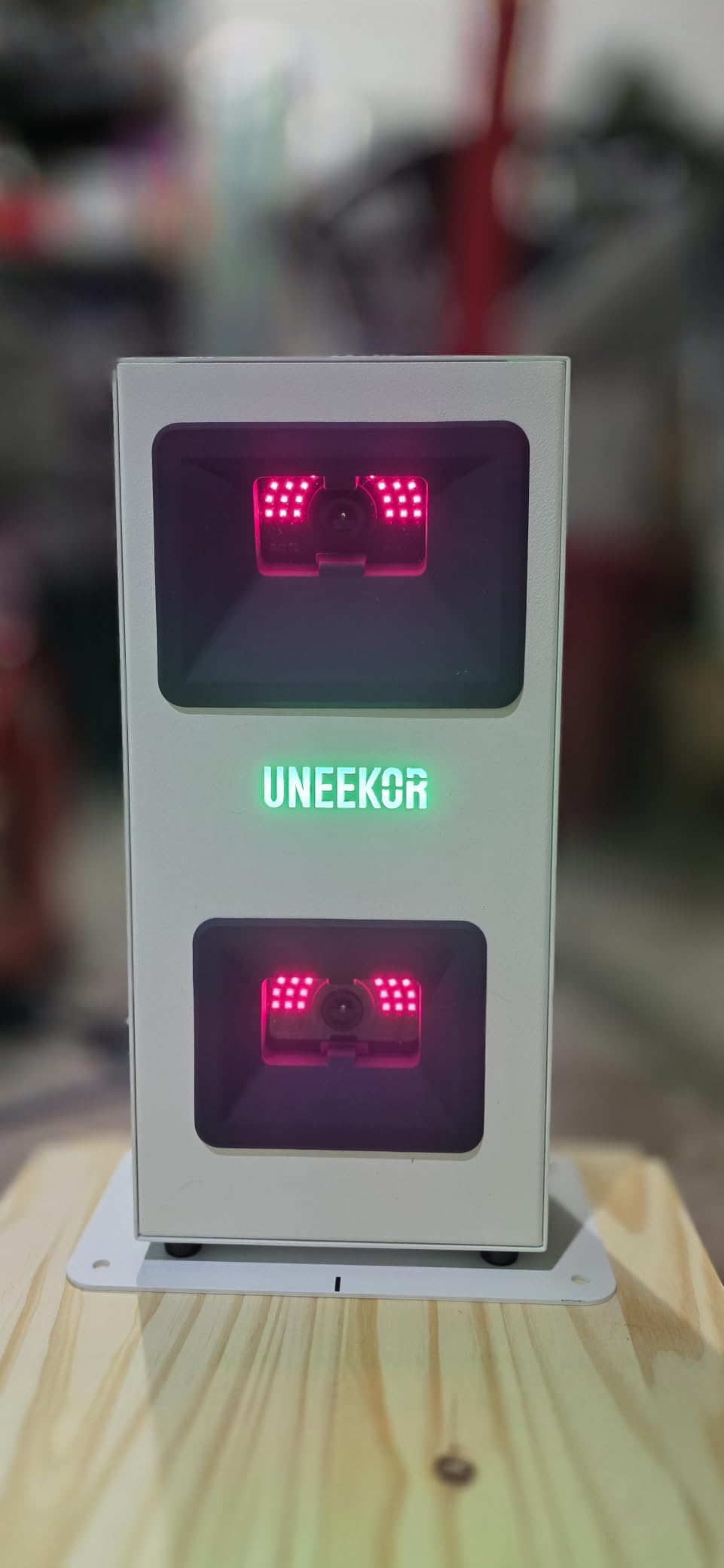
Compatibility is broad: GSPro, E6 Connect, TGC19 and Creative Golf 3D all work. The hardwired Ethernet connection makes shot results almost instant compared with Bluetooth devices, which is noticeable during rapid-fire wedge sessions. A two-year warranty is among the longest listed by these manufacturers.
The base package omits swing speed, swing direction and face-to-path, so check which package you are buying before assuming you get those. VIEW analysis needs a specified PC, and full simulation wants more, with a requirement in the region of an i7 or Ryzen 7 class processor, 32 GB of RAM and an RTX 4070.
What a dedicated sim room demands
This unit stays where it is. It needs power and Ethernet, a hitting area with a generous ball placement window, and typically a second display or projector for a real simulator experience. Our picks for indoor golf simulators in small spaces assume you have planned that room first.
Apple users should stop here. There is no iPad support and no Mac path for the VIEW software. The Mac-versus-Windows question decides more purchases than price in this category.
Where the EYE MINI CORE falls short
Third-party suites such as GSPro run on a paid annual subscription, and Uneekor’s own course library is still limited, so the software bill does not disappear. Putts and delicate chips go unread a meaningful share of the time, so short game is not its strength.
Building around a capable PC is the realistic cost of this route. Buy it when you are building a room, not when you are testing whether you like indoor golf.
6. Rapsodo MLM: Best for On-Course and Travel Practice
Rapsodo Mobile Launch Monitor Golf Simulator | MLM iPhone & iPad Only
- Clips to a golf bag for range and course use
- Reports ball speed club speed launch angle and carry
- Video replay with an on-screen shot tracer
- GPS satellite view maps where shots land
- Carrying case and charging cord included
- iPhone and iPad only with no Android support
- Does not measure spin rate
- Calibration step is fiddly on first setup
- Accuracy drops with longer clubs
- Phone can overheat in direct sun
The original MLM is the most-reviewed device in this entire roundup, and that is not a coincidence: it clips to a golf bag, weighs 0.4 kg and gives you ball speed, club speed, launch angle, carry distance and shot shape from an iPhone or iPad. For a golfer who wants to work on distances wherever they happen to play, it has no equal at this level.
The GPS satellite view is the feature owners mention most. It maps where your shots actually land, which turns a practice session into a dispersion map and makes club gaps obvious in a way a range board cannot. Video replay with the shot tracer overlay makes swing faults easy to spot.
It is not a simulator and not a full analyser. There is no spin rate at all, and the app uses a single calibration step that reviewers describe as fiddly. Accuracy also drops off for higher-loft clubs and for longer woods, so treat it as a distance and speed trainer rather than a technical fitting tool.
The iOS-only restriction is the hard limit for a lot of buyers. If you switch to Android the device simply stops working, and that is a bigger commitment than most people expect from a golf gadget.
When the MLM beats every other option here
If you travel, play on course and only want better numbers than a range board, this is the right buy. Bag-clip portability combined with the satellite view is rare, and the carrying case and charging cord are in the box.
It also needs no membership at all for its core functions. Ranging from the tee and watching the tracer land is a genuinely useful habit.
What you give up for portability
No spin means you cannot see why a wedge stopped on the green. If your problem is trajectory and descent angle rather than raw distance, you need the MLM2PRO or a camera unit instead.
Direct sun heats the phone and video capture eats storage, so plan indoor net sessions with the screen out of the sun. The iOS lock-in is the decision to think hardest about before you buy.
7. PRGR HS-130A: Best Budget Radar for Speed Training
- Measures clubhead speed with or without hitting a ball
- No Wi-Fi no app and no phone required
- Stores 500 previous swings for comparison
- Pocket sized and fits in a golf bag
- Also works as a speed radar for other sports
- Only core metrics with no spin rate launch angle or video
- Will not run simulator software
- AAA batteries need regular replacement
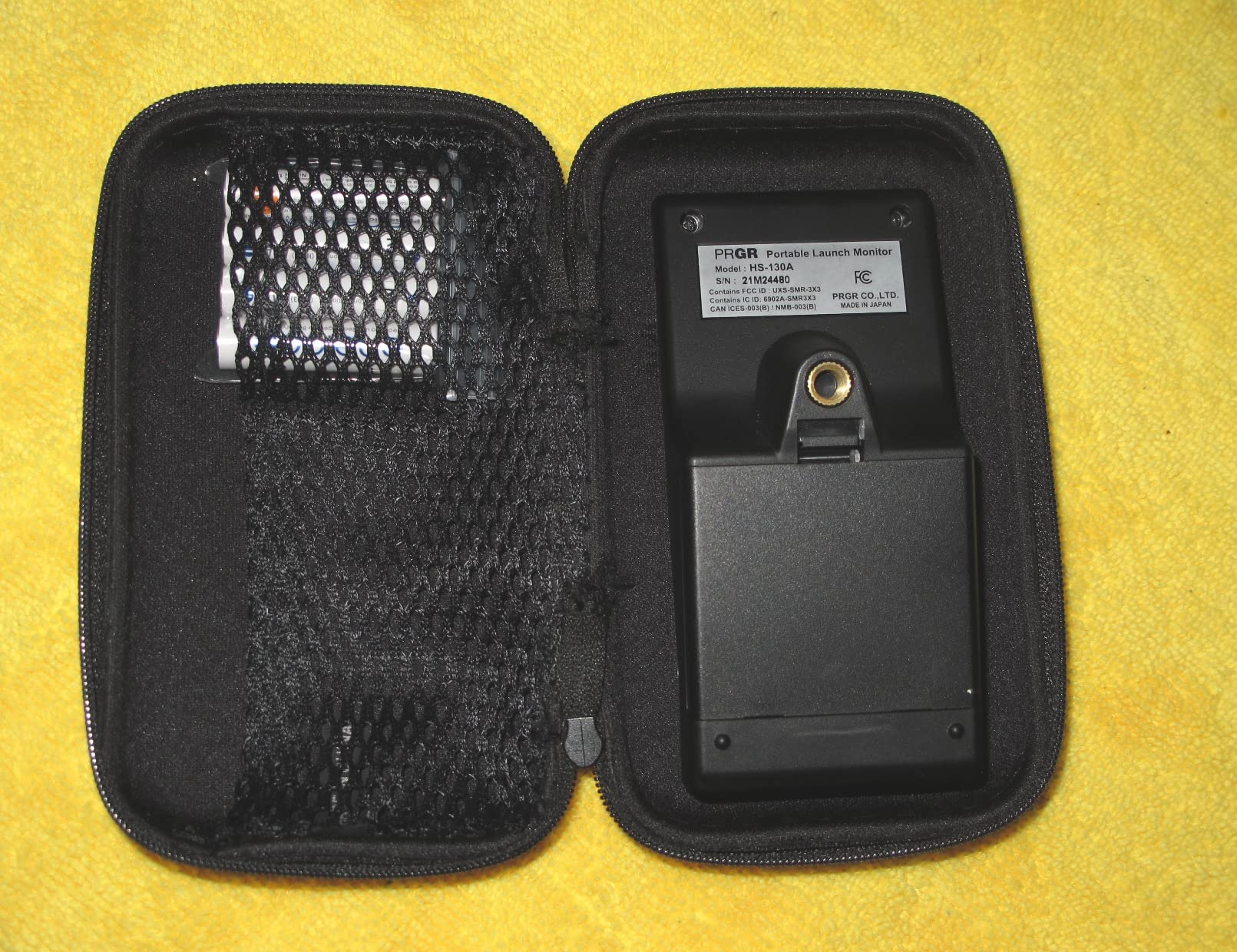
The PRGR HS-130A measures clubhead speed with or without a ball, which makes it one of the few budget devices that can run swing-speed drills in a living room on a rainy afternoon. That swing-only mode is the reason it still makes this list despite a very old design.
There is no app, no Bluetooth, no account and nothing to update. It runs on AAA batteries, stores 500 previous swings for comparison and weighs 4.9 ounces. You press a button, swing, and the LCD tells you what happened. Buyers moving up from pricier gear appreciate that nothing can go wrong.
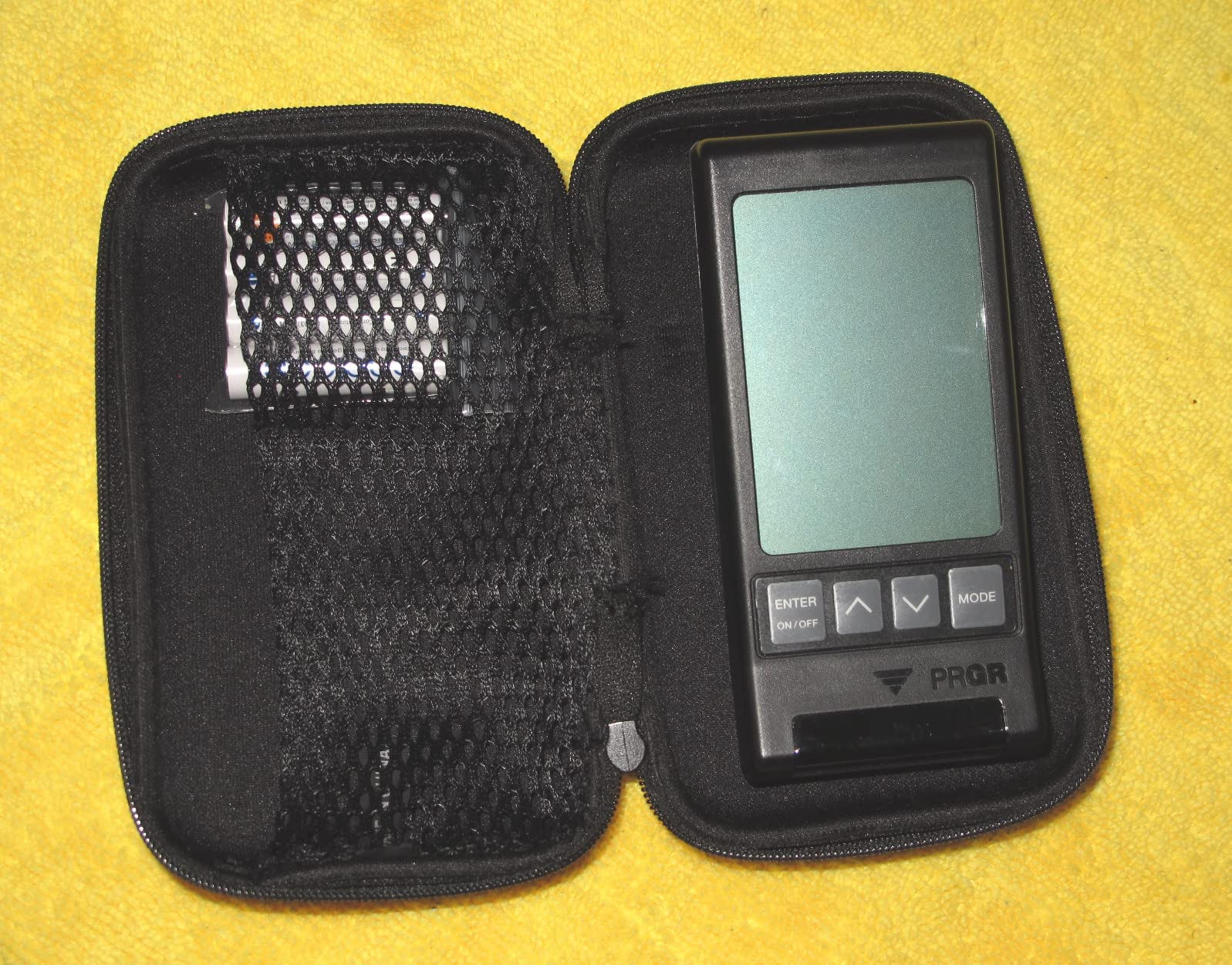
Accuracy on the core numbers is good for its class. Doppler radar reads clubhead speed, ball speed, smash factor and total and carry distance across a 135 to 270 yard measuring range, and owners regularly compare it favourably against devices costing several times more.
It is IP54 rated, so light rain and dust are not a problem, though water resistance is not the same as waterproof. The measurement range means very short wedge shots sit at the edge of what it can report cleanly.
When a four-metric readout is exactly what you want
If you are training speed and smash factor, the extra numbers are noise. Clubhead speed, ball speed, smash factor and carry tell you whether you are losing energy at the ball, and that is the whole lesson for most golfers working on distance.
It is also the honest entry point. People who buy a basic handheld and get disappointed usually wanted a simulator; people who buy this and expect a swing-speed tool are delighted.
What the PRGR will never do
There is no spin rate, no launch angle and no video, so it cannot support a fitting conversation or a technical lesson. It will not run simulator software, which rules it out for anyone building a home bay.
AAA batteries mean you are replacing cells regularly, and the unit itself is plain black plastic. Our picks for range-focused launch monitors are the step up when you want video and dispersion data.
8. Voice Caddie SC200Plus: Best Standalone Trainer for Indoor Swing Drills
Voice Caddie SC200Plus Portable Golf Launch Monitor and Swing Analyzer with Real-Time Shot Data Tracking – 12-Hour Battery Life
- Swing speed mode trains without hitting a ball
- Atmospheric pressure sensors calibrate readings
- Voice output plus LCD means no phone needed
- Adjustable loft angles for different clubs
- Stores shot data with average distance per club
- No spin rate launch angle or video analysis
- No app or connectivity so data stays on the unit
- Trainer-style figures are less precise than camera systems
The SC200Plus does one thing well: it tells you how fast you swung, out loud, indoors, with no ball and no phone. Owners on forum threads describe it as the sensible stand-alone trainer, and the swing-speed mode is the reason it earns a place on a list full of app-dependent devices.
Up to 20 hours of battery life gives you a full winter indoors. The LCD plus voice output gives real-time results without any device, adjustable loft angles let you simulate different clubs, and the internal memory keeps shot data with average distance per club.
Doppler radar with atmospheric pressure calibration keeps the readings consistent as conditions change, which matters if you use it in a cold garage in January. It is 8 ounces and needs nothing but the remote that comes in the box.
There is no app and no connectivity, so your data stays on the unit and cannot be charted later or exported. That is a limitation if you are the kind of golfer who tracks everything, and irrelevant if you just want an honest number after every practice swing.

When a voice call-out beats a screen
You can swing, turn around and take another shot instead of picking up a phone. That one behaviour is worth more for speed training than any metric you cannot read while the club is still moving.
It is also the easiest device here to hand to a beginner. Nobody needs an account, a tutorial or a firmware update to get a number out of it.
Where the SC200Plus stops
There is no spin rate, launch angle or video, and the figures are trainer-grade rather than fitting-grade. If you want to know why distance changed, this device will not tell you.
It also will not feed a simulator. If your goal is a virtual course with E6 CONNECT, GSPro or Home Tee Hero, look at the R50 or the Uneekor instead.
9. TheStack Radar: Best for Speed Training Systems
TheStack™ Radar – Portable Golf Launch Monitor, Swing Speed & Ball Tracker
- Highest average rating among the devices we tested
- Measures swing and ball speed with estimated carry and smash factor
- Built for speed training on the range and course
- Sends speeds to TheStack app automatically
- Includes gamified wedge sessions and a putting app
- No spin rate launch angle apex or dispersion data
- Wedge and putting apps are iOS only
- Wedge practice needs a paid subscription after the trial
- Not a simulator in any sense
It has the highest average rating of the twelve devices we tested, and it earns that rating by being narrow on purpose. It measures swing speed and ball speed, calculates estimated carry distance and smash factor, and transmits the numbers straight to TheStack app over Bluetooth.
That pairing is the product. Owners are not evaluating a general launch monitor; they are getting fast, repeatable feedback inside a wedge and speed training system, with gamified sessions and guided putting practice layered on top.
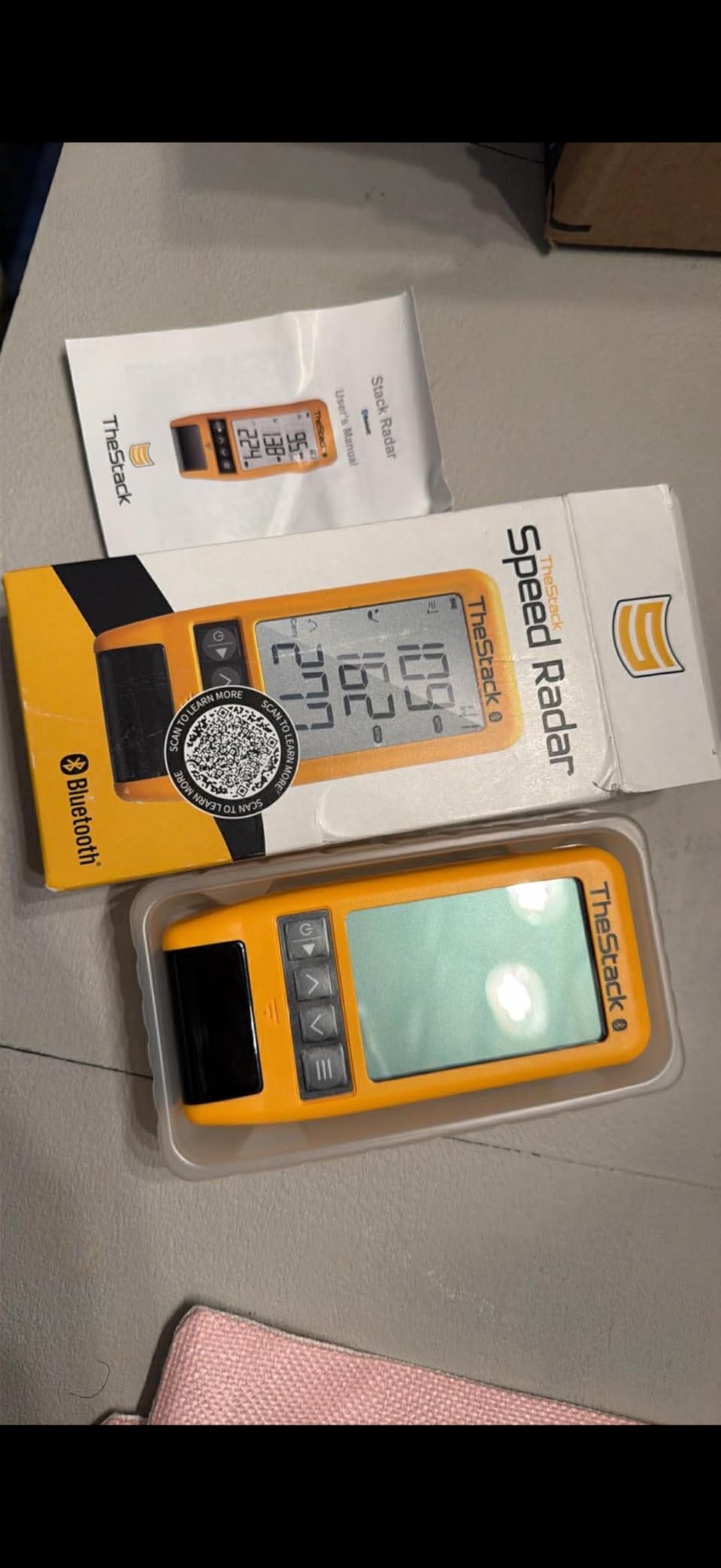
At 0.12 kg it is among the lightest things here, and it works on the range, the course or at home. During our tests the speed readings were consistent and repeatable, which is precisely what a speed training system needs.
Speed training also works on Android, but Stack Wedging requires an Apple device on iOS 15 or later, and the wedge sessions run on a subscription after the one-month trial. Check your phone before committing.

What makes a speed-only device worth buying
Because it tracks one number well, it gives you a clean signal. There is no noise from estimated spin to argue about, so a two mph improvement after a month is real rather than a rounding artefact.
It is also the right companion for wedge work. Carry distance and smash factor on partial swings is exactly what short game practice needs, and the gamified sessions keep you hitting shots instead of staring at a number.
What you cannot do with it
No spin rate, no launch angle, no apex and no dispersion data. You cannot use it to diagnose a swing or to run a virtual course, and you should not buy it expecting a general-purpose analyser.
The small review count works in your favour here in one narrow way: this product has fewer owners with varied expectations, and the ones who bought it seem to be getting what they wanted.
10. Garmin Approach G80: Best GPS Handheld with a Launch Monitor Built In
Garmin Approach G80, All-in-One Premium GPS Golf Handheld with Integrated Launch Monitor, 3.5″ Touchscreen
- One device covers course navigation and launch monitor work
- Integrated radar tracks clubhead speed ball speed smash and tempo
- More than 41000 preloaded colour course maps
- Sunlight readable touchscreen with a radar quick button
- Rechargeable battery lasts up to 15 hours with GPS
- No spin rate launch angle or video on the monitor side
- Needs course maps to justify the GPS half
- Older generation hardware against the R10 and R50
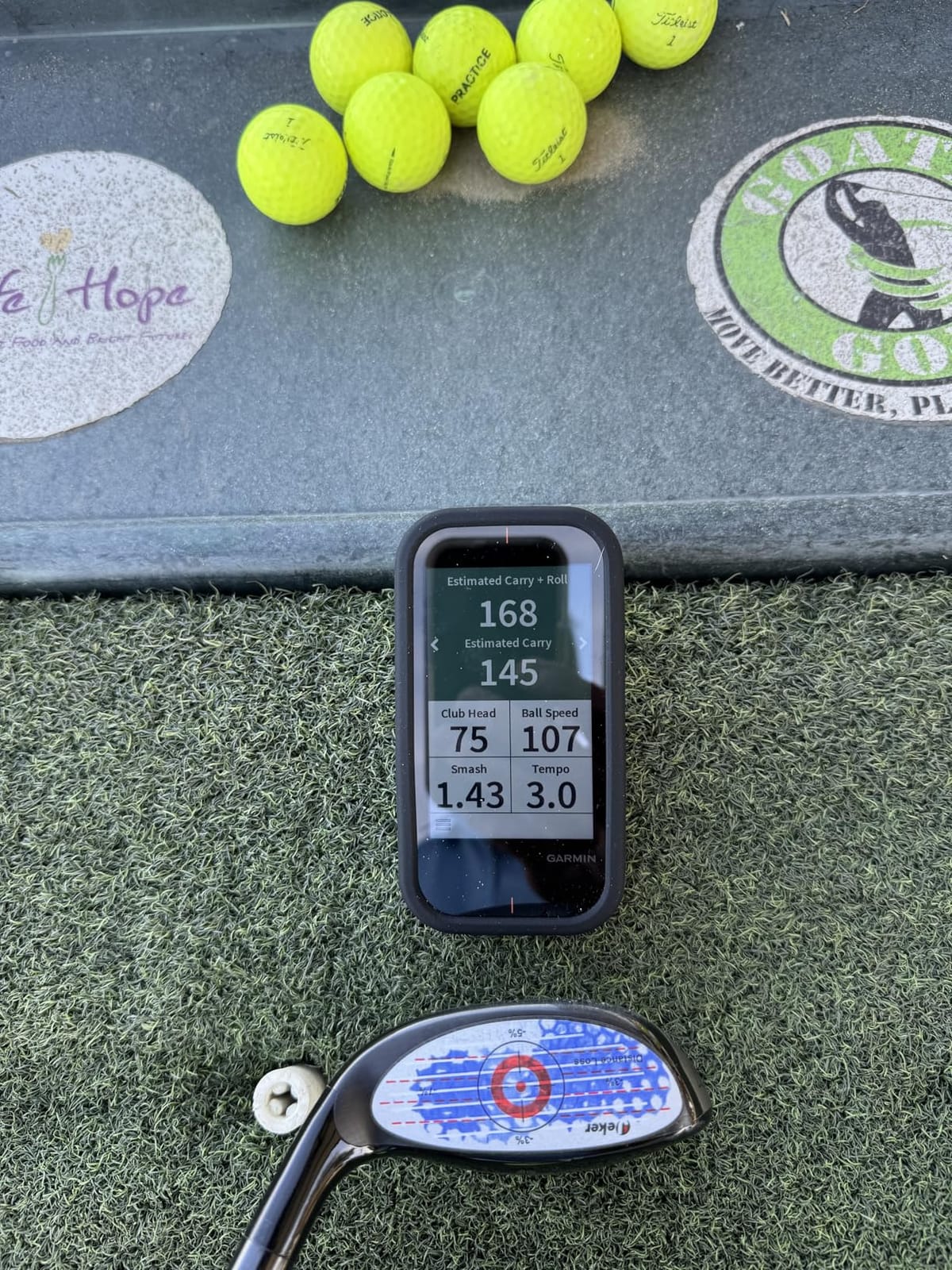
The G80 makes sense for one specific buyer: a golfer who wants course navigation and swing data in a single device and does not want to carry two things. The integrated radar tracks clubhead speed, ball speed, smash factor, swing tempo and estimated distance, and it lives on a wrist-mounted 3.5 inch transflective colour touchscreen.
More than 41,000 preloaded colour course maps worldwide make the GPS half genuinely useful, and practice plus game modes let you test skills during a round. Up to 15 hours of battery with GPS enabled covers a full day of play.
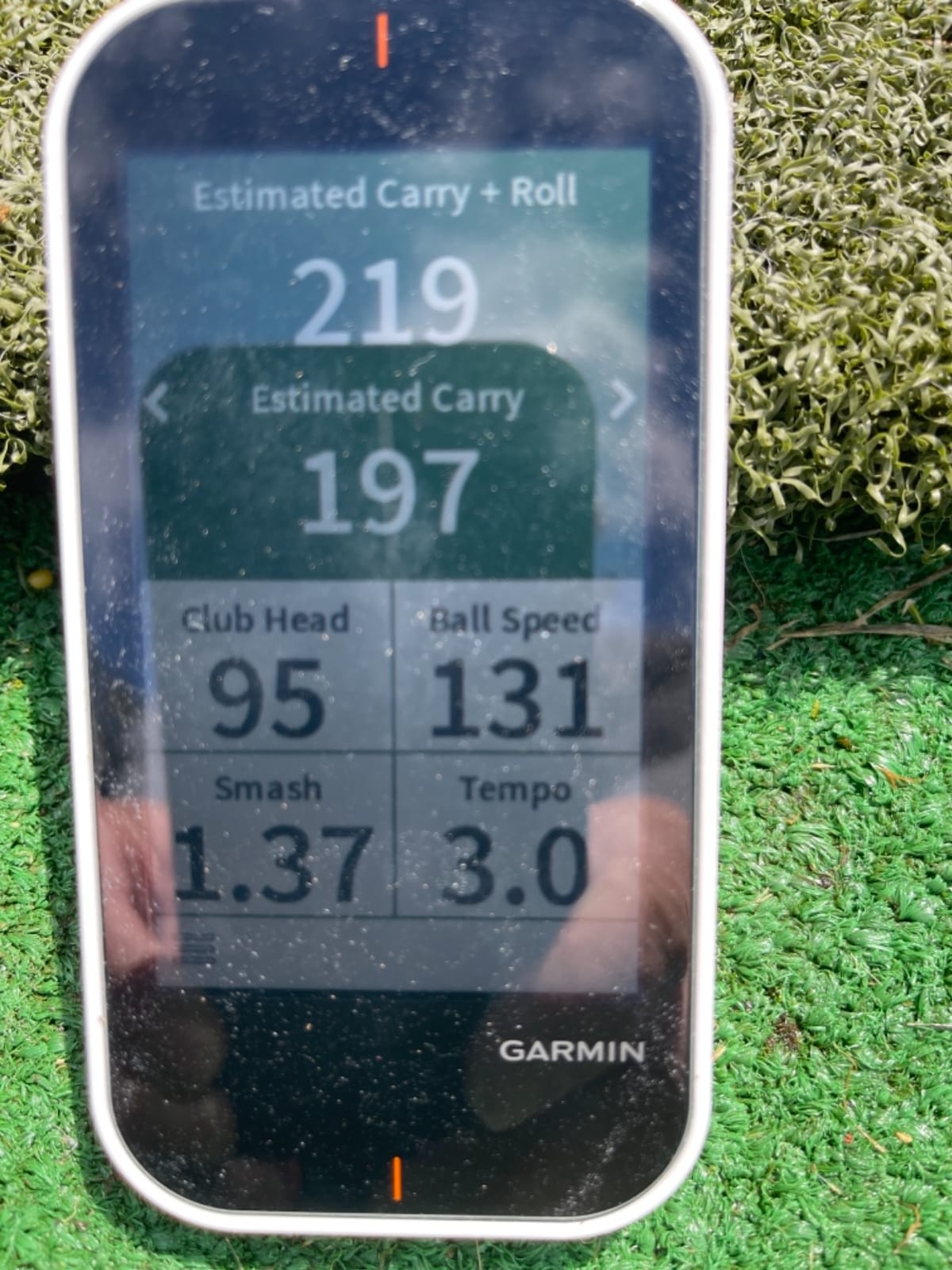
The screen is sunlight readable, which matters on a course, and a quick-access button gets you to the radar without digging through menus. At 4.16 ounces it disappears on a wrist lanyard.
What it does not do is measure anything technical. No spin rate, no launch angle, no video. The launch monitor side is a speed and distance tool, useful for building a feel for club distances on the course rather than for a fitting.
Who should buy the G80 and who should not
Buy it if you already want a premium GPS handheld and would like swing numbers as a bonus. The two-in-one value is real for golfers who play often and carry a bag.
Skip it if your main goal is improvement through data. Anything that reports spin and launch will teach you more per practice hour, and a rangefinder will handle the on-course distance job. Our picks for golf rangefinders cover that side properly.
Where the older hardware shows
This generation of Garmin hardware predates the R10 and the R50 in capability, and owners note that when comparing software features. You are choosing it for the maps and the screen, not for the metrics.
The 3.5 inch display is also small compared with the R50’s 10-inch screen if you plan to study sessions rather than glance at them.
11. TAGCMC GX-10: Best Budget Unit With No Subscription and Android Support
Golf Launch Monitor & Portable Simulator, Tracks 13+ Metrics Swing Analysis
- No subscription required for the app experience
- Temperature humidity and barometric sensors auto-adjust data
- Reports spin rate spin axis attack angle and launch angle
- Adjustable sensitivity lets you calibrate against a known device
- 3D virtual driving range with video recording
- Out of box speed readings run high until sensitivity is tuned
- Some buyers report connection and charging problems
- Small and lightly reviewed so reliability is unproven
The GX-10 is unusual for its price band because it reports spin rate, spin axis, attack angle and launch angle, and it requires no subscription for the app experience at all. That combination is rare, and it makes this the pick for Android owners who refuse recurring fees.
The environmental sensors are the smart part. Temperature, humidity and barometric pressure readings auto-adjust shot data to real conditions, so a cold morning or a sea-level course does not quietly skew every number.
Adjustable sensitivity lets you calibrate the unit against a known-good device, which solves the most common complaint about budget devices: out-of-the-box speed readings that run high. Ten minutes of tuning fixes it. The 3D virtual driving range offers 45 and 90 degree views with video recording.
It works with iOS 11 and later, Android 11 and later and HarmonyOS 4, an unusually wide device list for a launch monitor. English, Chinese and Japanese are supported.
How to get accurate numbers from a budget unit
Calibrate before anything else. Hit twenty shots, compare against a device you trust, then adjust sensitivity until the two agree. Uncalibrated readings from this class of monitor are the main reason people quit.
Once tuned, use it for spin axis and attack angle, which is where the metric list beats every other unit at this price. Do not expect fitting-grade consistency shot to shot.
What the small review base means for you
With fewer than a hundred reviews, long-term reliability is unproven, and a minority of buyers report connection problems or a unit that would not hold a charge. Support is less proven than it is for a Garmin.
Treat it as a capable experiment rather than a long-term investment, and keep a spare plan in mind if your club set matters to you.
12. Izzo Launch Master: Best Simple Starter Doppler Unit
Izzo Golf Swami Launch Master Golf Launch Simulator – Golf Training Aid, Standard
- Measures clubhead speed ball speed smash factor and carry
- Audible distance call-out plus a clear LCD display
- Compact enough for a golf bag and usable with a net at home
- Enter your own club lofts for personalised results
- Batteries and a hard carry case included
- Lowest average rating in this lineup
- Four-metric readout with no spin launch angle or video
- Not water resistant for outdoor range use
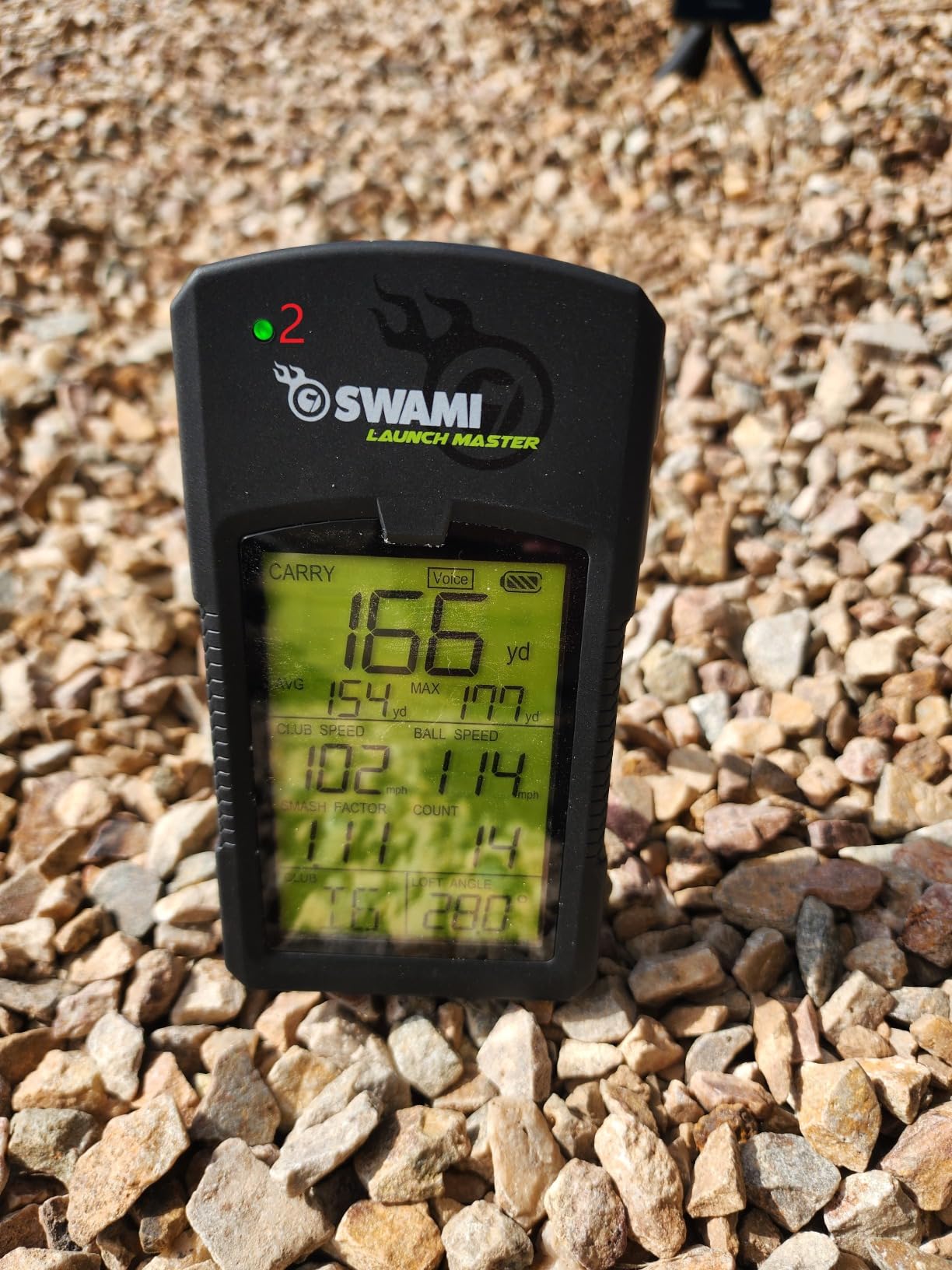
The Izzo Launch Master does the basic job without an app, an account or a membership. Doppler radar measures clubhead speed, ball speed, smash factor and carry distance, and the audible call-out means you get the number without walking over to look at it.
Entering your own club lofts makes the distance figures more personal, which is a nice touch on a device at this level. Four AA batteries and a hard carry case come in the box, and it is compact enough to live in a golf bag for range days.
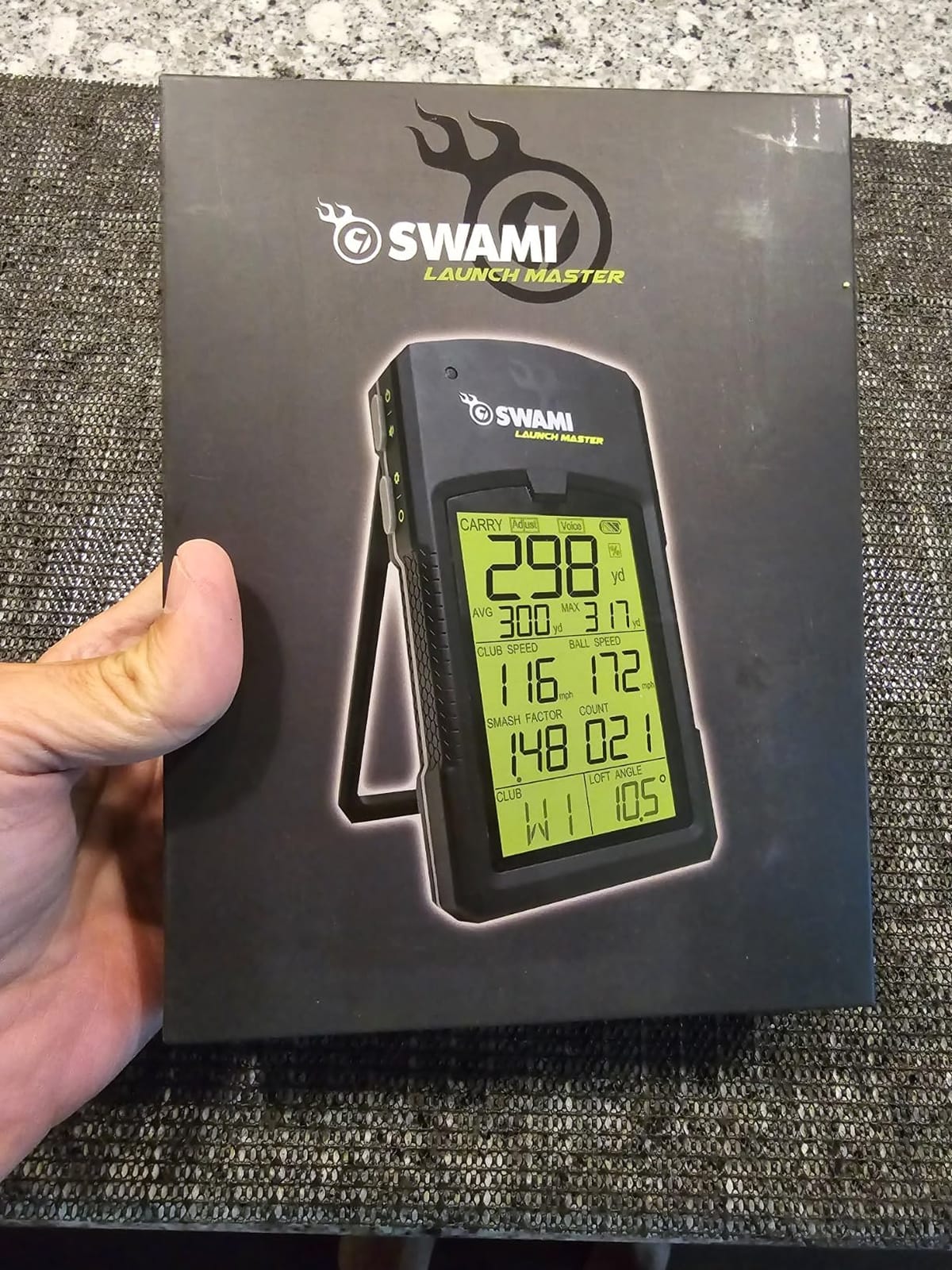
Where we have to be honest is the rating. This is the lowest-scoring device in the lineup, with recurring complaints about carry distance reading differently from more expensive monitors. If distance is the number you care about most, spend more.
It is also not water resistant, so treat it as an indoor or fair-weather companion. Clubhead speed and smash factor remain useful even when the distance figure drifts.
Who should start with the Izzo
Someone who wants to know their clubhead speed this month, at the lowest sensible cost, with zero software risk. There is nothing to sign up for and nothing to update.
It is also a reasonable backup unit for a garage bay, giving a second speed reading while the main simulator device handles the video work.
Where a small starter unit falls short
No spin rate, no launch angle, no video and no app. You cannot learn why a shot flew the way it did, only how fast you hit it.
Given the accuracy complaints, we would pair it with a marked-ball camera system later rather than rely on it alone. Start here only if the low cost is decisive.
How to Choose a Golf Launch Monitor in 2026
Accuracy is the first filter, but it is the one buyers assess worst. Manufacturers publish tolerances rather than consistency, and a device can hit its tolerance on one shot and miss the next. What matters is how little the numbers wander across twenty shots. Owners on r/golf describe accuracy as setup-dependent more often than as a hardware fault, so budget an hour for positioning before you judge any unit.
Radar needs clear flight behind the ball. Too close and it cannot separate club from ball; too far and the reading weakens. A net that stops the ball a few feet past impact will produce dropped shots that people then blame on the monitor. Set elevation and barometric reference where the unit allows it, and compare any new device against one you trust before trusting its distances.
Metric depth decides the price. Clubhead speed, ball speed, carry distance and smash factor are the baseline. Launch angle and spin rate open up trajectory work, and spin axis, club path and attack angle let a coach actually prescribe a change. Beginners can stop at ball speed and carry; golfers with a target handicap or a fitting goal need the full set.
Radar and camera systems fail differently. Radar is portable, cheap, works in any light and never confuses a dimple pattern, but it cannot read club-side data and it struggles in tight rooms. Photometric devices see the club and the ball, deliver spin axis and face data, and read marked balls reliably, but they are sensitive to direct sunlight, need a clear impact zone and often demand stickers on clubs or balls.
Subscription and total cost are the hidden variables. The FlightScope Mevo Gen2 carries no fees at all, and the core metrics on the Garmin Approach R10, Rapsodo MLM and Voice Caddie SC200Plus work without a membership, while virtual courses, extra modes and third-party suites on the R10, R50, MLM2PRO and Uneekor do not. Work out five-year ownership as hardware plus years of membership before you buy, because the annual fee is what owners in r/Golfsimulator complain about most.
Space and placement decide the category more than price. Handheld radar devices need a few feet behind the ball and a flight path. Floor devices need a level spot and power. Ceiling and overhead systems need headroom, and a garage below about nine feet rules most of them out, which pushes you back toward radar placed behind the ball. Photometric devices need a wall or free-standing mount with the impact zone visible and no direct sun.
Software and platform compatibility close the sale. GSPro, E6 Connect, TGC19 and Creative Golf 3D all work with the Uneekor EYE MINI CORE, Home Tee Hero courses work on the Garmin R50, and E6 Connect comes bundled with the FlightScope Mevo Gen2. Mac versus Windows decides more purchases than owners expect: the Uneekor needs a gaming-class PC, the R50 runs Windows, and the Rapsodo MLM is iPhone and iPad only.
Finally, match the tool to the habit. Speed training needs a light, battery-powered unit like the Voice Caddie SC200Plus or TheStack Radar. Full-swing fitting needs a metric-rich camera system. Practice on the course needs something that clips to a bag. There is no single best launch monitor, only the one that matches where and how you hit balls.
Frequently Asked Questions
What is the best golf launch monitor for the money?
For most golfers the Garmin Approach R10 is the strongest value because its core metrics work without a membership, it runs up to ten hours on a charge and it is IPX7 water resistant. If you need spin axis and club path per swing, the Rapsodo MLM2PRO adds those metrics for a modest step up. The FlightScope Mevo Gen2 is the pick if you refuse recurring fees entirely.
Is there a golf launch monitor that does not require a subscription?
Yes. The FlightScope Mevo Gen2 bundles eight E6 Connect courses with no annual license fee. The PRGR HS-130A, Voice Caddie SC200Plus and TAGCMC GX-10 need no app or membership at all. The Garmin Approach R10 and the Rapsodo MLM keep their core metrics free, with virtual courses sitting behind an optional membership.
Is the Garmin R10 or the Rapsodo MLM2PRO better?
The R10 is easier to live with: ten-hour battery, IPX7 rating, automatic video clips and per-club dispersion charts. The MLM2PRO measures more, adding spin axis, club path and dual-camera slow-motion impact video, and it runs on both iOS and Android. Choose the R10 for convenience and the MLM2PRO for metric depth.
What is the best golf launch monitor for a home golf simulator?
The Garmin Approach R50 is the simplest route because its 10-inch touchscreen needs no phone, tablet or laptop. The Uneekor EYE MINI CORE is the deeper route, reading any ball without stickers and working with GSPro, E6 Connect, TGC19 and Creative Golf 3D, but it needs a gaming-class PC and a wired connection. Budget room, power and headroom for either.
Can you use a launch monitor without a ball?
Yes, but only on speed-training models. The PRGR HS-130A and TheStack Radar measure clubhead swing speed without a ball, and the Voice Caddie SC200Plus has a dedicated swing-speed mode for indoor practice. Devices that report ball speed, spin or carry obviously need a struck ball, and full simulators are useless without one.
How accurate is a golf launch monitor?
Decent devices hold close to their published tolerances on well-struck shots, with ball speed typically within about 1 mph and launch angle within a degree. The bigger source of error is setup: wrong radar distance, unset elevation or direct sunlight on a camera system. Calibrate against a trusted device and give a new unit twenty shots before you trust it.
What launch monitors do pro golfers use?
At the tour level you will see dedicated systems from vendors such as Trackman and Full Swing, and TheStack lists 2022 US Open champion Matt Fitzpatrick among the golfers who use its system. Public details of individual tour players’ personal devices are rarely confirmed, so treat brand-name claims from retailers with caution. For club fitting, the R50 and Uneekor cover most of the data a fitter needs.
How much space does a home golf simulator need?
Handheld radar devices need roughly eight feet of flight behind the ball and a backstop, so about 8 by 10 feet is workable. The Garmin Approach R50 wants a level floor position, power and room for the full arc. Ceiling-mounted systems generally need at least nine feet of headroom, so check your garage height before choosing one. Our picks for u003ca href=u0022https://www.logix4u.net/best-golf-launch-monitors-for-garage-simulators/u0022u003egarage simulatorsu003c/au003e break this down by bay size.
Our Verdict on the Best Golf Launch Monitors in 2026
After six weeks and hundreds of shots, the Garmin Approach R10 is the best golf launch monitor for most people in 2026. It measures the metrics that matter, keeps working without a membership, runs all day on one charge and survives being carried to the range in a bag.
Buy the Rapsodo MLM2PRO when you need spin axis and club path on every swing, the FlightScope Mevo Gen2 when a one-time purchase matters more than anything, and the Garmin Approach R50 when you want a self-contained simulator screen in a dedicated room. Whichever you choose, spend your first session on setup rather than shopping. Last checked for accuracy, room requirements and membership terms in 2026.