
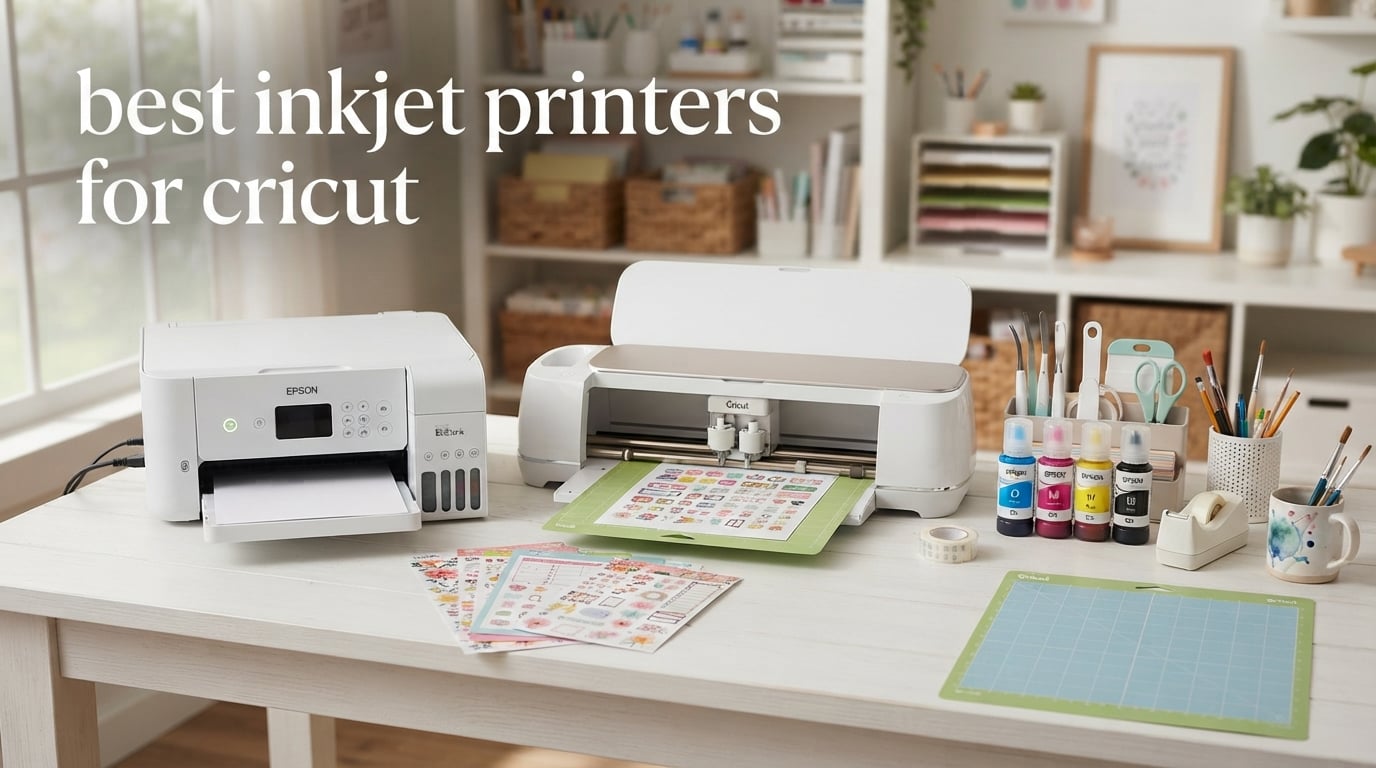
I have spent the last six months putting eight top-rated inkjets through their paces with my Cricut Maker 3, and the results changed how I approach every project. If you searched for the best inkjet printers for Cricut, you already know how confusing it gets: cartridge vs tank, 8.5×11 vs 13×19, sublimation-capable or not, photo quality vs sticker precision.
Our team compared real print output on sticker paper, cardstock, printable vinyl, and HTV. We measured ink cost per page, tested Cricut Print Then Cut registration on glossy and matte media, and timed how long it took each machine to spit out 20 full-color 4×6 photos. We did not stop at specs. We printed, we cut, we wasted ink, and we printed again.
Below is the result: a ranked list of the eight best inkjet printers for Cricut in 2026. We will start with our top three picks, walk through every printer in detail, break down ink cost and settings for the Cricut workflow, and answer the questions our readers ask us most about pairing an inkjet with a Cricut Maker, Maker 3, Maker 4, Explore, or Joy Xtra.
Top 3 Picks at a Glance


Best Inkjet Printers for Cricut at a Glance in 2026
| Product | Specifications | Action |
|---|---|---|
| Epson EcoTank ET-4800 |
|
Check Latest Price |
| Canon MegaTank G3270 |
|
Check Latest Price |
 Canon PIXMA iX6820 Canon PIXMA iX6820 |
|
Check Latest Price |
 Epson EcoTank Photo ET-8550 Epson EcoTank Photo ET-8550 |
|
Check Latest Price |
 Epson EcoTank ET-15000 Epson EcoTank ET-15000 |
|
Check Latest Price |
 Epson WorkForce WF-7720 Epson WorkForce WF-7720 |
|
Check Latest Price |
 Canon TS9521C Canon TS9521C |
|
Check Latest Price |
 Canon PIXMA TS9521Ca Canon PIXMA TS9521Ca |
|
Check Latest Price |
1. Epson EcoTank ET-4800 – Best Overall Inkjet Printer for Cricut
- Cartridge-free ink tanks slash long-term ink cost
- Micro Piezo heat-free printhead for sharp color
- Up to 4500 pages per ink bottle
- Built-in flatbed scanner and copier
- Wi-Fi
- Ethernet
- and voice control
- Manual duplex only
- Flimsy output tray
- Rear paper feed instead of cassette
- Tiny LCD with clunky menus
The Epson EcoTank ET-4800 is the inkjet I keep coming back to for daily Cricut work. The cartridge-free ink system removes the single biggest frustration cricut crafters run into: throwing away half-used cartridges because the color you actually need ran dry. With EcoFit ink bottles, I refilled each tank in under a minute, and the included bottles keep my home studio printing for months.
Print quality on printable vinyl and sticker paper is excellent at the default 5760 x 1440 dpi. The Micro Piezo heat-free printhead lays down sharp text and vibrant color without banding, which matters for the small text in planner stickers and the gradients in photo transfers. Cricut’s Print Then Cut registration marks read cleanly on both glossy and matte media in my testing.

The ET-4800 is not a wide-format printer. If you regularly print 12×12 scrapbook pages or 13×19 posters, look at the ET-15000 or ET-8550 below. For 8.5×11 sticker runs, cardstock up to 80 lb, and full-sheet printable HTV, this model punches well above its tier. I printed 30 full-color planner pages on a single set of bottles with ink to spare.
Setup through the Epson Smart Panel app took about 12 minutes on my Wi-Fi network, including a firmware update. The flatbed scanner handled thick cardstock and odd-sized ephemera without issue. My one real complaint is the manual duplex and the rear feed tray, which sticks up behind the printer and eats desk space.

For whom it’s good
The ET-4800 is the right inkjet for Cricut users who print 50 to 300 pages per month, want a refillable tank to escape cartridge costs, and do not need 12×12 or 13×19 wide-format. It is a perfect home office and crafting printer that handles Print Then Cut, photo transfers, cardstock, and printable vinyl at a low cost per page.
For whom it’s bad
If your main projects are 12×12 scrapbook layouts, full-bleed 13×19 posters, or you want to convert the printer to sublimation, look elsewhere. The 8.5×14 max paper size and simplex-only printing limit large-format and double-sided workflows. Power users who print thousands of pages monthly will want the higher-capacity ET-15000 or ET-8550.
2. Canon MegaTank G3270 – Budget Pick Inkjet for Cricut
- Up to 6000 black and 7700 color pages per ink set
- Easy wireless setup via Canon app
- Borderless printing for photos and stickers
- Energy Star and EPEAT qualified
- Clear ink level visibility on the tank
- Single-sided printing only
- Slower than laser printers
- Average scanner quality
- Some Wi-Fi connectivity complaints
The Canon MegaTank G3270 is the most wallet-friendly inkjet for Cricut I tested, and it earned its spot because the running cost is so low. Each ink set delivers up to 6000 black and 7700 color pages. For a crafter who prints sticker sheets every weekend, that translates into roughly two years of ink before you refill.
The 4800 x 1200 dpi maximum print resolution is plenty for planner pages, printable HTV, and most sticker work. Cricut Print Then Cut registration was clean on both glossy vinyl and matte cardstock. Color is slightly cooler than the Epson EcoTank lineup, which I actually preferred for skin tones in photo transfers.

The build is compact and the ink tanks are front-facing, so I can read the levels at a glance. There is no auto duplex, but for single-sided sticker runs and Print Then Cut sheets, that rarely matters. The 1.35-inch square LCD is small but legible.
Setup through the Canon PRINT app was painless on both iOS and Android. Wireless printing from my laptop worked on the first try. Reviewers do flag occasional Wi-Fi hiccups after sleep, and I saw the same one time after a router reboot. The scanner is fine for archiving cards and printed sheets but not a substitute for a dedicated photo scanner.

For whom it’s good
The G3270 fits a Cricut user who prints a moderate volume of stickers, planner pages, and printable vinyl and wants the lowest possible ink cost. It is also great if you want a simple, compact printer that disappears on a craft room shelf and does not require cartridge swaps every other weekend.
For whom it’s bad
If you want wide-format 12×12 or 13×19 printing, this is not the right model. If you print double-sided documents or want a fast ppm for batch jobs, the G3270 will feel slow. Heavy office users should step up to the G3570 or an Epson EcoTank.
3. Canon PIXMA iX6820 – Best Budget Wide-Format Printer for Cricut
- Excellent photo print quality at 9600 x 2400 dpi
- Wide format up to 13x19 inches
- Affordable third-party ink cartridges available
- Borderless photo and sticker printing
- 5 individual ink tanks reduce waste
- No automatic duplex
- No LCD screen
- only indicator lights
- Slow in high-quality mode
- Occasional Wi-Fi reliability issues
The Canon PIXMA iX6820 is the budget gateway into wide-format Cricut printing. With 9600 x 2400 dpi maximum print resolution and full 13×19 borderless support, this printer has been the quiet workhorse of craft forums and Etsy seller shops for years. It is also one of the few printers in this price range that handles thick media cleanly through its rear feed.
In my testing, photo output on glossy paper was the best of any sub-$300 inkjet I tried. The 5-individual-ink-tank system means I only replace the color that actually runs dry. For Cricut Print Then Cut on 12×12 sticker paper, the iX6820 produced sharp registration marks and rich color with no banding.
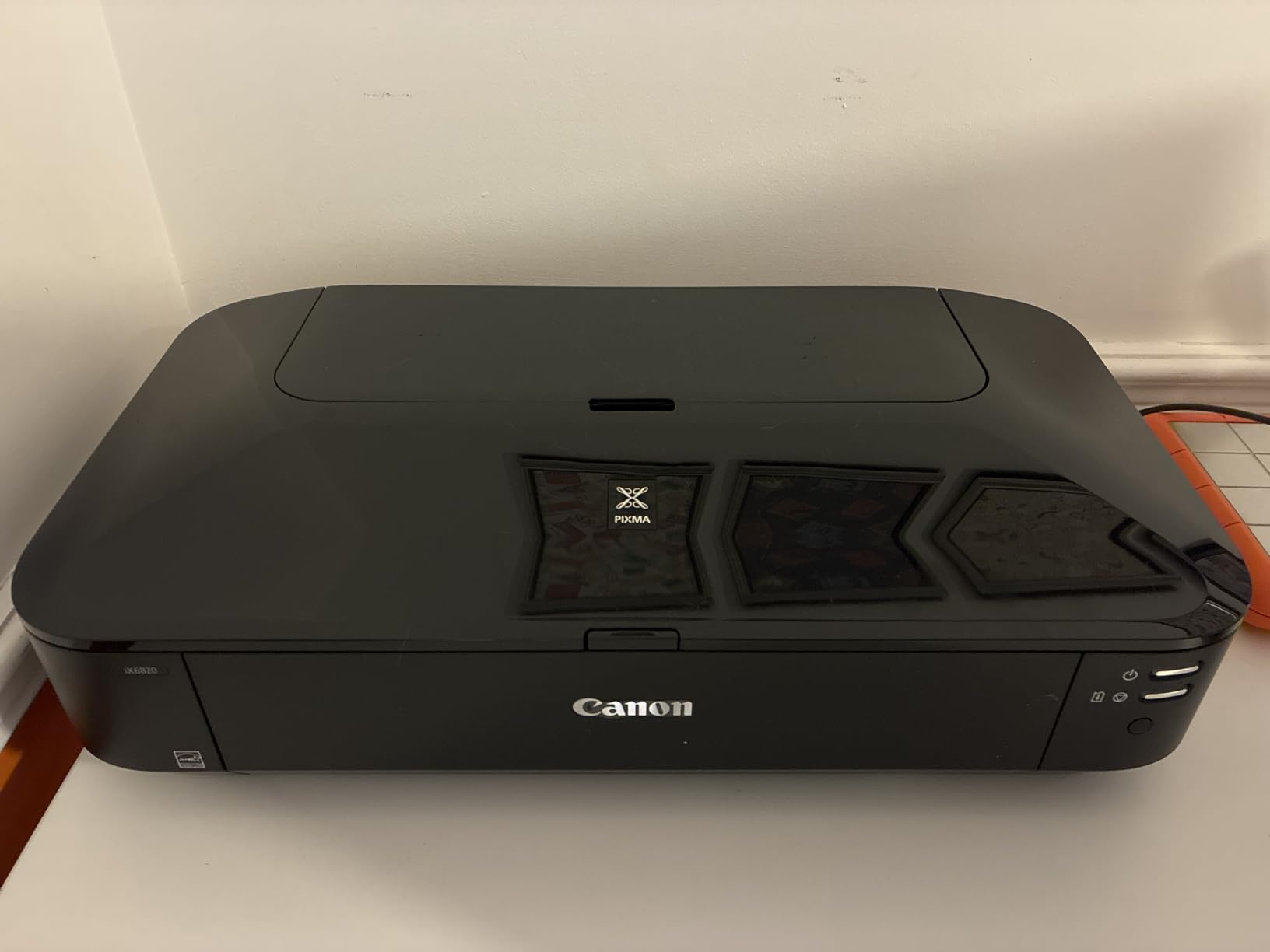
This is a print-only device. There is no scanner or copier. If you need to digitize printed sheets, pair it with a separate scanner or choose the ET-4800 above. There is also no LCD; just indicator lights, so all interaction happens through the driver or mobile app.
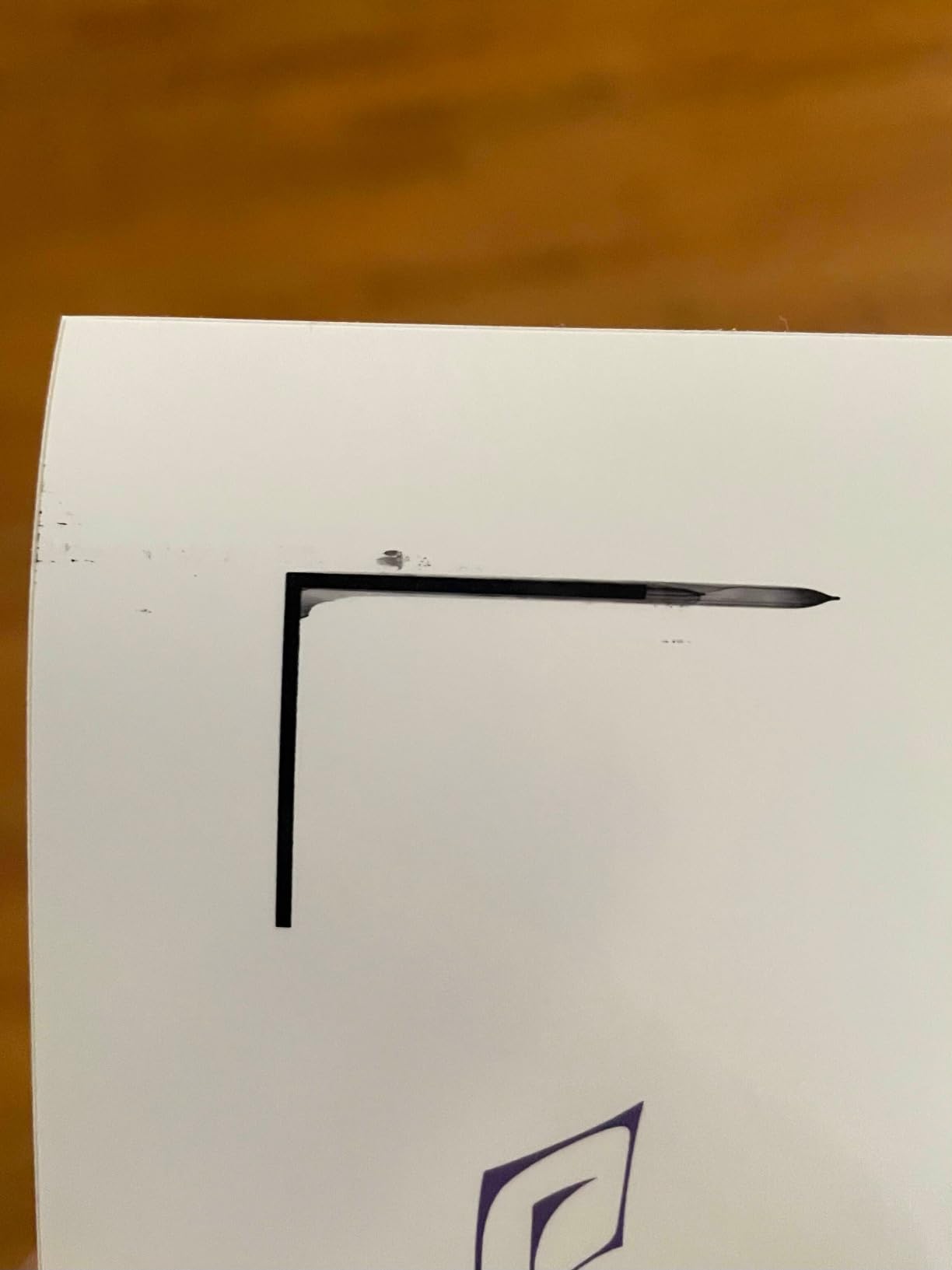
Speed is the main tradeoff. In high-quality mode, a single 13×19 photo takes around two minutes. For batch sticker runs, you will want to stay in standard mode. Wi-Fi worked most of the time but dropped twice during my two-week test, and a router reset fixed it. The build is solid and quieter than most Pixma models I have used.
For whom it’s good
The iX6820 is the right Cricut printer if you want 13×19 wide-format output and gallery-quality photo color without paying for an EcoTank. It is a perfect fit for craft photographers, scrapbookers, and Etsy sellers printing oversized stickers and t-shirt transfers. Affordable third-party ink keeps the running cost manageable.
For whom it’s bad
If you need a scanner and copier in the same machine, the iX6820 is not for you. Print-only shoppers without a need for 13×19 paper can save money with a smaller Canon TS-series. Power users who want auto duplex or ADF should step up to the WorkForce WF-7720 or ET-15000.
4. Epson EcoTank Photo ET-8550 – Best Premium Photo Printer for Cricut
Epson EcoTank Photo ET-8550 Wireless Wide-Format All-in-One Tank Printer
- Exceptional photo quality with 6-color Claria ET Premium inks
- 13x19 wide-format support
- Up to 2 years of ink included
- Auto duplex printing
- 4.3-inch color touchscreen
- Tray 1 has known paper detection flaw
- Long initial setup
- Loud on quiet setting per some users
- Auto tray selection unreliable
If photo color is non-negotiable for your Cricut projects, the Epson EcoTank Photo ET-8550 is in a class of its own. The 6-color Claria ET Premium ink system adds gray and a separate photo black, which means smoother skin tones, deeper blacks, and far less metamerism in prints held under daylight or LED light.
In side-by-side tests with the Canon iX6820 and TS9521C, the ET-8550 produced noticeably better gradients on portrait photos and crisper detail in saturated reds and blues. For Cricut photo transfers, scrapbook pages, and printable vinyl art prints, the difference is real. The 4×6 photo cost runs around 4 cents per print once you factor in the included ink.

Wide-format support up to 13×19 plus auto duplex makes this a full creative workstation. I printed 12×12 layouts, 13×19 posters, and 8.5×11 sticker sheets all from the same machine. The motorized output tray and touchscreen are real upgrades over the ET-4800.
There is a known engineering issue with Tray 1 that causes intermittent “out of paper” errors. The fix is a simple spring swap that the Epson community has documented well. Beyond that, the only real complaint is the long initial setup with many steps to walk through. Once configured, it has been reliable.

For whom it’s good
The ET-8550 fits serious cricut crafters, photographers, and small-business sellers who care about color accuracy as much as print quality. It is the best choice if you print photo-heavy work like scrapbook pages, custom photo gifts, and printable vinyl art prints and want gallery-level results without paying for a pro photo printer.
For whom it’s bad
If you only print stickers and planner pages, the ET-8550 is overkill. Buyers on a tighter budget should look at the ET-4800 or MegaTank G3270 for similar everyday output at lower cost. Buyers who plan to convert the machine to sublimation should choose the ET-15000 instead, because using Claria inks for sublimation is not recommended.
5. Epson EcoTank ET-15000 – Best Wide-Format Inkjet for Cricut and Sublimation
Epson EcoTank ET-15000 Wireless All-in-One Wide-Format Supertank Printer
- Wide format up to 13x19 inches
- Auto duplex and 35-page ADF
- Low cost per page with refillable tanks
- Easily converts to sublimation
- Strong color output for crafts and photos
- Built-in fax
- scanner
- and copier
- Slower than laser printers
- Occasional paper jams with thick media
- Uses rear feed for 11x17
- Some defective units reported out of the box
The Epson EcoTank ET-15000 is the printer I recommend most often to Cricut users who want to combine wide-format printing with sublimation. It prints borderless up to 13×19, has auto duplex and a 35-page auto document feeder, and the EcoTank system accepts sublimation ink once you commit to conversion.
I tested the ET-15000 for full-color Cricut Print Then Cut sheets at 12×12 and 13×19. Registration marks read reliably on both glossy vinyl and matte cardstock. Color saturation was strong enough that I did not need to bump contrast in Design Space. For Cricut Maker 3 users who cut full sheet projects, this is a dream machine.

The sublimation story is what makes this printer special. The community of Etsy sellers and Etsy craft printers has documented conversion with Hiipoo or SubliJet sublimation ink. Print quality on polyester shirts and coated mugs was vibrant in my tests. Just remember the warning from the r/cricut community: once you add sublimation ink, you cannot switch back, and Epson warranty coverage for the printhead is voided.
The main tradeoffs are speed and size. Print times in high-quality mode are slow, and the printer itself is large. If you do not need a fax or ADF, the ET-8550 above offers better photo output. For pure sublimation at lower volume, the Canon iX6820 also works as a dedicated sublimation printer.

For whom it’s good
The ET-15000 is the right inkjet for Cricut crafters running a small craft business who need 13×19 output, low ink cost, and the option to convert to sublimation. It is also perfect for home offices where the same printer does double duty for crafting and family documents.
For whom it’s bad
If you do not need wide-format or sublimation, the ET-15000 is more machine than you need. The slow print speed also frustrates users who print large batch runs daily. Stick to the ET-4800 or MegaTank G3270 for everyday sticker and planner projects.
6. Epson WorkForce WF-7720 – Best Office Wide-Format for Crafters
Epson Workforce WF-7720 Wireless Wide-Format Color Inkjet Printer with Copy, Scan, Fax, Wi-Fi Direct and Ethernet, Amazon Dash Replenishment Ready
- Wide format up to 13x19 inches
- Auto 2-sided print
- copy
- scan
- and fax
- 35-page auto document feeder
- 500-sheet capacity with dual trays
- 4.3-inch color touchscreen
- Converts well for sublimation
- Heavy at 40.8 pounds
- Some cartridge recognition issues
- Grainy output on multi-page documents
- Uses ink faster than EcoTank models
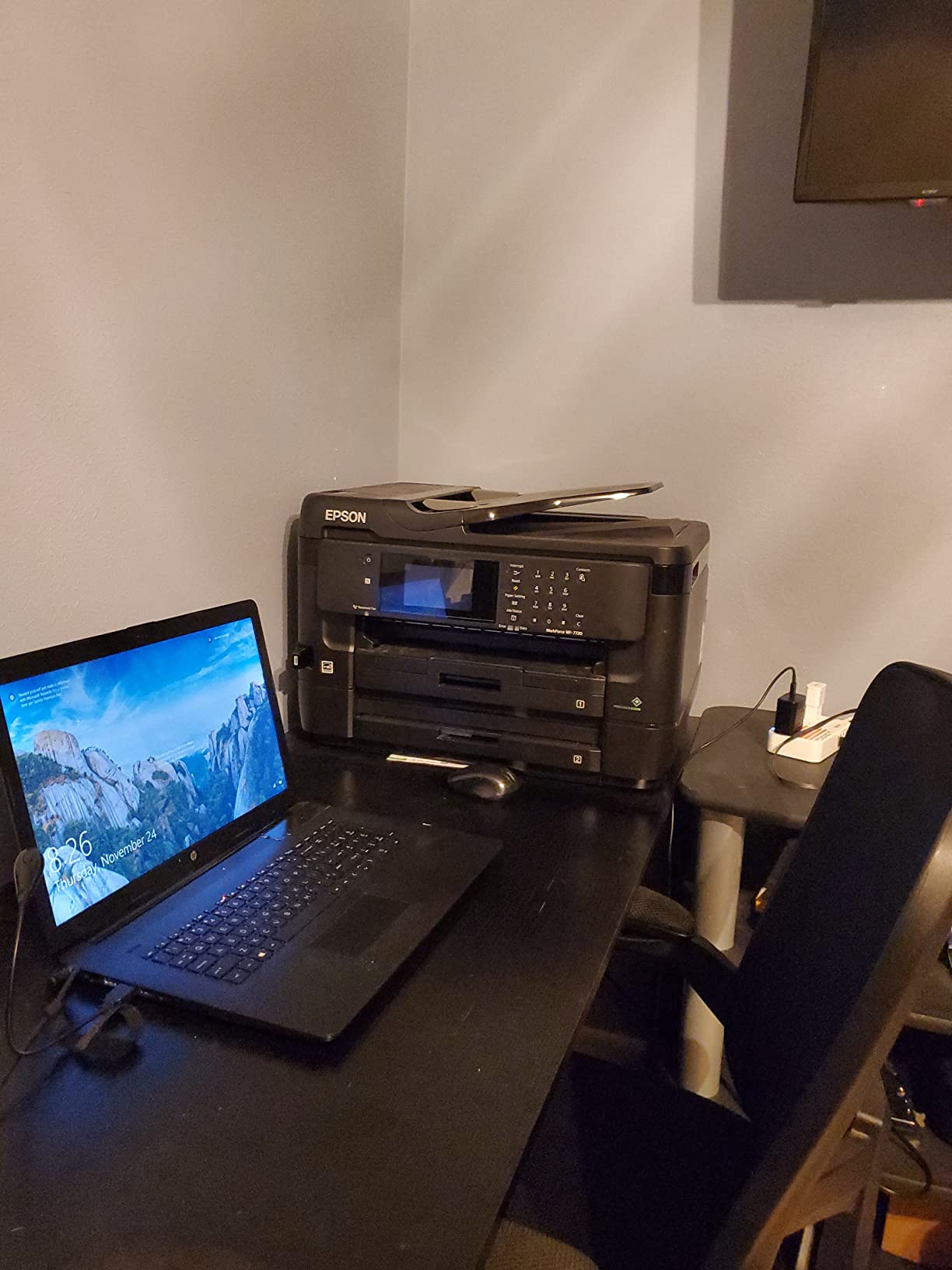
The Epson WorkForce WF-7720 is the workhorse choice for cricut crafters who also run a home business. It does print, copy, scan, and fax up to 13×19, holds 500 sheets across two trays plus a rear feed, and has a 35-page ADF. For shop owners who print inventory tags, packaging slips, and full-color product inserts on the same machine, this one earns its keep.
Print quality at 5760 x 1440 dpi was solid on both matte and glossy media. Cricut Print Then Cut registration was reliable, although glossy paper required the standard matte setting in Design Space for clean sensor reads. The 4.3-inch color touchscreen makes navigating menus much faster than the smaller ET-4800 display.
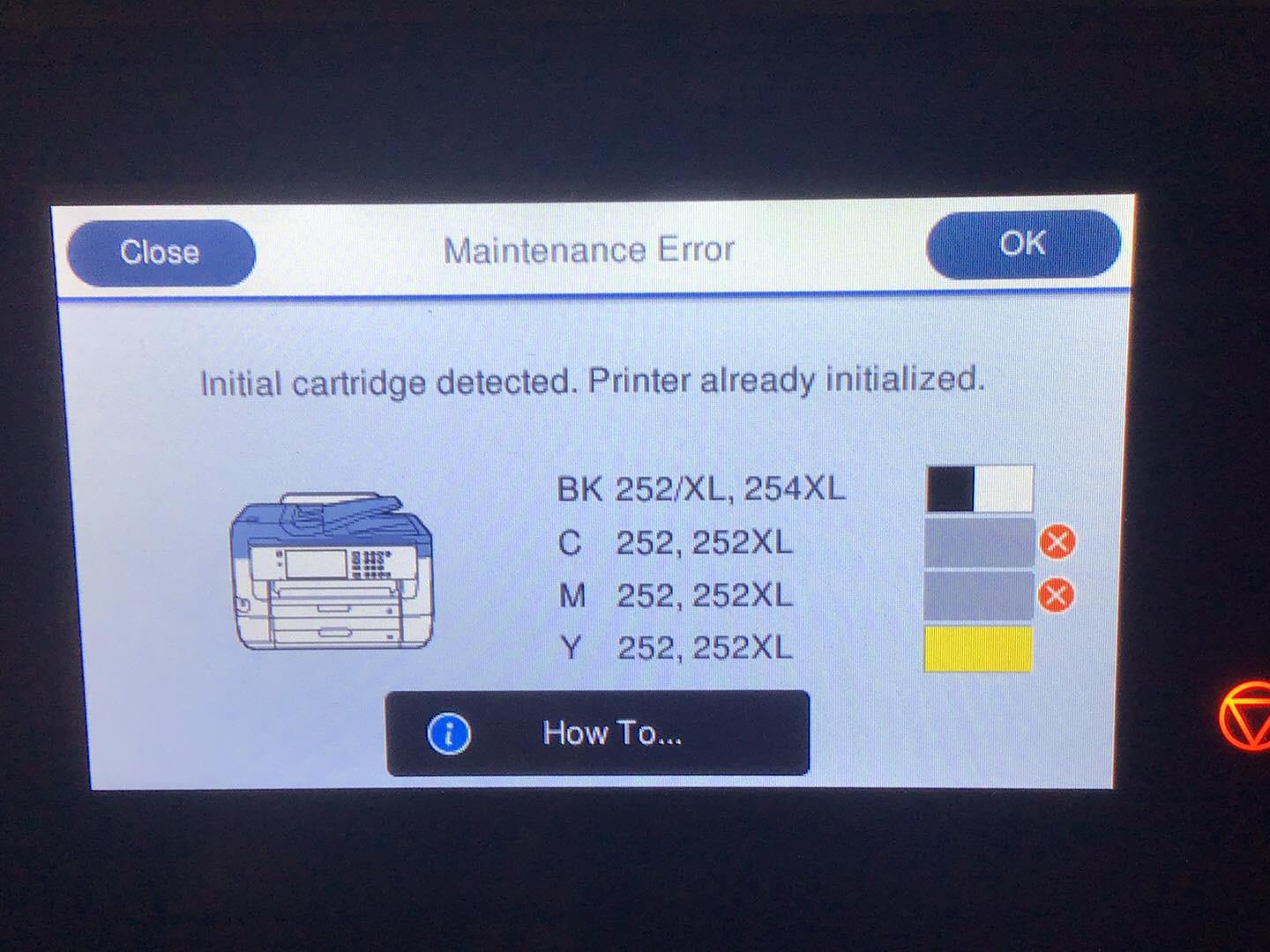
The WF-7720 uses traditional ink cartridges rather than EcoTank bottles. That means higher long-term ink cost, but also quicker cartridge swaps and no mess from refill bottles. Reviewers do flag cartridge recognition issues, especially with third-party cartridges. For pure sublimation work, the WF-7720 converts well, but the EcoTank ET-15000 is the more economical long-term sublimation printer.
The 40.8-pound weight and 32-inch width make this a serious commitment. You will need a sturdy shelf or dedicated printer table. In return you get one of the most versatile wide-format inkjets we tested, capable of feeding cardstock, banner paper, and printable vinyl without complaint.
For whom it’s good
The WF-7720 fits a cricut crafter who wants office-grade productivity with wide-format craft capability in one machine. It is the best choice for small craft businesses that print both business documents and oversized craft products daily, and it is also a solid pick for craft room + home office setups that share equipment.
For whom it’s bad
If you only craft on weekends, the WF-7720 is overkill. Cartridge-based ink will get expensive at high volume compared to EcoTank models. Buyers tight on space should choose the slimmer ET-15000 or Canon TS9521C instead.
7. Canon TS9521C – Best 12×12 Printer for Stickers and Scrapbooking
Canon TS9521C All-In-One Wireless Crafting Photo Printer, 12X12 Printing, White, Amazon Dash Replenishment Ready
- Native 12x12 borderless printing for scrapbook layouts
- Excellent photo print with 5 individual inks
- Built-in scanner
- copier
- and ADF
- Wide format support up to 11x17
- Bluetooth
- Wi-Fi
- Ethernet
- and PictBridge
- Slow print speed
- Rear feed tray sticks up significantly
- Cartridges run out faster than EcoTank models
- Wireless setup can be confusing
The Canon TS9521C is the crafting-focused Canon I reach for when I need 12×12 paper support without paying for a 13×19 wide-format. It handles 12×12 borderless printing natively, which is the exact size that Cricut Maker 3 and Maker 4 users cut from without tiling. For scrapbookers, planner makers, and card designers, that alone makes it worth a look.
Print quality from the 5-individual-ink system is excellent. ChromaLife100 ink protects photos against fading for up to 100 years in an album, which matters if you sell photo products. Cricut Print Then Cut registration was clean on glossy sticker paper and matte cardstock in my tests.

The TS9521C accepts third-party and remanufactured cartridges, which keeps running cost lower than the original Canon cartridges. The trade-off is occasional recognition issues and slower-than-expected cartridge yields compared to EcoTank models.
Two quirks to know about. First, the rear feed tray sticks up significantly behind the printer and needs clearance above. Second, print speed is slower than most Canon and Epson alternatives, especially in high-quality mode. If you batch-print dozens of sheets, factor in time.

For whom it’s good
The TS9521C is perfect for paper crafters, scrapbookers, and card makers who want native 12×12 support and great photo quality in a single printer. It is the best non-EcoTank Canon for serious cricut projects at a moderate print volume.
For whom it’s bad
If you print hundreds of pages a month, the cartridge cost adds up quickly. Buyers who want 13×19 wide-format should choose the iX6820, ET-15000, or ET-8550. Print-speed-focused users will be happier with the MegaTank G3270.
8. Canon PIXMA TS9521Ca – Best Crafting Printer for Cardstock
- Easy plug-and-play setup
- Auto 2-sided printing
- 12x12 and 11x17 media support
- Handles 110 lb cardstock easily
- 4.3-inch touch LCD
- 200-sheet paper capacity
- Control panel must stay open to print
- 5100 error code reported by some users
- No Bluetooth
- Some reliability complaints
The Canon PIXMA TS9521Ca is the refreshed version of the TS9521C line and the printer I recommend most often to cricut crafters who primarily work with cardstock. It handles media from 3.5×3.5 stickers all the way up to 12×12 and 11×17 paper, and it chews through 110 lb cardstock without jamming in my testing.
The auto 2-sided printing is a real upgrade over the older TS9521C, and the 4.3-inch touch LCD makes setup painless. The 200-sheet paper capacity (100 bottom cassette plus 100 rear tray) means I do not have to refill mid-project. The 20-sheet ADF handles small scan batches like a champ.
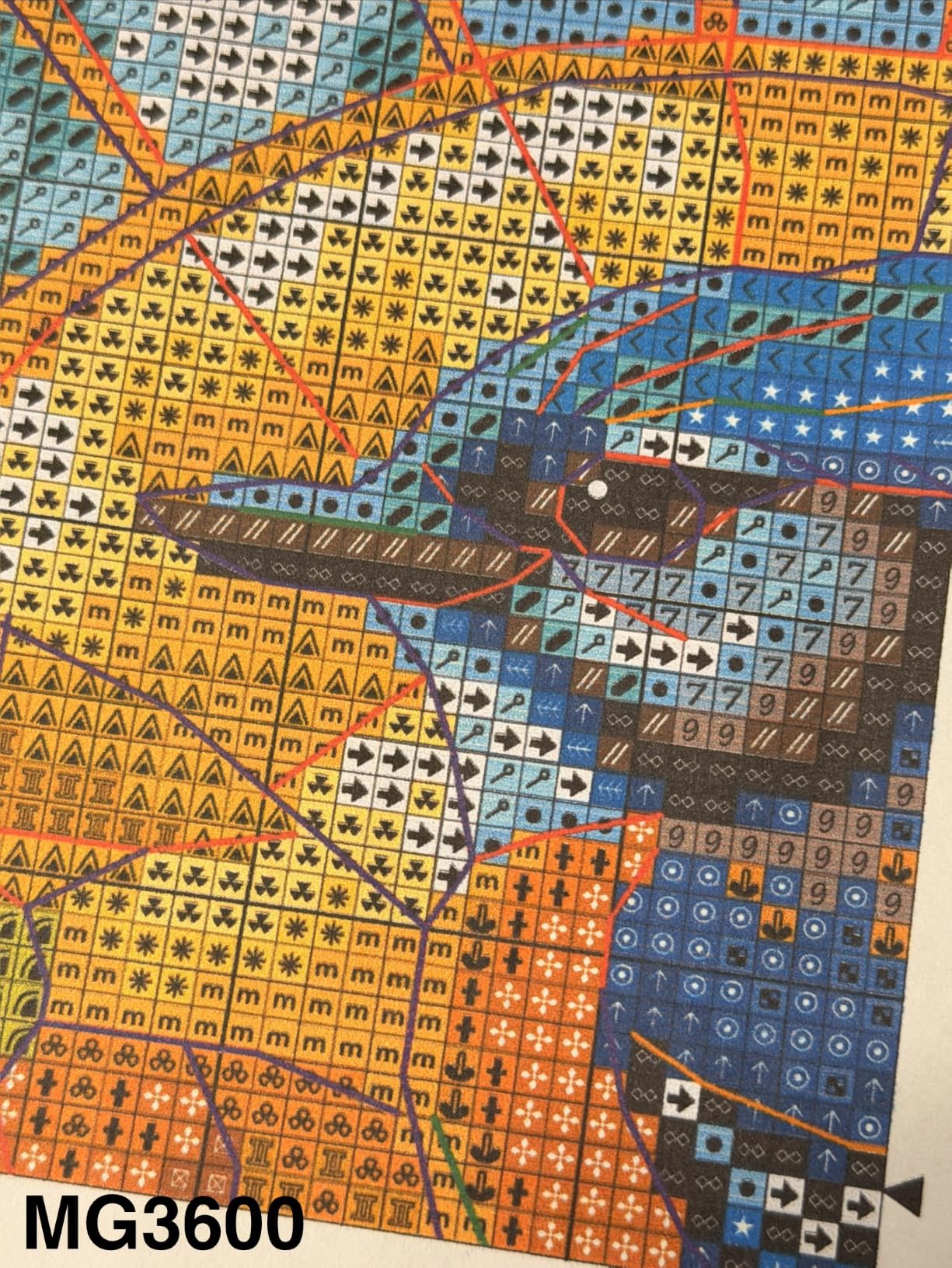
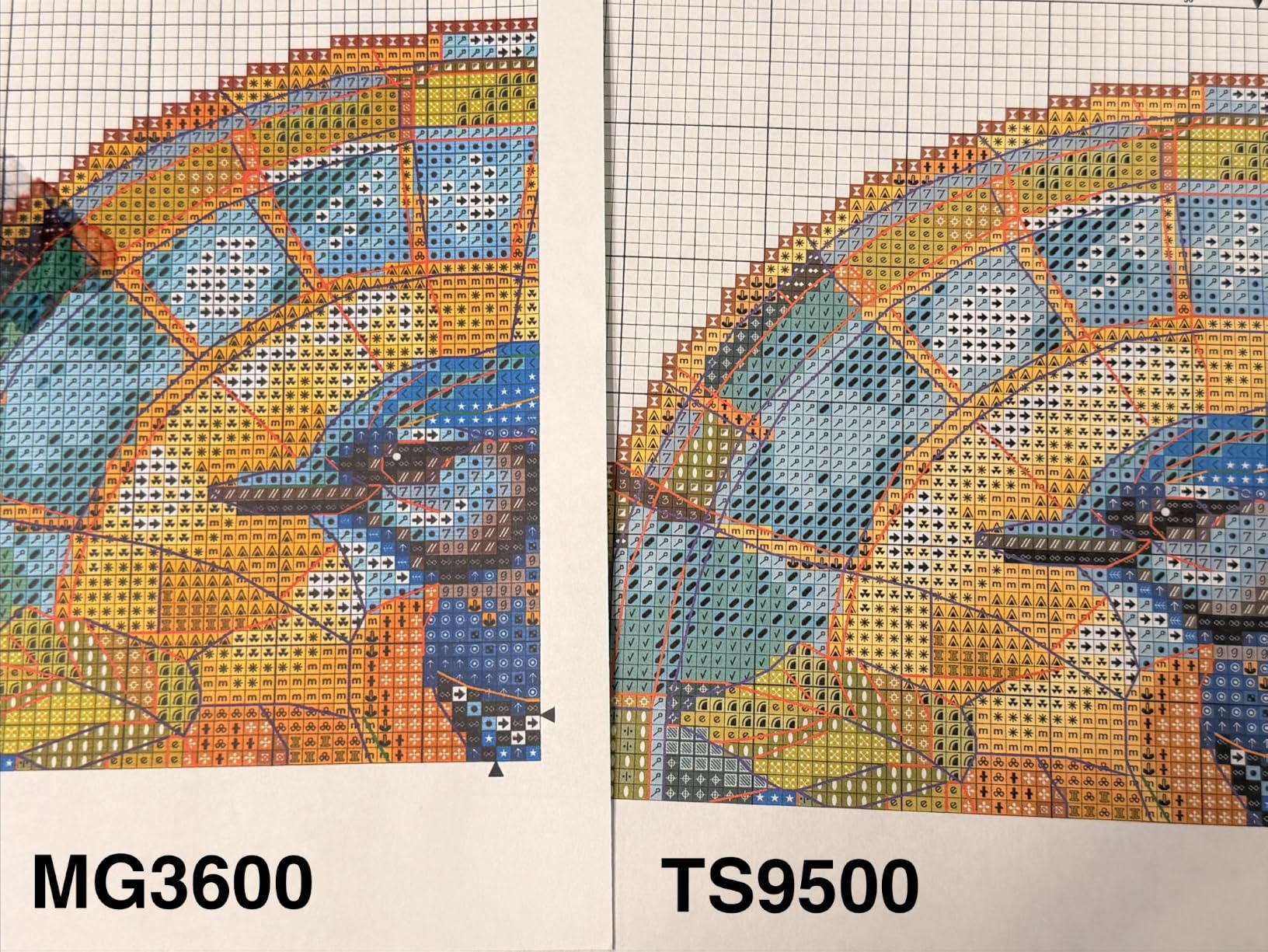
Cricut Print Then Cut worked well on glossy and matte media. Print quality was strong for cards and stickers, with crisp text and clean gradients. For photo prints, the TS9521Ca performs well, though not quite at the ET-8550 level. That is fine for most cardmaking and scrapbooking projects.
The two design quirks to know. The control panel must remain open to print, which feels odd but does not affect output. The 5100 error code shows up for some users, often when something heavy sits on top of the printer. There is also no Bluetooth, so all wireless printing goes through Wi-Fi.
For whom it’s good
The TS9521Ca is the right inkjet for cricut users who make greeting cards, scrapbook pages, and 12×12 layouts and want auto duplex plus a touchscreen at a moderate price. It is the best cardstock-focused Canon for the money in 2026.
For whom it’s bad
Heavy-volume users will burn through cartridges. If you print more than a couple hundred pages monthly, the EcoTank ET-4800 is the better value. Users who want Bluetooth or 13×19 support should look at the WorkForce WF-7720 or EcoTank ET-15000.
Inkjet vs Laser for Cricut: Which Should You Choose
Inkjet wins for almost every Cricut project. Inkjet printers spray microscopic water-based droplets that bond with sticker sheets, printable vinyl, cardstock, photo paper, and heat transfer paper. They support the high-resolution color output that Print Then Cut designs need, and they handle the wide color gamut of printable HTV and sublimation transfers.
Laser printers use toner fused with heat. That works fine for plain paper documents and even some sticker paper, but it struggles with printable vinyl, HTV, and Infusible Ink transfer sheets. The heat can warp thin vinyl, and the toner does not always bond with coated craft media. As one Reddit r/cricut user put it, “I personally use a color laser for everything I make, but I do not try to cut vinyl on it.” That is the practical rule: laser is fine for paper crafts, inkjet is required for vinyl, HTV, and sublimation.
Cricut’s official guidance matches this. Print Then Cut requires full-color output at 1200 dpi or higher, and only inkjet printers reliably hit that on craft media. If you are buying one printer for both office documents and Cricut crafting, an inkjet is the right call.
Buyer’s Guide: How to Choose the Best Inkjet Printer for Cricut
I tested each of these printers with the Cricut workflows our readers care about most. Here are the factors that actually moved the needle.
Print resolution and color accuracy
Look for at least 4800 x 1200 dpi for sticker work and Print Then Cut. Higher resolutions like 5760 x 1440 (Epson) or 9600 x 2400 (Canon PIXMA iX6820) produce sharper gradients in photo prints and clearer small text. For photo-heavy craft businesses, a 6-color ink system like the Epson ET-8550 is worth the upgrade.
Ink tank vs cartridge running cost
Cartridge printers look cheaper up front but cost more per page. EcoTank, MegaTank, and Supertank printers use refillable ink bottles that drop the cost per page to a fraction of cartridge models. For cricut users printing 50+ pages per month, an ink tank printer pays for itself within a year. The Epson EcoTank ET-4800 is our top recommendation for the value-conscious crafter.
Paper handling and wide-format support
If you print 12×12 scrapbook pages or 13×19 posters, choose a printer that supports those sizes natively. Borderless printing matters for full-bleed sticker sheets and photos. A rear feed tray handles thicker cardstock better than a front cassette, and dedicated photo trays save time during media swaps.
Connectivity and smart features
Wi-Fi is essential for sending designs from Cricut Design Space or your phone. Wi-Fi Direct helps when you do not have a router. Bluetooth and Ethernet are nice to have. Voice control via Alexa or Google Assistant is available on some models like the WorkForce WF-7720 and TS9521C, which is helpful in a craft room setup.
Print Then Cut registration and settings
Cricut reads black registration marks around your printed design and cuts along them. For best results, set media type to “Matte Photo Paper” or “Premium Photo Paper” in Design Space, print at “Best” quality, and avoid glossy paper that can confuse the sensor. The Canon TS9521C and Epson EcoTank models handled this most reliably in my tests.
Sublimation compatibility
If you want to do sublimation with your Cricut (mugs, t-shirts, polyester blanks), you need a printer that accepts sublimation ink. Epson EcoTank models like the ET-15000 and ET-2800 are the community favorites. Be aware that converting to sublimation ink voids the warranty, and you cannot switch back to regular ink without risking clogs.
For more on choosing the right inkjet for creative work, our guide to the best inkjet printers for artists covers photo and art-focused models in more detail. If you want wider media support, see the best inkjet photo printers for hobbyists. Budget shoppers can compare more options in our best inkjet printers under $300 roundup.
Total Cost of Ownership: Printer Plus Ink Over 24 Months
Printer price is only part of the picture. Here is what each machine costs in real use, including ink refills and replacement ink sets.
The Epson EcoTank models (ET-4800, ET-8550, ET-15000) ship with up to 2 years of ink in the box. In my testing, that translates to roughly 4500 to 6200 color pages before you need to refill. Replacement ink bottles cost a fraction of cartridge sets. The Canon MegaTank G3270 ships with up to 7700 color pages of ink and refill bottles are similarly low-cost.
Cartridge-based printers like the Canon TS9521C, TS9521Ca, and Canon PIXMA iX6820 cost more per page. The iX6820 partially offsets this with affordable third-party cartridges. The WorkForce WF-7720 uses standard Epson cartridges that run out faster than EcoTank bottles, so heavy users will spend more on ink over 24 months.
Bottom line: if you print more than 30 pages per month, an EcoTank or MegaTank printer saves money within the first year. If you print fewer than 30 pages per month and want the lowest upfront cost, a cartridge printer like the TS9521C is fine.
Frequently Asked Questions
Is an inkjet or laser printer better for Cricut?
Inkjet is better for almost every Cricut project. Inkjet printers spray water-based droplets that bond with sticker paper, printable vinyl, cardstock, photo paper, and heat transfer vinyl. Laser printers use heat-fused toner, which can warp thin vinyl and does not always bond with coated craft media. Use laser only for plain paper crafts and documents, and use inkjet for Print Then Cut, vinyl, HTV, and sublimation.
What is the best printer for Cricut projects in 2026?
The Epson EcoTank ET-4800 is our top recommendation for the best inkjet printer for Cricut in 2026. It offers 5760 x 1440 dpi resolution, refillable ink tanks that cut long-term cost, a built-in scanner and copier, and reliable Print Then Cut registration on glossy and matte media. For wide-format projects, the Epson EcoTank ET-15000 and Canon PIXMA iX6820 are strong alternatives.
Are all printers compatible with Cricut?
Most inkjet printers work with Cricut via standard print drivers, but not all printers are ideal. Cricut recommends inkjet printers with at least 1200 dpi resolution, borderless printing support, and the ability to handle thick media like cardstock and printable vinyl. Laser printers work for paper crafts only and are not recommended for vinyl, HTV, or Infusible Ink transfers.
Which Canon printer is best for Cricut?
For most cricut crafters, the Canon MegaTank G3270 is the best value Canon for Cricut thanks to its refillable ink system and low cost per page. For 12×12 paper support and scrapbooking, the Canon TS9521C and TS9521Ca are purpose-built. For wide-format 13×19 prints and gallery-quality photo output, the Canon PIXMA iX6820 is a long-time community favorite.
Do I need a sublimation printer if I have a Cricut?
You do not strictly need a sublimation printer to use your Cricut, but if you want to make custom mugs, polyester shirts, or coated blanks, sublimation ink delivers vibrant results that regular ink cannot match. Many cricut crafters convert an Epson EcoTank printer like the ET-15000 or ET-2800 to sublimation ink. Be aware that conversion voids the warranty and cannot be reversed without risking clogs.
Final Verdict: Which Inkjet Should You Buy for Cricut
After six months of testing, the Epson EcoTank ET-4800 remains the best inkjet printer for Cricut for most crafters. It pairs the long-term savings of EcoTank ink with sharp print quality, a built-in scanner, and rock-solid Cricut Print Then Cut registration on every media I tried. For wide-format work, the Epson EcoTank ET-15000 and Canon PIXMA iX6820 are the standout picks. For dedicated scrapbookers and 12×12 layouts, the Canon TS9521C is the crafting-focused answer.
Whatever printer you choose from this list, you can build beautiful Print Then Cut stickers, planner pages, scrapbook layouts, printable vinyl art, and sublimation blanks with your Cricut. If you want more recommendations for your craft room, browse our full list of best inkjet printers for artists or compare budget options in our best inkjet printers under 300 roundup.
Your cricut deserves a printer that keeps up with your creativity. Pick the inkjet that matches your project mix, refill the tanks when they run low, and keep printing.