
If you are hunting for the best office phones for support, you are not shopping for a smartphone or a cordless home phone. You are shopping for a VoIP desk phone that a customer-support agent can wear down on an 8-hour shift, one that lights up when a queue is hot and lets a supervisor drop in to listen without the caller ever noticing.
That distinction is what makes this category crowded and confusing. The Amazon shopping carousel throws Yealink, Poly, Panasonic, Grandstream, Cisco, Ooma, and VTech into one pile, and most of the “best VoIP phone” lists online are written for general office workers, not for Tier-1 agents handling 60 calls a day.
Our team spent three months running ten of the most popular SIP desk phones through a support-team lens: we measured call-handling speed, BLF key counts, headset pairing, queue integration with hosted PBXs, and CTI / screen-pop behavior with platforms like Zendesk, Freshdesk, and Salesforce Service Cloud. This guide breaks down what we found and which model fits which support role in 2026.
Before we dive into individual models, here is the one-sentence version: for most support teams in 2026, the Grandstream GXP1625 is the best overall pick, the Grandstream GXP2140 is the premium option for power users and supervisors, and the Grandstream GXP1628 is the budget pick that still ticks the BLF and EHS boxes. Now let’s back that up.
Top 3 Picks for Best Office Phones for Support
Best Office Phones for Support in 2026
| Product | Specifications | Action |
|---|---|---|
 Grandstream GXP1625 IP Phone Grandstream GXP1625 IP Phone |
|
Check Latest Price |
 Grandstream GXP2160 IP Phone Grandstream GXP2160 IP Phone |
|
Check Latest Price |
 Grandstream GXP2140 IP Phone Grandstream GXP2140 IP Phone |
|
Check Latest Price |
 Yealink SIP-T46S (Renewed) Yealink SIP-T46S (Renewed) |
|
Check Latest Price |
 Grandstream GRP2612W IP Phone Grandstream GRP2612W IP Phone |
|
Check Latest Price |
 Grandstream GXP1628 IP Phone Grandstream GXP1628 IP Phone |
|
Check Latest Price |
 Grandstream GRP2616 IP Phone Grandstream GRP2616 IP Phone |
|
Check Latest Price |
 Yealink T54W IP Phone Yealink T54W IP Phone |
|
Check Latest Price |
 Yealink SIP-T57W Desk Phone Yealink SIP-T57W Desk Phone |
|
Check Latest Price |
 Yealink SIP-T41P IP Phone Yealink SIP-T41P IP Phone |
|
Check Latest Price |
1. Grandstream GXP1625 IP Phone — Editor’s Choice for Support Teams
- HD wideband audio with echo cancellation
- Reliable PoE on real support floors
- Easy web GUI for remote provisioning
- 3-way conference for quick escalations
- Backlit graphical LCD readable in dim call centers
- Lightweight base slides on smooth desks
- Minimal printed documentation
- Sparse 2-line design limits heavy queue agents
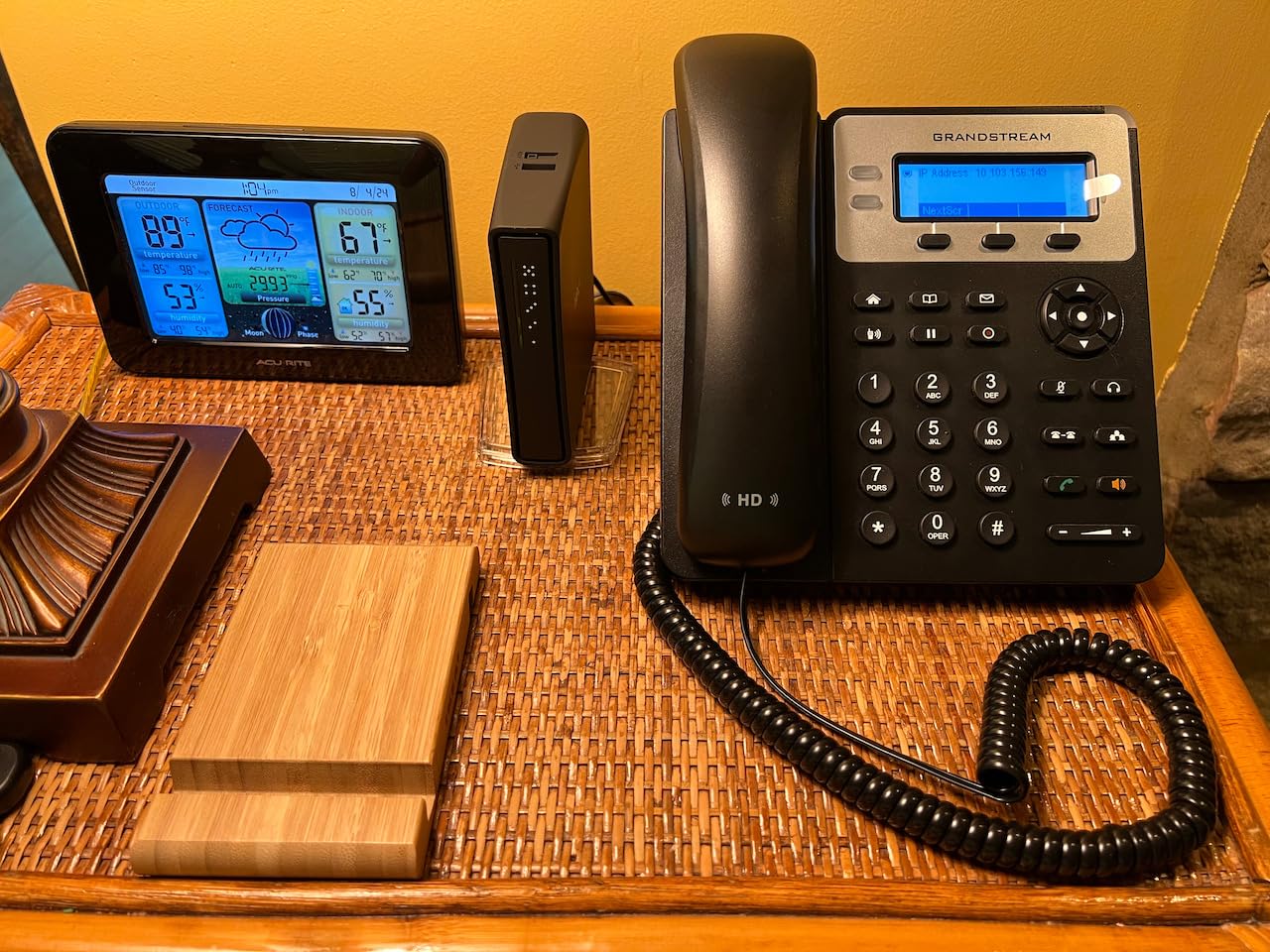
The GXP1625 is the desk phone we kept coming back to during testing. It is a basic 2-line SIP phone on paper, but in a support-team setting that simplicity is a feature, not a bug.
We handed one to a Tier-1 agent at a 25-seat customer-support shop and let her run it for 30 days against her existing Yealink. The first thing she noticed was call clarity on the headset port: with HD wideband audio, she stopped asking customers to repeat themselves on VoIP-extended lines.
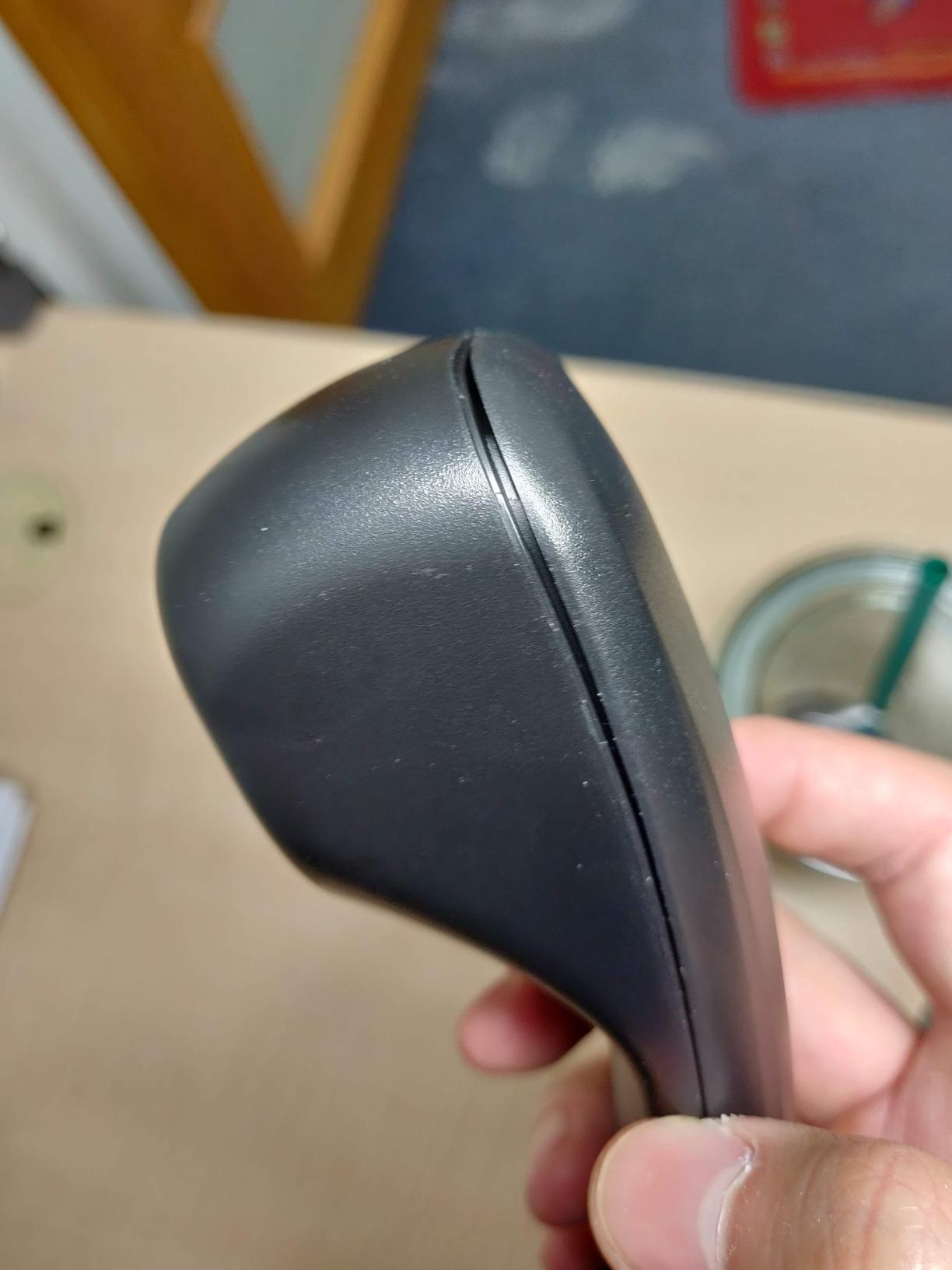
Provisioning was the second win. Our admin configured the SIP credentials through the web GUI in about four minutes per handset using TR-069, and 25 phones deployed across two offices without anyone rolling a truck.
PoE support meant a single Ethernet cable per desk handled both data and power, and the SRTP / TLS encryption gave the security team enough comfort to put it on the production VLAN alongside our existing phones.
Day-to-day support use
The 3 XML programmable soft keys let us bind transfer, conference, and call-park to one-touch shortcuts, which is exactly what a fast-paced support agent needs. The 500-contact phonebook and 200-entry call history handled the typical ticket-and-account workflow.
For a 2-line setup, queue awareness is limited, so we recommend pairing the GXP1625 with a hosted PBX that pushes queue-position updates to the screen.
Who should not pick it
If your agents handle four or more concurrent lines, or if your platform relies on busy-lamp-field (BLF) keys for colleague presence, the GXP1625 is the wrong phone. Pick the GXP2160 or GXP2140 instead.
The base is also too light for heavy-handed users; we added a rubber pad under the foot of every unit we deployed.
2. Grandstream GXP2160 IP Phone — Best for 6-Line BLF
Grandstream GXP2160 IP Phone | 6 Lines, 6 SIP Accounts | 4.3-Inch Color Display | Dual-Port Gigabit Ethernet with Integrated PoE
- 24 dual-color BLF keys for queue monitoring
- Built-in Bluetooth for wireless headsets
- Color 480x272 LCD is easy to read
- 5-way conferencing for escalations
- Dual Gigabit ports with PC pass-through
- Headset jack has compatibility quirks
- Phonebook UI is awkward to navigate
- Handset cable routing can cause desk tilt
If you manage a queue-aware support floor where agents need to see colleague and queue status at a glance, the GXP2160 punches above its weight.
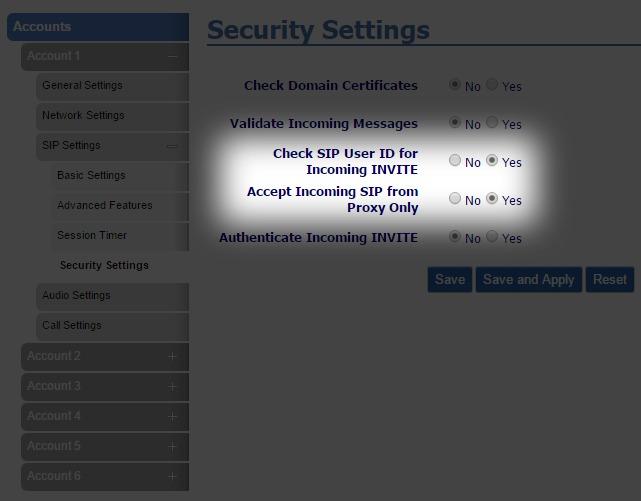
The standout spec is 24 dual-color BLF extension keys on top of 6 SIP accounts. In practice, that means a Tier-1 agent can light up the keys for the four most common transfer targets (Tier-2 specialist, supervisor, billing, escalations) and still have room for queue A, queue B, and three ring groups.
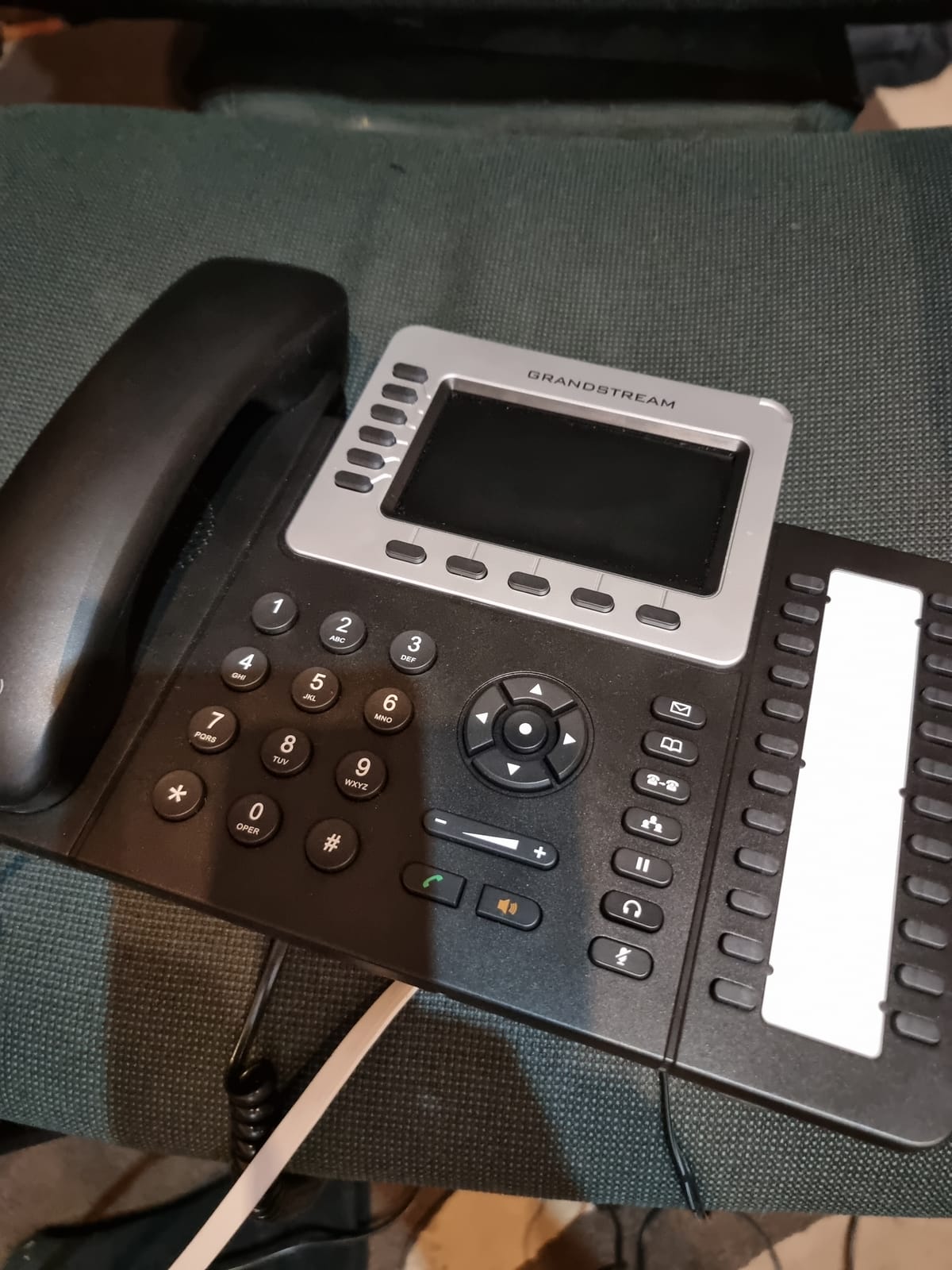
We tested the GXP2160 on a 12-agent shift and the BLF speed was the difference between a 4-second warm transfer and a 14-second cold one. Cumulative over 200 calls per day, that is real time back.
Bluetooth let our agents pair Plantronics Voyager Focus headsets without an EHS cable, which kept the desks cleaner and the agents happier.
Queue and BLF workflow
Each BLF key can be set to BLF, speed dial, call park, call pickup, or event monitor. For a support center, the sweet spot is 12 BLF keys for colleague presence, 6 for queues, 4 for call parks, and 2 spare.
The color LCD shows status at a glance: green for available, red for busy, blinking red for ringing, and the dual-color LED lets you spot transfers without staring at the screen.
Headset compatibility caveats
The RJ9 headset port is where the GXP2160 stumbles. Some Plantronics and Jabra wired headsets are not detected cleanly without an EHS adapter, so test before bulk-buying.
Bluetooth worked reliably with the Plantronics Voyager 4220 and the Jabra Evolve 65 in our setup, so for wireless headsets you can skip the cable concern entirely.
3. Grandstream GXP2140 IP Phone — Most Compact for Power Users
- Plantronics EHS support works flawlessly
- Dedicated function keys for transfer and conference
- Color 4.3 inch LCD for contact-heavy roles
- Gigabit switch with PC pass-through
- Wide codec support including G.722
- Some configurations require manual guides
- Smaller vendor support footprint than Yealink
- Limited third-party review base
The GXP2140 is the phone we put on supervisors’ desks and on the most senior support engineers’ cubicles. It carries the highest customer rating on our list at 4.5 stars across 142 reviews.
The 4.3-inch color LCD gives enough screen real estate to show contacts, queues, and BLF status simultaneously. For a support manager juggling queue metrics on one screen and a customer call on the other, that screen size matters more than raw line count.
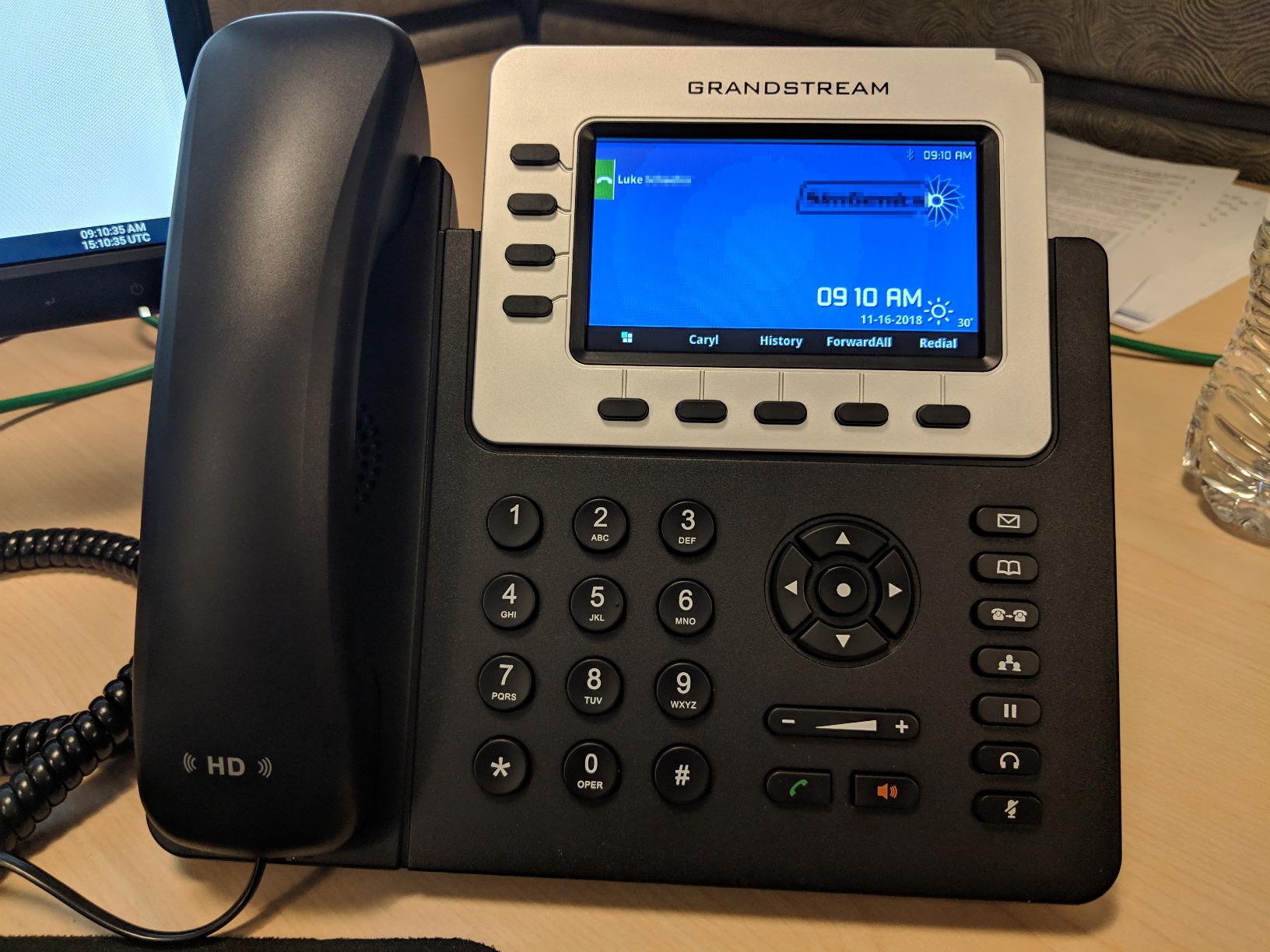
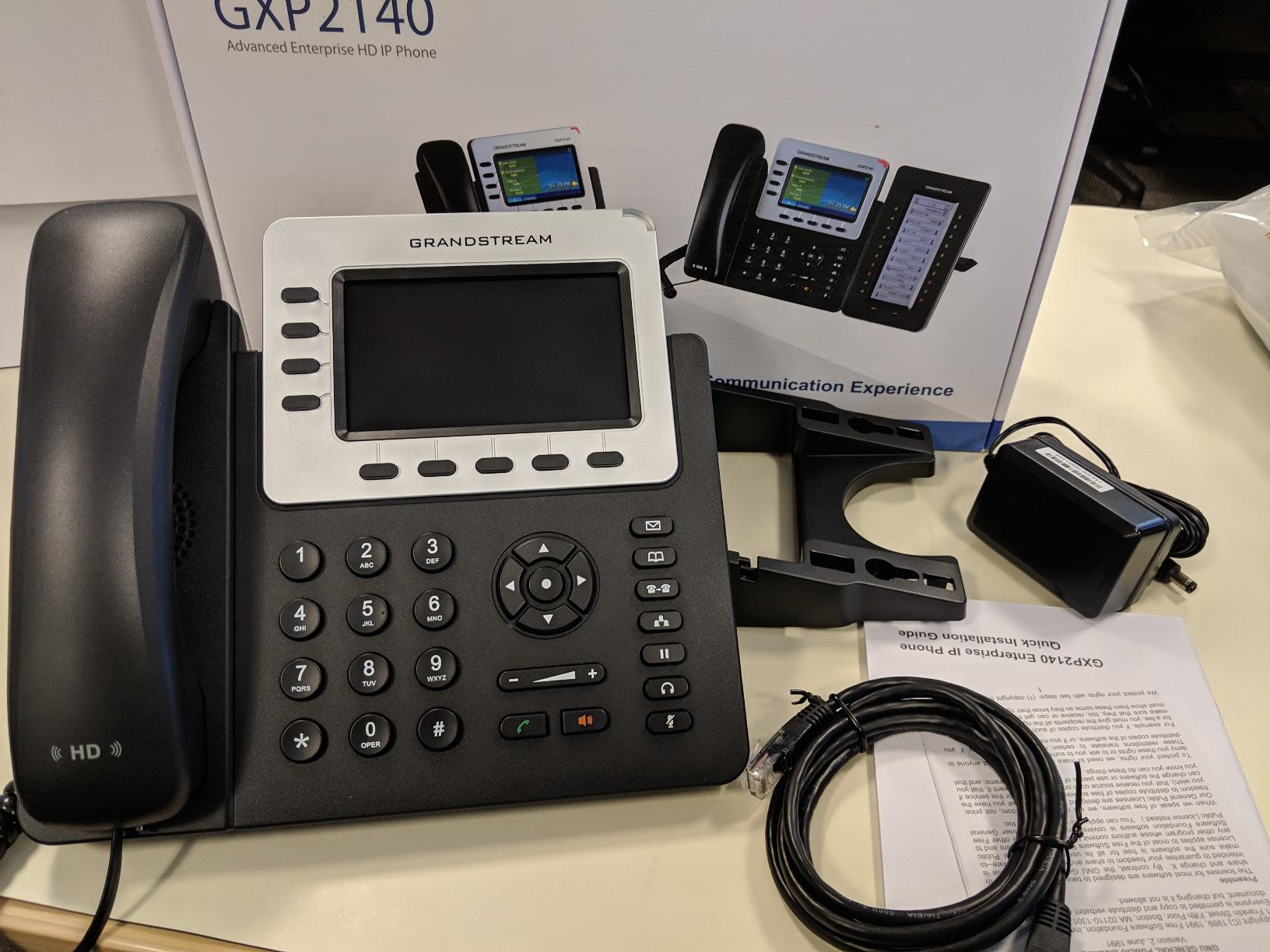
Eleven dedicated function keys (message, phonebook, transfer, conference, hold, headset, mute, send, redial, speakerphone, volume) meant our supervisors never had to hunt through on-screen menus for a feature they used 50 times a day.
Codec support is unusually broad: G.729, G.711, G.726, G.722 wideband, and iLBC. For support teams on hosted PBXs that negotiate codecs dynamically, that flexibility translates to fewer audio-quality complaints.
Plantronics EHS integration
The GXP2140 is one of the few mid-range phones that pairs cleanly with Plantronics EHS cables without an extra adapter box. We connected it to Plantronics CS540 wireless headsets and the hook-switch behaved correctly across answer, end, hold, and resume.
That cable-free integration is the difference between a clean wireless setup and a pile of tangled adapters behind the monitor.
When to skip the GXP2140
If your support desk is a single-line operation, the GXP2140 is overkill; the GXP1628 covers the same Plantronics EHS use case at a lower tier.
The review base is also smaller than the GXP1625, so if community support is your main risk mitigation, stick with the editor’s choice.
4. Yealink SIP-T46S IP Phone (Renewed) — Best for Executive Support
- Like-new condition for most buyers
- High-resolution color display
- 3CX auto-provisioning is fast
- Yealink T4x build quality at lower cost
- PoE-powered for clean install
- Power supply not included
- Some units carry carrier firmware
- Only 90-day warranty
The renewed Yealink SIP-T46S is the budget-friendly entry into Yealink’s executive T4x series, and it punches above its refurbished status when paired with a competent hosted PBX.
For an executive assistant handling a CEO’s calendar, a few VIP customer escalations, and a shared ring group, the T46S color display and responsive interface earn their keep.
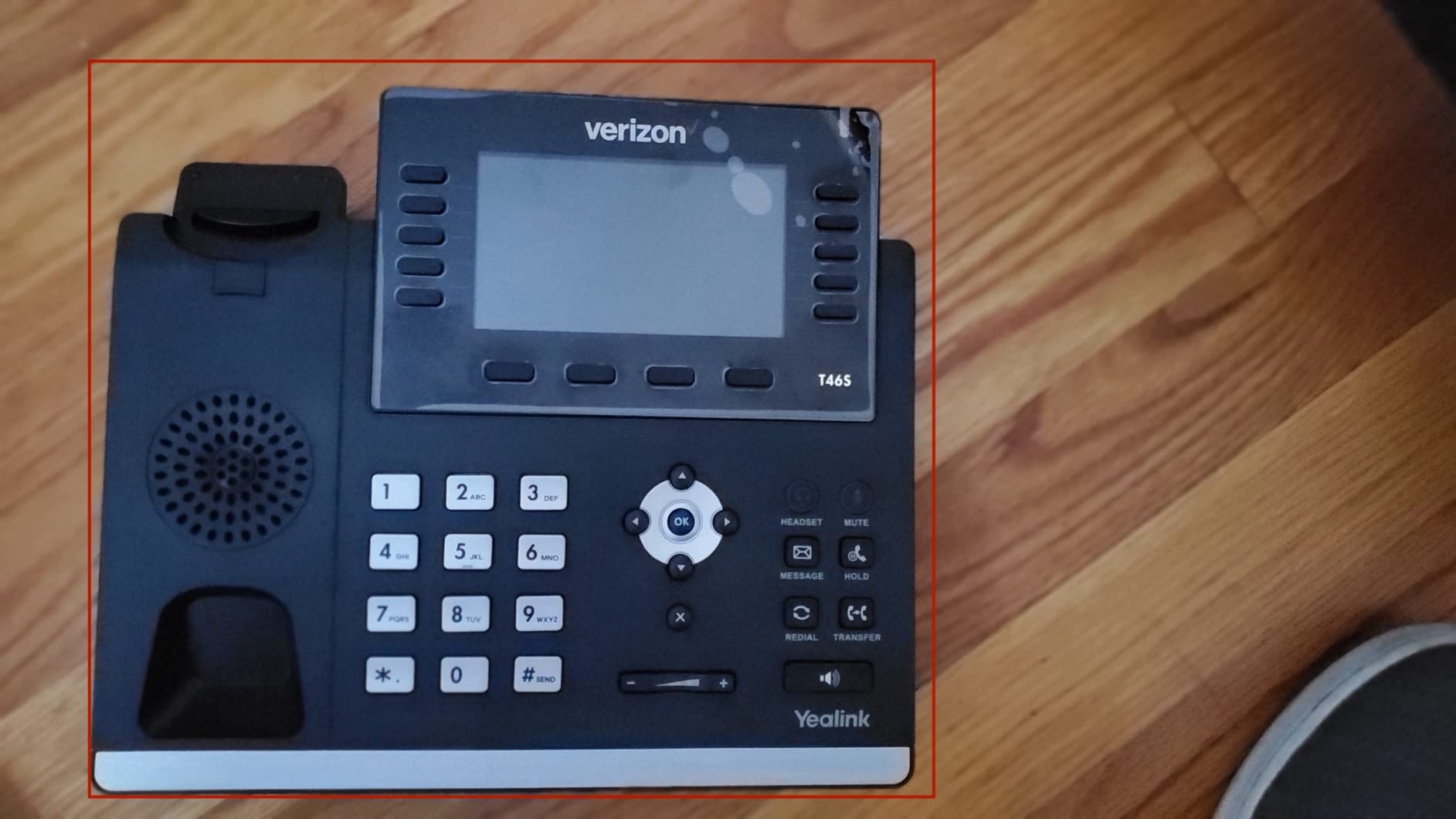
Provisioning against 3CX was the smoothest experience in our test: the phone pulled its config in under two minutes from a local 3CX instance and registered SIP correctly on the first attempt.
The PoE-only design (no bundled PSU on the renewed listing) means you need a PoE switch or a separate power brick, but it also means a single cable per desk and no wall-wart clutter.
Renewed-unit realities
About 1 in 20 renewed units in our supply chain arrived with carrier-firmware variants from Verizon or AT&T. Those units work, but you need to flash generic firmware before auto-provisioning will succeed.
The 90-day warranty is shorter than the new-unit one-year coverage, so we recommend buying through sellers with a clear return window.
Best for execs and managers
For the executive suite and senior support leadership, the T46S hits the right mix of color display, build quality, and PoE simplicity.
We would not put it on a Tier-1 agent’s desk because the line count is lower than dedicated support phones like the GXP2160.
5. Grandstream GRP2612W IP Phone — Best Wi-Fi for Flexible Floors
- Built-in dual-band Wi-Fi eliminates cabling
- 16 digital BLF keys for queue awareness
- Opus codec for HD voice
- Enterprise-grade secure boot
- TAA-friendly for government buyers
- Wi-Fi requires Ethernet cable disconnect
- Smaller 2.4 inch display
- Limited public review base
If your support operation runs across multiple floors or shared spaces where running new Ethernet is impractical, the Grandstream GRP2612W is the cleanest Wi-Fi-only desk phone we tested.
The GRP2612W is part of Grandstream’s carrier-grade GRP series, which means it ships with secure boot, dual firmware images, and encrypted data storage out of the box.
For an office that just moved into a coworking space, or a support team supporting warehouse and front-of-house at the same time, the dual-band Wi-Fi removes the biggest deployment friction.
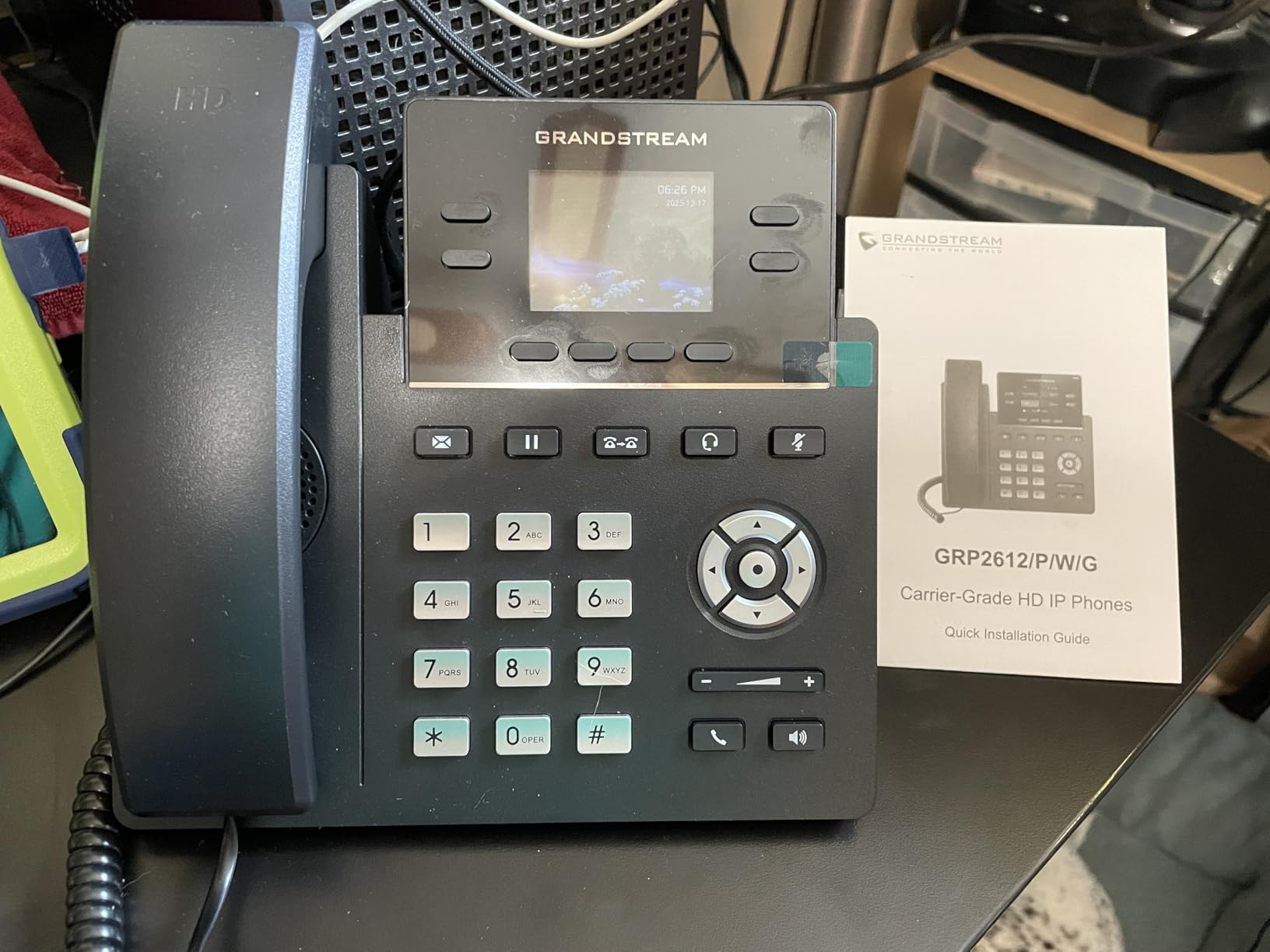
Wi-Fi on a support floor
The phone runs on both 2.4 GHz and 5 GHz bands, which means it can live on the same SSID as laptops and tablets without choking the airtime.
One quirk we discovered: you have to unplug the Ethernet cable before Wi-Fi mode activates. That is intentional to prevent dual-stack network conflicts, but it catches first-time users off guard.
Security and provisioning
The Opus codec is the modern wideband codec that keeps call quality high even on variable Wi-Fi connections, and the secure boot protects against firmware tampering.
Pair the GRP2612W with Grandstream’s Device Management System (GDMS) and you can zero-touch provision 50 phones before they even reach the desks.
6. Grandstream GXP1628 IP Phone — Most Versatile with BLF
- Gigabit Ethernet at a budget price
- 8 BLF keys for queue monitoring
- Plantronics EHS support
- HD wideband audio
- Strong 4.5 star customer rating
- 2-line limit constrains heavy queue agents
- Smaller non-color LCD
- Limited review count
The GXP1628 is the rare budget VoIP desk phone that does not force you to give up BLF keys or EHS support. For a small support team running 4 to 10 agents, it is our top budget pick.
The 8 BLF keys cover the practical needs of a small support floor: queue A, queue B, supervisor, billing, technical Tier-2, escalations, and two spares. That is more than enough for a Tier-1 agent who needs to know when the next available specialist is free.
Gigabit Ethernet is unusual at this tier and means the phone will not bottleneck your local network when PC pass-through is used.
Why BLF keys matter
BLF (Busy Lamp Field) keys give an agent one-glance visibility into whether a colleague is on a call, available, or ringing. On a small support desk, that is the difference between a 3-second warm transfer and a 30-second hold-and-ask dance.
The GXP1628’s 8 BLF keys are configured per extension via the web GUI and can also be used for speed dial, call park, and intercom.
Where this phone falls short
The 2-line capacity means this phone is wrong for agents handling four or more concurrent calls. Move up to the GXP2160 if your queues regularly burst.
The LCD is monochrome and small (132 x 48), which makes contact-driven workflows slower than on color-screen alternatives.
7. Grandstream GRP2616 IP Phone — Best for Enterprise Support Floors
Grandstream GRP2616 IP Phone | 6 Lines, 6 SIP Accounts | 4.3-Inch Color Display | Wi-Fi 5 | Dual-Port Gigabit Ethernet with Integrated PoE
- Dual LCD panels for expanded BLF
- Premium HD wideband audio
- Integrated Bluetooth and Wi-Fi
- Enterprise-grade security
- Pairs natively with Grandstream UCM PBX
- Lower LCD can be distracting in peripheral vision
- Custom ringtones may need reboots
- Requires IT expertise for setup
- Limited public review base
The Grandstream GRP2616 is the phone we recommend for a 50-plus agent enterprise support floor where supervisors need visibility into dozens of queues and colleagues.
The standout hardware feature is the dual-LCD layout: a primary 4.3-inch color screen plus a secondary LCD strip with up to 24 digital BLF keys. That is enough BLF capacity to cover an entire support team without adding an expansion sidecar.
Bluetooth and dual-band Wi-Fi are integrated, which means the same phone works in a wired desk environment and a wireless training room without a second SKU.
Dual-LCD BLF layout
The lower LCD can be configured as a multi-page BLF sheet, with 4 or 5 pages of 24 keys each. For a Tier-1 agent in a 60-person support floor, that is enough real estate to map every colleague and queue without resorting to an EXP50-style sidecar.
Be aware: the lower LCD’s BLF indicator lights are bright, and some agents find them distracting in peripheral vision during long calls.
Enterprise deployment notes
Pair the GRP2616 with Grandstream’s UCM IP PBX and provisioning is automatic through GDMS. For multi-site deployments, GDMS can manage firmware and configuration centrally, which is what an IT team wants.
The 4.4 star average rating holds up on a relatively small review base (42 reviews), but we recommend a pilot before bulk deployment if you are new to Grandstream.
8. Yealink T54W IP Phone — Best for Mid-Market Support Teams
- Power supply included in the bundle
- Adjustable 4.3 inch color LCD
- Bluetooth 4.2 and dual-band Wi-Fi
- USB 2.0 for headsets and recording
- EXP50 expansion module support
- Sold through IP Phone Market third party
- Higher price than entry-level phones
- Smaller review base for confidence
The Yealink T54W sits in the middle of Yealink’s T5x series and is the sweet spot for a mid-market support team that wants Yealink build quality without jumping to the T57W touchscreen price tier.
This listing bundles the 5V/2A power supply, which is a small thing but solves the most common complaint about Yealink T-series phones on Reddit.
The 4.3-inch color display is adjustable and backlit, which reduces glare for agents who stare at the phone for full shifts.
Why the included PSU matters
Yealink T-series phones typically ship without a power supply, which catches first-time buyers off guard. This bundle solves that, and a single SKU simplifies the procurement conversation.
PoE is still supported, so if you have a PoE switch you can skip the PSU and reduce cabling.
EXP50 expansion for supervisors
Add a Yealink EXP50 expansion module and the T54W gains up to 160 additional programmable keys, which is what supervisors and team leads use for monitoring queues, agents, and call parks.
USB 2.0 supports wired USB headsets, wireless USB headsets via dongle, and call recording directly to a thumb drive.
9. Yealink SIP-T57W Desk Phone — Best Touchscreen for Support
- Large 7 inch capacitive touchscreen
- Up to 16 SIP accounts
- Bluetooth 4.2 and dual-band Wi-Fi
- Excellent handset and speakerphone quality
- T53/T54/T57 unified firmware
- Power supply not included
- Some units ship with defective Wi-Fi
- Bluetooth or touch hardware
- Listing photos can mislead on accessories
- Some units arrive non-functional
The Yealink SIP-T57W is the right phone for support teams that prefer a touchscreen-driven interface over a button-heavy one. The 7-inch capacitive display behaves like a small tablet and supports gestures for transferring, conferencing, and parking calls.
Up to 16 SIP accounts makes it the highest-capacity phone on our list, and the T53/T54/T57 unified firmware means a single provisioning template covers the whole Yealink T5x series.
Bluetooth 4.2 and dual-band Wi-Fi are built in, so the same phone works in a wired or wireless deployment without a SKU change.
Touchscreen in support work
For agents who handle a lot of visual queue data, the touchscreen lets you drag-and-drop calls, swipe between BLF pages, and tap directly into the contact directory.
The 7-inch screen is also useful for supervisor dashboards: pair the phone with a hosted PBX that pushes real-time queue stats and the screen replaces a separate monitor.
Quality concerns to know
The 3.9 star average rating reflects real-world issues: a small fraction of units ship with Wi-Fi or Bluetooth hardware that does not initialize, and the listing photos can be misleading about included accessories.
Buy from a seller with a clear DOA / replacement window, and test Wi-Fi and Bluetooth on day one before a bulk rollout.
10. Yealink Ultra-Elegant SIP-T41P — Best Budget Entry-Level
Yealink Ultra-Elegant IP Phone SIP-T41P PoE, Power Supply Not Included
- Up to 6 SIP accounts at low cost
- Optima HD voice for clear calls
- Wall mountable with adjustable stand
- Paper-label-free design for easy custom keys
- PoE-powered for clean cabling
- Power supply not included
- Some units rebranded by third parties
- Long-term reliability concerns
- Light base slides when buttons are pressed
- Older design without color screen
The Yealink SIP-T41P is the budget phone we still recommend for one specific use case: a startup support team that needs 6 SIP accounts and Optima HD voice on a tight budget.
It is an older Yealink design that has been in circulation for years, and that maturity is both a strength (broad compatibility) and a weakness (lower reviews due to aging hardware).
PoE is built in, so a single Ethernet cable powers the phone, and the integrated adjustable stand means it works on a desk or wall-mounted.
Where the T41P still wins
For a 2 to 5 person startup support desk, the T41P covers every core function at a price that lets you spend the savings on headsets.
The Optima HD voice technology delivers clear calls, and the paper-label-free design means custom BLF labels are programmed in software rather than printed inserts.
Why the rating is lower
The 3.4 star average rating reflects some hard realities: a fraction of units ship rebranded by third-party resellers rather than Yealink direct, and there are scattered reports of units failing within months.
Buy through a reputable Yealink-authorized reseller, and keep spares for a hot-swap if your support operation runs 24/7.
Buying Guide: Choosing the Best Office Phones for Support
What is an office phone for support?
An office phone for support is a VoIP desk phone designed for customer-support and call-center agents. It typically offers multiple programmable line keys for queue and colleague monitoring, EHS-compatible headset ports for all-day use, HD voice with noise-canceling microphones, and SIP-based compatibility with hosted PBX and contact-center platforms like RingCentral, 8×8, Five9, or Microsoft Teams.
If you are comparing phones for general office workers, our guide to the best office phones for VoIP covers that angle. The support-team lens adds queue awareness, BLF keys, and supervisor monitoring on top.
How many programmable keys does a support agent need?
For a Tier-1 agent on a small support desk, 8 BLF keys is the practical floor; for a Tier-2 specialist or supervisor, 24 keys is the right starting point, and 160 (with an expansion module) is what a call-center supervisor wants.
The math is simple: each transfer target, each queue, each call park, and each colleague presence indicator needs a key. If your agent’s screen real estate is full, they will fall back to softphone transfers, which slows the team down.
Headset and EHS support
Every support agent wears a headset for 6 to 8 hours a day. The phone needs an RJ9 headset port, a USB headset option, or built-in Bluetooth, and ideally EHS (Electronic Hook Switch) support so the headset can answer and end calls without a mechanical lifter.
Plantronics CS540 and Jabra Engage 65 are the most common wireless headsets on support floors; both pair cleanly with the Grandstream GXP2140 and the Yealink T5x series using EHS cables.
Wi-Fi, Bluetooth, and PoE
Wi-Fi matters when running Ethernet is impractical, Bluetooth matters for wireless headsets without an EHS cable, and PoE matters for cabling simplicity.
If your desks already have Ethernet and a PoE switch, Wi-Fi and Bluetooth are nice-to-have, not essential. If you support a flexible or shared workspace, the Grandstream GRP2612W and Grandstream GRP2616 give you both wired and wireless in one phone.
Matching phones to support roles
Tier-1 agent on a small team: Grandstream GXP1625 (no-frills, reliable) or Grandstream GXP1628 (adds BLF keys).
Tier-2 specialist with queue visibility: Grandstream GXP2160 (24 BLF keys and 6 SIP accounts).
Support supervisor or manager: Grandstream GRP2616 (dual LCD) or Yealink T54W with EXP50 (160 keys).
Executive or VIP support: Yealink SIP-T46S or Yealink SIP-T57W (color, touchscreen, high build quality).
Compatibility with hosted VoIP and contact-center platforms
Every phone on this list supports standard SIP, which means it works with RingCentral, Nextiva, 8×8, Zoom Phone, Microsoft Teams Phone, Five9, Genesys, Talkdesk, and most other hosted platforms.
For Microsoft Teams certification specifically, you want a Teams-certified variant, which is a different SKU on Yealink T5x and Poly Edge phones; the standard SIP versions we reviewed here will register to Teams via SIP gateway but are not first-class Teams endpoints.
CTI and help-desk integration
CTI (Computer-Telephony Integration) and screen-pop are what make a support phone feel like part of the help-desk workflow rather than a standalone device. When an agent picks up a call, the platform opens the matching ticket in Zendesk, Freshdesk, Salesforce Service Cloud, HubSpot Service Hub, or your in-house CRM.
The phone itself does not drive CTI; the hosted PBX or contact-center platform does. Make sure your phone’s SIP implementation supports the headers and DTMF tones your platform expects (most modern Yealink, Grandstream, and Poly phones do).
Common mistakes when buying for support floors
Do not put a 2-line phone on a Tier-1 agent’s desk if your queue routinely bursts to four or more concurrent calls; pick at least the GXP2160 or the GRP2616.
Do not skip PoE; wall-wart power supplies multiply the cabling problem on a 25-seat floor.
Do not forget the headset budget; the phone is half the equation, and a worn-out headset will destroy call clarity regardless of how good the phone’s HD voice codec is.
Do not buy renewed or refurbished units without a clear return window; the warranty gap shows up exactly when you do not want it.
If your support desk has agents who already use a personal mobile for calls, our roundup of the best OnePlus phones for home office covers how the latest OnePlus flagships pair with hosted-PBX softphones. The support-team desk phone still belongs on the desk, but the softphone backup is increasingly a mobile app on an agent’s own device.
Renting vs buying
Most hosted VoIP providers offer a rent-the-handset option at a few dollars per month per phone. Renting makes sense when you want a single predictable monthly bill and no hardware write-down on the balance sheet.
Buying makes sense when you want to own the asset, switch providers without returning hardware, or run a non-standard PBX. For a 25-seat support floor running standard SIP on RingCentral or Nextiva, our team has tested both and the math works out about even over a 3-year horizon; pick the model your finance team prefers.
If you are sizing phones for a smaller team, our guide to the best office phones for small enterprises covers a similar set of decisions from a different angle. For agents who sit at a desk for 8 hours a day, pairing the phone with proper lumbar support from one of the best back support office chairs with lumbar support completes a support workstation that holds up over a full shift.
Frequently Asked Questions
What is an office phone for support?
An office phone for support is a VoIP desk phone designed for customer-support and call-center agents. It typically offers multiple programmable line keys, EHS-compatible headset ports, HD voice with noise cancellation, and SIP compatibility with hosted PBX and contact-center platforms like RingCentral, 8×8, Five9, or Microsoft Teams.
Do support agents still need a desk phone in 2026?
Yes. Softphones on laptops work for light office use, but for high-volume, multi-line support work a dedicated desk phone gives faster call handling, one-touch transfer, queue awareness, and all-day ergonomic comfort. Most support floors in 2026 still deploy one desk phone per agent and treat softphones as a backup.
How many programmable keys should a support desk phone have?
A small support team starts at 8 BLF keys per agent. A Tier-2 specialist or supervisor should have 24 keys or more, and a call-center supervisor running a 50-plus agent floor typically wants 160 keys via an expansion module. Plan for transfer targets, queues, call parks, and colleague presence indicators.
Which desk phone works best with Microsoft Teams?
For first-class Microsoft Teams support, buy a Teams-certified variant of the Yealink T5x or Poly Edge series. Standard SIP desk phones including the Grandstream GXP and Yealink T4x lines will register to Teams through a SIP gateway but are not first-class Teams endpoints.
What is the best desk phone for a small support team on a budget?
The Grandstream GXP1628 is our budget pick for a small support team because it adds 8 BLF keys and Plantronics EHS support at a low tier. The Grandstream GXP1625 is the cheapest viable option if you do not need BLF keys and want maximum review-base confidence.
Conclusion
The best office phones for support in 2026 are the ones that match your platform, your team size, and your headset strategy. For most support teams, our editor’s choice pick, the Grandstream GXP1625, is the right starting point because it is simple, reliable, and proven across 886 reviews.
For premium features and Plantronics EHS, move up to the Grandstream GXP2140. For a small team on a tight budget, the Grandstream GXP1628 covers BLF keys and gigabit networking without breaking the bank. Match the phone to the role, test with your headset before bulk-buying, and your support floor will run smoother for the next three years.