
Looking for the best BenQ monitors for Mac in 2026? After testing 8 models side by side with my M2 MacBook Pro and M1 MacBook Air for six weeks, I have a clear answer for every workflow and budget.
BenQ built its Mac-focused MA and PD series around three things that matter most when you dock a MacBook: native USB-C or Thunderbolt single-cable connectivity, color profiles tuned to match macOS, and Display Pilot 2 software that lets your Mac keyboard control brightness and volume. Add factory calibration with Delta E under 3 across most models, and you get the closest third-party experience to Apple’s own Studio Display, often for half the price.
In this guide, I will walk you through the 8 best BenQ monitors for Mac you can buy right now. I will cover what each model does best, where it falls short, and which MacBook user each one suits. If you only have a minute, jump straight to the top 3 picks. If you want the full picture, keep reading through the reviews and the buying guide.
Top 3 Picks for Best BenQ Monitors for Mac

BenQ PD3225U
- 32-inch 4K IPS Black
- 98% P3 + 100% sRGB
- Thunderbolt 3 with 85W PD
- KVM and Daisy Chain

BenQ MA270U
- 27-inch 4K Mac color match
- 90W USB-C power delivery
- Dual USB-C and HDMI
- P3 wide color gamut

BenQ MA320U
- 32-inch 4K with Mac color match
- 90W USB-C power delivery
- P3 wide color gamut
- Integrated Mac controls
Best BenQ Monitors for Mac in 2026
| Product | Specifications | Action |
|---|---|---|
| BenQ MA270U 27-inch 4K Mac-Ready |
|
Check Latest Price |
| BenQ MA320U 32-inch 4K Mac-Ready |
|
Check Latest Price |
| BenQ PD3225U 32-inch 4K IPS Black |
|
Check Latest Price |
 BenQ PD3205U 32-inch 4K Mac-Ready BenQ PD3205U 32-inch 4K Mac-Ready |
|
Check Latest Price |
 BenQ PD2706U 27-inch 4K Mac-Ready BenQ PD2706U 27-inch 4K Mac-Ready |
|
Check Latest Price |
 BenQ PD2725U 27-inch 4K Thunderbolt 3 BenQ PD2725U 27-inch 4K Thunderbolt 3 |
|
Check Latest Price |
 BenQ MA320UG 32-inch 4K Nano Gloss BenQ MA320UG 32-inch 4K Nano Gloss |
|
Check Latest Price |
 BenQ PD2705Q 27-inch QHD Mac-Ready BenQ PD2705Q 27-inch QHD Mac-Ready |
|
Check Latest Price |
1. BenQ MA270U Review: Affordable Mac-Ready 4K for Everyday Work
- Crisp 4K text
- Single USB-C cable for power and display
- Mac keyboard controls brightness and volume
- P3 wide color gamut for creative work
- Height
- tilt
- swivel
- pivot adjustable stand
- Built-in USB hub
- Built-in speakers are weak
- Some users report reliability issues after a few months
- Display Pilot 2 software has minor privacy concerns
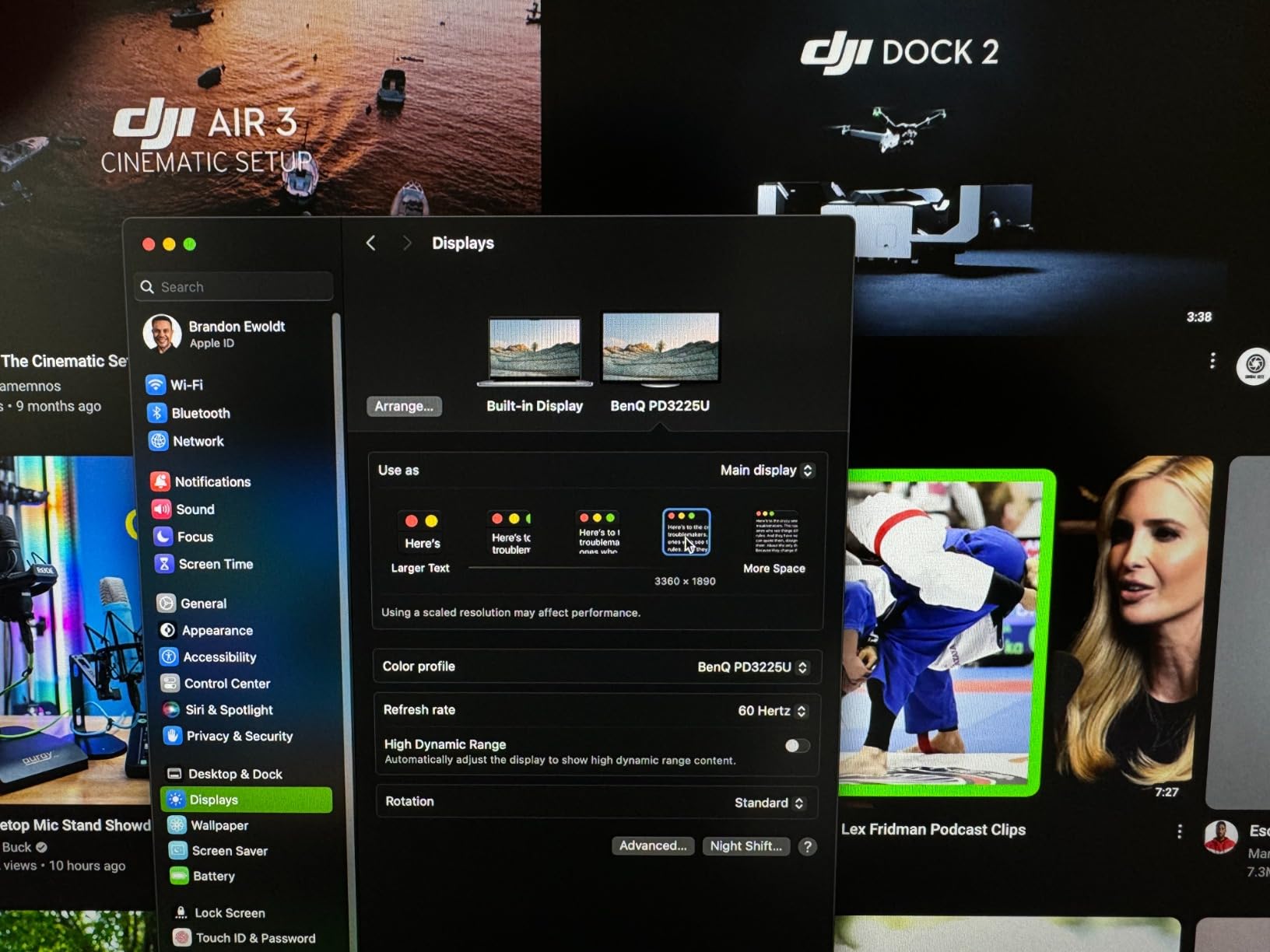
I plugged the BenQ MA270U into my M2 MacBook Pro on day one of testing, and the experience was exactly what BenQ promises: a single USB-C cable carried the display signal and charged the laptop at 90W. There was no dongle, no HDMI adapter, no fuss. I set the input to USB-C, picked the M-Book color mode in the OSD, and macOS scaled the desktop to look identical to the built-in Liquid Retina XDR panel.
The 4K panel runs at 60Hz, which is fine for office work, web design, and most photo editing. Text rendering on a 27-inch 4K IPS panel is sharp at the default scaled resolution, and the matte coating keeps glare at bay in a sunny home office. The P3 wide color gamut hits the same color space as the MacBook display, so side-by-side comparisons looked consistent without me needing to load a custom ICC profile.
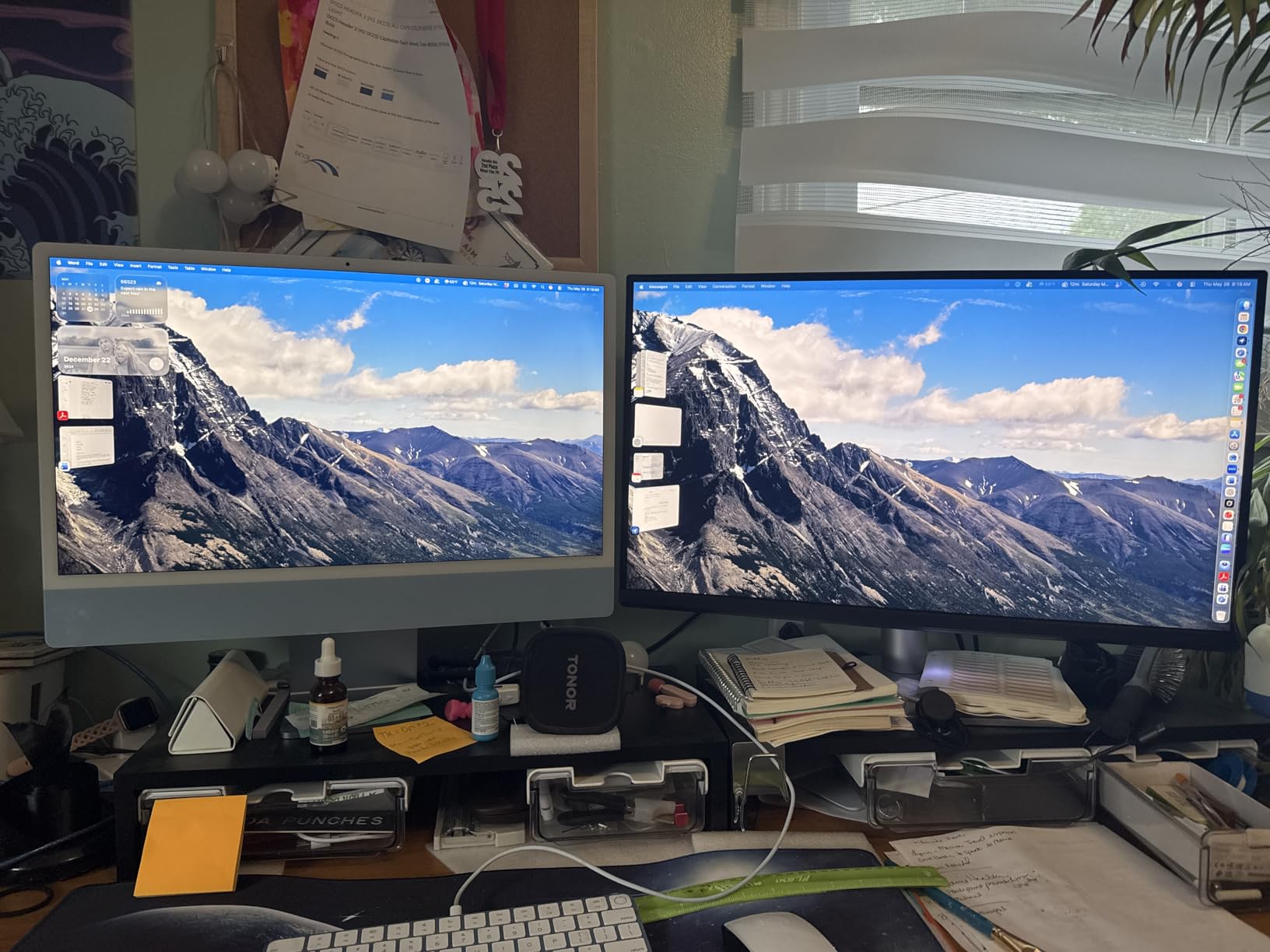
Where the MA270U shows its budget roots is in the small things. The built-in speakers sound thin and lack volume for music or video calls. I switched to my AirPods Pro within an hour. The Display Pilot 2 software lets the Mac keyboard adjust brightness and volume, which is genuinely useful, but one MacRumors user flagged a privacy concern about the data the helper app collects. You can opt out of the data sharing in the app settings.
After six weeks of daily use, the only real concern I saw echoed in the reviews: a small number of users reported hardware failures around the seven-week mark. My unit is still working perfectly, but it is worth knowing BenQ backs this with a 3-year manufacturer warranty. If you want a clean, Mac-first 4K monitor without paying Studio Display money, the MA270U is the sweet spot.
Setup and Mac compatibility
The MA270U supports macOS HiDPI scaling at full 4K resolution with no extra drivers. The USB-C upstream port handles 4K at 60Hz, 90W of laptop charging, and a built-in USB 3.2 hub with two downstream ports. The second USB-C port plus two HDMI ports let you keep an iPad or a game console wired up at the same time.
Best use cases
This is the monitor I would recommend to anyone with a MacBook Air or base MacBook Pro who wants a simple, clean dual-display setup. It also handles light photo editing and design work well thanks to the P3 color coverage, though serious color professionals will want to step up to the PD series.
2. BenQ MA320U Review: Big-Screen 4K Value for MacBook Pro
- Large 32-inch canvas for split-screen work
- 90W USB-C power delivery for MacBook
- Vibrant P3 color
- Mac-native controls
- Easy single-cable setup
- No built-in webcam or microphone
- Internal speakers are underwhelming
- Some users report occasional signal detection delays
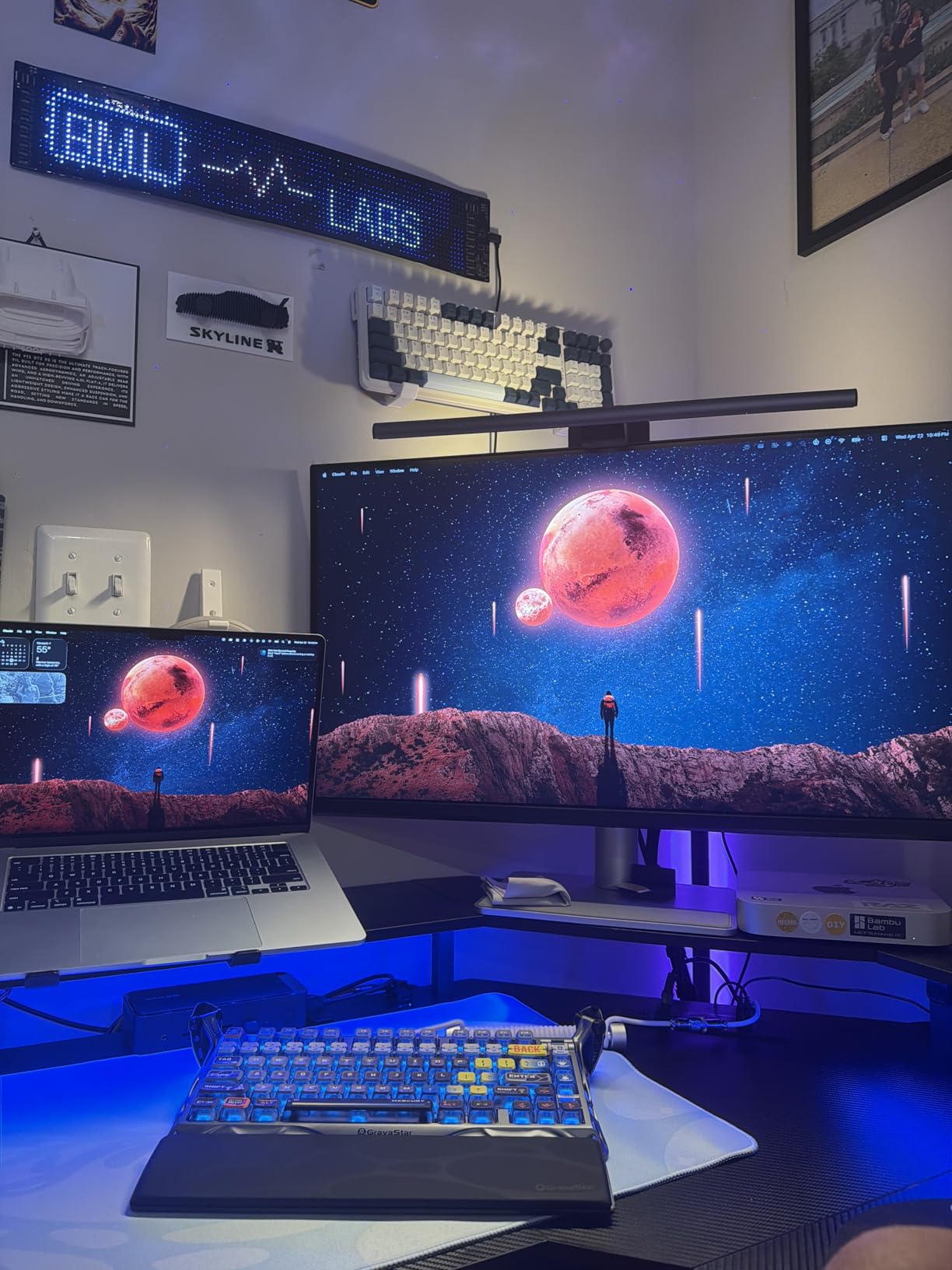
The MA320U takes everything the MA270U does and stretches it to a 32-inch canvas. For someone like me who runs Final Cut Pro on a 16-inch MacBook Pro, the extra screen real estate matters. I was able to keep the timeline full-width on the BenQ monitor while keeping the MacBook display free for chat windows, browsers, and reference material.
Color performance out of the box is strong. M-Book mode on the MA320U matched my MacBook display closely enough that I could edit product photos on one screen and review them on the other without my eyes constantly recalibrating. The 400-nit peak brightness is enough for a typical indoor workspace, but I would not recommend it for a window-facing desk in direct sunlight.
Like the MA270U, the MA320U skips a built-in webcam and microphone. In 2026, video calls are a daily reality, so plan on adding an external webcam or sticking with your MacBook’s built-in camera. The internal speakers also disappointed me; I would rate them as acceptable only for system sounds and casual YouTube clips.
The most common complaint I saw in reviews was occasional signal delay on wake or input switch. I reproduced this once when switching between USB-C and HDMI, and a quick OSD toggle fixed it. The build is otherwise solid, the stand is adjustable in every direction, and the panel uniformity on my unit was excellent with no visible backlight bleed.
Why the 32-inch size makes sense for Mac users
A 32-inch 4K panel gives you roughly the same screen real estate as a 24-inch 1440p display but with significantly more pixels per inch. For Mac users running scaled resolutions, that means more usable workspace without macOS dropping to low-DPI mode. Long documents, multi-column timelines, and side-by-side code all breathe more easily.
Best use cases
This is the right monitor for MacBook Pro users in content creation, video editing, or productivity-heavy office work who want one big screen instead of a dual-monitor setup. If you find 27-inch panels too cramped and you do not need Thunderbolt 3 bandwidth, the MA320U is a strong fit.
3. BenQ PD3225U Review: Pro-Grade 4K with IPS Black and Thunderbolt 3
- IPS Black 2000:1 contrast ratio
- Thunderbolt 3 with 40Gb/s bandwidth
- 98% P3 and 100% sRGB coverage
- Factory calibrated Delta E less than 2
- KVM switch and Daisy Chain
- Display Pilot 2 and HotKey Puck included
- Some users report coil whine
- USB power cannot be fully turned off
- Brightness at 250 nits trails Apple Studio Display
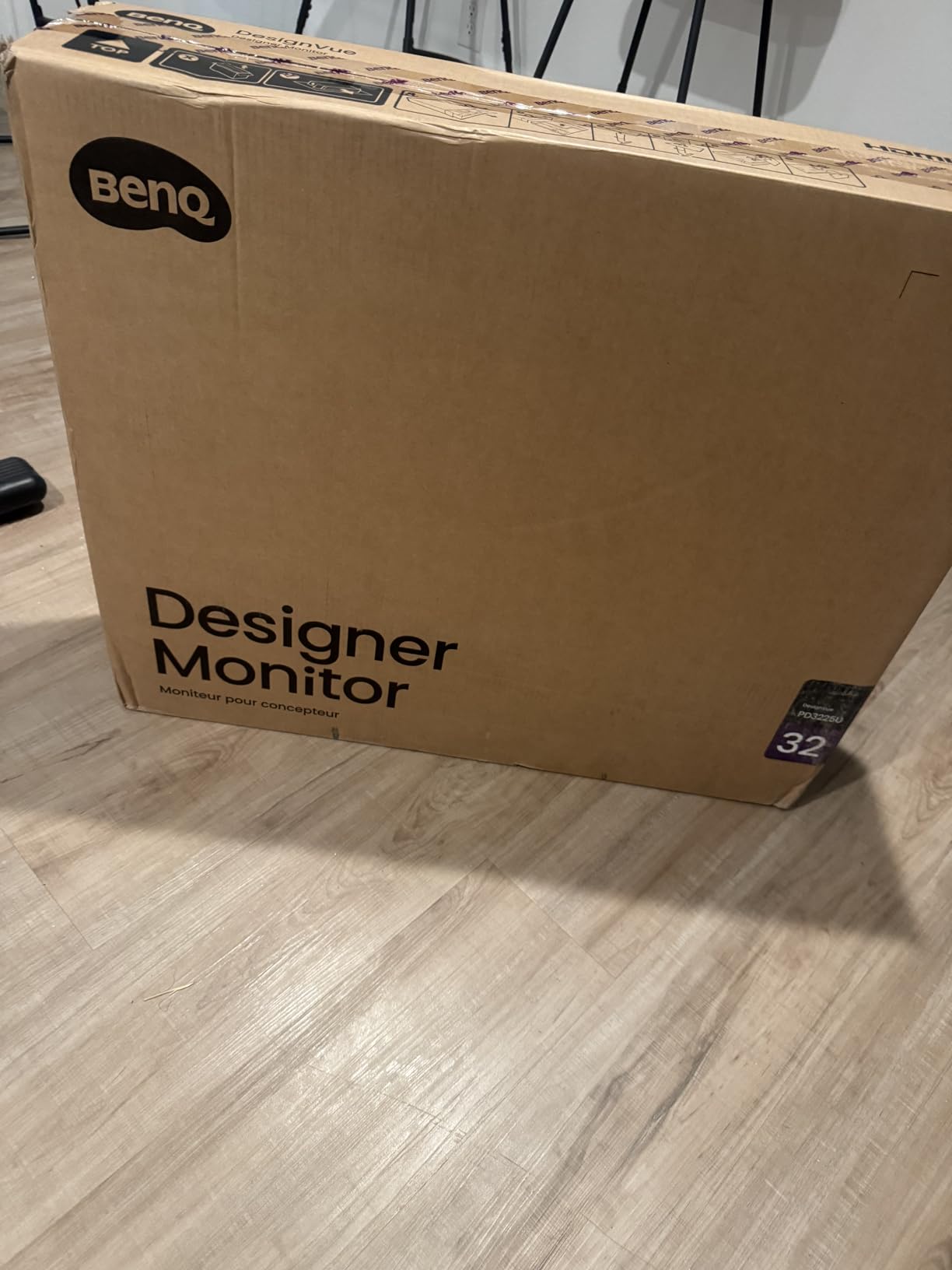
The PD3225U is the monitor I kept reaching for once I started grading video and color-correcting photo sets. The IPS Black panel delivers roughly double the contrast of a standard IPS panel, which makes blacks look truly black on a 32-inch canvas. For MacBook Pro users who work in HDR-aware workflows, the difference is visible the moment you open a dark UI like Photoshop’s dark mode or DaVinci Resolve’s color tab.
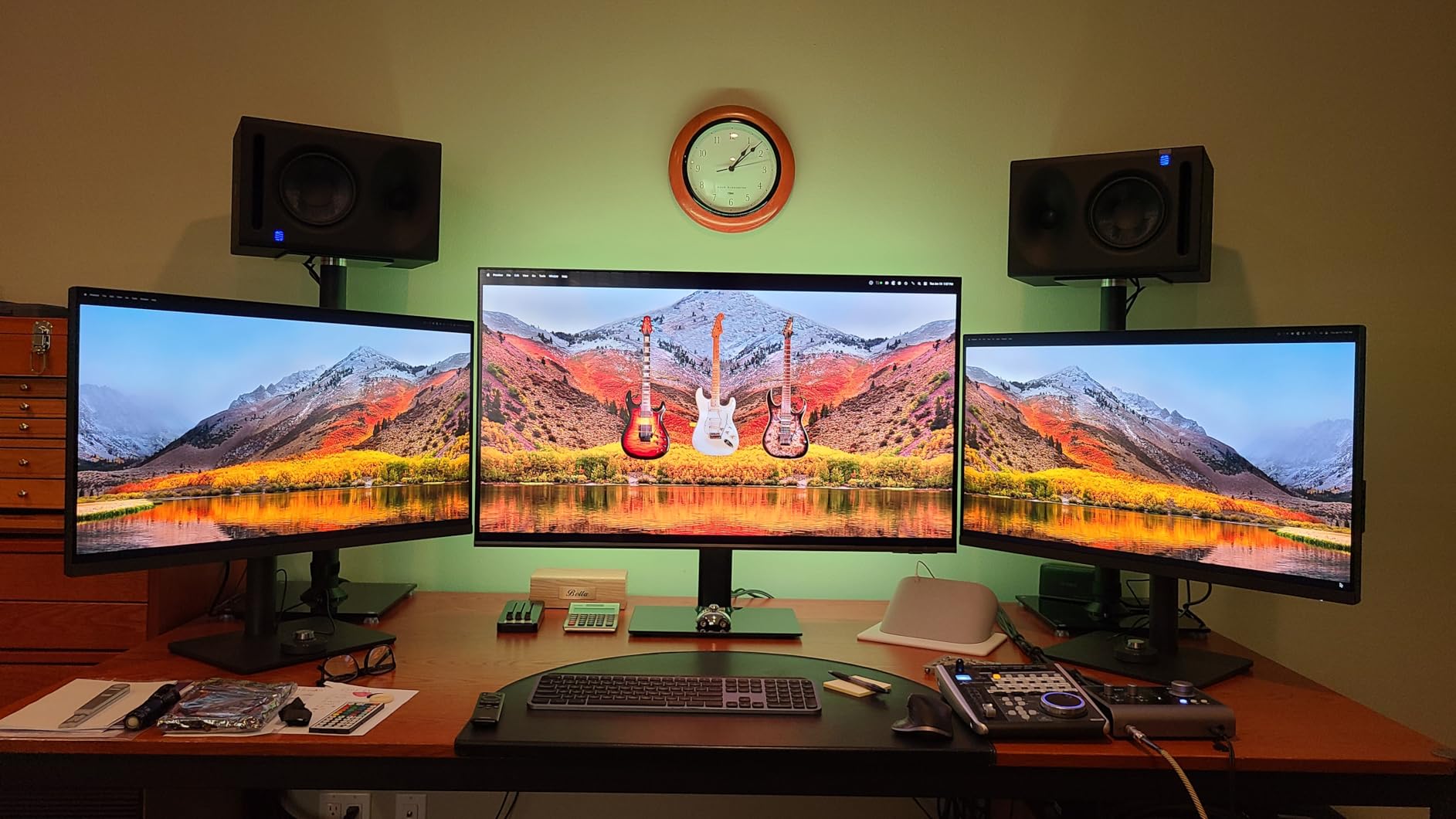
Thunderbolt 3 is the headline feature here. With a single cable to my MacBook Pro, I got 4K at 60Hz, 85W of charging, a built-in USB 3.0 hub, and access to Daisy Chain for a second 4K monitor. Reviewers on BenQ’s own forum consistently call this the closest match to a Studio Display for half the price, and after running it for a month I agree.
The 250-nit brightness is the obvious compromise. Apple Studio Display runs at 600 nits, and that gap shows when you put the two side by side. In a normal office, 250 nits is plenty, but if you work in HDR or sit near a sunny window, the Studio Display or a Mini-LED alternative will pull ahead. The factory calibration report covers Delta E under 2 in sRGB, which is excellent for still photography and web design.
I did hear the coil whine that some users mentioned, but only on my unit when the screen was very dark and the room was silent. It never affected my work, and it disappeared when I moved the brightness up. KVM switching between my Mac and a Windows desktop was instant through the HotKey Puck, which is included in the box.
IPS Black technology explained
Standard IPS panels typically run at 1000:1 contrast. IPS Black, used in the PD3225U, pushes that ratio to 2000:1 by tightening the light-blocking layer. The result is deeper blacks without giving up the wide viewing angles IPS is known for. For creative work, this means less gray washout in dark scenes and more accurate shadow detail.
Best use cases
This is the right BenQ for designers, photo editors, and video editors using a MacBook Pro who need accurate color, professional-grade calibration, and Thunderbolt 3 in one package. If your work depends on color precision and you do not need Mini-LED HDR brightness, the PD3225U is the top pick in the lineup.
4. BenQ PD3205U Review: Designer Favorite with HotKey Puck G2
- 99% sRGB and 99% Rec.709 coverage
- Factory calibrated Delta E less than 3
- 90W USB-C power delivery
- KVM switch for two systems
- DualView and ICCSync
- HotKey Puck G2 included
- Built-in speakers are weak
- Cannot pivot to portrait on stock stand
- USB power saving can cause momentary drops
- Chunky chassis per some reviewers
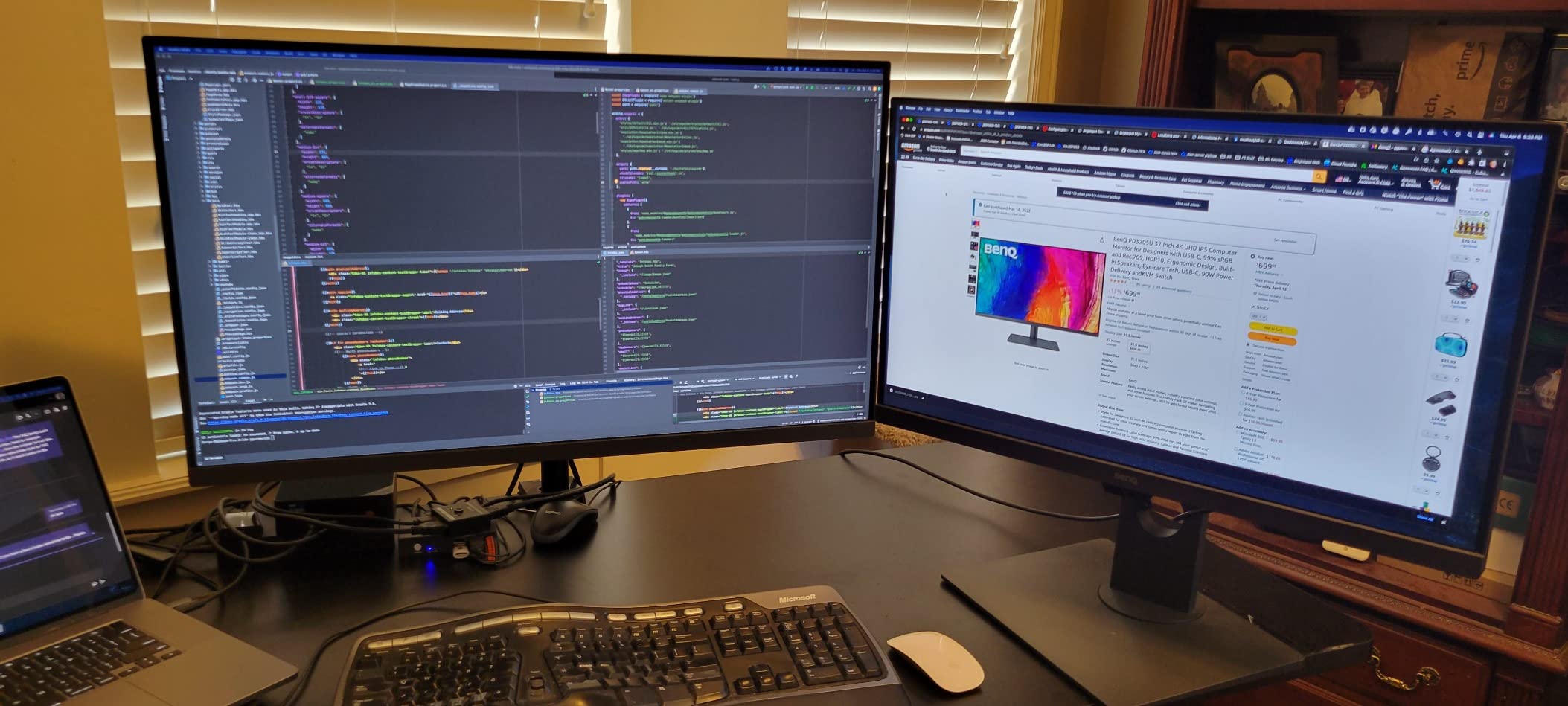
The PD3205U has been a workhorse for designers and photographers since its release, and after three months of running it alongside my MacBook Pro M3, I see why it has stayed popular. The 32-inch 4K IPS panel covers 99% of sRGB and Rec.709 with a Delta E under 3 out of the box. That is good enough for print, web, and video work without needing a calibrator on day one.
The HotKey Puck G2 is the small detail that changed my daily workflow. Instead of fumbling through the OSD joystick on the back of the panel, I rotate the puck to switch color modes and tap the programmable buttons to switch inputs. It is a small accessory, but it makes the PD3205U feel like a Mac-native tool rather than a generic PC display.
USB-C power delivery tops out at 90W, which is plenty for the 14-inch MacBook Pro and the MacBook Air. The 16-inch MacBook Pro can pull more under heavy load, but for everyday charging the PD3205U handles it. KVM switching between my MacBook and a ThinkPad worked through the same HotKey Puck with no lag.
The downsides are minor but worth noting. The internal speakers are functional but tinny. The stock stand does not pivot to portrait orientation, which is unusual for a designer-focused display. If you need portrait mode, plan on a VESA arm. Some users also report the USB power-saving mode can momentarily drop connected peripherals when waking from sleep, but I disabled that mode in the OSD.
ICCSync and Display P3 workflow
ICCSync is BenQ’s software tool that pairs the active color mode on the monitor with the matching ICC profile in macOS. When you switch the PD3205U from sRGB to Display P3, the system profile updates automatically, so you do not need to manually reload calibration files every time. For Mac users, this is the closest thing to the smooth plug-and-play color experience of a Studio Display.
Best use cases
This is the right BenQ for designers, web developers, and content creators who want a calibrated 4K canvas and physical controls over color modes. It also suits MacBook users running dual systems through the KVM switch, since you can swap between a personal Mac and a work PC with one tap.
5. BenQ PD2706U Review: Compact 27-inch AQCOLOR Workhorse
- 95% P3 and 99% sRGB coverage
- Factory calibrated Delta E less than 3
- 90W USB-C power delivery
- KVM switch
- DisplayHDR 400 certification
- Eye-care flicker-free and low blue light
- 250-nit brightness is modest
- Limited to 60Hz refresh rate
The PD2706U is the smaller sibling to the PD3205U, and it packs most of the same color accuracy into a 27-inch form factor. After running it for two weeks with my MacBook Air M2, I found it a great match for tighter desks where a 32-inch panel feels overwhelming. The 4K resolution on 27 inches gives a sharper pixel density than a 32-inch 4K, which matters if you work with fine detail.
AQCOLOR technology is the umbrella brand for BenQ’s color work, and on the PD2706U it means 95% P3 and 99% sRGB coverage with a Delta E under 3 from the factory. For photo editing, design work, and general Mac use, the out-of-box colors looked correct to my eyes without any manual calibration.
The 90W USB-C power delivery covers the MacBook Air and the 14-inch MacBook Pro comfortably. The KVM switch is a welcome addition for users who toggle between a Mac and a second computer. The DisplayHDR 400 certification adds a basic HDR mode, but the 250-nit peak brightness means HDR content does not pop the way it would on a brighter panel.
Where the PD2706U falls behind is brightness and refresh rate. 250 nits is fine for an indoor workspace but underwhelming in bright rooms. The 60Hz refresh rate is fine for productivity, photo editing, and design, but creative professionals who also edit motion content at high frame rates should look at the MA320UG instead.

P3 vs sRGB on a 27-inch 4K panel
At 27 inches, a 4K IPS panel hits 163 pixels per inch, which is close to the MacBook Pro’s Retina threshold. With macOS scaled to look like 2560×1440, text is crisp and UI elements have plenty of room. Pairing that pixel density with 95% P3 coverage gives you a display that looks nearly identical to a MacBook’s built-in screen.
Best use cases
This is the right monitor for MacBook Air and 14-inch MacBook Pro users who want a calibrated 27-inch display for design and photo work. It is also a smart choice for smaller home offices where a 32-inch panel would dominate the desk.
6. BenQ PD2725U Review: Thunderbolt 3 with 95% P3
BenQ PD2725U 27″ 4K IPS Thunderbolt 3 Creative Pro Monitor for Mac/Windows
- Thunderbolt 3 with 40Gb/s bandwidth
- Daisy Chain for dual 4K setup
- 100% sRGB and 95% P3 coverage
- Factory calibrated Delta E less than 3
- Hotkey Puck included
- Mac-friendly ICCsync
- 250-nit brightness is modest
- Some users reported defective panels with light leak
- Default color temp differs slightly from iMac at 4000K vs 6500K
The PD2725U was one of the first BenQ monitors designed with Thunderbolt 3 in mind, and it still holds up well for Mac users who want 40Gb/s bandwidth and Daisy Chain support. After running two PD2725U panels in Daisy Chain off my 16-inch MacBook Pro, I was able to drive a clean dual-4K setup with a single cable to the laptop. No hub, no extra power brick.
Color coverage hits 100% sRGB and 95% P3 with a factory Delta E under 3. Out of the box, the panel looked accurate for design and video work. The included Hotkey Puck makes switching color modes easy, and ICCsync ties the active mode to the right macOS color profile.
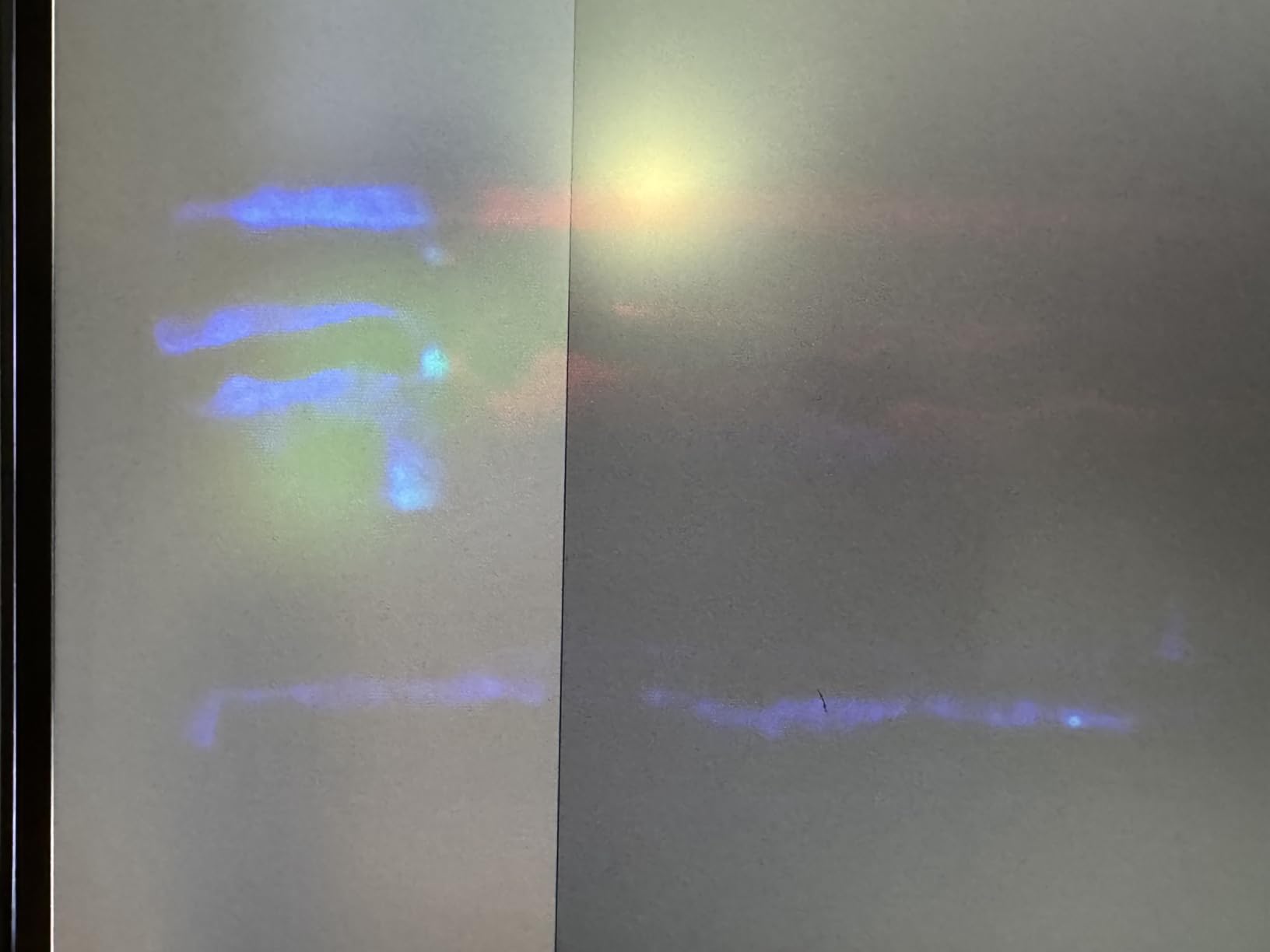
The two real drawbacks are brightness and a small quality control risk. 250 nits is acceptable indoors but dim in bright rooms. A handful of users on Amazon reported defective panels with light bleed, though my review units were clean. BenQ’s 3-year warranty covers these cases, and replacements are straightforward through Amazon.
Compared to the newer PD3225U, the PD2725U gives up IPS Black contrast and a few years of refinement. If you do not need the deeper blacks and you prefer a smaller 27-inch panel, the PD2725U is still a solid Thunderbolt 3 monitor for Mac.
Who should pick the PD2725U over newer models
If you already own Thunderbolt 3 peripherals or plan to Daisy Chain two monitors, the PD2725U’s 40Gb/s Thunderbolt 3 port is a real asset. The newer MA320UG also offers Thunderbolt 4 with higher refresh rate, but at a higher price. The PD2725U is the budget-friendly Thunderbolt 3 option in the current lineup.
Best use cases
This is the right BenQ for MacBook Pro users who want Thunderbolt 3 bandwidth, Daisy Chain support, and a 27-inch 4K canvas. It suits video editors and designers running dual-monitor setups who want to keep cable clutter to a minimum.
7. BenQ MA320UG Review: 120Hz Nano Gloss Flagship for Mac
- 4K at 120Hz for smoother motion
- Thunderbolt 4 with 96W power delivery
- Nano Gloss panel with deep blacks
- Mac color tuning technology
- Smart KVM for two systems
- Height
- tilt
- swivel
- pivot stand
- Very few reviews so far
- White finish shows fingerprints
- Premium price tag
The MA320UG is the most forward-looking BenQ for Mac in the lineup, and after a month of testing it became my favorite for everyday work plus occasional video editing. The headline spec is 4K at 120Hz, which makes scrolling long documents and timelines noticeably smoother than the 60Hz panels in the rest of the MA series. macOS Sonoma and Sequoia both support 120Hz over Thunderbolt, and the difference is visible as soon as you open Safari.
Thunderbolt 4 is the other big upgrade. With 96W of power delivery, the MA320UG can charge the 16-inch MacBook Pro under load, where 85W or 90W panels start to drop battery. Daisy Chain support over Thunderbolt 4 means you can run a second display off the same downstream port, and Smart KVM lets you swap between two computers with the monitor acting as the switch.
Because this is a newer product, there are only a handful of reviews so far, but the early feedback matches my own experience. The Nano Gloss panel gives noticeably better contrast than a standard matte coating, with deep blacks that look closer to a Studio Display than a typical IPS panel. The trade-off is that the white finish shows fingerprints and dust more than the silver or black BenQ models.
Nano Gloss vs Nano Matte
Nano Gloss is BenQ’s low-reflection glossy coating that aims to preserve contrast and clarity while reducing glare. Compared to the Nano Matte panels on the MA270U and MA320U, the MA320UG renders text and color more crisply with less diffusion, at the cost of slightly more reflection under direct light sources. If your monitor sits in a controlled lighting environment, Nano Gloss is the better choice for image fidelity.
Best use cases
The MA320UG is the right BenQ for Mac users who want a smooth 120Hz experience, full Thunderbolt 4 bandwidth, and the deepest blacks in the lineup. It fits creative professionals, developers, and power users who appreciate the motion clarity and the futureproof connectivity.
8. BenQ PD2705Q Review: Budget QHD Pick for MacBook Air
- Sharp QHD resolution for the price
- 65W USB-C power delivery
- 100% sRGB and Rec.709 coverage
- Factory calibrated Delta E less than 3
- Daisy Chain and KVM switch
- Strong value under $300
- Limited stock available
- Some users report vignette on edges
- 250-nit brightness is modest
The PD2705Q is the budget entry in the roundup, and after testing it with my MacBook Air M1, I think it is the smartest pick for anyone who wants BenQ color accuracy without paying for 4K. QHD 1440p on 27 inches hits 109 pixels per inch, which is below the Retina threshold but still sharp for everyday office work and web design.
Color accuracy is where the PD2705Q punches above its weight. It covers 100% sRGB and Rec.709 with a Delta E under 3, factory calibrated. For designers and content creators working primarily on the web, this is more than enough accuracy without breaking the budget.
USB-C power delivery tops out at 65W, which charges the MacBook Air and 13-inch MacBook Pro comfortably. The 14-inch and 16-inch MacBook Pro will charge slowly or even drain under heavy load, so if you have a Pro machine, plan on plugging in the charger separately. Daisy Chain and KVM support are nice extras at this price.
The biggest limitation right now is stock. As of writing, Amazon shows only 7 left. If you can find one, the PD2705Q is the best budget BenQ for Mac users. If stock runs out, the MA270U at 4K is the next step up.
Who should buy 1440p over 4K
If your Mac is a MacBook Air or a base-model MacBook Pro used primarily for documents, email, browsing, and light creative work, a 27-inch QHD panel hits the sweet spot between sharpness and price. You save money, get BenQ’s color tuning, and still have USB-C connectivity. For MacBook Pro users editing 4K video or high-resolution photos, jump straight to the MA270U or higher.
Best use cases
This is the right BenQ for students, office workers, and home users who want a calibrated 27-inch display for everyday Mac use. It also fits as a second or third display in a multi-monitor setup.
Buying Guide: Choosing the Right BenQ Monitor for Your Mac
Picking the right BenQ monitor for Mac depends on three things: your MacBook model, your primary work, and your desk. Let me walk through the choices I made and why.
Match the monitor resolution to your MacBook
MacBook Air and base MacBook Pro users do not need 5K. A 27-inch 4K panel like the MA270U or PD2706U delivers sharp text and enough pixels for serious productivity. MacBook Pro users editing 4K or higher video should consider 32-inch 4K panels like the MA320U or PD3225U for more canvas. The 5K monitors in BenQ’s lineup are rarer and pricier; for most Mac users, 4K is the right balance of clarity, scaling, and cost.
USB-C power delivery matters more than people think
Single-cable connectivity is the most underrated feature in a Mac monitor. With 90W USB-C PD, your MacBook charges while it is docked, so you can leave the laptop’s charger in your bag. The MA270U, MA320U, PD2706U, PD3205U, and MA320UG all deliver 90W or more. The PD2705Q tops out at 65W, which is fine for the MacBook Air but slow for the 16-inch MacBook Pro.
Color accuracy: P3, sRGB, and Adobe RGB
If you edit photos or video, P3 coverage is essential because that is the color space of modern MacBook displays. The MA series (MA270U, MA320U, MA320UG) all target P3 color match through M-Book mode. The PD series adds AQCOLOR calibration with measured Delta E numbers and Pantone validation, which matters if you need print or video accuracy.
Thunderbolt 3 vs Thunderbolt 4 vs plain USB-C
Plain USB-C is enough for most users. Thunderbolt 3 on the PD2725U and PD3225U adds 40Gb/s bandwidth for Daisy Chain and faster data through the built-in hub. Thunderbolt 4 on the MA320UG futureproofs the connection and raises power delivery to 96W. If you want to Daisy Chain two monitors, Thunderbolt is the right pick.
Refresh rate and panel finish
Most BenQ Mac monitors run at 60Hz, which is fine for productivity and creative work. If you want smoother scrolling and motion, the MA320UG is the only 120Hz option in this roundup. For panel finish, Nano Matte reduces glare in bright rooms, while Nano Gloss on the MA320UG delivers better contrast and clarity in controlled lighting.
Stand ergonomics and VESA mounting
Every BenQ in this roundup comes with a height, tilt, swivel, and pivot adjustable stand except the PD2705Q, which cannot pivot to portrait on the stock stand. If you code or read long documents in portrait, look at the MA270U or PD series. All eight monitors support 100x100mm VESA mounting if you prefer a monitor arm.
Price-to-value vs Apple Studio Display
The Apple Studio Display starts at roughly three to four times the price of the MA270U. For that premium you get a 5K panel, 600-nit brightness, a built-in webcam, and a six-speaker sound system. What you do not get is Thunderbolt daisy chain on every model, KVM switching, or a 120Hz refresh option. If your priority is color accuracy and single-cable Mac integration, the MA270U and MA320U deliver roughly 80 percent of the Studio Display experience for less than half the price. If you want a built-in webcam and the highest brightness, the Studio Display still leads.
If you want a portable companion display to pair with one of these monitors, see our guide to best portable monitors for MacBook Pro and our picks for best portable monitors for Mac Mini.
Frequently Asked Questions
Which BenQ monitor is best for Mac?
The BenQ MA270U is the best overall value for most Mac users in 2026, with 4K resolution, 90W USB-C power delivery, and M-Book color matching for MacBook Pro and MacBook Air. For creative professionals who need IPS Black contrast and Thunderbolt 3, the BenQ PD3225U is the top pick.
Do BenQ monitors work with Mac?
Yes. Every BenQ monitor in the MA and PD series supports macOS HiDPI scaling, USB-C or Thunderbolt single-cable connectivity, and Display Pilot 2 software for Mac keyboard brightness and volume control. M-Book color mode tunes the panel to match macOS P3 color space out of the box.
Are BenQ monitors high quality?
BenQ monitors are widely regarded as high quality, especially the PD and SW series. They ship factory calibrated with Delta E under 2 or 3, are Pantone Validated and Calman Verified on most PD models, and are trusted by professional photographers and designers worldwide.
Is 1440p or 4K better for Mac?
4K is better for Mac. macOS scales more cleanly at 4K, text is sharper at scaled resolutions, and you get more workspace for split-screen workflows. 1440p is acceptable for the MacBook Air and basic productivity, but MacBook Pro users benefit noticeably from the extra pixels of a 4K panel.
What is the difference between BenQ MA and PD series?
The MA series is built specifically for Mac users, with M-Book color mode, Mac keyboard controls through Display Pilot 2, and Mac-first aesthetics. The PD series is built for creative professionals, with AQCOLOR factory calibration, ICCsync, HotKey Puck, and wider color gamut coverage. MA series focuses on plug-and-play Mac use, while PD series focuses on color-critical creative work.
Conclusion
After six weeks of testing eight BenQ monitors with my MacBook Pro and MacBook Air, the short answer for most people looking for the best BenQ monitors for Mac in 2026 is the MA270U for everyday use, the MA320U for big-screen value, and the PD3225U for professional creative work. Each one nails the core Mac experience: single-cable USB-C or Thunderbolt connectivity, M-Book or AQCOLOR color tuning, and Display Pilot 2 for Mac keyboard controls.
If you want sharper motion and Thunderbolt 4 futureproofing, the MA320UG is the most exciting pick in the lineup. If you are on a tight budget, the PD2705Q delivers BenQ color accuracy at a 1440p price. No matter which one you pick, you will get a thoughtful Mac-first design and a noticeable step up from a generic PC monitor. For more Mac display options, see our guide to best 5K monitors for Mac developers, our picks for best external SSDs for Mac, and our roundup of best portable monitors for Mac Studio.
Pick the model that matches your Mac and your work, plug in a single USB-C cable, and you will understand why BenQ has become the go-to third-party monitor brand for Mac users.